

ER/Studio vs. SqlDBM: Comparison & Expert Reviews for 2026
**Quick summary:** I break down how ER/Studio and SqlDBM stack up for modern database design and modeling—get a clear, expert take on which fits your workflow and why it matters.

We review tools independently, and commissions help fund our testing. See our transparency policy, our methodology, or suggest a tool.
Choosing between ER/Studio and SqlDBM for your next database modeling and design tool comes down to more than just features—it’s about how each tool fits your data environment and the way your team works. One leans into enterprise architecture and governance, while the other is built for cloud-native collaboration and speed. If you’re trying to decide which approach aligns better with your stack, the differences matter.
In this article, I’ll break down both tools side by side. You’ll see how they compare across features, usability, pricing, security, and real-world use cases, so you can decide which one actually makes sense for your workflow.
ER/Studio
4/5
- Free trial + free demo available
- From $2,687/user (billed annually)
SqlDBM
4.6/5
- Free demo available
- Pricing upon request
Why Trust Our Software Recommendations
6,700+
Reviews
20
Industry experts
16+
Evaluation factors
14
Years
Our team has been testing and reviewing software since 2012. As tech leaders ourselves, we know how difficult—and important—it is to choose the right software.
For this guide, we evaluated tools using hands-on testing and independent research, scoring tools using our selection criteria.
Our reviews reflect our human editorial judgment, not a sales pitch.
Expert reviewers:
- Paulo Gardini MiguelTech Director
 Tim FisherVP of AI
 Gabriel RosasTech Lead & Software Architect
 Christhian GruhnTech Lead & Platform Architect

| ER/Studio | SqlDBM | |
|---|---|---|
| Free Trial | Free trial + free demo available | Free demo available |
| Pricing | From $2,687/user (billed annually) | Pricing upon request |
ER/Studio vs. SqlDBM Pricing & Hidden Costs
ER/Studio follows a more traditional licensing model, with costs increasing as you layer in collaboration and governance capabilities. At its core is ER/Studio Data Architect, the desktop modeling tool included across all editions. As you move up tiers, you add repository-based collaboration and version control, and at the enterprise level, Team Server introduces web-based access, metadata management, and governance features. These higher-level capabilities—along with support, deployment, and integrations—can impact total cost and long-term scalability.
SqlDBM, while delivered as a SaaS platform, takes an enterprise-led approach to pricing—most plans are quote-based rather than fully transparent, and advanced features, integrations, or security options may be packaged separately or require enablement.
To land on the best fit, review your team’s real-world needs, like user count, feature requirements, and how quickly you expect to scale. It’s worth asking vendors for detailed, all-in pricing that includes support, integrations, and any optional add-ons. Trial periods and clear renewal terms can help you avoid surprises as your usage grows.
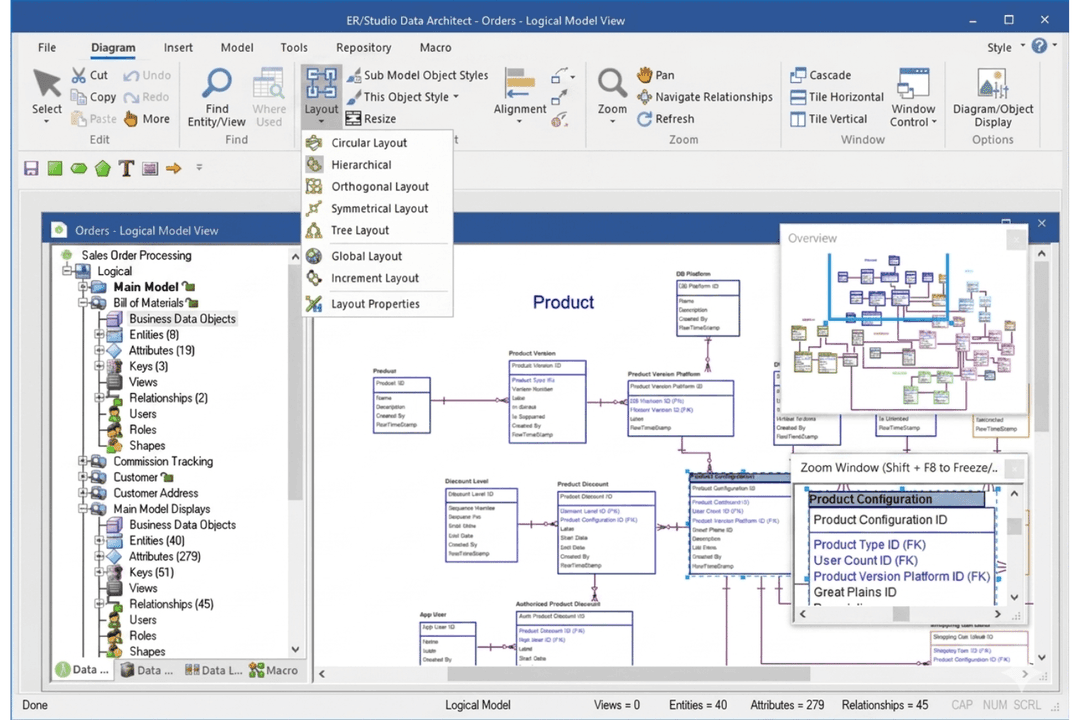
ER/Studio and SqlDBM cover the core functionality you’d expect from modern enterprise data modeling tools, including visual schema design, reverse and forward engineering, version control, and documentation. You can build logical and physical models, generate DDL, and maintain structured diagrams in either platform, making both viable for standard modeling workflows and improving overall data management.
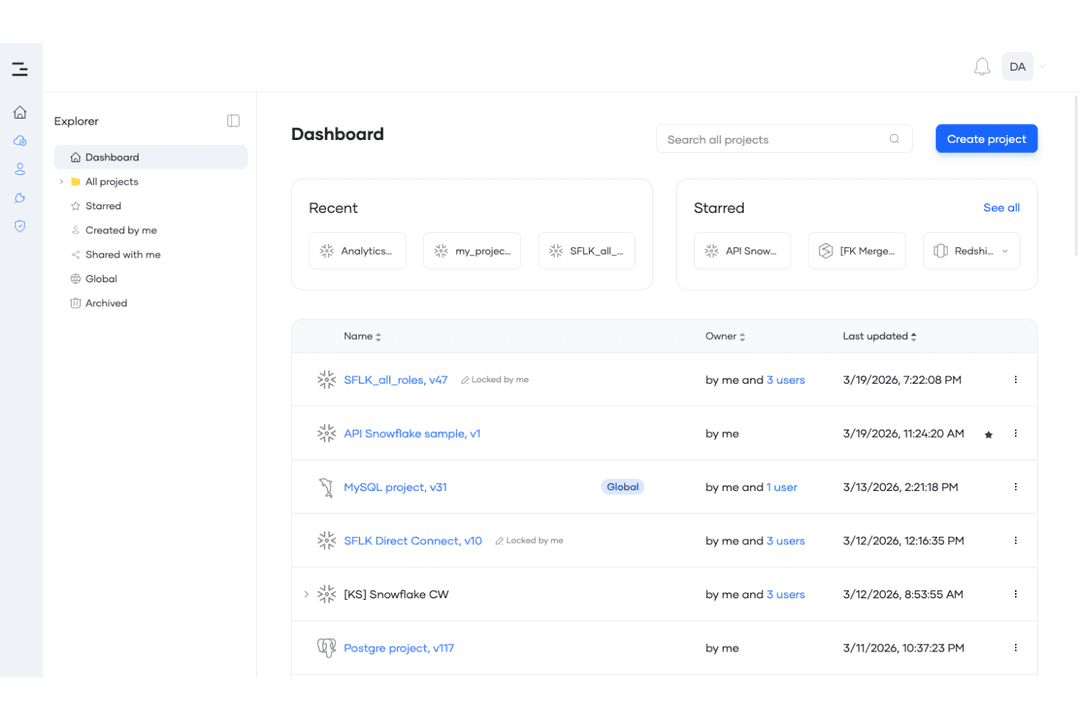
Where they start to diverge is in how those key features are delivered and extended. ER/Studio is built for enterprise-scale environments, with deeper support for metadata management, standards enforcement, impact analysis, and long-term data lifecycle control. SqlDBM, on the other hand, emphasizes a cloud-native, collaboration-first experience, with browser-based access, concurrent working, and tighter alignment with modern data stacks like Snowflake and BigQuery—making it especially appealing for fast-moving, distributed data teams.
| ER/Studio | SqlDBM | |
|---|---|---|
| 2-Factor Authentication | No | No |
| A/B Testing | No | No |
| Analytics | No | No |
| API | Yes | Yes |
| Calendar Management | No | No |
| Contact Management | No | No |
| Dashboard | Yes | Yes |
| Data Export | Yes | Yes |
| Data Import | Yes | Yes |
| Data Visualization | Yes | Yes |
| External Integrations | Yes | Yes |
| Forecasting | No | No |
| Keyword Tracking | No | No |
| Multi-User | Yes | Yes |
| Notifications | No | No |
| Scheduling | No | No |
| SEO | No | No |
| Integration | ER/Studio | SqlDBM |
|---|---|---|
| IntegrationMicrosoft SQL Server | ER/Studio✅ | SqlDBM ✅ |
| IntegrationOracle Database | ER/Studio✅ | SqlDBM ✅ |
| IntegrationMySQL | ER/Studio✅ | SqlDBM ✅ |
| IntegrationPostgreSQL | ER/Studio✅ | SqlDBM ✅ |
| IntegrationSnowflake | ER/Studio✅ | SqlDBM ✅ |
| IntegrationMongoDB | ER/Studio✅ | SqlDBM ❌ |
| IntegrationCollibra | ER/Studio✅ | SqlDBM ❌ |
| IntegrationMicrosoft Purview | ER/Studio✅ | SqlDBM ❌ |
| IntegrationGitHub/GitLab/BitBucket | ER/Studio✅ | SqlDBM ✅ |
| IntegrationJira | ER/Studio✅ | SqlDBM ✅ |
| IntegrationAPI | ER/Studio✅ | SqlDBM ✅ |
| IntegrationZapier | ER/Studio❌ | SqlDBM ❌ |
ER/Studio and SqlDBM overlap on many core database and development integrations, including SQL Server, Oracle, MySQL, PostgreSQL, Snowflake, Git platforms, Jira, and API access. Where they differ is in ecosystem focus: ER/Studio extends further into enterprise environments with support for platforms like MongoDB and integrations with governance tools such as Collibra and Microsoft Purview.
SqlDBM, while more focused on modern cloud data platforms, emphasizes integrations with Git-based workflows and collaboration tools rather than broader governance ecosystems. Both cover the essential integrations most teams need, but if you rely heavily on data governance platforms or NoSQL systems, ER/Studio has the edge—especially when working across cross-platform environments.
| Factor | ER/Studio | SqlDBM |
| Data Encryption | Supports encryption standards and secure handling of model data within enterprise environments. | Uses TLS encryption in transit (up to 256-bit AES) and FIPS 140-2–compliant encryption at rest, with AES-256 encrypted backups. |
| Access Controls | Offers granular role-based access and user management, especially in repository and Team Server environments. | Provides role-based access, project-level permissions, and SSO support across cloud environments. |
| Regulatory Compliance | Supports SOC 2, ISO 27001, and GDPR compliance, along with governance, lineage tracking, and access controls to support enterprise compliance initiatives. | SOC 2 Type II compliant with audit logs, role controls, and enterprise security options. |
| High Availability | Supports enterprise deployment strategies (on-prem or hybrid) with control over backups and infrastructure. | Cloud-native platform hosted on AWS with high availability and continuous service monitoring. |
| Vendor Transparency | Provides documentation, support, and enterprise guidance through vendor resources. | Publishes detailed security practices, encryption standards, and maintains a public trust posture. |
Both tools cover the core security requirements. SqlDBM emphasizes a cloud-first security model with clearly documented encryption standards, SOC 2 compliance, and built-in access controls designed for distributed teams. ER/Studio combines enterprise governance capabilities with recognized compliance support, including SOC 2, ISO 27001, GDPR alignment, and encryption standards that fit regulated business environments.
In my experience, ER/Studio is the stronger choice for highly regulated or tightly controlled environments, while SqlDBM stands out for teams that prefer a managed, cloud-native approach with transparent security practices that help maintain strong data quality standards.
| Factor | ER/Studio | SqlDBM |
| User Interface | Structured, feature-rich interface designed for data professionals, with a noticeable learning curve. | Modern, browser-based interface with intuitive modeling tools and a cleaner, more accessible layout. |
| Onboarding | Documentation and guided setup available, but full adoption can take time—especially in enterprise environments. | Fast, browser-based onboarding with tutorials, sample projects, and multiple import options to get started quickly. |
| Collaboration | Strong, with repository-based workflows and governed collaboration across teams. | Built for concurrent, multi-user collaboration with branching, merging, and easy sharing across teams. |
| Support Resources | Offers documentation, knowledge base, and tiered support with enterprise onboarding and training options. | Provides help center resources, ticket-based support, and customer success guidance for onboarding and scaling. |
| Customization | Highly customizable with standards, metadata, and governance controls, but requires technical expertise. | Offers configurable metadata and governance features, but with less depth than enterprise-focused platforms. |
SqlDBM clearly prioritizes simplicity and speed, while ER/Studio is designed for depth and control. ER/Studio shines when you need structured workflows, advanced customization, and governance built into your modeling process, but it does come with a steeper learning curve. SqlDBM, on the other hand, makes it much easier to onboard users and start modeling quickly, especially for teams working in cloud environments or collaborating across locations. This difference becomes especially important for data engineers who need to balance usability with advanced modeling requirements and long-term system maintainability.
ER/Studio
- Models and standardizes data across complex, multi-platform environments.
- Connects business definitions, metadata, and models for full alignment.
- Advanced change management with compare, merge, and lineage visibility.
- Steeper learning curve for teams new to data modeling.
- Requires workflow integration to realize full platform value.
- Not a standalone data catalog or governance solution.
SqlDBM
- Browser-based modeling enables real-time team collaboration workflows.
- Strong version control with branching, merging, and revisions.
- Reverse engineering from live databases and DDL imports.
- CI/CD and deployment workflows need external tools or scripting.
- Performance can slow down with very large data models.
- Database coverage is narrower than legacy modeling tools.
ER/Studio
- Enterprise Data Architecture TeamsTeams managing multiple databases, platforms, and systems benefit from unified modeling, version control, and cross-environment consistency.
- Data Governance and Stewardship InitiativesOrganizations standardizing definitions, enforcing naming conventions, and aligning business and technical metadata gain strong value from ER/Studio.
- Regulated and Compliance-Driven EnvironmentsIndustries like finance, healthcare, and government benefit from lineage visibility, auditability, and consistent data definitions.
- Multi-Platform and Hybrid Cloud EnvironmentsTeams working across cloud, on-prem, and mixed data systems can model and manage everything in one consistent framework.
- Data Engineering and Database Development TeamsTeams responsible for schema design, change management, and database evolution benefit from compare/merge, reverse engineering, and lifecycle control.
- Organizations Building AI-Ready or Analytics-Ready Data FoundationsTeams that need consistent, well-defined data structures to support analytics and AI benefit from ER/Studio’s semantic and metadata alignment.
SqlDBM
- Enterprise Data TeamsSqlDBM enables secure, collaborative schema design, branching, and version control at scale for large, distributed data teams.
- Cloud Data Platform TeamsTeams working in Snowflake, BigQuery, or Databricks can model, reverse engineer, and manage schemas directly in the browser.
- Data Governance and Documentation InitiativesBuilt-in metadata management, documentation, and audit features support organization-wide data governance and visibility.
- IT Consulting AgenciesConsultants can collaborate with clients in real time, visualize schemas, and manage projects without sharing static files.
- Data Mesh or Domain-Oriented OrganizationsGlobal modeling and shared metadata support decentralized teams managing multiple data domains.
- dbt and Modern Data Stack TeamsIntegration with dbt, Git, and version control workflows helps teams align modeling with analytics engineering processes.
Who Should Use ER/Studio, and Who Should Use SqlDBM?
ER/Studio is best suited for mid-sized to large organizations managing complex, multi-system data environments where governance, consistency, and long-term data architecture matter. If your team needs to enforce modeling standards, align business and technical metadata, and maintain visibility across the full data lifecycle, ER/Studio is built for that level of control. I’d recommend it most for enterprises with dedicated data architects or governance teams working across regulated or highly structured environments tied to critical business processes.
SqlDBM is a better fit for cloud-first teams that prioritize speed, collaboration, and ease of access in their modeling workflows. If you’re working in platforms like Snowflake, BigQuery, or Databricks and want a browser-based tool that supports concurrent collaboration and fast onboarding, SqlDBM makes that process much smoother. I see it working especially well for distributed teams, modern data stacks, and organizations that want modeling integrated into agile, DevOps-style workflows.
| ER/Studio | SqlDBM | |
|---|---|---|
| AI Capabilities | ER/Studio Limited AI assistance (emerging or less central to workflow). | SqlDBM Built-in AI Copilot for automation, schema generation, editing, and documentation. |
| Collaboration Model | ER/Studio Repository-based collaboration with version control, supported by Team Server for web-based access, metadata sharing, and governed workflows. | SqlDBM Concurrent, multi-user collaboration features with branching and merging in real time. |
| Data Architecture Scope | ER/Studio Full data architecture platform covering lifecycle, governance, and standards. | SqlDBM Primarily a modeling and documentation layer within modern data workflows. |
| Deployment Model | ER/Studio Desktop-based (ER/Studio Data Architect) with Team Server for web access and hybrid collaboration. | SqlDBM Fully cloud-based SaaS with browser access and no local installation required. |
| Platform Coverage | ER/Studio Broad support across relational, NoSQL, and legacy enterprise systems. | SqlDBM Focused support on modern cloud data platforms and a smaller database set. |
| Export & Documentation | Each supports exporting models as diagrams, documentation, and database scripts for sharing and implementation. |
|---|---|
| Metadata Management | Both include metadata capabilities to document schemas, though depth and use cases differ. |
| Multi-DBMS Support | Each platform supports major databases like SQL Server, Oracle, MySQL, PostgreSQL, and Snowflake. |
| Reverse & Forward Engineering | Both tools allow you to reverse engineer existing databases and generate DDL for new or updated schemas. |
| Version Control | Both allow users to track changes, compare revisions, and manage model versions over time. |
| Visual Modeling | Both provide visual environments to design and manage database schemas with structured diagrams and relationships. |