

Aircall Review: Pros, Cons, Features, and Pricing
Aircall excels in providing user-friendly, integrated VoIP solutions that enhance team collaboration and customer communication.

We review tools independently, and commissions help fund our testing. See our transparency policy, our methodology, or suggest a tool.
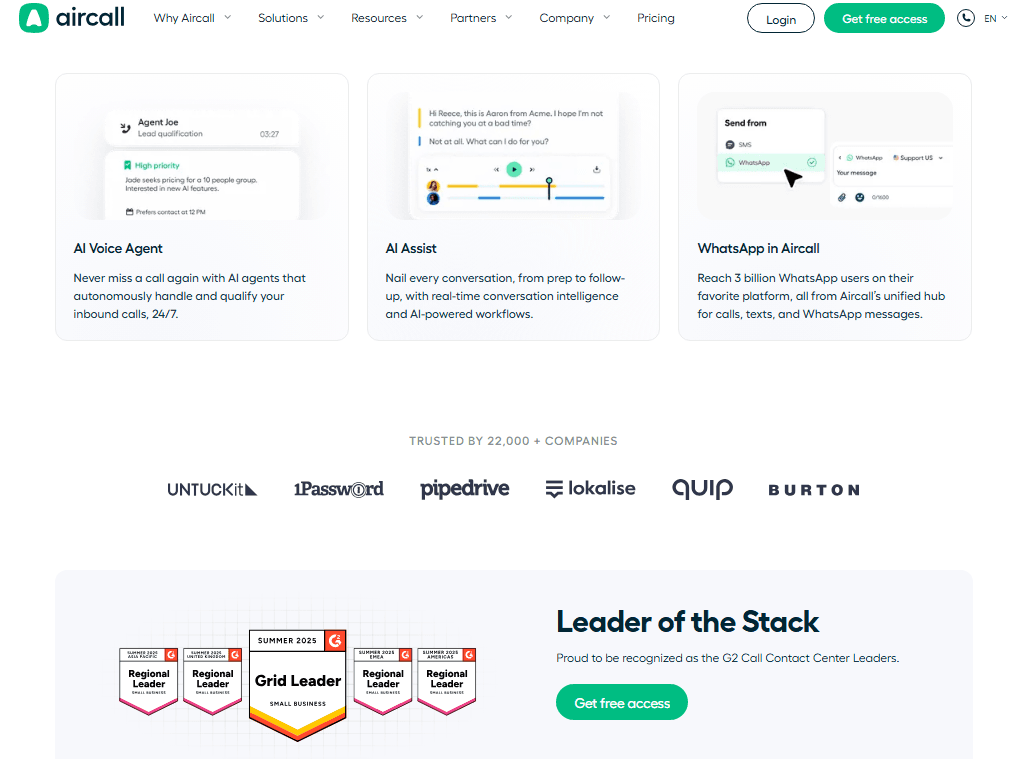
Aircall is an IT helpdesk software built around cloud-based calling, designed for IT teams that handle support through voice-heavy workflows. It's worth considering if your team runs a phone-first support operation and needs tight integrations with tools like Zendesk or HubSpot. I'd choose Aircall over RingCentral if your priority is helpdesk-focused call management rather than a broader unified communications platform—it's more purpose-built for support teams and easier to configure without a lengthy enterprise rollout.
Aircall Evaluation Summary
4.3/5
- From $30/license/month (billed annually)
- Free trial available
Why Trust Our Software Recommendations
6,700+
Reviews
20
Industry experts
16+
Evaluation factors
14
Years
Our team has been testing and reviewing software since 2012. As tech leaders ourselves, we know how difficult—and important—it is to choose the right software.
For this guide, we evaluated tools using hands-on testing and independent research, scoring tools using our selection criteria.
Our reviews reflect our human editorial judgment, not a sales pitch.
Expert reviewers:
- Paulo Gardini MiguelTech Director
 Tim FisherVP of AI
 Gabriel RosasTech Lead & Software Architect
 Christhian GruhnTech Lead & Platform Architect

Aircall Overview
In my opinion, Aircall is a solid choice for small to mid-sized businesses, especially those in customer service and sales. Its intuitive user interface and seamless integrations with tools like Salesforce and HubSpot make it stand out. While Aircall’s onboarding process is smooth, its customer support could be more responsive. Compared to competitors like RingCentral, Aircall offers a more user-friendly experience but at a slightly higher price. It's best suited for teams seeking reliable AI-powered helpdesk software with strong CRM and business tools integration capabilities.
Pros
- It's easy to set up and navigate, saving your team time.
- Call quality is consistently high, ensuring clear conversations.
- Offers real-time analytics to help you track and improve performance.
Cons
- Customer support response times can be slow, which might delay your work.
- It lacks some advanced features found in other VoIP solutions.
- Limited customization options may not meet all your team's needs.
Is Aircall Right For Your Needs?
Who Would be a Good Fit for Aircall?
Aircall is perfect for small to mid-sized businesses in customer service and sales. If your team needs easy setup and clear call quality, Aircall delivers. Its real-time analytics help track performance, making it ideal for teams that rely on data-driven decisions. For remote workforces, Aircall's user-friendly interface ensures everyone can communicate effectively from anywhere.
- Customer Support TeamsAircall enhances your team's efficiency with its easy setup and high-quality calls.
- Sales DepartmentsIt offers real-time analytics to boost your team's performance and track success.
- E-commerce BusinessesAircall's clarity and reliability ensure your customers always get the best service.
- Tech StartupsIts intuitive interface supports your rapid growth and dynamic communication needs.
- Remote WorkforcesAircall's user-friendly tools keep your team connected, no matter where they are.
- Small to Mid-sized CompaniesThe easy navigation and setup save your team time and effort.
Who Would be a Bad Fit for Aircall?
Aircall might not suit large enterprises needing extensive customization and advanced features. If your business requires highly specialized communication tools or complex integrations beyond CRM, Aircall's limited customization options could hinder your team's efficiency. Industries with heavy compliance needs, like finance, may find Aircall's offerings insufficient for meeting strict regulatory requirements.
- Large EnterprisesAircall's limited customization may not meet your complex communication needs.
- Financial ServicesIt might lack the advanced features needed for strict regulatory compliance.
- Highly Regulated IndustriesAircall doesn't provide the specialized tools required for stringent compliance standards.
- Complex IT DepartmentsYour team might need more advanced integration options than Aircall offers.
- Global CorporationsAircall's capabilities may fall short for your extensive, global communication needs.
- Custom Solution SeekersIf you need tailored VoIP solutions, Aircall's limited customization won't fit your requirements.
Our Review Methodology
How We Test & Score Tools
We’ve spent years building, refining, and improving our software testing and scoring system. The rubric is designed to capture the nuances of software selection and what makes a tool effective, focusing on critical aspects of the decision-making process.
Below, you can see exactly how our testing and scoring works across seven criteria. It allows us to provide an unbiased evaluation of the software based on core functionality, standout features, ease of use, onboarding, customer support, integrations, customer reviews, and value for money.
Core Functionality (25% of final scoring)
The starting point of our evaluation is always the core functionality of the tool. Does it have the basic features and functions that a user would expect to see? Are any of those core features locked to higher-tiered pricing plans? At its core, we expect a tool to stand up against the baseline capabilities of its competitors.
Standout Features (25% of final scoring)
Next, we evaluate uncommon standout features that go above and beyond the core functionality typically found in tools of its kind. A high score reflects specialized or unique features that make the product faster, more efficient, or offer additional value to the user.
We also evaluate how easy it is to integrate with other tools typically found in the tech stack to expand the functionality and utility of the software. Tools offering plentiful native integrations, 3rd party connections, and API access to build custom integrations score best.
Ease of Use (10% of final scoring)
We consider how quick and easy it is to execute the tasks defined in the core functionality using the tool. High scoring software is well designed, intuitive to use, offers mobile apps, provides templates, and makes relatively complex tasks seem simple.
Onboarding (10% of final scoring)
We know how important rapid team adoption is for a new platform, so we evaluate how easy it is to learn and use a tool with minimal training. We evaluate how quickly a team member can get set up and start using the tool with no experience. High scoring solutions indicate little or no support is required.
Customer Support (10% of final scoring)
We review how quick and easy it is to get unstuck and find help by phone, live chat, or knowledge base. Tools and companies that provide real-time support score best, while chatbots score worst.
Customer Reviews (10% of final scoring)
Beyond our own testing and evaluation, we consider the net promoter score from current and past customers. We review their likelihood, given the option, to choose the tool again for the core functionality. A high scoring software reflects a high net promoter score from current or past customers.
Value for Money (10% of final scoring)
Lastly, in consideration of all the other criteria, we review the average price of entry level plans against the core features and consider the value of the other evaluation criteria. Software that delivers more, for less, will score higher.
Core Features
Call Management: Aircall provides tools to manage inbound and outbound calls efficiently. You can easily route calls to the right team members, saving time and improving customer service. Customers can also request a callback instead of waiting on hold.
Call Recording**:** Automatically record calls to review later. This feature helps your team ensure quality and compliance in customer interactions. You can also use call tagging for easy organization.
Voicemail**:** Aircall's voicemail feature lets you receive messages when you're unavailable. You can listen to voicemails anytime and make follow-up calls to customers.
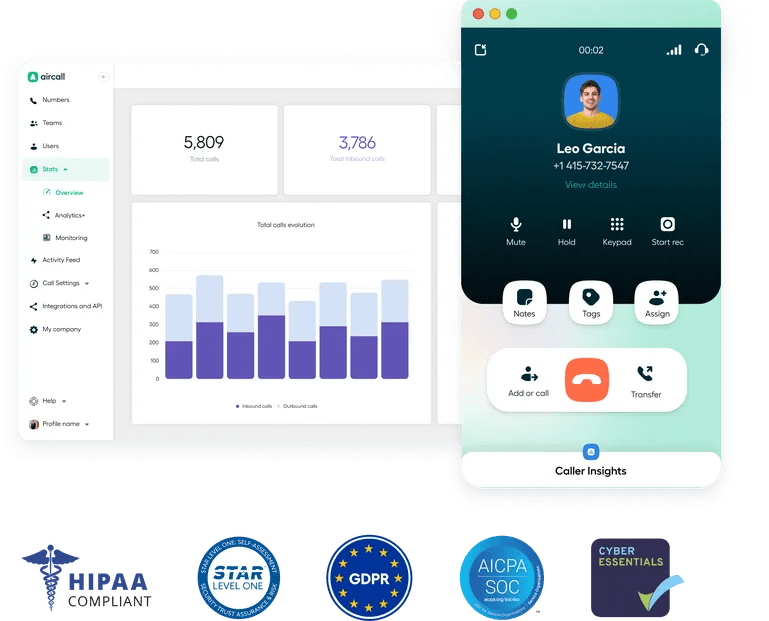
Call Analytics: Get insights into call volume and performance with real-time analytics. This data helps you make informed decisions to improve your team's productivity.
Number Management: Easily manage local, toll-free, and international numbers. This feature allows your business to maintain a global presence effortlessly.
Call Queuing: Organize how incoming calls are handled with call queuing. Your customers can wait in line without losing their place.
Standout Features
Real-Time** Coaching:** Aircall allows managers to listen in on live calls and provide immediate feedback. This helps improve your team's performance and customer service quality.
Interactive Voice Response (IVR): Create a menu system for inbound calls to direct customers to the right department. This feature enhances efficiency and customer satisfaction by reducing wait times.

Ease of Use
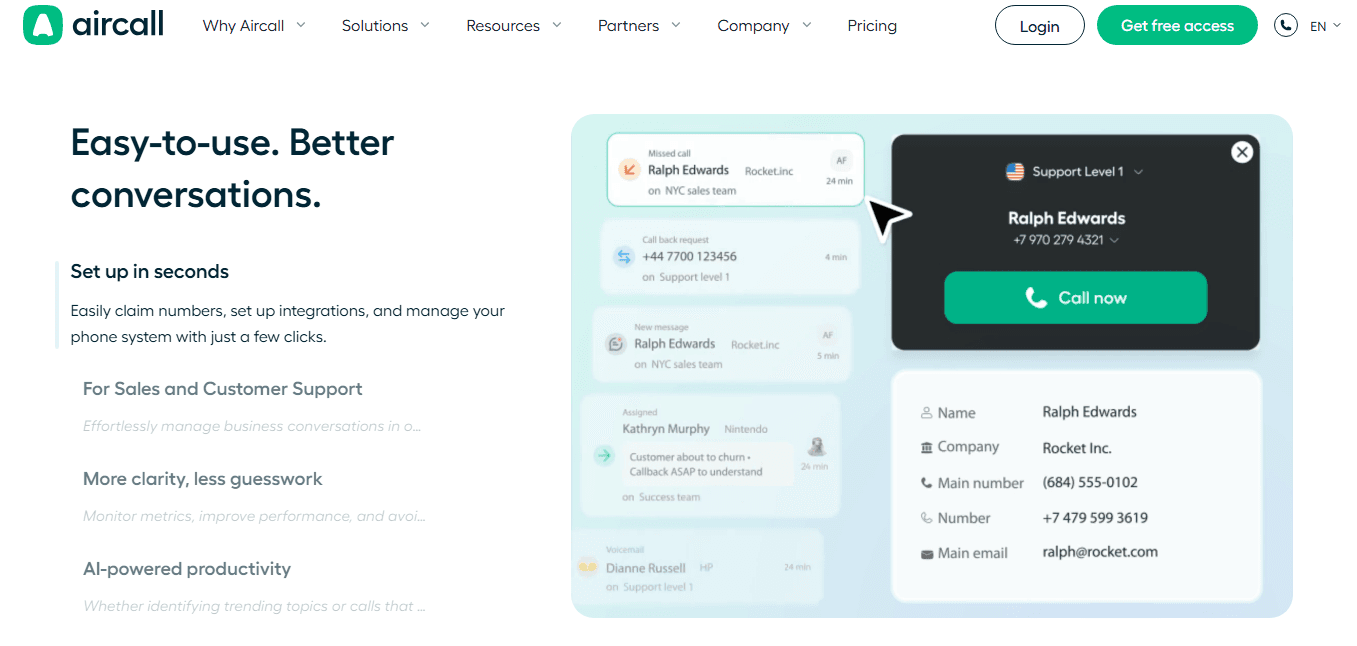
Aircall stands out for its user-friendly interface and ease of navigation, making it accessible for your team without extensive training. The intuitive design enables you to set up and manage calls quickly, a significant advantage for busy environments. Users appreciate the straightforward call management and analytics features, which help you focus on improving communication rather than wrestling with complicated software.
Onboarding
Aircall's onboarding process is smooth and efficient, helping your team get up and running quickly. The platform provides clear instructions and helpful resources, making it easy to understand and use Aircall. Users appreciate the accessible support options, which ensure you can get assistance when needed. This quick onboarding experience lets your team focus on their work rather than struggling with setup.
Customer Support
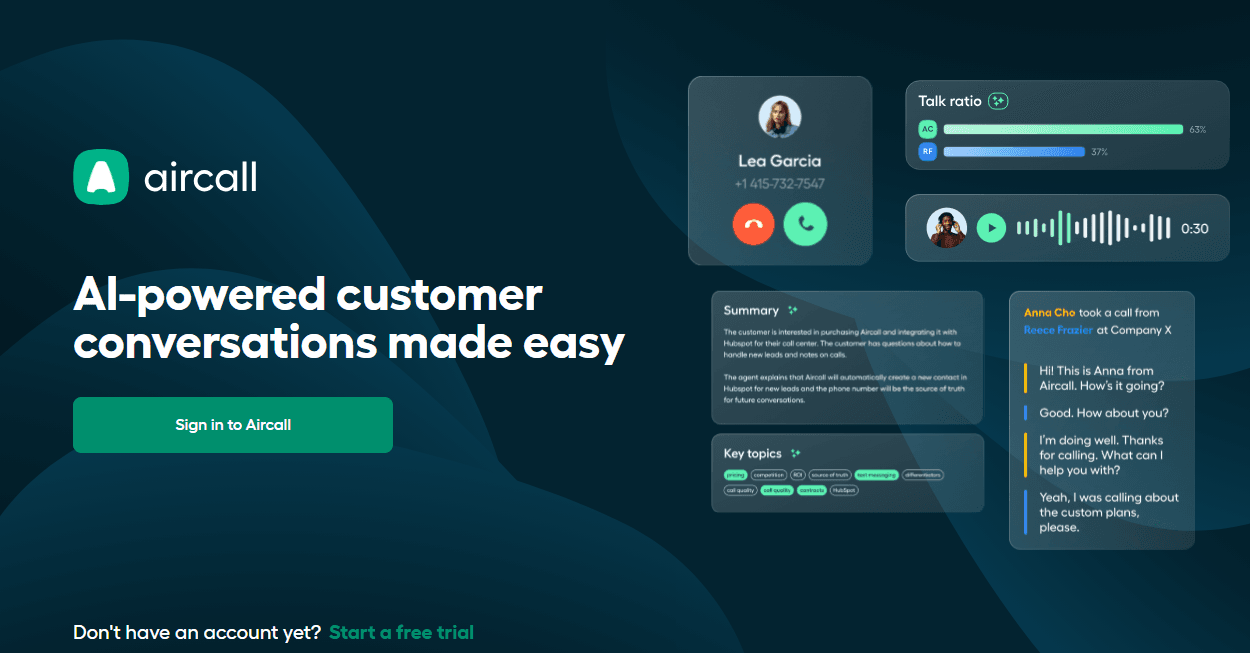
Aircall offers solid customer support, but response times can sometimes be slow, which might affect your team's workflow. Users find the support team knowledgeable and helpful when issues arise, though faster assistance would improve satisfaction. The available resources, like guides and FAQs, are useful for solving common problems independently. They can also start a chat via SMS or a dedicated help desk channel.
Integrations
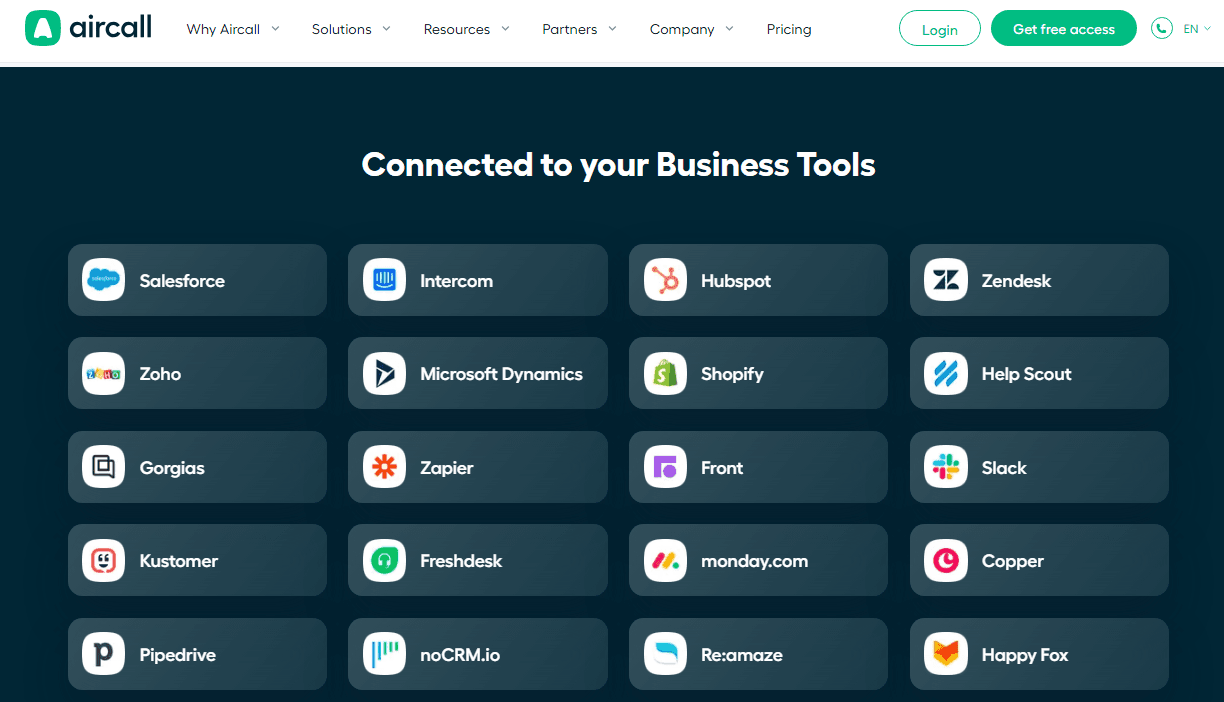
Aircall integrates with Salesforce, HubSpot, Intercom, Zendesk, Zapier, Pipedrive, Microsoft Dynamics, Slack, Shopify, Freshdesk, monday.com, and more.
Aircall also provides an API and connects with third-party integration tools to expand its functionality.
Value for Money
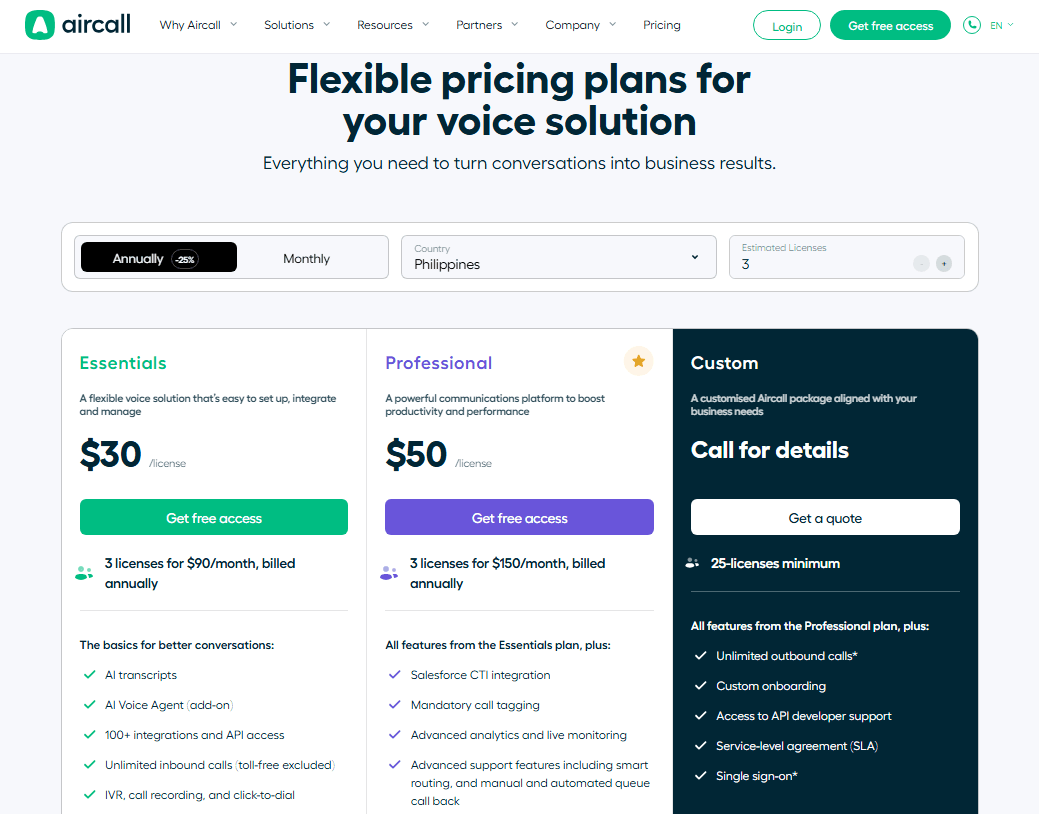
Aircall offers good value, balancing cost with a rich feature set that meets most team needs. Its pricing tiers cater to small businesses and enterprises alike. A free trial is available, allowing your team to evaluate its functionalities before committing.
- Essential: Core features for small teams needing basic call management.
- Professional: Adds advanced analytics and call monitoring for growing teams.
- Custom: Tailored solutions with premium support and unique integrations for large enterprises.
Aircall Specs
- 2-Factor Authentication: Yes
- API: Yes
- Audio Recording: Yes
- Auto Dialer: Yes
- Automatic Call Distribution: Yes
- Call Disposition: Yes
- Call Logging: Yes
- Call Monitoring: Yes
- Call Recording: Yes
- Call Scripting: Yes
- Call Tracking: Yes
- Chat: Yes
- Click-to-Dial: Yes
- Contact Management: Yes
- Contact Sharing: Yes
- CRM Integration: Yes
- Dashboard: Yes
- Data Export: Yes
- Data Import: Yes
- Data Visualization: Yes
- External Integrations: Yes
- File Transfer: Yes
- Hardware Integration: Yes
- Interactive Voice Response: Yes
- Mobile App: Yes
- Multi-User: Yes
- Notifications: Yes
- Report & Compliance: Yes
- Scheduling: Yes
- SMS: Yes
- Softphone: Yes
- Video: Yes
Aircall FAQs
Aircall Company Overview & History
Aircall is a unified communications platform with offices in New York, Sydney, Berlin, Paris, Madrid, Sydney and Mexico. It employs over 600 people from diverse backgrounds and serves more than 22,000 clients across 110 countries. Aircall has raised $226 million in venture funding and achieved Centaur status with over $100 million in annual recurring revenue by 2022. Notable clients come from sectors like education, healthcare, and financial services.
Aircall Major Milestones
- 2014: Aircall was founded in Paris, France.
- 2017: Opened its New York City office.
- 2018: Raised $29 million in Series B funding.
- 2020: Secured $65 million in Series C funding.
- 2021: Achieved $120 million in Series D funding.
- 2022: Reached Centaur status with over $100 million in annual recurring revenue.
- 2023: Appointed Scott Chancellor as CEO.
- 2024: Opened a new office in San Francisco, marking its 10th anniversary.