


Email authentication shouldn't take hours of manual work every week.
When security teams rely on raw XML logs and periodic manual reviews, domain issues can easily go unnoticed for days. And at enterprise scale, that problem doesn't stay small. Dozens or hundreds of domains, multiple business units, a constantly shifting sending footprint, and a compliance team asking for documentation you don't have time to assemble by hand.
PowerDMARC shifts email security from reactive checks to real-time control. It automates protocol tracking, translates complex reports into clear visual insights, and keeps your domains protected without heavy administrative overhead, while giving security, IT, and compliance teams the scale, governance, and integrations an enterprise environment actually requires.
Here is how PowerDMARC simplifies day-to-day email authentication and domain protection at enterprise scale.
1. Enterprise Scale & Domain Management
Most DMARC platforms start to strain once you're past a handful of domains. PowerDMARC is built around the opposite assumption: that you're managing dozens, hundreds, or thousands.
- Unlimited platform users, unlimited domains, unlimited inactive domains, unlimited auto-detected subdomains, and unlimited domain groups, with custom email-volume limits set to match your actual sending profile.
- Bulk Domain Add, so onboarding a newly acquired subsidiary or business unit doesn't mean adding domains one at a time.
- Automatic Subdomain Detection and Email Sender Identification surface sending infrastructure you didn't manually configure, which matters when marketing spins up a new subdomain without looping in security.
- Real-time Domain Health Check, Domain Security Score Timeline, and Domain DNS Timeline give you a running view of posture per domain, not just a point-in-time snapshot.
- One-Click DNS Publishing pushes record changes live without a manual round trip through your DNS provider's console.
For an organization managing a portfolio instead of a single domain, this is the difference between a platform that scales with you and one you outgrow in a year.
2. Complete Email Authentication Management
DMARC, SPF, DKIM, BIMI, MTA-STS, and TLS-RPT are six separate protocols with six separate syntax rules. PowerDMARC centralizes all of them instead of leaving you to stitch together point tools.
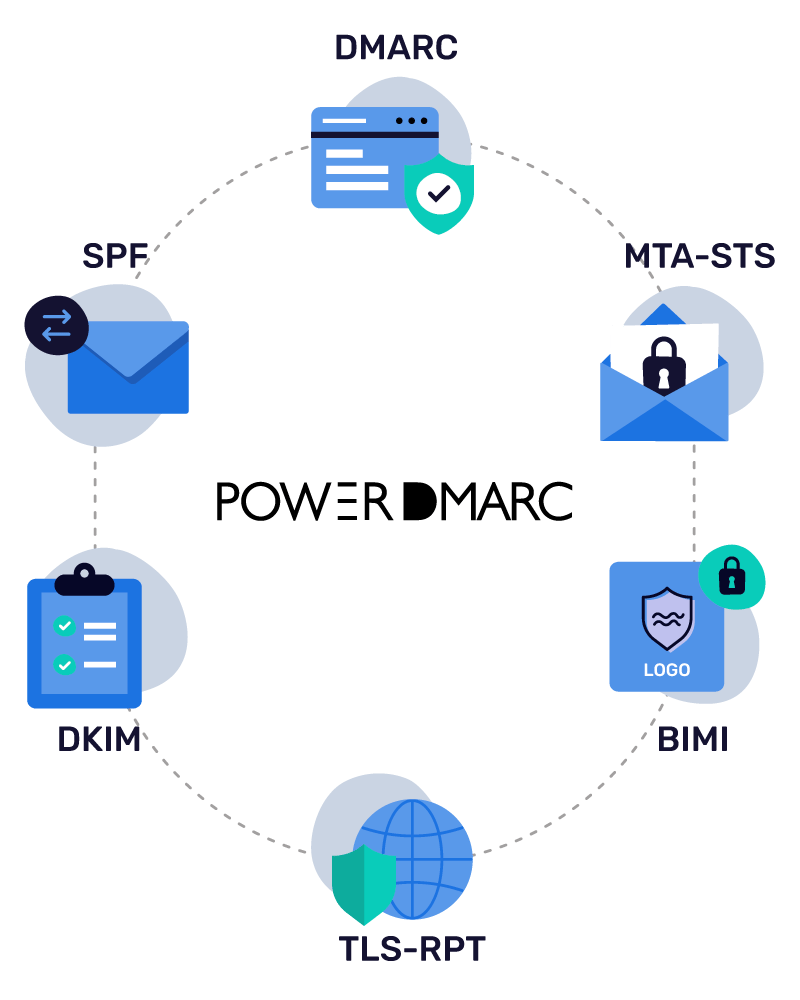
Hosted Protocol Management
- Hosted DMARC & DKIM: Host, update, and enforce email authentication policies (up to p=reject) and rotate cryptographic keys from a centralized dashboard without manual DNS edits or propagation delays.
- Hosted SPF (PowerSPF): Overcome the strict 10-DNS-lookup limit automatically by compressing SPF records down to a single include and dynamically updating sender IPs via macros.
- Hosted MTA-STS & TLS-RPT: Enforce TLS encryption in transit to prevent MITM attacks, automate certificate management, and review human-readable TLS reports.
- Hosted BIMI: Manage and host your BIMI SVG logos, and directly procure yourVMC/CMC certificates to display verified brand marks in supported inboxes.
Granular Reporting
DMARC Aggregate (RUA) reporting, PGP-encrypted DMARC Failure (RUF) reporting, and DMARC Geolocation reports for source-level visibility.
Advanced Analytics
- Hosted SPF Analytics: Delivers per-source and IP-level monitoring, even for nested IPs, allowing you to identify misconfigured IP ranges and remove legacy sources to stay under the 10-lookup limit.
- Hosted DKIM Analytics: Provides forensic-level insights into your cryptographic signing health, pinpointing exactly which third-party senders are signing properly, which ones have key alignment issues, and which are causing authentication failures.
- BIMI Reporting: Monitors brand logo delivery across recipient inboxes to track and measure logo evaluation states (evaluated vs. not evaluated), troubleshoot VMC/Selector errors, and prove the measurable ROI of your inbox branding.
One-click DNS Record Generation
DNS record generation and one-click DNS publishing from inside the platform, cutting down on manual syntax errors.
This gives enterprise teams a single centralized layer for the complete DMARC, SPF, DKIM, BIMI, MTA-STS, and TLS-RPT ecosystem, instead of five different tools with five different logins.
3. Conversational AI Analysis
A lot of platforms slap "AI" on a feature list and call it a day. PowerDMARC is different: its Model Context Protocol (MCP) server connects your live account, your real reports, your real DNS records, your real sending sources, directly to AI assistants like Claude, Cursor, and Microsoft Copilot Studio.
That means when you ask a question, you're not getting a generic textbook answer. You're getting one pulled straight from your own data.

Here's what you can do through it:
- Run a portfolio-wide audit: ask for health scores, current policy state, and active spoofing attempts across every domain you own, in one query.
- Investigate failures fast: filter aggregate and failure DMARC data by country, host, org, result, or sending source.
- Run DNS and WHOIS lookups inline: A, AAAA, MX, TXT, SPF, DMARC, PTR, NS, CNAME, all without leaving the chat.
- Generate valid SPF, DKIM, and DMARC records on demand, or manage domains and interact with hosted records directly.
- Analyze a failed message's headers to figure out what went wrong.
Beyond MCP, the platform includes a built-in DMARC AI Agent for quick guidance and troubleshooting, with an AI Anomaly Advisor and AI Policy Advisor integrated into it that flag unusual behavior and recommend policy changes.
If you're running enterprise security, this is the one change that actually saves you hours. "Which domains are spoofable right now, and what should our policy be?" used to mean five tabs and a spreadsheet. Now it's one prompt.
4. Instant Threat Alerts
Most DMARC platforms run on a once-a-day report cycle. Something breaks, and you don't find out until your next scheduled login, sometimes 24 to 48 hours later.
Since major mailbox providers now decline to send failure (RUF) reports, a gap the newly published DMARC failure-reporting standard (RFC 9991) explicitly acknowledges as a privacy trade-off, PowerAlerts focuses its real-time detection on DNS changes, volume anomalies, and new sending infrastructure instead.
- DNS and Protocol Health: PowerDMARC notifies you the second an SPF mechanism, DKIM selector, or DMARC policy changes on your zone, flags syntax errors or missing tags, and tracks DNS Tree Walk queries so you know your subdomains are aligning correctly.
- Sender and Source Detection: It flags new or unrecognized IPs sending mail on your behalf, compares them against known providers like your CRM or marketing platform, and, with GEO-IP tagging, tags their geographic origin so shadow IT sticks out.
- Custom Thresholds: You set the rules. Alert me if a source crosses X messages a day. Alert me if more than 2% of mail fails alignment over three days. Alert me if TLS-RPT failures spike in a 24-hour window.
- Proactive Security Health: It catches DKIM keys still running on the old 1024-bit size instead of 2048-bit, and sends you BIMI certificate expiration warnings starting 90 days out, escalating to critical at 10 days.
Why the custom thresholds matter: A big sending environment is noisy. Without tunable rules, you'll get alert fatigue fast and start ignoring everything, which defeats the whole point.
5. Threat Intelligence & Reputation Monitoring
Catching an authentication failure tells you something broke. It doesn't tell you whether that break is a misconfiguration or an active attack. PowerDMARC's threat intelligence layer is built to close that gap.
- PowerDMARC’s IP Reputation Monitoring and Domain Reputation Monitoring track whether your sending infrastructure is showing up on blocklists before it tanks your deliverability.
- Their Lookalike Domain Detection and Monitoring watch for newly registered domains designed to impersonate yours, with active MX detection so you know when a lookalike domain is actually configured to send mail, not just sitting parked.
- Threat Map gives a geographic view of where spoofing and abuse attempts are originating.
- Threat scoring and sending-source analysis help you triage: is this a legitimate vendor that needs an SPF update, or an unauthorized sender that needs to be blocked.
This is what moves a DMARC platform from "here's what failed" to "here's whether you should be worried about it."
6. Keeping Up with the New DMARC Standards
Email authentication just went through its biggest standards overhaul in over a decade. The old RFC 7489 spec is gone. In its place, we have three separate RFCs:
- RFC 9989: core DMARC policy and alignment logic
- RFC 9990: aggregate reporting
- RFC 9991: failure reporting
This isn't just a naming change. The new rules drop legacy tags like pct, rf, and ri, and swap the old Public Suffix List for a DNS Tree Walk algorithm to figure out domain boundaries. If your scripts or parsers are still built for the old standard, they can choke on newer parameters like np, the tag for non-existent subdomain policy.
PowerDMARC has already updated its reporting and record generation tools around the current specifications, so you're not left guessing whether your setup actually matches what mailbox providers enforce today.
7. Deliverability Protection
Authentication and deliverability are joined at the hip. Gaps in SPF, DKIM, or DMARC alignment don't just open you up to spoofing; they also get your legitimate mail filtered, quarantined, or bounced by mailbox providers that have gotten a lot stricter about bulk-sender rules.
PowerDMARC tackles this from three angles:
- On the authentication side: It centralizes SPF flattening/Macros optimization, DKIM key rotation, and DMARC policy enforcement - everything that decides whether your message lands in the inbox or the spam folder.
- On the visibility side: Aggregate reporting and real-time alerts catch alignment failures from legit vendors, like a new marketing tool you forgot to add to your SPF record, before it tanks your sender reputation.
- On the deliverability side: The built-in Email Deliverability Tester and Inbox Placement Analyzer run seed-mailbox testing across Gmail, Outlook, Yahoo, iCloud, AWS Mail, and Zoho Mail, combined with SPF, DKIM, DMARC, and BIMI validation, before you hit send. It flags authentication gaps and compliance issues, including one-click unsubscribe/RFC 8058 compliance, with guided remediation and DNS fix recommendations, so you're not finding out about a problem from bounce reports after a campaign is already live.
Multi-domain testing, CSV exports, and branded PDF reports round it out, so deliverability data can move between security and marketing teams without manual reformatting.
8. DNS Security & Compliance
DNS Security Compliance runs live automated security checks across six categories:
- DNS Security: DNSSEC monitoring, CAA monitoring, nameserver availability, DNS resilience, SOA configuration checks, dangling CNAME detection, AXFR exposure detection.
- SSL/TLS Security: certificate expiry monitoring, hostname mismatch detection, weak-key detection, deprecated TLS detection, certificate-chain validation, self-signed certificate detection.
- Domain Registration Security: domain expiry monitoring, registrar/registrant change monitoring, transfer-lock monitoring, EPP status monitoring.
- Lookalike Domain Security: new lookalike-domain detection, active MX detection, threat scoring, infrastructure-change monitoring.
- DNS Record Monitoring: DNS change detection, before/after DNS-change visibility, nameserver synchronization monitoring.
- Security Scoring & Compliance: a 0–100 security score, an A–F security grade, historical score trends, event monitoring, configurable alerts, and PDF/CSV reports with remediation recommendations.
9. Enterprise Identity, Governance & Compliance
Enterprise security teams don't just evaluate features; they evaluate whether a vendor can survive their own compliance review and slot into an existing identity architecture. PowerDMARC is built with that scrutiny in mind.
Identity & access:
- Role-Based Access Control (RBAC) and customizable user access management, so security, marketing, and IT teams get different permission levels on the same platform instead of an all-or-nothing login.
- Multi-Factor Authentication, with the option to force MFA org-wide, plus trusted device management.
- OAuth SSO and SAML SSO, so authentication runs through your existing identity provider instead of a standalone credential set.
- SCIM user provisioning, with automated provisioning and deprovisioning, so access follows your HR system instead of a manual offboarding checklist.
Governance & accountability:
- Audit Logs with an immutable audit trail: user activity, login history, domain configuration changes, DNS changes, policy changes, and user/role changes, all filterable by user, activity, and date, and exportable for compliance reviews.
- SIEM integration for audit data specifically, so governance records don't sit isolated from the rest of your logging.
Compliance & data protection:
- SOC 2 Type II and ISO 27001 certified, GDPR-compliant, with custom Data Protection Agreements and custom contracts available.
- SLA commitments, so uptime and response expectations are contractual, not just implied.
For organizations where a vendor security questionnaire is part of procurement, this is often what gets PowerDMARC past the first gate before anyone even looks at the DMARC features themselves.
10. SIEM, API & SOC Integration
DMARC data that lives only inside a vendor dashboard is data your SOC isn't actually using. PowerDMARC is built to plug directly into the tools your security team already relies on.
- Native SIEM integration with Splunk, Microsoft Sentinel, Elastic SIEM, and FortiSIEM.
- API access with token-based authentication and permission-scoped access, so integrations and automation can be built without over-provisioning credentials.
- Webhooks for security-event automation, routing alerts into Slack, Discord, or your own incident tooling instead of just an inbox.
This turns PowerDMARC telemetry into part of your broader SOC/SIEM/SOAR workflow, rather than a console your team has to remember to check separately.
The Progressive Rollout Lifecycle
A DMARC rollout is a phased journey, not a one-time setup, and your reliance on the platform shifts as your policy matures.

With PowerDMARC:
- You'll start in the Monitoring phase (p=none) using AI queries and alerts to map your sending footprint and safely uncover shadow IT.
- Next, during Quarantine (p=quarantine), real-time alerts act as a safety net to catch legitimate senders failing alignment before delivery is impacted.
- Finally, at full Enforcement (p=reject), the system shifts to active defense to block spoofing, lookalike domains, and configuration drift, all managed seamlessly within the same scalable platform as your portfolio grows.
Enterprise Support & Services
Rolling out authentication across a large domain portfolio is complex, which is why PowerDMARC backs its platform with dedicated, SLA-backed human support instead of just documentation. Enterprise teams receive a named Account Manager, named Customer Success Manager, and a dedicated Support Engineer to provide live screen-sharing configuration sessions and managed setup assistance, ensuring rollouts across dozens of domains never stall.
Who This Is Really Built For
PowerDMARC is purpose-built for Enterprises, IT and security leaders, and SOC teams managing complex, multi-domain portfolios in highly regulated, high-target sectors like finance, healthcare, government, education, etc., where compliance and brand protection are paramount.
Ready For Automated Enterprise-grade Email Authentication Management?
You shouldn't need a weekly calendar reminder just to check whether your domain is still safe.
With AI access built into your account, alerts that show up the moment something changes, governance and identity controls that fit into your existing domain security architecture, and one console for every authentication protocol you're required to manage, you get to spend less time babysitting DNS and more time on everything else on your plate.
Frequently Asked Questions
1. Is PowerDMARC suitable for large enterprises with multiple domains?
Yes, it features a centralized, multi-tenant dashboard built to manage multiple domains and subdomains from a single interface.
2. How does PowerDMARC help enterprises move from DMARC monitoring to enforcement?
PowerDMARC provides guided policy enforcement with its hosted DMARC solution and decodes complex XML data into visual dashboards to safely escalate policies without mail disruption.
3. Does PowerDMARC support SSO, SCIM, and enterprise access controls?
Yes, it natively integrates with major IdPs for SAML SSO and SCIM provisioning, alongside role-based access controls (RBAC) to partition team permissions.
4. Can PowerDMARC integrate with our existing SIEM and security tools?
Yes, it integrates natively with leading security platforms including Splunk, Microsoft Sentinel, Elastic SIEM, FortiSIEM, and Cisco Threat Grid.
5. Does PowerDMARC provide an API for enterprise automation?
Yes, it offers a fully documented RESTful JSON API for programmatic domain management, record generation, and real-time security data extraction.
6. How does PowerDMARC protect sensitive failure email data?
It strips email bodies by default to protect PII and supports public PGP key uploads to encrypt failure (RUF) reports in transit and at rest.