

Reseña de HaloITSM: Ventajas, Desventajas, Funciones y Resumen de Precios
Así es como HaloITSM se destaca (y también donde tropieza) al lograr que la gestión de servicios de TI sea más limpia, rápida e inteligente para tus operaciones.

Revisamos herramientas de forma independiente y las comisiones ayudan a financiar nuestras pruebas. Consulta nuestra política de transparencia, nuestra metodología o sugiere una herramienta.
HaloITSM is a service management software built for IT teams managing incidents, changes, assets, and service requests within a single ITIL-aligned platform. It's worth a close look if you need more configurability than Freshservice gives you, but don't want the implementation complexity and cost that come with enterprise platforms like ServiceNow.
Halo Evaluation Summary
4.7/5
- From $99/agent/month (billed annually)
- Free demo + 30-day free trial available
Por qué confiar en nuestras recomendaciones de software
6,700+
Reviews
20
Industry experts
16+
Evaluation factors
14
Years
Nuestro equipo lleva probando y evaluando software desde 2012. Como líderes tecnológicos, sabemos lo difícil —y lo importante— que es elegir el software adecuado.
Para esta guía, evaluamos las herramientas mediante pruebas prácticas e investigación independiente, puntuando las herramientas según nuestros criterios de selección.
Nuestras reseñas reflejan nuestro criterio editorial humano, no un discurso de ventas.
Revisores expertos:
- Paulo Gardini MiguelDirector técnico
 Tim FisherVP de IA
 Gabriel RosasTech Lead y arquitecto de software
 Christhian GruhnTech Lead y arquitecto de plataforma

Halo Overview
HaloITSM offers a clean interface, flexible automation, and broad integration options that outperform many competitors on usability and configuration. Pricing is transparent, and onboarding is straightforward, especially for mid-sized IT teams modernizing legacy processes. Support response is reliable, though advanced reporting and deep customization lag compared to pricier options. If you’re choosing an IT service management solution for a growing in-house IT team or managed service provider with varied client needs, I think HaloITSM should be on your shortlist.
Pros
- All modules included with no feature-gating or bolt-ons.
- ITIL-aligned workflows available out of the box.
- Over 200 native integrations included at no extra cost.
Cons
- Advanced customization increases administrative complexity over time.
- Smaller teams may find implementation heavier than needed.
- Documentation lacks depth on advanced configurations.
Is Halo Right For Your Needs?
Who Would be a Good Fit for Halo?
HaloITSM works best for organizations that want a powerful, customizable ITSM platform with strong automation and asset management. IT and service desk teams needing multi-brand support, clear workflow design, or quick implementation see value in its unified approach. Industries with strict compliance and service delivery requirements, plus mid-sized and large teams that need role-based ticketing, tend to benefit the most.
- Mid-Sized EnterprisesHaloITSM scales well without the complexity of legacy suites, with easy configuration for internal and external support desks.
- Education SectorSchools and universities manage student and staff tickets, assets, and contracts in one place, using the self-service portal and knowledge base.
- Public Sector OrganizationsGovernment agencies and public-sector teams can centralize service requests, automate workflows, and improve transparency while reducing administrative overhead.
- Healthcare OrganizationsBuilt-in compliance controls, asset lifecycle management, and contract tracking meet strict regulatory and operational needs.
- IT DepartmentsInternal IT teams benefit from rapid ticket routing, asset visibility, and change management automation within a unified dashboard.
- Facilities ManagementFacilities or non-IT teams can use HaloITSM’s configurable workflows to track and route non-IT requests, leveraging the flexible service catalog.
Who Would be a Bad Fit for Halo?
HaloITSM may be too feature-rich or process-centric for small businesses, teams needing only simple ticket tracking, or organizations exclusively outside of IT. Those with minimal ITSM needs, limited budgets, or rigid requirements for on-premise deployment may find its model excessive or restrictive. Companies needing only lightweight help desk software or one-off issue management should look elsewhere.
- Small StartupsThe platform’s range of features and admin options can overwhelm teams seeking basic ticket logging without complex configuration.
- Retail ChainsOrganizations mainly needing point-of-sale or frontline support often find HaloITSM’s ITSM focus too broad for their daily requirements.
- Solo IT OperatorsSingle-person IT teams may not get value from features designed for workflow automation, asset tracking, and approvals.
- Pure HR DepartmentsHR teams needing only personnel request tracking may find the IT-centered modules and terminology don’t fit their needs closely.
- Companies With Static ITOrganizations with little change or incident volume don’t benefit from workflow-rich modules built for dynamic, process-heavy environments.
- On-Premise-Only BuyersHaloITSM’s cloud-first deployment model can be limiting for organizations with strict policies requiring on-premise-only solutions.
Nuestra metodología de revisión
Cómo probamos y puntuamos las herramientas
Hemos invertido años construyendo, refinando y mejorando nuestro sistema de pruebas y puntuación de software. La rúbrica está diseñada para captar los matices de la selección de software y lo que hace a una herramienta efectiva, enfocándose en aspectos críticos del proceso de toma de decisiones.
A continuación, puedes ver exactamente cómo nuestro sistema de prueba y puntuación funciona a través de siete criterios. Esto nos permite ofrecer una evaluación imparcial del software basada en funcionalidad central, características destacadas, facilidad de uso, incorporación, soporte al cliente, integraciones, reseñas de clientes y relación calidad-precio.
Funcionalidad principal (25% de la puntuación final)
El punto de partida de nuestra evaluación siempre es la funcionalidad central de la herramienta. ¿Tiene las características y funciones básicas que un usuario esperaría encontrar? ¿Alguna de esas funciones principales está limitada a planes de precios superiores? Esperamos que una herramienta esté a la altura de las capacidades básicas de sus competidores.
Características destacadas (25% de la puntuación final)
Luego, evaluamos las características poco comunes y sobresalientes que van más allá de la funcionalidad principal que normalmente se encuentra en herramientas de su tipo. Una puntuación alta refleja características especializadas o únicas que hacen el producto más rápido, eficiente o que ofrecen valor adicional al usuario.
También evaluamos qué tan fácil es integrar con otras herramientas que normalmente forman parte del ecosistema tecnológico para expandir la funcionalidad y utilidad del software. Las herramientas que ofrecen abundantes integraciones nativas, conexiones de terceros y acceso API para crear integraciones personalizadas obtienen la mejor puntuación.
Facilidad de uso (10% de la puntuación final)
Consideramos cuán rápido y sencillo es ejecutar las tareas definidas por la funcionalidad principal usando la herramienta. El software con mejor puntuación está bien diseñado, es intuitivo, ofrece aplicaciones móviles, proporciona plantillas y hace que tareas relativamente complejas parezcan sencillas.
Incorporación (10% de la puntuación final)
Sabemos lo importante que es la adopción rápida por parte del equipo para una nueva plataforma, por lo que evaluamos cuán fácil es aprender y usar una herramienta con entrenamiento mínimo. Evaluamos cuán rápido un miembro del equipo puede configurarla y comenzar a utilizarla sin experiencia previa. Las soluciones con mayor puntuación requieren poco o ningún soporte.
Soporte al cliente (10% de la puntuación final)
Revisamos qué tan rápido y sencillo es resolver dudas y encontrar ayuda por teléfono, chat en vivo o base de conocimientos. Las herramientas y compañías que proporcionan soporte en tiempo real obtienen la mejor puntuación, mientras que los chatbots obtienen la peor.
Reseñas de clientes (10% de la puntuación final)
Además de nuestras pruebas y evaluaciones, consideramos la puntuación neta de promotores por parte de clientes actuales y anteriores. Revisamos la probabilidad de que elijan la herramienta de nuevo para la funcionalidad principal. Una puntuación alta refleja una alta puntuación neta de promotores actuales o pasados.
Relación calidad-precio (10% de la puntuación final)
Por último, considerando todos los demás criterios, revisamos el precio promedio de los planes de nivel básico comparado con las funciones principales y consideramos el valor de los demás criterios de evaluación. El software que ofrezca más, por menos, obtendrá una puntuación mayor.
Core Features
Incident Management
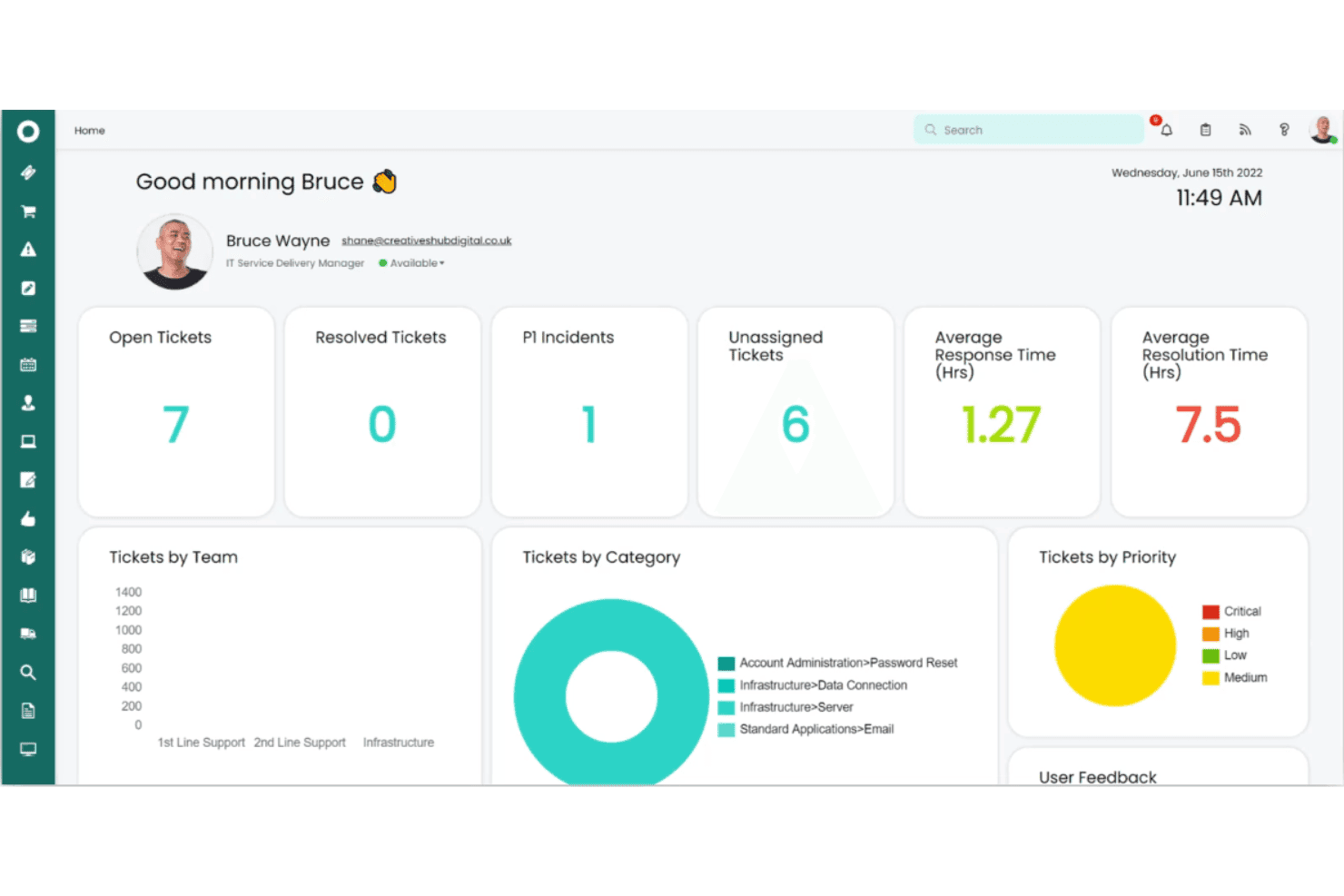
Log, prioritize, and resolve IT incidents from a unified dashboard. Automations route tickets based on urgency, keeping resolution fast.
Change Management
Handle IT changes with customizable approval workflows and risk assessment. Built-in auditing tracks every change for compliance.
Asset Management
Track hardware, software, and configuration items along the full lifecycle. Users see warranty status and assign assets directly from the system.
Service Catalog
Offer a centralized portal for users to request IT and business services. Custom forms standardize intake and drive consistent fulfillment.
Self-Service Portal
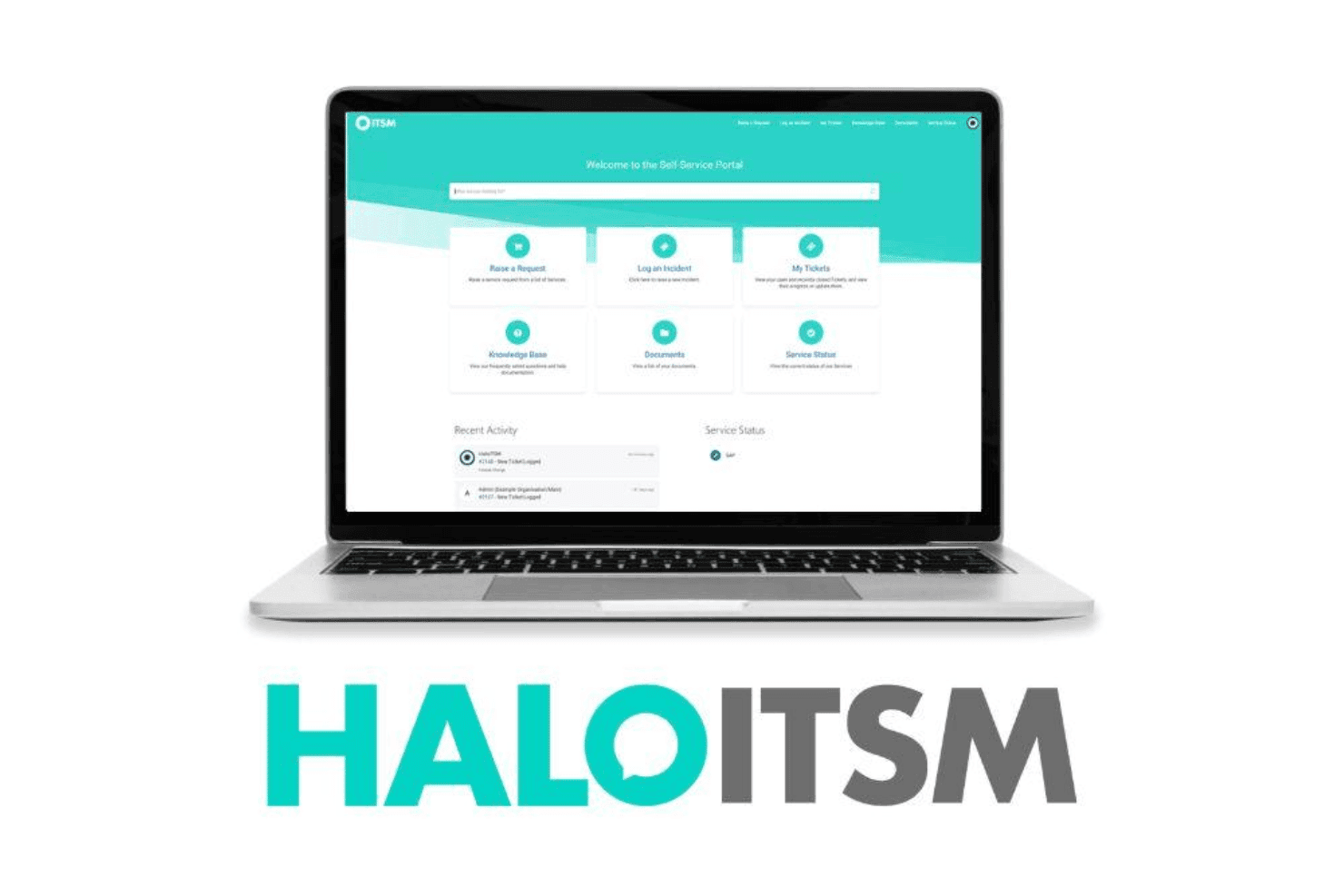
End users submit tickets and find solutions using a branded, knowledge-backed portal. Real-time ticket updates and FAQs reduce support workload.
Knowledge Base
Document solutions and procedures with built-in knowledge management tools. Staff can share articles during ticket resolution or surface them in search.
Ease of Use
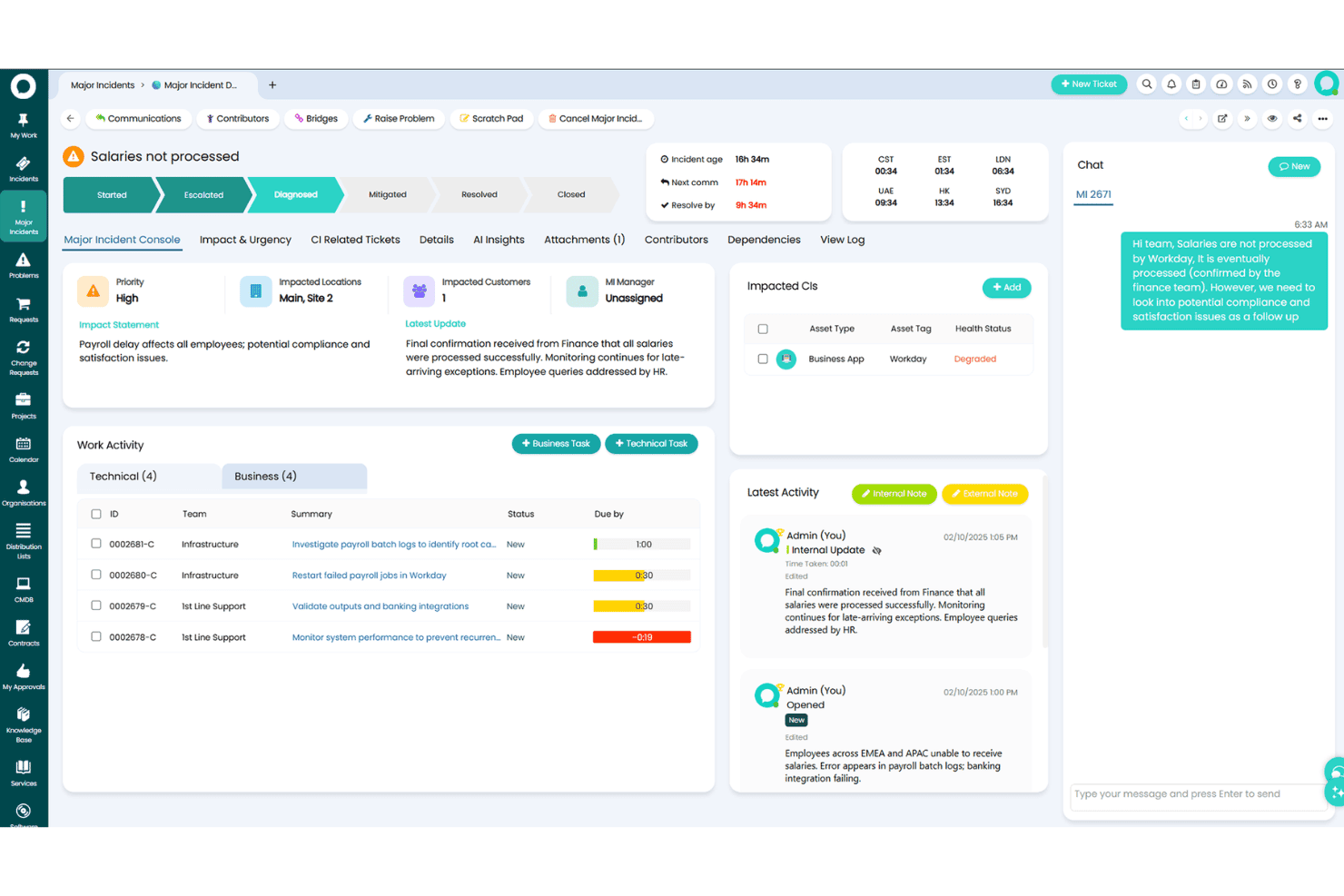
HaloITSM strikes a strong balance between depth and usability, with a clean interface and intuitive workflows. Users praise its drag-and-drop automations and simple form designers, making it quick to customize ticket flows and service catalogs. I find navigation is straightforward, and admins appreciate the contextual help, though a few advanced settings menus are less obvious for first-timers.
Integrations
HaloITSM integrates with Microsoft Teams, Azure Active Directory, Jira, Slack, Office 365, Splunk, Okta, Zapier, TeamViewer, and SCCM, among others. HaloITSM also offers a REST API and connects with third-party integration platforms for extended workflows.

Halo Specs
- 2-Factor Authentication: Yes
- Analytics: Yes
- Anti-Virus: No
- API: Yes
- Batch Permissions & Access: Yes
- Bug Tracking: No
- Call Integration: No
- Chat: No
- Contact Management: Yes
- CRM Integration: Yes
- Customer Management: Yes
- Data Export: Yes
- Data Import: Yes
- Email Integration: Yes
- Escalation Management: Yes
- External Integrations: Yes
- Incident Management: Yes
- Instant Chat Integration: No
- Knowledge Base: Yes
- Malware Protection: No
- Multi-User: Yes
- Notifications: Yes
- Organization Management: No
- Password & Access Management: Yes
- Project Management: Yes
- Real-time Alerts: Yes
- SAP Integration: Yes
- Self-service Portal: Yes
- Social Media Integration: No
- Support Forum: Yes
- Ticket Management: Yes
- Workflow Management: Yes


