
Die 17 besten Game-Development-Softwares im Jahr 2026

10 Beste Game Development Software Übersicht
Here's my pick of the 10 best software from the 17 tools reviewed.


In der wettbewerbsintensiven Spieleentwicklungsbranche benötigen Sie Software, mit der Sie Ihr Team synchronisieren, Prozesse optimieren und die Produktion beschleunigen können. Ich habe die besten Game Development Software-Lösungen zusammengestellt, damit Sie Ihre Entwicklungsziele erreichen.
Why Trust Our Software Reviews
Zusammenfassung der besten Game Development Software
Diese Vergleichstabelle fasst die Preisinformationen meiner Top-Auswahl an Game Development Software zusammen, damit Sie die optimale Lösung für Ihr Budget und Ihre Geschäftsanforderungen finden.
| Tool | Best For | Trial Info | Price | ||
|---|---|---|---|---|---|
| 1 | Best for open-source development and flexibility in 2D and 3D game creation | Free browser-based editor available | Free plan available | Website | |
| 2 | Best for versatile development and wide industry adoption | 30-day free trial + Free plan available (for students and personal users) | From $185/month (billed annually) | Website | |
| 3 | Best for beginners and non-programmers creating 2D games | Free trial available | From $16.49/month | Website | |
| 4 | Best for all-in-one 3D modeling, animation, and game development | Not available | Free to use | Website | |
| 5 | Best rigging and animation features | 30-day free trial available | From $235/month (billed monthly) | Website | |
| 6 | Best for creating cutting-edge, professional 3D games | Free plan available | Free forever plan | Website | |
| 7 | Best for browser-based 2D games | Not available | Free to use | Website | |
| 8 | Best for indie developers and small studios creating cross-platform 2D games | Free plan available | From $79.99/month | Website | |
| 9 | Best for fast game development | Free plan available | From $54.99/year | Website | |
| 10 | Best for high-fidelity visuals and creating visually stunning game worlds | Free plan available | From $9.90/user/month | Website |
-

Site24x7
Visit WebsiteThis is an aggregated rating for this tool including ratings from Crozdesk users and ratings from other sites.4.6 -
Docker
Visit WebsiteThis is an aggregated rating for this tool including ratings from Crozdesk users and ratings from other sites.4.6 -
Pulumi
Visit WebsiteThis is an aggregated rating for this tool including ratings from Crozdesk users and ratings from other sites.4.8





Bewertungen der besten Game Development Software
Nachfolgend finden Sie meine Bewertung der Top 10 Game Development Software-Lösungen, damit Sie und Ihr Team den Entwicklungsprozess optimieren und qualitativ hochwertige, profitable Spiele erstellen können. Ich habe erläutert, warum ich diese ausgewählt habe, ihre wichtigsten Funktionen und Integrationen sowie eine Aufschlüsselung der Preise.
Hier sind meine Top-Empfehlungen für Game Development Software:

Best for open-source development and flexibility in 2D and 3D game creation
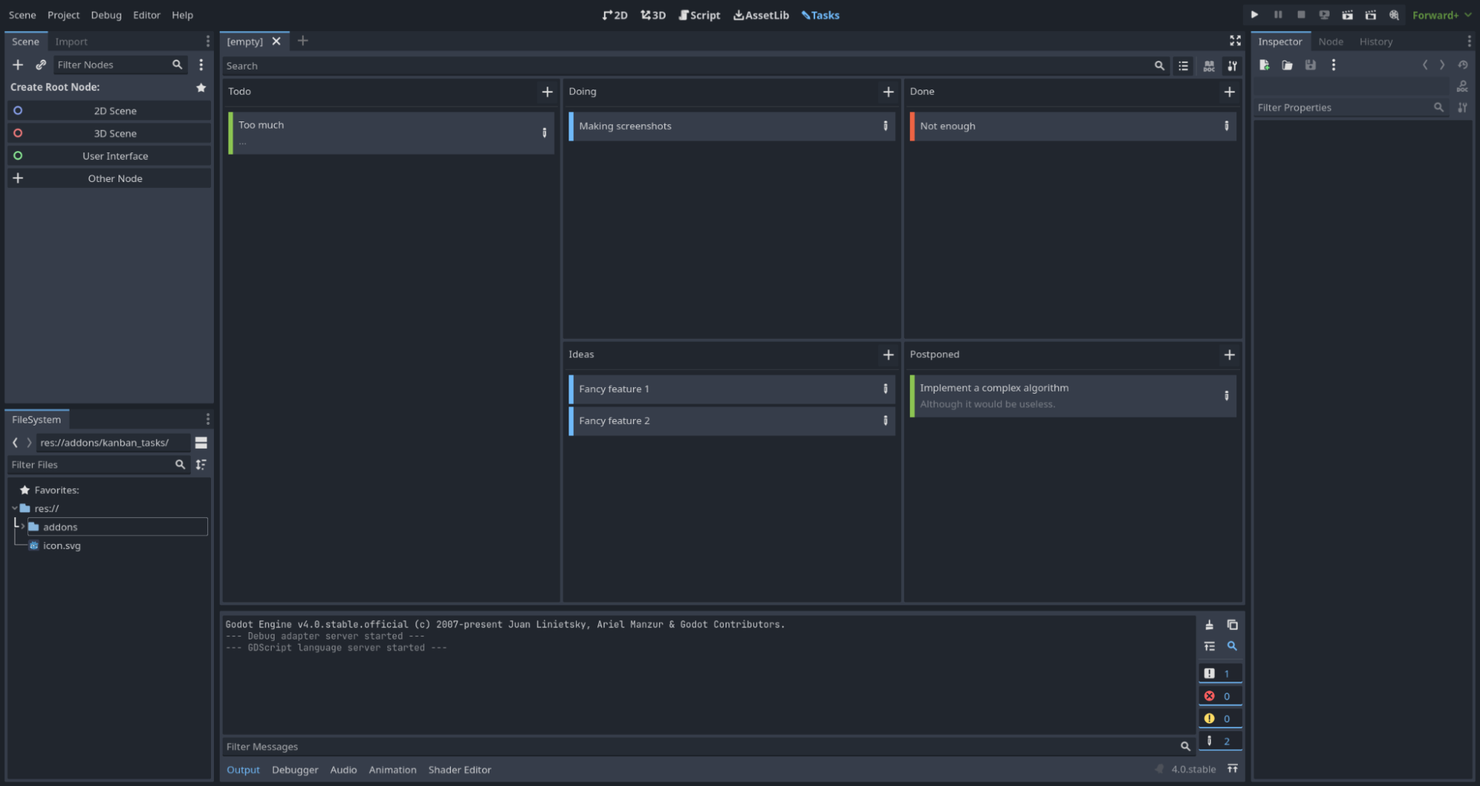
Godot is a simple game engine that allows for 2D and 3D game creation and cross-platform distribution.
Why I picked Godot Engine: I picked Godot Engine because I love its modular style of game development. This low-code way of building games saved me a ton of time and allowed for a more streamlined development process. The flexibility of the process made game creation enjoyable and simple.
Godot Engine Standout Features and Integrations:
Features that really impressed me in Godot Engine include the asset pipeline. This feature allows you to grab entire scenes, including the animations and lighting, and modify them holistically. Another great feature of Godot Engine is how easy it is to switch between 2D and 3D creation and to export games and different quality rates for different types of devices.
Integrations are pre-built for GitHub. There’s also an API that you can use to connect to other tools.
Pros and Cons
Pros:
- Active open-source community
- Straightforward and friendly user design
- Great for beginner game developers
Cons:
- Limited support for console development
- The 3D physics engine is lacking

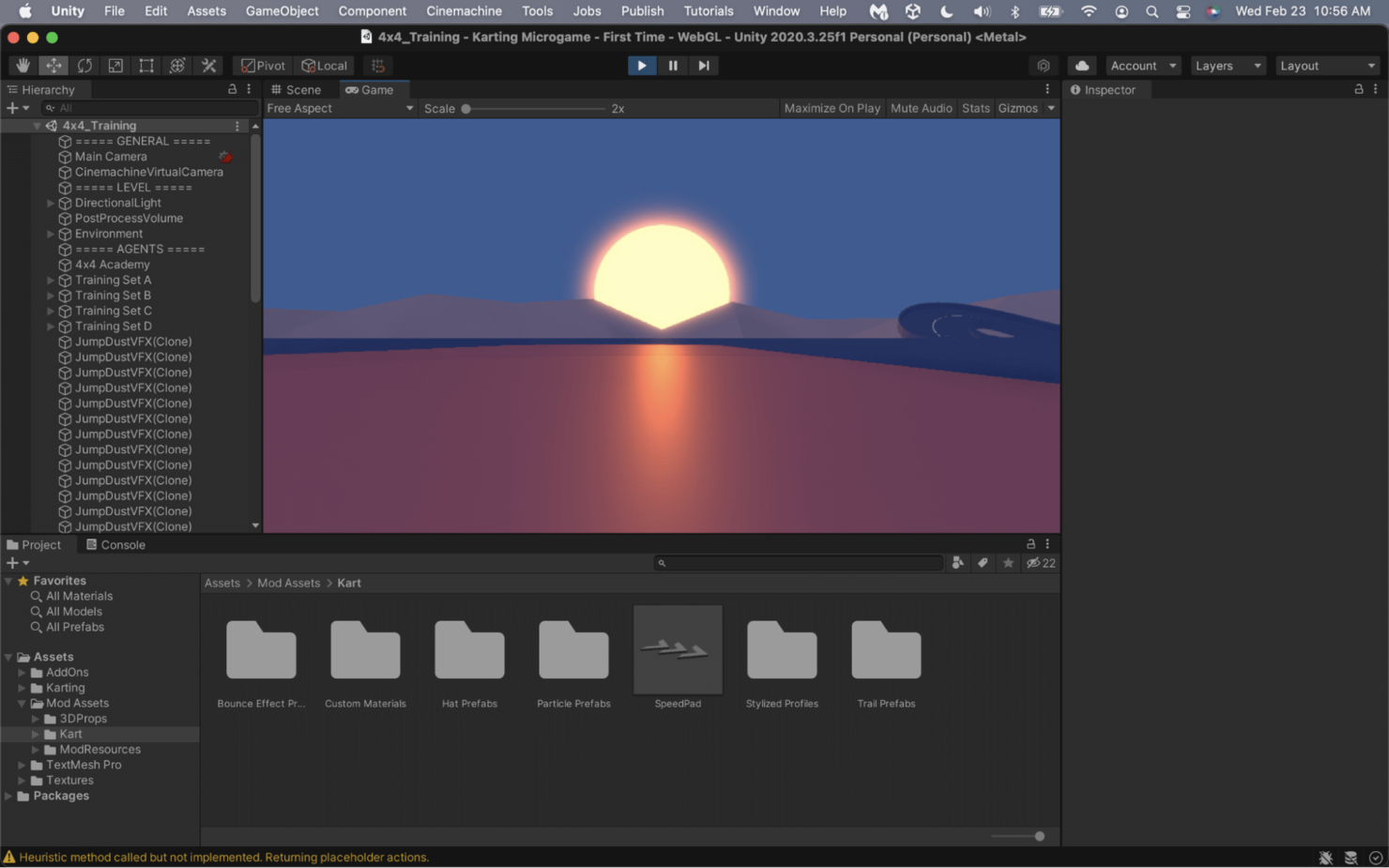
Unity is one of the most popular real-time game development engines. It allows you to create 2D and 3D games for wide distribution across all major game platforms.
Why I picked Unity: One feature that immediately stood out to me while evaluating Unity was its visual scripting function. With this feature, you can map out scripts visually with tables and connectors, allowing you to program complex game logic without needing to write any code.
Unity Standout Features and Integrations:
Features that stood out to me in Unity include how its usefulness doesn’t stop when the game is finished. Unity offers real-time dashboards that allow me to track my game downloads and revenue. Unity also supports multiple different coding languages, so you can choose how you want to build your game.
Integrations are pre-built for Discord, Jira, Trello, and Slack.
Pros and Cons
Pros:
- Easy-to-use interface for beginner and expert developers
- Comprehensive documentation and supportive community
- Large library of ready-made assets
Cons:
- Performance can lag with large and graphics-intensive game creation
- Requires third-party plugins to run many advanced features

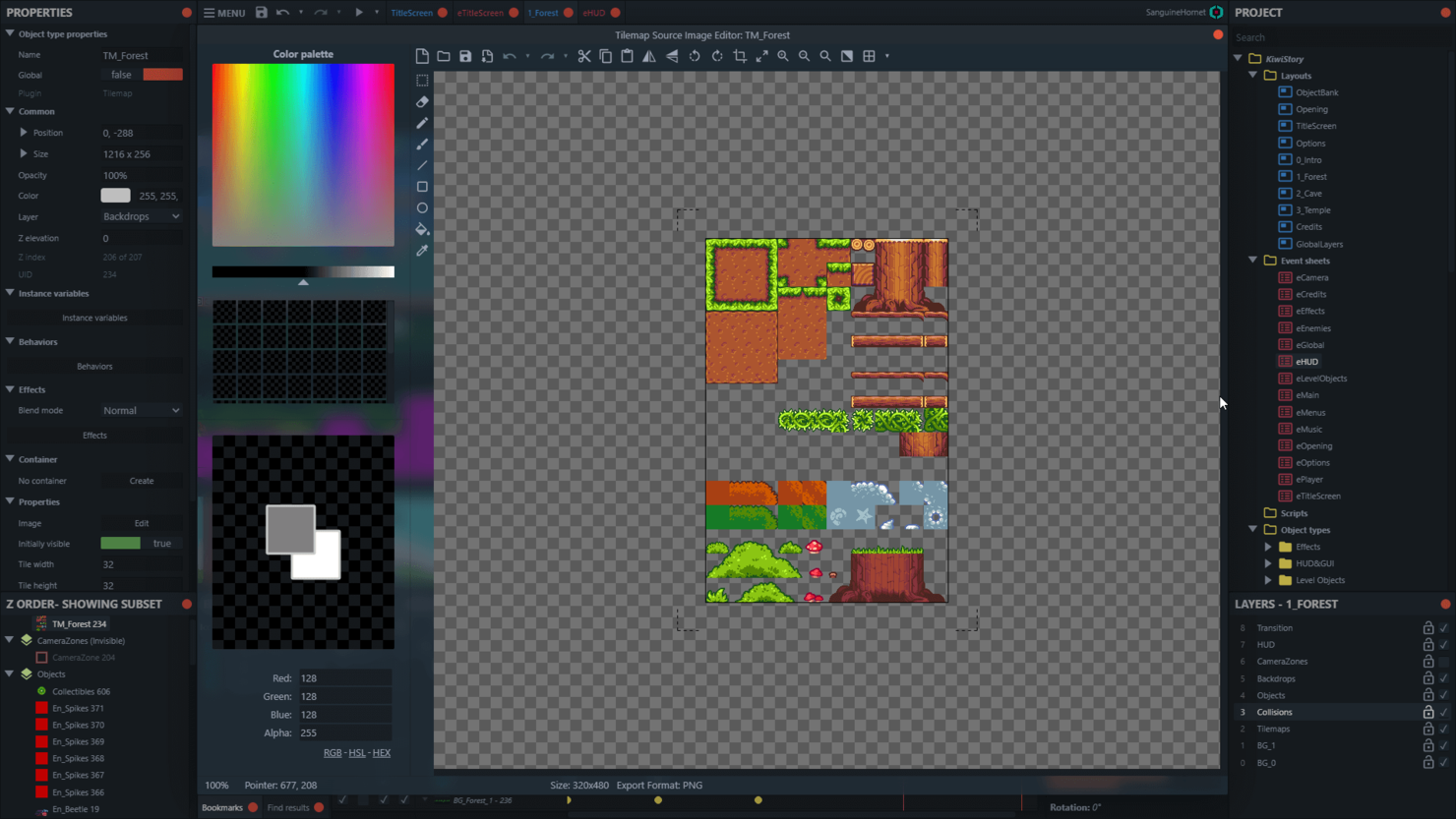
Construct 3 is a game development tool that allows you to choose between using JavaScript or going no-code.
Why I picked Construct 3: I picked Construct because I like its focus on beginner game developers who may not know how to code but want to create engaging games. I like its straightforward interface and the large library of available assets.
Construct 3 Standout Features and Integrations:
Features I really like about Construct include the drag-and-drop feature of game creation. This is a functionality that I, like many people today, am familiar and comfortable with. Bringing it into the game development space makes for a more beginner-friendly experience.
Integrations are pre-built for Steam and Google Analytics. It also offers custom API and SDK, allowing developers to customize plugins and add-ons.
Pros and Cons
Pros:
- It can be run directly in your web browser
- Intuitive user interface and design
- Great for beginners and game creators not familiar with coding languages
Cons:
- Rudimentary 3D capabilities
- Can be slow to load sometimes


Blender is a software used to manage the entire pipeline of 3D graphics creation from end to end, including game development.
Why I picked Blender: I picked Blender as a top choice for 3D artists wanting software that can do it all. From sculpting to painting to rendering to game creation, Blender can help with each step of the game development process. I liked the focus on creating beautiful designs and assets that will create engaging and dynamic games.
Blender Standout Features and Integrations:
Features that really stood out to me in Blender include its real-time rendering engine; it’s extremely fast and allows me to see changes to my 3D designs as soon as I make them. The other highlight of this software is the animation engine, which works for everything from 2D sprites to motion on 3D objects to produce more convincing movement.
Integrations are pre-built for V-Ray, Character Creator, D5 Render, RebusFarm, and Kasm Workspaces.
Pros and Cons
Pros:
- Enormous range of plugins and features
- Cross-platform compatibility that allows for game deployment anywhere
- Active community
Cons:
- Not suitable for novices
- Learning all the features and how to use the software takes a while


Maya is a 3D design and animation tool from Autodesk, a company that focuses primarily on computer-aided design (CAD) products such as AutoCAD.
Why I picked Maya: I chose Maya because it provides several advanced rigging capabilities that any game developer would find useful for bringing characters to life. One such feature in this category is the IK (short for inverse kinematics) handle functionality, which you can use to create joints and simulate more realistic movements for parts like arms and legs.
Maya standout features and integrations:
Features that make Maya ideal for animations include Bifrost, a framework that I used to simulate complex effects such as fire, water, and explosions. You can work from a library of premade effects or create and share your own.
Maya also provides a graph editor that you can tweak if you want more granular control over animations and effects that you’d otherwise not get from editing the models directly.
Integrations are pre-built for OpenCities Planner, Houdini, V-Ray, ftrack, Adobe Substance, Amazon RedShift, and RenderMan.
Pros and Cons
Pros:
- Advanced character rigging and animation features
- Bifrost makes it easy to simulate complex effects
- Free plan for educational institutions, including students and teachers
Cons:
- Limited plugin and integration library
- Expensive

Unreal Engine is a game development software solution that offers a comprehensive suite of tools for creating professional 3D games.
Why I picked Unreal Engine: I put Unreal Engine on this list for its industry-leading graphical capabilities and remarkable versatility. It has a built-in asset library and marketplace with ready-to-use assets, including 3D models, textures, audio files, and animations. This saves me valuable time by reducing the need to create assets from scratch.
Unreal Engine Standout Features and Integrations:
Features I really liked in Unreal include the Blueprint visual scripting system, which allows me to prototype and develop gameplay mechanics, interactions, and logic without needing to write traditional code. This helps streamline my development process and create consistency across my team’s development.
Integrations are pre-built for Autodesk Maya, ftrack, V-Ray, devtodev, Houdini, Helix Swarm, STAGE, and Adobe Substance.
Pros and Cons
Pros:
- Active community and extensive documentation for learning and support
- Comprehensive set of tools for game development and real-time visualization
- Cutting-edge graphics capabilities for visually stunning games
Cons:
- Royalty fees for commercial game releases
- Steeper learning curve compared to some other game engines

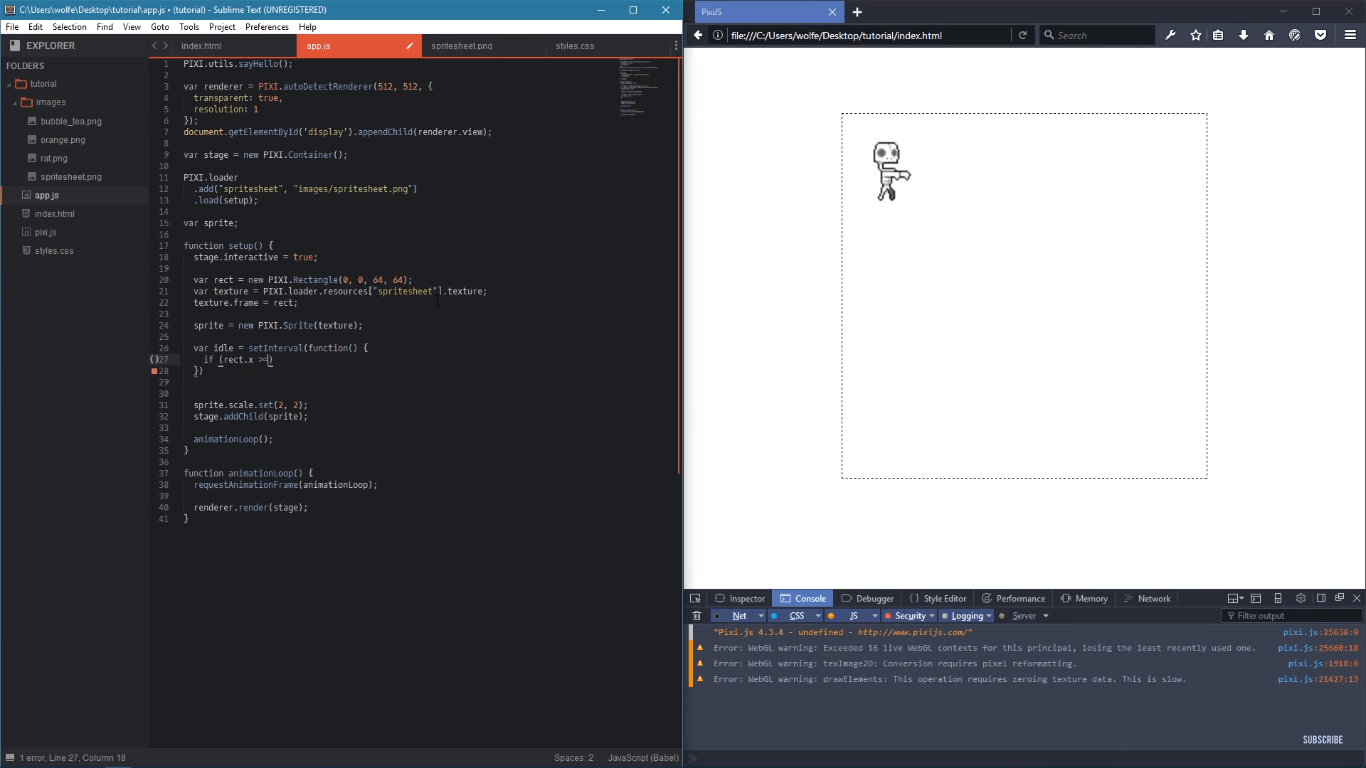
PixiJS is an open-source 2D renderer for WebGL that allows you to create interactive content, such as games that work right within the browser.
Why I picked PixiJS: I chose PixiJS because of its support for various types of filters for WebGL, such as blurring, pixelation, and displacement. You can use these to create different effects and add more fidelity to your projects, so you don’t need to worry about them looking bare-bones just because they’re 2D and browser-based.
PixiJS standout features and integrations:
Features that made me recommend PixiJS for development on browser-based games include the ability to build a multi-platform experience from a single code base. This way, you can account for users on desktop and mobile devices without needing to do standalone projects.
Integrations are pre-built for WebGL, Adobe Photoshop, and React.
Pros and Cons
Pros:
- Fast performance
- Large and active developer community
- Monorepo support
Cons:
- Requires prior knowledge of web development
- Doesn’t support 3D natively

Best for indie developers and small studios creating cross-platform 2D games
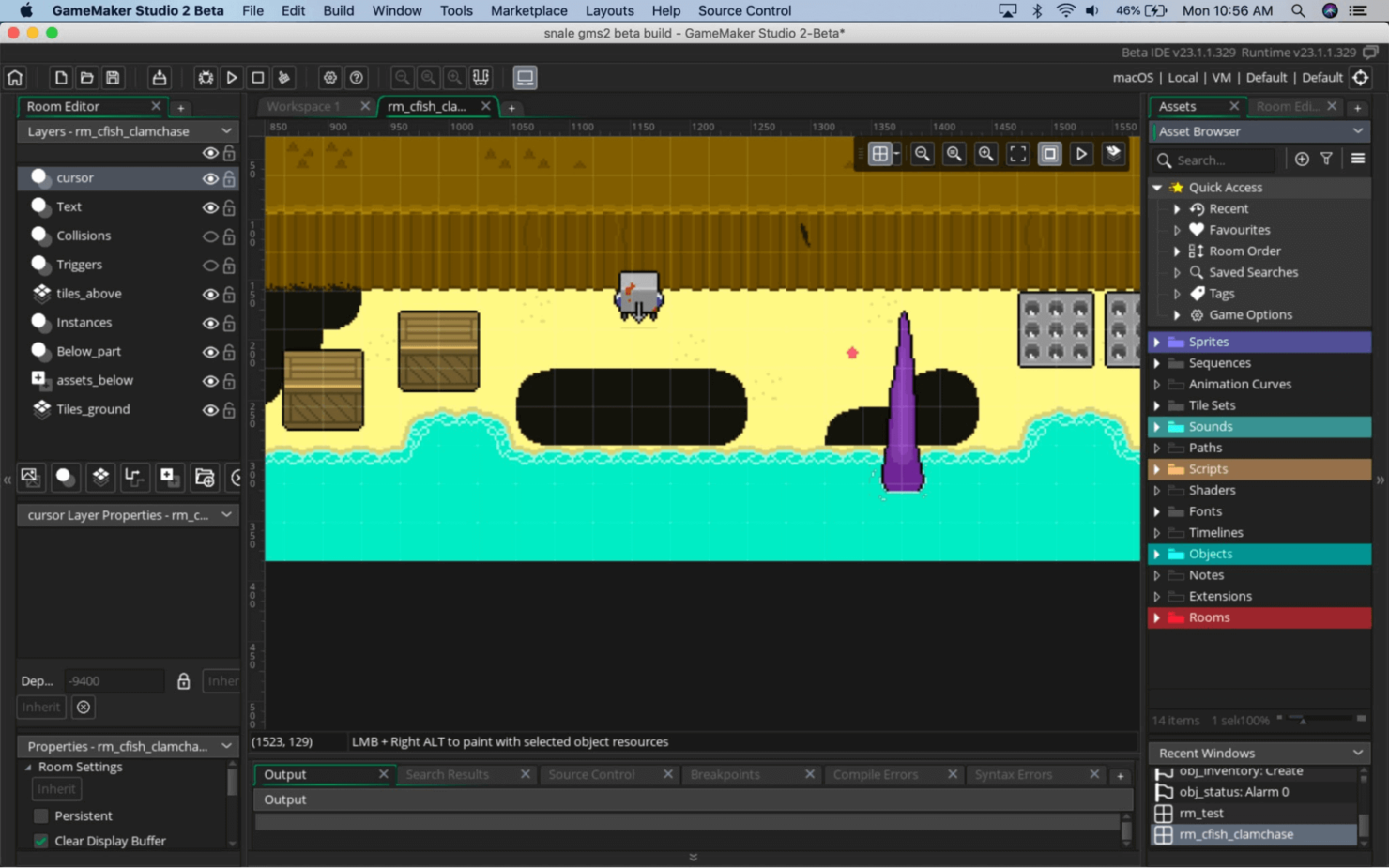
GameMaker is a 2D game development solution that can create indie and professional games for all current, major gaming platforms.
Why I picked GameMaker: I chose GameMaker because it's a great quality game engine focused on 2D development, a popular niche for indie development teams. GameMaker allows you to create, import, and edit 2D-specific assets, such as sprites, backgrounds, and tilesets, with granular control on functions such as animation and collision.
GameMaker Standout Features and Integrations:
Features that stood out to me in GameMaker include how it allows you to choose a code or low-code game development experience. This allowed me to learn and scale with the program, starting in low-code mode and moving to pure GameMaker Language (GML) coding as I became more comfortable with the software. I also like the built-in debugger, which allows me to find bugs and coding errors while building the game.
Integrations are available if you use GameMaker’s API to link it to third-party tools.
Pros and Cons
Pros:
- Supportive and active community
- Built-in asset and event library
- User-friendly interface that scales with learning abilities
Cons:
- GML is specific to GameMaker and can be difficult to learn
- Image editing functionality is limited


GDevelop is an open-source 2D game development tool that allows beginner game developers to build games quickly and without prior knowledge.
Why I picked GDevelop: I chose GDevelop because I could create games so quickly with this software. The time between starting up and publishing my finished game was incredibly fast. I also like that it’s open source and can run right in your browser.
GDevelop Standout Features and Integrations:
One of the features I like most about GDevelop is its large library of assets and events that I can drag and drop into my games quickly. I also like the live editor features, which allow me to see the changes that I make to my games immediately.
Integrations include hundreds of community-built extensions that allow you to add more functionality to your games. These include integrations for in-game purchases, enabling text-to-speech functions, changing the camera viewpoint, and more.
Pros and Cons
Pros:
- Fast game creation with drag-and-drop features
- No need to download software
- Simple and friendly user interface for beginners
Cons:
- Documentation needs some improvement
- Can run into some bugs

CryEngine
Best for high-fidelity visuals and creating visually stunning game worlds
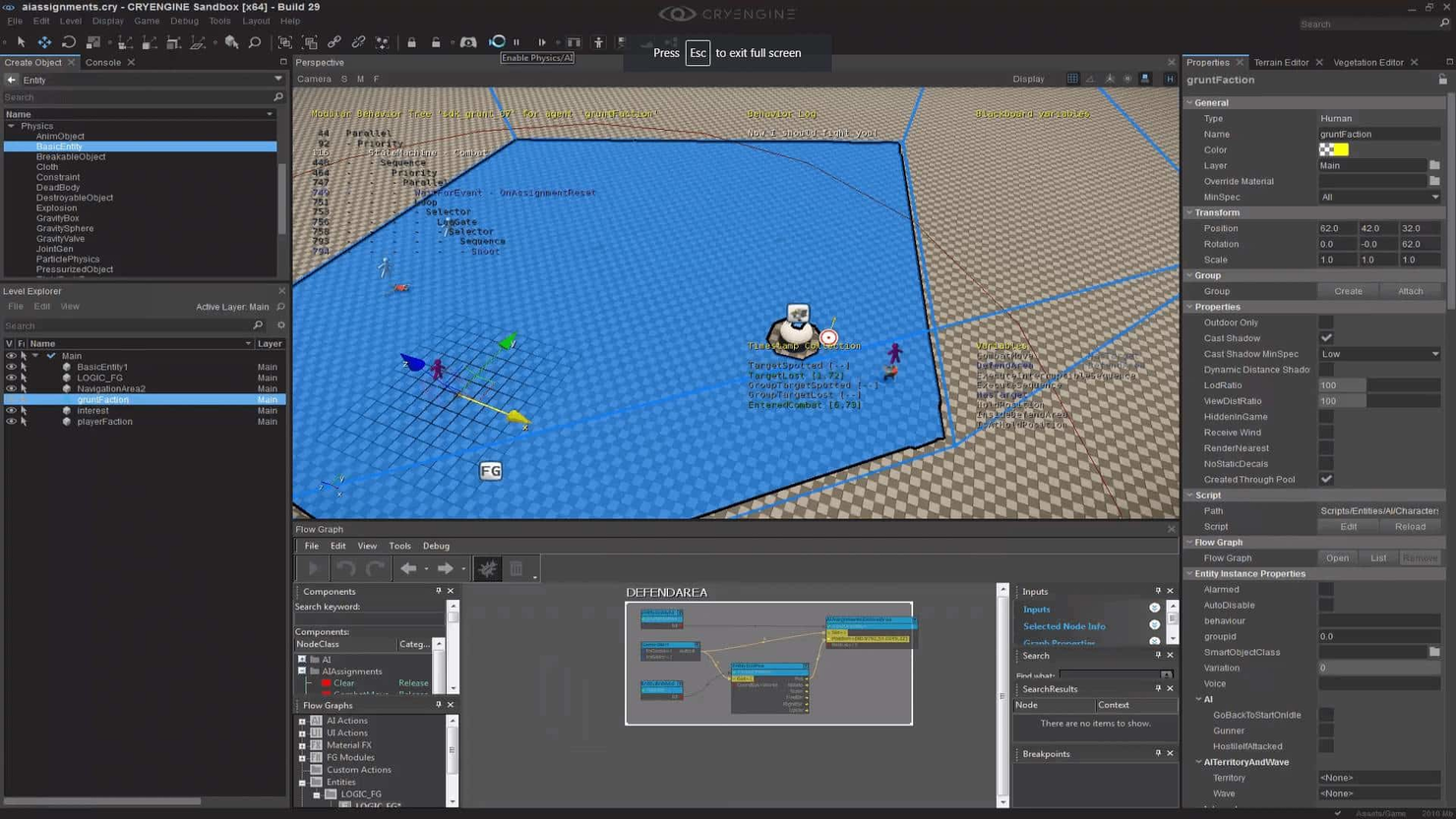
CryEngine is a powerful game engine for creating professional, high-quality 3D games with realistic and interactive worlds.
Why I picked CryEngine: I chose CryEngine for its world-building functionality. This game engine allows me to create extremely life-like worlds and automated characters to fill my games. CryEngine contains built-in AI modeling programs that allow me to create non-player characters (NPC) that look and act like real people.
CryEngine Standout Features and Integrations:
Features I liked in CryEngine include the built-in logic for NPCs that allow for extremely realistic game creation. Another thing that I like is that CryEngine offers services such as marketing assistance that can help you get your games to market.
Integrations aren’t available natively, but you can use the CryEngine API to connect to your preferred tools.
Pros and Cons
Pros:
- Reliable and high-quality graphics and design
- Intuitive user design and game engine features
- Good for small teams looking to scale up
Cons:
- Not recommended for beginner game developers
- Documentation can be outdated and not available in many languages
Weitere Game Development Software Optionen
Hier sind zusätzliche Tools, die Sie zur Erstellung fesselnder Spielerlebnisse verwenden können. Auch wenn es diese nicht in meine Top-Liste geschafft haben, lohnt es sich, sie zu prüfen:
- O3DE
High-fidelity, open-source software for 3D game development
- Gamefroot
For educators and beginners in web-based 2D game development
- RPG Maker
For developers focusing on creating role-playing games (RPGs) inspired by old-school Japanese RPGs
- Cocos2d
Deferred rendering features
- Adventure Game Studio (AGS)
For developers interested in creating point-and-click adventure games
- Stencyl
No-code option
- Clickteam Fusion 2.5
For game development support


Auswahlkriterien für Game Development Software
Bei der Auswahl der besten Game Development Software für diese Liste habe ich die wichtigsten Anforderungen und Schmerzpunkte von Käufern wie Benutzerfreundlichkeit und Multi-Plattform-Unterstützung berücksichtigt. Außerdem habe ich das folgende Schema verwendet, um meine Bewertung strukturiert und fair zu gestalten:
Kernfunktionen (25% der Gesamtbewertung)
Um in diese Liste aufgenommen zu werden, musste jede Lösung diese Anwendungsfälle abdecken:
- Erstellung von 2D- und 3D-Spielen
- Plattformübergreifende Unterstützung bieten
- Skripting-Fähigkeiten bereitstellen
- Asset-Management unterstützen
- Multiplayer-Funktionalität ermöglichen
Zusätzliche herausragende Funktionen (25% der Gesamtbewertung)
Um die Auswahl weiter einzugrenzen, habe ich auch nach besonderen Funktionen gesucht wie:
- Echtzeit-Zusammenarbeit
- Virtual Reality Unterstützung
- KI-gesteuertes Charakterverhalten
- Integrierte Analysetools
- Anpassbare Shader
Benutzerfreundlichkeit (10% der Gesamtbewertung)
Um die Benutzerfreundlichkeit jedes Systems einzuschätzen, habe ich folgende Kriterien berücksichtigt:
- Intuitive Benutzeroberfläche
- Einfache Navigation
- Lernkurve
- Anpassbares Layout
- Barrierefreiheitsfunktionen
Onboarding (10% der Gesamtbewertung)
Um die Einarbeitung auf jeder Plattform zu bewerten, habe ich Folgendes geprüft:
- Verfügbarkeit von Schulungsvideos
- Interaktive Produkttouren
- Zugang zu Vorlagen
- Webinare und Workshops
- Chatbots für sofortige Hilfe
Kundensupport (10 % der Gesamtbewertung)
Zur Bewertung der Kundendienstleistungen jedes Softwareanbieters habe ich Folgendes berücksichtigt:
- 24/7 Verfügbarkeit
- Reaktionszeit
- Verfügbarkeit von Live-Chat
- Umfassende Wissensdatenbank
- Community-Foren
Preis-Leistungs-Verhältnis (10 % der Gesamtbewertung)
Um das Preis-Leistungs-Verhältnis jeder Plattform zu bewerten, habe ich Folgendes betrachtet:
- Preistransparenz
- Flexible Abo-Modelle
- Verfügbarkeit einer kostenlosen Testversion
- Enthaltene Funktionen in den Basisversionen
- Rabatte für Bildungseinrichtungen
Kundenbewertungen (10 % der Gesamtbewertung)
Um ein Gefühl für die allgemeine Kundenzufriedenheit zu bekommen, habe ich bei der Auswertung von Kundenbewertungen Folgendes berücksichtigt:
- Gesamtzufriedenheitsbewertungen
- Häufigkeit von Updates
- Von Nutzern gemeldete Fehler
- Feedback zu Kundensupport
- Feedback zur Benutzerfreundlichkeit
Wie wähle ich Game-Development-Software aus?
Es ist leicht, sich in langen Funktionslisten und komplexen Preisstrukturen zu verlieren. Damit Sie während Ihres individuellen Auswahlprozesses fokussiert bleiben, finden Sie hier eine Checkliste von Faktoren, die Sie im Blick behalten sollten:
| Faktor | Worauf achten? |
|---|---|
| Skalierbarkeit | Wächst die Software mit Ihrem Team mit? Berücksichtigen Sie zukünftige Projektgrößen und Nutzerzahlen. Suchen Sie Tools, die mit erhöhter Komplexität und größerem Datenvolumen umgehen können. |
| Integrationen | Funktioniert sie mit Ihren bestehenden Tools? Prüfen Sie, ob eine Verbindung zu Ihren bevorzugten Design-, Kollaborations- und Produktivitätsapps möglich ist, um Workflows zu optimieren. |
| Anpassbarkeit | Lässt sich die Software an Ihre Anforderungen anpassen? Beurteilen Sie die Möglichkeit, Oberflächen und Funktionen gemäß den Bedürfnissen Ihres Projekts und Ihrer Teams zu modifizieren. |
| Benutzerfreundlichkeit | Ist die Software einfach zu bedienen? Achten Sie auf eine intuitive Navigation und übersichtliche Benutzeroberflächen. Vermeiden Sie Tools mit langer Einarbeitungszeit, die Ihren Fortschritt ausbremsen könnten. |
| Implementierung und Onboarding | Wie schnell können Sie starten? Bewerten Sie die Unterstützung durch Schulungsmaterialien und die Komplexität der Einrichtung, um einen reibungslosen Übergang für Ihr Team sicherzustellen. |
| Kosten | Passt das Tool in Ihr Budget? Vergleichen Sie die Preismodelle und denken Sie an die langfristigen Kosten, einschließlich Lizenzgebühren und möglicher versteckter Ausgaben. |
| Sicherheitsmaßnahmen | Sind Ihre Projekte geschützt? Überprüfen Sie Verschlüsselung, Datensicherungen und die Einhaltung relevanter Sicherheitsstandards, um Ihre Werte abzusichern. |
| Support-Verfügbarkeit | Erhalten Sie Unterstützung, wenn Sie sie benötigen? Prüfen Sie die Erreichbarkeit der Support-Kanäle und Reaktionszeiten, um zu gewährleisten, dass bei Problemen Hilfe bereitsteht. |
Was ist Game-Development-Software?
Game-Development-Software ist eine Zusammenstellung von Anwendungen und Frameworks, die Entwicklern dabei helfen, Videospiele zu erstellen, zu gestalten und zu produzieren. Sie umfasst eine Vielzahl von Softwarekomponenten, mit denen Entwickler fesselnde Spielerlebnisse für verschiedene Gaming-Plattformen erschaffen können.
Funktionen
Achten Sie bei der Auswahl von Konsolen-, Mobil- oder PC-Game-Development-Software auf folgende Schlüsselfunktionen:
- Rendering-Engine: Erstellt realistische Grafiken und Animationen und steigert so die visuelle Attraktivität von Spielen.
- Skripting-Funktionen: Ermöglichen es Entwicklern, individuelle Skripte für die Spiellogik zu schreiben und bieten Flexibilität und Kontrolle über das Gameplay.
- Asset-Verwaltung: Unterstützt bei der Organisation und Verwaltung von Spielelementen wie Texturen, Modellen und Audiodateien und vereinfacht so den Entwicklungsprozess.
- Plattformübergreifende Unterstützung: Ermöglicht die Entwicklung von Spielen für verschiedene Plattformen und erreicht damit eine größere Zielgruppe bei minimalem Aufwand.
- Echtzeit-Zusammenarbeit: Unterstützt Teamarbeit, indem mehrere Nutzer gleichzeitig am selben Projekt arbeiten können.
- Virtual-Reality-Unterstützung: Bietet Tools für die Entwicklung immersiver VR-Erlebnisse und erweitert die Möglichkeiten im Spieldesign.
- Integrierte Analysen: Liefert Einblicke in das Spielerverhalten und die Performance des Spiels und unterstützt so datenbasierte Entscheidungen.
- Anpassbare Shader: Ermöglichen die Erstellung einzigartiger visueller Effekte und fördern die künstlerische Ausdruckskraft in Spielen.
Vorteile
Die Einführung von Game-Development-Software bringt zahlreiche Vorteile für Ihr Team und Ihr Unternehmen mit sich. Hier sind einige, auf die Sie sich freuen können:
- Gesteigerte Kreativität: Tools wie anpassbare Shader und Skripting-Funktionen ermöglichen es Entwicklern, einzigartige Ideen zum Leben zu erwecken.
- Effizienter Arbeitsablauf: Asset-Verwaltung und Echtzeit-Zusammenarbeit erleichtern die Projektorganisation und Teamarbeit und beschleunigen die Entwicklung.
- Erweiterte Reichweite: Plattformübergreifende Unterstützung stellt sicher, dass Ihre Spiele auf verschiedenen Geräten spielbar sind und so ein größeres Publikum erreichen.
- Verbesserte Entscheidungsfindung: Integrierte Analysen liefern wertvolle Einblicke in das Spielerverhalten und helfen, das Spieldesign und Marketingstrategien zu optimieren.
- Immersive Erlebnisse: Virtual-Reality-Unterstützung ermöglicht die Schaffung ansprechender und interaktiver Spielumgebungen, die die Spieler begeistern.
- Kosteneinsparungen: Skalierbarkeit und effektives Ressourcenmanagement senken die Entwicklungskosten und optimieren Ihr Budget.
Kosten und Preise
Die Auswahl einer Game-Development-Software erfordert ein Verständnis der verschiedenen verfügbaren Preismodelle und -pläne. Die Kosten variieren je nach Funktionsumfang, Teamgröße, Erweiterungen und mehr. Die folgende Tabelle fasst gängige Pläne, deren Durchschnittspreise und typische enthaltene Funktionen in Lösungen für Game-Development-Software zusammen:
Vergleichstabelle für Game-Development-Software
| Tariftyp | Durchschnittspreis | Häufige Funktionen |
|---|---|---|
| Kostenloser Tarif | $0 | Grundlegendes Rendering, eingeschränkte Asset-Verwaltung und Community-Support. |
| Persönlicher Tarif | $10-$30/user/month | Erweitertes Rendering, Skripting-Funktionen und plattformübergreifender Export. |
| Business-Tarif | $50-$100/user/month | Echtzeit-Zusammenarbeit, integrierte Analysen und Virtual-Reality-Unterstützung. |
| Enterprise-Tarif | $150+/user/month | Anpassbare Lösungen, dedizierter Support und erweiterte Sicherheitsfunktionen. |
Häufig gestellte Fragen
Hier sind einige häufige Fragen, die bei der Erkundung von Spieleentwicklungssoftware oft gestellt werden:
Was ist die beste Spieleentwicklungssoftware für Anfänger?
Welche Spieleentwicklungssoftware eignet sich am besten für 3D-Spiele?
Kann ich mit Spieleentwicklungssoftware auch Mobile Games entwickeln?
Welche Spieleentwicklungssoftware eignet sich für Indie-Entwickler mit geringem Budget?
Wie geht es weiter:
Wenn Sie gerade dabei sind, sich über Spieleentwicklungssoftware zu informieren, nehmen Sie Kontakt mit einem SoftwareSelect-Berater auf und erhalten Sie kostenlos Empfehlungen.
Sie füllen ein Formular aus und führen ein kurzes Gespräch, bei dem Ihre Bedürfnisse im Detail besprochen werden. Anschließend erhalten Sie eine Auswahl an Software zur Überprüfung. Sie werden sogar während des gesamten Kaufprozesses unterstützt, einschließlich Preisverhandlungen.