

Recensione HaloITSM: Vantaggi, Svantaggi, Caratteristiche e Panoramica dei Prezzi
Ecco come HaloITSM si distingue (e dove inciampa) nel rendere la gestione dei servizi IT più semplice, veloce e intelligente per le tue operazioni.

Recensiamo gli strumenti in modo indipendente e le commissioni ci aiutano a finanziare i nostri test. Consulta la nostra politica sulla trasparenza, la nostra metodologia, oppure suggerisci uno strumento.
HaloITSM is a service management software built for IT teams managing incidents, changes, assets, and service requests within a single ITIL-aligned platform. It's worth a close look if you need more configurability than Freshservice gives you, but don't want the implementation complexity and cost that come with enterprise platforms like ServiceNow.
Halo Evaluation Summary
4.7/5
- From $99/agent/month (billed annually)
- Free demo + 30-day free trial available
Perché fidarsi dei nostri consigli sui software
6,700+
Reviews
20
Industry experts
16+
Evaluation factors
14
Years
Il nostro team testa e recensisce software dal 2012. In quanto leader tecnologici noi stessi, sappiamo quanto sia difficile — e importante — scegliere il software giusto.
Per questa guida, abbiamo valutato gli strumenti attraverso test praticie ricerche indipendenti, assegnando un punteggio agli strumenti in base ai nostri criteri di selezione.
Le nostre recensioni riflettono il nostro giudizio editoriale umano, non un discorso di vendita.
Revisori esperti:
- Paulo Gardini MiguelDirettore tecnico
 Tim FisherVP dell'IA
 Gabriel RosasTech Lead e architetto software
 Christhian GruhnTech Lead e architetto della piattaforma

Halo Overview
HaloITSM offers a clean interface, flexible automation, and broad integration options that outperform many competitors on usability and configuration. Pricing is transparent, and onboarding is straightforward, especially for mid-sized IT teams modernizing legacy processes. Support response is reliable, though advanced reporting and deep customization lag compared to pricier options. If you’re choosing an IT service management solution for a growing in-house IT team or managed service provider with varied client needs, I think HaloITSM should be on your shortlist.
Pros
- All modules included with no feature-gating or bolt-ons.
- ITIL-aligned workflows available out of the box.
- Over 200 native integrations included at no extra cost.
Cons
- Advanced customization increases administrative complexity over time.
- Smaller teams may find implementation heavier than needed.
- Documentation lacks depth on advanced configurations.
Is Halo Right For Your Needs?
Who Would be a Good Fit for Halo?
HaloITSM works best for organizations that want a powerful, customizable ITSM platform with strong automation and asset management. IT and service desk teams needing multi-brand support, clear workflow design, or quick implementation see value in its unified approach. Industries with strict compliance and service delivery requirements, plus mid-sized and large teams that need role-based ticketing, tend to benefit the most.
- Mid-Sized EnterprisesHaloITSM scales well without the complexity of legacy suites, with easy configuration for internal and external support desks.
- Education SectorSchools and universities manage student and staff tickets, assets, and contracts in one place, using the self-service portal and knowledge base.
- Public Sector OrganizationsGovernment agencies and public-sector teams can centralize service requests, automate workflows, and improve transparency while reducing administrative overhead.
- Healthcare OrganizationsBuilt-in compliance controls, asset lifecycle management, and contract tracking meet strict regulatory and operational needs.
- IT DepartmentsInternal IT teams benefit from rapid ticket routing, asset visibility, and change management automation within a unified dashboard.
- Facilities ManagementFacilities or non-IT teams can use HaloITSM’s configurable workflows to track and route non-IT requests, leveraging the flexible service catalog.
Who Would be a Bad Fit for Halo?
HaloITSM may be too feature-rich or process-centric for small businesses, teams needing only simple ticket tracking, or organizations exclusively outside of IT. Those with minimal ITSM needs, limited budgets, or rigid requirements for on-premise deployment may find its model excessive or restrictive. Companies needing only lightweight help desk software or one-off issue management should look elsewhere.
- Small StartupsThe platform’s range of features and admin options can overwhelm teams seeking basic ticket logging without complex configuration.
- Retail ChainsOrganizations mainly needing point-of-sale or frontline support often find HaloITSM’s ITSM focus too broad for their daily requirements.
- Solo IT OperatorsSingle-person IT teams may not get value from features designed for workflow automation, asset tracking, and approvals.
- Pure HR DepartmentsHR teams needing only personnel request tracking may find the IT-centered modules and terminology don’t fit their needs closely.
- Companies With Static ITOrganizations with little change or incident volume don’t benefit from workflow-rich modules built for dynamic, process-heavy environments.
- On-Premise-Only BuyersHaloITSM’s cloud-first deployment model can be limiting for organizations with strict policies requiring on-premise-only solutions.
La Nostra Metodologia di Recensione
Come Testiamo e Valutiamo gli Strumenti
Abbiamo trascorso anni a costruire, perfezionare e migliorare il nostro sistema di testing e valutazione del software. Il nostro schema è progettato per cogliere le sfumature della selezione software e cosa rende efficace uno strumento, focalizzandosi sugli aspetti critici del processo decisionale.
Di seguito, puoi vedere esattamente come funziona il nostro testing e punteggio su sette criteri. Ci permette di offrire una valutazione imparziale del software basata su funzionalità principali, caratteristiche distintive, facilità d’uso, onboarding, assistenza clienti, integrazioni, recensioni dei clienti e rapporto qualità-prezzo.
Funzionalità Principali (25% del punteggio finale)
Il punto di partenza della nostra valutazione è sempre la funzionalità principale dello strumento. Ha le funzioni e caratteristiche base che ci si aspetta? Alcune di queste caratteristiche sono limitate ai piani tariffari superiori? Fondamentalmente, ci aspettiamo che uno strumento regga il confronto rispetto alle capacità di base dei concorrenti.
Caratteristiche Distintive (25% del punteggio finale)
Successivamente, valutiamo le caratteristiche distintive e non comuni che vanno oltre la funzionalità base tipicamente trovata negli strumenti di questa categoria. Un punteggio alto riflette funzionalità specializzate o uniche che rendono il prodotto più veloce, efficiente o offrono ulteriore valore all’utente.
Valutiamo inoltre quanto sia semplice integrare altri strumenti tipicamente utilizzati nell’infrastruttura tecnologica per espandere la funzionalità e l’utilità del software. Gli strumenti che offrono numerose integrazioni native, connessioni di terze parti e accesso API per creare integrazioni personalizzate ottengono i punteggi migliori.
Facilità d’Uso (10% del punteggio finale)
Consideriamo quanto sia rapido e semplice svolgere i compiti definiti nella funzionalità principale utilizzando lo strumento. Il software con punteggio alto è ben progettato, intuitivo da usare, offre app mobili, fornisce modelli e rende semplici attività relativamente complesse.
Onboarding (10% del punteggio finale)
Sappiamo quanto sia importante l’adozione rapida da parte del team per una nuova piattaforma, quindi valutiamo quanto sia facile imparare e utilizzare uno strumento con formazione minima. Valutiamo quanto velocemente un membro del team possa iniziare a usare lo strumento anche senza esperienza. Soluzioni con punteggio alto indicano che sono richiesti pochi o nessun supporto.
Assistenza Clienti (10% del punteggio finale)
Esaminiamo quanto sia veloce e facile ricevere assistenza e risolvere problemi tramite telefono, live chat o knowledge base. Gli strumenti e le aziende che garantiscono supporto in tempo reale ottengono il miglior punteggio, mentre i chatbot ottengono il peggiore.
Recensioni dei Clienti (10% del punteggio finale)
Oltre ai nostri test e valutazioni, prendiamo in considerazione il net promoter score dei clienti attuali e passati. Valutiamo la probabilità che, data la scelta, selezionerebbero nuovamente lo strumento per la funzionalità principale. Un software con punteggio alto riflette un alto net promoter score da parte dei clienti attuali o passati.
Rapporto Qualità-Prezzo (10% del punteggio finale)
Infine, considerando tutti gli altri criteri, analizziamo il prezzo medio dei piani base rispetto alle funzionalità principali e consideriamo il valore degli altri criteri di valutazione. Il software che offre di più a meno otterrà un punteggio più alto.
Core Features
Incident Management
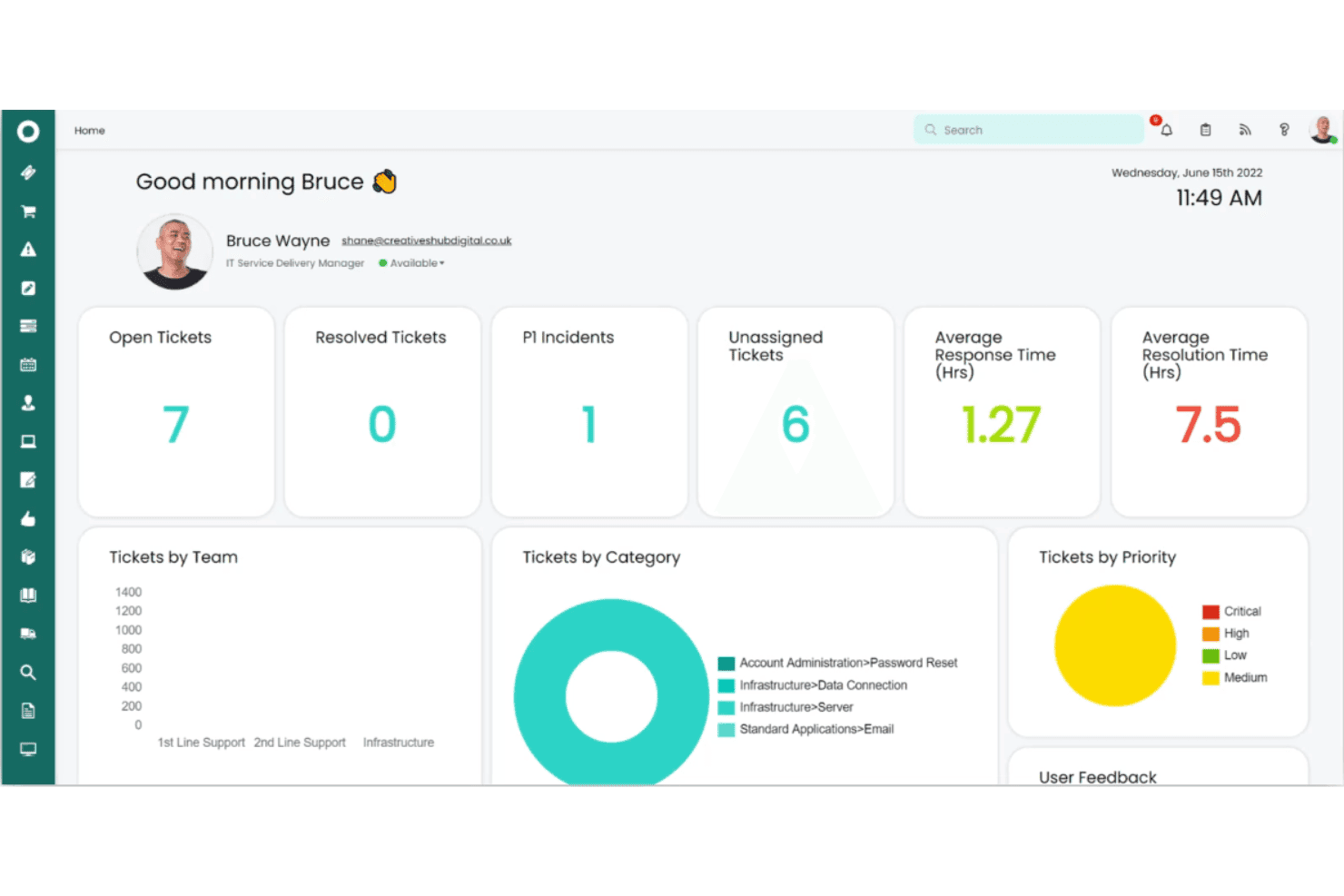
Log, prioritize, and resolve IT incidents from a unified dashboard. Automations route tickets based on urgency, keeping resolution fast.
Change Management
Handle IT changes with customizable approval workflows and risk assessment. Built-in auditing tracks every change for compliance.
Asset Management
Track hardware, software, and configuration items along the full lifecycle. Users see warranty status and assign assets directly from the system.
Service Catalog
Offer a centralized portal for users to request IT and business services. Custom forms standardize intake and drive consistent fulfillment.
Self-Service Portal
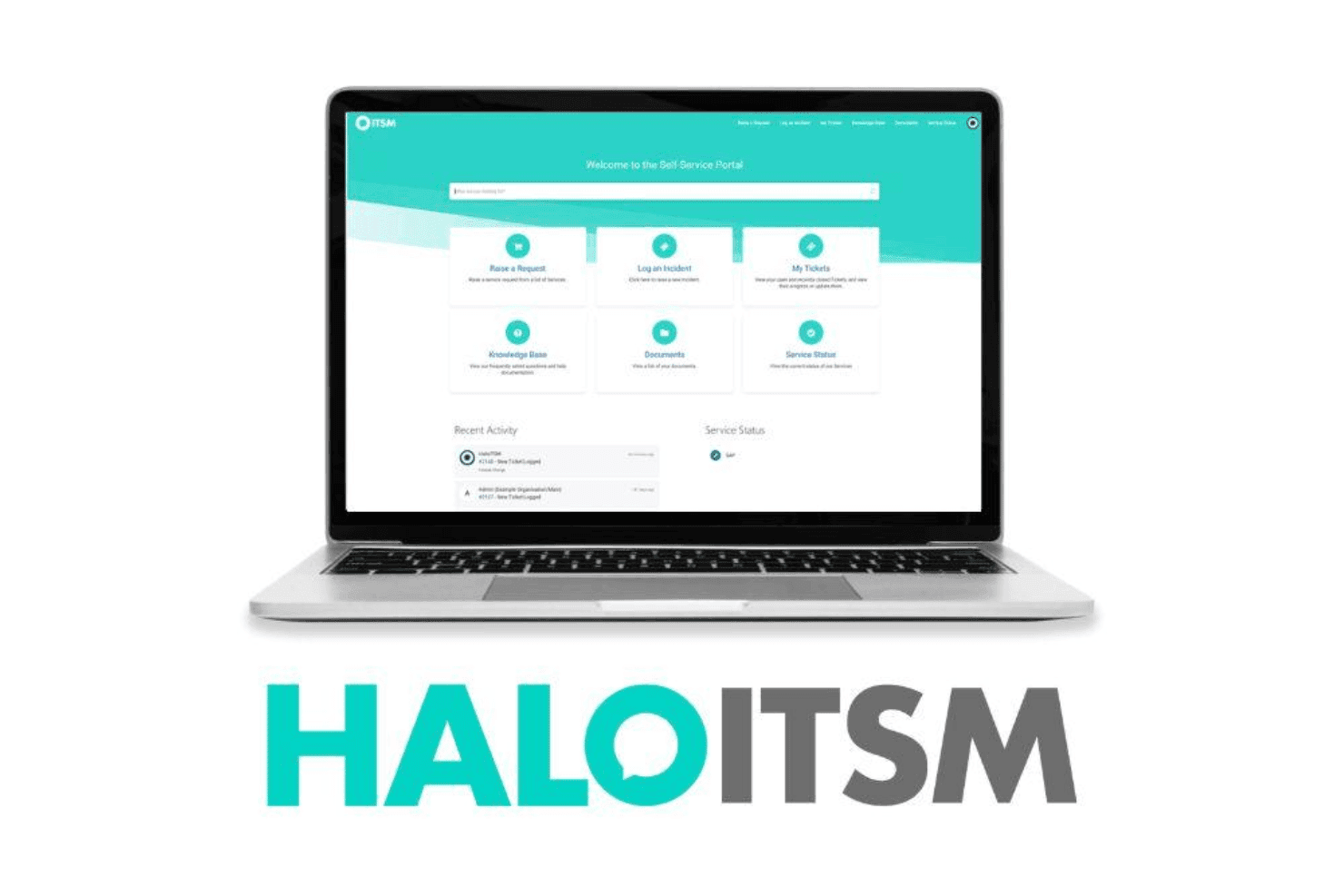
End users submit tickets and find solutions using a branded, knowledge-backed portal. Real-time ticket updates and FAQs reduce support workload.
Knowledge Base
Document solutions and procedures with built-in knowledge management tools. Staff can share articles during ticket resolution or surface them in search.
Ease of Use
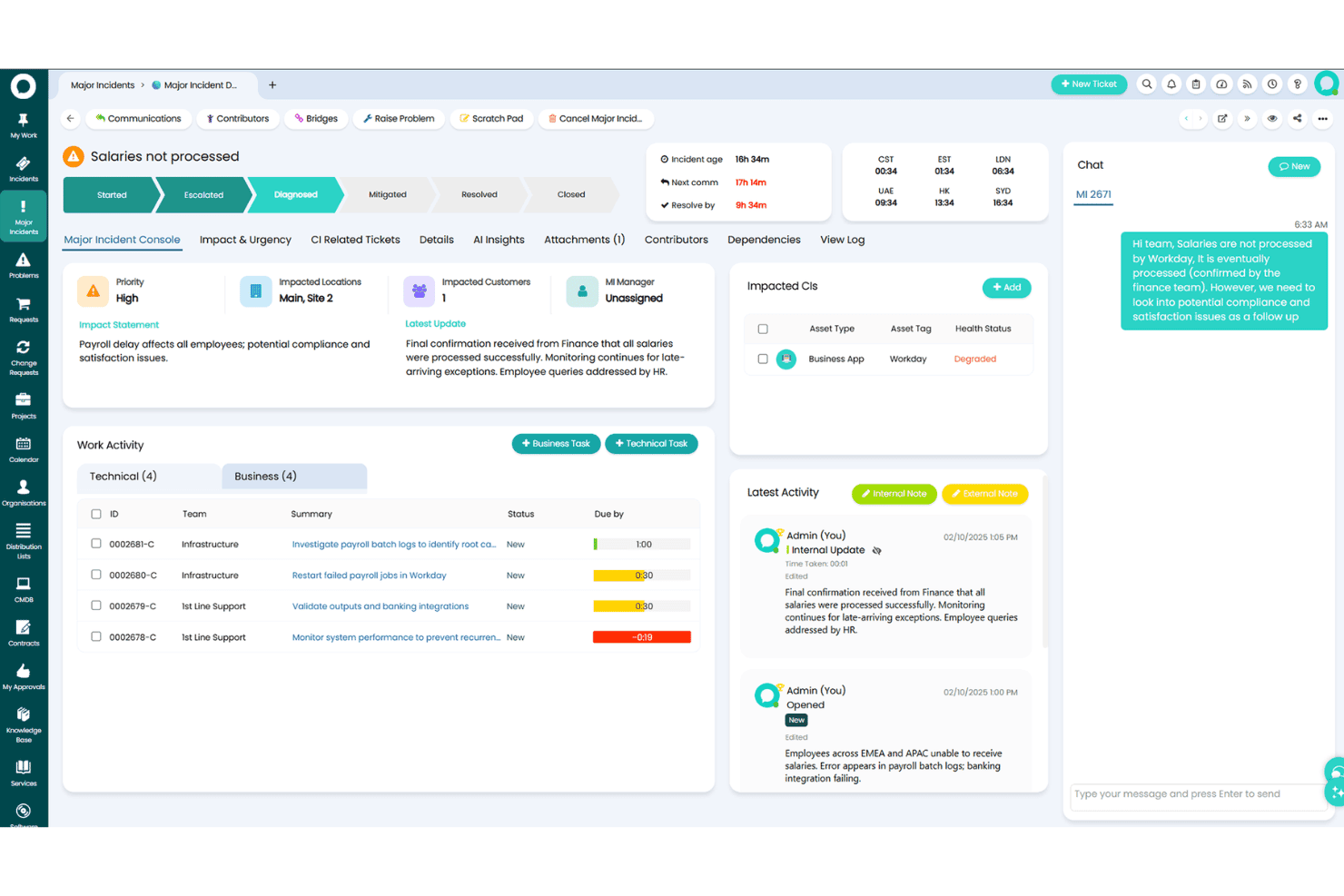
HaloITSM strikes a strong balance between depth and usability, with a clean interface and intuitive workflows. Users praise its drag-and-drop automations and simple form designers, making it quick to customize ticket flows and service catalogs. I find navigation is straightforward, and admins appreciate the contextual help, though a few advanced settings menus are less obvious for first-timers.
Integrations
HaloITSM integrates with Microsoft Teams, Azure Active Directory, Jira, Slack, Office 365, Splunk, Okta, Zapier, TeamViewer, and SCCM, among others. HaloITSM also offers a REST API and connects with third-party integration platforms for extended workflows.

Halo Specs
- 2-Factor Authentication: Yes
- Analytics: Yes
- Anti-Virus: No
- API: Yes
- Batch Permissions & Access: Yes
- Bug Tracking: No
- Call Integration: No
- Chat: No
- Contact Management: Yes
- CRM Integration: Yes
- Customer Management: Yes
- Data Export: Yes
- Data Import: Yes
- Email Integration: Yes
- Escalation Management: Yes
- External Integrations: Yes
- Incident Management: Yes
- Instant Chat Integration: No
- Knowledge Base: Yes
- Malware Protection: No
- Multi-User: Yes
- Notifications: Yes
- Organization Management: No
- Password & Access Management: Yes
- Project Management: Yes
- Real-time Alerts: Yes
- SAP Integration: Yes
- Self-service Portal: Yes
- Social Media Integration: No
- Support Forum: Yes
- Ticket Management: Yes
- Workflow Management: Yes


