
Recensione di Dataiku 2026: spiegazione delle funzionalità principali, dei vantaggi, degli svantaggi e dei prezzi
I’ve put Dataiku to the test—here’s what makes it stand out (and trip up) as a cloud ML platform, with real insight into its features, fit, and hidden tradeoffs for your 2026 decisions.

Recensiamo gli strumenti in modo indipendente e le commissioni ci aiutano a finanziare i nostri test. Consulta la nostra politica sulla trasparenza, la nostra metodologia, oppure suggerisci uno strumento.
Dataiku is a machine learning cloud platform for data science teams that need to build, deploy, and monitor AI and analytics projects across a shared environment. I'd consider it when your organization has a mix of data engineers, analysts, and business users who all need to collaborate on the same pipelines, without forcing everyone into a code-first workflow. Compared to a tool like Databricks, which leans heavily on notebooks and Spark expertise, Dataiku gives you a visual flow interface alongside Python, R, and SQL, so IT teams can support both citizen data scientists and advanced ML engineers on one governed platform.
Dataiku Evaluation Summary
4.6/5
- Pricing upon request
- 14-day free trial
Perché fidarsi dei nostri consigli sui software
6,700+
Reviews
20
Industry experts
16+
Evaluation factors
14
Years
Il nostro team testa e recensisce software dal 2012. In quanto leader tecnologici noi stessi, sappiamo quanto sia difficile — e importante — scegliere il software giusto.
Per questa guida, abbiamo valutato gli strumenti attraverso test praticie ricerche indipendenti, assegnando un punteggio agli strumenti in base ai nostri criteri di selezione.
Le nostre recensioni riflettono il nostro giudizio editoriale umano, non un discorso di vendita.
Revisori esperti:
- Paulo Gardini MiguelDirettore tecnico
 Tim FisherVP dell'IA
 Gabriel RosasTech Lead e architetto software
 Christhian GruhnTech Lead e architetto della piattaforma

Dataiku Overview
Choosing Dataiku as your machine learning cloud platform means you get an intuitive visual interface and solid collaboration tools that suit cross-functional teams. I think Dataiku’s low-code flexibility lets a broader group dig in, while its granular controls support technical customization when you need it. Onboarding is friendlier than most, with extensive docs and guided flows. Dataiku’s prebuilt integrations cover all the major data sources, but real-time production use cases can feel less mature compared to some. I’d recommend it for organizations balancing strong governance and diverse user skill sets.
Pros
- Visual workflow enables collaboration between technical and non-technical users
- Supports both code and no-code data science projects within one platform
- Offers governed project management with strong version control options
Cons
- Real-time deployment capabilities lag behind competitors like Databricks
- Pricing can be high for large-scale production use
- Interface performance slows with extremely complex pipelines
Is Dataiku Right For Your Needs?
Who Would be a Good Fit for Dataiku?
Dataiku suits teams and organizations with mixed technical skills that need a collaborative environment for analytics, automation, and governed AI. The visual interface, strong SQL and Python support, and wide cloud and database integrations make it ideal for regulated industries, enterprise data teams, and those needing scalable, responsible AI. Users benefit from guided onboarding, extensive support, and template-driven workflows that accelerate time to insight—whether you’re tackling large-scale data prep or deploying machine learning models to production.
- Financial ServicesDataiku’s security controls, rich audit trails, and integrations with enterprise databases support strict compliance and large, multi-user data teams.
- Retail AnalyticsThe visual flow and data prep features simplify shopper behavior analysis, inventory optimization, and omni-channel reporting for retail BI departments.
- Healthcare ProvidersCollaboration tools and responsible AI features help clinicians and administrators securely build predictive models using sensitive health data.
- Large EnterprisesSupport for governance, workspace management, and automation at scale is designed for organizations with hundreds of users and complex data environments.
- Data Science TeamsPython, R, and SQL integration, combined with visual ML model building, suit data professionals needing flexible, repeatable workflows.
- Manufacturing OperationsNo-code tools and strong cloud integrations help process engineers and analysts optimize supply chain, sensor, and production data without heavy scripting.
Who Would be a Bad Fit for Dataiku?
Dataiku can be overkill for businesses with minimal analytics needs, limited resources, or highly specialized requirements that fall outside typical cloud ML workflows. Small teams without dedicated data staff, firms needing highly custom modeling pipelines, or those locked into vendor-specific environments may find Dataiku’s architecture too broad, rigid, or resource-intensive for their needs.
- Small StartupsHigh pricing and feature complexity don’t match small budgets or lean teams just starting with analytics.
- Freelance ConsultantsSolo practitioners rarely need enterprise collaboration, multi-user security, or full-scale automation baked into Dataiku.
- Edge-Only DeploymentsIf your use case demands running models entirely at the edge or offline, Dataiku’s cloud-first approach doesn’t fit.
- Marketing AgenciesTeams focused purely on marketing automation or campaign analytics will find Dataiku’s full-featured data science stack excessive.
- Real-Time TradingDataiku isn’t designed for ultra-low latency, real-time prediction—trading platforms may need more specialized, speed-optimized tools.
- Open-Source-Only ShopsOrganizations requiring open source software and full code transparency will be limited by Dataiku’s proprietary platform structure.
La Nostra Metodologia di Recensione
Come Testiamo e Valutiamo gli Strumenti
Abbiamo trascorso anni a costruire, perfezionare e migliorare il nostro sistema di testing e valutazione del software. Il nostro schema è progettato per cogliere le sfumature della selezione software e cosa rende efficace uno strumento, focalizzandosi sugli aspetti critici del processo decisionale.
Di seguito, puoi vedere esattamente come funziona il nostro testing e punteggio su sette criteri. Ci permette di offrire una valutazione imparziale del software basata su funzionalità principali, caratteristiche distintive, facilità d’uso, onboarding, assistenza clienti, integrazioni, recensioni dei clienti e rapporto qualità-prezzo.
Funzionalità Principali (25% del punteggio finale)
Il punto di partenza della nostra valutazione è sempre la funzionalità principale dello strumento. Ha le funzioni e caratteristiche base che ci si aspetta? Alcune di queste caratteristiche sono limitate ai piani tariffari superiori? Fondamentalmente, ci aspettiamo che uno strumento regga il confronto rispetto alle capacità di base dei concorrenti.
Caratteristiche Distintive (25% del punteggio finale)
Successivamente, valutiamo le caratteristiche distintive e non comuni che vanno oltre la funzionalità base tipicamente trovata negli strumenti di questa categoria. Un punteggio alto riflette funzionalità specializzate o uniche che rendono il prodotto più veloce, efficiente o offrono ulteriore valore all’utente.
Valutiamo inoltre quanto sia semplice integrare altri strumenti tipicamente utilizzati nell’infrastruttura tecnologica per espandere la funzionalità e l’utilità del software. Gli strumenti che offrono numerose integrazioni native, connessioni di terze parti e accesso API per creare integrazioni personalizzate ottengono i punteggi migliori.
Facilità d’Uso (10% del punteggio finale)
Consideriamo quanto sia rapido e semplice svolgere i compiti definiti nella funzionalità principale utilizzando lo strumento. Il software con punteggio alto è ben progettato, intuitivo da usare, offre app mobili, fornisce modelli e rende semplici attività relativamente complesse.
Onboarding (10% del punteggio finale)
Sappiamo quanto sia importante l’adozione rapida da parte del team per una nuova piattaforma, quindi valutiamo quanto sia facile imparare e utilizzare uno strumento con formazione minima. Valutiamo quanto velocemente un membro del team possa iniziare a usare lo strumento anche senza esperienza. Soluzioni con punteggio alto indicano che sono richiesti pochi o nessun supporto.
Assistenza Clienti (10% del punteggio finale)
Esaminiamo quanto sia veloce e facile ricevere assistenza e risolvere problemi tramite telefono, live chat o knowledge base. Gli strumenti e le aziende che garantiscono supporto in tempo reale ottengono il miglior punteggio, mentre i chatbot ottengono il peggiore.
Recensioni dei Clienti (10% del punteggio finale)
Oltre ai nostri test e valutazioni, prendiamo in considerazione il net promoter score dei clienti attuali e passati. Valutiamo la probabilità che, data la scelta, selezionerebbero nuovamente lo strumento per la funzionalità principale. Un software con punteggio alto riflette un alto net promoter score da parte dei clienti attuali o passati.
Rapporto Qualità-Prezzo (10% del punteggio finale)
Infine, considerando tutti gli altri criteri, analizziamo il prezzo medio dei piani base rispetto alle funzionalità principali e consideriamo il valore degli altri criteri di valutazione. Il software che offre di più a meno otterrà un punteggio più alto.
Core Features
Visual Flow Interface
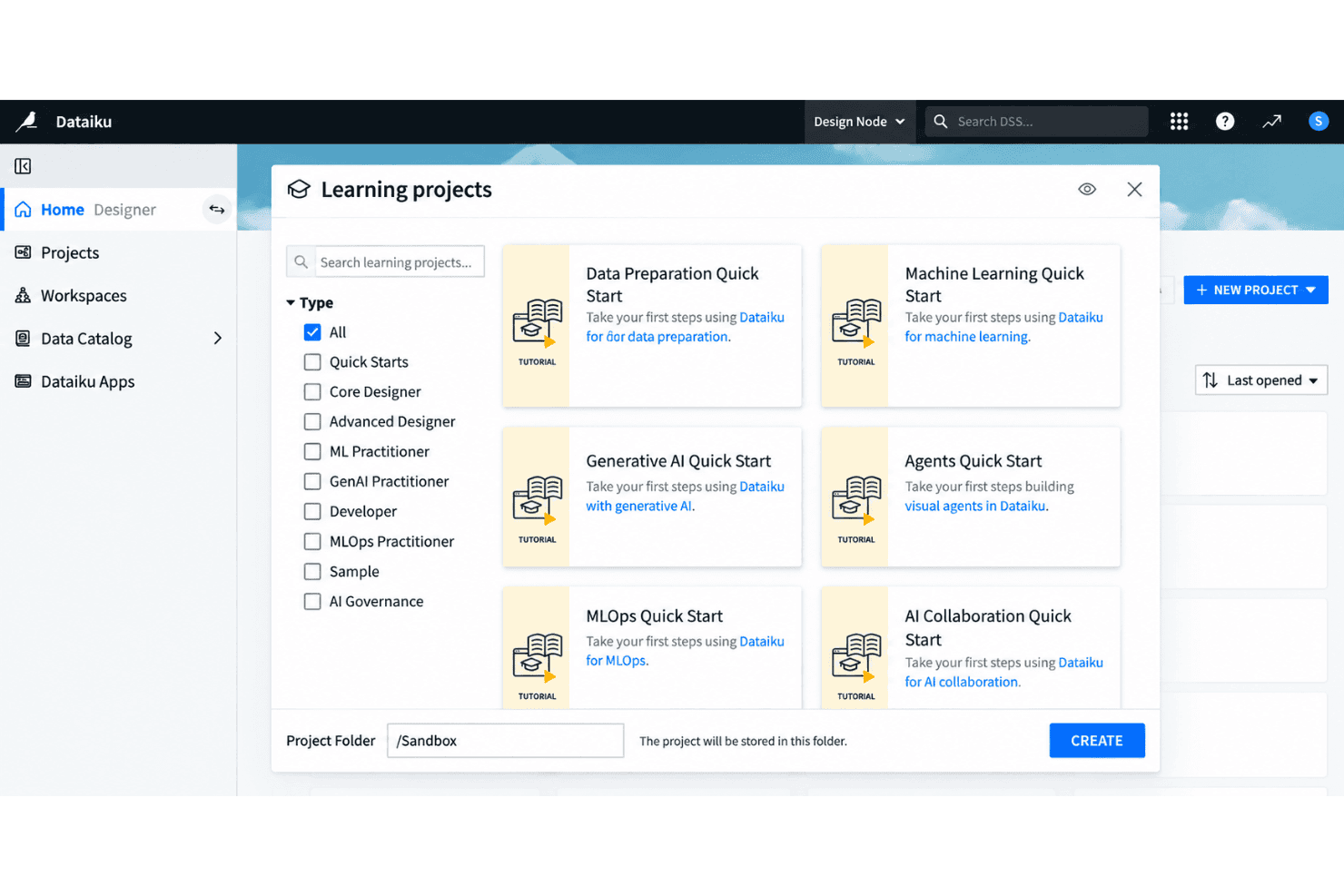
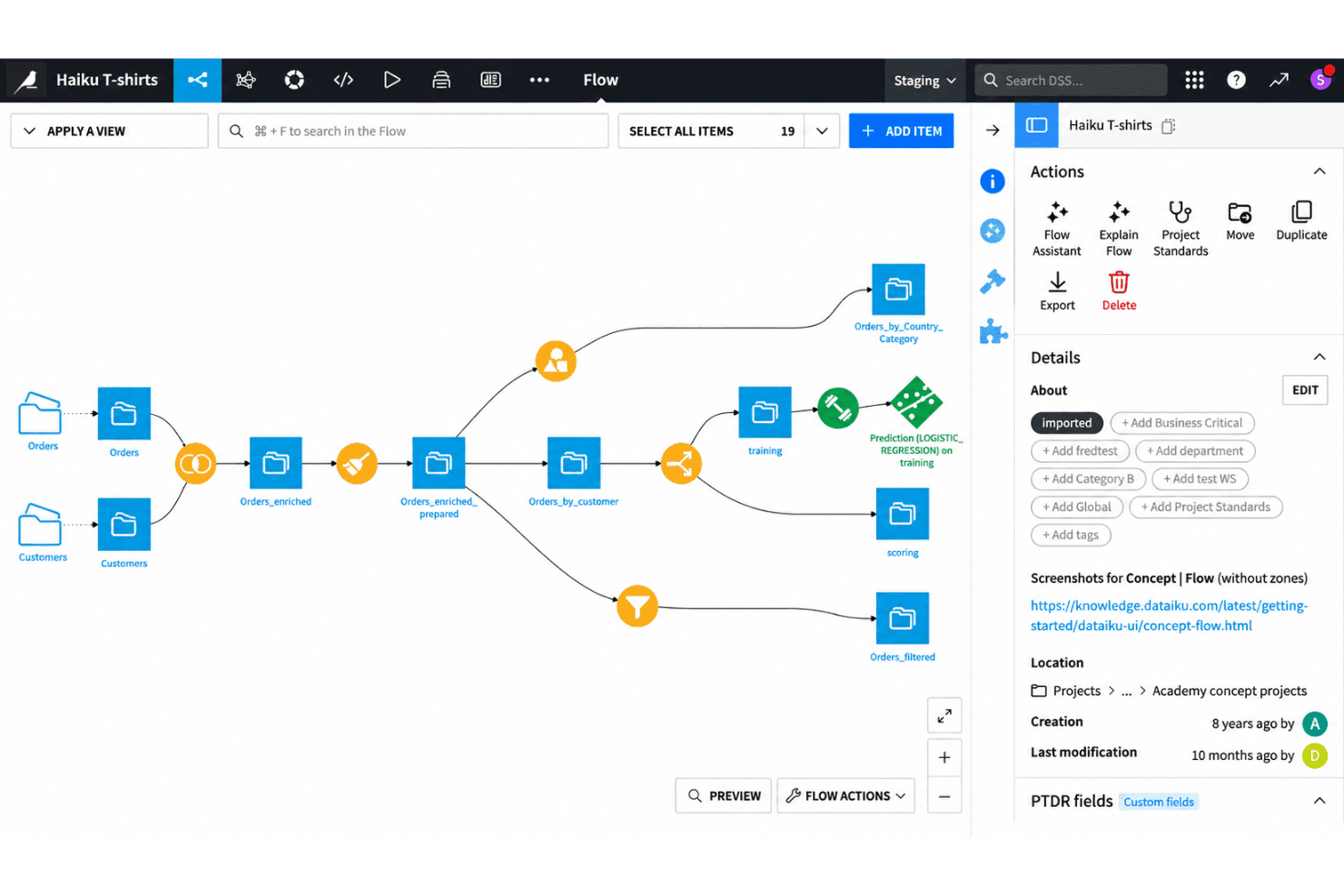
Design, manage, and monitor end-to-end data workflows using a drag-and-drop canvas. This lets both technical and non-technical users build pipelines without writing code.
AutoML for Model Building
Train, compare, and deploy machine learning models using automated workflows. You can adjust algorithms, feature engineering, and validation steps in a visual environment.
Code and No-Code Collaboration
Switch between code-based (Python, R, SQL) and no-code interfaces in the same project. This helps mixed-skill teams contribute to the same workflows without friction.
Governed Project Management
Control versioning, documentation, and project permissions to keep workflows audit-ready. Every step in a pipeline is tracked for transparency and compliance.
Integrated Data Preparation
Clean, enrich, and merge datasets with built-in visual recipes and transformation tools. You can profile data and explore statistics on the fly while prepping for modeling.
Model Deployment and Monitoring
Deploy models to production as APIs or batch jobs directly from the platform. Monitor performance drift and get alerts when retraining is needed.
Ease of Use
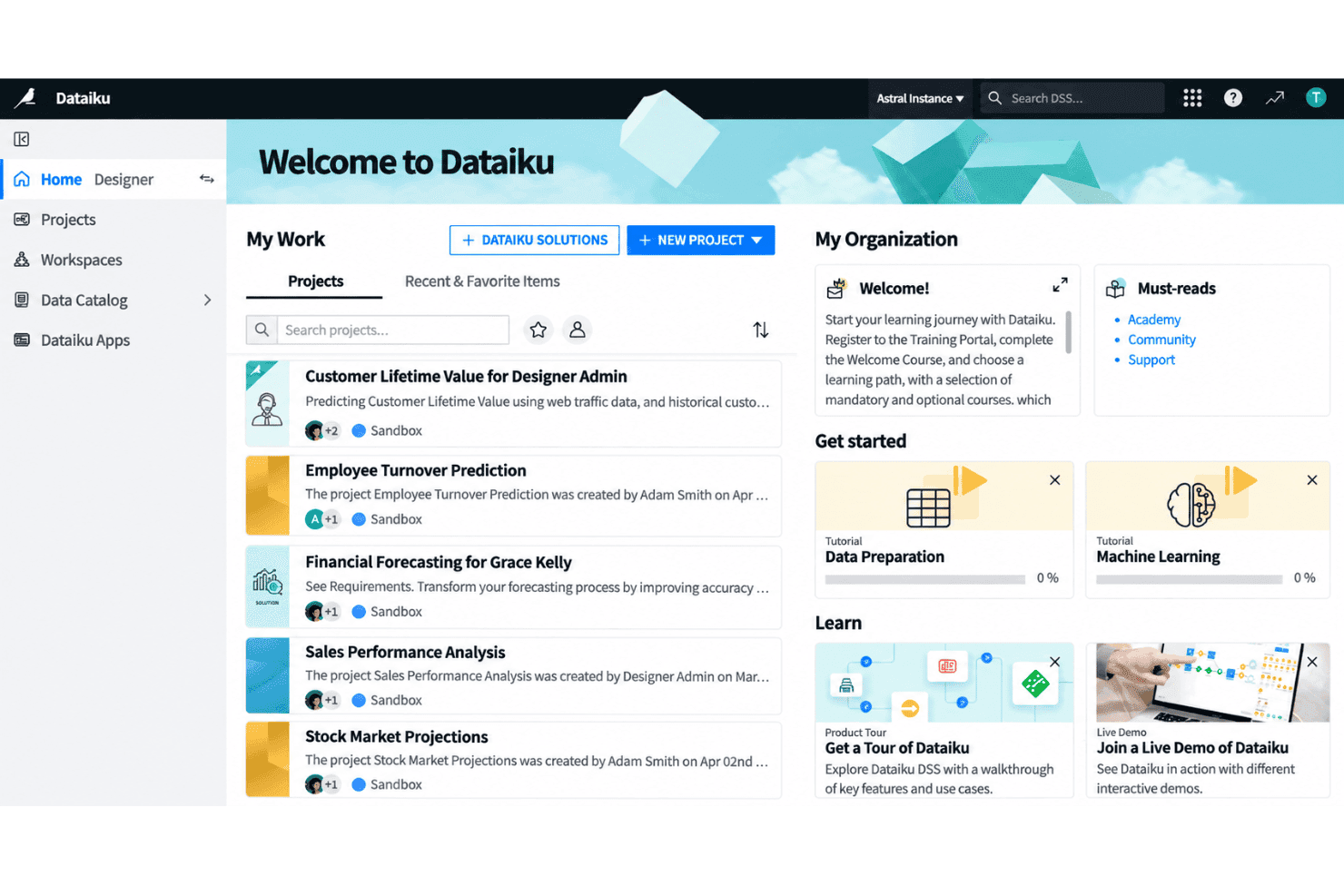
Dataiku is easy for new users to pick up, thanks to its visual flow interface and intuitive drag-and-drop tools. You can manage data prep, modeling, and collaboration without heavy scripting or setup. Users regularly highlight the clear onboarding experience and guided analytics flows. Some mention the interface slows down on very large projects, but most say it strikes a good balance between flexibility and user-friendliness, especially in mixed-skill teams.
Integrations
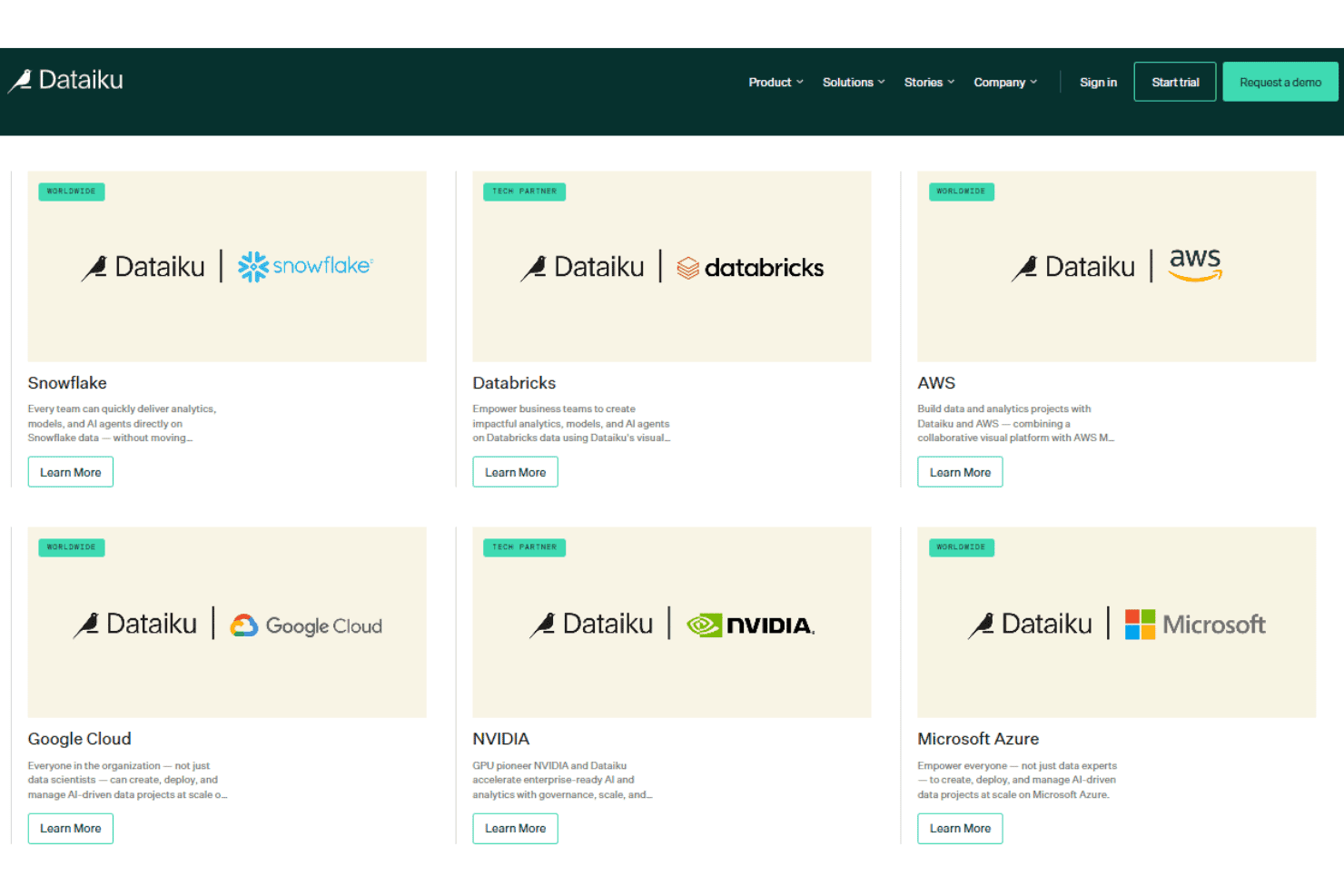
Dataiku integrates with Snowflake, Google BigQuery, Microsoft Azure Blob Storage, Amazon Redshift, Databricks, PostgreSQL, MySQL, Google Cloud Storage, Microsoft SQL Server, and Amazon S3, among others.
Dataiku also supports connections with third-party tools and provides a public API for integrating with external systems and programmatically accessing platform features.
Dataiku Specs
- 2-Factor Authentication: No
- Accounts Payable: No
- Accounts Receivable: No
- API: Yes
- Approval Workflows: No
- Balance Sheet: No
- Billing/Invoicing: No
- Budgeting: No
- Calendar Management: No
- Comparative Reporting: No
- CRM Integration: Yes
- Custom Reports: Yes
- Customer Management: No
- Dashboard: Yes
- Data Export: Yes
- Data Import: Yes
- Data Visualization: Yes
- Expense Tracking: No
- External Integrations: Yes
- Forecasting: Yes
- General Account Ledger: No
- Historical Data Analysis: Yes
- Inventory Tracking: No
- Multi-Currency: No
- Multi-User: Yes
- Notifications: Yes
- P&L: No
- Payroll: No
- Scenario Planning: No
- Scheduling: Yes
- Supplier Management: No
- Tax Management: No
- Time Management: No


