

Le 10 migliori piattaforme di adozione digitale nel 2026

Elenco delle migliori piattaforme di adozione digitale


Una piattaforma di adozione digitale (DAP) è un tipo di software che guida gli utenti nell'utilizzo di nuove tecnologie e processi, aiutando il tuo team a imparare, adattarsi e ottenere più rapidamente valore dalle applicazioni software.
Se stai cercando le migliori DAP, probabilmente hai bisogno di ridurre i costi di formazione, accelerare il processo di inserimento e assicurarti che la tua azienda migliori l'adozione dei prodotti derivante dai propri investimenti software.
Con così tante soluzioni per l'adozione digitale disponibili, scegliere la piattaforma giusta può sembrare complicato, soprattutto quando devi bilanciare la complessità del sistema, la sicurezza e la necessità di analisi pratiche dei prodotti.
Questo elenco ti aiuterà a confrontare le migliori soluzioni, comprenderne i punti di forza unici e trovare quella più adatta alla strategia di adozione digitale della tua organizzazione nel 2026.
Perché fidarsi dei nostri consigli sui software
Il nostro team testa e recensisce software dal 2012. In quanto leader tecnologici noi stessi, sappiamo quanto sia difficile — e importante — scegliere il software giusto.
Per questa guida, abbiamo valutato gli strumenti attraverso test praticie ricerche indipendenti, assegnando un punteggio agli strumenti in base ai nostri criteri di selezione.
Le nostre recensioni riflettono il nostro giudizio editoriale umano, non un discorso di vendita.
Riepilogo delle migliori piattaforme di adozione digitale
Questa tabella comparativa riassume i dettagli sui prezzi delle mie migliori piattaforme web per l’adozione digitale, per aiutarti a trovare quella più adatta al tuo budget e alle esigenze della tua azienda.
| Tool | Best For | Trial Info | Price | ||
|---|---|---|---|---|---|
| 1 | Il migliore per la creazione di onboarding assistita dall'IA | Prova gratuita di 14 giorni + demo gratuita disponibile | Da $240/mese (fatturato annualmente) | Website | |
| 2 | Ideale per la formazione pratica in ambienti sandbox | Demo gratuita disponibile | Prezzo su richiesta | Website | |
| 3 | Ideale per esperienze utente in-app personalizzate | Prova gratuita + demo gratuita disponibili | Prezzo su richiesta | Website | |
| 4 | Ideale per insight sull'utilizzo delle applicazioni guidati dall'IA | Demo gratuita disponibile | Prezzo su richiesta | Website | |
| 5 | Ideale con automazione dei flussi di lavoro basata sull’IA | Demo gratuita disponibile | Prezzi su richiesta | Website | |
| 6 | Ideale per l’analisi dei flussi di lavoro in tempo reale | Prova gratuita di 30 giorni + piano gratuito + demo gratuita disponibile | Prezzo su richiesta | Website | |
| 7 | Ideale per la raccolta di feedback degli utenti in-app | Prova gratuita di 14 giorni | Da $299/mese (fatturazione annuale) | Website | |
| 8 | Ideale per l’integrazione interattiva di basi di conoscenza | Demo gratuita disponibile | Prezzi su richiesta | Website | |
| 9 | Ideale per la guida integrata nelle app Oracle Cloud | Prova gratuita di 90 giorni disponibile | Prezzo su richiesta | Website | |
| 10 | Ideale per analisi predittiva su tutte le app | Demo gratuita disponibile | Prezzo su richiesta | Website |
Recensioni delle migliori piattaforme di adozione digitale
Di seguito trovi i miei riepiloghi dettagliati delle migliori piattaforme di adozione digitale incluse nel mio elenco. Le mie recensioni offrono uno sguardo approfondito alle funzionalità, alle integrazioni e ai casi d’uso migliori di ciascuna piattaforma, per aiutarti a trovare quella più adatta alle tue esigenze.
Userflow
Il migliore per la creazione di onboarding assistita dall'IA
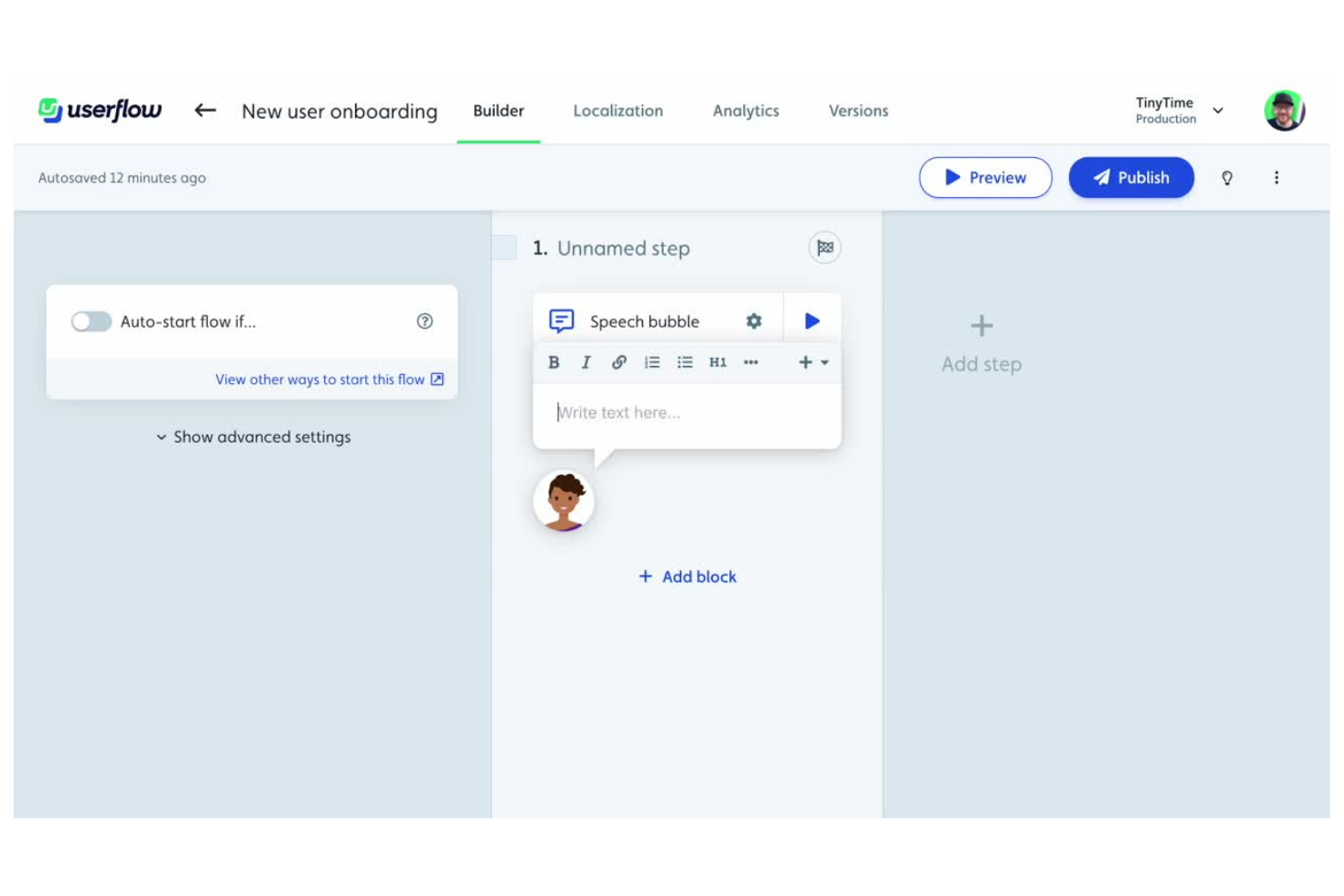
Userflow offre ai team di prodotti SaaS un modo per creare onboarding, checklist e sondaggi in-app senza bisogno di programmare. È particolarmente utile per le aziende che desiderano lanciare rapidamente e iterare la guida utente all'interno delle proprie applicazioni web. La piattaforma ti aiuta a colmare le lacune nell'onboarding e a favorire l'adozione delle funzionalità con flussi flessibili e personalizzabili.
Per chi è Userflow?
Userflow si rivolge ai team di prodotto SaaS e agli specialisti UX di aziende in fase di crescita che vogliono lanciare e migliorare l'onboarding in-app senza coinvolgere sviluppatori.
Perché ho scelto Userflow
Quello che mi ha attratto di Userflow è la creazione di onboarding assistita dall'IA, che si distingue per i team che vogliono accelerare l'adozione digitale senza un'intensa configurazione manuale. L'IA può generare flussi di onboarding, tooltip e checklist basati sull'interfaccia della tua app, aiutandoti a iniziare rapidamente e a iterare man mano che il tuo prodotto evolve. Apprezzo anche che sia possibile modificare e personalizzare questi flussi generati dall'IA utilizzando un builder visuale, così non sei vincolato alle proposte dell'IA. Questo approccio rende Userflow particolarmente utile per i team SaaS che devono lanciare e affinare esperienze di onboarding su larga scala.
Funzionalità principali di Userflow
Altre funzionalità che rendono Userflow prezioso per i team dedicati all'adozione digitale includono:
- Checklist multi-step: Guida gli utenti attraverso processi di onboarding o di adozione di funzionalità complessi con checklist interattive e monitoraggio dei progressi.
- Segmentazione utenti: Targetizza flussi e messaggi a specifici gruppi di utenti in base a comportamento, attributi o fase del ciclo di vita.
- Trigger basati su eventi: Avvia automaticamente flussi di onboarding o tooltip quando gli utenti completano determinate azioni all'interno della tua app.
- Branding personalizzato: Allinea gli elementi di onboarding all'aspetto e allo stile del tuo prodotto con opzioni di personalizzazione flessibili.
Integrazioni Userflow
Le integrazioni includono Amplitude, Mixpanel, Heap, RudderStack, Segment, Salesforce, HubSpot, Intercom, Zendesk e LogRocket.
Pros and Cons
Pros:
- Non è richiesta programmazione
- Prezzi flessibili
- Controllo delle versioni
Cons:
- Strumenti mobile limitati
- Nessuna analisi avanzata delle mappe di calore

Whatfix
Ideale per la formazione pratica in ambienti sandbox
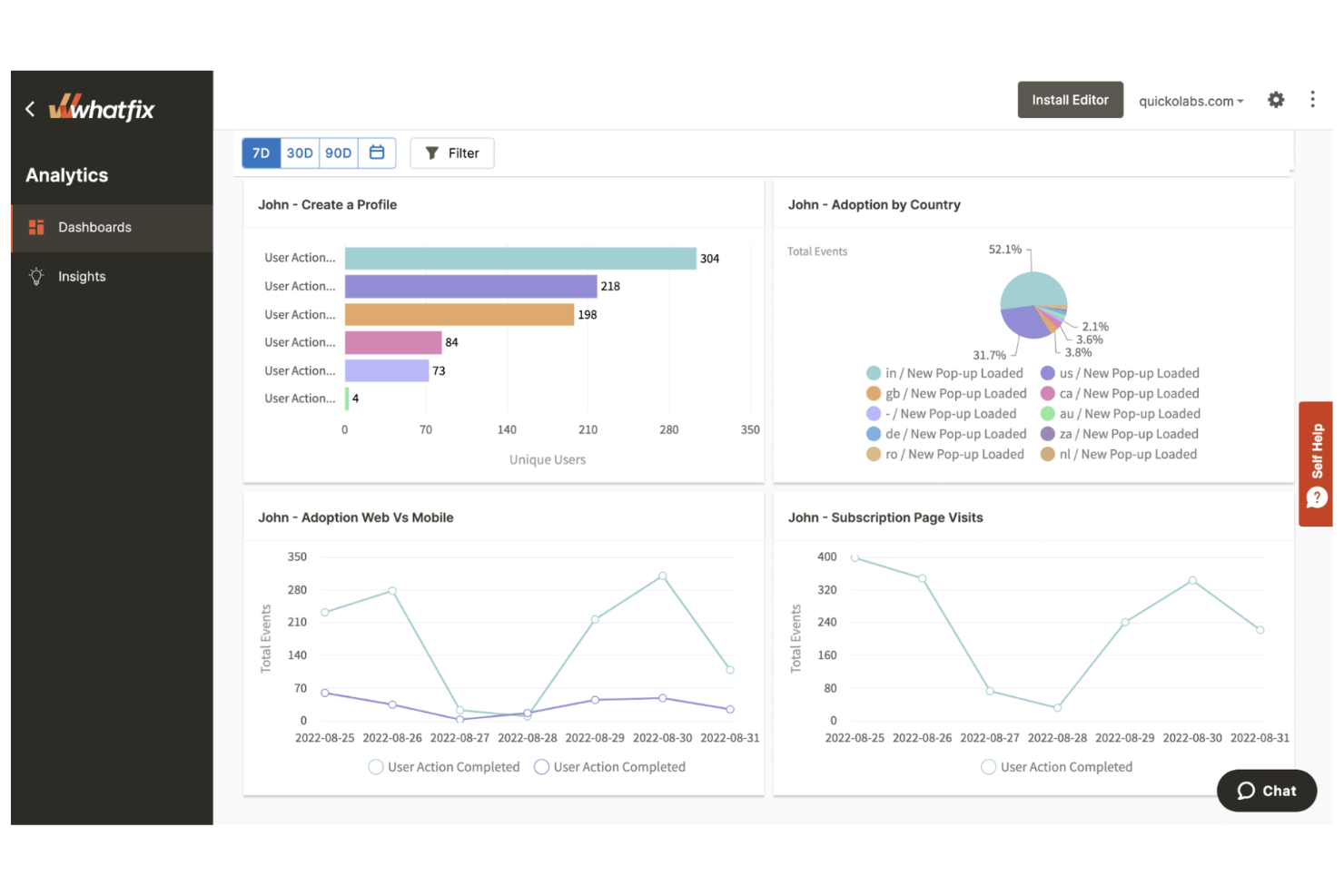
Whatfix è una piattaforma di digital adoption progettata per le organizzazioni che desiderano offrire guida e supporto interattivi direttamente nell'applicazione. È particolarmente utile per i team IT, i dipartimenti HR e i responsabili della formazione che devono inserire nuovi utenti o introdurre nuovi software. La piattaforma aiuta a ridurre le richieste di assistenza e accelera la competenza degli utenti su applicativi aziendali complessi.
Per Chi È Ideale Whatfix?
Whatfix è particolarmente indicato per i team IT, HR e di formazione in aziende di medie e grandi dimensioni che necessitano di formare e supportare utenti su diverse applicazioni aziendali.
Perché Ho Scelto Whatfix
Ho scelto Whatfix perché i suoi ambienti sandbox per la formazione lo distinguono come soluzione per le organizzazioni che necessitano di esperienze di apprendimento pratiche e prive di rischi. Con Whatfix, è possibile creare percorsi guidati interattivi e simulazioni che consentono agli utenti di esercitarsi sui flussi di lavoro senza influire su dati o sistemi reali.
Questo approccio è particolarmente utile per l'onboarding, la gestione del cambiamento e la formazione continua su software aziendali complessi. Apprezzo anche la possibilità offerta da Whatfix di monitorare i progressi degli utenti e di adattare i contenuti formativi in base ai dati reali di coinvolgimento.
Caratteristiche Principali di Whatfix
Altre funzionalità che rendono Whatfix una valida piattaforma di digital adoption includono:
- Creazione di contenuti in più formati: Crea guide passo dopo passo, suggerimenti, pop-up e video per supportare diversi stili di apprendimento.
- Guida contestuale in-app: Fornisci assistenza e istruzioni in base al ruolo dell'utente, alla posizione o al flusso di lavoro all'interno dell'applicazione.
- Dashboard di analisi avanzata: Monitora il coinvolgimento degli utenti, l'adozione delle funzionalità e i tassi di completamento per ottimizzare i contenuti di formazione.
- Integrazione con knowledge base self-service: Collega la guida in-app alla tua knowledge base esistente per offrire supporto on-demand.
Integrazioni di Whatfix
Le integrazioni includono SharePoint, OneDrive, ServiceNow, Freshservice, Confluence, Salesforce, ShareFile, Freshdesk, Zendesk e Seismic.
Pros and Cons
Pros:
- Creazione di contenuti semplice
- Estensione per browser
- Ottimo supporto
Cons:
- Tempi di caricamento lenti
- Le analisi non sono molto approfondite
Appcues
Ideale per esperienze utente in-app personalizzate

Appcues offre ai team di prodotto e UX un modo per progettare e offrire esperienze in-app senza bisogno di programmare. È una soluzione ideale per aziende SaaS e proprietari di prodotti digitali che vogliono guidare gli utenti, annunciare nuove funzionalità o raccogliere feedback direttamente all’interno delle loro applicazioni. La piattaforma ti aiuta ad affrontare le sfide di onboarding, coinvolgimento e fidelizzazione permettendoti di creare flussi mirati e interattivi.
Per chi è più indicato Appcues?
Appcues è una scelta vincente per product manager e team UX di aziende SaaS che vogliono creare e gestire i percorsi utente in-app senza risorse di sviluppo.
Perché ho scelto Appcues
Ciò che mi colpisce di Appcues è come consenta ai team di costruire percorsi utente in-app altamente personalizzati senza dover scrivere codice. Per l’adozione digitale, questo significa che puoi segmentare gli utenti e fornire flussi di onboarding mirati, annunci di funzionalità o sondaggi basati sul comportamento degli utenti in tempo reale. Trovo particolarmente utili il costruttore visuale di flussi e la segmentazione dettagliata per personalizzare le esperienze a seconda dei ruoli utente o delle fasi di utilizzo. Questo livello di personalizzazione aiuta le organizzazioni a colmare gap di adozione e incrementare il coinvolgimento direttamente nei loro prodotti.
Funzionalità principali di Appcues
Altre funzionalità che rendono Appcues prezioso per i team di adozione digitale includono:
- Supporto multilingue: Offri onboarding e assistenza in più lingue per raggiungere un pubblico globale.
- Trigger basati su evento: Avvia flussi o messaggi in base a specifiche azioni o traguardi degli utenti all’interno dell’applicazione.
- A/B test per i flussi: Metti a confronto diversi flussi di onboarding o coinvolgimento per scoprire quali funzionano meglio con i tuoi utenti.
- Dashboard di analisi: Monitora in tempo reale le interazioni degli utenti, i tassi di completamento dei flussi e le metriche di coinvolgimento.
Integrazioni di Appcues
Le integrazioni includono HubSpot, Segment, Amplitude, Mixpanel, FullStory, Heap, Google Analytics, Intercom, Salesforce e Zendesk.
Pros and Cons
Pros:
- Builder intuitivo
- Implementazione rapida
- Design senza soluzione di continuità
Cons:
- Analisi limitate
- Nessun ambiente di formazione sandbox

Userlane
Ideale per insight sull'utilizzo delle applicazioni guidati dall'IA

Userlane offre alle organizzazioni un modo per guidare gli utenti nell'utilizzo di software complessi tramite istruzioni interattive e visive sullo schermo. È una scelta solida per i team IT e i responsabili delle operazioni che hanno bisogno di accelerare l'onboarding dei software e ridurre le richieste di assistenza. La piattaforma ti aiuta a semplificare i processi digitali e a garantire che gli utenti adottino con sicurezza i nuovi strumenti.
Per chi è ideale Userlane?
Userlane è particolarmente adatto a team IT e responsabili delle operazioni in aziende di medie e grandi dimensioni che devono favorire l'adozione dei software e semplificare l'onboarding dei dipendenti.
Perché ho scelto Userlane
Ciò che mi ha colpito di Userlane è il suo focus nel fornire insight guidati dall'IA su come gli utenti interagiscono con le applicazioni. Per chi acquista piattaforme di adozione digitale, significa poter individuare automaticamente schemi di comportamento degli utenti e identificare dove gli utenti incontrano difficoltà o abbandonano l'applicazione. La dashboard di analytics di Userlane evidenzia punti di attrito e lacune di adozione, aiutandoti a stabilire le priorità sugli interventi e a personalizzare le indicazioni in-app. Ritengo ciò particolarmente prezioso per le organizzazioni che desiderano prendere decisioni sull'onboarding e il lancio di nuove funzionalità basandosi sui dati.
Funzionalità principali di Userlane
Altre funzionalità rilevanti per i team dedicati all'adozione digitale includono:
- Rilevamento delle applicazioni: Individua quali applicazioni aziendali e servizi di IA vengono effettivamente utilizzati dai dipendenti nel tuo ambiente.
- Assistenza agentica in-app: Fornisci indicazioni e supporto contestuali in tempo reale direttamente all'interno di qualsiasi applicazione web.
- Supporto multi-applicazione: Implementa guide e analytics attraverso più piattaforme, tra cui Salesforce, SAP, Workday e Microsoft Dynamics.
- Strumenti per la gestione del cambiamento: Sostieni le iniziative di trasformazione digitale con funzionalità progettate per aiutare i dipendenti ad adattarsi a nuovi software e processi.
Integrazioni di Userlane
Le integrazioni includono Salesforce, Microsoft Dynamics, Workday, SAP e Oracle.
Pros and Cons
Pros:
- Interfaccia moderna e pulita
- Ottimo widget di ricerca
- Apprendimento gamificato
Cons:
- Supporto mobile limitato
- Personalizzazione basilare
WalkMe
Ideale con automazione dei flussi di lavoro basata sull’IA
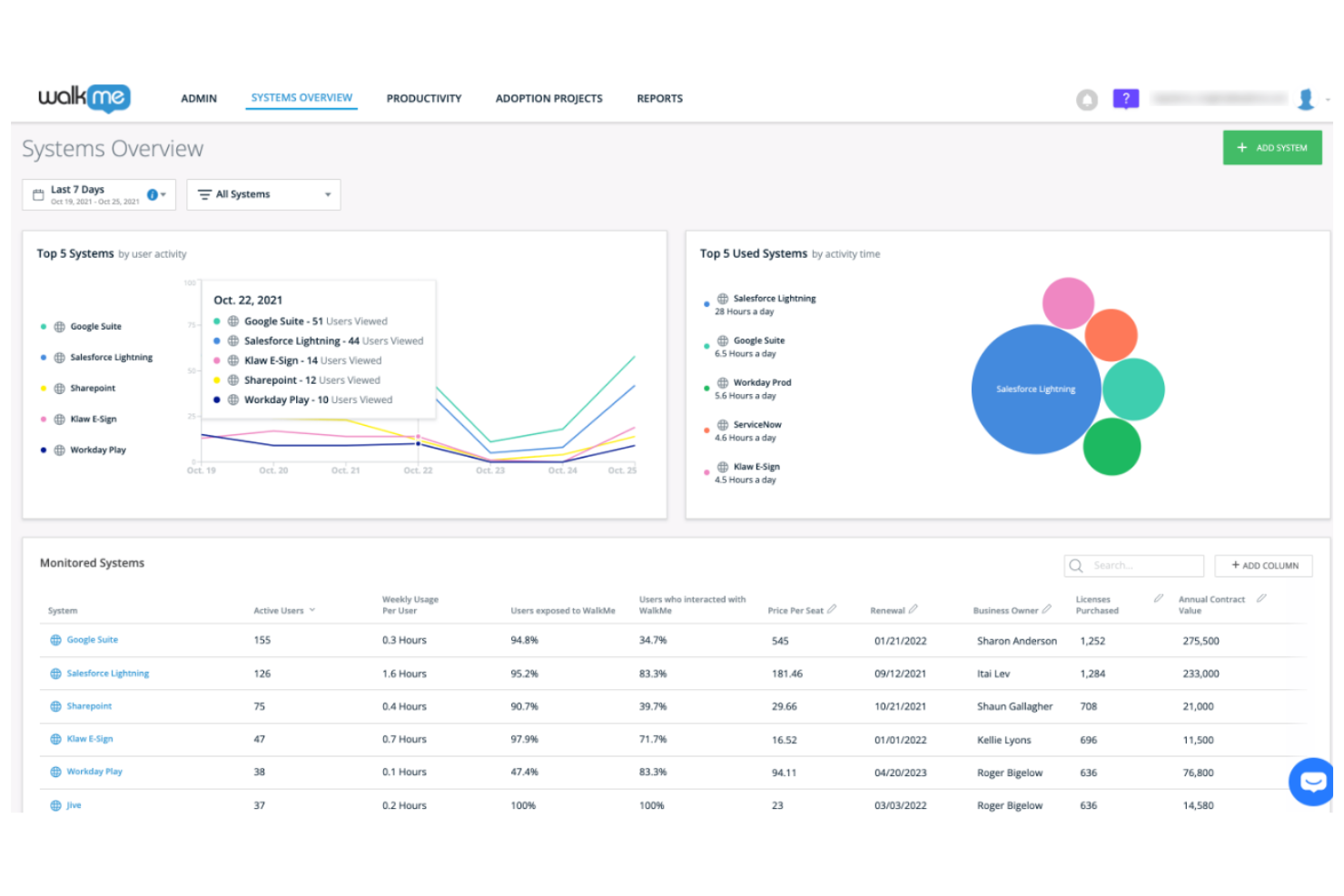
WalkMe è una piattaforma di adozione digitale progettata per le organizzazioni che devono guidare gli utenti attraverso ambienti software complessi. È particolarmente indicata per le aziende che gestiscono più applicazioni e desiderano ridurre le richieste di assistenza. I team possono usare WalkMe per semplificare l’onboarding, favorire la conformità ai processi e migliorare la produttività degli utenti su tutto il loro stack tecnologico.
A chi è destinato WalkMe?
WalkMe è adatto a grandi imprese e team IT che devono gestire l’adozione digitale su più applicazioni aziendali complesse.
Perché ho scelto WalkMe
Ho scelto WalkMe perché la sua automazione dei flussi di lavoro basata sull’IA si distingue per le organizzazioni che devono guidare gli utenti attraverso processi digitali complessi. La piattaforma utilizza l’intelligenza artificiale per identificare i punti di attrito e suggerire o avviare automaticamente una guida passo passo, contribuendo a ridurre l’intervento manuale dei team IT o di supporto.
Apprezzo anche il fatto che WalkMe possa automatizzare attività ripetitive all’interno dei flussi di lavoro, rendendo più semplice per gli utenti completare correttamente i processi. Queste funzionalità rendono WalkMe particolarmente prezioso per le aziende che vogliono stimolare l’adozione e l’efficienza su più strumenti software.
Caratteristiche principali di WalkMe
Altre caratteristiche che rendono WalkMe una solida piattaforma per l’adozione digitale includono:
- Flussi di onboarding personalizzabili: Crea esperienze di onboarding su misura per diversi gruppi di utenti o reparti all’interno della tua organizzazione.
- Messaggistica in-app: Invia messaggi, suggerimenti o annunci mirati direttamente nell’interfaccia dell’applicazione.
- Dashboard di analisi: Monitora il coinvolgimento degli utenti, i tassi di completamento e i punti di abbandono per valutare il successo nell’adozione.
- Controlli di accesso basati sui ruoli: Imposta permessi e gestisci l’accesso ai contenuti di guida in base ai ruoli o ai team degli utenti.
Integrazioni di WalkMe
Le integrazioni includono SAP, Salesforce, Workday, Microsoft Dynamics 365 e ServiceNow.
Pros and Cons
Pros:
- Analisi approfondite
- Sicurezza elevata
- Guida cross-app
Cons:
- Richiede molte risorse
- Editor poco intuitivo

Pendo
Ideale per l’analisi dei flussi di lavoro in tempo reale

Pendo è una piattaforma di digital adoption progettata per le organizzazioni che desiderano comprendere e migliorare il modo in cui gli utenti interagiscono con il loro software. È una soluzione ideale per team di prodotto, responsabili IT e manager operativi che devono promuovere l’adozione e ottimizzare i flussi di lavoro su applicazioni web e mobile. La piattaforma aiuta a individuare i punti di attrito, fornire assistenza in-app e prendere decisioni basate sui dati riguardo l’esperienza utente.
Per chi è ideale Pendo?
Pendo è adatto a product manager e team IT di organizzazioni di medie e grandi dimensioni che hanno bisogno di analizzare e migliorare l’adozione degli utenti su molteplici strumenti digitali.
Perché ho scelto Pendo
Ho scelto Pendo perché le sue analisi dei flussi di lavoro in tempo reale offrono una visibilità immediata su come gli utenti navigano nelle applicazioni. Con Pendo, puoi monitorare le azioni degli utenti, identificare colli di bottiglia e vedere dove gli utenti abbandonano o incontrano difficoltà, tutto in tempo reale. Apprezzo anche la possibilità di segmentare le analisi per ruolo o coorte di utenti, il che ti permette di personalizzare interventi e guide in-app per gruppi specifici. Questo livello di approfondimento è particolarmente prezioso per i team che devono prendere rapidamente decisioni basate sui dati per migliorare l’adozione digitale.
Funzionalità principali di Pendo
Altre funzionalità che rendono Pendo una solida piattaforma di digital adoption includono:
- Messaggi e guide in-app: Crea pop-up mirati, tooltip e walkthrough per supportare gli utenti direttamente all’interno dell’applicazione.
- Strumenti per la raccolta del feedback: Raccogli feedback degli utenti tramite sondaggi in app, questionari e richieste NPS per orientare le decisioni di prodotto.
- Centro risorse: Crea un hub centralizzato per articoli di aiuto, contenuti di onboarding e risorse di supporto accessibili dall’app stessa.
- Analisi delle app mobile: Traccia il comportamento e l’engagement degli utenti sia su piattaforme web che mobile per una visione unificata dell’adozione.
Integrazioni di Pendo
Le integrazioni includono Salesforce, HubSpot, Jira, Marketo, Okta, Segment, Zendesk, Intercom, Slack e Tableau.
Pros and Cons
Pros:
- Monitoraggio NPS elevato
- Interfaccia pulita
- Alta affidabilità
Cons:
- Minor attenzione alle guide
- Il supporto può essere lento
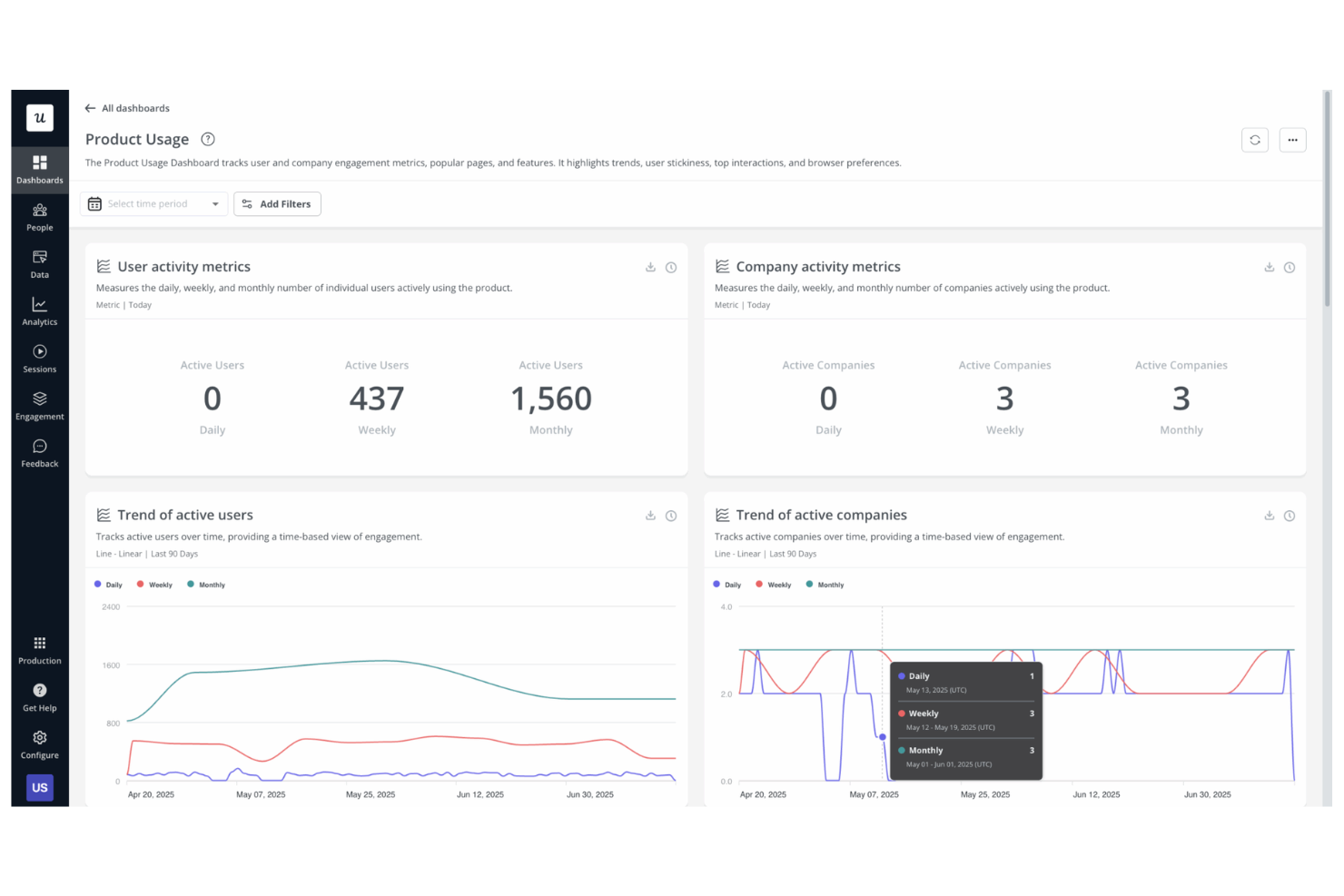
Userpilot offre ai team di prodotto e alle aziende SaaS un modo per creare esperienze personalizzate in-app senza dover programmare. È progettato per chi desidera favorire l’adozione delle funzionalità, guidare l’onboarding degli utenti e raccogliere informazioni utili direttamente all’interno delle proprie applicazioni. La piattaforma ti aiuta a colmare le lacune nell’onboarding e a migliorare il coinvolgimento degli utenti fornendo indicazioni mirate e richieste di feedback.
Per chi è ideale Userpilot?
Userpilot è particolarmente indicato per i team di prodotto SaaS e le aziende orientate alla crescita che desiderano offrire guide in-app e raccogliere feedback degli utenti su larga scala.
Perché ho scelto Userpilot
Ho scelto Userpilot perché si distingue per la capacità di raccogliere feedback degli utenti direttamente all’interno del prodotto. La piattaforma consente di creare e distribuire sondaggi, richieste NPS e widget di feedback che appaiono in modo contestuale mentre gli utenti interagiscono con l’applicazione. Questo approccio permette di raccogliere informazioni in tempo reale sull’esperienza utente e sull’adozione delle funzionalità, essenziali per perfezionare i flussi di onboarding e gli aggiornamenti del prodotto. Per i team focalizzati sul miglioramento continuo, gli strumenti di feedback di Userpilot rendono più facile individuare i punti di attrito e stabilire le priorità degli aggiornamenti in base al feedback reale degli utenti.
Funzionalità principali di Userpilot
Oltre alle funzionalità di raccolta feedback, Userpilot offre diverse altre funzioni a supporto delle iniziative di digital adoption:
- Costruttore di flussi di onboarding: Crea esperienze di onboarding interattive con tooltip, checklist e walkthrough personalizzati per segmenti di utenti.
- Monitoraggio dell’adozione delle funzionalità: Monitora come gli utenti interagiscono con funzionalità specifiche per individuare trend di adozione e lacune d’uso.
- Segmentazione e targeting: Offri esperienze in-app personalizzate in base a comportamenti, attributi o stadio del ciclo di vita dell’utente.
- Widget centro risorse: Fornisci agli utenti l’accesso on-demand a articoli di supporto, video e risorse di assistenza direttamente all’interno dell’applicazione.
Integrazioni Userpilot
Le integrazioni includono HubSpot, Salesforce, Segment, Google Tag Manager, Zendesk, Google Analytics, Intercom, Amplitude, Mixpanel e Heap.
Pros and Cons
Pros:
- Implementazione rapida
- Orientato alla crescita
- Test A/B facile
Cons:
- Modifiche frequenti all’interfaccia UI
- Manca il supporto ERP
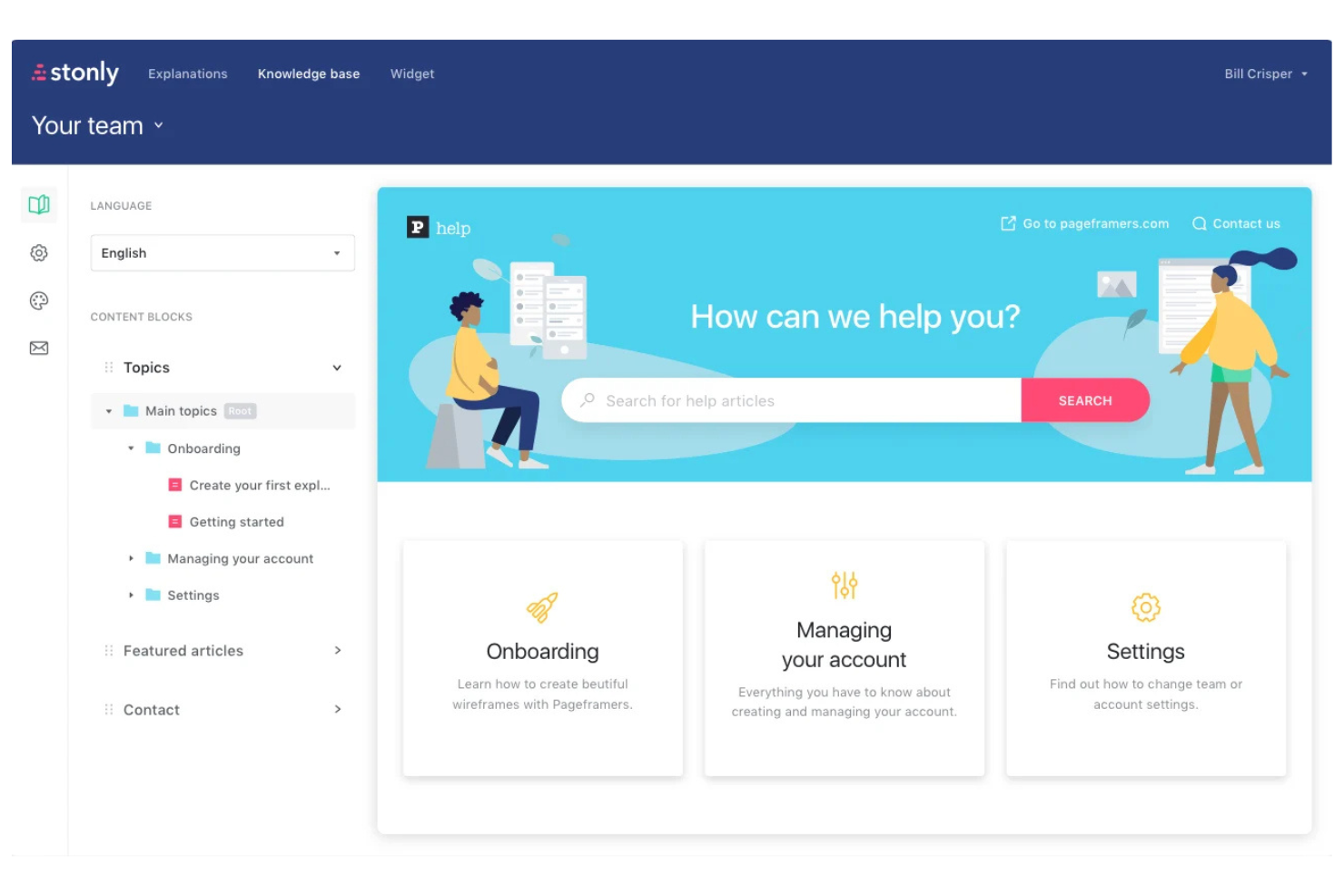
Stonly offre ai team di supporto e di prodotto un modo per creare guide interattive e basi di conoscenza integrate direttamente nelle app web. È particolarmente adatto alle organizzazioni che vogliono offrire agli utenti la possibilità di risolvere da soli dubbi e ricevere assistenza passo dopo passo. La piattaforma aiuta a ridurre i ticket di supporto e a migliorare l'onboarding rendendo le guide accessibili esattamente dove servono agli utenti.
Per chi è più indicato Stonly?
Stonly è ideale per i team di supporto clienti e di prodotto di aziende SaaS che desiderano integrare basi di conoscenza interattive direttamente nei propri prodotti digitali.
Perché ho scelto Stonly
Ciò che distingue Stonly è la possibilità di integrare guide interattive passo dopo passo direttamente negli articoli della base di conoscenza e nelle app web. Questo approccio consente agli utenti di ricevere assistenza contestuale e walkthrough senza lasciare la pagina o dover cercare nella documentazione statica. Ho scelto Stonly perché la sua logica ramificata e i contenuti modulari rendono semplice creare esperienze di supporto dinamiche e personalizzate. Per l’adozione digitale, questo livello di interattività aiuta gli utenti a risolvere i problemi più rapidamente e riduce la necessità di assistenza dal vivo.
Funzionalità principali di Stonly
Oltre a guide interattive e logica ramificata, Stonly offre diverse altre funzionalità a supporto dell’adozione digitale:
- Distribuzione multi-canale: Pubblica guide e contenuti della base di conoscenza su app web, help center e widget di chat.
- Targeting e segmentazione utenti: Mostra guide o contenuti specifici agli utenti in base al loro comportamento, attributi o fase del ciclo di vita.
- Analisi e reportistica: Monitora il coinvolgimento con le guide, i tassi di completamento e le interazioni degli utenti per valutare l’efficacia.
- Supporto alla localizzazione: Crea e gestisci contenuti multilingua per servire utenti globali.
Integrazioni di Stonly
Le integrazioni includono Zendesk, Freshdesk, Salesforce, ServiceNow e un API per integrazioni personalizzate.
Pros and Cons
Pros:
- Supporto self-service
- Integrazione omnicanale
- Molto conveniente
Cons:
- Casi d’uso di nicchia
- Segmentazione di base

Ideale per la guida integrata nelle app Oracle Cloud

Oracle Guided Learning è una piattaforma di adozione digitale progettata per le organizzazioni che utilizzano le applicazioni Oracle Cloud. Si rivolge ai responsabili IT e ai team HR che devono integrare nuovi utenti e garantire la conformità dei processi all'interno degli ambienti Oracle. La piattaforma aiuta a fornire guide e formazione direttamente in-app, riducendo le richieste di supporto e accelerando la competenza degli utenti.
Per chi è più indicato Oracle Guided Learning?
Oracle Guided Learning è particolarmente adatto a grandi aziende e organizzazioni del settore pubblico che si affidano alle applicazioni Oracle Cloud per i processi aziendali principali.
Perché ho scelto Oracle Guided Learning
Ho scelto Oracle Guided Learning perché è progettato appositamente per offrire guide direttamente all'interno delle applicazioni Oracle Cloud. Questa piattaforma integra istruzioni dettagliate passo dopo passo e aiuti contestuali proprio nel punto in cui gli utenti ne hanno bisogno, una caratteristica particolarmente preziosa per le organizzazioni che si stanno standardizzando su Oracle per l'HR, la finanza o la supply chain.
Apprezzo la possibilità di aggiornare in tempo reale i contenuti delle guide, in modo da mantenere il materiale formativo sempre allineato ai processi aziendali in evoluzione. La stretta integrazione con Oracle Cloud garantisce che l'onboarding e la conformità dei processi siano pienamente integrati nei flussi di lavoro quotidiani.
Funzionalità principali di Oracle Guided Learning
Altre funzionalità che rendono Oracle Guided Learning prezioso per le iniziative di adozione digitale includono:
- Supporto multilingue: Fornisci guide e contenuti formativi in più lingue per supportare i team globali.
- Analisi e reportistica: Monitora il coinvolgimento degli utenti, i tassi di completamento e le metriche di adozione attraverso le applicazioni Oracle Cloud.
- Distribuzione di contenuti basata sul ruolo: Fornisci guide specifiche agli utenti in base alla loro funzione lavorativa o dipartimento.
- Gestione delle versioni dei contenuti: Gestisci aggiornamenti e revisioni del materiale formativo con il tracciamento delle versioni incorporato.
Integrazioni di Oracle Guided Learning
Le integrazioni includono Oracle HCM, Oracle ERP, Oracle CX, Oracle SCM e Salesforce.
Pros and Cons
Pros:
- Esperienza utente nativa
- Ottima conformità
- Modelli predefiniti
Cons:
- Pannello amministrativo complesso
- Costo elevato come componente aggiuntivo

AppLearn offre una piattaforma di adozione digitale pensata per le organizzazioni che gestiscono molteplici applicazioni aziendali. È particolarmente indicata per i responsabili IT e i team operativi che hanno bisogno di visibilità sull'engagement degli utenti e sull'efficienza dei processi nell’intero stack software. La piattaforma aiuta a identificare le lacune nell’adozione e a ottimizzare i flussi di lavoro senza interrompere le operazioni quotidiane.
Per chi è ideale AppLearn?
AppLearn è adatta ai team IT e alle operazioni delle grandi imprese che hanno la necessità di monitorare e ottimizzare l’adozione digitale su più applicazioni aziendali.
Perché ho scelto AppLearn
Ho scelto AppLearn perché le sue capacità di analisi predittiva la distinguono, soprattutto per le organizzazioni che gestiscono ambienti software complessi. La piattaforma utilizza l'apprendimento automatico per analizzare il comportamento degli utenti su tutte le applicazioni collegate, aiutando ad anticipare le sfide di adozione prima che abbiano un impatto sulla produttività.
Apprezzo che AppLearn fornisca insight e raccomandazioni utili, così puoi affrontare proattivamente i problemi e ottimizzare i flussi di lavoro. Questo approccio è particolarmente prezioso per i team IT che devono promuovere l’adozione e massimizzare il ritorno sull’investimento in un ecosistema applicativo eterogeneo.
Funzionalità principali di AppLearn
Altre funzionalità che rendono AppLearn utile per le iniziative di adozione digitale includono:
- Messaggistica e assistenza in-app: Fornisci aiuti contestuali, walkthrough e notifiche direttamente all’interno di qualsiasi applicazione collegata.
- Segmentazione degli utenti: Raggruppa gli utenti per dipartimento, sede o ruolo per personalizzare strategie di adozione e comunicazioni.
- Cruscotto analitico centralizzato: Visualizza metriche di adozione e dati di engagement di tutte le app integrate in un unico luogo.
- Trigger automatizzati per i flussi di lavoro: Imposta regole per avviare guide o messaggi in base alle azioni o ai traguardi degli utenti.
Integrazioni di AppLearn
Le integrazioni includono Salesforce, Workday, ServiceNow, SuccessFactors e Oracle Cloud.
Pros and Cons
Pros:
- Traduzione globale
- Buona focalizzazione sulle app HR
- Assistenza dedicata
Cons:
- Scalabilità costosa
- Implementazione lenta
Altre piattaforme di adozione digitale
Ecco alcune ulteriori opzioni di piattaforme di adozione digitale che non sono state incluse nel mio elenco, ma che vale comunque la pena prendere in considerazione:


Come Valuto le Piattaforme di Adozione Digitale
Divido la mia valutazione in requisiti di base—come walkthrough in-app per implementazioni di Salesforce o Workday—e fattori differenzianti che rivelano quali piattaforme si distinguono davvero.
Funzionalità Principali (Requisiti Fondamentali per Questa Lista)
Quando seleziono gli strumenti per la mia lista, valuto ciascuno su una scala da 0 (funzionalità non offerta) a 5 (eccelle in quest'area) per ogni funzionalità principale elencata di seguito. Poi calcolo il punteggio totale dello strumento come percentuale. Ogni strumento deve raggiungere un punteggio totale minimo del 75% per essere considerato nell'elenco.
- Creazione di Guide In-App: Valuto se la piattaforma offre walkthrough interattivi, tooltip e pop-up che si sovrappongono direttamente alle applicazioni ospitanti—ad esempio, guidare un nuovo assunto attraverso un’approvazione spese a più fasi in SAP.
- Compatibilità Multi-App: Ciascuno strumento dovrebbe supportare il rilascio su ambienti web, desktop e mobile, coprendo sia app SaaS di terze parti che strumenti interni personalizzati gestiti dal tuo team.
- Analisi dell'Uso e Approfondimenti: Cerco dashboard che tracciano tassi di adozione delle funzionalità, completamento delle guide e punti di abbandono così da poter individuare esattamente dove gli utenti si bloccano in un flusso CRM o ERP.
- Creazione di Contenuti No-Code: La piattaforma dovrebbe fornire un editor visuale che permetta a chi gestisce il cambiamento IT o ai responsabili applicativi di costruire e pubblicare guide senza scrivere codice o dover inviare richieste agli sviluppatori.
- Segmentazione e Targeting Utenti: Verifico se è possibile indirizzare le guide per ruolo, dipartimento o comportamento—ad esempio, mostrando flussi di onboarding solo agli utenti nella loro prima settimana su un nuovo modulo HRIS.
- Capacità di Automazione delle Attività: Le piattaforme solide ti consentono di automatizzare azioni ripetitive e multi-step, come auto-compilare campi su più schermate durante l’inserimento dati, riducendo lo sforzo manuale e gli errori di input.
Una volta che ho una lista di strumenti che rispettano i criteri, considero ciò che rende unica ciascuna piattaforma.
Fattori di Differenziazione (Cosa Distingue i Fornitori)
Ecco come confronto e metto a confronto i diversi fornitori:
Funzionalità Distintive
L’assistenza basata sull’IA è un notevole elemento di differenziazione. Le piattaforme con copilot integrati possono auto-generare guide e rispondere alle domande degli utenti durante i flussi di lavoro, riducendo il carico sull’help desk durante grandi implementazioni. Anche la localizzazione multilingue è importante per i team che distribuiscono strumenti su sedi globali—verifico se le traduzioni sono automatizzate o richiedono uno sforzo manuale. Piattaforme a doppia modalità che supportano sia l’adozione da parte dei dipendenti che l’onboarding orientato ai clienti da un’unica istanza offrono molta più flessibilità ai team IT, man mano che aumentano le esigenze di adozione.
Oltre le Funzionalità
Certificazioni di sicurezza e conformità come SOC 2 Type II e adeguatezza GDPR pesano molto nella mia valutazione, soprattutto quando la piattaforma si sovrappone a dati sensibili in applicazioni di HR o finanza. Osservo anche la profondità dell’integrazione—se lo strumento si collega nativamente con il tuo identity provider, la tua piattaforma ITSM e il tuo stack di analytics, questo determina quanto lavoro di configurazione manuale dovrà affrontare il tuo team. Anche la trasparenza sui prezzi è importante. Controllo se le licenze scalano in base al numero di utenti, utenti attivi o numero di app, poiché questo incide direttamente sul costo totale con l’espansione nelle diverse business unit.
Come scegliere una piattaforma di adozione digitale
È facile perdersi in lunghi elenchi di funzionalità e strutture tariffarie complesse. Per aiutarti a rimanere concentrato mentre affronti il tuo processo di selezione del software, ecco un elenco dei fattori da tenere presenti:
| Fattore | Cosa considerare |
|---|---|
| Scalabilità | La piattaforma supporterà la tua base di utenti con la sua crescita? Considera i limiti al numero di utenti, il volume dei contenuti e le esigenze di espansione future. |
| Integrazioni | Si collega nativamente agli strumenti che già utilizzi (CRM, servizio di assistenza, analisi)? Verifica le integrazioni necessarie e gli eventuali costi aggiuntivi. |
| Personalizzazione | Puoi adattare l'aspetto, la sensazione e la logica per rispecchiare i tuoi flussi di lavoro e il tuo marchio? Valuta i limiti nella progettazione delle guide e nelle regole di indirizzamento. |
| Facilità d'uso | Con quale rapidità il tuo team può creare, aggiornare e distribuire i contenuti? Cerca editor con funzionalità di trascinamento e rilascio e requisiti formativi minimi. |
| Implementazione e inserimento | Quali risorse e quanto tempo sono necessari per iniziare a utilizzare la piattaforma? Informati sul supporto alla migrazione, sui servizi di inserimento e sui tempi di implementazione abituali. |
| Costo | I livelli tariffari sono chiari e prevedibili? Fai attenzione ai prezzi basati sul numero di utenti, ai costi aggiuntivi e ai minimi contrattuali che potrebbero incidere sul tuo budget. |
| Misure di sicurezza | La piattaforma soddisfa gli standard di sicurezza della tua organizzazione? Esamina la crittografia dei dati, i controlli degli accessi e le certificazioni di conformità. |
| Disponibilità del supporto | Quali canali di assistenza vengono offerti e in quali orari? Valuta se hai bisogno di assistenza 24 ore su 24, 7 giorni su 7, o di un responsabile di account dedicato. |
Che cos'è una piattaforma di adozione digitale?
Una piattaforma di adozione digitale è un software che si sovrappone ad altre applicazioni per guidare gli utenti attraverso attività, processi o funzionalità in tempo reale. Queste piattaforme forniscono procedure guidate interattive, suggerimenti e assistenza contestuale per supportare l’inserimento, la formazione e il coinvolgimento continuo degli utenti.
Il loro obiettivo è aiutare gli utenti a diventare competenti nell’uso degli strumenti digitali, ridurre le richieste di assistenza e favorire un’adozione efficace della tecnologia all’interno dell’organizzazione.
Funzionalità
Quando selezioni una piattaforma di adozione digitale, presta attenzione alle seguenti funzionalità chiave:
- Procedure guidate nell’app: Guide passo passo che vengono visualizzate direttamente nelle interfacce software per aiutare gli utenti a completare le attività e apprendere nuovi processi mentre lavorano.
- Suggerimenti contestuali: Indicazioni o spiegazioni visualizzate sullo schermo che si attivano in base alle azioni dell’utente o agli elementi della pagina, fornendo assistenza tempestiva senza interrompere il flusso di lavoro.
- Integrazione con la base di conoscenze: Accesso diretto ad articoli di assistenza o documentazione dall’interno dell’applicazione, permettendo agli utenti di trovare risposte senza cambiare contesto.
- Segmentazione degli utenti: Possibilità di indirizzare guide o messaggi specifici a diversi gruppi di utenti in base al ruolo, al comportamento o alla fase del ciclo di vita.
- Monitoraggio dei progressi: Monitoraggio e report sul completamento da parte degli utenti di guide, flussi di inserimento o moduli di formazione per identificare le lacune e misurare l’adozione.
- Supporto multilingue: Strumenti per creare e gestire contenuti in più lingue, garantendo l’accessibilità per i gruppi di lavoro internazionali e per basi di utenti diversificate.
- Personalizzazione del marchio: Opzioni per adattare l’aspetto e lo stile di guide, suggerimenti e riquadri all’identità del marchio e agli standard di progettazione della tua organizzazione.
- Pannelli di analisi: Report centralizzati che visualizzano il coinvolgimento degli utenti, l’utilizzo delle guide e le tendenze di adozione per orientare i miglioramenti continui.
- Integrazione con strumenti di terze parti: Connessioni native a sistemi come piattaforme CRM, di assistenza o di analisi per sincronizzare i dati e attivare esperienze personalizzate.
Funzionalità comuni di intelligenza artificiale delle piattaforme di adozione digitale
Oltre alle funzionalità standard delle piattaforme di adozione digitale elencate sopra, molte di queste soluzioni stanno integrando l’intelligenza artificiale con funzionalità come:
- Raccomandazioni automatizzate sui contenuti: L’intelligenza artificiale analizza il comportamento degli utenti e suggerisce guide o risorse pertinenti per aiutarli a superare gli ostacoli e scoprire nuove funzionalità.
- Segmentazione predittiva degli utenti: L’intelligenza artificiale identifica gli schemi nell’attività degli utenti per raggrupparli automaticamente in base alle esigenze o ai fattori di rischio, consentendo un inserimento e un’assistenza più mirati.
- Ricerca in linguaggio naturale: La ricerca basata sull’intelligenza artificiale comprende le domande degli utenti espresse in linguaggio comune e fornisce articoli di assistenza o procedure guidate più accurati e pertinenti al contesto.
- Rilevamento delle anomalie: L’intelligenza artificiale monitora le interazioni degli utenti per segnalare comportamenti insoliti o abbandoni, avvisando gli amministratori di potenziali problemi di adozione prima che si aggravino.
- Assistenti conversazionali: Gli assistenti basati sull’intelligenza artificiale forniscono assistenza in tempo reale e consapevole del contesto, rispondendo alle domande degli utenti e guidandoli attraverso i processi senza intervento umano.
Vantaggi
L’implementazione di una piattaforma di adozione digitale offre diversi vantaggi al tuo gruppo di lavoro e alla tua azienda. Ecco alcuni dei benefici che puoi aspettarti:
- Inserimento degli utenti più rapido: Le procedure guidate interattive e l’assistenza contestuale accelerano la curva di apprendimento dei nuovi utenti, riducendo il tempo necessario per raggiungere la piena autonomia.
- Riduzione delle richieste di assistenza: La guida integrata nell’app e l’integrazione con la base di conoscenze permettono agli utenti di risolvere i problemi in autonomia, riducendo il volume delle richieste al servizio di assistenza.
- Adozione coerente dei processi: Le guide passo passo e i messaggi mirati garantiscono che gli utenti seguano flussi di lavoro standardizzati, riducendo al minimo gli errori e i rischi di mancata conformità.
- Maggiore coinvolgimento degli utenti: I contenuti personalizzati e il monitoraggio dei progressi mantengono gli utenti motivati e coinvolti nell’apprendimento di nuovi strumenti e funzionalità.
- Informazioni utili sull’adozione: I pannelli di analisi e i report mostrano dove gli utenti incontrano difficoltà, aiutando i gruppi di lavoro a ottimizzare le risorse per la formazione e l’assistenza.
- Formazione scalabile: Il supporto multilingue e la segmentazione degli utenti consentono alle organizzazioni di fornire inserimento e formazione personalizzati su larga scala a gruppi diversificati.
- Gestione del cambiamento più efficace: La guida in tempo reale e le raccomandazioni basate sull’intelligenza artificiale favoriscono transizioni più fluide durante il rilascio di software o gli aggiornamenti dei processi.
Costi e prezzi
La scelta di una piattaforma per l'adozione digitale richiede la comprensione dei vari modelli di prezzo e dei piani disponibili. I costi variano in base alle funzionalità, alle dimensioni del team, ai componenti aggiuntivi e ad altri fattori. La tabella seguente riassume i piani più comuni, i relativi prezzi medi e le funzionalità generalmente incluse nelle soluzioni di piattaforme per l'adozione digitale:
Tabella comparativa dei piani per le piattaforme di adozione digitale
| Tipo di piano | Prezzo medio | Funzionalità comuni |
|---|---|---|
| Piano gratuito | $0 | Procedure guidate di base all'interno dell'app, numero limitato di utenti, analisi semplici e supporto della community. |
| Piano personale | $100-$300/mese | Guide illimitate, segmentazione degli utenti, integrazione della knowledge base e supporto via e-mail. |
| Piano aziendale | $500-$900/mese | Analisi avanzate, personalizzazione del marchio, integrazioni con strumenti di terze parti e supporto multilingue. |
| Piano per grandi aziende | $1500+/utente/mese | Account manager dedicato, sicurezza avanzata, accesso API, SLA personalizzati e supporto prioritario. |
Domande frequenti sulle piattaforme di adozione digitale
Ecco alcune risposte alle domande comuni sulle piattaforme di adozione digitale:
In che modo una piattaforma di adozione digitale migliora l'inserimento degli utenti?
Una piattaforma di adozione digitale migliora l’inserimento degli utenti fornendo procedure guidate interattive, suggerimenti contestuali e indicazioni in tempo reale all’interno dell’applicazione. Questo aiuta i nuovi utenti ad apprendere più rapidamente i processi, riduce la confusione e minimizza la necessità di sessioni di formazione individuali.
Le piattaforme di adozione digitale possono integrarsi con gli strumenti aziendali esistenti?
Sì, la maggior parte delle piattaforme di adozione digitale offre integrazioni con strumenti aziendali diffusi, come sistemi CRM, servizi di assistenza e piattaforme di analisi. Queste integrazioni consentono di sincronizzare i dati degli utenti, attivare esperienze personalizzate e semplificare i flussi di lavoro nell’intero ecosistema tecnologico.
Quali misure di sicurezza dovrei cercare in una piattaforma di adozione digitale?
Cerca funzionalità come la crittografia dei dati, i controlli degli accessi basati sui ruoli e la conformità a standard come GDPR o SOC 2. Queste misure di protezione aiutano a salvaguardare le informazioni sensibili e garantiscono che la piattaforma soddisfi i requisiti di sicurezza della tua organizzazione.
In che modo le piattaforme di adozione digitale supportano la formazione continua?
Le piattaforme di adozione digitale supportano la formazione continua fornendo guide su richiesta, aggiornando i contenuti quando cambiano i processi e monitorando i progressi degli utenti. In questo modo gli utenti rimangono aggiornati sulle nuove funzionalità e sulle migliori pratiche senza dover partecipare a sessioni formative in aula.
Le piattaforme di adozione digitale sono adatte ai team globali?
Sì, molte piattaforme di adozione digitale offrono supporto multilingue e segmentazione degli utenti, rendendo possibile fornire esperienze di inserimento e formazione personalizzate agli utenti di regioni e lingue diverse. Questo aiuta le organizzazioni a mantenere coerenza e accessibilità in tutto il mondo.