

10 alternatives à Lansweeper pour 2026

10 Liste restreinte des alternatives à Lansweeper
Here's my pick of the 10 best software from the 13 tools reviewed.


Une bonne alternative à Lansweeper vous offre une découverte fiable des actifs informatiques, une gestion des inventaires et des outils d’exploitation adaptés à votre environnement et à vos flux de travail. Si vous recherchez des alternatives à Lansweeper, vous cherchez probablement des solutions capables de gérer de vastes inventaires d’actifs, de garantir la conformité et de s’intégrer à votre pile de gestion IT existante—sans ajouter de charges ou de risques inutiles.
Cette liste vous aidera à comparer les meilleures alternatives à Lansweeper pour 2026, afin que vous puissiez trouver la bonne plateforme pour gérer vos actifs informatiques, automatiser les tâches récurrentes et garder votre infrastructure sécurisée et organisée.
Qu’est-ce que Lansweeper ?
Lansweeper est une plateforme de gestion des actifs informatiques qui découvre automatiquement, inventorie et suit le matériel et les logiciels à travers votre réseau. Elle aide les équipes IT à maintenir une vision globale des actifs, à surveiller les changements et à soutenir les démarches de conformité. Lansweeper propose aussi des intégrations avec d’autres outils d’exploitation IT, ce qui facilite la centralisation des données d’actifs et des tâches de gestion. Cette plateforme est largement utilisée par les organisations qui ont besoin d’informations exactes et actualisées sur leurs actifs afin de gérer leur infrastructure informatique avec sécurité et efficacité opérationnelle.
Table of Contents
Résumé des alternatives à Lansweeper
| Tool | Best For | Trial Info | Price | ||
|---|---|---|---|---|---|
| 1 | Best for hybrid infrastructure mapping | Free demo available | Pricing upon request | Website | |
| 2 | Best for network device monitoring | 14-day free trial | From $7/node/month | Website | |
| 3 | Best for integrated IT operations suites | 30-day free trial + free demo available | From $104/month | Website | |
| 4 | Best for automated software deployment | 14-day free trial + free demo available | From $12/device/year (billed annually) | Website | |
| 5 | Best for open-source asset tracking | Free plan + free demo available | From $39.99/month (Hosted version) | Website | |
| 6 | Best for SaaS application discovery | Free demo available | Pricing upon request | Website | |
| 7 | Best for unified endpoint management | Free trial + free demo available | Pricing upon request | Website | |
| 8 | Best for rapid service desk deployment | 14-day free trial available | From $19/user/month (billed annually) | Website | |
| 9 | Best for customizable workflow automation | 14-day free trial | Pricing upon request | Website | |
| 10 | Best for intuitive self-service portals | 30-day free trial available | From $17/agent/month (billed annually) | Website |


Why Trust Our Software Reviews
We’ve been testing and reviewing software since 2023. As tech leaders ourselves, we know how critical and difficult it is to make the right decision when selecting software.
We invest in deep research to help our audience make better software purchasing decisions. We’ve tested more than 2,000 tools for different tech use cases and written over 1,000 comprehensive software reviews. Learn how we stay transparent & our software review methodology.
-

Site24x7
Visit WebsiteThis is an aggregated rating for this tool including ratings from Crozdesk users and ratings from other sites.4.7 -
GitHub Actions
Visit WebsiteThis is an aggregated rating for this tool including ratings from Crozdesk users and ratings from other sites.4.8 -
Docker
Visit WebsiteThis is an aggregated rating for this tool including ratings from Crozdesk users and ratings from other sites.4.6





Avis sur les alternatives à Lansweeper
Vous trouverez ci-dessous mes résumés détaillés des meilleures alternatives à Lansweeper figurant dans ma liste restreinte. Mes avis offrent un aperçu approfondi des fonctionnalités, des intégrations et des cas d’utilisation idéaux de chaque plateforme afin de vous aider à trouver celle qui correspond le mieux à votre environnement informatique.
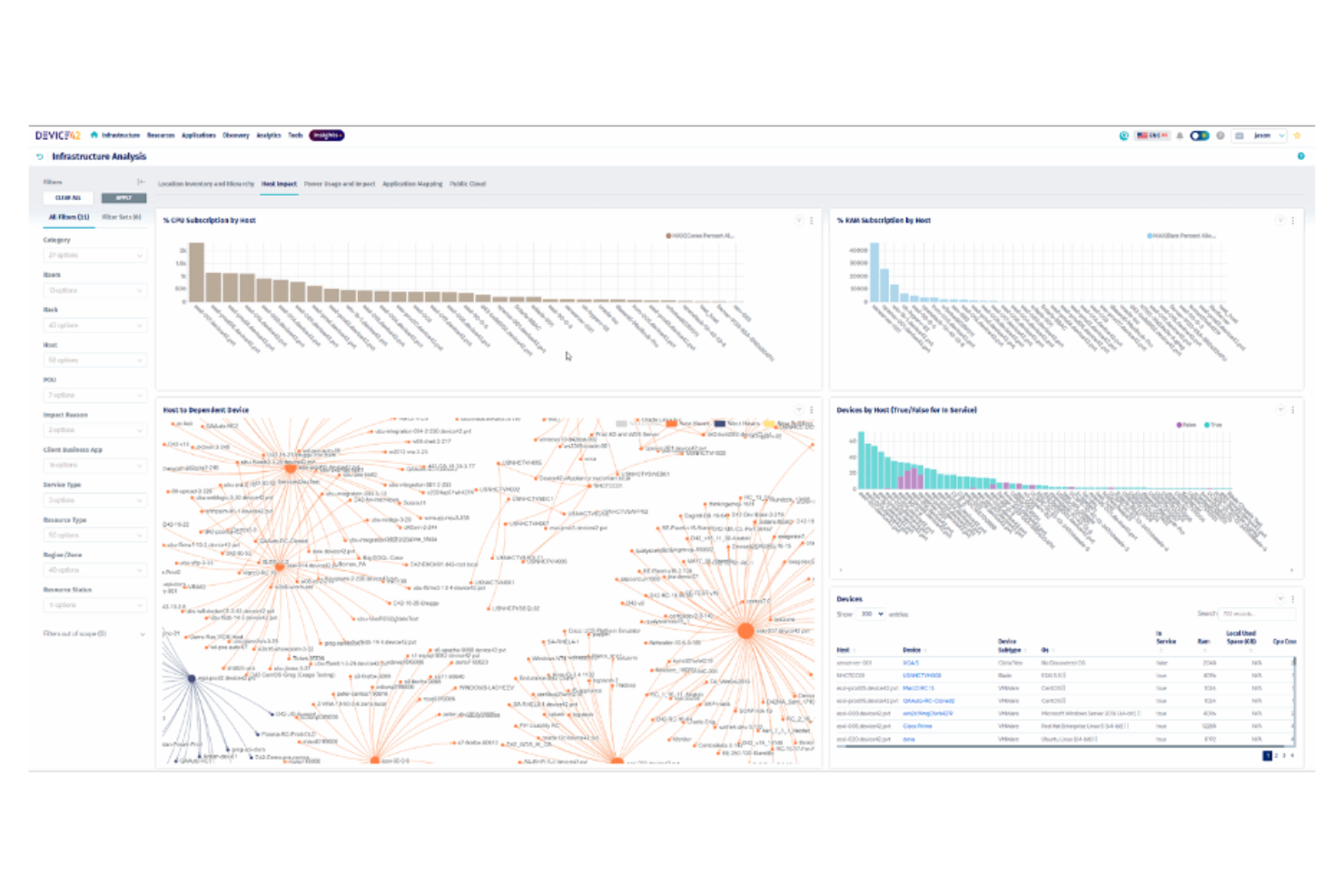
Mapping complex hybrid environments is where Device42 excels, making it a strong fit for IT teams managing both on-premises and cloud infrastructure. The platform is designed for organizations that need deep visibility into physical, virtual, and cloud assets, as well as their interdependencies. Unlike Lansweeper, Device42 specializes in automated discovery and relationship mapping across diverse environments, helping you keep pace with dynamic infrastructure changes.
Why Device42 Is a Good Lansweeper Alternative
If you need to map assets across both on-premises and cloud environments, Device42 is built for that complexity. I picked Device42 because it automatically discovers and visualizes hybrid infrastructure, including servers, network devices, and cloud resources. The platform’s relationship mapping shows how assets connect and depend on each other, which is essential for troubleshooting and planning. For IT teams managing dynamic, mixed environments, Device42 offers visibility that goes beyond what Lansweeper provides.
Device42 Key Features
Some other features in Device42 that are valuable for IT asset management and operations include:
- Software License Management: Tracks software installations and license usage across your environment.
- Password Management: Stores and manages credentials for devices and applications securely.
- Data Center Visualization: Provides rack and floor plan views for physical infrastructure layout.
- Change Tracking: Logs configuration changes and asset updates for audit and compliance purposes.
Device42 Integrations
Integrations include ServiceNow, AWS, Cisco, SolarWinds, Splunk, Ansible, Puppet, and more.
Pros and Cons
Pros:
- Supports rack and floor plan management
- Offers infrastructure relationship mapping
- Features automated hybrid infrastructure discovery
Cons:
- Outdated user interface design
- Limited integrations with ITSM and monitoring tools

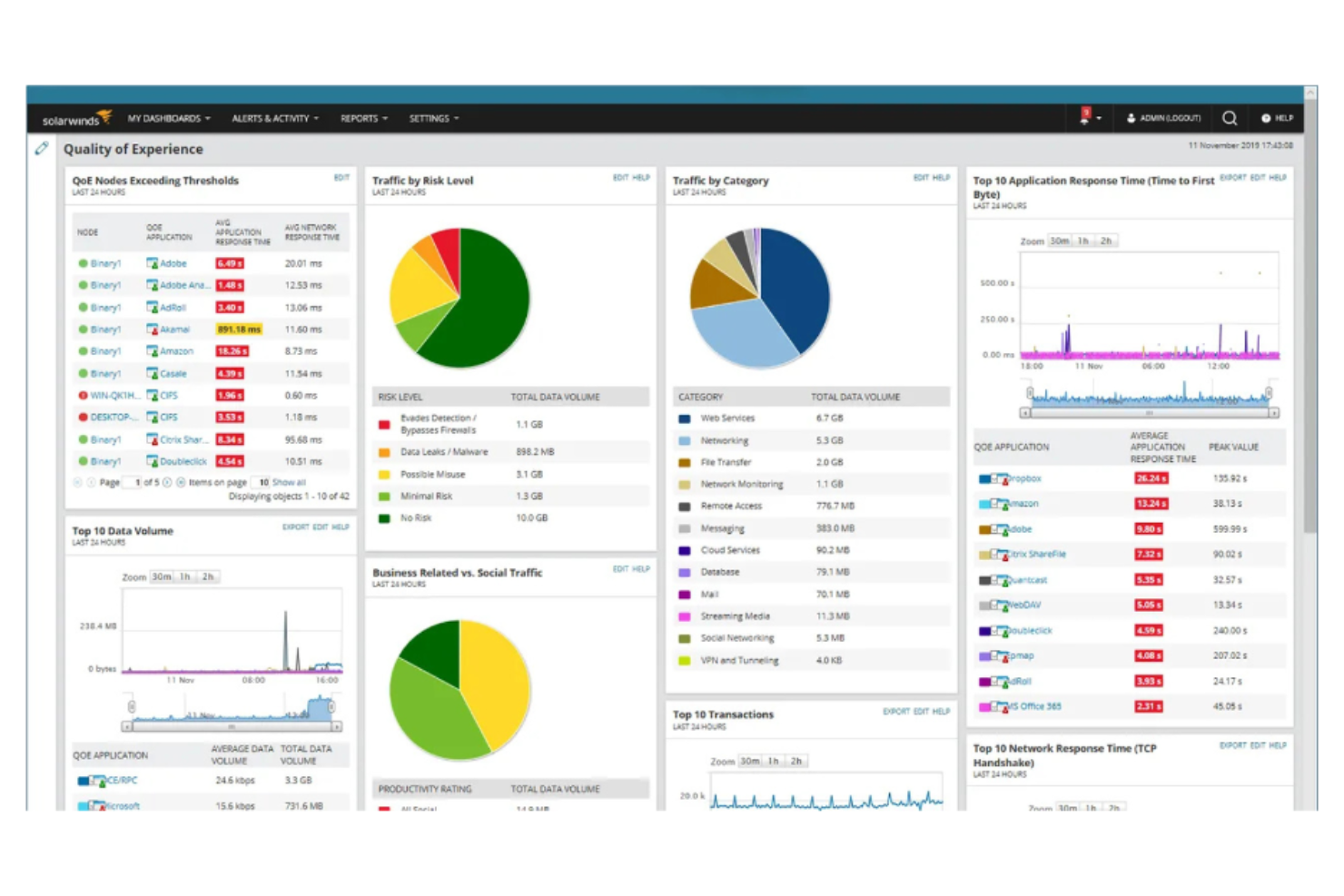
For IT teams focused on monitoring network devices at scale, SolarWinds offers specialized tools that go beyond basic asset tracking. The platform is well-suited for organizations that need real-time visibility into switches, routers, firewalls, and other network hardware. Unlike Lansweeper, SolarWinds provides advanced network performance monitoring and alerting, helping you quickly identify and resolve connectivity issues.
Why SolarWinds Is a Good Lansweeper Alternative
When network device monitoring is your top priority, SolarWinds offers capabilities that set it apart from Lansweeper. I picked SolarWinds because it provides deep visibility into network hardware, with features like real-time device status, bandwidth usage tracking, and automated alerting for outages or performance issues. The platform’s network topology mapping helps you visualize device relationships and pinpoint trouble spots quickly. For IT teams managing complex networks, SolarWinds delivers monitoring depth that goes beyond standard asset inventory.
SolarWinds Key Features
Some other features in SolarWinds that are valuable for IT asset management and operations include:
- Configuration Management: Automates device configuration backups and change tracking across network hardware.
- IP Address Management: Centralizes tracking and allocation of IP addresses within your network.
- NetFlow Traffic Analysis: Monitors and analyzes network traffic patterns for bandwidth and security insights.
- Patch Management: Schedules and deploys software updates to servers and workstations.
SolarWinds Integrations
Integrations include Cisco, Amazon Web Services (AWS), Microsoft Teams, Slack, PagerDuty, and more.
Pros and Cons
Pros:
- Includes multi-vendor SNMP device support
- Offers cross-stack data correlation dashboards
- Features hop-by-hop NetPath analysis
Cons:
- Limited reporting features
- Complex pricing and licensing structure

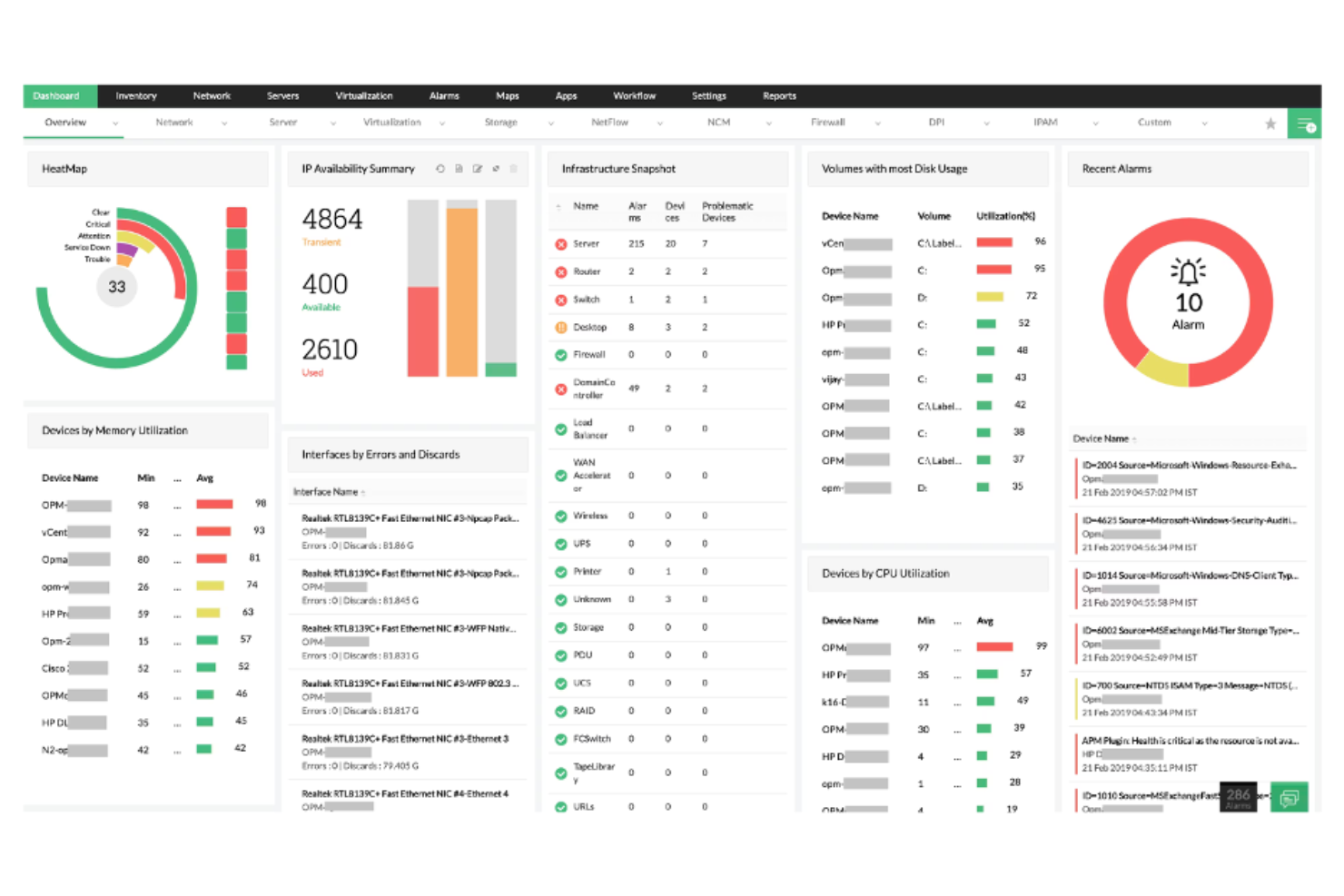
If you’re looking for an IT asset management and operations tool that brings multiple IT functions together, ManageEngine is worth considering. The platform is designed for IT teams that want unified control over assets, service desks, endpoint management, and network monitoring from a single suite. Unlike Lansweeper, ManageEngine stands out for its integrated approach, letting you manage everything from user requests to device compliance in one place.
Why ManageEngine Is a Good Lansweeper Alternative
For IT teams that want a single platform to handle multiple IT operations, ManageEngine offers a level of integration that Lansweeper doesn’t match. I picked ManageEngine because it combines asset management, service desk, endpoint management, and network monitoring in one suite, reducing the need to juggle separate tools. The platform’s unified dashboard lets you track assets, manage incidents, and enforce compliance policies without switching contexts. If you’re looking for a solution that centralizes IT operations and asset oversight, ManageEngine brings these capabilities together in a way that’s hard to find elsewhere.
ManageEngine Key Features
Some other features in ManageEngine that are useful for IT asset management and operations include:
- Software License Management: Tracks software usage and helps ensure compliance with licensing agreements.
- Remote Control Tools: Allows IT staff to access and troubleshoot endpoints directly from the platform.
- Automated Patch Deployment: Schedules and applies security patches across devices to reduce vulnerabilities.
- Customizable Reporting: Generates detailed reports on assets, compliance, and IT operations for audits and analysis.
ManageEngine Integrations
Integrations include Microsoft Active Directory, Jira, Slack, AWS, Google Workspace, and more.
Pros and Cons
Pros:
- Offers flexible hybrid deployment options
- Features automated multi-OS patch management
- Includes an integrated 90-product IT suite
Cons:
- Support response times vary by product lines
- Some modules require separate licensing

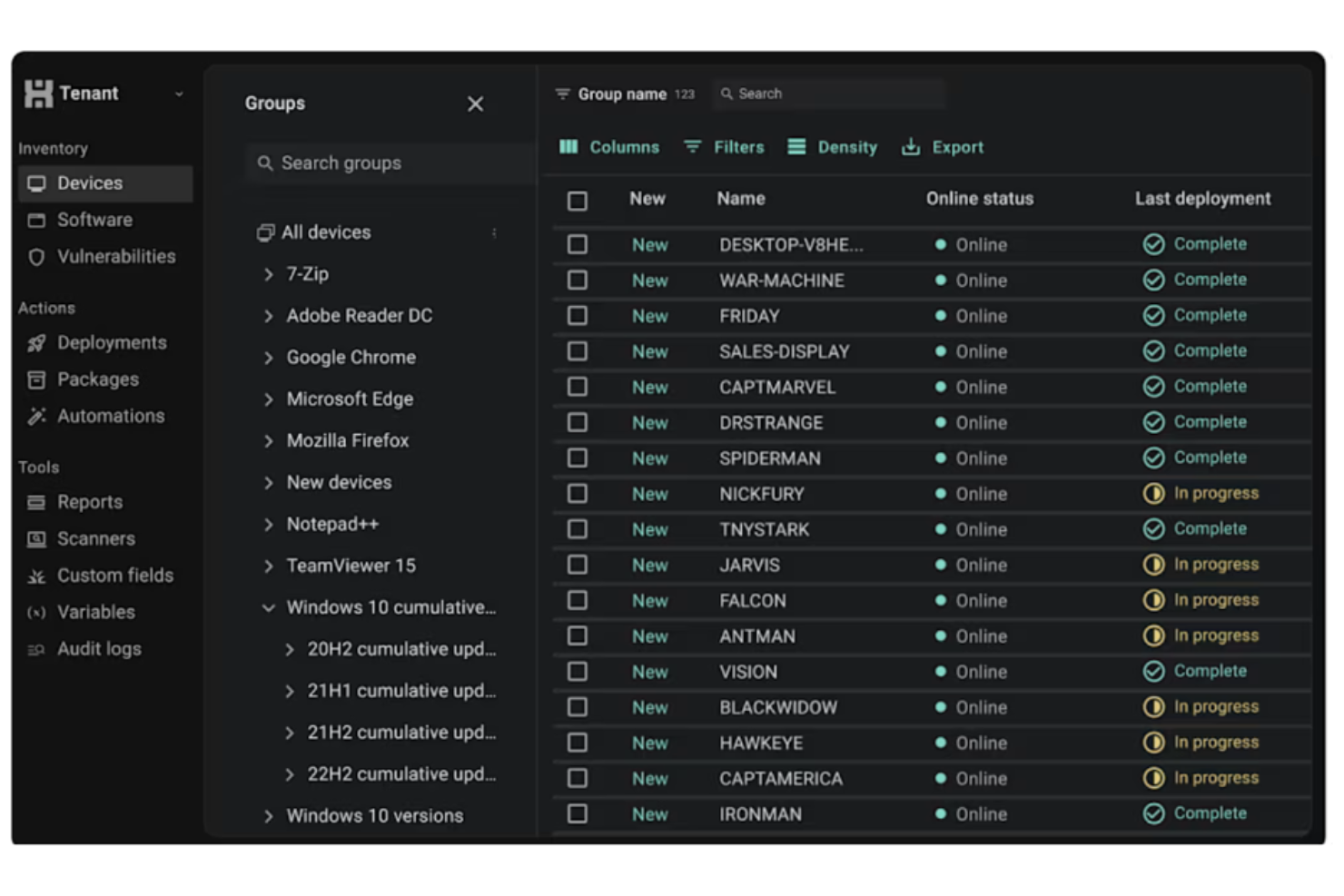
If you need to automate software deployment across Windows environments, PDQ is purpose-built for that task. It’s a strong fit for IT teams in education, healthcare, and mid-sized businesses that want to push updates and patches without manual intervention. Unlike Lansweeper, PDQ specializes in rapid, unattended deployments and detailed package management, helping you keep endpoints up to date with less hands-on effort.
Why PDQ Is a Good Lansweeper Alternative
For IT teams focused on automating software deployment, PDQ offers a level of control and speed that sets it apart from Lansweeper. I picked PDQ because it lets you schedule, deploy, and update software packages across all Windows endpoints with minimal manual input. The tool’s pre-built package library and customizable deployment schedules help you keep systems patched and compliant. If your main challenge is managing software rollouts at scale, PDQ’s automation features make it a strong alternative.
PDQ Key Features
Some other features in PDQ that are useful for IT asset management and operations include:
- Inventory Scanning: Collects detailed hardware and software information from all Windows devices on your network.
- Custom Scripting Support: Allows you to run PowerShell, VBScript, or batch scripts as part of deployment or inventory tasks.
- Role-Based Access Control: Lets you assign permissions and roles to different team members for secure management.
- Remote Wake and Reboot: Enables you to wake up or reboot machines remotely without user intervention.
PDQ Integrations
Integrations include Entra ID and Freshworks.
Pros and Cons
Pros:
- Offers automated third-party software patching
- Includes an extensive pre-built package library
- Features agentless Windows workstation inventory
Cons:
- No native mobile workforce support
- Requires active directory dependency

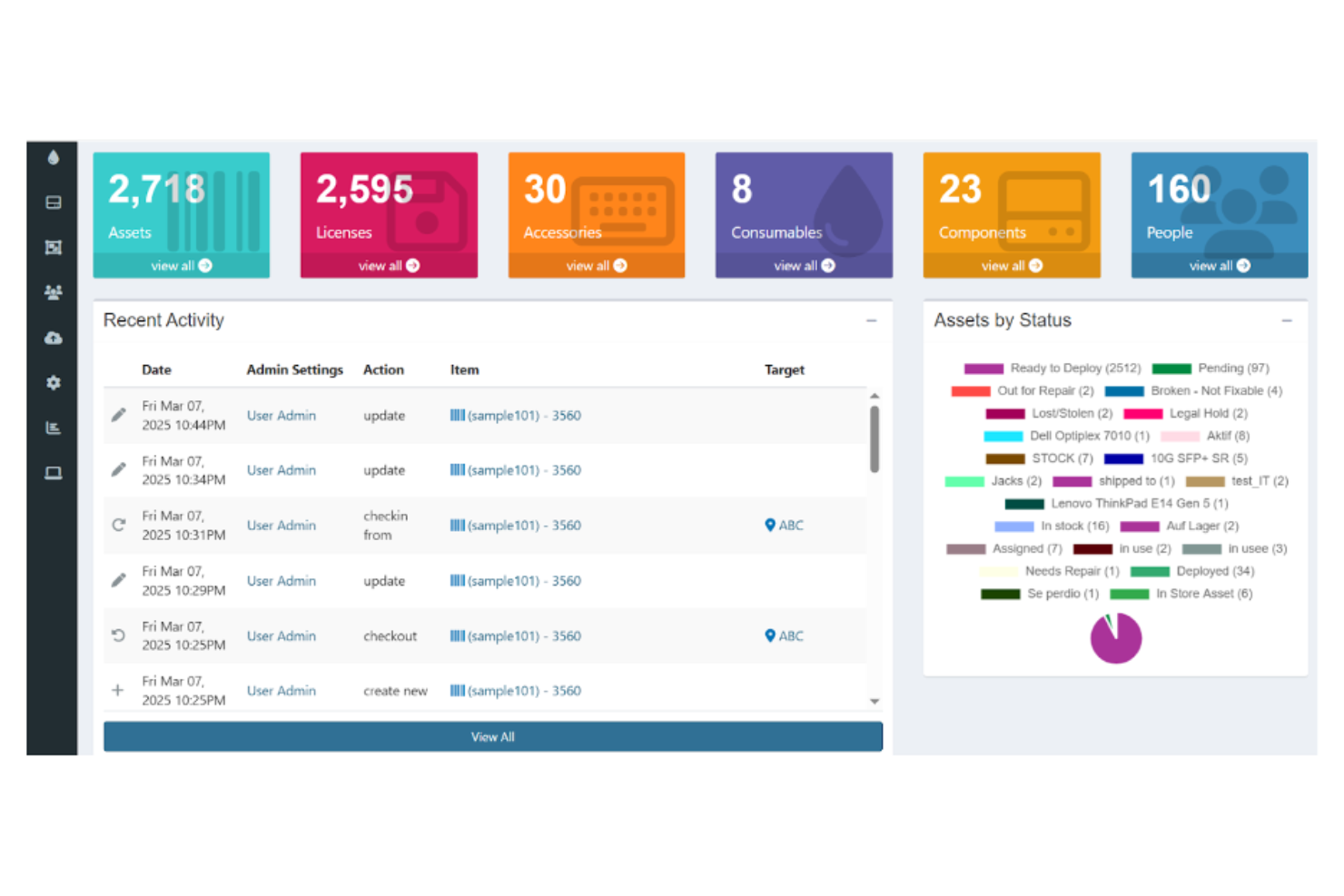
If you’re looking for an open-source approach to asset tracking, Snipe-IT gives you full control over your IT inventory. It’s a strong choice for IT teams in education, nonprofits, and small to mid-sized businesses that want to self-host and customize their asset management. Unlike Lansweeper, Snipe-IT stands out for its transparency, flexibility, and community-driven development model.
Why Snipe-IT Is a Good Lansweeper Alternative
For IT teams that want open-source flexibility, Snipe-IT offers a level of transparency and customization that’s hard to match. I picked Snipe-IT because it lets you self-host your asset management system and tailor it to your organization’s needs. The tool supports detailed asset tracking, user assignment, and audit logs, all within a web-based interface. If you need a solution you can adapt and control, Snipe-IT is a strong alternative to Lansweeper.
Snipe-IT Key Features
Some other features in Snipe-IT that are useful for IT asset management and operations include:
- Barcode Generation and Scanning: Lets you create and scan barcodes for quick asset identification and updates.
- Email Notifications: Sends automated alerts for asset check-ins, checkouts, and expiring warranties.
- Custom Fields: Allows you to add organization-specific data fields to asset records.
- API Access: Provides a REST API for integrating asset data with other systems or automating workflows.
Snipe-IT Integrations
Snipe-IT offers an API for custom integrations.
Pros and Cons
Pros:
- Offers unlimited asset and user tracking
- Features built-in QR code label generator
- Includes open-source REST API access
Cons:
- Complex manual self-hosting setup
- Doesn’t support automated device inventory

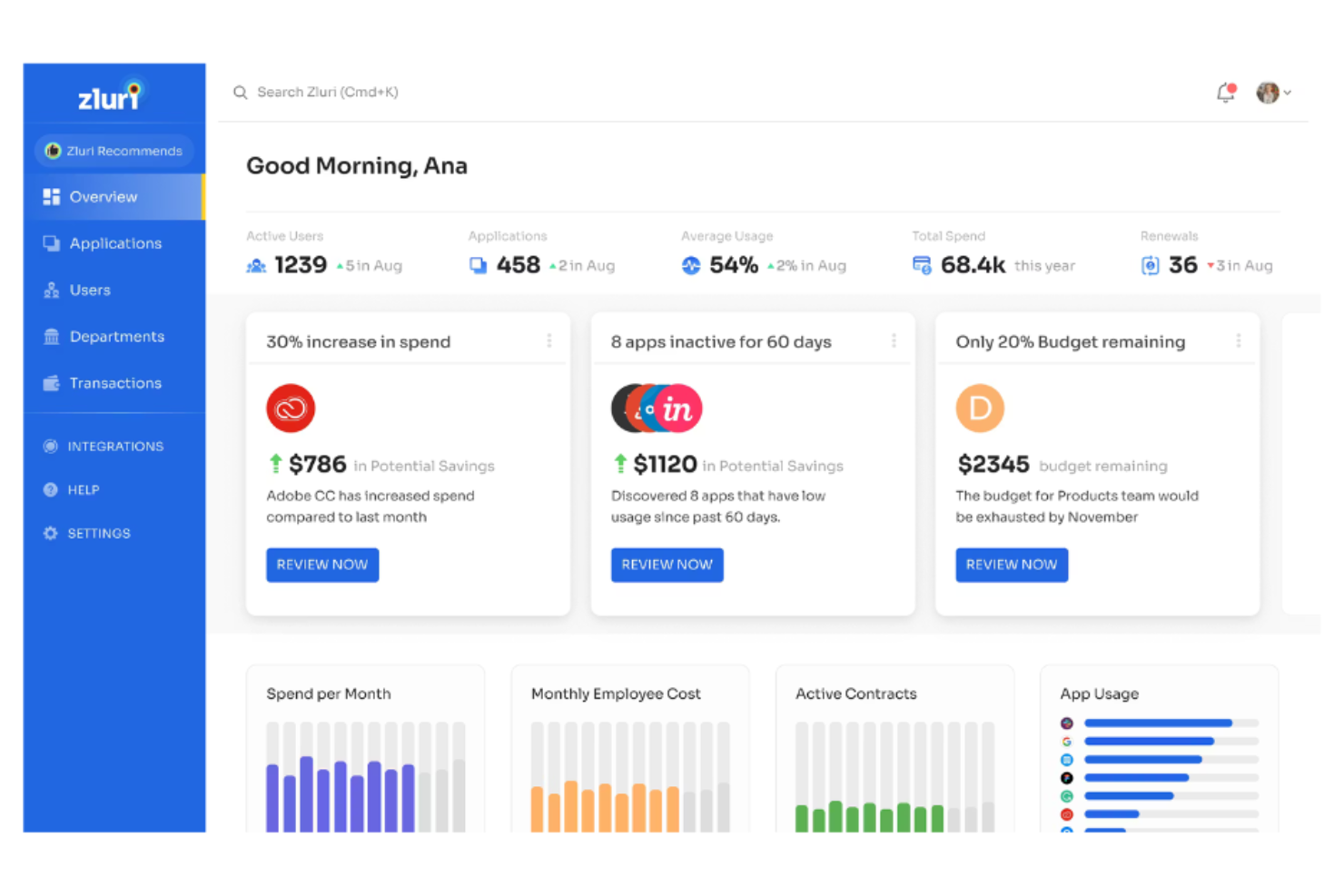
For IT teams struggling to get visibility into their SaaS environment, Zluri offers a focused approach to SaaS application discovery and management. It’s especially useful for organizations that need to identify, monitor, and control cloud-based software usage across departments. Unlike Lansweeper, Zluri zeroes in on SaaS spend, access, and compliance, helping you reduce shadow IT and optimize your software stack.
Why Zluri Is a Good Lansweeper Alternative
When your main concern is discovering and managing SaaS applications, Zluri offers a level of visibility that Lansweeper doesn’t match. I picked Zluri because it automatically detects all SaaS tools in use across your organization, even those not formally approved by IT. The platform also provides detailed usage analytics and spend tracking, so you can identify redundant subscriptions and control costs. This focus on SaaS discovery and optimization makes Zluri a strong choice for businesses prioritizing cloud software governance.
Zluri Key Features
Some other features in Zluri that are valuable for IT asset management and operations include:
- Automated User Provisioning and Deprovisioning: Manages user access to SaaS applications throughout the employee lifecycle.
- Vendor Management Dashboard: Centralizes contract details, renewal dates, and vendor contacts for all SaaS providers.
- Security and Compliance Monitoring: Flags risky applications and tracks compliance with internal and external policies.
- Custom Workflow Automation: Lets you build automated processes for onboarding, offboarding, and app approval requests.
Zluri Integrations
Integrations include Google Workspace, Slack, Microsoft 365, Okta, Jira, Salesforce, and more.
Pros and Cons
Pros:
- Includes granular application usage insights
- Automated user onboarding and offboarding
- Features automated SaaS renewal alerts
Cons:
- Inability to label workflow steps
- Occasional application misidentification errors

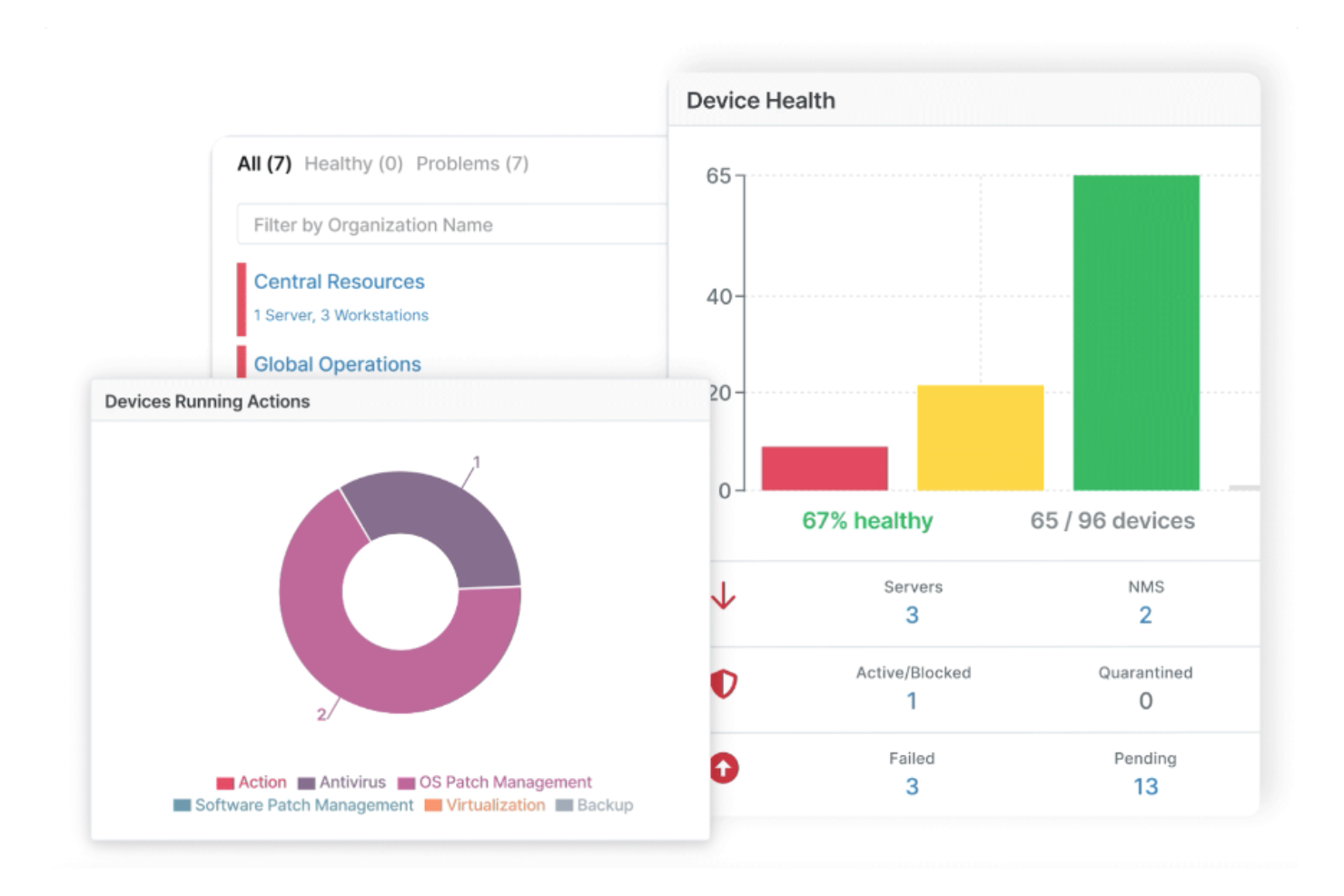
NinjaOne brings together endpoint management, real-time monitoring, and automation in a single cloud-based platform. It’s a strong fit for IT teams that need to manage diverse device fleets across multiple locations without juggling separate tools. Unlike Lansweeper, NinjaOne emphasizes unified visibility and control over Windows, macOS, and Linux endpoints from one dashboard.
Why NinjaOne Is a Good Lansweeper Alternative
For IT teams that want full visibility and a single platform to manage all endpoints, NinjaOne offers unified endpoint management that goes beyond what Lansweeper provides. I picked it because you can monitor, patch, and remotely control Windows, macOS, and Linux devices from one dashboard. The platform also lets you automate software deployment and run scripts across your entire device fleet. This approach helps centralize IT operations and reduces the need for multiple point solutions.
NinjaOne Key Features
Some other features in NinjaOne that are valuable for IT asset management and operations include:
- Automated Device Discovery: Uses RMM capabilities to scan networks and inventory all connected devices.
- Backup Management: Schedules and manages backups for endpoints directly from the platform.
- Ticketing System Integration: Connects with help desk tools to manage incident response.
- Custom Alerting: Lets you set up notifications for specific device or network events.
NinjaOne Integrations
Integrations include Microsoft 365, ConnectWise, Slack, ServiceNow, Jira, Zendesk, PagerDuty, and more.
Pros and Cons
Pros:
- Offers real-time endpoint health visibility
- Includes one-click remote access tools
- Centralizes multi-platform patch management
Cons:
- Annual billing requirement
- Limited custom reporting flexibility
New Product Updates from NinjaOne
NinjaOne Launches Integrated Remote Access
NinjaOne has expanded its automated management platform by introducing NinjaOne Remote, a secure remote access solution for multiple operating systems. For more information, visit NinjaOne's official site.

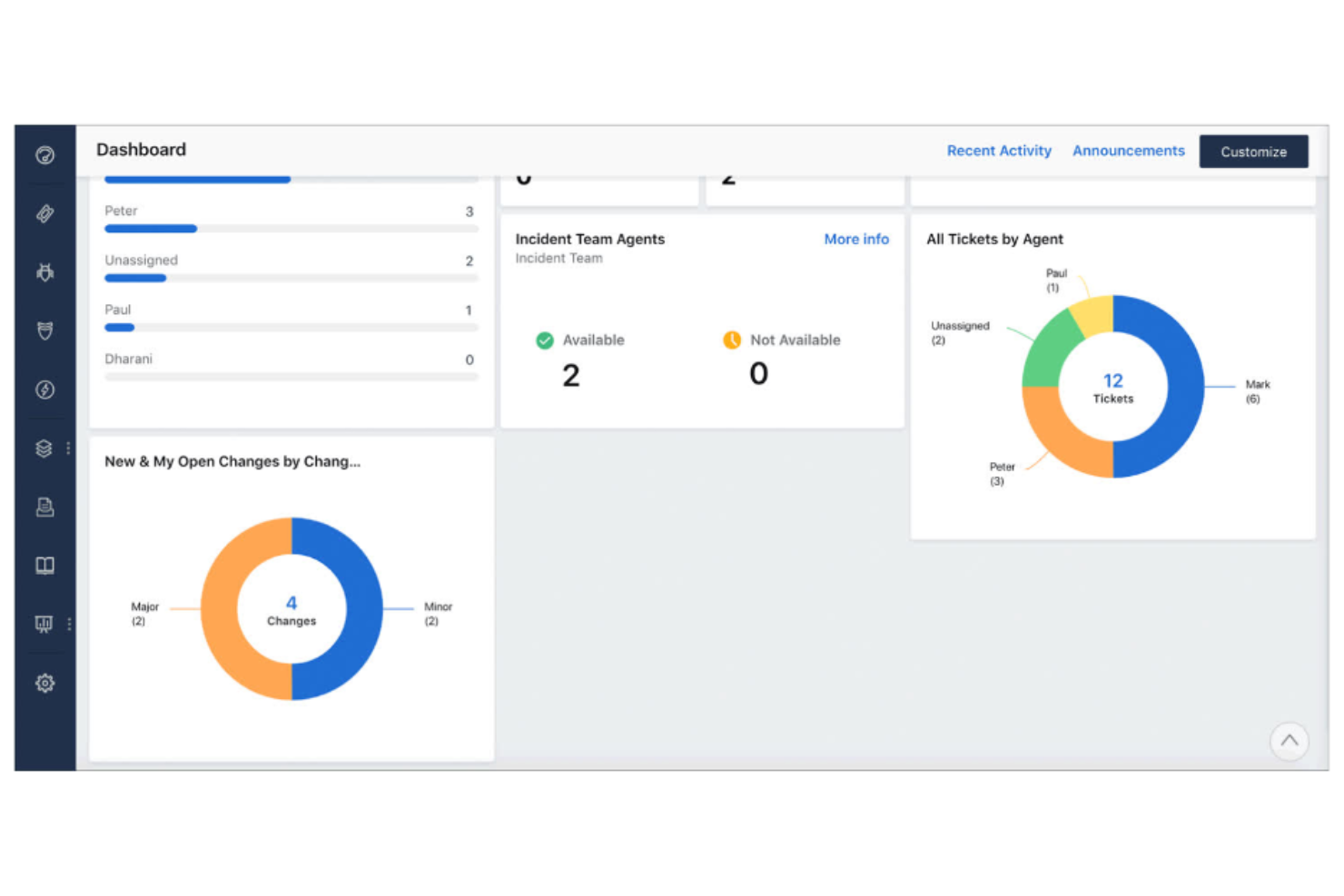
Freshservice is designed for IT teams that need to deploy a service desk quickly without heavy setup or customization. It stands out from Lansweeper by providing a user-friendly way to combine IT asset management with built-in incident, problem, and change management features. This platform is a strong fit for organizations that want a unified solution for tracking assets and managing IT service requests in one place.
Why Freshservice Is a Good Lansweeper Alternative
Freshservice stands out for teams that need to get a service desk up and running with minimal delay. I picked it as a Lansweeper alternative because it combines asset management with incident and change management in a single platform. The built-in service catalog and workflow automation features help IT professionals handle requests and changes without juggling multiple tools. This makes Freshservice especially useful for organizations that want to gain asset visibility by centralizing both asset tracking and IT support operations.
Freshservice Key Features
Some other features in Freshservice that are useful for IT asset management and operations include:
- Discovery Agent: Automatically scans your network to identify and inventory connected devices and software with maximum ease of use.
- Contract Management: Tracks vendor contracts, renewal dates, and compliance requirements within the platform.
- CMDB (Configuration Management Database): Maps relationships between assets, services, and users for better impact analysis.
- Mobile App: Allows IT staff to manage tickets, assets, and approvals from anywhere using iOS or Android devices.
Freshservice Integrations
Integrations include Jira, Slack, Microsoft Teams, Zoom, Salesforce, AWS, and Okta. Freshservice also offers an open API for custom integrations.
Pros and Cons
Pros:
- Automated asset discovery for cloud and on-premises
- Offers multi-department service provider portals
- Includes full ITIL process adherence
Cons:
- Restrictive customization of asset fields
- Heavy system resource requirements
New Product Updates from Freshservice

Freshservice Enhances Global Search and Dashboards With Task Support
Freshservice enhances Global Search and Dashboards by adding support for ticket, problem, change, and release tasks, along with custom task views. This update helps teams search, track, and report on tasks from one centralized interface. For more information, visit Freshservice's official site.

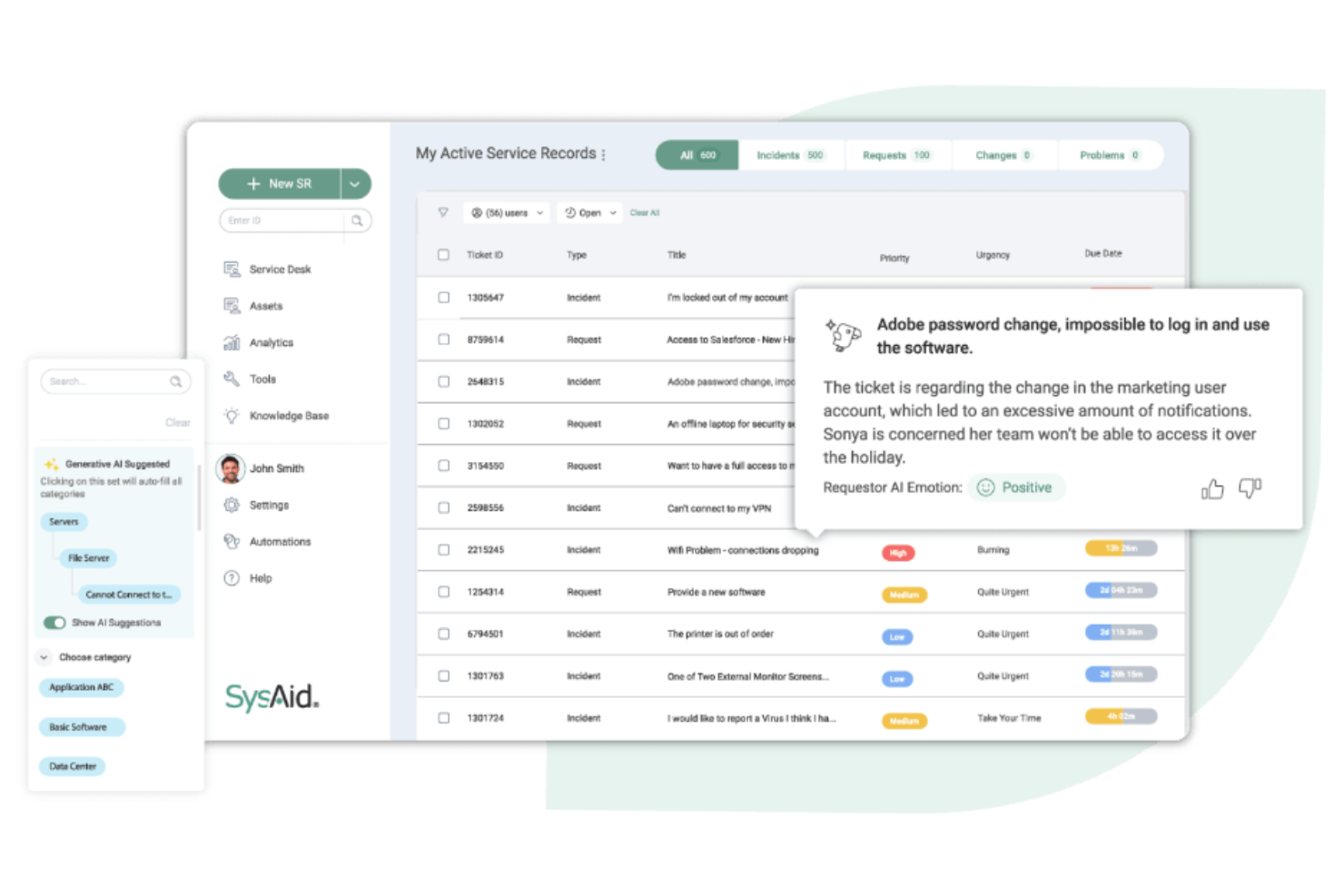
SysAid gives IT departments a platform built for deep workflow customization and automation. It’s a strong choice for organizations that want to tailor service desk processes, automate repetitive tasks, and adapt to unique operational needs. Unlike Lansweeper, SysAid lets you design and automate complex workflows across asset management, ticketing, and IT operations from a single interface.
Why SysAid Is a Good Lansweeper Alternative
SysAid stands out for IT teams that need to build and automate workflows tailored to their unique processes. I picked it as a Lansweeper alternative because its workflow designer lets you automate ticket routing, approvals, and escalations based on custom rules. The platform also supports automated asset lifecycle management, so you can trigger actions as assets move through different stages. This level of customization is especially valuable for organizations with complex or evolving IT operations.
SysAid Key Features
Some other features in SysAid that are useful for IT asset management and operations include:
- Remote Control Tools: Enable IT staff to access and troubleshoot user devices directly from the platform.
- Self-Service Portal: Lets end users submit tickets, track requests, and access knowledge base articles.
- Patch Management: Schedules and deploys software updates across managed devices.
- Reporting and Analytics: Provides customizable dashboards and reports for tracking network discovery results and asset status.
SysAid Integrations
Integrations include Microsoft Teams, Slack, Jira, Salesforce, Dropbox, and more. SysAid also offers an API for custom integrations.
Pros and Cons
Pros:
- Offers guided AI suggestion prompts
- Features native automated dependency mapping
- Includes automated application discovery tools
Cons:
- Slow performance with large datasets
- Limited out-of-the-box integrations
New Product Updates from SysAid

SysAid Adds Direct Knowledge Base Linking in Service Records
SysAid now allows linking knowledge base articles directly to service records, enhancing centralized access to information and speeding up issue resolution. For more information, visit SysAid's official site.
 .
.
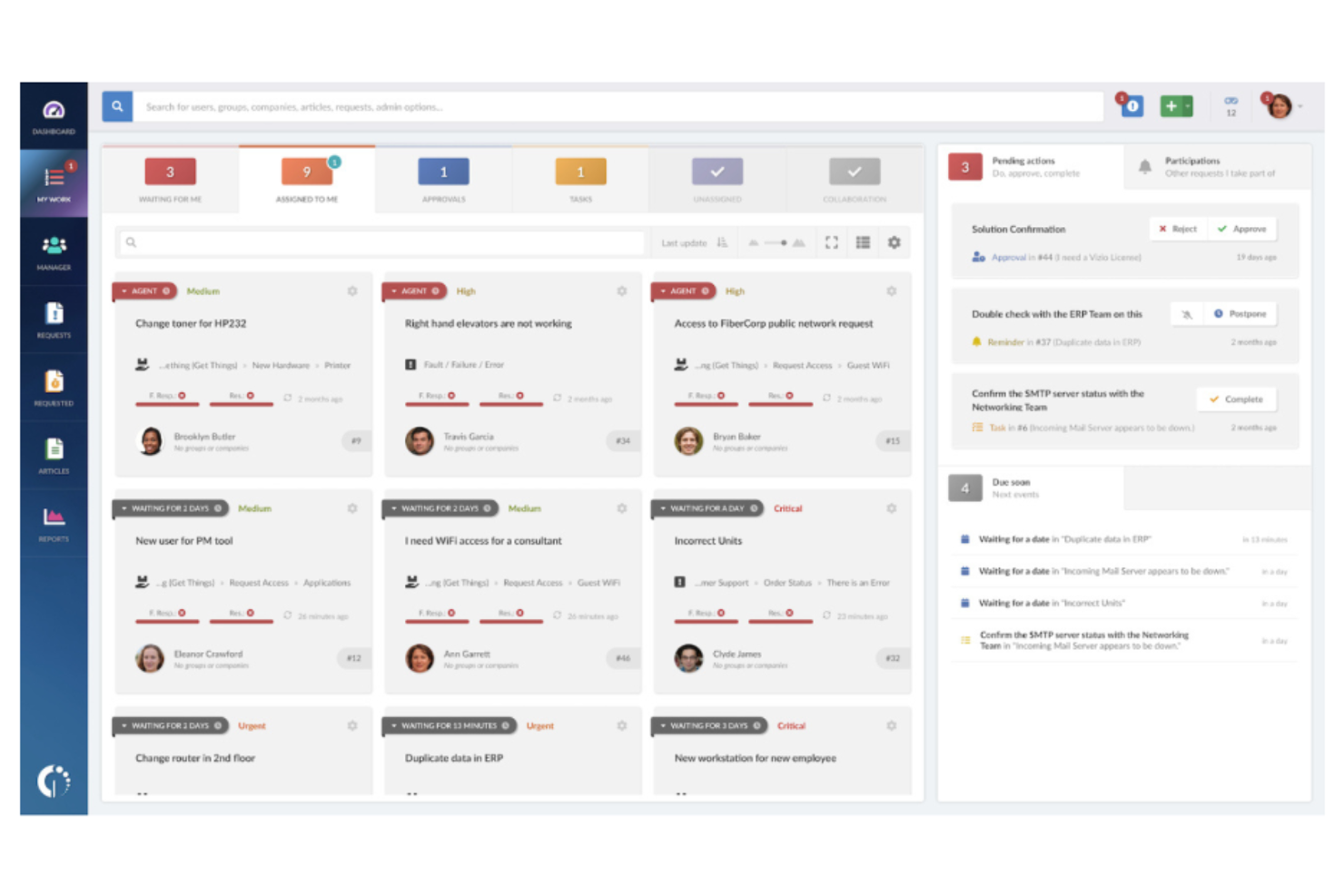
InvGate Service Desk stands out for organizations that want to empower users with a modern, intuitive self-service portal. It’s designed for IT teams that need to manage ticketing, automate workflows, and make knowledge resources easily accessible. Unlike Lansweeper, InvGate puts a strong emphasis on user experience and self-resolution, helping reduce ticket volume and improve satisfaction.
Why InvGate Is a Good Lansweeper Alternative
If you’re looking for an IT service management tool that prioritizes user empowerment, InvGate’s self-service portal is a strong alternative to Lansweeper. I picked InvGate because it lets you build customizable knowledge bases and service catalogs that help users resolve issues on their own. The platform also supports automated ticket routing and approval workflows, which can reduce manual intervention for IT teams. This focus on self-service and automation makes InvGate especially useful for organizations aiming to lower ticket volume and improve user satisfaction.
InvGate Key Features
Some other features in InvGate that are valuable for IT asset management and operations include:
- Asset Inventory Management: Tracks hardware and software assets across your organization in real time.
- Change Management Module: Provides structured workflows for managing IT changes and approvals.
- SLA Management: Lets you define, monitor, and enforce service level agreements for support requests.
- Reporting and Analytics: Offers customizable dashboards and reports to track service desk performance and trends.
InvGate Integrations
Integrations include Microsoft Teams, Jira, Google Workspace, Okta, and more.
Pros and Cons
Pros:
- Offers quick deployment timelines
- Includes unified ITSM and ITAM capabilities
- Features a no-code visual workflow builder
Cons:
- Basic asset discovery features
- Limited native third-party integrations
Autres alternatives à Lansweeper
Voici quelques autres alternatives à Lansweeper qui n’ont pas été retenues dans ma sélection, mais qui méritent tout de même votre attention :
- ServiceNow
For enterprise workflow integration
- Atera
For all-in-one remote monitoring
- Certero
For advanced software license management


Critères de sélection des alternatives à Lansweeper
Pour sélectionner les meilleures alternatives à Lansweeper à inclure dans cette liste, j'ai pris en compte les besoins courants des acheteurs ainsi que les points faibles fréquemment rencontrés avec les produits de gestion des actifs et outils d’exploitation IT, comme la gestion de contextes hybrides complexes et l’automatisation de la découverte des actifs. J’ai également suivi le cadre ci-dessous pour garantir une évaluation structurée et équitable :
Fonctionnalités principales (25 % de la note totale)
Pour être considérée dans cette liste, chaque solution devait répondre à ces cas d’usage communs :
- Découverte et inventaire des actifs informatiques
- Suivi de l’inventaire matériel et logiciel
- Surveillance de l’état de santé et du statut des appareils
- Génération de rapports de conformité et d’audit
- Gestion de l’affectation et de la propriété des actifs
Fonctionnalités distinctives (25 % de la note totale)
Pour affiner la sélection, j’ai également recherché des caractéristiques uniques telles que :
- Gestion automatisée des mises à jour
- Outils intégrés de dépannage à distance
- Suivi avancé des licences logicielles
- Automatisation des workflows personnalisable
- Supervision réseau intégrée
Facilité d’utilisation (10 % de la note totale)
Pour évaluer la prise en main de chaque système, j’ai considéré les aspects suivants :
- Tableau de bord clair et intuitif
- Navigation logique entre les modules
- Nombre minimal de clics pour accomplir les tâches courantes
- Performance d’interface réactive
- Accessibilité selon les différents rôles utilisateurs
Intégration et prise en main (10 % du score total)
Pour évaluer l’expérience de prise en main de chaque plateforme, j’ai pris en compte les éléments suivants :
- Disponibilité de guides d’installation étape par étape
- Accès à des vidéos de formation et à la documentation
- Courbe d’apprentissage raccourcie
- Modèles préconçus pour l’import d’actifs
- Chat en direct ou webinaires d’accueil
Service client (10 % du score total)
Pour évaluer les services d’assistance client de chaque éditeur de logiciel, j’ai pris en compte les éléments suivants :
- Disponibilité d’un support 24h/24 et 7j/7
- Multiples canaux d’assistance proposés
- Accès à une base de connaissances consultable
- Rapidité des réponses du support
- Qualité du dépannage technique
Rapport qualité/prix (10 % du score total)
Pour évaluer le rapport qualité/prix de chaque plateforme, j’ai pris en compte les éléments suivants :
- Tarification transparente et prévisible
- Formules flexibles pour différentes tailles d’entreprise
- Fonctionnalités incluses dans le tarif de base
- Coût des modules complémentaires ou options supplémentaires
- Période d’essai gratuite ou disponibilité d’une démo
Avis clients (10 % du score total)
Pour me faire une idée de la satisfaction client, j’ai étudié les points suivants lors de la lecture des retours clients :
- Cohérence des avis positifs
- Fréquence des problèmes techniques remontés
- Qualité des échanges avec le fournisseur
- Exemples concrets de cas d’utilisation
- Tendances observées dans le ressenti des avis récents
Pourquoi chercher une alternative à Lansweeper ?
Bien que Lansweeper soit un bon choix pour la gestion des actifs informatiques et des opérations, plusieurs raisons poussent certains utilisateurs à chercher des alternatives. Vous pourriez rechercher une alternative à Lansweeper parce que…
- Vous avez besoin d’une intégration plus poussée avec les services de gestion de tickets ou de helpdesk
- Vous souhaitez des outils intégrés de dépannage à distance et de gestion des terminaux
- Vous exigez des fonctionnalités avancées pour la gestion des licences logicielles
- Vous avez besoin du support pour des environnements hybrides ou multi-cloud complexes
- Vous recherchez des options tarifaires plus flexibles ou une licence modulaire
Si vous vous reconnaissez dans l’un de ces points, vous êtes au bon endroit. Ma liste regroupe plusieurs solutions logicielles de gestion d’actifs mieux adaptées aux équipes confrontées à ces défis avec Lansweeper et à la recherche d’une alternative.
Fonctionnalités principales de Lansweeper
Voici quelques-unes des fonctionnalités clés de Lansweeper, pour vous aider à comparer et à évaluer ce que proposent les solutions alternatives :
- Découverte automatisée du réseau et des appareils
- Gestion centralisée de l’inventaire des actifs informatiques
- Suivi du cycle de vie matériel et logiciel
- Rapports personnalisables et vues tableaux de bord
- Outils d’évaluation des vulnérabilités et des risques
- Intégration avec Active Directory et SCCM
- Surveillance de la conformité des licences logicielles
- Piste d’audit et suivi de l’historique des modifications
- Contrôles d’accès par rôles pour la gestion des utilisateurs
Et ensuite :
Si vous êtes en train de rechercher une alternative à Lansweeper, contactez gratuitement un conseiller SoftwareSelect pour obtenir des recommandations personnalisées.
Il vous suffit de remplir un formulaire et d’avoir un échange rapide où ils analyseront précisément vos besoins. Vous recevrez ensuite une présélection de logiciels à examiner. Ils vous accompagneront même tout au long du processus d’achat, y compris lors des négociations de prix.