

Reseña de Atera 2026: Ventajas, Desventajas, Características y Precios

Revisamos herramientas de forma independiente y las comisiones ayudan a financiar nuestras pruebas. Consulta nuestra política de transparencia, nuestra metodología o sugiere una herramienta.
IT teams today are expected to support more users, devices, and systems than ever—often while working with limited time and resources. As environments grow more complex, maintaining visibility, consistency, and efficiency across day-to-day operations becomes increasingly challenging.
IT management platforms like Atera aim to simplify this by bringing core capabilities—such as monitoring, ticketing, and automation—into a more unified experience. This approach can help teams stay organized, respond faster to issues, and maintain control as their infrastructure scales.
In this review, I’ll walk you through Atera’s core capabilities, pros and cons, best and worst use cases, pricing, and more—so you can decide if it fits your team’s needs and operational priorities.
Atera Evaluation Summary
4.6/5
- From $129/technician/month (billed annually)
- 30-day free trial + free demo available
Por qué confiar en nuestras recomendaciones de software
6,700+
Reviews
20
Industry experts
16+
Evaluation factors
14
Years
Nuestro equipo lleva probando y evaluando software desde 2012. Como líderes tecnológicos, sabemos lo difícil —y lo importante— que es elegir el software adecuado.
Para esta guía, evaluamos las herramientas mediante pruebas prácticas e investigación independiente, puntuando las herramientas según nuestros criterios de selección.
Nuestras reseñas reflejan nuestro criterio editorial humano, no un discurso de ventas.
Revisores expertos:
- Paulo Gardini MiguelDirector técnico
 Tim FisherVP de IA
 Gabriel RosasTech Lead y arquitecto de software
 Christhian GruhnTech Lead y arquitecto de plataforma

Atera Overview
Atera’s autonomous platform stands out by shifting IT operations from reactive support to autonomous execution. Its AI-powered agent, Robin, takes ownership of incidents end-to-end—diagnosing issues, executing fixes, and confirming resolution with minimal human input.
By combining RMM, ticketing, and automation into a single platform, Atera helps enterprise IT teams reduce ticket volume, streamline workflows, and scale support without increasing headcount.
Pros
- Autonomously detects and resolves IT issues, reducing ticket volume and manual workload.
- Unifies RMM, ticketing, and IT operations in one place, helping enterprises eliminate tool sprawl.
- The modern, clean interface makes it easy for your team to navigate and use.
Cons
- Reporting customization is more limited on lower-tier plans.
- Pricing can increase as you add more technicians.
- Some advanced features, like AI Copilot, require paid add-ons.
Is Atera Right For Your Needs?
Who Would be a Good Fit for Atera?
Atera is best suited for enterprise and mid-market IT organizations that need to operate at scale while reducing operational friction. If your team is overwhelmed by ticket volume, reactive workflows, or fragmented tools, Atera helps shift your IT function from support-driven to autonomous and proactive.
- Managed Service ProvidersYou can handle multiple clients, track tickets, automate tasks, and scale endpoints without paying per device.
- Retail ChainsYou can monitor POS systems and branch devices remotely and fix issues without traveling on-site.
- Education SectorSchools or universities can benefit from Atera’s remote support and management features to keep educational technology running smoothly.
- Healthcare ITYou can maintain device uptime, manage patches, and track assets while supporting distributed clinics securely.
- IT Departments Scaling RapidlyYou can handle growing infrastructure and user demands without increasing headcount, using automation and AI-driven workflows to maintain efficiency.
- Enterprise IT TeamsYou can reduce ticket overload by resolving issues automatically at the endpoint, improve employee productivity, and maintain control over complex, distributed environments.
Who Would be a Bad Fit for Atera?
Atera may not be the right fit if your IT needs are either extremely minimal or require highly specialized, rigid frameworks that go beyond its streamlined, cloud-based approach. Teams with very small environments or limited IT requirements may find the platform more robust than necessary. On the other end of the spectrum, organizations that depend on deeply customized ITSM frameworks, strict on-premise infrastructure, or niche compliance requirements may encounter limitations compared to more specialized solutions.
- Strict or Niche Compliance RequirementsOrganizations with highly specific regulatory or compliance needs may require more tailored solutions designed for those environments.
- Highly Customized ITSM EnvironmentsTeams that rely on complex, ITIL-heavy workflows or deeply tailored service catalogs may find Atera less flexible than specialized ITSM platforms.
- On Prem Only OrgsIf you require a strict on-prem deployment with no cloud reliance, Atera won’t fit.
- Non-Technical TeamsWithout IT knowledge, you won’t benefit fully from scripting, monitoring, and automation features.
- Very Small Teams Without Dedicated ITIf you only manage a handful of devices and don’t need RMM or automation, Atera may feel heavier than necessary.
- Solo IT FreelancerYou likely don’t need RMM, PSA, automation, and ticketing for just a few personal devices.
Nuestra metodología de revisión
Cómo probamos y puntuamos las herramientas
Hemos invertido años construyendo, refinando y mejorando nuestro sistema de pruebas y puntuación de software. La rúbrica está diseñada para captar los matices de la selección de software y lo que hace a una herramienta efectiva, enfocándose en aspectos críticos del proceso de toma de decisiones.
A continuación, puedes ver exactamente cómo nuestro sistema de prueba y puntuación funciona a través de siete criterios. Esto nos permite ofrecer una evaluación imparcial del software basada en funcionalidad central, características destacadas, facilidad de uso, incorporación, soporte al cliente, integraciones, reseñas de clientes y relación calidad-precio.
Funcionalidad principal (25% de la puntuación final)
El punto de partida de nuestra evaluación siempre es la funcionalidad central de la herramienta. ¿Tiene las características y funciones básicas que un usuario esperaría encontrar? ¿Alguna de esas funciones principales está limitada a planes de precios superiores? Esperamos que una herramienta esté a la altura de las capacidades básicas de sus competidores.
Características destacadas (25% de la puntuación final)
Luego, evaluamos las características poco comunes y sobresalientes que van más allá de la funcionalidad principal que normalmente se encuentra en herramientas de su tipo. Una puntuación alta refleja características especializadas o únicas que hacen el producto más rápido, eficiente o que ofrecen valor adicional al usuario.
También evaluamos qué tan fácil es integrar con otras herramientas que normalmente forman parte del ecosistema tecnológico para expandir la funcionalidad y utilidad del software. Las herramientas que ofrecen abundantes integraciones nativas, conexiones de terceros y acceso API para crear integraciones personalizadas obtienen la mejor puntuación.
Facilidad de uso (10% de la puntuación final)
Consideramos cuán rápido y sencillo es ejecutar las tareas definidas por la funcionalidad principal usando la herramienta. El software con mejor puntuación está bien diseñado, es intuitivo, ofrece aplicaciones móviles, proporciona plantillas y hace que tareas relativamente complejas parezcan sencillas.
Incorporación (10% de la puntuación final)
Sabemos lo importante que es la adopción rápida por parte del equipo para una nueva plataforma, por lo que evaluamos cuán fácil es aprender y usar una herramienta con entrenamiento mínimo. Evaluamos cuán rápido un miembro del equipo puede configurarla y comenzar a utilizarla sin experiencia previa. Las soluciones con mayor puntuación requieren poco o ningún soporte.
Soporte al cliente (10% de la puntuación final)
Revisamos qué tan rápido y sencillo es resolver dudas y encontrar ayuda por teléfono, chat en vivo o base de conocimientos. Las herramientas y compañías que proporcionan soporte en tiempo real obtienen la mejor puntuación, mientras que los chatbots obtienen la peor.
Reseñas de clientes (10% de la puntuación final)
Además de nuestras pruebas y evaluaciones, consideramos la puntuación neta de promotores por parte de clientes actuales y anteriores. Revisamos la probabilidad de que elijan la herramienta de nuevo para la funcionalidad principal. Una puntuación alta refleja una alta puntuación neta de promotores actuales o pasados.
Relación calidad-precio (10% de la puntuación final)
Por último, considerando todos los demás criterios, revisamos el precio promedio de los planes de nivel básico comparado con las funciones principales y consideramos el valor de los demás criterios de evaluación. El software que ofrezca más, por menos, obtendrá una puntuación mayor.
Core Features
Autonomous IT Agent (Robin)
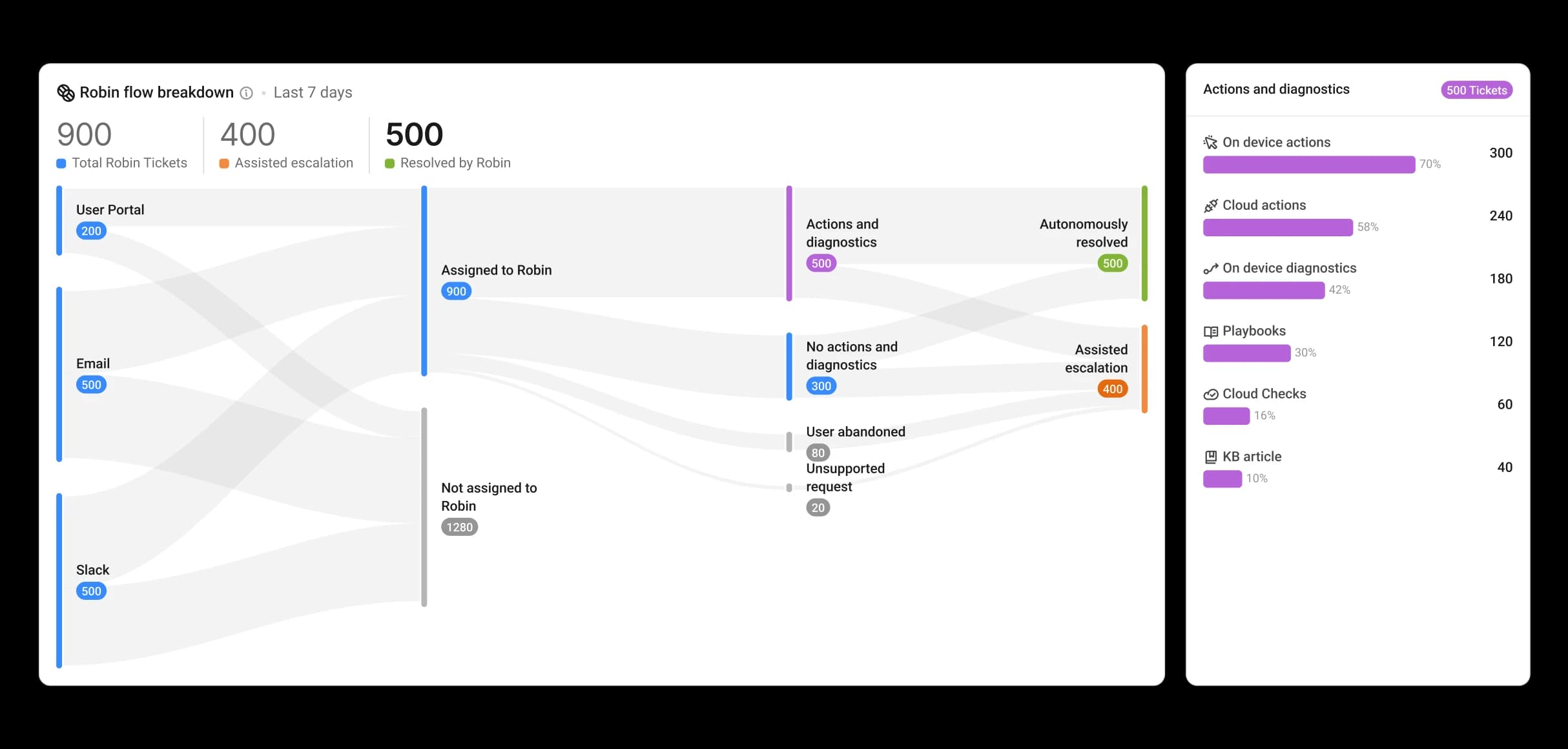
Atera’s AI agent, Robin, is designed to take ownership of IT issues from start to finish. It can diagnose problems, execute fixes directly on devices or systems, and confirm resolution—often without requiring technician involvement. This shifts IT teams away from manual troubleshooting and toward a more autonomous operating model.
End-to-End Incident Resolution
Atera enables full lifecycle incident handling within a single platform. From initial detection to remediation and validation, issues can be resolved in a continuous workflow without constant handoffs. This reduces resolution times and minimizes the need for manual intervention across support processes.
Remote Monitoring and Management (RMM)
Gain real-time visibility and control across all devices and systems. Atera’s RMM not only detects issues early but also feeds into automated and autonomous workflows that help resolve problems before they impact users.
Help Desk Management
Manage and track support requests through an integrated help desk, while leveraging automation and AI to reduce manual ticket handling and improve response efficiency.
Network Discovery
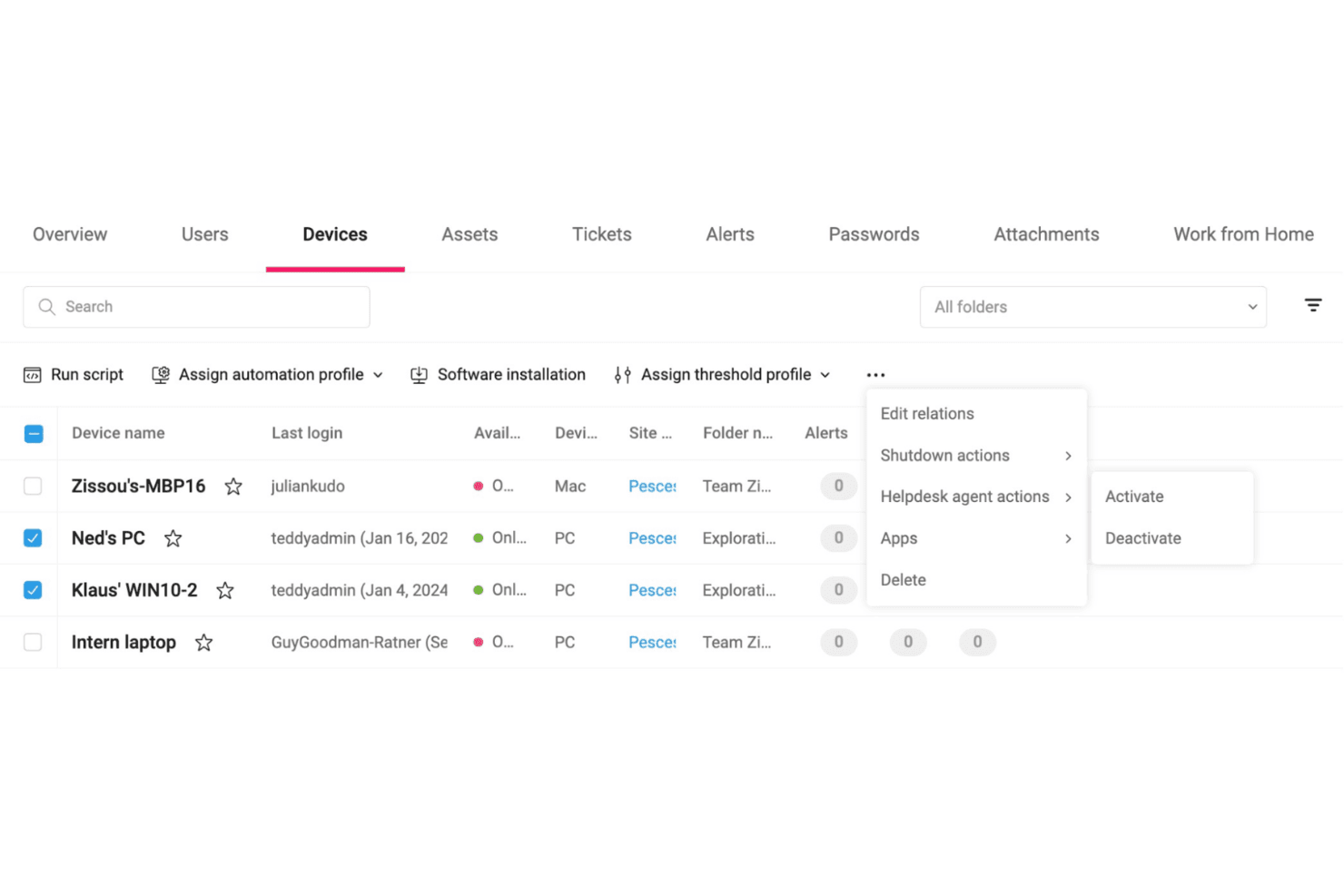
Automatically identify and catalog all devices on your network. This keeps your inventory updated and helps in managing resources effectively.
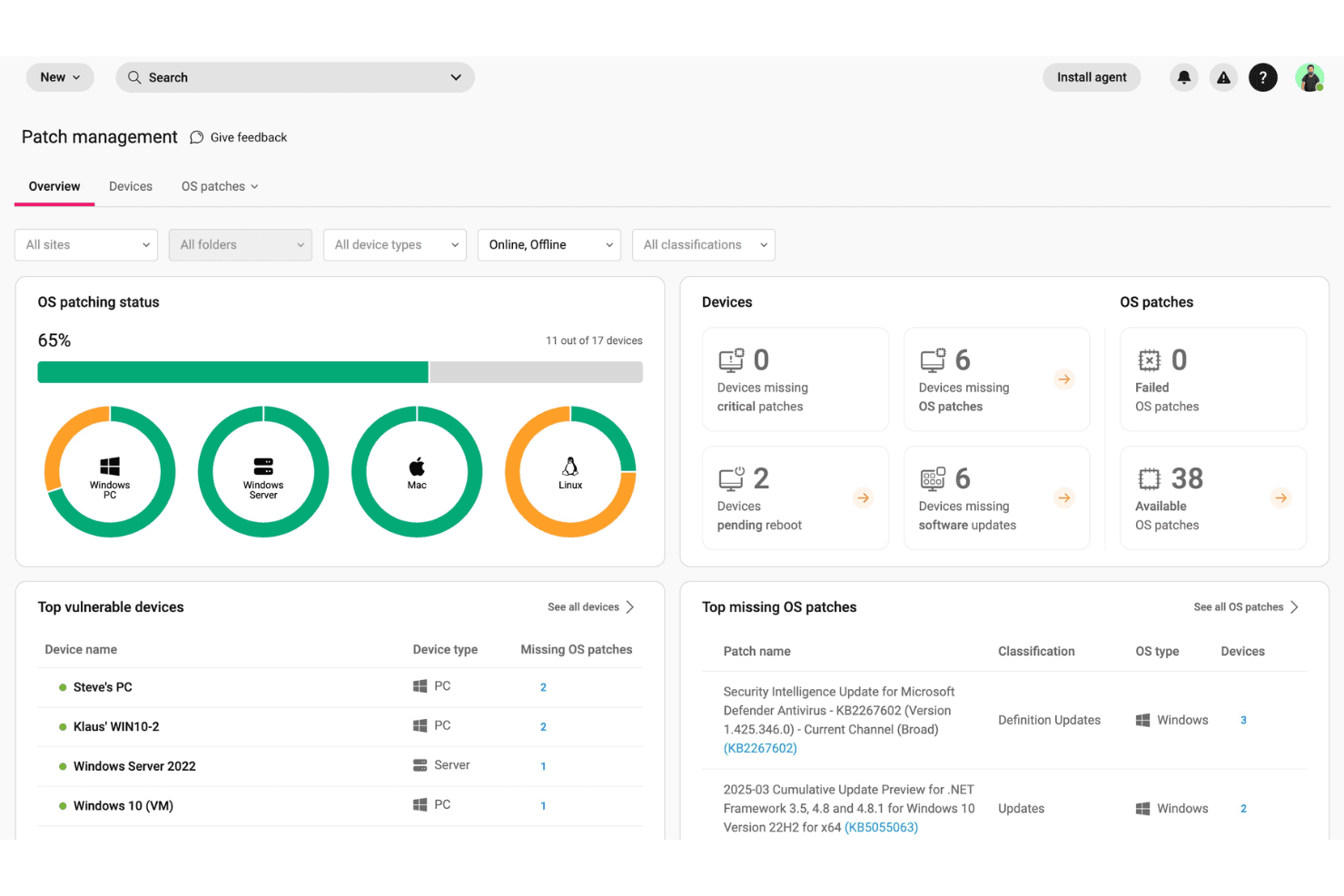
Patch Management
Automate patch management including scanning, identifying, downloading, testing and deploying updates across devices. This feature protects your infrastructure from vulnerabilities by keeping software current.
Professional Services Automation (PSA)
This manages tickets, billing, contracts, and customer records in one place. You can track work, automate invoices, and keep your service operations organized and accurate.
Standout Features
Autonomous IT Workflows
Atera extends beyond traditional automation by enabling workflows that can act on issues with minimal manual input. Instead of relying solely on predefined scripts, the platform can handle repetitive IT tasks and common incidents more intelligently, helping teams reduce workload and improve consistency.
Remote Access
This lets you securely connect to user devices anytime without needing extra tools. You can troubleshoot, fix issues, or guide users live, which speeds up support and reduces downtime.
Ease of Use
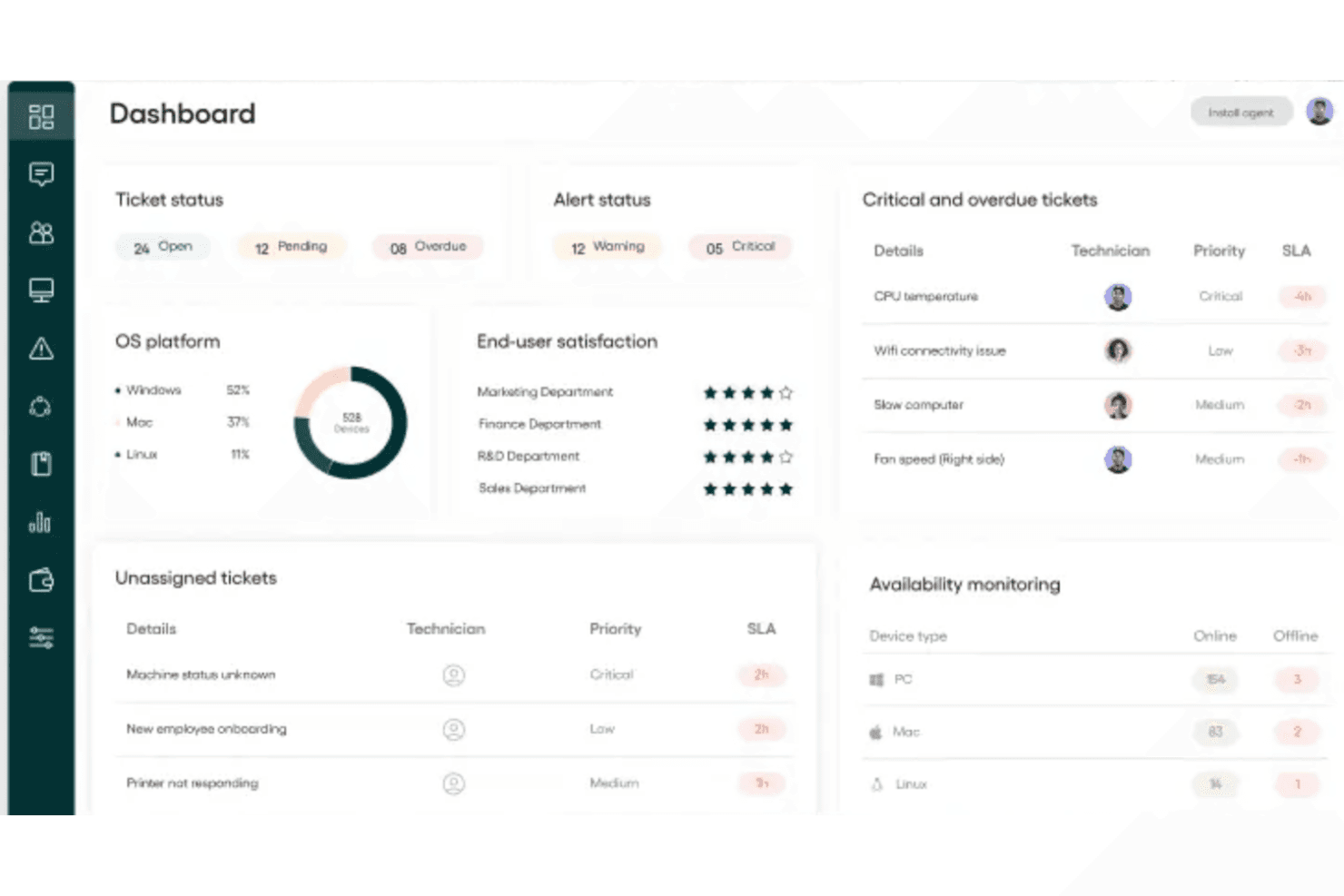
Atera’s dashboard provides a clear, centralized view of your IT environment, making it easier to monitor systems, track activity, and manage operations from a single interface.
Despite its broad capabilities, the platform is designed to be intuitive, with a clean layout that helps teams quickly navigate between monitoring, automation, and support workflows. This makes it accessible for teams getting started, while still supporting more advanced use cases as your environment grows.
By simplifying how tasks are surfaced and handled, Atera reduces the learning curve and helps enterprise IT teams spend less time navigating tools and more time maintaining systems and improving operations.
Onboarding
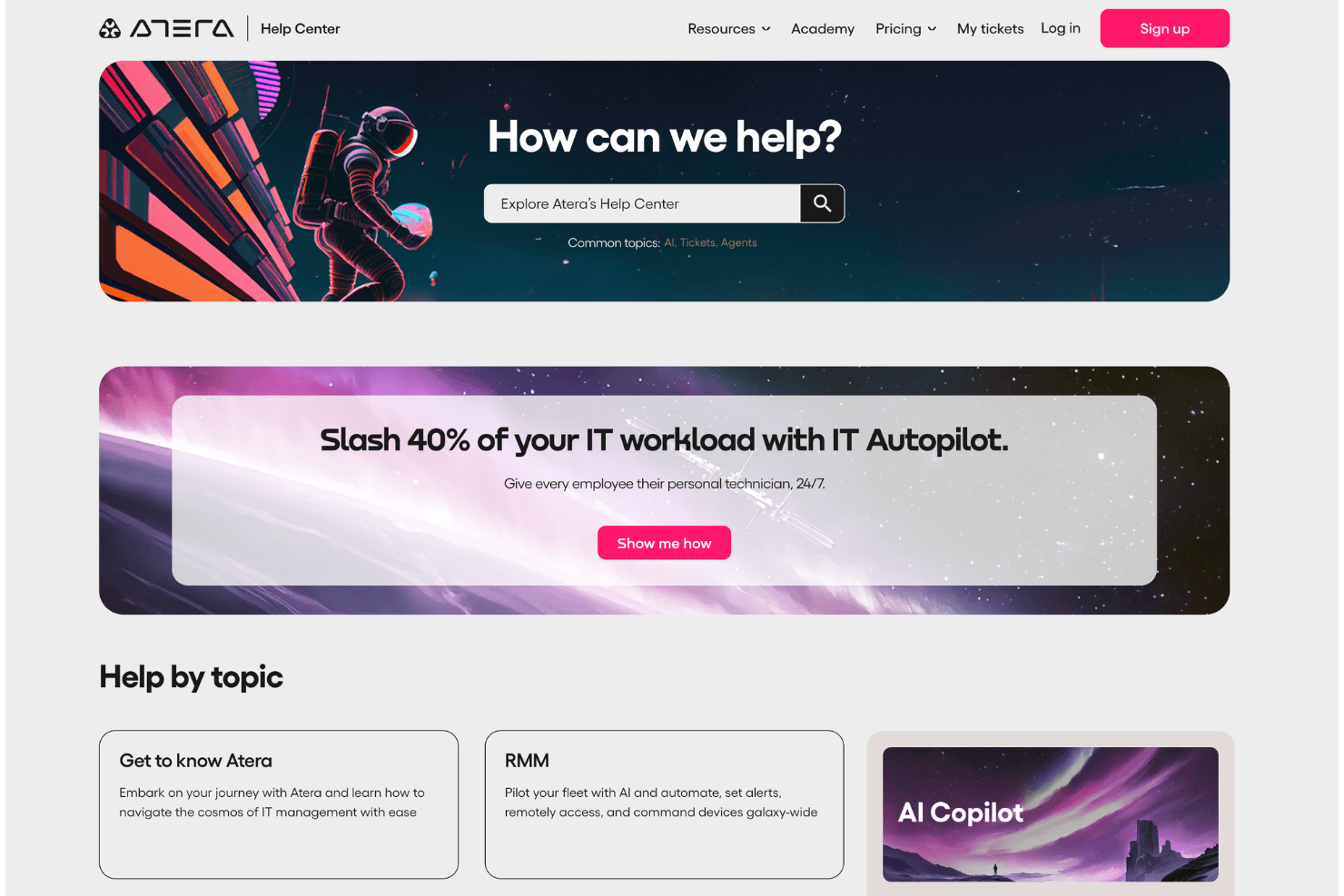
Robin makes it fairly easy for you to get started, with a clear setup flow, guided configuration, and quick agent deployment. You can learn fast through Atera Academy, step-by-step guides, and the help center, which many users find practical and easy to follow. Most teams reach value quickly, especially for monitoring, ticketing, and automation, though exploring deeper features can take a bit more time as your environment grows.
Customer Support
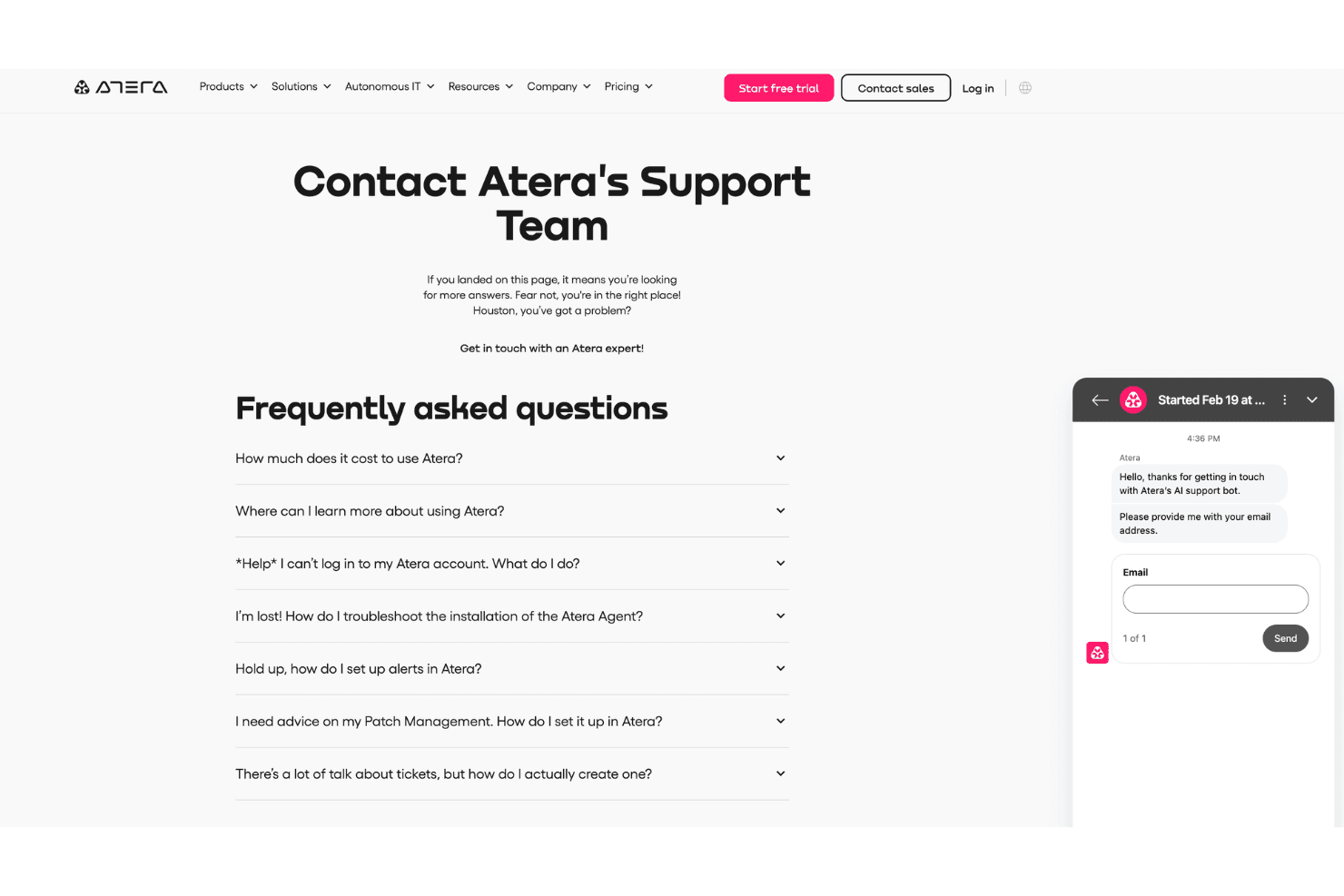
Atera provides 24/7 live chat, email, and a rich knowledge base so you can get help when issues block your work. Support is usually fast and helpful, especially for setup, automation, and troubleshooting. Many users like the clear guidance and hands-on help, though complex cases can sometimes take longer. Overall, you get reliable, accessible support that helps your team stay productive and resolve problems with less stress.
Integrations
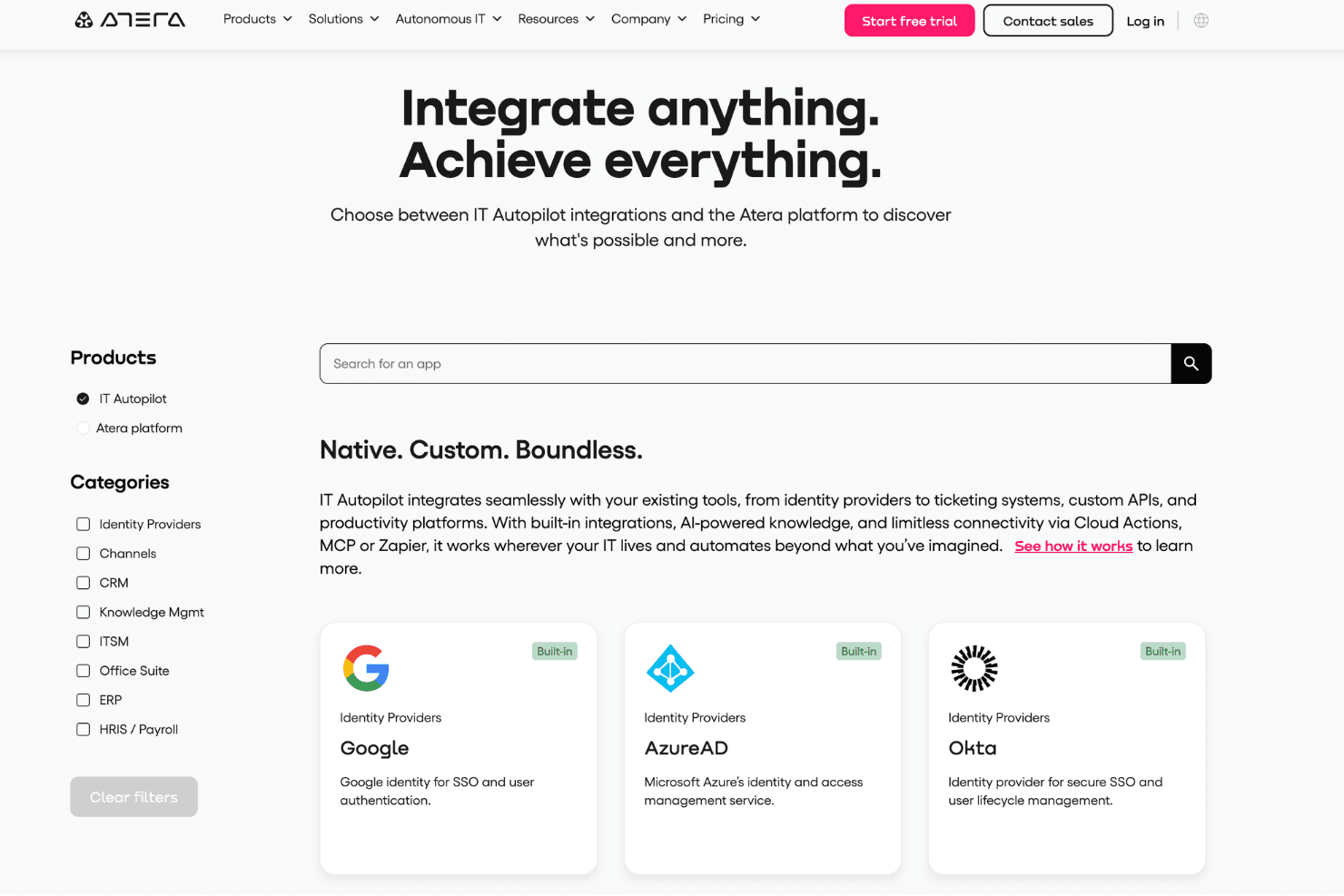
Robin integrates natively with Google, Microsoft Azure AD, Okta, Microsoft 365, QuickBooks, Xero, Bitdefender, Webroot, Splashtop, and AnyDesk.
Robin also provides an API and connects with third-party tools like Zapier.
Value for Money
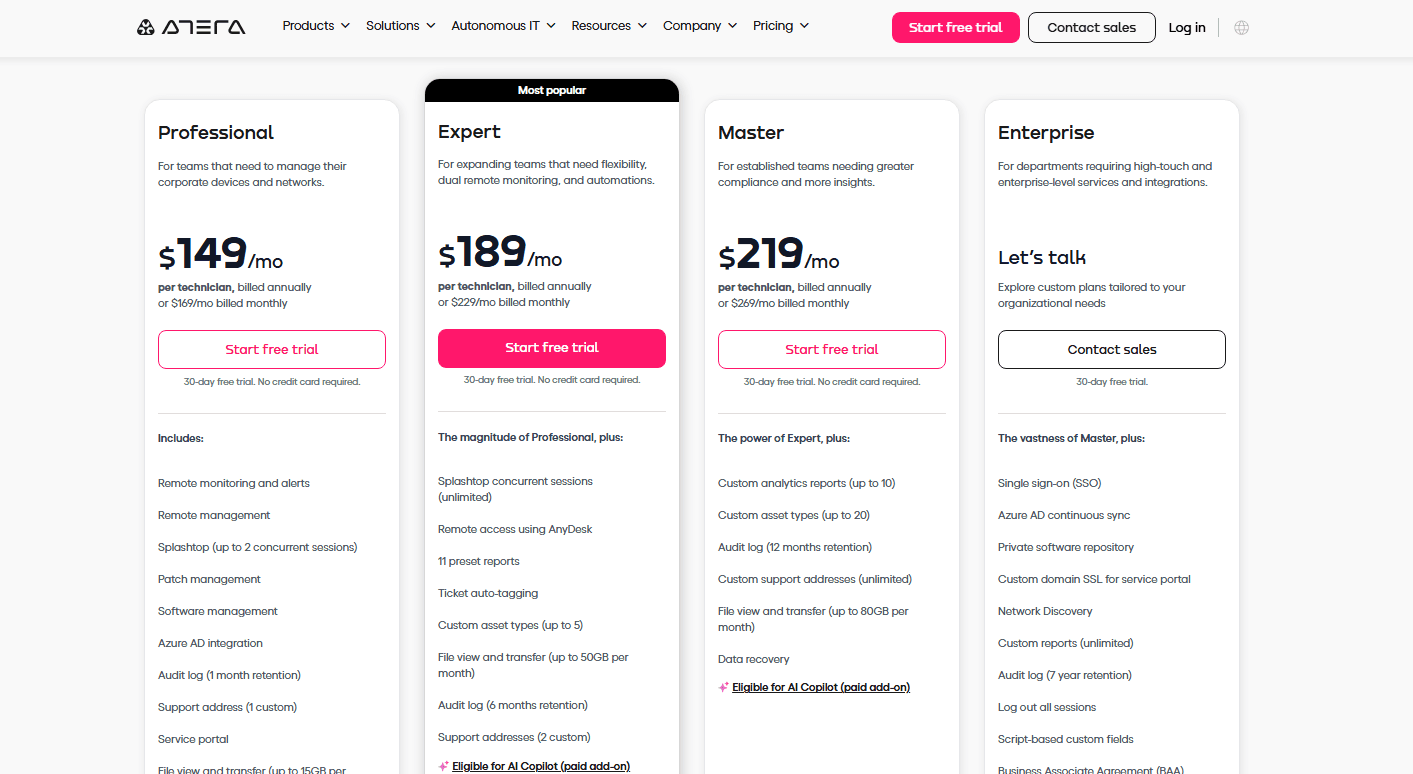
With Robin's pricing, you pay per technician, not per device, which can save you money as your endpoint count grows. Many users appreciate the unlimited endpoints, built-in RMM, patching, and ticketing included with every plan. This pricing applies to IT departments; a separate structure is available for MSPs.
- Professional: Core RMM, patch management, Splashtop (2 sessions), Azure AD integration, and mobile app.
- Expert: Everything in Professional plus unlimited Splashtop sessions, AnyDesk access, preset reports, and more audit retention.
- Master: Everything in Expert plus custom analytics, longer audit logs, more asset types, and data recovery.
- Enterprise: Everything in Master plus SSO, Azure AD sync, private software repository, unlimited reports, and enterprise-grade compliance features.
Atera Specs
- 2-Factor Authentication: Yes
- Access Management: Yes
- Anti-Virus: No
- API: Yes
- Audit Trail: Yes
- Bug Tracking: No
- Calendar Management: No
- Customer Management: No
- Dashboard: Yes
- Data Export: Yes
- Data Import: Yes
- Data Visualization: Yes
- Email Integration: Yes
- External Integrations: Yes
- File Sharing: No
- File Transfer: Yes
- Firewall: No
- Google Apps Integration: No
- Inventory Tracking: Yes
- Malware Protection: No
- Multi-User: Yes
- Network Device Performance Monitoring: Yes
- Network Traffic Monitoring: No
- Network Visualization: Yes
- Notifications: Yes
- Project Management: No
- Remote Access: Yes
- Risk Assessment: No
- SAP Integration: No
- Scheduling: No
- Software Integration: No
- Third-Party Plugins/Add-Ons: Yes
- Ticket Management: Yes
Atera FAQs
Atera Company Overview & History
Atera, founded in 2011 by Gil Pekelman and Oshri Moyal, is headquartered in Tel Aviv, Israel. This IT management platform serves over 12,000 users across 120 countries. Atera is known for its AI-powered tools that enhance IT operations, and it's a standalone product not affiliated with other companies. While specific financial details are limited, Atera's innovative solutions are utilized by various IT teams globally.
Atera Major Milestones
- 2011: Founded by Gil Pekelman and Oshri Moyal in Israel.
- 2015: The Atera IT management platform was officially launched.
- 2021: The company secured a major funding round led by private equity investors to accelerate growth and product development.
- 2023: Atera expanded its AI capabilities with the introduction of AI-powered IT tools for automation and service management.
- 2024: Expanded to serve 12,000 users in 120 countries, marking significant growth.
- 2026: Introduced Robin, an autonomous AI agent capable of diagnosing and resolving IT issues end-to-end, marking Atera’s shift toward an autonomous IT platform.