

ThreatLocker Testbericht für 2026: Vorteile, Nachteile, Funktionen & Preise

Wir bewerten Tools unabhängig; Provisionen helfen, unsere Tests zu finanzieren. Siehe unsere Transparenzrichtlinie und unsere Methodik.
Ransomware is still slipping past “detect and respond” tools, which is probably why you’re looking at ThreatLocker and its Zero Trust approach. ThreatLocker positions itself as a deny-by-default endpoint cybersecurity software that only allows approved applications and actions, aiming to shrink your attack surface rather than just add more alerts.
In this review, I’ll walk you through how ThreatLocker actually works in practice for teams like yours, where it shines, where the learning curve and operational overhead show up, and what you should know about pricing, support, and real-world feedback before you roll it out across your environment.
ThreatLocker Evaluation Summary
4.8/5
- Pricing upon request
- 30-day free trial + free demo available
Warum Sie unseren Software-Empfehlungen vertrauen können
6,700+
Reviews
20
Industry experts
16+
Evaluation factors
14
Years
Unser Team testet und bewertet Software seit 2012. Als Tech-Führungskräfte wissen wir selbst, wie schwierig – und wichtig – es ist, die richtige Software auszuwählen.
Für diesen Leitfaden haben wir Tools mithilfe von praktischen Tests und unabhängiger Recherche bewertet und dabei unsere Bewertungskriterien angewendet.
Unsere Bewertungen spiegeln unser menschliches redaktionelles Urteilsvermögen wider, keine Verkaufsstrategie.
Expertenprüfer:
- Paulo Gardini MiguelTech-Direktor
 Tim FisherVP für KI
 Gabriel RosasTech Lead & Software-Architekt
 Christhian GruhnTech Lead & Plattform-Architekt

ThreatLocker Overview
ThreatLocker is a Zero Trust endpoint security platform that combines application allowlisting, RingFencing, Elevation Control, Storage Control, and Network Control to tightly control what can run, what it can talk to, and what it can touch across your environment. It is designed primarily for MSPs and midmarket enterprises that want to move from reactive “detect and respond” tools to a default-deny posture, while still managing policies centrally at scale.
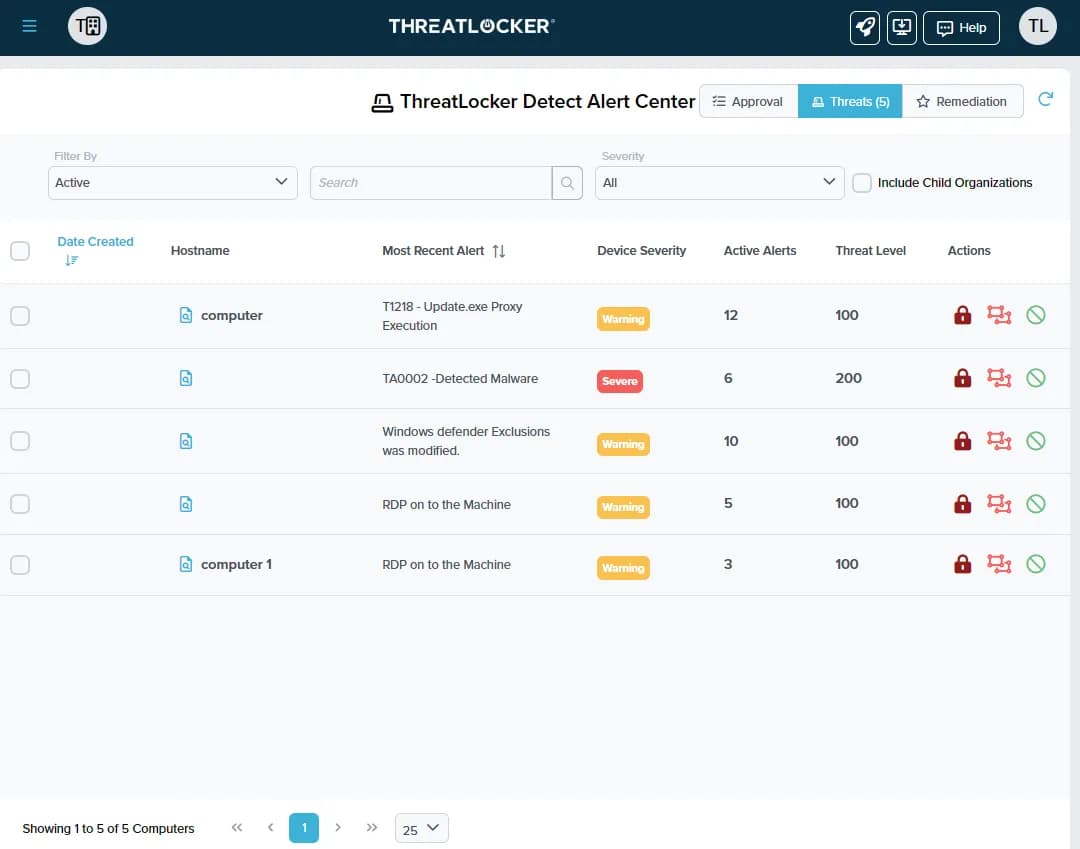
Expect strong prevention against ransomware and unauthorized apps through its default-deny model, paired with central visibility into policy enforcement across your endpoints. You’ll handle granular controls over executions, network connections, and data access via a unified cloud portal. Initial tuning requires time as the platform learns your environment, but it delivers precise blocking once configured.
Pros
- Delivers strong prevention against ransomware and zero-days.
- Granular control over applications, storage, and network access.
- Detailed logging supports compliance, audits, and forensic investigations.
Cons
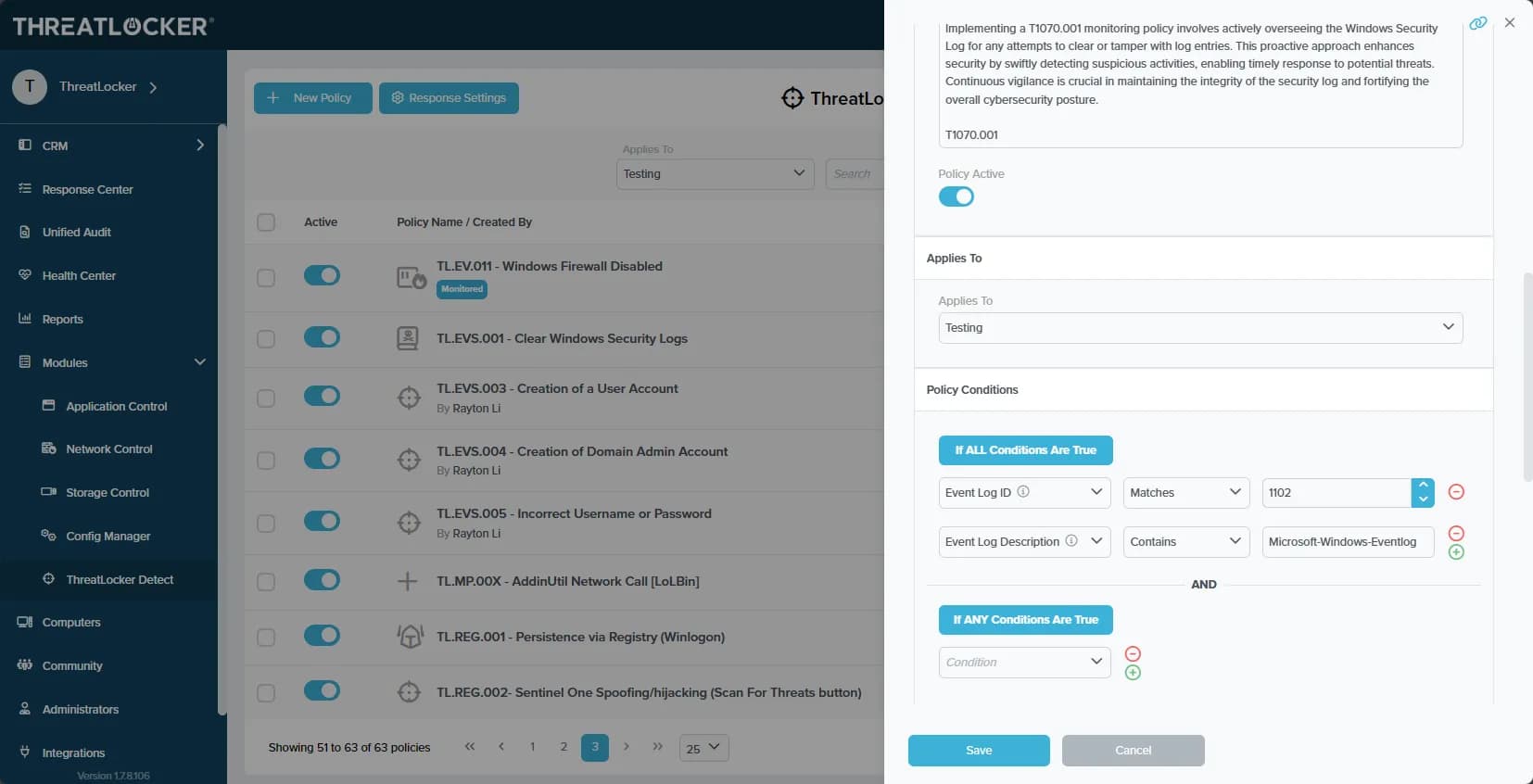
- Steep initial learning curve and tuning period, requires upfront policy work to avoid blocking legitimate apps.
- Not a set-and-forget security solution for most environments.
- End-user friction arises from strict controls that block routine software installs.
Is ThreatLocker Right For Your Needs?
Who Would be a Good Fit for ThreatLocker?
ThreatLocker suits MSPs and security-conscious teams ready to embrace a true default-deny Zero Trust model, especially those tired of alert fatigue from detection tools and seeking granular prevention across endpoints and servers. You’ll find it ideal if your organization values centralized policy management, strong ransomware blocking, and compliance needs like controlling USBs or admin elevations without handing out local admin rights.
- MSPs Managing Multiple ClientsCentralized cloud portal and RMM integrations let you deploy and tune policies across diverse environments without constant per-client tweaks.
- Healthcare OrganizationsGranular storage and elevation controls protect patient data on USBs, shares, and apps while meeting HIPAA compliance through audit trails.
- Educational InstitutionsLocks down student devices and servers against unauthorized software, reducing risks from unvetted apps in shared environments.
- Midmarket EnterprisesBalances strong prevention with learning modes to build allowlists quickly, minimizing disruption during rollout.
- High-Compliance IndustriesRingfencing and network controls limit lateral movement and data exfiltration, simplifying audits with detailed enforcement logs.
- Remote/Hybrid WorkforcesDynamic network ACLs secure traveling endpoints by whitelisting specific IPs or keywords without VPN overhead.
Who Would be a Bad Fit for ThreatLocker?
ThreatLocker isn’t the right choice if you’re seeking a quick-deploy detection tool or lack the resources for ongoing policy tuning, as its strict default-deny model demands upfront investment in allowlisting and can disrupt workflows during initial rollout. Teams needing broad app compatibility without customization or those prioritizing minimal end-user impact over maximum prevention will find the operational overhead, alert noise, and helpdesk tickets outweigh the benefits.
- Small Startups With Limited IT StaffPolicy tuning and exception handling require dedicated time that small teams can’t spare without blocking critical business apps.
- Highly Dynamic Dev EnvironmentsFrequent new software deployments clash with rigid allowlisting, creating constant tuning needs and deployment delays.
- Organizations Avoiding Change ManagementThe shift from “allow by default” generates friction and requires user training on blocked actions.
- Budget-Constrained SMBsModular pricing stacks up for full features, exceeding simple antivirus budgets without delivering detection alerts.
- Enterprises With Heavy Legacy App EcosystemsOutdated or custom software often fails with whitelisting without extensive vendor coordination and testing.
- Teams Wanting Hands-Off SecurityOngoing maintenance of policies and responses to learning-mode alerts demands active admin involvement.
Unsere Bewertungsmethodik
Wie wir Werkzeuge testen & bewerten
Wir haben Jahre damit verbracht, unser System zur Softwareprüfung und -bewertung aufzubauen, zu verfeinern und zu verbessern. Das Bewertungsraster ist darauf ausgelegt, die Feinheiten der Softwareauswahl und Effektivität eines Tools einzufangen, wobei wir uns auf kritische Aspekte des Entscheidungsprozesses konzentrieren.
Nachfolgend sehen Sie genau, wie unser Test- und Bewertungssystem anhand von sieben Kriterien funktioniert. Es ermöglicht uns eine unparteiische Bewertung der Software basierend auf Grundfunktionalität, besonderen Funktionen, Benutzerfreundlichkeit, Onboarding, Kundensupport, Integrationen, Kundenbewertungen und Preis-Leistungs-Verhältnis.
Grundfunktionalität (25 % der Endbewertung)
Der Ausgangspunkt unserer Bewertung ist immer die Grundfunktionalität des Werkzeugs. Verfügt es über die grundlegenden Funktionen und Merkmale, die ein Benutzer erwarten würde? Sind grundlegende Funktionen auf höherpreisige Tarife beschränkt? Im Kern erwarten wir, dass ein Tool den Basisfähigkeiten seiner Konkurrenten standhält.
Besondere Features (25 % der Endbewertung)
Anschließend bewerten wir ungewöhnliche, herausragende Funktionen, die über die typische Grundfunktionalität von Tools dieser Art hinausgehen. Eine hohe Bewertung zeigt spezialisierte oder einzigartige Eigenschaften, die das Produkt schneller, effizienter oder für den Nutzer wertvoller machen.
Wir bewerten außerdem, wie einfach sich das Tool mit anderen üblichen Werkzeugen im Technologie-Stack integrieren lässt, um die Funktionalität und den Nutzen der Software zu erweitern. Tools mit vielen nativen Integrationen, Drittanbieter-Anbindungen und API-Zugang zur Erstellung kundenspezifischer Integrationen erhalten die besten Bewertungen.
Benutzerfreundlichkeit (10 % der Endbewertung)
Wir betrachten, wie schnell und einfach Aufgaben aus dem Bereich der Grundfunktionalität mit dem Tool erledigt werden können. Gut bewertete Software ist durchdacht gestaltet, intuitiv bedienbar, bietet mobile Apps, Vorlagen und lässt relativ komplexe Aufgaben einfach erscheinen.
Onboarding (10 % der Endbewertung)
Wir wissen, wie wichtig die schnelle Einführung eines neuen Tools für das Team ist, daher bewerten wir, wie leicht sich ein Werkzeug mit minimalem Training erlernen und nutzen lässt. Wir bewerten, wie schnell ein Teammitglied ohne Vorerfahrung anfangen kann. Hoch bewertete Lösungen benötigen wenig bis gar keine Unterstützung.
Kundensupport (10 % der Endbewertung)
Wir prüfen, wie schnell und einfach man bei Problemen Hilfe per Telefon, Live-Chat oder Wissensdatenbank erhält. Tools und Anbieter mit Echtzeit-Support werden besser bewertet, während Chatbots schlechter abschneiden.
Kundenbewertungen (10 % der Endbewertung)
Neben unserer eigenen Prüfung beziehen wir den Net Promoter Score aktueller und ehemaliger Kunden mit ein. Wir bewerten, wie wahrscheinlich es ist, dass sie sich erneut für das Werkzeug entscheiden würden. Hoch bewertete Software weist einen hohen Net Promoter Score auf.
Preis-Leistungs-Verhältnis (10 % der Endbewertung)
Abschließend vergleichen wir unter Berücksichtigung aller Kriterien den durchschnittlichen Preis der Einstiegspakete mit den Grundfunktionen und bewerten den Mehrwert aus den anderen Bewertungsbereichen. Software, die mehr fürs gleiche Geld bietet, schneidet besser ab.
Core Features
Application Allowlisting
Blocks all unapproved executables by default, using learning modes to build tailored allowlists that prevent ransomware and zero-day exploits from running on endpoints.
Ringfencing
Contains approved applications by restricting their access to files, networks, and other processes, stopping lateral movement even if malware executes.
Elevation Control
Manages admin privileges without granting local admin rights, allowing just-in-time elevations for specific apps or tasks via policy-based rules.
Storage Control
Enforces granular policies on USBs, external drives, and file shares to block unauthorized data access, copying, or execution.
Network Control
Applies dynamic access control lists to whitelist approved connections by IP, domain, or keywords, securing endpoints without full VPN reliance.
Unified Policy Portal
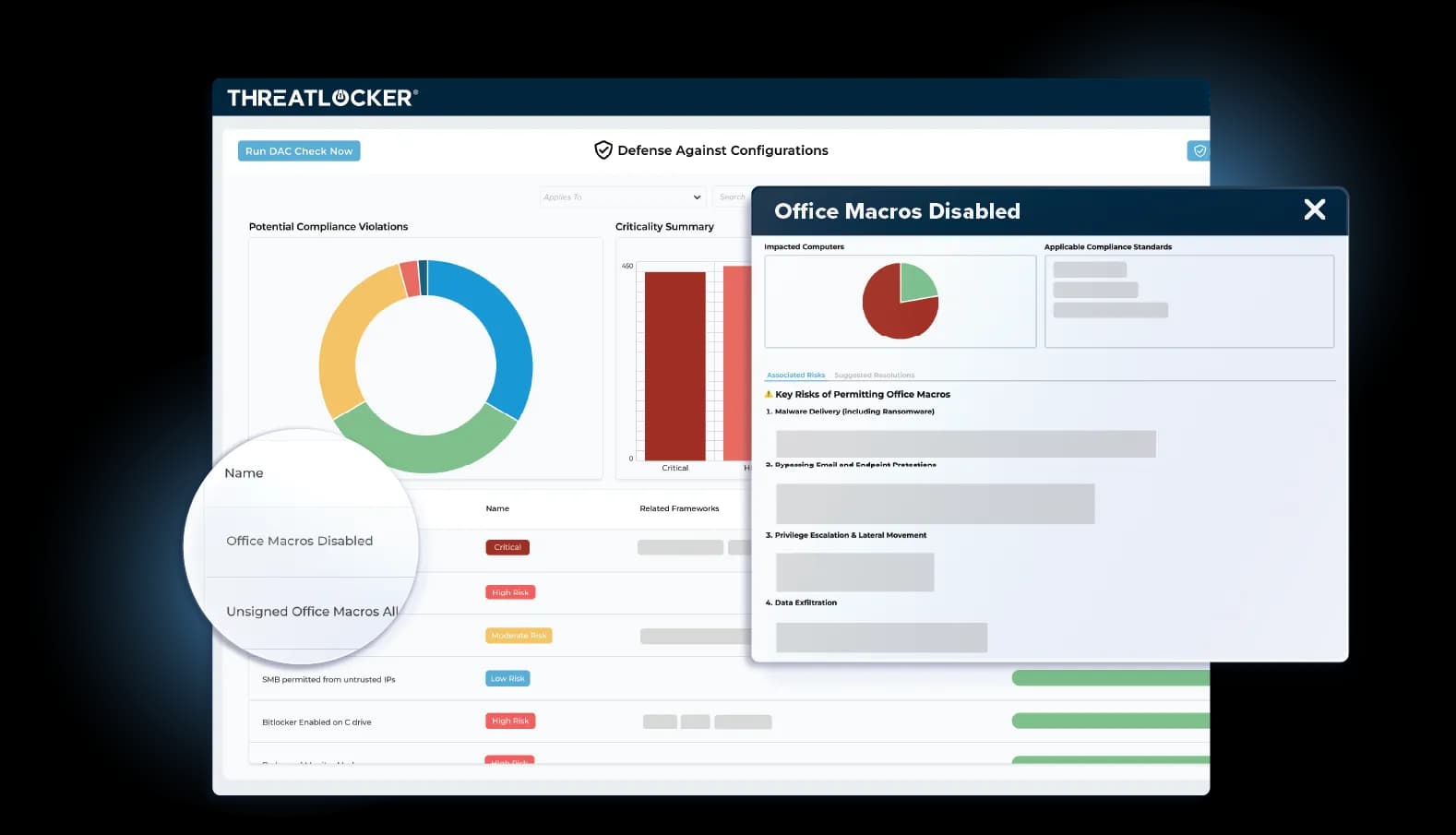
Central cloud dashboard deploys and monitors policies across endpoints and servers with real-time visibility and automated reporting.
Standout Features
ThreatLocker Cyber Hero MDR
24/7 managed detection and response service with 60-second average response times, triages alerts, follows your runbooks to isolate threats, and provides detailed mitigation reports without expanding your internal team.
Unified Audit
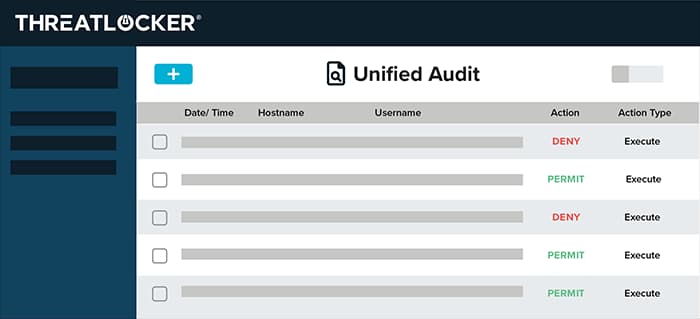
Centralized dashboard aggregates logs from all modules into a single searchable view by policy, user, hash, or time range, simplifying incident investigations and compliance reporting.
Ease of Use
ThreatLocker’s cloud portal offers an intuitive interface for policy creation and endpoint monitoring once you’re past the initial learning curve, but expect a steep ramp-up as you tune allowlists and handle exceptions during deployment. While the dashboard provides clear visibility into blocks and enforcements, the granular controls demand time to master, often requiring 2-4 weeks of active management before they run smoothly. End-users typically face minimal daily friction after onboarding.
Onboarding
ThreatLocker provides a structured onboarding process with automated agent deployment via RMM stub installers, followed by a learning mode that observes your environment for 1-2 weeks to build initial allowlists without disruptions. You’ll get access to ThreatLocker University for self-paced video guides and policy templates, plus optional professional services or partner-led deployments for complex rollouts. You will have success with dedicated implementation specialists who assist via screen shares during the critical tuning phase.
Customer Support
ThreatLocker provides 24/7 support to all clients via phone, email, and live chat, with specialized technical account managers for corporate plans that provide proactive policy reviews and threat hunting help. The vast ThreatLocker University knowledge library offers video lectures, policy templates, and troubleshooting instructions, while the Cyber Heroes SOC provides fast MDR triage on alerts. Users frequently see response times of less than 15 minutes and professional help during difficult deployments or ransomware events.
Integrations
Integrations include native interaction with major RMMs such as Datto RMM, Kaseya VSA, and N-able, as well as PSAs such as ConnectWise Manage and Autotask for automatic ticket creation, company mapping, and MSP-specific deployment workflows. An API is available with regional endpoints for custom integrations, supporting both legacy and new versions of tools with managed organization IDs for advanced automation.
Value for Money
ThreatLocker offers strong value by providing a fully customized, quote-based pricing model built around your actual environment rather than rigid tiers or bundles. Pricing is tailored to factors like endpoint count, application landscape, and required control levels, helping organizations budget accurately with no surprise costs later. In return, you get access to the full Zero Trust Platform—including application allowlisting, inventory visibility, audit logging, and centralized control—along with hands-on support from ThreatLocker’s Cyber Hero team to ensure the solution matches your exact security needs.
ThreatLocker Specs
- 2-Factor Authentication: No
- Access Management: No
- Anti-Virus: No
- API: Yes
- Audit Management: Yes
- Audit Trail: Yes
- Batch Permissions & Access: No
- Compliance Tracking: No
- Dashboard: No
- Data Export: No
- Data Import: No
- DDoS Protection: No
- External Integrations: Yes
- File Sharing: Yes
- File Transfer: No
- Firewall: No
- Incident Management: No
- Malware Protection: Yes
- Multi-User: Yes
- Notifications: Yes
- Password & Access Management: No
- Policy Management: Yes
- Real-time Alerts: Yes
- Report & Compliance: Yes
- Risk Assessment: No
- Security Migration: No
- Threat Detection: Yes
- Workflow Management: Yes
ThreatLocker FAQs
ThreatLocker Company Overview & History
ThreatLocker, founded by cybersecurity veterans Danny Jenkins, Sami Jenkins, and John Carolan, emerged from Danny’s firsthand experience with a devastating phishing attack that exposed flaws in reactive security tools, driving the company to pioneer a proactive Zero Trust platform with default-deny controls for endpoints. Headquartered in Orlando with global offices, the firm serves over 50,000 businesses worldwide, emphasizing relentless innovation, 24/7 support, and a diverse team to deliver comprehensive allowlisting, Ringfencing, and MDR capabilities that replace traditional “default allow” models.
ThreatLocker Major Milestones
- 2017: ThreatLocker founded by Danny, Sami Jenkins, and John Carolan to eliminate cybersecurity guesswork.
- 2020s (Early): Launches core Zero Trust platform, rapidly adopted by 50,000+ global businesses.
- 2025: Named to Inc. 5000 fastest-growing companies; hosts Zero Trust World event.