

SolarWinds Test 2026: Hauptfunktionen, Vorteile, Nachteile und Preise
SolarWinds überzeugt durch seine leistungsstarke, skalierbare Netzwerküberwachung, doch die Komplexität und Preisgestaltung richten sich eher an größere Unternehmen als an kleine Teams, die nach Einfachheit suchen.

Wir bewerten Tools unabhängig; Provisionen helfen, unsere Tests zu finanzieren. Siehe unsere Transparenzrichtlinie und unsere Methodik.
SolarWinds is a monitoring tool built for IT teams managing on-premises and hybrid network infrastructure. It's worth considering when you need granular visibility into network performance, including packet analysis, device health tracking, and multi-vendor hardware monitoring. If your environment skews physical or hybrid, SolarWinds offers more infrastructure depth than cloud-native platforms like Datadog, which focuses more on application and cloud observability.
SolarWinds Evaluation Summary
4.3/5
- From $7/node/month
- 30-day free trial + free demo available
Warum Sie unseren Software-Empfehlungen vertrauen können
6,700+
Reviews
20
Industry experts
16+
Evaluation factors
14
Years
Unser Team testet und bewertet Software seit 2012. Als Tech-Führungskräfte wissen wir selbst, wie schwierig – und wichtig – es ist, die richtige Software auszuwählen.
Für diesen Leitfaden haben wir Tools mithilfe von praktischen Tests und unabhängiger Recherche bewertet und dabei unsere Bewertungskriterien angewendet.
Unsere Bewertungen spiegeln unser menschliches redaktionelles Urteilsvermögen wider, keine Verkaufsstrategie.
Expertenprüfer:
- Paulo Gardini MiguelTech-Direktor
 Tim FisherVP für KI
 Gabriel RosasTech Lead & Software-Architekt
 Christhian GruhnTech Lead & Plattform-Architekt

SolarWinds Overview
When judging network monitoring software, SolarWinds stands out for its granular monitoring, customizable dashboards, and broad device support. Its pricing and advanced features make it a strong choice for enterprises managing large, distributed networks, though onboarding can be complex for smaller teams. Compared to others, SolarWinds excels in integration options and detailed alerting, but its interface can feel dated and support response times vary.
If you’re selecting a solution for a multi-site environment or need deep reporting, SolarWinds is worth considering, especially if you value flexibility over simplicity.
Pros
- You get real-time alerts and diagnostics that help you quickly address network issues.
- The intuitive dashboard makes it easy for your team to monitor performance at a glance.
- You can customize reports to fit your specific needs and get detailed insights.
Cons
- The software can feel overwhelming due to its extensive features.
- You might experience occasional lags in the user interface.
- Some users find the initial setup process to be a bit complex.
Is SolarWinds Right For Your Needs?
Who Would be a Good Fit for SolarWinds?
IT teams in large enterprises, like financial institutions and tech companies, would benefit greatly from SolarWinds Network Performance Monitor. Its real-time alerts and detailed diagnostics are crucial for environments where network uptime is critical. If your team needs customizable reports to tailor insights to specific requirements, this tool will serve you well, helping you maintain smooth operations and quickly address network issues.
- Large EnterprisesYour large-scale operations will benefit from detailed insights and real-time alerts, ensuring network stability.
- Financial InstitutionsYou can rely on its robust monitoring to maintain secure and continuous network operations, critical for financial transactions.
- Tech CompaniesYour team will appreciate the customizable dashboards that help you manage complex network systems efficiently.
- Healthcare ProvidersYou need reliable performance monitoring to ensure uninterrupted access to critical patient data and applications.
- Educational InstitutionsYour IT department can use its easy-to-understand dashboards to manage diverse network needs across campuses.
- Government AgenciesYou require a dependable tool to monitor and secure sensitive data across extensive network infrastructures.
Who Would be a Bad Fit for SolarWinds?
Small businesses or startups with limited IT resources might find SolarWinds Network Performance Monitor overwhelming. Its extensive feature set and complex setup process could be more than you need if your network environment is simple and doesn’t require deep insights. For teams without dedicated IT staff, the learning curve and management might outweigh the benefits.
- Small StartupsYou may find its features too complex and unnecessary for a simple network setup.
- FreelancersYou likely don’t need such an advanced tool for managing a single-person operation.
- Non-Technical TeamsYour team might struggle with the technical aspects and setup process.
- Local Retail ShopsYou probably don’t require the detailed insights provided by this tool for basic network needs.
- Non-Profit OrganizationsYour limited budget and simpler network demands might not justify the investment in this software.
- Home OfficesYou’ll find its capabilities excessive for managing a basic home network setup.
Unsere Bewertungsmethodik
Wie wir Werkzeuge testen & bewerten
Wir haben Jahre damit verbracht, unser System zur Softwareprüfung und -bewertung aufzubauen, zu verfeinern und zu verbessern. Das Bewertungsraster ist darauf ausgelegt, die Feinheiten der Softwareauswahl und Effektivität eines Tools einzufangen, wobei wir uns auf kritische Aspekte des Entscheidungsprozesses konzentrieren.
Nachfolgend sehen Sie genau, wie unser Test- und Bewertungssystem anhand von sieben Kriterien funktioniert. Es ermöglicht uns eine unparteiische Bewertung der Software basierend auf Grundfunktionalität, besonderen Funktionen, Benutzerfreundlichkeit, Onboarding, Kundensupport, Integrationen, Kundenbewertungen und Preis-Leistungs-Verhältnis.
Grundfunktionalität (25 % der Endbewertung)
Der Ausgangspunkt unserer Bewertung ist immer die Grundfunktionalität des Werkzeugs. Verfügt es über die grundlegenden Funktionen und Merkmale, die ein Benutzer erwarten würde? Sind grundlegende Funktionen auf höherpreisige Tarife beschränkt? Im Kern erwarten wir, dass ein Tool den Basisfähigkeiten seiner Konkurrenten standhält.
Besondere Features (25 % der Endbewertung)
Anschließend bewerten wir ungewöhnliche, herausragende Funktionen, die über die typische Grundfunktionalität von Tools dieser Art hinausgehen. Eine hohe Bewertung zeigt spezialisierte oder einzigartige Eigenschaften, die das Produkt schneller, effizienter oder für den Nutzer wertvoller machen.
Wir bewerten außerdem, wie einfach sich das Tool mit anderen üblichen Werkzeugen im Technologie-Stack integrieren lässt, um die Funktionalität und den Nutzen der Software zu erweitern. Tools mit vielen nativen Integrationen, Drittanbieter-Anbindungen und API-Zugang zur Erstellung kundenspezifischer Integrationen erhalten die besten Bewertungen.
Benutzerfreundlichkeit (10 % der Endbewertung)
Wir betrachten, wie schnell und einfach Aufgaben aus dem Bereich der Grundfunktionalität mit dem Tool erledigt werden können. Gut bewertete Software ist durchdacht gestaltet, intuitiv bedienbar, bietet mobile Apps, Vorlagen und lässt relativ komplexe Aufgaben einfach erscheinen.
Onboarding (10 % der Endbewertung)
Wir wissen, wie wichtig die schnelle Einführung eines neuen Tools für das Team ist, daher bewerten wir, wie leicht sich ein Werkzeug mit minimalem Training erlernen und nutzen lässt. Wir bewerten, wie schnell ein Teammitglied ohne Vorerfahrung anfangen kann. Hoch bewertete Lösungen benötigen wenig bis gar keine Unterstützung.
Kundensupport (10 % der Endbewertung)
Wir prüfen, wie schnell und einfach man bei Problemen Hilfe per Telefon, Live-Chat oder Wissensdatenbank erhält. Tools und Anbieter mit Echtzeit-Support werden besser bewertet, während Chatbots schlechter abschneiden.
Kundenbewertungen (10 % der Endbewertung)
Neben unserer eigenen Prüfung beziehen wir den Net Promoter Score aktueller und ehemaliger Kunden mit ein. Wir bewerten, wie wahrscheinlich es ist, dass sie sich erneut für das Werkzeug entscheiden würden. Hoch bewertete Software weist einen hohen Net Promoter Score auf.
Preis-Leistungs-Verhältnis (10 % der Endbewertung)
Abschließend vergleichen wir unter Berücksichtigung aller Kriterien den durchschnittlichen Preis der Einstiegspakete mit den Grundfunktionen und bewerten den Mehrwert aus den anderen Bewertungsbereichen. Software, die mehr fürs gleiche Geld bietet, schneidet besser ab.
Core Features
Real-Time Alerts
You get instant notifications when network issues arise, helping your team respond quickly. This proactive approach minimizes downtime and keeps your network running smoothly.
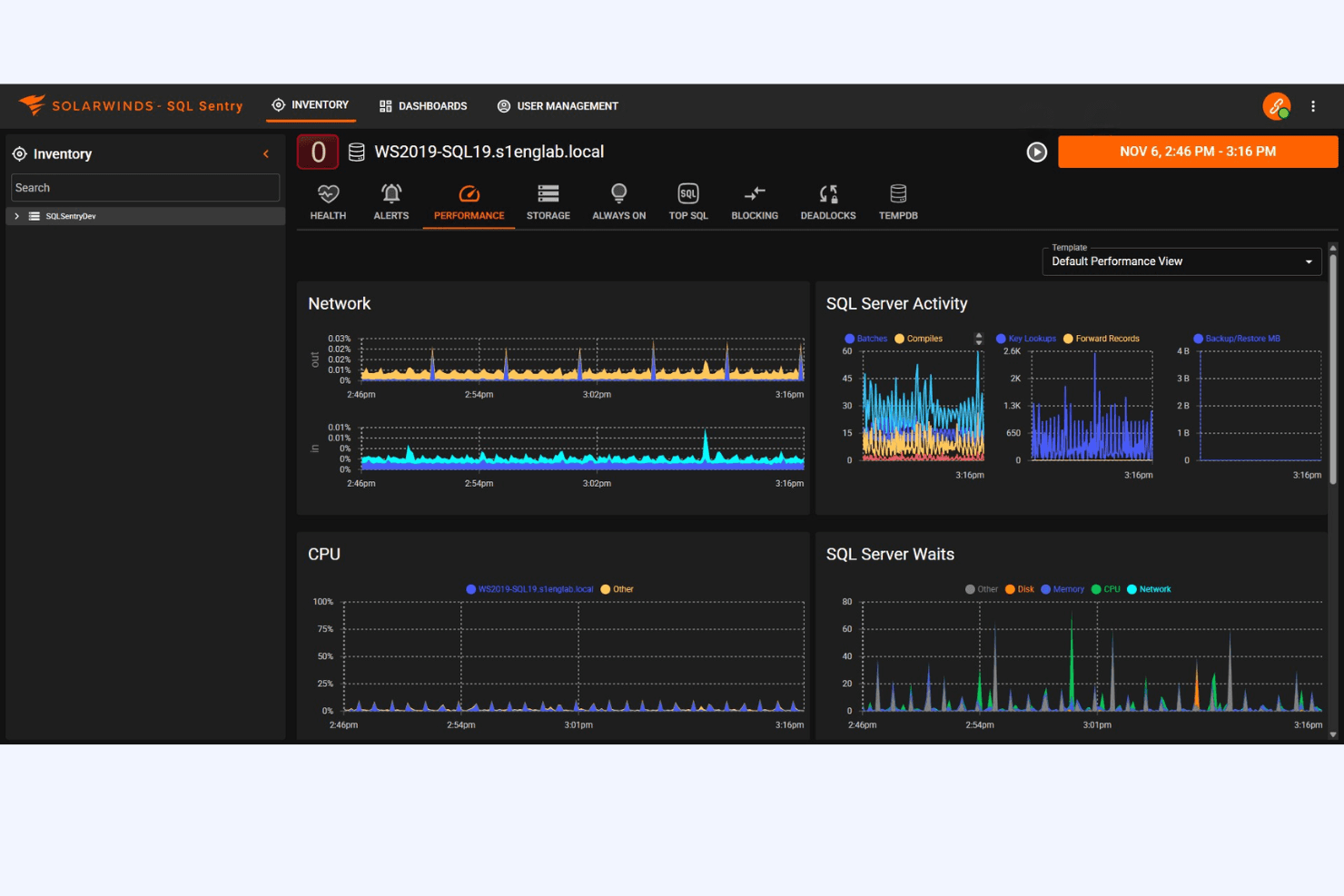
Performance Analysis
You can analyze network performance trends over time, which helps in identifying potential bottlenecks. This feature allows you to make informed decisions based on historical data.
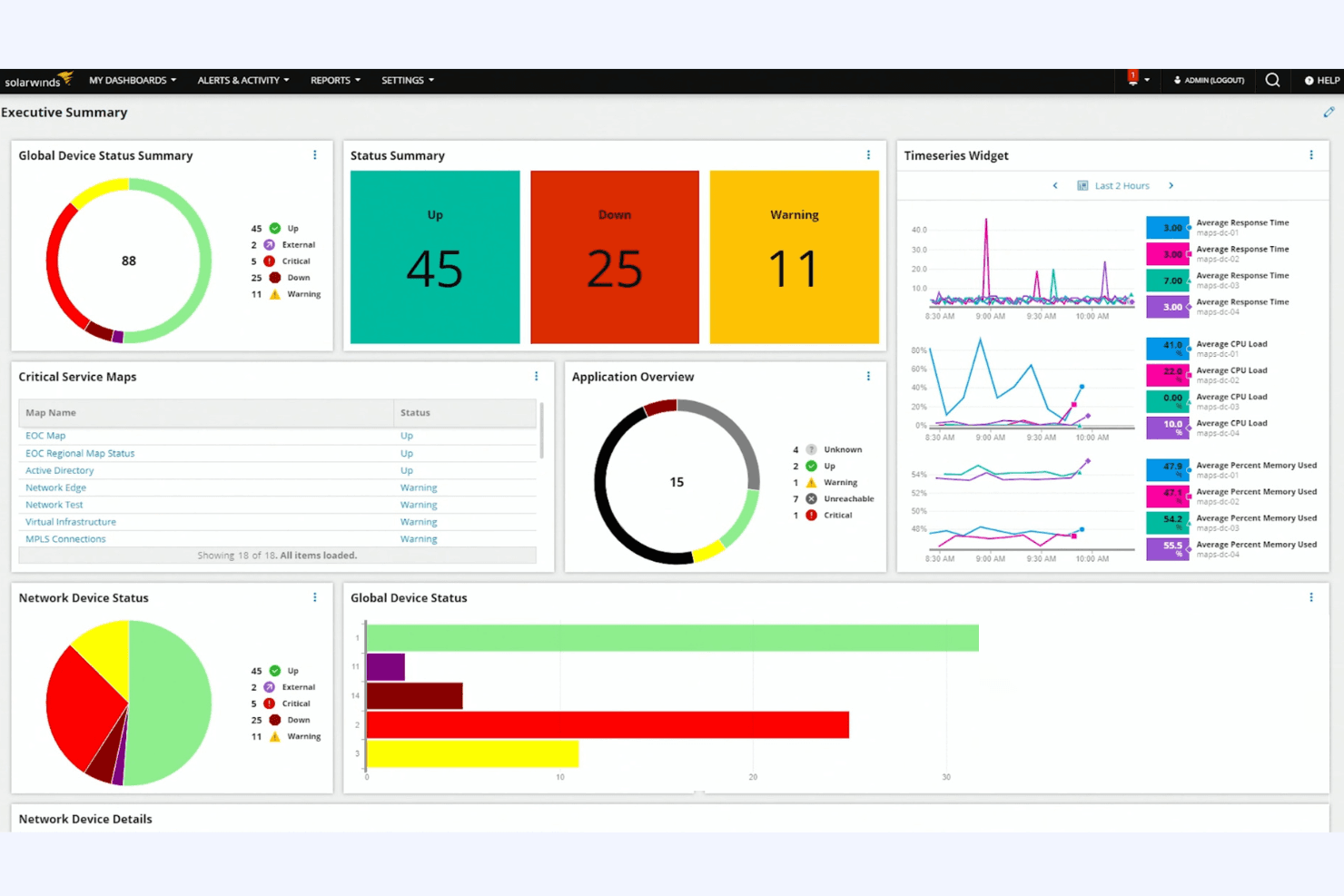
Customizable Dashboards
Tailor the dashboard to fit your specific needs, giving you quick access to the information that matters most. This flexibility ensures your team sees relevant data at a glance.
Network Mapping
Automatically map out your network to visualize connections and dependencies. This makes it easier for you to understand the network’s structure and troubleshoot issues.
Bandwidth Monitoring
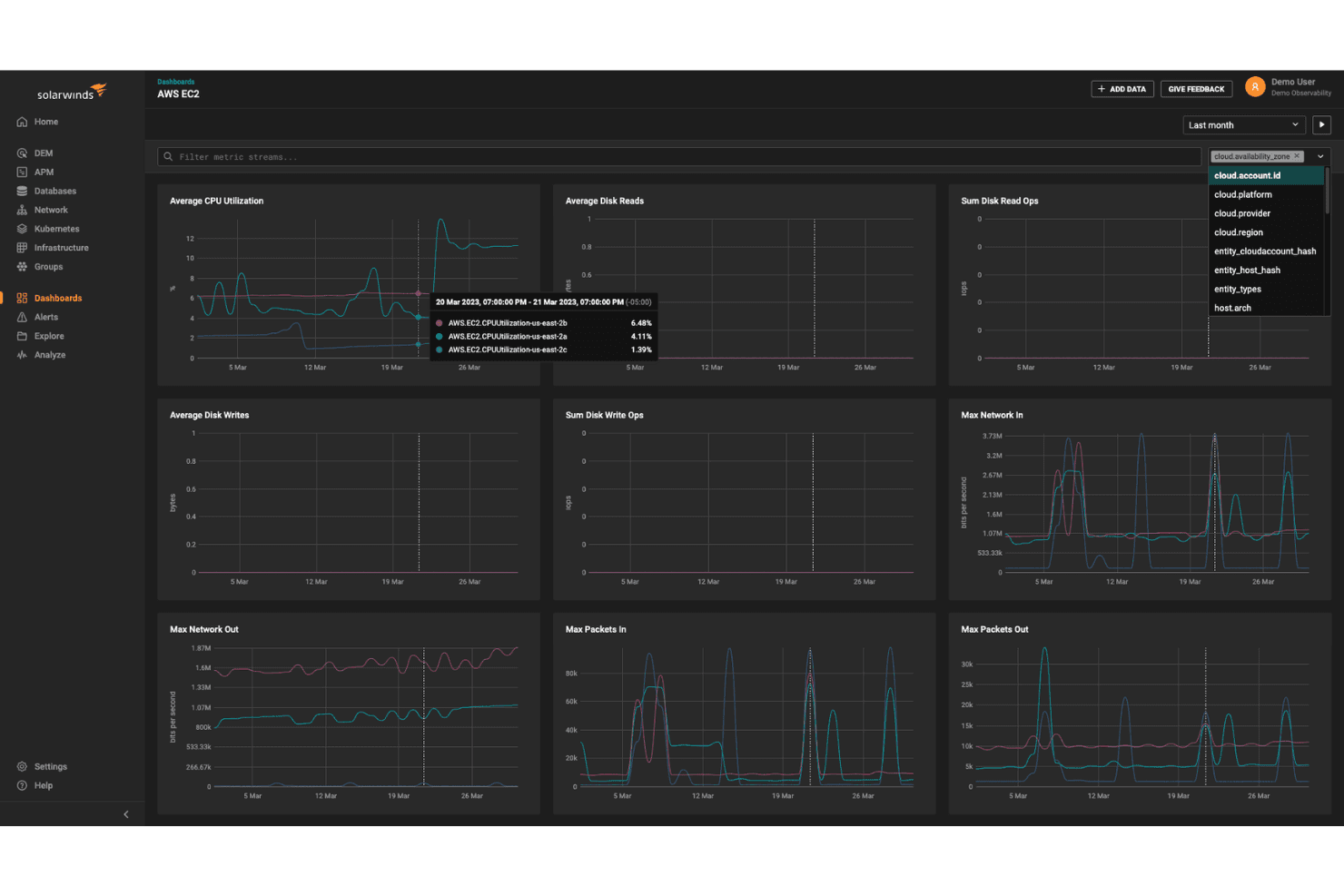
Track bandwidth usage across your network to identify which applications or devices are consuming the most resources. This insight helps you manage and allocate bandwidth effectively.
Device Tracking
Keep tabs on all devices connected to your network, ensuring everything is accounted for. You can quickly spot unauthorized devices, enhancing your network security.
Ease of Use
SolarWinds offers an intuitive interface, making it relatively user-friendly compared to many alternatives. Its customizable dashboards let you tailor views to your team’s needs, providing quick access to key data. However, the extensive feature set can feel overwhelming initially, especially if you’re new to network monitoring tools. Once familiar, your team will appreciate the streamlined navigation and clear visualizations, which simplify complex network management tasks.
Integrations
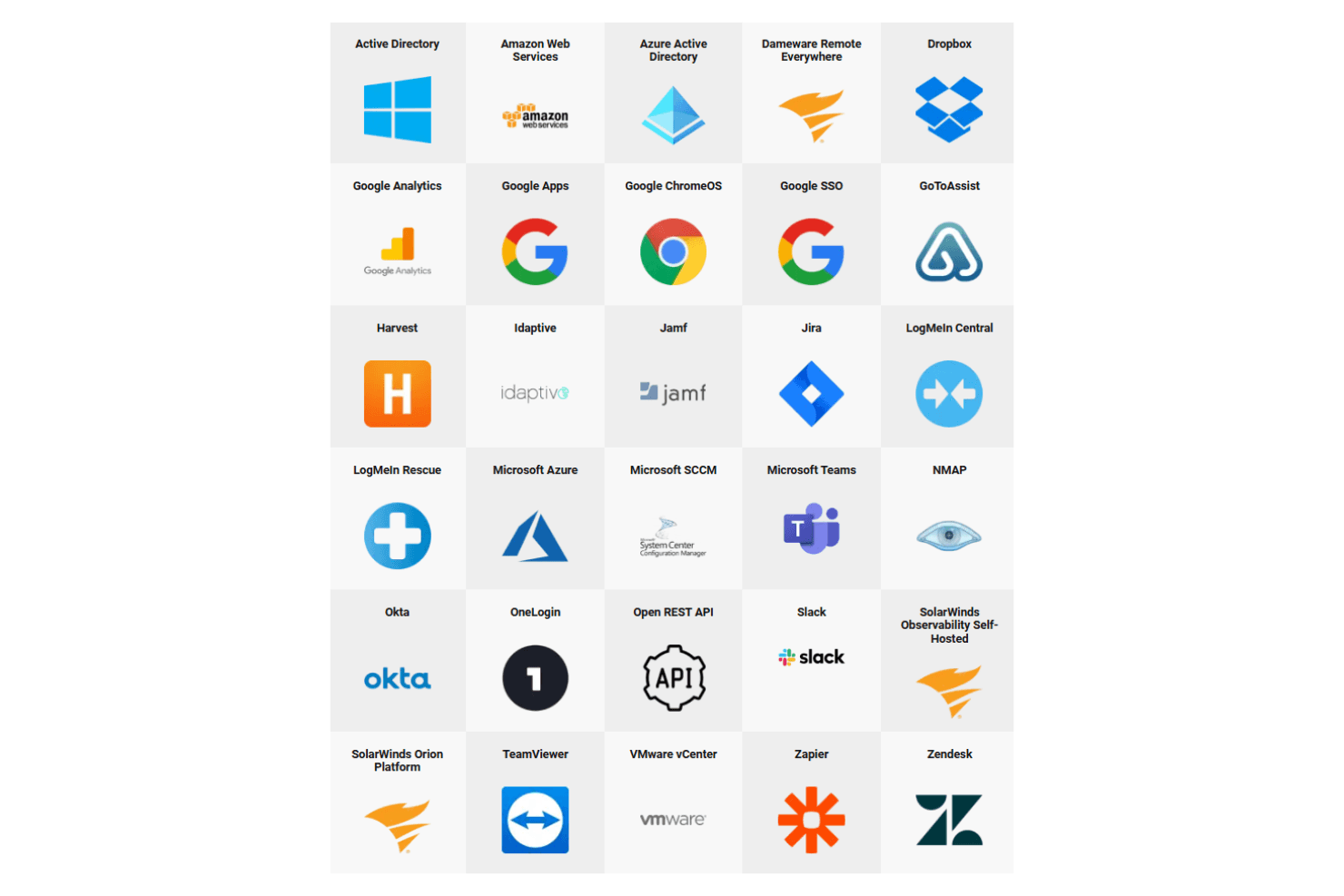
SolarWinds integrates with ServiceNow, Microsoft Teams, Slack, VMware vSphere, Amazon Web Services (AWS), Cisco Meraki, NetApp, Microsoft Azure, Splunk, and PagerDuty, among others.
SolarWinds also offers a REST API for custom integrations and supports connections with third-party integration tools.
SolarWinds Specs
- 2-Factor Authentication: No
- Anti-Virus: No
- API: Yes
- Bug Tracking: No
- Dashboard: Yes
- Data Export: Yes
- Data Import: Yes
- Data Visualization: Yes
- Email Integration: Yes
- External Integrations: Yes
- File Sharing: No
- File Transfer: No
- Firewall: No
- Google Apps Integration: No
- Inventory Tracking: No
- Malware Protection: No
- Multi-User: Yes
- Network Device Performance Monitoring: Yes
- Network Traffic Monitoring: Yes
- Network Visualization: Yes
- Notifications: Yes
- Project Management: No
- Scheduling: Yes
- Third-Party Plugins/Add-Ons: Yes


