
Dataiku-Testbericht 2026: Die wichtigsten Funktionen, Vor- und Nachteile sowie Preise erklärt
I’ve put Dataiku to the test—here’s what makes it stand out (and trip up) as a cloud ML platform, with real insight into its features, fit, and hidden tradeoffs for your 2026 decisions.

Wir bewerten Tools unabhängig; Provisionen helfen, unsere Tests zu finanzieren. Siehe unsere Transparenzrichtlinie und unsere Methodik.
Dataiku is a machine learning cloud platform for data science teams that need to build, deploy, and monitor AI and analytics projects across a shared environment. I'd consider it when your organization has a mix of data engineers, analysts, and business users who all need to collaborate on the same pipelines, without forcing everyone into a code-first workflow. Compared to a tool like Databricks, which leans heavily on notebooks and Spark expertise, Dataiku gives you a visual flow interface alongside Python, R, and SQL, so IT teams can support both citizen data scientists and advanced ML engineers on one governed platform.
Dataiku Evaluation Summary
4.6/5
- Pricing upon request
- 14-day free trial
Warum Sie unseren Software-Empfehlungen vertrauen können
6,700+
Reviews
20
Industry experts
16+
Evaluation factors
14
Years
Unser Team testet und bewertet Software seit 2012. Als Tech-Führungskräfte wissen wir selbst, wie schwierig – und wichtig – es ist, die richtige Software auszuwählen.
Für diesen Leitfaden haben wir Tools mithilfe von praktischen Tests und unabhängiger Recherche bewertet und dabei unsere Bewertungskriterien angewendet.
Unsere Bewertungen spiegeln unser menschliches redaktionelles Urteilsvermögen wider, keine Verkaufsstrategie.
Expertenprüfer:
- Paulo Gardini MiguelTech-Direktor
 Tim FisherVP für KI
 Gabriel RosasTech Lead & Software-Architekt
 Christhian GruhnTech Lead & Plattform-Architekt

Dataiku Overview
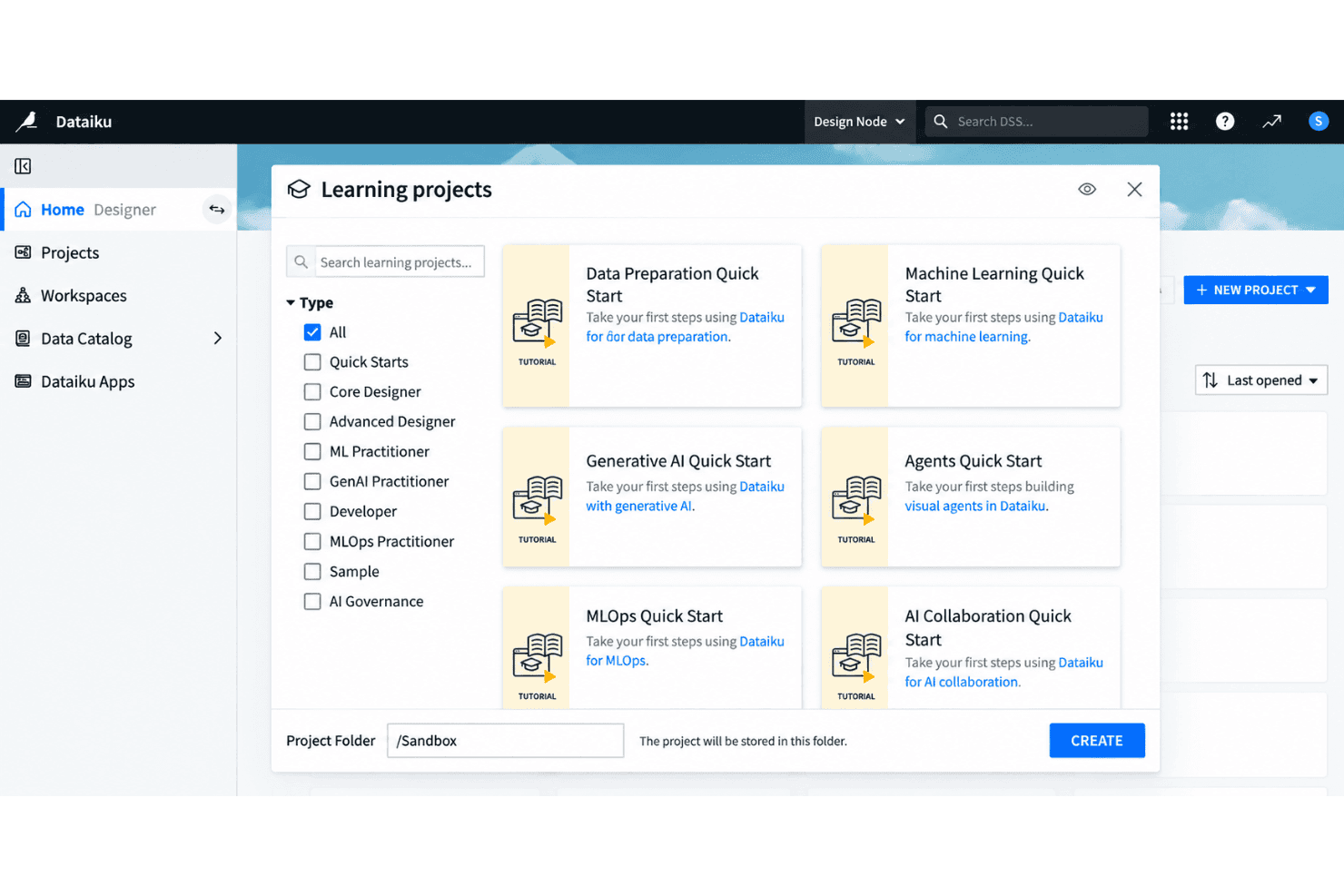
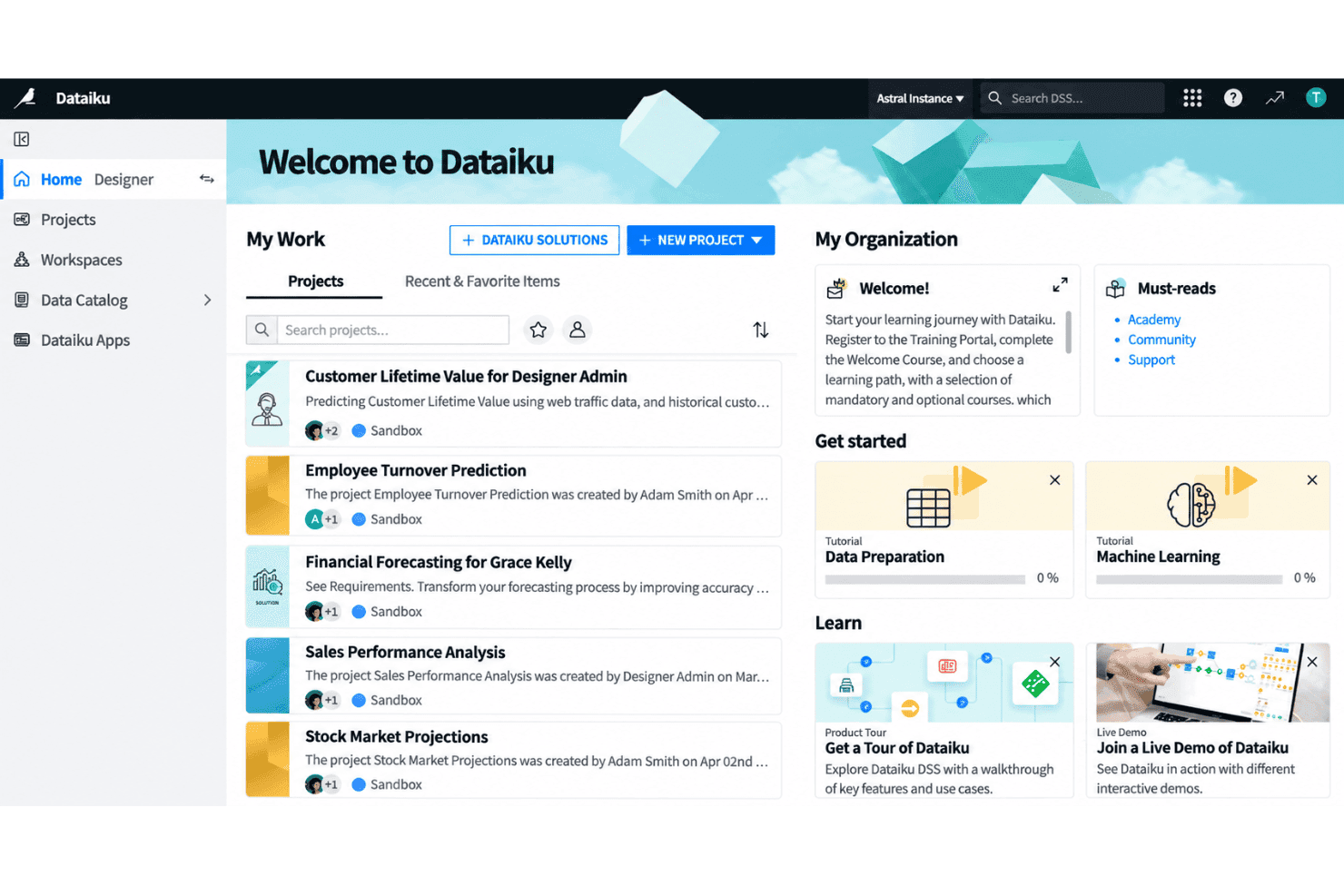
Choosing Dataiku as your machine learning cloud platform means you get an intuitive visual interface and solid collaboration tools that suit cross-functional teams. I think Dataiku’s low-code flexibility lets a broader group dig in, while its granular controls support technical customization when you need it. Onboarding is friendlier than most, with extensive docs and guided flows. Dataiku’s prebuilt integrations cover all the major data sources, but real-time production use cases can feel less mature compared to some. I’d recommend it for organizations balancing strong governance and diverse user skill sets.
Pros
- Visual workflow enables collaboration between technical and non-technical users
- Supports both code and no-code data science projects within one platform
- Offers governed project management with strong version control options
Cons
- Real-time deployment capabilities lag behind competitors like Databricks
- Pricing can be high for large-scale production use
- Interface performance slows with extremely complex pipelines
Is Dataiku Right For Your Needs?
Who Would be a Good Fit for Dataiku?
Dataiku suits teams and organizations with mixed technical skills that need a collaborative environment for analytics, automation, and governed AI. The visual interface, strong SQL and Python support, and wide cloud and database integrations make it ideal for regulated industries, enterprise data teams, and those needing scalable, responsible AI. Users benefit from guided onboarding, extensive support, and template-driven workflows that accelerate time to insight—whether you’re tackling large-scale data prep or deploying machine learning models to production.
- Financial ServicesDataiku’s security controls, rich audit trails, and integrations with enterprise databases support strict compliance and large, multi-user data teams.
- Retail AnalyticsThe visual flow and data prep features simplify shopper behavior analysis, inventory optimization, and omni-channel reporting for retail BI departments.
- Healthcare ProvidersCollaboration tools and responsible AI features help clinicians and administrators securely build predictive models using sensitive health data.
- Large EnterprisesSupport for governance, workspace management, and automation at scale is designed for organizations with hundreds of users and complex data environments.
- Data Science TeamsPython, R, and SQL integration, combined with visual ML model building, suit data professionals needing flexible, repeatable workflows.
- Manufacturing OperationsNo-code tools and strong cloud integrations help process engineers and analysts optimize supply chain, sensor, and production data without heavy scripting.
Who Would be a Bad Fit for Dataiku?
Dataiku can be overkill for businesses with minimal analytics needs, limited resources, or highly specialized requirements that fall outside typical cloud ML workflows. Small teams without dedicated data staff, firms needing highly custom modeling pipelines, or those locked into vendor-specific environments may find Dataiku’s architecture too broad, rigid, or resource-intensive for their needs.
- Small StartupsHigh pricing and feature complexity don’t match small budgets or lean teams just starting with analytics.
- Freelance ConsultantsSolo practitioners rarely need enterprise collaboration, multi-user security, or full-scale automation baked into Dataiku.
- Edge-Only DeploymentsIf your use case demands running models entirely at the edge or offline, Dataiku’s cloud-first approach doesn’t fit.
- Marketing AgenciesTeams focused purely on marketing automation or campaign analytics will find Dataiku’s full-featured data science stack excessive.
- Real-Time TradingDataiku isn’t designed for ultra-low latency, real-time prediction—trading platforms may need more specialized, speed-optimized tools.
- Open-Source-Only ShopsOrganizations requiring open source software and full code transparency will be limited by Dataiku’s proprietary platform structure.
Unsere Bewertungsmethodik
Wie wir Werkzeuge testen & bewerten
Wir haben Jahre damit verbracht, unser System zur Softwareprüfung und -bewertung aufzubauen, zu verfeinern und zu verbessern. Das Bewertungsraster ist darauf ausgelegt, die Feinheiten der Softwareauswahl und Effektivität eines Tools einzufangen, wobei wir uns auf kritische Aspekte des Entscheidungsprozesses konzentrieren.
Nachfolgend sehen Sie genau, wie unser Test- und Bewertungssystem anhand von sieben Kriterien funktioniert. Es ermöglicht uns eine unparteiische Bewertung der Software basierend auf Grundfunktionalität, besonderen Funktionen, Benutzerfreundlichkeit, Onboarding, Kundensupport, Integrationen, Kundenbewertungen und Preis-Leistungs-Verhältnis.
Grundfunktionalität (25 % der Endbewertung)
Der Ausgangspunkt unserer Bewertung ist immer die Grundfunktionalität des Werkzeugs. Verfügt es über die grundlegenden Funktionen und Merkmale, die ein Benutzer erwarten würde? Sind grundlegende Funktionen auf höherpreisige Tarife beschränkt? Im Kern erwarten wir, dass ein Tool den Basisfähigkeiten seiner Konkurrenten standhält.
Besondere Features (25 % der Endbewertung)
Anschließend bewerten wir ungewöhnliche, herausragende Funktionen, die über die typische Grundfunktionalität von Tools dieser Art hinausgehen. Eine hohe Bewertung zeigt spezialisierte oder einzigartige Eigenschaften, die das Produkt schneller, effizienter oder für den Nutzer wertvoller machen.
Wir bewerten außerdem, wie einfach sich das Tool mit anderen üblichen Werkzeugen im Technologie-Stack integrieren lässt, um die Funktionalität und den Nutzen der Software zu erweitern. Tools mit vielen nativen Integrationen, Drittanbieter-Anbindungen und API-Zugang zur Erstellung kundenspezifischer Integrationen erhalten die besten Bewertungen.
Benutzerfreundlichkeit (10 % der Endbewertung)
Wir betrachten, wie schnell und einfach Aufgaben aus dem Bereich der Grundfunktionalität mit dem Tool erledigt werden können. Gut bewertete Software ist durchdacht gestaltet, intuitiv bedienbar, bietet mobile Apps, Vorlagen und lässt relativ komplexe Aufgaben einfach erscheinen.
Onboarding (10 % der Endbewertung)
Wir wissen, wie wichtig die schnelle Einführung eines neuen Tools für das Team ist, daher bewerten wir, wie leicht sich ein Werkzeug mit minimalem Training erlernen und nutzen lässt. Wir bewerten, wie schnell ein Teammitglied ohne Vorerfahrung anfangen kann. Hoch bewertete Lösungen benötigen wenig bis gar keine Unterstützung.
Kundensupport (10 % der Endbewertung)
Wir prüfen, wie schnell und einfach man bei Problemen Hilfe per Telefon, Live-Chat oder Wissensdatenbank erhält. Tools und Anbieter mit Echtzeit-Support werden besser bewertet, während Chatbots schlechter abschneiden.
Kundenbewertungen (10 % der Endbewertung)
Neben unserer eigenen Prüfung beziehen wir den Net Promoter Score aktueller und ehemaliger Kunden mit ein. Wir bewerten, wie wahrscheinlich es ist, dass sie sich erneut für das Werkzeug entscheiden würden. Hoch bewertete Software weist einen hohen Net Promoter Score auf.
Preis-Leistungs-Verhältnis (10 % der Endbewertung)
Abschließend vergleichen wir unter Berücksichtigung aller Kriterien den durchschnittlichen Preis der Einstiegspakete mit den Grundfunktionen und bewerten den Mehrwert aus den anderen Bewertungsbereichen. Software, die mehr fürs gleiche Geld bietet, schneidet besser ab.
Core Features
Visual Flow Interface
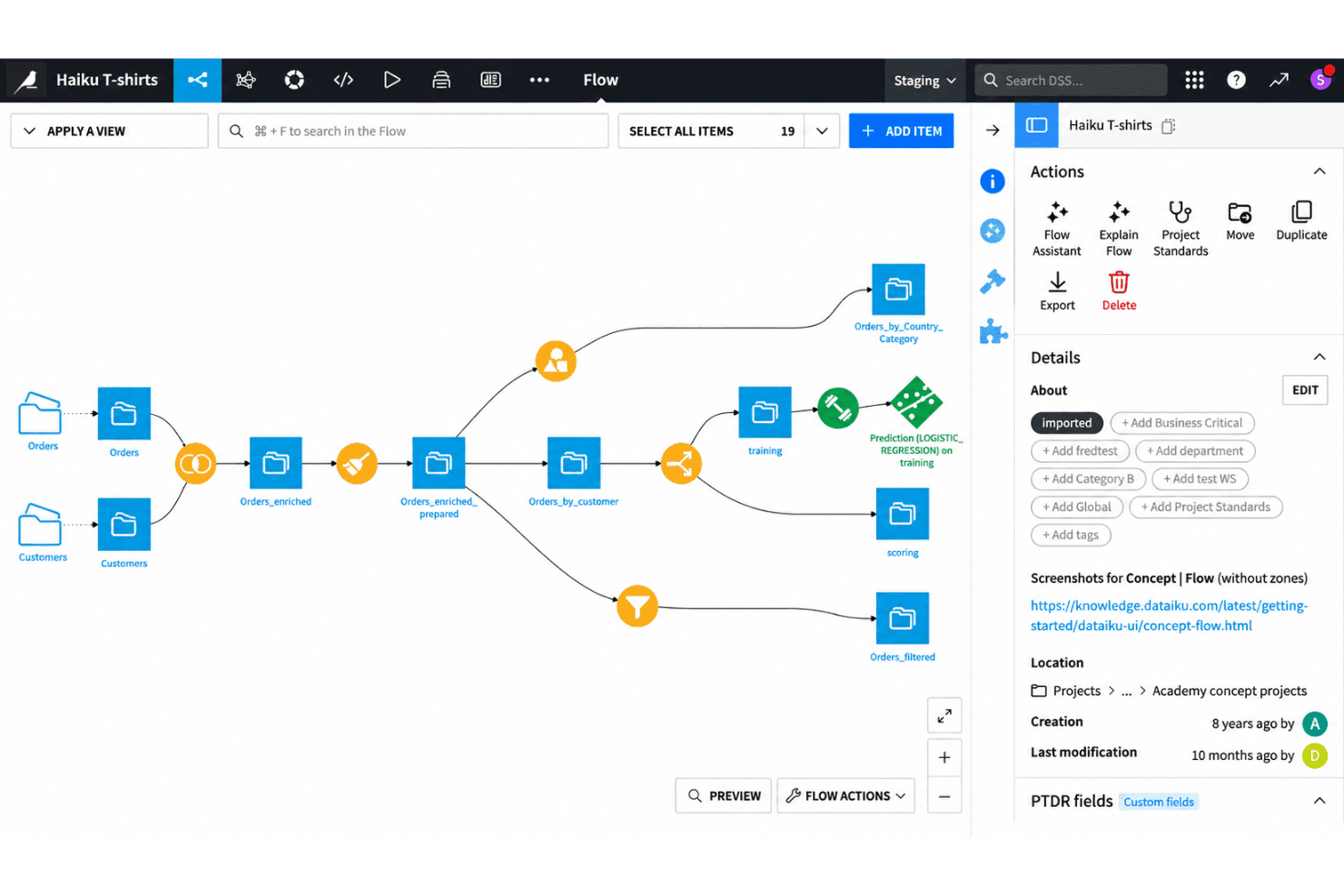
Design, manage, and monitor end-to-end data workflows using a drag-and-drop canvas. This lets both technical and non-technical users build pipelines without writing code.
AutoML for Model Building
Train, compare, and deploy machine learning models using automated workflows. You can adjust algorithms, feature engineering, and validation steps in a visual environment.
Code and No-Code Collaboration
Switch between code-based (Python, R, SQL) and no-code interfaces in the same project. This helps mixed-skill teams contribute to the same workflows without friction.
Governed Project Management
Control versioning, documentation, and project permissions to keep workflows audit-ready. Every step in a pipeline is tracked for transparency and compliance.
Integrated Data Preparation
Clean, enrich, and merge datasets with built-in visual recipes and transformation tools. You can profile data and explore statistics on the fly while prepping for modeling.
Model Deployment and Monitoring
Deploy models to production as APIs or batch jobs directly from the platform. Monitor performance drift and get alerts when retraining is needed.
Ease of Use
Dataiku is easy for new users to pick up, thanks to its visual flow interface and intuitive drag-and-drop tools. You can manage data prep, modeling, and collaboration without heavy scripting or setup. Users regularly highlight the clear onboarding experience and guided analytics flows. Some mention the interface slows down on very large projects, but most say it strikes a good balance between flexibility and user-friendliness, especially in mixed-skill teams.
Integrations
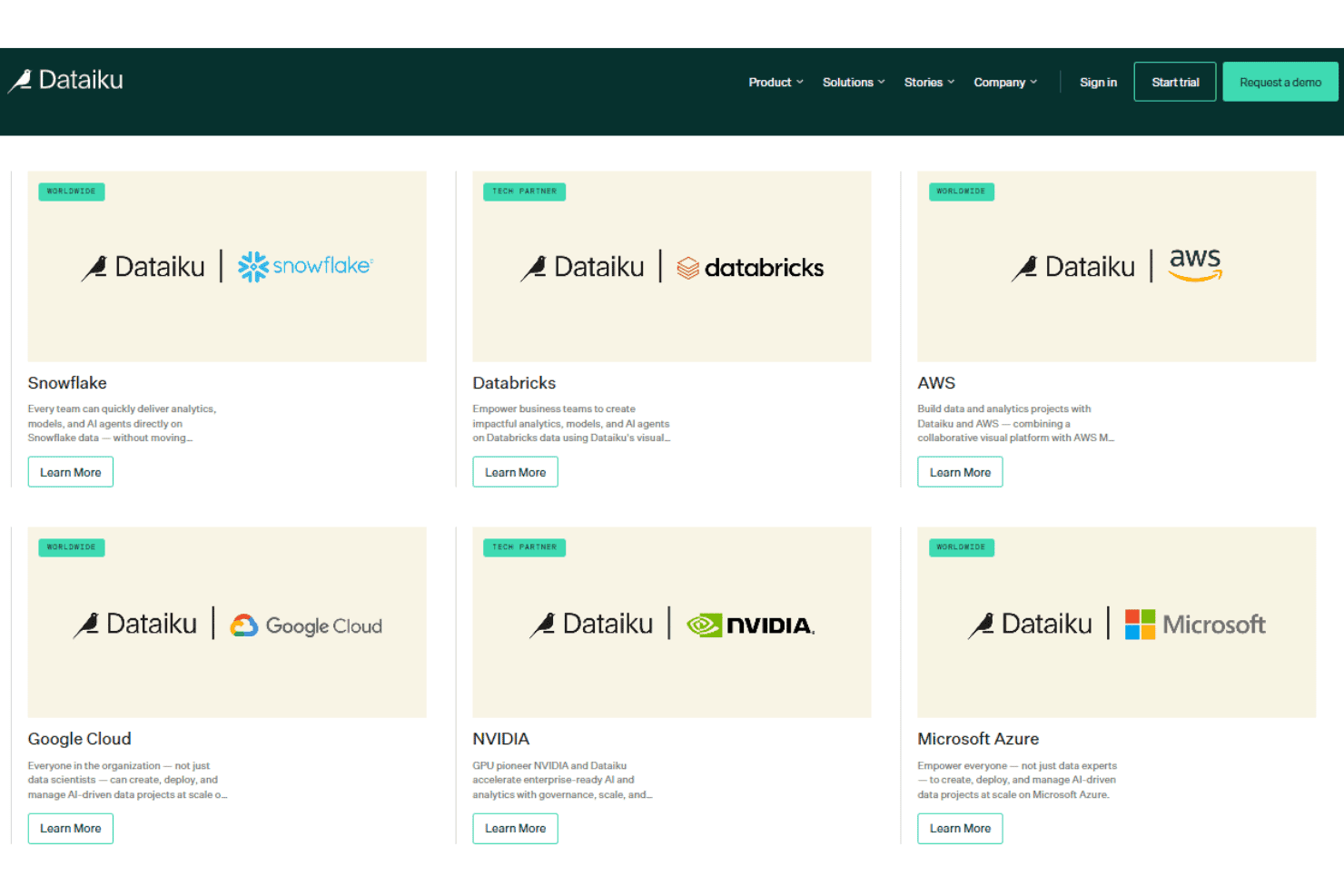
Dataiku integrates with Snowflake, Google BigQuery, Microsoft Azure Blob Storage, Amazon Redshift, Databricks, PostgreSQL, MySQL, Google Cloud Storage, Microsoft SQL Server, and Amazon S3, among others.
Dataiku also supports connections with third-party tools and provides a public API for integrating with external systems and programmatically accessing platform features.
Dataiku Specs
- 2-Factor Authentication: No
- Accounts Payable: No
- Accounts Receivable: No
- API: Yes
- Approval Workflows: No
- Balance Sheet: No
- Billing/Invoicing: No
- Budgeting: No
- Calendar Management: No
- Comparative Reporting: No
- CRM Integration: Yes
- Custom Reports: Yes
- Customer Management: No
- Dashboard: Yes
- Data Export: Yes
- Data Import: Yes
- Data Visualization: Yes
- Expense Tracking: No
- External Integrations: Yes
- Forecasting: Yes
- General Account Ledger: No
- Historical Data Analysis: Yes
- Inventory Tracking: No
- Multi-Currency: No
- Multi-User: Yes
- Notifications: Yes
- P&L: No
- Payroll: No
- Scenario Planning: No
- Scheduling: Yes
- Supplier Management: No
- Tax Management: No
- Time Management: No


