

10 beste Tools zur Service-Virtualisierung im Jahr 2026

10 Beste Tools zur Service-Virtualisierung


Da die Komplexität der Softwareentwicklung weiter zunimmt, benötigen Unternehmen mehrere Teams aus Softwareingenieuren, um ihre Aufgaben zu erledigen. Folglich müssen sich Softwareteams mit zu vielen Abhängigkeiten auseinandersetzen, die die Entwicklungsgeschwindigkeit verlangsamen. Um Engpässe zu reduzieren und die Kosten sowie den Zeitaufwand für die Erstellung und das Testen von Software deutlich zu senken, greifen Unternehmen auf Tools zur Service-Virtualisierung zurück.
Tools zur Service-Virtualisierung helfen Unternehmen, ihre Arbeit zu beschleunigen und die Produktivität zu steigern, indem sie Aufgaben über mehrere Teams hinweg synchronisieren und die Einschränkungen durch Aufgabenabhängigkeiten überwinden. Lies weiter, um mehr über Service-Virtualisierung zu erfahren und meine Bewertung der 10 besten Tools zur Service-Virtualisierung zu lesen.
Warum Sie unseren Software-Empfehlungen vertrauen können
Unser Team testet und bewertet Software seit 2012. Als Tech-Führungskräfte wissen wir selbst, wie schwierig – und wichtig – es ist, die richtige Software auszuwählen.
Für diesen Leitfaden haben wir Tools mithilfe von praktischen Tests und unabhängiger Recherche bewertet und dabei unsere Bewertungskriterien angewendet.
Unsere Bewertungen spiegeln unser menschliches redaktionelles Urteilsvermögen wider, keine Verkaufsstrategie.
Expertenprüfer:
Zusammenfassung der besten Tools zur Service-Virtualisierung
Diese Vergleichstabelle fasst die Preisinformationen meiner besten Tools zur Service-Virtualisierung zusammen und hilft dir, das beste Tool für dein Budget und deine geschäftlichen Anforderungen zu finden.
| Tool | Best For | Trial Info | Price | ||
|---|---|---|---|---|---|
| 1 | Am besten geeignet für spezifikationsgetriebene API-Virtualisierung | Kostenloser Plan verfügbar | Ab $8/Monat (jährliche Abrechnung) | Website | |
| 2 | Am besten geeignet für Chaos-Testing mit Fehlerinjektion | Kostenloser Plan verfügbar | Preise auf Anfrage | Website | |
| 3 | Am besten geeignet zur Beseitigung von Abhängigkeiten und Engpässen | Kostenlose Testversion + kostenlose Demo verfügbar | Preise auf Anfrage | Website | |
| 4 | Am besten geeignet zum Simulieren des Verhaltens nicht verfügbarer Systeme für eine schnellere parallele Entwicklung und Testung | Not available | Preise auf Anfrage | Website | |
| 5 | Bestes Tool zum Entwickeln und Nutzen von APIs | Kostenloser Tarif verfügbar | Ab $9/Monat (jährlich abgerechnet) | Website | |
| 6 | Am besten geeignet zum Erstellen und Verwalten virtueller Services | 14-tägige kostenlose Testversion | Ab $107.92//Lizenz/Monat (jährlich abgerechnet) | Website | |
| 7 | Am besten geeignet für API-Mocking und skriptlose API-Tests | Kostenlose Testversion verfügbar | Preis auf Anfrage | Website | |
| 8 | Am besten geeignet zum Erstellen und Hosten von Testumgebungen und -szenarien | Not available | Preis auf Anfrage | Website | |
| 9 | Am besten geeignet für das Testumgebungsmanagement | Kostenloser Tarif verfügbar | Preis auf Anfrage | Website | |
| 10 | Bestes Service-Simulationsprogramm zum Erstellen von Mock-APIs | Kostenlose Version verfügbar | Preis auf Anfrage | Website |
Bewertungen der besten Tools zur Service-Virtualisierung
Nachfolgend findest du meine ausführlichen Zusammenfassungen der besten Tools zur Service-Virtualisierung, die es auf meine Auswahlliste geschafft haben. Meine Bewertungen bieten einen detaillierten Einblick in die wichtigsten Funktionen, Vor- & Nachteile, Integrationen und idealen Anwendungsfälle jedes Tools, damit du das beste für dich finden kannst.


Beeceptor hilft Ihnen, Mock-APIs und virtuelle Dienste aus OpenAPI-, GraphQL-, gRPC-, WSDL-, REST- und SOAP-Spezifikationen zu erstellen. Sie können realistische Antwort-Payloads und Testdaten generieren, um Entwicklung und Qualitätssicherung zu unterstützen, ohne auf Live-Backend-Systeme angewiesen zu sein.
Für wen ist Beeceptor am besten geeignet?
Beeceptor ist ideal für QA-Ingenieure, Backend-Entwickler und Testteams, die API-Abhängigkeiten simulieren, Integrationen validieren und das Anwendungsverhalten testen müssen, bevor externe Dienste verfügbar sind.
Warum habe ich Beeceptor ausgewählt?
Ich habe Beeceptor gewählt, weil es Service-Virtualisierung zugänglich macht, ohne auf Flexibilität zu verzichten. Teams können Mock-Dienste direkt aus API-Spezifikationen generieren und so den Zeitaufwand für die manuelle Konfiguration von Endpunkten und Antworten reduzieren. Außerdem gefällt mir, dass Latenz-Injektion, Fehler-Simulation und zustandsbehaftete Antworten unterstützt werden, sodass Teams testen können, wie Anwendungen unter realen Bedingungen reagieren, ohne auf Produktionssysteme oder Drittanbieterdienste angewiesen zu sein.
Hauptfunktionen
- Spezifikationsbasierte Mock-Generierung: Erstellt automatisch virtuelle Endpunkte aus OpenAPI-, GraphQL-, gRPC- und WSDL-Spezifikationen.
- Latenz- und Fehler-Injektion: Simuliert langsame Antworten, Ausfälle und Fehlerbedingungen, um die Widerstandsfähigkeit von Anwendungen zu testen.
- Zustandsbehaftete Antwortsimulation: Unterstützt mehrstufige Workflows, indem verschiedene Antworten auf der Basis vorheriger Anfragen zurückgegeben werden.
- Management-API: Ermöglicht Teams das Erstellen, Aktualisieren und Verwalten von Mock-Diensten programmgesteuert für CI/CD-Workflows.
Integrationen
Beeceptor integriert sich mit Selenium, Playwright, Git-basierten Workflows, CI/CD-Pipelines und OpenTelemetry.
Pros and Cons
Pros:
- Generiert Mock-Dienste direkt aus API-Spezifikationen
- Kostenlose Endpunkte ohne Anmeldung verfügbar
- Unterstützt REST, SOAP, GraphQL und gRPC
Cons:
- Das kostenlose Kontingent hat Anfrage-Limits
- Öffentliche Endpunkte erfordern zusätzliche Sicherheitsüberlegungen

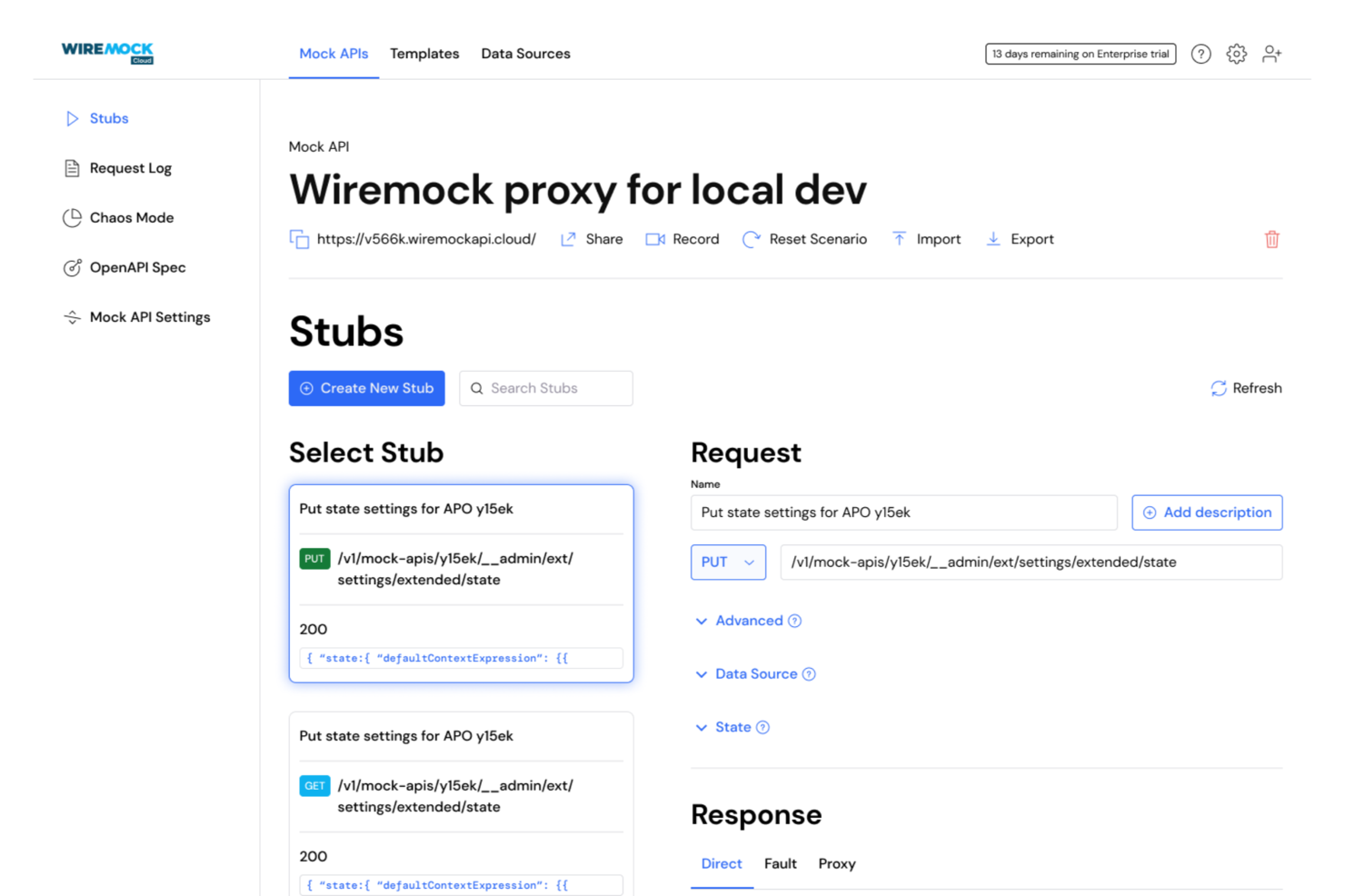
WireMock Cloud ist eine Service-Virtualisierungsplattform, die für Softwareteams entwickelt wurde, die APIs simulieren, das Testen beschleunigen und Abhängigkeiten während der Entwicklung und Integration reduzieren müssen.
Für wen ist WireMock Cloud am besten geeignet?
WireMock Cloud ist ideal für QA-Ingenieure und Entwickler bei Softwareunternehmen geeignet, die während des Testens komplexe APIs und Abhängigkeiten simulieren müssen.
Warum ich WireMock Cloud ausgewählt habe
Ich habe WireMock Cloud in meine Top-Auswahl aufgenommen, weil mein Team damit Fehler wie Timeouts, Verbindungsabbrüche und fehlerhafte Antworten direkt in unsere API-Simulationen einbringen kann. Wir nutzen die Funktionen für Chaos-Tests, um Schwachstellen in unserem Fehlerhandling und unseren Resilienzstrategien aufzudecken. Es gefällt mir, dass ich diese Fehler gezielt für bestimmte Endpunkte und Szenarien konfigurieren kann.
Wichtige Funktionen von WireMock Cloud
- Szenariobasierte Simulation: Unterschiedliche API-Verhaltensweisen je nach Test-Szenario oder Workflow-Stufe einrichten.
- API-Verkehrsaufzeichnung: Live-API-Interaktionen aufzeichnen, um präzise Mocks für künftige Tests zu generieren.
- Datengetriebene Stubs: Externe Datensätze nutzen, um dynamische Antworten für realistischere Simulationen zu erzeugen.
- Team-Kollaborationstools: Mocks und Simulationen im gemeinsamen Arbeitsbereich mit Ihrem Team teilen, prüfen und verwalten.
WireMock Cloud Integrationen
Integrationen umfassen GitHub, GitLab, Bitbucket, OpenAPI, SwaggerHub, Postman, Slack, REST-APIs für Automatisierung, gRPC und GraphQL.
Pros and Cons
Pros:
- Bietet dedizierte Bereitstellungsoptionen für Private Cloud
- Ermöglicht szenariobasierte und datengesteuerte Stubs
- Integriert sich mit GitHub, Postman und SwaggerHub
Cons:
- Keine native Unterstützung für Mainframe-Protokollvirtualisierung
- Es fehlen integrierte Performance-Monitoring-Tools

OpenText
Am besten geeignet zur Beseitigung von Abhängigkeiten und Engpässen
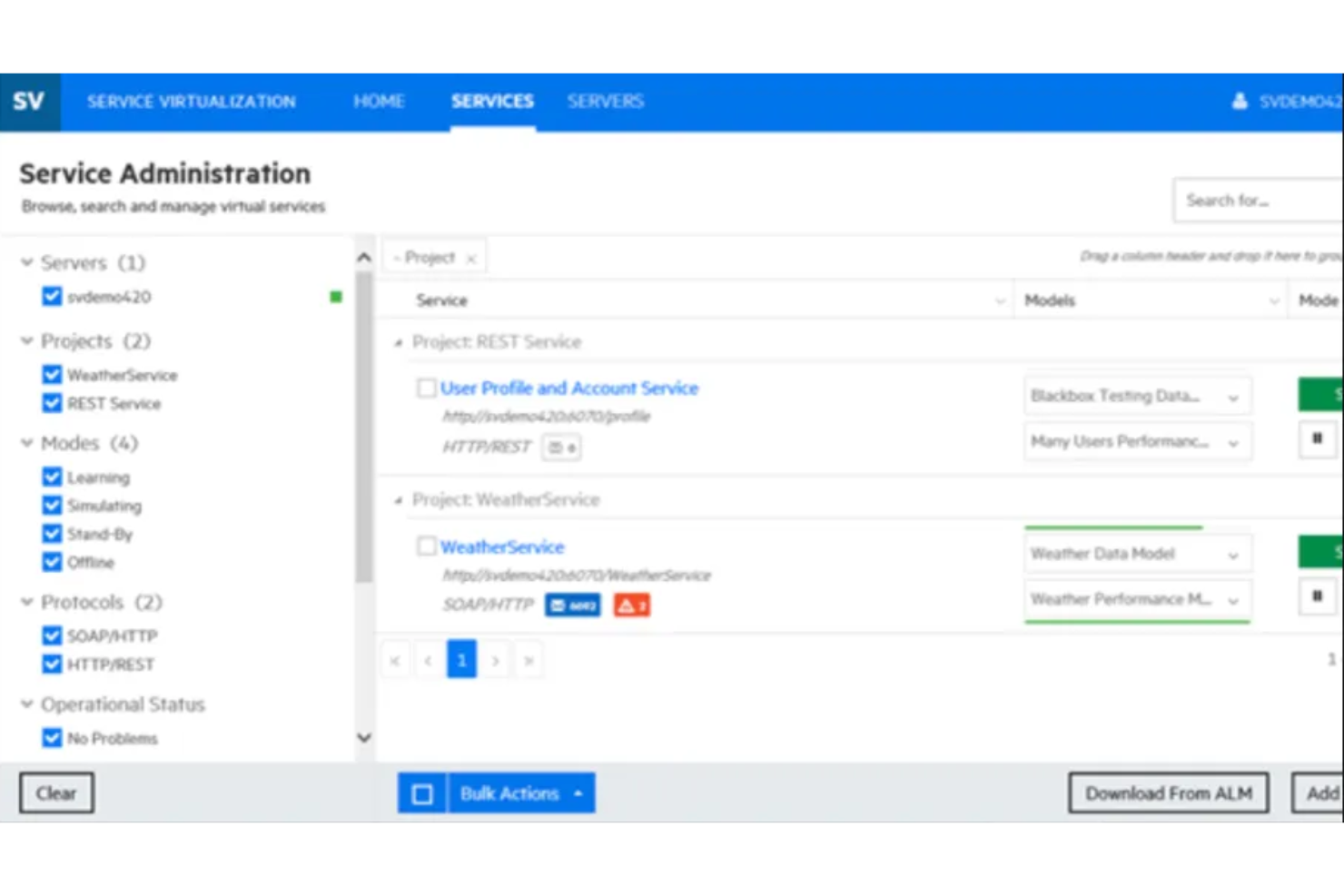
OpenText von Micro Focus ermöglicht es Ihnen, realistische Simulationen von APIs und virtuellen Services zu erstellen. Die Software beschleunigt Entwicklung und Tests, beseitigt Abhängigkeiten und eliminiert Engpässe.
Warum ich OpenText gewählt habe: Ich empfehle OpenText, weil es benutzerfreundlich ist und Ihnen ermöglicht, die Effizienz durch frühzeitiges Testen zu steigern. Sie können virtuelle Services flexibel und skalierbar entwerfen und bereitstellen. Das Tool deckt eine breite Palette an Protokollen und Simulationen ab. OpenText hilft Ihnen, mit DevOps- und kontinuierlicher Integrationsbereitschaft schneller auf den Markt zu kommen.
OpenText – Herausragende Funktionen und Integrationen
Herausragende Funktionen: Das Tool ermöglicht mobiles Testen mittels Simulation. Die Software verfügt über eine Bibliothek mit wiederverwendbaren Simulationsressourcen sowie kompetenzbasierte Werkzeuge. Der Zugriff auf diese Bibliothek erleichtert das Design und die Wartung von Simulationen. Die Simulationsinfrastruktur ist sicher, skalierbar und durch kundenorientierte Innovation erweiterbar.
Integrationen umfassen Microsoft Teams, Google Cloud Platform, AWS, Microsoft Azure, Jile, Adlib, SAP Cloud Platform, ActiveControl, Cognizant und Veritone Discovery.
Pros and Cons
Pros:
- Benutzerfreundlich
- Flexibel und skalierbar
- Benutzergemeinschaft
Cons:
- Der Kundenservice muss schneller werden
- Funktionen für das Management der Service-Virtualisierung sollten verbessert werden

Broadcom
Am besten geeignet zum Simulieren des Verhaltens nicht verfügbarer Systeme für eine schnellere parallele Entwicklung und Testung
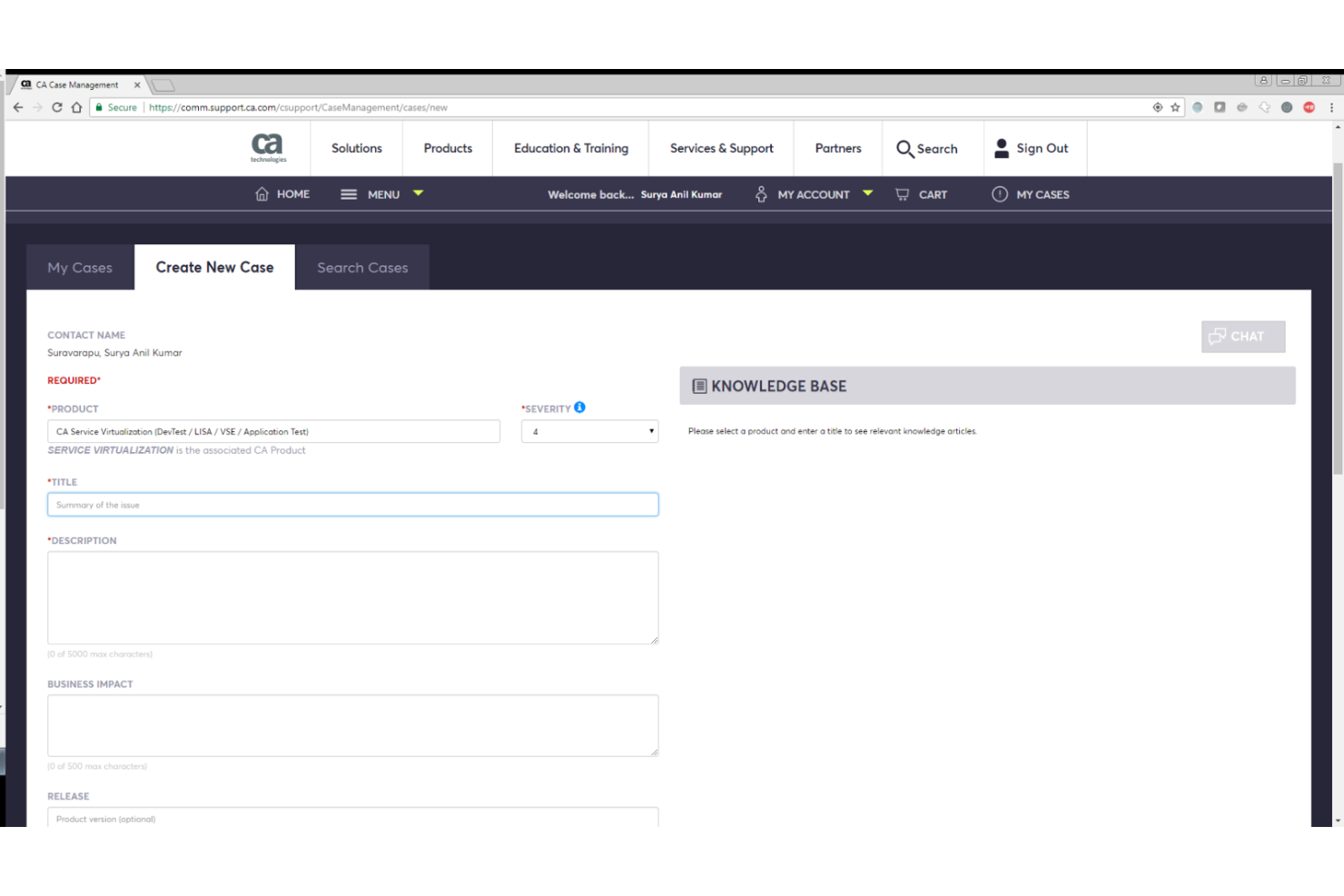
Es verfügt über Service-Virtualisierungsfunktionen, die es Ihnen ermöglichen, parallele Entwicklung und Tests durchzuführen, indem Sie virtualisierte Umgebungen erstellen, um die Funktionalität nicht verfügbarer Systeme oder Komponenten zu simulieren.
Warum ich Broadcom ausgewählt habe: Broadcom unterstützt Sie beim komponentenbasierten Leistungstesten. Sie können virtualisierte Umgebungen erstellen, um abhängige Komponenten zu emulieren. Dadurch können Sie das zu testende System isolieren und Performancetests in jeder Phase des Softwareentwicklungszyklus (SDLC) durchführen. Die nahtlose Softwareintegration ermöglicht es Ihnen darüber hinaus, die Fähigkeiten zu erweitern und das Erstellen von Mock-Services schneller und einfacher zu gestalten.
Broadcom – Herausragende Funktionen und Integrationen
Herausragende Funktionen umfassen vollumfängliches API-Testen, Multi-Protokoll-Unterstützung und Mainframe-Virtualisierung. Broadcom ermöglicht Ihnen die Virtualisierung von Mainframe-Systemen. Mit der Software können Sie zahlreiche Mainframe-Abhängigkeiten virtualisieren – darunter verschiedene Mainframe-Zugriffsprotokolle und direkt innerhalb von CICS.
Es werden mehrere Protokolle unterstützt, darunter REST, SOAP, XML und JSON. Mit vollumfänglichem API-Testen können Sie Tests über Ihre gesamte Infrastruktur hinweg ausführen, um sicherzustellen, dass Ihre APIs in allen Ebenen mehrschichtiger Anwendungen ordnungsgemäß funktionieren.
Integrationen: Broadcom ermöglicht Ihnen die Integration mit Entwicklungssoftware wie Jenkins, Docker und Eclipse IDE.
Pros and Cons
Pros:
- Unterstützung für mehrere Protokolle
- Nahtlose Integrationen
- APIs in mehrschichtigen Anwendungen einfach validieren
Cons:
- Hohe Lernkurve
- Umfassendere Dokumentation erforderlich

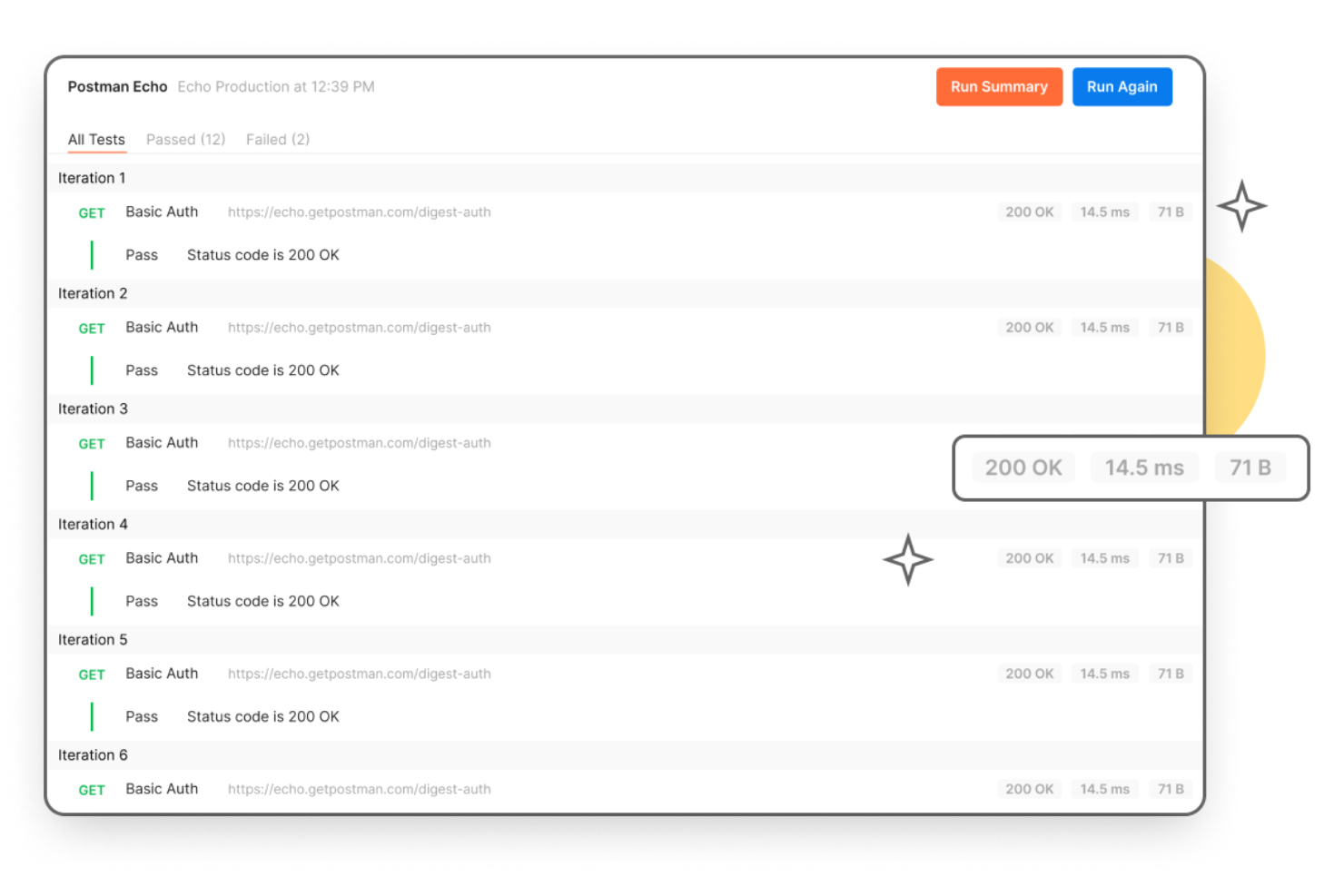
Mit über 25 Millionen Nutzern hilft Postman Ihnen dabei, APIs zu erstellen, zu testen, zu debuggen, zu dokumentieren und zu überwachen. Es bietet Werkzeuge, die die API-Erstellung vereinfachen und die Zusammenarbeit zwischen QA- und Entwicklungsteams verbessern.
Warum ich Postman ausgewählt habe: Postman wurde entwickelt, um den gesamten Lebenszyklus der API-Erstellung zu optimieren und zu beschleunigen. Von Entwurf, Test, Dokumentation und Mocking bis hin zur Entdeckung bietet es alles, was Sie benötigen, um schnell und gemeinsam Aufgaben zu erledigen. Es bietet eine zentralisierte Plattform, die teamübergreifend genutzt wird, sodass verschiedene Teams gemeinsam arbeiten und mit Zugriff auf Ressourcen Aufgaben ausführen können.
Herausragende Funktionen und Integrationen von Postman
Herausragende Funktionen sind API-Repositorien, Arbeitsbereiche und Governance. Das API-Repository von Postman hilft Ihnen, API-Spezifikationen, Dokumentationen, Testfälle und andere API-bezogene Ressourcen zu speichern und zu überwachen. Es verfügt über einen ganzheitlichen Governance-Ansatz, der Ihnen ermöglicht, branchenübliche Best Practices zu übernehmen und die Zusammenarbeit zwischen Teams zu fördern.
Mit den Arbeitsbereichen können Sie Ihre API-Aufgaben organisieren und verfolgen, was Ihre Teams machen. Postman bietet verschiedene Arten von Arbeitsbereichen, darunter persönliche, Team-, Partner- und öffentliche Arbeitsbereiche. So können Sie Arbeitsbereiche rollen- oder positionsbasiert zuweisen und mit kollaborativen Tools alle auf dem Laufenden halten.
Integrationen umfassen Azure API Management, Apigee, APIMatic, AWS API Gateway, Azure DevOps, BigPanda, Bitbucket, CircleCI und Coralogix.
Pros and Cons
Pros:
- Erweiterbar
- Attraktive Preisgestaltung
- Fördert die Zusammenarbeit
Cons:
- Mehr Automatisierungsfunktionen erforderlich
- Teilweise schwer zu navigieren

Am besten geeignet zum Erstellen und Verwalten virtueller Services
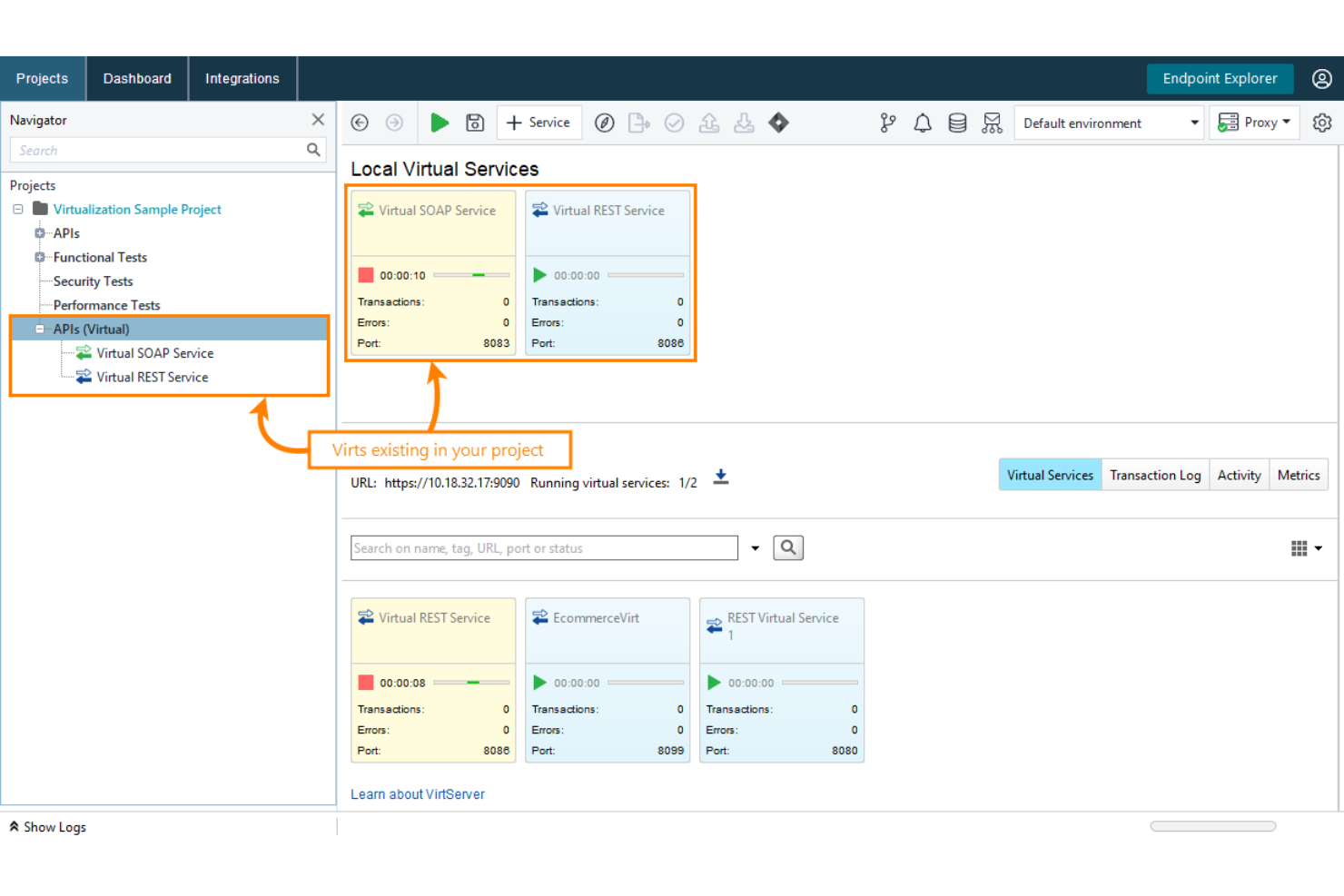
Smartbear ReadyAPI Virtualization bietet eine Service-Virtualisierung, mit der Sie virtuelle Services erstellen, ausführen und verwalten können.
Warum ich ReadyAPI Virtualization gewählt habe: Es ermöglicht Ihnen, virtualisierte Umgebungen für Webservices einfach und schnell zu erstellen. Das Tool erleichtert diesen Vorgang, indem der Aufbau funktionierender Mocks eines Systems oder Microservices mit branchenführender Virtualisierungstechnologie optimiert wird. Mit ReadyAPI können Sie die Entwicklung von Client-Code und die Erstellung von Tests beschleunigen, auch wenn einige Komponenten der echten API noch nicht verfügbar sind. Dadurch können Entwickler und QA-Ingenieure parallel arbeiten.
Herausragende Funktionen und Integrationen von ReadyAPI Virtualization
Herausragende Funktionen: ReadyAPI Virtualization unterstützt eine breite Palette von virtuellen Services, darunter SOAP-Services, REST-Services, JMS-Services, JDBC-Datenbanken und TCP-Services. Es bietet die Flexibilität, Mock-Services zu erstellen, um das Verhalten beliebter virtueller Services zu simulieren. Weitere herausragende Funktionen sind die Unterstützung von Datenquellen, das Entdecken von APIs und das Weiterleiten von Anfragen.
Integrationen umfassen Docker, Slack, Jira Software, Git, Jenkins, Selenium, Azure DevOps Server, TestComplete und TeamCity.
Pros and Cons
Pros:
- Einfache Bedienung
- Große Auswahl an Software-Integrationen
- Flexibel und skalierbar
Cons:
- Preisgestaltung ist etwas hoch
- Schnellerer Kundensupport erforderlich

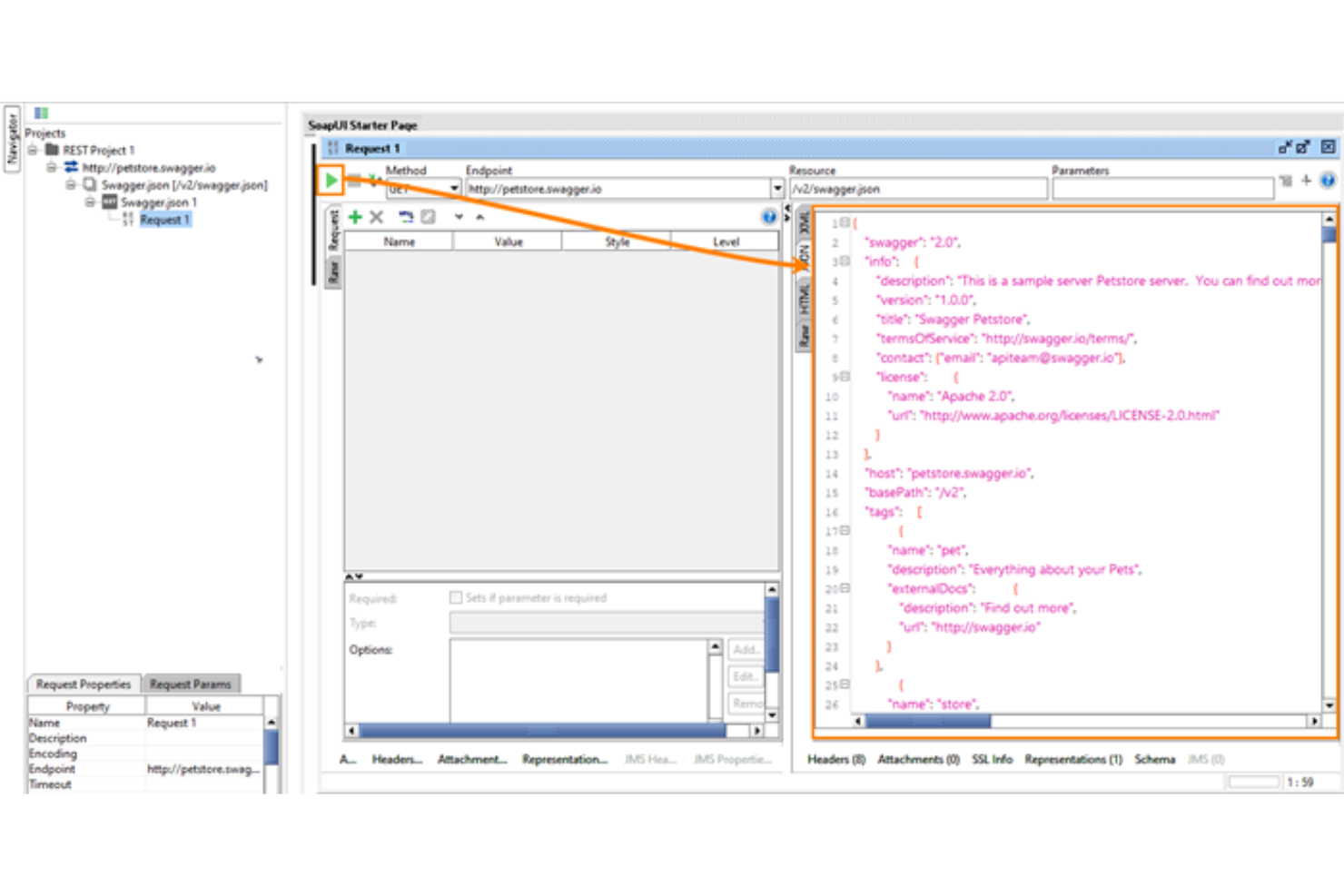
SoapUI, entwickelt für Entwickler und Tester, ist eine Open-Source-Software für API-Tests. Sie hilft Ihnen, Ihre echten Webservices zu simulieren, sodass Sie Aufgaben erledigen können, ohne darauf warten zu müssen, dass sie bereitgestellt oder zugänglich sind.
Warum ich SoapUI gewählt habe: Es bietet eine benutzerfreundliche grafische Oberfläche, mit der Sie die Service-Virtualisierungsfunktionen optimal nutzen können. SoapUI ist dank seiner lebendigen Community leicht zu erlernen. Die Open-Source-Community und die Partner rund um die Software verbessern das Nutzererlebnis zusätzlich. Ein weiteres interessantes Merkmal von SoapUI ist die Unterstützung wichtiger Protokolle wie SOAP/WSDL, REST, GraphQL und JMS.
SoapUI Besonderheiten und Integrationen
Herausragende Funktionen: Neben dem Mocking von APIs bietet das Tool herausragende Funktionen für API-Tests. Es verfügt über skriptloses funktionales Testen, Sicherheitstests und Lasttests. Die Software bietet Drag-and-Drop-Funktionen zur Testerstellung, sodass Sie komplexe Testszenarien einfach erstellen und ausführen können.
Integrationen umfassen FlexDeploy, Zephyr Squad, Zephyr Scale, eMOBIQ, Linx, aqua und EcholoN.
Pros and Cons
Pros:
- Einfache Bedienung
- Es gibt Tutorials für Nutzer
- Unterstützt wichtige Protokolle
Cons:
- Stürzt manchmal ab
- Braucht Zeit zum Laden großer Datendateien

Am besten geeignet zum Erstellen und Hosten von Testumgebungen und -szenarien

Tricentis Orchestrated Service Virtualization (OSV) hilft Ihnen dabei, Dienste, von denen Ihr System abhängt, aufzuzeichnen und zu simulieren.
Warum ich Tricentis OSV ausgewählt habe: Das Tool ermöglicht es Ihnen, mögliche Probleme mit Diensten zu vermeiden, von denen Ihr System abhängig ist. Es hilft dabei, Ihre Tests fortzusetzen, wenn ein Dienst nicht bereit, nicht verfügbar oder teuer im Zugriff ist. Tosca OSV stellt Komponenten bereit, mit denen Sie Ihre Testumgebungen und Szenarien erstellen, speichern, hosten und bearbeiten können.
Durch Software-Integrationen können die Fähigkeiten dieses Tools erweitert oder verbessert werden. Zum Beispiel können Sie OSV über ein AddIn mit Tosca Commander integrieren und Tosca API Scan in Ihre OSV-Testaktivitäten einbinden.
Tricentis OSV: Herausragende Funktionen und Integrationen
Herausragende Funktionen: Tricentis OSV verfügt über einen Monitor, mit dem Sie die Service-Virtualisierung zentral verwalten können. Mit dem OSV Monitor behalten Sie Ihre OSV-Umgebungen und -Szenarien im Blick und können die Kommunikation zwischen Ihrem zu testenden System und dem echten Dienst aufzeichnen. Das Tool bietet zudem einen Host und eine Datenbank; der OSV Host beherbergt die OSV-Umgebungen, die Sie zu Testzwecken erstellen, während die OSV Datenbank alle von Ihnen genutzten Service-Virtualisierungen für Simulationen speichert.
Integrationen umfassen Jenkins, Selenium, Cucumber, VersionOne, Jira, Azure DevOps, Zendesk Suite, ServiceNow, SpiraTeam und Test Modeller.
Pros and Cons
Pros:
- Sehr einfache Bedienung
- Zentrale Verwaltung der Service-Virtualisierung
- Nahtlose Integrationen
Cons:
- Mehr Tutorials erforderlich
- Lange Antwortzeiten vom Kundensupport

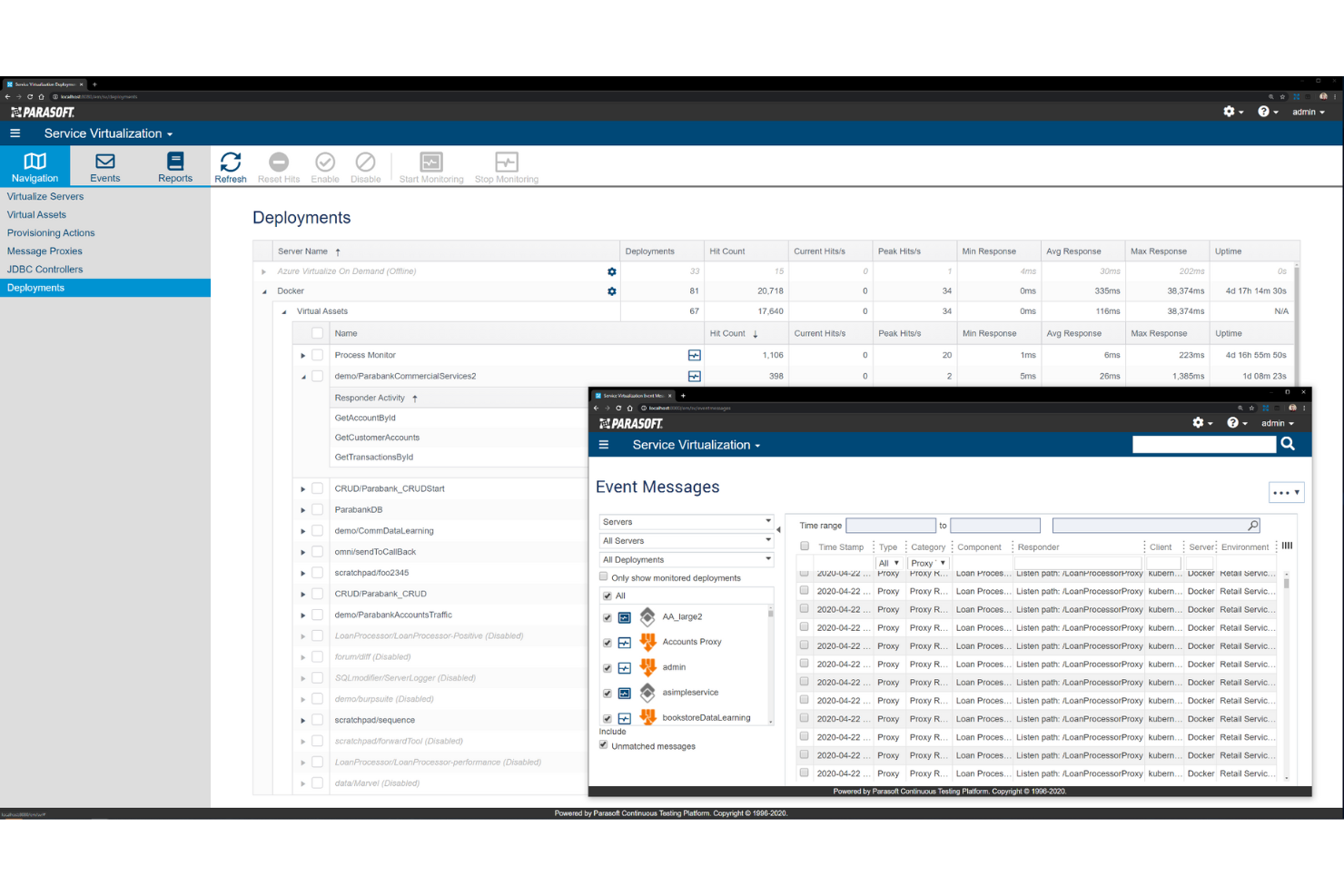
Parasoft Virtualize hilft Ihnen, virtuelle Entsprechungen Ihrer Webdienste zu erstellen, die sich genauso verhalten wie das Original. Es ermöglicht die Erstellung realistischer Simulationen und die Überprüfung von Diensten mit den passenden Daten.
Warum ich Parasoft Virtualize ausgewählt habe: Mit Parasoft Virtualize können Sie zuverlässige und vorhersehbare virtuelle Umgebungen schaffen und profitieren von einer umfassenden Unterstützung für mehr als 120 Nachrichtenformate und Protokolle aus der Branche. Am besten: Sie benötigen kein Scripting. Sie gehen über einfaches Mocking und Stubbing hinaus und können fortschrittliche API- und Dienstsimulationen erstellen.
Das Tool bietet eine intuitive, codefreie Benutzeroberfläche, die die Zusammenarbeit von Teams fördert. Teams können Ergebnisse visualisieren, was eine schnelle Fehlererkennung und Fehlerbehebung ermöglicht. Die Berichterstellung geht über Testergebnisse hinaus und zeigt Metriken, die Ihnen helfen, die Gesundheit Ihrer Umgebungen und den ROI der Service-Virtualisierung zu verstehen.
Parasoft Virtualize – Herausragende Funktionen und Integrationen
Herausragende Funktionen sind das Testumgebungsmanagement, mit dem Sie die von Ihnen erstellten virtuellen Assets über eine intuitive Weboberfläche verwalten. Von der Konfiguration bis zum Performance Monitoring liefert es die Tools, die Sie zur Steuerung aller Aspekte der Testumgebung benötigen. Parasoft Virtualize verfügt außerdem über ein Testdatenmanagement, das dabei hilft, Testkonflikte und Datenverunreinigungen zu vermeiden.
Weitere herausragende Funktionen dieser Software sind das fortschrittliche Reporting, Analysen sowie integrierte API-Tests.
Integrationen umfassen AWS, Jira Software, Docker, Dynatrace, GitLab, Jenkins, Kubernetes, Kafta, Apache Tomcat und AppDynamics.
Pros and Cons
Pros:
- Unterstützung vieler Nachrichtenformate und Protokolle
- Einfache, intuitive Benutzeroberfläche
- Fortschrittliche Reporting-Funktionen
Cons:
- Einige komplizierte Einstellungen
- Mehr Tutorials für Einsteiger wären hilfreich

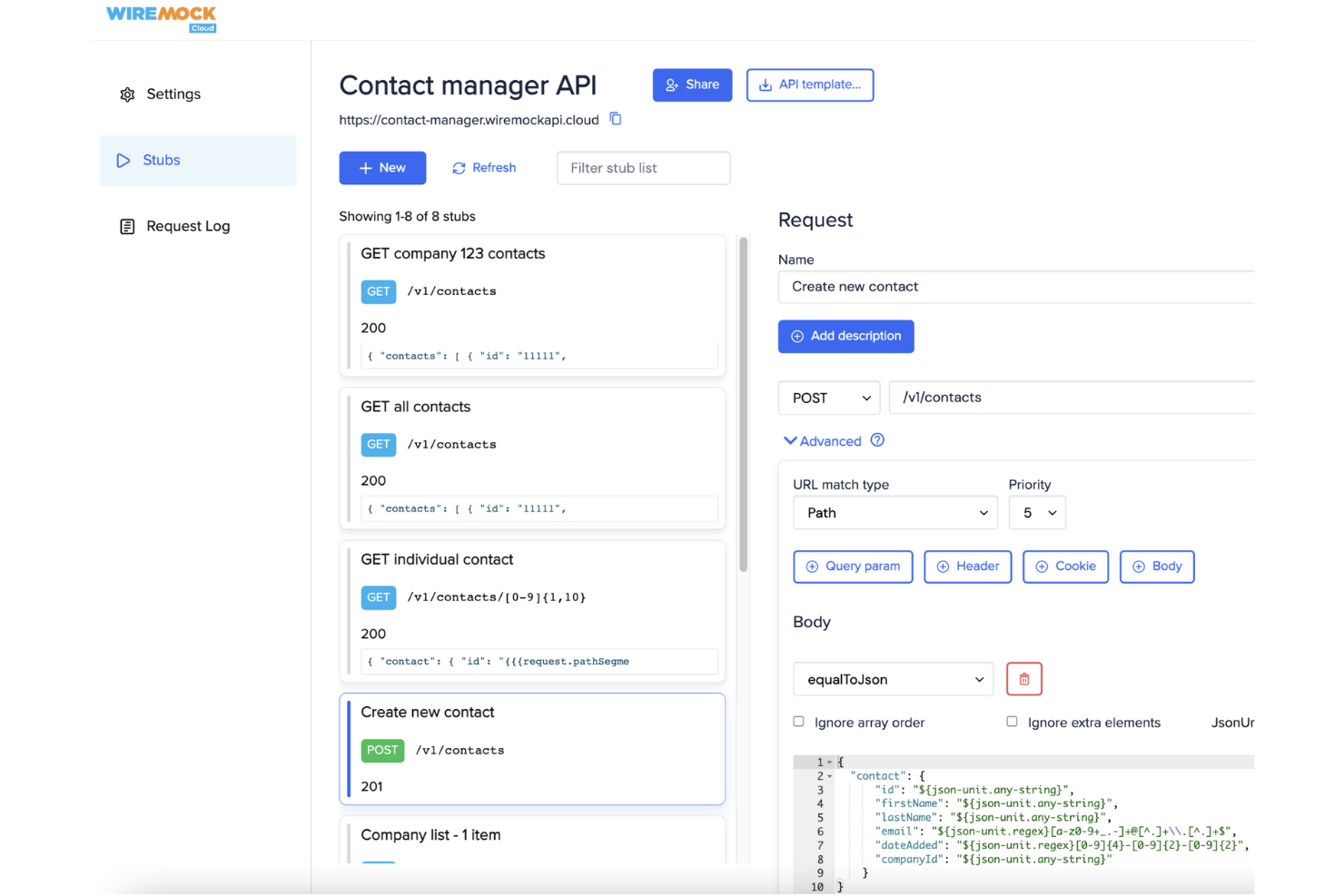
WireMock ist ein Open-Source-Tool für API-Mocking und Service-Virtualisierung. Es ermöglicht Entwicklern, simulierte HTTP-APIs zu erstellen, sodass Teams Anwendungen testen und entwickeln können, ohne auf externe Live-Services angewiesen zu sein.
Warum ich WireMock gewählt habe: WireMock beschleunigt die Entwicklung, indem es verhindert, dass Arbeitsabläufe durch unzuverlässige oder nicht verfügbare externe APIs blockiert werden. Anstatt darauf zu warten, dass Drittanbietersysteme stabilisiert oder zugänglich werden, können Teams deren Verhalten lokal simulieren. Das ermöglicht es, Entwicklungs- oder Testprozesse mit Vertrauen durchzuführen und gleichzeitig die Kosten erheblich zu senken.
WireMock überzeugt zudem durch Flexibilität. Entwickler können schnell individuelle Mock-Services mit JSON-Stubs oder Code definieren, wodurch sich das Verhalten realer APIs nachbilden und maßgeschneiderte virtuelle Umgebungen innerhalb von Minuten kreieren lassen.
WireMock – Herausragende Funktionen und Integrationen
Zu den herausragenden Funktionen zählen fortschrittliches Anfrage-Matching, dynamische Antwort-Templates und Aufnahme-/Wiedergabe-Möglichkeiten. WireMock bietet außerdem verschiedene Erweiterungspunkte, sodass Sie das Tool individuell an Ihre Test-Workflows anpassen und erweitern können.
Integrationen umfassen Java und Spring Boot sowie Client-Implementierungen und Plugins für Python, Node.js, Golang, Rust und IntelliJ, mit Unterstützung für Kubernetes-Deployments.
Pros and Cons
Pros:
- Anpassbar über Java-basierte Erweiterungen
- Bietet umfangreiche Anleitungen und Community-Ressourcen
- Kann als eigenständiger Prozess ausgeführt werden
Cons:
- Benötigt Einarbeitungszeit
- Es müssen eigene Stubs und Mappings von Grund auf definiert werden
Weitere Tools zur Service-Virtualisierung
Hier sind einige weitere Optionen für Tools zur Service-Virtualisierung, die es nicht auf meine Auswahlliste geschafft haben, aber dennoch einen Blick wert sind:
- CloudShare
Am besten für die Erstellung von virtuellen Schulungen und Demos geeignet
- AutoStub 2.0
Am besten geeignet zur Simulation von REST- und SOAP-Services
- Mountebank
Es quelloffenes, plattformübergreifendes Service-Virtualisierungstool
- Traffic Parrot
Am besten geeignet für Entwickler und Tester


Wie ich Servicevirtualisierungstools bewerte
Ich bewerte Tools auf zwei Ebenen: zentrale Funktionen wie Multi-Protokoll-Unterstützung und CI/CD-Integration sowie Differenzierungsmerkmale wie Tiefe der zustandsbehafteten Simulation und Flexibilität der Bereitstellung.
Kernfunktionen (Grundvoraussetzungen für diese Liste)
Bei der Auswahl der Tools für meine Liste bewerte ich jedes auf einer Skala von 0 (bietet die Funktionalität nicht) bis 5 (besonders stark in diesem Bereich) für jede unten aufgeführte Kernfunktionalität. Danach berechne ich die Gesamtpunktzahl des Tools in Prozent. Jedes Tool muss eine Mindestgesamtwertung von 65% erreichen, um aufgenommen zu werden.
- Service- & API-Virtualisierung: Ich bewerte, ob ein Tool wiederverwendbare virtuelle Assets erstellen und verwalten kann, die während Testzyklen echte APIs, Datenbanken und Messaging-Backends simulieren.
- Multi-Protokoll-Unterstützung: Die Bandbreite unterstützter Protokolle ist entscheidend – ich prüfe auf REST, SOAP, JMS, MQ, JDBC, gRPC und ältere Formate, die reale Unternehmensumgebungen widerspiegeln.
- Anforderungs-/Antwort-Aufzeichnung: Ich achte darauf, ob Live-Traffic aufgezeichnet und daraus automatisch virtuelle Services generiert werden können, anstatt dass Teams jeden Stub manuell von Grund auf bauen müssen.
- Zustandsbehaftetes & dynamisches Verhalten: Ein Tool sollte bedingte Logik, datengetriebene Antworten und zustandsbehaftete Interaktionen unterstützen – etwa die Simulation eines Zahlungsdienstleisters, der den Transaktionsstand über mehrere Aufrufe hinweg verfolgt.
- Performance- & Latenzsimulation: Konfigurierbare Antwortverzögerungen, Durchsatzbegrenzungen und Fehlerinjektion ermöglichen es Teams, produktionsähnliche Bedingungen zu reproduzieren. Hier bewerte ich die Tiefe dieser Steuerungsmöglichkeiten.
- CI/CD- & Testtool-Integration: Ich prüfe auf native Plugins oder APIs zur Anbindung an Pipelines und Testframeworks wie Jenkins, GitLab CI, Selenium oder JMeter für automatisierte Bereitstellung virtueller Services.
Sobald ich eine Liste von Tools habe, die diese Kriterien erfüllen, betrachte ich, was jede Plattform besonders macht.
Differenzierungsmerkmale – Was die Anbieter unterscheidet
So vergleiche ich verschiedene Anbieter:
Herausragende Funktionen
Containerisierte Bereitstellung ist ein großes Thema – ich achte auf native Unterstützung für Docker und Kubernetes, damit Teams für jeden Pipeline-Lauf flüchtige virtuelle Services bereitstellen und diese anschließend automatisch entfernen können. KI-gestützte Assetgenerierung hebt ebenfalls führende Anbieter hervor, besonders wenn ein Tool virtuelle Services aus einer OpenAPI-Spezifikation oder aufgezeichnetem Traffic mit minimaler manueller Nacharbeit erstellen kann. Zudem bewerte ich Chaos- und Negativtest-Bibliotheken, um Fehler, Timeouts und fehlerhafte Nutzdaten zu simulieren und so die Resilienz von Anwendungen vor der Freigabe zu prüfen.
Über die Funktionen hinaus
Die Lizenzstruktur ist hier sehr wichtig – manche Anbieter rechnen pro virtuellem Service ab, andere pro Benutzer oder Sitzplatz, und das falsche Modell kann die Kosten bei wachsender Nutzung schnell steigen lassen. Ich bewerte auch die Flexibilität der Bereitstellungsoptionen, da regulierte Branchen oft On-Premise- oder Hybridvarianten benötigen, während Cloud-native Teams SaaS wünschen. Unternehmensweite Sicherheitskontrollen wie RBAC, Audit-Logging und Datenmaskierung für aufgezeichneten Traffic sind besonders zu prüfen, wenn virtuelle Services produktionsähnliche Nutzdaten enthalten, die sensible Informationen beinhalten können.
So wählst du ein Tool zur Service-Virtualisierung aus
Es ist leicht, sich in langen Funktionslisten und komplexen Preisstrukturen zu verlieren. Damit du dich bei der Bearbeitung deines individuellen Auswahlprozesses für Software auf das Wesentliche konzentrieren kannst, findest du hier eine Checkliste mit den wichtigsten Faktoren:
| Faktor | Was zu beachten ist |
|---|---|
| Skalierbarkeit | Kann das Tool deine aktuelle und zukünftige Arbeitslast bewältigen? Prüfe, ob es Wachstum ohne Leistungseinbußen unterstützt. |
| Integrationen | Lässt es sich in deine bestehenden Systeme integrieren? Achte auf die Kompatibilität mit wichtigen Tools in deinem Arbeitsablauf. |
| Anpassbarkeit | Kannst du das Tool an spezifische Anforderungen anpassen? Achte auf Optionen zum Ändern von Einstellungen und Konfigurationen. |
| Benutzerfreundlichkeit | Ist die Benutzeroberfläche für dein Team intuitiv? Berücksichtige Tools mit einfacher Navigation und geringem Schulungsbedarf. |
| Implementierung und Einarbeitung | Wie schnell kannst du loslegen? Bewerte die Verfügbarkeit von Ressourcen wie Tutorials und Unterstützung während der Einrichtung. |
| Kosten | Passt die Preisgestaltung zu deinem Budget? Vergleiche Preismodelle und berücksichtige die Gesamtbetriebskosten. |
| Sicherheitsvorkehrungen | Sind Maßnahmen zum Datenschutz vorhanden? Überprüfe die Einhaltung von Branchenstandards und Verfahren zur Datenverschlüsselung. |
| Verfügbarkeit des Supports | Ist Hilfe verfügbar, wenn du sie benötigst? Achte auf Support rund um die Uhr und Optionen für die Kommunikation über mehrere Kanäle. |
Was sind Tools zur Service-Virtualisierung?
Tools zur Service-Virtualisierung sind Softwarelösungen, die das Verhalten verschiedener Komponenten in einer Softwareanwendung nachahmen. Sie werden häufig von Entwicklern und Testern eingesetzt, um Tests und Entwicklung ohne vollständigen Systemzugriff zu erleichtern. Die Simulation des Serviceverhaltens, die Unterstützung mehrerer Protokolle und die Möglichkeit zur parallelen Entwicklung helfen Teams, effizient zu testen und Abhängigkeiten zu reduzieren. Insgesamt bieten diese Tools eine kostengünstige Möglichkeit, die Softwarequalität zu verbessern und den Entwicklungsprozess zu beschleunigen.
Funktionen
Achten Sie bei der Auswahl von Tools zur Service-Virtualisierung auf die folgenden wichtigen Funktionen:
- Simuliertes Serviceverhalten: Ahmt reale Services nach, um Tests ohne vollständigen Systemzugriff zu ermöglichen und Verzögerungen zu reduzieren.
- Unterstützung mehrerer Protokolle: Bietet Flexibilität durch die Unterstützung verschiedener Kommunikationsprotokolle, die in Ihrer Umgebung verwendet werden.
- Parallele Entwicklung: Ermöglicht es Teams, gleichzeitig an verschiedenen Komponenten zu arbeiten, und beschleunigt so den Entwicklungsprozess.
- Anpassbare Umgebungen: Ermöglicht es Benutzern, virtuelle Services an bestimmte Testszenarien und Anforderungen anzupassen.
- Echtzeitüberwachung: Liefert Einblicke in die Leistung virtueller Services und hilft dabei, Probleme schnell zu erkennen.
- Erweiterte Datenmodellierung: Vereinfacht komplexe Datenkonfigurationen und verbessert die Testgenauigkeit durch realistische Datenszenarien.
- Integrationsmöglichkeiten: Gewährleistet eine nahtlose Verbindung mit vorhandenen Tools und Arbeitsabläufen für effiziente Prozesse.
- Benutzerfreundliche Oberfläche: Vereinfacht die Interaktion mit dem Tool und verkürzt die Einarbeitungszeit für neue Benutzer.
- Sicherheitsmaßnahmen: Schützt sensible Daten durch Verschlüsselung und die Einhaltung von Branchenstandards.
- Umfassender Support: Bietet Ressourcen wie Tutorials und einen reaktionsschnellen Kundendienst, um Benutzer effektiv zu unterstützen.
Vorteile
Die Implementierung von Tools zur Service-Virtualisierung bietet Ihrem Team und Ihrem Unternehmen mehrere Vorteile. Hier sind einige, auf die Sie sich freuen können:
- Höhere Effizienz: Die parallele Entwicklung ermöglicht es Teams, gleichzeitig an mehreren Komponenten zu arbeiten, und beschleunigt den Entwicklungszyklus.
- Kosteneinsparungen: Simulierte Services verringern den Bedarf an teuren Testumgebungen und senken die Gesamtkosten.
- Verbesserte Testgenauigkeit: Die erweiterte Datenmodellierung stellt realistische Szenarien bereit und erhöht die Zuverlässigkeit der Testergebnisse.
- Flexibilität: Die Unterstützung mehrerer Protokolle stellt sicher, dass sich das Tool an verschiedene Umgebungen und Technologien anpassen kann.
- Weniger Abhängigkeiten: Durch die Nachahmung des Serviceverhaltens können Teams testen, ohne auf andere Komponenten zu warten, und Verzögerungen minimieren.
- Verbesserte Zusammenarbeit: Anpassbare Umgebungen ermöglichen es verschiedenen Teams, Konfigurationen an ihre spezifischen Anforderungen anzupassen, und fördern so die Zusammenarbeit.
- Bessere Problemerkennung: Die Echtzeitüberwachung hilft dabei, Leistungsprobleme schnell zu erkennen und zu beheben, wodurch die Softwarequalität erhalten bleibt.
Kosten & Preise
Bei der Auswahl von Tools zur Service-Virtualisierung ist es wichtig, die verschiedenen verfügbaren Preismodelle und Tarife zu verstehen. Die Kosten variieren je nach Funktionen, Teamgröße, Zusatzoptionen und weiteren Faktoren. Die folgende Tabelle gibt einen Überblick über gängige Tarife, deren Durchschnittspreise und typische enthaltene Funktionen von Lösungen für Tools zur Service-Virtualisierung:
Vergleichstabelle der Tarife für Tools zur Service-Virtualisierung
| Tarifart | Durchschnittspreis | Übliche Funktionen |
|---|---|---|
| Kostenloser Tarif | $0 | Grundlegende Simulationsfunktionen, Unterstützung einer begrenzten Anzahl von Protokollen und Community-Support. |
| Persönlicher Tarif | $10-$30/Benutzer/Monat | Zugriff auf weitere Protokolle, anpassbare Umgebungen und E-Mail-Support. |
| Geschäftstarif | $50-$100/Benutzer/Monat | Erweiterte Datenmodellierung, Integration mit CI/CD-Tools und bevorzugter Support. |
| Unternehmenstarif | $150+/Benutzer/Monat | Echtzeitüberwachung, verbesserte Sicherheitsmaßnahmen, persönlicher Kundenbetreuer und umfassender Support. |
FAQs zu Tools für die Service-Virtualisierung
Hier finden Sie Antworten auf häufige Fragen zu Tools für die Service-Virtualisierung:
Wer verwendet Tools für die Service-Virtualisierung?
Systeme für die Service-Virtualisierung werden von Entwicklern, Fachleuten für Qualitätssicherung und anderen Softwareingenieuren eingesetzt. Sie verwenden diese, um fehlende Systemkomponenten zu simulieren und dadurch eine schnellere Entwicklung und schnellere Tests zu ermöglichen.
Wie können Unternehmen sicherstellen, dass ihre virtuellen Services weiterhin mit den Produktionssystemen übereinstimmen?
Etablieren Sie einen Versionskontrollprozess, der Änderungen in der Produktion in der virtuellen Umgebung widerspiegelt. Planen Sie regelmäßige Aktualisierungen ein, um Datenmodelle und Konfigurationen zu erneuern. Die Automatisierung der Synchronisierung zwischen den Umgebungen trägt dazu bei, Zuverlässigkeit und Genauigkeit aufrechtzuerhalten.
Was ist ein Beispiel für Service-Virtualisierung?
Service-Virtualisierung wird bei Leistungstests von APIs eingesetzt. Wenn Sie die vollständigen Fähigkeiten der API unter verschiedenen Bedingungen verstehen möchten, die tatsächlich benötigte Komponente zum Ausführen der Tests jedoch nicht verfügbar ist, können Sie mit Service-Virtualisierung die API modellieren und in jeder Phase des Softwareentwicklungslebenszyklus Tests durchführen.
Wie geht es weiter?
Wenn Sie gerade Tools für die Service-Virtualisierung recherchieren, kontaktieren Sie kostenlos einen SoftwareSelect-Berater und erhalten Sie Empfehlungen.
Sie füllen ein Formular aus und führen ein kurzes Gespräch, in dem Ihre spezifischen Anforderungen besprochen werden. Anschließend erhalten Sie eine Auswahlliste von Software, die Sie prüfen können. Die Berater unterstützen Sie sogar während des gesamten Kaufprozesses, einschließlich der Preisverhandlungen.