

Die 10 besten Softwarelösungen für Build-Automatisierung im Test 2026

Auswahlliste der besten Software zur Build-Automatisierung


Die beste Software zur Build-Automatisierung hilft Entwicklungsteams, Releases zu beschleunigen, menschliche Fehler zu reduzieren und konsistente Builds über mehrere Umgebungen hinweg aufrechtzuerhalten. Diese Tools übernehmen sich wiederholende Schritte wie das Kompilieren von Code, das Ausführen von Tests und das Paketieren von Anwendungen, sodass sich Teams auf die Leistungsoptimierung und eine schnellere Bereitstellung von Updates konzentrieren können.
Viele Entwickler beginnen nach besserer Build-Automatisierung zu suchen, wenn manuelle Skripte unerwartet fehlschlagen, Build-Pipelines unzuverlässig werden oder Integrationen über CI/CD-Umgebungen hinweg alles verlangsamen. Diese Probleme führen zu Zeitverlust, instabilen Releases und wachsender technischer Schuld.
Ich habe mit Entwicklungsteams zusammengearbeitet, um Automatisierungsplattformen in realen CI/CD-Pipelines zu bewerten, und dabei verglichen, wie sie Abhängigkeitsverwaltung, parallele Builds und Bereitstellungsabläufe im großen Maßstab handhaben.
Dieser Leitfaden stellt die besten Optionen für Software zur Build-Automatisierung vor und zeigt, welche Tools schnellere Builds, weniger Fehler und bessere Transparenz für Ihren gesamten Entwicklungsprozess bieten.
Warum Sie unseren Software-Empfehlungen vertrauen können
Unser Team testet und bewertet Software seit 2012. Als Tech-Führungskräfte wissen wir selbst, wie schwierig – und wichtig – es ist, die richtige Software auszuwählen.
Für diesen Leitfaden haben wir Tools mithilfe von praktischen Tests und unabhängiger Recherche bewertet und dabei unsere Bewertungskriterien angewendet.
Unsere Bewertungen spiegeln unser menschliches redaktionelles Urteilsvermögen wider, keine Verkaufsstrategie.
Expertenprüfer:
Zusammenfassung der besten Software zur Build-Automatisierung
Diese Vergleichstabelle fasst die Preisdetails meiner besten ausgewählten Lösungen zur Build-Automatisierung zusammen und hilft Ihnen dabei, die beste Lösung für Ihr Budget und Ihre geschäftlichen Anforderungen zu finden.
| Tool | Best For | Trial Info | Price | ||
|---|---|---|---|---|---|
| 1 | Am besten für Open-Source-Projekte geeignet | 30-tägige kostenlose Testphase verfügbar | Ab $4/Benutzer/Monat (jährliche Abrechnung). | Website | |
| 2 | Am besten für IT-Automatisierung geeignet | Kostenlose Demo verfügbar | Preise auf Anfrage. | Website | |
| 3 | Am besten geeignet für anpassbare Pipelines | Kostenloser Download verfügbar | Jenkins ist Open Source und kostenlos nutzbar. | Website | |
| 4 | Am besten für GCP-Integrationen | Kostenlose Testversion verfügbar | Preise auf Anfrage. | Website | |
| 5 | Am besten geeignet für Nutzer des AWS-Ökosystems | Kostenlose Testversion verfügbar | Ab $0.005/Bau-Minute. | Website | |
| 6 | Am besten geeignet für API-Testautomatisierung | Kostenloser Plan verfügbar | Ab $12/Nutzer/Monat (jährlich abgerechnet). | Website | |
| 7 | Am besten geeignet für schnelle Einrichtung und Bereitstellung | Kostenloser Plan + Demo verfügbar | Ab $15/Nutzer/Monat (jährliche Abrechnung). | Website | |
| 8 | Am besten geeignet für Infrastructure as Code | Kostenlose Testversion + Demo verfügbar | Preis auf Anfrage. | Website | |
| 9 | Am besten geeignet für hybride Cloud-Builds | 30-tägige kostenlose Testversion + Demo verfügbar | Ab $15/Nutzer/Monat (jährlich abgerechnet) + $30 Grundgebühr pro Monat. | Website | |
| 10 | Am besten für cloudbasierte CI/CD | Kostenlose Demo verfügbar | Ab $69/Nutzer/Monat (jährliche Abrechnung). | Website |
Tests der besten Software zur Build-Automatisierung
Nachfolgend finden Sie meine detaillierten Zusammenfassungen der besten Lösungen zur Build-Automatisierung, die es in meine Auswahlliste geschafft haben. Meine Tests bieten einen detaillierten Überblick über die wichtigsten Funktionen, Vor- & Nachteile, Integrationen und idealen Anwendungsfälle jedes Tools, damit Sie die beste Lösung für sich finden.

GitHub
Am besten für Open-Source-Projekte geeignet
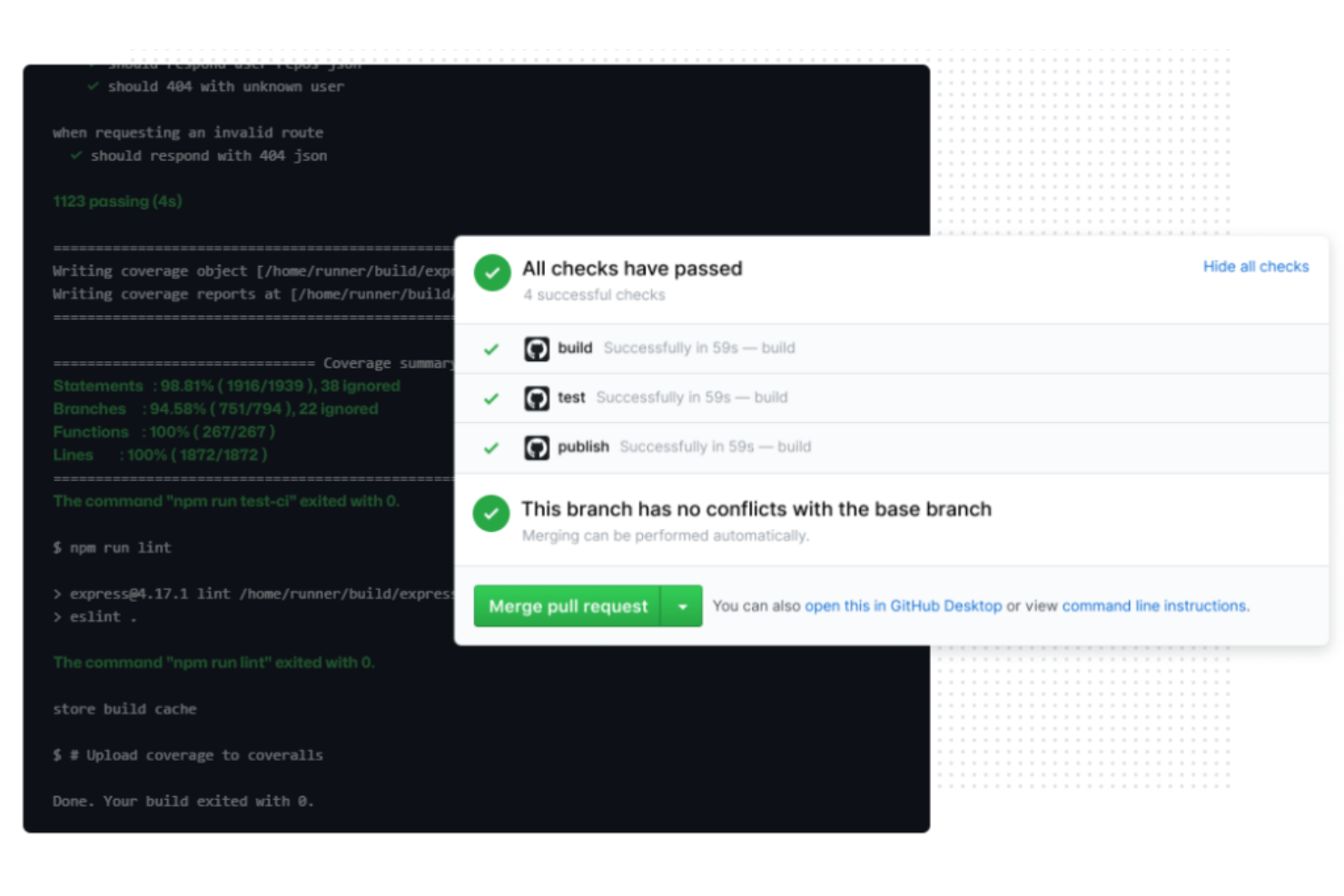
GitHub ist ein integriertes Build-Automatisierungstool in GitHub und ideal für Entwickler, die an Open-Source-Projekten arbeiten. Es automatisiert Arbeitsabläufe zum Erstellen, Testen und Bereitstellen von Code und bietet Entwicklern ein nahtloses Erlebnis.
Warum ich GitHub ausgewählt habe: GitHub Actions glänzt in Open-Source-Umgebungen, indem es Unterstützung für mehrere Umgebungen wie Linux, macOS und Windows bietet. Es enthält Matrix-Builds, die das gleichzeitige Testen auf verschiedenen Plattformen ermöglichen. Der integrierte Geheimnis-Speicher erhöht die Sicherheit für sensible Daten. Darüber hinaus bietet der GitHub-Marktplatz eine Vielzahl von Actions zur Integration in Ihre Arbeitsabläufe und unterstützt damit den Open-Source-Fokus.
Herausragende Funktionen & Integrationen:
Funktionen umfassen Matrix-Builds für plattformübergreifende Tests, einen integrierten Geheimnis-Speicher zur Verwaltung sensibler Informationen und einen Marktplatz für Actions zur Erweiterung der Workflow-Automatisierung.
Integrationen umfassen Slack, Microsoft Teams, Jira, Docker, AWS, Azure, Google Cloud, Heroku, Kubernetes und Terraform.
Pros and Cons
Pros:
- Einfache Duplizierung von Workflows
- Zugriff auf einen Marktplatz mit einsatzbereiten Actions
- Aktive Entwicklung und schnelle Performance
Cons:
- Erfordert manuelles Scripting
- Begrenzte Self-Service-Optionen
Am besten für IT-Automatisierung geeignet
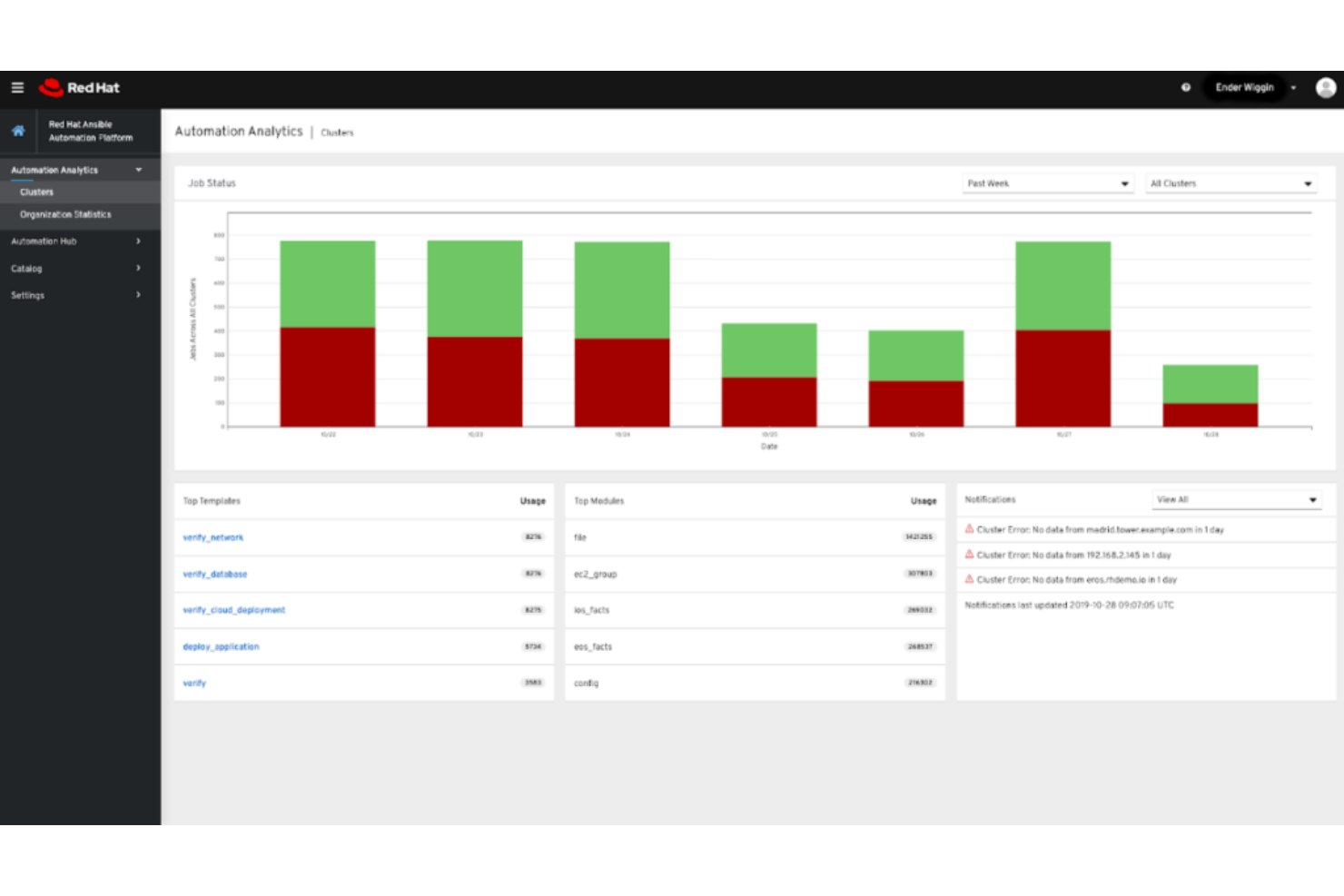
Die Red Hat Ansible Automation Platform ist ein Tool für IT-Teams, um wiederkehrende Aufgaben zu automatisieren und komplexe Bereitstellungen zu verwalten. Sie stellt ein Framework für die Automatisierung in gesamten IT-Umgebungen bereit und steigert so Effizienz und Konsistenz.
Warum ich die Red Hat Ansible Automation Platform ausgewählt habe: Sie bietet eine einfache, aber leistungsstarke Automatisierungssprache, mit der Sie Ihre IT-Infrastruktur beschreiben können. Die Flexibilität der Plattform unterstützt eine Vielzahl von IT-Umgebungen, sodass sie sich an die Anforderungen Ihres Teams anpassen lässt. Durch den Fokus auf Sicherheit und Compliance können Sie sicherstellen, dass Ihre automatisierten Prozesse branchenspezifische Standards erfüllen. Zudem helfen die umfangreiche Dokumentation und die Community-Unterstützung Ihrem Team, Lösungen effektiv umzusetzen.
Herausragende Funktionen & Integrationen:
Funktionen umfassen eine benutzerfreundliche Automatisierungssprache, die das Scripting vereinfacht, rollenbasierte Zugriffskontrolle zur Verwaltung von Berechtigungen sowie umfangreiche Dokumentation, die Ihr Team durch die Implementierung führt. Diese Funktionen helfen Ihnen, Aufgaben effizient und sicher zu automatisieren.
Integrationen umfassen AWS, Azure, Google Cloud, VMware, IBM Cloud, Cisco, Dell EMC, F5, NetApp und ServiceNow.
Pros and Cons
Pros:
- Flexibles rollenbasiertes Zugriffsmanagement
- Einfache Automatisierungssprache
- Unterstützt verschiedene IT-Umgebungen
Cons:
- Begrenzte GUI-Optionen
- Leistung kann variieren

Jenkins
Am besten geeignet für anpassbare Pipelines
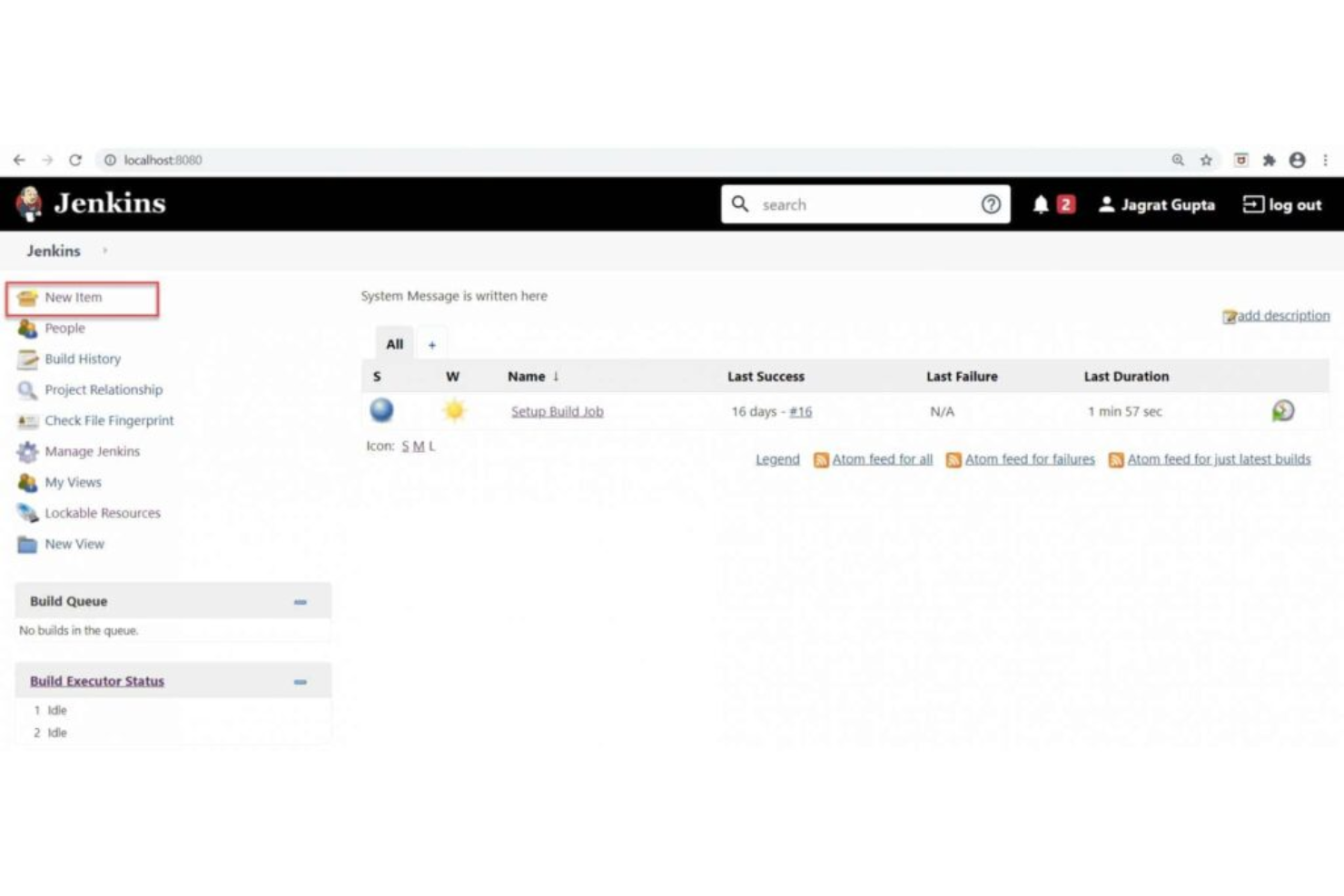
Jenkins ist ein Open-Source-Automatisierungsserver, der hauptsächlich von Entwicklern und DevOps-Teams zum Erstellen, Testen und Bereitstellen von Software verwendet wird. Er bietet eine flexible Umgebung zur Erstellung individueller Build-Pipelines und erleichtert die kontinuierliche Integration und Auslieferung.
Warum ich Jenkins gewählt habe: Das umfangreiche Plugin-Ökosystem ermöglicht es Ihnen, das System individuell an die spezifischen Anforderungen Ihres Projekts anzupassen. Mit der benutzerfreundlichen Oberfläche können Sie mühelos komplexe Build-Pipelines erstellen. Jenkins unterstützt verteilte Builds, sodass Ihr Team Tests über verschiedene Umgebungen hinweg ausführen kann. Aufgrund der Open-Source-Natur können Sie Jenkins anpassen und erweitern, um individuellen Anforderungen gerecht zu werden.
Herausragende Funktionen & Integrationen:
Funktionen umfassen eine große Auswahl an Plugins zur Individualisierung, Unterstützung für verteilte Builds zum Ausbau der Testmöglichkeiten und eine benutzerfreundliche Oberfläche zur Erstellung komplexer Pipelines. Diese Funktionen ermöglichen es Ihnen, Jenkins genau auf die Anforderungen Ihres Teams zuzuschneiden.
Integrationen umfassen GitHub, GitLab, Bitbucket, Docker, Slack, JIRA, AWS, Azure, Google Cloud und Kubernetes.
Pros and Cons
Pros:
- Unterstützt verteilte Builds
- Hochgradig anpassbar
- Umfangreiches Plugin-Ökosystem
Cons:
- Erfordert regelmäßige Wartung
- Keine integrierte Analytik

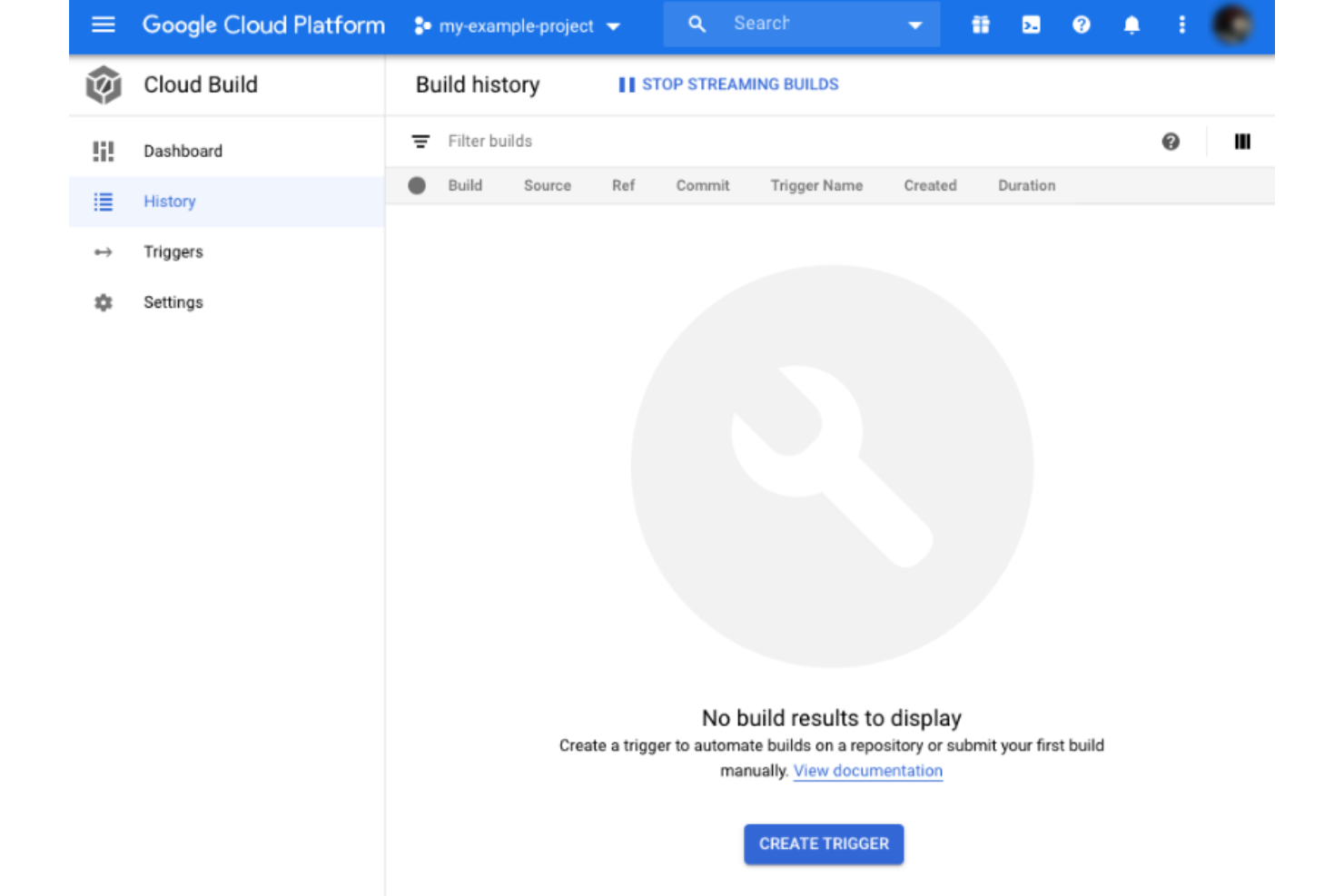
Google Cloud Build ist eine Plattform für kontinuierliche Integration und Bereitstellung (CI/CD) für Entwickler, die die Google Cloud Platform (GCP) nutzen. Sie automatisiert den Prozess des Erstellens, Testens und Bereitstellens von Anwendungen und bietet Teams, die innerhalb des GCP-Ökosystems arbeiten, ein nahtloses Erlebnis.
Warum ich Google Cloud Build gewählt habe: Es bietet eine tiefe Integration mit GCP, sodass Ihr Team Anwendungen direkt innerhalb des Google-Ökosystems erstellen und bereitstellen kann. Dank der skalierbaren Infrastruktur können große Arbeitslasten effizient verarbeitet werden. Die Plattform unterstützt verschiedene Build-Umgebungen, darunter Docker und Kubernetes, und sorgt so für Flexibilität in Ihren Workflows. Darüber hinaus macht das nutzungsbasierte Preismodell das Tool für Projekte unterschiedlicher Größe kosteneffizient.
Herausragende Funktionen & Integrationen:
Funktionen sind u.a. die Unterstützung anpassbarer Build-Schritte, die Integration mit Google Cloud Storage für das Artefaktmanagement sowie detailliertes Logging für Build-Prozesse. Diese Funktionen helfen Ihrem Team, Builds effizient zu verwalten und Transparenz zu gewährleisten.
Integrationen umfassen GitHub, Bitbucket, GitLab, Slack, Jenkins, JIRA, Docker, Kubernetes, Google Cloud Storage und Google Cloud Pub/Sub.
Pros and Cons
Pros:
- Unterstützt mehrere Build-Umgebungen
- Nutzungsbasiertes Preismodell
- Tiefe Integration mit GCP
Cons:
- Erfordert Kenntnisse in GCP
- Leistung hängt von der Netzwerkgeschwindigkeit ab

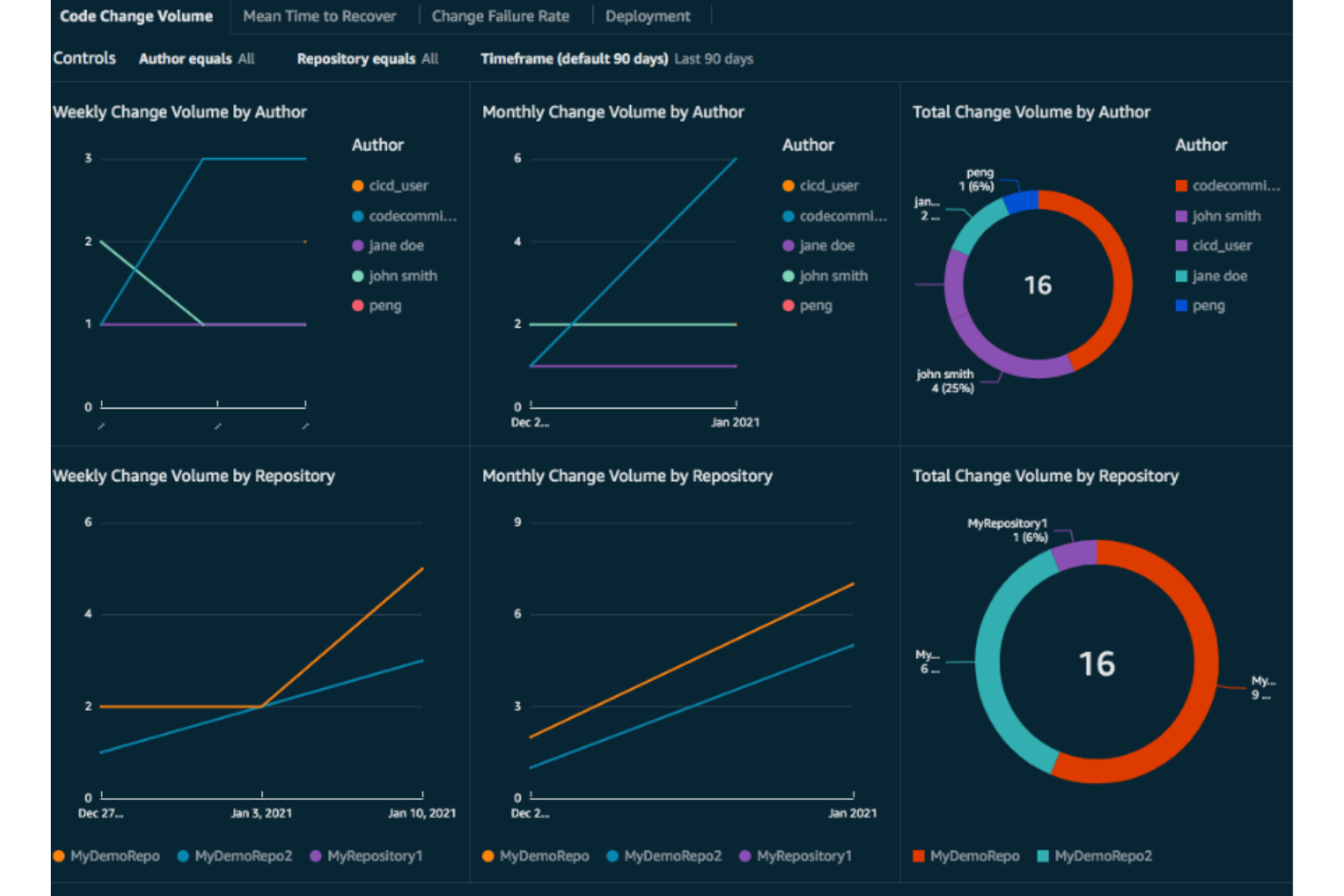
AWS CodeBuild ist ein vollständig verwalteter Continuous-Integration-Service für Entwickler innerhalb des AWS-Ökosystems. Es kompiliert Quellcode, führt Tests aus und erstellt Softwarepakete, was es ideal für Teams macht, die AWS-Dienste nutzen.
Warum ich AWS CodeBuild gewählt habe: Es integriert sich nahtlos mit anderen AWS-Services und ist daher eine natürliche Wahl für Teams, die bereits AWS nutzen. Dank des vollständig verwalteten Dienstes müssen Sie keine eigenen Build-Server betreiben und sparen somit Zeit und Ressourcen. Das nutzungsbasierte Preismodell sorgt für Kosteneffizienz. Darüber hinaus ermöglicht die Skalierbarkeit Ihres Teams, große Arbeitslasten effizient zu bewältigen und sich an Projektanforderungen anzupassen.
Hervorstechende Funktionen & Integrationen:
Funktionen beinhalten automatisches Skalieren zur Anpassung an unterschiedliche Arbeitslasten, Integration mit AWS Identity and Access Management für sicheren Zugriff sowie detaillierte Protokollierung via Amazon CloudWatch zur Überwachung von Build-Prozessen. Diese Funktionen unterstützen Ihr Team bei der effizienten Verwaltung von Builds und der Aufrechterhaltung der Sicherheit.
Integrationen umfassen AWS Lambda, Amazon S3, AWS CloudFormation, Amazon EC2, AWS CodePipeline, AWS CodeDeploy, GitHub, Bitbucket, Jenkins und Slack.
Pros and Cons
Pros:
- Kosteneffizientes nutzungsbasiertes Preismodell
- Detaillierte Protokollierungsfunktionen
- Automatisches Skalieren
Cons:
- Erfordert AWS-Kenntnisse
- Leistung hängt von der Netzwerkgeschwindigkeit ab

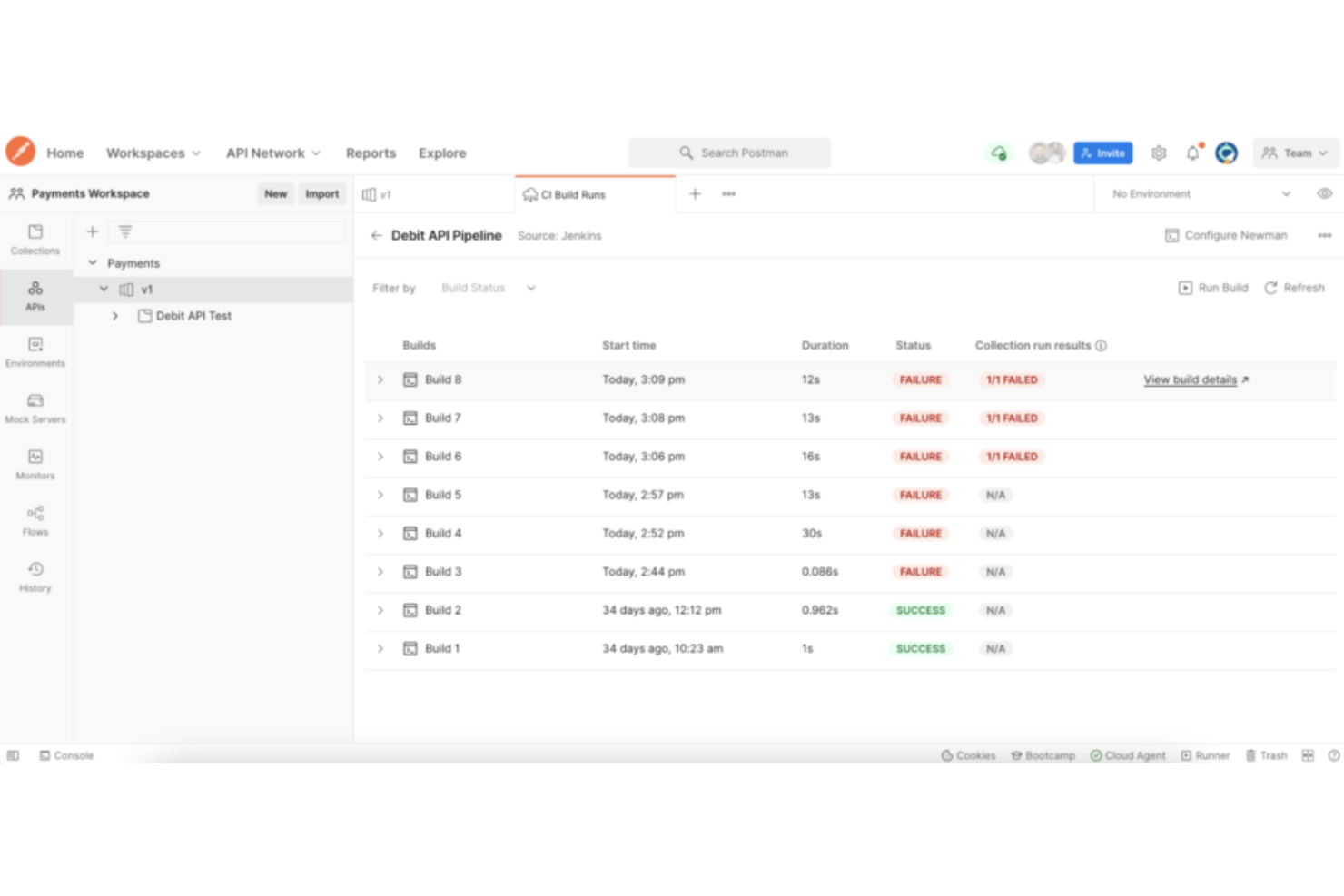
Postman ist ein Tool, das für Entwickler konzipiert wurde, die sich auf API-Tests und -Entwicklung konzentrieren. Es bietet eine Plattform zum Erstellen, Testen und Verwalten von APIs und richtet sich sowohl an einzelne Entwickler als auch an Teams.
Warum ich Postman ausgewählt habe: Es vereinfacht API-Tests durch die benutzerfreundliche Oberfläche und den umfangreichen Funktionsumfang. Sie können ganz einfach Anfragen erstellen, Antworten überprüfen und Tests automatisieren, um die Funktionalität der API sicherzustellen. Mit den Kollaborationsfunktionen von Postman können Teams gemeinsam arbeiten, Sammlungen und Umgebungen teilen. Die automatisierten Testfunktionen machen es zu einer bevorzugten Wahl, wenn es um Zuverlässigkeit von APIs geht.
Hervorstechende Funktionen & Integrationen:
Funktionen umfassen einen leistungsstarken Request Builder zum Erstellen von API-Anfragen, automatisierte Tests zur Sicherstellung der API-Zuverlässigkeit und das Management von Umgebungen zum Speichern und Teilen von Konfigurationen.
Integrationen umfassen GitHub, GitLab, Bitbucket, Slack, Microsoft Teams, Jenkins, JIRA, AWS, Azure und Google Cloud.
Pros and Cons
Pros:
- Unterstützt automatisierte Testskripte
- Einfache Verwaltung von Umgebungen
- Umfangreiche Möglichkeiten für API-Tests
Cons:
- Für fortgeschrittene Funktionen ist Einarbeitung erforderlich
- Kann ressourcenintensiv sein

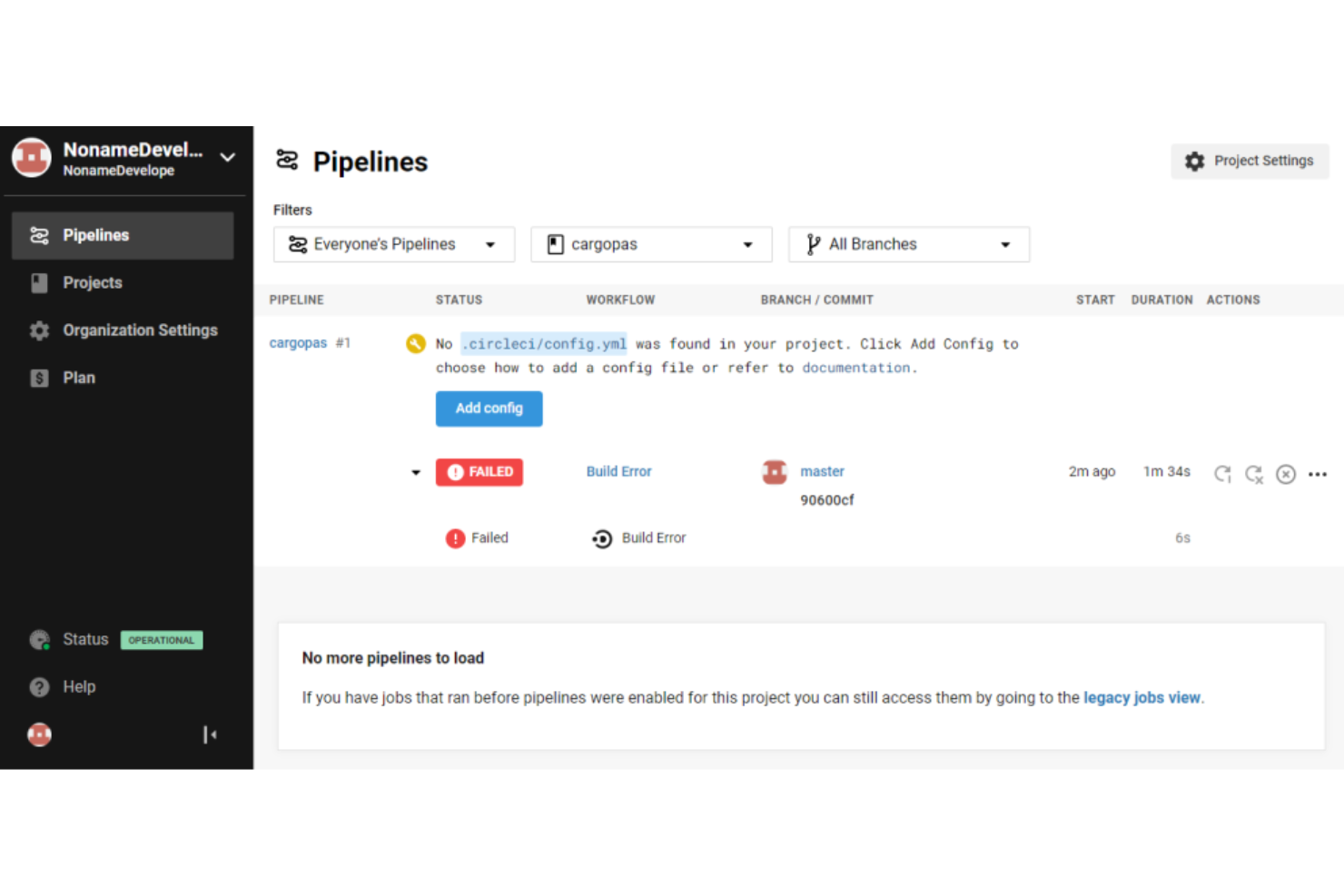
CircleCI ist eine Plattform für kontinuierliche Integration und Bereitstellung, die von Entwicklungsteams genutzt wird, um den Prozess des Bauens, Testens und Deployens zu automatisieren. Sie ist ideal für Teams, die eine schnelle Einrichtung und eine effiziente Bereitstellungspipeline suchen.
Warum ich CircleCI gewählt habe: Aufgrund des schnellen Einrichtungsprozesses können Sie Ihre Builds und Deployments ohne großen Aufwand automatisieren. Die flexible Plattform unterstützt mehrere Programmiersprachen und deckt damit unterschiedliche Entwicklungsanforderungen ab. Mit den leistungsstarken Caching-Funktionen können Sie die Build-Zeiten erheblich verkürzen. Zusätzlich bietet CircleCI detaillierte Einblicke in die Build-Performance, um die Workflows zu optimieren.
Besondere Funktionen & Integrationen:
Funktionen umfassen leistungsstarkes Caching zur Beschleunigung der Builds, Unterstützung für mehrere Programmiersprachen und detaillierte Einblicke in die Build-Performance. Diese Funktionen helfen Ihrem Team, Workflows zu optimieren und die Effizienz zu steigern.
Integrationen umfassen GitHub, Bitbucket, GitLab, Slack, AWS, Azure, Google Cloud, Docker, JIRA und Kubernetes.
Pros and Cons
Pros:
- Detaillierte Einblicke in Builds
- Unterstützt mehrere Sprachen
- Schneller Einrichtungsprozess
Cons:
- Begrenzte Anpassungsmöglichkeiten im kostenlosen Plan
- Kenntnisse in YAML-Konfiguration erforderlich

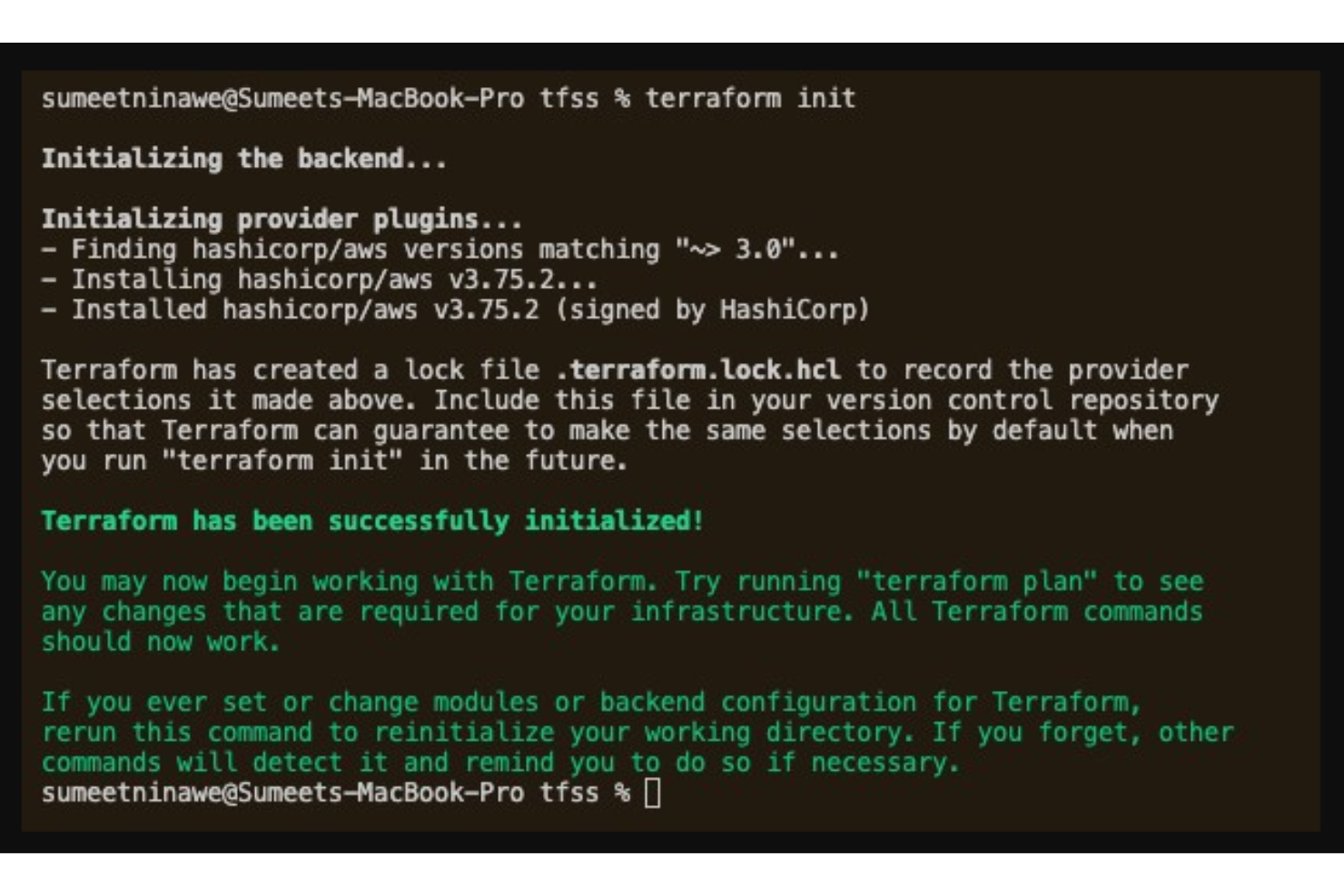
Hashicorp Terraform ist ein Infrastructure-as-Code-Tool für Entwickler und IT-Teams zur Verwaltung und Bereitstellung von Rechenzentrumsinfrastrukturen. Es automatisiert die Einrichtung und Verwaltung von Ressourcen über mehrere Cloud-Anbieter hinweg und verbessert so Effizienz und Konsistenz.
Warum ich Hashicorp Terraform gewählt habe: Es überzeugt bei der Verwaltung von Infrastruktur als Code und ermöglicht die Automatisierung der Bereitstellung von Low-Level-Komponenten wie Recheninstanzen sowie High-Level-Komponenten wie DNS-Einträgen. Die Unterstützung mehrerer Cloud-Anbieter sorgt für Flexibilität im Infrastruktur-Management. Praktische Tutorials und Best-Practices des Anbieters begleiten Sie bei der Implementierung. Darüber hinaus bescheinigen Zertifizierungsprogramme Ihre Kenntnisse, was die Lösung zu einer umfassenden Option für Infrastrukturmanagement macht.
Herausragende Funktionen & Integrationen:
Funktionen umfassen Versionskontrolle für Infrastruktur, Automatisierung der Bereitstellung von Ressourcen sowie die Unterstützung sowohl von Low-Level- als auch High-Level-Infrastrukturkomponenten.
Integrationen beinhalten AWS, Azure, Google Cloud, Kubernetes, VMware, OpenStack, GitHub, GitLab, Bitbucket und DigitalOcean.
Pros and Cons
Pros:
- Umfangreiche Modulsammlung
- Starke Community-Unterstützung
- Unterstützt Multi-Cloud-Umgebungen
Cons:
- Begrenzte GUI-Optionen
- Komplexe Syntax für Einsteiger
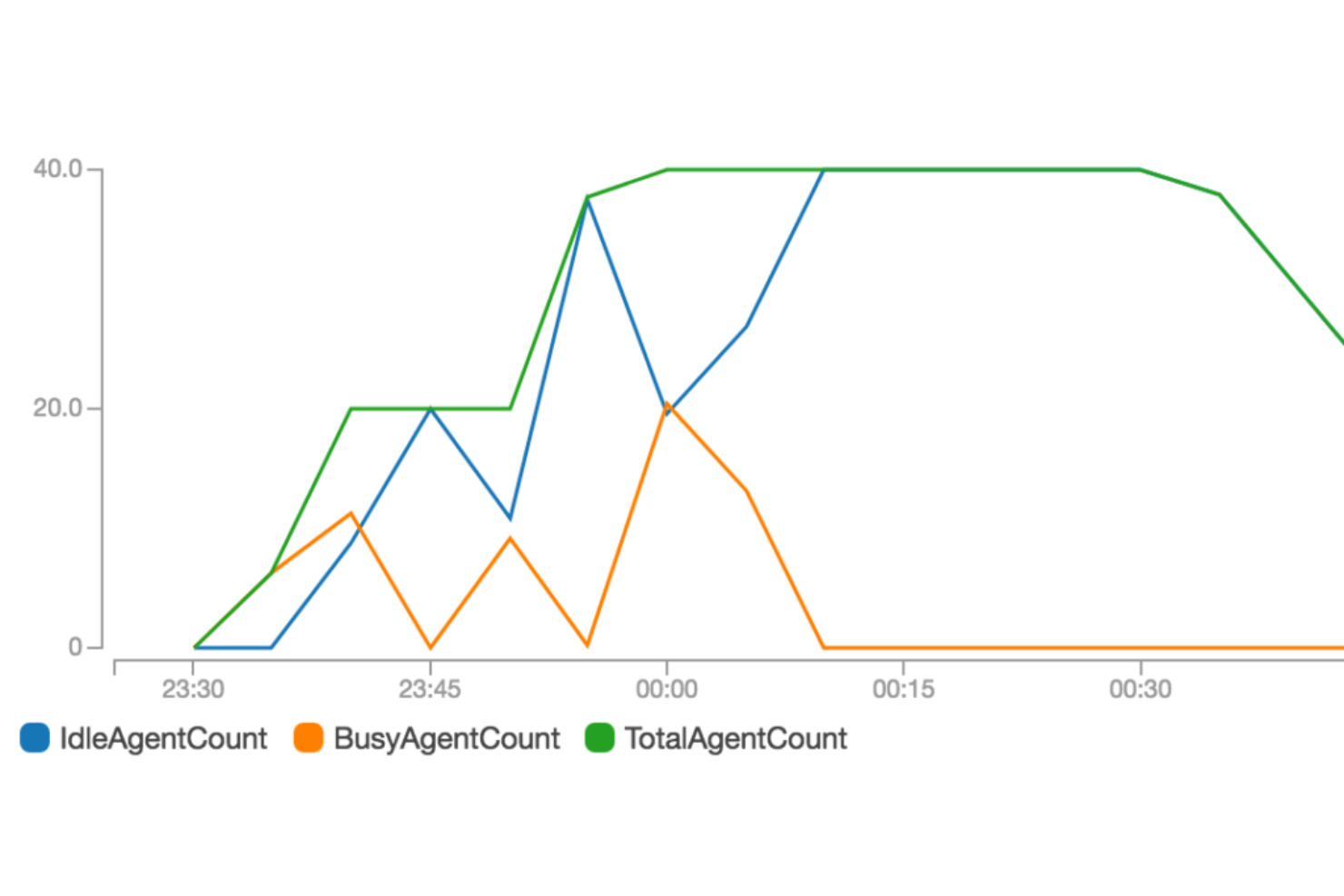
Buildkite ist eine Continuous-Integration-Plattform, die von Entwicklerteams genutzt wird, um Tests und Bereitstellungen in hybriden Cloud-Umgebungen zu automatisieren. Sie ermöglicht Entwicklern, Builds auf ihrer eigenen Infrastruktur auszuführen und bietet somit Kontrolle und Sicherheit.
Warum ich Buildkite gewählt habe: Es bietet Flexibilität, da Builds auf der eigenen Infrastruktur ausgeführt werden können und somit die Kontrolle über die eigene Umgebung gewährleistet ist. Die Unterstützung hybrider Cloud-Lösungen ermöglicht die Integration sowohl mit Cloud- als auch mit lokalen Systemen. Mit skalierbaren Pipelines kann das Team komplexe Arbeitsabläufe effizient bewältigen. Darüber hinaus macht der starke Fokus auf Sicherheit Buildkite zu einer zuverlässigen Wahl für sensible Projekte.
Herausragende Funktionen & Integrationen:
Funktionen umfassen anpassbare Pipelines, mit denen Sie komplexe Arbeitsabläufe definieren können, Unterstützung für das Ausführen von Builds auf der eigenen Infrastruktur sowie einen Sicherheitsfokus mit Funktionen wie Verschlüsselung und Audit-Logs.
Integrationen umfassen GitHub, GitLab, Bitbucket, Slack, AWS, Azure, Google Cloud, Docker, JIRA und Kubernetes.
Pros and Cons
Pros:
- Starke Sicherheitsfunktionen
- Kontrolle über die Build-Infrastruktur
- Unterstützt hybride Cloud-Umgebungen
Cons:
- Erfordert Infrastrukturverwaltung
- Einarbeitungszeit für neue Nutzer

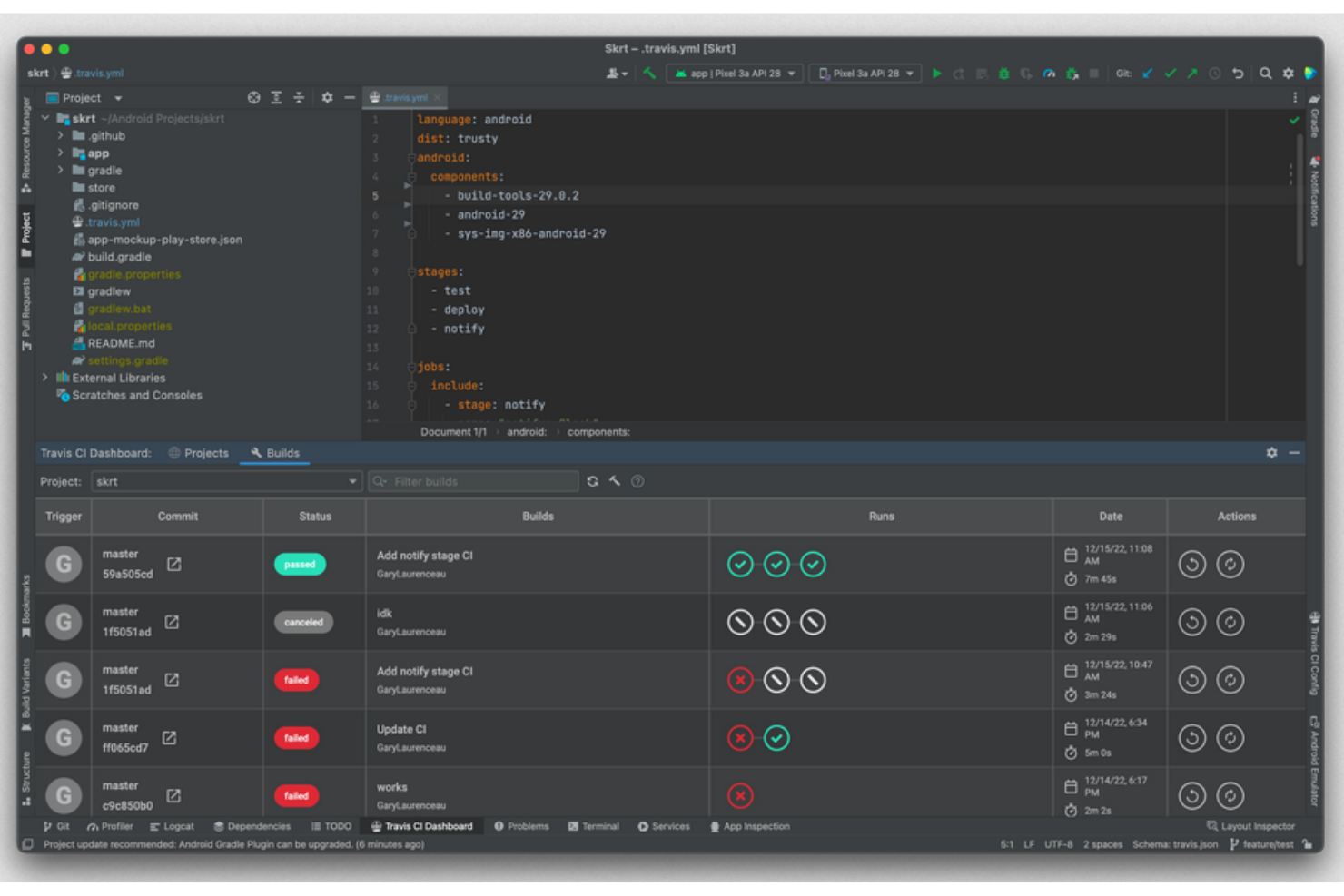
Travis CI ist ein Build-Automatisierungstool für Softwareentwickler, das sich auf kontinuierliche Integration und Bereitstellung in der Cloud konzentriert. Es hilft dabei, die Entwicklung zu optimieren, indem Fehler schnell erkannt und Codeversionen verwaltet werden.
Warum ich Travis CI ausgewählt habe: Die cloudbasierte Architektur bietet Flexibilität und Skalierbarkeit für Ihre Projekte. Durch die Unterstützung mehrerer Programmiersprachen lässt sich Travis CI leicht in bestehende Workflows integrieren. Die intuitive Benutzeroberfläche erleichtert die Einrichtung und Konfiguration, was es für Teams gut zugänglich macht. Darüber hinaus liefern die starke Community und die umfassende Dokumentation von Travis CI wertvolle Ressourcen zur Fehlerbehebung.
Hervorstechende Funktionen & Integrationen:
Funktionen beinhalten automatisches Code-Scanning zur Erkennung von Sicherheitslücken, Unterstützung verschiedener Programmiersprachen und eine intuitive Benutzeroberfläche, die die Einrichtung vereinfacht.
Integrationen umfassen GitHub, Bitbucket, Slack, Docker, Heroku, AWS, Azure, Google Cloud, Kubernetes und Jira.
Pros and Cons
Pros:
- Unterstützt mehrere Programmiersprachen
- Flexible cloudbasierte Lösungen
- Automatische Benachrichtigungen zum Build-Status
Cons:
- Kann bei größeren Builds langsamer sein
- Eingeschränkte Anpassungsmöglichkeiten
Weitere Software zur Build-Automatisierung
Hier finden Sie einige weitere Optionen für Software zur Build-Automatisierung, die es nicht in meine Auswahlliste geschafft haben, aber dennoch einen Blick wert sind:
- AppVeyor
Am besten für Windows-basierte Builds
- Apache Maven
Am besten für das Java-Projektmanagement
- CloudBees CodeShip
Am besten geeignet für einfaches CI/CD-Setup


Wie ich Software zur Build-Automatisierung bewerte
Ich unterteile meine Bewertung in grundlegende Fähigkeiten, die jedes Tool erfüllen muss, und in die Unterscheidungsmerkmale, die gute von hervorragenden Lösungen abheben.
Kernfunktionen (Grundvoraussetzungen für diese Liste)
Bei der Auswahl der Tools für meine Liste bewerte ich jedes einzelne für jede der unten aufgeführten Kernfunktionen auf einer Skala von 0 (bietet die Funktionalität nicht) bis 5 (ist in diesem Bereich hervorragend). Anschließend rechne ich die Gesamtpunktzahl des Tools in einen Prozentsatz um und verwende 75 % als Richtwert, um die allgemeine Eignung für die Liste zu beurteilen.
- Automatisierte Erstellung: Ich suche nach Tools, die Code in mehreren Sprachen und für mehrere Plattformen automatisch kompilieren, Abhängigkeiten auflösen und Artefakte erzeugen, ohne umfangreiche manuelle Skripterstellung.
- Integration in CI/CD-Pipelines: Das Tool sollte sich mit wichtigen CI/CD-Plattformen wie Jenkins und GitHub Actions verbinden lassen, idealerweise über native Integrationen, Webhooks und APIs statt über manuelle Übergaben.
- Abhängigkeitsverwaltung: Ich bewerte, wie jedes Tool mit versionierten Abhängigkeiten, transitiver Auflösung und dem Abruf aus Paketregistern umgeht – insbesondere, wenn Teams sowohl auf öffentliche als auch auf private Repositorys zugreifen.
- Konfiguration der Erstellung als Code: Hier achte ich auf deklarative Definitionen für Erstellungsvorgänge in YAML, Groovy oder einer benutzerdefinierten DSL, die zusammen mit dem Anwendungscode in der Versionsverwaltung liegen.
- Inkrementelle und parallele Erstellung: Ich untersuche Caching-Strategien, Parallelität auf Aufgabenebene und die Unterstützung entfernter Caches – Funktionen, die besonders wichtig werden, wenn die Erstellungszeiten in wachsenden Codebasen zehn Minuten überschreiten.
- Erzeugung und Verwaltung von Artefakten: Jedes Tool sollte versionierte Artefakte erzeugen und sie mit Metadaten in Repositorys wie Artifactory oder Nexus veröffentlichen, statt Dateien lediglich auf einer lokalen Festplatte abzulegen.
Sobald ich eine Liste von Tools zusammengestellt habe, die die Kriterien erfüllen, prüfe ich, was die einzelnen Plattformen voneinander unterscheidet.
Unterscheidungsmerkmale (Was Anbieter voneinander abhebt)
So vergleiche ich die verschiedenen Anbieter:
Herausragende Funktionen
Entferntes Caching von Erstellungsergebnissen ist das Erste, was ich prüfe, weil es unmittelbar bestimmt, wie lange Entwickler warten. Ich untersuche, ob ein Tool zwischengespeicherte Ausgaben sowohl auf lokalen Rechnern als auch auf CI-Agenten gemeinsam nutzen kann. Das ist besonders in Monorepositories wichtig, in denen eine einzelne Änderung nicht Tausende unabhängiger Aufgaben erneut auslösen sollte. Die Sicherheit der Softwarelieferkette ist ebenso wichtig – ich bewerte, ob das Tool SBOMs erzeugen und Artefakte direkt signieren kann, anstatt zusätzlich installierte Scanner zu erfordern. Die Beobachtbarkeit der Erstellung vervollständigt meine Bewertung; ich möchte Dashboards, die instabile Tests und Trends bei der Erstellungsdauer sichtbar machen, damit Teams Engpässe beheben können, bevor sie Veröffentlichungen verlangsamen.
Über die Funktionen hinaus
Ich bewerte die Bereitstellungsflexibilität jedes Tools, weil Teams in regulierten Branchen häufig selbst gehostete oder vollständig vom Netz getrennte Optionen benötigen, die reine SaaS-Plattformen nicht bieten können. Preismodelle sind ebenso wichtig – ein Plan pro Erstellungsminute, der während der Evaluierung günstig wirkt, kann während Veröffentlichungs-Sprints stark ansteigen. Deshalb vergleiche ich Stufenmodelle pro Benutzer, pro Agent und auf Verbrauchsbasis mit den tatsächlichen Parallelitätsmustern. Außerdem prüfe ich das Plugin-Ökosystem und native Integrationen mit Tools wie Terraform, ArgoCD und Artifactory, da ein Erstellungssystem, das Artefakte nicht an nachgelagerte Systeme übergeben kann, manuellen Aufwand verursacht.
So wählen Sie Software zur Build-Automatisierung aus
Es ist leicht, sich in langen Funktionslisten und komplexen Preisstrukturen zu verlieren. Damit Sie sich bei der Suche nach der passenden Software auf Ihren individuellen Auswahlprozess konzentrieren können, finden Sie hier eine Checkliste mit Faktoren, die Sie berücksichtigen sollten:
| Faktor | Was zu beachten ist |
| Skalierbarkeit | Kann die Software mit Ihrem Wachstum Schritt halten? Prüfen Sie, ob sie steigende Arbeitslasten und größere Projekte unterstützt, wenn Ihr Team wächst. |
| Integrationen | Lässt sie sich in Ihre vorhandenen Tools integrieren? Achten Sie auf die Kompatibilität mit Ihren Versionskontrollsystemen, Cloud-Plattformen und anderer wichtiger Software. |
| Anpassbarkeit | Können Sie die Software an Ihre Arbeitsabläufe anpassen? Prüfen Sie, ob das Tool Optionen zur Anpassung von Pipelines und Prozessen an die spezifischen Anforderungen Ihres Teams bietet. |
| Benutzerfreundlichkeit | Ist die Benutzeroberfläche intuitiv? Stellen Sie sicher, dass die Software für alle Teammitglieder zugänglich ist, um die Lernkurve zu verkürzen und die Produktivität zu steigern. |
| Implementierung und Einführung | Wie schnell kann Ihr Team die Software nutzen? Bewerten Sie die Verfügbarkeit von Schulungsressourcen und Support sowie die einfache Umstellung von Ihrem aktuellen System. |
| Kosten | Passt die Software in Ihr Budget? Vergleichen Sie Preismodelle einschließlich Abonnementgebühren, möglicher Rabatte sowie der Kosten für Erweiterungen oder zusätzliche Benutzer. |
| Sicherheitsvorkehrungen | Sind Ihre Daten und Projekte geschützt? Vergewissern Sie sich, dass die Software Verschlüsselung, Zugriffskontrollen und regelmäßige Sicherheitsupdates bietet, um Ihre Informationen zu schützen. |
Was ist eine Software zur Build-Automatisierung?
Software zur Build-Automatisierung ist ein Tool, das den Prozess des Erstellens, Testens und Bereitstellens von Code automatisiert. Diese Tools werden typischerweise von Softwareentwicklern, DevOps-Teams und IT-Fachleuten eingesetzt, um die Produktivität zu steigern und manuelle Fehler zu reduzieren.
Automatisierte Tests, kontinuierliche Integration und Bereitstellungsfunktionen tragen zu Effizienz, Genauigkeit und Zusammenarbeit bei. Insgesamt spart Software zur Arbeitslastautomatisierung Zeit und verbessert die Qualität von Entwicklungsprojekten.
Funktionen von Software zur Build-Automatisierung
Achten Sie bei der Auswahl einer Software zur Build-Automatisierung auf die folgenden wichtigen Funktionen:
- Automatisierte Tests: Führt automatisch Tests für Ihren Code aus, um Fehler frühzeitig zu erkennen und die Softwarequalität zu verbessern.
- Kontinuierliche Integration: Führt Codeänderungen häufig zusammen, um Probleme schneller zu erkennen und die Zusammenarbeit zu verbessern.
- Bereitstellungsfunktionen: Automatisiert die Veröffentlichung von Software in verschiedenen Umgebungen, spart Zeit und reduziert Fehler.
- Anpassung von Pipelines: Ermöglicht es Ihnen, Arbeitsabläufe an die spezifischen Prozesse und Anforderungen Ihres Teams anzupassen.
- Integration der Versionskontrolle: Verbindet sich mit Systemen wie GitHub oder Bitbucket, um den Codeverlauf zu bewahren und effizient zusammenzuarbeiten.
- Skalierbarkeit: Unterstützt steigende Arbeitslasten und größere Projekte, wenn Ihr Team wächst.
- Sicherheitsvorkehrungen: Schützt Ihre Daten durch Verschlüsselung und Zugriffskontrollen und gewährleistet so die Sicherheit Ihrer Projekte.
- Echtzeitüberwachung: Liefert Einblicke in Build-Prozesse und hilft Ihnen, Probleme zu erkennen und die Leistung zu optimieren.
- Rollenbasierte Zugriffskontrolle: Verwaltet Benutzerberechtigungen, um eine sichere und organisierte Zusammenarbeit zu gewährleisten.
- Detaillierte Analysen: Bietet Einblicke in Build-Kennzahlen, damit Teams fundierte Entscheidungen treffen können.
Vorteile einer Software zur Build-Automatisierung
Die Einführung einer Software zur Build-Automatisierung bietet Ihrem Team und Ihrem Unternehmen mehrere Vorteile. Hier sind einige, auf die Sie sich freuen können:
- Höhere Effizienz: Die Automatisierung von Builds und Tests spart Zeit und reduziert den manuellen Aufwand, sodass sich Ihr Team auf die Entwicklung konzentrieren kann.
- Verbesserte Codequalität: Kontinuierliche Integration und automatisierte Tests erkennen Fehler frühzeitig und führen zu zuverlässigerer Software.
- Schnellere Bereitstellungen: Automatisierte Bereitstellungsfunktionen beschleunigen den Veröffentlichungsprozess, sodass Ihr Produkt schneller auf den Markt kommt.
- Verbesserte Zusammenarbeit: Die Integration mit der Versionskontrolle und die Echtzeitüberwachung fördern eine bessere Teamarbeit und Kommunikation.
- Skalierbarkeit: Unterstützt das Wachstum durch die Verarbeitung größerer Projekte und Arbeitslasten und passt sich den wachsenden Anforderungen Ihres Teams an.
- Sicherheitsgewährleistung: Funktionen wie Verschlüsselung und rollenbasierte Zugriffskontrolle schützen Ihre Daten und bewahren die Integrität Ihrer Projekte.
- Fundierte Entscheidungsfindung: Detaillierte Analysen und Einblicke helfen Ihrem Team, datengestützte Entscheidungen zur Leistungsoptimierung zu treffen.
Kosten und Preise von Software zur Build-Automatisierung
Bei der Auswahl einer Software zur Build-Automatisierung ist es wichtig, die verschiedenen verfügbaren Preismodelle und Tarife zu verstehen. Die Kosten variieren je nach Funktionen, Teamgröße, Erweiterungen und weiteren Faktoren. Die folgende Tabelle fasst gängige Tarife, ihre durchschnittlichen Preise und typische enthaltene Funktionen von Lösungen zur Build-Automatisierung zusammen:
Vergleichstabelle für Tarife von Software zur Build-Automatisierung
| Tariftyp | Durchschnittlicher Preis | Übliche Funktionen |
| Kostenloser Tarif | $0 | Grundlegende Automatisierung der Softwareerstellung, begrenzte Integrationen und Community-Support. |
| Persönlicher Tarif | $5-$25 /Benutzer /Monat | Zusätzliche Integrationen, grundlegende Analysen und begrenzter Support. |
| Geschäftstarif | $25-$50 /Benutzer /Monat | Erweiterte Analysen, priorisierter Support und mehr Integrationen. |
| Unternehmenstarif | $50-$100+ /Benutzer /Monat | Anpassbare Pipelines, dedizierter Support und verbesserte Sicherheitsfunktionen. |
Häufig gestellte Fragen zur Software für automatisierte Softwareerstellung
Hier finden Sie Antworten auf häufige Fragen zur Software für automatisierte Softwareerstellung:
Welche zwei Gründe sprechen für die Automatisierung des Softwareerstellungsprozesses?
Die Automatisierung des Erstellungsprozesses spart Zeit und Aufwand, da manuelle Aufgaben reduziert werden. Außerdem gewährleistet sie Konsistenz und Standardisierung, was zu einer höheren Codequalität führt. Durch die Automatisierung erhalten Sie schnellere Feedbackschleifen, die für kontinuierliche Integration und Bereitstellung unerlässlich sind. Dies hilft Ihrem Team, effizienter zu arbeiten.
Welcher Prozess erfordert automatisierte Softwareerstellungen?
Der Prozess der kontinuierlichen Integration (CI) erfordert automatisierte Softwareerstellungen. CI integriert Codeänderungen regelmäßig in ein gemeinsames Repository, in dem automatisierte Erstellungen und Tests ausgeführt werden, um Fehler schnell zu erkennen. Dieser Ansatz verbessert die Zusammenarbeit und stellt sicher, dass Ihre Software in einem bereitstellbaren Zustand bleibt.
Erfolgt die Automatisierung von Softwareerstellungen durch CI-Tools?
Ja, CI-Tools automatisieren Softwareerstellungen häufig mithilfe von Auslösern aus Versionskontrollsystemen. Wenn beispielsweise neuer Code in den Produktionszweig integriert wird, kann ein CI-Tool automatisch eine Erstellung auslösen. Diese Automatisierung optimiert den Entwicklungsprozess und stellt zeitnahe Softwareaktualisierungen sicher.
Wie erstellt man Automatisierungstools, die in Versionskontrollsysteme integriert sind?
Integrieren Sie Automatisierungstools für Softwareerstellungen in Versionskontrollsysteme wie GitHub oder Bitbucket, damit Codeänderungen automatisch erkannt werden. Diese Integration ermöglicht die automatische Ausführung von Erstellungen und Tests, sobald Code übermittelt wird. Dadurch kann Ihr Team Probleme schnell erkennen und beheben und die Codequalität aufrechterhalten.
Welche häufigen Fehler sollten bei der Automatisierung von Softwareerstellungen vermieden werden?
Zu den häufigen Fehlern gehören die unzureichende Pflege von Erstellungsskripten, was zu veralteten Prozessen führen kann, sowie die fehlende Integration aller erforderlichen Tools, wodurch Arbeitsabläufe beeinträchtigt werden können. Stellen Sie sicher, dass Ihr Team die Automatisierungsskripte regelmäßig aktualisiert und Integrationen umfassend nutzt, um diese Probleme zu vermeiden.
Wie geht es weiter?
Wenn Sie gerade Software zur automatisierten Softwareerstellung recherchieren, kontaktieren Sie kostenlos einen SoftwareSelect-Berater für Empfehlungen.
Sie füllen ein Formular aus und führen ein kurzes Gespräch, in dem die konkreten Anforderungen Ihres Unternehmens besprochen werden. Anschließend erhalten Sie eine Auswahlliste von Software, die Sie prüfen können. Der Berater unterstützt Sie sogar während des gesamten Kaufprozesses, einschließlich der Preisverhandlungen.