

Top 10 E-Mail-Verschlüsselungsdienste des Jahres 2026

10 Auswahlliste der besten E-Mail-Verschlüsselungsdienste


Bei der Beschäftigung mit E-Mail-Clients, von Apple Mail bis Yahoo, ist mir die Bedeutung der Cybersicherheit auf Android-, iOS- und Windows-Geräten bewusst geworden. Es geht nicht nur darum, sich vor Hackern zu schützen, sondern auch darum, sicherzustellen, dass E-Mails – ob für den persönlichen Gebrauch oder im Rahmen der HIPAA-Richtlinien – mithilfe von Transport Layer Security (TLS) und starker Kryptografie verschlüsselt werden.
Ein idealer sicherer E-Mail-Dienst bietet Cloud-Speicher, ein integriertes Adressbuch und sogar benutzerdefinierte Domains und legt dabei Wert auf Benutzerfreundlichkeit. Angesichts der zunehmenden Bedeutung von Datenschutzgesetzen ist die kombinierte Nutzung privater und öffentlicher Schlüssel zusammen mit einem VPN von entscheidender Bedeutung. In diesem Zusammenhang darf die Attraktivität eines kostenlosen Tarifs bei einem sicheren E-Mail-Anbieter nicht übersehen werden. Das Ziel? Ein Tool, das Datenschutz und Funktionalität miteinander verbindet, die Kommunikation schützt und sicherstellt, dass Nutzer die gesetzlichen Vorgaben einhalten.
Was ist ein E-Mail-Verschlüsselungsdienst?
E-Mail-Verschlüsselungsdienste sind spezielle Tools, die den Inhalt von E-Mail-Nachrichten und Anhängen vor unbefugtem Zugriff schützen. Diese Dienste verschlüsseln den Inhalt der E-Mail, sodass er nur für den vorgesehenen Empfänger lesbar ist, der über den erforderlichen Entschlüsselungsschlüssel verfügt.
Obwohl jeder Besitzer eines E-Mail-Kontos von diesen Tools profitieren kann, werden sie besonders häufig von Unternehmen, Fachleuten, die mit sensiblen Daten arbeiten, und datenschutzbewussten Personen genutzt. Der Hauptzweck besteht darin, Informationen vor potenziellen Cyberbedrohungen, Datenschutzverletzungen oder unbeabsichtigtem Abfangen zu schützen und so die Vertraulichkeit und Integrität der elektronischen Kommunikation zu gewährleisten.
Warum Sie unseren Software-Empfehlungen vertrauen können
Unser Team testet und bewertet Software seit 2012. Als Tech-Führungskräfte wissen wir selbst, wie schwierig – und wichtig – es ist, die richtige Software auszuwählen.
Für diesen Leitfaden haben wir Tools mithilfe von praktischen Tests und unabhängiger Recherche bewertet und dabei unsere Bewertungskriterien angewendet.
Unsere Bewertungen spiegeln unser menschliches redaktionelles Urteilsvermögen wider, keine Verkaufsstrategie.
Zusammenfassung der besten E-Mail-Verschlüsselungsdienste
| Service | Best For | Trial Info | Price | ||
|---|---|---|---|---|---|
| 1 | Am besten geeignet für einheitliche E-Mail-Verschlüsselungsprotokolle | Not available | Ab $14/Nutzer/Monat (jährliche Abrechnung) | Website | |
| 2 | Am besten für sicheres E-Mailen mit Schweizer Datenschutz | 14-tägige kostenlose Testphase | Ab $4/Nutzer/Monat (jährliche Abrechnung) | Website | |
| 3 | Am besten geeignet für die Zusammenführung von E-Mail und Chat in einer einzigen Plattform | Kostenloser Plan verfügbar | Ab $7.99/Benutzer/Monat (jährliche Abrechnung) | Website | |
| 4 | Am besten geeignet für den rechtlichen Nachweis der Zustellung verschlüsselter E-Mails | Preise auf Anfrage | Website | ||
| 5 | Am besten geeignet für E-Mail-Sicherheit im Großunternehmen | 30 Tage kostenlos testen + kostenlose Demo verfügbar | Ab $3/Nutzer/Monat (mindestens 50 Plätze) | Website | |
| 6 | Am besten für den Schutz vor fortschrittlichen Bedrohungen geeignet | Kostenlose Demo verfügbar | Preise auf Anfrage | Website | |
| 7 | Am besten für gestaffelten Schutz vor E-Mail-basierten Bedrohungen | 14-tägige kostenlose Testversion | Ab $0,98/Nutzer/Monat (mindestens 10 Nutzer) | Website | |
| 8 | Am besten geeignet für Ende-zu-Ende verschlüsselte Postfächer | Not available | Ab $1.34/Nutzer/Monat (jährliche Abrechnung) | Website | |
| 9 | Am besten geeignet für Datenschutz über Netzwerke hinweg | Not available | Ab $5/Nutzer/Monat (jährliche Abrechnung) | Website | |
| 10 | Am besten für PGP-Verschlüsselung in Gmail | Not available | Ab $5/Nutzer/Monat (jährliche Abrechnung) | Website |
Bewertungen der besten E-Mail-Verschlüsselungsdienste

OnDMARC
Am besten geeignet für einheitliche E-Mail-Verschlüsselungsprotokolle
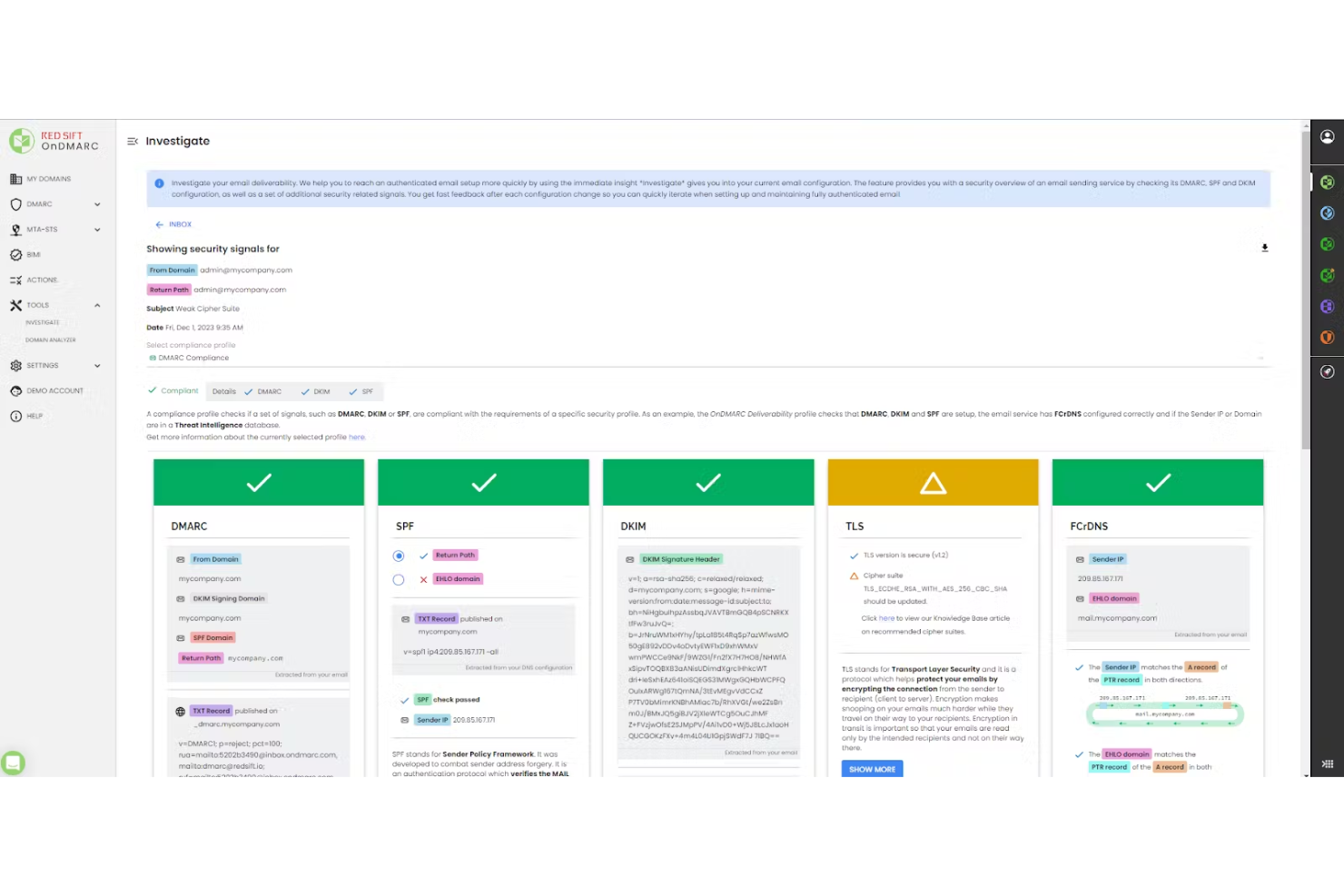
OnDMARC ist ein cloudbasiertes E-Mail-Sicherheitstool, das vor Phishing, Spoofing und Kompromittierung von geschäftlichen E-Mails schützt. Es hilft Ihnen, DMARC, DKIM, SPF und andere Protokolle zu implementieren und zu verwalten, um Ihre E-Mail-Infrastruktur zu authentifizieren.
Warum ich OnDMARC ausgewählt habe: Ich habe mich für OnDMARC entschieden, weil es eine verschlüsselungsbasierte Authentifizierung durch DMARC, DKIM, SPF und MTA-STS anwendet, um die E-Mail-Zustellung zu schützen und unbefugten Zugriff zu verhindern. Sie können all diese Protokolle von einer zentralen Benutzeroberfläche aus verwalten und sicherstellen, dass Ihre Nachrichten verschlüsselte Wege einhalten. Dies hilft, ausgehenden Datenverkehr zu schützen und verhindert, dass Angreifer unverschlüsselte, gefälschte E-Mails mit Ihrer Domain versenden.
Herausragende Funktionen & Integrationen:
Weitere Funktionen umfassen einen DNS-Wächter, der DNS-Einträge in Echtzeit überwacht, um Fehlkonfigurationen oder Sicherheitslücken zu erkennen, die Sie für Spoofing- und subdomain-basierte Angriffe anfällig machen könnten. Ebenso enthält es das Radar-Feature, das mit LLM-unterstützter Intelligenz hilft, Probleme in Ihrer E-Mail-Konfiguration zu erkennen, bevor realer Schaden entsteht. Zu den Integrationen gehören Microsoft Azure Active Directory, Office 365 und Okta.
Pros and Cons
Pros:
- Nach der Einrichtung sind keine häufigen DNS-Änderungen mehr nötig
- Forensische Berichte werden in lesbare, umsetzbare Erkenntnisse umgesetzt
- Zentralisierte Kontrolle aller E-Mail-Sicherheitsprotokolle
Cons:
- Einige DNS-Änderungen müssen weiterhin manuell vorgenommen werden
- Untersucht keine E-Mail-Inhalte oder schädliche Anhänge

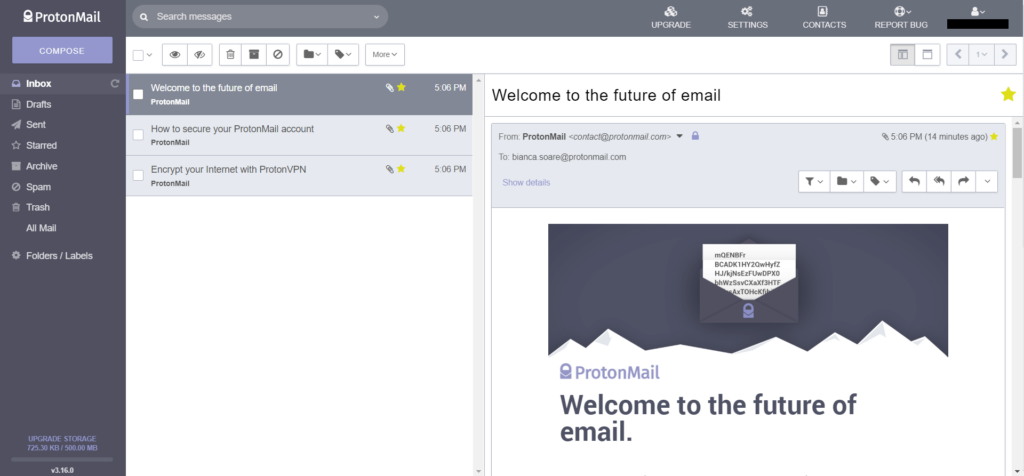
ProtonMail ist ein sicherheitsorientierter E-Mail-Dienst mit Sitz in der Schweiz, bekannt für seine strengen Datenschutzgesetze. Durch die Nutzung der Vorzüge der Schweizer Regelungen bietet es eine Plattform für sicheres E-Mailen, ohne Kompromisse beim Schutz der Nutzerdaten einzugehen.
Warum ich ProtonMail ausgewählt habe: Als ich E-Mail-Plattformen auf Sicherheit verglich, tauchte ProtonMail immer an oberster Stelle auf. Der Schweizer Ursprung verschafft dem Dienst einen klaren Vorteil gegenüber anderen Anbietern. Meiner Meinung nach sollten all jene, die Wert auf die Gewissheit einer in der Schweiz ansässigen sicheren E-Mail-Lösung legen, nicht weiter suchen als ProtonMail.
Herausragende Funktionen & Integrationen:
ProtonMail bietet Ende-zu-Ende-Verschlüsselung, um sicherzustellen, dass E-Mails vertraulich bleiben. Das Feature für selbstzerstörende Nachrichten erhöht den Datenschutz zusätzlich. Um das Sicherheitskonzept zu wahren, bietet ProtonMail jedoch nur eingeschränkte Integrationen mit Drittanbietern an.
Pros and Cons
Pros:
- Ende-zu-Ende-Verschlüsselung
- Profitiert von Schweizer Datenschutzgesetzen
- Selbstzerstörende E-Mail-Funktion
Cons:
- Begrenzte Integrationsmöglichkeiten
- Kostenlose Version mit Speicherbegrenzung
- Kein POP3-Support, nur IMAP

Spike
Am besten geeignet für die Zusammenführung von E-Mail und Chat in einer einzigen Plattform
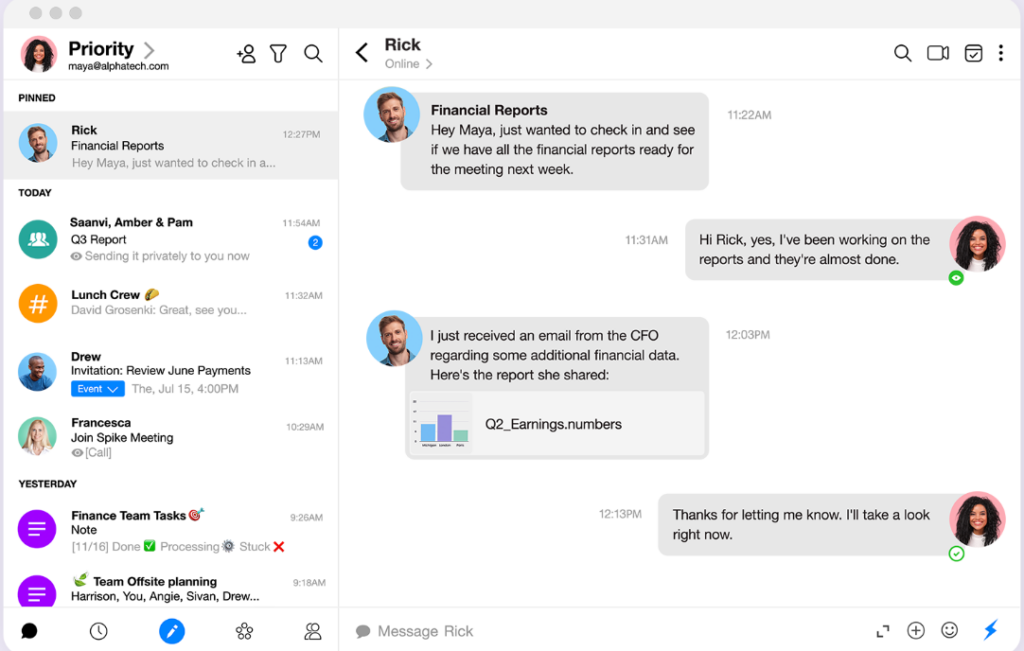
Spike präsentiert einen innovativen Ansatz für die Kommunikation, indem es die formale Struktur von E-Mails mit der Unmittelbarkeit von Chats verbindet. Das einzigartige Layout richtet sich an diejenigen, die die Flexibilität von Chats suchen, aber nicht auf E-Mails verzichten können.
Warum ich Spike gewählt habe: Nach der Bewertung zahlreicher E-Mail-Tools hat Spike mit seinem besonderen Angebot meine Aufmerksamkeit erregt. Ich habe mich dafür entschieden, weil es meiner Meinung nach eine Lücke schließt, die viele gar nicht erkannt haben. Die Verbindung von Chat und E-Mail in Spike löst das ständige Hin- und Herwechseln zwischen zwei Plattformen und bietet so die beste Lösung für eine zusammengeführte Kommunikationserfahrung.
Herausragende Funktionen & Integrationen:
Kernstück von Spike ist die Conversational Email, die das Verständnis und den Umgang mit E-Mails neu definiert, indem sie diese in ein chatähnliches Format überträgt. Der Priority Posteingang ist ein weiteres Highlight und sortiert E-Mails nach Relevanz, um unwichtige Nachrichten herauszufiltern. In puncto Integration arbeitet Spike mit beliebten Diensten wie Google Drive, Dropbox und OneDrive zusammen und schlägt so eine Brücke zwischen Kommunikation und Dateifreigabe.
Pros and Cons
Pros:
- Einzigartige Kombination aus Chat und E-Mail auf einer Plattform
- Priority Posteingang kategorisiert eingehende E-Mails effektiv
- Integrierte Tools wie Kalender und Aufgaben für umfassendes Management
Cons:
- Kann für traditionelle E-Mail-Nutzer ungewohnt wirken
- Premium-Funktionen sind nur im Abonnement verfügbar
- Das Fehlen eines dedizierten Chat-Raums ist nicht für alle attraktiv

RMail
Am besten geeignet für den rechtlichen Nachweis der Zustellung verschlüsselter E-Mails
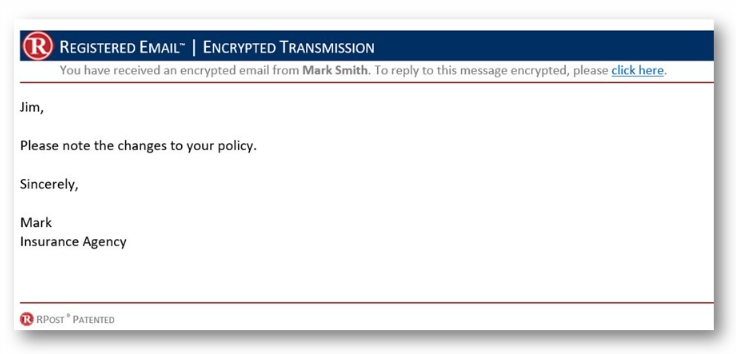
RMail wurde entwickelt, um sichere und verschlüsselte E-Mail-Dienste mit einem zusätzlichen Vorteil anzubieten: rechtssicheren Zustellnachweis. Das macht es zur ersten Wahl für Fachkräfte, die einen Beleg darüber benötigen, dass ihre verschlüsselten E-Mails nicht nur gesendet, sondern auch zugestellt und geöffnet wurden.
Warum ich RMail ausgewählt habe: Bei der Auswahl von E-Mail-Plattformen für bestimmte Anwendungsfälle hat sich RMail durch sein einzigartiges Angebot hervorgetan. Beeindruckend war nicht nur die Verschlüsselung, sondern insbesondere auch der rechtliche Nachweis der Zustellung. Ich halte RMail für die beste Option für Berufstätige, bei denen solch ein Nachweis entscheidend ist.
Herausragende Funktionen & Integrationen:
Das Herzstück von RMail ist die Registered Email™-Technologie, die rechtlichen Zustell- und Inhaltsnachweis bietet. Darüber hinaus stellt RMail elektronische Signaturen und den Versand großer Dateien bereit. Es lässt sich nahtlos in gängige Plattformen wie Outlook integrieren und ist somit eine geeignete Wahl für viele Unternehmen.
Pros and Cons
Pros:
- Bietet rechtlichen Nachweis für die Zustellung verschlüsselter E-Mails
- Funktion für elektronische Signaturen
- Integration mit gängigen E-Mail-Plattformen
Cons:
- Preise sind nicht transparent
- Für Gelegenheitsnutzer eventuell zu umfangreich
- Benutzeroberfläche könnte intuitiver sein

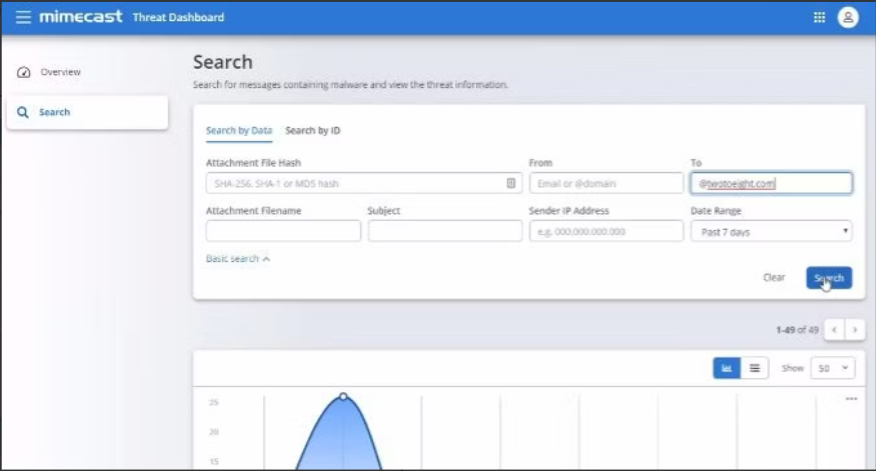
Mimecast steht als ganzheitliche Lösung für E-Mail-Sicherheit hoch im Kurs und ist speziell auf große Unternehmen zugeschnitten. Dank seiner Skalierbarkeit und dem umfassenden Ansatz ist es die ideale Wahl für Unternehmen mit weitreichenden Netzwerken, die einen starken Schutz benötigen.
Warum ich Mimecast gewählt habe: Nach der Bewertung mehrerer Verschlüsselungslösungen auf Unternehmensniveau tauchte Mimecast immer wieder ganz oben auf meiner Liste auf. Ich habe es aufgrund seines hervorragenden Rufs und seiner Fähigkeit gewählt, die komplexen Anforderungen im Großbetrieb zu meistern. Meiner Meinung nach ist Mimecast die erste Wahl für Unternehmen, die höchste E-Mail-Sicherheit verlangen.
Herausragende Funktionen & Integrationen:
Mimecast bietet einen mehrschichtigen Ansatz für E-Mail-Sicherheit, der Schutz vor Schadsoftware, Phishing und Identitätsdiebstahl umfasst. Darüber hinaus stellt es Kontinuitätslösungen bereit, um einen unterbrechungsfreien Zugang zu E-Mails zu gewährleisten. Seine Integrationsmöglichkeiten erstrecken sich über zahlreiche Unternehmenssoftware-Suiten und erhöhen so den Nutzen in groß angelegten Ökosystemen.
Pros and Cons
Pros:
- Umfassender Schutz auf Unternehmensebene
- Mehrschichtige Abwehr gegen Bedrohungen
- Eine große Auswahl an Integrationen mit Unternehmenslösungen
Cons:
- Könnte für kleine Unternehmen zu umfangreich sein
- Die Komplexität erfordert IT-Fachpersonal
- Einige Funktionen werden nicht von jeder Organisation genutzt

Am besten für den Schutz vor fortschrittlichen Bedrohungen geeignet
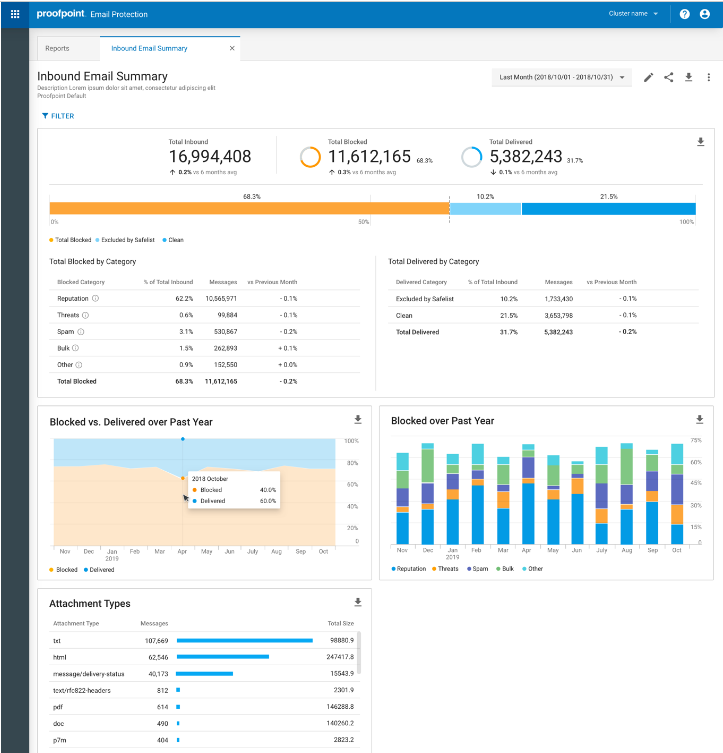
Proofpoint Email Protection ist eine sicherheitsorientierte Lösung, die entwickelt wurde, um Organisationen vor E-Mail-Bedrohungen zu schützen. Ihr robustes Framework zeichnet sich besonders darin aus, böswillige Akteure fernzuhalten – insbesondere in Szenarien mit fortschrittlichen Bedrohungen.
Warum ich Proofpoint Email Protection gewählt habe: Bei meiner Recherche zu E-Mail-Sicherheitslösungen ist mir Proofpoint Email Protection immer wieder wegen seines umfassenden Schutzes vor fortgeschrittenen Bedrohungen positiv aufgefallen. Was dieses Tool besonders macht, ist sein ausgeklügelter und mehrschichtiger Ansatz zur Erkennung und Bekämpfung hochentwickelter Angriffe. Meiner Einschätzung nach bleibt Proofpoint für Organisationen, die größten Wert auf erstklassigen Schutz vor modernen E-Mail-Bedrohungen legen, unübertroffen.
Hervorstechende Funktionen & Integrationen:
Proofpoint bietet dynamische E-Mail-Analyse, fein granulierte Filtersteuerung und Bedrohungsinformationen. Es lässt sich nahtlos in viele Unternehmenssysteme integrieren und stellt so sicher, dass der Schutz Hand in Hand mit den täglichen Abläufen geht.
Pros and Cons
Pros:
- Umfassender Schutz vor fortschrittlichen Bedrohungen
- Detaillierte Bedrohungsinformationen
- Einfache Integration in Unternehmenssysteme
Cons:
- Preisgestaltung kann intransparent sein
- Könnte für kleinere Unternehmen zu komplex sein
- Für optimalen Einsatz sind geschulte Fachkräfte erforderlich

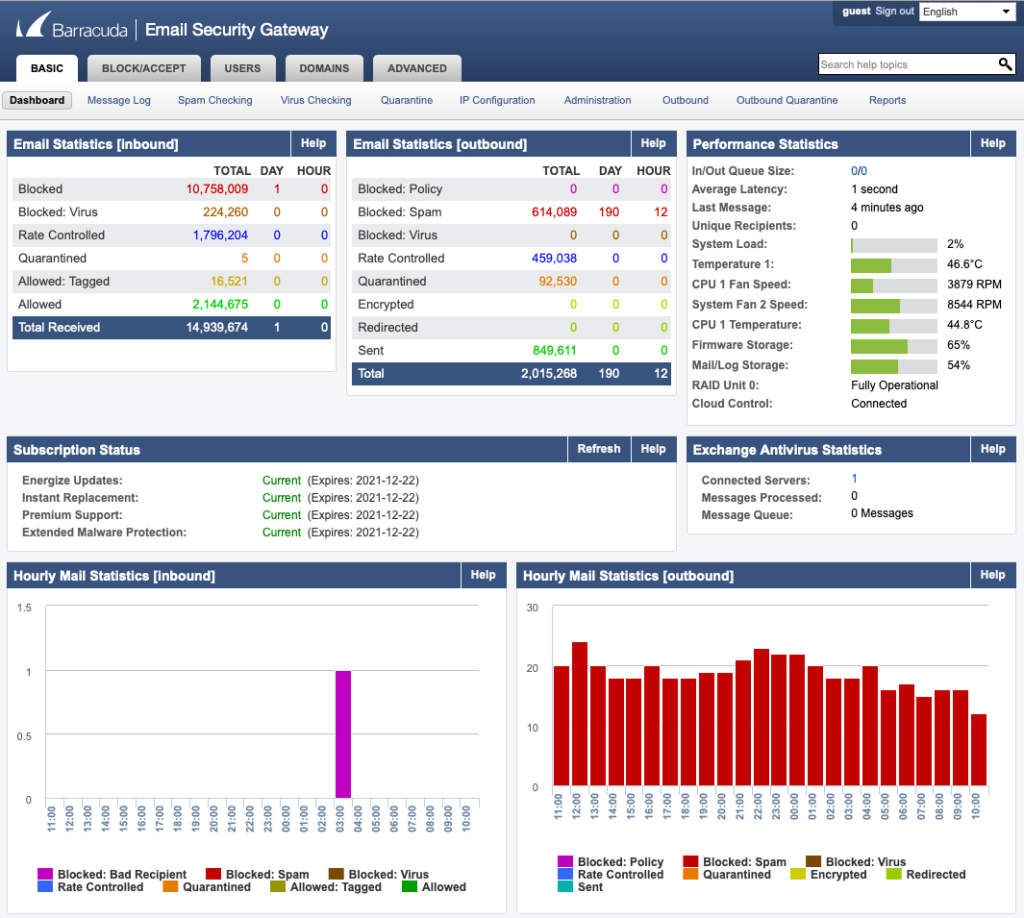
Barracuda setzt auf einen vielschichtigen Ansatz bei der E-Mail-Sicherheit. Durch mehrere Abwehrschichten gegen verschiedene E-Mail-Bedrohungen ist es die ideale Lösung für Unternehmen, die einen umfassenden Schutz vor böswilligen Akteuren suchen.
Warum ich Barracuda gewählt habe: Nach einem ausführlichen Vergleich verschiedener E-Mail-Sicherheitsplattformen habe ich mich konsequent für Barracuda entschieden, da es ein umfassendes, mehrschichtiges Verteidigungssystem bietet. Meiner Meinung nach sticht Barracuda beim Schutz vor einer Vielzahl an E-Mail-basierten Bedrohungen hervor. Für Unternehmen, die eine ganzheitliche E-Mail-Schutzlösung suchen, ist Barracuda meine Top-Empfehlung.
Herausragende Funktionen & Integrationen:
Barracuda bietet Schutz vor Phishing, Schadsoftware und Ransomware durch einen mehrschichtigen Ansatz. Es filtert nicht nur eingehende Bedrohungen, sondern sensibilisiert Benutzer zusätzlich durch Simulationen, um potenzielle Risiken zu erkennen. Seine Integrationsfähigkeit ist umfangreich und deckt eine breite Palette von Unternehmenslösungen ab, um reibungslose Arbeitsabläufe zu gewährleisten.
Pros and Cons
Pros:
- Umfassender Schutz vor unterschiedlichen Bedrohungen
- Schulung der Benutzer durch Simulationen
- Umfangreiche Integrationsmöglichkeiten
Cons:
- Einige Funktionen können sich mit bestehenden Tools überschneiden
- Benötigt dediziertes Personal für maximale Effizienz
- Die Ersteinrichtung kann komplex sein

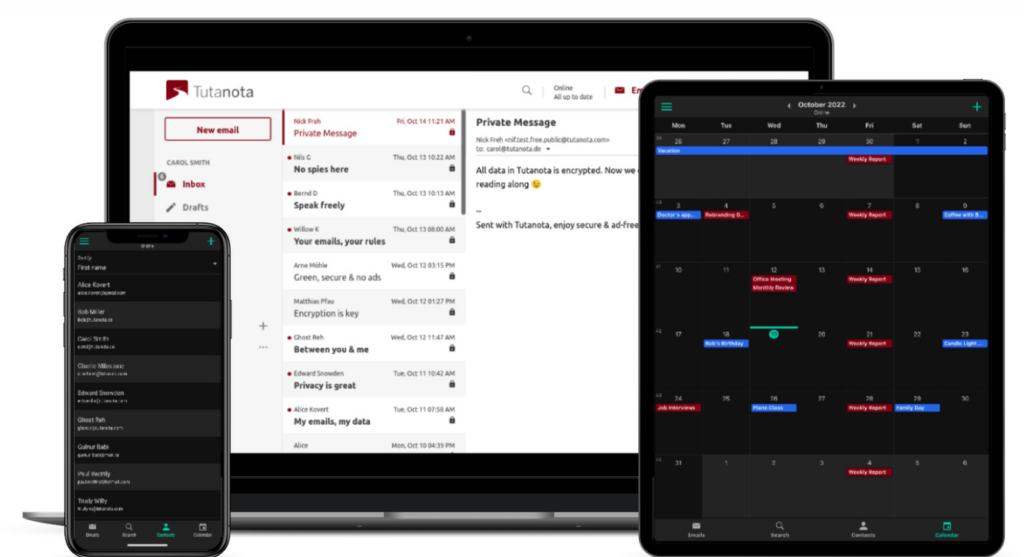
Tutanota ist ein innovativer E-Mail-Dienst, der eine vollständige Verschlüsselung der Postfächer seiner Nutzer bietet. Mit dem Fokus auf Sicherheit und Privatsphäre ist Tutanota die erste Wahl für alle, die einen umfassenden Schutz ihrer E-Mails von Anfang bis Ende wünschen.
Warum ich Tutanota ausgewählt habe: Bei der Auswahl der sichersten E-Mail-Dienste fiel meine Aufmerksamkeit immer wieder auf Tutanota. Das Besondere ist das konsequente Engagement für Ende-zu-Ende-Verschlüsselung. Ich bin überzeugt: Wer verschlüsselte Postfächer besonders schätzt, findet in Tutanota die optimale Wahl.
Herausragende Funktionen & Integrationen:
Tutanota überzeugt durch die automatische Ende-zu-Ende-Verschlüsselung – auch für Anhänge und Kalender. Nutzer müssen keine Schlüssel austauschen oder teilen, da dies intern vom System geregelt wird. Zwar handelt es sich primär um einen eigenständigen Dienst, doch sind Integrationen mit diversen Drittanbieter-Anwendungen möglich, um das Nutzererlebnis zu verbessern.
Pros and Cons
Pros:
- Umfassende Ende-zu-Ende-Verschlüsselung
- Verschlüsselter Kalender inklusive
- Offener Quellcode sorgt für Transparenz
Cons:
- Weniger Integrationen im Vergleich zur Konkurrenz
- Die Oberfläche wirkt für manche eventuell schlicht
- Migration von anderen Plattformen kann aufwändig sein

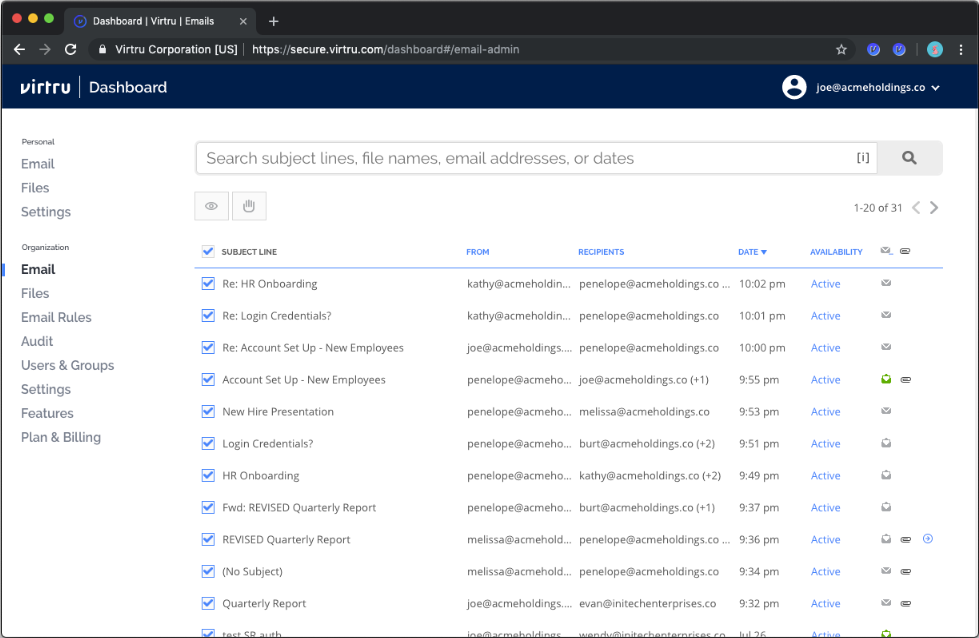
Virtru legt den Fokus auf das sichere Teilen sensibler Daten über verschiedene Netzwerke hinweg, ohne Datenschutz oder Compliance zu gefährden. Dieses Tool wurde dafür entwickelt, sicherzustellen, dass Daten überall dort, wo sie sich bewegen, geschützt bleiben.
Warum ich Virtru gewählt habe: Auf meiner Suche nach Lösungen, die einen einwandfreien Datenschutz über Netzwerke hinweg bieten, hat sich Virtru als starker Kandidat herausgestellt. Die Entscheidung basierte auf der einzigartigen Fähigkeit, Daten während der Übertragung, im Ruhezustand und sogar beim externen Teilen zu verschlüsseln. Für Organisationen, die regelmäßig Daten über verschiedene Netzwerke austauschen und höchste Sicherheit wünschen, halte ich Virtru für die richtige Wahl.
Herausragende Funktionen & Integrationen:
Zu den wichtigsten Funktionen von Virtru gehören fortwährender Datenschutz, Zugriffsaufhebung und sicheres Weiterleiten. Es lässt sich effizient in Plattformen wie Gmail und Microsoft Outlook integrieren und ist somit an unterschiedliche Unternehmensumgebungen anpassbar.
Pros and Cons
Pros:
- Fortwährender Datenschutz, auch beim externen Teilen
- Benutzerfreundlich mit einfacher Verschlüsselung
- Integration mit gängigen E-Mail-Plattformen
Cons:
- Wenige erweiterte Funktionen im Basistarif
- Einarbeitung kann leicht herausfordernd sein
- Mobile Erfahrung könnte optimiert werden

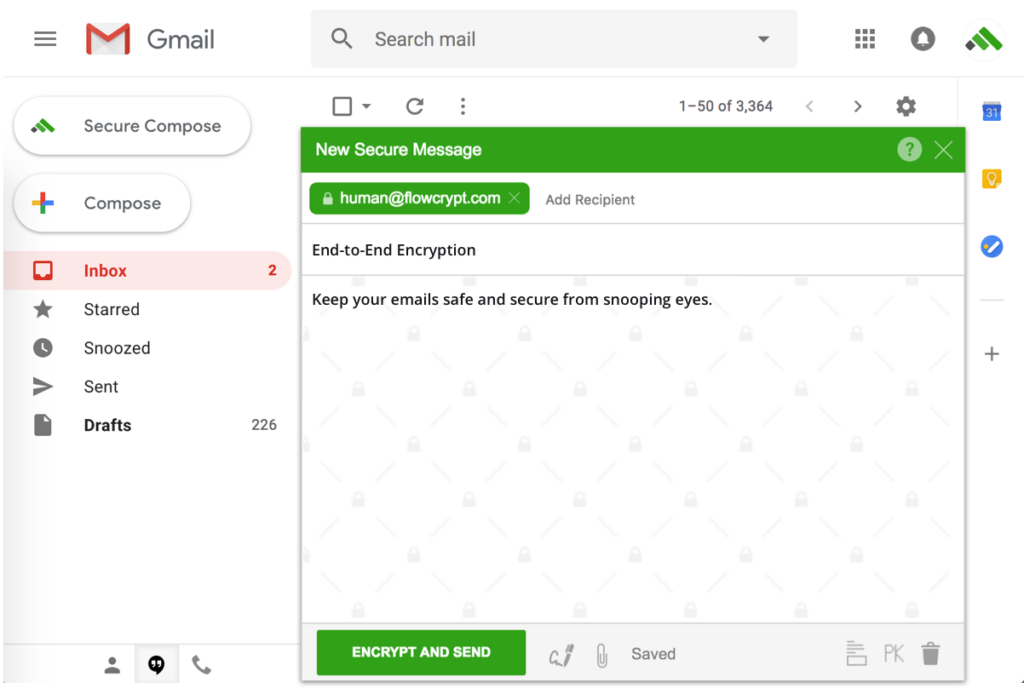
FlowCrypt vereinfacht das Konzept der PGP-Verschlüsselung für Gmail-Nutzer. Mit Fokus auf Benutzerfreundlichkeit schließt es die Lücke zwischen fortschrittlicher E-Mail-Sicherheit und alltäglicher Gmail-Kommunikation.
Warum ich FlowCrypt gewählt habe: Der Charme von FlowCrypt liegt in seiner Einfachheit und nach dem Vergleich verschiedener PGP-Lösungen erschien mir dieses am zugänglichsten. Ich schätze, wie es sich in Gmail integriert und halte es für das beste Tool für alle, die in die PGP-Welt eintauchen möchten, ohne sich mit technischen Komplexitäten beschäftigen zu müssen.
Hervorstechende Funktionen & Integrationen:
Im Kern ermöglicht FlowCrypt PGP-Verschlüsselung direkt innerhalb der Gmail-Oberfläche. Nutzer können E-Mails einfach verschlüsseln, entschlüsseln, signieren und verifizieren. Ursprünglich für Gmail entworfen, ist FlowCrypt auch mit Google Workspace kompatibel, sodass Unternehmen von PGP-Verschlüsselung ohne den üblichen Aufwand profitieren können.
Pros and Cons
Pros:
- Intuitive PGP-Verschlüsselung direkt in Gmail
- Kompatibel mit Google Workspace
- Stellt Ende-zu-Ende-verschlüsselte Kommunikation sicher
Cons:
- Begrenzt auf das Gmail-Ökosystem
- Fortgeschrittene Nutzer wünschen sich möglicherweise detailliertere Kontrolle
- Größere Teams erfordern eventuell zusätzlichen Aufwand
Weitere erwähnenswerte E-Mail-Verschlüsselungsdienste
- Zix Email Encryption
Am besten geeignet für richtlinienbasierte E-Mail-Verschlüsselung
- NeoCertified
Am besten für integrierte sichere E-Mail-APIs
- LuxSci Email and Web Security
Gut für umfassende E-Mail- und Web-Sicherheit


Auswahlkriterien für einen E-Mail-Verschlüsselungsdienst
Nach einer eingehenden Beschäftigung mit der Welt der sicheren E-Mail-Lösungen habe ich mehr als 20 Tools bewertet. Die Auswahl war umfangreich, aber ich habe insbesondere nach sicheren E-Mail-Lösungen gesucht, die eine unvergleichliche Sicherheit bieten, ohne die Benutzerfreundlichkeit zu beeinträchtigen. Darauf habe ich besonders geachtet:
Kernfunktionen
Zu den Kernfunktionen jeder sicheren E-Mail-Lösung sollten gehören:
- Durchgängige E-Mail-Verschlüsselungssoftware: Dadurch wird sichergestellt, dass E-Mails vom Absender bis zum Empfänger verschlüsselt bleiben und nicht zwischendurch entschlüsselt werden.
- Authentifizierung und Verifizierung: Das Tool sollte es Nutzern ermöglichen, die Identität des Absenders zu bestätigen und sicherzustellen, dass die E-Mail nicht manipuliert wurde.
- Sichere Anhänge: Nicht nur die E-Mail selbst, sondern auch angehängte Dateien sollten verschlüsselt und sicher sein.
- Schutz vor Phishing und Malware: Eine aktive Verteidigungsschicht gegen bösartige Bedrohungen.
Wichtige Funktionen
Beim Vergleich sicherer E-Mail-Tools stachen diese Funktionen als besonders wichtig hervor:
- Digitale Signaturen: Dadurch wird die Identität des Absenders überprüft und eine zusätzliche Vertrauensebene geschaffen.
- Architektur ohne Zugriff: Dadurch wird sichergestellt, dass selbst der Dienstanbieter nicht auf den Inhalt Ihrer E-Mails zugreifen kann.
- Selbstzerstörende E-Mails: E-Mails, die nach einem festgelegten Zeitraum oder nach dem Lesen gelöscht werden und dadurch die Sicherheit erhöhen.
- Passwortgeschützte Nachrichten: Eine zusätzliche Schutzebene, bei der Empfänger ein Passwort benötigen, um auf den Inhalt der E-Mail zuzugreifen.
- Zwei-Faktor-Authentifizierung (2FA): Eine zusätzliche Sicherheitsmaßnahme, bei der Benutzer zwei Arten der Identifizierung angeben müssen, um auf ihr Konto zuzugreifen.
Bedienbarkeit
Bei sicheren E-Mail-Lösungen ist es entscheidend, dass eine erhöhte Sicherheit nicht zu einer beeinträchtigten Benutzererfahrung führt. Darunter wurde in diesem Zusammenhang Folgendes verstanden:
- Intuitives Design: Bei jedem sicheren E-Mail-Tool sollten Benutzer keine unnötigen Hürden überwinden müssen, um eine verschlüsselte Nachricht zu senden. Der Verschlüsselungsprozess sollte natürlich in das Verfassen und Senden von E-Mails integriert sein.
- Einfache Einrichtung und Einführung: Für Personen, die noch keine Erfahrung mit verschlüsselten E-Mails haben, sollte der Einführungsprozess unkompliziert sein und sie beim Einrichten von Verschlüsselungsschlüsseln sowie beim Verständnis der wichtigsten Funktionen anleiten.
- Gut erreichbarer Kundensupport: Aufgrund der technischen Natur sicherer E-Mails können Benutzer Fragen haben. Das Tool sollte schnelle und fachkundige Unterstützung bieten.
- Rollenbasierter Zugriff: Besonders bei Lösungen für Unternehmen ist die Möglichkeit, festzulegen, wer worauf Zugriff hat, entscheidend. Administratoren sollten Rollen einfach festlegen und bestimmen können, was die jeweilige Rolle anzeigen oder ändern darf.
Häufigste Fragen zum E-Mail-Verschlüsselungsdienst (FAQs)
Welche Vorteile bietet die Verwendung von E-Mail-Verschlüsselungstools?
Die Verwendung von E-Mail-Verschlüsselungsdiensten bietet mehrere Vorteile:
- Verbesserte Sicherheit: Sie stellen sicher, dass vertrauliche Informationen vertraulich bleiben, und schützen sie vor unbefugtem Zugriff.
- Schutz vor Cyberbedrohungen: Sie wehren sich aktiv gegen bösartige Bedrohungen wie Phishing, Malware und Man-in-the-Middle-Angriffe.
- Einhaltung gesetzlicher Vorschriften: In vielen Branchen gelten Vorschriften zum Schutz vertraulicher Daten. Die Verwendung verschlüsselter E-Mails hilft Unternehmen, diese Vorgaben einzuhalten.
- Vertrauensbildung: Verschlüsselte E-Mails, insbesondere solche mit digitalen Signaturen, zeigen den Empfängern, dass der Absender Sicherheit priorisiert, und schaffen so Vertrauen.
- Sichere Anhänge: Neben dem E-Mail-Inhalt werden auch angehängte Dateien verschlüsselt, wodurch ein vollständiger Schutz gewährleistet wird.
Wie viel kosten diese E-Mail-Verschlüsselungsdienste?
Die Kosten für E-Mail-Verschlüsselungstools variieren stark und hängen vom Funktionsumfang, der vorgesehenen Nutzergruppe (Einzelpersonen oder Unternehmen) und anderen Faktoren ab.
Welche Preismodelle sind für diese Tools üblich?
Die meisten E-Mail-Verschlüsselungsdienste arbeiten nach einem abonnementbasierten Modell und berechnen Nutzern monatliche oder jährliche Gebühren. Einige bieten eine gestaffelte Preisgestaltung auf Grundlage der Funktionen oder der Nutzeranzahl an, während andere einen Pauschalpreis verlangen. Es gibt auch Dienste, die nach dem Volumen der gesendeten E-Mails oder dem genutzten Speicherplatz abrechnen.
In welchem Preisbereich liegen diese Tools üblicherweise?
Die Preise können bei nur $2/user/month beginnen und für Premium-Dienste auf Unternehmensebene mit erweiterten Funktionen bis zu $50/user/month oder mehr betragen.
Welche Software ist die günstigste und welche die teuerste?
Obwohl sich die Preise ändern und in der Branche häufig Sonderangebote verfügbar sind, gehören Tools wie Posteo typischerweise zu den günstigeren Optionen, während Lösungen wie Symantec Email Security eher am oberen Ende des Preisspektrums liegen können.
Gibt es kostenlose Optionen für die E-Mail-Verschlüsselung?
Ja, es gibt kostenlose Optionen. Mailvelope bietet beispielsweise eine kostenlose Browsererweiterung für Ende-zu-Ende-Verschlüsselung an, bei der jedoch möglicherweise einige der erweiterten Funktionen kostenpflichtiger Dienste fehlen.
Bieten alle E-Mail-Verschlüsselungstools dasselbe Sicherheitsniveau?
Nicht unbedingt. Zwar bieten die meisten Tools ein solides Sicherheitsniveau, doch die verwendeten Methoden und Protokolle können sich unterscheiden. Einige verwenden möglicherweise AES-Verschlüsselung, während andere RSA einsetzen. Es ist wichtig, einen Dienst auszuwählen, der anerkannten Sicherheitsstandards entspricht.
Kann ich verschlüsselte E-Mails mit meiner bestehenden E-Mail-Adresse verwenden?
Bei einigen Tools müssen Nutzer eine neue E-Mail-Adresse innerhalb ihrer Domain erstellen. Viele Dienste ermöglichen es Nutzern jedoch, ihre bestehenden E-Mail-Adressen zu verwenden, indem sie den Verschlüsselungsdienst in gängige E-Mail-Anbieter integrieren.
Weitere Bewertungen von Sicherheitssoftware
- E-Mail-Sicherheitssoftware
- Verschlüsselungssoftware
- Software zur Verwaltung von Verschlüsselungsschlüsseln
Zusammenfassung
Die Welt der E-Mail-Verschlüsselungsdienste und DMARC-Software-Lösungen zu verstehen, ist besonders im heutigen digitalen Zeitalter wichtig, in dem Datenschutzverletzungen und Cyberbedrohungen weit verbreitet sind. Dieser Leitfaden vermittelt Ihnen Einblicke in die Vielzahl verfügbarer Verschlüsselungstools, die besonderen Funktionen, die jedes Tool einzigartig machen, sowie die Aspekte, die Sie bei der Auswahl der richtigen Lösung für Ihre individuellen Anforderungen berücksichtigen sollten.
Die wichtigsten Erkenntnisse
- Zweckorientierte Auswahl: Bevor Sie sich mit den Optionen befassen, sollten Sie Ihre Anforderungen eindeutig festlegen. Unabhängig davon, ob Sie als Einzelperson Ihre persönliche Kommunikation schützen oder als Unternehmen die Einhaltung gesetzlicher Vorschriften sicherstellen möchten – Ihr Zweck wird Ihre Entscheidung bestimmen.
- Funktionen vs. Benutzerfreundlichkeit: Obwohl der Funktionsumfang entscheidend ist, darf die Benutzerfreundlichkeit des Tools nicht außer Acht gelassen werden. Das beste Verschlüsselungstool sollte nicht nur über robuste Funktionen verfügen, sondern auch benutzerfreundlich sein, um seine Akzeptanz sicherzustellen.
- Preis vs. Nutzen: Betrachten Sie nicht nur die Kosten, sondern berücksichtigen Sie auch den Nutzen, den Sie dafür erhalten. Manchmal kann eine etwas höhere Investition eine verbesserte Sicherheit und zusätzliche Funktionen bieten, die für mehr Sicherheit und Schutz sorgen.
Was denken Sie?
So umfassend dieser Leitfaden auch sein soll, die sich ständig weiterentwickelnde Welt der E-Mail-Verschlüsselung könnte dazu geführt haben, dass einige bemerkenswerte Tools unerwähnt geblieben sind. Ich schätze Beiträge aus der Community und gemeinsames Wissen sehr. Wenn Sie also einen E-Mail-Verschlüsselungsdienst nutzen, der Ihrer Meinung nach einen Platz auf dieser Liste verdient, zögern Sie bitte nicht, ihn zu teilen. Ihre Erkenntnisse und Empfehlungen sind jederzeit willkommen und können anderen bei der Suche nach dem perfekten Tool helfen. Lassen Sie uns zusammenarbeiten, um diesen Leitfaden so aktuell und hilfreich wie möglich zu halten.

