

Como profissional de TI, compreendo a necessidade de soluções abrangentes capazes de responder aos diversos requisitos do trabalho. Ferramentas como o ConnectWise são essenciais para muitas equipas de TI, oferecendo uma vasta gama de funcionalidades, desde a criação de scripts até às mensagens, tudo integrado numa plataforma baseada na Web, acessível através de aplicações para computador e dispositivos móveis. No entanto, embora o ConnectWise possa ser uma mais-valia, poderá haver opções mais adequadas para determinadas equipas ou casos de utilização.
Considero fundamental explorar alternativas ao ConnectWise que estejam mais alinhadas com as necessidades específicas da sua equipa. Procure ferramentas com integração fácil, suporte remoto superior e interfaces intuitivas. Identificar a opção mais adequada para a sua equipa é essencial para melhorar a sua experiência de gestão de TI.
O que é o ConnectWise?
O ConnectWise é uma plataforma de gestão de TI que ajuda as empresas a fornecer e apoiar serviços tecnológicos. É utilizado sobretudo por MSP, fornecedores de serviços de TI e equipas internas de TI para acompanharem os pedidos, os ativos e os sistemas dos clientes. O acesso remoto, as ferramentas de automatização e as funcionalidades de elaboração de relatórios ajudam a gerir dispositivos, resolver problemas mais rapidamente e manter tudo organizado. De um modo geral, o ConnectWise facilita a produtividade da sua equipa e a prestação de um suporte fiável.
Why Trust Our Software Recommendations
6,700+
Reviews
20
Industry experts
16+
Evaluation factors
14
Years
Our team has been testing and reviewing software since 2012. As tech leaders ourselves, we know how difficult—and important—it is to choose the right software.
For this guide, we evaluated tools using hands-on testing and independent research, scoring tools using our selection criteria.
Our reviews reflect our human editorial judgment, not a sales pitch.
Expert reviewers:
- Paulo Gardini MiguelTech Director
 Tim FisherVP of AI
 Gabriel RosasTech Lead & Software Architect
 Christhian GruhnTech Lead & Platform Architect

Tabela de comparação das alternativas ao ConnectWise
Esta tabela de comparação resume os detalhes de preços das minhas principais alternativas ao ConnectWise:
| Tool | Best For | Trial Info | Price | ||
|---|---|---|---|---|---|
| 1 | Best for HR-driven device and identity management | 14-day free trial | From $8/user/month (billed annually) | Website | |
| 2 | Best for remote endpoint management | Free trial available | From $149/user/month (billed annually) | Website | |
| 3 | Best for AI-driven task automation | 14-day free trial | Pricing upon request | Website | |
| 4 | Best with prebuilt connectors for rapid integration | 30-day free trial available | Pricing upon request | Website | |
| 5 | Best for complete IT business management | 30-day free trial | Pricing upon request | Website | |
| 6 | Best for cloud-based mobile and desktop management | 90-day free trial | From $60/user/month (billed annually) | Website | |
| 7 | Best for agile IT service management | Free plan + 14-day trial available | From $21.50/user/month | Website | |
| 8 | Best for AI-driven IT service management | Free demo available | Pricing upon request | Website | |
| 9 | Best for AI-powered endpoint optimization | Free demo available | Pricing upon request | Website | |
| 10 | Best for unified endpoint management and security | 30-day free trial | From $1.32/month (billed annually) | Website |


Análises das melhores alternativas ao ConnectWise
Abaixo, apresento os meus resumos detalhados das melhores alternativas ao ConnectWise que entraram na minha lista. As minhas análises oferecem uma visão detalhada das principais funcionalidades, vantagens & desvantagens, integrações e casos de utilização ideais de cada ferramenta, para o ajudar a encontrar a melhor opção para si.
 Best for HR-driven device and identity management
- 14-day free trial
- From $8/user/month (billed annually)
Visit WebsiteCustomer Rating:4.7/5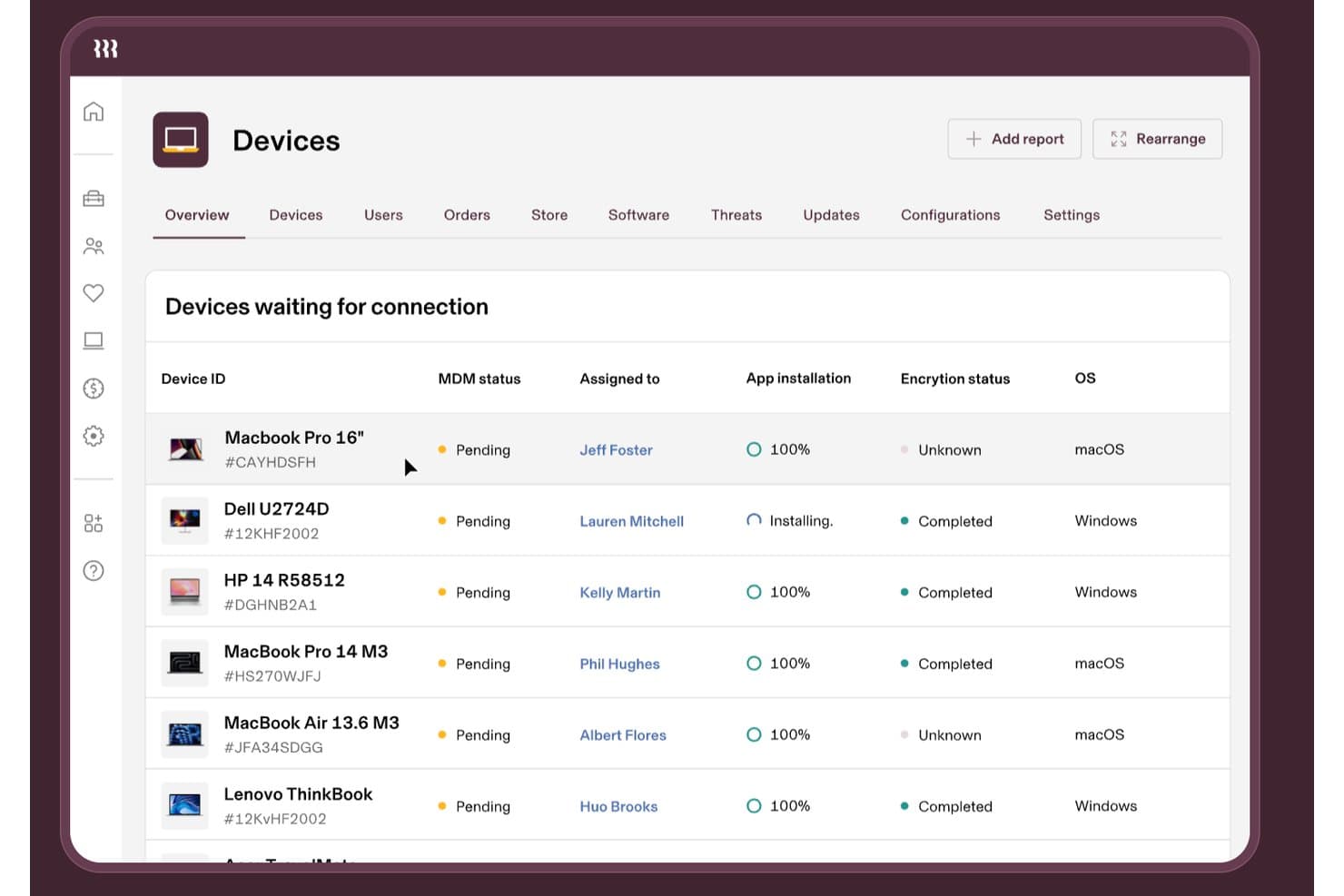
Rippling IT tracks device MDM status, encryption, and app installs. Rippling IT is an IT management platform for growing businesses that connects employee data with device and access workflows, helping IT teams simplify onboarding, offboarding, and day-to-day endpoint administration.
Who Is Rippling IT Best For?
Rippling IT suits growing businesses where HR and IT teams share responsibility for employee devices, access, onboarding, and offboarding.
Why Rippling IT Is a Good ConnectWise Alternative
I picked Rippling IT because its HR-driven device and identity management connects employee records with device and access workflows. I use it to coordinate onboarding, offboarding, endpoint administration, and access changes between HR and IT. That helps prevent former employees from retaining access when their status changes.
Rippling IT Key Features
- Software inventory: View installed applications across company devices.
- Remote lock and wipe: Secure lost or compromised devices remotely.
- Device health monitoring: Check endpoint status and configuration details.
- Automated patching: Apply operating system updates across managed devices.
Rippling IT Integrations
Rippling IT offers 650+ native app integrations, including GitHub, Slack, Jira, AWS, Zoom, and Microsoft 365. It also provides a REST API for custom integrations and workflow automation.
Pros and Cons
Pros:
- Remote lock and wipe controls
- Automated application access changes
- HR-triggered onboarding and offboarding workflows
Cons:
- Support responses can take time
- Recurring bugs affect daily administration
Learn more about Rippling IT: Best for remote endpoint management
- Free trial available
- From $149/user/month (billed annually)
Visit WebsiteCustomer Rating:4.6/5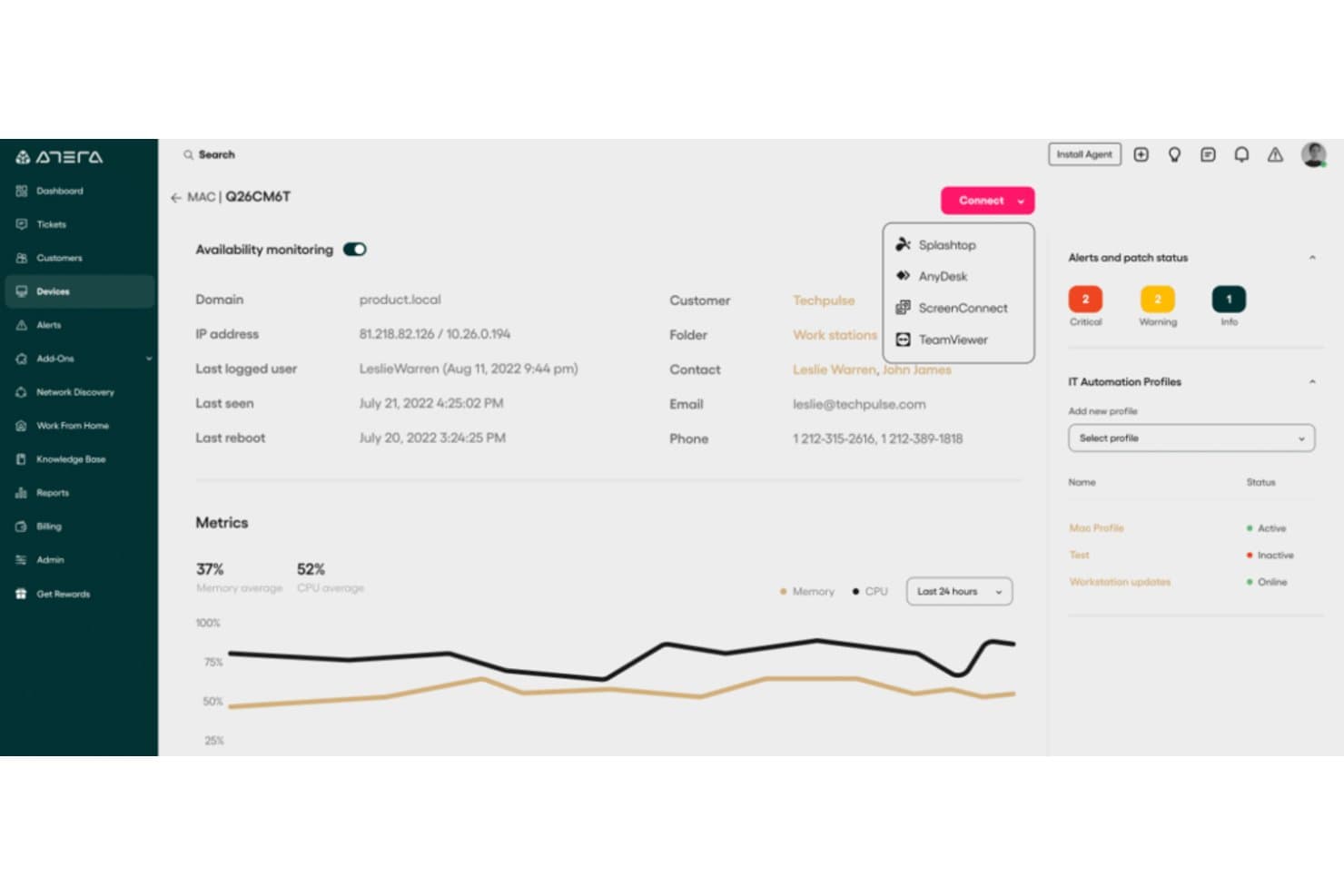
Atera lets users remotely connect to devices via Splashtop, AnyDesk, or TeamViewer. Atera combines RMM and IT service tools for MSPs and internal IT teams that need to monitor endpoints, automate routine maintenance, and resolve support issues across distributed environments.
Who Is Atera Best For?
Atera suits MSPs and internal IT teams that need to monitor and support endpoints across remote or distributed work environments.
Why I Picked Atera
I picked Atera as a ConnectWise alternative, with “Best for remote endpoint management” as its defining strength. Its real-time endpoint monitoring and alerts help my team spot device issues, while patch management and remote access let us address an outdated or malfunctioning device remotely.
Atera Key Features
- Network discovery: Scan networks to identify devices, open ports, and potential vulnerabilities.
- Ticketing: Manage support requests with ticket automations, SLAs, and a customer portal.
- IT automation: Automate routine IT tasks with scripts and workflow actions.
- Reporting and analytics: Generate reports on devices, servers, and IT activity.
Atera Integrations
Atera’s App Center supports integrations with Acronis, Bitdefender, ESET, ThreatDown, Vicarius, Splashtop, Miradore, and Cove, and Atera connects with Zapier. It also offers a REST API for custom integrations.
Pros and Cons
Pros:
- Network discovery surfaces devices for faster onboarding
- Automated patching and scripting reduce endpoint visits
- Remote monitoring and ticketing share one console
Cons:
- Remote sessions can drop or lag
- Reports offer limited detail and customization
 Best for AI-driven task automation
- 14-day free trial
- Pricing upon request
Visit WebsiteCustomer Rating:4.6/5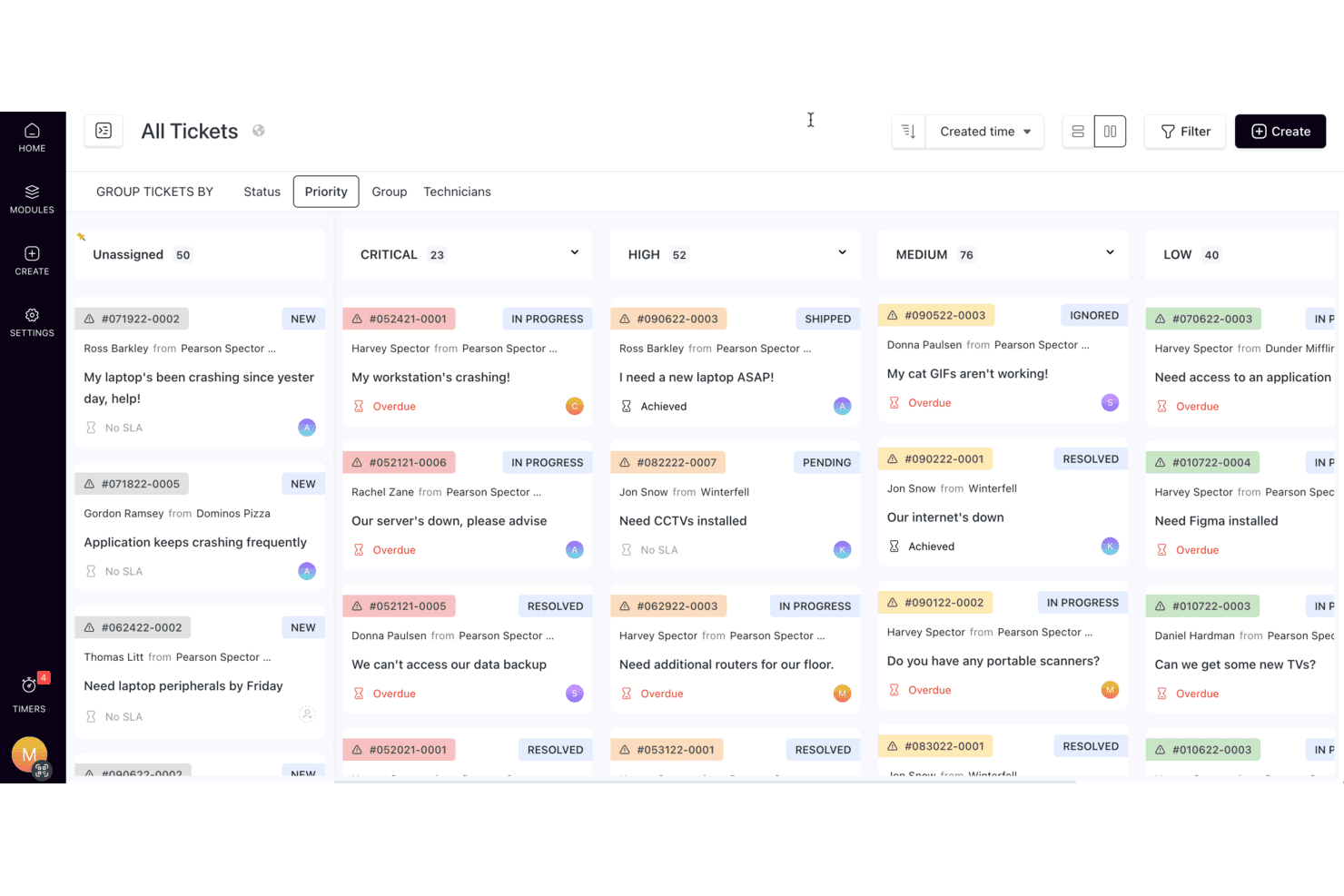
SuperOps organizes support tickets by priority in a Kanban-style board. SuperOps is a unified PSA and RMM platform for managed service providers, helping MSP teams coordinate client support, monitor endpoints, and manage daily IT operations from one workspace.
Who Is SuperOps Best For?
SuperOps suits MSP service teams that want AI-assisted automation for routine support tasks and IT workflows.
Why I Picked SuperOps
I picked SuperOps as a ConnectWise alternative because its AI-driven task automation targets repeat MSP support work. Monica AI turns plain-language instructions into scripts and summarizes tickets and worklogs. It also surfaces recommended solutions from similar tickets, giving technicians relevant context for recurring endpoint issues. I like that these AI tools sit alongside PSA ticketing and RMM scripting.
SuperOps Key Features
- Patch management: Schedule and automate Windows patches, then review updated and outstanding patches.
- Asset management: Discover client-network devices and view their inventory details.
- Policy management: Set policies at client, site, and device levels.
- Contract management: Track client contracts and connect contract details to invoicing.
SuperOps Integrations
SuperOps offers marketplace integrations with Microsoft Teams, Slack, HaloPSA, IT Glue, Pax8, QuickBooks Online, Entra ID, and TeamViewer. It also provides a GraphQL API for custom integrations.
Pros and Cons
Pros:
- Reviewers praise responsive onboarding and support
- Shared PSA/RMM links alerts with tickets
- AI summarizes tickets and drafts responses
Cons:
- Monica AI still needs more mature workflows
- Project billing rules trail mature PSA tools
Learn more about SuperOps: Best with prebuilt connectors for rapid integration
- 30-day free trial available
- Pricing upon request
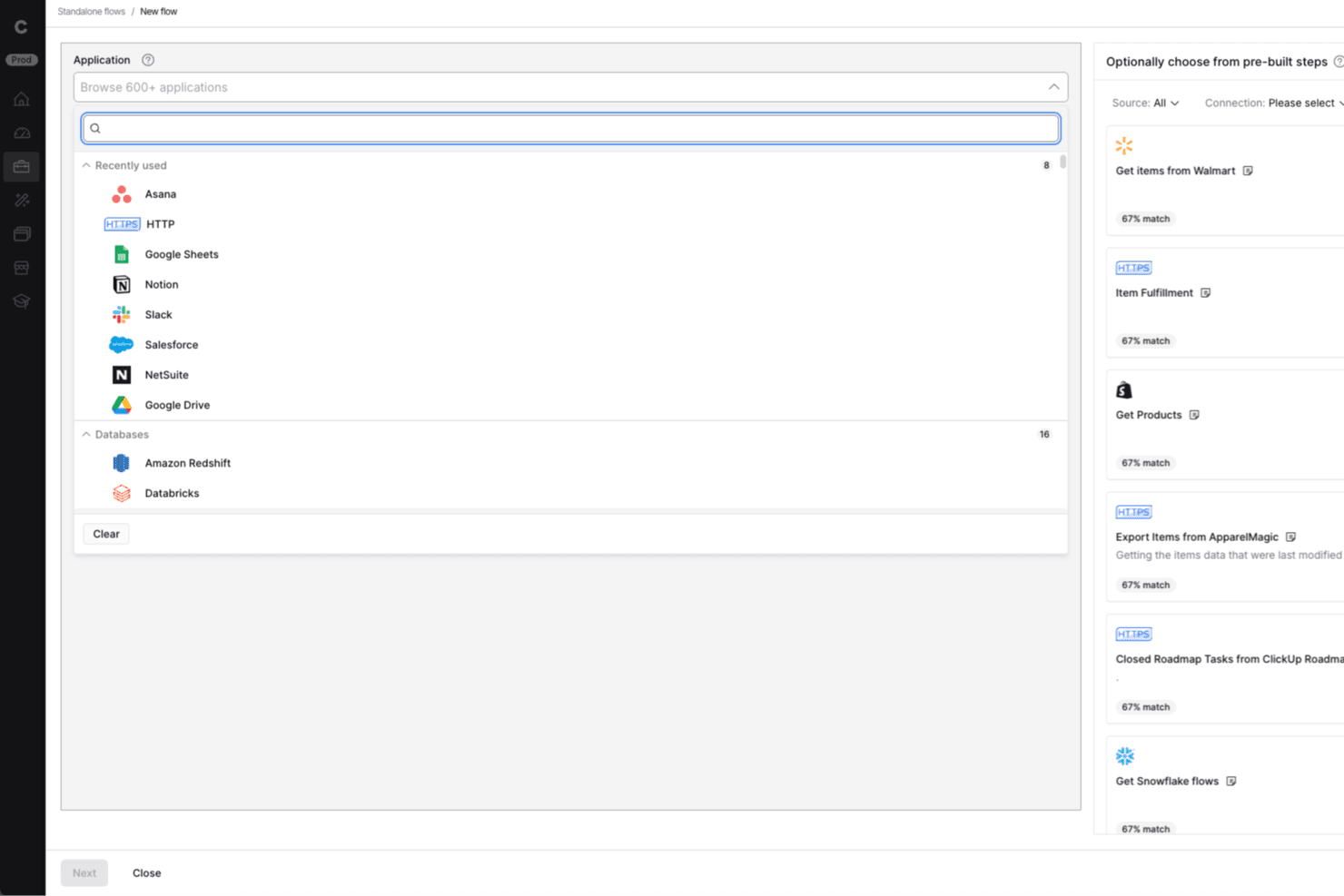
Celigo lets users connect 600+ apps when building integration flows. For IT teams comparing ConnectWise alternatives, Celigo is an integration platform that connects business applications and automates data flows, reducing manual handoffs across service and operations systems.
Who Is Celigo Best For?
Celigo suits IT teams at growing businesses that need to connect cloud applications quickly through prebuilt connectors.
Why I Picked Celigo
I picked Celigo as “Best with prebuilt connectors for rapid integration” when service workflows need to exchange records with CRM or finance apps. Its prebuilt integration apps provide reusable flows, while field mapping and transformation rules help align ticket, account, and status data across systems.
Celigo Key Features
- Flow monitoring: Review run status, errors, and activity trends in dashboards.
- Automatic error retries: Retry eligible intermittent errors and inspect failed records.
- Scheduled and real-time runs: Set flows to run on a schedule or respond to events.
- API management: Configure and monitor APIs alongside integrations.
Celigo Integrations
Celigo’s integration marketplace offers prebuilt connectors and Integration Apps for hundreds of applications, including ConnectWise, Salesforce, NetSuite, Shopify, HubSpot, and Microsoft Dynamics 365 Business Central. Universal connectors support custom integrations over HTTP, FTP, JDBC, AS2, GraphQL, and webhooks.
Pros and Cons
Pros:
- Responsive support helps resolve setup issues
- Flow dashboards expose errors and run status
- Prebuilt flows reduce manual data handoffs
Cons:
- Large data batches can trigger slowdowns
- Root-cause error messages can be unclear
Learn more about Celigo: Best for complete IT business management
- 30-day free trial
- Pricing upon request
Visit WebsiteCustomer Rating:4.8/5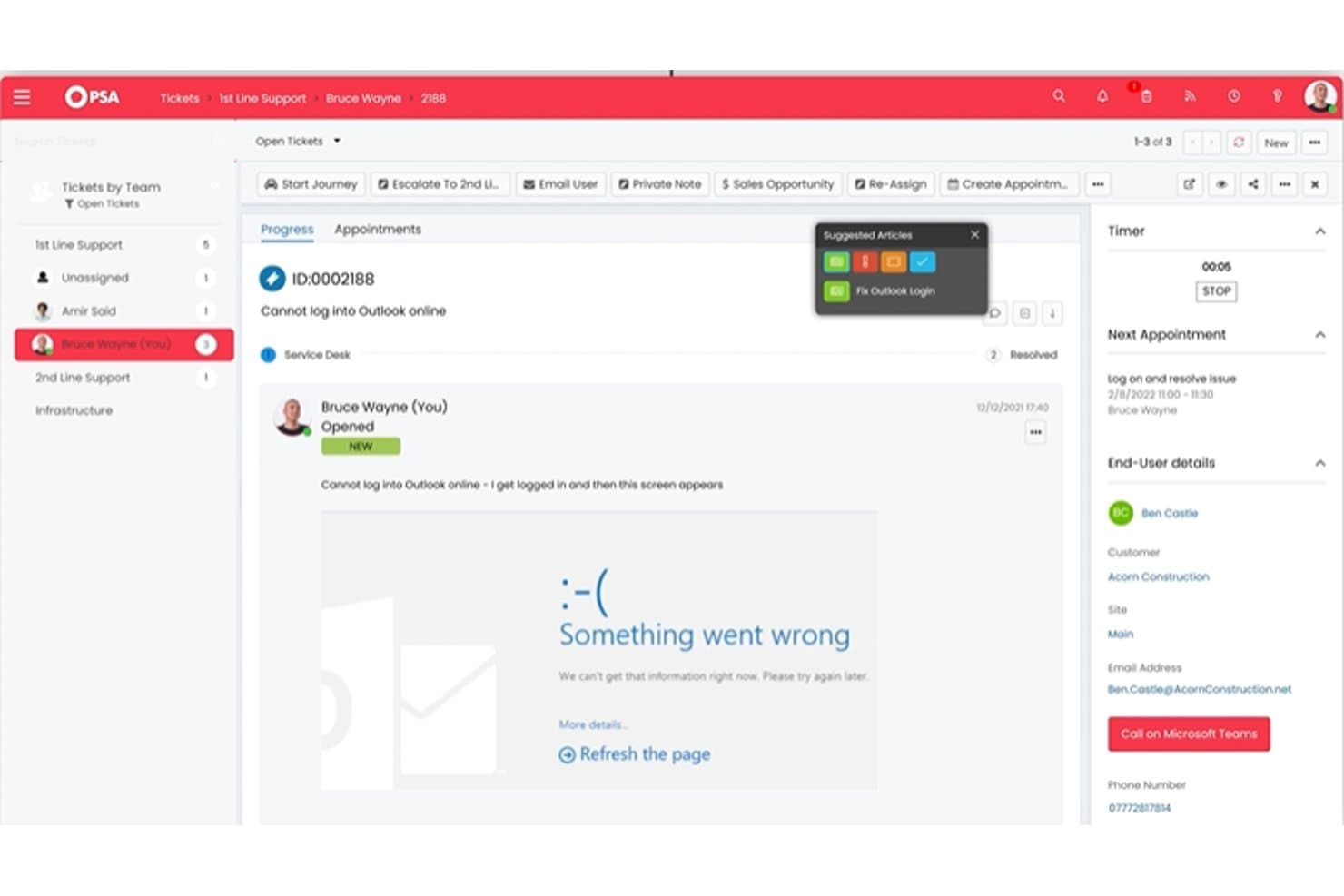
HaloPSA lets agents manage support tickets with suggested articles and timers. HaloPSA is a professional services automation platform for managed service providers that brings client support and service operations into one system, helping teams replace disconnected workflows in a ConnectWise alternative.
Who Is HaloPSA Best For?
HaloPSA suits managed service providers that want one platform to coordinate service delivery, client operations, and core business workflows.
Why I Picked HaloPSA
I picked HaloPSA as a ConnectWise alternative because it fits the “Best for complete IT business management” use case. Its service desk connects client tickets with contracts and time-based billing, while project and CRM tools help track client onboarding from request through delivery.
HaloPSA Key Features
- Asset and CMDB management: Record assets, configuration items, and their relationships.
- Change management: Track and manage changes to IT services.
- Knowledge base: Create and organize articles for support teams and users.
- Reporting and analytics: Build reports to review service and operational data.
HaloPSA Integrations
HaloPSA offers 250+ native integrations, including QuickBooks, Xero, Sage, Ninja, N-central, Azure AD, and Pax8. It also supports custom integrations through its API and connects with Zapier.
Pros and Cons
Pros:
- Phone support helps resolve issues promptly
- Custom fields appear in tickets and reports
- Connects tickets, contracts, and time billing
Cons:
- Initial configuration requires substantial setup
- Project-hour and finance reporting gaps
Learn more about HaloPSA: Best for cloud-based mobile and desktop management
- 90-day free trial
- From $60/user/month (billed annually)
Visit WebsiteCustomer Rating:4.7/5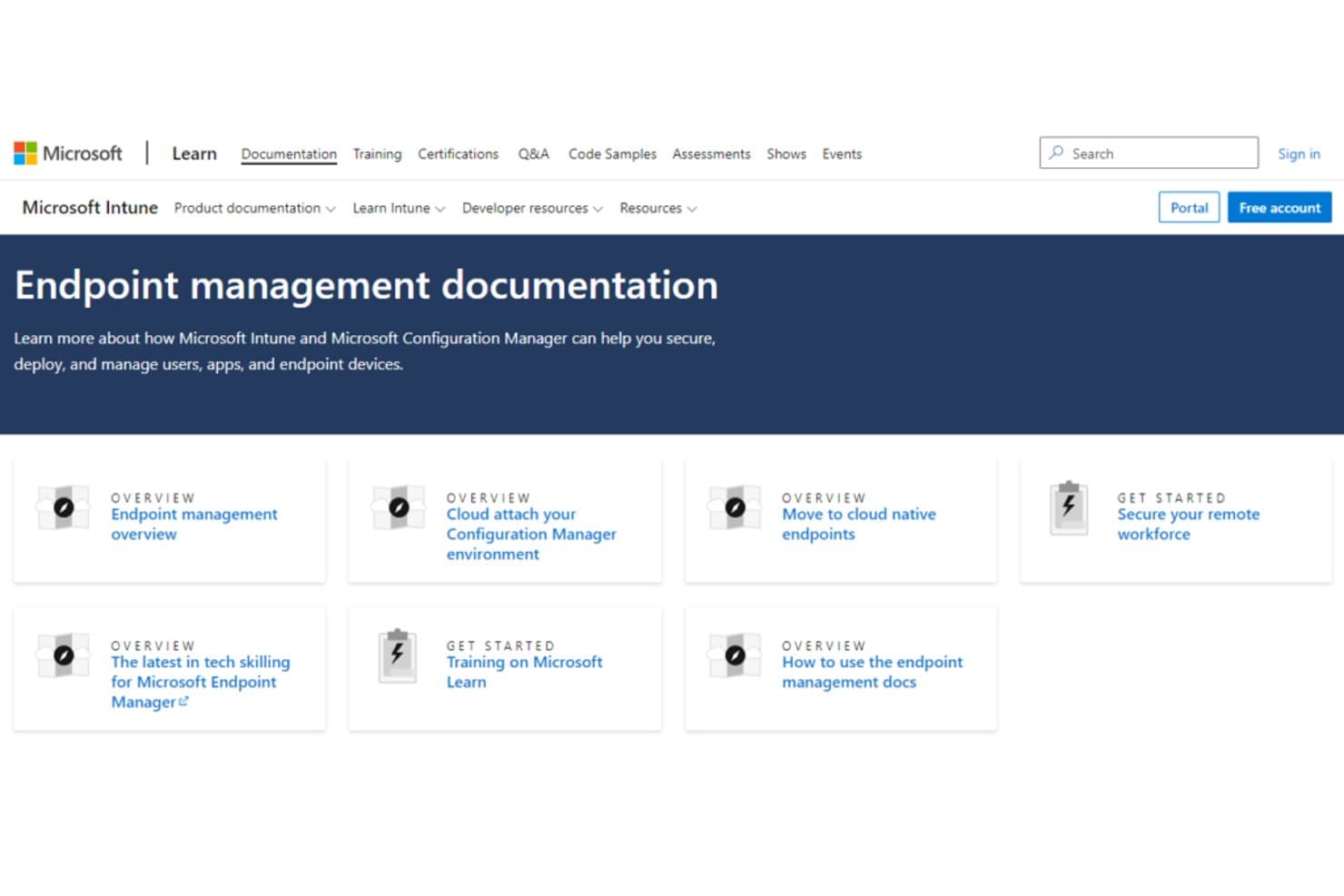
Microsoft Intune centralizes endpoint management documentation and resources. Microsoft Intune helps IT teams manage and secure employee endpoints through Microsoft’s cloud, supporting organizations that need consistent device policies across desktop and mobile fleets.
Who Is Microsoft Intune Best For?
Microsoft Intune suits IT administrators who manage device and app policies for a distributed workforce across desktop and mobile platforms.
Why I Picked Microsoft Intune
I picked Microsoft Intune as a ConnectWise alternative because it’s best for cloud-based mobile and desktop management. I use its device configuration and compliance policies to apply consistent settings across Windows, iOS, and Android devices. App protection policies also help secure work data on personal phones without requiring full device management.
Microsoft Intune Key Features
- Windows Autopilot: Register devices for setup and enrollment during initial deployment.
- App deployment: Assign and install apps on managed devices.
- Role-based access control: Set admin permissions by role and scope.
- Device inventory: View device details and export reports from the admin center.
Microsoft Intune Integrations
Microsoft Intune has built-in connectors for ServiceNow and Microsoft Defender for Endpoint, plus partner integrations such as Jamf Pro, BlackBerry UEM, and Omnissa Workspace ONE. Microsoft Graph APIs support custom integrations with Intune and Microsoft services such as Microsoft Entra ID.
Pros and Cons
Pros:
- Reviewers praise centralized app deployment and patching
- Autopilot supports direct-to-user Windows provisioning
- Centralizes Windows, iOS, and Android policies
Cons:
- No native service desk or full RMM
- Policy sync and app deployment can lag
Learn more about Microsoft Intune: Best for agile IT service management
- Free plan + 14-day trial available
- From $21.50/user/month
Visit WebsiteCustomer Rating:4/5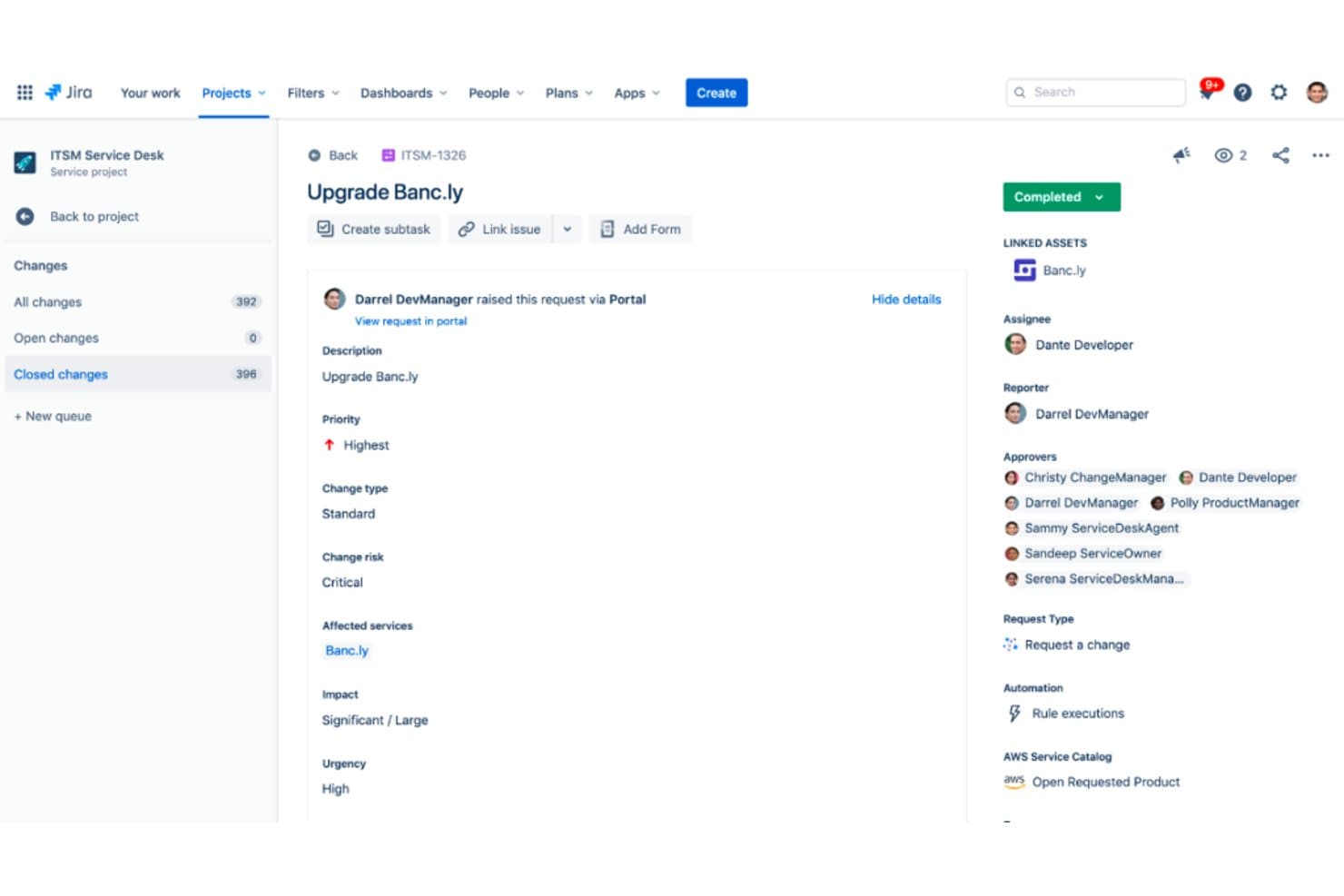
Jira Service Management tracks change requests with risk, priority, and approvals. For IT teams comparing ConnectWise alternatives, Jira Service Management is Atlassian’s service desk platform for coordinating incidents, service requests, and changes across support and operations workflows.
Who Is Jira Service Management Best For?
Jira Service Management suits IT teams that want agile service workflows connected to development and operations.
Why I Picked Jira Service Management
I picked Jira Service Management for agile IT service management because it links service desk workflows with development and operations work. Teams can route incidents and service requests through configurable workflows, then link incident records to Jira development issues so support and engineering can coordinate fixes. Change workflows also track approvals and implementation.
Jira Service Management Key Features
- Self-service portal: Let users submit requests through customizable forms and a service catalog.
- SLA tracking: Set response and resolution targets, then monitor progress against them.
- Knowledge base: Connect Confluence articles to help users find answers in the portal.
- Assets: Record and manage configuration items, including their attributes and relationships.
Jira Service Management Integrations
Jira Service Management documents integrations with Slack, Microsoft Teams, GitHub, Bitbucket, Jenkins, ServiceNow, and Microsoft Azure. It also provides a JSON over HTTPS API for custom integrations and supports apps from the Atlassian Marketplace.
Pros and Cons
Pros:
- Assets and knowledge base connect operational context
- SLA queues and automation reduce manual tracking
- Incident workflows link support with engineering
Cons:
- Dense interface can obscure assigned tickets
- Portal and workflow setup needs dedicated administration
Learn more about Jira Service Management: Best for AI-driven IT service management
- Free demo available
- Pricing upon request
Visit WebsiteCustomer Rating:4.1/5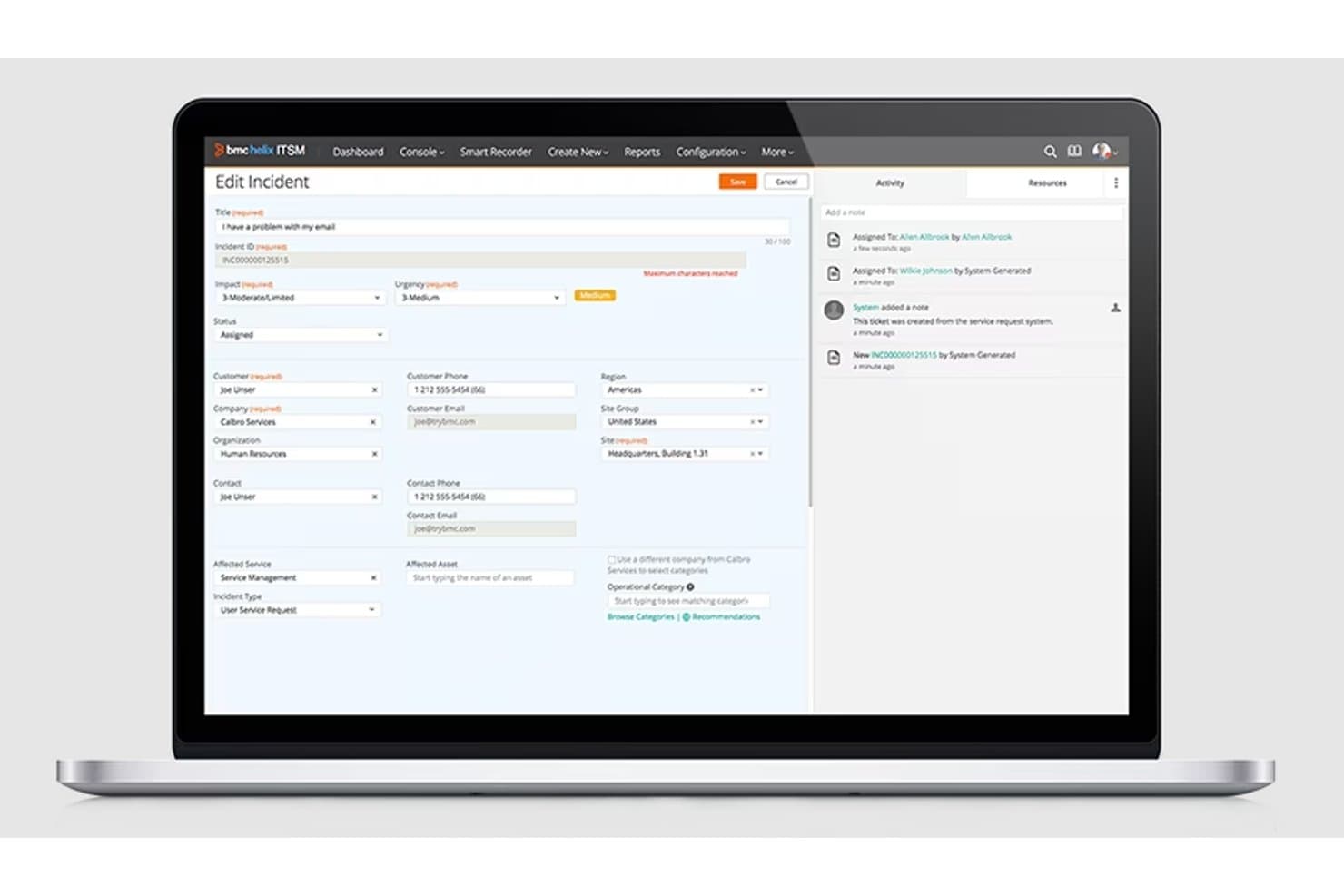
BMC Helix ITSM lets users log and manage IT incidents with detailed forms. BMC Helix ITSM helps enterprise IT teams manage incidents, service requests, and service operations across complex environments, with capabilities for teams seeking Best for AI-driven IT service management.
Who Is BMC Helix ITSM Best For?
BMC Helix ITSM suits IT service management leaders at large organizations who need AI-assisted workflows across service desks and operations teams.
Why I Picked BMC Helix ITSM
I picked BMC Helix ITSM as a ConnectWise alternative for its “Best for AI-driven IT service management” focus. HelixGPT summarizes incident details, and AI clustering groups related incidents to flag potential major issues. AI-driven assignee identification also helps route urgent work to the right support group.
BMC Helix ITSM Key Features
- Service level management: Define, monitor, and report on service performance.
- Configuration management database: Maintain a single source of truth for IT infrastructure and services.
- Asset management: Track IT assets from procurement through retirement.
- Change and release management: Manage changes across hybrid and multicloud environments.
BMC Helix ITSM Integrations
BMC Helix ITSM supports third-party connections through REST APIs, and BMC Helix iPaaS or Multi-Cloud Broker offers configurable connectors and integration templates. Documented examples include Slack and Salesforce; API access is available for custom integrations.
Pros and Cons
Pros:
- Ticket filters support daily issue reporting
- CMDB links service context to change decisions
- AI clusters incidents to flag major events
Cons:
- Edited request fields may lack audit history
- Custom deployments demand substantial configuration effort
Learn more about BMC Helix ITSM: Best for AI-powered endpoint optimization
- Free demo available
- Pricing upon request
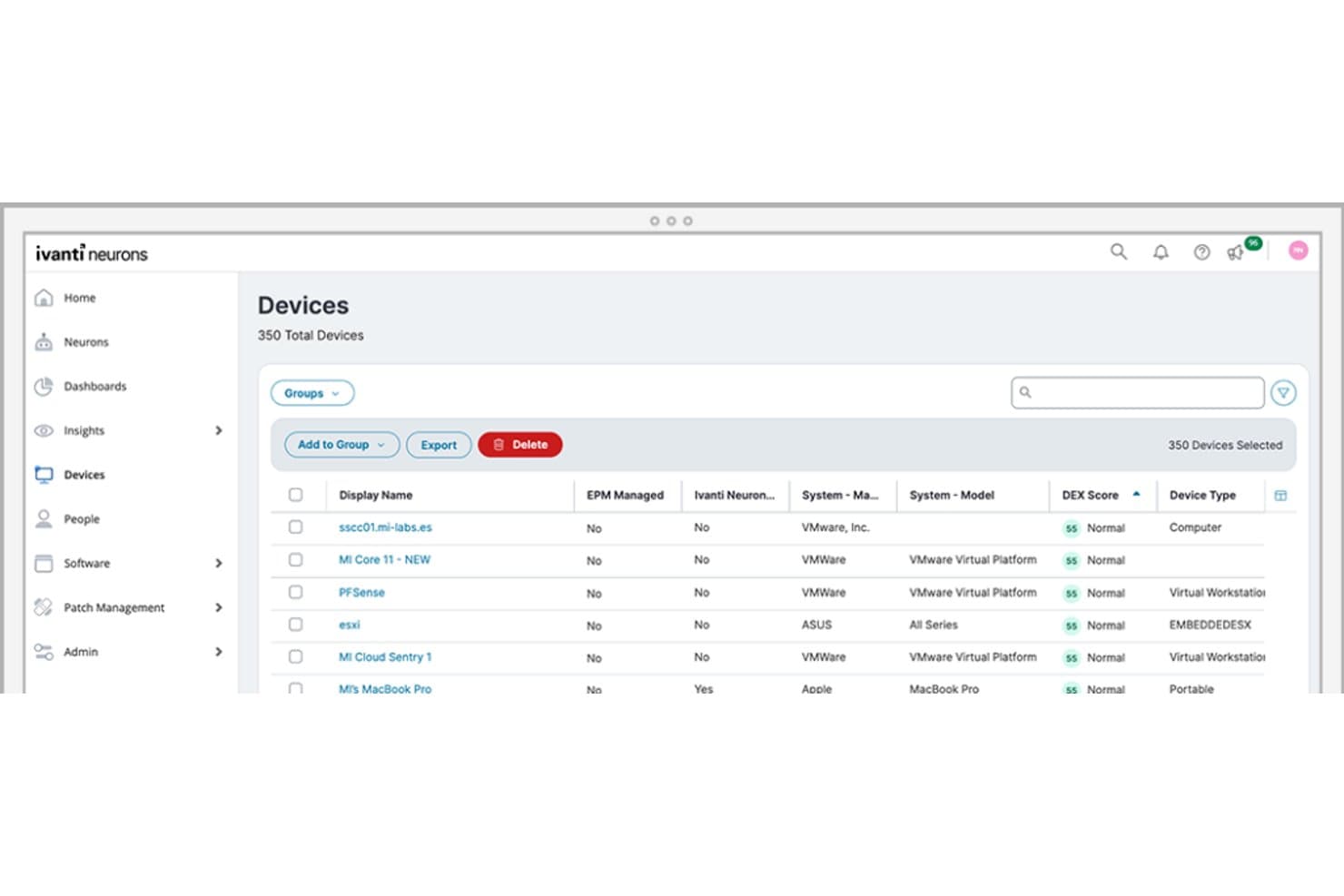
Ivanti Neurons for UEM centralizes device inventory management across 350 devices. Ivanti Neurons for UEM is an endpoint management platform for IT teams that need to manage devices across their organization, maintain security policies, and resolve endpoint issues from a central console.
Who Is Ivanti Neurons for UEM Best For?
Ivanti Neurons for UEM suits IT teams managing and supporting a distributed workforce across multiple types of endpoints.
Why I Picked Ivanti Neurons for UEM
I picked Ivanti Neurons for UEM as a ConnectWise alternative because it’s built for AI-powered endpoint optimization. Its AI-driven automation and self-healing capabilities can detect and remediate device issues before they require technician intervention. I like how that approach helps IT teams manage recurring problems across a distributed endpoint fleet.
Ivanti Neurons for UEM Key Features
- Cross-platform management: Manage Windows, macOS, Linux, iOS, Android, and ChromeOS endpoints.
- Device lifecycle management: Handle enrollment, provisioning, imaging, and secure retirement.
- Application management: Inventory, deploy, patch, and remove apps while tracking license compliance.
- Remote support tools: Run diagnostics, control devices remotely, and execute support scripts.
Ivanti Neurons for UEM Integrations
Ivanti Neurons for UEM connects with Microsoft Defender for Endpoint through a connector that imports device, software, vulnerability, and security data. Ivanti Neurons also provides APIs for custom integrations.
Pros and Cons
Pros:
- Automated patching and remediation reduce manual work
- Unified Windows, Mac, and mobile fleet visibility
- Self-healing bots reduce recurring helpdesk tickets
Cons:
- Complex console navigation slows troubleshooting
- Custom reporting requires extra effort
Learn more about Ivanti Neurons for UEM: Best for unified endpoint management and security
- 30-day free trial
- From $1.32/month (billed annually)
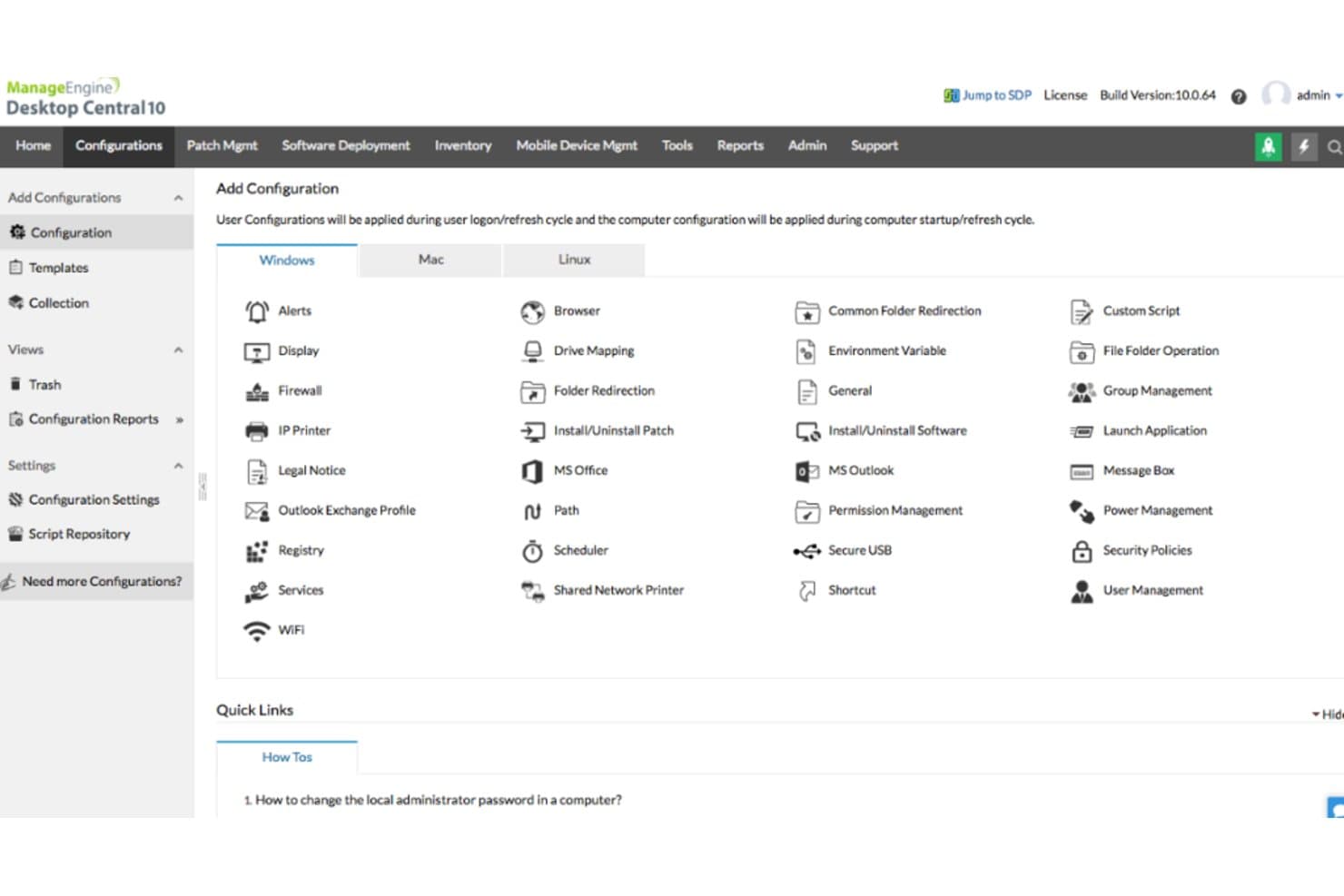
ManageEngine Desktop Central lets users apply Windows configurations remotely. ManageEngine Desktop Central helps IT teams manage and secure desktops, laptops, and mobile devices from one platform, reducing the workload of patching, troubleshooting, and supporting distributed endpoints.
Who Is ManageEngine Desktop Central Best For?
IT administrators who need centralized control over endpoint policies and security across a distributed organization.
Why I Picked ManageEngine Desktop Central
I picked ManageEngine Desktop Central as a ConnectWise alternative: Best for unified endpoint management and security. Its console manages desktop and mobile endpoints across platforms, while vulnerability prioritization and patch deployment help admins address exposed devices. I also value security configurations for enforcing firewall and password settings.
ManageEngine Desktop Central Key Features
- Remote desktop sharing: View and control endpoints remotely to troubleshoot user issues.
- Software deployment: Install or uninstall software on selected devices.
- OS deployment: Capture and deploy operating system images to computers.
- IT asset management: Track hardware and software details across managed endpoints.
ManageEngine Desktop Central Integrations
ManageEngine Desktop Central integrates with ServiceDesk Plus, Jira Service Management, ServiceNow, Zendesk, Freshservice, Tenable, Rapid7 InsightVM, CrowdStrike Falcon Spotlight, and Qualys. It also provides REST APIs for custom integrations.
Pros and Cons
Pros:
- Remote control speeds endpoint troubleshooting
- Automates OS and third-party patching
- Centralizes desktop and mobile endpoint administration
Cons:
- Cluttered interface obscures advanced settings
- Patch reports can be difficult to interpret
Learn more about ManageEngine Desktop Central:
Outras alternativas ao ConnectWise
Eis algumas alternativas adicionais ao ConnectWise que não entraram na minha lista, mas que vale a pena conhecer:
- 11Quest KACEBest for comprehensive IT asset management
- 12N-able MSP ManagerBest for scalable IT service management for MSPs
- 13Tanium XEMBest for integrated endpoint security and management
- 14NinjaOneBest for streamlined managed service provider tasks
- 15RepairShoprBest for small business repair shop automation
- 16SyncroBest for automated IT service workflows
- 17Syxsense ManageGood for managing and securing endpoints from the cloud
- 18ManageEngine ServiceDesk PlusGood for integrating IT helpdesk and asset management
- 19SysAidGood for comprehensive IT service management and help desk needs
- 20BroadcomGood for endpoint security and performance
- 21Jamf ProGood for Apple device management in businesses
- 22IBM Security MaaS360Good for secure mobile device management
- 23Alloy SoftwareGood for asset management and IT service management workflows
- 24Citrix Endpoint ManagementGood for integrating diverse mobile platforms
- 25Baramundi Management SuiteGood for automated IT operations and security tasks
- 26Sophos MobileGood for mobile device security in corporate environments
- 27Matrix42 Secure Unified Endpoint ManagementGood for managing and securing digital workspaces
Análises de outros softwares
How I Evaluate ConnectWise Alternatives
I evaluate these tools in two layers—core RMM and PSA capabilities that every option must have, and the differentiators that matter when you're managing 50+ clients or migrating a ticket history.
Core Functionality (Table Stakes For This List)
When I'm selecting tools for my list, I rank each one on a scale from 0 (does not offer the functionality) to 5 (excels in this area) for each core functionality listed below. Then, I calculate the tool's total score into a percentage. Each tool needs to achieve a minimum total score of 65% to be considered for inclusion.
- Remote Monitoring & Management: I check whether the platform can monitor endpoints, servers, and network devices with proactive alerting and patch management across multiple OS environments.
- PSA & Ticketing: Every tool should offer a service desk with SLA tracking, ticket routing, and dispatch workflows that keep technicians moving through queues.
- Remote Access & Control: I evaluate attended and unattended session support, looking at features like file transfer, session recording, and multi-monitor handling during live troubleshooting.
- Automation & Scripting: Tools like Datto RMM and NinjaOne each approach scripting differently, so I look at script libraries, scheduled tasks, and policy-based automation options.
- Billing & Client Management: I look for time tracking tied to tickets, contract management, and invoicing features that help MSPs connect service delivery to revenue.
- Reporting & Integrations: The tool should offer configurable dashboards and connect with the platforms MSPs already rely on, such as IT Glue, QuickBooks, or backup solutions.
Once I have a list of tools that meet this criteria, I consider what sets each platform apart.
Differentiating Factors (What Sets Vendors Apart)
Here's how I compare and contrast different vendors:
Standout Features
An integrated security stack is a big differentiator—platforms with native endpoint detection reduce agent bloat on client machines compared to layering on third-party tools. I also look at network discovery and mapping features, which speed up onboarding new clients by auto-detecting devices and dependencies. A full-featured mobile app matters too, especially for field techs who need to manage tickets or launch remote sessions from a phone between site visits.
Beyond Features
Pricing model matters a lot here. Per-technician pricing favors smaller teams, while per-endpoint models can work better at scale, so I evaluate which structure fits different MSP sizes. I also look at migration support—switching from ConnectWise means moving ticket histories, client configs, and contract data, and some vendors offer dedicated migration paths while others leave you on your own. Compliance certifications like SOC 2 and HIPAA readiness are worth checking too, especially if you serve clients in regulated industries like healthcare or finance.
Por que procurar uma alternativa ao ConnectWise?
Embora o ConnectWise seja uma boa escolha de plataforma de gestão de TI, existem vários motivos pelos quais alguns utilizadores procuram soluções alternativas. Poderá estar à procura de uma alternativa ao ConnectWise porque…
- Precisa de uma ferramenta mais simples, fácil de configurar e utilizar.
- A sua equipa não precisa de todas as ferramentas adicionais incluídas.
- Está a deparar-se com problemas de desempenho lento ou instável.
- Pretende um apoio ao cliente mais rápido ou prestável.
- Procura um modelo de preços mais acessível.
- Precisa de funcionalidades mais adequadas à TI interna do que a MSP.
Se alguma destas situações lhe é familiar, veio ao lugar certo. A minha lista inclui várias opções de plataformas de gestão de TI mais adequadas para equipas que enfrentam estes desafios com o ConnectWise e procuram soluções alternativas.
Principais funcionalidades do ConnectWise
Eis algumas das principais funcionalidades do ConnectWise para ajudar a contrastar e comparar o que as soluções alternativas oferecem:
- Monitorização e gestão remotas: Permite acompanhar os dispositivos terminais dos clientes e resolver problemas sem ter de se deslocar ao local.
- Sistema de gestão de pedidos: Ajuda a sua equipa a acompanhar, gerir e resolver pedidos de suporte num único local.
- Automação de TI: Permite configurar regras para tratar de tarefas repetitivas, como a aplicação de correções e a manutenção.
- Faturação e emissão de faturas: Gera faturas com base no trabalho realizado, para que a sua equipa receba o valor correto.
- Gestão de ativos: Mantém um registo de todo o hardware e software, facilitando as auditorias e o planeamento.
- Deteção de redes: Localiza todos os dispositivos numa rede, para que nada fique por identificar.
- Relatórios e painéis: Mostra à sua equipa o desempenho relativamente aos pedidos, ao registo de horas e à prestação de serviços.
- Gestão de correções: Permite distribuir atualizações de segurança pelos sistemas, para os manter atualizados.
- Integrações com terceiros: Liga-se a outras ferramentas utilizadas pela sua equipa, para que não tenha de alternar entre aplicações.
- Ferramentas de segurança dos dispositivos terminais: Ajuda a proteger os sistemas dos clientes com funcionalidades de antivírus e deteção de ameaças.