
Recensione Snyk: Pro, Contro, Caratteristiche e Prezzi
Questa recensione di Snyk esplora i suoi strumenti di sicurezza pensati per gli sviluppatori, l’usabilità, le integrazioni, i prezzi, i punti di forza e le limitazioni per aiutarti a decidere se è adatto al tuo team.

Recensiamo gli strumenti in modo indipendente e le commissioni ci aiutano a finanziare i nostri test. Consulta la nostra politica sulla trasparenza, la nostra metodologia, oppure suggerisci uno strumento.
Una revisione della sicurezza arriva sulla tua scrivania dopo che un nuovo progetto inizia a scalare, e improvvisamente le lacune nel tuo flusso di lavoro di sviluppo sembrano più difficili da ignorare. Inizi a esplorare strumenti che possano realmente stare al passo con la velocità della consegna moderna e portare la sicurezza più vicino agli sviluppatori.
Questa ricerca ti porta qui.
In questa recensione ti guiderò attraverso Snyk come piattaforma AppSec, spiegando come funziona, dove si inserisce meglio e cosa dovresti sapere prima di aggiungerla al tuo stack.
Snyk Evaluation Summary
4.6/5
- From $25/contributing developer/month
- Free plan + free demo available
Perché fidarsi dei nostri consigli sui software
6,700+
Reviews
20
Industry experts
16+
Evaluation factors
14
Years
Il nostro team testa e recensisce software dal 2012. In quanto leader tecnologici noi stessi, sappiamo quanto sia difficile — e importante — scegliere il software giusto.
Per questa guida, abbiamo valutato gli strumenti attraverso test praticie ricerche indipendenti, assegnando un punteggio agli strumenti in base ai nostri criteri di selezione.
Le nostre recensioni riflettono il nostro giudizio editoriale umano, non un discorso di vendita.
Revisori esperti:
- Paulo Gardini MiguelDirettore tecnico
 Tim FisherVP dell'IA
 Gabriel RosasTech Lead e architetto software
 Christhian GruhnTech Lead e architetto della piattaforma

Snyk Overview
Pros
- Continuous monitoring with actionable remediation guidance
- Strong coverage across the modern application stack
- Developer-first security that fits into existing workflows
Cons
- Users mention slow scans, bugs, and gaps in integrations or support responsiveness.
- Teams often need planning and tuning before the platform runs smoothly.
- Some users report frequent false positives that make vulnerability triage more time-consuming.
Is Snyk Right For Your Needs?
Who Would be a Good Fit for Snyk?
Snyk is best suited for organizations that want to embed security directly into the development lifecycle instead of treating it as a separate step. If your team ships code frequently, relies on open-source dependencies, or runs modern cloud infrastructure, Snyk helps developers find and fix vulnerabilities early without slowing delivery.
- Teams using AI-generated code and modern workflowsSnyk helps secure AI-generated code and modern development practices by scanning code early and continuously.
- Companies managing software supply-chain riskSnyk provides visibility across code, dependencies, containers, and infrastructure with risk-based prioritization.
- Organizations adopting shift-left securitySnyk helps developers fix vulnerabilities early in the SDLC, improving collaboration between security and engineering teams.
- Cloud-native teams using containers and IaCSnyk secures Docker, Kubernetes, and infrastructure-as-code to help teams prevent misconfigurations before deployment.
- Teams heavily using open-source softwareSnyk continuously scans third-party dependencies and alerts teams to newly discovered vulnerabilities with fix suggestions.
- Fast-moving DevOps and platform teamsSnyk integrates with CI/CD pipelines, repositories, and IDEs so teams can catch issues during development instead of after release.
Who Would be a Bad Fit for Snyk?
Snyk is built for modern software development teams. If your organization doesn’t ship software frequently, lacks a development team, or doesn’t rely heavily on cloud and open-source technologies, the platform can feel complex and unnecessarily expensive.
- Companies seeking fully on-premise security toolingSnyk is primarily a cloud-based platform. Organizations with strict on-prem or air-gapped requirements may struggle to adopt it.
- Solo developers or very small engineering teamsSnyk’s strength lies in collaboration, automation, and scaling security across teams. Individual developers or very small teams may find lighter tools more practical.
- Businesses outside tech-driven or software-heavy industriesIndustries with minimal application development typically don’t need full application security tooling, making Snyk more than what’s required.
- Teams managing mostly static or legacy systemsSnyk focuses on continuous scanning for frequently changing code and infrastructure. Environments that rarely update software won’t benefit from real-time scanning or automated fixes.
- Organizations without an in-house development teamSnyk is designed for developers and DevOps workflows. If your company doesn’t actively build and maintain software, most of the platform’s capabilities won’t provide real value.
- Small businesses with very limited security budgetsSnyk is a full DevSecOps platform with multiple products and enterprise pricing tiers. Teams that only need basic vulnerability scanning may find the cost and setup difficult to justify.
La Nostra Metodologia di Recensione
Come Testiamo e Valutiamo gli Strumenti
Abbiamo trascorso anni a costruire, perfezionare e migliorare il nostro sistema di testing e valutazione del software. Il nostro schema è progettato per cogliere le sfumature della selezione software e cosa rende efficace uno strumento, focalizzandosi sugli aspetti critici del processo decisionale.
Di seguito, puoi vedere esattamente come funziona il nostro testing e punteggio su sette criteri. Ci permette di offrire una valutazione imparziale del software basata su funzionalità principali, caratteristiche distintive, facilità d’uso, onboarding, assistenza clienti, integrazioni, recensioni dei clienti e rapporto qualità-prezzo.
Funzionalità Principali (25% del punteggio finale)
Il punto di partenza della nostra valutazione è sempre la funzionalità principale dello strumento. Ha le funzioni e caratteristiche base che ci si aspetta? Alcune di queste caratteristiche sono limitate ai piani tariffari superiori? Fondamentalmente, ci aspettiamo che uno strumento regga il confronto rispetto alle capacità di base dei concorrenti.
Caratteristiche Distintive (25% del punteggio finale)
Successivamente, valutiamo le caratteristiche distintive e non comuni che vanno oltre la funzionalità base tipicamente trovata negli strumenti di questa categoria. Un punteggio alto riflette funzionalità specializzate o uniche che rendono il prodotto più veloce, efficiente o offrono ulteriore valore all’utente.
Valutiamo inoltre quanto sia semplice integrare altri strumenti tipicamente utilizzati nell’infrastruttura tecnologica per espandere la funzionalità e l’utilità del software. Gli strumenti che offrono numerose integrazioni native, connessioni di terze parti e accesso API per creare integrazioni personalizzate ottengono i punteggi migliori.
Facilità d’Uso (10% del punteggio finale)
Consideriamo quanto sia rapido e semplice svolgere i compiti definiti nella funzionalità principale utilizzando lo strumento. Il software con punteggio alto è ben progettato, intuitivo da usare, offre app mobili, fornisce modelli e rende semplici attività relativamente complesse.
Onboarding (10% del punteggio finale)
Sappiamo quanto sia importante l’adozione rapida da parte del team per una nuova piattaforma, quindi valutiamo quanto sia facile imparare e utilizzare uno strumento con formazione minima. Valutiamo quanto velocemente un membro del team possa iniziare a usare lo strumento anche senza esperienza. Soluzioni con punteggio alto indicano che sono richiesti pochi o nessun supporto.
Assistenza Clienti (10% del punteggio finale)
Esaminiamo quanto sia veloce e facile ricevere assistenza e risolvere problemi tramite telefono, live chat o knowledge base. Gli strumenti e le aziende che garantiscono supporto in tempo reale ottengono il miglior punteggio, mentre i chatbot ottengono il peggiore.
Recensioni dei Clienti (10% del punteggio finale)
Oltre ai nostri test e valutazioni, prendiamo in considerazione il net promoter score dei clienti attuali e passati. Valutiamo la probabilità che, data la scelta, selezionerebbero nuovamente lo strumento per la funzionalità principale. Un software con punteggio alto riflette un alto net promoter score da parte dei clienti attuali o passati.
Rapporto Qualità-Prezzo (10% del punteggio finale)
Infine, considerando tutti gli altri criteri, analizziamo il prezzo medio dei piani base rispetto alle funzionalità principali e consideriamo il valore degli altri criteri di valutazione. Il software che offre di più a meno otterrà un punteggio più alto.
Core Features
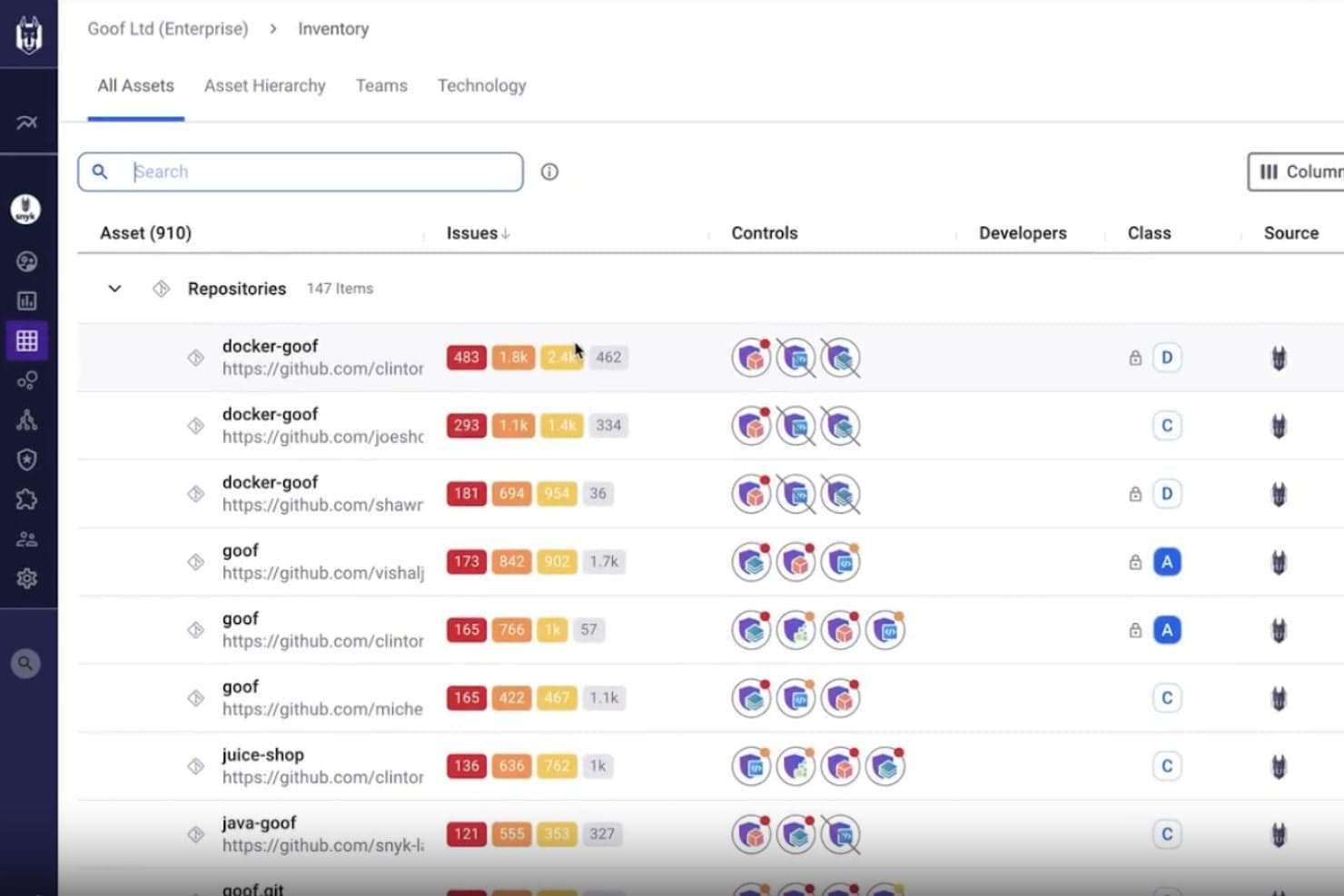
SAST with Snyk Code
Snyk scans your custom code in real time to detect vulnerabilities and provides fix suggestions directly in your IDE and pull requests.
Open-Source Dependency Security (SCA)
Snyk continuously monitors third-party libraries, alerts you to newly discovered vulnerabilities, and recommends upgrades or patches.
Container Image Security
Snyk scans container images and base images to detect vulnerabilities before deployment and suggests more secure alternatives.
Infrastructure-as-Code Security
Snyk detects misconfigurations in Terraform, Kubernetes, and other IaC tools to prevent cloud security issues before deployment.
DAST for APIs and Web Apps
Snyk dynamically tests running applications and APIs to identify runtime vulnerabilities and security weaknesses.
Security Intelligence and Risk Prioritization
Snyk prioritizes vulnerabilities based on exploitability and business risk so teams can focus on the most critical issues first.
Ease of Use
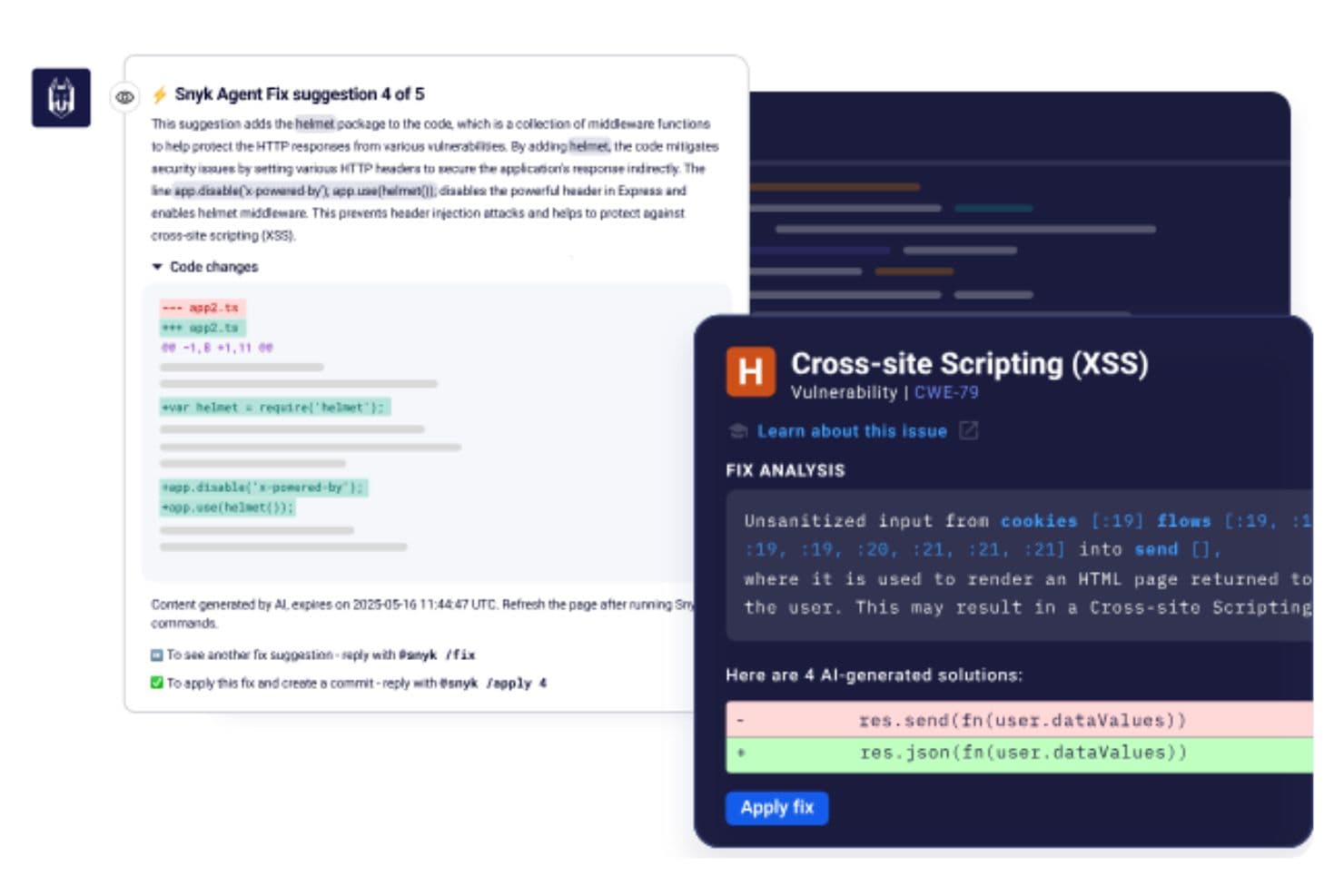
Snyk is generally easy to navigate thanks to its intuitive interface and developer-friendly workflow.
Teams can organize developers into separate orgs, making it simple to control access and keep vulnerability reports relevant to each team’s repositories. Onboarding repositories through the GitHub app is straightforward, and developers can receive security feedback directly inside GitHub pull requests, which helps reduce context switching.
The platform is also customizable per team, allowing you to control settings and automate PR creation based on your workflow.
Integrations
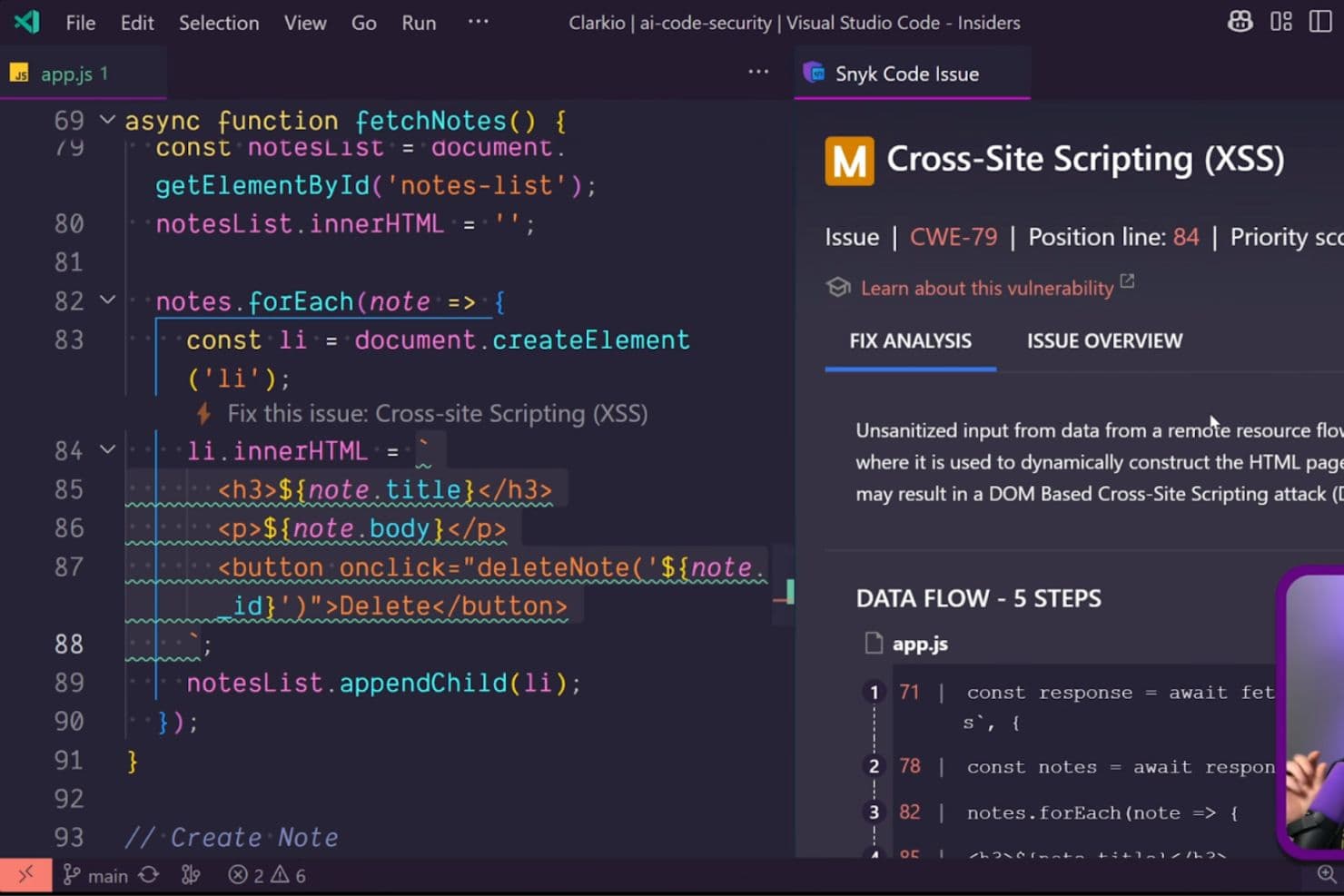
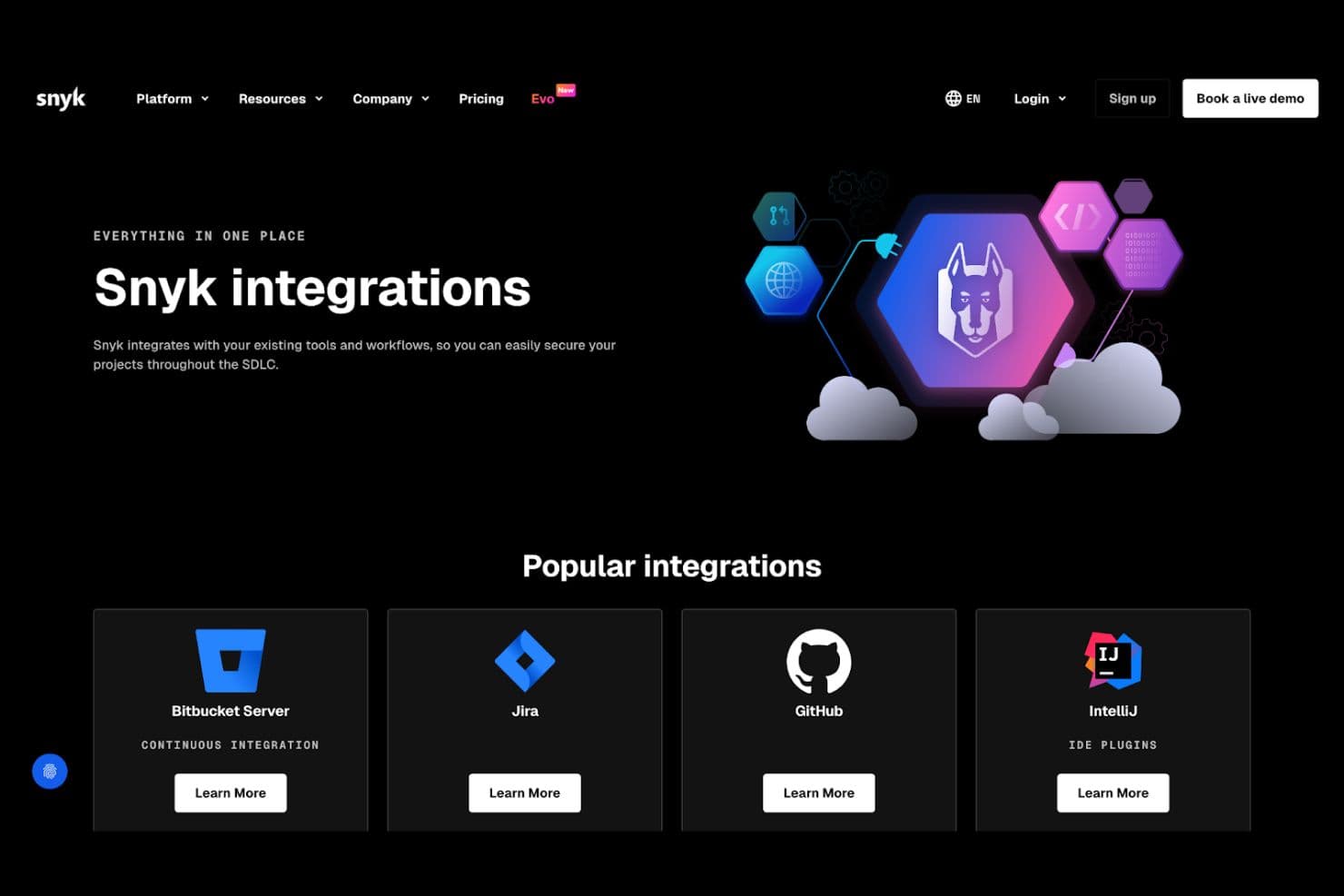
Snyk offers a large ecosystem of native integrations so teams can embed security directly into their existing workflows.
Integrations include version control platforms such as GitHub, GitLab, Bitbucket, and Azure DevOps. CI/CD and automation tools are also supported, helping teams scan projects during builds and deployments.
An API is available for building custom integrations and extending Snyk into additional workflows.
Snyk Specs
- A/B Testing: No
- API: Yes
- Automated Testing: No
- Browser Compatibility Testing: No
- Bug Tracking: No
- Calendar Management: No
- CI/CD Integration: No
- Dashboard: No
- Data Export: Yes
- Data Import: Yes
- Data Visualization: No
- Developer Tools: No
- External Integrations: Yes
- History/Version Control: No
- Manual Testing: No
- Multi-User: Yes
- Notifications: Yes
- Performance Testing: No
- Regression Testing: No
- Scheduling: No
- Status Notifications: No
- Third-Party Plugins/Add-Ons: No


