

I migliori strumenti di automazione dei test basati sull'IA aiutano i team a identificare prima i difetti, ridurre il lavoro dei test manuali, aumentare la copertura dei test e mantenere la qualità delle versioni quando le applicazioni cambiano. Questi strumenti si adattano alle modifiche dell'interfaccia utente e del codice, così i test rimangono affidabili anche in presenza di aggiornamenti frequenti.
I team adottano spesso strumenti di test basati sull'IA quando i test manuali rallentano le versioni, gli script fragili si interrompono dopo piccole modifiche o le lacune nella copertura consentono ai difetti di raggiungere l'ambiente di produzione. Problemi come test instabili, tempi di esecuzione lunghi e visibilità limitata sui guasti riducono la fiducia e rendono più difficile la collaborazione tra i team di sviluppo e QA.
Con oltre 20 anni di esperienza nel settore come direttore tecnologico, ho testato e valutato dozzine di strumenti di automazione dei test basati sull'IA in contesti reali, per analizzarne l'accuratezza, le integrazioni e l'usabilità. Questa guida mette in evidenza i migliori strumenti di automazione dei test basati sull'IA, che migliorano l'efficienza dei test, favoriscono versioni più rapide e aiutano i team a fornire software stabile. Ogni recensione esamina funzionalità, vantaggi e svantaggi e casi d'uso più adatti, per aiutarti a scegliere lo strumento giusto.
Perché fidarsi dei nostri consigli sui software
6,700+
Reviews
20
Industry experts
16+
Evaluation factors
14
Years
Il nostro team testa e recensisce software dal 2012. In quanto leader tecnologici noi stessi, sappiamo quanto sia difficile — e importante — scegliere il software giusto.
Per questa guida, abbiamo valutato gli strumenti attraverso test praticie ricerche indipendenti, assegnando un punteggio agli strumenti in base ai nostri criteri di selezione.
Le nostre recensioni riflettono il nostro giudizio editoriale umano, non un discorso di vendita.
Revisori esperti:
- Paulo Gardini MiguelDirettore tecnico
 Tim FisherVP dell'IA
 Gabriel RosasTech Lead e architetto software
 Christhian GruhnTech Lead e architetto della piattaforma

Riepilogo dei migliori strumenti di automazione dei test basati sull'IA
Questa tabella comparativa riassume i dettagli dei prezzi delle mie migliori selezioni di strumenti di automazione dei test basati sull’IA, per aiutarti a trovare quello più adatto al tuo budget e alle esigenze della tua azienda.
| Tool | Best For | Trial Info | Price | ||
|---|---|---|---|---|---|
| 1 | Ideale con la modellazione dei processi aziendali | Prova gratuita di 14 giorni | Prezzi su richiesta | Website | |
| 2 | Ideale con agenti AI autonomi per i test delle PR | Demo gratuita disponibile | Prezzi su richiesta | Website | |
| 3 | Ideale per utenti illimitati con prezzi fissi | Prova gratuita di 14 giorni + piano gratuito disponibile | A partire da $99/mese (con fatturazione annuale) | Website | |
| 4 | La soluzione migliore per la manutenzione dei test guidata dall'intelligenza artificiale | Prova gratuita di 30 giorni | A partire da $84/utente/mese (fatturati annualmente) | Website | |
| 5 | Ideale per la manutenzione autonoma dei test | Piano gratuito disponibile | A partire da $20/mese | Website | |
| 6 | Ideale per il punteggio di affidabilità del rilascio | Prova gratuita disponibile | Prezzi su richiesta | Website | |
| 7 | Ideale per la manutenzione dei test basata sull'IA agentica | Prova gratuita di 14 giorni | Prezzi su richiesta | Website | |
| 8 | Ideale per il riconoscimento degli oggetti basato sull'IA | Prova gratuita di 30 giorni | Prezzi su richiesta | Website | |
| 9 | Ideale per la generazione dei dati di test basata sull'IA | Prova gratuita di 14 giorni | Prezzi su richiesta | Website | |
| 10 | Ideale per la flessibilità della distribuzione ibrida | Demo gratuita disponibile | Prezzi su richiesta | Website |


Recensioni dei migliori strumenti di automazione dei test basati sull'IA
Di seguito sono riportati i miei riepiloghi dettagliati dei migliori strumenti di automazione dei test basati sull’IA inclusi nel mio elenco. Le mie recensioni offrono un’analisi approfondita delle funzionalità principali, dei vantaggi & svantaggi, delle integrazioni e dei casi d’uso ideali di ogni strumento, per aiutarti a trovare quello più adatto a te.
 Ideale con la modellazione dei processi aziendali
- Prova gratuita di 14 giorni
- Prezzi su richiesta
Visit WebsiteCustomer Rating:4.8/5This rating combines scores from multiple user review sites to reflect overall customer sentiment about the product.
ACCELQ consente di creare ed eseguire test senza codice nel cloud. ACCELQ è una piattaforma di automazione dei test basata sull'intelligenza artificiale e senza codice, che comprende i test web, mobile, API, desktop e delle applicazioni pacchettizzate attraverso un approccio di modellazione dei processi aziendali alla progettazione e all'esecuzione dei test.
Per chi è più adatto ACCELQ?
È particolarmente adatto ai team QA aziendali che necessitano del contributo sia di membri tecnici sia non tecnici all'automazione dei test su portafogli di applicazioni complessi.
Perché ho scelto ACCELQ
Ho scelto ACCELQ perché il suo approccio Application Blueprint mappa i processi aziendali effettivi come modello visivo, quindi genera i test direttamente su tale modello. Quando un'applicazione cambia, la funzionalità di autoriparazione senza localizzatori di ACCELQ si adatta automaticamente, senza che io debba modificare un singolo selettore. Mi piace anche il modulo Autopilot, che utilizza l'intelligenza artificiale generativa per creare suite di test complete a partire dagli stessi modelli di processo, mantenendo la copertura dei test allineata alla logica aziendale anziché alla struttura dell'interfaccia utente.
Funzionalità principali di ACCELQ
- Automazione unificata multicanale: Automatizza i test su piattaforme web, mobile, API, desktop e mainframe da un'unica interfaccia.
- Integrazioni con le pipeline CI/CD: Collegati in modo nativo a Jenkins, Bamboo, Team City e Azure DevOps per ottimizzare l'esecuzione automatizzata dei test.
- Gestione integrata dei test manuali: Gestisci i casi di test manuali e la pianificazione all'interno della stessa piattaforma utilizzata per i test automatizzati.
- Test tra browser diversi e laboratorio di dispositivi cloud: Esegui i test in parallelo su più browser e dispositivi mobili ospitati nel cloud per una copertura completa.
Integrazioni di ACCELQ
ACCELQ offre integrazioni native con Jenkins, Bamboo, Team City, Azure DevOps, Jira e GitHub. È disponibile un'API per le integrazioni personalizzate.
Pros and Cons
Pros:
- La creazione senza codice non richiede conoscenze di scripting
- I localizzatori autoriparanti riducono la manutenzione dei test non funzionanti
- I modelli dei processi aziendali corrispondono ai flussi di lavoro reali
Cons:
- I pannelli di reportistica offrono meno dettagli rispetto a quelli dei concorrenti
- Configurazione iniziale più complessa per gli ambienti applicativi complessi
Learn more about ACCELQ: Ideale con agenti AI autonomi per i test delle PR
- Demo gratuita disponibile
- Prezzi su richiesta
Visit WebsiteCustomer Rating:4.7/5This rating combines scores from multiple user review sites to reflect overall customer sentiment about the product.
AI di QA.tech che convalida gli aggiornamenti del pannello di controllo, confermando che i flussi utente critici siano stati testati e siano sicuri da rilasciare dopo aver verificato automaticamente la copertura e i risultati dei test. QA.tech è una piattaforma di automazione dei test nativa per l'AI, in cui agenti autonomi analizzano la tua applicazione, generano casi di test a partire dal linguaggio naturale ed eseguono test esplorativi e di regressione in ambienti web e mobili.
Per chi è più adatto QA.tech?
QA.tech è particolarmente adatto ai team di prodotto e di ingegneria delle aziende SaaS che effettuano rilasci frequenti e si affidano a flussi di lavoro CI/CD basati su GitHub.
Perché ho scelto QA.tech
QA.tech si è guadagnato un posto nella mia rosa dei candidati perché il suo agente per i test delle PR è davvero di prim'ordine. Quando uno sviluppatore apre una richiesta di integrazione, l'agente individua automaticamente l'anteprima Vercel, esegue una regressione completa e blocca l'unione se qualcosa si interrompe. Mi piace anche il fatto che distingua i bug reali dall'instabilità dei test, così il mio team non deve inseguire falsi allarmi a ogni esecuzione CI.
Funzionalità principali di QA.tech
- Creazione di test in linguaggio naturale: Crea scenari di test completi usando richieste in linguaggio naturale per il web, i dispositivi mobili e le API.
- Navigazione semantica dell'interfaccia utente da parte degli agenti: Gli agenti AI esplorano le applicazioni in modo contestuale, adattandosi automaticamente ai cambiamenti nella disposizione o nel flusso.
- Test paralleli su dispositivi mobili e web: Esegui simultaneamente test autonomi in più ambienti web e mobili, su dispositivi reali e virtuali.
- Importazione dei test Playwright: Migra senza interruzioni le suite di test Playwright esistenti in QA.tech per una gestione unificata dell'automazione dei test.
Integrazioni di QA.tech
QA.tech offre integrazioni native con GitHub, Vercel e Playwright e supporta l'orchestrazione CI/CD tramite la sua API.
Pros and Cons
Pros:
- Gli agenti attivati dalle PR individuano i bug prima dell'unione
- Gli agenti vengono eseguiti senza dover creare manualmente gli script dei test
- Filtra i fallimenti intermittenti dai difetti reali
Cons:
- Limitato esclusivamente ai test delle applicazioni web
- Ecosistema di integrazioni più ridotto rispetto ai concorrenti affermati
Learn more about QA.tech: Ideale per utenti illimitati con prezzi fissi
- Prova gratuita di 14 giorni + piano gratuito disponibile
- A partire da $99/mese (con fatturazione annuale)
Visit WebsiteCustomer Rating:4.8/5This rating combines scores from multiple user review sites to reflect overall customer sentiment about the product.
BugBug consente agli utenti di ispezionare e modificare i dettagli dei singoli passaggi del test. BugBug è uno strumento di automazione dei test E2E a basso codice che utilizza un registratore di test basato sull’intelligenza artificiale, localizzatori adattivi e la pianificazione sul cloud per automatizzare i test delle applicazioni web sui browser basati su Chromium.
Per chi è più adatto BugBug?
BugBug è adatto ai piccoli team QA di aziende in crescita che hanno bisogno di automatizzare i test di regressione prima dei rilasci senza assumere ingegneri dedicati all’automazione.
Perché ho scelto BugBug
Ho scelto BugBug come uno dei migliori strumenti perché il suo piano PRO a tariffa fissa sblocca utenti illimitati, consentendo ai team QA di coinvolgere sviluppatori e parti interessate senza che i costi aumentino per ogni postazione. Mi piace il modo in cui i localizzatori adattivi selezionano automaticamente il selettore più stabile durante la registrazione, riducendo i test non funzionanti dopo le modifiche all’interfaccia utente. La regressione visiva inclusa nei piani PRO rileva poi le regressioni a livello di screenshot prima che raggiungano l’ambiente di produzione.
Funzionalità principali di BugBug
- Componenti di test riutilizzabili: Raggruppa i passaggi in componenti riutilizzabili che possono essere condivisi tra più test.
- Esportazione YAML leggibile: Esporta e importa i test come file YAML in testo semplice per il backup o la revisione del codice.
- Test delle email basato su casella di posta: Casella di posta integrata per verificare i flussi di registrazione e autenticazione utilizzando link univoci.
- Integrazioni native per le notifiche: Collega Slack, Discord e Linear per inviare avvisi automatici sulle esecuzioni al tuo team.
Integrazioni di BugBug
BugBug offre integrazioni native con GitHub, GitLab, Bitbucket, Jenkins, Travis, Slack, Discord, Linear e Trello. Sono disponibili un’API e un’interfaccia a riga di comando per integrazioni personalizzate e l’automazione delle pipeline CI/CD.
Pros and Cons
Pros:
- I localizzatori adattivi mantengono stabili i test dopo le modifiche
- Le esecuzioni pianificate sul cloud non richiedono infrastrutture aggiuntive
- Il registratore senza codice è adatto ai tester QA non tecnici
Cons:
- Limitato ai soli browser basati su Chromium
- Le funzionalità di generazione tramite intelligenza artificiale sono inferiori a quelle dei concorrenti dedicati
Learn more about BugBug: La soluzione migliore per la manutenzione dei test guidata dall'intelligenza artificiale
- Prova gratuita di 30 giorni
- A partire da $84/utente/mese (fatturati annualmente)
Visit WebsiteCustomer Rating:4.4/5This rating combines scores from multiple user review sites to reflect overall customer sentiment about the product.
Katalon Studio supporta l'automazione dei test web, mobile e API. Katalon Studio è una piattaforma di automazione dei test basata sull'intelligenza artificiale che comprende test web, mobile, API e desktop, combinando la creazione senza codice, a basso codice e con codice completo con agenti di intelligenza artificiale integrati per la generazione dei test, l'autoriparazione e l'analisi delle cause principali.
Per chi è più adatto Katalon Studio?
Katalon Studio è particolarmente adatto ai team QA con livelli di competenza tecnica diversi, in cui alcuni membri preferiscono flussi di lavoro a basso codice e altri necessitano del pieno controllo tramite script.
Perché ho scelto Katalon Studio
Ho scelto Katalon Studio come una delle soluzioni migliori perché la sua autoriparazione basata sull'intelligenza artificiale affronta direttamente l'aspetto più dispendioso in termini di tempo della manutenzione dei test. Quando un elemento dell'interfaccia utente cambia dopo il rilascio di uno sprint, la piattaforma rileva la modifica e aggiorna automaticamente il localizzatore, registrando ogni correzione applicata. Apprezzo anche l'agente per l'analisi delle cause principali, che raggruppa i problemi correlati e individua il difetto sottostante invece di lasciare al mio team il compito di analizzare ogni errore singolarmente.
Funzionalità principali di Katalon Studio
- Generazione dei casi di test basata sull'intelligenza artificiale: Crea automaticamente casi di test a partire da storie utente o requisiti utilizzando sei agenti specializzati di intelligenza artificiale.
- Automazione unificata multipiattaforma: Esegui test automatizzati in ambienti web, mobile, API e desktop all'interno di un unico spazio di lavoro.
- Orchestrazione dei dispositivi nel cloud: Accedi ai test tra browser diversi e sui dispositivi mobili reali tramite l'infrastruttura cloud integrata di Katalon.
- Integrazioni native con le pipeline CI/CD: Collegati direttamente a strumenti CI/CD diffusi come Jenkins, GitHub Actions, Azure DevOps e Docker per flussi di lavoro di test continui.
Integrazioni di Katalon Studio
Katalon Studio offre integrazioni native con Jenkins, GitHub, GitLab, Azure DevOps, Jira, Bitbucket, Slack, TestRail e qTest. È disponibile un'API per le integrazioni personalizzate.
Pros and Cons
Pros:
- L'autoriparazione basata sull'intelligenza artificiale riduce il tempo necessario per la manutenzione dei test non funzionanti
- Supporta i test web, mobile, API e desktop
- Adatto ai flussi di lavoro senza codice e con script completi
Cons:
- Le funzionalità di intelligenza artificiale sono disponibili solo nei livelli premium
- I test mobile sono meno avanzati rispetto alle piattaforme mobile dedicate
Learn more about Katalon Studio: Ideale per la manutenzione autonoma dei test
- Piano gratuito disponibile
- A partire da $20/mese
Visit WebsiteCustomer Rating:4.7/5This rating combines scores from multiple user review sites to reflect overall customer sentiment about the product.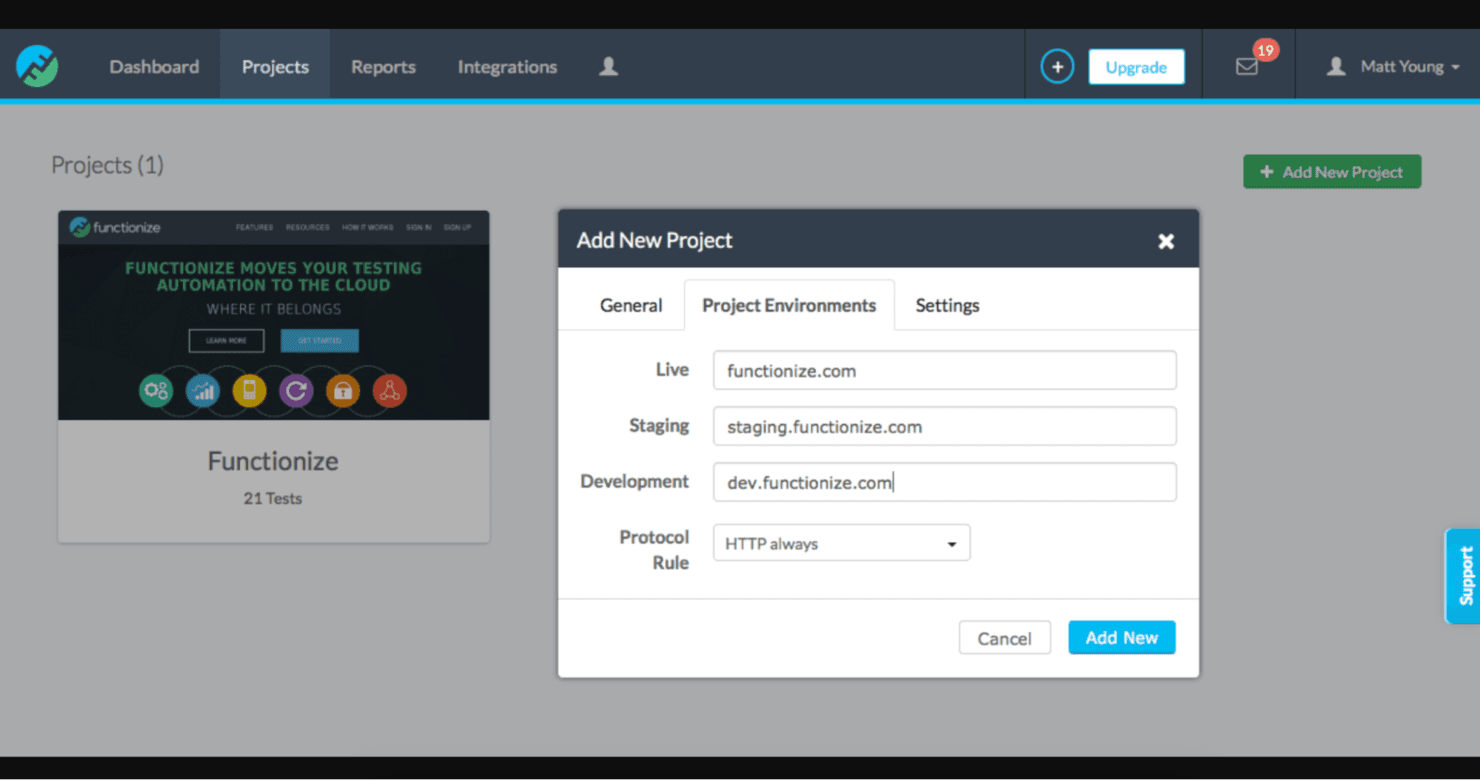
Functionize consente di eseguire test scalabili ed efficienti delle applicazioni web. Functionize è una piattaforma di automazione dei test basata sull'IA che utilizza modelli proprietari di apprendimento automatico e IA agentica per creare, eseguire e mantenere test dell'interfaccia utente web tramite input in linguaggio naturale e autoriparazione autonoma.
Per chi è più adatto Functionize?
Functionize è adatto ai team QA aziendali e agli SDET che gestiscono test complessi di applicazioni web su larga scala, in particolare coloro che lavorano con piattaforme come Salesforce, Workday o ServiceNow.
Perché ho scelto Functionize
Functionize è entrato nella mia selezione ristretta grazie al modo in cui Studio gestisce autonomamente la manutenzione dei test. Quando un elemento dell'interfaccia utente cambia posizione, Studio lo reidentifica utilizzando oltre 200 punti dati, corregge il test e lo esegue nuovamente per confermare che la correzione sia stata applicata. Mi piace anche il fatto che abbini questa funzione a un'analisi della causa principale in linguaggio semplice, così il mio team non deve cercare di capire perché un test non è riuscito.
Caratteristiche principali di Functionize
- Creazione di test in linguaggio naturale: consente agli utenti di descrivere i flussi di lavoro in inglese semplice per la creazione automatica dei test.
- Modelli di IA proprietari: utilizza modelli sviluppati da Functionize per l'analisi e la convalida, anziché modelli linguistici di grandi dimensioni generici.
- Integrazioni CI/CD native: si collega direttamente a strumenti come Jenkins, GitHub, Azure DevOps e altri.
- Rilevamento accurato degli elementi: valuta gli elementi dell'interfaccia utente utilizzando oltre 200 punti dati per un'identificazione e un monitoraggio accurati.
Integrazioni di Functionize
Functionize offre integrazioni native con Jenkins, GitHub, GitLab, Azure DevOps, CircleCI, Bamboo, Slack, PagerDuty, Jira e TestRail. È disponibile un'API per le integrazioni personalizzate.
Pros and Cons
Pros:
- L'autoriparazione autonoma riduce la manutenzione manuale dei test
- La creazione in inglese semplice è adatta ai tester non tecnici
- Copertura approfondita per le applicazioni SaaS aziendali
Cons:
- Il supporto per i test su dispositivi mobili è limitato
- La fase di onboarding richiede tempo per i team più piccoli
Learn more about Functionize: Ideale per il punteggio di affidabilità del rilascio
- Prova gratuita disponibile
- Prezzi su richiesta
Visit WebsiteCustomer Rating:4.4/5This rating combines scores from multiple user review sites to reflect overall customer sentiment about the product.
Testsigma consente di automatizzare rapidamente i test web, mobile e API. Testsigma è una piattaforma di automazione dei test basata sull'IA agentica che utilizza una suite di agenti IA per generare, eseguire e autoriparare test in ambienti web, mobile, API, desktop e Salesforce.
Per chi è più adatto Testsigma?
Testsigma è particolarmente adatto ai responsabili QA e agli SDET di team di ingegneria medio-grandi che gestiscono cicli di rilascio ad alta frequenza su più piattaforme.
Perché ho scelto Testsigma
Ho scelto Testsigma perché il suo punteggio di affidabilità del rilascio è la risposta più diretta che abbia visto alla domanda che ogni responsabile QA si pone prima di una distribuzione: è sicuro procedere con il rilascio? Atto, il collega IA di Testsigma, combina la percentuale di superamento, la percentuale di copertura e l'analisi dei percorsi critici in un unico criterio per decidere se procedere o sospendere il rilascio. Mi piace anche il fatto che i casi di test vengano generati direttamente dalle storie Jira e dai progetti Figma, così le lacune nella copertura vengono individuate prima ancora che venga scritto un singolo script.
Funzionalità principali di Testsigma
- Creazione di test in linguaggio naturale: Scrivi e modifica test automatizzati in inglese semplice senza bisogno di programmare.
- Test approfonditi di Salesforce: Crea ed esegui test automatizzati personalizzati per Salesforce, inclusi gli ambienti Lightning, Classic e CPQ.
- Esecuzione parallela e griglia di dispositivi: Esegui test su larga scala in oltre 800 combinazioni di browser e sistemi operativi e su più di 2.000 dispositivi mobili reali.
- Supporto per i test di API e database: Automatizza le chiamate API e convalida gli stati dei database backend come parte dei flussi di lavoro di test.
Integrazioni di Testsigma
Testsigma offre integrazioni native con Jenkins, GitHub, GitLab, Jira, Azure DevOps, Slack e CircleCI, oltre a fornire un'API per le integrazioni personalizzate.
Pros and Cons
Pros:
- I test autoriparanti si adattano alle modifiche dell'interfaccia utente
- Il punteggio di affidabilità del rilascio guida le decisioni di distribuzione
- Supporta flussi di lavoro di test senza codice e con codice
Cons:
- Sono stati segnalati episodi occasionali di instabilità con elementi web dinamici
- Configurazione iniziale complessa per gli ambienti di test più articolati
Learn more about Testsigma: 7Ideale per la manutenzione dei test basata sull'IA agentica
Mabl
- Prova gratuita di 14 giorni
- Prezzi su richiesta
Visit WebsiteCustomer Rating:4.2/5This rating combines scores from multiple user review sites to reflect overall customer sentiment about the product.
Mabl aiuta i team ad automatizzare i test visivi e funzionali delle applicazioni web. Mabl è una piattaforma di automazione dei test basata sull'IA che combina la generazione agentica dei test, la manutenzione con autoriparazione e la copertura multipiattaforma per test web, mobile e delle API.
Per chi è più adatto Mabl?
Mabl è particolarmente adatto ai team aziendali di controllo qualità e DevOps che devono ampliare la copertura dei test automatizzati senza aumentare proporzionalmente il numero di dipendenti.
Perché ho scelto Mabl
Mabl si è guadagnato un posto nella mia selezione perché il suo approccio agentico alla manutenzione dei test è realmente diverso da quello degli strumenti standard con autoriparazione. Quando un elemento dell'interfaccia utente cambia, il motore di mabl lo identifica utilizzando attributi alternativi e aggiorna automaticamente il test, registrando ogni correzione applicata. Ciò che trovo più utile è il ripristino agentico durante l'esecuzione, che corregge gli errori dei test nel corso dell'esecuzione invece di aspettare l'intervento di una persona che debba riavviare la suite.
Funzionalità principali di Mabl
- Creazione in linguaggio naturale: consente di creare e modificare test utilizzando istruzioni in linguaggio comune.
- Analisi dell'impatto dei test: utilizza l'IA per determinare quali test sono più pertinenti alle modifiche recenti del codice.
- Generazione di dati di test sintetici: produce automaticamente dati di test per gli scenari e le esigenze di conformità.
- Copertura multipla di browser e dispositivi: supporta test paralleli su Chrome, Firefox, Edge e Safari, oltre all'accesso a dispositivi mobili cloud.
Integrazioni di Mabl
Mabl offre integrazioni native con Jenkins, GitHub, GitLab, Bitbucket, Azure DevOps, CircleCI, Bamboo, Slack, Jira e Postman. È disponibile un'API per le integrazioni personalizzate.
Pros and Cons
Pros:
- I test con autoriparazione riducono significativamente il carico della manutenzione manuale
- L'IA agentica rileva e corregge gli errori durante l'esecuzione
- La creazione senza codice è adatta ai tester del controllo qualità non tecnici
Cons:
- La profondità dei test mobili è inferiore rispetto alla copertura web
- La velocità di esecuzione rallenta sensibilmente con le suite di test di grandi dimensioni
Learn more about Mabl: Ideale per il riconoscimento degli oggetti basato sull'IA
- Prova gratuita di 30 giorni
- Prezzi su richiesta

OpenText UFT One consente di testare automaticamente le applicazioni a livello aziendale. OpenText UFT One è uno strumento di automazione dei test funzionali basato sull'IA che supporta la creazione, l'autoriparazione e l'esecuzione dei test in ambienti web, desktop, mobili, API, SAP e mainframe.
Per chi è più adatto OpenText UFT One?
UFT One è particolarmente adatto ai team QA aziendali che gestiscono portafogli applicativi complessi, inclusi sistemi legacy, distribuiti in ambienti mainframe, SAP e basati su Windows.
Perché ho scelto OpenText UFT One
UFT One è entrato nella mia selezione ristretta grazie al modo in cui la sua IA gestisce il riconoscimento degli oggetti in condizioni di test reali. Quando un elemento dell'interfaccia cambia posizione o proprietà, l'IA lo identifica in base al contesto, all'immagine e al testo, invece di fare affidamento su identificatori fragili. Apprezzo anche la funzione di identificazione dei modelli grafici tramite IA, che consente ai team di eseguire la convalida rispetto ai modelli di progettazione prima che sia disponibile una versione completa dell'applicazione.
Funzionalità principali di OpenText UFT One
- Automazione multipiattaforma: supporta i test automatizzati in ambienti web, mobili, desktop, mainframe, API e SAP.
- Supporto CI/CD integrato: offre integrazioni native con Jenkins, Git, Docker e OpenText ALM per l'esecuzione nelle pipeline.
- Test basati sui dati: consente la parametrizzazione dei dati di test utilizzando fonti esterne come Excel e i database.
- Progettazione modulare e riutilizzabile dei test: mette a disposizione un repository condiviso degli oggetti e componenti riutilizzabili per una manutenzione efficiente dei test.
Integrazioni di OpenText UFT One
OpenText UFT One offre integrazioni native con Jenkins, Git, Docker, OpenText ALM/Quality Center e Azure DevOps, oltre a fornire un'API per le integrazioni personalizzate.
Pros and Cons
Pros:
- Riconoscimento degli oggetti tramite IA efficace anche in presenza di modifiche all'interfaccia
- Supporta l'automazione dei test per sistemi mainframe e SAP legacy
- I test con autoriparazione riducono la manutenzione manuale degli identificatori
Cons:
- Sono necessari tempi iniziali considerevoli per la configurazione e l'impostazione
- Elevato consumo di risorse durante l'esecuzione locale dei test
Learn more about OpenText UFT One: Ideale per la generazione dei dati di test basata sull'IA
- Prova gratuita di 14 giorni
- Prezzi su richiesta

TestComplete automatizza i test dell'interfaccia utente per le applicazioni desktop. TestComplete è una piattaforma di automazione dei test assistita dall'IA di SmartBear, che supporta i test delle interfacce grafiche nelle applicazioni desktop, web e mobili, con opzioni di creazione dei test sia basate su script sia senza codice.
Per chi è più adatto TestComplete?
TestComplete è particolarmente adatto ai team QA aziendali che operano in ambienti regolamentati o sensibili alla sicurezza e necessitano di un'automazione dei test affidabile e locale per applicazioni desktop e legacy.
Perché ho scelto TestComplete
Ho incluso TestComplete tra le mie scelte principali perché la generazione dei dati di test basata sull'IA si distingue in un settore in cui la creazione di set di dati realistici richiede solitamente moltissimo tempo. Apprezzo il fatto che produca istantaneamente dati di test riutilizzabili e contestualmente pertinenti, rendendo i test basati sui dati molto più pratici su larga scala. La funzionalità di autoriparazione e i test visivi basati sull'IA con filtraggio dei falsi positivi aggiungono una profondità concreta al set di funzionalità IA, andando oltre la semplice creazione dei test.
Funzionalità principali di TestComplete
- Motore di riconoscimento degli oggetti: utilizza l'IA per identificare gli elementi dell'interfaccia utente nelle interfacce desktop, web, mobili e PDF.
- Test multipiattaforma: supporta i test automatizzati per applicazioni desktop, web e mobili in un'unica soluzione.
- Integrazioni con gli strumenti CI/CD: si connette nativamente a Jenkins, Azure DevOps, GitHub Actions e TeamCity per i test continui.
- Supporto per diversi linguaggi di scripting: consente di creare test in JavaScript, Python e VBScript per adattarsi a diversi flussi di lavoro di sviluppo.
Integrazioni di TestComplete
TestComplete offre integrazioni native con Jenkins, Azure DevOps, Jira, GitHub, TeamCity e Zephyr. È disponibile un'API per le integrazioni personalizzate.
Pros and Cons
Pros:
- Supporta i test desktop, web e mobili
- L'IA genera automaticamente dati di test realistici
- I test con autoriparazione si adattano alle modifiche dell'interfaccia utente
Cons:
- La configurazione e l'impostazione richiedono molto tempo
- Le funzionalità IA sono disponibili solo nei piani superiori
Learn more about TestComplete: Ideale per la flessibilità della distribuzione ibrida
- Demo gratuita disponibile
- Prezzi su richiesta

Digital.ai Continuous Testing accelera i test del software CI/CD. Digital.ai Continuous Testing è una piattaforma aziendale per i test automatizzati che copre i test funzionali, delle prestazioni e dell'accessibilità su dispositivi mobili e browser reali, abbinati ad analisi basate sull'intelligenza artificiale e al supporto per configurazioni di distribuzione cloud, locali e ibride.
Per chi è più indicato Digital.ai Continuous Testing?
È una soluzione particolarmente adatta ai team aziendali dei settori regolamentati, come quello finanziario, sanitario e governativo, nei quali i rigorosi requisiti di residenza dei dati o di infrastrutture isolate impediscono l'utilizzo di strumenti di test esclusivamente cloud.
Perché ho scelto Digital.ai Continuous Testing
Ho scelto Digital.ai Continuous Testing perché nessun altro strumento nella mia lista offre una gamma di opzioni di distribuzione comparabile: SaaS, locale, cloud privato per dispositivi o completamente isolata, tutto all'interno di un'unica piattaforma. Apprezzo in particolare la possibilità di eseguire test automatizzati su versioni compilate di applicazioni protette e rafforzate per la produzione, cosa che gli strumenti esclusivamente cloud semplicemente non possono fare. La sua panoramica dei test continui offre una visibilità concreta a tester e parti interessate, che trovo davvero utile per le decisioni di approvazione delle versioni in ambienti soggetti a requisiti rigorosi di conformità.
Funzionalità principali di Digital.ai Continuous Testing
- Test manuali su dispositivi reali: consente ai tester di interagire direttamente con dispositivi mobili fisici e browser desktop per la validazione esplorativa o funzionale.
- Supporto multipiattaforma per i browser: esegue test automatizzati su Chrome, Firefox, Safari, Edge e Opera negli ambienti macOS e Windows.
- Test dell'accessibilità: testa e convalida le applicazioni rispetto ai requisiti di conformità in materia di accessibilità utilizzando integrazioni come VoiceOver, TalkBack e Deque Axe.
- Test delle prestazioni con simulazione della rete: simula diverse condizioni di rete per valutare le prestazioni dell'applicazione e l'esperienza utente in presenza di connettività variabile.
Integrazioni di Digital.ai Continuous Testing
Digital.ai Continuous Testing offre integrazioni native con Jenkins, Jira, GitLab, GitHub, Azure DevOps e Selenium. È disponibile un'API per le integrazioni personalizzate.
Pros and Cons
Pros:
- Supporta i test su dispositivi reali su larga scala
- Distribuzione flessibile su cloud e in locale
- Esecuzione parallela efficace su browser e dispositivi
Cons:
- Configurazione complessa per le distribuzioni locali
- La generazione dei test tramite intelligenza artificiale è meno avanzata rispetto ai concorrenti
Learn more about Digital.ai Continuous Testing:
Altri strumenti di automazione dei test basati sull'IA
Ecco alcune ulteriori opzioni di strumenti di automazione dei test basati sull’IA che non sono entrate nel mio elenco, ma che vale comunque la pena esaminare:
- 11ApplitoolsLa scelta migliore con IA deterministica per la conformità
- 12Rainforest QAIdeale per la creazione di test senza codice generati dall'IA
- 13TestimIdeale per l'analisi dell'impatto dei test basata sull'IA
- 14TestCraftIdeale per feedback in tempo reale
Come valuto gli strumenti di automazione dei test basati sull'IA
Esamino questi strumenti su due livelli: gli elementi indispensabili (generazione di test tramite IA, autoriparazione quando i localizzatori si interrompono, integrazioni CI/CD) e i fattori distintivi che rendono uno strumento più adatto di un altro.
Funzionalità fondamentali (requisiti essenziali per questo elenco)
Quando seleziono gli strumenti per il mio elenco, assegno a ciascuno un punteggio su una scala da 0 (non offre la funzionalità) a 5 (eccelle in questo ambito) per ogni funzionalità fondamentale elencata di seguito. Quindi calcolo il punteggio totale dello strumento trasformandolo in una percentuale. Ogni strumento deve raggiungere un punteggio totale minimo del 65% per essere preso in considerazione.
- Generazione dei test basata sull'IA: verifico se uno strumento è in grado di creare casi di test a partire da istruzioni in linguaggio naturale, sessioni registrate o dall'esplorazione dell'applicazione, invece di richiedere una scrittura manuale completa degli script.
- Manutenzione autoriparante dei test: quando un team di sviluppo rinomina l'ID di un pulsante o ristruttura la disposizione di una pagina, valuto quanto bene lo strumento corregga automaticamente i localizzatori per mantenere verdi le raccolte di test.
- Copertura dei test multipiattaforma: verifico se un'unica piattaforma gestisce insieme i test web, mobile e API, poiché la maggior parte dei team distribuisce su tutte e tre le superfici.
- Integrazione con le pipeline CI/CD: gli strumenti dovrebbero integrarsi nelle pipeline come Jenkins, GitHub Actions o GitLab CI tramite connettori nativi, avviando le esecuzioni a ogni commit o richiesta di unione.
- Analisi e approfondimenti basati sull'IA: cerco il raggruppamento intelligente degli errori, il rilevamento dei test instabili e suggerimenti sulle cause principali, invece dei soli registri grezzi di esito positivo/negativo al termine di un'esecuzione.
- Validazione visiva e funzionale: oltre a verificare lo stato degli elementi, valuto se lo strumento rileva regressioni visive come disposizioni spostate o modifiche dei caratteri tra diverse finestre e browser.
Una volta ottenuto un elenco di strumenti che soddisfano questi criteri, considero ciò che distingue ciascuna piattaforma.
Fattori distintivi (ciò che differenzia i fornitori)
Ecco come confronto i diversi fornitori:
Funzionalità di spicco
L'analisi dell'impatto dei test è per me un importante fattore distintivo. Cerco strumenti che colleghino le modifiche al codice ai test interessati, in modo che le pipeline eseguano solo ciò che è rilevante, riducendo i tempi di esecuzione nelle raccolte di test di grandi dimensioni. Valuto inoltre se uno strumento offre sia un generatore senza codice sia codice esportabile in ambienti come Selenium o Playwright, poiché la maggior parte dei team comprende un mix di collaudatori QA manuali e SDET. La creazione tramite linguaggio naturale aggiunge ulteriore valore, consentendo ai responsabili QA di descrivere gli scenari in linguaggio semplice per generare test utilizzabili.
Oltre le funzionalità
L'integrazione con l'ecosistema è molto importante. Verifico se uno strumento si collega alle piattaforme di gestione dei test e di tracciamento dei difetti già utilizzate dal team, come Jira o TestRail, oltre che ai sistemi di controllo delle versioni come GitHub o GitLab. Anche la sicurezza e la conformità sono altrettanto importanti: cerco certificazioni SOC 2 e ISO 27001, supporto per SSO/SAML e opzioni di residenza dei dati. Anche la trasparenza dei prezzi influisce sulla mia valutazione; considero se le funzionalità di IA sono incluse nei piani base o limitate ai livelli avanzati e se i prezzi variano in base agli utenti, alle esecuzioni dei test o alle esecuzioni parallele.
Come scegliere uno strumento di automazione dei test basato sull'IA
È facile perdersi in lunghi elenchi di funzionalità e strutture di prezzo complesse. Per aiutarti a rimanere concentrato mentre affronti il tuo processo di selezione del software, ecco una lista di fattori da tenere presenti:
| Fattore | Cosa considerare |
| Scalabilità | Lo strumento è in grado di gestire esigenze di test crescenti man mano che la tua organizzazione cresce? Prendi in considerazione strumenti che supportano l'esecuzione parallela dei test e suite di test più ampie. |
| Integrazioni | Lo strumento si integra con il tuo stack tecnologico esistente, come pipeline CI/CD, sistemi di tracciamento dei bug o sistemi di controllo delle versioni? Verifica la compatibilità con le piattaforme principali. |
| Personalizzazione | Puoi adattare lo strumento al flusso di lavoro del tuo team? Cerca opzioni che consentano di personalizzare dashboard e report. |
| Semplicità d'uso | Lo strumento è facile da usare per il tuo team? Una curva di apprendimento ripida può ritardare l'implementazione. Scegli interfacce intuitive e una navigazione semplice. |
| Implementazione e onboarding | Con quale rapidità il tuo team può iniziare a lavorare? Valuta la disponibilità di risorse formative, demo o tour guidati per facilitare la transizione. |
| Costo | Il prezzo rientra nel tuo budget? Considera il costo totale di proprietà, comprese le commissioni nascoste, e confronta i piani per assicurarti un buon rapporto qualità-prezzo. |
| Misure di sicurezza | Lo strumento è conforme ai tuoi standard di sicurezza? Assicurati che offra funzionalità come la crittografia dei dati e l'autenticazione sicura degli utenti. |
| Disponibilità dell'assistenza | Quale livello di assistenza offre il fornitore? Valuta la reattività e la disponibilità dell'assistenza clienti, comprese le opzioni 24/7 se necessario. |
Cosa sono gli strumenti di automazione dei test basati sull'IA?
Gli strumenti di automazione dei test basati sull'IA utilizzano l'intelligenza artificiale per automatizzare il testing delle applicazioni. Questi strumenti sono generalmente utilizzati da professionisti QA, sviluppatori e tester per migliorare l'efficienza e l'accuratezza dei test.
La generazione automatizzata dei test, i test autoriparanti e l'analisi in tempo reale contribuiscono a ridurre gli sforzi di testing manuale, identificare rapidamente i problemi e mantenere la stabilità dei test. Nel complesso, questi strumenti migliorano la velocità e l'affidabilità del processo di sviluppo del software.
Funzionalità degli strumenti di automazione dei test basati sull'IA
Quando selezioni strumenti di automazione dei test basati sull'IA, presta attenzione alle seguenti funzionalità principali:
- Test autoriparanti: adattano automaticamente i test quando si verificano modifiche nell'applicazione, riducendo gli sforzi di manutenzione.
- Generazione automatizzata dei test: utilizza l'IA per creare casi di test, risparmiando tempo e riducendo al minimo gli errori manuali.
- Testing multipiattaforma: supporta i test su diversi dispositivi e browser, garantendo prestazioni uniformi.
- Analisi in tempo reale: fornisce un feedback immediato sui risultati dei test, consentendo di identificare rapidamente i problemi.
- Creazione di test senza codice: permette agli utenti di creare test senza conoscere la programmazione, rendendo lo strumento accessibile ai non sviluppatori.
- Esecuzione parallela dei test: esegue più test contemporaneamente, velocizzando il processo di testing.
- Debug visivo dei test: offre informazioni visive sui fallimenti dei test, semplificando il processo di risoluzione dei problemi.
- Riconoscimento intelligente degli oggetti: migliora l'accuratezza identificando gli elementi dell'interfaccia utente in ambienti diversi.
- Funzionalità di integrazione: si connette agli strumenti e alle piattaforme esistenti, garantendo una perfetta integrazione nel flusso di lavoro.
- Manutenzione intelligente: aggiorna automaticamente i test per riflettere le modifiche nell'applicazione, riducendo l'intervento manuale.
Vantaggi degli strumenti di automazione dei test basati sull'IA
L'implementazione di strumenti di automazione dei test basati sull'IA offre diversi vantaggi al tuo team e alla tua azienda. Ecco alcuni dei vantaggi che puoi aspettarti:
- Maggiore efficienza: la generazione e l'esecuzione automatizzate dei test fanno risparmiare tempo e risorse, permettendo al tuo team di concentrarsi su attività più strategiche.
- Maggiore accuratezza: i test autoriparanti e il riconoscimento intelligente degli oggetti riducono gli errori e garantiscono risultati dei test uniformi.
- Cicli di rilascio più rapidi: l'esecuzione parallela dei test velocizza il processo di testing, aiutandoti a distribuire più rapidamente gli aggiornamenti software.
- Maggiore copertura dei test: il testing multipiattaforma garantisce che le applicazioni funzionino correttamente su diversi dispositivi e browser.
- Risparmio sui costi: la riduzione degli sforzi di testing manuale e dei costi di manutenzione comporta un risparmio economico per la tua azienda.
- Informazioni più approfondite: l'analisi in tempo reale e i report dettagliati forniscono un feedback prezioso sulle prestazioni e sulla qualità dell'applicazione.
- Accessibilità per tutti i membri del team: la creazione di test senza codice consente ai non sviluppatori di partecipare al processo di testing, favorendo la collaborazione.
Costi e prezzi degli strumenti di automazione dei test basati sull'IA
La selezione di strumenti di automazione dei test basati sull'IA richiede la comprensione dei vari modelli e piani tariffari disponibili. I costi variano in base alle funzionalità, alle dimensioni del team, ai componenti aggiuntivi e ad altro ancora. La tabella seguente riassume i piani più comuni, i relativi prezzi medi e le funzionalità tipicamente incluse nelle soluzioni di strumenti di automazione dei test basati sull'IA:
Tabella comparativa dei piani per gli strumenti di automazione dei test basati sull'IA
| Tipo di piano | Prezzo medio | Funzionalità comuni |
| Piano gratuito | $0 | Esecuzione di test di base, integrazioni limitate e supporto della comunità. |
| Piano personale | $10-$30 /utente /mese | Creazione ed esecuzione dei test, reportistica di base e supporto via e-mail. |
| Piano aziendale | $40-$70 /utente /mese | Reportistica avanzata, più integrazioni e supporto prioritario. |
| Piano Enterprise | $100-$200 /utente /mese | Integrazioni personalizzate, gestione dedicata dell'account e analisi complete. |
Domande frequenti sugli strumenti di automazione dei test basati sull'IA
Ecco alcune risposte alle domande comuni sugli strumenti di automazione dei test basati sull’IA:
Qual è una limitazione importante dell'uso degli strumenti di test basati sull'IA?
Gli strumenti di test basati sull’IA possono identificare schemi, ma spesso non dispongono di conoscenze specifiche del dominio. Ciò significa che potrebbero non rilevare difetti che richiedono una profonda competenza nel dominio. Il tuo team dovrebbe essere consapevole di questa limitazione e valutare l’integrazione dei test basati sull’IA con le conoscenze del dominio per garantire test completi.
Quale strumento di IA viene utilizzato per l'automazione dei test?
ACCELQ è un popolare strumento di automazione dei test basato sull’IA. Non richiede codice ed è basato sul cloud, offrendo un’automazione unificata per il web, i dispositivi mobili, le API e altro ancora. Se il tuo team non dispone di competenze di programmazione, le funzionalità di autoriparazione di ACCELQ potrebbero essere un’ottima scelta per semplificare la gestione dei test.
In che modo l'IA influirà sull'automazione dei test?
L’IA trasforma l’automazione dei test accelerando la generazione, l’esecuzione e l’analisi dei casi di test. Ciò aumenta la produttività e garantisce risultati di test coerenti. Se desideri migliorare l’efficienza e l’affidabilità, integrare l’IA nei processi di automazione dei test può essere vantaggioso.
Come integrare l'IA nell'automazione dei test?
Per integrare l’IA nell’automazione dei test, inizia dalla generazione automatizzata dei casi di test. Utilizza algoritmi di IA per analizzare i casi di test e le interazioni degli utenti esistenti, riducendo così il lavoro manuale e migliorando la copertura. Valuta strumenti che offrano queste funzionalità per potenziare la tua strategia di test.
In che modo l'IA migliora la manutenzione dei test?
L’IA migliora la manutenzione dei test con funzionalità come i test autoriparanti. Questi test si adattano automaticamente alle modifiche dell’applicazione, riducendo al minimo gli aggiornamenti manuali. Se il tuo team ha difficoltà a mantenere gli script di test, la manutenzione basata sull’IA può far risparmiare tempo e ridurre gli errori.
Gli strumenti di test basati sull'IA possono sostituire i tester manuali?
Gli strumenti di test basati sull’IA non possono sostituire completamente i tester manuali. Sebbene automatizzino le attività ripetitive e migliorino l’efficienza, la supervisione umana è essenziale per ottenere conoscenze specifiche del dominio e creatività. Il tuo team dovrebbe utilizzare gli strumenti di IA per integrare i test manuali, non per sostituirli.
Qual è il prossimo passo?
Fai crescere la tua attività SaaS e sviluppa le tue capacità di leadership. Iscriviti alla nostra newsletter per ricevere gli ultimi approfondimenti da CTO e aspiranti leader tecnologici. Ti aiuteremo a crescere in modo più strategico e a guidare con maggiore efficacia, grazie a guide, risorse e strategie dei migliori esperti!