

10 alternatives à Zscaler pour 2026

Liste restreinte des alternatives à Zscaler


Une alternative solide à Zscaler offre un accès cloud sécurisé et évolutif, une protection avancée contre les menaces ainsi que des contrôles de politique flexibles adaptés aux environnements informatiques complexes. Si vous recherchez des concurrents à Zscaler, c'est certainement pour comparer des options capables d'égaler ou de surpasser les fonctionnalités de sécurité cloud de Zscaler — que ce soit pour une meilleure intégration, une gestion plus granulaire ou la prise en charge des systèmes hybrides et hérités. Cette liste vous aidera à comparer rapidement les principaux fournisseurs, à comprendre leurs points forts uniques et à identifier la solution qui correspond le mieux aux priorités de sécurité et aux besoins d’infrastructure de votre organisation.
Qu'est-ce que Zscaler ?
Zscaler est une plateforme de cybersécurité et de sécurité cloud qui fournit un accès sécurisé à Internet et aux applications pour les utilisateurs, quel que soit leur emplacement ou leur appareil. Construit sur une architecture cloud, il adopte une approche "zéro confiance" pour inspecter le trafic, bloquer les menaces et appliquer en temps réel des politiques de sécurité des données. Zscaler est largement utilisé par les organisations pour protéger des effectifs distants, hybrides et distribués, tout en améliorant l’expérience utilisateur globale et en réduisant la dépendance aux appliances de sécurité réseau traditionnelles.
Résumé des alternatives à Zscaler
| Tool | Best For | Trial Info | Price | ||
|---|---|---|---|---|---|
| 1 | Idéal pour un déploiement rapide à l’échelle mondiale | Plan gratuit + démo gratuite disponible | À partir de $20/mois (facturé annuellement) | Website | |
| 2 | Idéal pour un accès distant sécurisé aux applications héritées | Non disponible | Tarifs sur demande | Website | |
| 3 | Idéal pour la gestion granulaire des politiques | Démo gratuite disponible | Tarification sur demande | Website | |
| 4 | Idéal pour la sécurité unifiée et le SD-WAN | Démo gratuite disponible | Tarification sur demande | Website | |
| 5 | Idéal avec veille intégrée sur les menaces | Démo gratuite + essai gratuit disponible | Tarification sur demande | Website | |
| 6 | Idéal pour l'analyse des risques basée sur le comportement | Non disponible | Tarification sur demande | Website | |
| 7 | Idéal pour la protection des données en temps réel dans les applications cloud | Démo gratuite disponible | Tarification sur demande | Website | |
| 8 | Idéal pour les environnements réseau hybrides | Essai gratuit de 30 jours + démo gratuite disponible | Tarifs sur demande | Website | |
| 9 | Idéal pour la connectivité sur backbone privé mondial | Démo gratuite disponible | Tarification sur demande | Website | |
| 10 | Idéal avec une architecture Zero Trust native | Essai gratuit de 30 jours disponible | À partir de $13.60/utilisateur/mois (facturation annuelle) | Website |
Why Trust Our Software Reviews
We’ve been testing and reviewing software since 2023. As tech leaders ourselves, we know how critical and difficult it is to make the right decision when selecting software.
We invest in deep research to help our audience make better software purchasing decisions. We’ve tested more than 2,000 tools for different tech use cases and written over 1,000 comprehensive software reviews. Learn how we stay transparent & our software review methodology.
-

Site24x7
Visit WebsiteThis is an aggregated rating for this tool including ratings from Crozdesk users and ratings from other sites.4.6 -
GitHub Actions
Visit WebsiteThis is an aggregated rating for this tool including ratings from Crozdesk users and ratings from other sites.4.8 -
Docker
Visit WebsiteThis is an aggregated rating for this tool including ratings from Crozdesk users and ratings from other sites.4.6





Avis sur les alternatives à Zscaler
Vous trouverez ci-dessous mes résumés détaillés des meilleures alternatives à Zscaler qui ont figuré sur ma liste restreinte. Mes critiques offrent un aperçu précis des fonctionnalités, des capacités et des meilleurs cas d’utilisation de chaque plateforme pour vous aider à choisir celle qui conviendra le mieux à votre organisation.

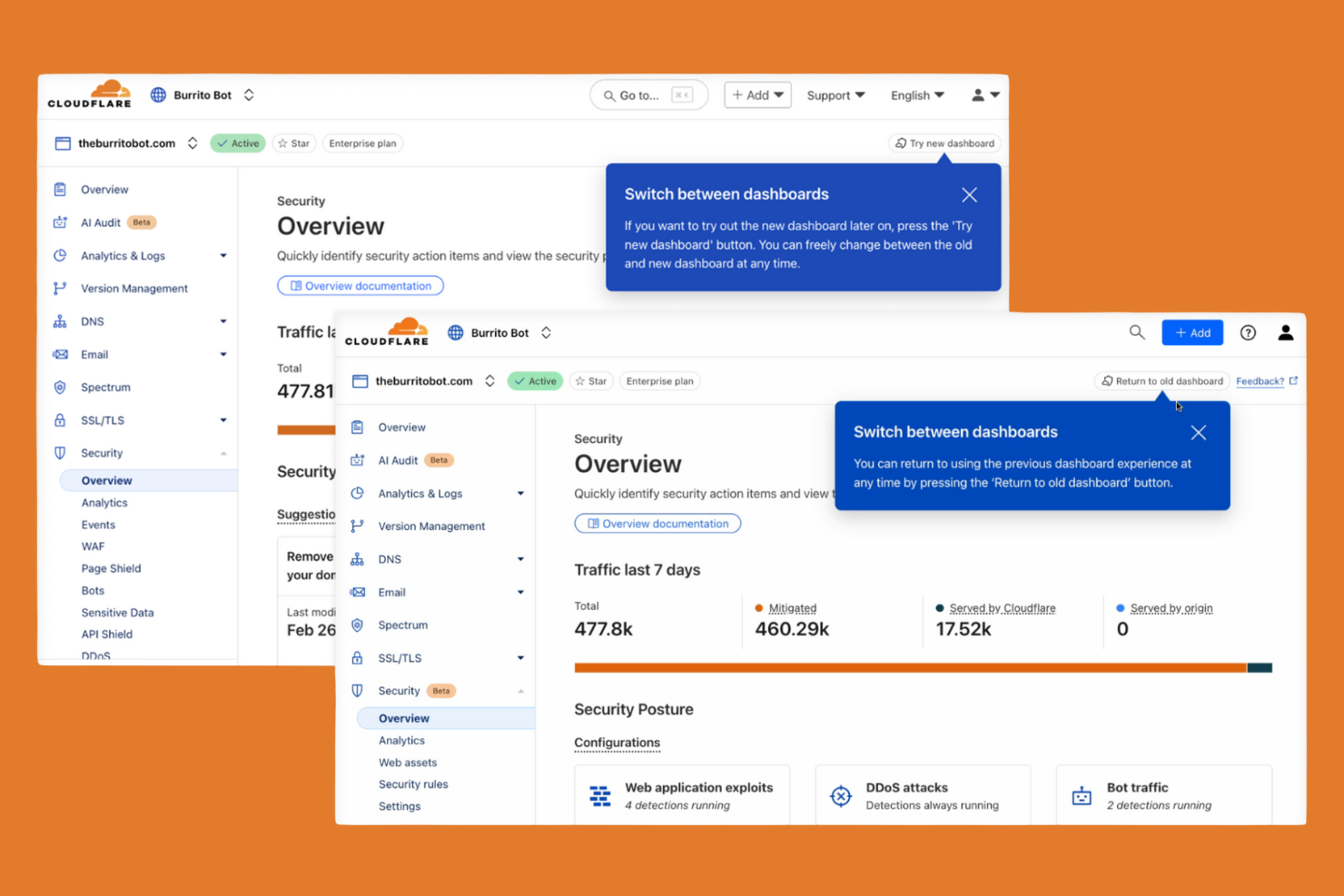
Cloudflare Zero Trust est conçu pour les organisations qui ont besoin de sécuriser leurs utilisateurs et applications dans le cadre d’une main-d’œuvre mondiale et répartie. Les équipes informatiques qui souhaitent un déploiement rapide et une mise à l’échelle instantanée apprécieront le réseau mondialement distribué de Cloudflare et l’intégration en un clic. Contrairement à Zscaler, Cloudflare vous permet de déployer des politiques Zero Trust et d’assurer un accès à distance sécurisé en quelques minutes, même pour des environnements de grande échelle et multirégionaux.
Pourquoi Cloudflare est une bonne alternative à Zscaler
Lorsque vous devez déployer une sécurité cloud à l’échelle mondiale sans délai, Cloudflare Zero Trust représente un excellent choix. J’ai sélectionné Cloudflare car son réseau s’étend sur des centaines de villes dans le monde, ce qui permet d’appliquer les politiques Zero Trust au plus près de chaque utilisateur et application. L’intégration en un clic et la propagation instantanée des politiques signifient que vous pouvez sécuriser l’accès à distance et le trafic web de milliers d’utilisateurs en quelques minutes. Cette capacité de déploiement rapide rend Cloudflare particulièrement attractif pour les organisations avec des équipes distribuées ou des besoins urgents de mise en œuvre.
Principales fonctionnalités de Cloudflare
D’autres fonctionnalités qui ont attiré mon attention incluent :
- Filtrage DNS : Bloque l’accès aux domaines malveillants et applique des politiques de navigation sécurisée au niveau DNS.
- Cloud Access Security Broker (CASB) : Surveille et contrôle les mouvements de données entre les applications SaaS, pour davantage de conformité et de visibilité.
- Contrôles de posture des appareils : Évalue l’état de santé et la sécurité des appareils avant d’accorder l’accès aux applications.
- API Shield : Protège les API contre tout abus et les accès non autorisés grâce à la validation de schémas et à un TLS mutuel.
Intégrations Cloudflare
Les intégrations comprennent CrowdStrike, Google Cloud, Microsoft, Okta, Ping Identity, SentinelOne, VMware, ServiceNow, Splunk et IBM Security.
Pros and Cons
Pros:
- Réseau mondial assurant un accès à faible latence
- Intégration en un clic pour un déploiement rapide des politiques
- Filtrage DNS intégré pour le blocage des menaces
Cons:
- Certaines fonctionnalités nécessitent le déploiement de Cloudflare Gateway
- Pas d’isolation de navigateur à distance intégrée

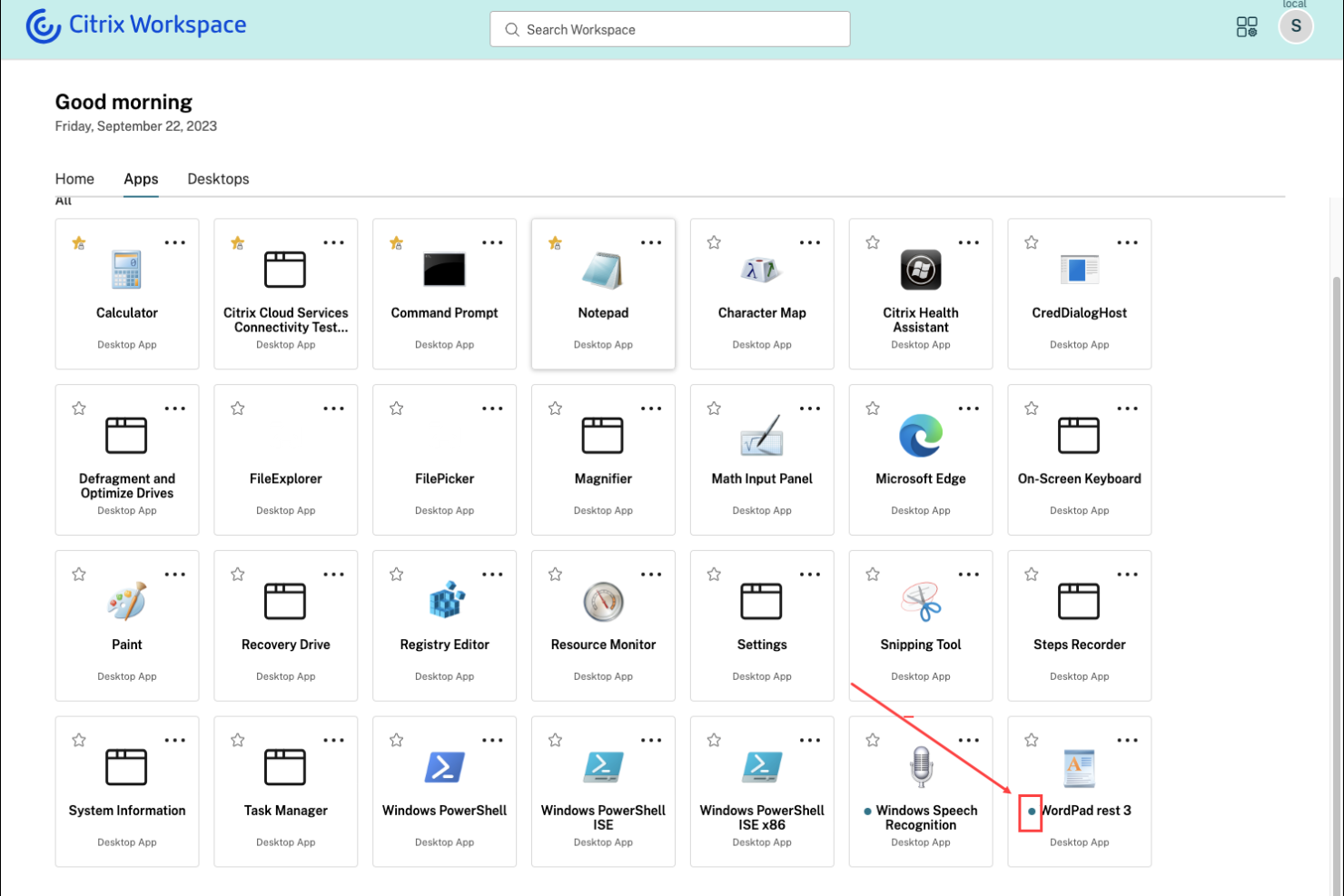
Citrix Secure Private Access est conçu pour les organisations qui ont besoin de fournir un accès distant sécurisé aux applications héritées et sur site. Cette solution est particulièrement utile pour les équipes informatiques dans les secteurs disposant de systèmes existants critiques difficiles à migrer vers le cloud. Citrix se distingue en permettant un accès zéro confiance à ces anciennes applications sans nécessiter de VPN, ce qui vous aide à moderniser la sécurité tout en prenant en charge l'infrastructure existante.
Pourquoi Citrix est une bonne alternative à Zscaler
Pour les organisations qui dépendent d'applications hébergées localement ou héritées, Citrix Secure Private Access propose une approche unique pour connecter à distance de façon sécurisée. J'ai choisi Citrix car il permet un accès zéro confiance aux anciennes applications sans exiger une migration totale vers le cloud ni nécessiter un VPN traditionnel. La plateforme prend en charge l'authentification adaptative et des contrôles de politiques granulaires, vous permettant de gérer l'accès en fonction du contexte utilisateur et du niveau de risque. Cela fait de Citrix une alternative convaincante à Zscaler pour les entreprises qui doivent protéger leurs systèmes existants tout en modernisant leur sécurité.
Fonctionnalités clés de Citrix
D'autres fonctionnalités intéressantes de Citrix Secure Private Access incluent :
- Isolation du navigateur : Exécute les sessions web dans un environnement isolé et sécurisé pour empêcher les menaces d'atteindre les terminaux.
- Authentification unique (SSO) : Permet aux utilisateurs d'accéder à plusieurs applications avec un seul jeu d'identifiants.
- Enregistrement des sessions : Capture l'activité des utilisateurs au sein des applications pour l'audit et la conformité.
- Vérification de la posture des appareils : Évalue l'état de sécurité du terminal avant d'accorder l'accès aux applications.
Intégrations Citrix
Les intégrations comprennent Cisco Duo, Ping, Entra ID, Okta, Microsoft Active Directory, Google Identity, SAML 2.0 IdP, NetScaler Gateway, Citrix StoreFront et CrowdStrike.
Pros and Cons
Pros:
- Propose une isolation du navigateur pour les menaces web
- S'intègre avec les principaux fournisseurs d'identité
- Active la vérification de la posture des appareils avant l'accès
Cons:
- Certaines fonctionnalités requièrent des licences Citrix distinctes
- Déploiement complexe dans les environnements hybrides

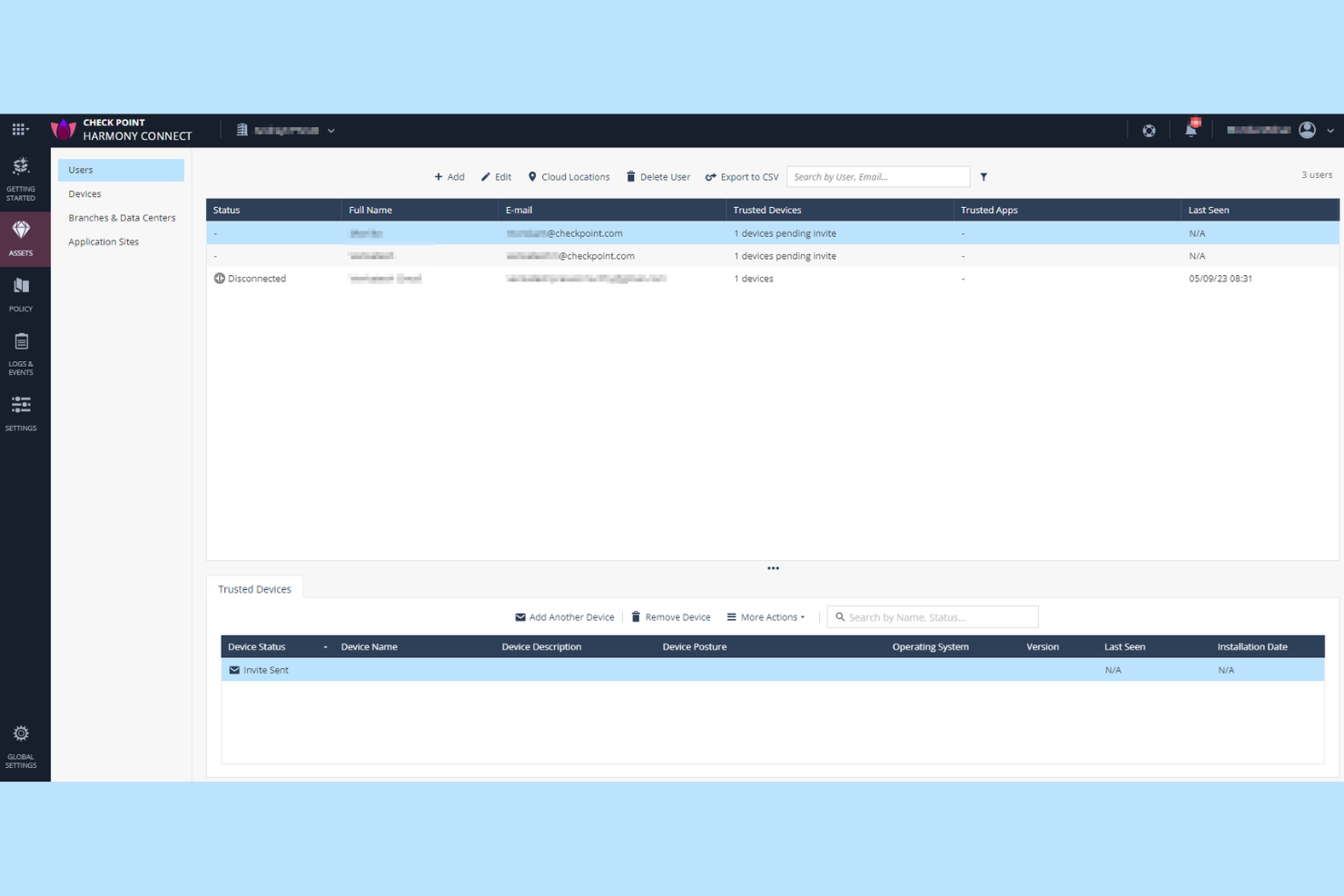
Check Point Harmony SASE est conçu pour les organisations qui ont besoin de contrôles de sécurité précis et personnalisables sur les utilisateurs, appareils et applications. Les équipes de sécurité dans les secteurs réglementés ou celles ayant des exigences d'accès complexes trouveront sa gestion granulaire des politiques particulièrement utile. Contrairement à Zscaler, Check Point vous offre des options détaillées de création et d'application de règles pour chaque couche de votre réseau.
Pourquoi Check Point est une bonne alternative à Zscaler
Pour les équipes qui recherchent plus de contrôle sur les politiques de sécurité, Check Point Harmony SASE se distingue par ses capacités avancées de gestion granulaire des politiques. J'ai choisi Check Point car il permet de définir des règles d'accès détaillées en fonction de l'identité de l'utilisateur, du statut de l'appareil, de l'application et même de types de données spécifiques. Le moteur de politique unifié de la plateforme vous permet d'appliquer une sécurité cohérente aux utilisateurs distants, bureaux distants et ressources cloud. Ce niveau de personnalisation fait de Check Point une alternative solide pour les organisations avec des besoins complexes en matière de conformité ou de segmentation.
Fonctionnalités clés de Check Point
En plus de ses contrôles granulaires des politiques, j'ai également trouvé ces fonctionnalités remarquables :
- Émulation de menaces basée sur le cloud : Analyse les fichiers dans un bac à sable virtuel pour détecter et bloquer les menaces zero-day avant qu'elles n'atteignent les utilisateurs.
- Isolation de navigateur à distance : Ouvre le contenu web dans un environnement sécurisé et isolé pour empêcher le code malveillant d'atteindre les points d'extrémité.
- Prévention intégrée de la perte de données : Surveille et contrôle la circulation des données sensibles à travers les applications cloud et web.
- Tableau de bord unifié de sécurité : Offre une interface unique pour surveiller, gérer et répondre aux événements de sécurité dans tout votre environnement.
Intégrations Check Point
Les intégrations incluent Splunk Cloud, Microsoft Sentinel, Amazon S3 et ConnectWise PSA.
Pros and Cons
Pros:
- Création granulaire de politiques pour les utilisateurs et les appareils
- Fonction d'isolation de navigateur à distance intégrée
- Émulation avancée des menaces pour l'analyse des fichiers
Cons:
- Les fonctionnalités de reporting manquent de personnalisation en temps réel
- Le support des appareils mobiles est moins complet

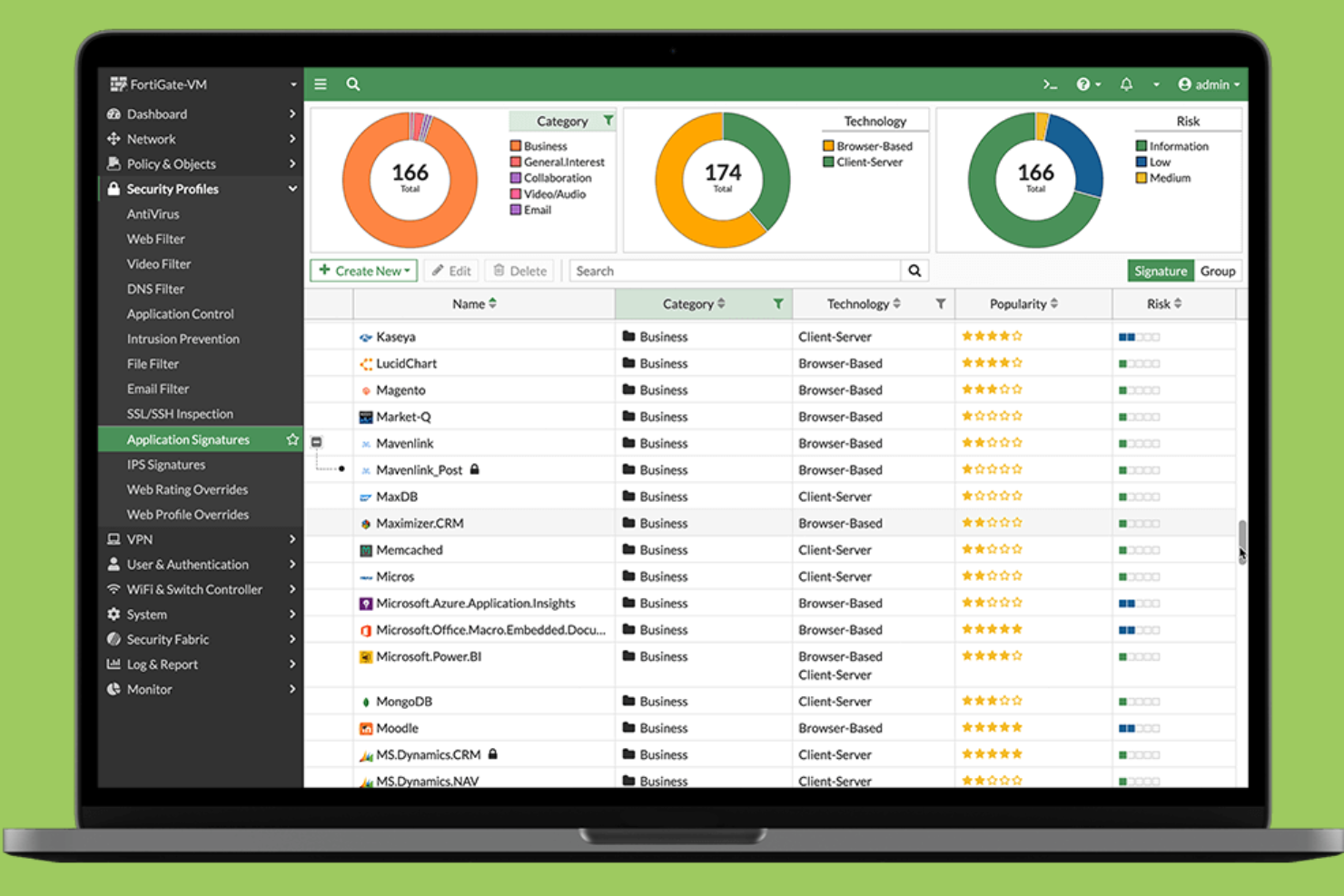
Fortinet réunit la sécurité et le SD-WAN sur une seule plateforme, ce qui en fait un excellent choix pour les organisations souhaitant un contrôle unifié à la fois sur la connectivité réseau et la protection. Les responsables informatiques qui gèrent des bureaux distribués ou des équipes à distance choisissent souvent Fortinet pour simplifier les opérations et réduire le nombre de fournisseurs nécessaires. Son approche intégrée vous aide à appliquer des politiques de sécurité cohérentes et à optimiser les performances des applications sur tous les sites.
Pourquoi Fortinet est une bonne alternative à Zscaler
Pour les organisations qui souhaitent combiner sécurité et SD-WAN dans une même solution, Fortinet propose une approche unifiée difficile à égaler. J'apprécie la manière dont Fortinet associe les fonctionnalités de pare-feu nouvelle génération à un SD-WAN intégré, vous permettant de gérer le trafic réseau et les politiques de sécurité à partir d'une console unique. Sa gestion centralisée simplifie l'application de protections cohérentes et l'optimisation de la connectivité pour les agences et les utilisateurs à distance. Cela fait de Fortinet un choix pertinent si vous cherchez à réduire la complexité et éviter de jongler avec plusieurs fournisseurs pour vos besoins réseaux et sécurité.
Fonctionnalités clés de Fortinet
D'autres fonctionnalités de Fortinet qui pourraient vous intéresser incluent :
- Accès réseau à confiance zéro (ZTNA) : Fournit un accès sécurisé basé sur l'identité aux applications, quel que soit l'emplacement de l'utilisateur.
- Passerelle web sécurisée délivrée dans le cloud : Inspecte et filtre le trafic web pour bloquer les menaces et appliquer les politiques d'utilisation.
- Sandboxing intégré : Analyse les fichiers suspects dans un environnement sécurisé afin de détecter les malwares inconnus.
- Partage automatisé de renseignements sur les menaces : Met à jour les politiques de sécurité en temps réel à l'aide des données mondiales de menace de FortiGuard Labs.
Intégrations Fortinet
Aucune intégration native n'est actuellement répertoriée.
Pros and Cons
Pros:
- Combine SD-WAN et sécurité sur une plateforme unique
- Fournit une visibilité et un contrôle granulaires sur les applications
- Prise en charge des politiques d'accès réseau à confiance zéro
Cons:
- Certains services nécessitent du matériel Fortinet
- Les fonctionnalités avancées peuvent nécessiter des licences séparées

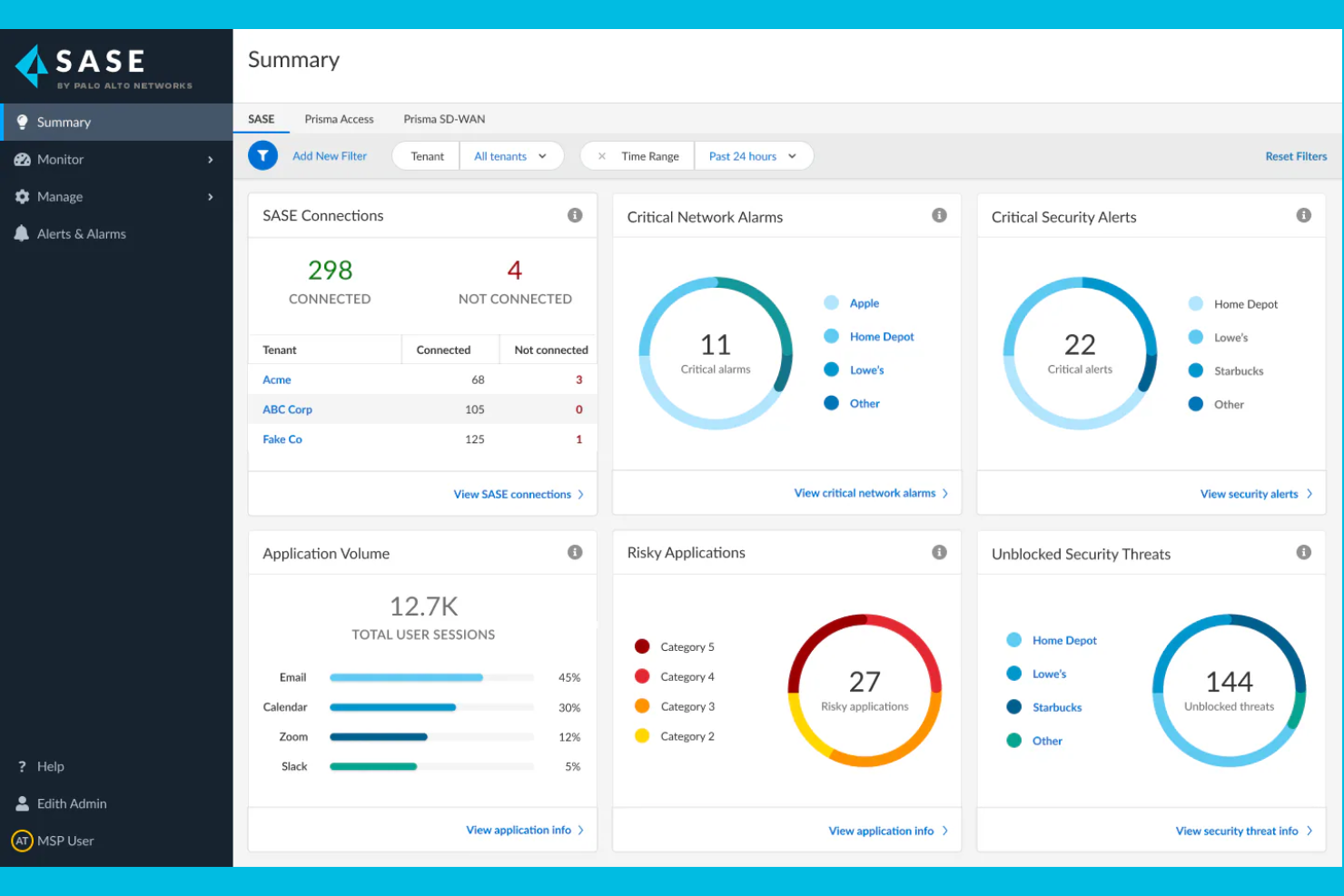
Si votre organisation a besoin de sécurité cloud avec une veille sur les menaces intégrée, Palo Alto Networks propose une plateforme SASE unifiée qui combine fonctions réseau et sécurité. Les équipes IT et sécurité des secteurs hautement réglementés se tournent souvent vers Palo Alto Networks pour ses capacités de détection des menaces en temps réel et de réponse automatisée. La plateforme utilise également l’automatisation et l’analytique avancée pour identifier et atténuer les cybermenaces, y compris les rançongiciels. Avec son large portefeuille de solutions de sécurité cloud, Palo Alto Networks aide les organisations à faire face à l’évolution des risques dans les environnements cloud, réseau et à distance.
Pourquoi Palo Alto Networks est une bonne alternative à Zscaler
Palo Alto Networks constitue une solide alternative à Zscaler si vous souhaitez intégrer une veille sur les menaces à votre pile de sécurité cloud. J’apprécie le fait que la plateforme combine détection des menaces en temps réel et application automatisée des politiques, ce qui vous permet de réagir rapidement face aux risques émergents. L’utilisation de l’apprentissage automatique et des données mondiales sur les menaces permet d’identifier de manière proactive les menaces avancées, que ce soit dans le cloud ou sur le réseau. Cette approche est particulièrement utile pour les organisations qui doivent anticiper des cyberattaques sophistiquées et répondre aux exigences réglementaires.
Principales fonctionnalités de Palo Alto Networks
Parmi les autres fonctionnalités qui pourraient vous intéresser chez Palo Alto Networks :
- Cloud Access Security Broker (CASB) : Surveille et contrôle l’accès aux applications cloud et applique les politiques de sécurité.
- Zero Trust Network Access (ZTNA) : Fournit un accès sécurisé et basé sur l’identité aux applications, quel que soit l’emplacement de l’utilisateur.
- Passerelle Web sécurisée : Filtre et inspecte le trafic web afin de bloquer les sites malveillants et d’assurer la conformité.
- Intégration SD-WAN : Optimise les performances et la fiabilité du réseau pour les sites distribués et les utilisateurs distants.
Intégrations de Palo Alto Networks
Les intégrations comprennent Microsoft 365, Google Workspace, AWS, Salesforce, ServiceNow, Okta, Splunk, Zoom, Box et Slack.
Pros and Cons
Pros:
- Veille intégrée sur les menaces grâce à Unit 42
- Visibilité granulaire des utilisateurs et applications
- Réponse automatisée aux menaces détectées
Cons:
- La structure de licence est complexe à comprendre
- La réactivité du support peut être inégale

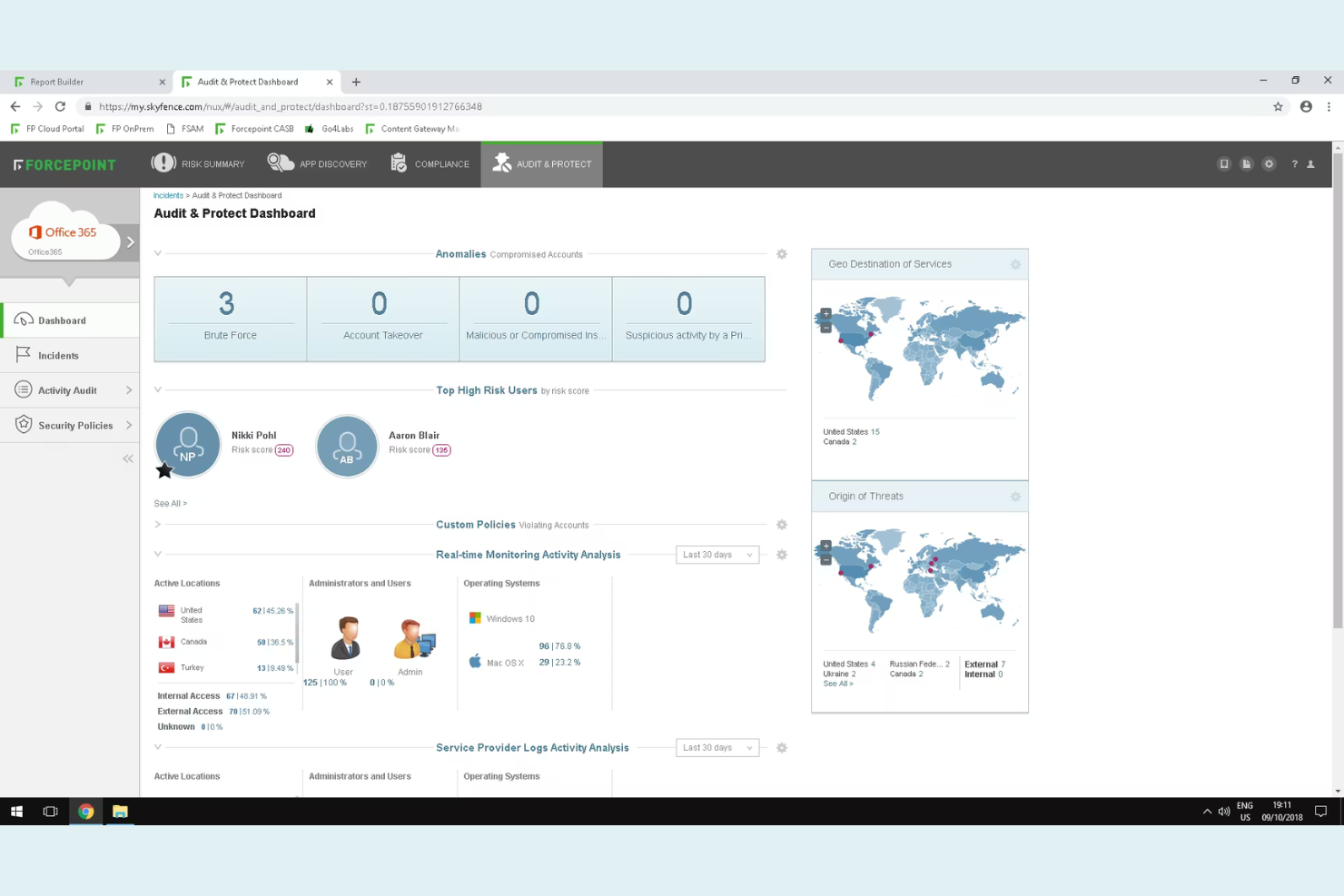
Forcepoint Secure Private Access est conçu pour les organisations qui doivent surveiller et réagir en temps réel aux comportements à risque des utilisateurs. Les équipes de sécurité dans les secteurs réglementés ou celles gérant des données sensibles apprécieront particulièrement ses analyses basées sur le comportement afin de détecter les menaces internes et les comptes compromis. Contrairement à Zscaler, Forcepoint met l'accent sur des contrôles d'accès adaptatifs qui s'ajustent automatiquement en fonction du profil de risque de l'utilisateur.
Pourquoi Forcepoint est une bonne alternative à Zscaler
Pour les organisations qui ont besoin d'aller au-delà des contrôles d'accès statiques, Forcepoint se distingue grâce à son analyse des risques basée sur le comportement. J'ai choisi Forcepoint car il surveille en continu les actions des utilisateurs et adapte les politiques d'accès en temps réel selon le niveau de risque détecté. Des fonctionnalités telles que la notation dynamique des risques et l'application automatique des politiques aident les équipes de sécurité à réagir rapidement face aux menaces internes ou aux comptes compromis. Cette approche vous offre un contrôle plus granulaire sur les décisions d'accès comparé aux fournisseurs traditionnels de sécurité cloud comme Zscaler.
Fonctionnalités clés de Forcepoint
Parmi les autres fonctionnalités à noter, citons :
- Segmentation applicative granulaire : Limite l'accès des utilisateurs à des applications spécifiques plutôt qu'à l'ensemble du réseau.
- Intégration de l'authentification multifacteur : Prend en charge l'intégration avec les principaux fournisseurs MFA pour une sécurité accrue lors de la connexion.
- Passerelle web sécurisée basée sur le cloud : Filtre et inspecte le trafic web pour bloquer les menaces et appliquer les politiques.
- Isolement du navigateur à distance : Exécute les sessions web dans un environnement sécurisé et isolé afin d'empêcher les logiciels malveillants d'atteindre les terminaux.
Intégrations Forcepoint
Les intégrations incluent Cisco Duo, Ping Identity, Microsoft Entra ID, Okta, Google Identity, Active Directory, SAML 2.0 IdP, CrowdStrike, Intune et Citrix StoreFront.
Pros and Cons
Pros:
- Évaluation du risque en temps réel pour un accès adaptatif
- Isolement du navigateur à distance contre les menaces web
- Prend en charge plusieurs fournisseurs d'identité nativement
Cons:
- Visibilité limitée sur le trafic chiffré
- Aucune fonctionnalité CASB intégrée

Netskope
Idéal pour la protection des données en temps réel dans les applications cloud
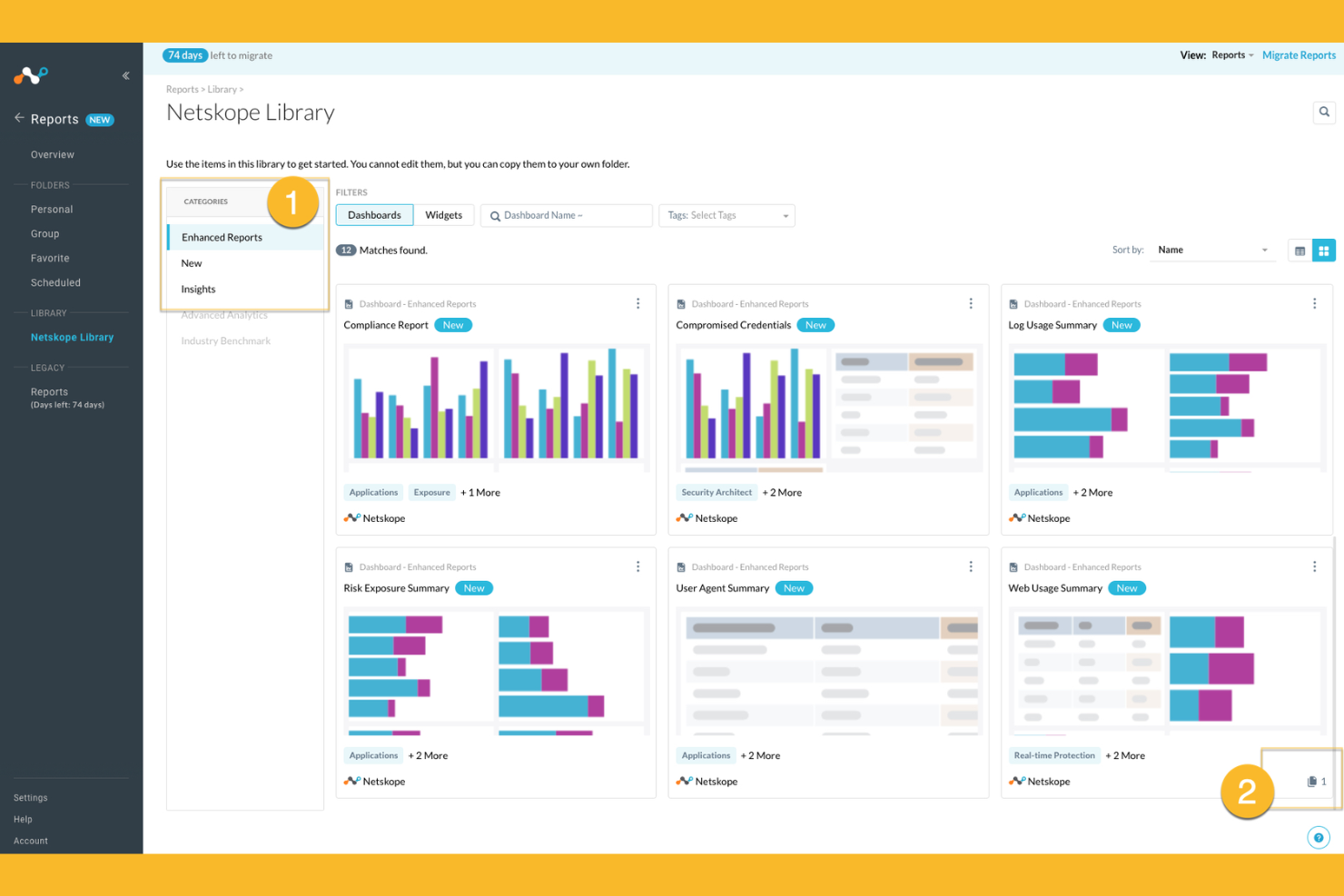
Netskope propose une sécurité cloud native conçue pour les organisations qui ont besoin d'une visibilité approfondie et d'un contrôle sur l'utilisation des applications cloud. Les équipes de sécurité dans les secteurs soumis à des exigences strictes en matière de protection des données choisissent souvent Netskope pour sa prévention des pertes de données en temps réel et sa protection avancée contre les menaces. Si vous souhaitez sécuriser des informations sensibles sur les environnements SaaS, IaaS et le trafic web, Netskope se distingue par son application granulaire des politiques et ses fonctions d'analyse avancée.
Pourquoi Netskope est une bonne alternative à Zscaler
Netskope se distingue par sa protection des données en temps réel dans les applications cloud, ce qui en fait un excellent choix si vous devez sécuriser des informations sensibles lorsqu'elles transitent entre les environnements SaaS et web. J’ai choisi Netskope car son architecture cloud native inspecte le trafic en ligne, permettant une détection immédiate et un blocage des activités à risque. La prévention avancée des pertes de données et les contrôles d’accès contextuels de la plateforme vous aident à appliquer des politiques de sécurité précises sur les services cloud. Ces capacités sont particulièrement précieuses pour les organisations ayant des exigences strictes en matière de conformité ou de confidentialité des données.
Principales fonctionnalités de Netskope
Parmi les autres fonctionnalités de Netskope qui pourraient vous intéresser :
- Pare-feu Cloud : Inspecte et contrôle le trafic sortant pour prévenir tout accès non autorisé et toute exfiltration de données.
- Analyse du comportement des utilisateurs et des entités (UEBA) : Surveille l’activité des utilisateurs pour détecter les anomalies et les menaces internes potentielles.
- Isolation du navigateur à distance : Ouvre les contenus web risqués dans un environnement sécurisé et isolé pour prévenir les infections par des programmes malveillants.
- Sécurité des API : Analyse et protège le trafic API pour bloquer les menaces et appliquer des politiques de sécurité sur l'ensemble des services cloud.
Intégrations Netskope
Les intégrations incluent Microsoft 365, Google Workspace, AWS, Salesforce, ServiceNow, Box, Slack, Zoom, Okta, CrowdStrike, Splunk et bien d’autres.
Pros and Cons
Pros:
- Contrôles granulaires des politiques pour SaaS et web
- Inspection du trafic en ligne avec latence minimale
- Visibilité approfondie sur l’activité shadow IT
Cons:
- Les tableaux de bord de rapports peuvent être lents à charger
- Quelques faux positifs occasionnels lors de la détection des menaces
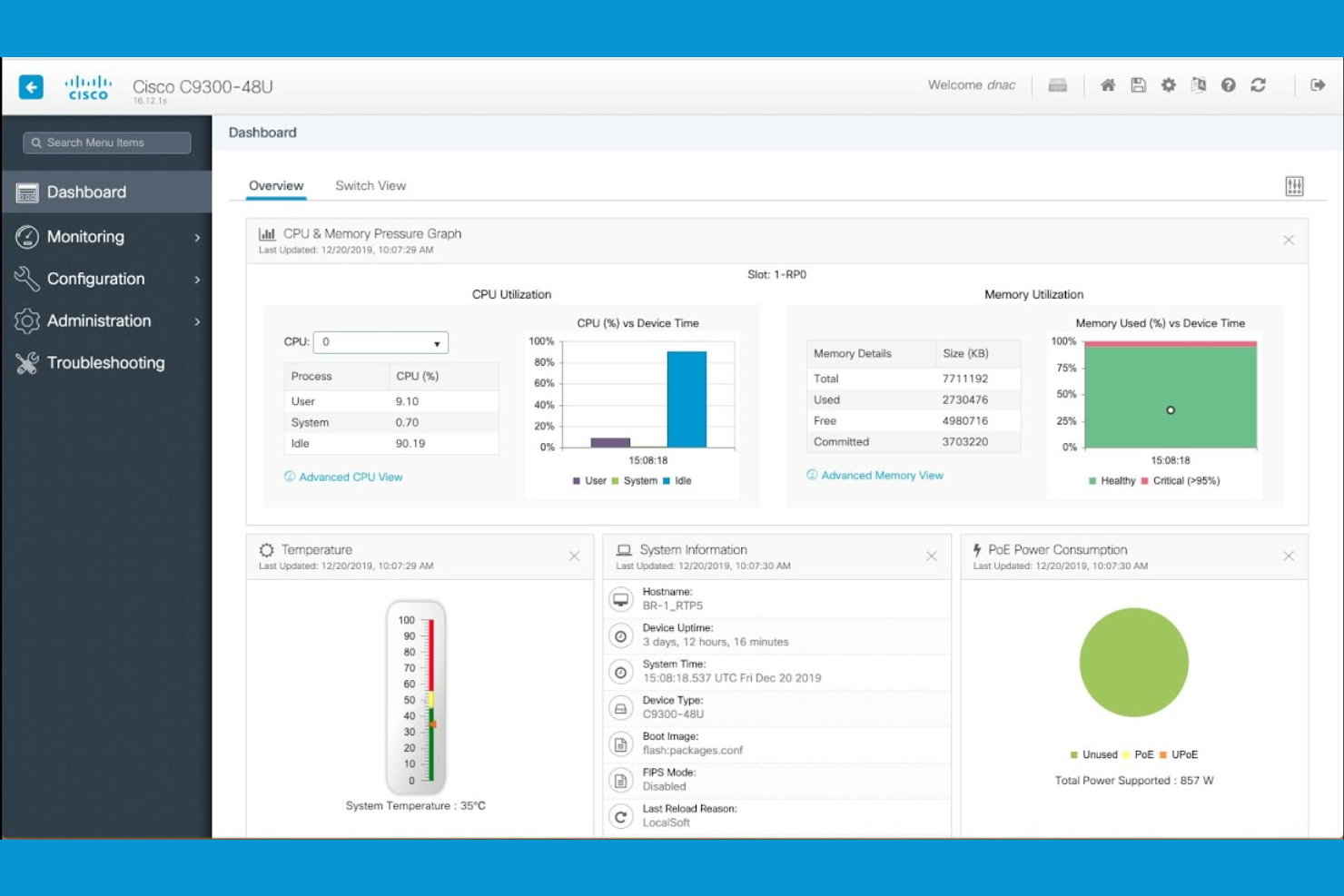
Pour les organisations qui gèrent à la fois une infrastructure sur site et dans le cloud, Cisco Security propose des solutions de cybersécurité conçues pour les environnements hybrides. Les équipes informatiques des grandes entreprises et des sociétés distribuées choisissent souvent Cisco Security pour sa capacité à unifier l’application des politiques, le routage et la protection contre les menaces dans des environnements complexes et mixtes. Son architecture prend également en charge les fonctionnalités de Secure Access Service Edge (SASE), vous aidant à sécuriser utilisateurs, appareils et charges de travail, où qu’ils se trouvent, sans exiger une migration complète vers le cloud.
Pourquoi Cisco Security est une bonne alternative à Zscaler
Si votre entreprise doit sécuriser à la fois ses ressources sur site et dans le cloud, Cisco Security se distingue par ses capacités réseau hybrides. J’apprécie la façon dont la gamme de produits Cisco Security prend en charge la gestion unifiée des politiques et la détection des menaces dans les environnements physiques, virtuels et cloud. Des fonctionnalités comme les appliances de sécurité adaptatives et les services de pare-feu délivrés dans le cloud vous aident à garantir une protection cohérente à mesure que votre réseau évolue. Cela fait de Cisco Security un excellent choix pour les organisations qui ne sont pas prêtes à tout migrer vers le cloud mais souhaitent une sécurité avancée et centralisée.
Fonctionnalités clés de Cisco Security
Parmi les autres fonctionnalités de Cisco Security susceptibles de vous intéresser :
- Sécurité au niveau DNS : Bloque les domaines malveillants et prévient les attaques de phishing au niveau DNS.
- Courtier de sécurité d’accès au cloud (CASB) : Surveille et contrôle l’accès aux applications cloud et applique les politiques de sécurité.
- Détection et réponse sur les endpoints (EDR) : Détecte, enquête et répond aux menaces sur les terminaux de votre réseau.
- Passerelle de sécurité pour les e-mails : Filtre les e-mails entrants et sortants pour bloquer le spam, les logiciels malveillants et les tentatives de phishing ciblées.
Intégrations Cisco Security
Les intégrations natives ne sont actuellement pas listées.
Pros and Cons
Pros:
- Offre des contrôles de segmentation du réseau granulaires
- S’intègre aux appliances matérielles Cisco
- Comprend une passerelle de sécurité e-mail intégrée
Cons:
- Nécessite plusieurs produits pour une couverture complète
- Certaines mises à jour nécessitent une intervention manuelle
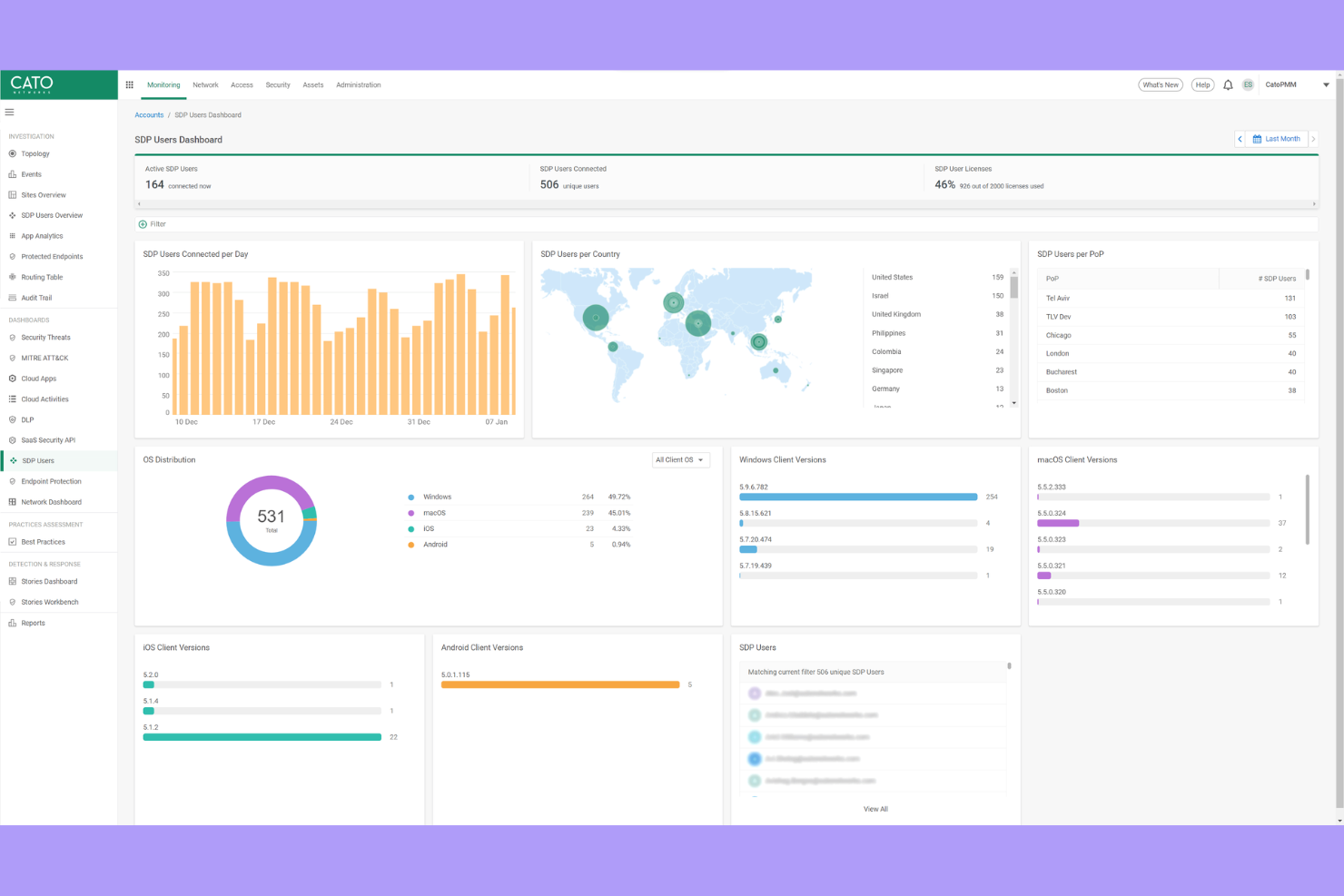
Si votre organisation a besoin d'une connectivité sécurisée et haute performance entre des sites internationaux, Cato Networks propose un backbone privé qui contourne l’internet public. Cette plateforme convient parfaitement aux équipes informatiques gérant des réseaux multinationaux et souhaitant réduire la latence tout en améliorant la fiabilité pour les utilisateurs du monde entier. Cato Networks se distingue en fournissant sécurité et réseau intégrés sur sa propre infrastructure mondiale, et pas uniquement par le biais de couches de sécurité basées sur le cloud.
Pourquoi Cato Networks est une bonne alternative à Zscaler
Contrairement à la plupart des fournisseurs de sécurité cloud, Cato Networks exploite son propre backbone privé mondial, ce qui signifie que votre trafic évite l’imprévisibilité de l’internet public. J’ai sélectionné Cato Networks pour les équipes ayant besoin d’une connectivité constante et à faible latence entre bureaux internationaux et utilisateurs distants. La plateforme associe ce backbone à des fonctionnalités de sécurité intégrées telles qu’un pare-feu nouvelle génération, une passerelle web sécurisée et un accès réseau à confiance zéro. Grâce à l’intégration fluide de ses fonctions réseau et sécurité, cette approche vous offre à la fois performance fiable et protection unifiée, faisant de Cato Networks une solide alternative à Zscaler pour les organisations mondiales.
Principales fonctionnalités de Cato Networks
D’autres fonctionnalités de Cato Networks susceptibles de vous intéresser comprennent :
- Console de gestion cloud : vous permet de configurer, surveiller et dépanner votre réseau depuis une interface unique.
- Optimisation du WAN : réduit la consommation de bande passante et accélère les performances applicatives sur les sites.
- Support client mobile : offre un accès sécurisé aux utilisateurs distants et mobiles sans matériel supplémentaire.
- Détection et réponse automatisées aux menaces : surveille en continu le trafic réseau et réagit en temps réel aux menaces.
Intégrations de Cato Networks
Les intégrations natives ne sont pas listées pour le moment.
Pros and Cons
Pros:
- Le backbone privé réduit la latence pour les sites mondiaux
- Le client mobile garantit un accès à distance sécurisé
- Détection automatisée des menaces et réponse en temps réel
Cons:
- Nécessite des dispositifs Edge Cato pour la connectivité
- Les fonctions d'analyse avancée sont encore en développement
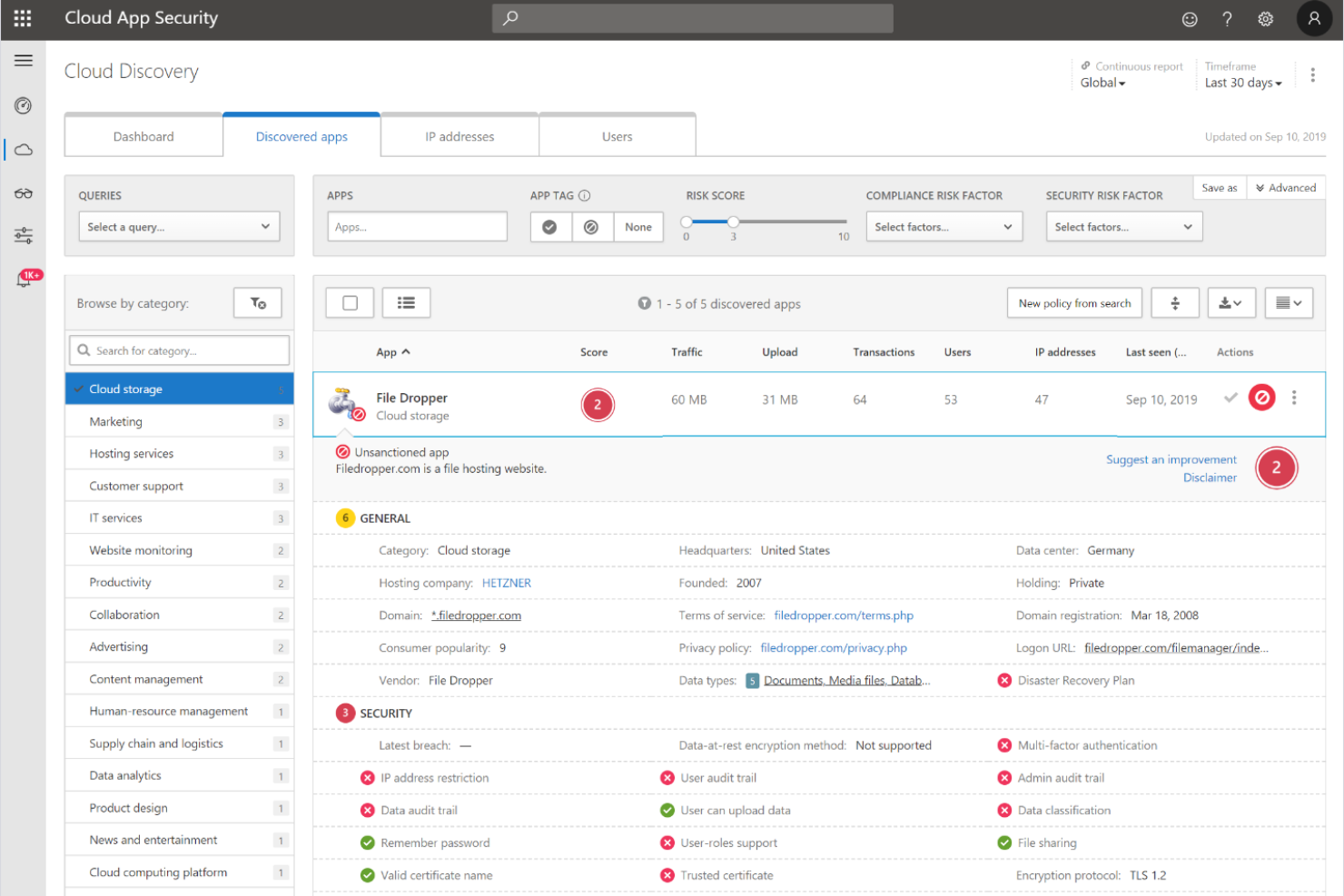

La plateforme Zero Trust de Microsoft Security est conçue pour les organisations qui souhaitent une sécurité profondément intégrée à travers leurs environnements cloud, points de terminaison et identités. Cette solution s’adresse particulièrement aux équipes informatiques déjà investies dans les écosystèmes Microsoft 365, Azure ou Windows et cherchant à appliquer des contrôles d’accès granulaires et adaptatifs. Ce qui distingue Microsoft Security de Zscaler et d’autres solutions, c’est son architecture Zero Trust native qui unifie la sécurité des identités, des appareils et des applications sous un même cadre.
Pourquoi Microsoft Security est une bonne alternative à Zscaler
Contrairement à de nombreux fournisseurs de sécurité cloud, la plateforme Zero Trust de Microsoft Security est intégrée directement à ses services cloud, identités et points de terminaison. J’ai choisi Microsoft Security pour les équipes souhaitant une architecture Zero Trust native, car elle permet d’appliquer un accès conditionnel, une évaluation continue des risques et une réponse automatisée aux menaces dans l’ensemble de l’environnement Microsoft. Des fonctionnalités comme la gestion unifiée des politiques et la vérification en temps réel de la conformité des appareils permettent de sécuriser l’accès à chaque niveau. Cela fait de Microsoft Security une solide alternative à Zscaler pour les organisations cherchant à centraliser les contrôles de sécurité au sein d’un seul écosystème intégré.
Principales fonctionnalités de Microsoft Security
Parmi les autres fonctionnalités de la plateforme Zero Trust de Microsoft Security qui pourraient vous intéresser :
- Defender for Cloud Apps : Surveille et contrôle l’activité des utilisateurs sur les applications cloud pour une meilleure visibilité et détection des menaces.
- Gestion des identités à privilèges : Gère, surveille et contrôle l’accès aux ressources critiques avec des politiques d’accès juste-à-temps et de moindre privilège.
- Protection des informations : Classe et chiffre les données sensibles dans les e-mails, documents et stockages cloud.
- Détection et réponse sur les points de terminaison : Offre des outils avancés de détection des menaces et d’investigation pour les appareils gérés.
Intégrations de Microsoft Security
Les intégrations incluent Microsoft Entra, Microsoft Intune, Microsoft Defender for Endpoint, Microsoft Sentinel, Microsoft Purview, et plus encore.
Pros and Cons
Pros:
- Intégration poussée avec les services Microsoft 365
- Contrôles Zero Trust natifs pour tous les points de terminaison
- Protection des identités et évaluation des risques intégrées
Cons:
- Visibilité limitée sur les applications cloud non-Microsoft
- Les changements de politiques peuvent avoir un impact sur les anciens systèmes locaux
Critères de sélection des alternatives à Zscaler
Pour sélectionner les meilleures alternatives à Zscaler à inclure dans cette liste, j’ai pris en compte les besoins courants et les difficultés des acheteurs concernant les fournisseurs de solutions de sécurité cloud, telles que la gestion de l'accès distant sécurisé et la détection de menaces avancées. J’ai également utilisé le cadre d'évaluation suivant pour structurer mon analyse et la rendre équitable :
Fonctionnalités essentielles (25 % du score total)
Pour être retenue dans cette sélection, chaque solution devait répondre à ces cas d’usage courants :
- Accès distant sécurisé aux applications cloud
- Détection et prévention des menaces
- Authentification des utilisateurs et gestion de l'identité
- Contrôles d’accès basés sur des politiques
- Surveillance des activités en temps réel
Fonctionnalités différenciantes (25 % du score total)
Pour affiner davantage la sélection, j’ai également recherché les fonctionnalités uniques suivantes :
- Analytique du risque basée sur le comportement
- Isolation distante du navigateur
- Adaptation automatisée des politiques
- Intégration avec plusieurs fournisseurs d'identité
- Ségrégation au niveau des applications
Facilité d’utilisation (10 % du score total)
Pour évaluer la convivialité de chaque système, j’ai pris en considération les éléments suivants :
- Conception du tableau de bord claire et intuitive
- Navigation logique entre les modules
- Étapes minimales pour configurer les fonctionnalités principales
- Accessibilité de la documentation au sein de la plateforme
- Alertes et notifications personnalisables
Intégration initiale (10 % du score total)
Pour évaluer l’expérience d’intégration de chaque plateforme, j’ai pris en compte les éléments suivants :
- Disponibilité de guides d’installation étape par étape
- Accès à des vidéos de formation et des webinaires
- Visites interactives du produit pour les nouveaux utilisateurs
- Modèles de politiques préétablis pour un déploiement rapide
- Équipe de support d’intégration réactive
Service client (10 % du score total)
Pour évaluer les services client de chaque fournisseur de logiciel, j’ai pris en compte les éléments suivants :
- Disponibilité du support 24h/24 et 7j/7
- Multiples canaux de support incluant chat et téléphone
- Accès à une base de connaissances ou un centre d’aide
- Temps de réponse rapide pour les problèmes critiques
- Disponibilité de gestionnaires de compte dédiés
Rapport qualité-prix (10 % du score total)
Pour évaluer le rapport qualité-prix de chaque plateforme, j’ai pris en compte les éléments suivants :
- Structure tarifaire transparente
- Options d’abonnement flexibles
- Fonctionnalités incluses à chaque niveau de tarification
- Coût comparé à des solutions similaires
- Réductions pour les contrats annuels ou pluriannuels
Avis clients (10 % du score total)
Pour comprendre le niveau de satisfaction global des clients, j’ai pris en compte les éléments suivants lors de la lecture des avis :
- Cohérence des retours positifs
- Fréquence des problèmes techniques signalés
- Qualité des expériences avec le support
- Facilité de déploiement et de gestion
- Satisfaction concernant les résultats en matière de sécurité
Pourquoi chercher une alternative à Zscaler ?
Bien que Zscaler soit un bon fournisseur de sécurité cloud, il existe plusieurs raisons pour lesquelles certains utilisateurs recherchent des solutions alternatives. Vous pourriez chercher une alternative à Zscaler parce que…
- Vous avez besoin d’analyses de risque basées sur le comportement, plus fines
- Votre organisation a besoin d’options de déploiement sur site ou hybride
- Vous souhaitez une intégration plus poussée avec certains fournisseurs d’identité
- Vous avez besoin d’une personnalisation plus flexible des politiques
- Votre équipe travaille dans des régions où les centres de données Zscaler sont limités
- Vous exigez des capacités avancées de reporting et d’audit
Si l’un de ces points vous décrit, vous êtes au bon endroit. Ma liste contient plusieurs fournisseurs de sécurité cloud plus adaptés aux équipes confrontées à ces difficultés avec Zscaler et en quête de solutions alternatives.
Fonctionnalités clés de Zscaler
Voici quelques-unes des fonctionnalités clés de Zscaler pour vous aider à comparer et contraster ce que proposent les solutions alternatives :
- Accès réseau sans confiance : Applique un accès aux applications selon le principe du moindre privilège en vérifiant utilisateurs et appareils avant d’accorder l’accès, réduisant ainsi le risque de déplacements latéraux dans votre environnement.
- Passerelle web sécurisée basée sur le cloud : Analyse et filtre tout le trafic web en temps réel, bloquant les sites malveillants, les tentatives de phishing et les contenus inappropriés avant qu’ils n’atteignent les utilisateurs.
- Prévention des menaces en ligne : Détecte et bloque les logiciels malveillants, ransomwares et menaces avancées à la périphérie du réseau, grâce à une analyse comportementale et basée sur les signatures.
- Inspection SSL/TLS : Déchiffre et inspecte le trafic chiffré afin d’identifier les menaces dissimulées sans compromettre la confidentialité ou la performance utilisateur.
- Prévention de la perte de données : Surveille et contrôle la circulation des données sensibles via les canaux cloud et web, aidant les organisations à se conformer aux réglementations sur la protection des données.
- Segmentation des applications : Limite l’accès des utilisateurs uniquement aux applications nécessaires, réduisant la surface d’attaque et empêchant les accès non autorisés.
- Intégration des fournisseurs d’identité : Se connecte avec les principales plateformes d’identités pour appliquer l’authentification unique et l’authentification multi-facteurs garantissant une vérification sûre des utilisateurs.
- Gestion centralisée des politiques : Permet aux administrateurs de définir, mettre à jour et appliquer les politiques de sécurité à partir d’une seule console basée sur le cloud.
- Rapports et analyses complets : Offre une visibilité détaillée de l’activité des utilisateurs, des menaces et des violations de politiques via des tableaux de bord et rapports personnalisables.
- Infrastructure cloud mondiale : Fournit une sécurité homogène et une expérience utilisateur rapide partout dans le monde, grâce à un réseau distribué de centres de données.
Prochaine étape :
Si vous êtes en train de rechercher des alternatives à Zscaler, contactez gratuitement un conseiller SoftwareSelect pour des recommandations personnalisées.
Vous remplissez un formulaire et échangez brièvement afin de préciser vos besoins spécifiques. Vous recevrez ensuite une liste restreinte de logiciels à examiner. Ils vous accompagnent même tout au long du processus d’achat, y compris la négociation des prix.