

10 meilleures alternatives à Terraform passées en revue en 2026

Meilleures alternatives à Terraform : sélection
Voici ma sélection des meilleures alternatives à Terraform :


Les meilleures alternatives à Terraform aident les équipes à définir, provisionner et gérer l’infrastructure avec moins de blocages dans les workflows, une application des politiques renforcée, et des intégrations adaptées à leur stack technologique existante. Ces outils permettent aux ingénieurs d’automatiser les déploiements, d’imposer des règles de gouvernance et de maintenir des environnements reproductibles, sans dépendre uniquement de l’écosystème HashiCorp.
Les équipes commencent souvent à chercher des alternatives à Terraform après avoir rencontré des difficultés comme le débogage d’erreurs HCL opaques, la gestion des fichiers d’état au sein d’équipes distribuées, ou lorsqu’elles cherchent à étendre Terraform avec des intégrations non prises en charge nativement. D’autres se heurtent à des limites lors de l’application de politiques de sécurité avancées ou ont besoin d’un meilleur alignement avec les langages maîtrisés par leurs développeurs.
J’ai accompagné des groupes d’ingénierie dans leur migration de Terraform vers d’autres frameworks IaC, évalué ces plateformes sur des déploiements en production réelle, et observé leurs performances dans des contextes concrets comme les déploiements multi-cloud et les environnements soumis à la conformité. Cette expérience m’a permis d’établir une analyse pragmatique des points forts et des limites de chaque solution.
Dans ce guide, vous découvrirez quelles alternatives à Terraform proposent une syntaxe plus claire, une gouvernance plus stricte et une meilleure intégration aux workflows DevOps modernes, afin de choisir la plateforme la plus adaptée à votre stratégie d’infrastructure.
Qu’est-ce que Terraform ?
Terraform est un outil d’Infrastructure as Code (IaC) qui vous permet de définir et de gérer l’infrastructure via du code. Il est largement utilisé par les développeurs, ingénieurs DevOps et professionnels IT qui doivent automatiser et faire évoluer l’infrastructure de manière efficace.
Ses fonctionnalités, telles que le provisionnement des ressources, la prise en charge multi-cloud et la gestion d’état, facilitent l’automatisation des tâches d’infrastructure, réduisent les erreurs manuelles et garantissent la cohérence. La principale valeur ajoutée de Terraform réside dans sa capacité à simplifier la gestion de l’infrastructure et à accroître l’efficacité.
Why Trust Our Software Reviews
We’ve been testing and reviewing software since 2023. As tech leaders ourselves, we know how critical and difficult it is to make the right decision when selecting software.
We invest in deep research to help our audience make better software purchasing decisions. We’ve tested more than 2,000 tools for different tech use cases and written over 1,000 comprehensive software reviews. Learn how we stay transparent & our software review methodology.
Résumé des meilleures alternatives à Terraform
Ce tableau comparatif résume les détails tarifaires de mes principales alternatives à Terraform pour vous aider à choisir celle qui conviendra le mieux à votre budget et à vos besoins métier.
| Tool | Best For | Trial Info | Price | ||
|---|---|---|---|---|---|
| 1 | Best for multi-language IaC | 14-day free trial | From $40/month | Website | |
| 2 | Best for DevSecOps integration | Free plan available | From $29/user/month | Website | |
| 3 | Best for VM development environments | Free download available | Free to use | Website | |
| 4 | Best for continuous integration | Free download available | Free to use | Website | |
| 5 | Best for multi-cloud orchestration | Free plan available | Free | Website | |
| 6 | Best for Google Cloud resources | Not available | Free to use | Website | |
| 7 | Best for AWS resource management | Free plan available | Pricing upon request | Website | |
| 8 | Best for IT automation | Free demo available | Pricing upon request | Website | |
| 9 | Best for open-source IaC | Free plan available | Free plan available | Website | |
| 10 | Best for Kubernetes integration | Not available | Free to use | Website |
-

Site24x7
Visit WebsiteThis is an aggregated rating for this tool including ratings from Crozdesk users and ratings from other sites.4.6 -
GitHub Actions
Visit WebsiteThis is an aggregated rating for this tool including ratings from Crozdesk users and ratings from other sites.4.8 -
Docker
Visit WebsiteThis is an aggregated rating for this tool including ratings from Crozdesk users and ratings from other sites.4.6





Avis sur les meilleures alternatives à Terraform
Vous trouverez ci-dessous mes résumés détaillés des meilleures alternatives à Terraform ayant intégré ma sélection. Mes avis offrent une analyse approfondie des principales fonctionnalités, avantages & inconvénients, intégrations et cas d’utilisation idéaux de chaque outil afin de vous aider à trouver celui qui vous convient.


Pulumi is an Infrastructure as Code (IaC) tool designed for developers and DevOps teams to manage cloud infrastructure using familiar programming languages. It helps automate infrastructure tasks, making it easier for teams to deploy and manage resources.
Why it's a good Terraform alternative: Pulumi supports multiple programming languages like JavaScript, TypeScript, Python, Go, and C#, allowing you to use existing skills for infrastructure management. Unlike Terraform, which relies on its own configuration language, Pulumi lets you write infrastructure code using general-purpose languages.
This flexibility can improve productivity and reduce the learning curve for your team. Pulumi also offers real-time updates and previews, enhancing collaboration and transparency in project development.
Standout features & integrations:
Features include: the ability to use familiar programming languages, live updates and previews for infrastructure changes, and a rich set of libraries for cloud provider support. Pulumi's CLI and SDKs provide a consistent and flexible way to manage infrastructure across different environments.
Integrations include: AWS, Azure, Google Cloud, Kubernetes, DigitalOcean, GitHub, GitLab, Slack, Jira, and Bitbucket.
Pros and Cons
Pros:
- Consistent CLI and SDKs
- Rich library support
- Real-time updates and previews
Cons:
- Requires programming knowledge
- Limited community support


GitLab is a complete DevOps platform used by developers and IT teams to manage the entire software development lifecycle. It offers tools for source code management, continuous integration, and deployment, facilitating collaboration and improving workflow efficiency.
Why it's a good Terraform alternative: GitLab integrates DevSecOps into its platform, providing security features alongside development tools. It offers built-in code scanning and vulnerability management, which can help your team ensure code quality and security.
Unlike Terraform, GitLab provides a comprehensive suite for both development and operations, eliminating the need for multiple tools. Its collaboration features enhance team communication, ensuring everyone stays aligned on project goals.
Standout features & integrations:
Features include: built-in CI/CD pipelines for automated testing and deployment, issue tracking to manage project tasks, and merge request workflows to streamline code review processes. GitLab's monitoring and analytics tools provide insights into project performance.
Integrations include: GitHub, Jira, Slack, Jenkins, Docker, Kubernetes, AWS, Google Cloud, Microsoft Azure, and Terraform.
Pros and Cons
Pros:
- Security and vulnerability management
- Comprehensive project management tools
- Built-in CI/CD pipelines
Cons:
- Complexity for small teams
- Can be resource-intensive


Vagrant is a tool for building and managing virtualized development environments, primarily used by developers and DevOps teams. It simplifies the process of setting up and maintaining consistent development environments, ensuring that applications run the same regardless of the user's operating system.
Why it's a good Terraform alternative: Vagrant focuses on creating and managing development environments, making it ideal for teams that need to ensure consistency across different machines. It automates the setup of virtual machines, which can save time and reduce errors during development.
Vagrant's ability to work with various virtualization tools allows your team to use existing infrastructure without significant changes. Its user-friendly approach to VM management makes it accessible for developers who may not specialize in infrastructure.
Standout features & integrations:
Features include: a simple command-line interface for managing environments, the ability to create reproducible development environments, and support for multiple virtualization providers. Vagrant also offers version control for environments, making it easy to share and collaborate on configurations.
Integrations include VirtualBox, VMware, Docker, Hyper-V, AWS, Azure, Google Cloud, Ansible, Chef, and Puppet.
Pros and Cons
Pros:
- User-friendly for developers
- Supports multiple virtualization tools
- Easy virtual machine management
Cons:
- Can be resource-intensive
- Requires virtualization knowledge


Jenkins is an open-source automation server used by developers and DevOps teams to automate parts of software development, primarily continuous integration and delivery. It facilitates the building, testing, and deployment of applications, streamlining the development process.
Why it's a good Terraform alternative: Jenkins excels in continuous integration, providing a flexible environment for automating repetitive tasks. Its extensive plugin ecosystem allows you to customize workflows, making it adaptable to your team's needs.
Jenkins supports distributed builds, which can optimize resource usage and speed up the testing process. The tool's open-source nature means you can modify and extend it as required, giving you control over your automation pipeline.
Standout features & integrations:
Features include: an easy-to-use web interface for managing builds, real-time build progress updates, and a robust plugin system for customization. Jenkins also offers support for distributed builds, enhancing performance across large projects.
Integrations include: Git, GitHub, Bitbucket, Docker, Kubernetes, Maven, Gradle, Slack, JIRA, and AWS.
Pros and Cons
Pros:
- Real-time build progress updates
- Open-source and modifiable
- Extensive plugin ecosystem
Cons:
- Needs manual configuration
- Requires regular maintenance


Cloudify is an open-source platform designed for DevOps teams to manage and automate the lifecycle of cloud applications and services. It provides orchestration capabilities that allow users to manage complex, multi-cloud environments efficiently.
Why it's a good Terraform alternative: Cloudify offers multi-cloud orchestration, allowing you to manage resources across different cloud platforms. It supports hybrid cloud deployments, making it easier to integrate and manage on-premises and cloud resources.
With its focus on end-to-end automation, Cloudify helps your team automate everything from provisioning to ongoing management. Its event-driven architecture enables real-time responses to changes in your environment.
Standout features & integrations:
Features include: blueprint modeling for defining applications, a centralized management console for oversight, and event-driven workflows for automation. These features provide a comprehensive approach to managing multi-cloud environments.
Integrations include: AWS, Azure, Google Cloud, OpenStack, Kubernetes, Ansible, Terraform, VMware, Docker, and ServiceNow.
Pros and Cons
Pros:
- Comprehensive blueprint modeling
- End-to-end automation
- Hybrid cloud deployment capabilities
Cons:
- Limited documentation for advanced features
- Steep learning curve for beginners


Google Cloud Deployment Manager (GCP) is an infrastructure management tool designed for developers and IT teams to automate the creation and management of Google Cloud resources. It enables teams to define resources using templates and manage them in a consistent and repeatable manner.
Why it's a good Terraform alternative: Google Cloud Deployment Manager (GCP) provides native integration with Google Cloud services, ensuring seamless management of cloud resources. It supports declarative configurations, allowing you to manage infrastructure as code with ease.
The tool's template-driven approach simplifies the deployment process, making it easier to replicate environments. With its focus on Google Cloud, it offers specialized capabilities for teams heavily invested in Google's ecosystem.
Standout features & integrations:
Features include: declarative configuration support for infrastructure management, template-driven deployments for consistent environments, and real-time monitoring and logging to keep track of resources. These features help your team efficiently manage and scale Google Cloud resources.
Integrations include: Google Cloud Platform services, Google Cloud Storage, Google Cloud SQL, Google Kubernetes Engine, Google BigQuery, Google Cloud Functions, Google Cloud Pub/Sub, Google Compute Engine, Google Cloud Dataproc, and Google Cloud DNS.
Pros and Cons
Pros:
- Real-time monitoring features
- Template-driven deployment
- Supports declarative configurations
Cons:
- Requires Google Cloud expertise
- May not support hybrid clouds


AWS CloudFormation is an Infrastructure as Code (IaC) tool that allows developers and IT teams to automate the setup and management of AWS resources. It provides a way to define and provision infrastructure using templates, ensuring consistent and repeatable deployments.
Why it's a good Terraform alternative: AWS CloudFormation offers deep integration with AWS services, making it ideal for teams heavily invested in the AWS ecosystem. It supports declarative programming, allowing you to define your infrastructure in a straightforward manner.
With its ability to automate resource management, CloudFormation reduces the manual effort required for setup and provisioning. The tool also provides rollback capabilities, ensuring stability in case of deployment issues.
Standout features & integrations:
Features include: drift detection to identify changes in resources, stack sets for managing resources across multiple accounts, and change sets for previewing updates before deployment. These features enhance the control and management of AWS environments.
Integrations include: Amazon EC2, Amazon S3, Amazon RDS, AWS Lambda, Amazon VPC, AWS IAM, Amazon CloudWatch, AWS Elastic Beanstalk, Amazon SNS, and Amazon SQS.
Pros and Cons
Pros:
- Drift detection feature
- Provides rollback capabilities
- Automates resource management
Cons:
- Limited customization options
- Can be complex for large setups

Puppet is a configuration management tool used by IT teams to automate the provisioning, configuration, and management of infrastructure. It simplifies repetitive tasks and ensures consistency across environments by defining infrastructure as code.
Why it's a good Terraform alternative: Puppet offers extensive automation capabilities that help you manage configurations across large-scale IT environments. Its declarative language allows you to define the desired state of your infrastructure, automating the process of reaching that state.
Puppet's reporting and visualization tools provide insights into infrastructure changes, helping your team maintain control and compliance. With its focus on IT automation, Puppet is ideal for organizations looking to improve efficiency and reduce manual errors.
Standout features & integrations:
Features include: a declarative language for defining configurations, real-time reporting tools for tracking changes, and a comprehensive module ecosystem for extending functionality. Puppet's automation capabilities enable consistent infrastructure management.
Integrations include: AWS, Azure, Google Cloud, VMware, Docker, Kubernetes, GitHub, GitLab, Jenkins, and ServiceNow.
Pros and Cons
Pros:
- Comprehensive module ecosystem
- Declarative language for configurations
- Extensive automation capabilities
Cons:
- May need customization
- Can be complex to set up


OpenTofu is an open-source infrastructure as code (IaC) tool managed by the Linux Foundation, designed for developers and DevOps teams to manage cloud infrastructure efficiently. It provides a robust ecosystem with thousands of modules and providers, helping teams automate and control infrastructure across various platforms.
Why it's a good Terraform alternative: OpenTofu remains open-source, addressing concerns over Terraform's licensing changes. It offers centralized version management, allowing you to update all modules with a single variable change.
The state encryption feature ensures your infrastructure data is protected at rest. With a strong community focus, OpenTofu encourages contributions, keeping it aligned with user needs and maintaining feature parity with Terraform.
Standout features & integrations:
Features include: exclusion flag for resource control, provider iteration for dynamic configurations, and early variable/local evaluation for improved handling. These features enhance flexibility and simplify management across multi-region deployments.
Integrations include: AWS, Cloudflare, GitHub, Google Cloud, Azure, Kubernetes, DigitalOcean, Slack, Jira, and Bitbucket.
Pros and Cons
Pros:
- State encryption for data protection
- Centralized version management
- Supports many providers and modules
Cons:
- May have compatibility issues
- Potential for slower updates

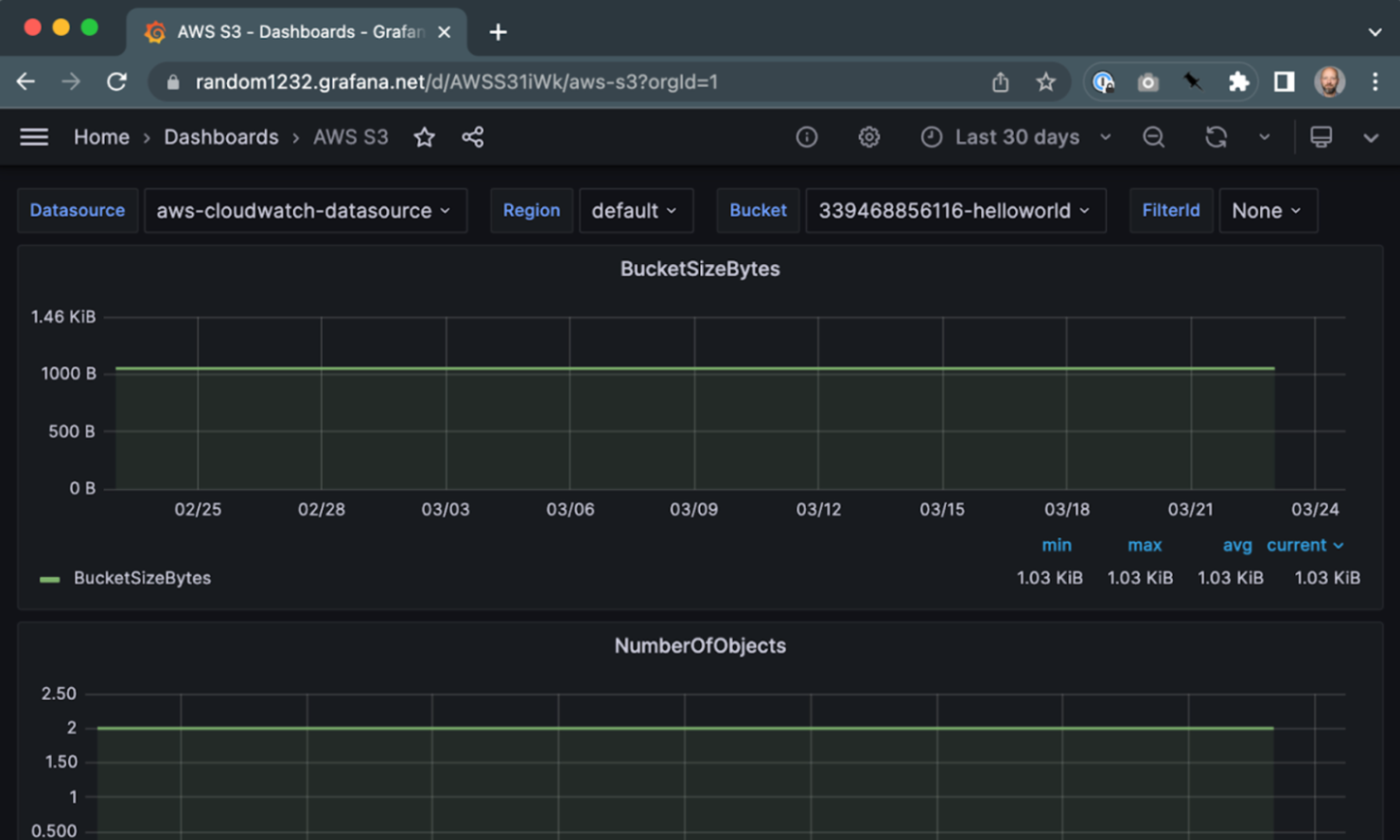
Crossplane is an open-source infrastructure management tool designed for DevOps teams to manage and provision cloud resources using Kubernetes. It allows you to define and manage cloud infrastructure using Kubernetes-native APIs, providing a unified approach to managing both applications and infrastructure.
Why it's a good Terraform alternative: Crossplane leverages Kubernetes to manage infrastructure, which can be a game-changer if your team already works within a Kubernetes environment. It offers the ability to compose infrastructure using Kubernetes custom resources, allowing for a more integrated management experience.
This approach helps you manage infrastructure with the same tools and processes you use for applications. Crossplane's native Kubernetes integration provides a consistent and scalable way to handle infrastructure as code.
Standout features & integrations:
Features include: support for Kubernetes-native APIs to manage infrastructure, the ability to extend Kubernetes with custom resources, and a unified control plane for both applications and infrastructure. Crossplane helps your team streamline operations by using Kubernetes for everything from deployment to management.
Integrations include: AWS, Azure, Google Cloud, Alibaba Cloud, VMware, DigitalOcean, GitHub, GitLab, Helm, and Prometheus.
Pros and Cons
Pros:
- Scalable infrastructure management
- Unified control plane
- Native Kubernetes integration
Cons:
- Learning curve for advanced features
- Limited to Kubernetes environments
Autres alternatives à Terraform
Voici d’autres alternatives à Terraform qui ne figurent pas dans mon top, mais qui méritent votre attention :
- Morpheus
For hybrid cloud management
- env0
For cloud governance
- Chef
For configuration management
- Docker
For containerization
- Kubernetes
For container orchestration
- Aikido Security
For security auditing


Critères de sélection des alternatives à Terraform
Pour choisir les meilleures alternatives à Terraform incluses dans cette liste, j’ai pris en compte les besoins courants des acheteurs et les points de friction liés aux outils d’Infrastructure as Code (IaC), comme les problèmes de scalabilité ou l’intégration avec les systèmes existants. J’ai également suivi le cadre d’évaluation suivant pour garder une approche structurée et équitable :
Fonctionnalités principales (25 % de la note globale)
Pour figurer dans ce classement, chaque solution devait répondre à ces cas d’usage communs :
- Automatisation de l'approvisionnement de l'infrastructure
- Gestion des environnements multi-cloud
- Prise en charge du contrôle de version
- Activation de la surveillance de l'infrastructure
- Gestion de la configuration
Fonctionnalités supplémentaires remarquables (25% du score total)
Pour affiner encore la sélection, j'ai également recherché des fonctionnalités uniques, telles que :
- Contrôles de conformité sécurité intégrés
- Assistance multilingue
- Outils de collaboration en temps réel
- Gestion avancée des politiques
- Intégration avec les pipelines CI/CD
Utilisabilité (10% du score total)
Pour évaluer l’utilisabilité de chaque système, j'ai pris en compte les éléments suivants :
- Interface utilisateur intuitive
- Facilité de navigation
- Disponibilité de la documentation
- Options de personnalisation
- Mécanismes de retour des utilisateurs
Intégration des nouveaux utilisateurs (10% du score total)
Pour évaluer l'expérience d'intégration sur chaque plateforme, j'ai pris en compte les éléments suivants :
- Disponibilité de vidéos de formation
- Modèles préconçus
- Visites interactives du produit
- Accès à des chatbots
- Webinaires réguliers
Assistance client (10% du score total)
Pour évaluer le service client de chaque fournisseur de logiciel, j'ai pris en compte les éléments suivants :
- Disponibilité d’un support 24h/24 et 7j/7
- Temps de réponse aux demandes
- Accès à un responsable de compte dédié
- Disponibilité d’une base de connaissances
- Forums communautaires
Rapport qualité-prix (10% du score total)
Pour évaluer le rapport qualité-prix de chaque plateforme, j'ai pris en compte les éléments suivants :
- Transparence des prix
- Évolutivité des offres tarifaires
- Fonctionnalités incluses dans les offres de base
- Coût par rapport aux concurrents
- Réductions pour les abonnements annuels
Avis clients (10% du score total)
Pour avoir une idée de la satisfaction globale des clients, j’ai pris en compte les éléments suivants lors de la lecture des avis :
- Notes de satisfaction globale
- Problèmes fréquemment signalés
- Éloges pour certaines fonctionnalités
- Retours sur le service client
- Comparaison avec d'autres outils
Pourquoi chercher une alternative à Terraform ?
Bien que Terraform soit un bon choix parmi les outils d’Infrastructure as Code (IaC), il existe de nombreuses raisons pour lesquelles certains utilisateurs recherchent d’autres solutions. Vous recherchez peut-être une alternative à Terraform parce que…
- Vous avez besoin d'une assistance multilingue pour votre équipe
- Vous rencontrez des difficultés avec la courbe d’apprentissage de Terraform
- Vous exigez une meilleure intégration avec les systèmes existants
- Vous avez besoin de fonctionnalités de gestion des politiques plus avancées
- Votre équipe recherche des outils de collaboration en temps réel
- Vous êtes limité par la disponibilité géographique de Terraform
Si l’un de ces points vous concerne, vous êtes au bon endroit. Ma liste comprend plusieurs outils d’Infrastructure as Code (IaC) mieux adaptés aux équipes confrontées à ces défis avec Terraform et recherchant des solutions alternatives.
Fonctionnalités clés de Terraform
Voici quelques-unes des fonctionnalités principales de Terraform pour vous aider à comparer et contraster avec ce que proposent les solutions alternatives :
- Flux de travail en trois étapes : Terraform utilise un flux de travail écrire-planifier-appliquer qui aide votre équipe à définir, prévisualiser et déployer efficacement les modifications d'infrastructure.
- Prise en charge de plusieurs fournisseurs : Il fonctionne avec un large éventail de fournisseurs, vous permettant de gérer différents services cloud et sur site.
- Infrastructure immuable : Terraform favorise une approche d'infrastructure immuable, ce qui simplifie les mises à niveau et garantit la cohérence.
- Gestion de l'état : L'outil suit les modifications de l'infrastructure via un fichier d'état, vous aidant ainsi à gérer et comprendre l'état actuel de votre infrastructure.
- Modules de configuration réutilisables : Vous pouvez créer des modules réutilisables pour standardiser les composants d'infrastructure entre différents environnements.
- Intégration au contrôle de version : Terraform s'intègre aux systèmes de gestion de versions, ce qui facilite la collaboration et le suivi des modifications au sein de votre équipe.
- Provisionnement automatisé des ressources : L'outil automatise le provisionnement des ressources, réduisant ainsi les efforts manuels et les erreurs lors de la gestion de l'infrastructure.
- Engagement communautaire : Terraform encourage les contributions et discussions communautaires, ce qui favorise une communauté d'utilisateurs active qui contribue à améliorer l'outil.
Et ensuite :
Si vous êtes en train d'étudier les outils d’Infrastructure as Code (IaC), contactez gratuitement un conseiller SoftwareSelect pour obtenir des recommandations.
Vous remplissez un formulaire et avez une brève conversation au cours de laquelle ils analysent précisément vos besoins. Vous recevrez alors une sélection de logiciels à examiner. Ils vous accompagneront même tout au long du processus d'achat, y compris lors des négociations tarifaires.