

10 meilleures alternatives à BetterCloud pour 2026

Liste restreinte d’alternatives à BetterCloud
Voici ma liste restreinte d’alternatives à BetterCloud :


Une bonne alternative à BetterCloud offre à votre équipe une gestion centralisée des SaaS, des contrôles d'accès granulaires et des workflows automatisés pour l’intégration, la sortie et la conformité. Si vous recherchez une alternative à BetterCloud, c’est probablement parce que vous faites face à la prolifération des SaaS, à la gestion manuelle des utilisateurs ou à un manque de visibilité et de sécurité complète dans votre écosystème SaaS.
La bonne solution peut vous aider à gérer des environnements applicatifs complexes, réduire les risques et rester en phase avec les besoins évolutifs de l’entreprise. Dans cette liste, vous trouverez des options évaluées qui répondent à ces priorités — pour que vous puissiez comparer les fonctionnalités, les intégrations et les points forts afin de choisir celle qui conviendra le mieux à votre environnement informatique.
Qu’est-ce que BetterCloud ?
BetterCloud est une plateforme de gestion SaaS qui centralise le contrôle des applications cloud, automatise les tâches du cycle de vie des utilisateurs et applique les politiques de sécurité dans toute l’organisation.
Les équipes informatiques utilisent BetterCloud pour gérer l’intégration, la sortie, les permissions et la conformité de plusieurs outils SaaS à partir d’un tableau de bord unique. Cela contribue à réduire le travail manuel, à renforcer la visibilité et à maintenir des standards de sécurité cohérents à mesure que votre environnement SaaS se développe.
Résumé des meilleures alternatives à BetterCloud
Ce tableau comparatif résume les détails sur les tarifs de mes meilleures alternatives à BetterCloud pour vous aider à trouver celle qui correspond à votre budget et à vos besoins d’entreprise.
| Tool | Best For | Trial Info | Price | ||
|---|---|---|---|---|---|
| 1 | Best for unified device and user management | 30-day free trial + free demo available | From $9/user/month (billed annually) | Website | |
| 2 | Best for secure single sign-on integration | 30-day free trial + free demo available | From $6/user/month (billed annually) | Website | |
| 3 | Best for vendor contract optimization | Free 15-day trial available | Pricing upon request | Website | |
| 4 | Best for enterprise workflow integration | Free demo available | Pricing upon request | Website | |
| 5 | Best for automated SaaS lifecycle management | Free demo available | Pricing upon request | Website | |
| 6 | Best for identity governance controls | Free demo available | Pricing upon request | Website | |
| 7 | Best for SaaS spend visibility | Free demo available | Pricing upon request | Website | |
| 8 | Best for SaaS procurement management | Free demo available | From $250/month | Website | |
| 9 | Best for SaaS discovery and usage tracking | Free 14-day trial available | Pricing upon request | Website | |
| 10 | Best for access request automation | Free 7-day trial available | Pricing upon request | Website |
Why Trust Our Software Reviews
We’ve been testing and reviewing software since 2023. As tech leaders ourselves, we know how critical and difficult it is to make the right decision when selecting software.
We invest in deep research to help our audience make better software purchasing decisions. We’ve tested more than 2,000 tools for different tech use cases and written over 1,000 comprehensive software reviews. Learn how we stay transparent & our software review methodology.
-

Site24x7
Visit WebsiteThis is an aggregated rating for this tool including ratings from Crozdesk users and ratings from other sites.4.7 -
GitHub Actions
Visit WebsiteThis is an aggregated rating for this tool including ratings from Crozdesk users and ratings from other sites.4.8 -
Docker
Visit WebsiteThis is an aggregated rating for this tool including ratings from Crozdesk users and ratings from other sites.4.6





Avis sur les alternatives à BetterCloud
Vous trouverez ci-dessous mes résumés détaillés des meilleures alternatives à BetterCloud qui figurent sur ma liste restreinte. Mes avis proposent un regard approfondi sur les fonctionnalités, les intégrations et les principaux cas d’usage de chaque plateforme afin de vous aider à trouver la solution la plus adaptée pour vous.

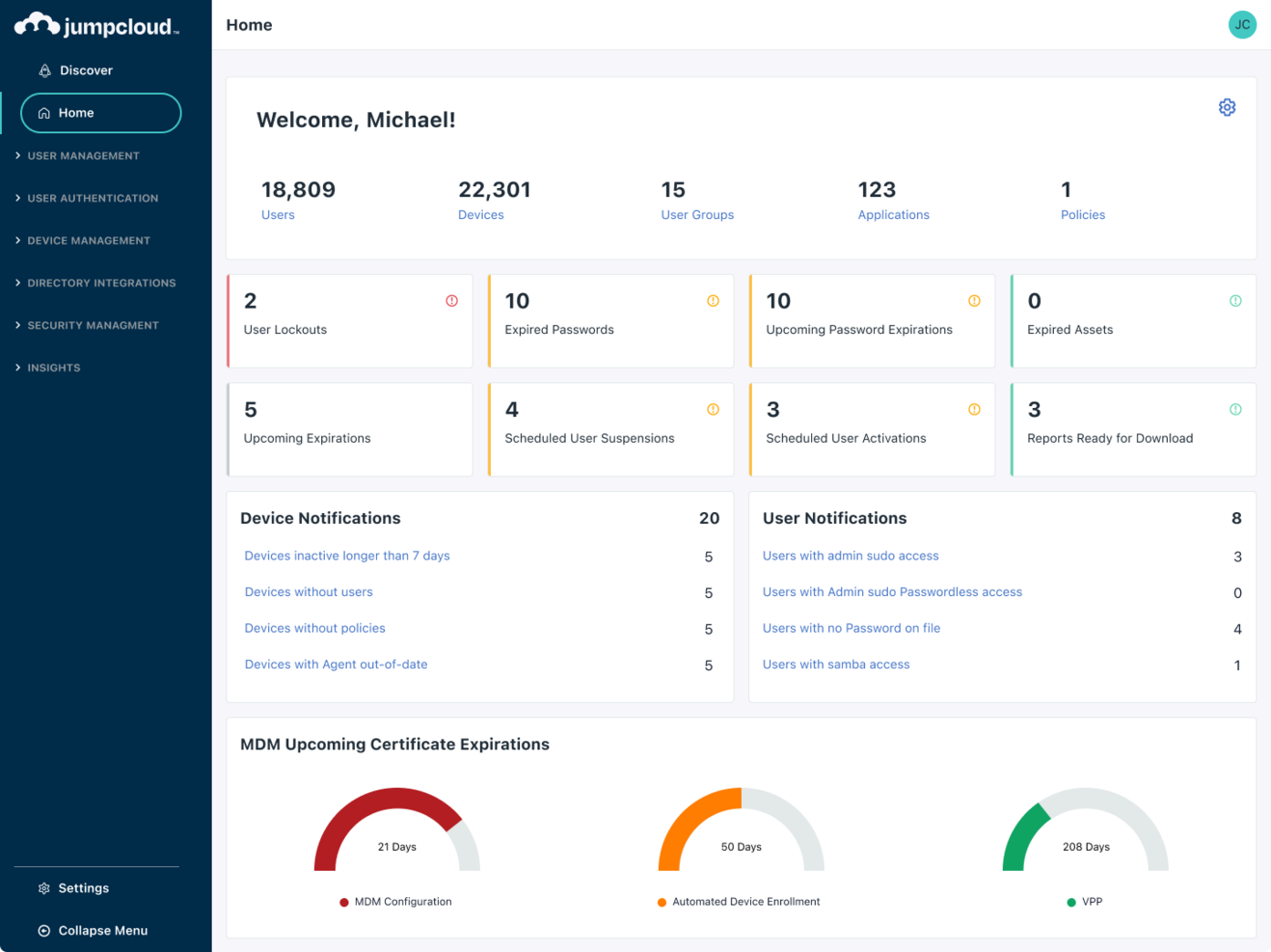
Managing both devices and user identities from a single platform is where JumpCloud stands out. IT teams looking for a BetterCloud alternative use JumpCloud to unify directory services, device management, and access control across Windows, Mac, and Linux environments. This approach helps organizations simplify endpoint security and user lifecycle management without juggling multiple tools.
Who is JumpCloud Best For?
IT administrators in small to mid-sized organizations globally overseeing unified device and user management.
Why I Picked JumpCloud
If you need unified control over both devices and user identities, JumpCloud offers a combination that BetterCloud doesn’t provide. I picked JumpCloud because it lets you manage directory services, device security policies, and user authentication from a single admin console. The platform supports cross-platform device management for Windows, Mac, and Linux, so you can enforce security standards regardless of your hardware mix. For IT teams that want to reduce tool sprawl and centralize endpoint and identity management, JumpCloud brings these capabilities together in one place.
JumpCloud Key Features
Some other JumpCloud features can help your team cover more IT management needs:
- Cloud LDAP and RADIUS: Provides cloud-based LDAP and RADIUS services for secure network and application access.
- Multi-Factor Authentication (MFA): Enforces MFA for both device logins and application access.
- Policy Management: Lets you create and deploy security policies to groups of devices.
- Single Sign-On (SSO): Supports SSO integration with a wide range of cloud applications.
JumpCloud Integrations
Integrations include Google Workspace, Microsoft 365, Okta, Salesforce, Slack, GitHub, Workday, BambooHR, and more.
Pros and Cons
Pros:
- Provides built-in multi-factor authentication for device and app access
- Offers cloud-based directory services with LDAP and RADIUS support
- Manages user identities and devices across Windows, Mac, and Linux
Cons:
- Device management for mobile platforms is less comprehensive than desktop
- Lacks deep SaaS application management and automation features

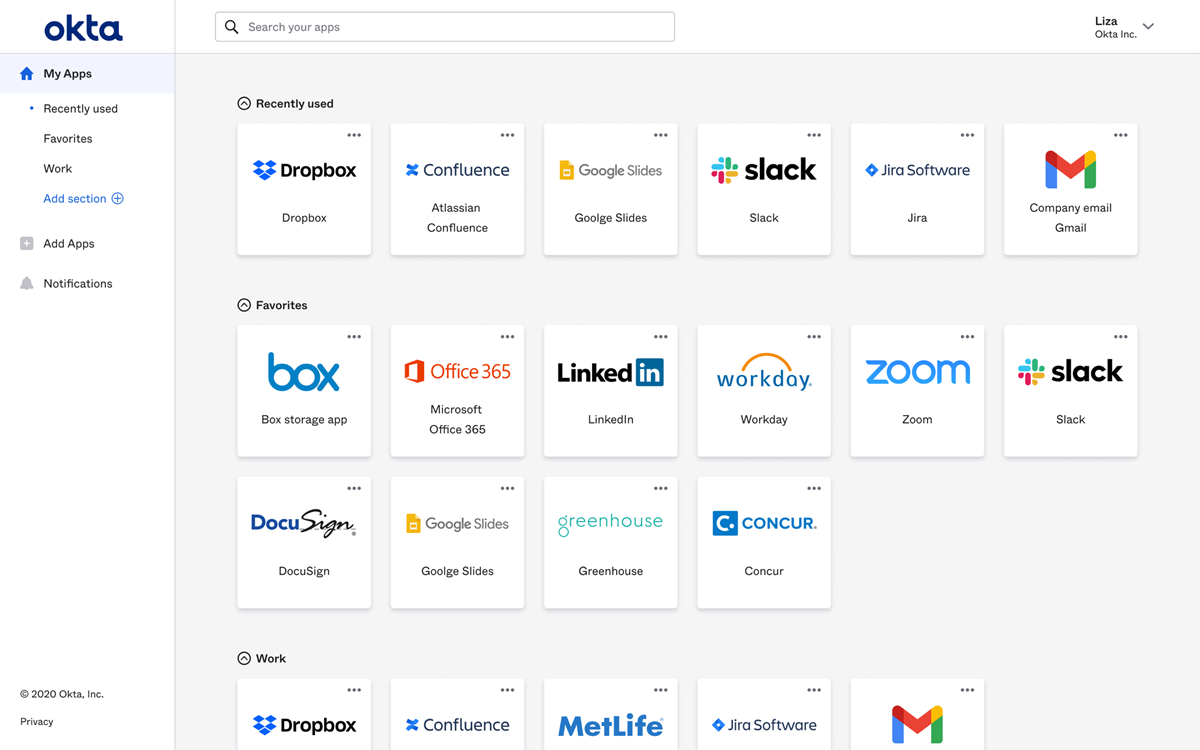
If your team needs secure, centralized access management, Okta delivers a dedicated platform for single sign-on and identity control. IT administrators and security leads use Okta to unify authentication across cloud and on-premises apps, reducing password sprawl and access risks. Unlike BetterCloud, Okta specializes in identity and access management, making it a strong fit for organizations prioritizing secure user authentication and streamlined app access.
Who is Okta Best For?
IT and security teams in small to large enterprises worldwide deploying secure single sign-on and identity management solutions.
Why I picked Okta
When secure single sign-on is your top priority, Okta offers a focused solution that BetterCloud doesn’t match. I picked Okta because it provides centralized authentication and granular access controls for all your cloud and on-premises applications. The platform supports adaptive multi-factor authentication, letting you enforce security policies based on user context and risk. If your organization needs to reduce password fatigue and strengthen identity security, Okta’s single sign-on features are purpose-built for that challenge.
Okta Key Features
Some other Okta features can help your team manage identity and access more effectively:
- Lifecycle Management: Automates user provisioning and deprovisioning across connected applications.
- Universal Directory: Stores and manages user profiles and attributes in a centralized directory.
- API Access Management: Secures APIs with OAuth and custom access policies.
- Self-Service Password Reset: Allows users to reset their own passwords without IT intervention.
Okta Integrations
Integrations include Microsoft 365, Google Workspace, Salesforce, Slack, Zoom, AWS, ServiceNow, Box, Workday, and more.
Pros and Cons
Pros:
- Provides automated user provisioning and deprovisioning workflows
- Offers adaptive multi-factor authentication for enhanced security policies
- Supports single sign-on across hundreds of cloud and on-premises apps
Cons:
- Lacks granular SaaS usage analytics
- Does not provide SaaS operations automation or file security monitoring

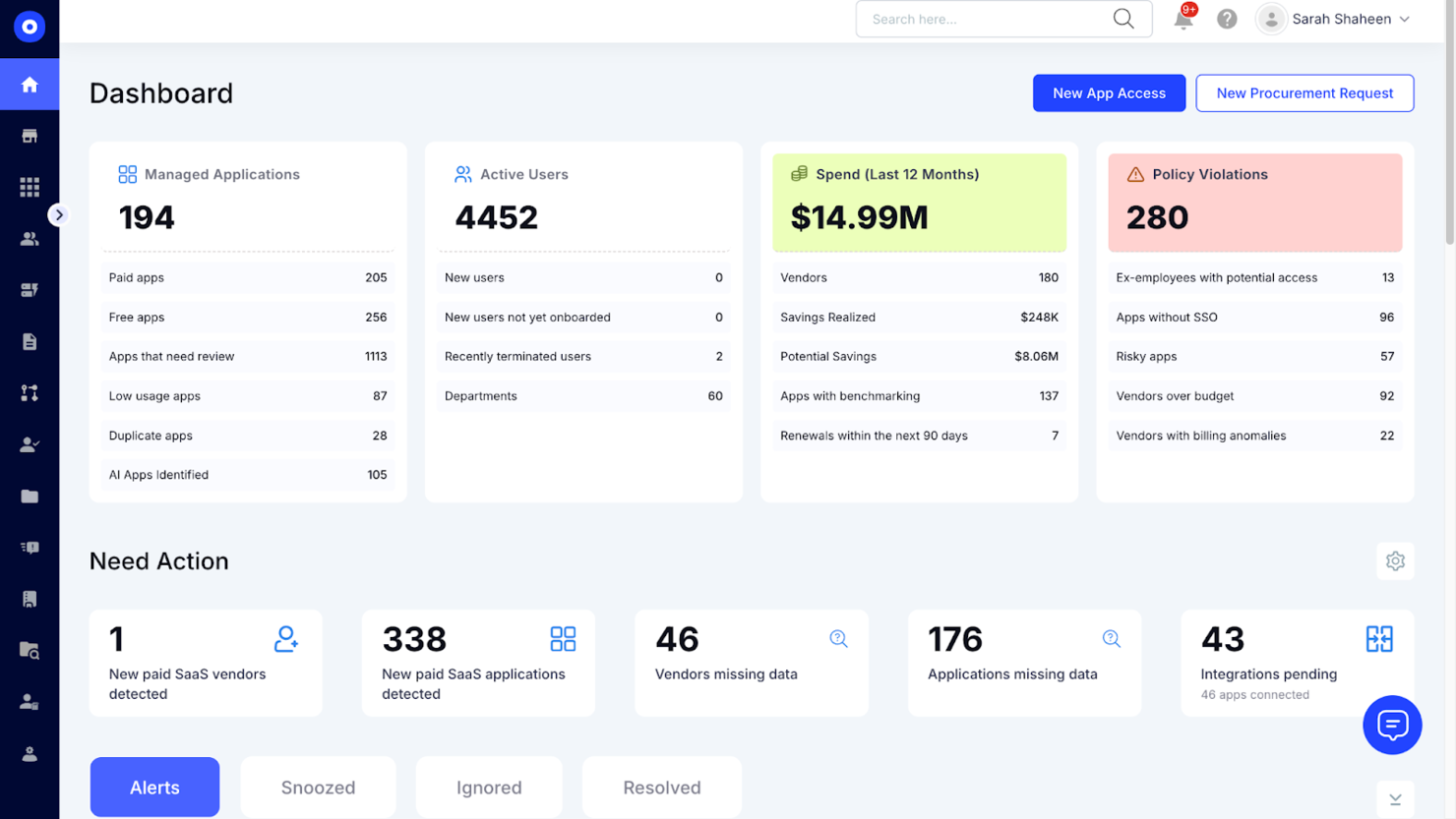
CloudEagle.ai is built for IT, procurement, and finance teams that need to optimize SaaS vendor contracts and renewals. Unlike other BetterCloud alternatives, it combines contract management with spend analytics and renewal workflows in one platform. This approach helps you gain visibility into contract terms, avoid surprise renewals, and negotiate better pricing with vendors.
Who is CloudEagle.ai Best For?
Finance and IT leaders in mid-sized to large enterprises globally optimizing vendor contracts and controlling SaaS expenditures.
Why I Picked CloudEagle.ai
For IT and procurement teams focused on vendor contract optimization, CloudEagle.ai offers a set of features that go beyond what you’ll find in BetterCloud. I picked CloudEagle.ai because it centralizes contract storage, tracks renewal dates, and supports spend optimization with automated reminders to help you avoid missed deadlines. The platform also analyzes contract terms and spend data, giving key stakeholders stronger leverage in negotiations and more comprehensive visibility into your SaaS portfolio. If you want to reduce wasted spend and improve vendor management, CloudEagle.ai’s contract-focused approach is a strong fit.
CloudEagle.ai Key Features
Some other features in CloudEagle.ai can help you manage your SaaS stack more strategically:
- Automated SaaS Discovery: Detects and catalogs all SaaS applications in use across your organization.
- Spend Analytics Dashboard: Visualizes SaaS spend by department, vendor, or user for better budget oversight.
- User Access Reviews: Allows you to audit and manage user access to SaaS tools from a single interface.
- Renewal Workflow Automation: Streamlines the process of reviewing, approving, and executing SaaS renewals.
CloudEagle.ai Integrations
Integrations include Okta, Microsoft Active Directory, Google Workspace, NetSuite, QuickBooks, Sage Intacct, Salesforce, Slack, and more.
Pros and Cons
Pros:
- Offers automated reminders for upcoming contract renewals and expirations
- Provides spend analytics to identify unused or underutilized licenses
- Centralizes SaaS contract storage and renewal tracking for IT teams
Cons:
- Feature set is focused on contract management, not broader SaaS operations
- Reporting customization options may be less advanced than competitors

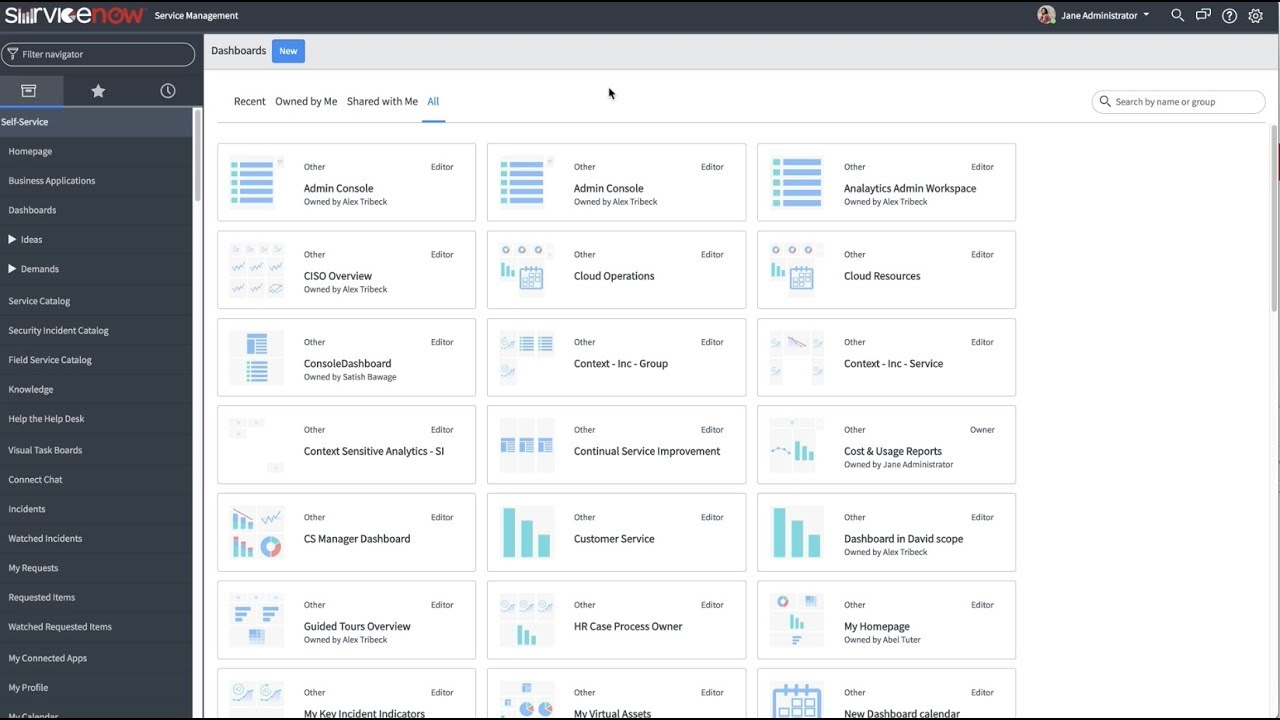
ServiceNow stands out for IT leaders and enterprise teams that need to connect complex workflows across departments and systems. The platform goes beyond SaaS management by offering deep automation, service management, and integration capabilities for large organizations. If you’re looking for a BetterCloud alternative that can unify IT, HR, and business processes on a single platform, ServiceNow is built for that scale and flexibility.
Who is ServiceNow Best For?
IT and operations executives in large enterprises worldwide integrating workflows across IT service management and business functions.
Why I Picked ServiceNow
When you need to integrate workflows across multiple enterprise systems, ServiceNow offers capabilities that go far beyond what BetterCloud provides. I picked ServiceNow because it lets you design, automate, and monitor end-to-end automated workflows that span IT, HR, security, and business operations, while supporting a zero-trust approach to access and governance. The platform’s workflow engine and low-code tools rely on extensive connectors to help you link processes and data between different departments, reducing silos and manual work. For organizations that want to unify service management and automation at scale, ServiceNow delivers the depth and flexibility needed.
ServiceNow Key Features
Some other features in ServiceNow can help you manage enterprise technology environments more effectively:
- Incident Management: Tracks, prioritizes, and resolves IT incidents from a centralized dashboard.
- Asset Management: Monitors hardware and software assets throughout their lifecycle.
- Service Catalog: Lets users request IT and business services through a customizable portal.
- Change Management: Controls and documents changes to systems and infrastructure to reduce risk.
ServiceNow Integrations
Integrations include Microsoft Teams, Slack, Jira, GitHub, Salesforce, SAP, Oracle, Microsoft Dynamics 365, Okta, and more.
Pros and Cons
Pros:
- Provides low-code tools for building custom enterprise applications
- Offers granular incident, asset, and change management capabilities
- Supports complex workflow automation across IT, HR, and business functions
Cons:
- Customization often needs specialized ServiceNow development expertise
- Implementation and configuration require significant time and technical resources

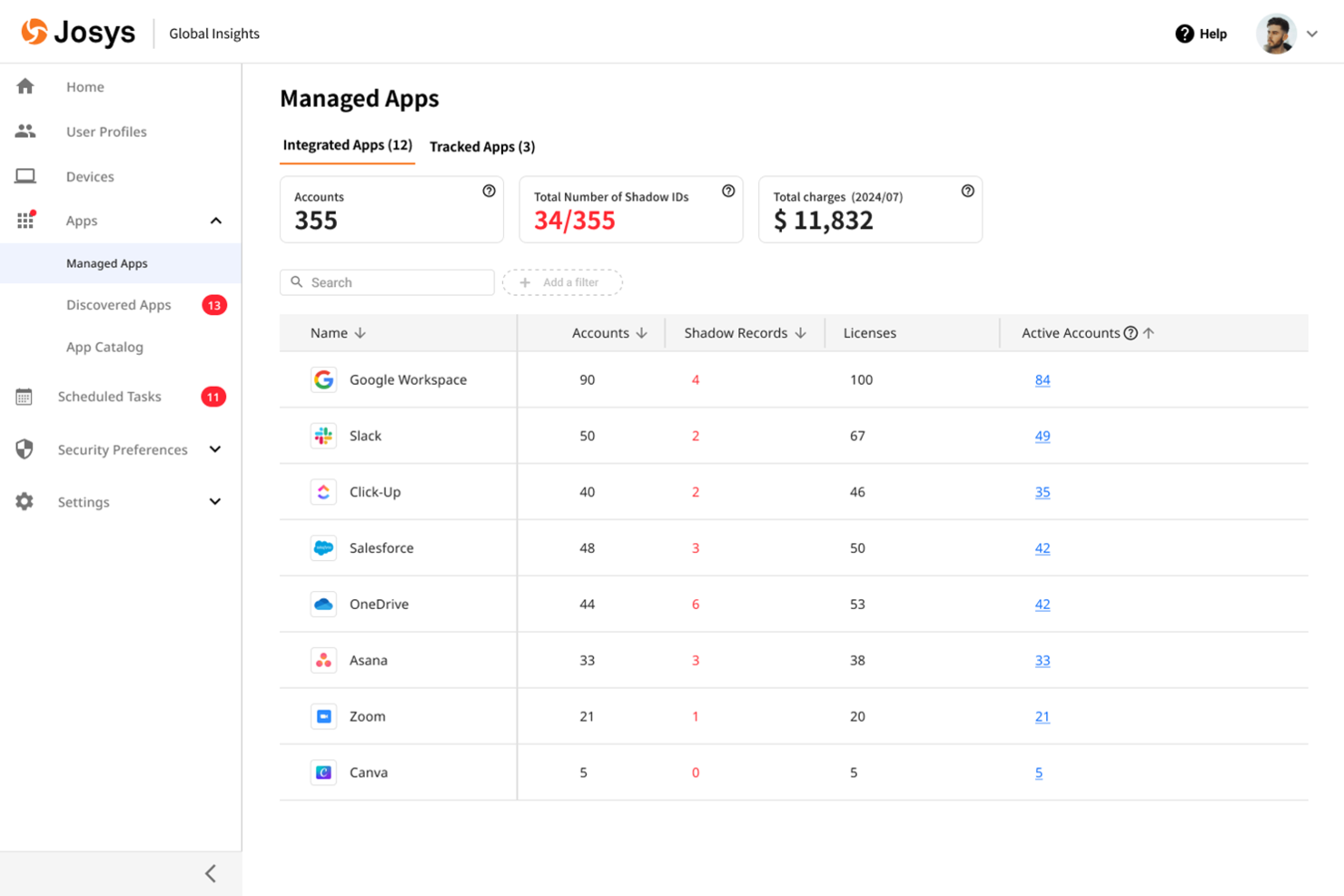
Josys offers automated SaaS lifecycle management designed for IT teams handling complex app environments. If you need to streamline onboarding, offboarding, and app provisioning across multiple cloud tools, Josys centralizes these processes in one platform. Its automation focus helps reduce manual work and minimize errors compared to other BetterCloud alternatives.
Who is Josys Best For?
IT operations and procurement teams in mid-sized organizations in North America and Europe automating SaaS lifecycle management across departments.
Why I Picked Josys
Josys stands out for its focus on automating the entire SaaS lifecycle, which is a key need for IT teams managing a growing SaaS ecosystem of cloud apps. I picked Josys as a BetterCloud alternative because it functions as a centralized SaaS management tool that lets you automate onboarding, offboarding, and app provisioning from a single dashboard. The platform’s workflow automation uses built-in connectors to reduce manual steps and ensure consistent policy enforcement across your SaaS stack. If you’re looking to minimize errors and save time on repetitive user management tasks, Josys offers targeted automation that goes beyond what many other platforms provide.
Josys Key Features
Some other features in Josys can help you manage SaaS environments more efficiently:
- License Management: Track and manage SaaS license usage across your organization to avoid waste and ensure compliance.
- Audit Logging: Maintain detailed logs of user actions and changes for security reviews and compliance audits.
- Role-Based Access Controls: Assign granular permissions to users and admins based on roles and responsibilities.
- Automated App Discovery: Identify and catalog all SaaS applications in use, including those added without IT approval.
Josys Key Integrations
Integrations include Microsoft Entra ID, Google Workspace, BambooHR, Workday, Slack, Zoom, Asana, Jira, AWS, and more.
Pros and Cons
Pros:
- Offers granular role-based access controls for IT administrators
- Centralizes SaaS license management and usage tracking in one dashboard
- Automates onboarding and offboarding workflows for multiple SaaS apps
Cons:
- Limited public documentation makes feature evaluation more difficult
- Custom workflow options may be less flexible than BetterCloud’s

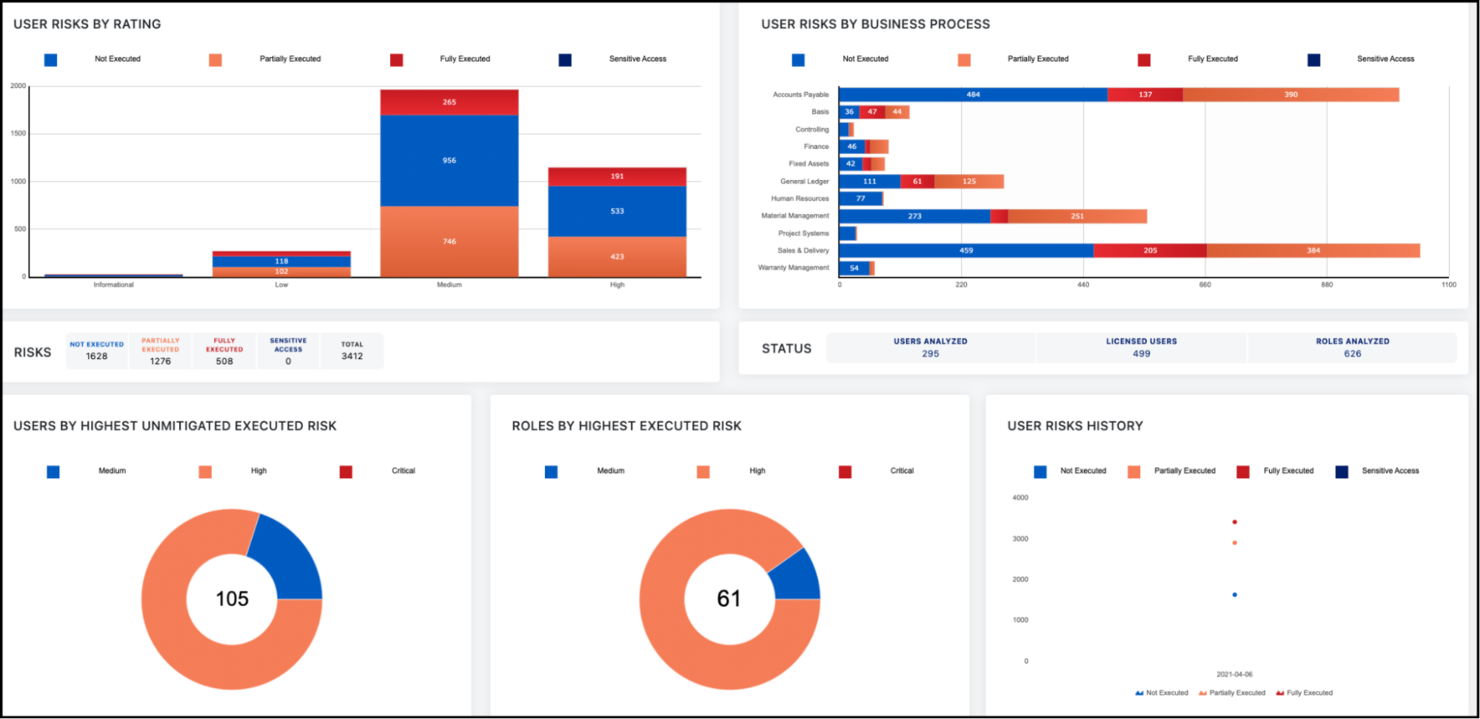
For organizations that need advanced identity governance, SailPoint offers a focused approach to access control and compliance. Security teams and IT leaders use SailPoint to automate identity lifecycle management and enforce granular access policies across complex environments. Unlike BetterCloud, SailPoint specializes in deep governance controls, making it a strong fit for regulated industries and enterprises with strict compliance needs.
Who is SailPoint Best For?
Security and compliance leaders in large enterprises globally implementing identity governance and access controls.
Why I Picked SailPoint
If your organization needs more advanced identity governance than what BetterCloud provides, SailPoint is worth considering. I picked SailPoint because it offers automated access certifications and policy-based access controls, which help enforce compliance in highly regulated environments. The platform also supports detailed audit trails and reporting, making it easier to demonstrate compliance during security reviews. For IT and security teams focused on identity lifecycle management and governance, SailPoint delivers controls that go beyond standard SaaS management.
SailPoint Key Features
Some other SailPoint features can help your team strengthen identity management and security:
- Role-Based Access Modeling: Lets you define and manage user roles to simplify access assignments.
- Password Management Tools: Provides self-service password reset and synchronization across systems.
- Separation of Duties Policies: Detects and prevents conflicting access rights within your environment.
- Cloud and On-Premises Application Support: Manages identities across both cloud-based and legacy on-premises applications.
SailPoint Integrations
Integrations include AWS, SAP, Microsoft Active Directory, Oracle, Salesforce, ServiceNow, Box, Epic Systems, and more.
Pros and Cons
Pros:
- Manages identities across both cloud and on-premises systems
- Supports granular policy enforcement for identity governance controls
- Automates access certifications for compliance-driven organizations
Cons:
- User interface is less modern compared to some SaaS competitors
- Reporting features may require customization for specific compliance needs

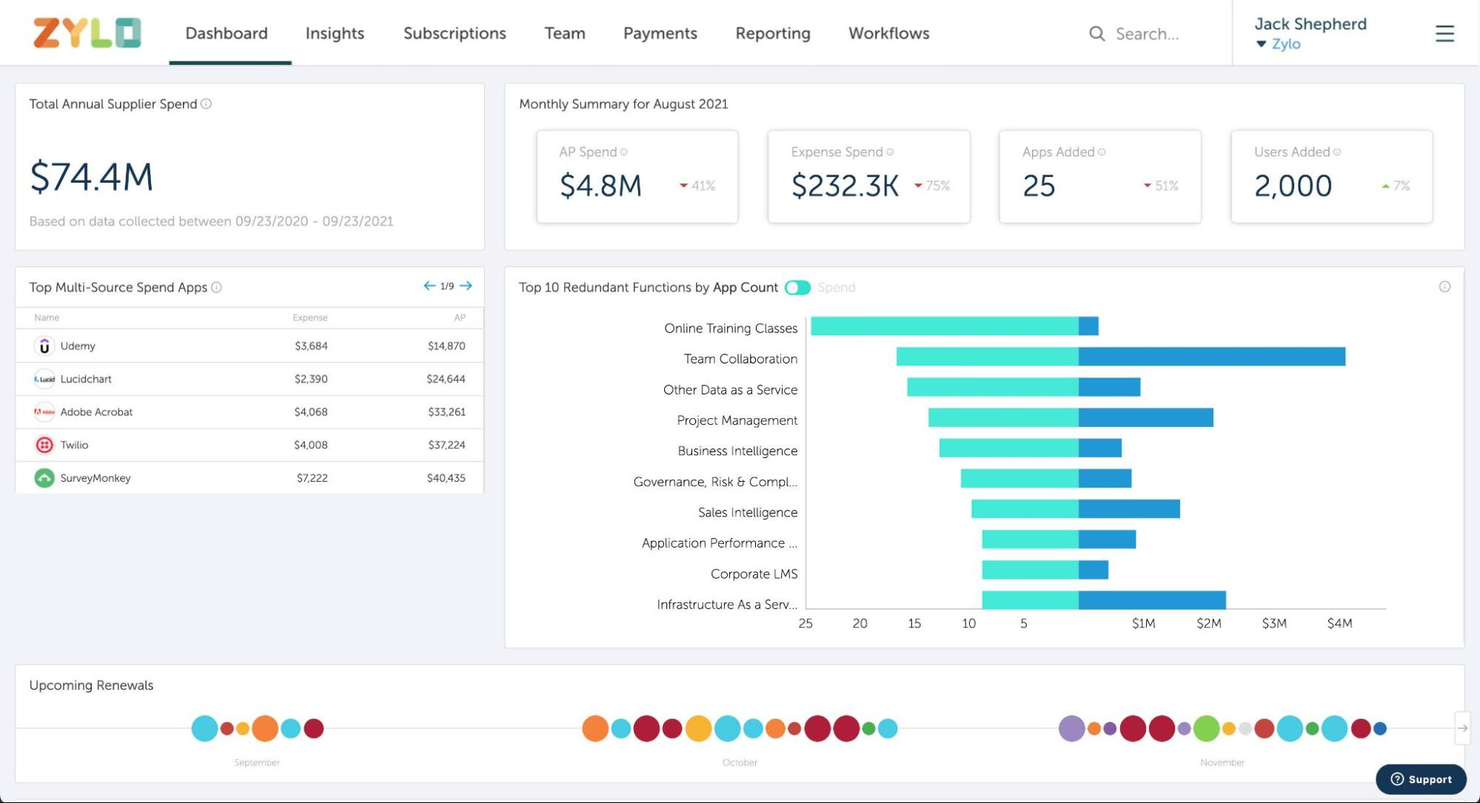
If your team needs a clear view of SaaS spending and usage, Zylo is built for that purpose. The platform is designed for IT, procurement, and finance professionals who want to track, analyze, and optimize SaaS costs across the business. Unlike BetterCloud, Zylo specializes in surfacing detailed spend data and uncovering unused or redundant subscriptions.
Who is Zylo Best For?
IT asset and finance managers in mid-sized to large organizations in North America and Europe seeking visibility into SaaS spend and usage.
Why I Picked Zylo
For organizations that need to get a handle on SaaS spend, Zylo offers visibility that goes deeper than what BetterCloud provides. I picked Zylo because it automatically discovers all SaaS applications in use and tracks spending at both the organizational and user level. The platform’s analytics highlight underused licenses and duplicate subscriptions, making it easier to identify cost-saving opportunities. If your priority is understanding and controlling SaaS expenses, Zylo’s spend visibility features are a strong fit.
Zylo Key Features
Some other features in Zylo can help you manage your SaaS environment more thoroughly:
- Contract Management: Centralizes SaaS contracts and renewal dates for easier tracking.
- Usage Analytics: Provides detailed reports on application usage across departments.
- License Optimization: Recommends adjustments to license counts based on real usage data.
- SaaS Vendor Insights: Offers benchmarking and insights on SaaS vendors to support negotiations.
Zylo Key Integrations
Native integrations are not currently publicly listed.
Pros and Cons
Pros:
- Offers detailed usage analytics for better SaaS governance
- Centralizes contract and renewal management for SaaS vendors
- Tracks SaaS spend across all departments and business units
Cons:
- Does not support direct SaaS app configuration or policy enforcement
- Lacks granular user lifecycle management and automation features

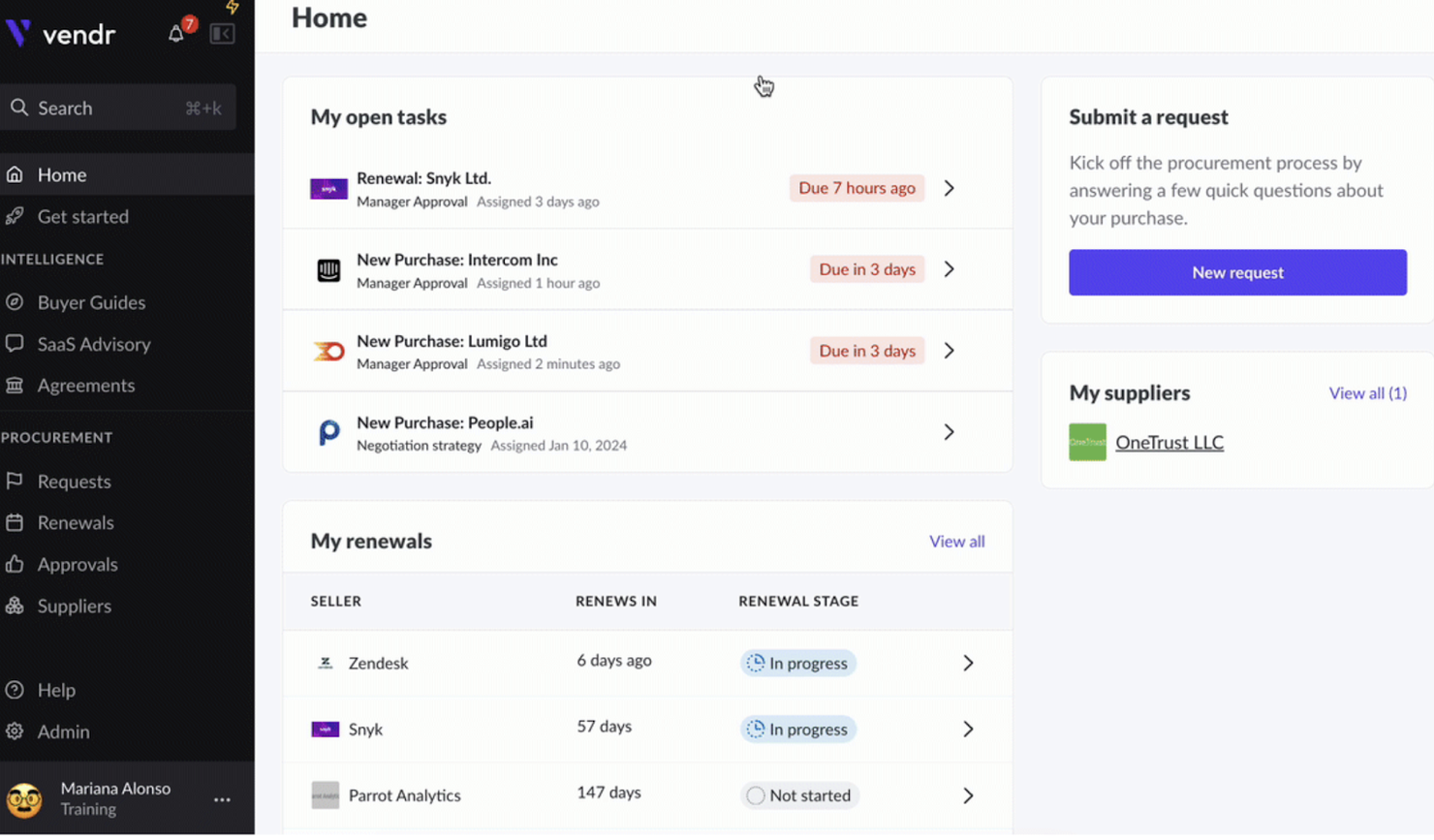
When your team needs to get control over SaaS procurement, Vendr offers a dedicated platform for managing software purchases and renewals. Procurement leads and IT asset managers use Vendr to centralize vendor negotiations, track contract terms, and optimize SaaS spending. Unlike BetterCloud, Vendr focuses on the full procurement lifecycle, making it a strong choice for organizations looking to standardize and automate how they buy and manage SaaS tools.
Who is Vendr Best For?
Procurement and finance teams in mid-sized to large organizations in North America managing SaaS procurement and vendor negotiations.
Why I Picked Vendr
For organizations that want to bring structure and visibility to SaaS procurement, Vendr offers a focused solution that BetterCloud doesn’t address. I picked Vendr because it centralizes contract management and automates renewal tracking, which helps IT and procurement teams avoid missed deadlines and surprise costs. The platform also provides vendor negotiation support, giving your team access to market insights and benchmarks during the buying process. If you need to manage the entire SaaS procurement lifecycle, Vendr delivers features that go beyond standard SaaS management.
Vendr Key Features
Some other Vendr features can help your team manage SaaS procurement more efficiently:
- SaaS Spend Analytics: Tracks and visualizes software spending across your organization.
- Approval Workflow Automation: Routes purchase requests through customizable approval chains.
- Vendor Database Access: Provides searchable information on thousands of SaaS vendors and products.
- Renewal Calendar: Displays upcoming contract renewals in a centralized dashboard.
Vendr Integrations
Integrations include Okta, Azure AD, Google Workspace, NetSuite, QuickBooks, Workday, BambooHR, Ironclad, Slack, and more.
Pros and Cons
Pros:
- Automates renewal reminders to help prevent missed deadlines
- Offers vendor negotiation support with market pricing benchmarks
- Centralizes SaaS contract data for improved procurement visibility
Cons:
- Focuses on procurement, not on SaaS operations or automation
- Lacks direct user lifecycle management or access controls

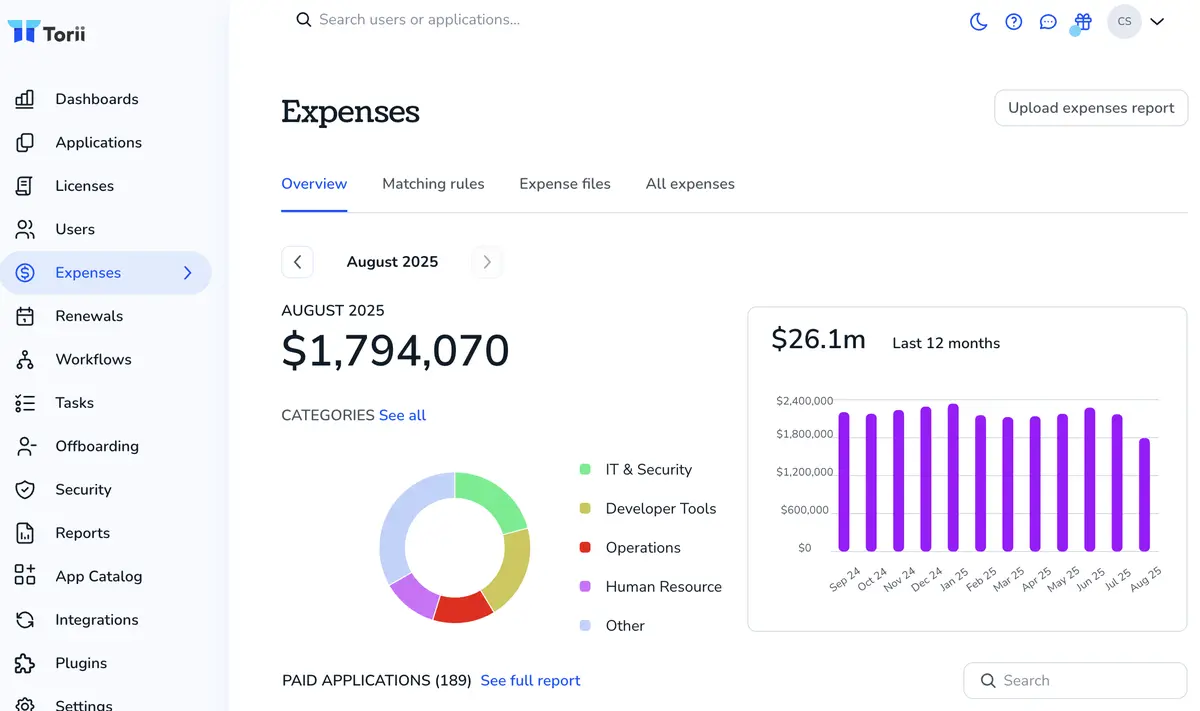
If you need deep visibility into SaaS usage across your organization, Torii is built for you. IT teams and procurement leads use Torii to automatically discover, track, and analyze every SaaS app in use—including shadow IT. Unlike BetterCloud, Torii specializes in surfacing usage patterns and spend data to help you optimize your SaaS portfolio.
Who is Torii Best For?
IT operations and SaaS administrators in mid-sized companies worldwide discovering shadow IT and tracking software usage.
Why I Picked Torii
When it comes to uncovering and tracking SaaS usage, Torii offers a level of visibility that BetterCloud doesn’t match. I picked Torii because it automatically discovers all SaaS apps in your environment, including those not managed by IT, which helps you address shadow IT risks. The platform also tracks license utilization and spend, so you can identify underused subscriptions and optimize costs. For IT teams focused on SaaS management and spend analysis, Torii brings discovery and usage tracking to the forefront.
Torii Key Features
Some other features in Torii can help your team manage SaaS operations more effectively:
- Automated Onboarding and Offboarding: Streamlines user provisioning and deprovisioning across connected SaaS apps.
- Custom Workflow Builder: Lets you design and automate IT processes for app management.
- Renewal Management Dashboard: Tracks upcoming contract renewals and sends alerts to avoid missed deadlines.
- Policy Enforcement Engine: Applies usage and security policies automatically to discovered SaaS applications.
Torii Integrations
Integrations include Okta, Google Workspace, JumpCloud, SAP SuccessFactors, ADP Workforce Now, NetSuite, Expensify, AWS, and more.
Pros and Cons
Pros:
- Offers workflow automation for onboarding and offboarding processes
- Tracks license utilization and spend for all connected SaaS tools
- Automatically discovers both managed and unmanaged SaaS applications in use
Cons:
- Lacks granular access management features found in BetterCloud
- Public documentation and support resources are less extensive

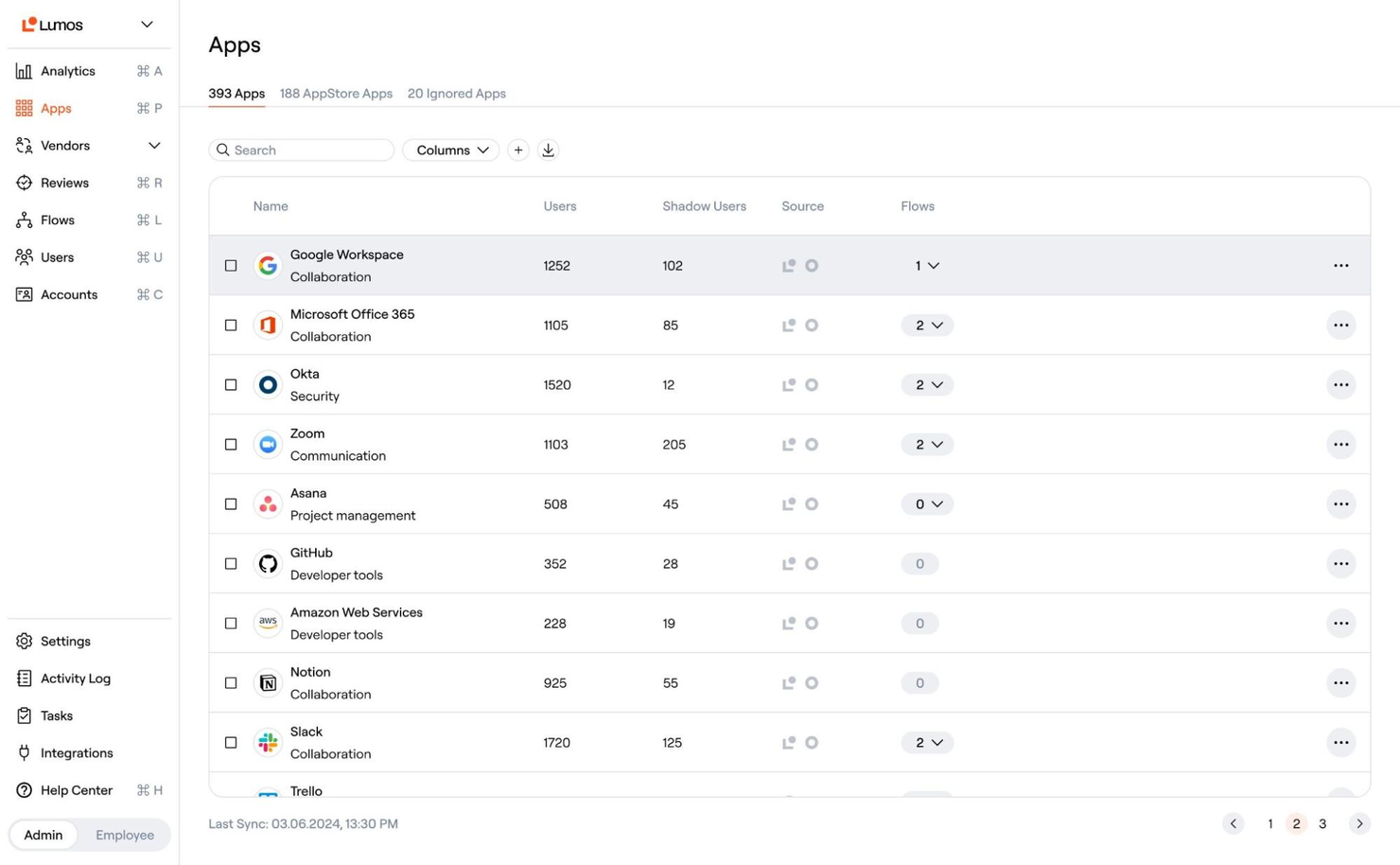
Lumos takes a workflow-driven approach to automating access requests and approvals for SaaS and internal apps. It’s a strong fit for IT and security teams in organizations with strict compliance needs or high volumes of access changes. Unlike BetterCloud, Lumos centralizes access governance and lets you build custom approval flows that reduce manual ticket handling.
Who is Lumos best For?
IT and security teams in mid-sized organizations in North America and Europe automating employee access requests and approvals.
Why I Picked Lumos
For teams that need to automate and control access requests, Lumos offers a focused solution that stands apart from BetterCloud. I picked Lumos because it lets you build custom approval workflows for SaaS and internal app access, reducing the need for manual IT intervention. The platform also provides centralized dashboards for tracking requests and enforcing compliance policies. If your organization faces frequent access changes or strict audit requirements, Lumos brings automation and visibility to the process.
Lumos Key Features
Some other features in Lumos can help your team manage access and compliance more efficiently:
- Automated Access Reviews: Schedules and manages periodic access certifications for all connected apps.
- Role-Based Access Controls: Assigns permissions based on user roles to standardize access across departments.
- Audit Trail Reporting: Captures detailed logs of all access requests, approvals, and changes.
- Self-Service Access Catalog: Lets users browse and request access to approved apps from a centralized portal.
Lumos Integrations
Integrations include Okta, Azure AD, Google Workspace, Salesforce, Slack, GitHub, 1Password, Adobe, ADP, and more.
Pros and Cons
Pros:
- Provides detailed audit trails for all access changes and approvals
- Centralizes access governance for both cloud and on-premises resources
- Automates multi-step access request and approval workflows for SaaS apps
Cons:
- Limited public documentation makes technical evaluation more difficult
- Smaller community presence compared to more established alternatives
Autres alternatives à BetterCloud
Voici d’autres options d’alternatives à BetterCloud qui n’ont pas été retenues dans ma liste principale, mais qui valent tout de même le détour :
- Zluri
For employee app provisioning
- DoControl
For granular data access controls
- Cledara
For centralized SaaS purchasing
- Freshservice
For ITSM integration with SaaS management
- 1Password
For workflow automation in SaaS governance
- Mimecast
For advanced email security controls
- Spendflo
For vendor contract lifecycle tracking
- Productiv
For app engagement analytics
- Nightfall DLP
For sensitive data discovery in SaaS apps
- Zenphi
For Google Workspace process automation
- Tropic
For procurement workflow customization
- Netskope One
For real-time cloud data protection


Critères de sélection des alternatives à BetterCloud
Pour sélectionner les meilleures alternatives à BetterCloud à inclure dans cette liste, j’ai pris en compte les besoins courants des acheteurs et les points de douleur liés aux produits alternatifs à BetterCloud, comme l’application de contrôles d’accès granulaires aux données SaaS et l’automatisation des politiques de sécurité pour le SaaS. J’ai également utilisé le cadre suivant pour rendre mon évaluation structurée et équitable :
Fonctionnalité principale (25 % du score total)
Pour être présentes dans cette liste, chaque solution devait répondre à ces cas d’utilisation courants :
- Gérer les accès et les permissions des utilisateurs SaaS
- Automatiser les workflows d’intégration et de sortie
- Surveiller l’utilisation et l’activité des applications SaaS
- Appliquer les politiques de sécurité et de conformité
- Générer des journaux d’audit et des rapports
Fonctionnalités remarquables supplémentaires (25 % du score total)
Pour affiner encore la sélection, j’ai aussi recherché des fonctionnalités uniques, telles que :
- Contrôles d’accès et remédiation au niveau des fichiers
- Découverte automatisée des applications tierces
- Alertes en temps réel en cas de violation de politiques
- Automatisation des workflows personnalisable
- Intégration poussée avec les suites de productivité cloud
Facilité d'utilisation (10 % du score total)
Pour évaluer la facilité d'utilisation de chaque système, j'ai pris en compte les éléments suivants :
- Interface utilisateur simple et intuitive
- Navigation claire et tableau de bord bien organisé
- Un minimum de clics pour réaliser les tâches courantes
- Aide contextuelle et info-bulles disponibles
- Design réactif pour différents appareils
Onboarding (10 % du score total)
Pour évaluer l'expérience d'intégration proposée par chaque plateforme, j'ai pris en compte les aspects suivants :
- Guides d'installation ou assistants étape par étape
- Disponibilité de vidéos de formation et de documentation
- Accès à des visites interactives du produit ou à des démonstrations
- Modèles préconçus pour des workflows courants
- Chat en direct ou webinaires d'accueil pour les nouveaux utilisateurs
Support client (10 % du score total)
Pour évaluer les services de support client de chaque éditeur de logiciel, j'ai considéré les éléments suivants :
- Multiples canaux de support, y compris chat et email
- Délais de réponse rapides aux demandes d'assistance
- Accès à une base de connaissances consultable
- Disponibilité de gestionnaires de succès client dédiés
- Forums communautaires ou groupes d'utilisateurs pour l'entraide
Rapport qualité-prix (10 % du score total)
Pour évaluer le rapport qualité-prix de chaque plateforme, j'ai pris en compte les points suivants :
- Tarification transparente et flexible
- Fonctionnalités incluses à chaque niveau de prix
- Pas de frais cachés ou de facturations surprises
- Réductions pour des engagements annuels ou volumes importants
- Période d’essai gratuite ou démo disponible
Avis clients (10 % du score total)
Pour mesurer la satisfaction globale des clients, j'ai pris en compte les éléments suivants lors de la lecture des avis :
- Retours positifs sur les fonctionnalités principales
- Commentaires sur la fiabilité des performances et la disponibilité du service
- Commentaires sur la facilité d'installation et l’utilisation quotidienne
- Retours d'expérience concernant la qualité du support client
- Suggestions d'amélioration ou fonctionnalités manquantes
Pourquoi chercher une alternative à BetterCloud ?
Bien que BetterCloud soit un bon choix comme alternative à BetterCloud, il existe de nombreuses raisons pour lesquelles certains utilisateurs recherchent d'autres solutions. Vous pourriez chercher une alternative à BetterCloud parce que…
- Vous avez besoin de contrôles d'accès au niveau du fichier plus granulaires
- Votre équipe souhaite une automatisation approfondie des workflows de sécurité SaaS
- Vous avez besoin d'intégrer des applications SaaS non prises en charge par BetterCloud
- Votre organisation a besoin d'une tarification plus transparente ou flexible
- Vous cherchez un outil avec des fonctionnalités de rapports de conformité plus avancées
- Vous avez besoin d'un support pour des environnements mondiaux ou multi-locataires
Si l’une de ces raisons vous parle, vous êtes au bon endroit. Ma liste comporte plusieurs alternatives à BetterCloud qui conviendront mieux aux équipes confrontées à ces défis et qui souhaitent explorer d'autres solutions.
Principales fonctionnalités de BetterCloud
Voici quelques-unes des principales fonctionnalités de BetterCloud, afin de vous aider à comparer ce que proposent les solutions alternatives :
- Workflows d'intégration et de départ utilisateurs automatisés
- Gestion centralisée des autorisations et des accès aux applications SaaS
- Automatisation basée sur des politiques pour la sécurité et la conformité
- Surveillance en temps réel de l’activité SaaS et des changements de configuration
- Alerte personnalisée pour les comportements suspects ou à risque des utilisateurs
- Actions en masse pour gérer les utilisateurs, groupes et licences
- Journaux d’audit détaillés et rapports pour les besoins de conformité
- Intégration avec les principales plateformes SaaS comme Google Workspace et Microsoft 365
- Administration déléguée pour les équipes IT distribuées
- Modèles de workflow préconçus pour les processus IT courants
Et ensuite :
Si vous êtes en train de rechercher une alternative à BetterCloud, contactez gratuitement un conseiller SoftwareSelect pour obtenir des recommandations.
Vous remplissez un formulaire et discutez brièvement afin qu'ils puissent comprendre précisément vos besoins. Ensuite, vous recevrez une liste restreinte de solutions logicielles à examiner. Ils vous accompagneront même tout au long du processus d'achat, y compris lors des négociations tarifaires.