

SonarQube Review: Pros, Cons, Features, and Pricing Explained
SonarQube stands out for its deep code quality insights and flexible integration, making it ideal for teams prioritizing maintainability—though its setup may challenge smaller projects.

We review tools independently, and commissions help fund our testing. See our transparency policy, our methodology, or suggest a tool.
SonarQube is an automated code review tool that runs static analysis on your codebase to catch bugs, vulnerabilities, and code smells. It's worth considering if your team needs code quality checks embedded directly in your CI/CD pipeline. I'd pick SonarQube over Checkmarx if you need quality gates that developers can act on immediately. Checkmarx skews more toward enterprise security auditing that sits outside the daily coding workflow.
SonarQube Evaluation Summary
4.4/5
- Pricing upon request
- Free trial available
Why Trust Our Software Recommendations
6,700+
Reviews
20
Industry experts
16+
Evaluation factors
14
Years
Our team has been testing and reviewing software since 2012. As tech leaders ourselves, we know how difficult—and important—it is to choose the right software.
For this guide, we evaluated tools using hands-on testing and independent research, scoring tools using our selection criteria.
Our reviews reflect our human editorial judgment, not a sales pitch.
Expert reviewers:
- Paulo Gardini MiguelTech Director
 Tim FisherVP of AI
 Gabriel RosasTech Lead & Software Architect
 Christhian GruhnTech Lead & Platform Architect

SonarQube Overview
If you're judging automated code review tools by depth of analysis and integration options, SonarQube is a top contender. Its interface is straightforward, and onboarding is smooth for teams familiar with CI/CD. I think SonarQube's pricing is fair for the level of insight you get, especially with its customizable rules and strong language support. While support can feel limited for open-source users, the documentation is thorough. SonarQube outperforms others in maintainability tracking but can underperform for teams needing out-of-the-box cloud hosting. I'd suggest it's best for mid-sized to large teams focused on long-term code health.
Pros
- Detects security vulnerabilities and code smells in real-time
- Supports over 35 programming languages and IaC tools
- Offers customizable quality gates and rule profiles
Cons
- Initial setup and configuration can be complex
- Some false positives in static analysis results
- Limited support for open-source and free users


Our Review Methodology
How We Test & Score Tools
We’ve spent years building, refining, and improving our software testing and scoring system. The rubric is designed to capture the nuances of software selection and what makes a tool effective, focusing on critical aspects of the decision-making process.
Below, you can see exactly how our testing and scoring works across seven criteria. It allows us to provide an unbiased evaluation of the software based on core functionality, standout features, ease of use, onboarding, customer support, integrations, customer reviews, and value for money.
Core Functionality (25% of final scoring)
The starting point of our evaluation is always the core functionality of the tool. Does it have the basic features and functions that a user would expect to see? Are any of those core features locked to higher-tiered pricing plans? At its core, we expect a tool to stand up against the baseline capabilities of its competitors.
Standout Features (25% of final scoring)
Next, we evaluate uncommon standout features that go above and beyond the core functionality typically found in tools of its kind. A high score reflects specialized or unique features that make the product faster, more efficient, or offer additional value to the user.
We also evaluate how easy it is to integrate with other tools typically found in the tech stack to expand the functionality and utility of the software. Tools offering plentiful native integrations, 3rd party connections, and API access to build custom integrations score best.
Ease of Use (10% of final scoring)
We consider how quick and easy it is to execute the tasks defined in the core functionality using the tool. High scoring software is well designed, intuitive to use, offers mobile apps, provides templates, and makes relatively complex tasks seem simple.
Onboarding (10% of final scoring)
We know how important rapid team adoption is for a new platform, so we evaluate how easy it is to learn and use a tool with minimal training. We evaluate how quickly a team member can get set up and start using the tool with no experience. High scoring solutions indicate little or no support is required.
Customer Support (10% of final scoring)
We review how quick and easy it is to get unstuck and find help by phone, live chat, or knowledge base. Tools and companies that provide real-time support score best, while chatbots score worst.
Customer Reviews (10% of final scoring)
Beyond our own testing and evaluation, we consider the net promoter score from current and past customers. We review their likelihood, given the option, to choose the tool again for the core functionality. A high scoring software reflects a high net promoter score from current or past customers.
Value for Money (10% of final scoring)
Lastly, in consideration of all the other criteria, we review the average price of entry level plans against the core features and consider the value of the other evaluation criteria. Software that delivers more, for less, will score higher.
Core Features
Static Code Analysis
Scans source code for bugs, vulnerabilities, and code smells before deployment. Delivers actionable feedback directly in your workflow.
Quality Gates
Applies customizable pass/fail criteria to code changes. Prevents merging code that doesn't meet your team's standards.
Multi-Language Support
Analyzes code in over 35 programming languages, including Java, C#, Python, and JavaScript. Supports mixed-language repositories in a single project.
Security Vulnerability Detection
Identifies security hotspots and vulnerabilities using industry standards like OWASP Top 10. Flags risky code patterns for remediation.
Custom Rule Configuration
Lets you tailor analysis rules to match your organization's policies. Enables teams to enforce specific coding standards.
Detailed Reporting and Dashboards
Provides visual dashboards with trends, metrics, and historical data. Helps teams track code quality and technical debt over time.
Ease of Use
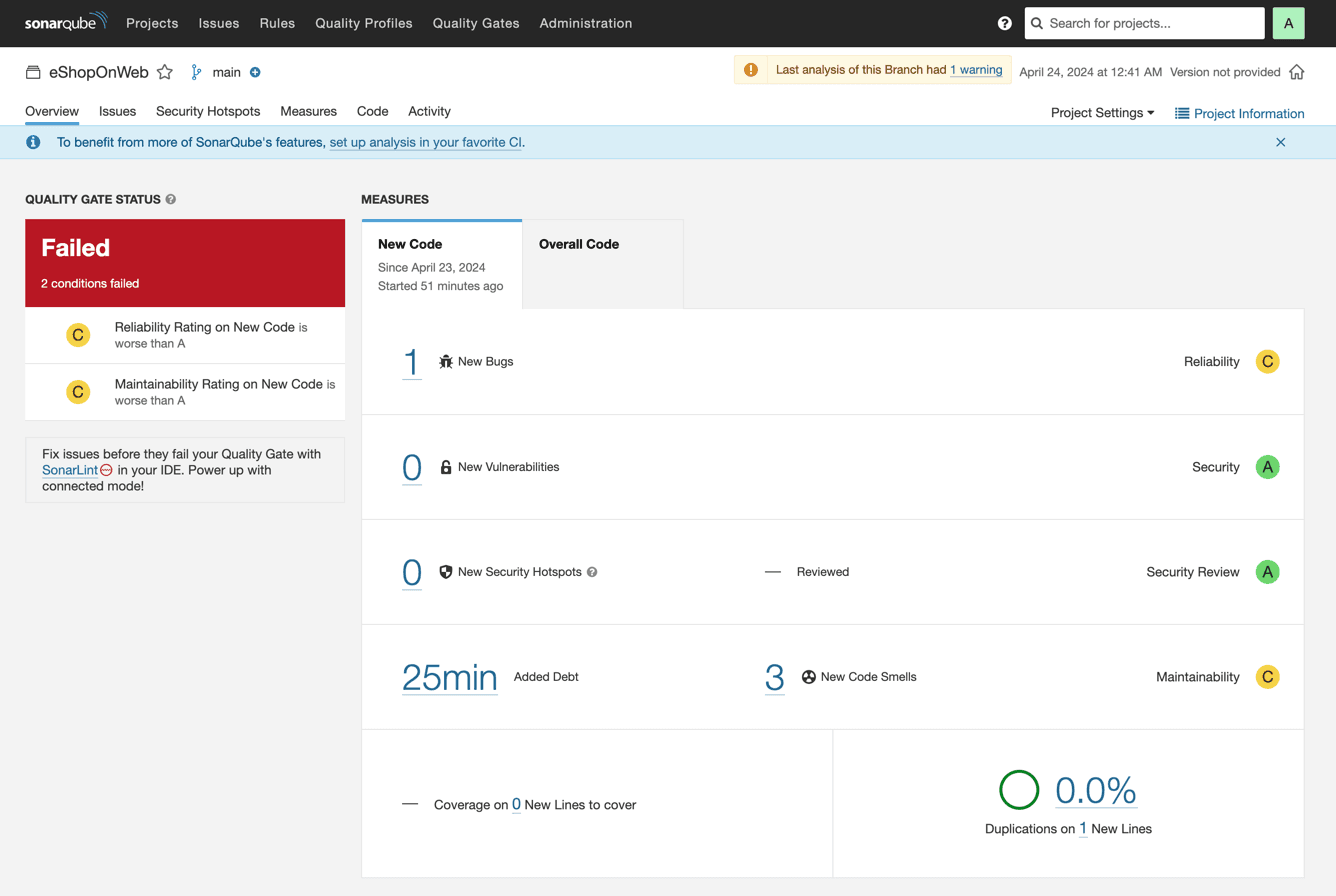
SonarQube's interface is clean and straightforward, making it easy to navigate dashboards and drill into code issues. Most users find onboarding smooth if they're familiar with CI/CD concepts, but initial setup can be technical for smaller teams. The documentation is thorough, and in-app guidance helps with rule configuration and interpreting results. I think teams with some DevOps experience will find SonarQube's usability strong, especially for ongoing code quality monitoring.
Integrations
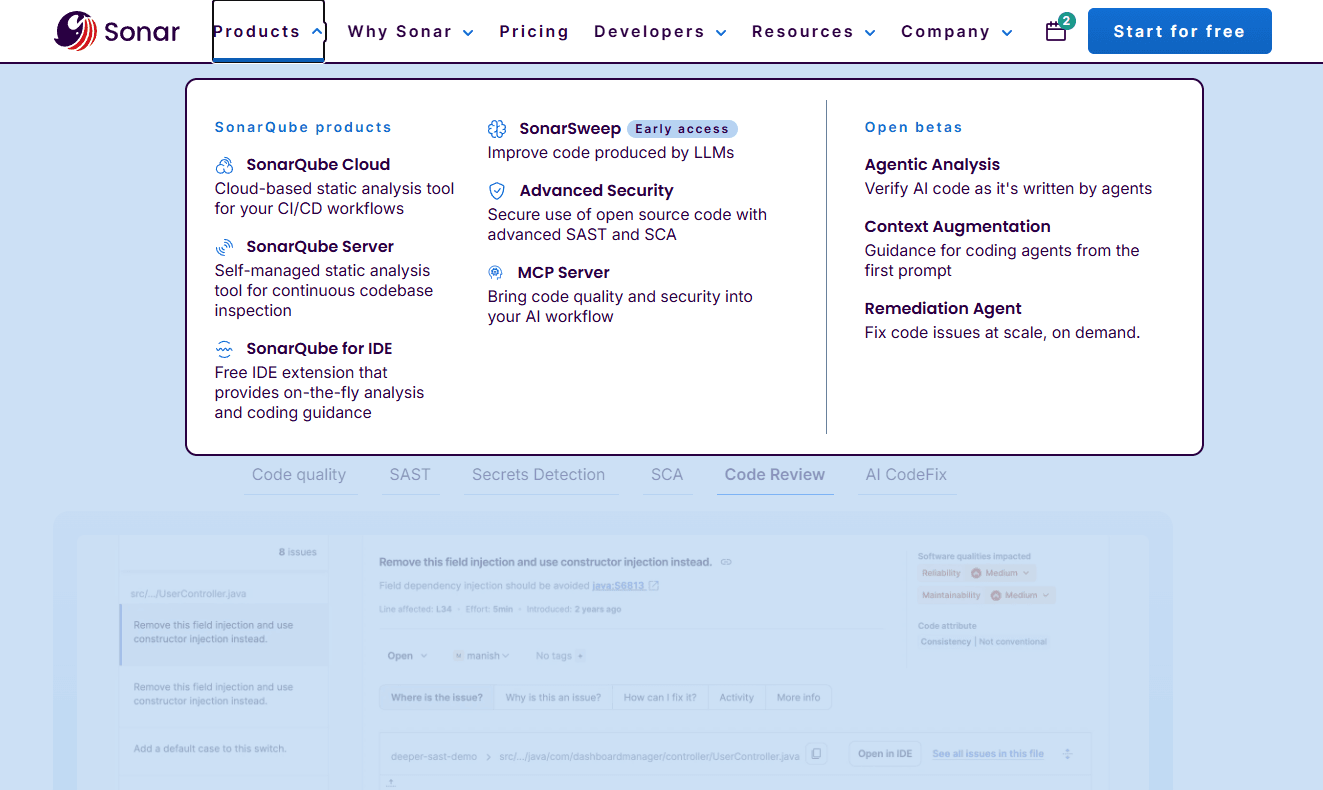
SonarQube integrates with Amazon CodeCatalyst, Android Studio, Apache Maven, Atlassian Bitbucket, Atlassian Jira, Visual Studio, Github, and GitLab, among others.
SonarQube also offers API access and supports connections with third-party integration tools.
New Product Updates from SonarQube
SonarQube Cloud Adds Bulk Imports for Azure DevOps and Bitbucket
SonarQube Cloud now lets admins import every repository from an Azure DevOps organization or Bitbucket workspace at once. The update also adds live import progress and a downloadable summary showing imported, skipped, and failed repositories. Highlights include:
- Bulk Repository Import: Import all Azure DevOps or Bitbucket repositories in one action.
- Real-Time Progress: Track import progress directly from the Analyze projects page.
- Import Summary: Review which repositories were imported, skipped, or failed.
- Downloadable Report: Export the completed import results for reference.
- Platform Parity: Brings Azure DevOps and Bitbucket bulk import in line with GitHub and GitLab.
Visit SonarQube Cloud’s official site for more details.
SonarQube Cloud Expands Rust Analysis and Quality Controls
SonarQube Cloud has enhanced its Rust support to provide enterprise-grade verification for Rust projects. Teams can keep using the Clippy-driven workflow they already trust while gaining consistent, centralized oversight of code quality and security across the organization. Highlights include:
- Integrated Clippy Rules: Manage 122 curated Clippy rules through organization-wide quality profiles.
- Security and Crate Rules: Extend Rust analysis beyond Clippy with additional security and crate-specific checks.
- Maintainability Metrics: Track Cognitive Complexity and Cyclomatic Complexity for Rust code.
- Coverage and Duplication Detection: Import LCOV or Cobertura coverage data and identify duplicated code.
- CI Quality Gates: Enforce pass or fail conditions on new Rust code before builds or merges proceed.
- SCA and SBOM Support: Include Rust services in software composition analysis and SBOM generation.
Visit SonarQube’s official site for more details.
SonarQube Cloud Adds DataWeave, Gosu, Groovy, and PowerShell
SonarQube Cloud has expanded its language coverage by adding MuleSoft DataWeave, Gosu, Groovy, and PowerShell. This brings SonarSource’s deterministic code analysis to more stacks, helping teams find bugs, security issues, and maintainability problems earlier without changing their workflow. Highlights include:
- DataWeave: Analyzes MuleSoft configuration files and flows for code quality and security issues.
- Gosu: Extends analysis to insurance and enterprise applications, including Guidewire environments.
- Groovy: Covers Groovy applications, Jenkins pipelines, and Gradle build scripts.
- PowerShell: Detects issues such as hardcoded credentials, injection risks, and unsafe command execution.
- SCM Support: Works across GitHub, GitLab, Bitbucket, and Azure DevOps.
Visit SonarSource’s official site for more details.
SonarQube Cloud Adds Strict SSO and Organization Governance Controls
SonarQube Cloud Enterprise now lets admins block users on verified domains from creating organizations outside the Enterprise and require access through the designated SSO identity path. These policies can be enabled separately for each verified domain. Highlights include:
- Organization Creation Controls: Blocks users on verified domains from creating organizations outside the Enterprise.
- Strict SSO Enforcement: Requires users to access SonarQube Cloud through the configured SSO identity provider.
- PAT Restrictions: Blocks Personal Access Token usage through parallel DevOps identities when strict enforcement is enabled.
- Domain-Level Controls: Lets admins enable governance policies separately for each verified domain.
Visit SonarQube Cloud’s official site for more details.
 Opens new window
SonarQube Cloud Adds GitHub Enterprise Cloud Support
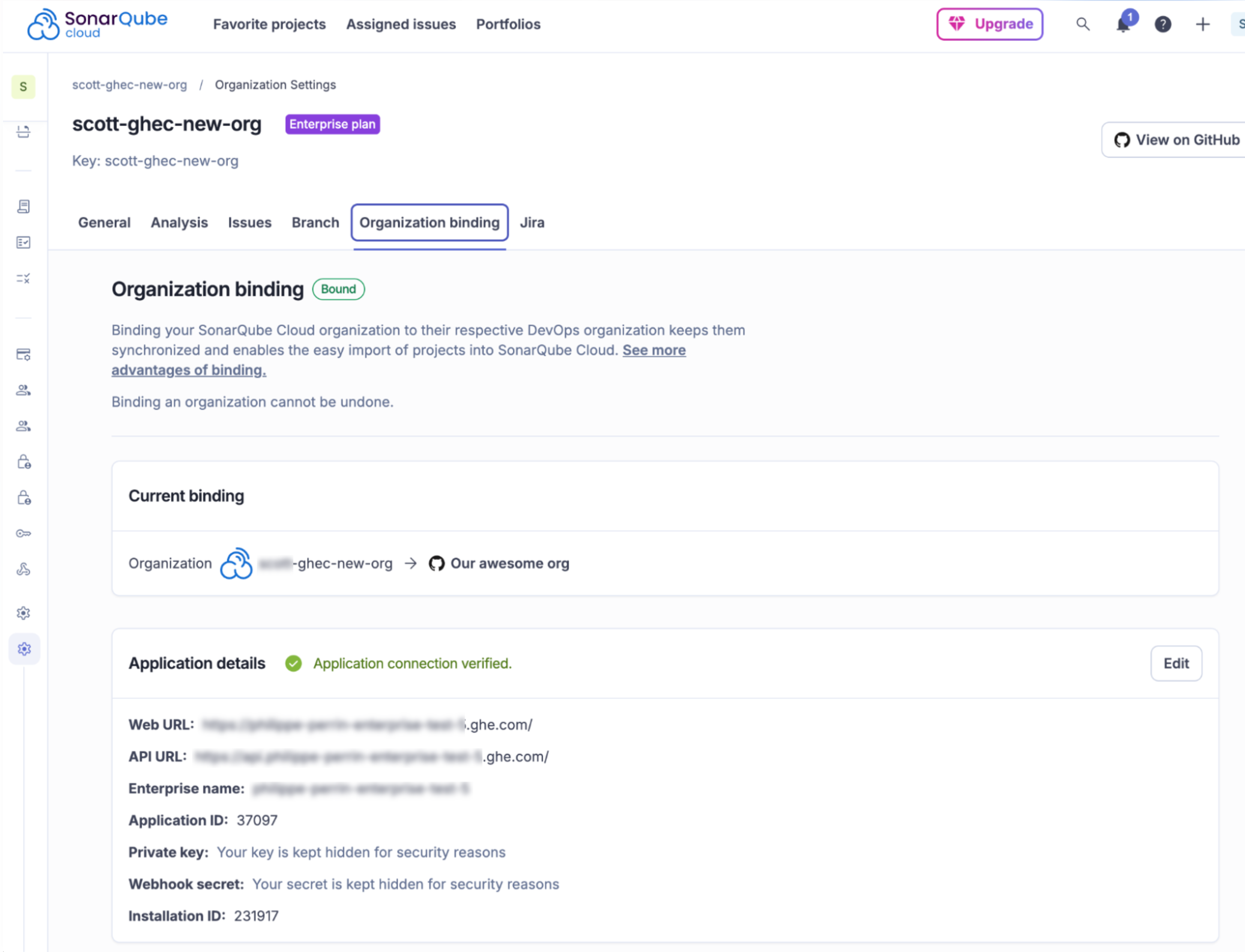
SonarQube Cloud Enterprise now supports GitHub Enterprise Cloud with data residency (GHE.com) in the EU and US regions, making it easier for regulated organizations to adopt code quality and security analysis while meeting residency needs. Teams can connect their enterprise GitHub environment and streamline onboarding and pull request feedback with minimal setup. Highlights include:
- GitHub Enterprise Cloud Support: Connects GHE.com organizations to SonarQube Cloud for secure repository analysis with data residency support.
- Automated Repository Imports: Bulk imports existing repositories and automatically provisions new repositories as they are created.
- Automatic Analysis and PR Decoration: Analyzes repositories and displays code quality and security results directly in pull requests without CI/CD configuration.
Visit SonarQube Cloud’s official site for more details.
SonarQube Specs
- API: Yes
- Bug Tracking: No
- CI/CD Integration: Yes
- Cloud Deployment: Yes
- Code Review: Yes
- Code Transformation: Yes
- Collaboration Support: Yes
- Data Export: Yes
- Data Import: Yes
- Developer Tools: Yes
- External Integrations: Yes
- Git Integration: Yes
- History/Version Control: Yes
- IDE Plugins: Yes
- Local Deployment: Yes
- Multi-User: Yes
- Notifications: Yes
- Project Management: Yes
- Release Management: Yes
- Static Analysis: Yes
- Task Scheduling/Tracking: No
- Testing: Yes


