

Avis sur HaloITSM : Avantages, Inconvénients, Fonctionnalités et Aperçu des Tarifs
Voici comment HaloITSM se démarque (et où il trébuche) pour rendre la gestion des services informatiques plus simple, plus rapide et plus intelligente pour vos opérations.

Nous évaluons les outils indépendamment ; les commissions aident à financer nos tests. Consultez notre politique de transparence et notre méthodologie.
HaloITSM is a service management software built for IT teams managing incidents, changes, assets, and service requests within a single ITIL-aligned platform. It's worth a close look if you need more configurability than Freshservice gives you, but don't want the implementation complexity and cost that come with enterprise platforms like ServiceNow.
Halo Evaluation Summary
4.7/5
- From $99/agent/month (billed annually)
- Free demo + 30-day free trial available
Pourquoi faire confiance à nos recommandations de logiciels
6,700+
Reviews
20
Industry experts
16+
Evaluation factors
14
Years
Notre équipe teste et évalue des logiciels depuis 2012. En tant que leaders technologiques nous-mêmes, nous savons à quel point il est difficile — et important — de choisir le bon logiciel.
Pour ce guide, nous avons évalué les outils grâce à des tests pratiques et une recherche indépendante, en notant les outils selon nos critères de sélection.
Nos avis reflètent notre jugement éditorial humain, et non un argumentaire de vente.
Réviseurs experts:
- Paulo Gardini MiguelDirecteur technique
 Tim FisherVP de l'IA
 Gabriel RosasTech Lead et architecte logiciel
 Christhian GruhnTech Lead et architecte plateforme

Halo Overview
HaloITSM offers a clean interface, flexible automation, and broad integration options that outperform many competitors on usability and configuration. Pricing is transparent, and onboarding is straightforward, especially for mid-sized IT teams modernizing legacy processes. Support response is reliable, though advanced reporting and deep customization lag compared to pricier options. If you’re choosing an IT service management solution for a growing in-house IT team or managed service provider with varied client needs, I think HaloITSM should be on your shortlist.
Pros
- All modules included with no feature-gating or bolt-ons.
- ITIL-aligned workflows available out of the box.
- Over 200 native integrations included at no extra cost.
Cons
- Advanced customization increases administrative complexity over time.
- Smaller teams may find implementation heavier than needed.
- Documentation lacks depth on advanced configurations.
Is Halo Right For Your Needs?
Who Would be a Good Fit for Halo?
HaloITSM works best for organizations that want a powerful, customizable ITSM platform with strong automation and asset management. IT and service desk teams needing multi-brand support, clear workflow design, or quick implementation see value in its unified approach. Industries with strict compliance and service delivery requirements, plus mid-sized and large teams that need role-based ticketing, tend to benefit the most.
- Mid-Sized EnterprisesHaloITSM scales well without the complexity of legacy suites, with easy configuration for internal and external support desks.
- Education SectorSchools and universities manage student and staff tickets, assets, and contracts in one place, using the self-service portal and knowledge base.
- Public Sector OrganizationsGovernment agencies and public-sector teams can centralize service requests, automate workflows, and improve transparency while reducing administrative overhead.
- Healthcare OrganizationsBuilt-in compliance controls, asset lifecycle management, and contract tracking meet strict regulatory and operational needs.
- IT DepartmentsInternal IT teams benefit from rapid ticket routing, asset visibility, and change management automation within a unified dashboard.
- Facilities ManagementFacilities or non-IT teams can use HaloITSM’s configurable workflows to track and route non-IT requests, leveraging the flexible service catalog.
Who Would be a Bad Fit for Halo?
HaloITSM may be too feature-rich or process-centric for small businesses, teams needing only simple ticket tracking, or organizations exclusively outside of IT. Those with minimal ITSM needs, limited budgets, or rigid requirements for on-premise deployment may find its model excessive or restrictive. Companies needing only lightweight help desk software or one-off issue management should look elsewhere.
- Small StartupsThe platform’s range of features and admin options can overwhelm teams seeking basic ticket logging without complex configuration.
- Retail ChainsOrganizations mainly needing point-of-sale or frontline support often find HaloITSM’s ITSM focus too broad for their daily requirements.
- Solo IT OperatorsSingle-person IT teams may not get value from features designed for workflow automation, asset tracking, and approvals.
- Pure HR DepartmentsHR teams needing only personnel request tracking may find the IT-centered modules and terminology don’t fit their needs closely.
- Companies With Static ITOrganizations with little change or incident volume don’t benefit from workflow-rich modules built for dynamic, process-heavy environments.
- On-Premise-Only BuyersHaloITSM’s cloud-first deployment model can be limiting for organizations with strict policies requiring on-premise-only solutions.
Notre méthodologie d'évaluation
Comment nous testons et notons les outils
Nous avons passé des années à développer, affiner et améliorer notre système de test et de notation des logiciels. Cette grille d’évaluation est conçue pour saisir les subtilités de la sélection des logiciels et ce qui rend un outil efficace, en se concentrant sur les aspects critiques du processus de décision.
Vous trouverez ci-dessous le détail de notre processus de test et de notation sur sept critères. Cela nous permet de fournir une évaluation impartiale du logiciel basée sur les fonctionnalités principales, les caractéristiques distinctives, la facilité d’utilisation, l’intégration, l’accompagnement lors de la prise en main, le support client, les avis utilisateurs et le rapport qualité-prix.
Fonctionnalité principale (25% de la note finale)
Le point de départ de notre évaluation est toujours la fonctionnalité principale de l’outil. Possède-t-il les fonctions de base auxquelles un utilisateur s’attend ? Certaines de ces fonctionnalités principales sont-elles limitées à des forfaits plus chers ? Nous attendons d’un outil qu’il soit au moins à la hauteur des capacités de base de ses concurrents.
Fonctionnalités remarquables (25% de la note finale)
Ensuite, nous évaluons les fonctionnalités exceptionnelles qui dépassent la fonctionnalité de base habituellement trouvée dans ce type d’outil. Un score élevé reflète des fonctionnalités spécialisées ou uniques rendant le produit plus rapide, plus efficace ou apportant une valeur ajoutée à l’utilisateur.
Nous évaluons aussi la facilité d’intégration avec d’autres outils courants dans la pile technologique pour élargir les fonctionnalités et l’utilité du logiciel. Les outils dotés de nombreuses intégrations natives, de connexions tierces et d’un accès API facilitant des intégrations personnalisées obtiennent les meilleurs scores.
Facilité d’utilisation (10% de la note finale)
Nous considérons la rapidité et la simplicité d’exécution des tâches principales avec l’outil. Les logiciels les mieux notés sont bien conçus, intuitifs, proposent des applications mobiles, offrent des modèles et rendent des tâches relativement complexes très simples.
Accompagnement lors de la prise en main (10% de la note finale)
Nous savons que l’adoption rapide d’une nouvelle plateforme au sein d’une équipe est cruciale. Nous évaluons donc la facilité avec laquelle un nouvel utilisateur peut apprendre et utiliser un outil avec un minimum de formation. Les meilleures solutions permettent une mise en route rapide, sans nécessité de support.
Support client (10% de la note finale)
Nous analysons la facilité et la rapidité avec lesquelles il est possible d’obtenir de l’aide par téléphone, chat en direct ou base de connaissances. Les outils et entreprises offrant une assistance en temps réel obtiennent les meilleurs scores, tandis que les chatbots sont moins bien notés.
Avis utilisateurs (10% de la note finale)
Au-delà de nos propres tests et évaluations, nous tenons compte du net promoter score des utilisateurs actuels et passés. Nous regardons la probabilité qu’ils choisiraient à nouveau l’outil pour ses fonctionnalités principales. Un logiciel bien noté reflète un net promoter score élevé.
Rapport qualité-prix (10% de la note finale)
Enfin, en tenant compte de tous les autres critères, nous examinons le prix moyen des forfaits d’entrée de gamme par rapport aux fonctionnalités principales et à la valeur des autres critères. Un logiciel offrant plus, pour moins cher, obtiendra un meilleur score.
Core Features
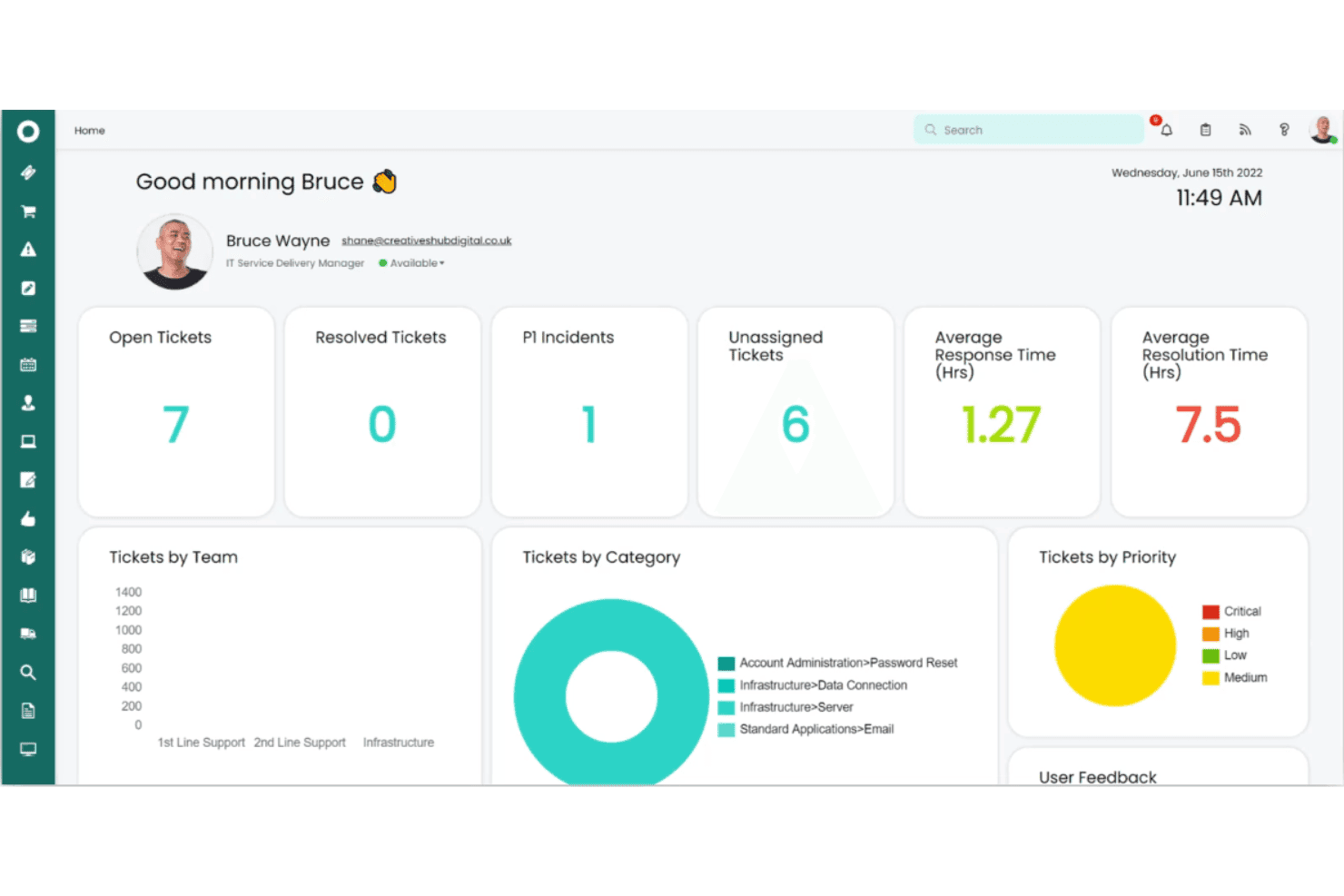
Incident Management
Log, prioritize, and resolve IT incidents from a unified dashboard. Automations route tickets based on urgency, keeping resolution fast.
Change Management
Handle IT changes with customizable approval workflows and risk assessment. Built-in auditing tracks every change for compliance.
Asset Management
Track hardware, software, and configuration items along the full lifecycle. Users see warranty status and assign assets directly from the system.
Service Catalog
Offer a centralized portal for users to request IT and business services. Custom forms standardize intake and drive consistent fulfillment.
Self-Service Portal
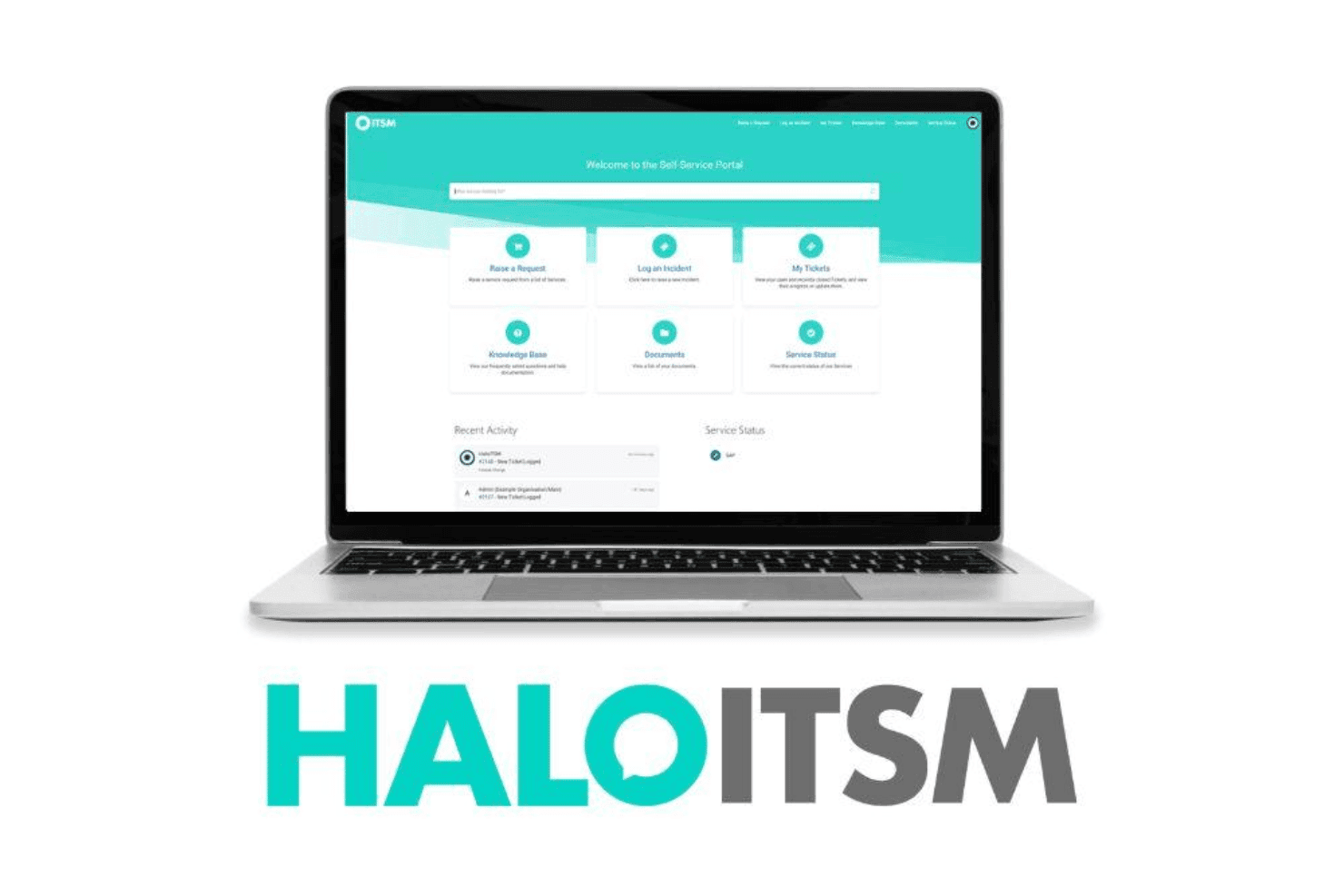
End users submit tickets and find solutions using a branded, knowledge-backed portal. Real-time ticket updates and FAQs reduce support workload.
Knowledge Base
Document solutions and procedures with built-in knowledge management tools. Staff can share articles during ticket resolution or surface them in search.
Ease of Use
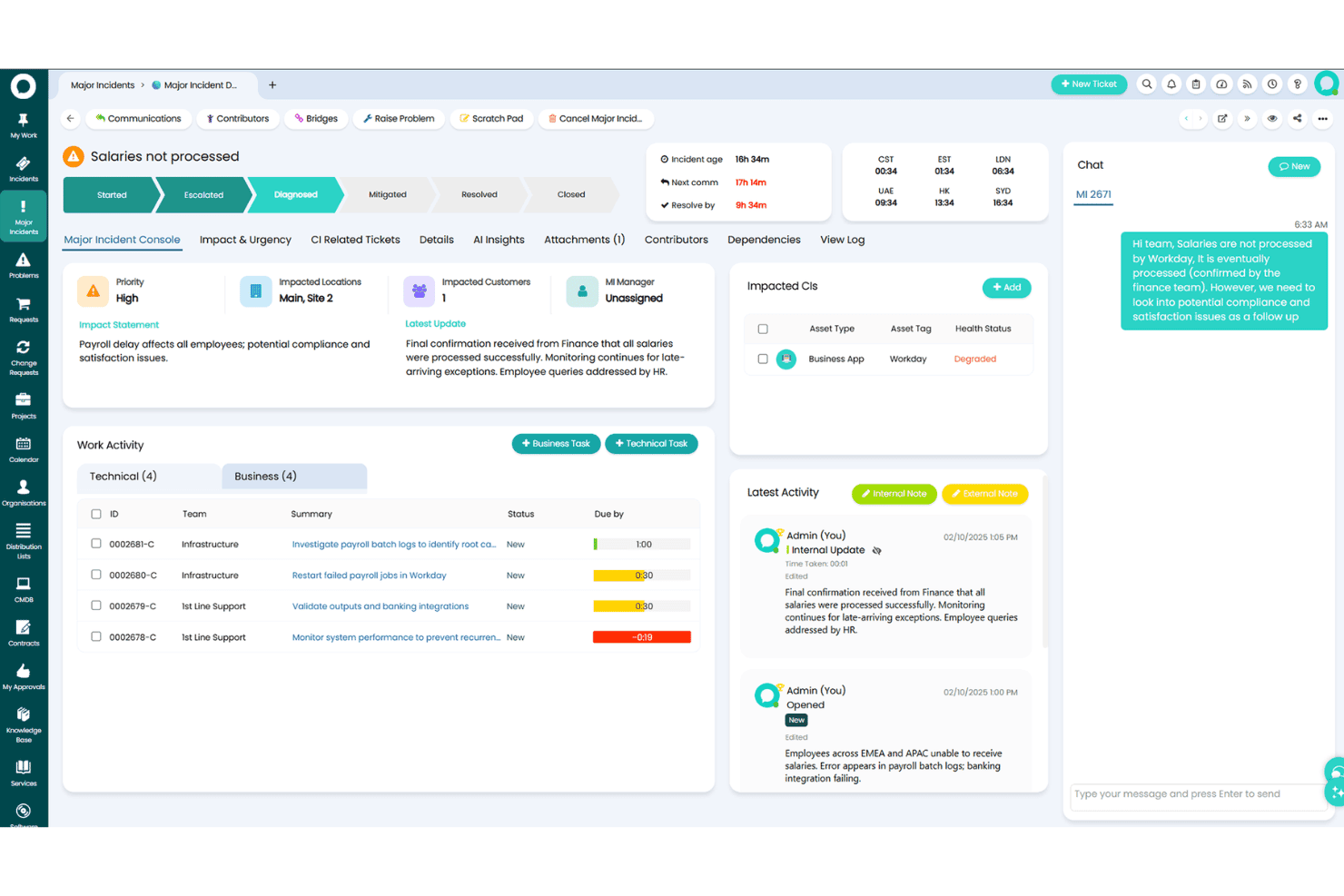
HaloITSM strikes a strong balance between depth and usability, with a clean interface and intuitive workflows. Users praise its drag-and-drop automations and simple form designers, making it quick to customize ticket flows and service catalogs. I find navigation is straightforward, and admins appreciate the contextual help, though a few advanced settings menus are less obvious for first-timers.
Integrations
HaloITSM integrates with Microsoft Teams, Azure Active Directory, Jira, Slack, Office 365, Splunk, Okta, Zapier, TeamViewer, and SCCM, among others. HaloITSM also offers a REST API and connects with third-party integration platforms for extended workflows.

Halo Specs
- 2-Factor Authentication: Yes
- Analytics: Yes
- Anti-Virus: No
- API: Yes
- Batch Permissions & Access: Yes
- Bug Tracking: No
- Call Integration: No
- Chat: No
- Contact Management: Yes
- CRM Integration: Yes
- Customer Management: Yes
- Data Export: Yes
- Data Import: Yes
- Email Integration: Yes
- Escalation Management: Yes
- External Integrations: Yes
- Incident Management: Yes
- Instant Chat Integration: No
- Knowledge Base: Yes
- Malware Protection: No
- Multi-User: Yes
- Notifications: Yes
- Organization Management: No
- Password & Access Management: Yes
- Project Management: Yes
- Real-time Alerts: Yes
- SAP Integration: Yes
- Self-service Portal: Yes
- Social Media Integration: No
- Support Forum: Yes
- Ticket Management: Yes
- Workflow Management: Yes


