

Los 19 mejores programas de desarrollo de aplicaciones web para 2026

Lista de selección de software de desarrollo de aplicaciones web


El software de desarrollo de aplicaciones web incluye las herramientas, los marcos de trabajo y las plataformas que tu equipo utiliza para diseñar, crear, probar e implementar aplicaciones basadas en la web. Si estás buscando el mejor software de desarrollo de aplicaciones web, probablemente debas equilibrar la necesidad de fiabilidad, seguridad y escalabilidad con la presión de entregar los proyectos a tiempo y cumplir las expectativas de las partes interesadas, todo ello mientras te mantienes al día con la evolución de la tecnología.
El software adecuado puede ayudarte a gestionar bases de código complejas, automatizar flujos de trabajo y admitir arquitecturas modernas, al tiempo que reduce el riesgo y el tiempo de inactividad. En esta lista encontrarás una variedad de opciones para programar, diseñar interfaces de usuario, integrar sistemas de servidor e implementar aplicaciones, para que puedas elegir las herramientas que se ajusten a las necesidades de tu equipo y a los objetivos de tu organización.
Por qué confiar en nuestras recomendaciones de software
Nuestro equipo lleva probando y evaluando software desde 2012. Como líderes tecnológicos, sabemos lo difícil —y lo importante— que es elegir el software adecuado.
Para esta guía, evaluamos las herramientas mediante pruebas prácticas e investigación independiente, puntuando las herramientas según nuestros criterios de selección.
Nuestras reseñas reflejan nuestro criterio editorial humano, no un discurso de ventas.
Revisores expertos:
Resumen del software de desarrollo de aplicaciones web
Esta tabla comparativa resume los detalles de precios de mis principales selecciones de software de desarrollo de aplicaciones web para ayudarte a encontrar la mejor opción para tu presupuesto y las necesidades de tu empresa.
| Tool | Best For | Trial Info | Price | ||
|---|---|---|---|---|---|
| 1 | Best for real-time backend integration | Free plan available | Pricing upon request | Website | |
| 2 | Best for low-code enterprise-grade solutions | Free plan available | From $1,090/month | Website | |
| 3 | Best for internal tool customization | Free plan available | From $10/builder/month (billed annually) | Website | |
| 4 | Best for no-code app prototyping | Free plan | From $36/month (billed annually) | Website | |
| 5 | Best for an extensible code editing environment | Free plan available | Free to use | Website | |
| 6 | Best for cross-platform UI consistency | Free plan available | Free to use | Website | |
| 7 | Best for advanced debugging and profiling tools | Free 30-day trial available | From $45/user/month | Website | |
| 8 | Best for building large-scale enterprise apps | Free plan available | Free to use | Website | |
| 9 | Best for rapid development with built-in security | Free plan available | Free to use | Website | |
| 10 | Best for progressive component-based architecture | Free plan available | Free to use | Website |
Análisis del software de desarrollo de aplicaciones web
A continuación se presentan mis resúmenes detallados del software de desarrollo de aplicaciones web que incluí en mi lista de selección. Mis análisis ofrecen una visión detallada de las funciones, los casos de uso más adecuados y las integraciones de cada plataforma para ayudarte a encontrar la mejor opción para ti.

Firebase
Best for real-time backend integration
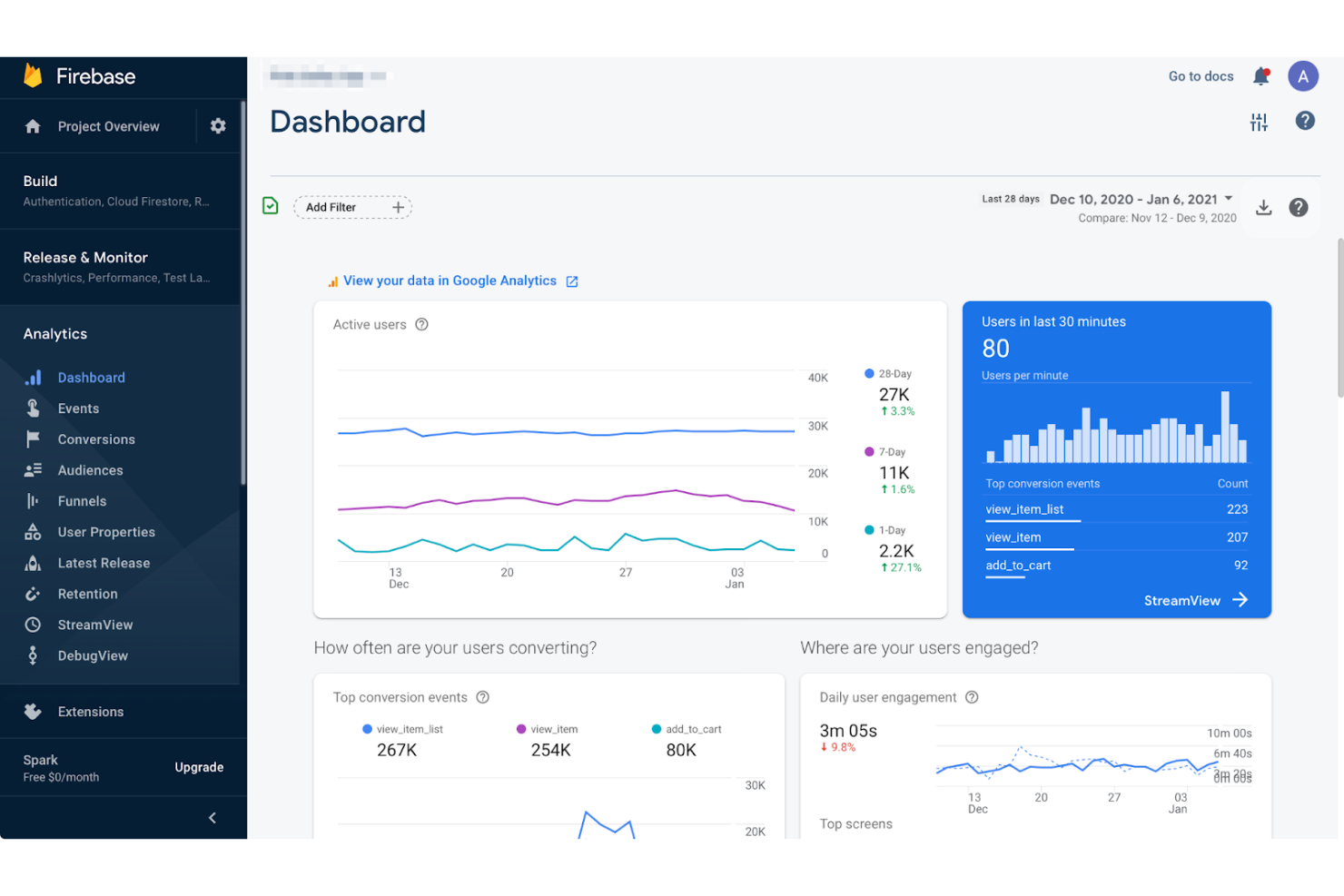
Firebase offers a cloud-based platform designed for developers who need real-time data synchronization and scalable backend services. It’s especially useful for teams building interactive web apps, chat platforms, or collaborative tools that require instant updates across users. If you want to offload backend management and focus on rapid feature development, Firebase stands out for its real-time database and integrated authentication.
Who is Firebase Best For?
Mobile and web developers in small to mid-sized companies globally integrating real-time backend services into applications.
Why I Picked Firebase
What makes Firebase a strong choice for web application development is its real-time backend integration, which is essential for apps that need instant data updates across users. The real-time database lets you sync data between clients and servers with minimal latency, making it ideal for chat apps, collaborative tools, and live dashboards. I also like that Firebase includes built-in authentication, so you can manage user sign-ins and security without extra infrastructure. These features help you deliver interactive, always-up-to-date web experiences without building a custom backend from scratch.
Firebase Key Features
Some other features that make Firebase useful for web application development include:
- Cloud Firestore: Store and sync structured data at scale with strong querying capabilities and offline support.
- Cloud Functions: Run backend code in response to events triggered by Firebase features or HTTPS requests, without managing servers.
- Hosting: Deploy fast and secure static and dynamic web content with built-in SSL and global CDN.
- Crashlytics: Monitor, prioritize, and fix stability issues in real time with detailed crash reports.
Firebase Integrations
Integrations include Google Ads, AdMob, Google Play, BigQuery, Slack, Jira, PagerDuty, Android Studio, and more.
Pros and Cons
Pros:
- Scalable hosting delivers static and dynamic content globally
- Built-in authentication handles user sign-in and security workflows
- Real-time database sync supports collaborative and interactive web apps
Cons:
- Vendor lock-in makes migrating away from Firebase challenging
- Limited support for complex relational data compared to SQL databases

Mendix
Best for low-code enterprise-grade solutions
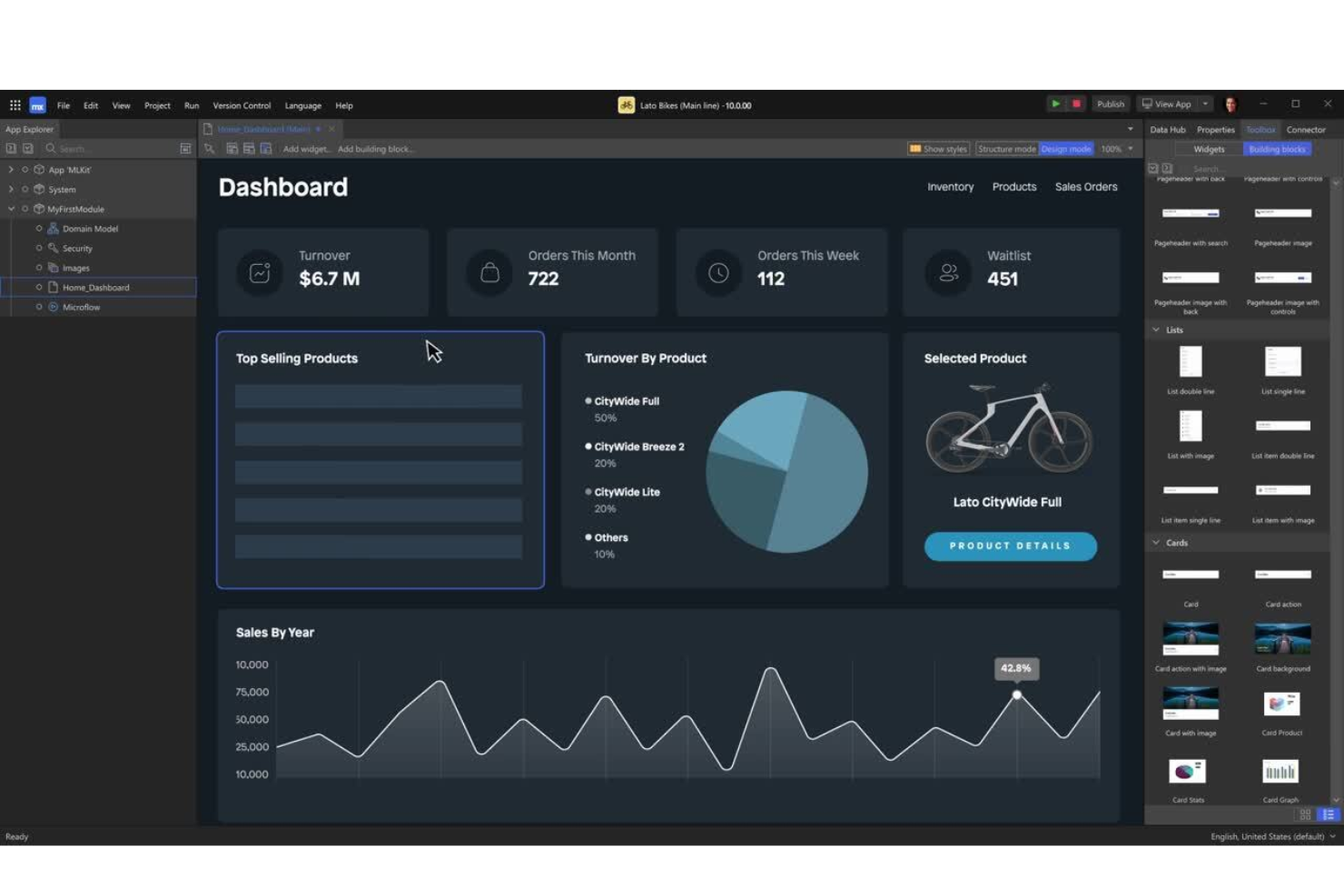
Mendix offers a low-code platform designed for organizations that need to build enterprise-grade applications with speed and scalability. It’s a strong fit for IT teams in large businesses or regulated industries that want to empower both developers and business users to collaborate on complex solutions. With Mendix, you can address challenges like legacy modernization, process automation, and integration with existing enterprise systems—all without deep coding expertise.
Who is Mendix Best For?
IT and business teams in mid-sized to large enterprises globally deploying low-code solutions for enterprise-grade applications.
Why I Picked Mendix
For teams that need to deliver enterprise-grade solutions without heavy coding, Mendix stands out for its low-code approach. The platform’s visual development environment lets both developers and business users design, test, and deploy applications quickly, which is especially valuable for large organizations with complex requirements. I like that Mendix includes built-in tools for workflow automation and advanced data integration, making it easier to connect with existing enterprise systems. These features make Mendix a strong choice for businesses looking to modernize processes and scale their web applications efficiently.
Mendix Key Features
Some other features that make Mendix appealing for web application development include:
- App Store: Access a marketplace of pre-built modules, connectors, and templates to accelerate development.
- Mobile App Development: Build native and progressive web apps from the same platform.
- Automated Testing Tools: Use built-in testing features to validate application logic and performance.
- Role-Based Access Control: Manage user permissions and security at a granular level.
Mendix Integrations
Integrations include SAP, Siemens Teamcenter, AWS, Microsoft Azure, Red Hat OpenShift, Snowflake, Microsoft Power BI, Tableau, Qlik, and more.
Pros and Cons
Pros:
- Version control and collaboration features support large development teams
- Built-in connectors simplify integration with major enterprise systems
- Visual development tools support rapid prototyping and deployment cycles
Cons:
- Limited flexibility for UI customization compared to hand-coded frameworks
- Advanced custom logic often requires switching to traditional coding

Retool
Best for internal tool customization
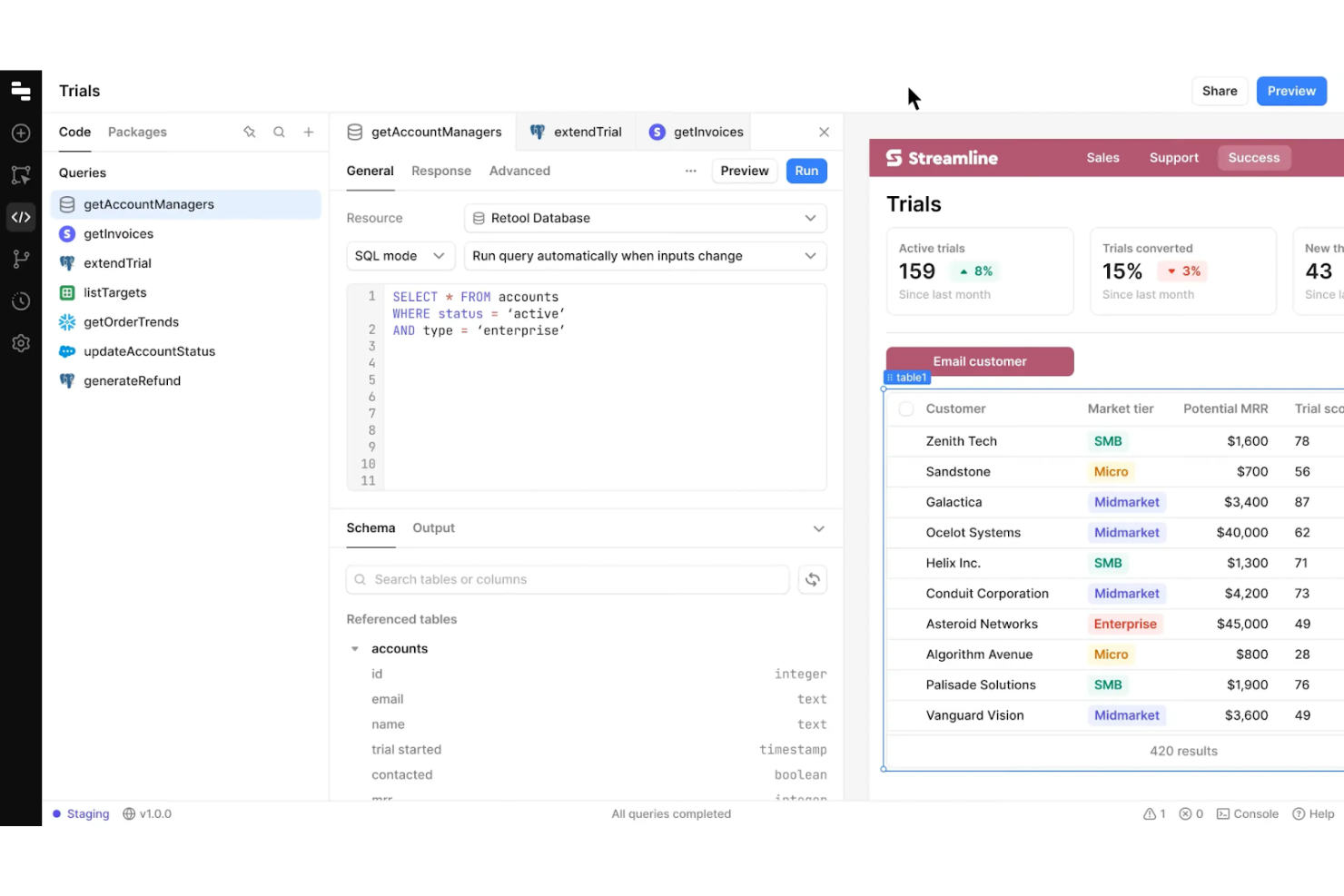
Retool gives IT teams and developers a way to quickly build and customize internal web applications without starting from scratch. It’s especially useful for businesses that need to connect multiple data sources and automate internal workflows with tailored interfaces. With its drag-and-drop components and direct database integrations, Retool helps you create tools that match your team’s exact operational needs.
Who is Retool Best For?
Product managers and internal operations teams in mid-sized companies globally customizing internal business tools and dashboards.
Why I Picked Retool
Retool stands out for teams that need to build highly customized internal tools without heavy coding. Its drag-and-drop interface lets you assemble dashboards, admin panels, and workflow apps that connect directly to your databases and APIs. I picked Retool because it gives you granular control over UI components and logic, so you can tailor every part of your tool to your business process. This level of customization is especially valuable for IT and operations teams who need to adapt tools quickly as requirements change.
Retool Key Features
Some other features that make Retool useful for web application development include:
- Pre-built Component Library: Access a wide range of ready-made UI elements like tables, forms, and charts.
- Role-Based Access Controls: Set granular permissions for users and teams within your internal tools.
- Version History: Track changes and roll back to previous versions of your applications.
- JavaScript Scripting Support: Add custom logic and data manipulation directly within your app using JavaScript.
Retool Integrations
Integrations include PostgreSQL, MySQL, MongoDB, Salesforce, Slack, Google Sheets, Stripe, Zendesk, AWS S3, and more.
Pros and Cons
Pros:
- JavaScript support allows for custom logic within app components
- Direct integration with SQL databases and REST APIs is available
- Drag-and-drop editor accelerates building complex internal web apps
Cons:
- Mobile responsiveness is less advanced
- Limited design flexibility compared to traditional front-end frameworks

Adalo
Best for no-code app prototyping
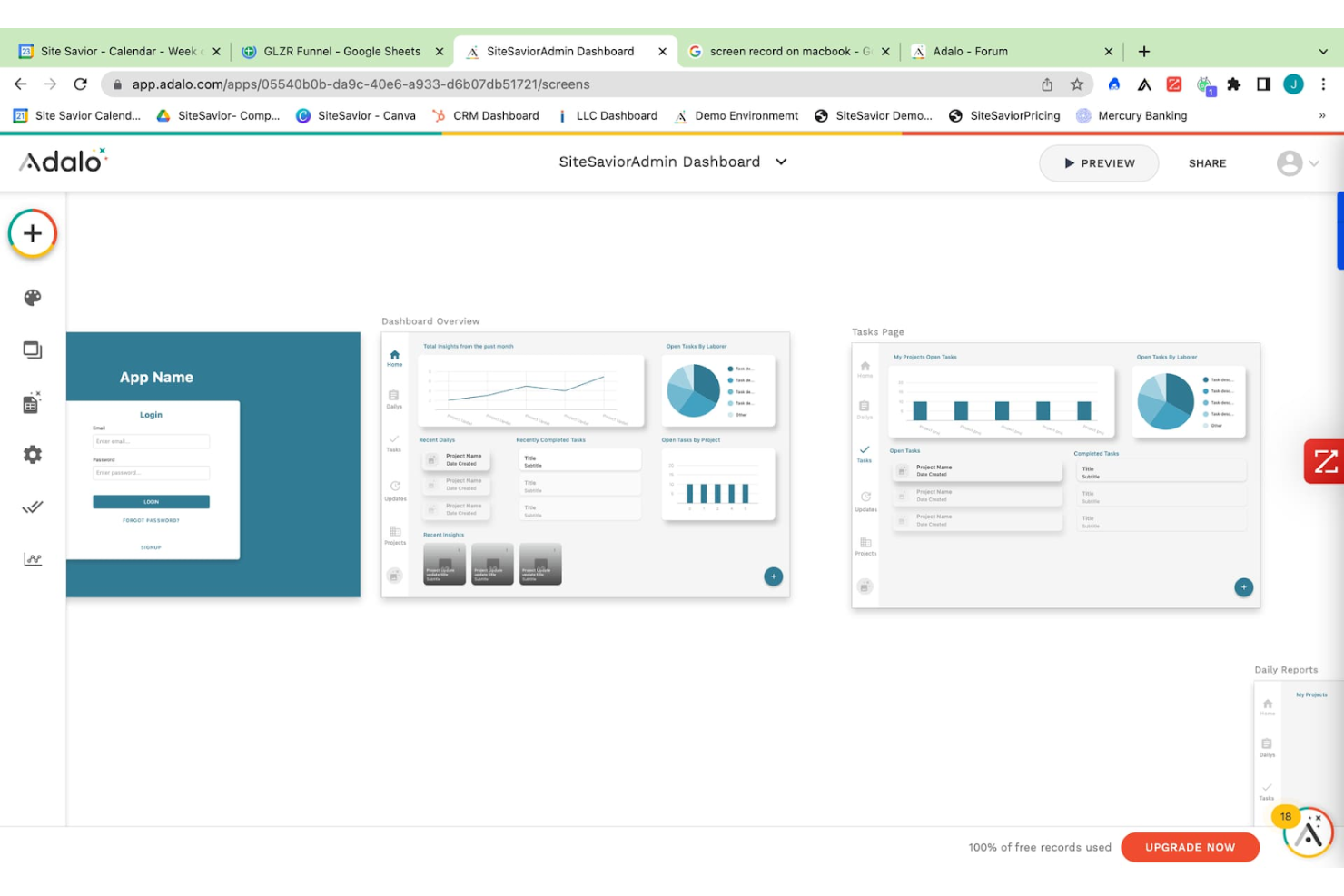
If you need to quickly prototype and launch web or mobile apps without writing code, Adalo is built for you. It’s especially useful for product managers, startups, and small businesses that want to validate ideas or create MVPs with interactive features. Adalo’s drag-and-drop interface and built-in database let you design, test, and iterate on app concepts in real time.
Who is Adalo Best For?
Product managers and startup teams in small organizations worldwide prototyping no-code applications quickly.
Why I Picked Adalo
When it comes to quickly prototyping apps without code, Adalo offers a focused solution for turning ideas into interactive web or mobile applications. The platform’s drag-and-drop builder lets you visually assemble screens, link actions, and create user flows in minutes, which is ideal for rapid prototyping. I appreciate that Adalo includes a built-in database and logic editor, so you can test real app functionality before committing to full development. These features make Adalo a strong choice for teams or individuals who need to validate concepts and iterate on designs with minimal technical barriers.
Adalo Key Features
Some other features that make Adalo useful for web app prototyping include:
- Component Marketplace: Browse and add pre-built components like charts, forms, and navigation menus to your app.
- Custom Actions: Set up custom logic and workflows triggered by user interactions or data changes.
- Push Notifications: Send real-time updates and alerts to users on mobile devices.
- App Publishing Tools: Publish directly to the web, iOS App Store, or Google Play from the platform.
Adalo Integrations
Integrations include Stripe, Google Maps, AdMob, Twilio, SendGrid, Mixpanel, Mailchimp, Typeform, and more.
Pros and Cons
Pros:
- Component marketplace offers reusable elements for common app features
- Built-in database supports dynamic content and user data management
- Drag-and-drop builder allows rapid creation of interactive app screens
Cons:
- Version control and team collaboration features are minimal
- Performance issues can occur with larger or data-heavy applications

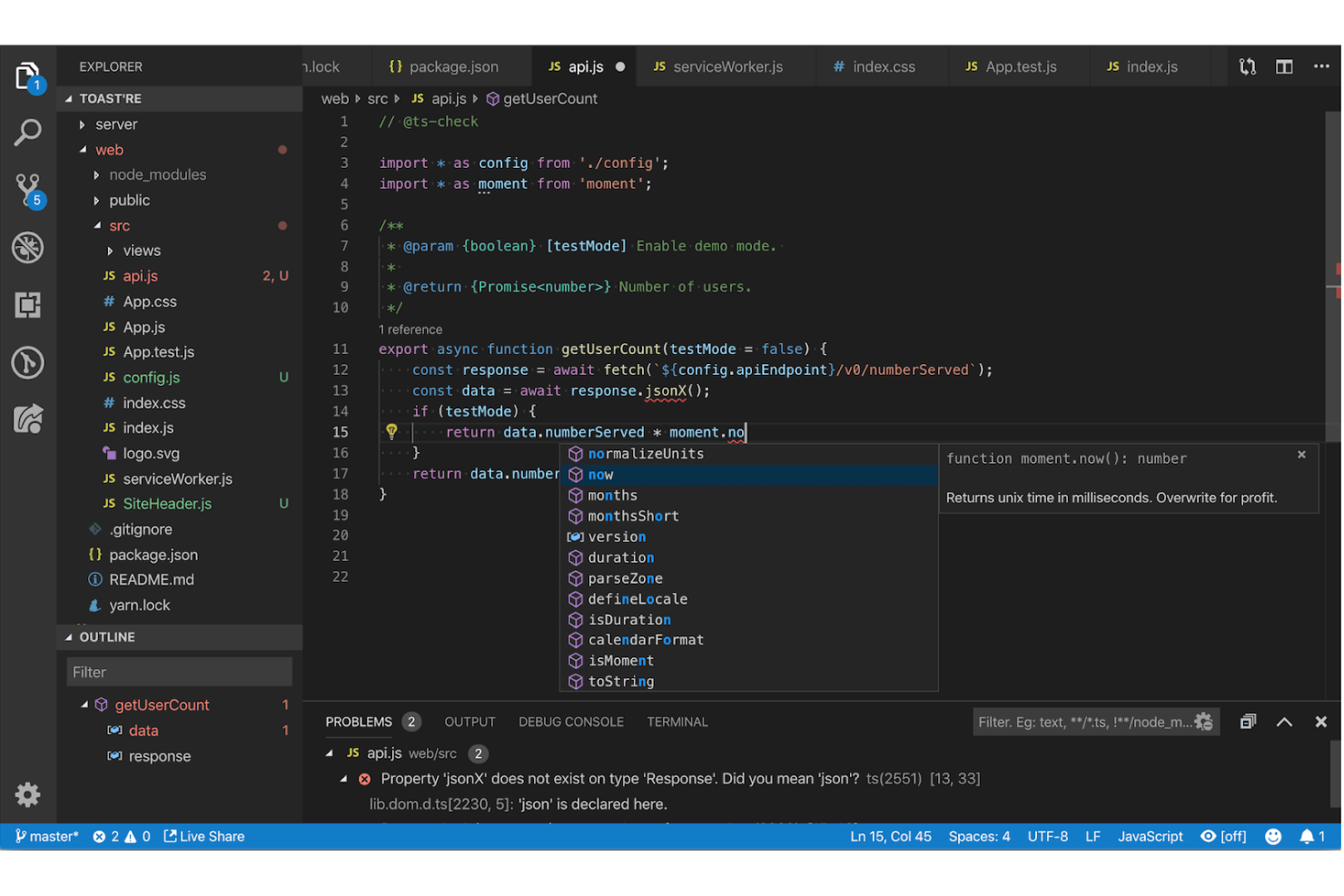
Visual Studio Code stands out for developers who want a highly customizable and extensible code editing environment. It’s a strong fit for teams building web applications that need support for multiple languages, frameworks, and workflows in one place. With its vast extension marketplace and built-in debugging tools, Visual Studio Code helps you tailor your workspace to match your project’s needs.
Who is Visual Studio Code Best For?
Developers and IT teams in small to large organizations worldwide using a highly extensible and customizable code editing environment.
Why I Picked Visual Studio Code
What drew me to Visual Studio Code is its unmatched extensibility, which is especially valuable for web application development. You can install extensions for nearly any language, framework, or workflow, so your editor adapts as your project evolves. I appreciate how the built-in terminal and source control features let you manage code, run scripts, and handle versioning without leaving the editor. This flexibility makes Visual Studio Code a strong choice for teams that need a customizable environment to support diverse development needs.
Visual Studio Code Key Features
Some other features that make Visual Studio Code appealing for web application development include:
- IntelliSense: Get smart code completion, parameter info, and quick info for supported languages.
- Live Share: Collaborate in real time with other developers directly within your editor.
- Emmet Support: Use shorthand syntax to quickly generate HTML and CSS code.
- Integrated Debugging: Set breakpoints, inspect variables, and step through code without leaving the editor.
Visual Studio Code Integrations
Integrations include GitHub, Azure, Docker, Kubernetes, ESLint, Prettier, Jupyter, Vim, and more.
Pros and Cons
Pros:
- Built-in Git integration allows version control without leaving the editor
- Integrated terminal supports running scripts and managing servers directly
- IntelliSense provides context-aware code completion for multiple languages
Cons:
- Workspace settings sometimes conflict when switching between multiple projects
- Debugging support varies in quality across different languages and frameworks

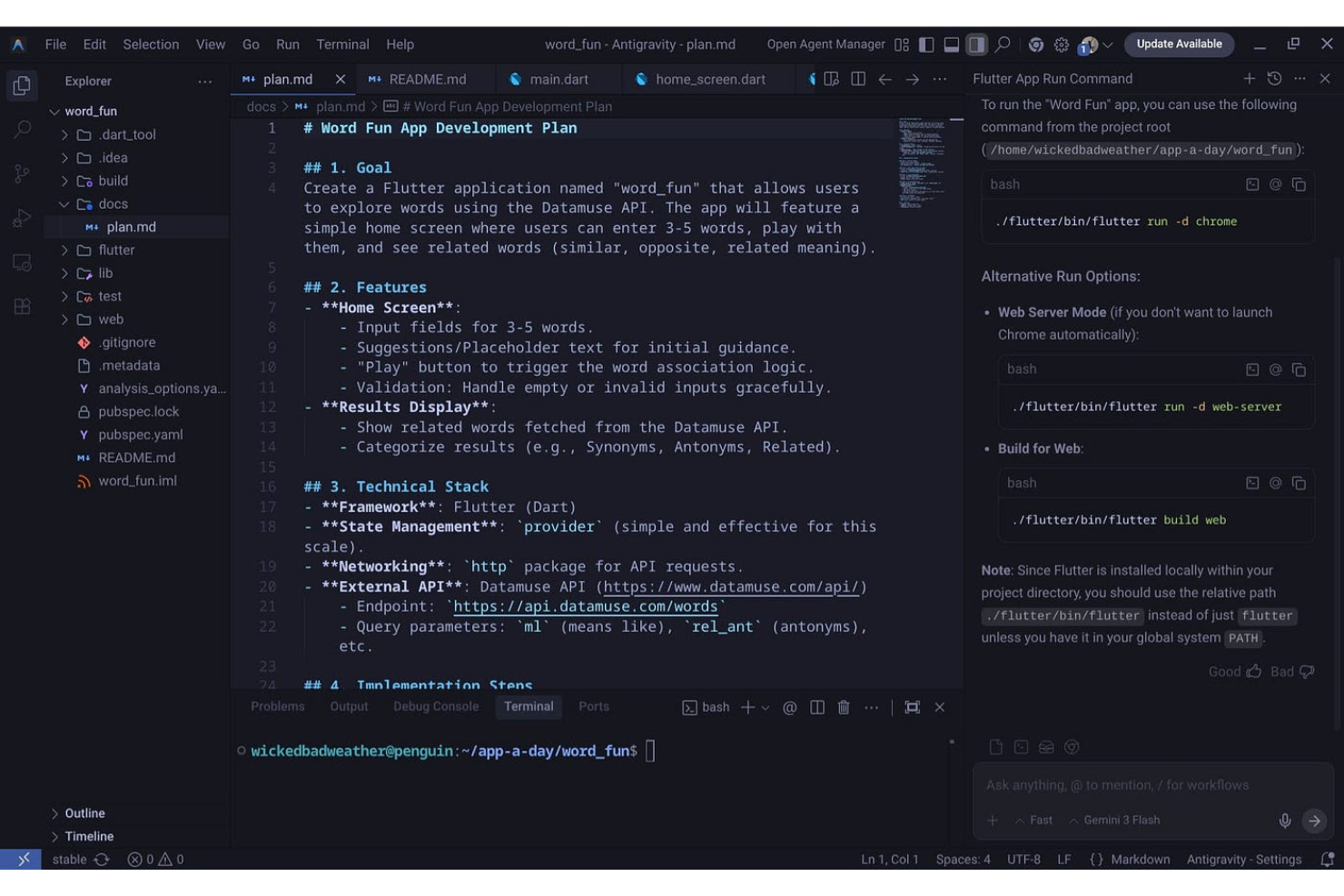
For teams that need pixel-perfect UI across web, mobile, and desktop, Flutter offers a single codebase approach. It’s especially useful for product teams, agencies, and developers who want to maintain a consistent look and feel on every platform. Flutter’s widget-based architecture and strong support for custom design systems help you deliver branded, high-performance apps without platform-specific rewrites.
Who is Flutter Best For?
Mobile and frontend developers in small to mid-sized organizations globally creating cross-platform user interfaces with consistent design.
Why I Picked Flutter
Consistency across platforms is a challenge for many web application projects, and Flutter directly addresses this with its unified UI toolkit. I picked Flutter because its widget-based framework lets you build interfaces that look and behave the same on web, iOS, Android, and desktop. The hot reload feature also makes it easy to iterate on designs and see changes instantly, which is valuable for teams focused on visual accuracy. For anyone who needs to maintain a single design system across multiple platforms, Flutter’s approach to cross-platform UI stands out.
Flutter Key Features
Some other features that make Flutter appealing for web app development include:
- Extensive Widget Library: Access a wide range of customizable widgets for building complex UIs.
- Internationalization Support: Build applications that support multiple languages and regions.
- Built-In Testing Tools: Use integrated unit, widget, and integration testing frameworks.
- Rich Animation APIs: Create smooth, interactive animations and transitions within your app.
Flutter Integrations
Integrations include Firebase, Google Maps, SQLite, Sentry, RevenueCat, Appwrite, Supabase, and more.
Pros and Cons
Pros:
- Rich widget library enables highly customized user interfaces
- Hot reload feature accelerates UI development and debugging cycles
- Single codebase supports web, mobile, and desktop deployment
Cons:
- SEO optimization is limited due to the client-side rendering approach
- Web performance can lag behind native frameworks for complex apps

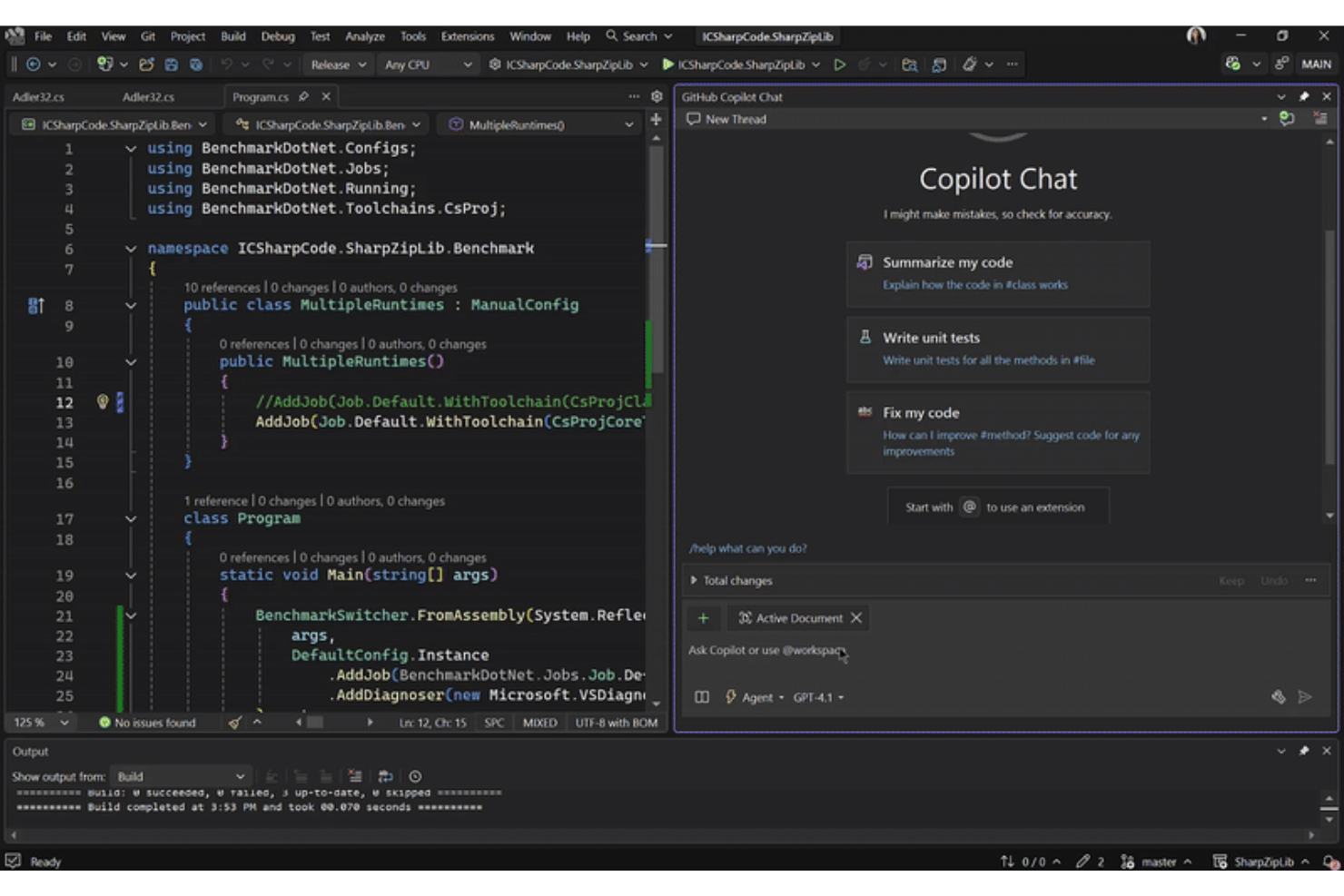
Microsoft Visual Studio gives web developers a full-featured environment for building, testing, and debugging complex web applications. It’s a strong fit for teams that need advanced debugging, profiling, and code analysis tools to manage large codebases or troubleshoot performance issues. If you’re working on enterprise-grade projects or require deep integration with Microsoft’s ecosystem, this platform stands out for its depth and flexibility.
Who is Microsoft Visual Studio Best For?
Software developers and engineering teams in mid-sized to large organizations worldwide using advanced debugging, profiling, and integrated development tools.
Why I Picked Microsoft Visual Studio
I chose Microsoft Visual Studio for this list because its advanced debugging and profiling tools set it apart in web application development. The integrated debugger lets you step through code, inspect variables, and diagnose issues across client and server environments without leaving the IDE. I also appreciate the built-in performance profiler, which helps you identify bottlenecks and optimize resource usage in real time. These features make it a strong choice for teams handling complex applications where troubleshooting and performance tuning are top priorities.
Microsoft Visual Studio Key Features
In addition to its debugging and profiling strengths, Microsoft Visual Studio offers several other features that support web application development:
- IntelliSense code completion: This feature provides context-aware code suggestions and auto-completion for multiple languages, helping you write code faster and with fewer errors.
- Live Share collaboration: Collaborate with teammates in real time by sharing your development session, allowing for pair programming and instant code reviews.
- Integrated Git support: Manage source control directly within the IDE, including branching, merging, and commit history, without switching tools.
- Extensive extension marketplace: Access a wide range of extensions to add frameworks, language support, and productivity tools tailored to your workflow.
Microsoft Visual Studio Integrations
Integrations include Azure, GitHub Copilot, SQL Server, Docker, Unity, Azure DevOps, Microsoft Teams, and more.
Pros and Cons
Pros:
- IntelliSense offers context-aware code completion for multiple languages
- Built-in profiler helps identify and resolve performance bottlenecks
- Advanced debugging tools support both client and server code
Cons:
- Limited support for non-Microsoft tech stacks compared to competitors
- High system resource usage can slow down older machines

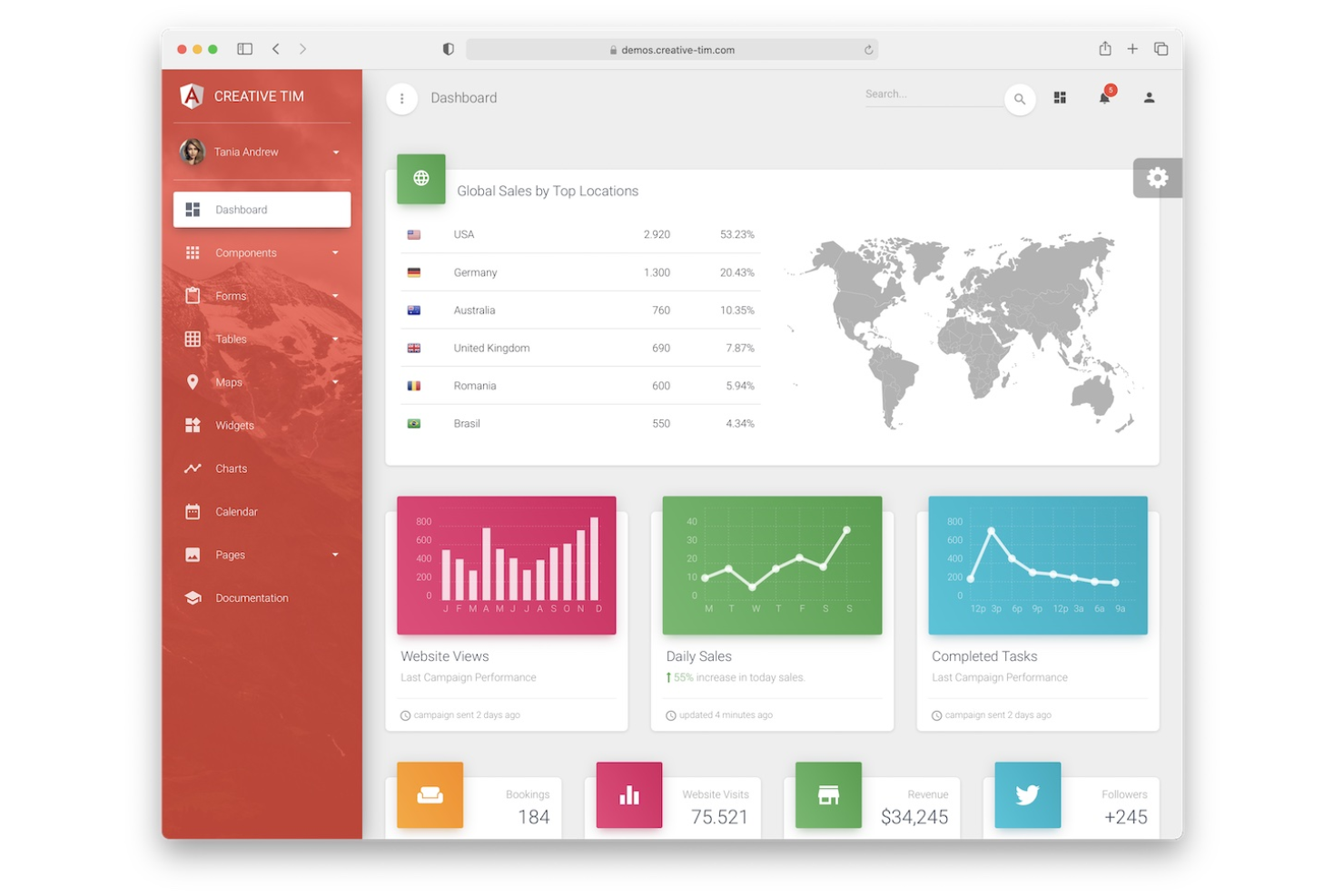
Angular is a TypeScript-based framework built for teams developing complex, large-scale enterprise web applications. It appeals to organizations that need strong architectural patterns, modular code, and long-term maintainability across distributed teams. If you’re looking for a solution that enforces structure and consistency in big projects, Angular’s opinionated approach and built-in tooling set it apart.
Who is Angular Best For?
Frontend developers and enterprise application teams in mid-sized to large organizations worldwide building large-scale, maintainable web applications.
Why I Picked Angular
For teams building large-scale enterprise apps, Angular offers a framework that enforces structure and maintainability from the start. Its modular architecture supports code organization across multiple teams and projects, which is essential for enterprise environments. I appreciate how Angular’s dependency injection and strong typing with TypeScript help reduce bugs and make codebases easier to manage as they grow. These features make Angular a reliable choice when you need to coordinate development across a large organization.
Angular Key Features
Some other features that make Angular valuable for enterprise web development include:
- Angular CLI: Generate components, services, and modules with command-line tools that automate project scaffolding and builds.
- RxJS Integration: Manage asynchronous data streams and event handling using reactive programming patterns.
- Ahead-of-Time (AOT) Compilation: Pre-compile application code for faster rendering and improved security.
- Built-in Form Validation: Create and manage complex forms with built-in validation and error handling.
Angular Integrations
Native integrations are not currently publicly listed.
Pros and Cons
Pros:
- Built-in dependency injection simplifies modular application design
- Angular CLI automates project scaffolding and build processes
- TypeScript support enforces strong typing and code reliability
Cons:
- Limited flexibility for unconventional architectures or micro-frontends
- Frequent major updates can require significant refactoring effort

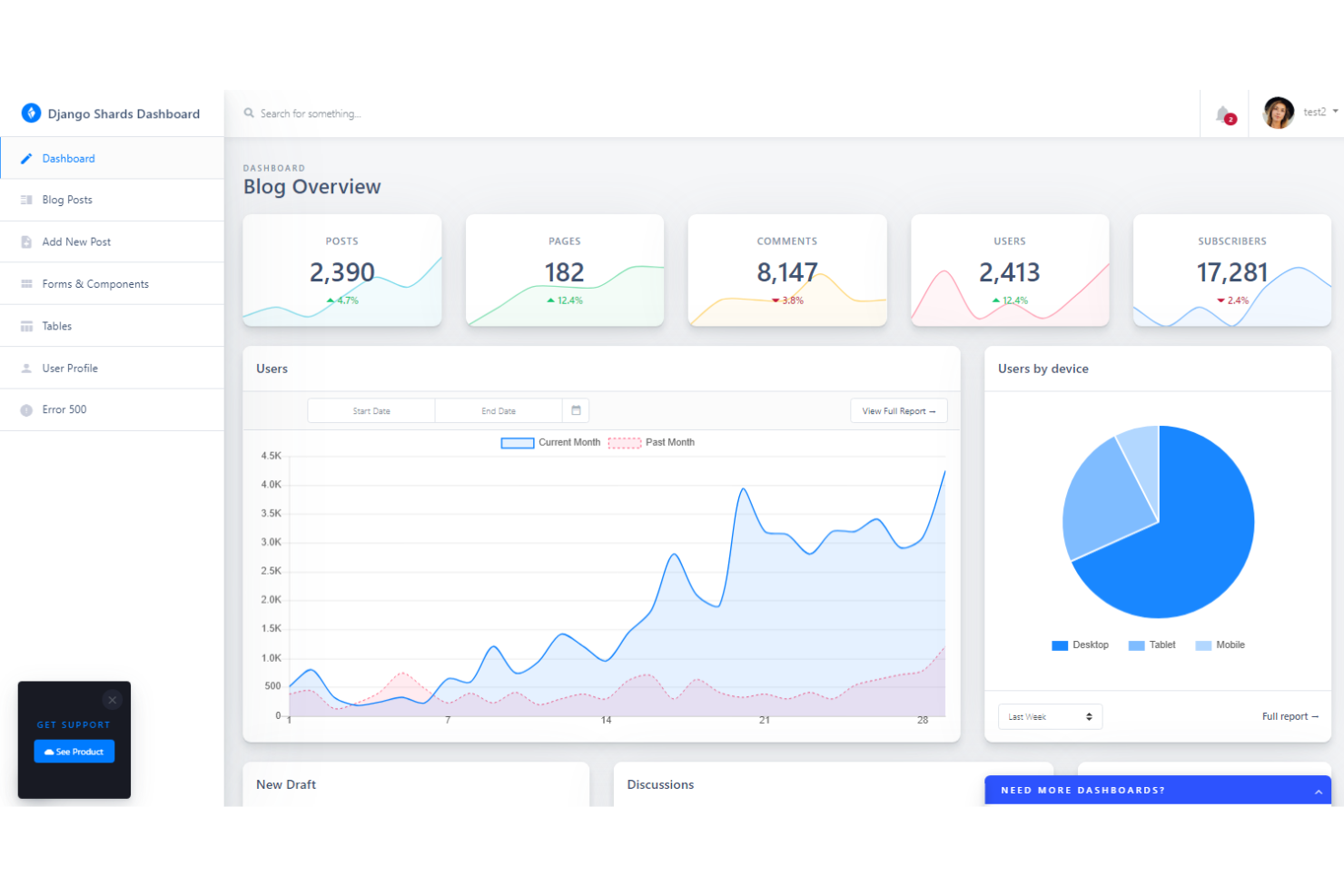
Django is a Python-based framework designed for teams that need to launch secure web applications quickly. It’s especially useful for developers in regulated industries or organizations handling sensitive data, thanks to its built-in security features. If you want a solution that handles authentication, permissions, and common web vulnerabilities out of the box, Django stands out for its focus on security and rapid development.
Who is Django Best For?
Backend developers and product teams in small to mid-sized organizations in North America and Europe developing applications rapidly with built-in security features.
Why I Picked Django
When rapid development and security are top priorities, Django offers a unique combination that’s hard to match. Its built-in authentication system and automatic protection against common threats like SQL injection and cross-site scripting help teams launch secure applications without extra overhead. I appreciate how Django’s “batteries-included” approach provides ready-to-use components for user management, permissions, and admin interfaces. This makes it a strong fit for organizations that need to move fast while meeting strict security requirements.
Django Key Features
Some other features that make Django appealing for web application development include:
- Object-Relational Mapper (ORM): Map database tables to Python objects for easier data manipulation and queries.
- Template Engine: Build dynamic HTML pages using Django’s built-in templating system.
- URL Routing: Define clean, readable URLs with flexible routing patterns.
- Internationalization Support: Localize applications with built-in tools for translation and formatting.
Django Integrations
Native integrations are not currently publicly listed.
Pros and Cons
Pros:
- ORM supports multiple database backends with minimal configuration
- Automatic protection against common web vulnerabilities is included
- Built-in admin interface accelerates backend management tasks
Cons:
- Upgrading between major versions can require significant code changes
- Asynchronous programming support is less mature than in FastAPI

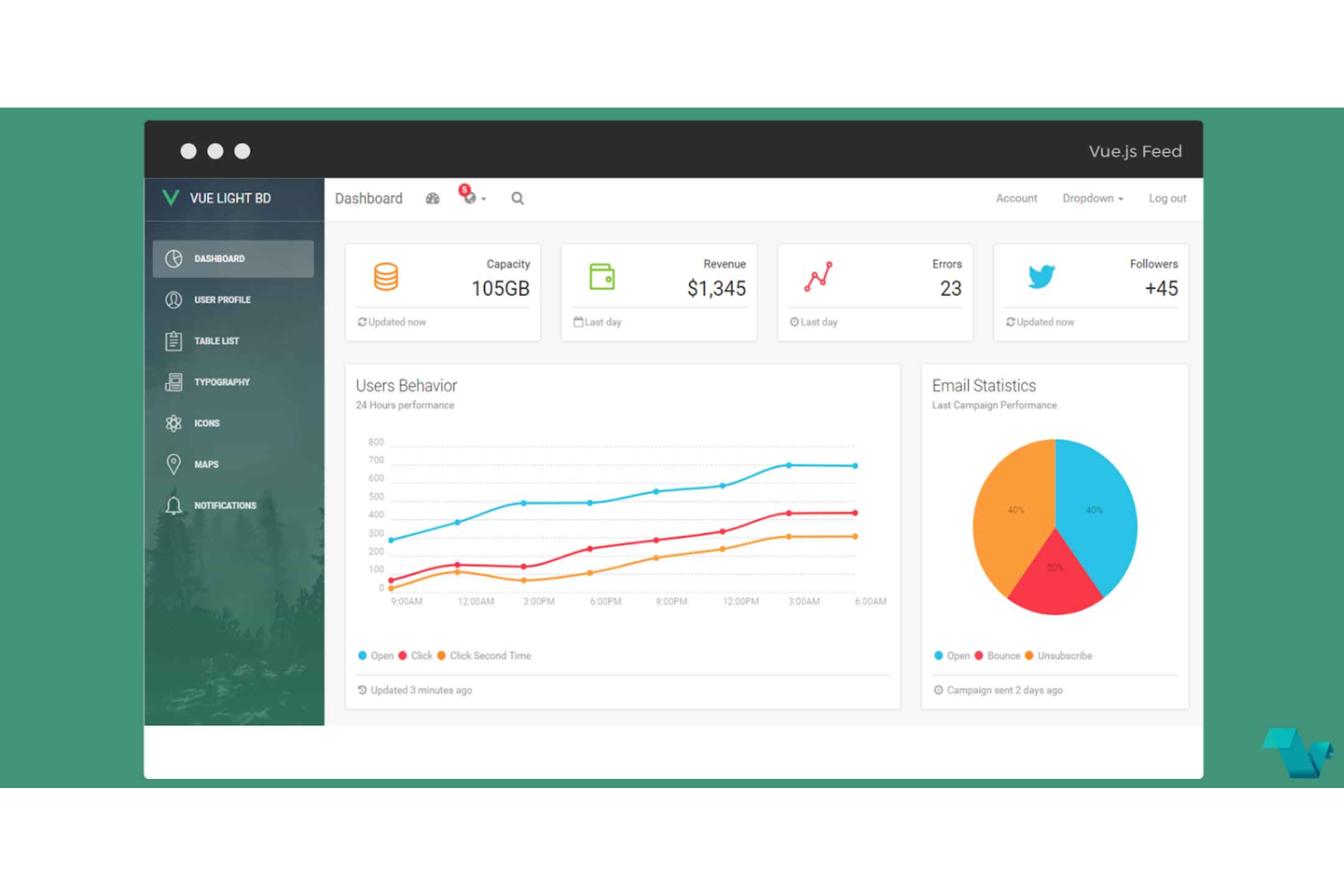
If you’re looking for a flexible way to build modern web interfaces, Vue.js offers a progressive, component-based approach. It’s a strong fit for frontend developers and teams who want to start small and scale up to complex single-page applications. Vue.js stands out for its gentle learning curve, reactive data binding, and ability to integrate with existing projects without a full rewrite.
Who is Vue.js Best For?
Frontend developers and product teams in small to mid-sized companies in North America and Europe building progressive, component-based web applications.
Why I Picked Vue.js
What drew me to Vue.js is its progressive component-based architecture, which gives you the flexibility to adopt it incrementally or use it as the foundation for large-scale web applications. This approach lets you break your UI into reusable, self-contained components, making it easier to manage and scale complex projects. Vue.js also offers a reactive data binding system that keeps your interface in sync with your data model, reducing manual updates and potential errors. For teams that want to modernize legacy apps or build new ones from scratch, Vue.js provides a modular structure that adapts to your workflow.
Vue.js Key Features
In addition to its modular architecture, I also found these features valuable for web development:
- Single-File Components: Organize template, logic, and styles in one file for better maintainability.
- Vue CLI: Use a command-line interface to scaffold, build, and manage projects efficiently.
- Transition System: Add animations and transitions to elements and components with built-in directives.
- DevTools Extension: Debug and inspect component hierarchies and state changes directly in your browser.
Vue.js Integrations
Native integrations are not currently publicly listed.
Pros and Cons
Pros:
- Vue CLI offers fast project scaffolding and build tools
- Single-file components simplify code organization and project structure
- Reactive data binding keeps UI and data model synchronized automatically
Cons:
- Smaller talent pool for hiring compared to more established frameworks
- Large-scale state management can require additional libraries like Vuex
Otro software de desarrollo de aplicaciones web
Estas son algunas opciones adicionales de software de desarrollo de aplicaciones web que no incluí en mi lista de selección, pero que aún merece la pena revisar:
- React
For reusable UI component libraries
- Docker
For containerized deployment workflows
- GitHub Copilot
For AI-powered code suggestions
- Tailwind CSS
For utility-first CSS styling
- MySQL
For scalable relational databases
- WeWeb
For visual front-end customization
- NocoBase
For open-source workflow automation
- Sencha Ext JS
For data-intensive UI components


How I Evaluate Web Application Development Software
I split my evaluation into two layers: the baseline a tool must hit—think Git integration, build pipelines, and deployment—and the differentiators that matter most for real dev teams.
Core Functionality (Table Stakes For This List)
When I'm selecting tools for my list, I rank each one on a scale from 0 (does not offer the functionality) to 5 (excels in this area) for each core functionality listed below. Then, I calculate the tool's total score into a percentage. Each tool needs to achieve a minimum total score of 75% to be considered for inclusion.
- Code Editor/IDE: I look for syntax highlighting, autocomplete, and multi-language support across HTML, CSS, JavaScript, and back-end languages you'd actually use day to day.
- Framework & Library Support: Whether you're building in React, Angular, Django, or Rails, I check that the platform offers native scaffolding and tooling for major frameworks.
- Build & Deployment Tools: I evaluate how each tool handles build automation and pushing code to staging or production—manual ZIP uploads don't cut it here.
- Version Control Integration: Git integration matters a lot, so I look at how well each platform connects with providers like GitHub, GitLab, or Bitbucket for branching, merging, and PR workflows.
- Testing & Debugging Tools: From breakpoints and console debugging to integrated test runners for unit and integration tests, I check what each platform gives you out of the box.
- Hosting & Runtime Environment: I consider whether the tool provides or directly connects to hosting, cloud runtimes, or serverless infrastructure so your app can actually go live.
Once I have a list of tools that meet this criteria, I consider what sets each platform apart.
Differentiating Factors (What Sets Vendors Apart)
Here's how I compare and contrast different vendors:
Standout Features
AI-assisted coding is a major differentiator—platforms like GitHub Copilot and Replit's Ghostwriter show how inline code suggestions and auto-refactoring can reshape daily development workflows. I also evaluate preview environments, where each pull request spins up a shareable URL for QA and stakeholder review before anything touches production. Edge and serverless function support matters for teams building globally distributed APIs that need low-latency responses without manual infrastructure management.
Beyond Features
Security and compliance certifications like SOC 2 and ISO 27001 are worth checking early—teams in regulated industries need RBAC, SSO, and audit logging before they can even consider adoption. Pricing structure also shapes long-term viability. Some platforms charge per seat, while others bill by build minutes or bandwidth, so I evaluate which model aligns with how your team actually ships. Strong documentation and an active developer community round things out, since fast answers to edge-case problems keep projects on track.
Cómo elegir software de desarrollo de aplicaciones web
Es fácil perderse entre largas listas de funciones y estructuras de precios complejas. Para ayudarte a mantener la atención mientras avanzas en tu proceso particular de selección de software, aquí tienes una lista de factores que debes tener en cuenta:
| Factor | Qué debes considerar |
|---|---|
| Escalabilidad | ¿El software podrá gestionar un aumento de usuarios, datos y complejidad a medida que crezca tu empresa? Comprueba si existen límites en cuanto a proyectos, usuarios o llamadas a la API. |
| Integraciones | ¿La herramienta se conecta de forma nativa con tus bases de datos, sistemas de autenticación, canales de CI/CD o herramientas de supervisión existentes? |
| Personalización | ¿Puedes adaptar la plataforma a los estándares de programación, flujos de trabajo y marca de tu equipo? Busca compatibilidad con temas o complementos personalizados. |
| Facilidad de uso | ¿Con qué rapidez pueden alcanzar la productividad los nuevos miembros del equipo? Ten en cuenta la curva de aprendizaje y si la interfaz de usuario se adapta al nivel de experiencia de tu equipo. |
| Implementación e incorporación | ¿Qué recursos se necesitan para empezar a trabajar? Evalúa las herramientas de migración, la documentación y la disponibilidad de asistencia para la incorporación. |
| Coste | ¿Los niveles de precios son transparentes y previsibles a medida que aumenta el uso? Presta atención a las tarifas ocultas, los cargos por excedentes o los complementos obligatorios. |
| Medidas de seguridad | ¿La plataforma admite tus políticas de seguridad, como el inicio de sesión único, el cifrado y los registros de auditoría? Revisa las certificaciones de cumplimiento si es necesario. |
| Disponibilidad de asistencia | ¿Qué canales de asistencia se ofrecen y están disponibles durante tu horario laboral? Comprueba si existen acuerdos de nivel de servicio y vías de escalamiento para los incidentes. |
¿Qué es el software de desarrollo de aplicaciones web?
El software de desarrollo de aplicaciones web es un conjunto de herramientas y plataformas que ayudan a los equipos a diseñar, crear, probar e implementar aplicaciones basadas en la web. Estas soluciones son compatibles tanto con el desarrollo del front-end como del back-end y ofrecen funciones de programación, depuración, integración y control de versiones. Permiten a los especialistas en TI crear aplicaciones web escalables, seguras y fáciles de mantener que satisfacen las necesidades empresariales y de los usuarios.
Funciones del software de desarrollo de aplicaciones web
Al seleccionar un software de desarrollo de aplicaciones web, presta atención a las siguientes funciones clave:
- Editor de código: Un entorno integrado para escribir, editar y gestionar código, normalmente con resaltado de sintaxis, autocompletado y detección de errores para acelerar el desarrollo.
- Integración con el control de versiones: Compatibilidad directa con herramientas como Git, lo que permite a los equipos realizar un seguimiento de los cambios, colaborar y gestionar ramas de código dentro del entorno de desarrollo.
- Herramientas de depuración: Utilidades para identificar, aislar y corregir errores en el código, incluidos puntos de interrupción, ejecución paso a paso e informes de errores en tiempo real.
- Conectividad con bases de datos: Funciones que permiten la integración con diversas bases de datos, lo que facilita la gestión de modelos de datos, la ejecución de consultas y la gestión de migraciones.
- Gestión de API: Herramientas para crear, probar y documentar API, que ayudan a los equipos a conectar sus aplicaciones con servicios externos y sistemas internos.
- Compatibilidad con el diseño adaptable: Funciones para crear interfaces que se ajustan automáticamente a distintos tamaños de pantalla y dispositivos, proporcionando una experiencia de usuario uniforme.
- Marcos de pruebas: Herramientas integradas o incorporadas para realizar pruebas unitarias, de integración y de extremo a extremo, que ayudan a los equipos a validar la funcionalidad de las aplicaciones antes de su implementación.
- Automatización de la implementación: Funciones que simplifican el proceso de trasladar el código del desarrollo a producción, incluidas las canalizaciones de integración y entrega continuas.
- Control de acceso basado en roles: Configuraciones que permiten a los administradores definir los permisos de los usuarios, de modo que solo los miembros autorizados del equipo puedan acceder a partes específicas del proyecto o modificarlas.
Funciones habituales de IA del software de desarrollo de aplicaciones web
Además de las funciones estándar del software de desarrollo de aplicaciones web mencionadas anteriormente, muchas de estas soluciones están incorporando IA con funciones como las siguientes:
- Generación de código: La IA analiza los requisitos y el contexto del proyecto para generar automáticamente fragmentos de código o funciones completas, lo que ayuda a los equipos a acelerar el desarrollo y reducir los errores de programación manual.
- Revisión automatizada del código: La IA analiza las bases de código en busca de errores, vulnerabilidades de seguridad e incoherencias de estilo, y proporciona comentarios y sugerencias en tiempo real para mejorar la calidad del código antes de su implementación.
- Creación inteligente de casos de prueba: La IA examina la lógica de la aplicación y los flujos de usuario para sugerir o generar casos de prueba pertinentes, aumentando la cobertura de las pruebas y reduciendo el riesgo de pasar por alto casos límite.
- Consultas en lenguaje natural: La IA permite a los desarrolladores interactuar con documentación, bases de datos o bases de código mediante preguntas formuladas en lenguaje sencillo, agilizando la recuperación de información y la resolución de problemas.
- Optimización predictiva del rendimiento: La IA supervisa el comportamiento de las aplicaciones y los patrones de uso para recomendar optimizaciones, como estrategias de almacenamiento en caché o asignación de recursos, que pueden mejorar la velocidad y la fiabilidad.
Beneficios del software de desarrollo de aplicaciones web
La implementación de un software de desarrollo de aplicaciones web ofrece varios beneficios para tu equipo y tu empresa. Estos son algunos de los que puedes esperar:
- Ciclos de desarrollo más rápidos: Los editores de código integrados, los componentes reutilizables y las herramientas de automatización ayudan a los equipos a entregar aplicaciones con mayor rapidez.
- Mayor colaboración: La integración con el control de versiones y las funciones de edición en tiempo real facilitan que varios desarrolladores trabajen juntos en el mismo proyecto.
- Mayor escalabilidad: La compatibilidad con marcos modernos, la integración con bases de datos y la automatización de la implementación permiten que las aplicaciones crezcan al ritmo de las necesidades de tu empresa.
- Seguridad mejorada: Los controles de acceso basados en roles y las medidas de seguridad integradas ayudan a proteger los datos confidenciales y mantener el cumplimiento normativo.
- Experiencia de usuario uniforme: La compatibilidad con el diseño adaptable y los marcos de pruebas ayudan a que las aplicaciones funcionen de forma fiable en distintos dispositivos y navegadores.
- Incorporación mejorada: La documentación, las plantillas y las guías interactivas ayudan a que los nuevos miembros del equipo sean productivos más rápidamente.
- Menor riesgo operativo: Las pruebas automatizadas, la revisión del código y las canalizaciones de implementación minimizan la probabilidad de que los errores lleguen a producción.
Costes y precios del software de desarrollo de aplicaciones web
Seleccionar software de desarrollo de aplicaciones web requiere comprender los diversos modelos de precios y planes disponibles. Los costos varían según las funciones, el tamaño del equipo, los complementos y otros factores. La tabla siguiente resume los planes habituales, sus precios promedio y las funciones típicas incluidas en las soluciones de software de desarrollo de aplicaciones web:
Tabla comparativa de planes para software de desarrollo de aplicaciones web
| Tipo de plan | Precio promedio | Características comunes |
|---|---|---|
| Plan gratuito | $0 | Edición básica de código, almacenamiento limitado de proyectos, asistencia de la comunidad y acceso a plantillas principales. |
| Plan personal | $10-$40/usuario/mes | Edición avanzada de código, integración con sistemas de control de versiones, compatibilidad con bases de datos pequeñas y asistencia por correo electrónico. |
| Plan empresarial | $20-$100/usuario/mes | Herramientas de colaboración en equipo, acceso a API, controles de seguridad mejorados, asistencia prioritaria e implementaciones automatizadas. |
| Plan para empresas | $60-$1000+/mes | Integraciones personalizadas, funciones avanzadas de cumplimiento, gestión de cuentas dedicada, asistencia respaldada por SLA y registros de auditoría. |
Preguntas frecuentes sobre el software de desarrollo de aplicaciones web
Estas son algunas respuestas a preguntas frecuentes sobre el software de desarrollo de aplicaciones web:
¿Cómo sé si mi equipo necesita software de desarrollo de aplicaciones web?
Si tu equipo desarrolla, mantiene o amplía aplicaciones basadas en la web, probablemente necesites software de desarrollo especializado. Estas herramientas ayudan a gestionar el código, mejorar la colaboración y facilitar la integración con bases de datos y API, lo que hace más manejables los proyectos complejos.
¿Puedo migrar proyectos existentes al nuevo software de desarrollo de aplicaciones web?
Sí, la mayoría de las plataformas permiten importar bases de código y datos existentes. Comprueba si hay guías de migración, compatibilidad con tus marcos de trabajo actuales y recursos de asistencia disponibles para garantizar una transición fluida sin interrumpir el trabajo en curso.
¿Qué aspectos de seguridad debo tener en cuenta al elegir una plataforma?
Busca funciones como el control de acceso basado en roles, el cifrado, los registros de auditoría y las certificaciones de cumplimiento. Asegúrate de que el software se ajuste a las políticas de seguridad y los requisitos normativos de tu organización, especialmente si gestionas datos confidenciales o sujetos a regulación.
¿Cómo facilitan las soluciones de software de desarrollo de aplicaciones web la colaboración en equipo?
Muchas plataformas ofrecen integración con sistemas de control de versiones, edición en tiempo real y herramientas de gestión de proyectos. Estas funciones ayudan a varios desarrolladores a trabajar en la misma base de código, realizar un seguimiento de los cambios y resolver conflictos de manera eficiente.
¿Hay costos ocultos que deba tener en cuenta con estas herramientas?
Sí, algunas plataformas cobran cargos adicionales por funciones avanzadas, usuarios adicionales, almacenamiento o asistencia premium. Revisa detenidamente los niveles de precios y calcula tus necesidades futuras para evitar gastos inesperados a medida que crezcan tus proyectos.