

10 alternativas a Lansweeper para la gestión de activos de TI en 2026

10 Selección de alternativas a Lansweeper


Una buena alternativa a Lansweeper te ofrece herramientas fiables de descubrimiento de activos de TI, gestión de inventario y operaciones que se adaptan a tu entorno y tus flujos de trabajo. Si estás buscando alternativas a Lansweeper, probablemente quieras soluciones capaces de gestionar inventarios de activos complejos, respaldar el cumplimiento normativo e integrarse con tu conjunto actual de herramientas de gestión de TI, sin añadir gastos generales ni riesgos innecesarios.
Esta lista te ayudará a comparar las principales alternativas a Lansweeper para 2026, para que puedas encontrar la plataforma adecuada para gestionar tus activos de TI, automatizar tareas rutinarias y mantener tu infraestructura segura y organizada.
¿Qué es Lansweeper?
Lansweeper es una plataforma de gestión de activos de TI que descubre, inventaría y realiza un seguimiento automático del hardware y el software de tu red. Ayuda a los equipos de TI a mantener la visibilidad de los activos, supervisar los cambios y respaldar las iniciativas de cumplimiento normativo. Lansweeper también ofrece integraciones con otras herramientas de operaciones de TI, lo que facilita centralizar los datos de los activos y las tareas de gestión. Esta plataforma es ampliamente utilizada por organizaciones que necesitan información precisa y actualizada sobre sus activos para gestionar su infraestructura de TI con seguridad y eficiencia operativa.
Tabla comparativa de alternativas a Lansweeper
Esta tabla comparativa resume los detalles de precios de mi selección de las principales alternativas a Lansweeper:
| Tool | Best For | Trial Info | Price | ||
|---|---|---|---|---|---|
| 1 | Ideal para implementación rápida de mesa de servicios | Prueba gratuita de 14 días + demo gratis disponible | Desde $19/agente/mes (facturación anual) | Website | |
| 2 | Ideal para el mapeo de infraestructuras híbridas | Demo gratuita disponible | Precio bajo demanda | Website | |
| 3 | Mejor para la monitorización de dispositivos de red | Prueba gratuita de 30 días + demo gratis disponible | Desde $7/nodo/mes | Website | |
| 4 | Ideal para suites integradas de operaciones de TI | Prueba gratuita de 30 días + demo gratuita disponible | Desde $104/mes | Website | |
| 5 | Ideal para el despliegue automatizado de software | Prueba gratuita de 14 días + demostración gratuita disponible | Desde $12/dispositivo/año (facturación anual) | Website | |
| 6 | Ideal para seguimiento de activos de código abierto | Plan gratuito + demo gratis disponible | Desde $39.99/mes (Versión alojada) | Website | |
| 7 | Ideal para el descubrimiento de aplicaciones SaaS | Demostración gratuita disponible | Precios bajo solicitud | Website | |
| 8 | Ideal para la gestión unificada de endpoints | Prueba gratuita de 14 días disponible | Precio a consultar | Website | |
| 9 | Ideal para la automatización personalizada de flujos de trabajo | Prueba gratuita de 14 días | Precio a consultar | Website | |
| 10 | Ideal para portales de autoservicio intuitivos | Prueba gratuita de 30 días disponible | Desde $17/agente/mes (facturado anualmente) | Website |


Por qué confiar en nuestras recomendaciones de software
Nuestro equipo lleva probando y evaluando software desde 2012. Como líderes tecnológicos, sabemos lo difícil —y lo importante— que es elegir el software adecuado.
Para esta guía, evaluamos las herramientas mediante pruebas prácticas e investigación independiente, puntuando las herramientas según nuestros criterios de selección.
Nuestras reseñas reflejan nuestro criterio editorial humano, no un discurso de ventas.
Reseñas de alternativas a Lansweeper
A continuación encontrarás mis resúmenes detallados de las mejores alternativas a Lansweeper que llegaron a mi selección. Mis reseñas ofrecen un análisis detallado de las funciones, integraciones y casos de uso más adecuados de cada plataforma para ayudarte a encontrar la mejor opción para tu entorno de TI.

Ideal para implementación rápida de mesa de servicios
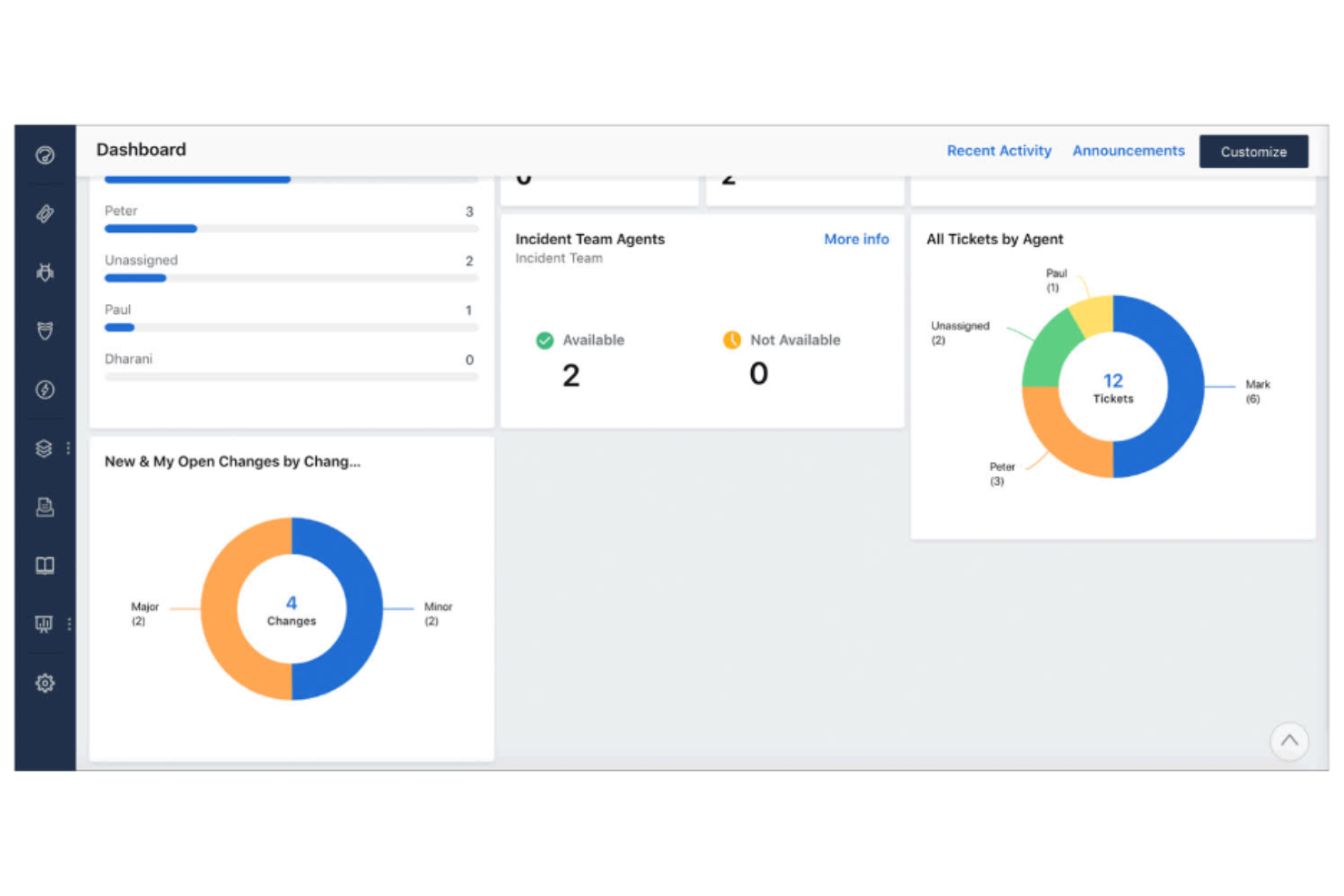
Freshservice está diseñado para equipos de TI que necesitan desplegar una mesa de servicio rápidamente sin una configuración o personalización pesada. Se destaca frente a Lansweeper al ofrecer una manera intuitiva de combinar la gestión de activos de TI con funciones integradas de gestión de incidentes, problemas y cambios. Esta plataforma es ideal para organizaciones que desean una solución unificada para rastrear activos y gestionar solicitudes de servicio de TI en un solo lugar.
Por qué Freshservice es una buena alternativa a Lansweeper
Freshservice destaca para equipos que necesitan poner en marcha una mesa de servicio con mínima demora. Lo seleccioné como alternativa a Lansweeper porque combina la gestión de activos con la gestión de incidentes y cambios en una sola plataforma. El catálogo de servicios incorporado y las funciones de automatización de flujos de trabajo ayudan a los profesionales de TI a gestionar solicitudes y cambios sin tener que alternar entre varias herramientas. Esto hace que Freshservice sea especialmente útil para organizaciones que quieren obtener visibilidad de activos centralizando el seguimiento de los mismos y las operaciones de soporte de TI.
Características principales de Freshservice
Otras funciones en Freshservice que resultan útiles para la gestión y operaciones de activos de TI incluyen:
- Agente de descubrimiento: Escanea automáticamente tu red para identificar e inventariar dispositivos y software conectados con la máxima facilidad de uso.
- Gestión de contratos: Realiza el seguimiento de contratos con proveedores, fechas de renovación y requisitos de cumplimiento dentro de la plataforma.
- CMDB (Base de datos de gestión de la configuración): Mapea las relaciones entre activos, servicios y usuarios para un mejor análisis de impacto.
- Aplicación móvil: Permite al personal de TI gestionar tickets, activos y aprobaciones desde cualquier lugar usando dispositivos iOS o Android.
Integraciones de Freshservice
Las integraciones incluyen Jira, Slack, Microsoft Teams, Zoom, Salesforce, AWS y Okta. Freshservice también ofrece una API abierta para integraciones personalizadas.
Pros and Cons
Pros:
- Incluye cumplimiento total de procesos ITIL
- Ofrece portales de proveedores de servicios para varios departamentos
- Descubrimiento automatizado de activos en la nube y locales
Cons:
- Elevados requisitos de recursos del sistema
- Personalización restrictiva de los campos de activos
New Product Updates from Freshservice
 Experience)
Freshservice Introduces a Reimagined IT Asset Management (ITAM) Experience
Freshservice introduces a reimagined IT Asset Management (ITAM) experience with continuous infrastructure discovery, dependency mapping, IPAM, and Software License Management. This update helps teams improve asset visibility and manage connected IT environments more effectively. For more information, visit Freshservice’s official site.
Device42
Ideal para el mapeo de infraestructuras híbridas
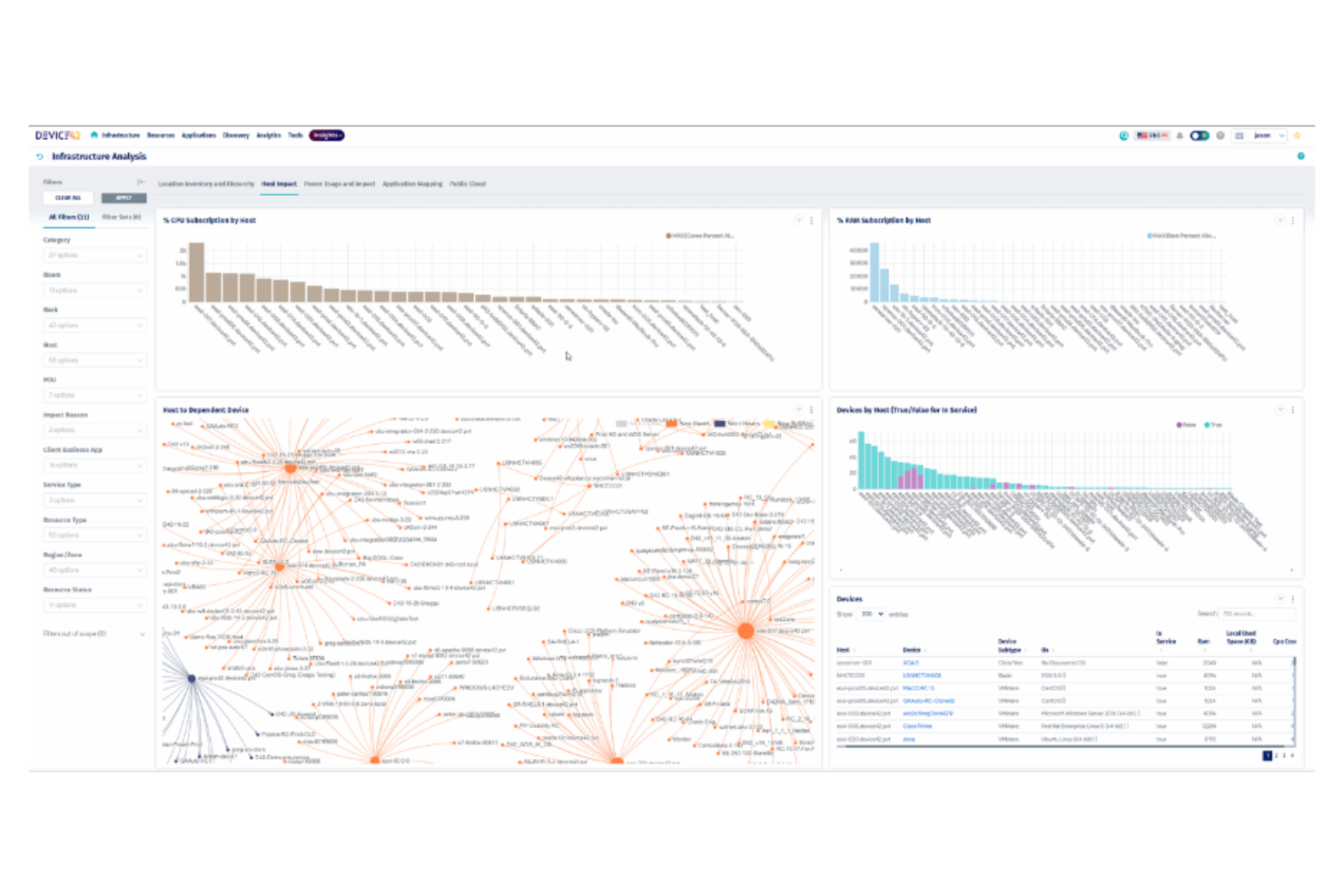
El mapeo de entornos híbridos complejos es donde Device42 sobresale, lo que lo convierte en una excelente opción para equipos de TI que gestionan tanto infraestructuras locales como en la nube. La plataforma está diseñada para organizaciones que necesitan visibilidad profunda de activos físicos, virtuales y en la nube, así como sus interdependencias. A diferencia de Lansweeper, Device42 se especializa en el descubrimiento automatizado y el mapeo de relaciones a través de entornos diversos, ayudándote a mantenerte al día con los cambios dinámicos en la infraestructura.
Por qué Device42 es una buena alternativa a Lansweeper
Si necesitas mapear activos en entornos locales y en la nube, Device42 está construido para esa complejidad. Elegí Device42 porque descubre y visualiza automáticamente la infraestructura híbrida, incluidos servidores, dispositivos de red y recursos en la nube. El mapeo de relaciones de la plataforma muestra cómo los activos se conectan y dependen entre sí, lo cual es esencial para la resolución de problemas y la planificación. Para equipos de TI que gestionan entornos dinámicos y mixtos, Device42 ofrece una visibilidad que va más allá de lo que proporciona Lansweeper.
Funciones clave de Device42
Otras funciones de Device42 que son valiosas para la gestión de activos de TI y operaciones incluyen:
- Gestión de licencias de software: Supervisa las instalaciones de software y el uso de licencias en tu entorno.
- Gestión de contraseñas: Almacena y gestiona credenciales de dispositivos y aplicaciones de manera segura.
- Visualización del centro de datos: Ofrece vistas de bastidores y planos de planta para la disposición de la infraestructura física.
- Seguimiento de cambios: Registra los cambios de configuración y actualizaciones de activos para fines de auditoría y cumplimiento.
Integraciones de Device42
Las integraciones incluyen ServiceNow, AWS, Cisco, SolarWinds, Splunk, Ansible, Puppet y más.
Pros and Cons
Pros:
- Incluye descubrimiento automatizado de infraestructura híbrida
- Ofrece mapeo de relaciones de infraestructura
- Permite gestión de bastidores y planos de planta
Cons:
- Integraciones limitadas con herramientas ITSM y de monitoreo
- Diseño de interfaz de usuario desactualizado

Mejor para la monitorización de dispositivos de red
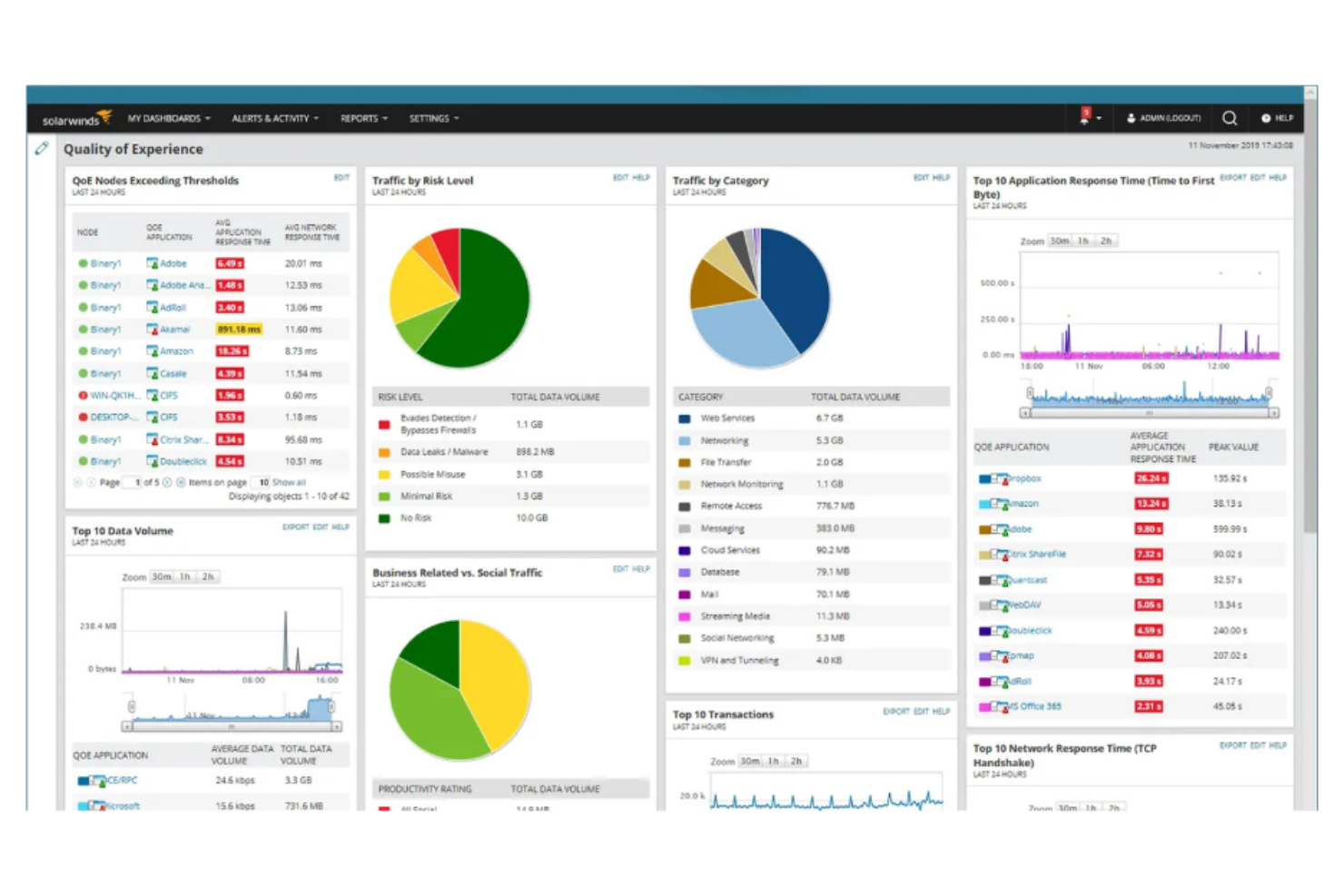
Para los equipos de TI enfocados en la monitorización de dispositivos de red a gran escala, SolarWinds ofrece herramientas especializadas que van más allá del seguimiento básico de activos. La plataforma es ideal para organizaciones que necesitan visibilidad en tiempo real de switches, routers, cortafuegos y otros componentes de hardware de red. A diferencia de Lansweeper, SolarWinds proporciona monitorización avanzada del rendimiento de red y alertas, ayudándote a identificar y resolver problemas de conectividad rápidamente.
Por qué SolarWinds es una buena alternativa a Lansweeper
Cuando la monitorización de dispositivos de red es tu máxima prioridad, SolarWinds ofrece capacidades que la diferencian de Lansweeper. Elegí SolarWinds porque proporciona una visibilidad profunda sobre el hardware de red, con funciones como estado del dispositivo en tiempo real, seguimiento del uso de ancho de banda y alertas automáticas ante caídas o problemas de rendimiento. El mapeo topológico de la red de la plataforma te ayuda a visualizar las relaciones entre dispositivos y localizar rápidamente los puntos problemáticos. Para los equipos de TI que gestionan redes complejas, SolarWinds ofrece una profundidad de monitorización que va más allá del inventario estándar de activos.
Características clave de SolarWinds
Otras funciones de SolarWinds que resultan valiosas para la gestión y operación de activos de TI incluyen:
- Gestión de Configuraciones: Automatiza las copias de seguridad de configuraciones de dispositivos y el seguimiento de cambios en todo el hardware de red.
- Gestión de Direcciones IP: Centraliza el seguimiento y la asignación de direcciones IP dentro de tu red.
- Análisis de Tráfico NetFlow: Supervisa y analiza los patrones de tráfico de red para obtener información sobre el ancho de banda y la seguridad.
- Gestión de Parches: Programa y despliega actualizaciones de software en servidores y estaciones de trabajo.
Integraciones de SolarWinds
Las integraciones incluyen Cisco, Amazon Web Services (AWS), Microsoft Teams, Slack, PagerDuty y más.
Pros and Cons
Pros:
- Ofrece análisis NetPath salto a salto
- Ofrece paneles de correlación de datos entre capas
- Incluye soporte para dispositivos SNMP de múltiples proveedores
Cons:
- Estructura de precios y licencias compleja
- Funciones de informes limitadas

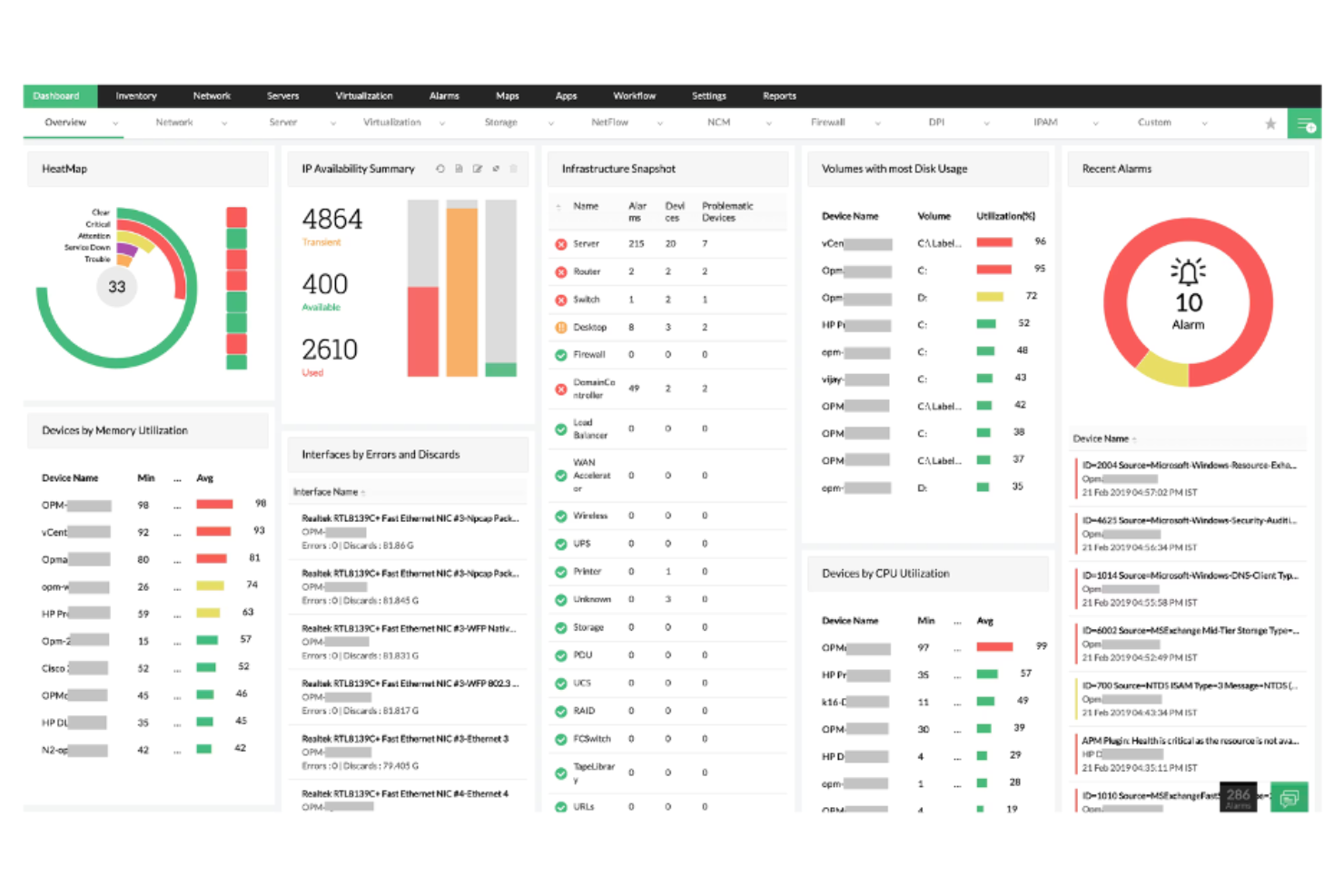
Si buscas una herramienta de gestión y operaciones de activos de TI que reúna múltiples funciones de TI, ManageEngine merece tu consideración. La plataforma está diseñada para equipos de TI que desean un control unificado sobre los activos, la mesa de servicio, la gestión de endpoints y la monitorización de la red desde una sola suite. A diferencia de Lansweeper, ManageEngine destaca por su enfoque integrado, permitiéndote gestionar todo, desde las solicitudes de los usuarios hasta el cumplimiento de dispositivos, en un solo lugar.
Por qué ManageEngine es una buena alternativa a Lansweeper
Para los equipos de TI que quieren una plataforma única para encargarse de múltiples operaciones de TI, ManageEngine ofrece un nivel de integración que Lansweeper no iguala. Elegí ManageEngine porque combina la gestión de activos, la mesa de servicio, la gestión de endpoints y la monitorización de redes en una sola suite, reduciendo la necesidad de alternar entre herramientas separadas. El panel unificado de la plataforma te permite rastrear activos, gestionar incidentes e imponer políticas de cumplimiento sin cambiar de contexto. Si buscas una solución que centralice la gestión de operaciones de TI y la supervisión de activos, ManageEngine reúne estas capacidades de una manera difícil de encontrar en otros lugares.
Funciones clave de ManageEngine
Otras funciones útiles de ManageEngine para la gestión y operaciones de activos de TI incluyen:
- Gestión de licencias de software: Realiza un seguimiento del uso del software y ayuda a garantizar el cumplimiento de los acuerdos de licencia.
- Herramientas de control remoto: Permiten al personal de TI acceder y resolver problemas en endpoints directamente desde la plataforma.
- Despliegue automatizado de parches: Programa y aplica parches de seguridad en todos los dispositivos para reducir vulnerabilidades.
- Informes personalizables: Genera informes detallados sobre activos, cumplimiento y operaciones de TI para auditorías y análisis.
Integraciones de ManageEngine
Las integraciones incluyen Microsoft Active Directory, Jira, Slack, AWS, Google Workspace y más.
Pros and Cons
Pros:
- Incluye una suite integrada de 90 productos de TI
- Incluye gestión de parches automatizada y multi-SO
- Ofrece opciones flexibles de despliegue híbrido
Cons:
- Algunos módulos requieren licencias por separado
- El tiempo de respuesta de soporte varía según la línea de productos


Si necesitas automatizar el despliegue de software en entornos Windows, PDQ está diseñado específicamente para esa tarea. Es una excelente opción para equipos de TI en educación, sanidad y empresas medianas que desean implementar actualizaciones y parches sin intervención manual. A diferencia de Lansweeper, PDQ se especializa en implementaciones rápidas y desatendidas y en una gestión detallada de paquetes, ayudándote a mantener los endpoints actualizados con menos esfuerzo manual.
Por Qué PDQ Es Una Buena Alternativa a Lansweeper
Para equipos de TI enfocados en automatizar el despliegue de software, PDQ ofrece un nivel de control y rapidez que lo distingue de Lansweeper. Elegí PDQ porque te permite programar, desplegar y actualizar paquetes de software en todos los endpoints Windows con una intervención manual mínima. La biblioteca de paquetes predefinidos de la herramienta y los horarios de implementación personalizables te ayudan a mantener los sistemas actualizados y en cumplimiento. Si tu principal reto es gestionar implementaciones de software a gran escala, las funciones de automatización de PDQ lo convierten en una excelente alternativa.
Funciones Principales de PDQ
Otras características útiles de PDQ para la gestión de activos de TI y operaciones incluyen:
- Escaneo de Inventario: Recoge información detallada de hardware y software de todos los dispositivos Windows en tu red.
- Soporte para Scripting Personalizado: Te permite ejecutar scripts en PowerShell, VBScript o por lotes como parte de las tareas de despliegue o inventario.
- Control de Acceso Basado en Roles: Permite asignar permisos y roles a diferentes miembros del equipo para una gestión segura.
- Encendido y Reinicio Remoto: Permite encender o reiniciar máquinas de forma remota sin intervención del usuario.
Integraciones de PDQ
Las integraciones incluyen Entra ID y Freshworks.
Pros and Cons
Pros:
- Cuenta con inventario de estaciones de trabajo Windows sin agentes
- Incluye una amplia biblioteca de paquetes predefinidos
- Ofrece parcheo automatizado de software de terceros
Cons:
- Requiere dependencia de Active Directory
- No ofrece soporte nativo para personal móvil


Si buscas un enfoque de código abierto para el seguimiento de activos, Snipe-IT te da control total sobre tu inventario de TI. Es una excelente opción para equipos de TI en educación, organizaciones sin fines de lucro y pequeñas o medianas empresas que desean alojar y personalizar la gestión de sus activos ellos mismos. A diferencia de Lansweeper, Snipe-IT destaca por su transparencia, flexibilidad y un modelo de desarrollo impulsado por la comunidad.
Por qué Snipe-IT es una buena alternativa a Lansweeper
Para los equipos de TI que buscan la flexibilidad del código abierto, Snipe-IT ofrece un nivel de transparencia y personalización difícil de igualar. Elegí Snipe-IT porque permite autoalojar tu sistema de gestión de activos y adaptarlo a las necesidades de tu organización. La herramienta permite un seguimiento detallado de activos, asignación de usuarios y registros de auditoría, todo a través de una interfaz web. Si necesitas una solución que puedas adaptar y controlar, Snipe-IT es una sólida alternativa a Lansweeper.
Características clave de Snipe-IT
Otras funcionalidades útiles de Snipe-IT para la gestión y operación de activos de TI incluyen:
- Generación y escaneo de códigos de barras: Permite crear y escanear códigos de barras para facilitar la identificación y actualización rápida de activos.
- Notificaciones por correo electrónico: Envía alertas automáticas para registros de entrada y salida de activos, así como para vencimientos de garantías.
- Campos personalizados: Permite agregar campos de datos específicos de la organización a los registros de los activos.
- Acceso a la API: Proporciona una API REST para integrar los datos de activos con otros sistemas o automatizar flujos de trabajo.
Integraciones de Snipe-IT
Snipe-IT ofrece una API para integraciones personalizadas.
Pros and Cons
Pros:
- Incluye acceso a API REST de código abierto
- Incluye generador de etiquetas QR integrado
- Permite seguimiento ilimitado de activos y usuarios
Cons:
- No admite inventario automático de dispositivos
- Configuración manual autoalojada compleja

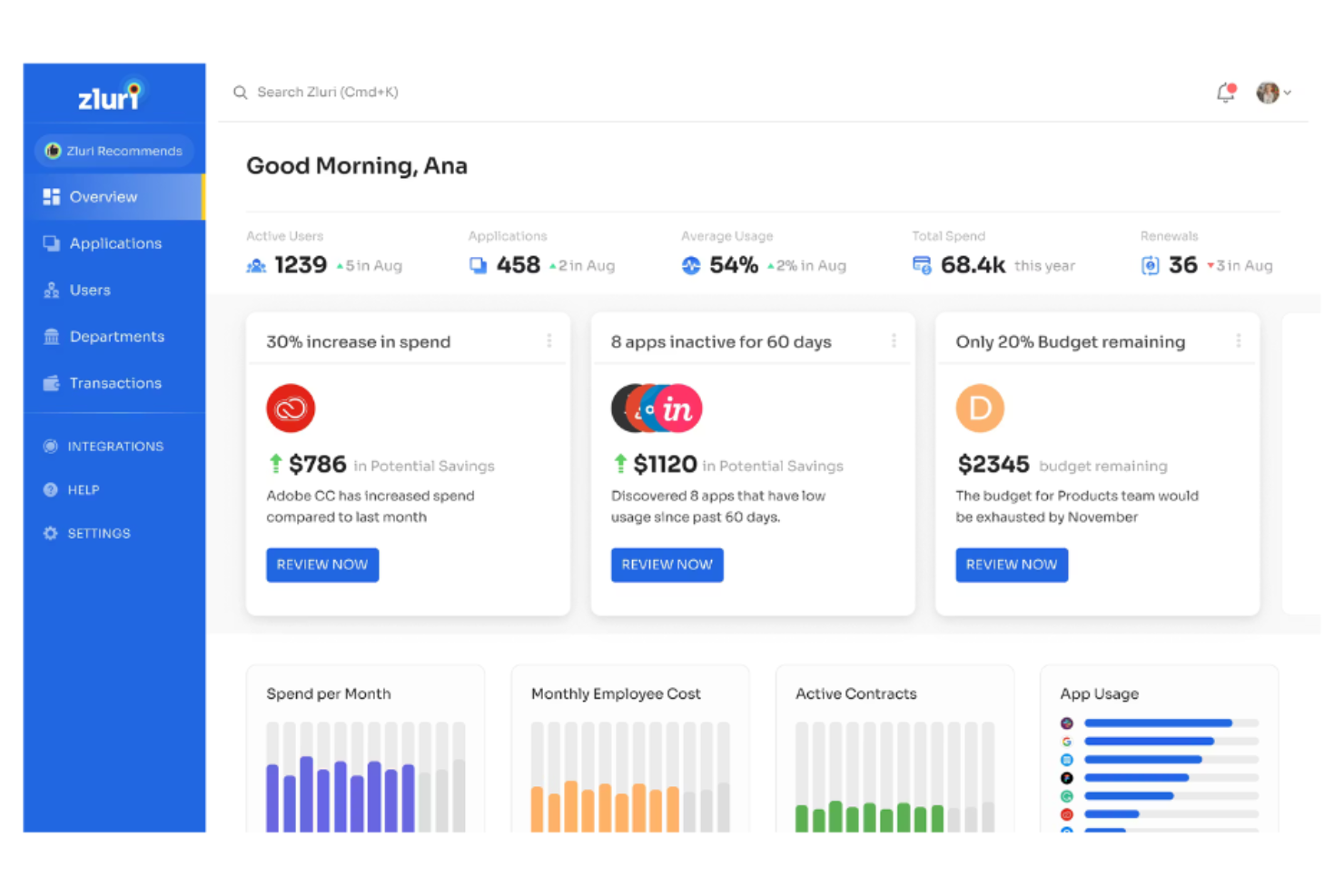
Para los equipos de TI que tienen dificultades para obtener visibilidad en su entorno SaaS, Zluri ofrece un enfoque específico para el descubrimiento y la gestión de aplicaciones SaaS. Es especialmente útil para organizaciones que necesitan identificar, monitorizar y controlar el uso de software basado en la nube en todos los departamentos. A diferencia de Lansweeper, Zluri se centra en el gasto SaaS, el acceso y el cumplimiento, ayudándote a reducir el shadow IT y optimizar tu conjunto de software.
Por qué Zluri es una buena alternativa a Lansweeper
Cuando tu principal preocupación es descubrir y gestionar aplicaciones SaaS, Zluri ofrece un nivel de visibilidad que Lansweeper no iguala. Elegí Zluri porque detecta automáticamente todas las herramientas SaaS en uso en tu organización, incluso aquellas que no han sido aprobadas formalmente por TI. La plataforma también proporciona análisis detallados de uso y seguimiento de gastos, por lo que puedes identificar suscripciones redundantes y controlar los costes. Este enfoque en el descubrimiento y la optimización SaaS convierte a Zluri en una opción sólida para empresas que priorizan la gobernanza del software en la nube.
Características clave de Zluri
Otras funcionalidades de Zluri que resultan valiosas para la gestión y operaciones de activos de TI incluyen:
- Provisionamiento y desprovisionamiento automatizado de usuarios: Gestiona el acceso de los usuarios a las aplicaciones SaaS a lo largo del ciclo de vida del empleado.
- Panel de gestión de proveedores: Centraliza los detalles de los contratos, fechas de renovación y contactos de proveedores para todos los servicios SaaS.
- Supervisión de seguridad y cumplimiento: Señala aplicaciones de riesgo y monitoriza el cumplimiento de políticas internas y externas.
- Automatización de flujos de trabajo personalizados: Permite crear procesos automatizados para onboarding, offboarding y solicitudes de aprobación de aplicaciones.
Integraciones de Zluri
Las integraciones incluyen Google Workspace, Slack, Microsoft 365, Okta, Jira, Salesforce y más.
Pros and Cons
Pros:
- Cuenta con alertas automáticas para renovaciones SaaS
- Onboarding y offboarding automatizado de usuarios
- Incluye información detallada sobre el uso de aplicaciones
Cons:
- Ocasionalmente identifica erróneamente aplicaciones
- No permite etiquetar los pasos del flujo de trabajo

NinjaOne
Ideal para la gestión unificada de endpoints
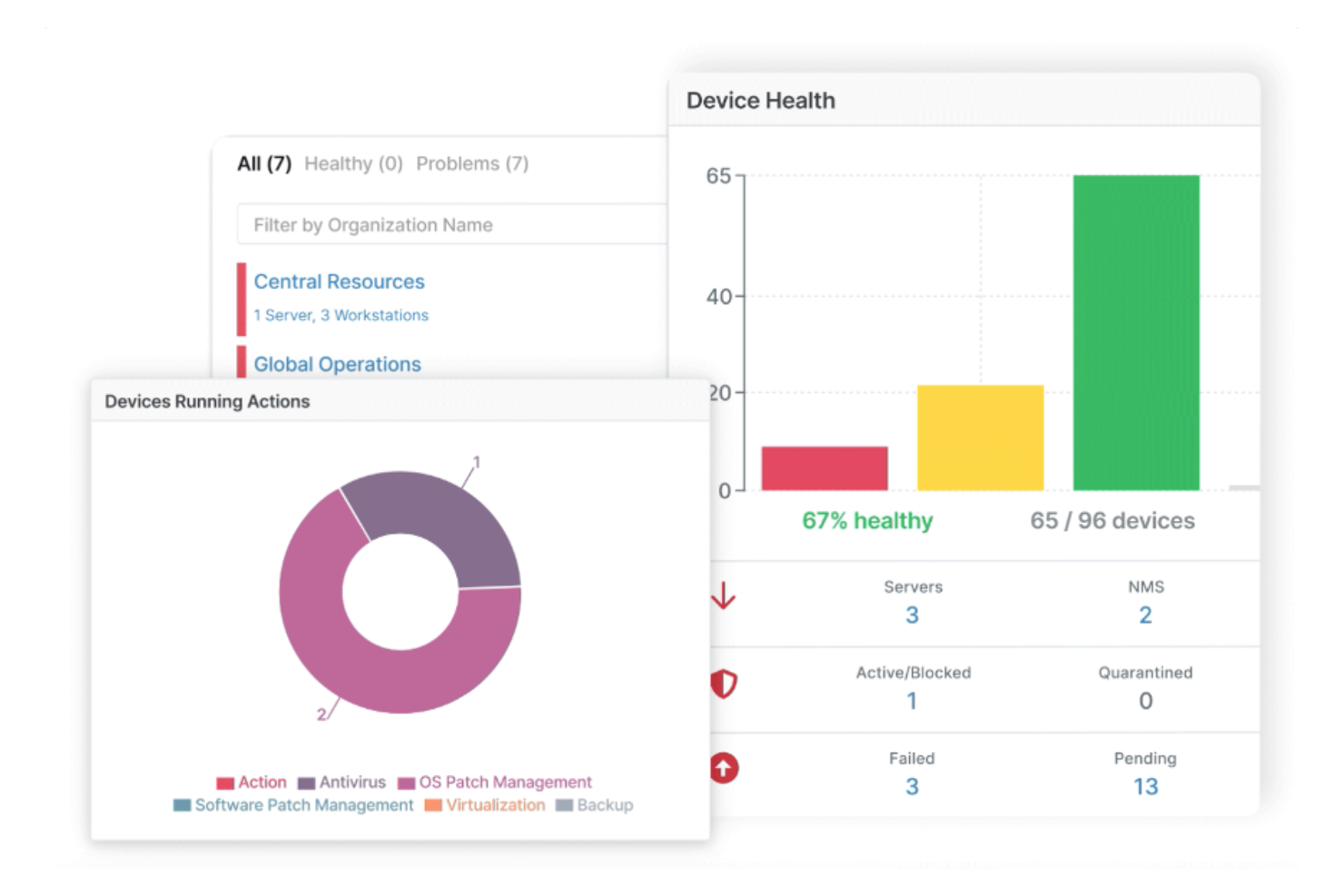
NinjaOne reúne la gestión de endpoints, la supervisión en tiempo real y la automatización en una sola plataforma basada en la nube. Es una excelente opción para equipos de TI que necesitan gestionar flotas de dispositivos diversas en múltiples ubicaciones sin tener que usar herramientas separadas. A diferencia de Lansweeper, NinjaOne enfatiza la visibilidad y el control unificados de endpoints Windows, macOS y Linux desde un único panel.
Por Qué NinjaOne es una Buena Alternativa a Lansweeper
Para los equipos de TI que desean visibilidad total y una sola plataforma para gestionar todos los endpoints, NinjaOne ofrece una gestión de endpoints unificada que va más allá de lo que ofrece Lansweeper. Lo elegí porque permite monitorear, actualizar y controlar remotamente dispositivos Windows, macOS y Linux desde un solo panel. La plataforma también permite automatizar el despliegue de software y ejecutar scripts en toda tu flota de dispositivos. Este enfoque ayuda a centralizar las operaciones de TI y reduce la necesidad de múltiples soluciones puntuales.
Características Clave de NinjaOne
Otras características de NinjaOne que son valiosas para la gestión de activos de TI y operaciones incluyen:
- Descubrimiento Automatizado de Dispositivos: Utiliza capacidades RMM para escanear redes e inventariar todos los dispositivos conectados.
- Gestión de Copias de Seguridad: Programa y gestiona copias de seguridad para endpoints directamente desde la plataforma.
- Integración con Sistemas de Ticketing: Se conecta con herramientas de mesa de ayuda para gestionar la respuesta a incidentes.
- Alertas Personalizadas: Permite configurar notificaciones para eventos específicos de dispositivos o la red.
Integraciones de NinjaOne
Las integraciones incluyen Microsoft 365, ConnectWise, Slack, ServiceNow, Jira, Zendesk, PagerDuty y más.
Pros and Cons
Pros:
- Centraliza la gestión de parches multiplataforma
- Incluye herramientas de acceso remoto con un clic
- Ofrece visibilidad en tiempo real del estado de los endpoints
Cons:
- Flexibilidad limitada en reportes personalizados
- Requiere pago anual
New Product Updates from NinjaOne
NinjaOne Launches Browser Management
NinjaOne launches Browser Management with visibility into browser activity, extensions, AI usage, and policy controls. This extends endpoint management into the browser while giving IT teams more control over browser-based risk. For more information, visit NinjaOne’s official site.

SysAid
Ideal para la automatización personalizada de flujos de trabajo
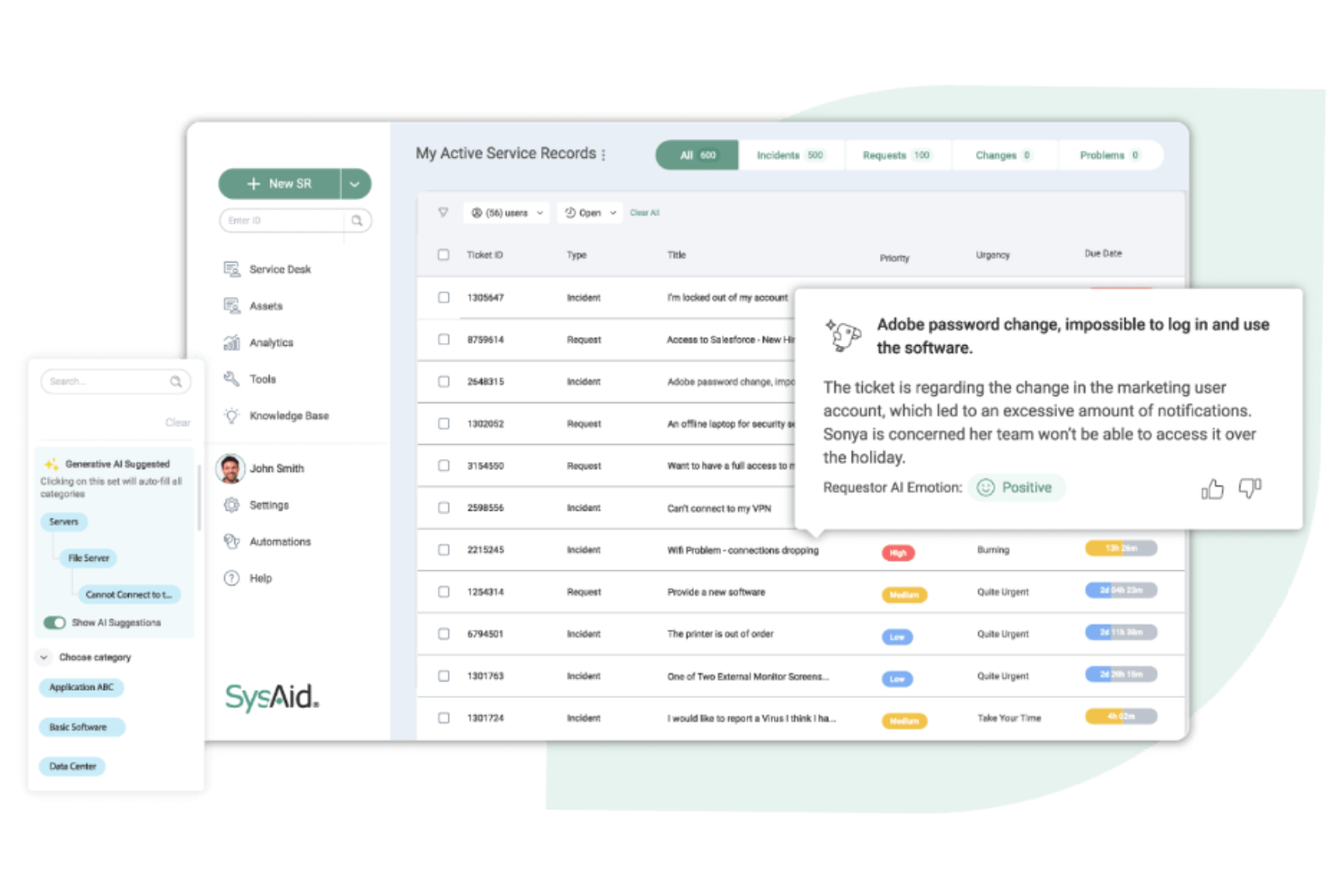
SysAid brinda a los departamentos de TI una plataforma diseñada para una profunda personalización y automatización de flujos de trabajo. Es una excelente opción para organizaciones que desean adaptar los procesos de su mesa de servicio, automatizar tareas repetitivas y ajustarse a necesidades operativas únicas. A diferencia de Lansweeper, SysAid te permite diseñar y automatizar flujos de trabajo complejos a través de la gestión de activos, la gestión de tickets y las operaciones de TI desde una sola interfaz.
Por qué SysAid es una buena alternativa a Lansweeper
SysAid destaca para los equipos de TI que necesitan construir y automatizar flujos de trabajo adaptados a sus procesos particulares. Lo seleccioné como alternativa a Lansweeper porque su diseñador de flujos de trabajo te permite automatizar la asignación de tickets, las aprobaciones y las escaladas según reglas personalizadas. La plataforma también admite la gestión automatizada del ciclo de vida de los activos, por lo que puedes ejecutar acciones a medida que los activos avanzan por diferentes etapas. Este nivel de personalización es especialmente valioso para organizaciones con operaciones de TI complejas o en evolución.
Características clave de SysAid
Otras funciones de SysAid útiles para la gestión de activos de TI y operaciones incluyen:
- Herramientas de control remoto: Permiten al personal de TI acceder y solucionar problemas en los dispositivos de los usuarios directamente desde la plataforma.
- Portal de autoservicio: Permite a los usuarios finales enviar tickets, hacer seguimiento de solicitudes y acceder a artículos de la base de conocimientos.
- Gestión de parches: Programa y despliega actualizaciones de software en los dispositivos gestionados.
- Informes y analíticas: Proporciona paneles personalizados e informes para rastrear resultados de descubrimientos de red y el estado de los activos.
Integraciones de SysAid
Las integraciones incluyen Microsoft Teams, Slack, Jira, Salesforce, Dropbox y más. SysAid también ofrece una API para integraciones personalizadas.
Pros and Cons
Pros:
- Incluye herramientas automatizadas para el descubrimiento de aplicaciones
- Incluye mapeo automático de dependencias nativo
- Ofrece sugerencias guiadas de IA
Cons:
- Integraciones limitadas de forma predeterminada
- Rendimiento lento con grandes volúmenes de datos
New Product Updates from SysAid

SysAid Adds Bulk Contract Import
SysAid added bulk contract import to License Manager Essentials, letting admins upload a CSV template, validate entries, and create multiple contracts at once. For more information, visit SysAid's official site.

InvGate
Ideal para portales de autoservicio intuitivos
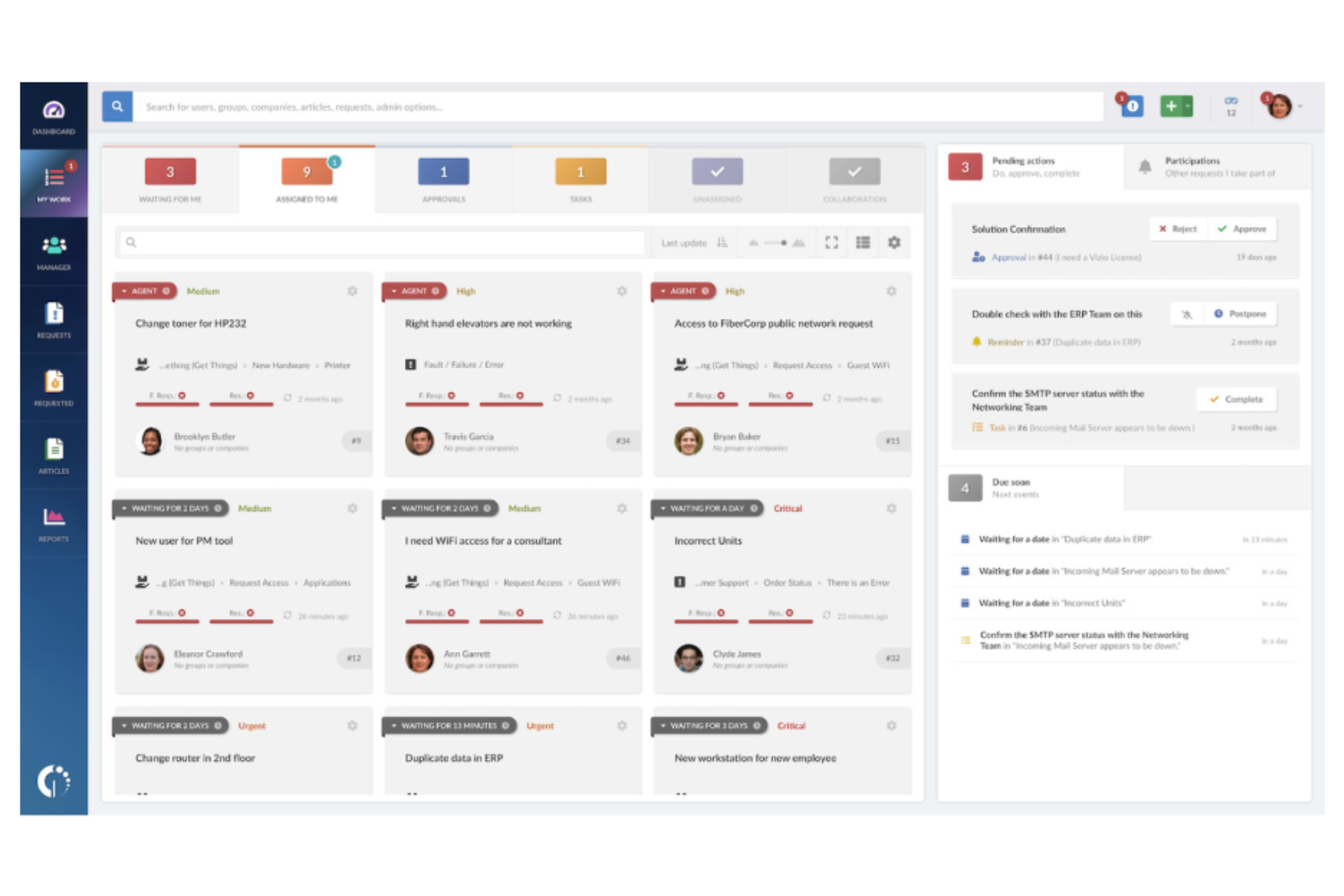
InvGate Service Desk destaca para las organizaciones que desean empoderar a los usuarios con un portal de autoservicio moderno e intuitivo. Está diseñado para equipos de TI que necesitan gestionar tickets, automatizar flujos de trabajo y hacer que los recursos de conocimiento sean fácilmente accesibles. A diferencia de Lansweeper, InvGate pone un fuerte énfasis en la experiencia del usuario y la autorresolución, ayudando a reducir el volumen de tickets y mejorar la satisfacción.
Por qué InvGate es una buena alternativa a Lansweeper
Si buscas una herramienta de gestión de servicios de TI que priorice el empoderamiento del usuario, el portal de autoservicio de InvGate es una sólida alternativa a Lansweeper. Elegí InvGate porque te permite construir bases de conocimiento y catálogos de servicios personalizables que ayudan a los usuarios a resolver problemas por sí mismos. La plataforma también admite el enrutamiento automático de tickets y flujos de aprobación, lo que puede reducir la intervención manual de los equipos de TI. Este enfoque en el autoservicio y la automatización hace que InvGate sea especialmente útil para organizaciones que buscan disminuir el volumen de tickets y mejorar la satisfacción del usuario.
Características clave de InvGate
Otras características de InvGate que resultan valiosas para la gestión de activos de TI y operaciones incluyen:
- Gestión de inventario de activos: Realiza un seguimiento en tiempo real de los activos de hardware y software en toda tu organización.
- Módulo de gestión de cambios: Proporciona flujos de trabajo estructurados para gestionar los cambios y aprobaciones de TI.
- Gestión de SLA: Permite definir, monitorear y hacer cumplir los acuerdos de nivel de servicio para las solicitudes de soporte.
- Informes y analítica: Ofrece paneles y reportes personalizables para rastrear el desempeño y las tendencias de la mesa de ayuda.
Integraciones de InvGate
Las integraciones incluyen Microsoft Teams, Jira, Google Workspace, Okta y más.
Pros and Cons
Pros:
- Incluye un creador de flujos de trabajo visual sin código
- Incluye capacidades unificadas de ITSM e ITAM
- Ofrece tiempos de implementación rápidos
Cons:
- Integraciones nativas limitadas con terceros
- Funciones básicas de descubrimiento de activos
Otras alternativas a Lansweeper
Estas son algunas opciones adicionales de alternativas a Lansweeper que no llegaron a mi selección, pero que aún merece la pena consultar:
- ServiceNow
Mejor para la integración de flujos de trabajo empresariales
- Atera
Mejor para monitoreo remoto todo en uno
- Certero
Mejor para la gestión avanzada de licencias de software


Cómo evalúo las alternativas a Lansweeper
Evalúo dos niveles: los requisitos fundamentales como el descubrimiento de red sin agente y el seguimiento de licencias, y los diferenciadores: modelo de precios, soporte para MSP e integraciones, que son relevantes para equipos específicos.
Funcionalidades básicas (Imprescindibles para esta lista)
Cuando selecciono herramientas para mi lista, califico cada una en una escala del 0 (no ofrece la funcionalidad) al 5 (destaca en esta área) para cada funcionalidad principal que se detalla a continuación. Luego, calculo el puntaje total de la herramienta en porcentaje. Cada herramienta necesita alcanzar un puntaje total mínimo del 65% para ser considerada para su inclusión.
- Descubrimiento de red: Verifico si una herramienta puede encontrar automáticamente dispositivos en VLANs, instancias en la nube y redes remotas, no solo en un único segmento plano.
- Inventario de hardware y software: Cada herramienta debe mantener un inventario activo de especificaciones, aplicaciones instaladas y versiones de sistemas operativos que se actualice sin tener que volver a escanear manualmente.
- Escaneo sin agente y con agente: Busco opciones de escaneo flexibles para cubrir las máquinas unidas al dominio sin agente y, al mismo tiempo, poder alcanzar portátiles fuera de la red mediante agentes.
- Seguimiento de licencias y cumplimiento: La herramienta debe conciliar el software instalado con las licencias adquiridas, señalando posibles discrepancias antes de que una auditoría las detecte.
- Vulnerabilidades e información sobre parches: Evalúo si la plataforma identifica parches faltantes, activos fuera de soporte y CVEs conocidos vinculados directamente al inventario descubierto.
- Informes e integraciones: Los paneles e informes importan, pero también verifico la existencia de conectores nativos para herramientas ITSM como ServiceNow, Jira o Freshservice.
Una vez tengo una lista de herramientas que cumplen con estos criterios, considero qué distingue a cada plataforma.
Factores diferenciadores (Lo que distingue a los proveedores)
Así es como comparo y contrasto los distintos proveedores:
Características destacadas
La funcionalidad CMDB incorporada es un gran diferenciador. Las herramientas que mapean dependencias de activos ayudan a comprender el impacto antes de realizar cambios en la infraestructura. También evalúo los flujos de trabajo automatizados que generan tickets o alertas cuando un activo alcanza el estado de fin de vida. El seguimiento de garantía y ciclo de vida también es crucial, ya que las búsquedas de garantía automáticas ahorran horas revisando portales de proveedores durante la planificación de renovaciones. Para los equipos que enfrentan la proliferación de TI en la sombra, el descubrimiento de SaaS es cada vez más relevante.
Más allá de las características
La transparencia en los precios es una razón importante por la que los equipos buscan alternativas a Lansweeper, por lo que verifico si los proveedores cobran por activo, por nodo o mediante niveles fijos, y cómo cambian los costos a medida que crece el entorno. La flexibilidad en la implementación también importa, especialmente si tus políticas de seguridad requieren hospedaje local o si tu MSP necesita soporte multiinquilino. También reviso la existencia de certificaciones SOC 2 e ISO 27001 junto con RBAC y SSO, ya que las industrias reguladas las exigen antes de aprobar la adquisición.
Criterios de selección de alternativas a Lansweeper
Al seleccionar las mejores alternativas a Lansweeper para incluir en esta lista, tuve en cuenta las necesidades y los problemas habituales de los compradores relacionados con los productos de gestión de activos de TI y herramientas de operaciones, como la gestión de entornos de TI híbridos complejos y la automatización del descubrimiento de activos. También utilicé el siguiente marco para mantener una evaluación estructurada y justa:
Funcionalidad principal (25 % de la puntuación total)
Para poder incluirse en esta lista, cada solución debía cubrir estos casos de uso habituales:
- Descubrir e inventariar activos de TI
- Realizar un seguimiento del inventario de hardware y software
- Supervisar el estado y la condición de los dispositivos
- Generar informes de cumplimiento y auditoría
- Gestionar las asignaciones y la propiedad de los activos
Funciones adicionales destacadas (25 % de la puntuación total)
Para acotar aún más la competencia, también busqué un conjunto de funciones únicas, como:
- Gestión automatizada de parches
- Herramientas integradas de resolución remota de problemas
- Seguimiento avanzado de licencias de software
- Automatización de flujos de trabajo personalizable
- Supervisión de redes integrada
Usabilidad (10 % de la puntuación total)
Para hacerme una idea de la usabilidad de cada sistema, tuve en cuenta lo siguiente:
- Diseño claro e intuitivo del panel de control
- Navegación lógica entre módulos
- Un número mínimo de clics para completar las tareas habituales
- Rendimiento adaptable de la interfaz
- Accesibilidad para diferentes roles de usuario
Incorporación (10 % de la puntuación total)
Para evaluar la experiencia de incorporación de cada plataforma, tuve en cuenta lo siguiente:
- Disponibilidad de guías de configuración paso a paso
- Acceso a vídeos de formación y documentación
- Curva de aprendizaje más corta
- Plantillas prediseñadas para importar activos
- Chat en directo o seminarios web de incorporación
Atención al cliente (10 % de la puntuación total)
Para evaluar los servicios de atención al cliente de cada proveedor de software, tuve en cuenta lo siguiente:
- Disponibilidad de asistencia las 24 horas, los 7 días de la semana
- Oferta de varios canales de asistencia
- Acceso a una base de conocimientos con función de búsqueda
- Rapidez de las respuestas del servicio de asistencia
- Calidad de la resolución técnica de problemas
Relación calidad-precio (10 % de la puntuación total)
Para evaluar la relación calidad-precio de cada plataforma, tuve en cuenta lo siguiente:
- Precios transparentes y predecibles
- Planes flexibles para empresas de diferentes tamaños
- Funciones incluidas en el precio base
- Coste de los complementos o módulos adicionales
- Disponibilidad de una prueba gratuita o demostración
Opiniones de los clientes (10 % de la puntuación total)
Para hacerme una idea de la satisfacción general de los clientes, tuve en cuenta lo siguiente al leer sus opiniones:
- Coherencia de los comentarios positivos
- Frecuencia de los problemas técnicos notificados
- Calidad de la comunicación del proveedor
- Ejemplos reales de casos de uso
- Tendencias en el sentimiento de las opiniones recientes
¿Por qué buscar una alternativa a Lansweeper?
Aunque Lansweeper es una buena opción como herramienta de gestión de activos y operaciones de TI, hay varios motivos por los que algunos usuarios buscan soluciones alternativas. Es posible que busques una alternativa a Lansweeper porque…
- Necesitas una integración más profunda con sistemas de mesa de servicio o de gestión de tickets
- Quieres herramientas integradas de resolución remota de problemas y gestión de terminales
- Necesitas funciones más avanzadas de gestión de licencias de software
- Necesitas compatibilidad con entornos híbridos o multinube complejos
- Quieres opciones de precios más flexibles o de licencias modulares
Si alguna de estas situaciones te resulta familiar, has llegado al lugar adecuado. Mi lista contiene varias opciones de software de gestión de activos que se adaptan mejor a los equipos que afrontan estos desafíos con Lansweeper y buscan soluciones alternativas.
Funciones principales de Lansweeper
Estas son algunas de las funciones principales de Lansweeper, para ayudarte a contrastar y comparar lo que ofrecen las soluciones alternativas:
- Detección automatizada de redes y dispositivos
- Gestión centralizada del inventario de activos de TI
- Seguimiento del ciclo de vida del hardware y el software
- Informes y vistas del panel de control personalizables
- Herramientas de evaluación de vulnerabilidades y riesgos
- Integración con Active Directory y SCCM
- Supervisión del cumplimiento de las licencias de software
- Registro de auditoría y seguimiento del historial de cambios
- Controles de acceso basados en roles para la gestión de usuarios
¿Qué viene a continuación?
Si estás investigando alternativas a Lansweeper, ponte en contacto con un asesor de SoftwareSelect para recibir recomendaciones gratuitas.
Rellenas un formulario y mantienes una breve conversación en la que conocerán los detalles específicos de tus necesidades. Después recibirás una lista de preselección de programas que podrás revisar. Incluso te ayudarán durante todo el proceso de compra, incluidas las negociaciones de precios.