

PDQ Connect Test: Vorteile, Nachteile, Funktionen und Preisgestaltung erklärt
Ich erkläre, wie PDQ Connect das Patchen für IT-Fachkräfte und Systemadministratoren vereinfacht – und zeige, wo es glänzt, wo es Schwächen gibt und warum sein pragmatischer Ansatz als Bereitstellungstool unter den Patch-Management-Lösungen hervorsticht.

Wir bewerten Tools unabhängig; Provisionen helfen, unsere Tests zu finanzieren. Siehe unsere Transparenzrichtlinie und unsere Methodik.
It only takes one missed update to open the door to serious trouble. Without the proper patch management software, systems fall behind, vulnerabilities pile up, and IT teams are left scrambling to keep up with constant threats. What starts as a simple delay can quickly turn into security risks, downtime, and hours of manual work just to stay afloat.
PDQ Connect is a cloud-based patch management solution designed to help IT professionals and system administrators keep workstations and servers up to date and secure. If you're wrestling with manual updates, unpredictable vulnerabilities, or time-consuming deployment processes, PDQ Connect's automation and straightforward controls could lighten your load.
In this review, I'll break down PDQ Connect's functionality and features, showcase practical use cases, and call out the pros, cons, and pricing details you need to make the right call for your environment.
PDQ Connect Evaluation Summary
4.6/5
- From $12/device/year
- Free trial + demo available
Warum Sie unseren Software-Empfehlungen vertrauen können
6,700+
Reviews
20
Industry experts
16+
Evaluation factors
14
Years
Unser Team testet und bewertet Software seit 2012. Als Tech-Führungskräfte wissen wir selbst, wie schwierig – und wichtig – es ist, die richtige Software auszuwählen.
Für diesen Leitfaden haben wir Tools mithilfe von praktischen Tests und unabhängiger Recherche bewertet und dabei unsere Bewertungskriterien angewendet.
Unsere Bewertungen spiegeln unser menschliches redaktionelles Urteilsvermögen wider, keine Verkaufsstrategie.
Expertenprüfer:
- Paulo Gardini MiguelTech-Direktor
 Tim FisherVP für KI
 Gabriel RosasTech Lead & Software-Architekt
 Christhian GruhnTech Lead & Plattform-Architekt

PDQ Connect Overview
Honestly, PDQ Connect's fast setup time, robust automations, and transparent pricing makes it stand out from other patch management solutions. If you want a simple but powerful platform with native app and OS scanning, PDQ would be the obvious choice. I'd say it's best for SMBs or midsize IT departments who value easy setup and reliable patching—regardless of company size. It should be noted, however, that PDQ Connect is designed primarily for Windows and macOS device management. For most internal teams, the trade-off is worth it—especially if fast deployment and transparency matter most.
Pros
- Automates Windows and macOS patch deployment with granular scheduling controls.
- Inventory scanning helps pinpoint unpatched or missing software.
- No remote agent required for updates on most devices.
Cons
- Limited support for Linux and mobile environments.
- RMM options are basic compared to other all-in-one platforms.
- No dedicated onboarding support.
Is PDQ Connect Right For Your Needs?
Who Would be a Good Fit for PDQ Connect?
PDQ Connect is best for IT teams managing mostly Windows and Mac workstations and servers who need quick patch cycles and minimal overhead. It's especially strong for small to midsize organizations with a few admins, departments without deep scripting skills, and distributed workforces. Simple licensing, agentless patching, and a massive package library make it easier to keep systems up to date, even with lean resources.
- Financial InstitutionsFinancial institutions can use PDQ Connect to support compliance and maintain visibility across endpoints.
- K–12 EducationSchools benefit from agentless updates, prebuilt packages, and batch deployment across many Windows PCs.
- Managed Service ProvidersService providers use PDQ's scripting options and reporting for efficient multi-client patch management.
- Healthcare ClinicsAgentless patching and minimal infrastructure keep compliance easy for smaller clinics with mostly Windows devices.
- Distributed WorkforcesRemote deployment supports offsite or hybrid employees without complex VPN or agent installs.
- SMBs With WindowsSmall and midsize businesses running mostly Windows get fast setup and coverage without advanced requirements.
Who Would be a Bad Fit for PDQ Connect?
PDQ Connect isn't as useful for organizations with mostly Linux devices, or highly specialized compliance needs. Large enterprises with thousands of endpoints, extensive automation demands, or strict integration requirements may also hit limits. If your team manages mobile devices or cross-platform environments, or needs in-depth compliance tracking, PDQ Connectmay fall short compared to competing deployment tools and IT management platforms.
- Small BusinessesFor businesses with under 100 devices, PDQ Connect may be more robust than necessary for basic patch management needs.
- Linux-First TeamsPDQ Connect focuses on Windows, so it won't support broad Linux patch deployment.
- Mobile-First OperationsThere's little support for mobile device patching or management.
- Highly Regulated SectorsOrganizations needing granular compliance workflows and certifications may need a more specialized tool.
Unsere Bewertungsmethodik
Wie wir Werkzeuge testen & bewerten
Wir haben Jahre damit verbracht, unser System zur Softwareprüfung und -bewertung aufzubauen, zu verfeinern und zu verbessern. Das Bewertungsraster ist darauf ausgelegt, die Feinheiten der Softwareauswahl und Effektivität eines Tools einzufangen, wobei wir uns auf kritische Aspekte des Entscheidungsprozesses konzentrieren.
Nachfolgend sehen Sie genau, wie unser Test- und Bewertungssystem anhand von sieben Kriterien funktioniert. Es ermöglicht uns eine unparteiische Bewertung der Software basierend auf Grundfunktionalität, besonderen Funktionen, Benutzerfreundlichkeit, Onboarding, Kundensupport, Integrationen, Kundenbewertungen und Preis-Leistungs-Verhältnis.
Grundfunktionalität (25 % der Endbewertung)
Der Ausgangspunkt unserer Bewertung ist immer die Grundfunktionalität des Werkzeugs. Verfügt es über die grundlegenden Funktionen und Merkmale, die ein Benutzer erwarten würde? Sind grundlegende Funktionen auf höherpreisige Tarife beschränkt? Im Kern erwarten wir, dass ein Tool den Basisfähigkeiten seiner Konkurrenten standhält.
Besondere Features (25 % der Endbewertung)
Anschließend bewerten wir ungewöhnliche, herausragende Funktionen, die über die typische Grundfunktionalität von Tools dieser Art hinausgehen. Eine hohe Bewertung zeigt spezialisierte oder einzigartige Eigenschaften, die das Produkt schneller, effizienter oder für den Nutzer wertvoller machen.
Wir bewerten außerdem, wie einfach sich das Tool mit anderen üblichen Werkzeugen im Technologie-Stack integrieren lässt, um die Funktionalität und den Nutzen der Software zu erweitern. Tools mit vielen nativen Integrationen, Drittanbieter-Anbindungen und API-Zugang zur Erstellung kundenspezifischer Integrationen erhalten die besten Bewertungen.
Benutzerfreundlichkeit (10 % der Endbewertung)
Wir betrachten, wie schnell und einfach Aufgaben aus dem Bereich der Grundfunktionalität mit dem Tool erledigt werden können. Gut bewertete Software ist durchdacht gestaltet, intuitiv bedienbar, bietet mobile Apps, Vorlagen und lässt relativ komplexe Aufgaben einfach erscheinen.
Onboarding (10 % der Endbewertung)
Wir wissen, wie wichtig die schnelle Einführung eines neuen Tools für das Team ist, daher bewerten wir, wie leicht sich ein Werkzeug mit minimalem Training erlernen und nutzen lässt. Wir bewerten, wie schnell ein Teammitglied ohne Vorerfahrung anfangen kann. Hoch bewertete Lösungen benötigen wenig bis gar keine Unterstützung.
Kundensupport (10 % der Endbewertung)
Wir prüfen, wie schnell und einfach man bei Problemen Hilfe per Telefon, Live-Chat oder Wissensdatenbank erhält. Tools und Anbieter mit Echtzeit-Support werden besser bewertet, während Chatbots schlechter abschneiden.
Kundenbewertungen (10 % der Endbewertung)
Neben unserer eigenen Prüfung beziehen wir den Net Promoter Score aktueller und ehemaliger Kunden mit ein. Wir bewerten, wie wahrscheinlich es ist, dass sie sich erneut für das Werkzeug entscheiden würden. Hoch bewertete Software weist einen hohen Net Promoter Score auf.
Preis-Leistungs-Verhältnis (10 % der Endbewertung)
Abschließend vergleichen wir unter Berücksichtigung aller Kriterien den durchschnittlichen Preis der Einstiegspakete mit den Grundfunktionen und bewerten den Mehrwert aus den anderen Bewertungsbereichen. Software, die mehr fürs gleiche Geld bietet, schneidet besser ab.
Core Features
Automated Patch Deployment
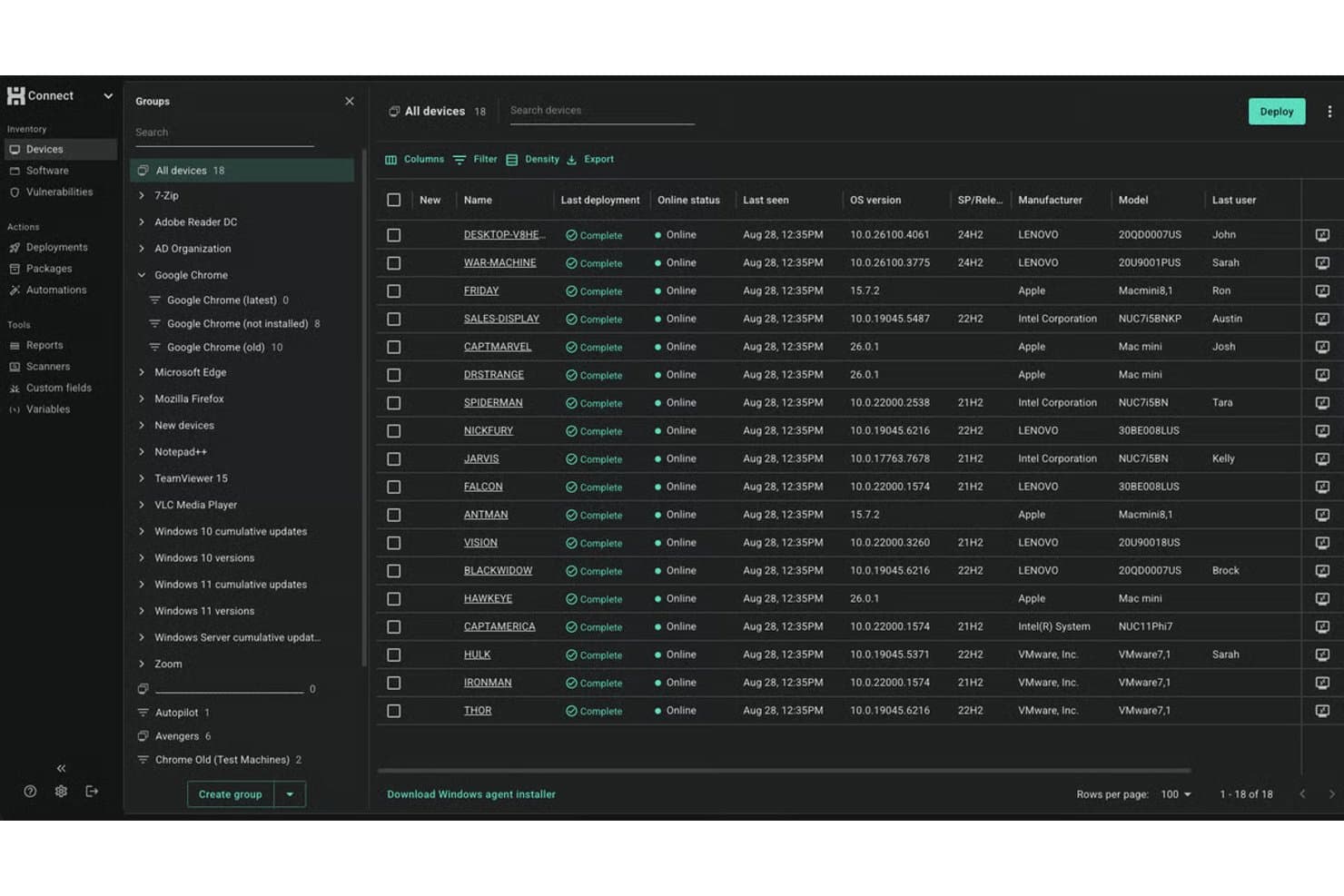
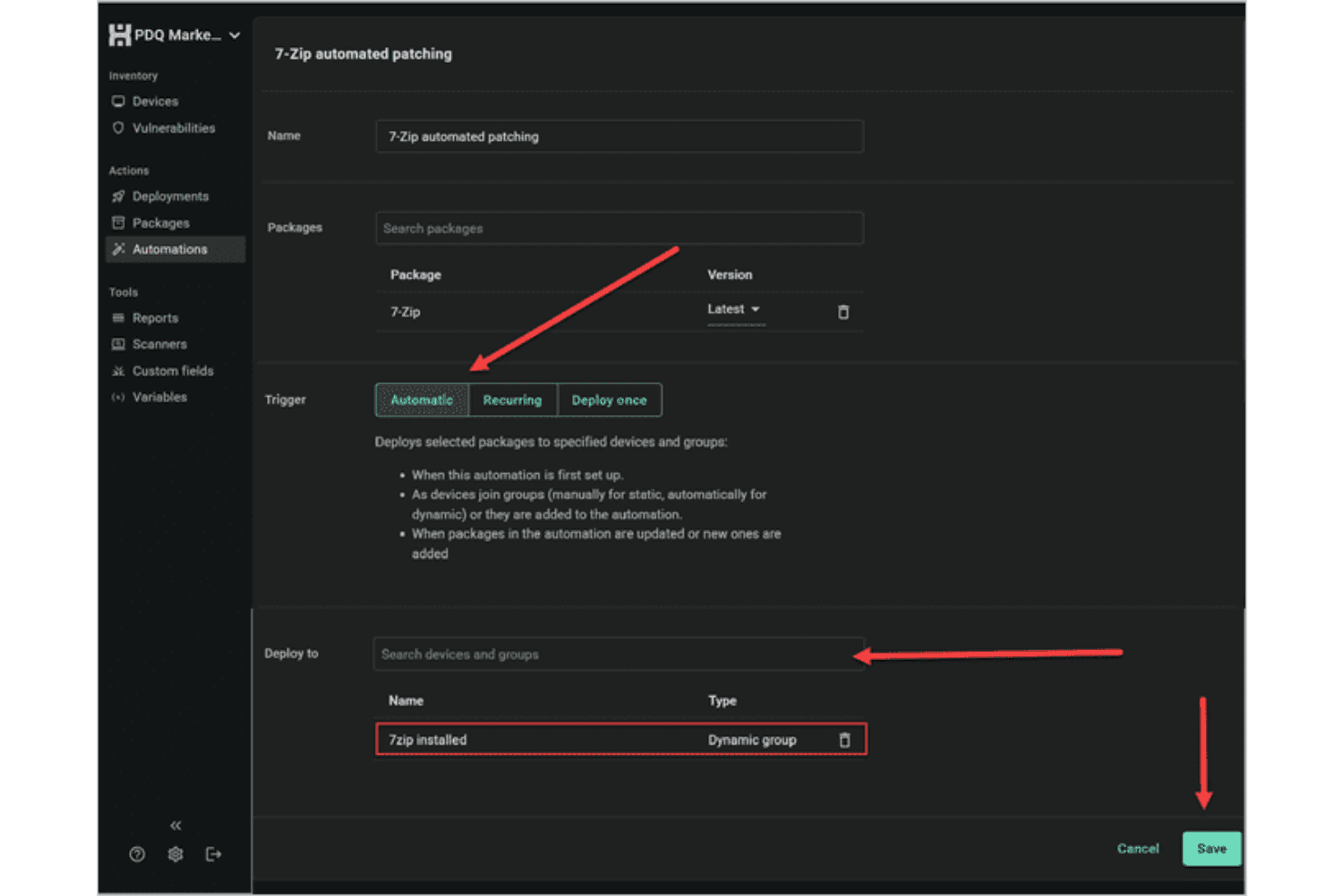
Schedule or trigger Windows software updates across devices with customizable rules. You can automate recurring patches and deployment processes to reduce manual work.
Inventory Scanning
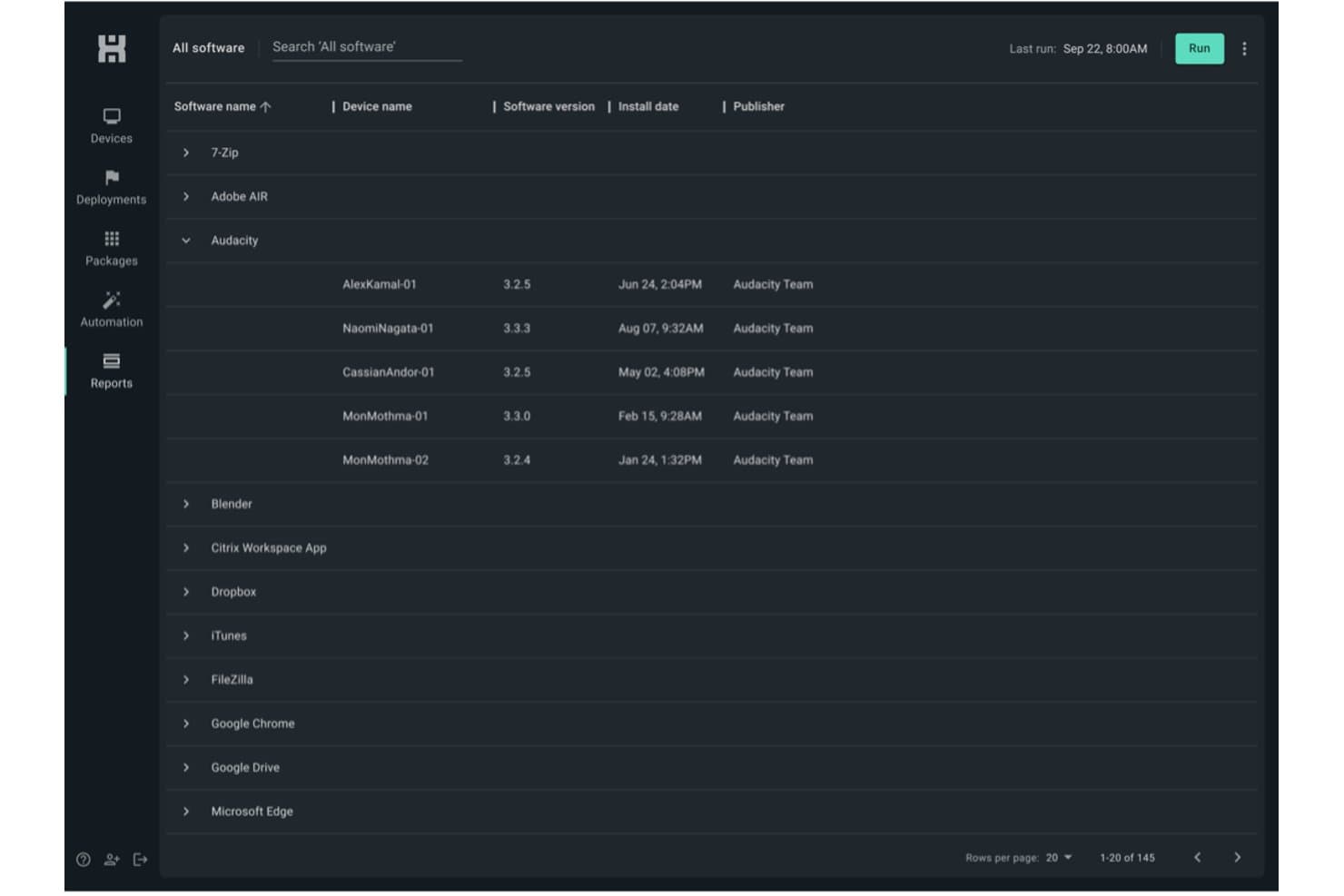
Scan all endpoints for missing or outdated software in real time. This helps you identify and target vulnerabilities quickly—while building a lightweight asset management layer across your Windows fleet.
Scripting Support
Leverage built-in scripting capabilities or create your own scripts to handle custom tasks and complex deployments. This flexibility makes it easier to automate patching processes and manage unique system requirements.
Remote Deployment
Push patches directly to remote endpoints, even if they're offsite. This keeps distributed workforces protected without manual check-ins.
Rollback and Uninstall Options
Easily uninstall or roll back patches from problematic endpoints. You get more control when updates cause unforeseen issues.
Detailed Patch Reporting
Generate reports on patch status, deployment success, and compliance—with real-time notifications on deployment activity. Track which endpoints are up to date at a glance.
Standout Features
Agentless Architecture
PDQ Connect delivers software updates without needing agents on most Windows workstations and servers. This reduces deployment headaches and eliminates another point of failure.
Extensive Package Library
PDQ Connect hosts over 500 continuously updated packages sourced directly from publishers. This extensive library helps ensure faster patching, reduces manual workload, and keeps systems consistently up to date.
Ease of Use
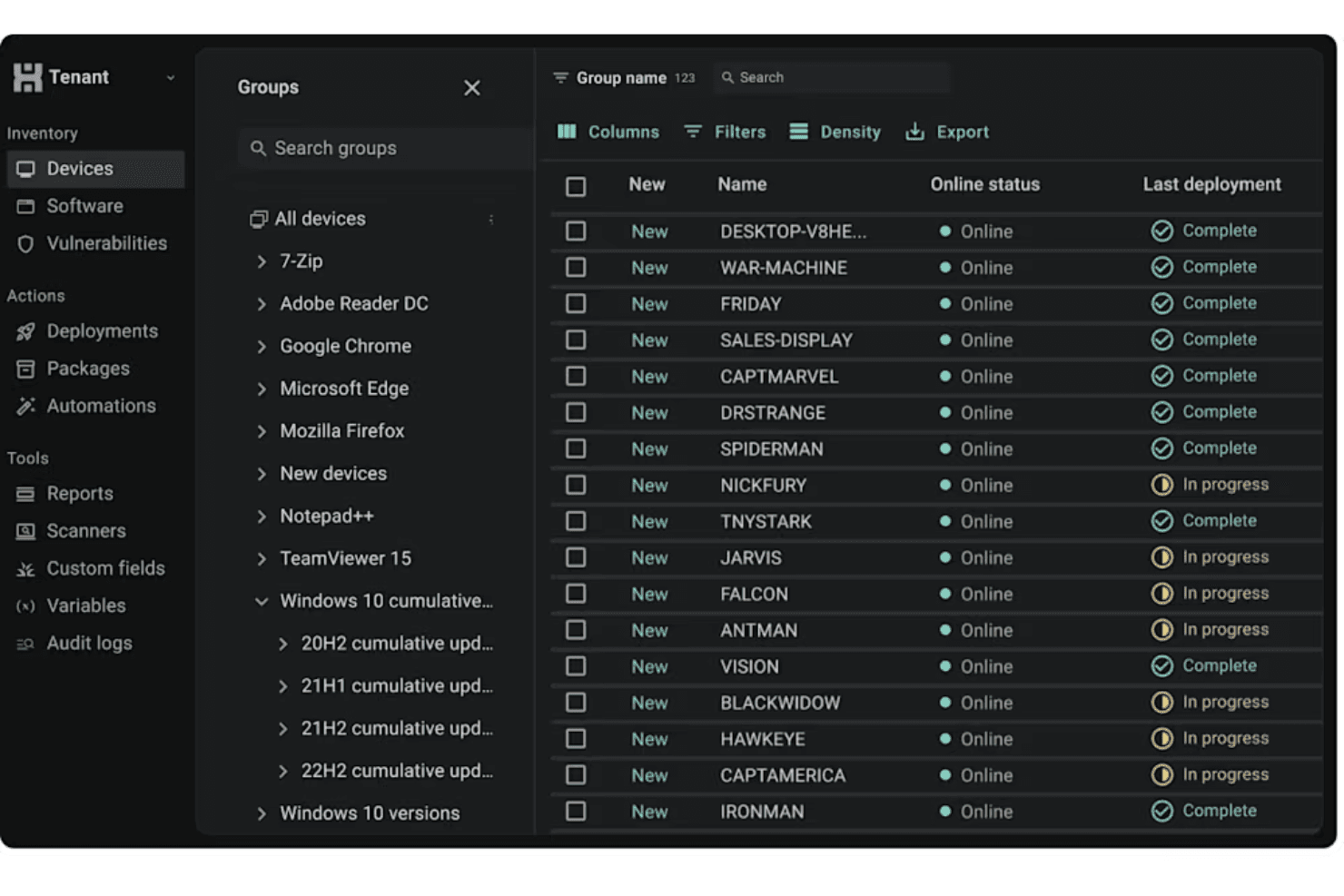
PDQ Connect's user interface is user friendly and direct, letting admins and end users with IT responsibilities launch scans, schedule updates, and review reporting without hunting through menus. I've seen sysadmins praise how quickly they can automate recurring tasks and push patches, even with bigger endpoint lists. The clear layout, built-in package library, and agentless updates help teams get patching jobs done fast, without heavy onboarding or constant troubleshooting.
Onboarding
From my point of view, PDQ Connect's onboarding is quick—you can deploy your first patches in under an hour. The setup wizard, detailed video walkthroughs, and searchable knowledge base flatten the learning process. The self-service onboarding allows admin to start using the platform without the hassle of formal implementation on PDQ's end.
Customer Support
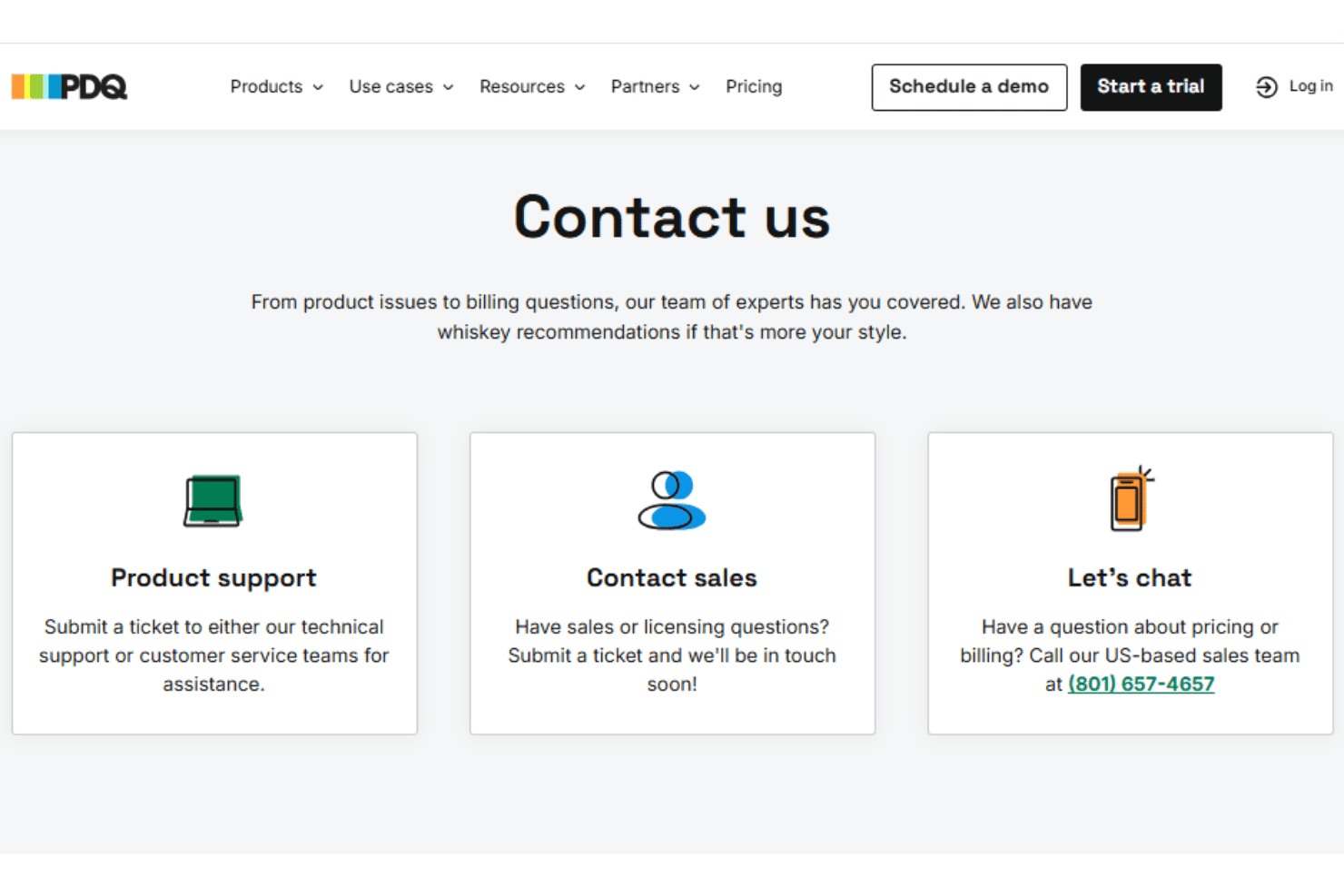
PDQ's customer support holds up well, especially for small IT teams who need quick, clear answers. User reviews regularly point to fast response times via a ticketing system, along with a deep knowledge base and active user forum. Many mention getting resolutions to patching issues in just a few hours, making it easy to keep updates on track.
Integrations
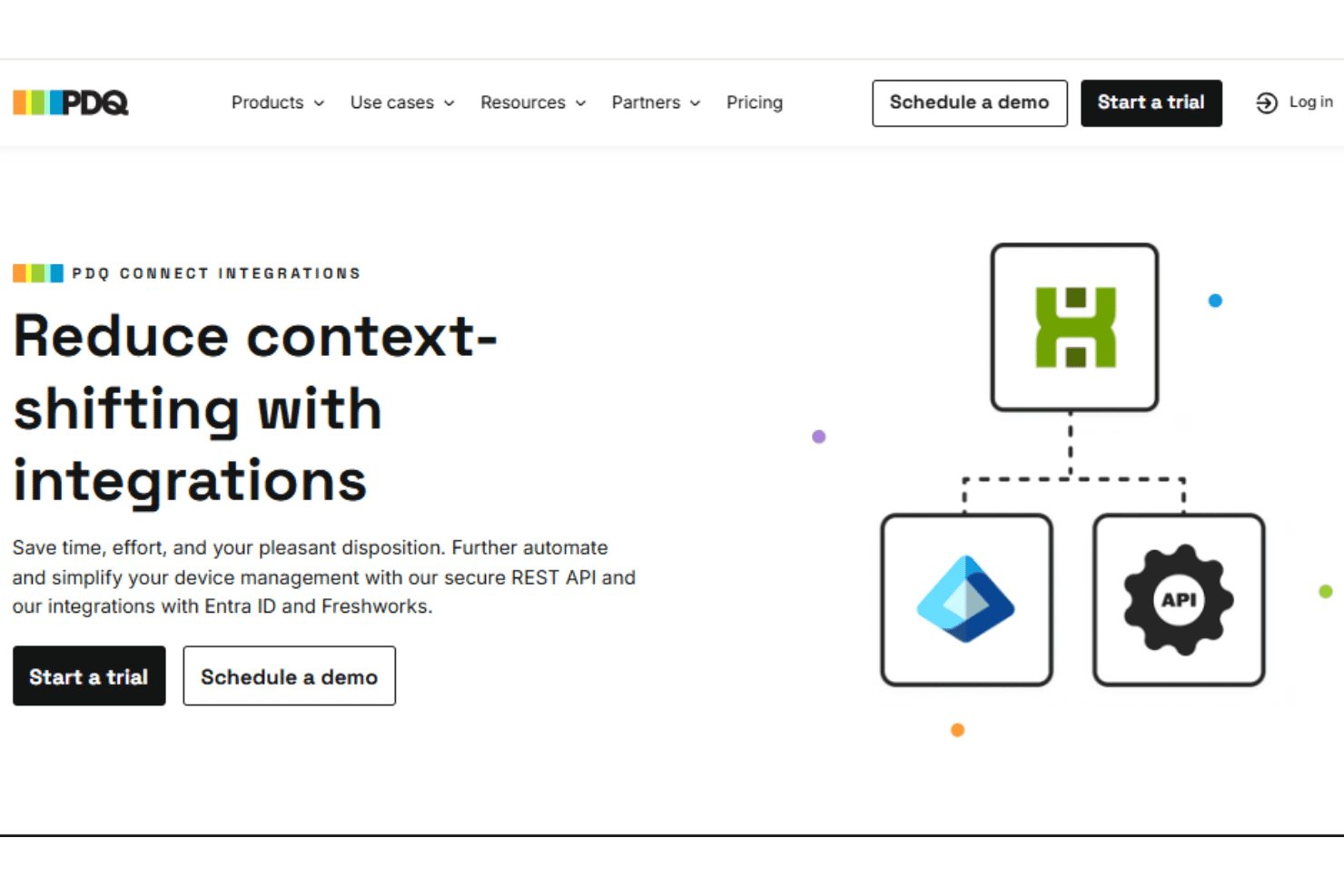
PDQ Connect integrates with Azure Active Directory, Freshdesk, Jira, and Zapier, among others.
PDQ also provides a REST-style API for custom integrations and scripting.
Value for Money
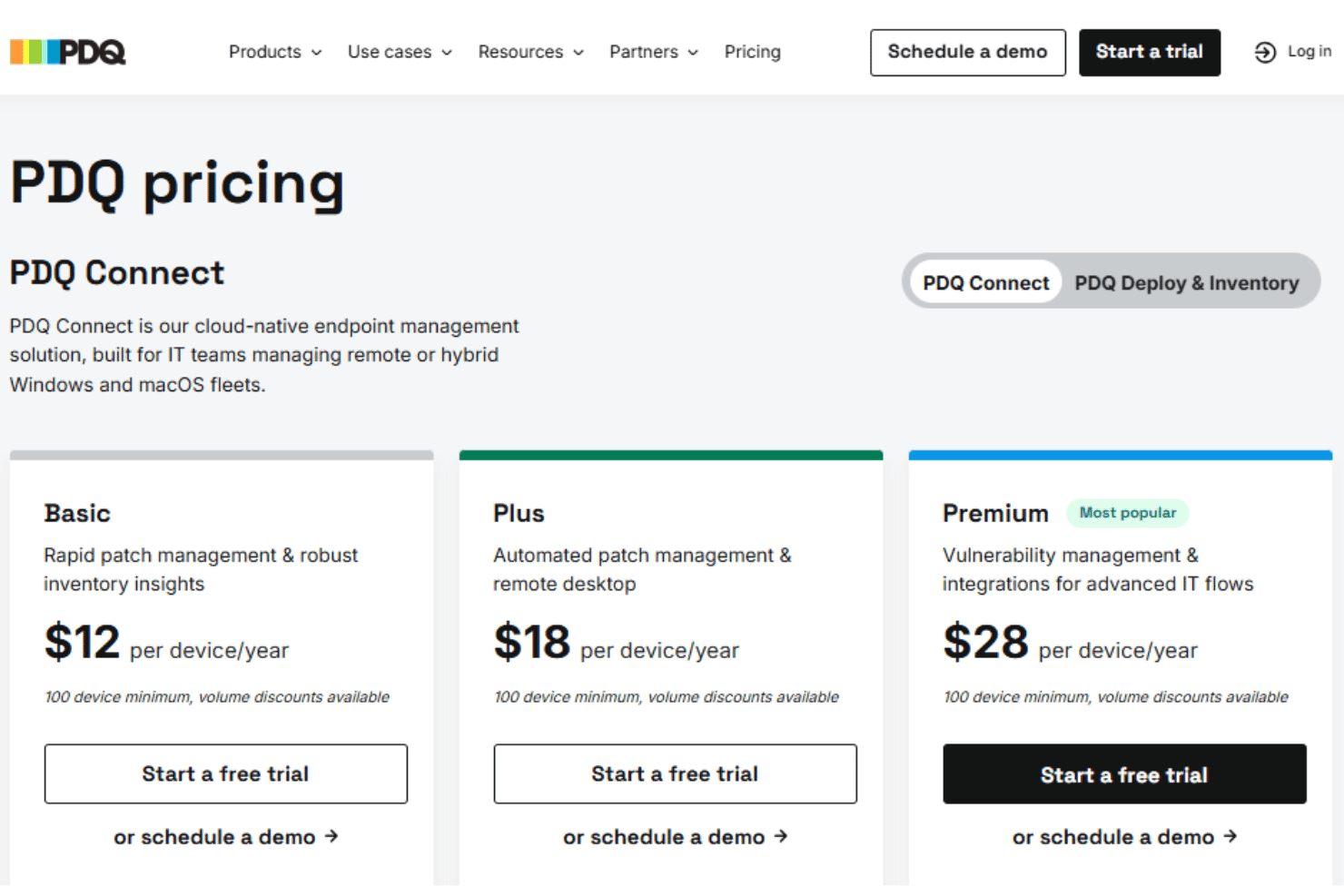
PDQ Connect's pricing is direct, with a per-device model that many users find budget-friendly for the features included. Most IT teams get strong value regardless of company size, especially since you don't pay for endpoints, and features like agentless patching and prebuilt packages are included at all tiers. For on-premise and on-prem environments, this is a notably competitive pricing structure.
- Basic: Includes device inventory, package library, reports, and core Windows & macOS device management.
- Plus: Adds automated deployments, remote desktop, and role-based access control.
- Premium: Offers vulnerability scanning, prioritization, API access, and priority support.
PDQ Connect Specs
- 2-Factor Authentication: Yes
- Analytics: No
- Anti-Virus: Yes
- API: Yes
- Batch Permissions & Access: No
- Bug Tracking: No
- Call Integration: No
- Chat: No
- Contact Management: No
- CRM Integration: No
- Customer Management: No
- Data Export: Yes
- Data Import: Yes
- Email Integration: No
- Escalation Management: Yes
- External Integrations: Yes
- Incident Management: Yes
- Instant Chat Integration: No
- Knowledge Base: Yes
- Malware Protection: Yes
- Multi-User: Yes
- Notifications: Yes
- Organization Management: Yes
- Password & Access Management: No
- Project Management: No
- Real-time Alerts: Yes
- SAP Integration: No
- Self-service Portal: Yes
- Social Media Integration: No
- Support Forum: No
- Ticket Management: Yes
- Workflow Management: Yes
PDQ Connect FAQs
PDQ Connect Company Overview & History
PDQ is headquartered in Salt Lake City, Utah. The company specializes in developing powerful patch management and IT automation tools for Windows environments. PDQ is known for its efficient, agentless deployment solutions and user-focused approach, earning a reputation for humor and approachability in IT communities. PDQ owns and develops multiple products, including PDQ Deploy, PDQ Inventory, and PDQ Connect.
PDQ Major Milestones
- 2001: PDQ founded in Salt Lake City, Utah
- 2011: PDQ Deploy and PDQ Inventory released to the public
- 2021: Acquired by a global growth private equity firm
- 2022: Launched PDQ Connect, expanding offerings for cloud-based device management