

10 Zscaler-Alternativen für 2026

Zscaler-Alternativen Shortlist
Hier ist meine Shortlist der Zscaler-Konkurrenten:


Eine starke Zscaler-Alternative bietet sicheren, skalierbaren Cloud-Zugang, fortschrittlichen Bedrohungsschutz und flexible Richtlinienkontrollen, die sich an komplexe IT-Umgebungen anpassen. Wenn Sie nach Zscaler-Konkurrenten suchen, wägen Sie wahrscheinlich Optionen ab, die den Cloud-Sicherheitsfunktionen von Zscaler ebenbürtig sind oder diese übertreffen können – sei es für bessere Integration, granulareres Management oder Unterstützung für hybride und bestehende Systeme. Diese Liste hilft Ihnen, führende Anbieter schnell zu vergleichen, deren besondere Stärken zu verstehen und die Lösung zu identifizieren, die am besten zu den Sicherheitsprioritäten und Infrastruktur-Anforderungen Ihrer Organisation passt.
Was ist Zscaler?
Zscaler ist eine Cybersecurity- und Cloud-Sicherheitsplattform, die sicheren Internet- und Applikationszugang für Nutzer unabhängig von Standort oder Gerät bereitstellt. Die Plattform basiert auf einer Cloud-Architektur und verwendet einen Zero-Trust-Ansatz, um Datenverkehr zu überprüfen, Bedrohungen zu blockieren und Sicherheitsrichtlinien in Echtzeit durchzusetzen. Zscaler wird von Unternehmen weltweit genutzt, um verteilte, hybride und mobile Arbeitskräfte zu schützen, die Benutzererfahrung zu verbessern und die Abhängigkeit von traditionellen Netzwerksicherheitsgeräten zu reduzieren.
Zscaler-Alternativen Zusammenfassung
| Tool | Best For | Trial Info | Price | ||
|---|---|---|---|---|---|
| 1 | Am besten für schnelle Bereitstellung im globalen Maßstab geeignet | Kostenloser Tarif + kostenlose Demo verfügbar | Ab $20/Monat (jährliche Abrechnung) | Website | |
| 2 | Am besten geeignet für sicheren Remote-Zugriff auf Altsysteme | Nicht verfügbar | Preis auf Anfrage | Website | |
| 3 | Am besten geeignet für granulare Richtlinienverwaltung | Kostenlose Demo verfügbar | Preis auf Anfrage | Website | |
| 4 | Am besten geeignet für eine einheitliche Sicherheits- und SD-WAN-Lösung | Kostenlose Demo verfügbar | Preis auf Anfrage | Website | |
| 5 | Am besten mit integrierter Bedrohungsaufklärung | Kostenlose Demo + kostenlose Testversion verfügbar | Preise auf Anfrage | Website | |
| 6 | Am besten geeignet für verhaltensbasierte Risikoanalysen | Nicht verfügbar | Preis auf Anfrage | Website | |
| 7 | Am besten für Echtzeitschutz von Daten in Cloud-Anwendungen | Kostenlose Demo verfügbar | Preise auf Anfrage | Website | |
| 8 | Am besten für hybride Netzwerkinfrastrukturen geeignet | 30-tägige kostenlose Testphase + kostenlose Demo verfügbar | Preise auf Anfrage | Website | |
| 9 | Am besten geeignet für globale private Backbone-Konnektivität | Kostenlose Demo verfügbar | Preise auf Anfrage | Website | |
| 10 | Am besten mit nativer Zero-Trust-Architektur | 30-tägige kostenlose Testversion verfügbar | Ab $13.60/Nutzer/Monat (jährliche Abrechnung) | Website |
Why Trust Our Software Reviews
We’ve been testing and reviewing software since 2023. As tech leaders ourselves, we know how critical and difficult it is to make the right decision when selecting software.
We invest in deep research to help our audience make better software purchasing decisions. We’ve tested more than 2,000 tools for different tech use cases and written over 1,000 comprehensive software reviews. Learn how we stay transparent & our software review methodology.
-

Site24x7
Visit WebsiteThis is an aggregated rating for this tool including ratings from Crozdesk users and ratings from other sites.4.6 -
GitHub Actions
Visit WebsiteThis is an aggregated rating for this tool including ratings from Crozdesk users and ratings from other sites.4.8 -
Docker
Visit WebsiteThis is an aggregated rating for this tool including ratings from Crozdesk users and ratings from other sites.4.6





Zscaler-Alternativen Bewertungen
Nachfolgend finden Sie meine detaillierten Zusammenfassungen der besten Zscaler-Alternativen, die es auf meine Shortlist geschafft haben. Meine Bewertungen bieten einen detaillierten Einblick in die Funktionen, Möglichkeiten und Anwendungsfälle jeder Plattform, damit Sie die für Ihr Unternehmen passende Lösung finden.

Am besten für schnelle Bereitstellung im globalen Maßstab geeignet
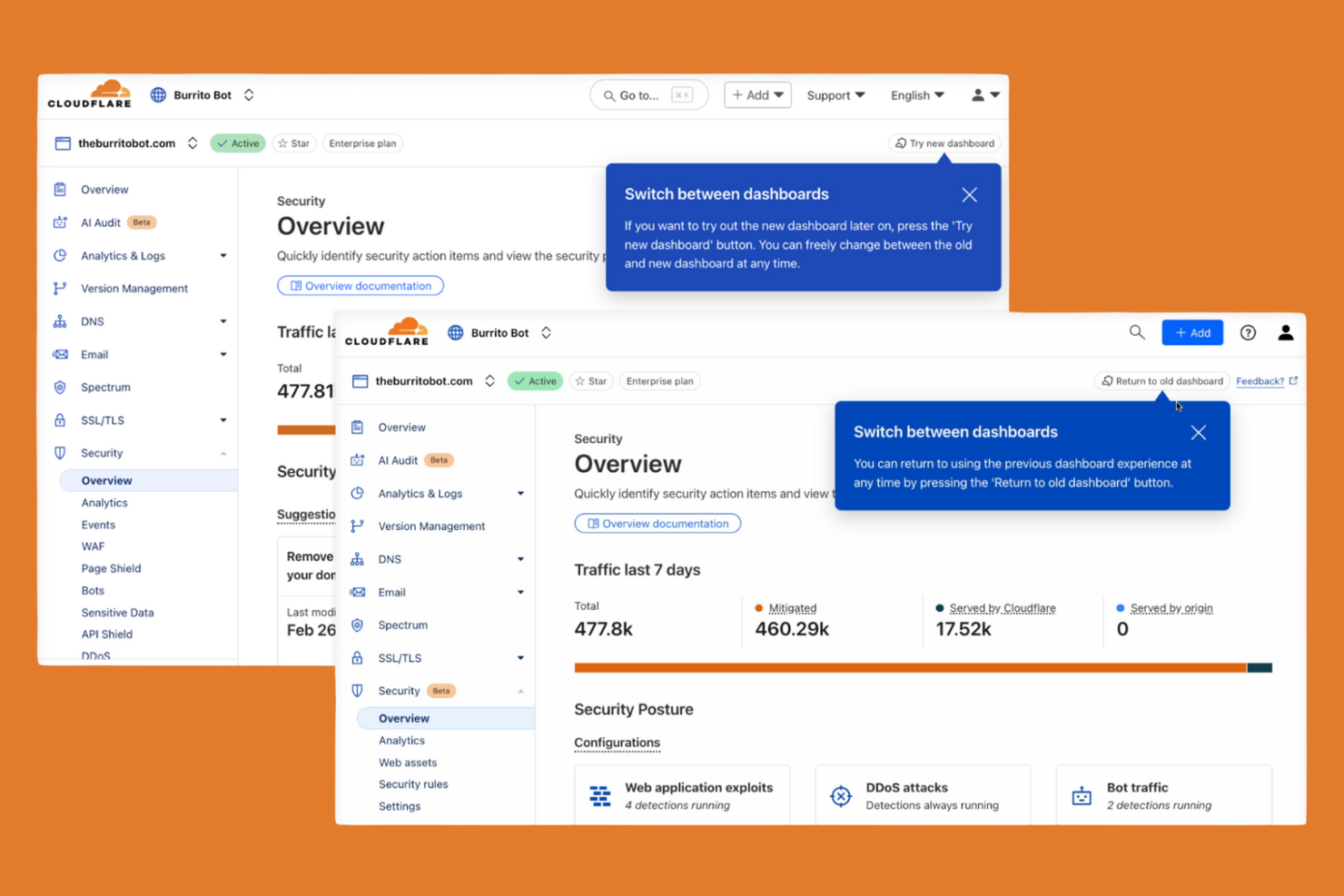
Cloudflare Zero Trust ist für Organisationen entwickelt, die Benutzer und Anwendungen in einer verteilten, globalen Belegschaft absichern müssen. IT-Teams, die eine schnelle Bereitstellung und sofortige Skalierbarkeit benötigen, werden das global verteilte Netzwerk von Cloudflare und das Onboarding mit nur einem Klick schätzen. Im Gegensatz zu Zscaler ermöglicht Cloudflare die Einführung von Zero-Trust-Richtlinien und den Schutz von Remote-Zugriff in wenigen Minuten, selbst in großen, multiregionalen Umgebungen.
Warum Cloudflare eine gute Alternative zu Zscaler ist
Wenn Sie Cloud-Sicherheit im globalen Maßstab ohne Verzögerung bereitstellen müssen, ist Cloudflare Zero Trust eine starke Wahl. Ich habe mich für Cloudflare entschieden, weil das Netzwerk Hunderte von Städten weltweit abdeckt und Sie so Zero-Trust-Richtlinien nah an jedem Benutzer und jeder Anwendung durchsetzen können. Das Onboarding mit nur einem Klick und die sofortige Verbreitung von Richtlinien bedeuten, dass Sie Remote-Zugriff und Web-Traffic für Tausende von Nutzern in wenigen Minuten absichern können. Diese Fähigkeit zur schnellen Bereitstellung macht Cloudflare besonders attraktiv für Unternehmen mit verteilten Teams oder dringendem Rollout-Bedarf.
Cloudflare Hauptfunktionen
Weitere Funktionen, die mir aufgefallen sind:
- DNS-Filterung: Sperrt den Zugriff auf bösartige Domains und erzwingt sichere Browsing-Richtlinien auf DNS-Ebene.
- Cloud Access Security Broker (CASB): Überwacht und steuert die Datenbewegung über SaaS-Anwendungen für Compliance und Transparenz.
- Geräte-Status-Prüfungen: Bewertet Gesundheits- und Sicherheitsstatus eines Geräts, bevor der Zugriff auf Anwendungen gewährt wird.
- API Shield: Schützt APIs vor Missbrauch und unbefugtem Zugriff mittels Schema-Validierung und gegenseitigem TLS.
Cloudflare Integrationen
Integriert werden können CrowdStrike, Google Cloud, Microsoft, Okta, Ping Identity, SentinelOne, VMware, ServiceNow, Splunk und IBM Security.
Pros and Cons
Pros:
- Globales Netzwerk ermöglicht schnellen Zugriff mit niedriger Latenz
- Onboarding mit einem Klick für schnelle Richtlinien-Einführung
- Integrierte DNS-Filterung zum Schutz vor Bedrohungen
Cons:
- Einige Funktionen erfordern die Bereitstellung von Cloudflare Gateway
- Kein integrierter Remote-Browser-Isolationsschutz

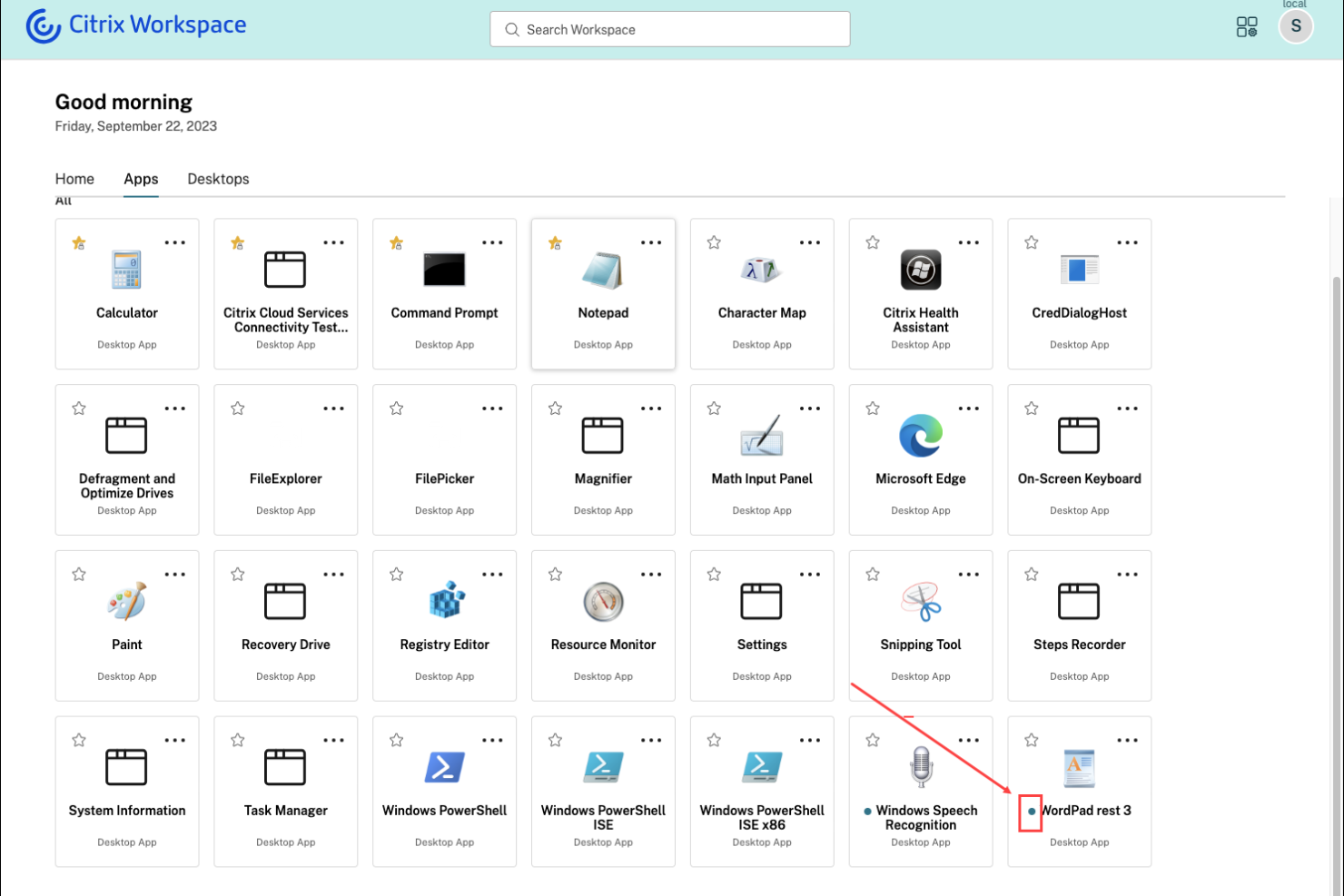
Citrix Secure Private Access ist für Organisationen konzipiert, die sicheren Remote-Zugriff auf Altsysteme und lokale Anwendungen benötigen. Diese Lösung ist besonders nützlich für IT-Teams in Branchen mit kritischen Altsystemen, die nicht einfach in die Cloud migriert werden können. Citrix hebt sich dadurch hervor, dass Zero-Trust-Zugriff auf diese älteren Anwendungen ohne VPN ermöglicht wird, wodurch Sie die Sicherheit modernisieren können, während die bestehende Infrastruktur weiterhin unterstützt wird.
Warum Citrix eine gute Zscaler-Alternative ist
Für Organisationen, die auf Altsysteme oder lokale Anwendungen angewiesen sind, bietet Citrix Secure Private Access einen einzigartigen Ansatz für sicheren Remote-Zugang. Ich habe Citrix ausgewählt, weil es Zero-Trust-Zugriff auf ältere Anwendungen ermöglicht, ohne eine vollständige Migration in die Cloud oder den Einsatz eines traditionellen VPN zu erzwingen. Die Plattform unterstützt adaptive Authentifizierung und granulare Richtlinienkontrollen, sodass Sie den Zugriff basierend auf Nutzerkontext und Risiko verwalten können. Das macht Citrix zu einer starken Alternative zu Zscaler für Unternehmen, die Altsysteme schützen und gleichzeitig ihre Sicherheitsstrategie modernisieren müssen.
Wichtige Funktionen von Citrix
Weitere Funktionen in Citrix Secure Private Access, die für Sie interessant sein könnten, sind:
- Browser-Isolation: Führt Web-Sitzungen in einer sicheren, isolierten Umgebung aus, um zu verhindern, dass Bedrohungen Endgeräte erreichen.
- Single Sign-on (SSO): Ermöglicht Nutzern den Zugriff auf mehrere Anwendungen mit einem einzigen Satz von Zugangsdaten.
- Sitzungsaufzeichnung: Zeichnet Nutzeraktivitäten innerhalb der Anwendungen zu Prüf- und Compliance-Zwecken auf.
- Device-Posture-Checks: Überprüft den Sicherheitsstatus von Endgeräten, bevor Zugang zu Anwendungen gewährt wird.
Citrix-Integrationen
Zu den Integrationen gehören Cisco Duo, Ping, Entra ID, Okta, Microsoft Active Directory, Google Identity, SAML 2.0 IdP, NetScaler Gateway, Citrix StoreFront und CrowdStrike.
Pros and Cons
Pros:
- Bietet Browser-Isolation gegen Web-Bedrohungen
- Integriert mit führenden Identitätsanbietern
- Ermöglicht Device-Posture-Checks vor Zugriff
Cons:
- Einige Funktionen erfordern separate Citrix-Lizenzen
- Komplexe Bereitstellung bei hybriden Umgebungen

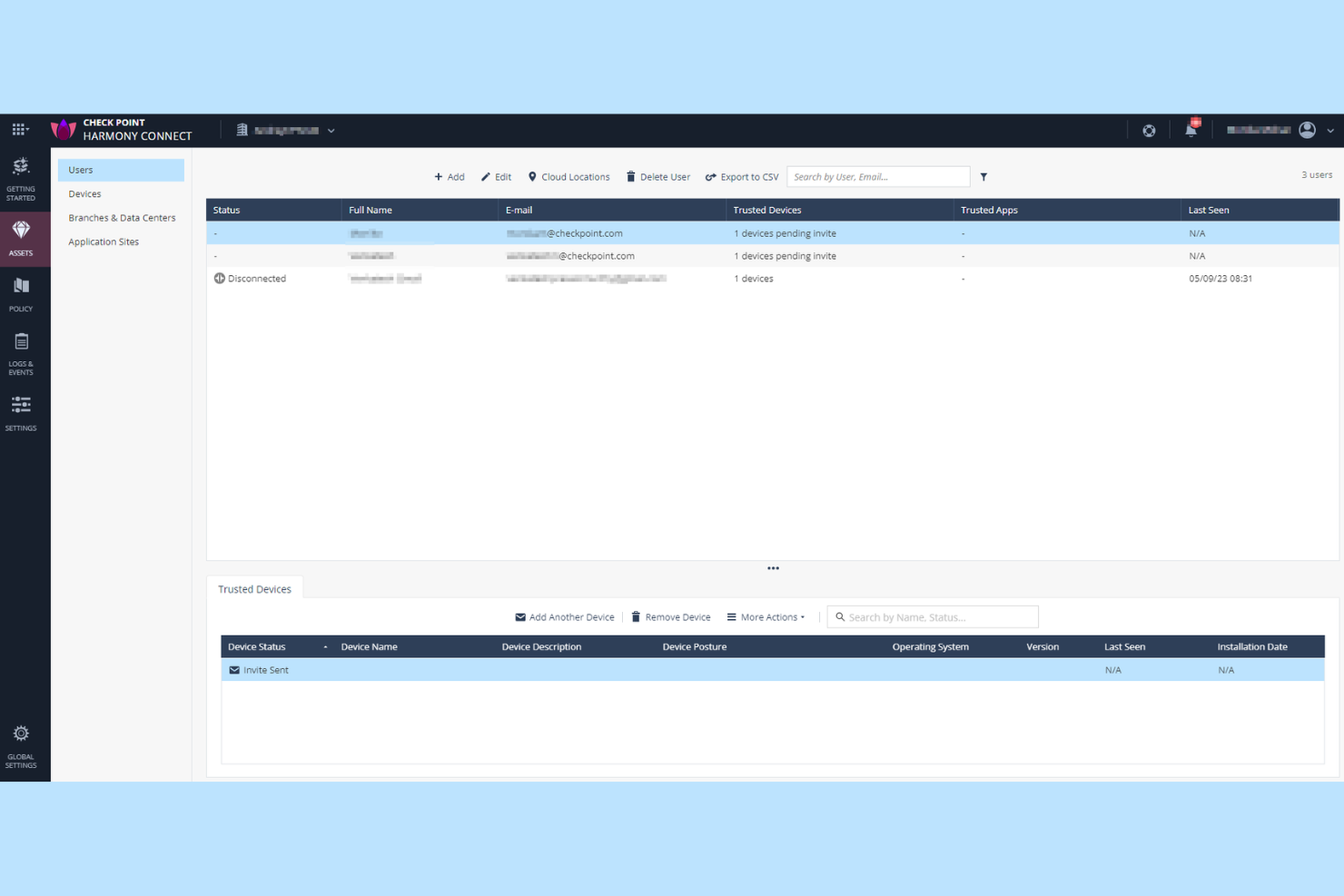
Check Point Harmony SASE ist für Organisationen konzipiert, die präzise, anpassbare Sicherheitskontrollen für Benutzer, Geräte und Anwendungen benötigen. Sicherheitsteams in regulierten Branchen oder mit komplexen Zugriffsanforderungen werden das detaillierte Richtlinienmanagement besonders nützlich finden. Im Gegensatz zu Zscaler bietet Check Point die Möglichkeit, detaillierte Regeln zu erstellen und durchzusetzen – für jede Ebene Ihres Netzwerks.
Warum Check Point eine gute Zscaler-Alternative ist
Für Teams, die mehr Kontrolle über Sicherheitsrichtlinien benötigen, punktet Check Point Harmony SASE mit seinen umfangreichen Verwaltungsmöglichkeiten für granulare Richtlinien. Ich habe Check Point ausgewählt, weil Sie damit detaillierte Zugriffsregeln auf Grundlage von Benutzeridentität, Gerätezustand, Anwendung und sogar spezifischen Datentypen definieren können. Die einheitliche Richtlinien-Engine der Plattform ermöglicht es Ihnen, konsistente Sicherheit für Remote-Benutzer, Zweigstellen und Cloud-Ressourcen durchzusetzen. Dieses Maß an Anpassungsmöglichkeiten macht Check Point zu einer starken Alternative für Organisationen mit komplexen Compliance- oder Segmentierungsanforderungen.
Check Point Hauptfunktionen
Neben der granularen Richtlinienkontrolle sind mir auch diese Funktionen besonders aufgefallen:
- Cloud-basierte Threat Emulation: Analysiert Dateien in einer virtuellen Sandbox, um Zero-Day-Bedrohungen zu erkennen und zu blockieren, bevor sie die Nutzer erreichen.
- Remote Browser Isolation: Öffnet Webinhalte in einer sicheren, isolierten Umgebung, um zu verhindern, dass bösartiger Code Endgeräte erreicht.
- Integrierte Data Loss Prevention: Überwacht und steuert den Umgang mit sensiblen Daten in Cloud- und Web-Anwendungen.
- Einheitliches Sicherheits-Dashboard: Bietet eine zentrale Oberfläche für die Überwachung, Verwaltung und Reaktion auf Sicherheitsereignisse in Ihrer gesamten Umgebung.
Check Point Integrationen
Zu den Integrationen gehören Splunk Cloud, Microsoft Sentinel, Amazon S3 und ConnectWise PSA.
Pros and Cons
Pros:
- Granulare Richtlinienerstellung für Benutzer und Geräte
- Integrierte Remote Browser Isolation-Funktion
- Fortgeschrittene Threat Emulation für Datei-Analysen
Cons:
- Berichtsfunktionen bieten keine Echtzeit-Anpassung
- Unterstützung für mobile Geräte ist weniger umfassend

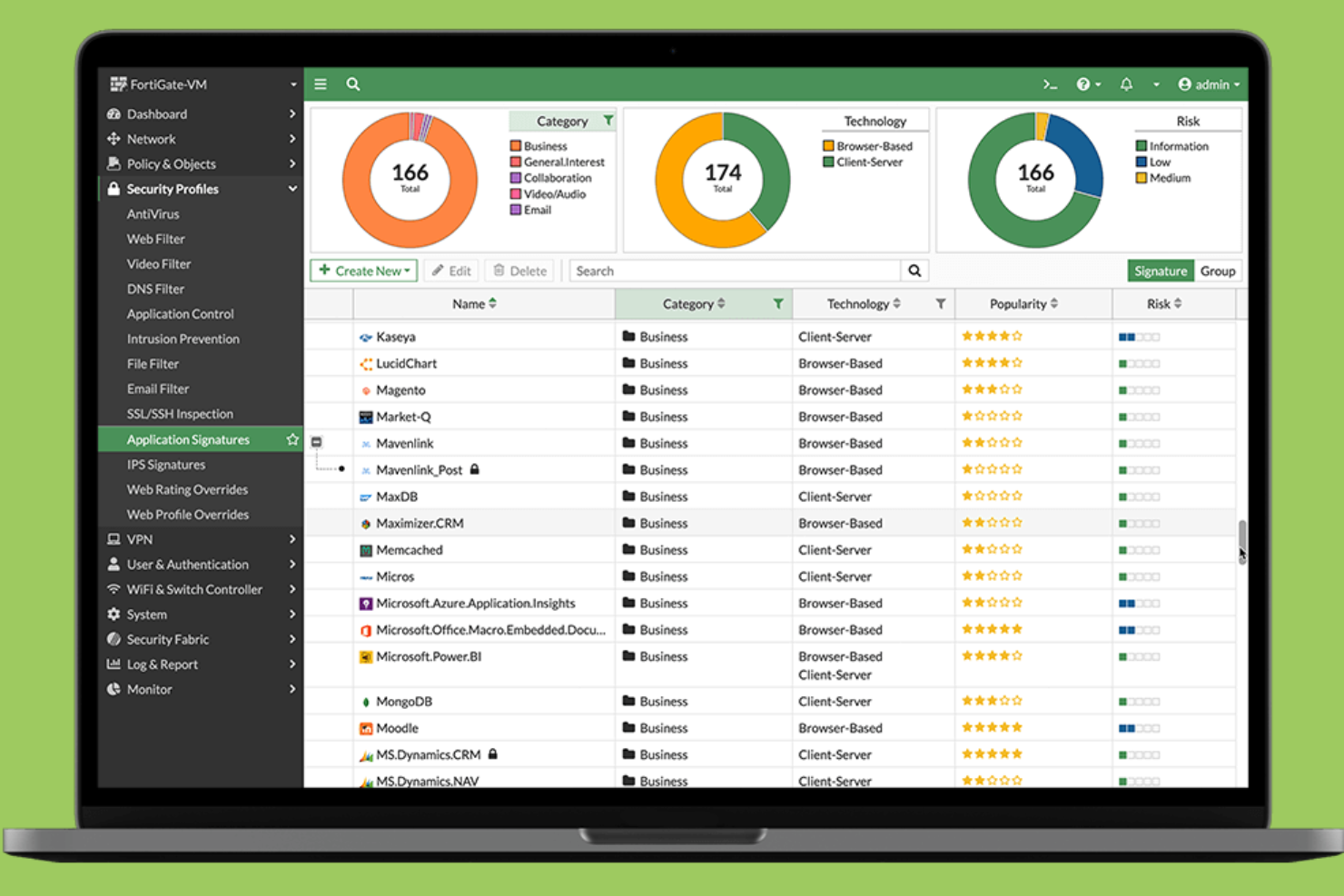
Fortinet vereint Sicherheit und SD-WAN in einer einzigen Plattform und ist daher eine überzeugende Wahl für Unternehmen, die eine einheitliche Steuerung sowohl der Netzwerkkonnektivität als auch des Schutzes wünschen. IT-Verantwortliche, die verteilte Standorte oder Remote-Teams verwalten, entscheiden sich oft für Fortinet, um den Betrieb zu vereinfachen und den Bedarf an mehreren Anbietern zu reduzieren. Der integrierte Ansatz hilft dabei, einheitliche Sicherheitsrichtlinien durchzusetzen und die Anwendungsleistung an allen Standorten zu optimieren.
Warum Fortinet eine gute Alternative zu Zscaler ist
Für Organisationen, die Sicherheit und SD-WAN in einer Lösung wünschen, bietet Fortinet einen schwer zu übertreffenden, ganzheitlichen Ansatz. Ich schätze, wie Fortinet Next-Generation Firewall-Funktionen mit integriertem SD-WAN kombiniert und es ermöglicht, Netzwerkverkehr und Sicherheitsrichtlinien über eine einzige Konsole zu verwalten. Das zentrale Management hilft, konsistenten Schutz durchzusetzen und die Konnektivität über Außenstellen und Remote-Mitarbeiter hinweg zu optimieren. Das macht Fortinet zu einer starken Wahl, wenn Sie Komplexität reduzieren und den Umgang mit mehreren Anbietern für Netzwerk- und Sicherheitsanforderungen vermeiden möchten.
Wichtige Funktionen von Fortinet
Weitere interessante Funktionen in Fortinet sind unter anderem:
- Zero Trust Network Access (ZTNA): Bietet sicheren, identitätsbasierten Zugriff auf Anwendungen, unabhängig vom Standort des Nutzers.
- Cloud-basiertes Secure Web Gateway: Überprüft und filtert Webverkehr, um Bedrohungen zu blockieren und Nutzungsrichtlinien durchzusetzen.
- Integrierte Sandboxing-Technologie: Analysiert verdächtige Dateien in einer sicheren Umgebung, um unbekannte Schadsoftware zu erkennen.
- Automatisierter Austausch von Bedrohungsinformationen: Aktualisiert Sicherheitsrichtlinien in Echtzeit auf Basis globaler Bedrohungsdaten von FortiGuard Labs.
Fortinet-Integrationen
Derzeit sind keine nativen Integrationen aufgeführt.
Pros and Cons
Pros:
- Kombiniert SD-WAN und Sicherheit auf einer Plattform
- Bietet detaillierte Anwendungsübersicht und -kontrolle
- Unterstützt Zero-Trust-Netzwerkzugriffsrichtlinien
Cons:
- Für bestimmte Funktionen wird Fortinet-Hardware benötigt
- Für erweiterte Funktionen sind möglicherweise separate Lizenzen erforderlich

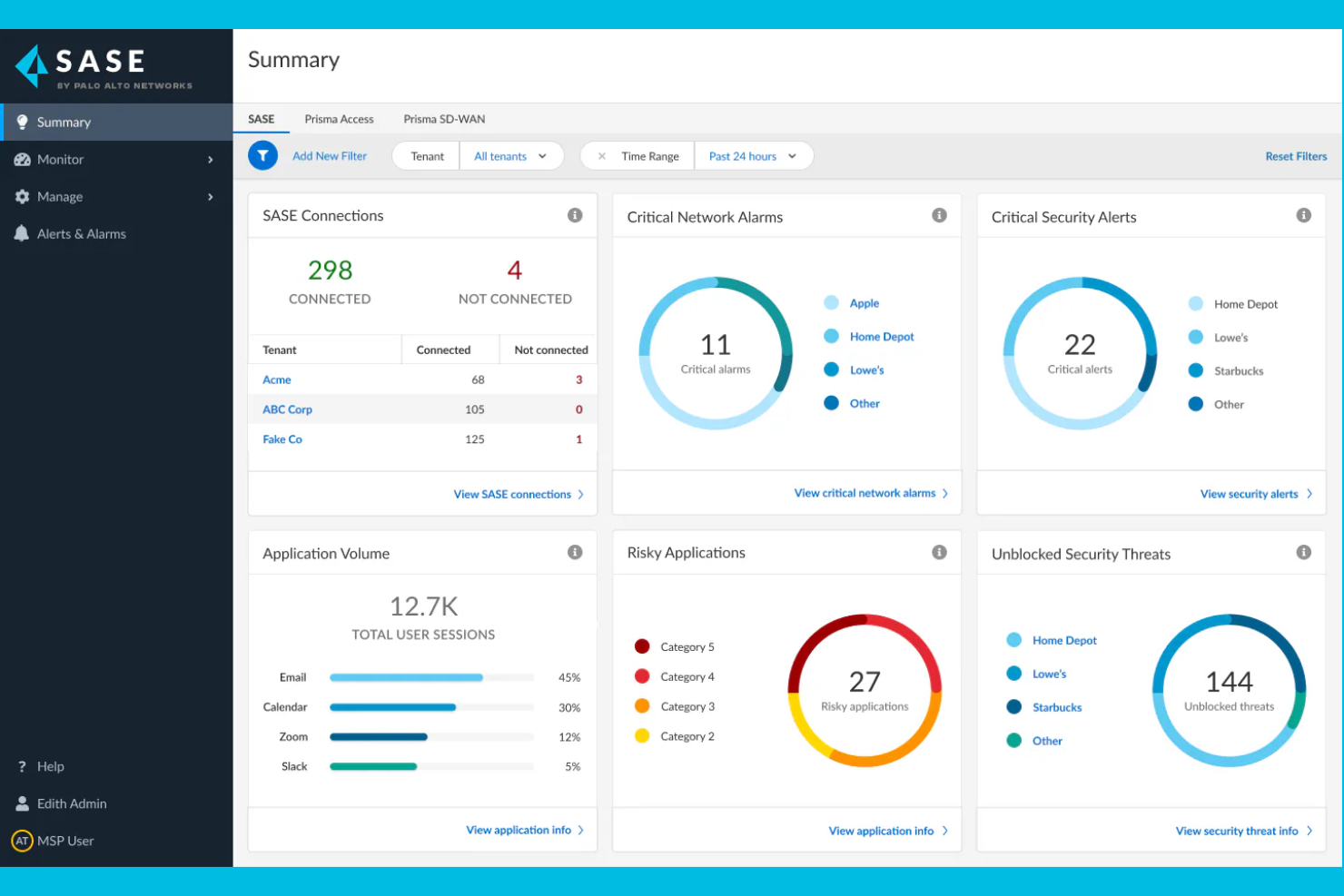
Wenn Ihre Organisation Cloud-Sicherheit mit integrierter Bedrohungsaufklärung benötigt, bietet Palo Alto Networks eine einheitliche SASE-Plattform, die Netzwerk- und Sicherheitsfunktionen kombiniert. IT- und Sicherheitsteams in stark regulierten Branchen wenden sich häufig an Palo Alto Networks aufgrund seiner Bedrohungserkennung in Echtzeit und automatisierten Reaktionsmöglichkeiten. Die Plattform nutzt außerdem Automatisierung und fortschrittliche Analysen, um Cyberbedrohungen, einschließlich Ransomware, zu erkennen und zu entschärfen. Mit seinem umfangreichen Portfolio an Cloud-Sicherheitslösungen hilft Palo Alto Networks Unternehmen, sich gegen sich weiterentwickelnde Risiken in Cloud-, Netzwerk- und Remote-Umgebungen zu wappnen.
Warum Palo Alto Networks eine gute Zscaler-Alternative ist
Palo Alto Networks ist eine starke Zscaler-Alternative, wenn Sie integrierte Bedrohungsaufklärung als Teil Ihres Cloud-Sicherheits-Stacks wünschen. Mir gefällt, dass die Plattform Echtzeit-Bedrohungserkennung mit automatisierter Richtliniendurchsetzung kombiniert und dadurch eine schnelle Reaktion auf neue Risiken ermöglicht. Der Einsatz von Machine Learning und globalen Bedrohungsdaten ermöglicht die proaktive Identifikation fortgeschrittener Bedrohungen in Cloud- und Netzwerkinfrastrukturen. Dieser Ansatz ist besonders nützlich für Unternehmen, die Cyberangriffen und regulatorischen Anforderungen stets einen Schritt voraus sein müssen.
Wichtige Funktionen von Palo Alto Networks
Weitere Funktionen von Palo Alto Networks, die für Sie interessant sein könnten:
- Cloud Access Security Broker (CASB): Überwacht und kontrolliert den Zugriff auf Cloud-Anwendungen und erzwingt Sicherheitsrichtlinien.
- Zero Trust Network Access (ZTNA): Bietet sicheren, identitätsbasierten Zugriff auf Anwendungen – unabhängig vom Standort des Nutzers.
- Secure Web Gateway: Filtert und prüft Webverkehr, blockiert schädliche Websites und setzt Compliance-Anforderungen durch.
- SD-WAN-Integration: Optimiert die Netzwerkleistung und Zuverlässigkeit für verteilte Standorte und Remote-Nutzer.
Palo Alto Networks Integrationen
Zu den Integrationen zählen Microsoft 365, Google Workspace, AWS, Salesforce, ServiceNow, Okta, Splunk, Zoom, Box und Slack.
Pros and Cons
Pros:
- Integrierte Bedrohungsaufklärung von Unit 42
- Granulare Sicht auf Nutzer und Anwendungen
- Automatisierte Reaktion auf erkannte Bedrohungen
Cons:
- Die Lizenzstruktur ist schwer zu durchblicken
- Reaktionszeiten des Supports können schwanken

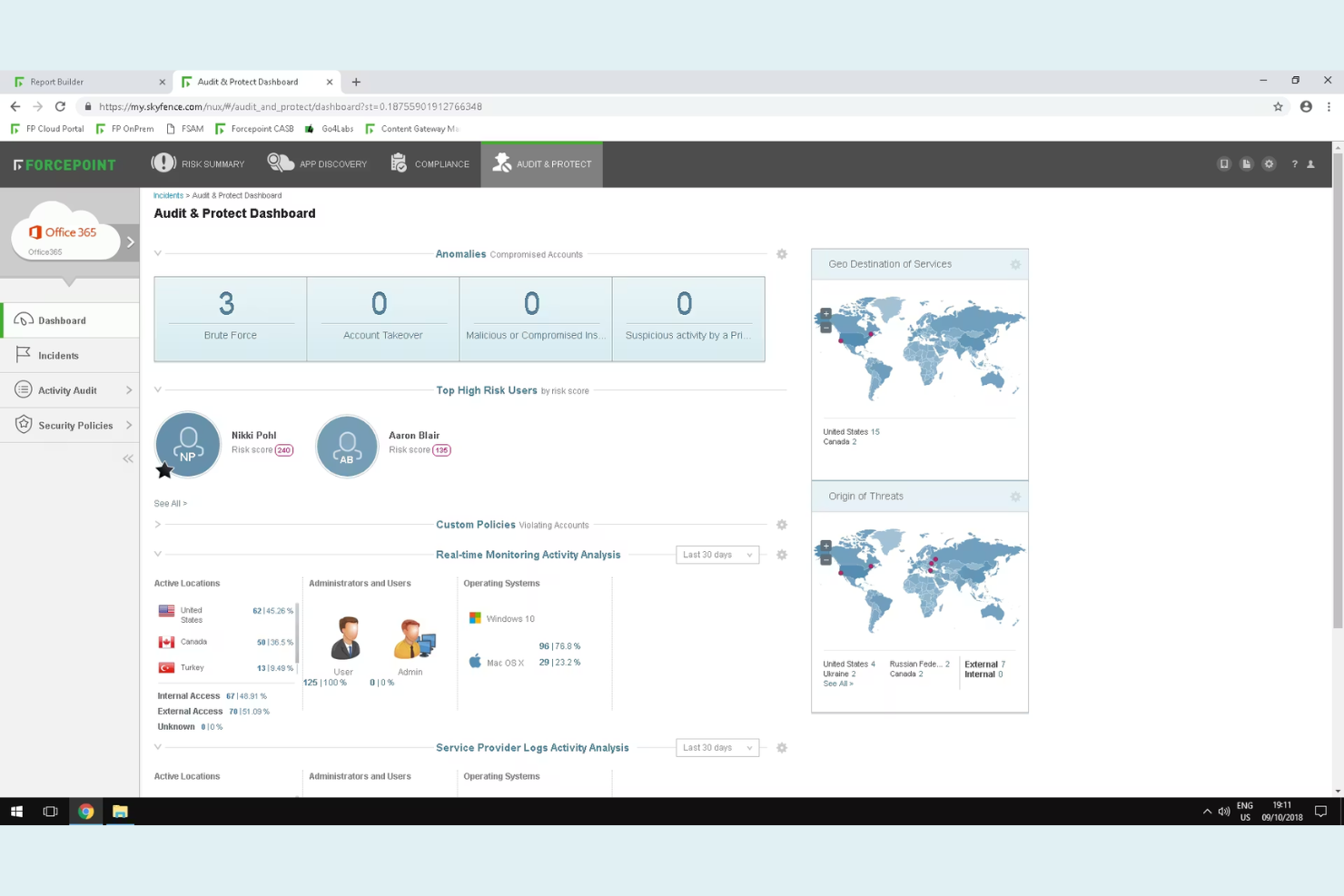
Forcepoint Secure Private Access ist für Unternehmen konzipiert, die das Benutzerverhalten in Echtzeit überwachen und auf riskante Aktivitäten reagieren müssen. Sicherheitsteams in regulierten Branchen oder mit sensiblen Daten profitieren besonders von der verhaltensbasierten Analyse, die Insider-Bedrohungen und kompromittierte Konten erkennt. Im Gegensatz zu Zscaler legt Forcepoint den Schwerpunkt auf adaptive Zugriffskontrollen, die sich automatisch an das Risikoprofil der Nutzer anpassen.
Warum Forcepoint eine gute Alternative zu Zscaler ist
Für Unternehmen, die über statische Zugriffskontrollen hinausgehen müssen, besticht Forcepoint durch seine verhaltensbasierte Risikoanalyse. Ich habe Forcepoint ausgewählt, weil es Benutzeraktivitäten kontinuierlich überwacht und Zugangspolitiken in Echtzeit an das festgestellte Risiko anpasst. Funktionen wie dynamische Risikobewertung und automatisierte Richtliniendurchsetzung helfen Sicherheitsteams, schnell auf Insider-Bedrohungen oder kompromittierte Konten zu reagieren. Dieser Ansatz ermöglicht eine detailliertere Steuerung von Zugriffsentscheidungen im Vergleich zu traditionellen Cloud-Sicherheitsanbietern wie Zscaler.
Wichtige Funktionen von Forcepoint
Weitere erwähnenswerte Funktionen sind:
- Granulare Anwendungssegmentierung: Beschränkt den Benutzerzugriff auf bestimmte Anwendungen statt auf gesamte Netzwerke.
- Integration von Multi-Faktor-Authentifizierung: Unterstützt die Integration von führenden MFA-Anbietern für erhöhte Login-Sicherheit.
- Cloud-basiertes Secure Web Gateway: Filtert und überprüft den Webverkehr, um Bedrohungen zu blockieren und Richtlinien durchzusetzen.
- Remote Browser Isolation: Führt Web-Sitzungen in einer sicheren, isolierten Umgebung aus, damit Malware nicht auf Endpunkte gelangt.
Forcepoint-Integrationen
Zu den Integrationen gehören Cisco Duo, Ping Identity, Microsoft Entra ID, Okta, Google Identity, Active Directory, SAML 2.0 IdP, CrowdStrike, Intune und Citrix StoreFront.
Pros and Cons
Pros:
- Echtzeit-Risikobewertung für adaptive Zugriffe
- Remote Browser Isolation zum Schutz vor Web-Bedrohungen
- Unterstützt mehrere Identitätsanbieter nativ
Cons:
- Eingeschränkte Sichtbarkeit bei verschlüsseltem Datenverkehr
- Keine integrierte CASB-Funktionalität

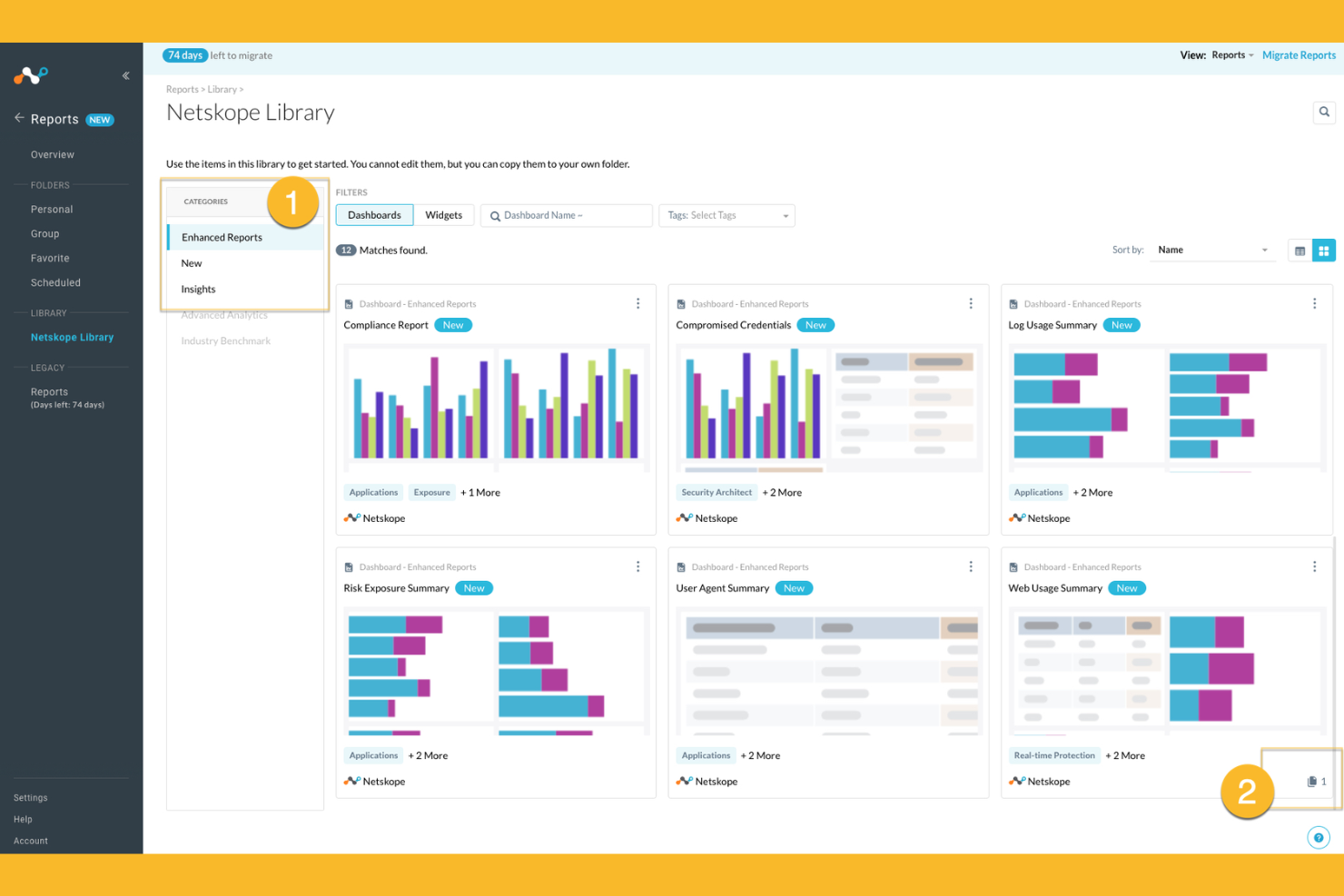
Netskope bietet cloudnative Sicherheit, die speziell für Organisationen entwickelt wurde, die umfassende Transparenz und Kontrolle über die Nutzung von Cloud-Anwendungen benötigen. Sicherheitsteams in Branchen mit strengen Datenschutzanforderungen wählen Netskope häufig wegen seiner Echtzeit-Datenverlust-Prävention und dem fortschrittlichen Schutz vor Bedrohungen. Wenn Sie sensible Informationen über SaaS-, IaaS- und Webverkehr schützen möchten, überzeugt Netskope durch eine besonders feingranulare Richtlinienkontrolle und umfassende Analysen.
Warum Netskope eine gute Alternative zu Zscaler ist
Netskope überzeugt durch seinen Echtzeitschutz von Daten in Cloud-Anwendungen. Das macht die Plattform zur starken Wahl, wenn Sie vertrauliche Informationen beim Durchlauf durch SaaS- und Web-Umgebungen sichern müssen. Ich habe Netskope ausgewählt, weil seine cloudnative Architektur den Datenverkehr inline inspiziert und so riskante Aktivitäten sofort erkennt und blockiert. Die fortschrittliche Datenverlust-Prävention und kontextbasierte Zugriffskontrolle ermöglichen es Ihnen zudem, besonders detaillierte Sicherheitsrichtlinien für Cloud-Dienste durchzusetzen. Diese Funktionen sind insbesondere für Unternehmen mit strengen Compliance- oder Datenschutzanforderungen wertvoll.
Netskope – zentrale Funktionen
Zu den weiteren Funktionen von Netskope, die für Sie interessant sein könnten, gehören:
- Cloud Firewall: Überwacht und kontrolliert ausgehenden Datenverkehr, um unautorisierten Zugriff und Datenabfluss zu verhindern.
- User and Entity Behavior Analytics (UEBA): Überwacht Aktivitäten von Nutzern, um Anomalien und potenzielle Insider-Bedrohungen zu erkennen.
- Remote Browser Isolation: Öffnet riskante Web-Inhalte in einer sicheren, isolierten Umgebung, um Malware-Infektionen zu verhindern.
- API-Sicherheit: Prüft und schützt API-Datenverkehr, blockiert Bedrohungen und erzwingt Sicherheitsrichtlinien in Cloud-Diensten.
Netskope-Integrationen
Zu den Integrationen zählen Microsoft 365, Google Workspace, AWS, Salesforce, ServiceNow, Box, Slack, Zoom, Okta, CrowdStrike, Splunk und viele mehr.
Pros and Cons
Pros:
- Fein granulare Richtliniendurchsetzung für SaaS und Web
- Inline-Inspektion des Datenverkehrs mit minimaler Latenz
- Starke Transparenz bei Shadow-IT-Aktivitäten
Cons:
- Berichts-Dashboards laden mitunter langsam
- Gelegentliche Fehlalarme bei der Bedrohungserkennung
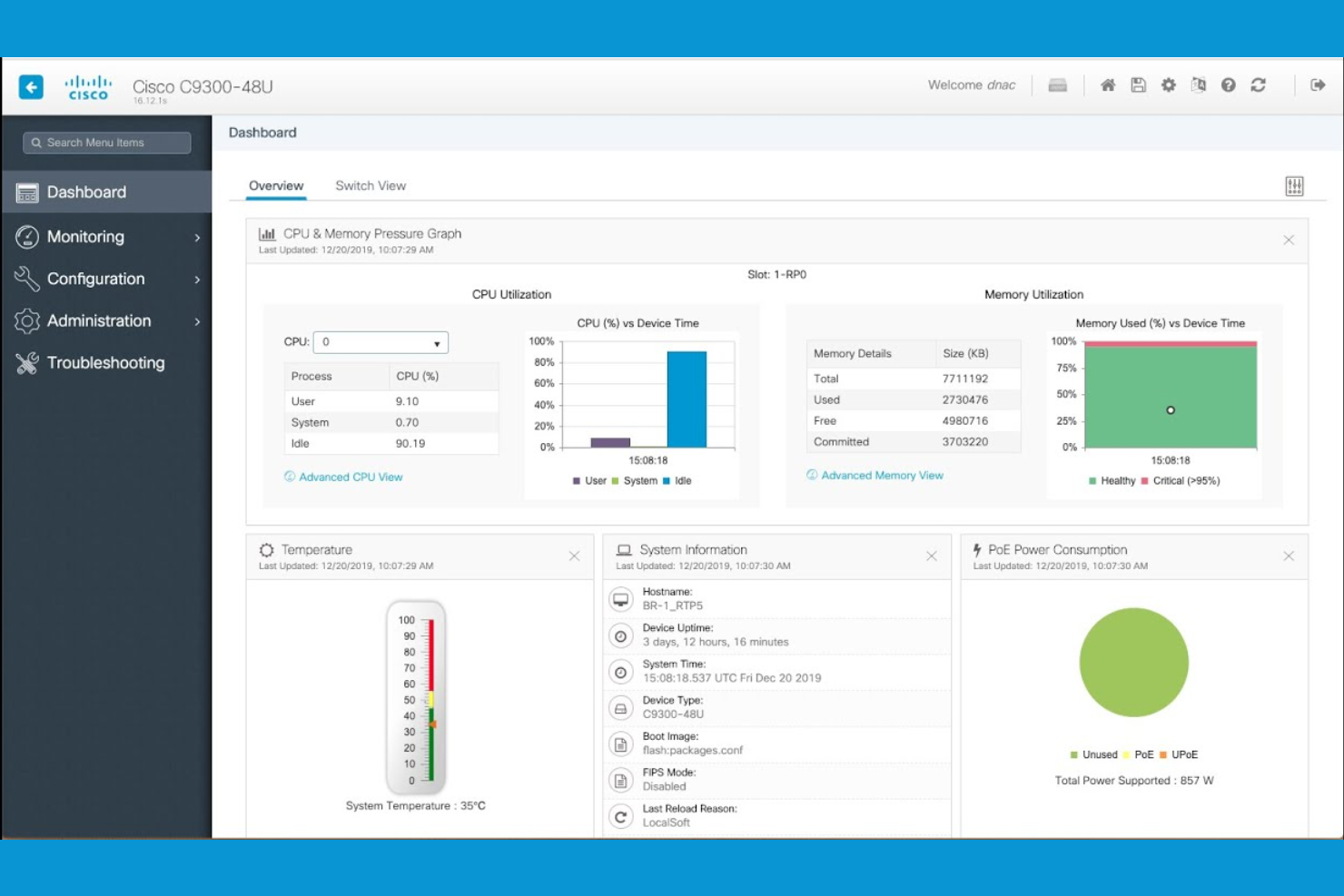
Für Organisationen, die sowohl lokale als auch Cloud-Infrastrukturen verwalten, bietet Cisco Security Cybersicherheitslösungen, die speziell für hybride Netzwerkinfrastrukturen entwickelt wurden. IT-Teams in großen Unternehmen und verteilten Betrieben entscheiden sich häufig für Cisco Security, da es Richtliniendurchsetzung, Routing und Bedrohungsschutz über komplexe, gemischte Umgebungen hinweg vereinheitlicht. Die Architektur unterstützt zudem Funktionen für Secure Access Service Edge (SASE), sodass Sie Benutzer, Geräte und Workloads überall absichern können, ohne eine vollständige Migration in die Cloud zu erzwingen.
Warum Cisco Security eine gute Zscaler-Alternative ist
Wenn Ihr Unternehmen sowohl lokale als auch Cloud-Ressourcen absichern muss, sticht Cisco Security durch seine Fähigkeiten für hybride Netzwerke hervor. Ich schätze, wie das Portfolio von Cisco Security eine einheitliche Richtlinienverwaltung und Bedrohungserkennung in physischen, virtuellen und Cloud-Umgebungen ermöglicht. Funktionen wie adaptive Sicherheitsgeräte und cloudbasierte Firewall-Dienste helfen Ihnen, einen einheitlichen Schutz aufrechtzuerhalten, während sich Ihr Netzwerk weiterentwickelt. Dadurch ist Cisco Security eine gute Wahl für Organisationen, die noch nicht alles in die Cloud verschieben möchten, aber dennoch eine fortschrittliche, zentrale Sicherheit wünschen.
Wichtige Funktionen von Cisco Security
Weitere Funktionen von Cisco Security, die für Sie von Interesse sein könnten:
- Sicherheit auf DNS-Ebene: Blockiert bösartige Domains und verhindert Phishing-Angriffe auf DNS-Ebene.
- Cloud Access Security Broker (CASB): Überwacht und kontrolliert den Zugriff auf Cloud-Anwendungen und setzt Sicherheitsrichtlinien durch.
- Endpoint Detection and Response (EDR): Erkennt, untersucht und reagiert auf Bedrohungen an Endpunkten im gesamten Netzwerk.
- E-Mail-Sicherheits-Gateway: Filtert eingehende und ausgehende E-Mails, um Spam, Malware und gezielte Phishing-Angriffe zu blockieren.
Cisco Security-Integrationen
Native Integrationen sind derzeit nicht aufgeführt.
Pros and Cons
Pros:
- Bietet detaillierte Netzwerksegmentierungskontrollen
- Integriert sich mit Cisco-Hardwaregeräten
- Beinhaltet integriertes E-Mail-Sicherheits-Gateway
Cons:
- Für vollständigen Schutz sind mehrere Produkte erforderlich
- Einige Updates erfordern manuelle Eingriffe
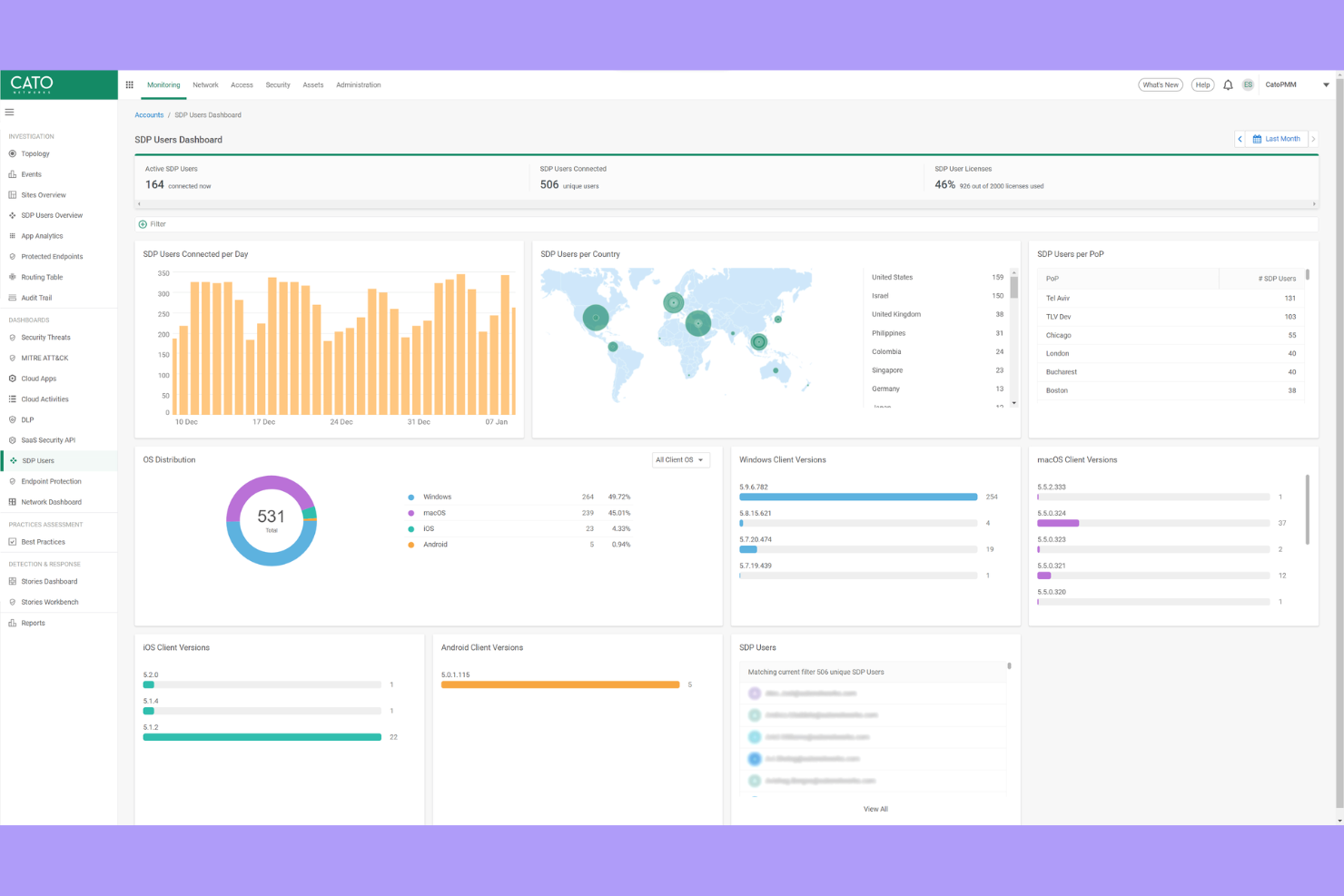
Wenn Ihre Organisation sichere, leistungsstarke Konnektivität über globale Standorte hinweg benötigt, bietet Cato Networks ein privates Backbone, das das öffentliche Internet umgeht. Diese Plattform eignet sich besonders für IT-Teams, die multinationale Netzwerke verwalten und Latenzzeiten verringern sowie die Zuverlässigkeit für Nutzer weltweit verbessern wollen. Cato Networks hebt sich hervor, indem es integrierte Sicherheit und Netzwerklösungen über eine eigene globale Infrastruktur bereitstellt, nicht nur durch cloudbasierte Sicherheitsebenen.
Warum Cato Networks eine gute Alternative zu Zscaler ist
Im Gegensatz zu den meisten Cloud-Sicherheitsanbietern betreibt Cato Networks ein eigenes globales privates Backbone, sodass Ihr Datenverkehr nicht den Unwägbarkeiten des öffentlichen Internets ausgesetzt ist. Ich habe Cato Networks für Teams ausgewählt, die eine konsistente, latenzarme Verbindung zwischen internationalen Standorten und Remote-Nutzern benötigen. Die Plattform kombiniert dieses Backbone mit integrierten Sicherheitsfunktionen wie einer Next-Generation-Firewall, einem sicheren Web-Gateway und Zero-Trust-Netzwerkzugriff. Durch die nahtlose Integration von Netzwerk- und Sicherheitsfunktionen erhalten Sie sowohl zuverlässige Leistung als auch einen einheitlichen Schutz – damit ist Cato eine starke Alternative zu Zscaler für weltweit agierende Organisationen.
Wichtige Funktionen von Cato Networks
Weitere Funktionen von Cato Networks, die für Sie interessant sein könnten:
- Cloud-basierte Verwaltungskonsole: Ermöglicht die Konfiguration, Überwachung und Fehlerbehebung Ihres Netzwerks über eine zentrale Oberfläche.
- WAN-Optimierung: Reduziert den Bandbreitenverbrauch und beschleunigt die Anwendungsleistung an allen Standorten.
- Unterstützung für mobile Clients: Bietet sicheren Zugriff für Remote- und mobile Nutzer, ohne zusätzliche Hardware.
- Automatisierte Bedrohungserkennung und -reaktion: Überwacht den Netzwerkverkehr kontinuierlich und reagiert in Echtzeit auf Bedrohungen.
Cato Networks Integrationen
Derzeit sind keine nativen Integrationen aufgeführt.
Pros and Cons
Pros:
- Privates Backbone reduziert die Latenz an globalen Standorten
- Mobiler Client unterstützt sicheren Remote-Zugriff
- Automatisierte Bedrohungserkennung mit Reaktion in Echtzeit
Cons:
- Für die Konnektivität werden Cato-Edge-Geräte benötigt
- Erweiterte Analysefunktionen sind noch in der Entwicklung
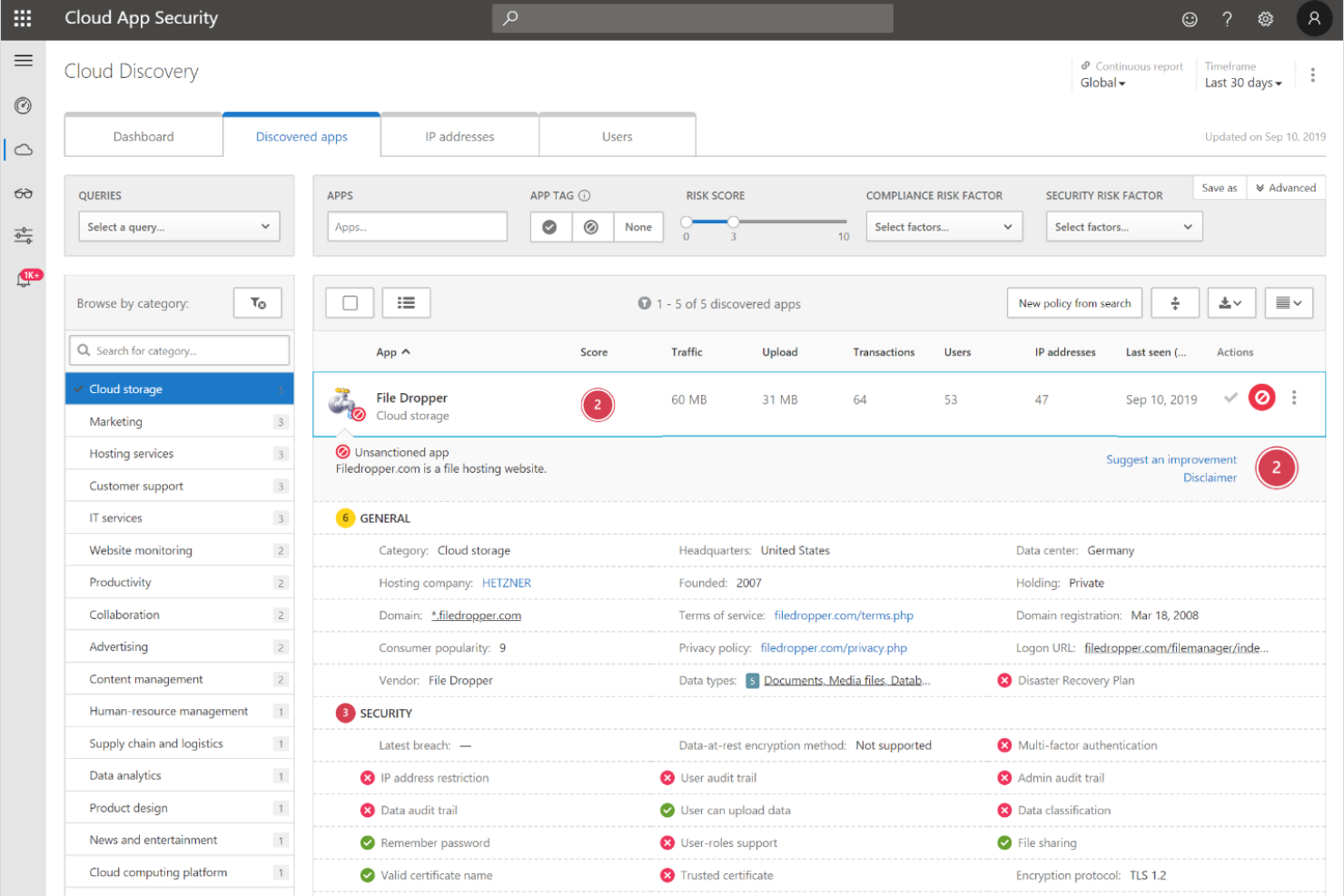

Die Zero-Trust-Plattform von Microsoft Security ist für Unternehmen konzipiert, die Sicherheit nahtlos über ihre Cloud-, Endpoint- und Identitätsumgebungen hinweg integrieren möchten. Diese Lösung ist besonders relevant für IT-Teams, die bereits in die Microsoft 365-, Azure- oder Windows-Ökosysteme investiert haben und granulare, adaptive Zugriffskontrollen durchsetzen möchten. Was Microsoft Security von Zscaler und anderen abhebt, ist die native Zero-Trust-Architektur, die Identitäts-, Geräte- und Anwendungssicherheit unter einem einzigen Rahmenwerk vereint.
Warum Microsoft Security eine gute Alternative zu Zscaler ist
Im Gegensatz zu vielen Anbietern von Cloud-Sicherheitslösungen ist die Zero-Trust-Plattform von Microsoft Security direkt in die eigenen Cloud-, Identitäts- und Endpoint-Dienste integriert. Ich habe Microsoft Security für Teams ausgewählt, die eine native Zero-Trust-Architektur wünschen, da sie so bedingten Zugriff, kontinuierliche Risikoüberwachung und automatisierte Bedrohungsreaktionen in der gesamten Microsoft-Umgebung durchsetzen können. Funktionen wie einheitliches Richtlinienmanagement und Echtzeitüberprüfung der Geräte-Compliance helfen Ihnen, den Zugriff auf jeder Ebene abzusichern. Das macht Microsoft Security zu einer starken Zscaler-Alternative für Organisationen, die ihre Sicherheitskontrollen innerhalb eines einzigen, integrierten Ökosystems konsolidieren möchten.
Microsoft Security Schlüsselfunktionen
Weitere Funktionen der Zero-Trust-Plattform von Microsoft Security, die für Sie interessant sein könnten:
- Defender for Cloud Apps: Überwacht und steuert Nutzeraktivitäten in Cloud-Anwendungen für bessere Transparenz und Bedrohungserkennung.
- Privileged Identity Management: Verwalten, Überwachen und Kontrollieren des Zugriffs auf kritische Ressourcen mit just-in-time- und just-enough-access-Richtlinien.
- Information Protection: Klassifiziert und verschlüsselt sensible Daten in E-Mails, Dokumenten und Cloud-Speichern.
- Endpoint Detection and Response: Bietet fortschrittliche Bedrohungserkennung und Untersuchungswerkzeuge für verwaltete Geräte.
Microsoft Security Integrationen
Zu den Integrationen gehören Microsoft Entra, Microsoft Intune, Microsoft Defender for Endpoint, Microsoft Sentinel, Microsoft Purview und weitere.
Pros and Cons
Pros:
- Tiefe Integration mit Microsoft 365-Diensten
- Native Zero-Trust-Kontrollen für alle Endpunkte
- Integrierter Identitätsschutz und Risikobewertung
Cons:
- Begrenzte Sichtbarkeit bei nicht-Microsoft-Cloud-Anwendungen
- Richtlinienänderungen können Auswirkungen auf ältere lokale Systeme haben
Auswahlkriterien für Zscaler-Alternativen
Bei der Auswahl der besten Zscaler-Alternativen in dieser Liste habe ich die häufigsten Anforderungen und Schmerzpunkte von Käufern im Zusammenhang mit Cloud-Sicherheitsprodukten berücksichtigt, wie das Management von sicherem Fernzugriff und das Erkennen fortschrittlicher Bedrohungen. Außerdem habe ich den folgenden Rahmen genutzt, um meine Bewertung strukturiert und fair zu gestalten:
Kernfunktionen (25% der Gesamtbewertung)
Damit eine Lösung in diese Liste aufgenommen werden konnte, musste sie diese Anwendungsfälle abdecken:
- Sicherer Fernzugriff auf Cloud-Anwendungen
- Bedrohungserkennung und -abwehr
- Benutzerauthentifizierung und Identitätsmanagement
- Richtlinienbasierte Zugriffskontrolle
- Echtzeit-Überwachung von Aktivitäten
Zusätzliche besondere Funktionen (25% der Gesamtbewertung)
Um die Auswahl weiter einzuschränken, habe ich auch nach einzigartigen Merkmalen gesucht, wie:
- Verhaltensbasierte Risikoanalysen
- Remote-Browser-Isolation
- Automatisierte Richtlinienanpassung
- Integration mit mehreren Identitätsanbietern
- Anwendungssegmentierung auf Ebene einzelner Applikationen
Benutzerfreundlichkeit (10% der Gesamtbewertung)
Um mir ein Bild von der Benutzerfreundlichkeit jeder Lösung zu machen, habe ich Folgendes berücksichtigt:
- Klares und intuitives Dashboard-Design
- Logische Navigation zwischen den Modulen
- Minimale Schritte zur Konfiguration der Kernfunktionen
- Zugänglichkeit der Dokumentation innerhalb der Plattform
- Anpassbare Benachrichtigungen und Warnhinweise
Onboarding (10 % der Gesamtbewertung)
Um die Onboarding-Erfahrung jeder Plattform zu bewerten, habe ich Folgendes berücksichtigt:
- Verfügbarkeit von Schritt-für-Schritt-Einrichtungsanleitungen
- Zugang zu Schulungsvideos und Webinaren
- Interaktive Produkttouren für neue Nutzer
- Vorgefertigte Richtlinienvorlagen für eine schnelle Implementierung
- Reaktionsschnelles Onboarding-Support-Team
Kundensupport (10 % der Gesamtbewertung)
Um die Kundendienstleistungen der einzelnen Software-Anbieter zu bewerten, habe ich Folgendes berücksichtigt:
- 24/7 Support-Verfügbarkeit
- Mehrere Support-Kanäle einschließlich Chat und Telefon
- Zugang zu einer Wissensdatenbank oder einem Help-Center
- Schnelle Reaktionszeiten bei kritischen Problemen
- Verfügbarkeit von dedizierten Account-Managern
Preis-Leistungs-Verhältnis (10 % der Gesamtbewertung)
Um das Preis-Leistungs-Verhältnis jeder Plattform zu beurteilen, habe ich Folgendes berücksichtigt:
- Transparente Preisstruktur
- Flexible Abonnement-Optionen
- In jedem Preismodell enthaltene Funktionen
- Kosten im Vergleich zu ähnlichen Lösungen
- Rabatte für Jahres- oder Mehrjahresverträge
Kundenbewertungen (10 % der Gesamtbewertung)
Um ein Gefühl für die allgemeine Kundenzufriedenheit zu bekommen, habe ich bei der Durchsicht von Kundenrezensionen Folgendes berücksichtigt:
- Konsistenz positiver Rückmeldungen
- Häufigkeit gemeldeter technischer Probleme
- Qualität der Support-Erfahrungen
- Leichtigkeit der Bereitstellung und Verwaltung
- Zufriedenheit mit den Sicherheitsergebnissen
Warum nach einer Zscaler-Alternative suchen?
Auch wenn Zscaler eine gute Wahl als Cloud-Sicherheitsanbieter ist, gibt es eine Reihe von Gründen, warum manche Nutzer nach alternativen Lösungen suchen. Vielleicht suchen Sie eine Zscaler-Alternative, weil…
- Sie detailliertere, verhaltensbasierte Risikoanalysen benötigen
- Ihr Unternehmen On-Premises- oder Hybrid-Bereitstellungsoptionen benötigt
- Sie eine tiefere Integration mit bestimmten Identitätsanbietern wünschen
- Sie mehr Flexibilität bei der Richtlinienanpassung benötigen
- Ihr Team in Regionen arbeitet, in denen es nur wenige Zscaler-Rechenzentren gibt
- Sie erweiterte Reporting- und Auditfunktionen benötigen
Wenn einer dieser Punkte auf Sie zutrifft, sind Sie hier genau richtig. Meine Liste enthält mehrere Cloud-Sicherheitsanbieter, die für Teams mit diesen Herausforderungen besser geeignet sind als Zscaler und als Alternativen in Frage kommen.
Zscaler: Wichtige Funktionen
Hier sind einige der wichtigsten Funktionen von Zscaler, damit Sie vergleichen und beurteilen können, was alternative Lösungen bieten:
- Zero-Trust-Netzwerkzugriff: Erzwingt einen Zugriff mit minimalen Berechtigungen auf Anwendungen, indem Benutzer und Geräte vor dem Zugang überprüft werden und so das Risiko seitlicher Bewegungen innerhalb Ihrer Umgebung minimiert wird.
- Cloud-basiertes sicheres Web-Gateway: Überwacht und filtert den gesamten Webverkehr in Echtzeit, blockiert bösartige Websites, Phishing-Versuche und unangemessene Inhalte, bevor sie die Nutzer erreichen.
- Inline-Bedrohungsprävention: Erkennt und blockiert Schadsoftware, Ransomware und fortschrittliche Bedrohungen am Netzwerkrand mithilfe von signaturbasierter und verhaltensbasierter Analyse.
- SSL/TLS-Inspektion: Entschlüsselt und untersucht verschlüsselten Datenverkehr, um versteckte Bedrohungen zu identifizieren, ohne die Privatsphäre der Nutzer oder die Leistung zu beeinträchtigen.
- Verhinderung von Datenverlust (Data Loss Prevention): Überwacht und steuert die Bewegung sensibler Daten über Cloud- und Web-Kanäle, um Unternehmen bei der Einhaltung von Datenschutzvorschriften zu unterstützen.
- Anwendungssegmentierung: Beschränkt den Benutzerzugriff auf nur diejenigen Anwendungen, die benötigt werden, reduziert die Angriffsfläche und verhindert unbefugten Zugang.
- Integration von Identitätsanbietern: Verbindet sich mit führenden Identitätsplattformen, um Single Sign-On und Multi-Faktor-Authentifizierung für eine sichere Benutzerverifizierung durchzusetzen.
- Zentrale Richtlinienverwaltung: Ermöglicht Administratoren die Definition, Aktualisierung und Durchsetzung von Sicherheitsrichtlinien über eine einzige, cloud-basierte Konsole.
- Umfassende Berichte und Analysen: Bietet detaillierte Einblicke in Benutzeraktivitäten, Bedrohungen und Richtlinienverstöße über anpassbare Dashboards und Berichte.
- Globale Cloud-Infrastruktur: Bietet weltweit konsistente Sicherheit und schnelle Benutzererfahrungen über ein verteiltes Netzwerk von Rechenzentren.
Wie geht es weiter?
Wenn Sie gerade Zscaler-Alternativen recherchieren, kontaktieren Sie kostenlos einen SoftwareSelect-Berater für Empfehlungen.
Sie füllen ein Formular aus und führen ein kurzes Gespräch, in dem Ihre Bedürfnisse im Detail besprochen werden. Anschließend erhalten Sie eine Auswahlliste an Software zur Ansicht. Der Berater unterstützt Sie sogar während des gesamten Kaufprozesses, einschließlich Preisverhandlungen.