

Die 10 besten Robotic-Process-Automation-Softwares im Jahr 2026

Beste Robotic Process Automation Software Kurzliste


In der sich ständig wandelnden Geschäftswelt steht Robotic Process Automation Software als Vorreiter für optimierte Arbeitsabläufe. Sie bietet umfassende, Low-Code-Lösungen und bildet die Brücke zwischen manuellen Aufgaben und intelligenter Automatisierung. Egal, ob Sie On-Premise-Optionen oder Cloud-Lösungen in Betracht ziehen: Ich habe diesen Weg selbst beschritten und kenne aus erster Hand die transformative Kraft, die diese Tools bieten. Sie vereinfachen komplexe Prozesse, sparen Zeit und reduzieren das Risiko menschlicher Fehler.
Falls Sie mit ineffizienten Abläufen zu kämpfen haben oder Ihre Produktivität ohne großen Programmieraufwand steigern möchten, sind Sie hier richtig. Ich empfehle Ihnen, sich diese Optionen genauer anzuschauen; sie könnten genau die Lösung sein, nach der Sie gesucht haben.
Warum Sie unseren Software-Empfehlungen vertrauen können
Unser Team testet und bewertet Software seit 2012. Als Tech-Führungskräfte wissen wir selbst, wie schwierig – und wichtig – es ist, die richtige Software auszuwählen.
Für diesen Leitfaden haben wir Tools mithilfe von praktischen Tests und unabhängiger Recherche bewertet und dabei unsere Bewertungskriterien angewendet.
Unsere Bewertungen spiegeln unser menschliches redaktionelles Urteilsvermögen wider, keine Verkaufsstrategie.
Bestes Robotic Process Automation Software Zusammenfassung
Diese Vergleichstabelle fasst die Preisinformationen meiner Top-Auswahl an Robotic Process Automation Software zusammen, um Ihnen bei der Suche nach der besten Lösung für Ihr Budget und Ihre Geschäftsanforderungen zu helfen.
| Tool | Best For | Trial Info | Price | ||
|---|---|---|---|---|---|
| 1 | Am besten geeignet mit universellen Konnektoren für jede App | 30-tägige kostenlose Testversion + kostenlose Demo verfügbar | Preise auf Anfrage | Website | |
| 2 | Am besten für die Automatisierung von Web-Scraping | Not available | Preise auf Anfrage | Website | |
| 3 | Am besten für großflächige Implementierungen | 60-tägige kostenlose Testversion | Preise auf Anfrage | Website | |
| 4 | Am besten für die Integration mit KI | Not available | Preisauskunft auf Anfrage | Website | |
| 5 | Am besten für CRM-Integration | Not available | Preise auf Anfrage | Website | |
| 6 | Am besten für cloudnative Abläufe | Not available | Preis auf Anfrage | Website | |
| 7 | Am besten für Multikanalerfassung geeignet | Not available | Preise auf Anfrage | Website | |
| 8 | Am besten für KI-gesteuerte Prozesse | Not available | Preise auf Anfrage | Website | |
| 9 | Am besten für unternehmensweite Skalierbarkeit | Not available | Preise auf Anfrage | Website | |
| 10 | Am besten geeignet für KMU-Automatisierungslösungen | Not available | Preise auf Anfrage | Website |
Bestes Robotic Process Automation Software Bewertungen
Nachfolgend finden Sie meine ausführlichen Zusammenfassungen der besten Robotic Process Automation Software, die es auf meine Kurzliste geschafft haben. Meine Bewertungen bieten einen detaillierten Überblick über die wichtigsten Funktionen, Vor- & Nachteile, Integrationen und idealen Anwendungsfälle jedes Tools, um Ihnen bei der Suche nach der besten Lösung zu helfen.


Celigo ist eine Integrations- und Automatisierungsplattform, die für IT-Teams und Leiter der Geschäftsbereiche entwickelt wurde, die Anwendungen verbinden, Workflows automatisieren und komplexe Geschäftsprozesse über Cloud- und On-Premises-Systeme hinweg verwalten müssen.
Für wen ist Celigo am besten geeignet?
IT-Teams und Leiter von Betriebsabläufen in mittelständischen bis großen Unternehmen, die Prozesse über mehrere Cloud- und On-Premises-Systeme hinweg automatisieren und verbinden müssen.
Warum ich Celigo gewählt habe
Ich habe Celigo als eine der besten Lösungen ausgewählt, weil seine universellen Konnektoren meinem Team ermöglichen, Prozesse zwischen praktisch jeder Cloud- oder On-Premises-Anwendung zu automatisieren. Ich nutze den Konnektor-Builder der Plattform, um eigene Integrationen zu erstellen, wenn keine vorgefertigte Lösung verfügbar ist. Diese Flexibilität bedeutet, dass wir Workflows über Altsysteme, spezialisierte SaaS-Tools und große Plattformen hinweg automatisieren können, ohne auf die Unterstützung von Anbietern warten zu müssen.
Wichtige Funktionen von Celigo
- Flow Builder: Entwerfen, modellieren und automatisieren Sie mehrstufige Workflows visuell mit Drag-and-Drop-Tools.
- Dashboard für Fehlermanagement: Überwachen, beheben und lösen Sie Integrationsfehler von einer zentralen Oberfläche aus.
- Rollenbasierte Zugriffskontrolle: Vergeben Sie granulare Berechtigungen für Benutzer und Teams, die Automatisierungsprojekte verwalten.
- Vorgefertigte Integrationsvorlagen: Setzen Sie einsatzbereite Automatisierungsabläufe für beliebte Geschäftsanwendungen ein.
Celigo-Integrationen
Zu den Integrationen gehören Salesforce, Microsoft Dynamics 365 Business Central, Oracle NetSuite, Walmart, SAP, Snowflake, Acumatica, ADP, Adobe und 3PL Central.
Pros and Cons
Pros:
- Echtzeit-Fehlerüberwachung mit detaillierter Diagnose
- Unterstützt mehrstufige, anwendungsübergreifende Workflows
- SOC 2 Typ II und DSGVO-konforme Funktionen enthalten
Cons:
- Erweiterte Funktionen erfordern Abonnements höherer Stufen
- Begrenzte Anpassungsmöglichkeiten bei einigen vorgefertigten Konnektoren
New Product Updates from Celigo
Celigo Adds API Group Assignment During API Setup
Celigo adds API group assignment during create, clone, and move actions. This reduces extra setup steps by letting teams organize APIs before the relative URI is defined. For more information, visit Celigo’s official site.
 .
.
Apify
Am besten für die Automatisierung von Web-Scraping
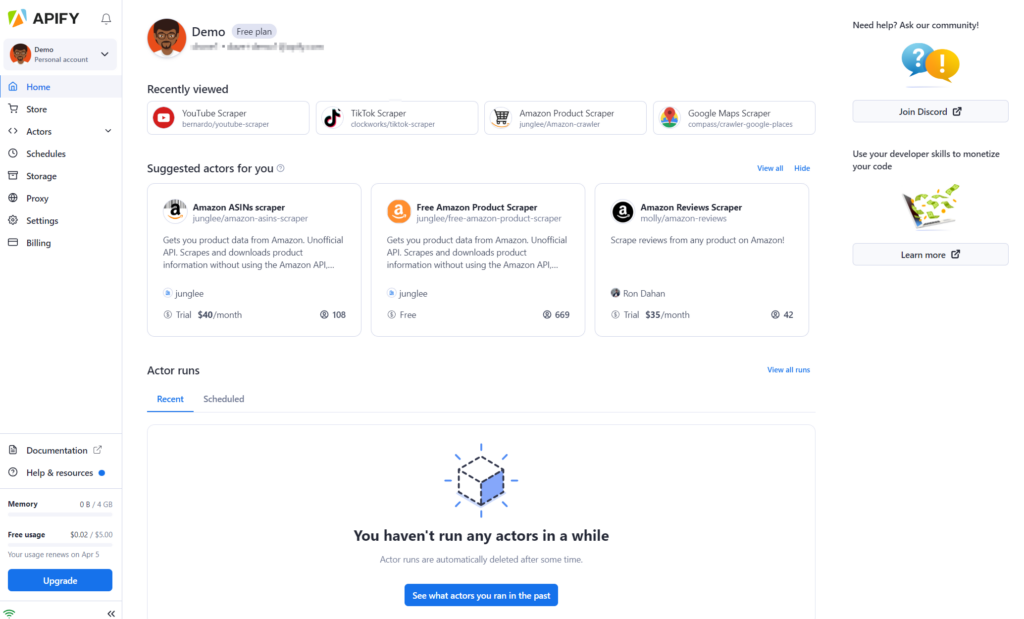
Apify ist ein führendes RPA-Tool, das entwickelt wurde, um den Prozess des Web-Scrapings effizient zu automatisieren. Sein Engagement für die Extraktion von Webdaten unterstreicht seine Überlegenheit in der Web-Scraping-Automatisierung und macht es zu einem unschätzbaren Vorteil für Unternehmen, die sich auf datengetriebene Strategien konzentrieren.
Warum ich Apify ausgewählt habe:
Im Bereich der RPA-Tools fiel Apify bei meinem Vergleich besonders auf. Ich habe es für diese Liste ausgewählt, weil es speziell auf Web-Scraping zugeschnitten ist und Funktionen bietet, die viele andere Tools nicht haben.
Bei der Bewertung seiner Fähigkeiten wurde Apifys spezieller Fokus auf die Automatisierung des Web-Scrapings ein entscheidender Faktor, um es als bestes Tool für diese spezielle Funktion einzuordnen.
Herausragende Funktionen und Integrationen:
Apify überzeugt mit einer No-Code-Oberfläche, die es Nutzern ermöglicht, ihre Scraping-Aufgaben einzurichten, ohne tief in das Programmieren einzusteigen. Mithilfe von maschinellem Lernen stellt es sicher, dass die Datenextraktion präzise und relevant ist. Echtzeit-Datenextraktion ist ein weiteres Highlight, das dafür sorgt, dass Unternehmen jederzeit aktuelle Informationen erhalten.
Bei den Integrationen arbeitet Apify nahtlos mit verschiedenen Datenspeicherlösungen und Plattformen zusammen, sodass der Datenfluss und die Speicherung gewährleistet werden.
Pros and Cons
Pros:
- No-Code-Oberfläche vereinfacht Web-Scraping-Aufgaben
- Nutzt maschinelles Lernen für präzise Datenextraktion
- Echtzeit-Datenextraktion sorgt für aktuelle Informationen
Cons:
- Könnte für Nutzer, die eine allgemeinere RPA-Lösung suchen, zu spezialisiert sein
- Die Lernkurve für Einsteiger im Web-Scraping
- Je nach Komplexität kann die Einrichtung technisches Fachwissen erfordern

UiPath
Am besten für großflächige Implementierungen
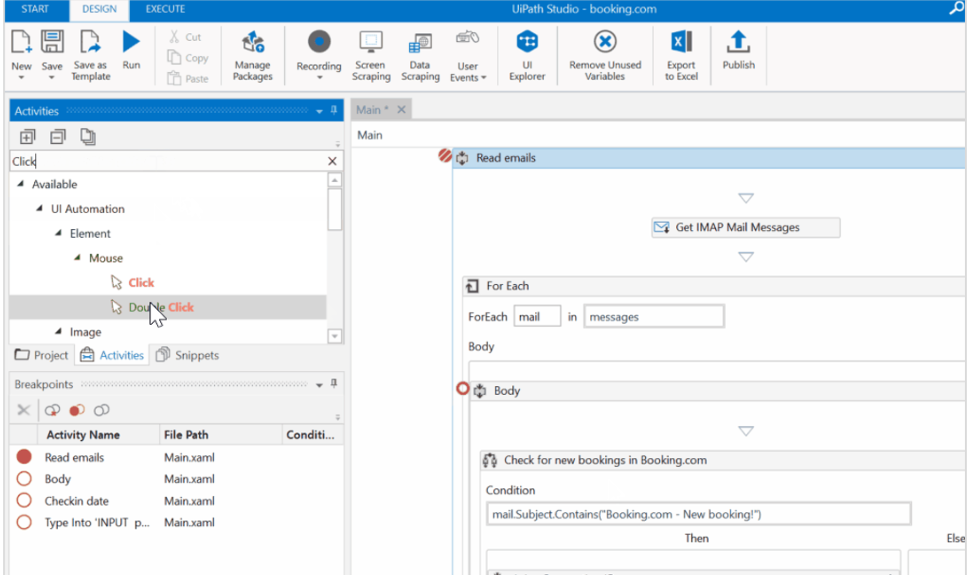
UiPath ist eine führende Plattform für Robotic Process Automation (RPA), die Unternehmen bei ihrer digitalen Transformation unterstützt. Besonders geeignet für Organisationen, die eine großflächige Implementierung anstreben, bietet UiPath eine umfassende Suite von Tools, die komplexe Prozesse in verschiedenen Sektoren, einschließlich Gesundheitswesen, bewältigen.
Warum ich UiPath gewählt habe:
Bei der Auswahl eines RPA-Tools für umfangreiche Einsätze stach UiPath konstant hervor. Meine Entscheidung beruhte vor allem auf der Fähigkeit, große und komplexe Aufgaben effizient zu meistern. Ich bin überzeugt, dass UiPath 'am besten für großflächige Implementierungen' geeignet ist, da es sich vielfach bei der Unterstützung umfassender organisatorischer Transformationen bewährt hat.
Hervorstechende Funktionen und Integrationen:
UiPath bietet intelligente Dokumentenverarbeitung, eine Funktion, die OCR einsetzt, um verschiedene Dokumenttypen in nutzbare Daten umzuwandeln. Zusammen mit der Fähigkeit, sich durch komplexe Prozesse im Gesundheitswesen zu bewegen, ist UiPath ein unverzichtbares Werkzeug für Organisationen, die digitale Exzellenz anstreben.
Was die Integrationen betrifft, ist UiPath mit einer Vielzahl von Plattformen und Systemen kompatibel, sodass Unternehmen ihre bevorzugten Tools weiterhin nutzen können, während sie die robusten Funktionen von UiPath integrieren.
Pros and Cons
Pros:
- Bietet fortschrittliche OCR-Funktionen für eine effiziente Dokumentenverarbeitung.
- Nachgewiesene Kompetenz bei der Bearbeitung von Prozessen im Gesundheitswesen.
- Große Bandbreite an Integrationen ermöglicht eine flexible Implementierung.
Cons:
- Erfordert möglicherweise eine umfangreiche Schulung für neue Nutzer.
- Der umfangreiche Funktionsumfang kann für einige Unternehmen überwältigend sein.
- Lizenzstruktur kann für kleinere Unternehmen komplex sein.

IBM Robotic Process Automation (RPA) ist ein hochmodernes Tool, das entwickelt wurde, um wiederkehrende Geschäftsprozesse und Aufgaben zu optimieren. Ein entscheidendes Merkmal dieses Tools ist seine Fähigkeit, sich mit KI zu integrieren, womit es besonders für Unternehmen geeignet ist, die künstliche Intelligenz für eine verbesserte Aufgabenautomatisierung nutzen möchten.
Warum ich IBM Robotic Process Automation ausgewählt habe:
Im Rahmen meiner Auswahl der Tools für diese Liste hat IBM RPA besonders durch sein Engagement für die Integration von KI-Fähigkeiten in seine RPA-Angebote überzeugt. Durch meinen Vergleich und meine Bewertung stellte ich fest, dass vor allem die Kombination aus grafischer Benutzeroberfläche und KI-Integration ein entscheidender Faktor war.
Deshalb habe ich entschieden, dass IBM RPA wirklich 'am besten für die Integration mit KI' geeignet ist, insbesondere für Nutzer mit begrenzten Programmierkenntnissen, die aber die Möglichkeiten von KI nutzen möchten.
Herausragende Funktionen und Integrationen:
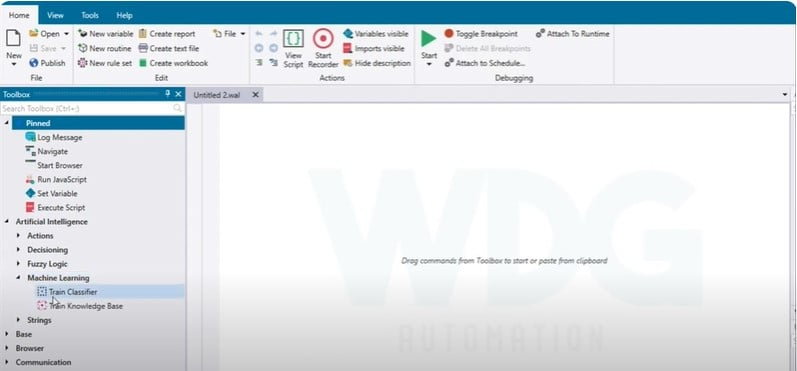
Eine der herausragenden Funktionen von IBM RPA ist die grafische Oberfläche, die es Anwendern ohne fundierte Programmierkenntnisse ermöglicht, Automatisierungsaufgaben zu entwerfen und bereitzustellen. Durch die Integration von KI in diese Plattform kann eine nuanciertere und intelligentere Aufgabenautomatisierung erreicht werden, was sie von vielen anderen Tools abhebt.
Hinsichtlich der Integrationen fügt sich IBM RPA nahtlos in die umfangreiche Suite der KI-Tools von IBM ein und stellt sicher, dass Anwender leistungsstarke KI-Funktionen einfach nutzen können.
Pros and Cons
Pros:
- Starke KI-Integration ermöglicht intelligente Aufgabenautomatisierung.
- Grafische Oberfläche macht es für Anwender ohne fortgeschrittene Programmierkenntnisse zugänglich.
- Integration mit anderen IBM KI-Tools für erweiterte Möglichkeiten.
Cons:
- Für absolute Anfänger könnte es eine steilere Lernkurve geben.
- Die Vorteile der Integration werden maximiert, wenn andere IBM-Produkte verwendet werden.
- Anpassungsoptionen könnten im Vergleich zu einigen spezialisierten Tools begrenzt sein.

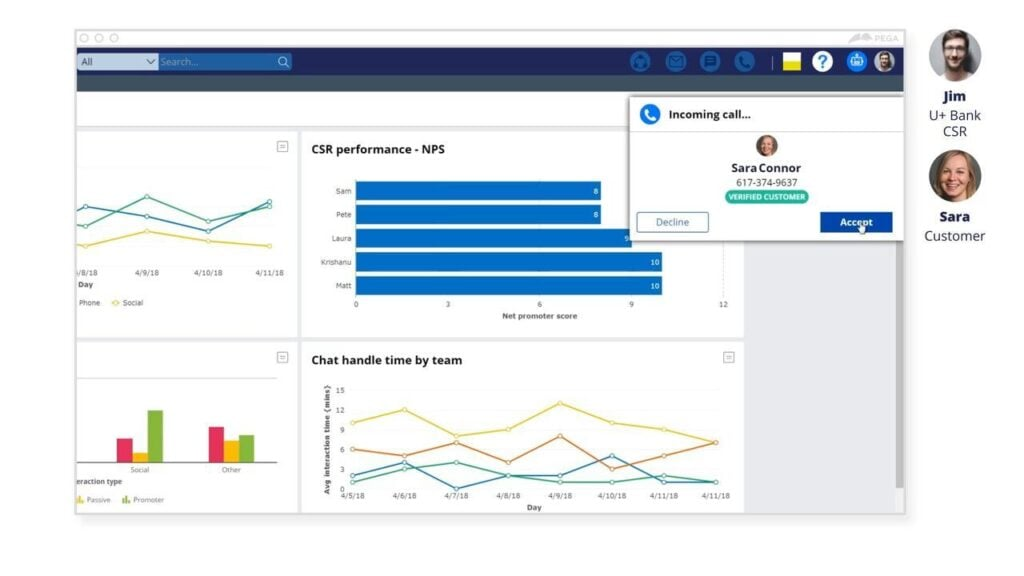
Pega RPA ist eine fortschrittliche Automatisierungslösung, die darauf ausgelegt ist, Geschäftsprozesse zu optimieren und zu modernisieren, insbesondere im Bereich der Dateneingabe und Entscheidungsfindung. Bekannt für seine leistungsstarken CRM-Integrationsmöglichkeiten, hebt Pega RPA das Kundenerlebnis auf ein neues Niveau, indem es sich wiederholende Aufgaben eliminiert und den Fokus auf wertschöpfende Interaktionen legt.
Warum ich Pega RPA gewählt habe:
Bei der Auswahl eines Automatisierungstools mit beeindruckenden CRM-Fähigkeiten war Pega RPA meine erste Wahl. Ich habe seine Qualität anhand seiner Fähigkeit bewertet, sich mit verschiedenen CRM-Plattformen zu integrieren—eine Funktion, die nicht jedes RPA-Tool vorweisen kann.
Daher habe ich Pega RPA als 'am besten für CRM-Integration' eingestuft, da es Automatisierung und CRM-Systeme konsistent und effektiv zusammenbringt.
Hervorstechende Funktionen und Integrationen:
Pega RPA besticht durch seine Fähigkeit, Konnektoren zu bieten, die mit mehreren Plattformen verbinden. Das intuitive Design unterstützt eine schnelle Dateneingabe und stellt so eine präzise Entscheidungsfindung sicher. Besonders hervorzuheben ist bei den Integrationen die breite Palette an CRM-Konnektoren, die sowohl gängige als auch spezialisierte Plattformen abdecken und somit Unternehmen ermöglichen, das volle Potenzial ihrer bestehenden Systeme auszuschöpfen.
Pros and Cons
Pros:
- Leistungsstarke CRM-Konnektoren gewährleisten breite Plattform-Kompatibilität.
- Effiziente Dateneingabe reduziert Fehler und steigert die Produktivität.
- Verbessert das Kundenerlebnis durch optimierte Prozesse.
Cons:
- Kann für kleinere Unternehmen mit einfacheren Anforderungen überwältigend sein.
- Benötigt ausreichende Schulung für eine optimale Nutzung.
- Möglicherweise höhere Kosten für den Zugang zu erweiterten Funktionen.

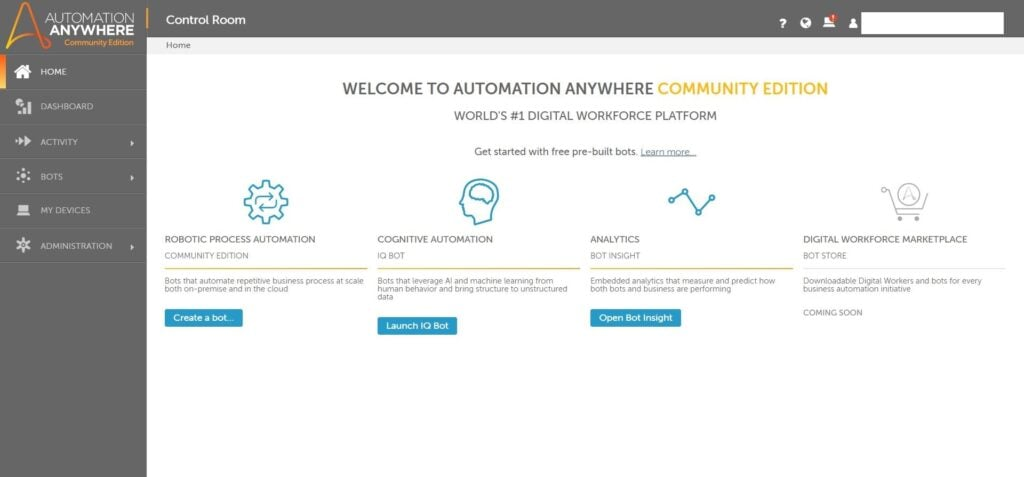
Automation Anywhere RPA ist eine leistungsstarke Plattform, die entwickelt wurde, um End-to-End-Automatisierung in Unternehmen voranzutreiben. Mit einem klaren Vorteil bei cloudnativen Abläufen erleichtert dieses Tool die Integration und Automatisierung von Prozessen in Cloud-Umgebungen, was es besonders effektiv für Unternehmen macht, die auf Cloud-Infrastrukturen setzen.
Warum ich Automation Anywhere RPA ausgewählt habe:
Bei der Auswahl der Tools für diese Liste stach Automation Anywhere RPA durch seine ausgeprägte Stärke in cloudnativen Abläufen hervor. Die einzigartige Architektur und das Design der Plattform unterscheiden sie von vielen anderen.
Nach sorgfältiger Überlegung und Vergleich habe ich festgestellt, dass der Fokus auf die Optimierung von cloudbasierten Arbeitsabläufen seine Auszeichnung als 'Am besten für cloudnative Abläufe geeignet' rechtfertigt.
Hervorstechende Funktionen und Integrationen:
Unter den zahlreichen Funktionen ist die Fähigkeit von Automation Anywhere RPA hervorzuheben, Back-End-Prozesse zu automatisieren, ohne dass eine Desktop-Anwendung erforderlich ist. Es unterstützt nicht nur Cloud-Funktionen, sondern fördert auch eine effektive Skalierung in der Cloud.
Für Integrationen ist die Plattform so konzipiert, dass sie nahtlos mit den wichtigsten Cloud-Dienstleistern zusammenarbeitet, sodass Unternehmen das Tool optimal in ihrer bevorzugten Cloud-Umgebung einsetzen können.
Pros and Cons
Pros:
- Spezialisiert auf cloudnative Abläufe und daher ideal für Unternehmen, die stark auf die Cloud angewiesen sind.
- Fähigkeit, komplexe Back-End-Aufgaben ohne Desktop-Anwendungen zu automatisieren.
- Leistungsstarke Integrationsmöglichkeiten mit führenden Cloud-Dienstleistern.
Cons:
- Die Benutzeroberfläche kann für Anwender, die mit cloudbasierten Abläufen nicht vertraut sind, komplex sein.
- Die anfängliche Einrichtung und Konfiguration kann zeitaufwändig sein.
- Einige fortgeschrittene Funktionen können eine steilere Lernkurve erfordern.

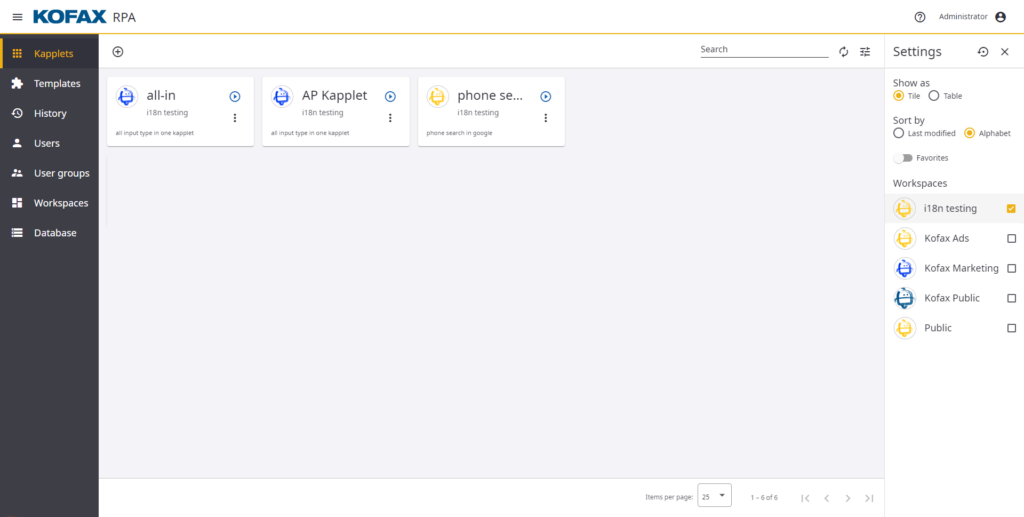
Kofax RPA zeichnet sich als robustes Tool aus, das auf die Erfassung von Daten über verschiedene Kanäle hinweg spezialisiert ist. Dank seiner Kompetenz im Bereich Multikanalerfassung, insbesondere in der Finanzdienstleistungsbranche, stellt es sicher, dass Unternehmen das Maximum aus ihren Daten verschiedenster Quellen herausholen.
Warum ich Kofax RPA gewählt habe:
Während meiner Recherche und Auswahl von RPA-Tools überzeugte mich Kofax RPA vor allem durch seine besonderen Fähigkeiten in der Multikanalerfassung. Nach dem Vergleich seiner Funktionalitäten mit anderen Wettbewerbern war schnell klar, dass es in diesem Bereich besonders hervorsticht.
Angesichts der zunehmenden Komplexität von Datenströmen, vor allem in Sektoren wie den Finanzdienstleistungen, bin ich überzeugt, dass Kofax RPA die ideale Lösung für Unternehmen ist, die Wert auf multikanalige Datenerfassung legen.
Hervorstechende Funktionen und Integrationen:
Kofax RPA bietet modernste Features wie die Verarbeitung natürlicher Sprache, die für eine präzise Interpretation und Extraktion von Daten sorgt. Darüber hinaus ermöglichen seine starken Orchestrierungsfunktionen die Optimierung komplexer Prozesse über verschiedenste Anwendungen hinweg.
Insbesondere für Unternehmen in den Finanzdienstleistungen stehen zahlreiche Integrationen zur Verfügung, um die Kompatibilität mit Bank- und Transaktionsplattformen sicherzustellen.
Pros and Cons
Pros:
- Expertise in der Multikanalerfassung, ideal für Finanzdienstleistungen
- Fortgeschrittene Verarbeitung natürlicher Sprache für präzise Datenverarbeitung
- Leistungsstarke Orchestrierungsfunktionen sorgen für ein durchgängiges Prozessmanagement
Cons:
- Könnte für neue Nutzer eine steilere Lernkurve mit sich bringen
- Die Kosten könnten für kleine Unternehmen im höheren Bereich liegen
- Der Fokus auf Finanzdienstleistungen könnte die Attraktivität für andere Branchen einschränken

JIFFY.ai
Am besten für KI-gesteuerte Prozesse
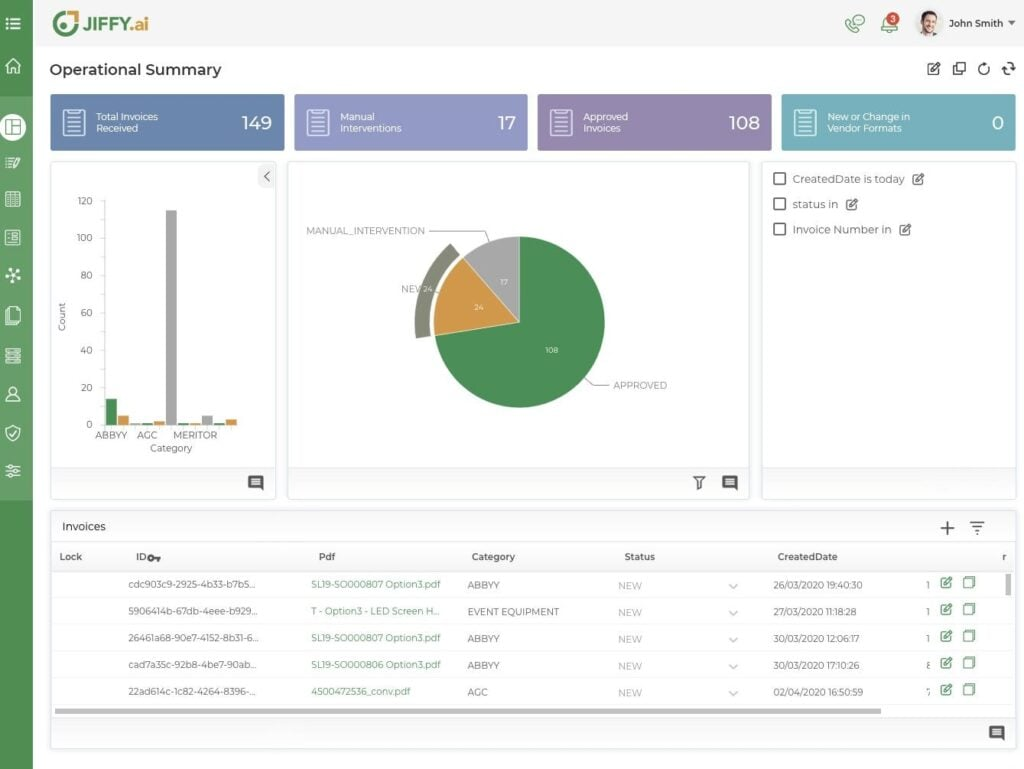
JIFFY.ai, ein bedeutender Akteur im Bereich der Geschäftsprozessautomatisierung, nutzt fortschrittliche künstliche Intelligenz, um Aufgaben zu optimieren und zu innovieren. Durch die Kraft der KI verwandelt es Abläufe im Backoffice und macht sie effizienter sowie an die Anforderungen moderner Unternehmen angepasst.
Warum ich JIFFY.ai ausgewählt habe:
Während meiner Recherche fiel JIFFY.ai konsequent durch seine tiefe Integration künstlicher Intelligenz in die Automatisierungstechnologie auf. Mein Urteil gründete sich auf seinen einzigartigen Ansatz, traditionelle RPA mit KI zu verbinden, wodurch es sich von vielen Mitbewerbern abhebt.
Ich habe es als „am besten für KI-gesteuerte Prozesse“ ermittelt, da es dank seiner starken Fähigkeiten Geschäftsprozesse durch KI aufwertet.
Hervorstechende Funktionen und Integrationen:
Ein zentrales Merkmal von JIFFY.ai ist das starke KI-Fundament, das über reine Automatisierung hinausgeht und Prozesse intelligenter und reaktionsfähiger macht. Zusätzlich bietet die Plattform Chatbot-Funktionen, sodass Unternehmen dynamisch mit Nutzern interagieren können.
Darüber hinaus ermöglicht die Suite eine enge Integration mit zahlreichen anderen Unternehmenslösungen und rationalisiert so das gesamte operative Ökosystem.
Pros and Cons
Pros:
- Tiefe Integration von künstlicher Intelligenz mit traditioneller RPA
- Chatbot-Fähigkeiten ermöglichen dynamische Nutzerinteraktionen
- Vielseitig und gut mit verschiedenen Unternehmenslösungen kombinierbar
Cons:
- Könnte eine steilere Lernkurve für Anwender ohne Vorerfahrung mit KI haben
- Erfordert eine robuste Infrastruktur, um das volle Potenzial auszuschöpfen
- Einige Funktionen sind eventuell zu komplex für Unternehmen, die einfache Automatisierungslösungen suchen.

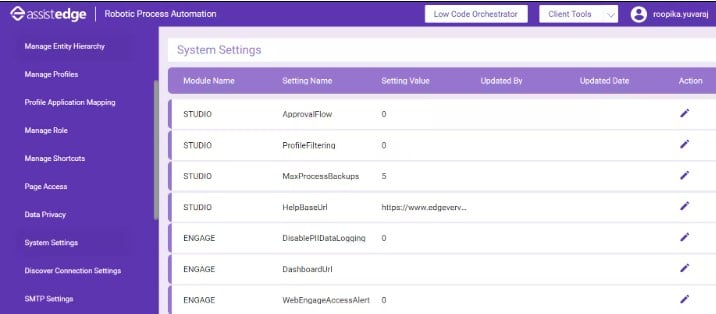
EdgeVerve Systems AssistEdge ist eine umfassende Automatisierungsplattform, die darauf ausgelegt ist, sowohl strukturierte als auch unstrukturierte Daten effizient in groß angelegten Betriebsabläufen zu verarbeiten. Mit einem klaren Fokus auf Skalierbarkeit stellt sie sicher, dass Unternehmen ihre Automatisierungsanwendungen ohne Probleme erweitern können, wenn sie wachsen.
Warum ich EdgeVerve Systems AssistEdge ausgewählt habe:
Auf meiner Suche nach Automatisierungstools, die sich für umfangreiche Unternehmensstrukturen eignen, erwies sich EdgeVerve Systems AssistEdge als klarer Spitzenreiter. Ich habe es nicht nur anhand der Spezifikationen ausgewählt, sondern auch die praktische Anwendung in großen Unternehmen abgewogen.
Seine konsequente Ausrichtung auf Anpassungsfähigkeit, insbesondere beim Umgang mit großen Datenmengen und unterschiedlichsten Anwendungsfällen, hat mein Urteil bestärkt. Deshalb bin ich überzeugt, dass es als 'am besten für unternehmensweite Skalierbarkeit' herausragt.
Herausragende Funktionen und Integrationen:
Im Kern ist EdgeVerve Systems AssistEdge besonders stark in der Verarbeitung unstrukturierter Daten, was für viele große Unternehmen eine häufige Herausforderung darstellt. Diese Stärke wird ergänzt durch die Fähigkeit, mit Windows-Umgebungen zu interagieren, was die Einführung für Unternehmen, die auf diesem Betriebssystem basieren, erleichtert.
Zudem ermöglichen die Integrationsfähigkeiten Unternehmen, ihre bestehenden Systeme in die Plattform zu integrieren und so einen reibungslosen Ablauf ihrer Geschäftsprozesse sicherzustellen.
Pros and Cons
Pros:
- Hervorragend in der Verarbeitung unstrukturierter Daten
- Integration mit Windows-Umgebungen
- Für eine Vielzahl von Unternehmensanwendungen ausgelegt
Cons:
- Für kleinere Unternehmen möglicherweise überdimensioniert
- Für eine effektive Einführung und Überwachung ist ein dediziertes Team notwendig
- Die Ersteinrichtung kann im Vergleich zu einfacheren Plattformen zeitaufwändig sein.

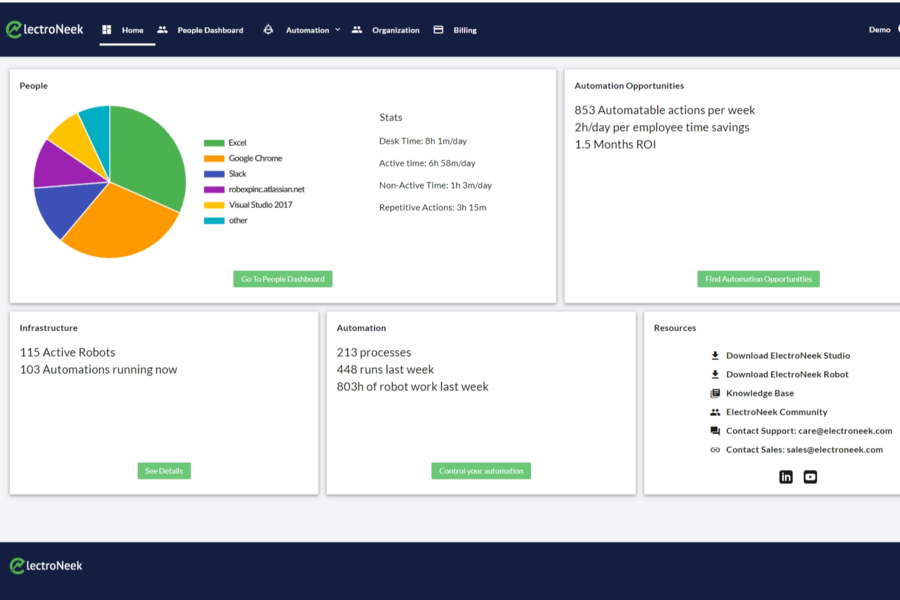
ElectroNeek RPA präsentiert sich als ein leistungsfähiges Tool, das speziell entwickelt wurde, um den Automatisierungsbedarf von kleinen und mittleren Unternehmen (KMU) zu erfüllen. Die Funktionen und Integrationen sind darauf ausgerichtet, die besonderen Herausforderungen von KMU zu adressieren und machen es so zur optimalen Wahl für Unternehmen, die eine auf ihre Größe abgestimmte Lösung suchen.
Warum ich ElectroNeek RPA gewählt habe:
Während des Bewertungsprozesses zahlreicher RPA-Tools fiel mir ElectroNeek RPA aufgrund seiner Spezialisierung auf KMU besonders auf. Meine Entscheidung basierte sowohl auf dem Vergleich seiner Funktionen mit anderen Wettbewerbern als auch auf den Bewertungen von KMU-Inhabern.
Es zeichnet sich durch sein Engagement aus, die Automatisierungshürden, mit denen KMU häufig konfrontiert sind, zu verstehen und gezielt zu lösen. Aus diesem Grund bin ich überzeugt, dass es die 'beste Lösung für KMU-Automatisierung' ist.
Herausragende Funktionen und Integrationen:
ElectroNeek RPA bietet eine Reihe von Funktionen, die für Unternehmen essenziell sind, wie etwa unbeaufsichtigte Automatisierung, sodass Prozesse ohne ständige menschliche Überwachung weiterlaufen können. Die Kompatibilität mit Plattformen wie Microsoft und SAP sorgt für ein nahtloses Automatisierungserlebnis über verschiedene Softwarelandschaften hinweg.
Darüber hinaus bietet das Tool für KMU, die eine Vielzahl von Plattformen nutzen, Integrationen, die die Automatisierungsreise einfacher und effizienter machen.
Pros and Cons
Pros:
- Maßgeschneidert für die speziellen Automatisierungsanforderungen von KMU
- Kompatibilität mit wichtigen Plattformen wie Microsoft und SAP
- Bietet unbeaufsichtigte Automatisierung und reduziert so den Bedarf an ständiger Überwachung
Cons:
- Möglicherweise nicht geeignet für größere Unternehmen mit komplexeren Anforderungen
- Eine mögliche Lernkurve für Einsteiger in RPA-Lösungen
- Begrenzte Anpassungsmöglichkeiten im Vergleich zu einigen anderen Tools auf dem Markt.
Weitere Robotic Process Automation Software
Nachfolgend finden Sie eine Liste weiterer Robotic Process Automation Software, die ich ausgewählt habe, die es aber nicht in die Top 10 geschafft haben. Sie sind auf jeden Fall einen Blick wert.
- Minit Process Mining
Am besten für visuelle Prozessanalysen geeignet
- Rocketbot
Am besten für die Automatisierung ohne Programmierkenntnisse
- Automate
Am besten für die Automatisierung von IT-Prozessen


Wie ich Software für robotergestützte Prozessautomatisierung bewerte
Ich bewerte RPA-Tools auf zwei Ebenen: danach, ob eine Plattform die Orchestrierung von Bots und die Benutzeroberflächenautomatisierung zuverlässig in großem Maßstab bewältigen kann, und danach, was sie für Teams auszeichnet, die komplexe, unternehmensweite Bereitstellungen verwalten.
Kernfunktionen (Grundvoraussetzungen für diese Liste)
Bei der Auswahl der Tools für meine Liste bewerte ich jedes einzelne für jede unten aufgeführte Kernfunktion auf einer Skala von 0 (bietet die Funktion nicht) bis 5 (zeichnet sich in diesem Bereich aus). Anschließend rechne ich die Gesamtpunktzahl des Tools in einen Prozentsatz um. Jedes Tool muss eine Mindestgesamtpunktzahl von 75 % erreichen, um berücksichtigt zu werden.
- Entwicklungsstudio für Bots: Ich suche nach einer visuellen Designumgebung zum Ziehen und Ablegen mit Recordern, einer soliden Aktivitätenbibliothek und Skripterweiterbarkeit für komplexe Arbeitsabläufe wie die mehrstufige Dateneingabe in ERP-Systemen.
- Unterstützung für beaufsichtigte und unbeaufsichtigte Bots: Jedes Tool sollte sowohl benutzerunterstützte Desktop-Bots als auch serverseitige unbeaufsichtigte Ausführungen verarbeiten können, da die meisten IT-Teams beides für Helpdesk- und Stapelverarbeitungsszenarien benötigen.
- Zentrale Orchestrierungskonsole: Ich prüfe, ob die Plattform das Planen, Einreihen und Steuern der Bot-Ausführung über ein einziges Dashboard mit rollenbasiertem Zugriff über Teams und Umgebungen hinweg ermöglicht.
- Benutzeroberflächen- und API-Automatisierung: Das Tool benötigt zuverlässige Selektoren für Desktop-, Web- und Legacy-Anwendungen – einschließlich Citrix und Terminalemulatoren – sowie REST-/SOAP-Konnektoren für die System-zu-System-Integration.
- KI- und kognitive Funktionen: Ich bewerte, ob die Plattform intelligente Dokumentenverarbeitung, OCR und NLP für Aufgaben wie die Rechnungsextraktion oder E-Mail-Klassifizierung über einfache regelbasierte Logik hinaus bietet.
- Überwachungs- und Analyse-Dashboards: Echtzeit-Ausführungsprotokolle, Warnungen bei Ausnahmen und Prüfpfade sind hier wichtig – insbesondere für Teams, die die Bot-Leistung bei Hunderten von Automatisierungen in der Produktion verfolgen.
Sobald ich eine Liste von Tools habe, die diese Kriterien erfüllen, prüfe ich, was die einzelnen Plattformen auszeichnet.
Unterscheidungsmerkmale (Was Anbieter voneinander unterscheidet)
So vergleiche ich die verschiedenen Anbieter:
Herausragende Funktionen
Prozess- und Aufgabenanalyse ist ein wichtiges Unterscheidungsmerkmal – ich prüfe, ob eine Plattform Systemprotokolle und Benutzeraktivitäten analysieren kann, um Automatisierungskandidaten aufzudecken, bevor Ihr Team Zeit in die Entwicklung investiert. Auch die Integration generativer KI ist wichtig, insbesondere für Teams, die einen Arbeitsablauf in natürlicher Sprache beschreiben und ihn vom Tool als Grundlage erstellen lassen möchten. Ich bewerte außerdem Werkzeuge für Bürgerentwickler, da IT-Teams davon profitieren, wenn Geschäftsanwender innerhalb von Governance-Leitplanken einfache Automatisierungen erstellen können, anstatt jede Anfrage an die Entwicklung weiterleiten zu müssen.
Über die Funktionen hinaus
Die Flexibilität bei der Bereitstellung gehört zu den ersten Dingen, die ich berücksichtige – einige Teams benötigen SaaS, während andere in regulierten Umgebungen Vor-Ort-Bereitstellungen oder Optionen für vollständig isolierte Netzwerke voraussetzen. Sicherheit und Governance gehen hier Hand in Hand; ich achte neben der Zertifizierung nach SOC 2 und ISO 27001 auch auf die sichere Speicherung von Zugangsdaten und die SSO-Integration mit Anbietern wie Okta oder Active Directory. Integrationen für Unternehmen wiegen ebenfalls schwer, insbesondere vorgefertigte Konnektoren für SAP, ServiceNow und Salesforce, da sich die meisten RPA-Programme von Anfang an über mehrere Geschäftssysteme erstrecken.
So wählen Sie eine Robotic Process Automation Software aus
Es ist leicht, sich in langen Funktionslisten und komplexen Preismodellen zu verlieren. Um Ihnen zu helfen, während Ihres individuellen Auswahlprozesses den Überblick zu behalten, finden Sie hier eine Checkliste von Faktoren, auf die Sie achten sollten:
| Faktor | Worauf zu achten ist |
|---|---|
| Skalierbarkeit | Kann die Software mit den Anforderungen Ihres Unternehmens wachsen? Suchen Sie nach Lösungen, die flexible Lizenzmodelle oder Pay-as-you-grow-Modelle bieten, um zu vermeiden, dass Ihr Tool zu schnell an seine Grenzen stößt. |
| Integrationen | Prüfen Sie, ob sie sich mit Ihren bestehenden Systemen wie CRM, ERP oder anderen Automatisierungs-Reporting-Tools verbinden lässt. Fehlende Integration kann zu Ineffizienzen und manuellen Umgehungslösungen führen. |
| Anpassungsfähigkeit | Lässt sich die Software so konfigurieren, dass sie zu Ihren Abläufen passt? Achten Sie darauf, dass sie benutzerdefinierte Skripte oder Vorlagen unterstützt, damit Sie Ihre spezifischen Anforderungen abdecken können. |
| Benutzerfreundlichkeit | Ist die Benutzeroberfläche für Ihr Team intuitiv bedienbar? Testen Sie die Software mit nicht-technischen Nutzern, um sicherzustellen, dass sie ohne umfangreiche Schulungen zurechtkommen. |
| Implementierung und Onboarding | Wie schnell kann Ihr Team die Software effektiv nutzen? Suchen Sie nach Plattformen, die umfassende Unterstützung beim Onboarding bieten, wie Tutorials und einen dedizierten Accountmanager. |
| Kosten | Bewerten Sie die Gesamtkosten, einschließlich versteckter Gebühren. Vergleichen Sie die Preismodelle und stellen Sie sicher, dass sie zu Ihrem Budget und dem erwarteten ROI passen. |
| Sicherheitsvorkehrungen | Entspricht sie den Sicherheitsstandards Ihrer Branche? Stellen Sie sicher, dass das Tool Datenverschlüsselung, regelmäßige Updates und die Einhaltung von Vorschriften wie DSGVO oder HIPAA bietet. |
| Support-Verfügbarkeit | Welches Support-Level bietet der Anbieter? Ziehen Sie 24/7-Support oder einen dedizierten Accountmanager in Betracht, wenn Ihr Team schnelle und kontinuierliche Unterstützung benötigt. |
Was ist Robotic Process Automation Software?
Robotic Process Automation Software ist darauf ausgelegt, wiederkehrende Aufgaben und Prozesse in Organisationen zu automatisieren. Diese Tools werden typischerweise von Fachkräften in Branchen wie Finanzen, Gesundheitswesen und IT genutzt und bieten einen Mehrwert, indem sie die Effizienz steigern und manuelle Fehler reduzieren. Die Automatisierung von Datenverarbeitung, Workflow-Management und Aufgabenplanung trägt zur Produktivitätssteigerung bei und stellt Ressourcen für strategischere Aufgaben frei. Insgesamt bieten diese Tools Unternehmen erhebliche Zeitersparnisse und operative Verbesserungen.
Funktionen
Achten Sie bei der Auswahl von Robotic Process Automation Software auf folgende Schlüsselfunktionen:
- Aufgabenautomatisierung: Automatisiert sich wiederholende Tätigkeiten wie Dateneingaben und gibt Ihrem Team Zeit für strategischere Aufgaben.
- Workflow-Management: Ermöglicht das Entwerfen und Verwalten komplexer Arbeitsabläufe, damit Prozesse effizient und reibungslos ablaufen.
- Drag-and-Drop-Oberfläche: Vereinfacht die Erstellung von Automatisierungsaufgaben und ist so auch für Anwender ohne Programmierkenntnisse nutzbar.
- Analyse und Berichterstattung: Bietet Einblicke in die Automatisierungsleistung, hilft bei der Optimierung von Prozessen und unterstützt fundierte Entscheidungen.
- Skalierbare Architektur: Unterstützt das Unternehmenswachstum, indem sich die Software an steigende Anforderungen anpassen lässt, ohne an Performance zu verlieren.
- Integrationsfähigkeit: Bindet bestehende Systeme wie CRM und ERP ein, reduziert manuelle Arbeitsschritte und steigert die Effizienz.
- Anpassungsfähigkeit: Bietet Möglichkeiten, Arbeitsabläufe und Vorlagen individuell auf Ihr Unternehmen zuzuschneiden.
- Sicherheitsvorkehrungen: Schützt Ihre Daten mit Funktionen wie Verschlüsselung und Einhaltung von Vorschriften wie der DSGVO.
- Cloud-native Architektur: Erhöht Flexibilität und Skalierbarkeit, ermöglicht Zugriff von überall und unterstützt Remote-Arbeitsumgebungen.
Vorteile
Die Implementierung von Robotic Process Automation Software bietet zahlreiche Vorteile für Ihr Team und Ihr Unternehmen. Auf diese können Sie sich freuen:
- Produktivitätssteigerung: Automatisiert sich wiederholende Aufgaben, sodass Ihr Team sich auf strategischere Aktivitäten konzentrieren und die Gesamteffizienz steigern kann.
- Fehlerreduzierung: Minimiert manuelle Fehler bei der Datenverarbeitung und -verwaltung und erhöht die Genauigkeit Ihrer Geschäftsabläufe.
- Kosteneinsparungen: Senkung der Betriebskosten durch Automatisierung manueller Prozesse, wodurch Ressourcen frei werden und der Personalbedarf sinkt.
- Skalierbarkeit: Unterstützt das Unternehmenswachstum, indem die Software steigende Arbeitslasten ohne Leistungseinbußen bewältigt.
- Verbesserte Compliance: Sorgt mit integrierten Sicherheitsfunktionen und Datenschutzmaßnahmen für die Einhaltung von Branchenvorschriften.
- Bessere Entscheidungsfindung: Bietet Analyse- und Berichtsfunktionen, die Einblicke in die Abläufe ermöglichen und fundierte Geschäftsentscheidungen unterstützen.
- Flexibilität: Bietet individuell anpassbare Workflows, die auf die spezifischen Anforderungen Ihres Unternehmens zugeschnitten werden können – für maximale Anpassungsfähigkeit in dynamischen Umgebungen.
Kosten & Preise
Die Auswahl von Software für Robotic Process Automation erfordert ein Verständnis der verschiedenen Preismodelle und verfügbaren Tarife. Die Kosten variieren je nach Funktionsumfang, Teamgröße, Zusatzoptionen und weiteren Faktoren. Die folgende Tabelle fasst gängige Tarife, ihre durchschnittlichen Preise sowie typische Funktionen, die von Robotic Process Automation-Softwarelösungen abgedeckt werden, zusammen:
Tarifvergleichstabelle für Robotic Process Automation-Software
| Tarifart | Durchschnittspreis | Typische Funktionen |
|---|---|---|
| Gratis-Tarif | $0 | Grundlegende Aufgabenautomatisierung, eingeschränkte Integrationen und Community-Support. |
| Persönlicher Tarif | $10-$30/Benutzer/Monat | Aufgabenautomatisierung, Workload-Automatisierungssoftware und grundlegende Analysen. |
| Geschäftstarif | $30-$70/Benutzer/Monat | Erweitertes Workflow-Management, weiterführende Analysen und Optionen zur individuellen Anpassung. |
| Unternehmens-Tarif | $70-$150/Benutzer/Monat | Vollständige Individualisierung, Prioritäts-Support, umfangreiche Integrationen und erweiterte Sicherheitsfunktionen. |
Häufig gestellte Fragen zu Robotic Process Automation-Software
Hier finden Sie Antworten auf häufig gestellte Fragen zu Robotic Process Automation-Software:
Benötigt RPA Programmierkenntnisse?
Die meisten RPA-Tools bieten eine benutzerfreundliche Oberfläche mit Drag-and-Drop-Funktion, sodass auch nicht-technische Nutzer Aufgaben automatisieren können, ohne programmieren zu müssen. Für manche komplexen Automatisierungen können jedoch grundlegende Kenntnisse in Skriptsprachen erforderlich sein. Es ist wichtig, bei der Auswahl eines RPA-Tools das Qualifikationsniveau Ihres Teams zu berücksichtigen.
Wie sicher ist Robotic Process Automation?
RPA-Tools verfügen üblicherweise über Sicherheitsfunktionen wie Datenverschlüsselung und Zugriffskontrollen, um sensible Informationen zu schützen. Bei der Implementierung von RPA ist es wichtig, darauf zu achten, dass das Tool gängige Branchenstandards wie die DSGVO oder HIPAA erfüllt, um Ihre Daten zu sichern.
Kann RPA mit bestehenden Systemen integriert werden?
Ja, die meisten RPA-Tools sind so konzipiert, dass sie mit bestehenden Systemen wie CRM, ERP und anderen Geschäftsanwendungen integriert werden können. Dadurch kann Ihr Team Workflows plattformübergreifend automatisieren, was die Effizienz steigert und manuelle Umgehungslösungen reduziert.
Welche Herausforderungen bringt die Implementierung von RPA mit sich?
Die Einführung von RPA kann Herausforderungen wie die Identifizierung geeigneter Prozesse zur Automatisierung, Change Management im Team und die Sicherstellung der laufenden Wartung mit sich bringen. Eine sorgfältige Planung und ausreichende Schulungen sind entscheidend, um einen reibungslosen Übergang zu gewährleisten und das Potenzial von RPA maximal auszuschöpfen.
Wie geht es weiter?
Wenn Sie gerade dabei sind, Robotic Process Automation-Software zu recherchieren, kontaktieren Sie einen SoftwareSelect-Berater und erhalten Sie kostenlose Empfehlungen.
Sie füllen ein Formular aus und führen ein kurzes Gespräch, bei dem Ihre Anforderungen konkretisiert werden. Anschließend erhalten Sie eine Auswahl an Software, die Sie prüfen können. Die Berater unterstützen Sie sogar während des gesamten Kaufprozesses, einschließlich Preisverhandlungen.