

Die 20 besten mobilen Automatisierungstest-Tools im Jahr 2026

10 Liste der besten Mobile Automation Test-Tools
Here's my pick of the 10 best software from the 20 tools reviewed.


Es gibt so viele verschiedene Mobile Automation Test-Tools, dass die Wahl des richtigen Tools wirklich schwer sein kann. Du möchtest die Funktionalität, Performance und das Nutzererlebnis deiner Apps auf unterschiedlichen Mobilgeräten effizient testen, weißt aber nicht, welches Tool dafür am besten geeignet ist. Ich helfe dir! In diesem Beitrag mache ich dir die Entscheidung leicht. Ich teile meine persönlichen Erfahrungen aus der Arbeit mit zahlreichen Mobile Automation Test-Tools in unterschiedlichen Teams und Projekten und stelle dir meine Favoriten unter den Mobile Automation Test-Tools vor.
Was sind Mobile Automation Test-Tools?
Mobile Automation Test-Tools sind Softwarelösungen zur Automatisierung des Testprozesses von mobilen Anwendungen. Diese Tools simulieren Benutzerinteraktionen und prüfen die Funktionalität, Leistung und Benutzeroberfläche von mobilen Apps auf verschiedenen Geräten und Betriebssystemen. Sie führen vordefinierte Testscripte aus und ermöglichen so eine gründliche und systematische Bewertung mobiler Anwendungen.
Der Einsatz von Mobile Automation Test-Tools bietet viele Vorteile, darunter höhere Effizienz und Genauigkeit im Testprozess. Sie automatisieren sich wiederholende und zeitaufwändige Aufgaben und ermöglichen somit schnelleres Feedback und schnellere Iterationen im App-Entwicklungszyklus. Diese Tools sorgen für eine umfassende Testabdeckung, indem sie Apps auf verschiedenen Geräten und Plattformen testen – dadurch wird die Qualität und das Nutzererlebnis der App verbessert. Zusätzlich bieten sie Konsistenz bei der Testdurchführung und reduzieren menschliche Fehler auf ein Minimum. Damit sind sie ein unverzichtbarer Bestandteil für skalierbare und qualitativ hochwertige mobile App-Entwicklung.
-

Site24x7
Visit WebsiteThis is an aggregated rating for this tool including ratings from Crozdesk users and ratings from other sites.4.6 -
GitHub Actions
Visit WebsiteThis is an aggregated rating for this tool including ratings from Crozdesk users and ratings from other sites.4.8 -
Docker
Visit WebsiteThis is an aggregated rating for this tool including ratings from Crozdesk users and ratings from other sites.4.6





Überblick: Die 10 besten Mobile Automation Test-Tools
In diesem Abschnitt stelle ich dir jedes Mobile Automation Test-Tool kurz vor. Du erfährst die besten Einsatzmöglichkeiten, herausragenden Funktionen sowie Vor- und Nachteile der jeweiligen Lösung.

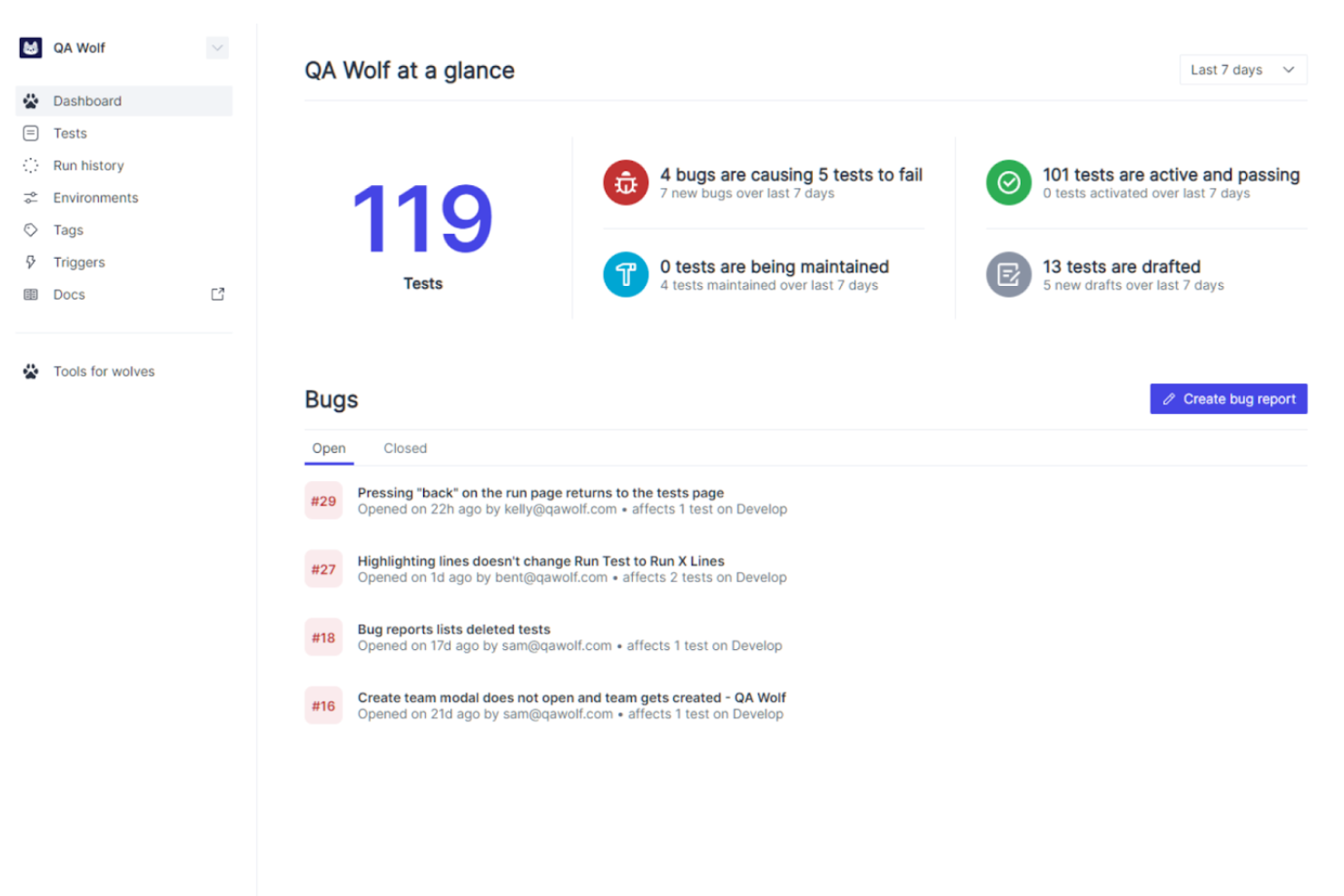
QA Wolf is a web and mobile automation testing tool that offers solutions for accessibility, performance, and Salesforce testing for teams of any size and in any sector. It provides high levels of test coverage and maintains that coverage with 24-hour in-house maintenance and on-demand test creation.
Why I picked QA Wolf: This platform is unique in that the majority of testing efforts are outsourced to the QA Wolf team. This means that their in-house team collaborates with you to identify priorities, create automated tests, and deploy and maintain them. With unlimited, parallel test runs and full-time expert support, QA Wolf aims to make mobile automation testing easier and more efficient, so you can focus more on application development. Additionally, all bugs are human-verified and users can access detailed reports within the platform.
QA Wolf Standout Features & Integrations
Standout features include real-time bug reporting, test coverage using open-source Playwright code, a test matrix and outline for every user flow, automatic test monitoring and maintenance, unlimited parallel test runs, customizable test plans, and comprehensive test coverage reports.
Integrations include Linear, Slack, GitLab, Bitbucket, Jenkins, Microsoft Teams, GitHub, Jira, Asana, CircleCI, Travis CI, and Azure DevOps.
Pros and Cons
Pros:
- Easy, direct communication with QA Wolf team
- Tests are monitored and maintained 24/5
- All bugs are human-verified
Cons:
- Less flexibility to customize testing processes
- Reliance on external team may not be ideal for those that want more control
New Product Updates from QA Wolf

QA Wolf Adds Android Emulator Infrastructure for Device Testing
QA Wolf introduces Android emulator infrastructure with expanded device and OS testing support. These updates enable teams to test across real-world device conditions and improve test coverage. For more information, visit QA Wolf’s official site.
 .
.
Best for comprehensive mobile testing with low-code authoring

Tricentis Testim Mobile is a comprehensive tool designed to facilitate mobile testing and accelerate app delivery. It offers end-to-end testing capabilities, addressing common challenges in mobile app testing such as device variability, coding skills requirement, scripted test instability, and device management complexity. This tool stands out for its low-code test authoring, allowing for fast and codeless creation of stable tests on both real and virtual devices.
Why I Picked Tricentis Testim Mobile: Tricentis Testim Mobile is a tool that combines low-code test authoring, mobile test automation, and test execution on virtual and physical devices. It addresses challenges such as variability in mobile devices, coding skills, test stability, usage conditions, device management, and solution integration. The tool is designed to accelerate app delivery through mobile testing and improve app performance. It offers customization options using code, powerful locators for test stability, Tricentis Device Cloud for real device testing, and the Virtual Mobile Grid for virtual device testing. Testim Mobile integrates these features into a single solution, providing troubleshooting tools, visualization dashboards, and TestOps features for organizing tests and integrating with CI/CD pipelines.
Tricentis Testim Mobile Standout Features and Integrations
Standout features: A codeless automation approach, meaning users can create automated tests without writing any code. This feature is particularly useful for testers or professionals who do not have a programming background. The tool often uses a visual approach, allowing users to create test cases by interacting with the application's user interface directly. Plus, Tricentis Testim allows testing across various web browsers and platforms. This is crucial for ensuring that web applications work seamlessly on different browsers (such as Chrome, Firefox, Safari, etc.) and operating systems (Windows, macOS, Linux, etc.).
Integrations: Bamboo, Azure DevOps, Circle CI, Jenkins, GitHub, Saucelabs, LambdaTest, and Bitbucket. If you cannot find the app you are looking for, you can also use its REST API to build custom integrations with your tech stack.
Pros and Cons
Pros:
- Paid plan pricing may be high for some organizations
- Helpful support team
- Increased test complexity limits no-code options
Cons:
- Offers plenty of integrations
- Free plan available

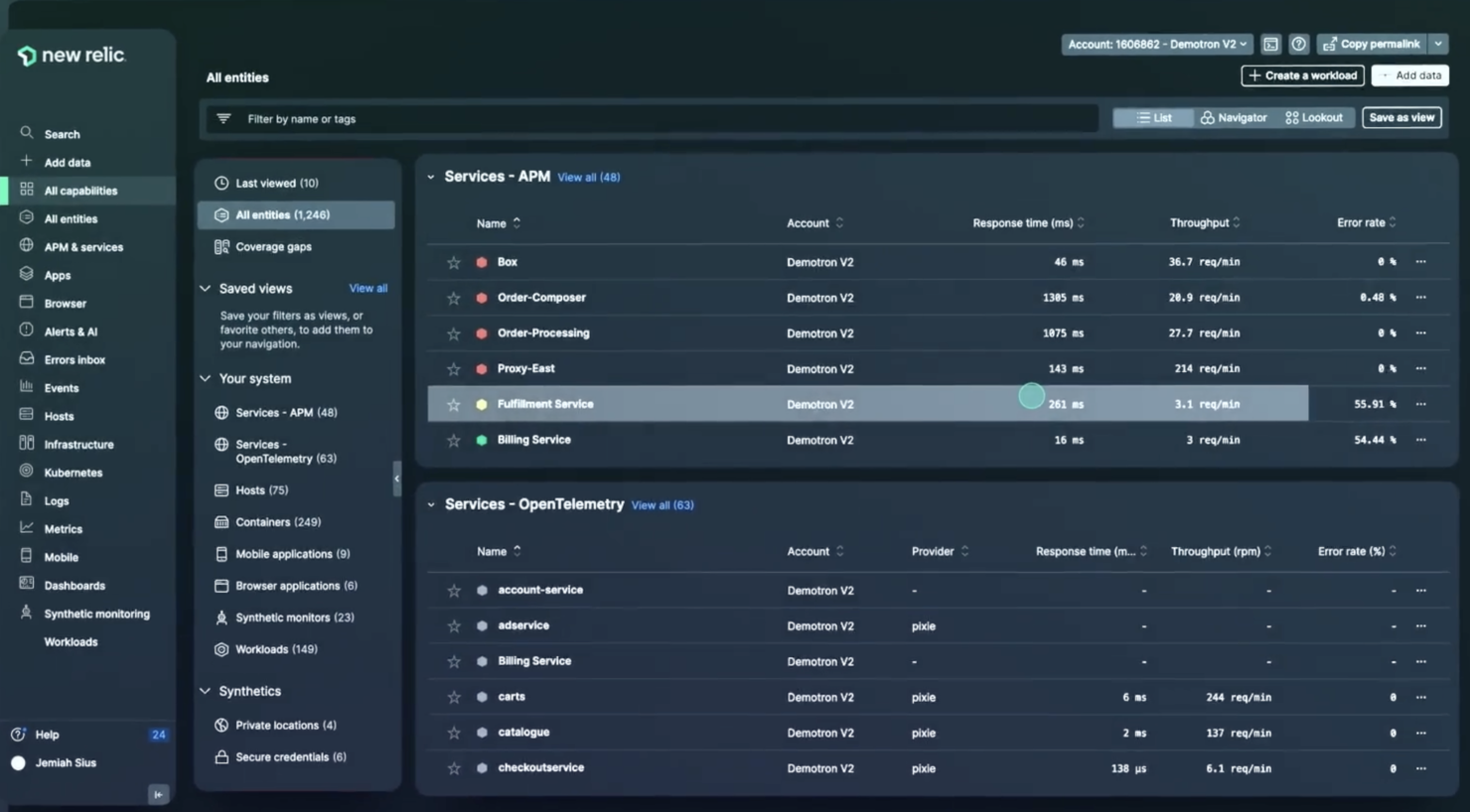
New Relic is an observability platform that provides application performance monitoring (APM), digital experience monitoring, infrastructure monitoring, and business observability. Its pay-as-you-go pricing model and extensive capabilities make it a suitable choice for businesses seeking flexible and scalable observability solutions.
Why I picked New Relic: I chose New Relic for mobile automation testing because it provides a comprehensive observability platform that scales with the needs of the project. Its ability to deliver data-driven insights and integrate with a variety of other tools makes it a distinct choice in the market. I believe New Relic stands out as the best tool for pay-as-you-go observability due to its transparent pricing model that allows companies to pay only for what they use, ensuring cost-effectiveness while offering a complete view of their digital systems.
New Relic Standout Features & Integrations
Standout features include the software's newly implemented interactive application security testing (IAST) capabilities. The tool helps you spot and fix high-risk errors and vulnerabilities during the development process. By using the tool, you can troubleshoot issues in your code more quickly and ship more secure, well-tested products.
Integrations include over 700 apps, including AWS, Google Cloud, Microsoft Azure, Jenkins, CircleCI, Travis CI, and Slack. It also has an API you can use to build custom integrations.
Pros and Cons
Pros:
- AI-powered anomaly detection and intelligent alerting
- Integrates seamlessly with popular dev tools
- Wide range of monitoring capabilities
Cons:
- Added complexity from reliance on agents installed on application servers
- Has a bit of a learning curve

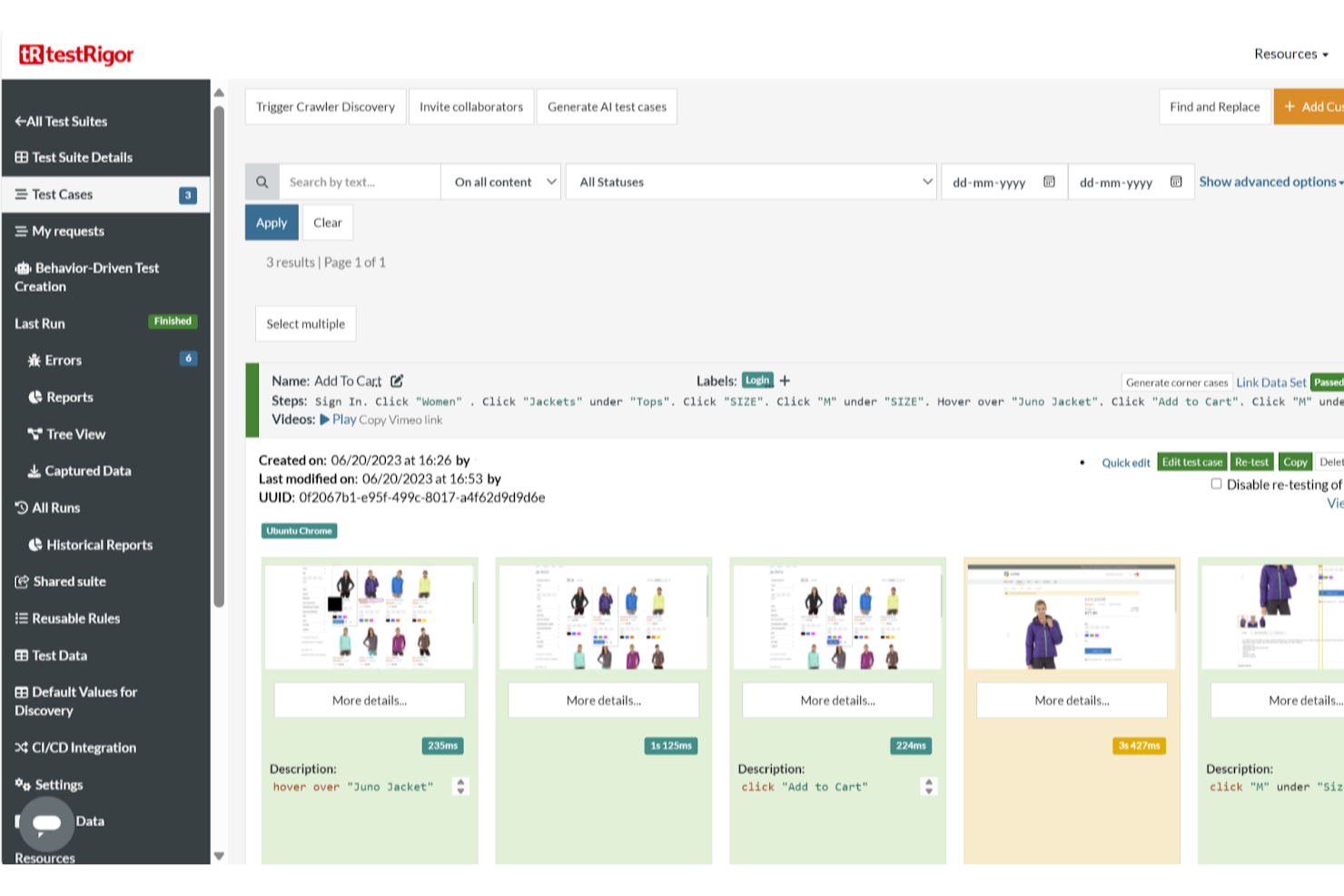
testRigor is an AI-powered, codeless automation testing tool designed to simplify the software quality assurance process. It allows users to create automated tests using plain English instructions, eliminating the need for coding expertise.
Why I picked testRigor: Its plain English test automation is particularly beneficial for teams with limited coding expertise, enabling broader participation in the testing process. The platform supports testing on physical devices and hybrid apps, ensuring comprehensive coverage across different mobile environments. Additionally, testRigor's generative AI capabilities allow for the automatic generation of tests from documented cases, making it accessible for non-coders and speeding up the test creation process.
testRigor Standout Features & Integrations
Standout features include automated test maintenance, natural language processing, cross-browser testing, mobile testing, API testing, integration with CI/CD tools, parallel test execution, visual testing, data-driven testing, test management, test analytics, AI-driven test optimization, test scheduling, and self-healing tests.
Integrations include Jira, TestRail, Zephyr, XRay, ReportPortal, Google Cloud Build, SauceLabs, LambdaTest, BrowserStack, Gitlab, Github Actions, Jenkins, Spinnaker, AWS CodePipeline, Travis, and CircleCI.
Pros and Cons
Pros:
- Provides detailed analytics on test results
- Supports testing on a wide range of platforms
- User-friendly interface
Cons:
- Reliance on AI may lead to unexpected results
- May not suit teams requiring extensive customization capabilities


UI Automator enables Android developers to write automated tests for mobile applications. This UI test automation framework is best for implementing cross-app functional UI testing across systems and installed applications.
Why I picked UI Automator: The tool lets you run cross-app UI testing across systems and installed apps. This capability helps you rely on one tool for testing both systems and installed applications. It streamlines the testing process and enables you to minimize the complexity of managing multiple mobile automation testing tools.
It’s a UI testing framework, which comes with APIs that allow you to interact with visible elements on a device, regardless of which activity is in focus. UI Automator lets you execute operations like opening the Settings menu or the app launcher in a test device. It’s suitable for writing opaque box-style automated tests — an approach in which the test code doesn’t rely on internal implementation details of the target app.
UI Automator Standout Features and Integrations
Standout features include an API for accessing device state and APIs that support cross-app UI testing (UI Automator APIs). The software provides an API that lets you retrieve state information and implement operations on the device on which the target app is running.
UI Automator APIs allow you to create tests without the need to know about the implementation details of the target app. These APIs can help you to capture and manipulate user interface elements across multiple applications.
Integrations: UI Automator lets you integrate with Android development tools.
Pros and Cons
Pros:
- Available for free
- Comprehensive guides
- Support for cross-app UI testing
Cons:
- Long user support response time
- Steep learning curve


Frank, also known as Testing With Frank, allows you to run reliable iOS and Mac tests with Cucumber. With Frank, you can author tests using Cucumber and run them against your iOS application.
Why I picked Frank: I added Frank to my list because it provides an easy way to visualize the app you’re testing. It has a powerful app inspector (Symbiote) that helps you get comprehensive information on your running app.
Another thing I like about this tool is that it’s easy to set up. You can set your iOS app up for Frank tests in less than 10 minutes.
Additionally, there is an active community of helpful people so you can easily get help or have your questions answered by more experienced users.
Frank Standout Features and Integrations
Standout features: Frank lets you take a video record of your test runs, enabling you to visualize your app in action. The tool gives you the flexibility to execute tests anywhere, both on the simulator and iOS devices. It streamlines the testing process by letting you integrate with CI so you can run tests across various phases of development.
Integrations: Frank integrates with CI solutions. It also integrates with Cucumber and other iOS app development tools.
Pros and Cons
Pros:
- Easy to use
- Test on both emulators and physical devices
- Great user community
Cons:
- More support options would be welcome
- Limited customization

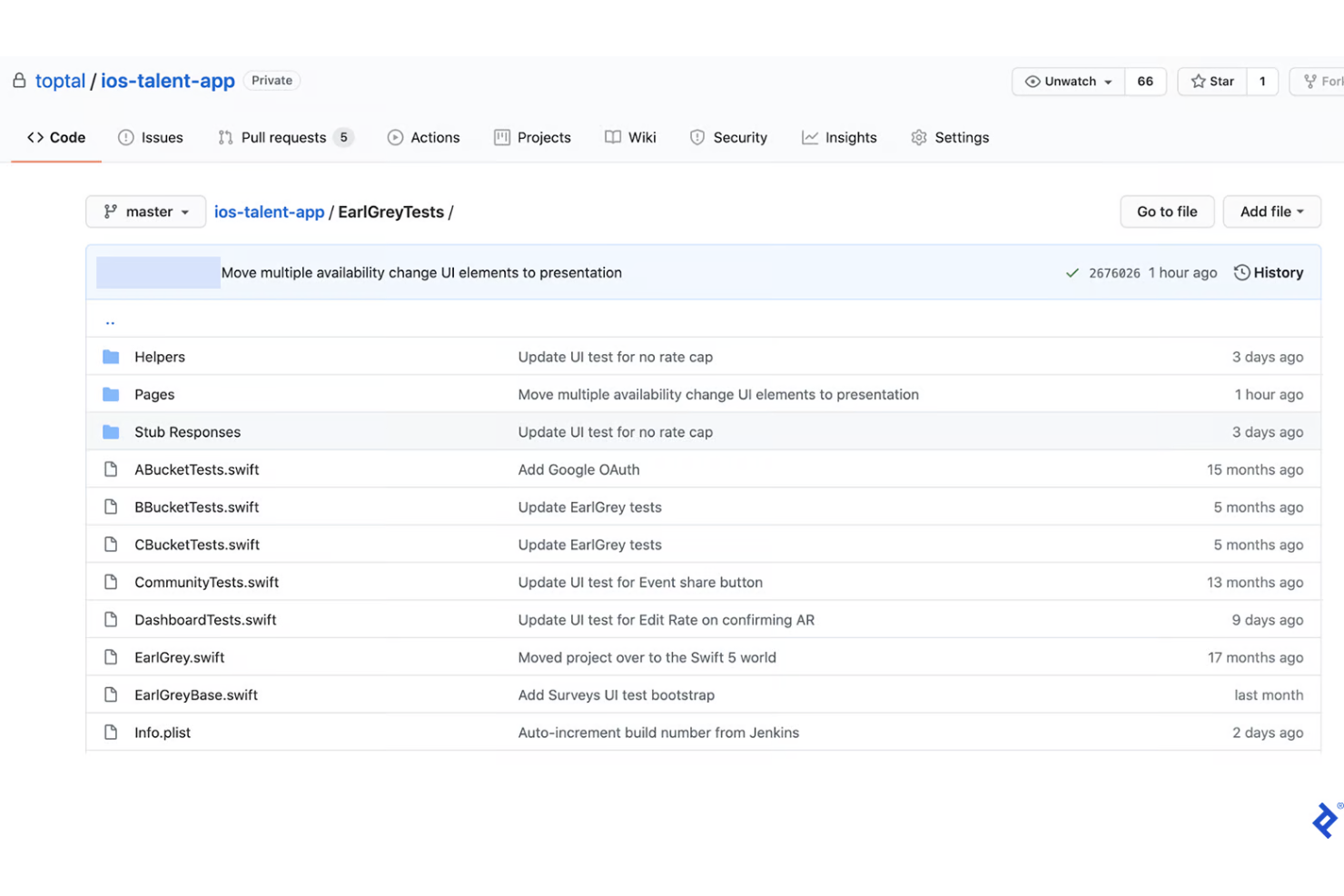
EarlGrey is an iOS UI automation test framework. It is a free and open-source tool that was developed at Google. It's designed to help you write and perform UI tests for native iOS applications.
Why I picked EarlGrey: It’s a testing framework that simplifies native iOS UI test automation. EarlGrey allows you to write tests that are clear and concise. It comes with improved synchronization capabilities, which synchronize with the UI, network requests, and various queues. The synchronization features increase test stability and make tests very repeatable by letting you ensure that the user interface is in a steady state before actions are executed.
EarlGrey Standout Features and Integrations
Standout features include visibility checks and user-like interaction. The tool uses screenshot differential comparison to determine the visibility of user interface components before interacting with them. EarlGrey tries to mimic (UI interactions simulation) how real users would interact with your product’s user interface. This makes it possible to find and fix defects that real users would come across in your app.
Integrations: EarlGrey allows you to integrate with some third-party tools, including XCTest, Xcode, GitHub, and Slack.
Pros and Cons
Pros:
- User interaction simulation
- Streamlines native iOS automation testing
- It’s available for free
Cons:
- Difficult configurations
- Few software integrations

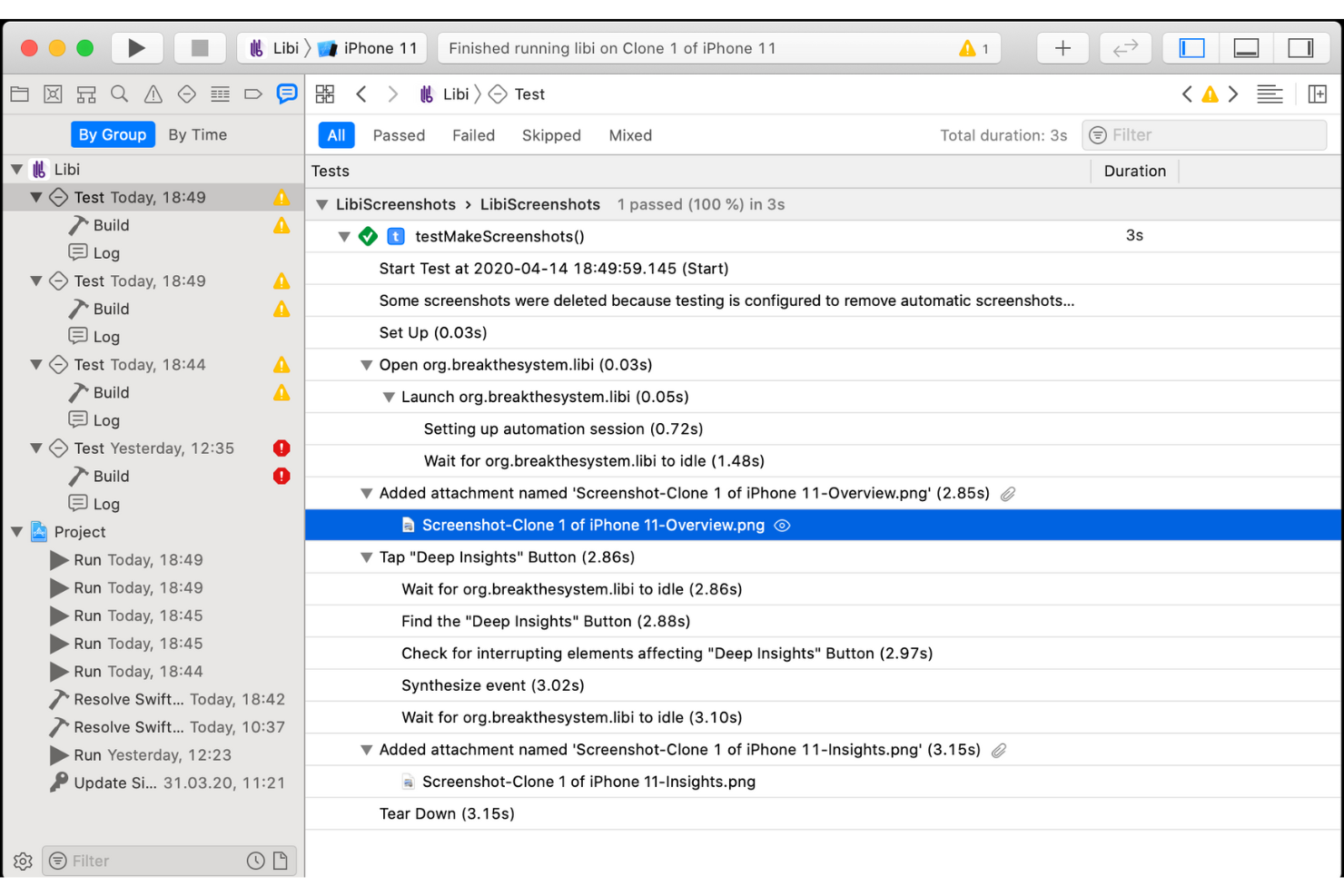
XCUITest, launched by Apple, is a UI testing framework that enables developers to test the user interface of native iOS apps using Swift or Objective-C coding language.
Why I picked XCUITest: It makes UI testing of native iOS apps very easy and straightforward for iOS developers. XCUITest helps you validate your product to ensure the user interface behaves correctly when expected actions are performed.
In my opinion, this is one of the best mobile automation testing tools for iOS developers. This is because it runs inside the XCode IDE and users can author test scripts in either Objective-C or Swift, making it suitable for any iOS developer.
XCUITest Standout Features and Integrations
Standout features: It lets you test your app with gestures, such as tapping, swiping, pinching, and rotating. It provides the capabilities you need to test your app as if a person were interacting with the interface. This helps you understand how your product would behave when a real user performs some expected actions.
Additionally, XCUITest’s architecture was designed to enable the fast execution of iOS tests. It’s also straightforward to set up and maintain.
Integrations: XCUITest integrates with XCode and CI environments.
Pros and Cons
Pros:
- Simple test creation process
- Easy to set up
- Fast execution of iOS tests
Cons:
- It’s language-specific
- You can’t test another mobile OS

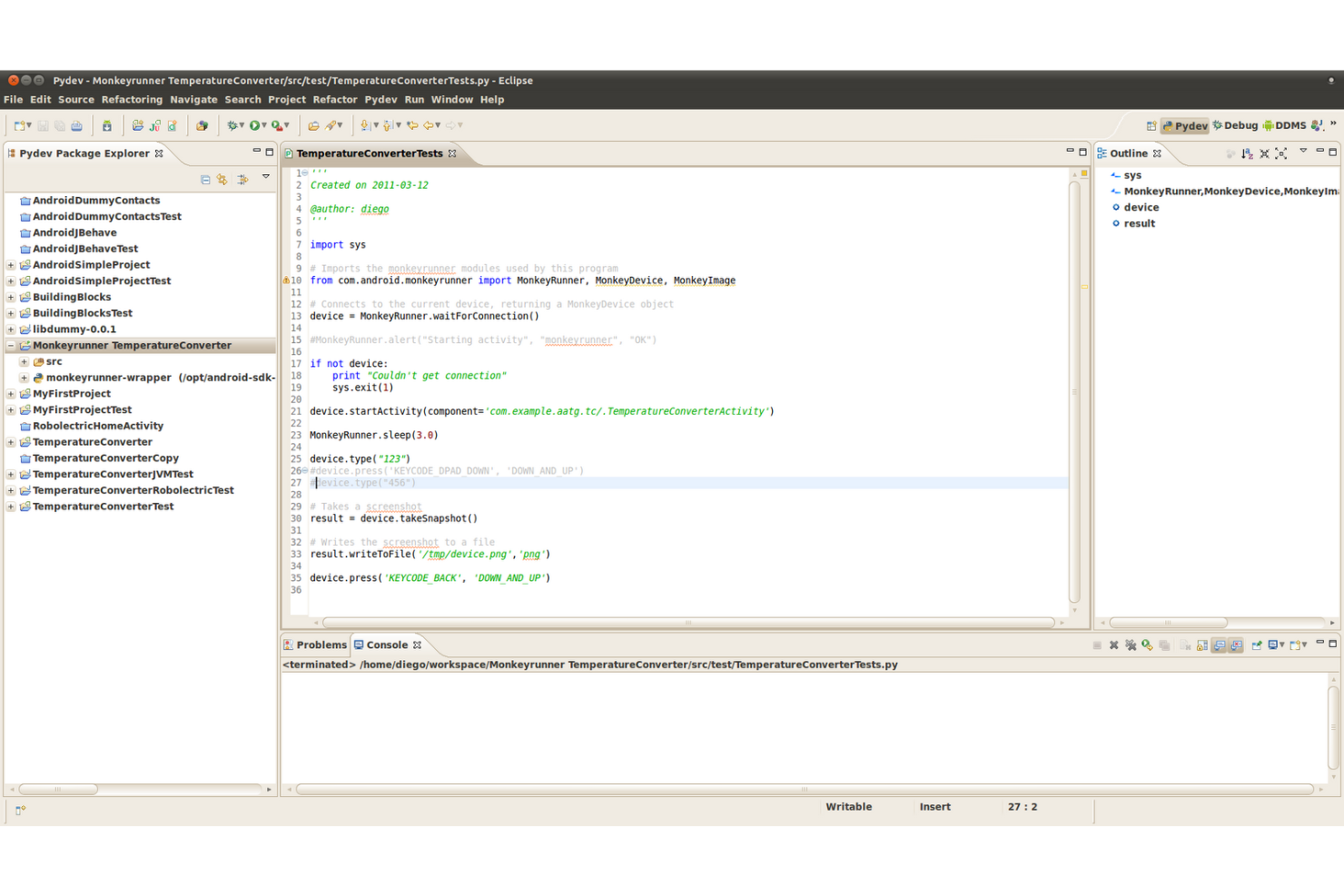
MonkeyRunner is a mobile automation testing software for Android developers designed to enable you to run unit test suites. It also helps you test your apps and devices at the functional and framework level.
Why I picked MonkeyRunner: It offers an app and device testing framework that lets you run functional and regression testing. With MonkeyRunner, you can run automated functional testing of an Android app and visualize the test results as screenshots.
The tool’s regression testing feature allows you to validate app stability. MonkeyRunner lets you test your app’s stability by running it and evaluating the app’s output screenshots against a set of standard screenshots. The conformities or discrepancies tell you how stable your app is.
MonkeyRunner Standout Features and Integrations
Standout features include multiple device control and extensible automation. MonkeyRunner provides multiple device control, allowing you to implement one or more test suites across multiple devices or emulators. The tool is very extensible; you can boost test automation by extending MonkeyRunner with plugins. This gives you the flexibility to run tests with little or no limitations.
Integrations: The tool allows you to integrate with Android development tools.
Pros and Cons
Pros:
- It’s open source
- Flexible functional UI testing
- Extensible by plugins
Cons:
- Mastering the tool takes time
- Documentation needs to be improved


Calabash is a BDD framework for iOS and Android and an open-source mobile app testing tool. The software provides automated functional testing capabilities for Android using Cucumber.
Why I picked Calabash: I selected Calabash because it’s an open-source project that provides automated testing technology for Android and iOS native and hybrid applications. The tool helps you cut down the cost of building your product by giving you access to industry-standard testing capabilities for free.
Calabash Standout Features and Integrations
Standout features: Calabash helps you implement automated functional testing using Cucumber. Integration with Cucumber enables you to streamline and optimize the testing process. The documentation is well-organized and split into sections. As a result, you can get started with Calabash quickly by simply browsing through the documentation.
Integrations include Cucumber, Appium, Sauce Labs, CircleCI, Xamarin, Test Cloud, Jenkins, Slack, and Travis CI.
Pros and Cons
Pros:
- Easy to get started
- Available for free
- Good documentation
Cons:
- Some configurations are complex
- More content is required on the product website
Zusammenfassung: Die 10 besten Mobile Automation Test-Tools
| Tool | Best For | Trial Info | Price | ||
|---|---|---|---|---|---|
| 1 | Best for performance testing with 24-hour expert maintenance | Free demo available | Pricing upon request | Website | |
| 2 | Best for comprehensive mobile testing with low-code authoring | Free trial + free demo available | Pricing upon request | Website | |
| 3 | Best for pay-as-you-go observability | Free trial + free demo available | Pricing upon request | Website | |
| 4 | Best for building test automation with plain English | Free open source access available + 14-day free trial | Pricing upon request | Website | |
| 5 | Best for cross-app functional UI testing | Not available | Free to use | Website | |
| 6 | Best for testing iOS apps using Cucumber | Not available | Free to use | Website | |
| 7 | Best for native iOS UI automation testing | Not available | Free to use | Website | |
| 8 | Best for iOS developers | Not available | Free to use | Website | |
| 9 | Best for running unit test suites | Not available | Open source and free | Website | |
| 10 | Best for automated functional testing for Android using Cucumber | Not available | Free to use | Website |
Weitere Optionen
Hier sind einige gute Alternativen, die es nicht auf die Liste der besten Mobile Automation Test-Tools geschafft haben:
- Espresso
Tool for running Android UI tests
- TestComplete Mobile
For automating your mobile GUI tests on real devices
- UFT Mobile
For providing a centralized lab of real mobile devices and emulators
- MonkeyTalk
For testing native and hybrid iOS and Android applications
- SeeTest
For iOS and Android mobile web testing
- Selendroid
Mobile automation testing tool for native and hybrid Android apps
- Mobot
For using real robots to test on physical devices
- testomat.io
For parallel mobile test runs
- Testsigma
For building end-to-end tests for mobile apps with English scripts
- Autify
For cross-browser testing of mobile products


Auswahlkriterien für Mobile Automation Test-Tools
Hier findest du eine Übersicht der wichtigsten Auswahl- und Bewertungskriterien, mit denen ich diese Liste der besten Mobile Automation Test-Tools für diesen Artikel erstellt habe:
Kernfunktionen
Die Kernfunktionen, die ich berücksichtigt habe, umfassen:
- Intelligente Automatisierung
- Vereinfachte Test-Erstellung und -Ausführung
- Plattformübergreifende Fähigkeiten
- Unterstützung verschiedener Testarten
- Testmanagement und Überwachungsmöglichkeiten
Wichtige Funktionen
Ich habe Tools mit zentralen Merkmalen für automatisierte Mobile-Tests priorisiert. Zu den wichtigsten Funktionen, die ich berücksichtigt habe, gehören:
- Leistungstests: Eine Funktion, mit der du die Qualität oder Leistungsfähigkeit deiner Software überprüfen kannst. Sie hilft dir dabei herauszufinden, wie sich dein Produkt unter bestimmter Last verhält.
- Paralleles Testen: Diese Möglichkeit erlaubt es, automatisierte Tests gleichzeitig in mehreren Umgebungen – also auf realen Gerät-Kombinationen und Browser-Konfigurationen – durchzuführen.
- Funktionstests: Eine Eigenschaft, mit der du die grundlegenden Funktionen deiner Software anhand vordefinierter Standards überprüfen kannst.
- UI-Tests: Auch GUI-Tests genannt – UI-Tests ermöglichen dir die Überprüfung der grafischen Benutzeroberfläche deines Produkts, um sicherzustellen, dass sie Anforderungen und Spezifikationen erfüllt.
- Sicherheitstests: Hierbei liegt der Fokus auf der Bewertung der Sicherheit Ihrer Anwendung. Ziel dieser Funktion ist es, Schwachstellen oder Sicherheitslücken in der Software aufzudecken, bevor sie von Angreifern ausgenutzt werden.
- Kontinuierliche Tests: Diese Funktion ist Bestandteil von Lösungen für automatisierte mobile Tests und ermöglicht kontinuierliches Testen während des gesamten Softwareentwicklungszyklus (SDLC).
Benutzerfreundlichkeit
Ich habe viele Tools bewertet und mobile Automatisierungstestprodukte ausgewählt, die ein großartiges Benutzererlebnis bieten. Jedes empfohlene Tool verfügt über eine intuitive Benutzeroberfläche, anpassbare Funktionen, umfassende Dokumentationen, Online-Tutorials und Benutzersupport.
Software-Integrationen
Ich habe Tools ausgewählt, die sich mit anderen Softwareentwicklungs- und QA-Lösungen integrieren lassen. Durch die Integration können Sie Ihre Lieblingstools mit dem mobilen Automatisierungssystem verbinden. So optimieren Sie Workflows, teilen Ressourcen nahtlos und erledigen Aufgaben schneller, ohne von einer Software zur anderen wechseln zu müssen.
Preise
Ich habe das Preis-Leistungs-Verhältnis berücksichtigt. Während einige der Tools kostenlos sind, gibt es für andere Premium-Angebote. Dennoch bieten sie flexible Preismodelle. Es gibt verschiedene Preisoptionen, sodass Sie das passende Tool und Paket für Ihre Anforderungen auswählen können.
Häufig gestellte Fragen
Hier sind einige beliebte Fragen, die häufig zu mobilen Automatisierungstest-Tools gestellt werden:
Was sind die Vorteile von mobilen Automatisierungstest-Tools?
Zu den Vorteilen von mobiler Testautomatisierungssoftware gehören eine schnellere Bereitstellung von Apps, höhere Effizienz, optimierte Tests, Echtzeit-Feedback und eine Reduzierung der QA-Kosten.
Wer nutzt mobile Automatisierungstest-Tools?
Entwickler und QA-Profis verlassen sich auf mobile Testautomatisierungssysteme, um App-Funktionen zu validieren und sicherzustellen, dass ihre Produkte wie erwartet funktionieren.
Wie automatisieren Sie mobile Tests?
Die genauen Schritte bei der Implementierung von mobilen Automatisierungstests hängen vom verwendeten Automatisierungstool ab. Generell umfassen die Schritte jedoch die Definition Ihrer Testziele, die Auswahl des passenden Automatisierungstools, das Ausführen von Tests auf virtuellen und echten Geräten sowie die Analyse der Testergebnisse.
Weitere Testsoftware
Wenn Sie mehr über Softwaretests erfahren möchten, lesen Sie die folgenden Rezensionen.
- Die besten Tools für das Testen mobiler Anwendungen
- Die besten Tools für kontinuierliches Testen
- Die besten Tools für automatisierte Tests
- Die besten Tools für Testmanagement
Fazit
Unabhängig von Ihren Anforderungen im mobilen Testbereich gibt es für jeden Anwendungsfall eine passende Lösung zur mobilen Testautomatisierung. Mit der obigen Liste finden Sie die beste Software für mobile Testautomatisierung für Ihr Projekt und schaffen ein effizienteres Test-Erlebnis.
Um mehr über Softwaretest-Tools zu erfahren und weitere Einblicke von führenden Experten der Branche zu bekommen, abonnieren Sie unseren Newsletter, um die neuesten Artikel und Podcasts zu erhalten.