
Red Hat Ansible Automation Platform Test 2026: Hauptfunktionen, Vorteile, Nachteile und Preise
Die Red Hat Ansible Automation Platform hebt sich als Automatisierungstool zur Verwaltung von Bereitstellungen, Konfigurationen und Workflows in großem Maßstab hervor. Erfahren Sie, wie Teams damit komplexe IT-Operationen vereinfachen können.

Wir bewerten Tools unabhängig; Provisionen helfen, unsere Tests zu finanzieren. Siehe unsere Transparenzrichtlinie und unsere Methodik.
Red Hat Ansible Automation Platform is a DevOps automation tool built for IT teams managing infrastructure configuration, application deployment, and orchestration at scale. It's a strong fit when your environment spans on-premises systems, cloud infrastructure, and network devices. I'd reach for it over Puppet when your team wants an agentless architecture and human-readable YAML playbooks—without the overhead of managing agents or learning a proprietary domain-specific language.
Red Hat Ansible Automation Platform Evaluation Summary
4.6/5
- Pricing upon request
- Free trial available
Warum Sie unseren Software-Empfehlungen vertrauen können
6,700+
Reviews
20
Industry experts
16+
Evaluation factors
14
Years
Unser Team testet und bewertet Software seit 2012. Als Tech-Führungskräfte wissen wir selbst, wie schwierig – und wichtig – es ist, die richtige Software auszuwählen.
Für diesen Leitfaden haben wir Tools mithilfe von praktischen Tests und unabhängiger Recherche bewertet und dabei unsere Bewertungskriterien angewendet.
Unsere Bewertungen spiegeln unser menschliches redaktionelles Urteilsvermögen wider, keine Verkaufsstrategie.
Expertenprüfer:
- Paulo Gardini MiguelTech-Direktor
 Tim FisherVP für KI
 Gabriel RosasTech Lead & Software-Architekt
 Christhian GruhnTech Lead & Plattform-Architekt

Red Hat Ansible Automation Platform Overview
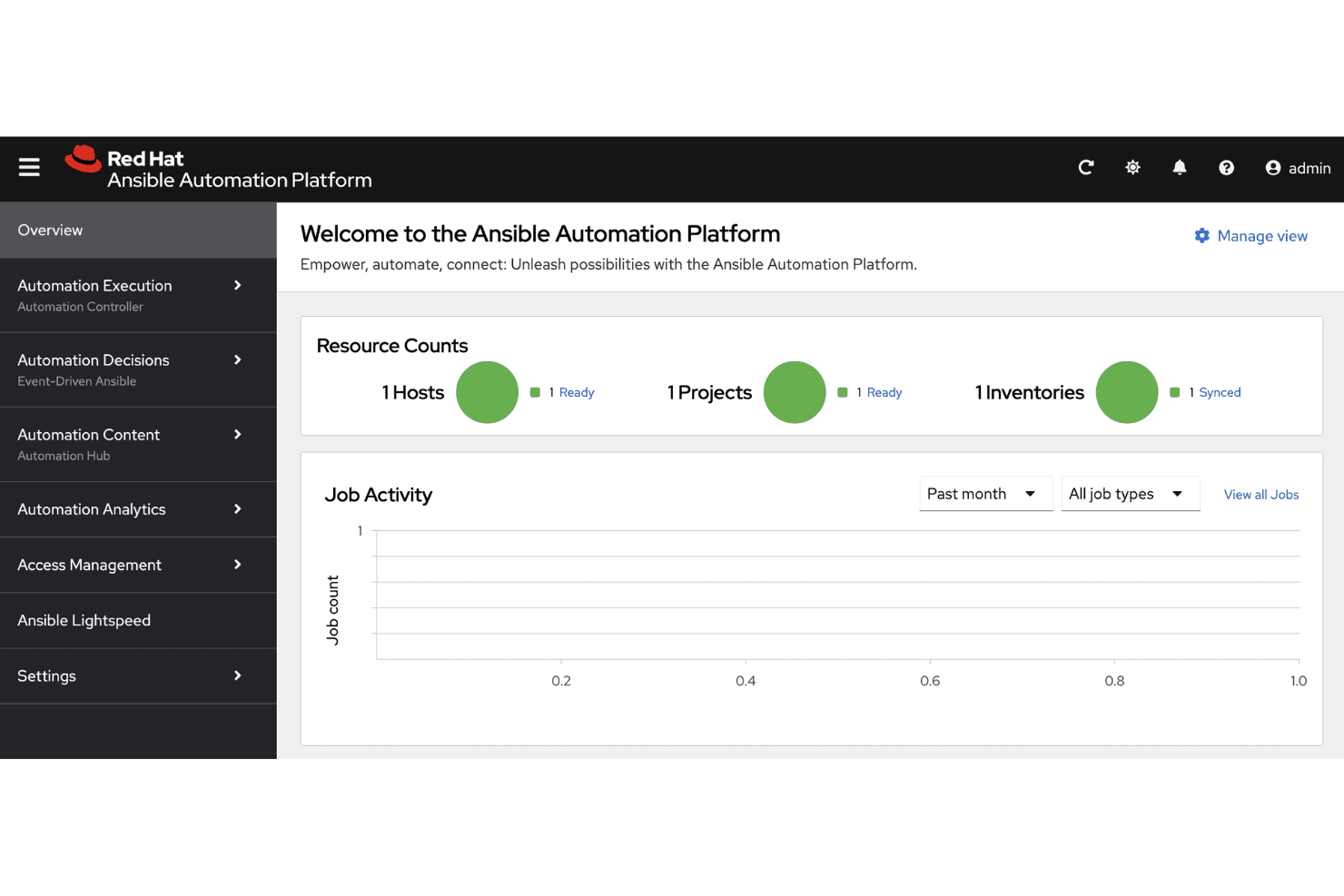
When judging Ansible Automation Platform against similar tools, I find its agentless design, scalability, and rich integration ecosystem make it a strong pick for enterprises managing hybrid or multi-cloud at scale. The interface is straightforward, docs and support are reliable, and onboarding is easier than most.
I’d select Ansible for teams who want flexible, standardized automation across diverse environments, especially when repeatable infrastructure-as-code is a must.
Pros
- Agentless architecture simplifies infrastructure automation deployment.
- Mature role-based access control helps with enterprise governance.
- Dynamic inventory management supports large-scale hybrid environments.
Cons
- Playbook debugging can be time-consuming and tricky.
- Pricing is higher than many open-source alternatives.
- Initial setup for advanced workflows is complex.
Is Red Hat Ansible Automation Platform Right For Your Needs?
Who Would be a Good Fit for Red Hat Ansible Automation Platform?
Ansible fits teams managing complex, multi-cloud infrastructure, especially in regulated or large-scale environments. Enterprises with strict compliance rules, hybrid cloud usage, and distributed operations will see value in its policy-driven controls, automation mesh, and advanced analytics. Central IT, network, and security teams that need granular permissioning and high availability are going to appreciate its mature role-based access and broad ecosystem.
- Global EnterprisesManages complex, distributed operations globally with features like automation mesh and centralized governance.
- Regulated IndustriesSupports strict compliance and audit needs with robust RBAC and detailed automation activity tracking.
- Hybrid Cloud OperationsOrchestrates automation across on-premises, private, and public clouds from a single interface.
- Network Engineering TeamsAutomates network device configuration and maintenance with dedicated collections for major networking vendors.
- Security OperationsEnables automated threat response workflows and patch management using event-driven automation.
- Large IT DepartmentsProvides scalable, multi-team collaboration with granular project and inventory management.
Who Would be a Bad Fit for Red Hat Ansible Automation Platform?
Smaller companies, budget-conscious startups, and teams running straightforward infrastructure won’t get the most value from Ansible’s enterprise feature set or cost. When automation needs are limited to a few servers, or when teams lack the resources to manage advanced playbooks and governance structures, the platform’s complexity and price are tough to justify. Scripting-heavy shops or small departments with basic needs are better off with simpler or free solutions.
- Small StartupsOverkill for basic automation needs due to cost and advanced feature complexity.
- Single-Cloud EnvironmentsUnnecessary for teams entirely based in one cloud provider without hybrid or multi-cloud operations.
- Basic IT SupportToo complex for IT helpdesks or shops that only automate password resets and user onboarding.
- Non-Technical TeamsDemands a level of automation and IT skill that doesn’t fit business users or departments outside IT.
- Cost-Sensitive SMBsHigh licensing fees aren’t justifiable without enterprise-level requirements or scale.
- Minimal Compliance NeedsLacks clear benefits for teams not needing detailed audit trails, RBAC, or enterprise policy enforcement.
Unsere Bewertungsmethodik
Wie wir Werkzeuge testen & bewerten
Wir haben Jahre damit verbracht, unser System zur Softwareprüfung und -bewertung aufzubauen, zu verfeinern und zu verbessern. Das Bewertungsraster ist darauf ausgelegt, die Feinheiten der Softwareauswahl und Effektivität eines Tools einzufangen, wobei wir uns auf kritische Aspekte des Entscheidungsprozesses konzentrieren.
Nachfolgend sehen Sie genau, wie unser Test- und Bewertungssystem anhand von sieben Kriterien funktioniert. Es ermöglicht uns eine unparteiische Bewertung der Software basierend auf Grundfunktionalität, besonderen Funktionen, Benutzerfreundlichkeit, Onboarding, Kundensupport, Integrationen, Kundenbewertungen und Preis-Leistungs-Verhältnis.
Grundfunktionalität (25 % der Endbewertung)
Der Ausgangspunkt unserer Bewertung ist immer die Grundfunktionalität des Werkzeugs. Verfügt es über die grundlegenden Funktionen und Merkmale, die ein Benutzer erwarten würde? Sind grundlegende Funktionen auf höherpreisige Tarife beschränkt? Im Kern erwarten wir, dass ein Tool den Basisfähigkeiten seiner Konkurrenten standhält.
Besondere Features (25 % der Endbewertung)
Anschließend bewerten wir ungewöhnliche, herausragende Funktionen, die über die typische Grundfunktionalität von Tools dieser Art hinausgehen. Eine hohe Bewertung zeigt spezialisierte oder einzigartige Eigenschaften, die das Produkt schneller, effizienter oder für den Nutzer wertvoller machen.
Wir bewerten außerdem, wie einfach sich das Tool mit anderen üblichen Werkzeugen im Technologie-Stack integrieren lässt, um die Funktionalität und den Nutzen der Software zu erweitern. Tools mit vielen nativen Integrationen, Drittanbieter-Anbindungen und API-Zugang zur Erstellung kundenspezifischer Integrationen erhalten die besten Bewertungen.
Benutzerfreundlichkeit (10 % der Endbewertung)
Wir betrachten, wie schnell und einfach Aufgaben aus dem Bereich der Grundfunktionalität mit dem Tool erledigt werden können. Gut bewertete Software ist durchdacht gestaltet, intuitiv bedienbar, bietet mobile Apps, Vorlagen und lässt relativ komplexe Aufgaben einfach erscheinen.
Onboarding (10 % der Endbewertung)
Wir wissen, wie wichtig die schnelle Einführung eines neuen Tools für das Team ist, daher bewerten wir, wie leicht sich ein Werkzeug mit minimalem Training erlernen und nutzen lässt. Wir bewerten, wie schnell ein Teammitglied ohne Vorerfahrung anfangen kann. Hoch bewertete Lösungen benötigen wenig bis gar keine Unterstützung.
Kundensupport (10 % der Endbewertung)
Wir prüfen, wie schnell und einfach man bei Problemen Hilfe per Telefon, Live-Chat oder Wissensdatenbank erhält. Tools und Anbieter mit Echtzeit-Support werden besser bewertet, während Chatbots schlechter abschneiden.
Kundenbewertungen (10 % der Endbewertung)
Neben unserer eigenen Prüfung beziehen wir den Net Promoter Score aktueller und ehemaliger Kunden mit ein. Wir bewerten, wie wahrscheinlich es ist, dass sie sich erneut für das Werkzeug entscheiden würden. Hoch bewertete Software weist einen hohen Net Promoter Score auf.
Preis-Leistungs-Verhältnis (10 % der Endbewertung)
Abschließend vergleichen wir unter Berücksichtigung aller Kriterien den durchschnittlichen Preis der Einstiegspakete mit den Grundfunktionen und bewerten den Mehrwert aus den anderen Bewertungsbereichen. Software, die mehr fürs gleiche Geld bietet, schneidet besser ab.
Core Features
Automation Execution Environments
Run automation workflows in consistent, containerized environments across any infrastructure. This reduces conflicts and ensures predictable results for every deployment.
Visual Job Workflow Designer
Design and manage automation workflows through a drag-and-drop interface. Teams can build complex automations without needing to code every step.
Role-Based Access Control
Assign and manage user permissions granularly for projects and inventories. This keeps automation secure and aligns with enterprise compliance needs.
Automation Analytics
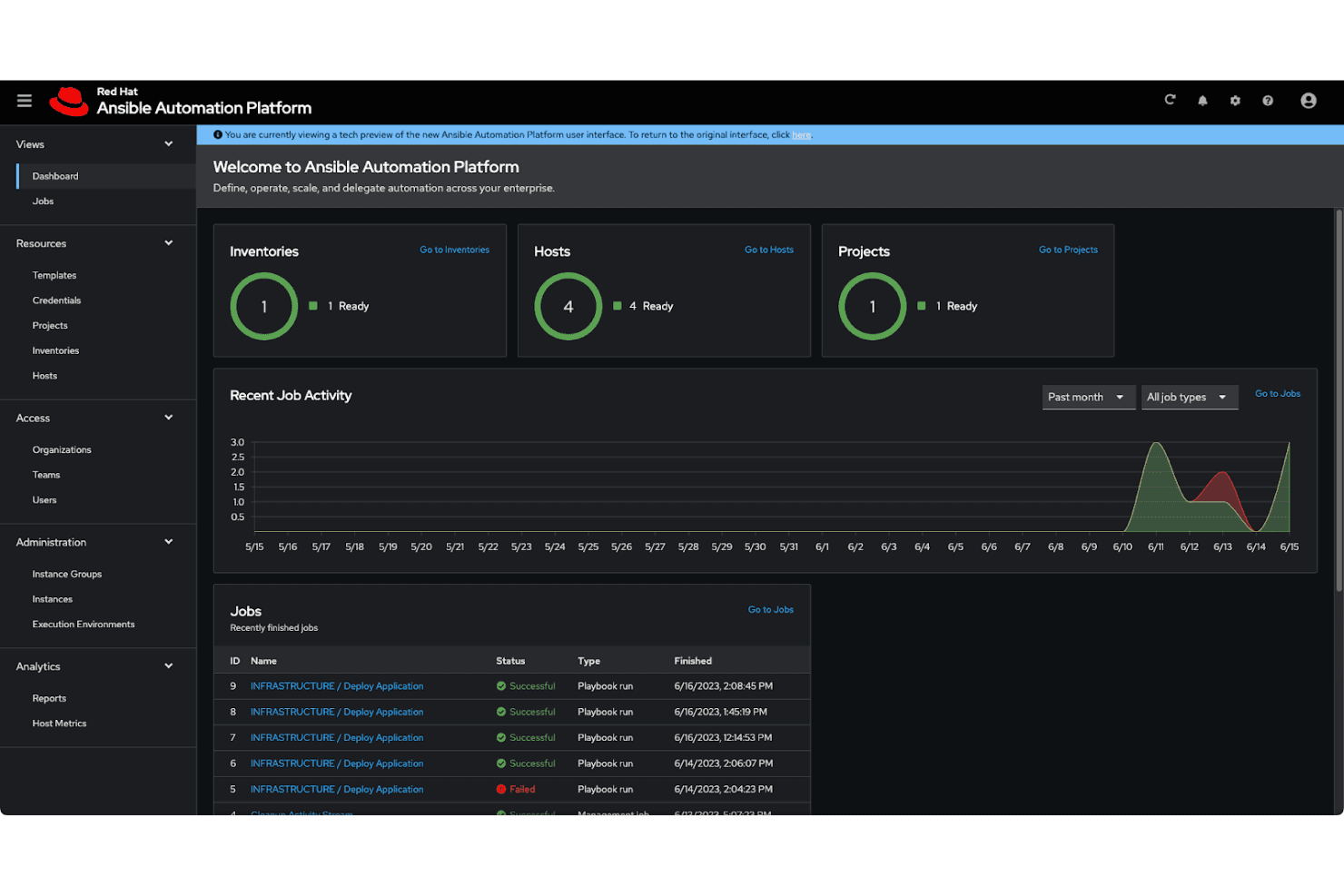
Track, analyze, and troubleshoot automation runs with built-in reporting tools. You can spot bottlenecks and measure success across teams and projects.
Event-Driven Automation
Trigger automation tasks automatically from IT events and incidents. This lets your team respond to issues and changes in real time.
Content Collections
Access and curate pre-built automation modules and roles from Red Hat and its partners. This accelerates your playbook creation and keeps automations current.
Ease of Use
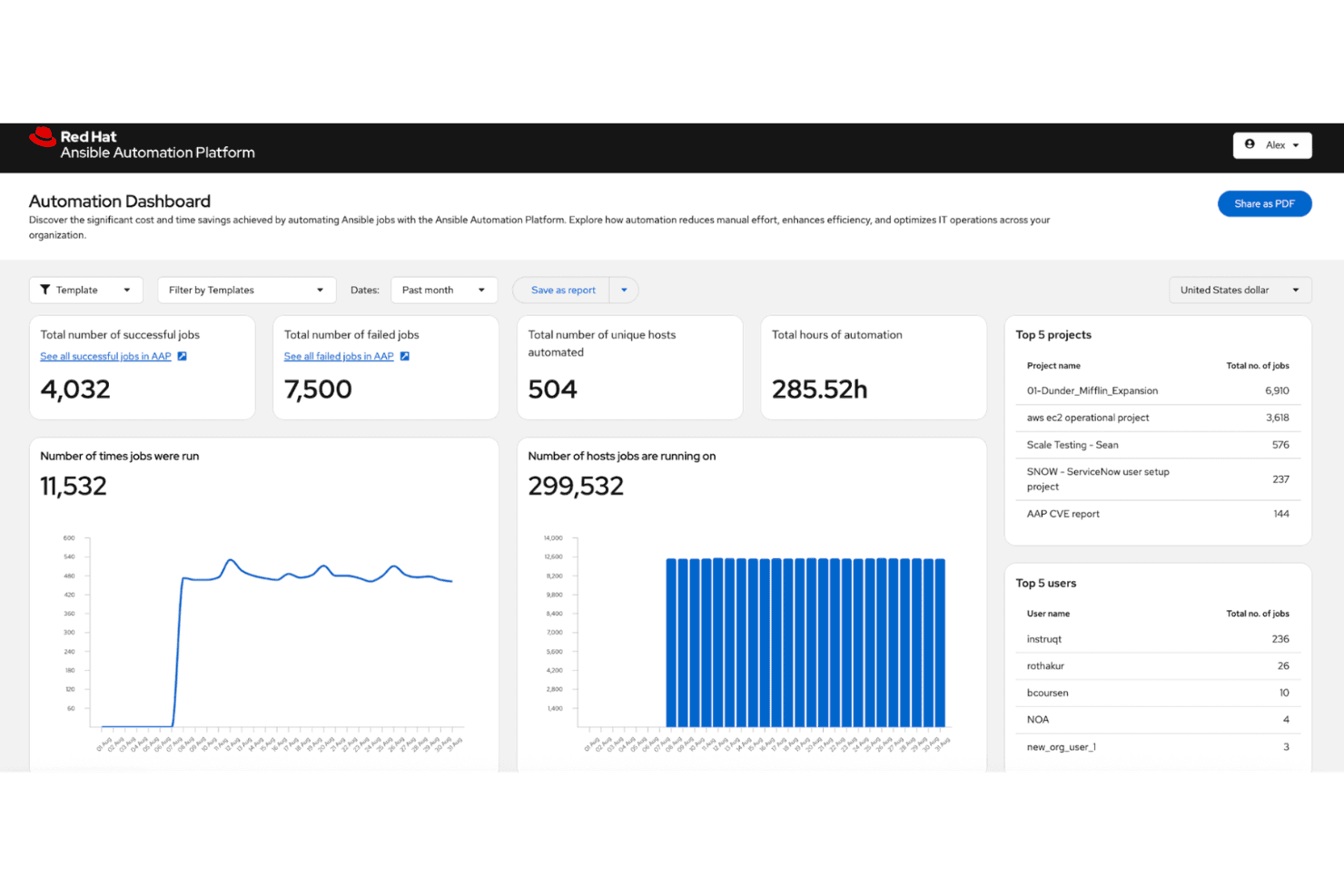
Ansible Automation Platform stands out for its straightforward web UI, clear job management, and structured workflow designer, making routine automation accessible even for less experienced users. While advanced playbook design can be technical, most tasks feel intuitive, and extensive documentation supports quick onboarding.
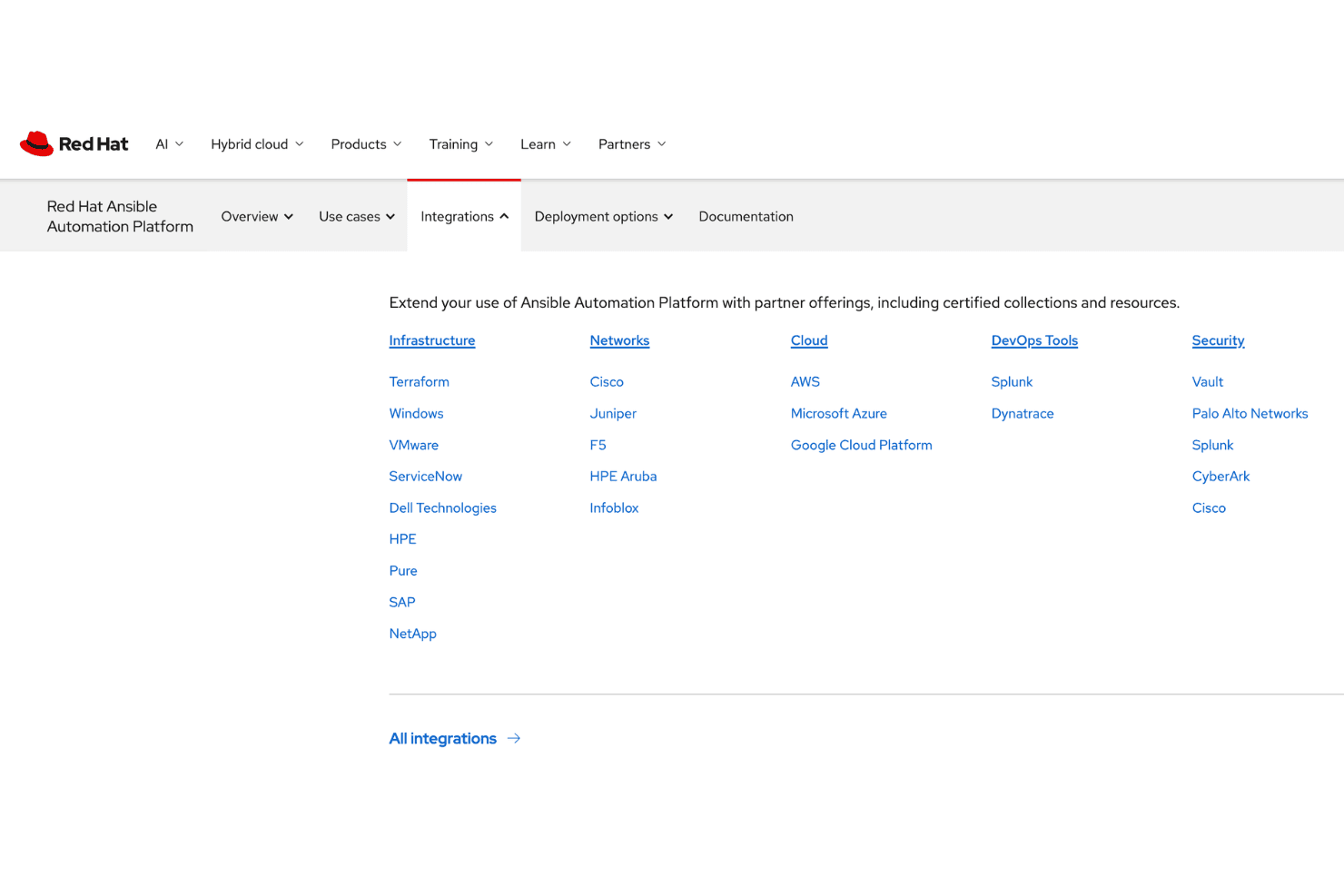
Integrations
Ansible Automation Platform integrates with AWS, Microsoft Azure, Google Cloud Platform, VMware vSphere, ServiceNow, Cisco ACI, GitHub, GitLab, F5, and Splunk, among others.
Ansible also offers a robust API and supports connections with third-party integration tools.
Red Hat Ansible Automation Platform Specs
- API: Yes
- Bug Tracking: No
- CI/CD Integration: No
- Cloud Deployment: Yes
- Code Review: No
- Code Transformation: No
- Collaboration Support: Yes
- Data Export: No
- Data Import: No
- Developer Tools: No
- External Integrations: No
- Git Integration: No
- History/Version Control: No
- IDE Plugins: No
- Local Deployment: No
- Multi-User: Yes
- Notifications: Yes
- Project Management: Yes
- Release Management: No
- Static Analysis: No
- Task Scheduling/Tracking: Yes
- Testing: No


