

Explorar alternativas ao Microsoft Azure abre todo um mundo de serviços de computação em nuvem em tempo real que podem revolucionar a forma como executa as suas aplicações SaaS ou Web.
Com cada uma delas a oferecer compatibilidade única com sistemas operativos e funcionalidades específicas para autenticação e colocação em cache, estas alternativas disponibilizam opções robustas de armazenamento na nuvem que respondem a diferentes necessidades.
Descobri que as melhores alternativas oferecem benefícios significativos, incluindo relação custo-benefício, escalabilidade e serviços especializados que podem transformar as suas operações digitais. Os principais problemas que resolvem estão relacionados com a disponibilização de flexibilidade, a redução dos custos de infraestrutura e o reforço da sua capacidade para gerir e implementar aplicações de forma eficaz.
Já estive na sua situação, à procura da solução ideal para as minhas necessidades de computação em nuvem. Por isso, acredite em mim quando digo que vale a pena analisar estas alternativas.
O que é o Microsoft Azure?
O Microsoft Azure é uma plataforma de computação em nuvem que disponibiliza serviços para criar, implementar e gerir aplicações através da rede global da Microsoft. É utilizado por programadores, equipas de TI e arquitetos empresariais que precisam de infraestrutura e ferramentas flexíveis para executar aplicações e serviços em grande escala. As máquinas virtuais, as opções de armazenamento e os serviços de IA ajudam na hospedagem, no tratamento de dados e no desenvolvimento de aplicações modernas. No geral, o Azure permite à sua equipa executar e expandir aplicações utilizando recursos de nuvem que pode configurar de acordo com as suas necessidades.
Why Trust Our Software Recommendations
6,700+
Reviews
20
Industry experts
16+
Evaluation factors
14
Years
Our team has been testing and reviewing software since 2012. As tech leaders ourselves, we know how difficult—and important—it is to choose the right software.
For this guide, we evaluated tools using hands-on testing and independent research, scoring tools using our selection criteria.
Our reviews reflect our human editorial judgment, not a sales pitch.
Expert reviewers:
- Paulo Gardini MiguelTech Director
 Tim FisherVP of AI
 Gabriel RosasTech Lead & Software Architect
 Christhian GruhnTech Lead & Platform Architect

Tabela comparativa das alternativas ao Microsoft Azure
Esta tabela comparativa resume os detalhes de preços das minhas principais alternativas ao Microsoft Azure:
| Tool | Best For | Trial Info | Price | ||
|---|---|---|---|---|---|
| 1 | Best for transparent pricing on Linux VM hosting | Free plan available | From $4/month | Website | |
| 2 | Best for rapid application development and deployment | Free demo available | From $5/month | Website | |
| 3 | Best for containerization across hybrid and multi-cloud | Free demo available | Pricing upon request | Website | |
| 4 | Best for analytics-driven app hosting on Google Cloud | Free plan available | From $36.50/month | Website | |
| 5 | Best for the widest range of cloud services at scale | Free plan available | Pricing upon request | Website | |
| 6 | Best for hybrid cloud workloads with watsonx AI | Free demo available | From $64.58/month | Website | |
| 7 | Best for VMware workload migration to AWS | Free demo available | Pricing upon request | Website | |
| 8 | Best for cost-effective global VM deployment | Not available | From $2.50/month | Website | |
| 9 | Best for Asia-Pacific cloud reach and migration | Free plan available | Pricing upon request | Website | |
| 10 | Best for high-performance Oracle workloads in the cloud | Free plan available; 30-day free trial | Pricing upon request | Website |


Análises das melhores alternativas ao Microsoft Azure
Apresentamos abaixo os meus resumos detalhados das melhores alternativas ao Microsoft Azure que entraram na minha seleção. As minhas análises oferecem uma visão detalhada das principais funcionalidades, vantagens & desvantagens, integrações e casos de utilização ideais de cada ferramenta, para o ajudar a encontrar a melhor opção para si.
 Best for transparent pricing on Linux VM hosting
- Free plan available
- From $4/month
Visit WebsiteCustomer Rating:4.5/5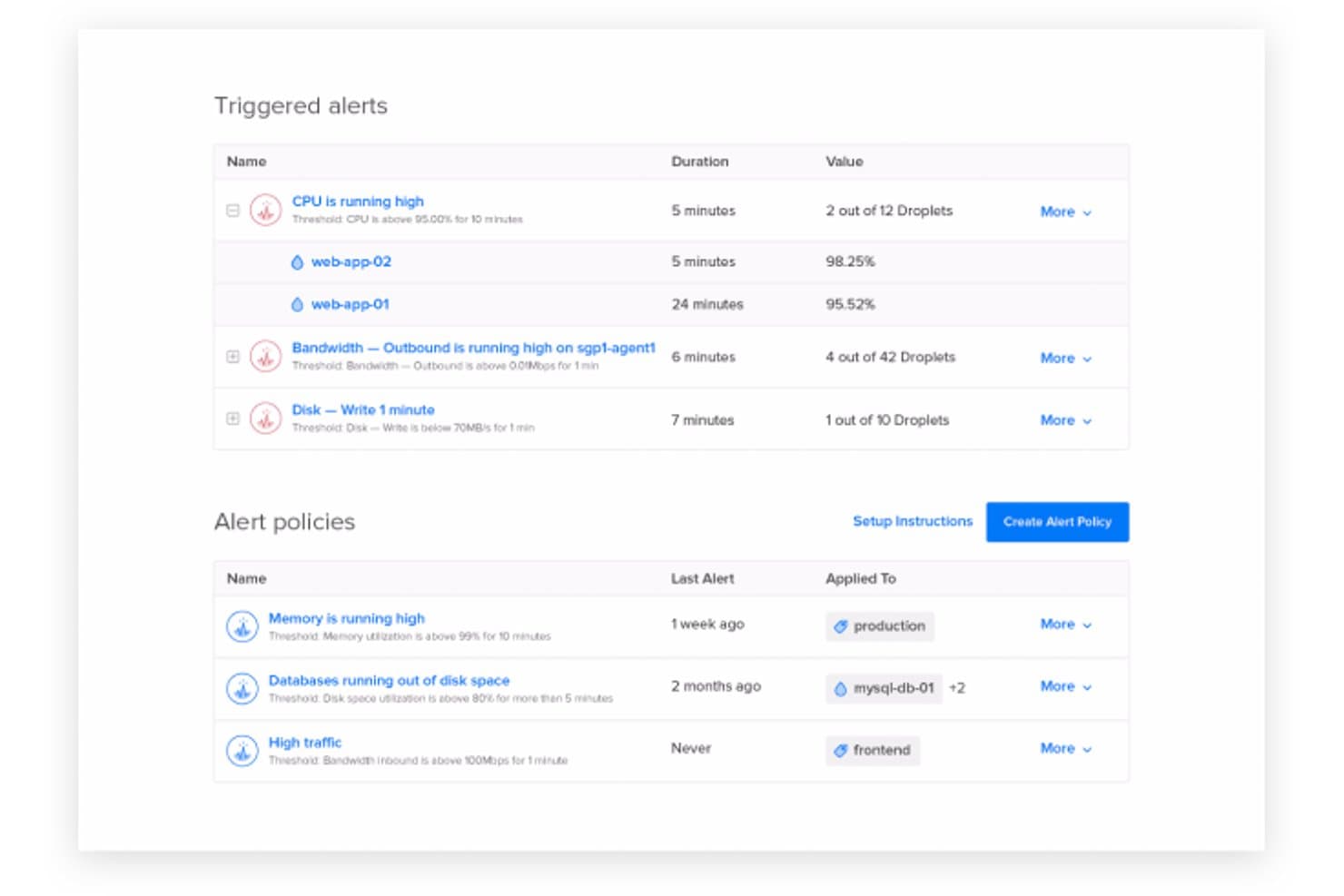
DigitalOcean lets users monitor and manage triggered alerts and policies. DigitalOcean is a cloud computing platform for developers and growing businesses that need to deploy applications, manage infrastructure, and scale workloads without adding unnecessary operational complexity.
Who Is DigitalOcean Best For?
DigitalOcean suits developers and lean IT teams that need straightforward virtual servers for web apps, development environments, and smaller cloud deployments.
Why I Picked DigitalOcean
I picked DigitalOcean as an Azure alternative because its Droplets provide a focused way to run virtual servers for web apps and development environments. I like that snapshots let me save a server’s state before a change and use it to create a staging copy. Floating IPs also let me redirect traffic to a replacement Droplet during maintenance.
DigitalOcean Key Features
- Managed Kubernetes : DigitalOcean Kubernetes clusters manage the control plane for containerized workloads.
- Spaces object storage : Spaces stores files and other unstructured data in S3-compatible buckets.
- App Platform : App Platform builds and deploys apps from source code or container images.
- Managed databases : DigitalOcean offers managed PostgreSQL, MySQL, Valkey, and MongoDB database clusters.
DigitalOcean Integrations
DigitalOcean documents native integrations with Terraform, Puppet, and Slack for Monitoring alerts, plus GitHub and GitLab connections for App Platform deployments. Its Marketplace offers third-party SaaS add-ons, and an API is available for custom integrations.
Pros and Cons
Pros:
- Snapshots and floating IPs aid recovery
- Managed Kubernetes reduces control-plane work
- Quick Droplet setup for smaller deployments
Cons:
- Support responses can lag during incidents
- Fewer enterprise services than hyperscalers
Learn more about DigitalOcean: Best for rapid application development and deployment
- Free demo available
- From $5/month
Visit WebsiteCustomer Rating:4.6/5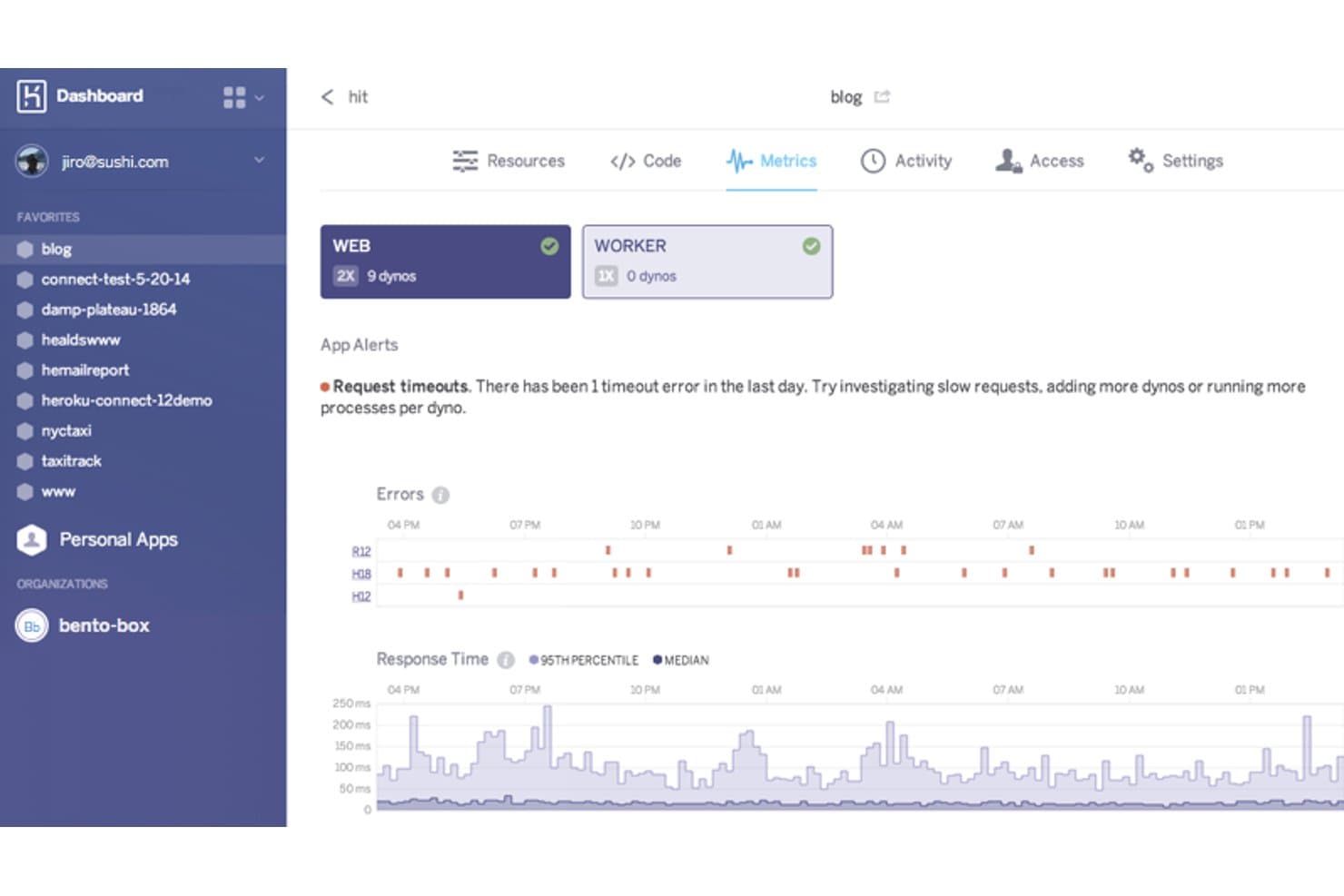
Heroku displays real-time app metrics, errors, and response times. Heroku is a cloud application platform for developers and IT teams that need managed hosting for web apps, helping reduce server administration and simplify application operations.
Who Is Heroku Best For?
Heroku suits startup product teams that need to deploy web applications quickly without building a full infrastructure operations function.
Why I Picked Heroku
I rate Heroku as a Microsoft Azure alternative because its USP is “Best for rapid application development and deployment.” Its buildpacks detect an app’s runtime and prepare it for release, while Git-based deployments send code to dynos without requiring teams to manage servers. I like this fit for shipping web apps while keeping infrastructure operations lean.
Heroku Key Features
- Managed PostgreSQL: Provision Heroku Postgres databases and manage them through the Heroku Dashboard or CLI.
- Add-ons: Attach third-party services, such as monitoring and email tools, to an app.
- Config vars: Set environment-specific configuration values without changing application code.
- Logging: View aggregated application and system logs through the Heroku CLI or a log add-on.
Heroku Integrations
Heroku has a native GitHub integration for repository-based deploys and 200+ marketplace add-ons, including Papertrail, New Relic APM, Heroku Postgres, and Apache Kafka. Its Platform API supports custom integrations and programmatic management of apps and add-ons.
Pros and Cons
Pros:
- Managed hosting reduces routine infrastructure work
- Buildpacks prepare apps without server setup
- Git-push deployments shorten release workflows
Cons:
- Build debugging can require extra effort
- Limited infrastructure control constrains custom configurations
 Best for containerization across hybrid and multi-cloud
- Free demo available
- Pricing upon request
Visit WebsiteCustomer Rating:4.5/5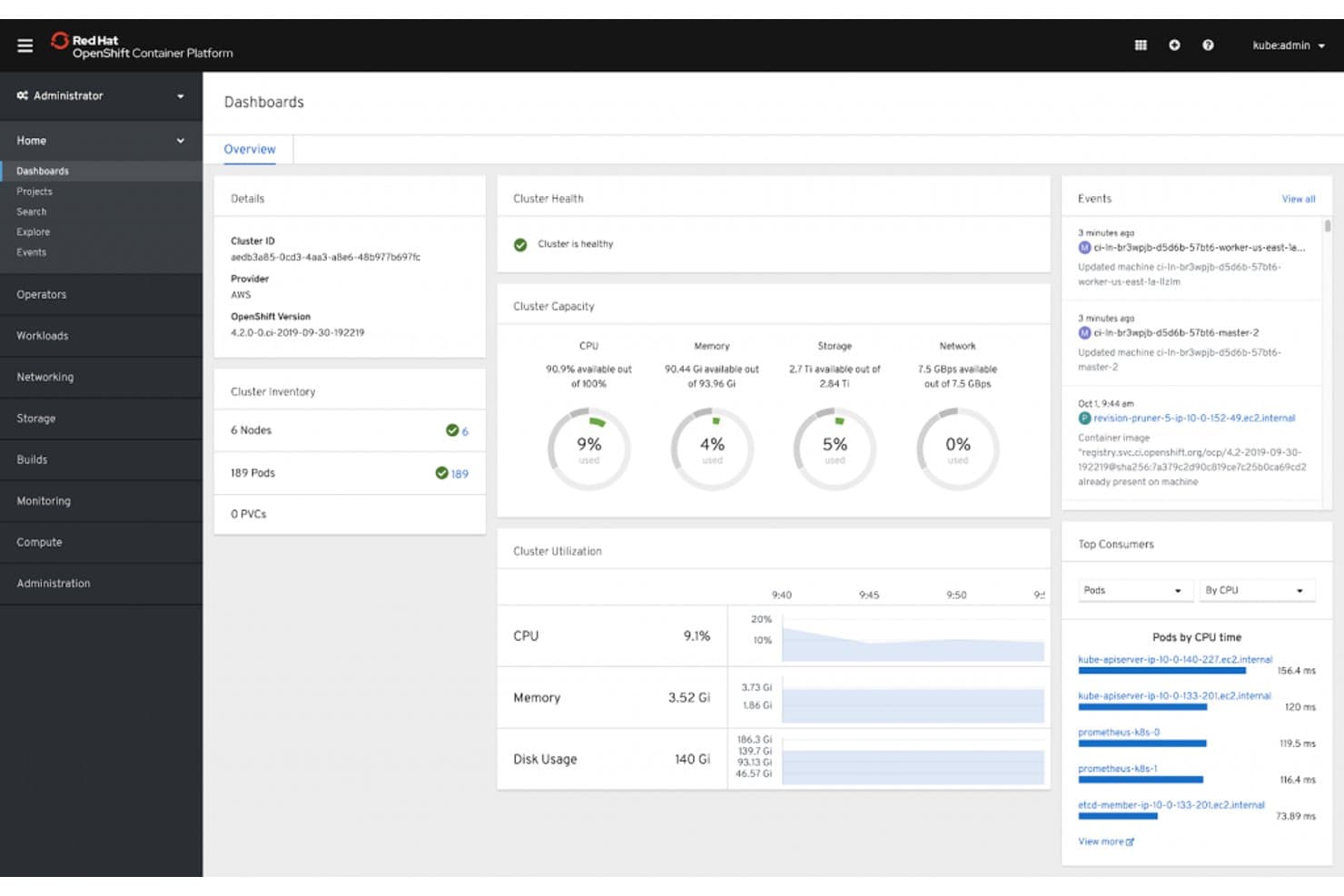
Red Hat OpenShift gives admins a real-time cluster health and resource dashboard. Red Hat OpenShift is a hybrid cloud platform for IT teams modernizing applications across environments and managing deployment complexity, making it Best for containerization and microservices orchestration.
Who Is Red Hat OpenShift Best For?
Red Hat OpenShift suits platform engineering and DevOps teams that build and manage containerized applications and microservices.
Why I Picked Red Hat OpenShift
I picked Red Hat OpenShift as a Microsoft Azure alternative because it provides Kubernetes-based container orchestration across cloud and on-premises environments. Its Operator framework automates application lifecycle tasks, while Kubernetes schedules and scales microservices. I consider it Best for containerization and microservices orchestration.
Red Hat OpenShift Key Features
- Web console: View and manage projects, workloads, and cluster resources through browser-based administrator and developer views.
- Integrated image registry: Store and manage container images within the OpenShift environment.
- Build configurations: Define repeatable container image builds from source code or a Dockerfile.
- Routes: Expose services through hostnames, with options for TLS termination.
Red Hat OpenShift Integrations
Red Hat OpenShift Pipelines supports GitHub, GitLab, and Bitbucket as repository providers, and OpenShift build triggers support webhooks from those services. The OpenShift API is available for custom integrations.
Pros and Cons
Pros:
- Operators automate application lifecycle management
- Built-in RBAC and non-root container safeguards
- Consistent Kubernetes operations across hybrid environments
Cons:
- Setup and upgrades require specialist effort
- Resource demands burden smaller clusters
Learn more about Red Hat OpenShift: Best for analytics-driven app hosting on Google Cloud
- Free plan available
- From $36.50/month
Visit WebsiteCustomer Rating:4.3/5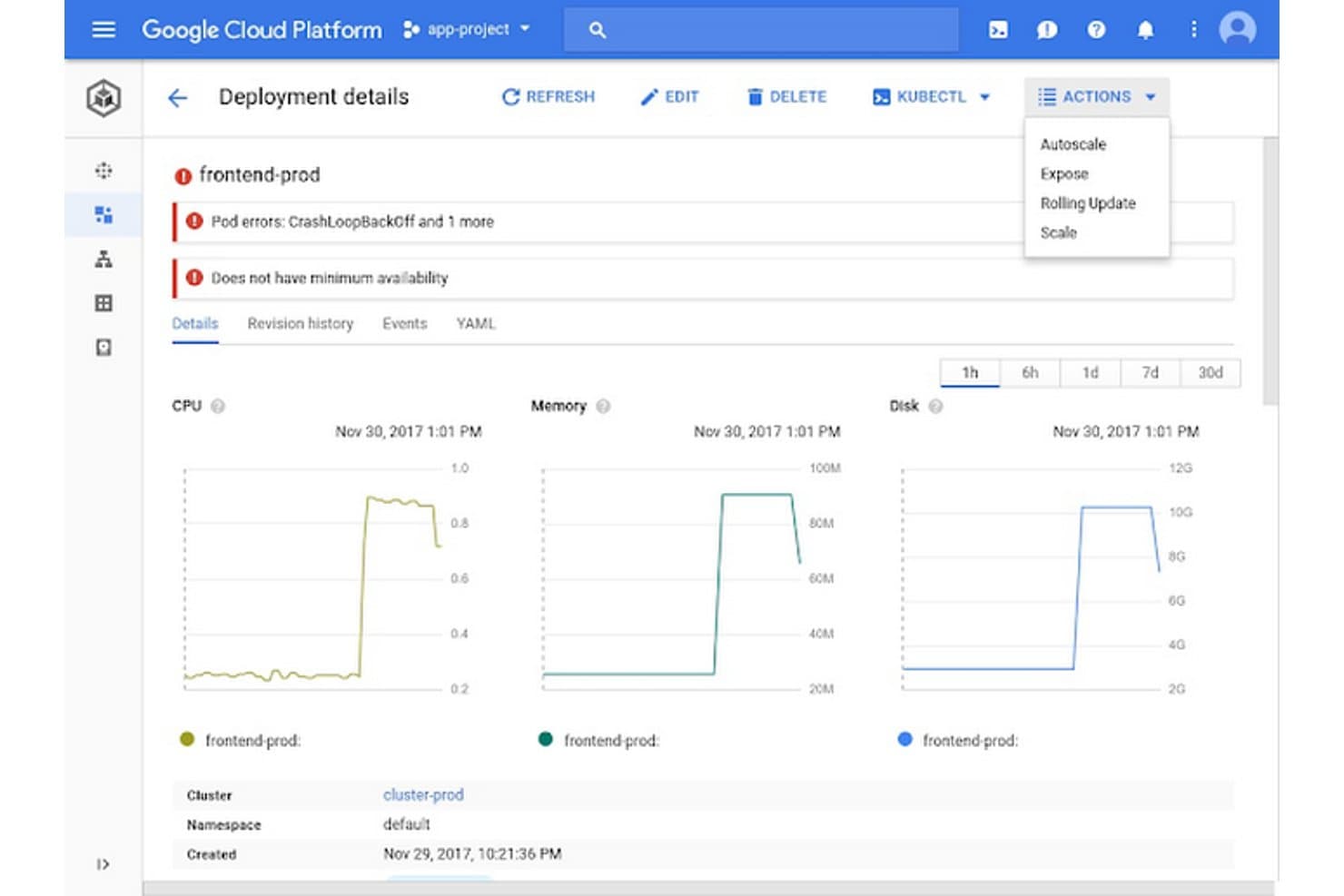
GCP lets users monitor and manage Kubernetes deployment health in real time. Google Cloud Platform is a cloud computing platform for IT teams and businesses that need to build, deploy, and scale applications while reducing the burden of managing underlying infrastructure.
Who Is Google Cloud Platform (GCP) Best For?
Google Cloud Platform is a good fit for data engineers and application teams building cloud services that connect application workloads with analytics and machine learning.
Why I Picked Google Cloud Platform (GCP)
I picked Google Cloud Platform for teams seeking an Azure alternative with a strong analytics and machine learning focus. App Engine runs application workloads, while BigQuery can analyze their operational data and Vertex AI can build and serve predictive models. I value this path from app telemetry to model-driven features when teams need advanced analytics and machine learning tools.
Google Cloud Platform (GCP) Key Features
- Identity and access management: Assign roles and permissions through Cloud IAM.
- Virtual private cloud: Configure network segments, routes, and firewall rules.
- Cloud monitoring: View metrics, logs, and alerts across connected services.
- Object storage: Store and retrieve unstructured data with Cloud Storage.
Google Cloud Platform (GCP) Integrations
App Engine apps can connect with Google Cloud services such as Cloud SQL, Cloud Storage, Firestore, and Cloud Logging. Google Cloud APIs and client libraries are available for custom integrations.
Pros and Cons
Pros:
- Autoscaling accommodates fluctuating application demand
- Vertex AI supports model-driven application features
- BigQuery handles large datasets without infrastructure setup
Cons:
- Console navigation and documentation feel inconsistent
- IAM policies can require trial-and-error setup
Learn more about Google Cloud Platform (GCP): Best for the widest range of cloud services at scale
- Free plan available
- Pricing upon request
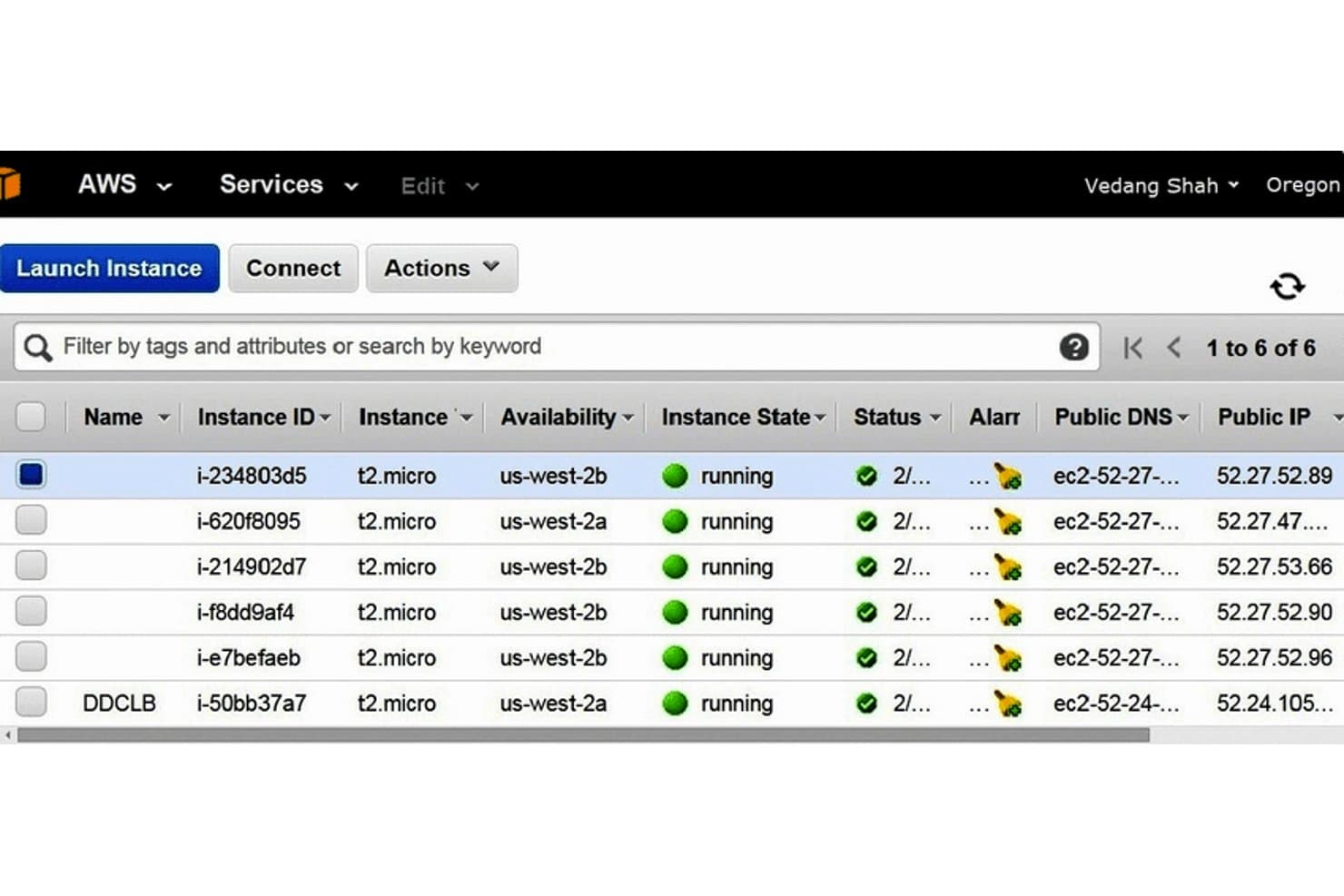
AWS lets users monitor and manage multiple EC2 instances at a glance. Amazon Web Services (AWS) is a cloud computing platform for IT teams that need to deploy applications, scale workloads, and reduce the burden of maintaining physical infrastructure.
Who Is Amazon Web Services (AWS) Best For?
IT and platform engineering teams that need cloud infrastructure and managed services to run and scale business workloads.
Why I Picked Amazon Web Services (AWS)
I picked AWS for its comprehensive suite of cloud services across industries. I like that you can run application workloads on Amazon EC2, store files and data lakes in Amazon S3, and manage relational databases with Amazon RDS. That breadth lets teams build or migrate varied workloads without relying on a single service category.
Amazon Web Services (AWS) Key Features
- AWS Lambda: Run code in response to events without provisioning servers.
- Amazon VPC: Configure isolated virtual networks, subnets, and routing.
- AWS Identity and Access Management (IAM): Set permissions for users, roles, and services.
- Amazon CloudWatch: Collect metrics and logs, and configure alarms.
Amazon Web Services (AWS) Integrations
Amazon AppFlow provides built-in connectors for services including Datadog, GitHub, GitLab, Jira Cloud, ServiceNow, Slack, Snowflake, and Zendesk. AWS APIs and SDKs support custom integrations.
Pros and Cons
Pros:
- Reviewers praise reliability for production workloads
- Global regions support geographically distributed deployments
- Broad service catalog covers diverse workloads
Cons:
- Documentation gaps can slow troubleshooting across services
- Service sprawl complicates governance and service selection
Learn more about Amazon Web Services (AWS): Best for hybrid cloud workloads with watsonx AI
- Free demo available
- From $64.58/month
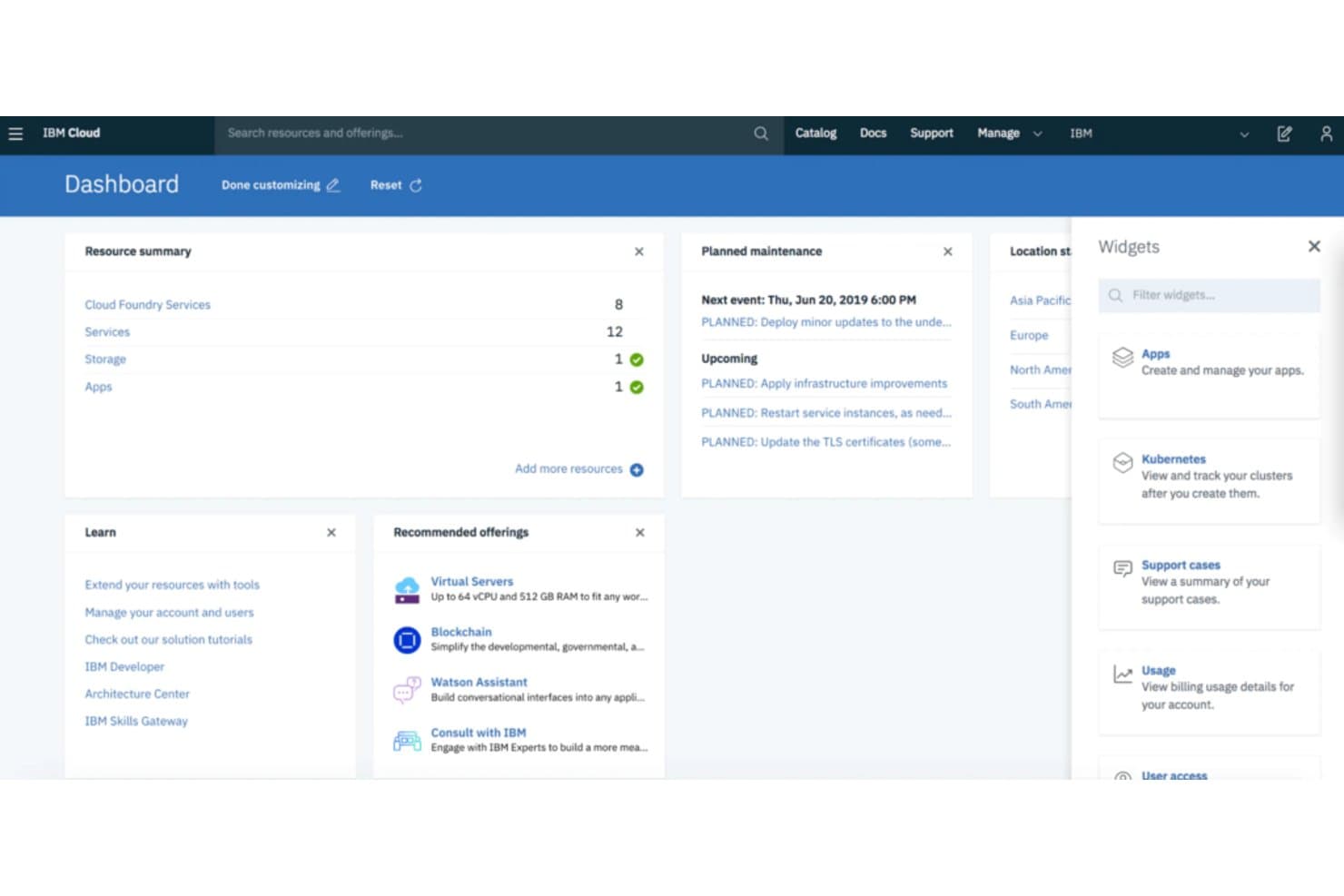
IBM Cloud centralizes resource management and maintenance alerts in one dashboard. IBM Cloud is a cloud computing platform for IT teams that need to run enterprise workloads across diverse environments, manage infrastructure, and support modernization without leaving existing systems behind.
Who Is IBM Cloud Best For?
IBM Cloud suits enterprise IT and platform teams that need to manage workloads across on-premises systems, edge locations, and public cloud environments.
Why I Picked IBM Cloud
I picked IBM Cloud for “Best for hybrid cloud deployments with powerful AI integrations.” IBM Cloud Satellite lets me run supported IBM Cloud services in on-premises data centers and edge locations, keeping workloads near operational data. I also look to IBM’s watsonx portfolio when adding AI capabilities to enterprise applications.
IBM Cloud Key Features
- Virtual Private Cloud (VPC): Create isolated networks with subnets, gateways, and virtual server instances.
- IBM Cloud Kubernetes Service: Deploy and manage containerized applications on Kubernetes clusters.
- Cloud Object Storage: Store and retrieve unstructured data through a web-based API.
- Identity and Access Management (IAM): Set access policies for users, service IDs, and access groups.
IBM Cloud Integrations
IBM Cloud Kubernetes Service documents integrations with GitHub, Jenkins, Datadog, Instana, Prometheus, Splunk, Terraform, IBM Cloud Key Protect, and IBM Cloud Object Storage; IBM Cloud APIs are available for custom integrations.
Pros and Cons
Pros:
- Keep regulated workloads near source data
- Centralized controls cover distributed environments
- Satellite runs cloud services on-premises and edge
Cons:
- Reviewers cite gaps in technical documentation
- Reviewers report confusing, slow console navigation
Learn more about IBM Cloud: Best for VMware workload migration to AWS
- Free demo available
- Pricing upon request
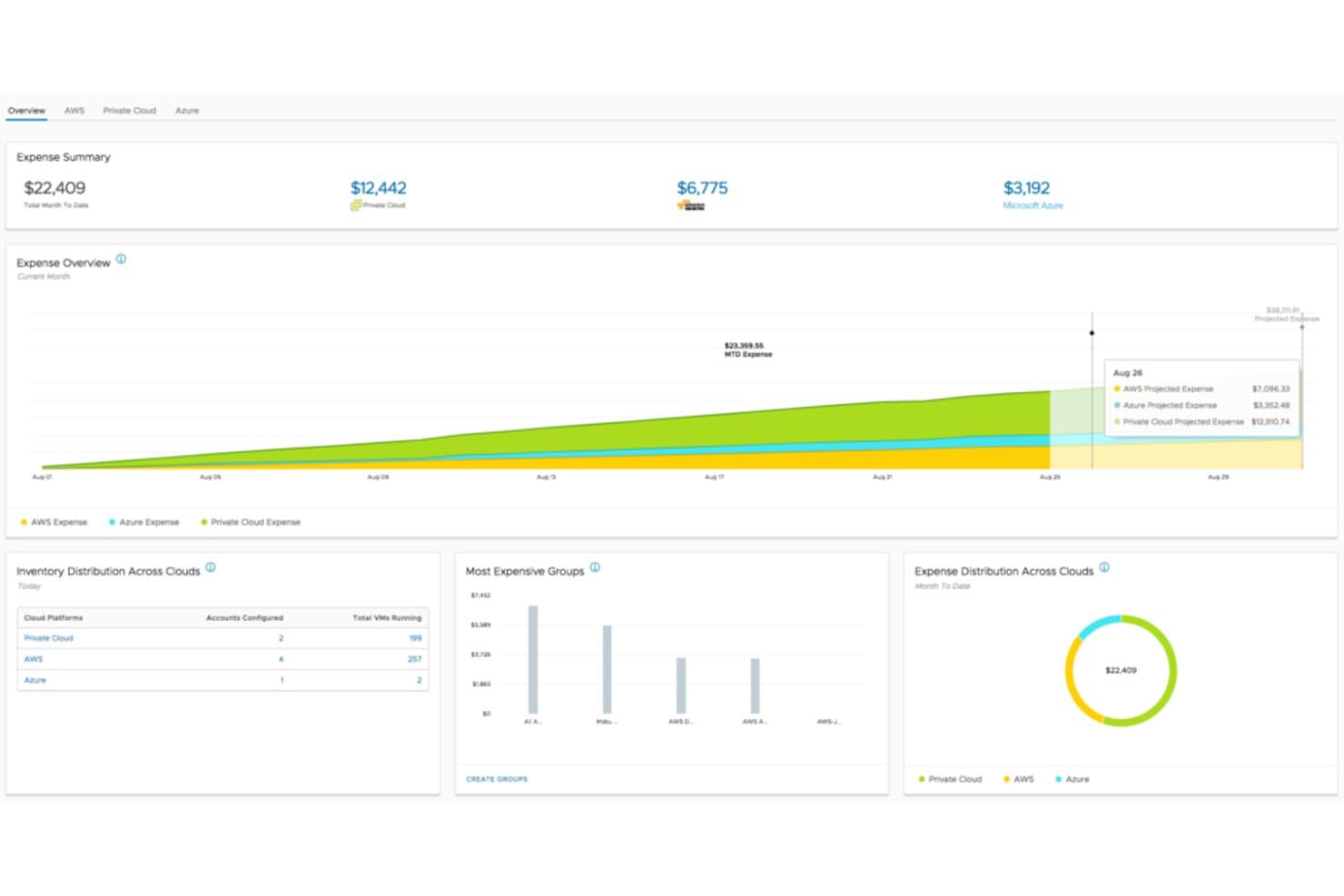
VMware Cloud tracks multi-cloud expenses and inventory in one dashboard. VMWare Cloud gives infrastructure teams a VMware-based cloud environment for running existing vSphere workloads alongside AWS services, helping businesses extend capacity without rebuilding applications.
Who Is VMware Cloud Best For?
Infrastructure teams that need to manage VMware workloads across on-premises data centers and AWS are a good fit.
Why I Picked VMware Cloud
I picked VMware Cloud for businesses seeking seamless cloud migration and hybrid cloud infrastructure. Its VMware Cloud on AWS service runs vSphere workloads on AWS infrastructure, and vMotion can move live workloads between environments without requiring an application rebuild.
VMware Cloud Key Features
- Elastic DRS: Adds or removes hosts based on cluster resource demand.
- NSX networking: Configures software-defined networking and firewall rules for the SDDC.
- vSAN storage: Pools host storage into a shared datastore for cluster workloads.
- vCenter Server: Manages SDDC inventory and workloads through the familiar VMware interface.
VMware Cloud Integrations
VMware Cloud on AWS connects SDDCs to a customer’s AWS account and provides access to 200+ AWS services. AWS account linking uses a VMware-provided CloudFormation template, and APIs and Terraform support custom integrations and automation.
Pros and Cons
Pros:
- Consistent controls across on-premises and AWS
- Live migration limits application downtime
- Familiar vSphere eases hybrid workload migration
Cons:
- Some on-premises VM features aren’t available
- High host costs strain smaller deployments
Learn more about VMWare Cloud:
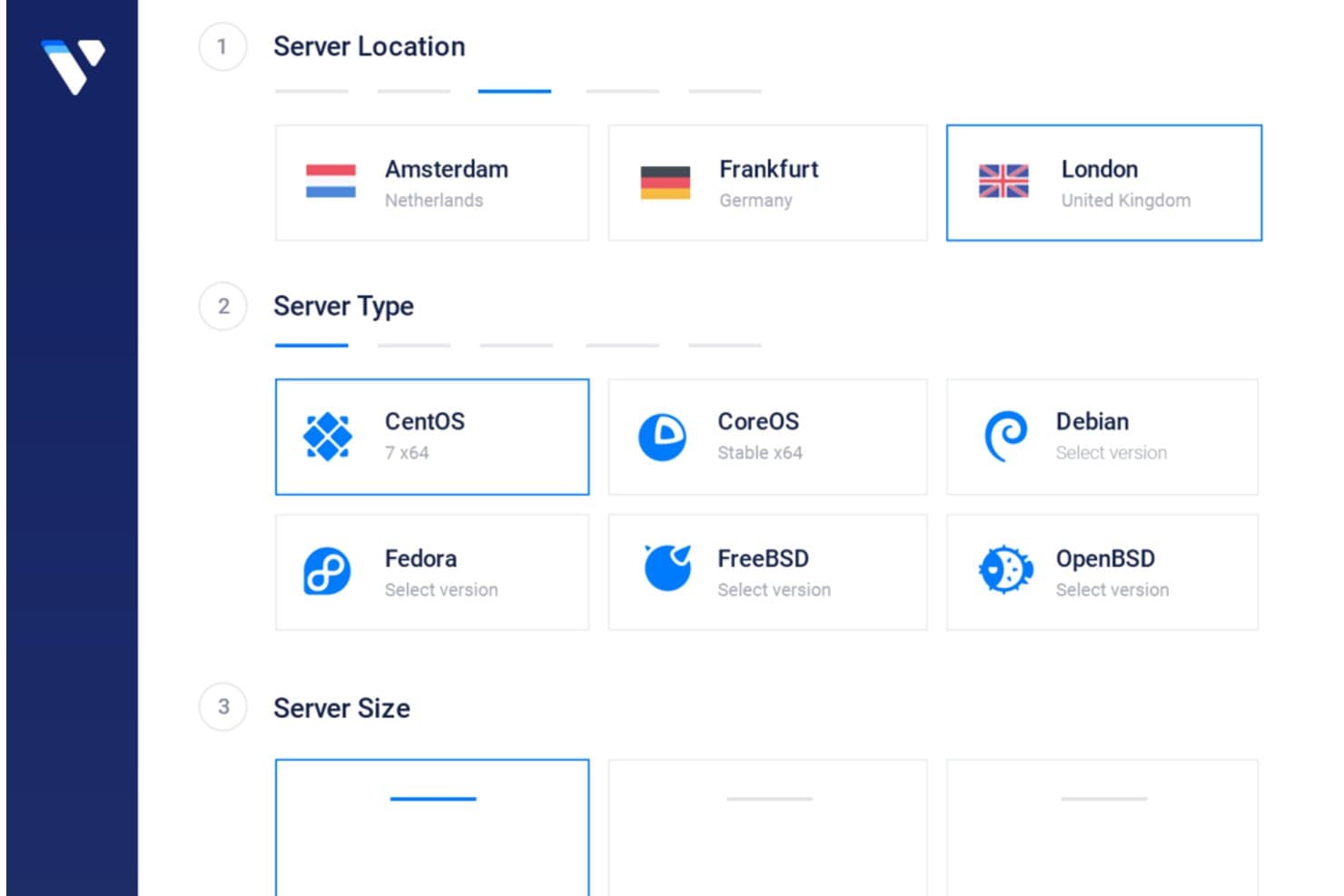
Vultr lets users configure server location, OS type, and size. Vultr is a cloud infrastructure platform for IT teams seeking an alternative to Azure for deploying compute, storage, and networking across distributed workloads.
Who Is Vultr Best For?
Vultr suits developers and growing businesses that need cost-conscious cloud infrastructure across multiple regions.
Why I Picked Vultr
I picked Vultr because it fits the description “Best for cost-effective, scalable cloud solutions with a global footprint.” Its on-demand Vultr Clusters let me scale compute to workload demand, while 34 cloud regions and localized peering help place applications near users.
Vultr Key Features
- S3-compatible object storage: Store objects and set lifecycle rules through the S3 API.
- Block storage volumes: Attach NVMe or HDD volumes to instances and resize them.
- Managed databases: Provision PostgreSQL, MySQL, Valkey, or Apache Kafka with managed setup and updates.
- Load balancers: Route TCP, HTTP, or HTTPS traffic across backends with configurable health checks.
Vultr Integrations
Vultr provides an API for custom integrations and supports Terraform and Ansible for infrastructure-as-code workflows. Its API also works with HTTP clients such as Postman, Hoppscotch, and Insomnia.
Pros and Cons
Pros:
- Bare-metal and GPU options support specialized workloads
- Compute available across 34 global regions
- Quick server launches with predictable resource costs
Cons:
- Narrower managed-service catalog than Azure
- Ticket-based support can delay urgent help
Learn more about Vultr: Best for Asia-Pacific cloud reach and migration
- Free plan available
- Pricing upon request
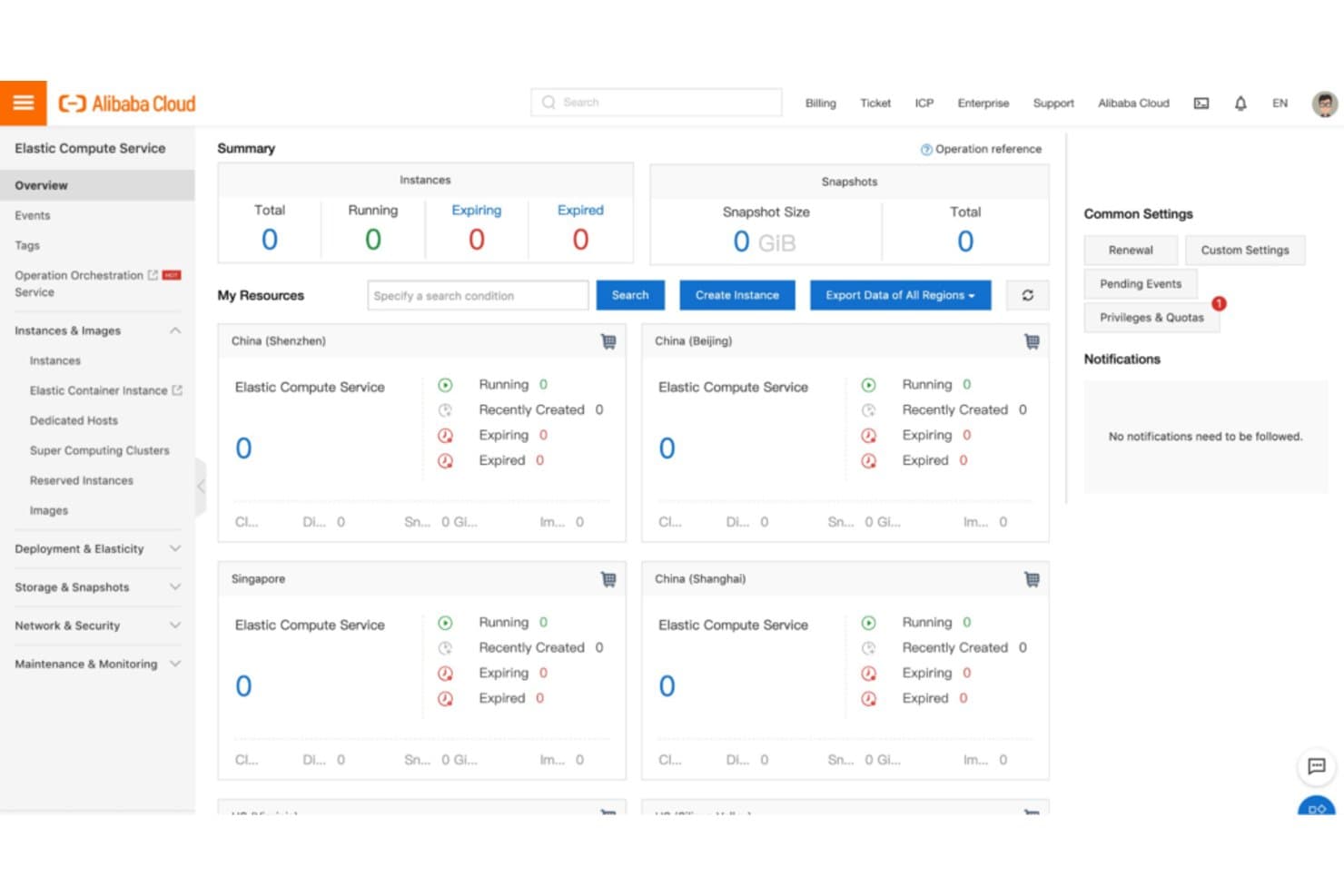
Alibaba Cloud centralizes compute instance management across global regions. Alibaba Cloud brings compute, storage, networking, and managed data services together for enterprise IT teams building, migrating, or operating cloud-hosted applications.
Who Is Alibaba Cloud Best For?
Alibaba Cloud suits enterprises building or expanding operations across Asia-Pacific that need cloud infrastructure for regional workloads.
Why I Picked Alibaba Cloud
I picked Alibaba Cloud for its regional infrastructure and content delivery network (CDN), which can bring applications and web content closer to users across Asia-Pacific. Its availability zones support resilient deployments, while CDN edge nodes help serve content to customers across regional markets. That fits the USP: Best for enterprises seeking a strong presence in Asia-Pacific markets.
Alibaba Cloud Key Features
- Elastic Compute Service (ECS): Provision and configure cloud-based virtual servers.
- Object Storage Service (OSS): Store and retrieve unstructured data as objects.
- ApsaraDB RDS: Deploy managed relational databases, including MySQL and PostgreSQL.
- Container Service for Kubernetes: Create and manage Kubernetes clusters.
Alibaba Cloud Integrations
Alibaba Cloud supports Terraform through its dedicated provider and Jenkins through documented plugins. OpenAPI and SDKs are available for custom integrations.
Pros and Cons
Pros:
- Compute scales as workloads grow
- Strong CDN and network services
- Broad regional coverage across Asia-Pacific
Cons:
- Backbone connectivity needs improvement
- Documentation and support vary by language
Learn more about Alibaba Cloud: Best for high-performance Oracle workloads in the cloud
- Free plan available; 30-day free trial
- Pricing upon request
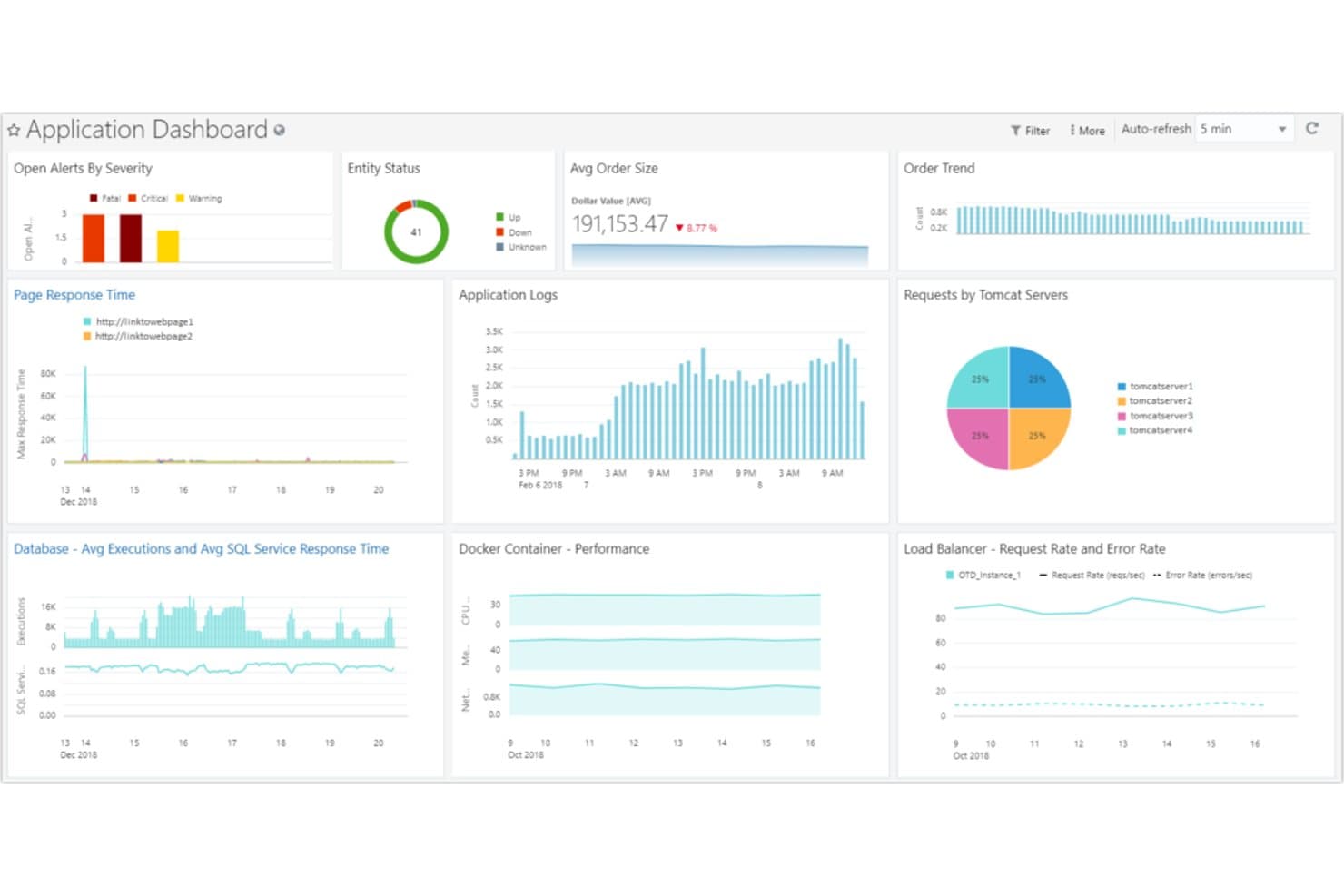
OCI centralizes app metrics, logs, and alerts in one dashboard. Oracle Cloud Infrastructure (OCI) gives enterprise IT teams a cloud platform for running applications across public cloud and on-premises environments, helping manage demanding workloads while extending existing infrastructure.
Who Is Oracle Cloud Infrastructure (OCI) Best For?
It suits enterprise infrastructure teams running compute-intensive workloads that need high performance and strong price-performance.
Why I Picked Oracle Cloud Infrastructure (OCI)
I picked Oracle Cloud Infrastructure (OCI) for this Microsoft Azure alternatives list because it’s the “Best for high-performance computing and superior price-performance.” Its bare metal compute and RDMA-enabled cluster networking support tightly coupled workloads, such as large simulations and AI training, with low-latency, high-bandwidth connections.
Oracle Cloud Infrastructure (OCI) Key Features
- FastConnect: Establish dedicated private connections between your data center and OCI.
- Oracle Cloud VMware Solution: Use VMware HCX to migrate workloads between on-premises environments and OCI.
- Data Safe: Assess Oracle database security settings, controls, roles, and privileges across on-premises and OCI databases.
- Cloud Observability and Management: Monitor infrastructure and applications with logs, tracing, database monitoring, and alerts.
Oracle Cloud Infrastructure (OCI) Integrations
OCI connects with Microsoft Azure through Oracle Interconnect for Microsoft Azure and supports workload migration with VMware HCX; OCI DevOps connects to GitHub, GitLab, and Bitbucket Cloud and supports Jenkins workflows. OCI also provides REST APIs for custom integrations.
Pros and Cons
Pros:
- Oracle database workloads benefit from platform alignment
- Users praise compute performance and availability
- RDMA clusters support low-latency HPC workloads
Cons:
- Cross-cloud migrations can require extra planning
- Console navigation can make routine tasks harder
Learn more about Oracle Cloud Infrastructure (OCI):
Outras alternativas ao Microsoft Azure
Eis algumas alternativas adicionais ao Microsoft Azure que não entraram na minha seleção, mas que vale a pena conhecer:
- 11Cloudflare WorkersBest for edge computing needs, offering improved speed and security
- 12LinodeBest for developers needing robust, affordable Linux servers
- 13RackspaceGood for managed cloud services with robust support
- 14KamateraGood for scalable and customizable cloud servers
- 15ScalewayGood for eco-friendly cloud services with a focus on sustainability
- 16OVHcloudGood for robust and affordable IaaS solutions
- 17SAP CloudGood for enterprise-grade cloud services with comprehensive solutions
- 18Zoho CloudGood for integrated business applications in the cloud
Outras análises de software
How I Evaluate Microsoft Azure Alternatives
When a team needs to cut Azure egress costs or migrate off AKS, I evaluate every option on two layers: core infrastructure requirements and the differentiators that make one platform the right fit.
Core Functionality (Table Stakes For This List)
When I'm selecting tools for my list, I rank each one on a scale from 0 (does not offer the functionality) to 5 (excels in this area) for each core functionality listed below. Then, I calculate the tool's total score into a percentage. Each tool needs to achieve a minimum total score of 75% to be considered for inclusion.
- Compute & Virtualization Services: I check whether a platform covers VMs, managed Kubernetes, and serverless functions—enough to handle anything from a simple web app to a GPU-heavy training job.
- Managed Storage & Databases: Each platform should offer object, block, and file storage alongside managed SQL and NoSQL engines, so teams can replicate setups like Azure SQL or Cosmos DB.
- Global Data Center Coverage: I look at the number and distribution of regions and availability zones, since latency and failover depend on having infrastructure close to your users.
- Networking & Security Services: Virtual networking, load balancing, WAF, DDoS protection, and granular IAM all factor in—these map directly to what teams rely on in Azure's network stack.
- DevOps & Automation Tooling: Full API, CLI, and SDK access matters, along with native or well-supported IaC options like Terraform and CI/CD pipeline integrations.
- AI/ML & Data Analytics: I evaluate whether the platform offers managed ML training, inference endpoints, and analytics services comparable to what teams use Azure ML or Synapse for.
Once I have a list of tools that meet this criteria, I consider what sets each platform apart.
Differentiating Factors (What Sets Vendors Apart)
Here's how I compare and contrast different vendors:
Standout Features
Transparent pricing is one of the first things I evaluate. Egress fees and opaque billing tiers are a common reason teams move off Azure, so I look for platforms with predictable, clearly documented cost structures. Managed migration tooling also matters—lift-and-shift utilities and documented playbooks for moving services like managed Kubernetes or SQL databases can save weeks of engineering time. I check for hybrid and multi-cloud support too, since many teams run workloads across providers during and after a migration.
Beyond Features
Compliance and security certifications are high on my list. Teams in regulated industries need to confirm a provider holds attestations like SOC 2, ISO 27001, or HIPAA before any workload moves. Ecosystem compatibility is equally important—I check whether a platform works well with Terraform, Ansible, and Prometheus, since open-source tooling reduces lock-in risk. Support tiers also shape the decision. I look at whether enterprise plans include a dedicated technical account manager and guaranteed response times, especially for teams running production workloads around the clock.
Por que procurar uma alternativa ao Microsoft Azure?
Embora o Microsoft Azure seja uma boa escolha de plataforma de computação em nuvem, existem várias razões pelas quais alguns utilizadores procuram soluções alternativas. Poderá estar à procura de uma alternativa ao Microsoft Azure porque…
- Os preços podem tornar-se elevados à medida que a sua utilização aumenta.
- A interface parece complicada para os novos utilizadores.
- Os tempos de resposta do suporte podem ser mais lentos do que o esperado.
- Algumas funcionalidades estão demasiado dependentes de outros serviços da Microsoft.
- Os períodos de inatividade ou as interrupções afetaram o trabalho da sua equipa.
- A disponibilidade regional não responde às suas necessidades de conformidade.
Se alguma destas situações lhe parece familiar, veio ao sítio certo. A minha lista inclui várias opções de plataformas de computação em nuvem mais adequadas para equipas que enfrentam estes desafios com o Microsoft Azure e procuram soluções alternativas.
Principais funcionalidades do Microsoft Azure
Eis algumas das principais funcionalidades do Microsoft Azure, para ajudar a contrastar e comparar o que as soluções alternativas oferecem:
- Suporte para a nuvem híbrida: Permite ligar recursos locais à nuvem Azure quando a sua configuração necessita de ambos.
- Máquinas virtuais: Permite executar máquinas virtuais Windows ou Linux na nuvem, para uma computação flexível.
- Serviços de aplicações: Ajuda a criar, alojar e dimensionar aplicações Web sem gerir a infraestrutura.
- Azure Functions: Executa o seu código a pedido, para que não tenha de se preocupar com servidores.
- Azure Kubernetes Service (AKS): Gere as suas aplicações em contentores e ajuda a implementá-las mais rapidamente.
- Azure Blob Storage: Armazena grandes quantidades de dados não estruturados, como imagens e documentos, aos quais a sua equipa pode aceder a partir de qualquer lugar.
- Ferramentas de IA e aprendizagem automática: Disponibiliza modelos pré-construídos e ferramentas para criar os seus próprios modelos, mesmo que não seja especialista em IA.
- Azure Active Directory: Ajuda a sua equipa a gerir o acesso dos utilizadores e a proteger identidades em aplicações na nuvem.
- Base de dados SQL: Permite executar bases de dados relacionais totalmente geridas, com cópias de segurança e dimensionamento integrados.
- Monitorização e diagnóstico: Disponibiliza informações em tempo real sobre o desempenho da sua aplicação e infraestrutura.
Resumo
Nesta análise das alternativas ao Microsoft Azure, foi dada especial ênfase à compreensão das diferentes capacidades, vantagens e desvantagens de cada plataforma. A diversidade destas ofertas indica que não existe uma solução única adequada a todos, mas sim um conjunto de plataformas robustas adaptadas a diferentes necessidades e contextos.
Principal conclusão 1: Compreender os seus requisitos
Antes de explorar o mercado das plataformas na nuvem, certifique-se de que compreende claramente as suas necessidades. Quer se trate de desenvolvimento rápido de aplicações, contentorização e orquestração de microsserviços, computação periférica ou migração perfeita para a nuvem, cada plataforma tem os seus próprios pontos fortes, alinhados com casos de utilização específicos.
Principal conclusão 2: Considere as funcionalidades e integrações
A variedade de funcionalidades e integrações disponibilizadas por cada plataforma pode ter um impacto significativo no seu fluxo de trabalho. Tal como demonstrado nas comparações, é essencial considerar aspetos como o suporte para contentores, funções sem servidor, APIs robustas ou integrações específicas de software das quais as suas operações possam depender.
Principal conclusão 3: As estruturas de custos variam
Por último, é fundamental considerar as diferentes estruturas de custos de cada plataforma. Embora algumas plataformas possam oferecer um preço inicial mais baixo, os custos podem acumular-se rapidamente, dependendo da escala e das funcionalidades específicas de que possa necessitar. Certifique-se sempre de que compreende perfeitamente o modelo de preços e estime a sua utilização potencial para evitar surpresas.