

Det finnes tilsynelatende utallige verktøy for nettautomatisering, så det er vanskelig å finne ut hvilket som passer best for deg. Du ønsker å automatisere handlinger i en nettleser eller nettapplikasjon, men må finne ut hvilket verktøy som passer best. Jeg hjelper deg! I dette innlegget gjør jeg det enkelt ved å bruke erfaringen min med dusinvis av ulike programmer for nettautomatisering til å lage denne kortlisten over de beste verktøyene for nettautomatisering.
Why Trust Our Software Recommendations
6,700+
Reviews
20
Industry experts
16+
Evaluation factors
14
Years
Our team has been testing and reviewing software since 2012. As tech leaders ourselves, we know how difficult—and important—it is to choose the right software.
For this guide, we evaluated tools using hands-on testing and independent research, scoring tools using our selection criteria.
Our reviews reflect our human editorial judgment, not a sales pitch.
Expert reviewers:
- Paulo Gardini MiguelTech Director
 Tim FisherVP of AI
 Gabriel RosasTech Lead & Software Architect
 Christhian GruhnTech Lead & Platform Architect

Sammenligningstabell for verktøy for nettautomatisering
Denne sammenligningstabellen oppsummerer prisdetaljene for mine utvalgte toppverktøy for nettautomatisering:
| Tool | Best For | Trial Info | Price | ||
|---|---|---|---|---|---|
| 1 | Best with autonomous test generation for every PR | 30-day free trial | Pricing upon request | Website | |
| 2 | Best for packaged app automation for enterprise QA | 14-day free trial | Pricing upon request | Website | |
| 3 | Best for codeless test automation | Free trial available | From $199/month/year (minimum of 4 seats) | Website | |
| 4 | Best for end-to-end tests for web applications | 14-day free trial + free plan available | From $99/month (billed annually) | Website | |
| 5 | Best end-to-end testing solution with in-house QA experts for support | Free demo available | From 1¢/AI credit | Website | |
| 6 | Best for automated visual testing | Free trial available | From $29/user/month (billed annually) | Website | |
| 7 | Best for using AI to perform speedy automated UI testing | Free trial available + free demo | Pricing upon request | Website | |
| 8 | Best for AI-driven test maintenance | 14-day free trial + free demo available | Pricing upon request | Website | |
| 9 | Best for self healing tests | 14-day free trial + free demo | From $175/month | Website | |
| 10 | Best for writing stable automated test cases in plain English | Free plan + 14-day free trial + free demo available | Pricing upon request | Website |


Anmeldelser av de beste verktøyene for nettautomatisering
Nedenfor finner du mine detaljerte sammendrag av de beste verktøyene for nettautomatisering som kom med på kortlisten. Anmeldelsene mine gir en detaljert gjennomgang av de viktigste funksjonene, fordelene & ulempene, integrasjonene og de ideelle bruksområdene for hvert verktøy, slik at du kan finne det beste for deg.
 Best with autonomous test generation for every PR
- 30-day free trial
- Pricing upon request

Checksum.ai visualizes automated web test performance with real-time reporting on pass rates, bugs, and tests requiring review. Checksum is an AI-powered web automation tool designed for end-to-end testing, autonomous test generation, and seamless integration with CI/CD workflows.
Who Is Checksum Best For?
Checksum suits engineering teams and QA specialists at tech companies who need automated web testing integrated with their development workflows.
Why I Picked Checksum
I picked Checksum as one of the best because it automatically generates end-to-end tests for every pull request, which means my team never has to write or update tests manually. I like how it uses AI to analyze code changes and instantly create relevant test cases. In practice, that means we catch regressions early and keep our test coverage up to date without extra effort.
Checksum Key Features
- Visual test editor: Build and modify test flows using a drag-and-drop interface.
- CI/CD pipeline integration: Connects directly with your existing CI/CD tools for automated test execution.
- AI-powered debugging: Identifies and explains test failures with actionable insights.
- Role-based access control: Manage permissions and access for different team members.
Checksum Integrations
Checksum offers 15+ native integrations, including GitHub, GitLab, Slack, Microsoft Teams, Discord, Google Chat, Playwright, Cypress, Jenkins, and CircleCI. It also provides webhooks, supports authentication via GitHub, Google, and Microsoft OAuth, and has an API for custom integrations.
Pros and Cons
Pros:
- AI-powered debugging pinpoints test failures quickly
- Visual test editor supports complex workflows
- SOC 2 and ISO 27001 certified for compliance
Cons:
- Lacks native integration with Salesforce
- Limited browser support compared to some rivals
Learn more about Checksum: Best for packaged app automation for enterprise QA
- 14-day free trial
- Pricing upon request
Visit WebsiteCustomer Rating:4.8/5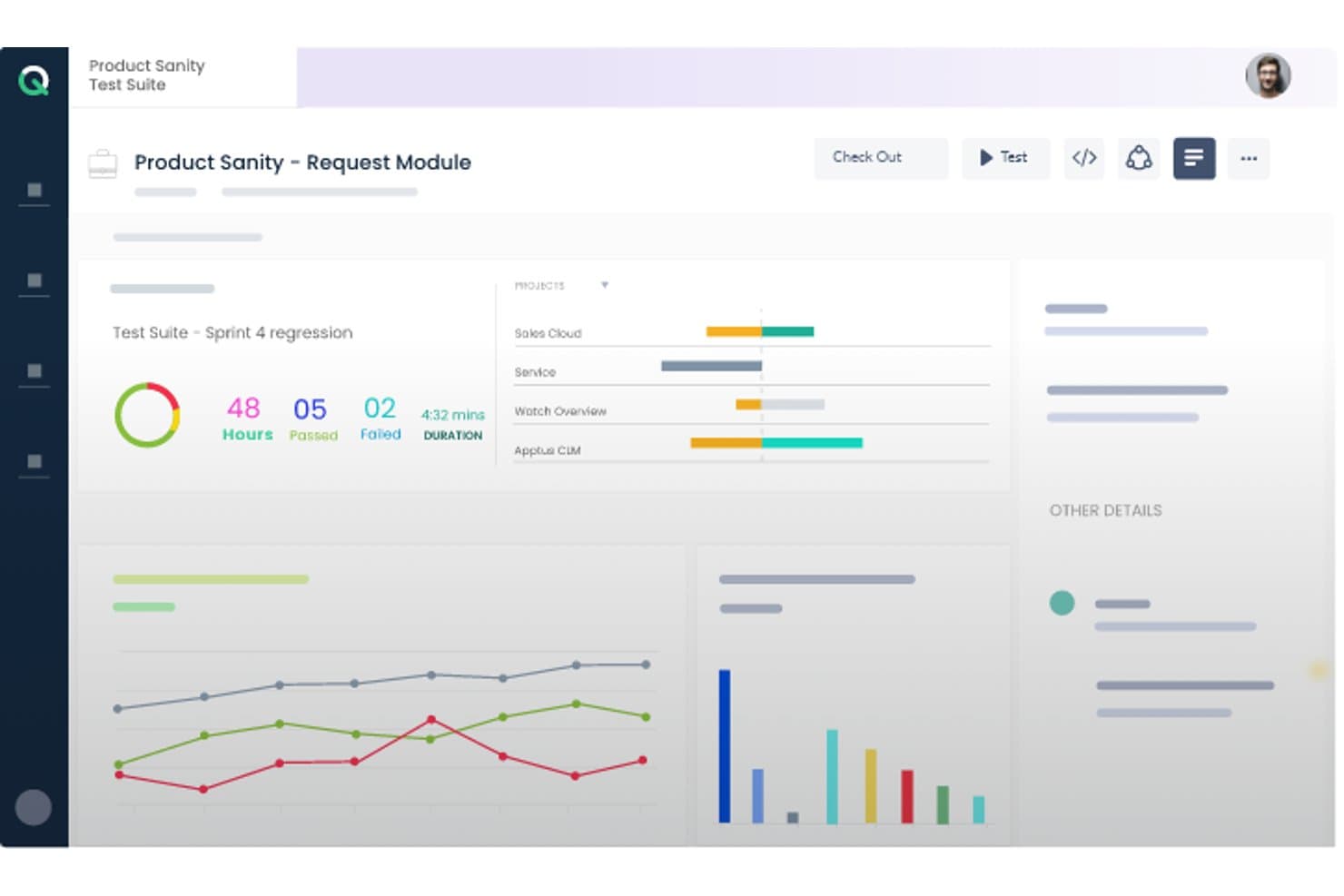
ACCELQ offers a test suite dashboard displaying sprint regression results with pass/fail metrics, project progress bars, and performance charts. ACCELQ is a cloud-native, codeless test automation platform that covers web, API, mobile, desktop, and packaged app testing in a unified environment, with built-in support for ERP systems like Salesforce, SAP, Workday, and ServiceNow.
Who Is ACCELQ Best For?
ACCELQ suits enterprise QA teams managing test automation across complex packaged app environments like Salesforce, SAP, Oracle, or Workday.
Why I Picked ACCELQ
I've included ACCELQ in my top picks because of how it handles packaged app testing out of the box. Its ACCELQ LIVE product ships with pre-built, codeless test assets for Salesforce, SAP, Workday, and ServiceNow, so my team isn't building automation from scratch when validating complex ERP workflows. I also like the locator-free identification engine, which pairs with self-healing automation to keep tests stable even as packaged app interfaces shift between release cycles.
ACCELQ Key Features
- Unified test management: Manage manual, web, API, mobile, desktop, and mainframe tests in a single platform.
- Cloud and on-premise execution: Run automation tests on cloud-hosted agents or deploy on your own infrastructure.
- Multi-level branching and version control: Organize test assets with robust branching, merging, and history tracking capabilities.
- Integrated Slack and Teams notifications: Automatically share test execution alerts and updates in team collaboration channels.
ACCELQ Integrations
ACCELQ offers native integrations with Jenkins, Jira, ClickUp, Bamboo, TeamCity, Slack, and Microsoft Teams, and provides an API for custom integrations.
Pros and Cons
Pros:
- Covers web, mobile, API, mainframe, and desktop
- Locator-free test design improves test stability
- Unique prebuilt automation for packaged ERP apps
Cons:
- Reporting features less advanced than some competitors
- Limited scripting flexibility for code-first users
Learn more about ACCELQ: Best for codeless test automation
- Free trial available
- From $199/month/year (minimum of 4 seats)
Visit WebsiteCustomer Rating:4.9/5
TestGrid automation dashboard showing test case results, including total successes, failures, and stops, with a performance trend graph over time. TestGrid is a versatile testing platform that brings a suite of tools to help you automate your web and mobile app testing. Designed to cater to a wide range of industries, it provides features that ensure your software is delivered efficiently.
I picked TestGrid because of its codeless automation feature that allows you to automate your tests without needing to write any code. This is particularly beneficial for teams that may not have extensive coding expertise. Another compelling reason is its real device testing capability, which ensures that your applications are tested on actual devices, reducing the chances of unexpected bugs when your software goes live. The platform supports cross-browser testing, allowing you to verify that your web applications work consistently across different browsers.
TestGrid's performance testing feature is another reason it stands out. It enables you to test the performance of your applications under various conditions, helping you identify potential bottlenecks before they affect your users. Additionally, the platform supports IoT testing, which is crucial if your application interacts with IoT devices. This ensures that your software performs well in the increasingly connected world we live in.
Features include automated visual testing, which helps you ensure that your application's user interface looks and behaves as expected across different devices and screen sizes. The platform also offers AI-powered testing assistance through CoTester, facilitating the generation and execution of tests. Furthermore, TestGrid provides performance testing capabilities, enabling you to simulate various load conditions to identify and rectify potential performance issues before they impact users.
Integrations include Jira, Slack, Microsoft Teams, Selenium IDE, Katalon, Ranorex, Tosca, WebDriverIO, TestComplete, Jenkins, CircleCI, and Azure Pipelines.
Learn more about TestGrid: Best for end-to-end tests for web applications
- 14-day free trial + free plan available
- From $99/month (billed annually)
Visit WebsiteCustomer Rating:4.8/5
BugBug lets you monitor key features of your web app by scheduling low-code automated tests. BugBug is an intuitive web automation tool that is designed to be easy to figure out without any preexisting programming knowledge. This test automation solution is used by companies like Brand24, Sellizer, Weglot, and many more.
BugBug bills themselves as being for startups, and their generous freemium plan indeed makes them an appropriate low-cost option for agile teams. They also have a scalable subscription model with custom enterprise pricing for larger companies.
Key features include the ability to create tests right within your browser without any coding; running tests either in your web browser or the cloud; the option to fix tests without re-recording; scheduling daily automated tests; and integration with your CI/CD pipelines.
BugBug integrates with GitHub, Jenkins, Travis CI, GitLab, BitBucket, and hundreds more options using Zapier (a paid plan may be required).
BugBug is free forever if you don’t use cloud features. You can run an unlimited number of tests in your own browser. Only schedule monitoring and CI/CD integration require a subscription, which starts at $99/month.
Learn more about BugBug: Best end-to-end testing solution with in-house QA experts for support
- Free demo available
- From 1¢/AI credit
Visit WebsiteCustomer Rating:4.9/5
QA Wolf offers fully managed end-to-end test coverage. QA Wolf is an end-to-end testing automation solution that comes with an expert team of QA engineers to write, run, and repeat all your critical tests. More than a tool, it is a service that takes the burden of in-house QA work off your shoulders. They are currently used by companies like Gumroad, MainStreet, Mailchimp, Replay, and Padlet.
QA Wolf works with you to build end-to-end tests that will take you to 80% coverage in under four months. During that time, you get full visibility over the progress as they build out your testing plan using Playwrite under the hood. The best part for me? The code they develop is yours, so you can take your code anywhere, even if that means away from QA Wolf.
Key features include end-to-end test coverage, a comprehensive test plan strategy, failure triaging and test maintenance, high-quality bug reports, fast parallel test run infrastructure, and an easy-to-use app for real-time status updates.
QA Wolf integrates with tools like Stripe, Salesforce, email providers, Auth0, SMS, Github, and even more options through their flexible API.
You can schedule a demo to find out more about pricing.
Learn more about QA Wolf: Best for automated visual testing
- Free trial available
- From $29/user/month (billed annually)
Visit WebsiteCustomer Rating:4.5/5
BrowserStack’s visual testing tool can handle asset discovery, screenshot rendering, and visual change detection. BrowserStack’s cloud platform allows QA teams to conduct comprehensive web and mobile testing. QAs can also verify the cross-browser compatibility of applications to deliver a unified end-user experience. With tests for functionality, performance, and visual appeal, BrowserStack helps developers send bug-free products to market faster.
Percy is BrowserStack’s automated visual testing product that development teams can integrate into their existing CI/CD pipeline. Visual testing allows QAs to catch visual regressions before they reach end-users. Percy makes this process easier with its ability to capture screenshots, make pixel-by-pixel comparisons to your UI’s baseline, and notify you of defects.
BrowserStack supports integrations with automation frameworks like Appium and Espresso. Software teams can also connect to popular CI/CD tools like Jenkins and Bamboo.
BrowserStack offers a variety of products with different pricing structures. New users can also sign up for a free trial.
Learn more about BrowserStack: Best for using AI to perform speedy automated UI testing
- Free trial available + free demo
- Pricing upon request
Visit WebsiteCustomer Rating:4.5/5
Testim users can capture screen recordings and tag failures to analyze test patterns. Testim is an end-to-end automation tool for web application testing. Designed for agile teams, Testim enables QAs to scale automation projects and write stable tests faster with the help of AI and machine learning.
Users can author tests in minutes with the help of Testim’s AI-based Smart Locators. These dynamic locators allow QAs to use multiple attributes to identify page elements, reducing the likelihood of a test breaking if an attribute changes.
Testim is fully customizable, making it easy for development teams to connect to CI tools like Jenkins and CircleCi. Tests can also run on any Selenium compatible grid.
Users have access to a free Community plan and Essential and Professional subscriptions. Custom pricing is available upon request.
Learn more about Tricentis Testim: Best for AI-driven test maintenance
- 14-day free trial + free demo available
- Pricing upon request
Visit WebsiteCustomer Rating:4.8/5
Reflect offers a no-code test automation interface for creating tests. Reflect is a web automation tool designed to make automated testing more accessible and efficient. It uses Generative AI to simplify the process, allowing you to create end-to-end tests without needing to write code.
One of the reasons I chose Reflect is its capability to adapt tests automatically with its AI engine. This means you don't have to worry about maintaining your tests when your application changes. Reflect also supports different testing types like visual, API, and data-driven testing, which helps in covering various aspects of your web application comprehensively.
I also like the way Reflect integrates into your existing workflow. With its support for CI/CD and issue tracking tools, you can easily incorporate it into your development pipeline.
Some integrations include Slack, Jira, Linear, Azure DevOps, Bitbucket, CircleCI, GitHub, Jenkins, and Codefresh.
Learn more about Reflect: Best for self healing tests
- 14-day free trial + free demo
- From $175/month
Visit WebsiteCustomer Rating:4.7/5
Endtest offers a comprehensive test automation feature that empowers users to create, execute, and manage automated tests with ease. Endtest is a cloud-based web automation tool that streamlines the software testing process by offering a codeless environment for creating, executing, and managing tests. With its intuitive interface and extensive range of features, Endtest enables users to effortlessly create and run automated tests across web, mobile, and desktop applications.
There are a few standout features that I think really set Endtest apart. The first is the codeless test creation. You can create complex tests without writing a single line of code, which is a huge time-saver. Endtest also provides the capability to record video during test execution, allowing users to visually capture the entire testing process for analysis and documentation purposes.
Endtest's self-healing tests are an advanced automation feature that proactively identifies and resolves issues during test execution. These tests exhibit autonomous anomaly detection and automatic corrective actions, ensuring uninterrupted test flow without human intervention.
Integrations include Jenkins, GitLab, SauceLabs, BrowserStack, Bamboo, Heroku, Bitbucket, TravisCI, CircleCI, TeamCity, Azure DevOps, and other similar apps.
Endtest costs from $175/month (1-5 parallel tests).
Learn more about Endtest: Best for writing stable automated test cases in plain English
- Free plan + 14-day free trial + free demo available
- Pricing upon request
Visit WebsiteCustomer Rating:4.8/5
testRigor supports a variety of plain English commands that testers can record using a Chrome extension. testRigor is a functional UI regression and exploratory testing solution. The system was designed to provide low-maintenance testing and uses AI to autonomously generate tests that reflect the behavior of end-users. QAs can also write tests in plain English, allowing anyone on your team to quickly build and understand test cases.
Tests can be recorded right from your browser with testRigor’s Chrome extension. You can quickly generate a test just by recording yourself using an application. No coding is required, and tests aren’t reliant on XPath, making them stable and easy to maintain.
testRigor offers integrations with TestRail, Git, Azure DevOps, CircleCI, and Jenkins.
Businesses can opt for a free open-source plan or private subscriptions starting at $900/month.
Learn more about testRigor:
Andre verktøy for nettautomatisering
Her er noen flere alternativer for verktøy for nettautomatisering som ikke kom med på kortlisten min, men som likevel er verdt å undersøke:
- 11Katalon StudioBest specialized IDE interface
- 12New RelicBest for data-driven Engineers
- 13AutifyBest AI-driven test automation built on Playwright
- 14MablBest automation tool for end-to-end API tests
- 15KobitonRun tests on hundreds of real devices in the cloud
- 16CucumberBest web testing tool for technical and business user collaboration
- 17Test CollabBest for automatic browser execution
- 18Parasoft SOAtestBest for automating API security testing using a built-in web app scanner
- 19IBM Rational Functional Tester (RFT)Best for automating functional, regression, and GUI testing
- 20SmartBear ReadyAPIBest entry point for API load and security tests
- 21AppiumBest open-source test automation framework for mobile apps
- 22Micro Focus Unified Functional Testing (UFT)Best for cross-browser coverage and cloud-based deployment
- 23testomat.ioBest for unified test management
- 24Telerik Test StudioBest web automation testing tool that integrates into QA workflows
- 25OwlityBest for autonomous test generation
How I Evaluate Web Automation Tools
I split every evaluation into baseline criteria a tool must clear and differentiators that separate a solid pick from the right pick for your team.
Core Functionality (Table Stakes For This List)
When I'm selecting tools for my list, I rank each one on a scale from 0 (does not offer the functionality) to 5 (excels in this area) for each core functionality listed below. I then calculate the tool's total score into a percentage, using 75% as a benchmark to help assess its overall fit for the list.
- Browser Automation Engine: I check whether a tool can drive Chrome, Firefox, Edge, and Safari with full DOM interaction, JavaScript execution, and shadow DOM access.
- Element Identification & Selectors: Reliable selectors make or break long-lived automations, so I evaluate CSS, XPath, image-based, and self-healing locator support across page redesigns.
- Workflow Building: I look for flexible authoring options—visual designers for business users, scripting SDKs for developers, and recorders that output clean, editable code.
- Scheduling & Headless Execution: Tools need to run unattended on a schedule, in headless mode, and ideally in parallel so teams can trigger regression suites from a CI pipeline overnight.
- Data Handling & Integrations: I evaluate how each tool reads and writes CSV, JSON, and database records, plus whether it connects to apps like Slack, Jira, or cloud storage via APIs.
- Error Handling & Reporting: Detailed logs, failure screenshots, retry logic, and run dashboards are what I look for to judge how quickly your team can diagnose a broken workflow.
Once I have a list of tools that meet the criteria, I consider what sets each platform apart.
Differentiating Factors (What Sets Vendors Apart)
Here's how I compare and contrast different vendors:
Standout Features
AI-powered self-healing is the first thing I evaluate because a single UI redesign can break hundreds of selectors overnight. Tools like Selenium or Playwright leave that repair work to you, while platforms such as Testim and mabl re-map locators automatically. I also check for a cloud browser and device grid, since maintaining local infrastructure for parallel cross-browser runs is a time sink most teams underestimate. Native CI/CD plugins matter just as much—I look for out-of-the-box connectors to Jenkins, GitHub Actions, or GitLab CI so automation fits directly into deployment pipelines without custom glue scripts.
Beyond Features
I look at total cost of ownership first, since open-source options like Selenium and Playwright carry zero license fees but demand infrastructure and maintenance budgets that rival commercial platforms. Skill requirements matter just as much—code-first tools need SDETs fluent in Python or JavaScript, while low-code platforms let business analysts own their own automations. I also check each vendor's native connector library for tools like Jira, ServiceNow, and Datadog, because custom integration work quietly burns sprint cycles.
Slik velger du et verktøy for nettautomatisering
Det er lett å gå seg vill i lange funksjonslister og komplekse prisstrukturer. For å hjelpe deg med å holde fokus mens du arbeider deg gjennom den unike prosessen din for valg av programvare, får du her en sjekkliste over faktorer du bør ha i bakhodet:
| Faktor | Hva du bør vurdere |
|---|---|
| FaktorSkalerbarhet | Hva du bør vurdereKan verktøyet håndtere veksten din? Sjekk om det støtter økende arbeidsmengder uten ytelsesproblemer. Se etter brukeranmeldelser og eksempler fra virkeligheten som dokumentasjon. |
| FaktorIntegrasjoner | Hva du bør vurdereSørg for at det kan kobles til de eksisterende appene dine. Bekreft kompatibilitet med teknologistakken din for å unngå avbrudd i arbeidsflyten. |
| FaktorTilpasningsmuligheter | Hva du bør vurdereGir det mulighet for tilpasning slik at det passer prosessene dine? Se etter alternativer for å endre arbeidsflyter og dashbord slik at de dekker teamets behov. |
| FaktorBrukervennlighet | Hva du bør vurdereEr det brukervennlig? Vurder læringskurven og utformingen av grensesnittet. Et verktøy som er enkelt for teamet ditt å ta i bruk, sparer tid og reduserer frustrasjon. |
| FaktorImplementering og oppstart | Hva du bør vurdereVurder hvor lang tid og hvilke ressurser som kreves for oppsettet. Hurtigstartveiledninger, opplæringsmateriell og kundestøtte kan gjøre oppstarten enklere for teamet ditt. |
| FaktorKostnad | Hva du bør vurdereSammenlign prisplaner og funksjoner. Finn ut om det holder seg innenfor budsjettet ditt uten ekstra skjulte kostnader. Se etter verdi, ikke bare lave priser. |
| FaktorSikkerhetstiltak | Hva du bør vurdereSe etter tiltak for databeskyttelse. Sørg for at det følger bransjestandarder for å holde informasjonen din trygg. |
| FaktorTilgjengelig kundestøtte | Hva du bør vurdereVurder hvilke alternativer du har for kundestøtte. Er hjelp tilgjengelig døgnet rundt? Ta hensyn til svartider og tilgang til kompetent personale når problemer oppstår. |
Trender innen verktøy for nettautomatisering
Verktøy for nettautomatisering har blitt sentrale hjelpemidler for å forbedre effektiviteten, påliteligheten og dekningen i testingen. En gjennomgang av nylige produktoppdateringer, pressemeldinger og utgivelseslogger fra ledende verktøy gir verdifull innsikt i dagens trender og den videre utviklingen innen teknologier for nettautomatisering:
Trender innen verktøy og teknologi for nettautomatisering
- Økt vektlegging av KI og maskinlæring: KI-baserte testautomatiseringsverktøy forbedrer oppretting, vedlikehold og analyse av tester, slik at testene blir smartere og mer tilpasningsdyktige til endringer i nettapplikasjonen.
- Bevis: Forbedrede funksjoner for automatisk generering og optimalisering av testtilfeller basert på brukerinteraksjoner og endringer i applikasjonen.
- Overgang til kodefri automatisering: Fremveksten av kodefrie automatiseringsfunksjoner gjør det mulig for brukere med begrensede programmeringskunnskaper å opprette og kjøre tester, noe som demokratiserer testing og utvider bruken i organisasjoner.
- Bevis: Introduksjon av intuitive dra-og-slipp-grensesnitt og forhåndsbygde maler for oppretting av tester.
- Avansert integrasjon med DevOps- og CI/CD-pipelines: Sømløs integrasjon med CI/CD-verktøy har blitt mer sofistikert, slik at automatiserte tester kan kjøres som en del av prosessen for kontinuerlig integrasjon og levering.
- Bevis: Programtillegg og API-er som kobler nettautomatiseringsverktøy direkte til CI/CD-pipelines, og legger til rette for testing og tilbakemeldinger i sanntid.
Funksjoner i rask utvikling
- Samarbeid og rapportering i sanntid: Verktøy tilbyr nå funksjoner som støtter samarbeid i sanntid mellom teammedlemmer og gir umiddelbar tilgang til testresultater og analyser.
- Bevis: Delte kontrollpaneler, direkteoppdateringer og integrerte kommunikasjonsverktøy som effektiviserer teamsamarbeid og beslutningstaking.
- Forbedret testing på tvers av nettlesere og plattformer: Muligheten til å teste på tvers av flere nettlesere og plattformer samtidig er blitt betydelig forbedret, noe som sikrer omfattende testdekning.
- Bevis: Skybaserte testmiljøer som gir tilgang til et stort utvalg kombinasjoner av nettlesere og operativsystemer.
Ny og uvanlig funksjonalitet
- Testing i miljøer for virtuell og utvidet virkelighet: Enkelte verktøy begynner å støtte testing av nettapplikasjoner for VR og AR, og håndterer de unike utfordringene ved disse fremvoksende teknologiene.
- Bevis: Simulerte miljøer for VR- og AR-applikasjoner som gjør det mulig for testere å samhandle med og teste tredimensjonale grensesnitt.
De viktigste og mest etterspurte funksjonene
- Skalerbarhet og fleksibilitet: Etterspørselen etter verktøy som kan skaleres i takt med prosjektet og tilby fleksible testalternativer, fortsetter å øke og dekker prosjekter av alle størrelser.
- Bevis: Skybaserte løsninger som lar team skalere testinnsatsen opp eller ned basert på aktuelle behov.
Funksjoner som blir mindre viktige
- Manuell oppretting av testskript: Etter hvert som automatisering og KI-funksjoner utvikler seg, blir behovet for å skrive testskript manuelt mindre, og team foretrekker automatiserte eller kodefrie alternativer.
- Bevis: En overgang til KI-genererte skript og en reduksjon i manuelt skriptarbeid.
For programvaretestere innen kvalitetssikring er det avgjørende å holde seg orientert om denne utviklingen for å ta i bruk de nyeste teknologiene, effektivisere testprosessene, forbedre programvarekvaliteten og møte de høye kravene i dagens raske programvareleveranser. Fremtiden for nettautomatisering ligger i å utnytte KI, ta i bruk kodefri automatisering og øke åpenheten gjennom automatiserte rapporteringsverktøy, noe som markerer en betydelig endring i hvordan testing tilnærmes og gjennomføres.
Hva er nettautomatiseringsverktøy?
Nettautomatiseringsverktøy er programvare som automatiserer oppgaver og prosesser i nettlesere eller nettapplikasjoner. De utfører handlinger som å navigere på nettsteder, klikke på knapper, fylle ut skjemaer og hente ut data. Disse verktøyene brukes i ulike sammenhenger, blant annet til automatisert testing av nettapplikasjoner, nettskraping og automatisering av repetitive oppgaver.
Funksjoner
Når du velger nettautomatiseringsverktøy, bør du se etter følgende viktige funksjoner:
- Oppgaveplanlegging: Automatiserer repetitive oppgaver med angitte intervaller, slik at tid frigjøres til viktigere arbeid.
- Datainnhenting: Samler inn og behandler data fra nettsteder, noe som gjør analysen raskere og mer nøyaktig.
- Appintegrasjon: Kobler seg til eksisterende apper for å effektivisere arbeidsflyten og redusere manuell inntasting.
- Tilpassbare arbeidsflyter: Gjør det mulig for brukere å tilpasse prosesser etter spesifikke forretningsbehov, slik at de bedre samsvarer med målene.
- Brukervennlig grensesnitt: Forenkler navigeringen og reduserer læringskurven, slik at løsningen blir tilgjengelig for alle teammedlemmer.
- Sikkerhetstiltak: Beskytter data med sikkerhetstiltak i tråd med bransjestandarder, slik at informasjonen forblir trygg.
- Skalerbarhet: Støtter økende arbeidsmengder og håndterer virksomhetens vekst uten ytelsesproblemer.
- Opplæring og støtte: Tilbyr ressurser som veiledninger og direkte kundestøtte for å forenkle oppstarten og hjelpe brukerne med å få størst mulig utbytte av verktøyet.
Fordeler
Ved å ta i bruk verktøy for nettautomatisering får teamet og virksomheten flere fordeler. Her er noen du kan se frem til:
- Tidsbesparelser: Automatisering av repetitive oppgaver reduserer tiden som brukes på manuelt arbeid, slik at teamet kan konsentrere seg om strategiske aktiviteter.
- Økt nøyaktighet: Datainnhenting og -behandling reduserer menneskelige feil, noe som gir mer pålitelige resultater.
- Økt produktivitet: Appintegrasjon og tilpassbare arbeidsflyter forbedrer effektiviteten ved å skape smidigere prosesser.
- Skalerbarhet: Muligheten til å håndtere økende arbeidsmengder sikrer at verktøyene vokser i takt med virksomheten uten problemer.
- Forbedret sikkerhet: Sikkerhetstiltak beskytter sensitiv informasjon og gir deg trygghet.
- Bedre beslutningstaking: Ressurser for opplæring og støtte hjelper teamet med å ta informerte valg om hvordan verktøyene kan brukes best mulig.
- Kostnadseffektivitet: Redusert manuelt arbeid og færre feil kan føre til betydelige kostnadsbesparelser over tid.
Kostnader og priser
Når du velger verktøy for nettautomatisering, må du ha en forståelse av de ulike prismodellene og abonnementene som er tilgjengelige. Kostnadene varierer basert på funksjoner, teamstørrelse, tillegg og mer. Tabellen nedenfor oppsummerer vanlige abonnementer, gjennomsnittsprisene deres og typiske funksjoner som er inkludert i løsninger for nettautomatisering:
Sammenligningstabell for planer for verktøy for nettautomatisering
| Plantype | Gjennomsnittspris | Vanlige funksjoner |
|---|---|---|
| PlantypeGratisplan | Gjennomsnittspris$0 | Vanlige funksjonerGrunnleggende oppgaveautomatisering, begrensede appintegrasjoner og støtte fra brukerfellesskapet. |
| PlantypePersonlig plan | Gjennomsnittspris$5-$25/user/month | Vanlige funksjonerOppgaveplanlegging, datainnhenting, flere appintegrasjoner og grunnleggende rapportering. |
| PlantypeForretningsplan | Gjennomsnittspris$30-$75/user/month | Vanlige funksjonerAvansert tilpasning av arbeidsflyter, forbedrede sikkerhetsfunksjoner, prioritert støtte og detaljert analyse. |
| PlantypeVirksomhetsplan | Gjennomsnittspris$100+/user/month | Vanlige funksjonerUbegrensede integrasjoner, dedikert kontoadministrasjon, støtte for overholdelse av regelverk og tilpassede løsninger for oppstart. |
Vanlige spørsmål om verktøy for nettautomatisering
Her er noen svar på vanlige spørsmål om verktøy for nettautomatisering:
Hvordan velger jeg mellom kodebaserte og kodefrie verktøy for nettautomatisering?
Du bør tenke på teamets tekniske ferdigheter, hvor kompleks applikasjonen din er, og hvor mye kontroll sammenlignet med bekvemmelighet du ønsker. Kodebaserte verktøy gir deg større fleksibilitet og detaljert kontroll (særlig for uvanlige tilfeller), mens kodefrie verktøy gjør det raskere å komme i gang og lar ikke-utviklere bidra. Vurder også hvordan hvert verktøy håndterer vedlikehold, versjonsstyring, feilsøking og integrasjoner med den eksisterende infrastrukturen din.
Hvordan skalerer verktøy for nettautomatisering når appen din har mange mikrotjenester eller innebygd tredjepartsinnhold?
Du bør velge verktøy som tillater parallell kjøring, distribuerte testkjørere og isolering av avhengigheter (for eksempel simulering eller bruk av testdobler for tjenester). De bør også støtte kontekstbytte (for eksempel bytte mellom domener eller iframer). Bruk miljømerking slik at du kan kjøre delsett av testene (hurtigtester og regresjonstester) og unngå komplette testserier hver gang.
Hvilke risikoer eller begrensninger bør jeg forvente selv med et godt verktøy for nettautomatisering?
Automatisering kan ikke fange opp alt — problemer med brukeropplevelsen eller visuelle feil kan slippe gjennom. Tester kan bli sårbare over tid etter hvert som appen utvikler seg. Verktøy støtter kanskje heller ikke uvanlig nettleseratferd eller spesielle tilfeller fullt ut. Til slutt kan enkelte automatiseringsverktøy medføre begrensninger knyttet til lisensiering, skalering eller leverandørbinding. Sørg for å sette av budsjett til løpende investeringer.
Hvilke måltall bør jeg følge med på for å evaluere et verktøy for nettautomatisering i praksis?
Se på feilfrekvens (hvor ofte tester blir ustabile eller slutter å fungere), vedlikeholdsarbeid (antall timer per måned som brukes på å reparere skript), kjøringshastighet (tid per testkjøring), dekning (prosentandelen av kritiske brukerflyter som er automatisert) og integrasjonens suksessrate (hvor smidig det fungerer med CI/CD-, rapporterings- og varslingssystemene dine). Mål også «tid til en ny bruker eller tester er klar» som et brukervennlighetsmål.