


monday service vs. Jira Service Management: Recensione 2026
Non riesci a scegliere tra monday service e Jira Service Management? Scopri l'opinione degli esperti, il feedback degli utenti e il confronto delle funzionalità per aiutarti a decidere lo strumento di gestione del lavoro più efficiente.

Recensiamo gli strumenti in modo indipendente e le commissioni ci aiutano a finanziare i nostri test. Consulta la nostra politica sulla trasparenza, la nostra metodologia, oppure suggerisci uno strumento.
monday service offre una piattaforma dinamica per gestire i processi di lavoro e migliorare la collaborazione tra i team.
Jira Service Management, invece, è pensato per ottimizzare la gestione dei servizi IT e snellire la risoluzione dei problemi.
Sebbene entrambi gli strumenti forniscano soluzioni solide per la gestione di attività e progetti, monday service punta su flessibilità e personalizzazione, mentre Jira Service Management spicca nella gestione IT e dei servizi.
In questo articolo esamineremo nel dettaglio un confronto tra questi software di gestione del lavoro, analizzando funzionalità, vantaggi e svantaggi, e prezzi per aiutarti a scegliere consapevolmente in base alle esigenze del tuo team.
monday service
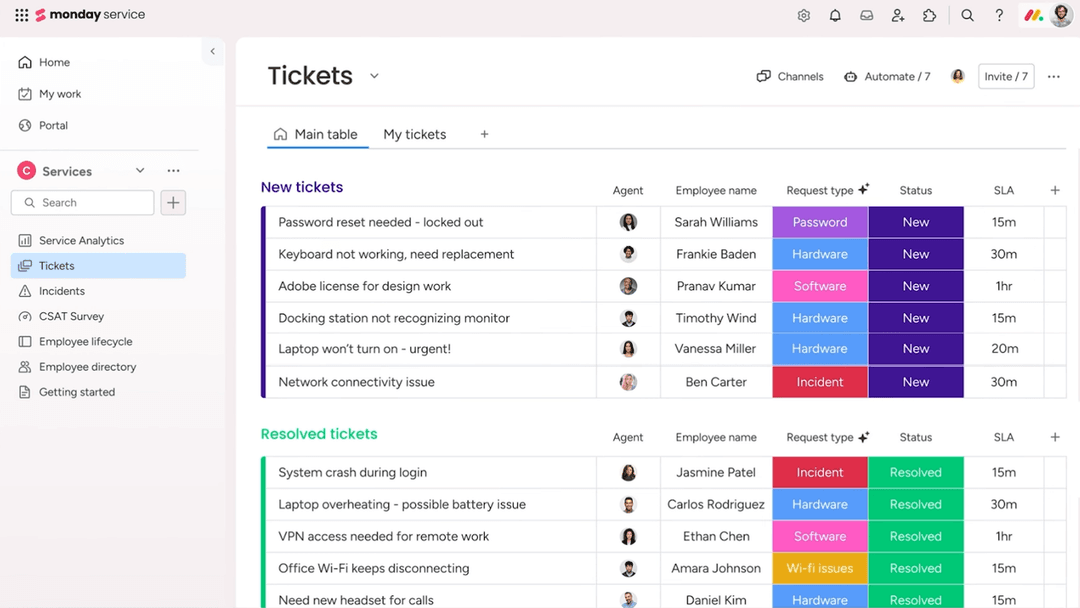
4.6/5
- 14-day free trial
- From $9/seat/month (billed annually)
Jira Service Management


4/5
- Free plan + 14-day free trial available
- From $25/user/month
Perché fidarsi dei nostri consigli sui software
6,700+
Reviews
20
Industry experts
16+
Evaluation factors
14
Years
Il nostro team testa e recensisce software dal 2012. In quanto leader tecnologici noi stessi, sappiamo quanto sia difficile — e importante — scegliere il software giusto.
Per questa guida, abbiamo valutato gli strumenti attraverso test praticie ricerche indipendenti, assegnando un punteggio agli strumenti in base ai nostri criteri di selezione.
Le nostre recensioni riflettono il nostro giudizio editoriale umano, non un discorso di vendita.
Revisori esperti:
- Paulo Gardini MiguelDirettore tecnico
 Tim FisherVP dell'IA
 Gabriel RosasTech Lead e architetto software
 Christhian GruhnTech Lead e architetto della piattaforma

| monday service | Jira Service Management | |
|---|---|---|
| Free Trial | 14-day free trial | Free plan + 14-day free trial available |
| Pricing | From $9/seat/month (billed annually) | From $25/user/month |
Prezzi e Costi Nascosti di monday service vs. Jira Service Management
Il prezzo di monday service si basa su un modello di abbonamento a livelli, che può includere costi aggiuntivi per funzionalità premium e integrazioni.
Anche il prezzo di Jira Service Management segue un approccio a livelli, ma potrebbe comportare costi extra per supporto avanzato e componenti aggiuntivi.
In qualità di CTO, valuta i prezzi di ciascuno strumento individuando le esigenze specifiche del tuo team e il potenziale di crescita, così da scegliere un fornitore che sia in linea non solo con il budget attuale, ma anche con i tuoi obiettivi strategici a lungo termine.
Con le capacità di integrazione di monday service puoi ridurre i passaggi tra le varie applicazioni collegando diversi strumenti, il che lo rende ideale per gestire flussi di lavoro eterogenei del team.
La funzione avanzata di road-mapping di Jira Service Management è ottima per pianificare e monitorare progetti a lungo termine, in particolare negli ambienti di servizi IT.
Mentre monday service brilla per flessibilità e connettività, Jira Service Management è impareggiabile nella pianificazione e nell’esecuzione strutturata dei progetti.
| monday service | Jira Service Management | |
|---|---|---|
| Analytics | Yes | Yes |
| API | Yes | Yes |
| Call Integration | No | Yes |
| Chat | No | Yes |
| Contact Management | Yes | Yes |
| CRM Integration | No | Yes |
| Customer Management | Yes | Yes |
| Data Export | Yes | Yes |
| Data Import | Yes | Yes |
| Email Integration | No | Yes |
| External Integrations | Yes | Yes |
| Instant Chat Integration | No | Yes |
| Knowledge Base | Yes | Yes |
| Multi-User | No | Yes |
| Notifications | Yes | Yes |
| Real-time Alerts | Yes | Yes |
| Self-service Portal | Yes | Yes |
| Social Media Integration | No | Yes |
| Support Forum | No | Yes |
| Ticket Management | Yes | Yes |
| Workflow Management | Yes | Yes |
| Integrazione | monday service | Jira Service Management |
| Slack | ✅ | ✅ |
| Microsoft Teams | ✅ | ✅ |
| Google Workspace | ✅ | ✅ |
| Salesforce | ✅ | ✅ |
| Trello | ✅ | ❌ |
| GitHub | ❌ | ✅ |
| Zendesk | ✅ | ✅ |
| ServiceNow | ❌ | ✅ |
| HubSpot | ✅ | ❌ |
| Asana | ✅ | ❌ |
| API | ✅ | ✅ |
| Zapier | ✅ | ✅ |
Grazie all'integrazione di monday service con Trello, puoi gestire e sincronizzare facilmente le attività tra le piattaforme, rendendolo ideale per i team che utilizzano diversi strumenti di project management. L'integrazione di Jira Service Management con GitHub è perfetta per i team di sviluppo, consentendo il monitoraggio fluido delle modifiche al codice insieme ai ticket di progetto.
Se monday service eccelle in flessibilità grazie a strumenti come Trello, Jira Service Management offre integrazioni approfondite con piattaforme orientate allo sviluppo come GitHub.
| Fattore | monday service | Jira Service Management |
| Riservatezza dei dati | monday service offre conformità al GDPR con solide misure di protezione dei dati come consenso dell’utente e crittografia dei dati. | Jira Service Management garantisce la riservatezza dei dati attraverso la conformità al GDPR e controlli personalizzabili di accesso ai dati. |
| Crittografia | monday service utilizza la crittografia SSL/TLS per proteggere i dati in transito e AES-256 per i dati archiviati. | Jira Service Management impiega la crittografia SSL/TLS per i dati in transito e a riposo, garantendo comunicazioni sicure. |
| Conformità normativa | monday service rispetta standard come ISO 27001, offrendo un approccio strutturato alla protezione dei dati. | Jira Service Management rispetta vari standard di conformità, tra cui SOC 2 e ISO 27001, per una sicurezza completa. |
| Affidabilità | monday service assicura l’operatività tramite sistemi ridondanti e monitoraggio in tempo reale. | Jira Service Management garantisce affidabilità attraverso un’architettura ad alta disponibilità e monitoraggio continuo. |
Jira Service Management generalmente offre certificazioni di conformità più complete rispetto a monday service.
Come CTO, valuta ogni strumento esaminando le sue certificazioni di conformità e i suoi standard di crittografia, assicurandoti che siano in linea con le policy di sicurezza e i requisiti normativi della tua organizzazione.
| Fattore | monday service | Jira Service Management |
| Interfaccia utente | monday service offre un’interfaccia visivamente intuitiva con dashboard personalizzabili e funzionalità drag-and-drop. | Jira Service Management propone un’interfaccia più complessa, pensata per professionisti IT, con opzioni di configurazione dettagliate. |
| Esperienza di onboarding | monday service semplifica l’onboarding con tutorial guidati e un processo di configurazione user-friendly. | Jira Service Management presenta una curva di apprendimento più ripida, con documentazione approfondita e risorse di formazione. |
| Configurazione | monday service consente una configurazione rapida tramite modelli predefiniti per vari flussi di lavoro. | Jira Service Management richiede una configurazione più articolata per personalizzare i flussi di lavoro per l’IT service management. |
| Supporto | monday service offre supporto 24/7 tramite live chat e una knowledge base molto ampia. | Jira Service Management propone supporto completo con documentazione dettagliata e forum della community. |
monday service è più facile da navigare grazie al design intuitivo e alla configurazione rapida, risultando ideale per i team che cercano semplicità. Tuttavia, la configurazione dettagliata e il supporto avanzato di Jira Service Management lo rendono più adatto ai team IT che necessitano di personalizzazione e controllo avanzati.
monday service
- You can customize workflows to suit your team's specific needs.
- Visual project tracking makes it easy for your team to stay on top of tasks.
- Automation features save your team time on repetitive tasks.
- The initial setup can be overwhelming if your team isn't tech-savvy.
- Advanced features require a learning curve for your team.
- Some users find the mobile app less intuitive than the desktop version.
Jira Service Management
- Highly customizable workflows, automations, forms, and service processes.
- Deep integration with the Atlassian ecosystem and development tools.
- Strong incident management, on-call scheduling, and alerting capabilities.
- Steeper learning curve for administrators and new users.
- Configuration and ongoing administration can become time-consuming.
- Best experience often depends on broader Atlassian adoption.
monday service
- Tech Startupsmonday service's customizable workflows fit perfectly with your agile project management needs.
- Marketing TeamsVisual boards make tracking campaigns easy for your team, enhancing collaboration and oversight.
- Creative AgenciesAutomation features save your team time on repetitive tasks, allowing more focus on creative work.
- Product DevelopmentYou can manage complex product roadmaps with visual tracking and task dependencies.
- Remote TeamsCentralized communication and task management keep your remote team connected and productive.
- HR DepartmentsStreamlined onboarding processes and workflow automation simplify your team's HR tasks.
Jira Service Management
- Large EnterprisesIt provides the scalability and comprehensive tools needed for managing extensive service operations.
- Atlassian Ecosystem UsersIf you're already using tools like Jira Software, Confluence, or Bitbucket, it integrates seamlessly into your existing workflows.
- On-Premise or Data Center EnvironmentsSupports organizations that require on-premise or self-managed deployments for compliance or infrastructure control.
- DevOps and Engineering TeamsNative connections to Jira Software, Bitbucket, and development workflows help bridge IT operations and software delivery.
- Highly Customizable Workflow Needs (JQL Users)Ideal for teams that need granular control and are comfortable using JQL and advanced configurations to tailor the platform.
- IT DepartmentsYour IT team can leverage its robust incident management features to resolve issues swiftly.
Chi dovrebbe usare monday service e chi dovrebbe usare Jira Service Management?
Secondo me, monday service o un'altra alternativa a Jira Service Management è perfetta per i team creativi e le aziende che danno valore alla flessibilità e a un’interfaccia visivamente accattivante. È ideale per chi deve gestire progetti diversi senza perdersi nella complessità.
Dal mio punto di vista, Jira Service Management è la soluzione migliore per i team IT e le organizzazioni che necessitano di capacità avanzate di gestione dei servizi e una personalizzazione dettagliata dei flussi di lavoro. Se il tuo team si occupa principalmente di IT service management e necessita di funzionalità avanzate, Jira Service Management è la scelta giusta.
| monday service | Jira Service Management | |
|---|---|---|
| Automation | monday service monday service provides simple automation for task management and notifications. | Jira Service Management Jira Service Management offers advanced automation suited for IT operations and incident management. |
| Integrations | monday service monday service excels in integrations with tools like Trello and HubSpot. | Jira Service Management Jira Service Management integrates deeply with development tools like GitHub and ServiceNow. |
| Onboarding | monday service monday service is known for its quick and easy onboarding process with guided tutorials. | Jira Service Management Jira Service Management has a more involved onboarding process with comprehensive documentation. |
| Pricing Model | monday service monday service uses a tiered subscription model with potential additional costs for premium features. | Jira Service Management Jira Service Management also uses a tiered model, but may include extra charges for advanced support. |
| User Interface | monday service monday service offers a visually appealing, intuitive interface with customizable dashboards. | Jira Service Management Jira Service Management provides a more complex interface tailored for detailed IT workflows. |
| Automation | monday service and Jira Service Management both offer automation to streamline repetitive tasks, with monday service providing straightforward task automation and Jira offering more complex automation for IT processes. |
|---|---|
| Collaborative Tools | Both solutions include collaborative features like real-time updates and comments, enhancing team communication, with monday service providing a more visual approach and Jira focusing on IT service collaboration. |
| Customizable Workflows | Both monday service and Jira Service Management allow you to create custom workflows to fit your team's specific needs, with monday service offering visual customization and Jira providing detailed configuration options. |
| Integrations | Both platforms support a wide range of integrations, with monday service focusing on tools like Slack and Google Workspace, while Jira Service Management integrates with IT-focused tools such as Microsoft Teams. |
| Security | monday service and Jira Service Management adhere to high security standards, including data encryption and compliance with international regulations like GDPR, ensuring your data is protected. |