

Esistono apparentemente innumerevoli strumenti di automazione web, quindi capire quale sia il migliore per te può essere difficile. Vuoi automatizzare le azioni all'interno di un browser web o di un'applicazione web, ma devi capire quale strumento sia più adatto alle tue esigenze. Ci penso io! In questo articolo semplifico le cose, sfruttando la mia esperienza nell'utilizzo di decine di diversi software di automazione web per offrirti questo elenco dei migliori strumenti di automazione web.
Perché fidarsi dei nostri consigli sui software
6,700+
Reviews
20
Industry experts
16+
Evaluation factors
14
Years
Il nostro team testa e recensisce software dal 2012. In quanto leader tecnologici noi stessi, sappiamo quanto sia difficile — e importante — scegliere il software giusto.
Per questa guida, abbiamo valutato gli strumenti attraverso test praticie ricerche indipendenti, assegnando un punteggio agli strumenti in base ai nostri criteri di selezione.
Le nostre recensioni riflettono il nostro giudizio editoriale umano, non un discorso di vendita.
Revisori esperti:
- Paulo Gardini MiguelDirettore tecnico
 Tim FisherVP dell'IA
 Gabriel RosasTech Lead e architetto software
 Christhian GruhnTech Lead e architetto della piattaforma

Tabella comparativa degli strumenti di automazione web
Questa tabella comparativa riassume i dettagli sui prezzi dei migliori strumenti di automazione web che ho selezionato:
| Tool | Best For | Trial Info | Price | ||
|---|---|---|---|---|---|
| 1 | Il migliore per la generazione autonoma di test ad ogni PR | Prova gratuita di 30 giorni | Prezzi su richiesta | Website | |
| 2 | Ideale per l'automazione delle app pacchettizzate nei team QA aziendali | Prova gratuita di 14 giorni + demo gratuita disponibile | Prezzo su richiesta | Website | |
| 3 | Ideale per l'automazione dei test senza codice | Prova gratuita disponibile | Da $199/mese/anno (minimo 4 utenti) | Website | |
| 4 | Ideale per test end-to-end di applicazioni web | Prova gratuita di 14 giorni + piano gratuito disponibile | Da $189/mese (fatturato annualmente) | Website | |
| 5 | La migliore soluzione per il testing end-to-end con esperti QA interni di supporto | Demo gratuita disponibile | Prezzi su richiesta | Website | |
| 6 | Ideale per test visivi automatizzati | Prova gratuita disponibile | Da $39/utente/mese (fatturazione annuale) | Website | |
| 7 | Ideale per utilizzare l'IA nei test automatici rapidi dell'interfaccia utente | Prova gratuita disponibile + demo gratuita | Prezzo su richiesta | Website | |
| 8 | Ideale per la manutenzione dei test guidata dall’IA | Prova gratuita di 14 giorni | Da $212/mese | Website | |
| 9 | Ideale per test autoriparanti | Prova gratuita di 14 giorni + demo gratuita | Da $175/mese | Website | |
| 10 | Ideale per scrivere casi di test automatizzati stabili in inglese semplice | Accesso open-source gratuito disponibile + prova gratuita di 14 giorni | Prezzi su richiesta | Website |


Recensioni dei migliori strumenti di automazione web
Di seguito trovi le mie sintesi dettagliate dei migliori strumenti di automazione web inclusi nel mio elenco. Le mie recensioni offrono uno sguardo approfondito sulle funzionalità principali, i pro e i contro, le integrazioni e i casi d’uso ideali di ogni strumento, per aiutarti a trovare quello più adatto a te.
 Il migliore per la generazione autonoma di test ad ogni PR
- Prova gratuita di 30 giorni
- Prezzi su richiesta

Checksum.ai visualizza le prestazioni dei test web automatizzati con report in tempo reale su tassi di successo, bug e test da revisionare. Checksum è uno strumento di automazione web potenziato dall'intelligenza artificiale progettato per il testing end-to-end, la generazione autonoma di test e l'integrazione senza interruzioni con i flussi di lavoro CI/CD.
Per chi è più adatto Checksum?
Checksum è adatto a team di ingegneri e specialisti QA in aziende tecnologiche che hanno bisogno di test web automatizzati integrati nei loro flussi di lavoro di sviluppo.
Perché ho scelto Checksum
Ho scelto Checksum come uno dei migliori perché genera automaticamente test end-to-end per ogni pull request, il che significa che il mio team non deve mai scrivere o aggiornare manualmente i test. Mi piace come utilizza l'IA per analizzare le modifiche al codice e creare istantaneamente casi di test pertinenti. In pratica, questo significa che individuiamo le regressioni tempestivamente e manteniamo la copertura dei test aggiornata senza sforzo aggiuntivo.
Caratteristiche principali di Checksum
- Editore visivo dei test: Crea e modifica i flussi di test utilizzando un'interfaccia drag-and-drop.
- Integrazione con pipeline CI/CD: Si collega direttamente con i tuoi strumenti CI/CD esistenti per l'esecuzione automatica dei test.
- Debug con intelligenza artificiale: Identifica e spiega i fallimenti dei test con indicazioni operative.
- Controllo accessi basato su ruoli: Gestisci permessi e accessi per i diversi membri del team.
Integrazioni di Checksum
Checksum offre oltre 15 integrazioni native, tra cui GitHub, GitLab, Slack, Microsoft Teams, Discord, Google Chat, Playwright, Cypress, Jenkins e CircleCI. Fornisce anche webhook, supporta l'autenticazione tramite GitHub, Google e Microsoft OAuth, e dispone di un'API per integrazioni personalizzate.
Pros and Cons
Pros:
- Certificato SOC 2 e ISO 27001 per la conformità
- L'editor visivo dei test supporta flussi di lavoro complessi
- Il debugging con IA individua rapidamente i fallimenti dei test
Cons:
- Supporto ai browser limitato rispetto ad alcuni concorrenti
- Manca l'integrazione nativa con Salesforce
Learn more about Checksum: Ideale per l'automazione delle app pacchettizzate nei team QA aziendali
- Prova gratuita di 14 giorni + demo gratuita disponibile
- Prezzo su richiesta
Visit WebsiteCustomer Rating:4.8/5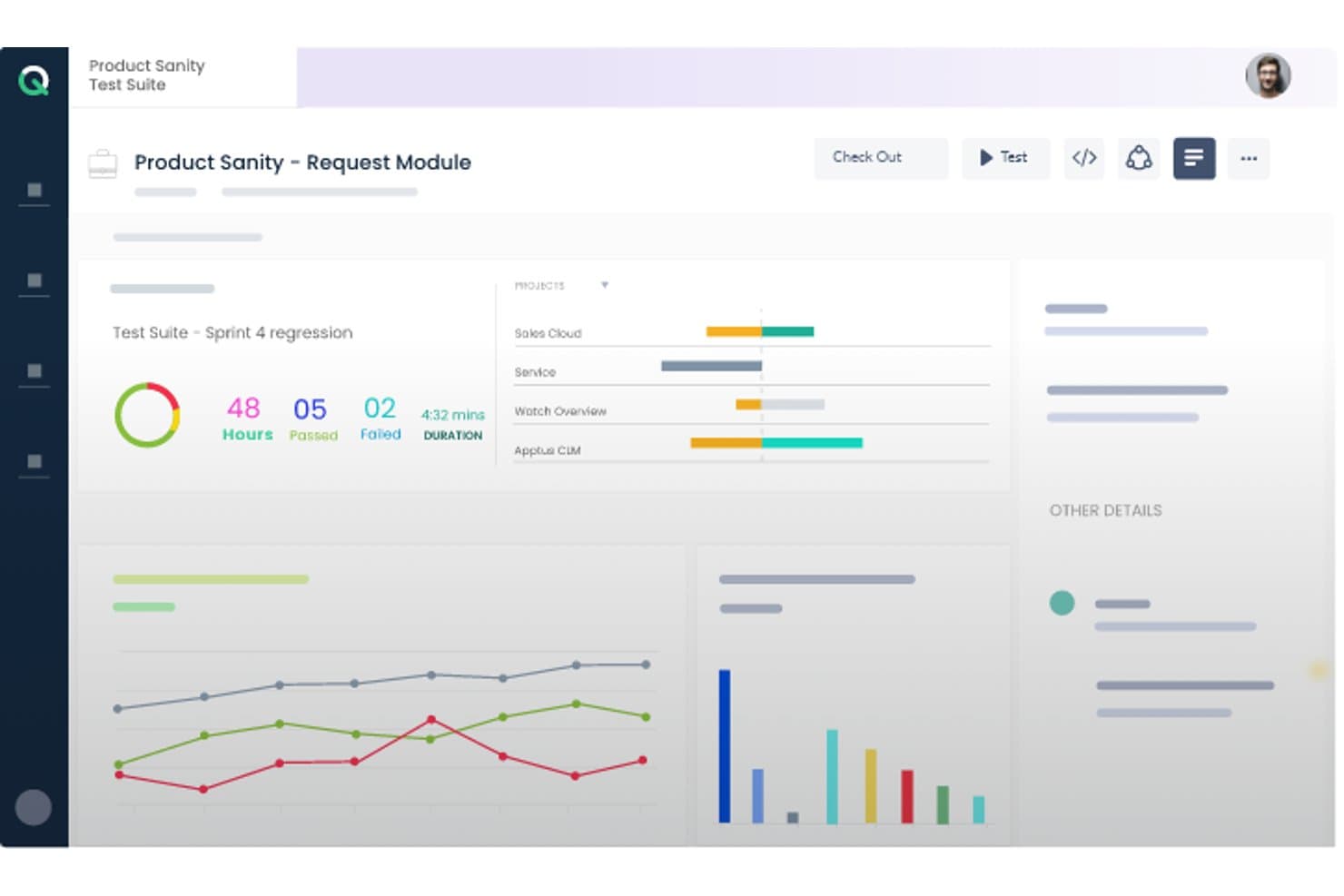
ACCELQ offre una dashboard della suite di test che mostra i risultati della regressione dello sprint con metriche di superamento/fallimento, barre di avanzamento del progetto e grafici delle prestazioni. ACCELQ è una piattaforma cloud-native di automazione dei test senza codice che copre test su web, API, mobile, desktop e applicazioni pacchettizzate in un ambiente unificato, con supporto integrato per sistemi ERP come Salesforce, SAP, Workday e ServiceNow.
Per chi è più indicato ACCELQ?
ACCELQ è ideale per i team QA aziendali che gestiscono l'automazione dei test in ambienti complessi di applicazioni pacchettizzate come Salesforce, SAP, Oracle o Workday.
Perché ho scelto ACCELQ
Ho incluso ACCELQ tra le mie scelte migliori per come gestisce i test delle applicazioni pacchettizzate già pronti all'uso. Il prodotto ACCELQ LIVE viene fornito con asset di test senza codice preconfigurati per Salesforce, SAP, Workday e ServiceNow, così il mio team non deve creare l'automazione da zero durante la validazione di workflow ERP complessi. Apprezzo anche il motore di identificazione senza localizzatore, che si abbina all'automazione auto-riparante per mantenere stabili i test anche quando le interfacce delle app pacchettizzate cambiano tra i cicli di rilascio.
Caratteristiche principali di ACCELQ
- Gestione unificata dei test: Gestisci test manuali, web, API, mobile, desktop e mainframe su un'unica piattaforma.
- Esecuzione cloud e on-premise: Esegui test di automazione su agenti in cloud o distribuiscili sulla tua infrastruttura.
- Branching multilivello e controllo versione: Organizza gli asset di test con funzionalità di branching, merging e tracciamento della cronologia robuste.
- Notifiche integrate Slack e Teams: Condividi automaticamente avvisi e aggiornamenti sull'esecuzione dei test nei canali di collaborazione del team.
Integrazioni ACCELQ
ACCELQ offre integrazioni native con Jenkins, Jira, ClickUp, Bamboo, TeamCity, Slack e Microsoft Teams, e offre una API per integrazioni personalizzate.
Pros and Cons
Pros:
- Automazione unica preconfigurata per app ERP pacchettizzate
- Il design dei test senza localizzatore migliora la stabilità dei test
- Coprire web, mobile, API, mainframe e desktop
Cons:
- Flessibilità di scripting limitata per gli utenti che preferiscono il codice
- Le funzionalità di reporting sono meno avanzate rispetto ad alcuni concorrenti
Learn more about ACCELQ: Ideale per l'automazione dei test senza codice
- Prova gratuita disponibile
- Da $199/mese/anno (minimo 4 utenti)
Visit WebsiteCustomer Rating:4.9/5
Dashboard di automazione TestGrid che mostra i risultati dei casi di test, inclusi successi totali, fallimenti e arresti, con un grafico dell'andamento delle prestazioni nel tempo. TestGrid è una piattaforma di testing versatile che offre una suite di strumenti per aiutarti ad automatizzare i test delle tue applicazioni web e mobile. Progettata per soddisfare le esigenze di una vasta gamma di settori, mette a disposizione funzionalità che garantiscono una consegna efficiente del tuo software.
Ho scelto TestGrid per la sua funzione di automazione senza codice, che consente di automatizzare i test senza dover scrivere alcun codice. Questo aspetto è particolarmente vantaggioso per i team che potrebbero non avere una grande esperienza di programmazione. Un altro motivo convincente è la possibilità di testare su dispositivi reali, assicurando che le applicazioni vengano testate su dispositivi effettivi e riducendo così le possibilità di bug imprevisti al momento della pubblicazione del software. La piattaforma supporta il testing cross-browser, consentendoti di verificare che le tue applicazioni web funzionino in modo coerente su diversi browser.
La funzionalità di performance testing di TestGrid è un ulteriore punto di forza. Permette di testare le prestazioni delle applicazioni in varie condizioni, aiutandoti a identificare eventuali colli di bottiglia prima che incidano sugli utenti. Inoltre, la piattaforma supporta il testing IoT, fondamentale nel caso in cui la tua applicazione interagisca con dispositivi IoT. Questo assicura che il software funzioni correttamente nel mondo sempre più connesso in cui viviamo.
Le funzionalità includono test visivi automatizzati, che ti consentono di garantire che l'interfaccia utente della tua applicazione appaia e si comporti come previsto su diversi dispositivi e dimensioni dello schermo. La piattaforma offre anche assistenza ai test basata sull'intelligenza artificiale tramite CoTester, facilitando la generazione e l'esecuzione dei test. Inoltre, TestGrid mette a disposizione capacità di performance testing, permettendo di simulare diverse condizioni di carico per identificare e risolvere potenziali problemi di prestazioni prima che abbiano impatto sugli utenti.
Le integrazioni includono Jira, Slack, Microsoft Teams, Selenium IDE, Katalon, Ranorex, Tosca, WebDriverIO, TestComplete, Jenkins, CircleCI e Azure Pipelines.
Learn more about TestGrid: Ideale per test end-to-end di applicazioni web
- Prova gratuita di 14 giorni + piano gratuito disponibile
- Da $189/mese (fatturato annualmente)
Visit WebsiteCustomer Rating:4.8/5
BugBug ti permette di monitorare le funzionalità chiave della tua app web programmando test automatizzati low-code. BugBug è uno strumento intuitivo di automazione web progettato per essere facile da capire anche senza alcuna conoscenza di programmazione preesistente. Questa soluzione per l'automazione dei test è utilizzata da aziende come Brand24, Sellizer, Weglot e molte altre.
BugBug si presenta come pensato per le startup, e il loro generoso piano freemium lo rende effettivamente un'opzione a basso costo per team agili. Offrono anche un modello di abbonamento scalabile con tariffe personalizzate per le aziende più grandi.
Le funzionalità principali includono la possibilità di creare test direttamente nel tuo browser senza alcuna codifica; eseguire i test sia nel browser che nel cloud; l'opzione per correggere i test senza doverli registrare nuovamente; la programmazione di test automatizzati giornalieri; e l'integrazione con le pipeline CI/CD.
BugBug si integra con GitHub, Jenkins, Travis CI, GitLab, BitBucket e centinaia di altre opzioni tramite Zapier (potrebbe essere richiesto un piano a pagamento).
BugBug è gratuito per sempre se non utilizzi le funzionalità cloud. Puoi eseguire un numero illimitato di test nel tuo browser. Solo la programmazione del monitoraggio e l'integrazione CI/CD richiedono un abbonamento, che parte da $99/mese.
Learn more about BugBug: La migliore soluzione per il testing end-to-end con esperti QA interni di supporto
- Demo gratuita disponibile
- Prezzi su richiesta
Visit WebsiteCustomer Rating:4.9/5
QA Wolf offre una copertura completa dei test end-to-end completamente gestita. QA Wolf è una soluzione di automazione per il testing end-to-end che include un team di esperti QA engineer pronti a scrivere, eseguire e ripetere tutti i tuoi test critici. Più che un semplice strumento, è un servizio che solleva la tua azienda dal carico di lavoro dei test interni. Attualmente è utilizzato da aziende come Gumroad, MainStreet, Mailchimp, Replay e Padlet.
QA Wolf collabora con te per realizzare test end-to-end che ti porteranno all'80% di copertura in meno di quattro mesi. Durante questo periodo, hai piena visibilità sui progressi mentre sviluppano il tuo piano di testing sfruttando Playwrite come base tecnica. La parte che preferisco? Il codice che sviluppano è tuo, così puoi portarlo ovunque tu voglia, anche lontano da QA Wolf.
Le caratteristiche principali includono copertura completa del testing end-to-end, una strategia di piano di test approfondita, gestione dei fallimenti e manutenzione dei test, segnalazione bug di alta qualità, infrastruttura veloce per l'esecuzione dei test in parallelo e un'app facile da usare per aggiornamenti di stato in tempo reale.
QA Wolf si integra con strumenti come Stripe, Salesforce, fornitori di posta elettronica, Auth0, SMS, Github e molte altre opzioni tramite la loro API flessibile.
Puoi prenotare una demo per scoprire di più sui prezzi.
Learn more about QA Wolf: Ideale per test visivi automatizzati
- Prova gratuita disponibile
- Da $39/utente/mese (fatturazione annuale)
Visit WebsiteCustomer Rating:4.5/5
Lo strumento di test visivi di BrowserStack può gestire la scoperta degli asset, il rendering degli screenshot e il rilevamento dei cambiamenti visivi. La piattaforma cloud di BrowserStack consente ai team di QA di effettuare test completi su web e dispositivi mobili. I QA possono inoltre verificare la compatibilità cross-browser delle applicazioni per offrire un'esperienza utente unificata. Grazie a test per funzionalità, prestazioni e aspetto visivo, BrowserStack aiuta gli sviluppatori a lanciare prodotti privi di bug più velocemente sul mercato.
Percy è il prodotto di test visivi automatizzati di BrowserStack che i team di sviluppo possono integrare nelle pipeline CI/CD esistenti. I test visivi permettono ai QA di individuare regressioni visive prima che raggiungano l'utente finale. Percy semplifica questo processo grazie alla capacità di catturare screenshot, effettuare confronti pixel-per-pixel con la baseline dell'interfaccia e notificare la presenza di difetti.
BrowserStack supporta integrazioni con framework di automazione come Appium ed Espresso. I team di sviluppo software possono inoltre collegarsi agli strumenti CI/CD più diffusi, come Jenkins e Bamboo.
BrowserStack offre una varietà di prodotti con diverse strutture di prezzo. I nuovi utenti possono anche registrarsi per una prova gratuita.
Learn more about BrowserStack: Ideale per utilizzare l'IA nei test automatici rapidi dell'interfaccia utente
- Prova gratuita disponibile + demo gratuita
- Prezzo su richiesta
Visit WebsiteCustomer Rating:4.5/5
Gli utenti di Testim possono registrare lo schermo e taggare i fallimenti per analizzare i modelli dei test. Testim è uno strumento di automazione end-to-end per il testing di applicazioni web. Progettato per team agili, Testim consente ai QA di scalare i progetti di automazione e scrivere test stabili più velocemente grazie all'intelligenza artificiale e all'apprendimento automatico.
Gli utenti possono creare test in pochi minuti con l'aiuto degli Smart Locator basati su IA di Testim. Questi localizzatori dinamici permettono ai QA di usare molteplici attributi per identificare gli elementi della pagina, riducendo la probabilità che un test si interrompa se un attributo cambia.
Testim è completamente personalizzabile, facilitando ai team di sviluppo il collegamento a strumenti CI come Jenkins e CircleCi. I test possono inoltre essere eseguiti su qualsiasi grid compatibile con Selenium.
Gli utenti hanno accesso a un piano Community gratuito e ad abbonamenti Essential e Professional. Prezzi personalizzati disponibili su richiesta.
Learn more about Tricentis Testim: Ideale per la manutenzione dei test guidata dall’IA
- Prova gratuita di 14 giorni
- Da $212/mese
Visit WebsiteCustomer Rating:4.8/5
Reflect offre un'interfaccia di automazione dei test senza codice per la creazione dei test. Reflect è uno strumento di automazione web progettato per rendere i test automatici più accessibili ed efficienti. Utilizza l'Intelligenza Artificiale Generativa per semplificare il processo, permettendoti di creare test end-to-end senza dover scrivere codice.
Uno dei motivi per cui ho scelto Reflect è la sua capacità di adattare automaticamente i test grazie al suo motore AI. Questo significa che non devi preoccuparti di mantenere i tuoi test quando l'applicazione cambia. Reflect supporta inoltre diversi tipi di test, come quelli visivi, API e basati sui dati, aiutando a coprire in modo completo i vari aspetti della tua applicazione web.
Apprezzo anche il modo in cui Reflect si integra con il tuo flusso di lavoro esistente. Grazie al suo supporto per CI/CD e strumenti di monitoraggio dei problemi, puoi facilmente incorporarlo nella tua pipeline di sviluppo.
Alcune integrazioni includono Slack, Jira, Linear, Azure DevOps, Bitbucket, CircleCI, GitHub, Jenkins e Codefresh.
Learn more about Reflect: Ideale per test autoriparanti
- Prova gratuita di 14 giorni + demo gratuita
- Da $175/mese
Visit WebsiteCustomer Rating:4.7/5
Endtest offre una funzionalità completa di automazione dei test che permette agli utenti di creare, eseguire e gestire test automatici con facilità. Endtest è uno strumento di automazione web basato su cloud che semplifica il processo di testing del software offrendo un ambiente no-code per creare, eseguire e gestire i test. Grazie alla sua interfaccia intuitiva e all'ampia gamma di funzionalità, Endtest consente agli utenti di creare ed eseguire facilmente test automatizzati su applicazioni web, mobile e desktop.
Ci sono alcune caratteristiche distintive che, a mio avviso, rendono Endtest davvero unico. La prima è la creazione di test senza codice. Puoi creare test complessi senza scrivere una sola riga di codice, il che fa risparmiare molto tempo. Endtest offre inoltre la possibilità di registrare video durante l'esecuzione dei test, permettendo agli utenti di catturare visivamente l'intero processo di testing per analisi e documentazione.
I test autoriparanti di Endtest sono una funzionalità avanzata di automazione che identifica e risolve proattivamente i problemi durante l'esecuzione dei test. Questi test presentano rilevamento autonomo delle anomalie e azioni correttive automatiche, garantendo un flusso di test ininterrotto senza intervento umano.
Le integrazioni includono Jenkins, GitLab, SauceLabs, BrowserStack, Bamboo, Heroku, Bitbucket, TravisCI, CircleCI, TeamCity, Azure DevOps e altre app simili.
Endtest parte da $175/mese (1-5 test in parallelo).
Learn more about Endtest: Ideale per scrivere casi di test automatizzati stabili in inglese semplice
- Accesso open-source gratuito disponibile + prova gratuita di 14 giorni
- Prezzi su richiesta
Visit WebsiteCustomer Rating:4.8/5
testRigor supporta una varietà di comandi in inglese semplice che i tester possono registrare tramite un'estensione Chrome. testRigor è una soluzione di test funzionale per la regressione UI e l’esplorazione. Il sistema è stato progettato per offrire test a bassa manutenzione e utilizza l’IA per generare autonomamente test che riflettono il comportamento degli utenti finali. I QA possono anche scrivere i test in inglese semplice, permettendo così a chiunque nel team di creare e comprendere rapidamente i casi di test.
I test possono essere registrati direttamente dal browser tramite l'estensione Chrome di testRigor. Puoi generare rapidamente un test registrando semplicemente l’uso di un’applicazione. Non è richiesto alcun codice e i test non dipendono da XPath, il che li rende stabili e facili da mantenere.
testRigor offre integrazioni con TestRail, Git, Azure DevOps, CircleCI e Jenkins.
Le aziende possono scegliere un piano open-source gratuito o abbonamenti privati a partire da $900/mese.
Learn more about testRigor:
Altri strumenti di automazione web
Ecco alcune opzioni aggiuntive di strumenti di automazione web che non sono entrate nel mio elenco, ma che vale comunque la pena considerare:
- 11Katalon StudioMigliore interfaccia IDE specializzata
- 12New RelicIdeale per ingegneri basati sui dati
- 13AutifyLa migliore automazione dei test guidata dall'IA basata su Playwright
- 14MablMiglior strumento di automazione per test API end-to-end
- 15KobitonEsegui test su centinaia di dispositivi reali nel cloud
- 16CucumberMiglior strumento di test web per la collaborazione tra utenti tecnici e aziendali
- 17Test CollabIdeale per l'esecuzione automatica del browser
- 18Parasoft SOAtestIdeale per automatizzare i test di sicurezza delle API utilizzando uno scanner web integrato
- 19IBM Rational Functional Tester (RFT)Ideale per automatizzare testing funzionale, di regressione e GUI
- 20SmartBear ReadyAPIMiglior punto di partenza per test di carico e sicurezza delle API
- 21AppiumMiglior framework open-source di automazione dei test per app mobili
- 22Micro Focus Unified Functional Testing (UFT)Ideale per copertura cross-browser e distribuzione in cloud
- 23testomat.ioIdeale per la gestione unificata dei test
- 24Telerik Test StudioIl miglior strumento di automazione per il testing web che si integra nei flussi di lavoro QA
- 25OwlityIdeale per la generazione autonoma di test
Come Valuto gli Strumenti di Automazione Web
Divido la mia valutazione in due livelli: la base che uno strumento deve coprire—come il controllo del browser in modalità headless e gli hook CI/CD—e i fattori di differenziazione che separano le migliori opzioni dal resto.
Funzionalità Principali (Requisiti Minimi per Questa Lista)
Quando seleziono gli strumenti per la mia lista, valuto ognuno su una scala da 0 (non offre la funzionalità) a 5 (eccelle in questa area) per ciascuna funzionalità principale elencata sotto. Poi, calcolo il punteggio totale dello strumento come percentuale. Ogni strumento deve raggiungere un punteggio totale minimo del 65% per essere considerato per l'inclusione.
- Motore di Automazione Browser: Verifico se uno strumento può controllare browser reali e headless con pieno controllo su DOM e JavaScript, come l'invio di moduli di checkout multi-step o la navigazione in SPA costruite in React o Angular.
- Supporto ai Localizzatori e Selettori di Elementi: Selettori affidabili sono fondamentali per l'automazione. Valuto le opzioni CSS, XPath, basate su testo e localizzatori AI/autorigeneranti, particolarmente per app dinamiche in cui le strutture DOM cambiano tra i rilasci.
- Creazione e Registrazione di Script: Cerco flessibilità su come costruire le automazioni, sia scrivendo script in Python o JavaScript, usando un registratore visivo, o entrambi. Strumenti come Selenium e Playwright hanno un approccio code-first, mentre altri come UiPath puntano su builder low-code.
- Pianificazione ed Esecuzione Headless: Le automazioni devono poter funzionare senza supervisione. Valuto se uno strumento supporta pianificazione basata su cron, trigger webhook ed esecuzioni headless in parallelo per task come suite di regression notturne o lavori di estrazione dati ogni ora.
- Test Cross-Browser e Cross-Environment: Esamino quante combinazioni di browser e sistema operativo copre uno strumento, inclusa l'emulazione mobile e l'accesso a dispositivi reali, poiché un workflow che passa su Chrome ma si blocca su Safari rappresenta un rischio reale in produzione.
- Integrazione CI/CD e API: La connettività con le pipeline è importante. Controllo la presenza di plugin nativi per sistemi come Jenkins, GitHub Actions e GitLab CI, oltre all'accesso via CLI e API per permettere al team di avviare esecuzioni e raccogliere risultati in modo programmato.
Una volta ottenuta una lista di strumenti che rispettano i criteri, considero ciò che rende ogni piattaforma unica.
Fattori Differenzianti (Cosa Distingue i Fornitori)
Ecco come metto a confronto i diversi fornitori:
Funzionalità Distintive
L'autorigenerazione AI è molto importante quando confronto gli strumenti. Quando un team frontend ristruttura un modulo, i localizzatori autorigeneranti si adattano da soli invece di causare il fallimento dell'intera suite. Anche l'esecuzione parallela è un altro aspetto che valuto: strumenti con grid cloud possono trasformare un run di regression di quattro ore in pochi minuti. Controllo anche la presenza di visualizzatori di trace integrati con log di rete e snapshot DOM, che velocizzano l'analisi delle cause di fallimenti nelle esecuzioni.
Oltre le Funzionalità
Il modello di deployment è una delle prime cose che valuto. I team che eseguono automazioni su ambienti di staging con dati sensibili hanno bisogno di opzioni self-hosted, mentre altri beneficiano dei grid cloud che eliminano il sovraccarico infrastrutturale. Anche la sicurezza è essenziale—controllo la conformità SOC 2, il supporto SSO/SAML e il vaulting delle credenziali per le imprese che gestiscono dati regolamentati. L'ecosistema linguistico completa la mia valutazione, poiché supportare Python, JavaScript e Java permette al team di scrivere automazioni nella stack che già conosce.
Come scegliere uno strumento di automazione web
È facile perdersi in lunghi elenchi di funzionalità e strutture tariffarie complesse. Per aiutarti a rimanere concentrato mentre affronti il tuo processo personale di selezione del software, ecco una lista di fattori da tenere a mente:
| Fattore | Elementi da considerare |
|---|---|
| FattoreScalabilità | Elementi da considerareLo strumento è in grado di supportare la tua crescita? Verifica se gestisce carichi di lavoro crescenti senza problemi di prestazioni. Cerca recensioni degli utenti e casi di studio come prova. |
| FattoreIntegrazioni | Elementi da considerareAssicurati che si connetta alle applicazioni già in uso. Verifica la compatibilità con il tuo stack tecnologico per evitare interruzioni nei flussi di lavoro. |
| FattorePersonalizzazione | Elementi da considerareConsente di adattarlo ai tuoi processi? Cerca opzioni per modificare i flussi di lavoro e i pannelli di controllo in base alle esigenze del tuo team. |
| FattoreFacilità d'uso | Elementi da considerareÈ facile da usare? Valuta la curva di apprendimento e il design dell'interfaccia. Uno strumento facile da adottare per il tuo team farà risparmiare tempo e ridurrà la frustrazione. |
| FattoreImplementazione e avvio | Elementi da considerareConsidera il tempo e le risorse necessari per la configurazione. Guide per iniziare rapidamente, materiali di formazione e assistenza possono rendere più semplice l'avvio per il tuo team. |
| FattoreCosto | Elementi da considerareConfronta i piani tariffari e le funzionalità. Determina se rientra nel tuo budget senza costi aggiuntivi nascosti. Cerca il valore, non semplicemente i prezzi più bassi. |
| FattoreMisure di sicurezza | Elementi da considerareVerifica le misure di protezione dei dati. Assicurati che rispetti gli standard del settore per mantenere al sicuro le tue informazioni. |
| FattoreDisponibilità dell'assistenza | Elementi da considerareValuta le opzioni di supporto. È disponibile assistenza 24 ore su 24, 7 giorni su 7? Considera i tempi di risposta e l'accesso a personale competente quando si verificano problemi. |
Tendenze negli strumenti di automazione web
Gli strumenti di automazione web sono diventati risorse fondamentali per migliorare l'efficienza, l'affidabilità e la copertura dei test. L'analisi dei recenti aggiornamenti dei prodotti, dei comunicati stampa e dei registri delle versioni degli strumenti leader offre preziose informazioni sulle tendenze attuali e sulle direzioni future delle tecnologie di automazione web:
Tendenze negli strumenti e nella tecnologia di automazione web
- Maggiore enfasi sull'intelligenza artificiale e sull'apprendimento automatico: gli strumenti di automazione dei test basati sull'intelligenza artificiale migliorano la creazione, la manutenzione e l'analisi dei test, rendendoli più intelligenti e adattabili ai cambiamenti dell'applicazione web.
- Prova: funzionalità avanzate per generare e ottimizzare automaticamente i casi di test in base alle interazioni degli utenti e alle modifiche dell'applicazione.
- Passaggio all'automazione senza codice: la diffusione delle funzionalità di automazione senza codice consente agli utenti con competenze limitate di programmazione di creare ed eseguire test, democratizzando i test e ampliandone la diffusione all'interno delle organizzazioni.
- Prova: introduzione di interfacce intuitive con funzionalità di trascinamento e rilascio e modelli predefiniti per la creazione dei test.
- Integrazione avanzata con DevOps e le pipeline CI/CD: l'integrazione perfetta con gli strumenti CI/CD è diventata più sofisticata, consentendo l'esecuzione dei test automatizzati come parte del processo di integrazione e distribuzione continua.
- Prova: plugin e API che collegano direttamente gli strumenti di automazione web alle pipeline CI/CD, facilitando i test e il feedback in tempo reale.
Funzionalità in rapida evoluzione
- Collaborazione e reportistica in tempo reale: gli strumenti offrono ora funzionalità che supportano la collaborazione in tempo reale tra i membri del team e forniscono accesso immediato ai risultati dei test e alle analisi.
- Prova: dashboard condivise, aggiornamenti in tempo reale e strumenti di comunicazione integrati che semplificano la collaborazione e il processo decisionale del team.
- Test avanzati tra browser e piattaforme diverse: la possibilità di eseguire test simultaneamente su più browser e piattaforme ha registrato miglioramenti significativi, garantendo una copertura completa dei test.
- Prova: ambienti di test basati sul cloud che offrono accesso a un'ampia gamma di combinazioni di browser e sistemi operativi.
Funzionalità nuove e insolite
- Test in ambienti di realtà virtuale e aumentata: alcuni strumenti stanno iniziando a supportare i test per applicazioni web di realtà virtuale e aumentata, affrontando le sfide specifiche di queste tecnologie emergenti.
- Prova: ambienti simulati per applicazioni di realtà virtuale e aumentata che consentono ai tester di interagire con interfacce 3D e testarle.
Funzionalità più importanti e richieste
- Scalabilità e flessibilità: continua a crescere la domanda di strumenti in grado di adattarsi alle dimensioni del progetto e di offrire opzioni di test flessibili, supportando progetti di qualsiasi dimensione.
- Prova: soluzioni basate sul cloud che consentono ai team di aumentare o ridurre le attività di test in base alle esigenze attuali.
Funzionalità che stanno diventando meno importanti
- Creazione manuale degli script di test: con il progresso delle funzionalità di automazione e dell'intelligenza artificiale, diminuisce la necessità di scrivere manualmente gli script di test, poiché i team preferiscono opzioni automatizzate o senza codice.
- Prova: passaggio agli script generati dall'intelligenza artificiale e riduzione del lavoro di scripting manuale.
Per i tester del software addetti al controllo qualità, rimanere aggiornati su queste tendenze è fondamentale per sfruttare le tecnologie più recenti, semplificare i processi di test, migliorare la qualità del software e soddisfare le esigenze, in continua evoluzione, della distribuzione moderna del software. Il futuro dell'automazione web consiste nello sfruttare l'intelligenza artificiale, adottare l'automazione senza codice e migliorare la trasparenza attraverso gli strumenti di reportistica automatizzata, segnando un cambiamento significativo nel modo in cui i test vengono concepiti ed eseguiti.
Cosa sono gli strumenti di automazione web?
Gli strumenti di automazione web sono software che automatizzano attività e processi all'interno dei browser web o delle applicazioni web. Eseguono azioni come navigare nei siti web, fare clic sui pulsanti, compilare moduli ed estrarre dati. Questi strumenti vengono utilizzati in diversi scenari, tra cui i test automatizzati delle applicazioni web, il web scraping e l'automazione delle attività ripetitive.
Funzionalità
Quando selezioni gli strumenti di automazione web, presta attenzione alle seguenti funzionalità chiave:
- Pianificazione delle attività: automatizza le attività ripetitive a intervalli prestabiliti, liberando tempo per lavori più importanti.
- Estrazione dei dati: raccoglie ed elabora i dati dai siti web, rendendo l'analisi più rapida e accurata.
- Integrazione delle applicazioni: si connette alle applicazioni esistenti per migliorare l'efficienza del flusso di lavoro e ridurre l'inserimento manuale.
- Flussi di lavoro personalizzabili: consente agli utenti di adattare i processi alle specifiche esigenze aziendali, garantendo un migliore allineamento con gli obiettivi.
- Interfaccia intuitiva: semplifica la navigazione e riduce la curva di apprendimento, rendendola accessibile a tutti i membri del team.
- Misure di sicurezza: protegge i dati con misure di sicurezza conformi agli standard del settore, garantendo la sicurezza delle informazioni.
- Scalabilità: supporta carichi di lavoro in crescita, consentendo l'espansione dell'azienda senza problemi di prestazioni.
- Formazione e assistenza: offre risorse come guide e assistenza in tempo reale per facilitare l'inserimento e aiutare gli utenti a sfruttare al massimo i vantaggi dello strumento.
Vantaggi
L'implementazione di strumenti di automazione web offre diversi vantaggi al team e all'azienda. Ecco alcuni dei vantaggi di cui potrete usufruire:
- Risparmio di tempo: l'automazione delle attività ripetitive riduce il tempo dedicato al lavoro manuale, consentendo al team di concentrarsi sulle attività strategiche.
- Maggiore accuratezza: l'estrazione e l'elaborazione dei dati riducono gli errori umani, portando a risultati più affidabili.
- Produttività migliorata: l'integrazione delle applicazioni e i flussi di lavoro personalizzabili migliorano l'efficienza creando processi più fluidi.
- Scalabilità: la capacità di gestire carichi di lavoro in crescita garantisce che gli strumenti crescano insieme all'azienda senza intoppi.
- Sicurezza migliorata: le misure di sicurezza proteggono le informazioni sensibili, offrendo maggiore tranquillità.
- Migliore processo decisionale: le risorse di formazione e assistenza aiutano il team a prendere decisioni consapevoli su come ottimizzare l'utilizzo dello strumento.
- Efficienza dei costi: la riduzione del lavoro manuale e degli errori può portare a significativi risparmi sui costi nel tempo.
Costi e prezzi
La scelta degli strumenti di automazione web richiede una comprensione dei vari modelli e piani tariffari disponibili. I costi variano in base alle funzionalità, alle dimensioni del team, agli extra e ad altri fattori. La tabella seguente riassume i piani più comuni, i relativi prezzi medi e le funzionalità generalmente incluse nelle soluzioni di automazione web:
Tabella comparativa dei piani per gli strumenti di automazione web
| Tipo di piano | Prezzo medio | Funzionalità comuni |
|---|---|---|
| Tipo di pianoPiano gratuito | Prezzo medio$0 | Funzionalità comuniAutomazione di base delle attività, integrazioni limitate delle applicazioni e assistenza della comunità. |
| Tipo di pianoPiano personale | Prezzo medio$5-$25/utente/mese | Funzionalità comuniPianificazione delle attività, estrazione dei dati, integrazioni multiple delle applicazioni e reportistica di base. |
| Tipo di pianoPiano aziendale | Prezzo medio$30-$75/utente/mese | Funzionalità comuniPersonalizzazione avanzata dei flussi di lavoro, funzionalità di sicurezza avanzate, assistenza prioritaria e analisi dettagliate. |
| Tipo di pianoPiano per grandi aziende | Prezzo medio$100+/utente/mese | Funzionalità comuniIntegrazioni illimitate, gestione dedicata dell'account, assistenza per la conformità e soluzioni personalizzate per l'inserimento. |
Domande frequenti sugli strumenti di automazione web
Ecco alcune risposte alle domande comuni sugli strumenti di automazione web:
Come scelgo tra gli strumenti di automazione web basati sul codice e quelli senza codice?
Dovresti considerare le competenze tecniche del tuo team, la complessità della tua applicazione e il livello di controllo rispetto alla praticità che desideri. Gli strumenti basati sul codice offrono maggiore flessibilità e un controllo più preciso (soprattutto per i casi limite), mentre gli strumenti senza codice velocizzano l’inserimento e consentono ai non sviluppatori di contribuire. Considera inoltre come ogni strumento gestisce la manutenzione, il controllo delle versioni, il debug e le integrazioni con la tua infrastruttura esistente.
Come si adattano gli strumenti di automazione web quando la mia app ha molti microservizi o incorporamenti di terze parti?
Ti serviranno strumenti che consentano l’esecuzione parallela, esecutori di test distribuiti e l’isolamento delle dipendenze (ad esempio tramite simulazione o sostituzione dei servizi). Dovrebbero inoltre supportare il cambio di contesto (ad esempio il passaggio tra domini o iframe). Utilizza i tag degli ambienti per eseguire sottoinsiemi di test (di verifica rapida, di regressione) ed evitare di eseguire ogni volta intere raccolte di test.
Quali rischi o limitazioni dovrei aspettarmi anche con un buon strumento di automazione web?
L’automazione non può rilevare tutto: i problemi relativi all’esperienza utente o i difetti visivi potrebbero sfuggire. I test potrebbero diventare fragili nel tempo con l’evoluzione della tua app. Inoltre, gli strumenti potrebbero non supportare completamente comportamenti insoliti del browser o casi limite. Infine, alcuni strumenti di automazione potrebbero imporre vincoli relativi alle licenze, alla scalabilità o alla dipendenza da un singolo fornitore. Assicurati di prevedere un investimento continuativo.
Quali metriche dovrei monitorare per valutare concretamente uno strumento di automazione web?
Considera il tasso di errore (la frequenza con cui i test diventano instabili o si interrompono), il carico di manutenzione (le ore al mese dedicate alla correzione degli script), la velocità di esecuzione (il tempo per esecuzione del test), la copertura (la percentuale dei percorsi critici automatizzati) e il successo dell’integrazione (la fluidità con cui funziona con i sistemi CI/CD, di reportistica e di avviso). Misura inoltre il “tempo necessario per inserire un nuovo utente/tester” come metrica di usabilità.