

I 10 migliori servizi di crittografia delle email del 2026

10 Elenco dei migliori servizi di crittografia delle email


Esplorando il mondo dei client di posta elettronica, da Apple Mail a Yahoo, ho compreso l'importanza della sicurezza informatica sui dispositivi Android, iOS e Windows. Non si tratta solo di proteggersi dagli hacker, ma di garantire che le email, sia per uso personale sia nell'ambito delle linee guida HIPAA, siano crittografate utilizzando la sicurezza del livello di trasporto (TLS) e una crittografia solida.
Il servizio di posta elettronica sicuro ideale offre spazio di archiviazione cloud, una rubrica integrata e persino domini personalizzati, dando al contempo valore alla facilità d'uso. Con la crescente attenzione alle leggi sulla privacy, l'utilizzo combinato di chiavi private e pubbliche con una VPN diventa fondamentale. In questo contesto, non si può trascurare l'attrattiva di un piano gratuito offerto da un provider di posta elettronica sicuro. L'obiettivo? Uno strumento che unisca privacy e funzionalità, mantenendo le comunicazioni protette e garantendo agli utenti la conformità alle normative.
Che cos'è un servizio di crittografia delle email?
I servizi di crittografia delle email sono strumenti specializzati progettati per proteggere il contenuto dei messaggi di posta elettronica e degli allegati dagli accessi non autorizzati. Questi servizi codificano il contenuto dell'email, rendendolo leggibile solo dal destinatario previsto che dispone della chiave di decrittografia necessaria.
Sebbene chiunque disponga di un account email possa trarre vantaggio da questi strumenti, sono particolarmente apprezzati dalle aziende, dai professionisti che gestiscono dati sensibili e dalle persone attente alla privacy. Lo scopo principale è proteggere le informazioni da potenziali minacce informatiche, violazioni dei dati o intercettazioni involontarie, garantendo la riservatezza e l'integrità delle comunicazioni elettroniche.
Perché fidarsi dei nostri consigli sui software
Il nostro team testa e recensisce software dal 2012. In quanto leader tecnologici noi stessi, sappiamo quanto sia difficile — e importante — scegliere il software giusto.
Per questa guida, abbiamo valutato gli strumenti attraverso test praticie ricerche indipendenti, assegnando un punteggio agli strumenti in base ai nostri criteri di selezione.
Le nostre recensioni riflettono il nostro giudizio editoriale umano, non un discorso di vendita.
Riepilogo dei migliori servizi di crittografia delle email
| Service | Best For | Trial Info | Price | ||
|---|---|---|---|---|---|
| 1 | Ideale per email sicure basate in Svizzera | Prova gratuita di 14 giorni | Da $4/utente/mese (fatturato annualmente) | Website | |
| 2 | Ideale per unire email e chat in un'unica piattaforma | Piano gratuito disponibile | Da $7.99/utente/mese (fatturazione annuale) | Website | |
| 3 | Ideale per la prova legale della consegna di email criptate | Demo gratuita disponibile | Prezzo su richiesta | Website | |
| 4 | Ideale per la sicurezza delle email nelle grandi aziende | Prova gratuita di 30 giorni + demo gratuita disponibile | Da $3/utente/mese (minimo 50 utenti) | Website | |
| 5 | Ideale per la protezione avanzata dalle minacce | Demo gratuita disponibile | Prezzo su richiesta | Website | |
| 6 | Ideale per una difesa stratificata contro le minacce veicolate via e-mail | Prova gratuita di 14 giorni | A partire da $0.98/utente/mese (minimo 10 posti) | Website | |
| 7 | Ideale per caselle di posta completamente crittografate end-to-end | Not available | Da $1.34/utente/mese (fatturato annualmente) | Website | |
| 8 | Ideale per la protezione dei dati tra reti | Not available | Da $5/utente/mese (fatturazione annuale) | Website | |
| 9 | Ideale per la crittografia PGP in Gmail | Not available | Da $5/utente/mese (fatturato annualmente) | Website | |
| 10 | Ideale per la crittografia delle email basata su policy | Not available | Prezzo su richiesta | Website |
Recensioni dei migliori servizi di crittografia delle email

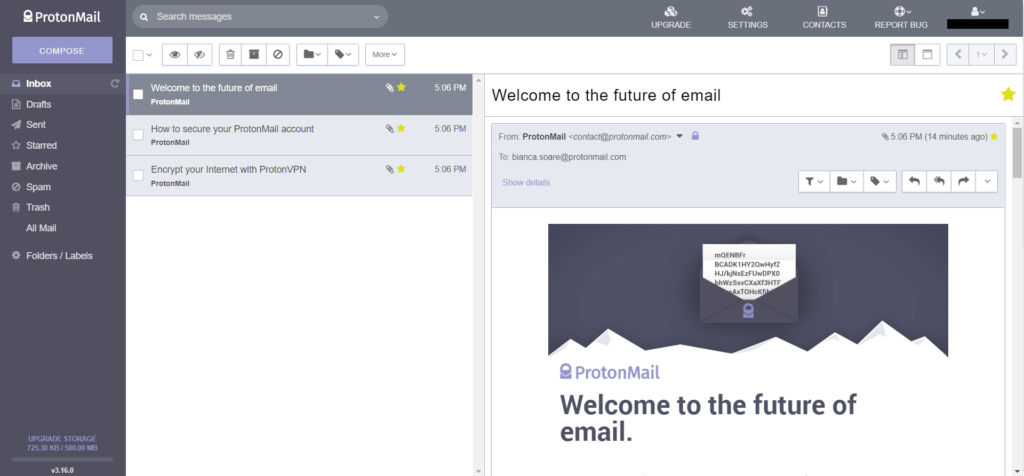
ProtonMail è un servizio email incentrato sulla sicurezza con sede in Svizzera, noto per le sue solide leggi sulla protezione dei dati. Sfruttando i punti di forza della regolamentazione svizzera, offre una piattaforma per l’invio sicuro di email senza compromettere i dati degli utenti.
Perché ho scelto ProtonMail: Quando ho confrontato le piattaforme email note per la sicurezza, ProtonMail si è sempre posizionata ai vertici. È la sua base svizzera a conferirle un vantaggio, distinguendola dalle altre. A mio parere, chi cerca la garanzia della sicurezza di un servizio email svizzero dovrebbe puntare su ProtonMail.
Funzionalità distintive e integrazioni:
ProtonMail offre cifratura end-to-end, garantendo che le email restino riservate. La funzione di autodistruzione dei messaggi aumenta ulteriormente la privacy. Tuttavia, per mantenere il proprio approccio incentrato sulla sicurezza, ProtonMail offre integrazioni con terze parti limitate.
Pros and Cons
Pros:
- Cifratura end-to-end
- Beneficia delle leggi svizzere sulla protezione dei dati
- Funzione di autodistruzione delle email
Cons:
- Opzioni di integrazione limitate
- La versione gratuita ha limiti di spazio di archiviazione
- Nessun supporto per POP3, solo IMAP

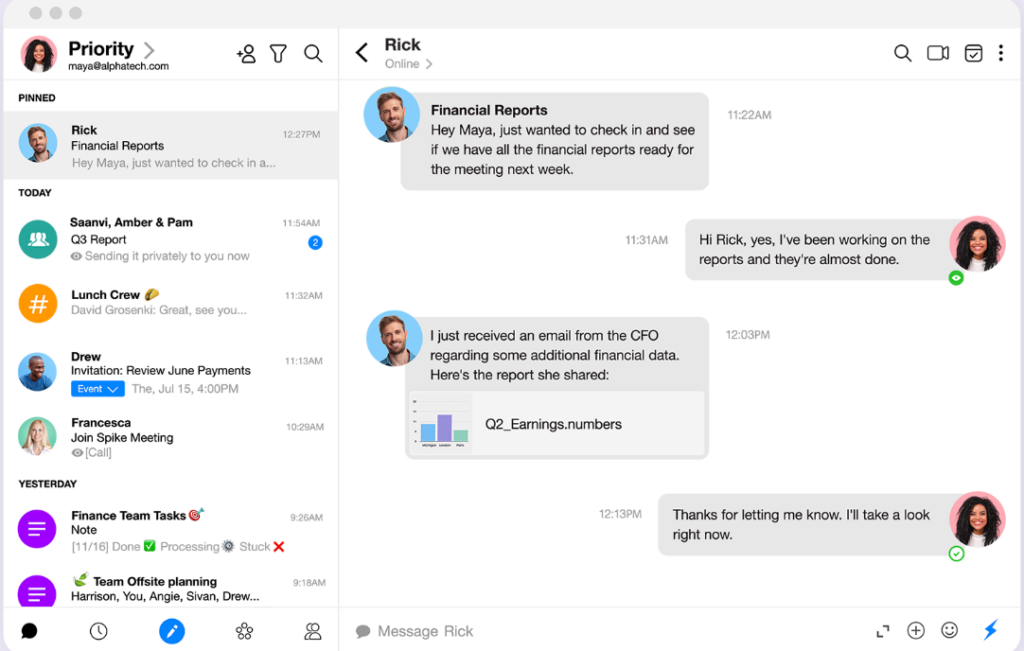
Spike presenta un approccio innovativo alla comunicazione, fondendo la struttura formale dell'email con l'immediatezza della chat. Il suo layout unico è pensato per chi desidera la fluidità della chat ma non può rinunciare alla necessità delle email.
Perché ho scelto Spike: Dopo aver valutato una moltitudine di strumenti per email, Spike ha catturato la mia attenzione grazie alla sua offerta particolare. L'ho scelto perché, secondo la mia valutazione, colma una lacuna che molti nemmeno sapevano esistesse. La convergenza tra chat ed email in Spike risolve il continuo passaggio tra due piattaforme, rendendolo la soluzione che ho determinato come la migliore per un'esperienza di comunicazione unificata.
Caratteristiche e integrazioni principali:
Alla base, Spike è alimentato dall'Email Conversazionale che ridefinisce il modo in cui gli utenti percepiscono e interagiscono con le email, trasformandole in formato chat. La Priority Inbox è un altro punto di forza, organizzando le email per rilevanza e riducendo il rumore. Sul fronte delle integrazioni, Spike collabora con servizi popolari come Google Drive, Dropbox e OneDrive, facendo da ponte tra comunicazione e condivisione di file.
Pros and Cons
Pros:
- Un connubio unico tra chat ed email su un'unica piattaforma
- La Priority Inbox classifica efficacemente le email in arrivo
- Strumenti integrati come calendari e attività per una gestione completa
Cons:
- Potrebbe risultare insolito per alcuni utenti tradizionali di email
- Le funzionalità premium sono disponibili solo in abbonamento
- L'assenza di uno spazio chat dedicato potrebbe non piacere a tutti


RMail è progettato per offrire servizi email sicuri e criptati con un vantaggio aggiuntivo: la prova legale di consegna. Questo lo rende una scelta principale per i professionisti che necessitano di una prova che le loro email criptate non siano solo state inviate, ma anche consegnate e aperte.
Perché ho scelto RMail: Nel mio processo di selezione di piattaforme email per casi d’uso specifici, RMail si è distinto per la sua offerta unica. Non è stata solo la crittografia a impressionarmi, ma la fornitura della prova legale di consegna. Ritengo che RMail sia l’opzione migliore per coloro che svolgono professioni dove tali prove sono fondamentali.
Caratteristiche e integrazioni principali:
Il fulcro di RMail è la sua tecnologia Registered Email™ che offre prova legale della consegna e del contenuto. Inoltre, RMail offre firme elettroniche e condivisione di file di grandi dimensioni. Si integra bene con piattaforme popolari come Outlook, rendendolo una scelta adatta per molte aziende.
Pros and Cons
Pros:
- Fornisce prova legale della consegna di email criptate
- Funzione di firma elettronica
- Si integra con le comuni piattaforme email
Cons:
- Il prezzo non è trasparente
- Potrebbe essere eccessivo per utenti occasionali
- L’interfaccia potrebbe essere più intuitiva

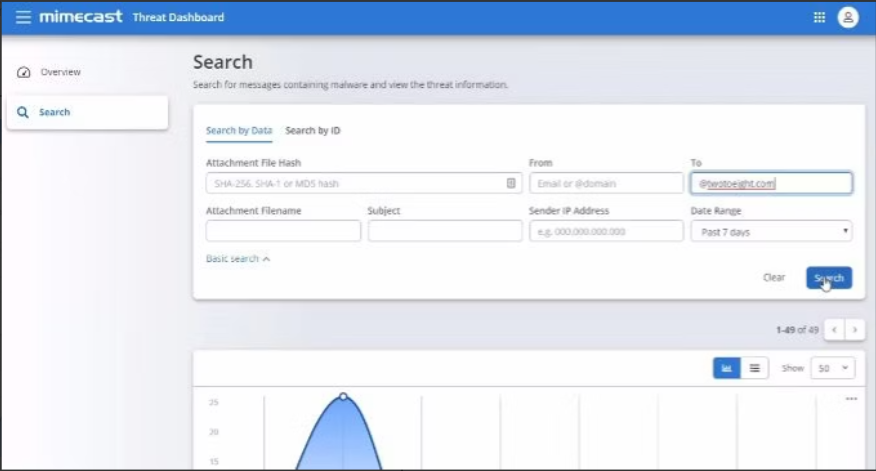
Mimecast si distingue come una soluzione olistica per la sicurezza delle email, particolarmente pensata per le grandi imprese. Grazie alla sua scalabilità e all’approccio completo, è la scelta ideale per le aziende con vaste reti che necessitano di una protezione robusta.
Perché ho scelto Mimecast: Dopo aver valutato varie soluzioni di crittografia di livello enterprise, Mimecast è costantemente emersa tra le migliori opzioni. L'ho selezionata per la sua eccellente reputazione e la capacità di gestire le complessità delle operazioni su larga scala. A mio avviso, Mimecast è la soluzione di riferimento per le aziende che richiedono la massima sicurezza nelle email.
Funzionalità principali & integrazioni:
Mimecast offre un approccio multilivello alla sicurezza delle email, includendo protezione da malware, phishing e attacchi di impersonificazione. Inoltre, fornisce soluzioni di continuità per garantire l’accesso ininterrotto alle email. Le capacità di integrazione si estendono su diverse suite software aziendali, aumentando il suo valore negli ecosistemi su larga scala.
Pros and Cons
Pros:
- Protezione completa a livello enterprise
- Approccio multilivello alle minacce
- Ampia gamma di integrazioni con soluzioni aziendali
Cons:
- Può risultare eccessivo per le piccole imprese
- La complessità richiede personale IT dedicato
- Alcune funzionalità potrebbero non essere utilizzate da ogni organizzazione


Proofpoint Email Protection è una soluzione focalizzata sulla sicurezza progettata per proteggere le organizzazioni dalle minacce e-mail. Il suo solido framework eccelle nel tenere lontani gli attori maligni, soprattutto in scenari di minacce avanzate.
Perché ho scelto Proofpoint Email Protection: Durante la mia esplorazione delle soluzioni di sicurezza e-mail, Proofpoint Email Protection si è distinto costantemente per la copertura completa contro le minacce avanzate. Ciò che rende questo strumento diverso è il suo approccio complesso e stratificato nell'individuazione e nel contrasto degli attacchi sofisticati. Secondo la mia valutazione, per le organizzazioni che desiderano garantire una difesa di alto livello contro le minacce e-mail avanzate, Proofpoint rimane senza rivali.
Caratteristiche e integrazioni principali:
Proofpoint offre un'analisi dinamica delle e-mail, controlli di filtraggio granulari e intelligence sulle minacce. Si integra perfettamente con molti sistemi aziendali, garantendo che la protezione sia sempre unita alle operazioni quotidiane.
Pros and Cons
Pros:
- Protezione avanzata completa contro le minacce
- Approfondite informazioni sull'intelligence delle minacce
- Si integra facilmente con i sistemi aziendali
Cons:
- La struttura dei prezzi può risultare poco trasparente
- Potrebbe risultare complesso per le organizzazioni più piccole
- Richiede personale formato per l'utilizzo ottimale

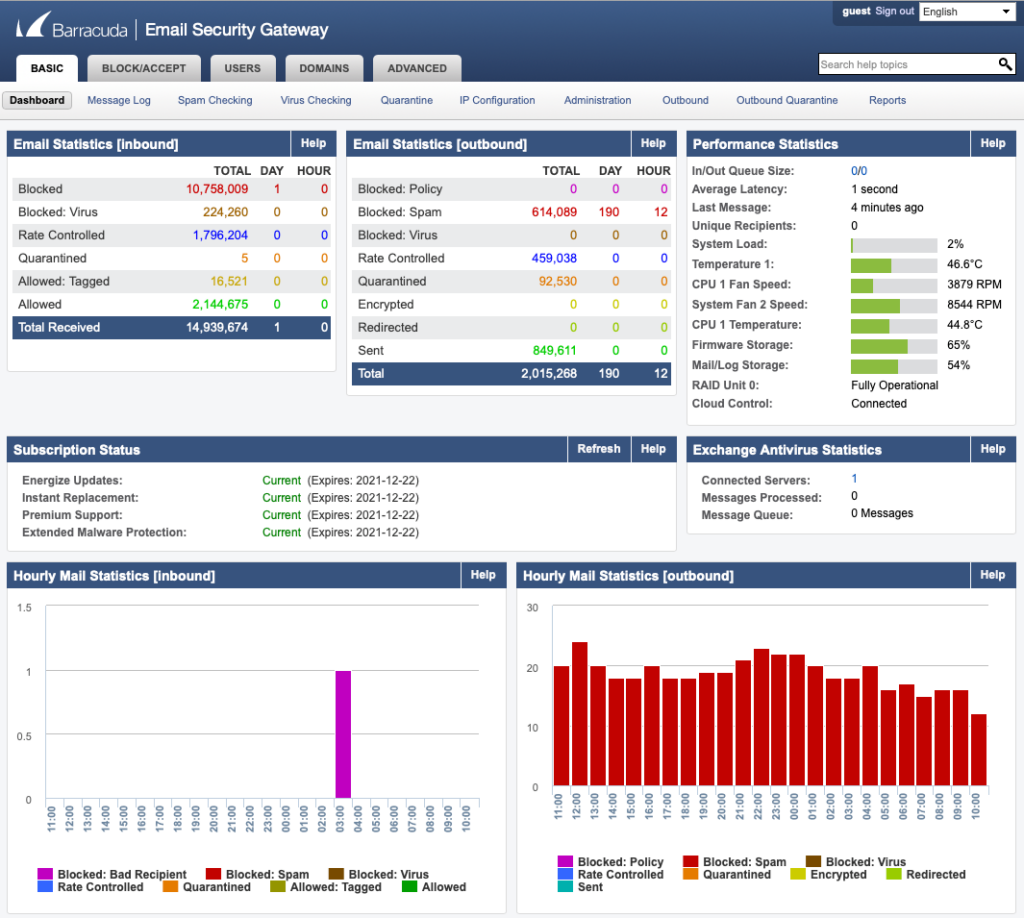
Barracuda promuove un approccio multifaccettato alla sicurezza delle e-mail. Offrendo molteplici livelli di difesa contro diverse minacce e-mail, è la soluzione ideale per le aziende che desiderano una protezione completa contro gli attori malintenzionati.
Perché ho scelto Barracuda: Il mio giudizio, dopo un confronto approfondito delle piattaforme di sicurezza e-mail, è ricaduto costantemente su Barracuda grazie alla sua difesa stratificata completa. Credo che si distingua nella protezione contro una vasta gamma di minacce provenienti dalle e-mail. Per le organizzazioni che cercano una suite di protezione e-mail olistica, Barracuda è la mia raccomandazione principale.
Caratteristiche e integrazioni principali:
Barracuda offre protezione contro phishing, malware e ransomware attraverso il suo approccio multilivello. Non solo filtra le minacce in ingresso, ma istruisce anche gli utenti tramite simulazioni per riconoscere i potenziali rischi. Le sue capacità di integrazione sono ampie e coprono una vasta gamma di soluzioni aziendali per garantire operatività senza interruzioni.
Pros and Cons
Pros:
- Difesa completa contro diverse minacce
- Formazione degli utenti tramite simulazioni
- Ampie possibilità di integrazione
Cons:
- Alcune funzionalità possono sovrapporsi a strumenti già esistenti
- Richiede personale dedicato per la massima efficienza
- La configurazione iniziale può essere complessa


Tutanota è un servizio email innovativo che offre una crittografia totale per le caselle di posta degli utenti. Dando priorità a sicurezza e privacy, emerge come una delle scelte migliori per chi desidera una protezione completa delle proprie email dall'inizio alla fine.
Perché ho scelto Tutanota: Nel processo di valutazione dei servizi email con le migliori funzionalità di sicurezza, Tutanota ha sempre attirato la mia attenzione. Quello che lo rende davvero unico è il suo impegno costante verso la crittografia end-to-end. Sono convinto che, per chi dà la massima importanza ad una casella di posta criptata, Tutanota sia la scelta ottimale.
Funzionalità principali e integrazioni:
Tutanota si distingue per la crittografia end-to-end automatica delle email, inclusi allegati e calendari. Gli utenti non devono condividere o scambiarsi alcuna chiave, poiché la piattaforma gestisce tutto internamente. Pur essendo principalmente un servizio indipendente, offre integrazione con diverse applicazioni di terze parti per migliorare l'esperienza utente.
Pros and Cons
Pros:
- Crittografia end-to-end completa
- Calendario criptato incluso
- Codice open-source garantisce trasparenza
Cons:
- Integrazioni limitate rispetto ai concorrenti
- L'interfaccia potrebbe risultare spartana per alcuni
- La migrazione da altre piattaforme può essere laboriosa

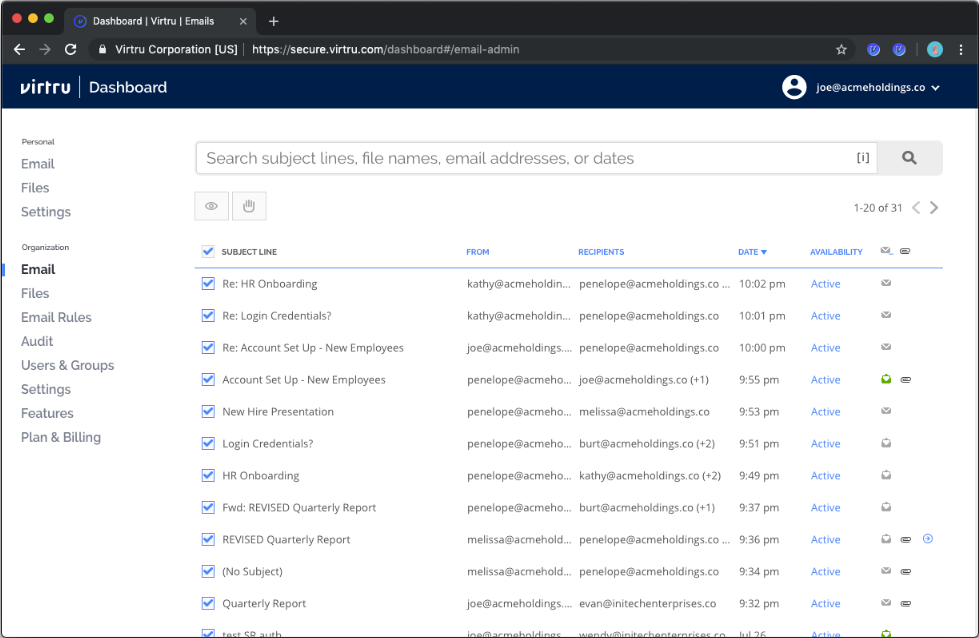
Virtru pone l'accento sulla condivisione sicura dei dati sensibili attraverso varie reti senza compromettere la privacy o la conformità. Questo strumento è stato progettato per garantire che ovunque i dati viaggino, rimangano protetti.
Perché ho scelto Virtru: Nella mia ricerca di soluzioni che offrano una protezione impeccabile dei dati tra le diverse reti, Virtru si è distinto come un valido candidato. La decisione si basa sulla sua capacità unica di crittografare i dati in transito, a riposo e persino quando vengono condivisi esternamente. Per qualsiasi organizzazione che condivide spesso dati tra diverse reti e desidera la massima sicurezza, credo che Virtru sia la scelta giusta.
Funzionalità e integrazioni principali:
Le funzionalità chiave di Virtru includono la protezione persistente dei dati, la revoca degli accessi e l'inoltro sicuro. Si integra in modo efficiente con piattaforme come Gmail e Microsoft Outlook, rendendolo più adattabile a diversi ambienti aziendali.
Pros and Cons
Pros:
- Protezione persistente dei dati, anche per la condivisione esterna
- Facile da usare con crittografia intuitiva
- Si integra con le principali piattaforme di posta elettronica
Cons:
- Funzionalità avanzate limitate al prezzo base
- Il processo di onboarding può richiedere un po' di apprendimento
- L'esperienza mobile potrebbe non essere altrettanto avanzata

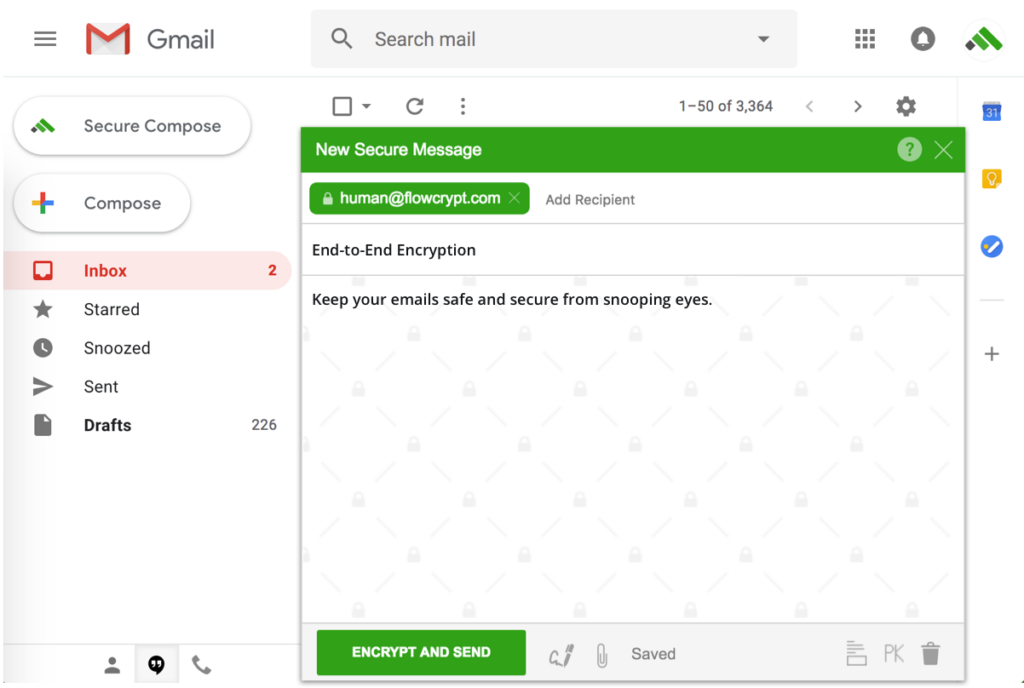
FlowCrypt semplifica il concetto di crittografia PGP per gli utenti di Gmail. Con un'enfasi sulla facilità d'uso, colma il divario tra la sicurezza avanzata delle email e le comunicazioni quotidiane su Gmail.
Perché ho scelto FlowCrypt: La bellezza di FlowCrypt risiede nella sua semplicità e, dopo aver confrontato varie soluzioni PGP, questa mi è sembrata la più accessibile. Apprezzo il modo in cui si integra con Gmail, rendendolo lo strumento che considero migliore per chi vuole avvicinarsi al mondo PGP senza affrontare complessità tecniche.
Caratteristiche e integrazioni principali:
Alla base, FlowCrypt permette di abilitare la crittografia PGP direttamente nell'interfaccia di Gmail. Gli utenti possono criptare, decriptare, firmare e verificare le email con facilità. Sebbene sia progettato principalmente per Gmail, la sua compatibilità si estende anche a Google Workspace, consentendo alle aziende di sfruttare la crittografia PGP senza le consuete difficoltà.
Pros and Cons
Pros:
- Crittografia PGP intuitiva all'interno di Gmail
- Compatibile con Google Workspace
- Garantisce comunicazioni criptate end-to-end
Cons:
- Limitato all'ecosistema Gmail
- Gli utenti avanzati potrebbero desiderare controlli più dettagliati
- I team più numerosi potrebbero richiedere una configurazione aggiuntiva

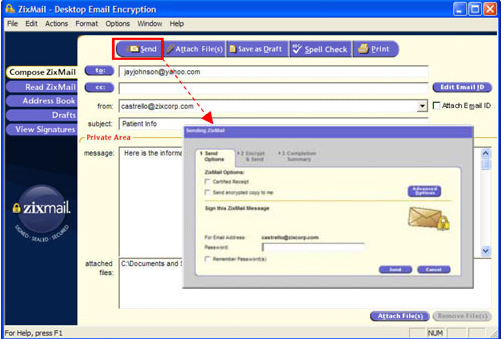
Zix è una potenza nel campo della crittografia delle email, concentrandosi specificamente su soluzioni guidate da policy. Pensato per le aziende che necessitano di flessibilità nell’impostare regole di crittografia, Zix è la scelta ideale per chi dà priorità ai controlli basati sulle policy.
Perché ho scelto Zix Email Encryption: Dopo aver confrontato diverse piattaforme di crittografia delle email, ho selezionato Zix principalmente per le sue solide funzionalità basate su policy. La sua capacità di permettere alle aziende di definire i propri standard di crittografia è impareggiabile. Ritengo che Zix sia il primo della classe per le organizzazioni che vogliono dettare le proprie politiche di crittografia.
Funzionalità principali & integrazioni:
Zix offre un meccanismo di crittografia basato su policy che consente alle aziende di decidere quando e come le email vengono crittografate. Lo strumento fornisce anche una scansione automatica delle email in uscita per garantire la conformità. Inoltre, si integra con molte suite di software aziendali, rendendolo uno strumento versatile nell’ambiente corporate.
Pros and Cons
Pros:
- Controlli avanzati di crittografia basati su policy
- Scansione automatica per la conformità
- Ampie capacità di integrazione
Cons:
- La struttura dei prezzi non è trasparente
- Potrebbe essere troppo complesso per le piccole imprese
- La configurazione iniziale può richiedere tempo
Altri servizi di crittografia delle email degni di nota
- NeoCertified
Ideale per API di email sicure integrate
- OnDMARC
Ideale per protocolli di crittografia email unificati
- LuxSci Email and Web Security
Ideale per una sicurezza completa di email e web


Criteri di selezione per scegliere un servizio di crittografia delle email
Dopo aver esplorato a fondo il mondo delle soluzioni di posta elettronica sicura, ho valutato più di 20 strumenti. La varietà era ampia, ma cercavo soprattutto soluzioni di posta elettronica sicura che offrissero una protezione senza pari senza compromettere l'esperienza dell'utente. Ecco gli aspetti a cui ho prestato maggiore attenzione:
Funzionalità principali
Per qualsiasi soluzione di posta elettronica sicura, le funzioni principali dovrebbero includere:
- Software di crittografia delle email end-to-end: garantisce che le email siano crittografate dal mittente al destinatario, senza essere decifrate durante il percorso.
- Autenticazione e verifica: lo strumento dovrebbe consentire agli utenti di confermare l'identità del mittente e garantire che l'email non sia stata manomessa.
- Allegati sicuri: non solo l'email, ma anche i file allegati dovrebbero essere crittografati e protetti.
- Protezione da phishing e malware: un livello di difesa attivo contro le minacce dannose.
Caratteristiche principali
Nel confrontare gli strumenti per la posta elettronica sicura, queste funzionalità si sono rivelate particolarmente importanti:
- Firme digitali: Verificano l'identità del mittente, aggiungendo un livello di affidabilità.
- Architettura ad accesso zero: Garantisce che nemmeno il fornitore del servizio possa accedere al contenuto delle tue email.
- Email autodistruggenti: Email che vengono eliminate dopo un periodo di tempo stabilito o dopo essere state lette, aumentando la sicurezza.
- Messaggi protetti da password: Un ulteriore livello di protezione che richiede ai destinatari una password per accedere al contenuto dell'email.
- Autenticazione a due fattori (2FA): Un'ulteriore misura di sicurezza che richiede agli utenti di fornire due tipi di identificazione per accedere al proprio account.
Usabilità
Per le soluzioni di posta elettronica sicura, è fondamentale che una maggiore sicurezza non comprometta l'esperienza dell'utente. Ecco cosa si intendeva per usabilità in questo contesto:
- Design intuitivo: Con qualsiasi strumento di posta elettronica sicura, gli utenti non dovrebbero dover superare ostacoli per inviare un messaggio crittografato. Il processo di crittografia dovrebbe essere integrato naturalmente nella composizione e nell'invio delle email.
- Configurazione e onboarding semplici: Per chi è alle prime armi con la posta elettronica crittografata, il processo di onboarding dovrebbe essere semplice e guidare gli utenti nella configurazione delle chiavi di crittografia e nella comprensione delle funzionalità essenziali.
- Assistenza clienti accessibile: Data la natura tecnica della posta elettronica sicura, gli utenti potrebbero avere domande. Lo strumento dovrebbe offrire un'assistenza tempestiva e competente.
- Accesso basato sui ruoli: Soprattutto per le soluzioni aziendali, è fondamentale poter definire chi ha accesso a cosa. Gli amministratori dovrebbero poter determinare facilmente i ruoli e specificare ciò che ciascun ruolo può visualizzare o modificare.
Domande più comuni relative al servizio di crittografia delle email (FAQ)
Quali sono i vantaggi dell'utilizzo degli strumenti di crittografia delle email?
L’utilizzo dei servizi di crittografia delle email offre numerosi vantaggi:
- Sicurezza migliorata: garantiscono che le informazioni sensibili rimangano riservate, proteggendole dagli accessi non autorizzati.
- Protezione dalle minacce informatiche: contrastano attivamente le minacce dannose come phishing, malware e attacchi man-in-the-middle.
- Conformità normativa: molti settori prevedono normative che richiedono la protezione dei dati sensibili. L’utilizzo della posta elettronica crittografata aiuta le aziende a rispettare tali obblighi.
- Creazione di fiducia: le email crittografate, soprattutto quelle con firme digitali, mostrano ai destinatari che il mittente attribuisce priorità alla sicurezza, favorendo la fiducia.
- Allegati sicuri: insieme al contenuto dell’email, vengono crittografati anche tutti i file allegati, garantendo una protezione completa.
Quanto costano questi servizi di crittografia delle email?
Il costo degli strumenti di crittografia delle email varia notevolmente in base all’insieme di funzionalità, alla tipologia di utenti a cui sono destinati (privati o aziende) e ad altri fattori.
Quali sono i modelli di prezzo tipici per questi strumenti?
La maggior parte dei servizi di crittografia delle email adotta un modello basato su abbonamento, con addebiti mensili o annuali. Alcuni offrono prezzi a livelli in base alle funzionalità o al numero di utenti, mentre altri applicano una tariffa fissa. Esistono anche servizi che applicano costi in base al volume di email inviate o allo spazio di archiviazione utilizzato.
Qual è la fascia di prezzo tipica per questi strumenti?
I prezzi possono partire da soli $2/utente/mese e arrivare fino a $50/utente/mese o più per servizi aziendali premium con funzionalità avanzate.
Qual è il software più economico e quale il più costoso?
Sebbene i prezzi cambino e nel settore siano frequenti le promozioni, in genere strumenti come Posteo rientrano tra le opzioni più convenienti, mentre soluzioni come Symantec Email Security possono collocarsi nella fascia più alta dello spettro.
Esistono opzioni gratuite per la crittografia delle email?
Sì, sono disponibili opzioni gratuite. Mailvelope, ad esempio, offre un’estensione gratuita del browser per la crittografia end-to-end, anche se potrebbe non includere alcune delle funzionalità avanzate presenti nei servizi a pagamento.
Tutti gli strumenti di crittografia delle email offrono lo stesso livello di sicurezza?
Non necessariamente. Sebbene la maggior parte degli strumenti offra un livello di sicurezza elevato, i metodi e i protocolli utilizzati possono differire. Alcuni possono impiegare la crittografia AES, mentre altri possono utilizzare RSA. È essenziale scegliere un servizio conforme agli standard di sicurezza riconosciuti.
Posso utilizzare la posta elettronica crittografata con il mio indirizzo email attuale?
Alcuni strumenti richiedono agli utenti di creare un nuovo indirizzo email all’interno del proprio dominio. Tuttavia, molti servizi consentono di utilizzare gli indirizzi email esistenti integrando il servizio di crittografia con i provider di posta elettronica più diffusi.
Recensioni di altri software per sistemi di sicurezza
- Software per la sicurezza delle email
- Software di crittografia
- Software per la gestione delle chiavi di crittografia
Riepilogo
Orientarsi nel mondo dei servizi di crittografia delle email e delle soluzioni software DMARC è essenziale, soprattutto nell'era digitale odierna, in cui le violazioni dei dati e le minacce informatiche sono molto diffuse. Questa guida ti ha fornito informazioni sui numerosi strumenti di crittografia disponibili, sulle funzionalità distintive che rendono ciascuno di essi unico e sugli aspetti da considerare nella scelta di quello più adatto alle tue esigenze specifiche.
Punti chiave
- Elezione guidata dallo scopo: Prima di esaminare le opzioni, definisci chiaramente le tue esigenze. Che tu sia una persona che protegge le proprie comunicazioni personali o un'azienda che garantisce la conformità normativa, il tuo scopo guiderà la tua scelta.
- Funzionalità e usabilità: Sebbene l'ampia gamma di funzionalità sia fondamentale, non si può trascurare l'usabilità dello strumento. Il miglior strumento di crittografia non dovrebbe essere solo solido nelle funzionalità, ma anche facile da usare, così da favorirne l'adozione.
- Prezzo e valore: Non limitarti a considerare il costo; valuta il valore che stai ottenendo. A volte, investire qualcosa in più può offrire una sicurezza e funzionalità migliori, garantendo maggiore tranquillità e protezione.
Cosa ne pensi?
Per quanto questa guida ambisca a essere completa, il mondo in continua evoluzione della crittografia delle e-mail potrebbe aver fatto sì che alcuni strumenti degni di nota sfuggissero alla nostra attenzione. Tengo sinceramente in grande considerazione i contributi della comunità e la conoscenza collettiva. Quindi, se utilizzi un servizio di crittografia delle e-mail che ritieni meriti un posto in questo elenco, non esitare a condividerlo. Le tue opinioni e i tuoi consigli sono sempre ben accetti e possono aiutare altre persone nella ricerca dello strumento perfetto. Collaboriamo per mantenere questa guida il più possibile aggiornata e utile.

