

Une bonne alternative à BetterCloud offre à votre équipe une gestion centralisée des applications SaaS, des contrôles d’accès granulaires et des flux de travail automatisés pour l’intégration, le départ des employés et la conformité. Si vous recherchez une alternative à BetterCloud, vous êtes probablement confronté à des difficultés liées à la prolifération des applications SaaS, au provisionnement manuel des utilisateurs ou à un manque de visibilité et de sécurité globales dans votre écosystème SaaS.
La bonne solution peut vous aider à gérer des environnements applicatifs complexes, à réduire les risques et à répondre à l’évolution des besoins de votre entreprise. Dans cette liste, vous trouverez des options vérifiées qui répondent à ces priorités afin de comparer les fonctionnalités, les intégrations et les points forts, et de choisir la solution la mieux adaptée à votre environnement informatique.
Qu’est-ce que BetterCloud ?
BetterCloud est une plateforme de gestion SaaS qui centralise le contrôle des applications cloud, automatise les tâches liées au cycle de vie des utilisateurs et applique les politiques de sécurité dans toute votre organisation.
Les équipes informatiques utilisent BetterCloud pour gérer l’intégration, le départ des employés, les autorisations et la conformité de plusieurs outils SaaS depuis un tableau de bord unique. Cela contribue à réduire le travail manuel, à améliorer la visibilité et à maintenir des normes de sécurité cohérentes à mesure que votre environnement SaaS se développe.
Tableau comparatif des alternatives à BetterCloud
Ce tableau comparatif résume les informations tarifaires de ma sélection des meilleures alternatives à BetterCloud :
| Tool | Best For | Trial Info | Price | ||
|---|---|---|---|---|---|
| 1 | Idéal pour l'automatisation des accès aux logiciels SaaS déclenchée par les RH | Démo gratuite disponible | À partir de 8 $/utilisateur/mois (plus des frais de base mensuels) | Website | |
| 2 | Idéal pour une intégration sécurisée de l’authentification unique | Essai gratuit de 30 jours + démonstration gratuite disponible | À partir de 6 $/utilisateur/mois (facturé annuellement) | Website | |
| 3 | Idéal pour la gestion unifiée des appareils et des utilisateurs | Essai gratuit de 30 jours + démonstration gratuite disponible | Tarification sur demande | Website | |
| 4 | Idéal pour l’intégration des flux de travail d’entreprise | Démo gratuite disponible | Tarification sur demande | Website | |
| 5 | Idéal pour l’optimisation des contrats fournisseurs | Démo gratuite disponible | Tarification sur demande | Website | |
| 6 | Idéal pour la gestion automatisée du cycle de vie des SaaS | Démonstration gratuite disponible | Tarification sur demande | Website | |
| 7 | Idéal pour les contrôles de gouvernance des identités | Démonstration gratuite disponible | Tarification sur demande | Website | |
| 8 | Idéal pour la gestion des achats de SaaS | Démo gratuite disponible | À partir de $250/mois | Website | |
| 9 | Idéal pour la visibilité sur les dépenses SaaS | Démo gratuite disponible | Tarification sur demande | Website | |
| 10 | Idéal pour la découverte des solutions SaaS et le suivi de leur utilisation | Démonstration gratuite disponible | Tarifs sur demande | Website |


Pourquoi faire confiance à nos recommandations de logiciels
6,700+
Reviews
20
Industry experts
16+
Evaluation factors
14
Years
Notre équipe teste et évalue des logiciels depuis 2012. En tant que leaders technologiques nous-mêmes, nous savons à quel point il est difficile — et important — de choisir le bon logiciel.
Pour ce guide, nous avons évalué les outils grâce à des tests pratiques et une recherche indépendante, en notant les outils selon nos critères de sélection.
Nos avis reflètent notre jugement éditorial humain, et non un argumentaire de vente.
Réviseurs experts:
- Paulo Gardini MiguelDirecteur technique
 Tim FisherVP de l'IA
 Gabriel RosasTech Lead et architecte logiciel
 Christhian GruhnTech Lead et architecte plateforme

Avis sur les alternatives à BetterCloud
Vous trouverez ci-dessous mes analyses détaillées des meilleures alternatives à BetterCloud qui ont été retenues dans ma sélection. Mes avis proposent un examen approfondi des fonctionnalités, des intégrations et des cas d’utilisation les plus adaptés à chaque plateforme afin de vous aider à trouver celle qui vous convient le mieux.
 Idéal pour l'automatisation des accès aux logiciels SaaS déclenchée par les RH
- Démo gratuite disponible
- À partir de 8 $/utilisateur/mois (plus des frais de base mensuels)
Visit WebsiteCustomer Rating:4.8/5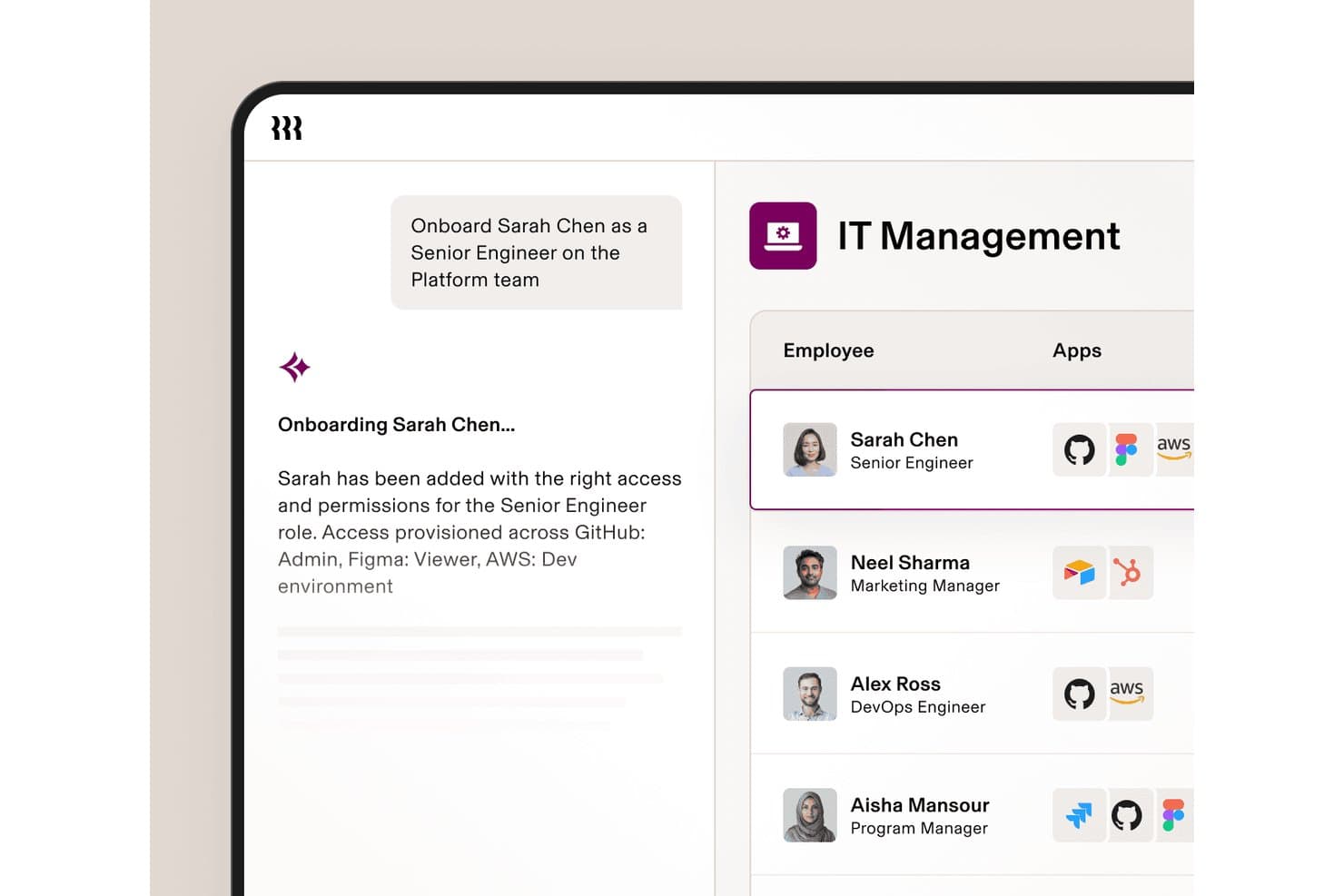
Rippling IT automatise le provisionnement des applications lors de l'intégration de nouveaux employés. Rippling IT est une plateforme de gestion informatique destinée aux entreprises en croissance, qui aide les équipes à gérer les appareils, les applications, les accès et la sécurité des employés depuis un système connecté unique.
À qui Rippling IT convient-il le mieux ?
Rippling IT convient aux équipes informatiques et RH qui ont besoin que les événements du cycle de vie des employés déclenchent le provisionnement des logiciels SaaS, les modifications d'accès et les flux de travail de départ.
Pourquoi Rippling IT est une bonne alternative à BetterCloud
J'ai choisi Rippling IT parce que son automatisation des accès aux logiciels SaaS déclenchée par les RH relie les événements du cycle de vie des employés au provisionnement des applications et aux modifications d'accès. Mon équipe peut utiliser l'intégration des nouveaux employés, les changements de rôle et les départs pour mettre à jour les accès aux logiciels SaaS tout en gérant les appareils et la sécurité depuis un seul système. Cela en fait une alternative pratique à BetterCloud lorsque les équipes RH et informatiques ont besoin de flux de travail d'accès partagés.
Principales fonctionnalités de Rippling IT
- Déploiement d'appareils sans intervention : Expédie des appareils préconfigurés avec les applications et les politiques requises.
- Automatisation du service d'assistance : Résout les demandes informatiques des employés grâce à des flux de travail d'assistance automatisés.
- Surveillance de la conformité : Suit les contrôles SOC 2 et NIST, les éléments de preuve et les lacunes en matière de conformité.
- Gouvernance de l'IA : Surveille l'utilisation des outils d'IA, les dépenses et les identités des agents.
Intégrations de Rippling IT
Rippling IT propose plus de 600 intégrations natives, notamment Google (G Suite), Microsoft 365, Slack, Jira, GitHub, Datadog, Zoom, Asana, Salesforce et HubSpot. La plateforme fournit également une API et des outils pour les développeurs afin de créer des intégrations personnalisées et des applications de l'App Shop.
Pros and Cons
Pros:
- Les événements RH déclenchent les modifications d'accès aux applications
- Les contrôles des appareils et des logiciels SaaS partagent une même console
- Les flux de travail de départ réduisent les accès persistants aux comptes
Cons:
- Le modèle centré sur le SIRH peut ne pas convenir aux équipes informatiques uniquement
- La découverte des logiciels SaaS est moins spécialisée que celle de BetterCloud
Learn more about Rippling IT: 2Idéal pour une intégration sécurisée de l’authentification unique
Okta
- Essai gratuit de 30 jours + démonstration gratuite disponible
- À partir de 6 $/utilisateur/mois (facturé annuellement)
Visit WebsiteCustomer Rating:4.6/5
Okta centralise les connexions sécurisées grâce à l’authentification unique et aux contrôles des identités Si votre équipe a besoin d’une gestion sécurisée et centralisée des accès, Okta propose une plateforme dédiée à l’authentification unique et au contrôle des identités. Les administrateurs informatiques et les responsables de la sécurité utilisent Okta pour unifier l’authentification entre les applications cloud et sur site, réduisant ainsi la prolifération des mots de passe et les risques liés aux accès. Contrairement à BetterCloud, Okta est spécialisée dans la gestion des identités et des accès, ce qui en fait une solution particulièrement adaptée aux organisations qui accordent la priorité à l’authentification sécurisée des utilisateurs et à la simplification de l’accès aux applications.
À qui Okta convient-elle le mieux ?
Aux équipes informatiques et de sécurité des entreprises de petite à grande taille dans le monde entier, qui déploient des solutions sécurisées d’authentification unique et de gestion des identités.
Pourquoi j’ai choisi Okta
Lorsque l’authentification unique sécurisée est votre priorité absolue, Okta propose une solution spécialisée que BetterCloud ne peut égaler. J’ai choisi Okta parce qu’elle fournit une authentification centralisée et des contrôles d’accès précis pour toutes vos applications cloud et sur site. La plateforme prend en charge l’authentification multifacteur adaptative, ce qui vous permet d’appliquer des politiques de sécurité en fonction du contexte et du niveau de risque de l’utilisateur. Si votre organisation doit réduire la fatigue liée aux mots de passe et renforcer la sécurité des identités, les fonctionnalités d’authentification unique d’Okta sont conçues spécifiquement pour relever ce défi.
Fonctionnalités clés d’Okta
Voici quelques autres fonctionnalités d’Okta qui peuvent aider votre équipe à gérer plus efficacement les identités et les accès :
- Gestion du cycle de vie : Automatise le provisionnement et le déprovisionnement des utilisateurs dans les applications connectées.
- Annuaire universel : Stocke et gère les profils et les attributs des utilisateurs dans un annuaire centralisé.
- Gestion des accès aux API : Sécurise les API grâce à OAuth et à des politiques d’accès personnalisées.
- Réinitialisation libre-service des mots de passe : Permet aux utilisateurs de réinitialiser eux-mêmes leurs mots de passe sans intervention du service informatique.
Intégrations d’Okta
Les intégrations comprennent Microsoft 365, Google Workspace, Salesforce, Slack, Zoom, AWS, ServiceNow, Box, Workday et bien d’autres.
Pros and Cons
Pros:
- Prend en charge l’authentification unique sur des centaines d’applications cloud et sur site
- Propose une authentification multifacteur adaptative pour renforcer les politiques de sécurité
- Fournit des flux de travail automatisés de provisionnement et de déprovisionnement des utilisateurs
Cons:
- Ne fournit pas d’automatisation des opérations SaaS ni de surveillance de la sécurité des fichiers
- Ne propose pas d’analyses détaillées de l’utilisation des logiciels SaaS
Learn more about Okta: Idéal pour la gestion unifiée des appareils et des utilisateurs
- Essai gratuit de 30 jours + démonstration gratuite disponible
- Tarification sur demande
Visit WebsiteCustomer Rating:4.6/5
JumpCloud gère les utilisateurs et les appareils sur les systèmes Windows, Mac et Linux La gestion des appareils et des identités des utilisateurs depuis une plateforme unique est le domaine dans lequel JumpCloud se démarque. Les équipes informatiques à la recherche d’une alternative à BetterCloud utilisent JumpCloud pour unifier les services d’annuaire, la gestion des appareils et le contrôle des accès dans les environnements Windows, Mac et Linux. Cette approche aide les organisations à simplifier la sécurité des terminaux et la gestion du cycle de vie des utilisateurs sans avoir à jongler avec plusieurs outils.
À qui JumpCloud convient-il le mieux ?
Les administrateurs informatiques des petites et moyennes organisations du monde entier qui supervisent la gestion unifiée des appareils et des utilisateurs.
Pourquoi j’ai choisi JumpCloud
Si vous avez besoin d’un contrôle unifié à la fois sur les appareils et les identités des utilisateurs, JumpCloud offre une combinaison que BetterCloud ne propose pas. J’ai choisi JumpCloud parce qu’il vous permet de gérer les services d’annuaire, les politiques de sécurité des appareils et l’authentification des utilisateurs depuis une console d’administration unique. La plateforme prend en charge la gestion des appareils multiplateformes pour Windows, Mac et Linux, ce qui vous permet d’appliquer des normes de sécurité indépendamment de la diversité de votre parc matériel. Pour les équipes informatiques qui souhaitent réduire la prolifération des outils et centraliser la gestion des terminaux et des identités, JumpCloud réunit ces fonctionnalités au même endroit.
Fonctionnalités clés de JumpCloud
Certaines autres fonctionnalités de JumpCloud peuvent aider votre équipe à couvrir davantage de besoins en gestion informatique :
- LDAP et RADIUS dans le cloud : Fournit des services LDAP et RADIUS basés sur le cloud pour sécuriser l’accès aux réseaux et aux applications.
- Authentification multifacteur (MFA) : Impose l’utilisation de la MFA pour la connexion aux appareils et l’accès aux applications.
- Gestion des politiques : Permet de créer et de déployer des politiques de sécurité sur des groupes d’appareils.
- Authentification unique (SSO) : Prend en charge l’intégration SSO avec un large éventail d’applications cloud.
Intégrations de JumpCloud
Les intégrations comprennent Google Workspace, Microsoft 365, Okta, Salesforce, Slack, GitHub, Workday, BambooHR, et bien d’autres.
Pros and Cons
Pros:
- Gère les identités des utilisateurs et les appareils sous Windows, Mac et Linux
- Propose des services d’annuaire basés sur le cloud avec prise en charge de LDAP et RADIUS
- Fournit une authentification multifacteur intégrée pour l’accès aux appareils et aux applications
Cons:
- Ne dispose pas de fonctionnalités approfondies de gestion et d’automatisation des applications SaaS
- La gestion des appareils pour les plateformes mobiles est moins complète que pour les ordinateurs de bureau
Learn more about JumpCloud: Idéal pour l’intégration des flux de travail d’entreprise
- Démo gratuite disponible
- Tarification sur demande
Visit WebsiteCustomer Rating:4.4/5
ServiceNow exécute des flux de travail de services à grande échelle dans les services informatiques et les unités métier ServiceNow se distingue pour les responsables informatiques et les équipes d’entreprise qui doivent connecter des flux de travail complexes entre différents services et systèmes. La plateforme va au-delà de la gestion SaaS en offrant des fonctionnalités avancées d’automatisation, de gestion des services et d’intégration pour les grandes organisations. Si vous recherchez une alternative à BetterCloud capable d’unifier les processus informatiques, RH et métier sur une seule plateforme, ServiceNow est conçu pour offrir cette capacité d’évolution et cette flexibilité.
À qui ServiceNow convient-il le mieux ?
Aux dirigeants des services informatiques et des opérations de grandes entreprises du monde entier qui intègrent des flux de travail entre la gestion des services informatiques et les fonctions métier.
Pourquoi j’ai choisi ServiceNow
Lorsque vous devez intégrer des flux de travail entre plusieurs systèmes d’entreprise, ServiceNow offre des fonctionnalités qui vont bien au-delà de celles de BetterCloud. J’ai choisi ServiceNow parce qu’il vous permet de concevoir, d’automatiser et de surveiller des flux de travail automatisés de bout en bout couvrant l’informatique, les RH, la sécurité et les opérations métier, tout en prenant en charge une approche de confiance zéro en matière d’accès et de gouvernance. Le moteur de flux de travail de la plateforme et ses outils à programmation réduite s’appuient sur de nombreux connecteurs pour vous aider à relier les processus et les données entre différents services, réduisant ainsi les silos et le travail manuel. Pour les organisations qui souhaitent unifier la gestion des services et l’automatisation à grande échelle, ServiceNow offre la profondeur et la flexibilité nécessaires.
Fonctionnalités clés de ServiceNow
Certaines autres fonctionnalités de ServiceNow peuvent vous aider à gérer plus efficacement les environnements technologiques d’entreprise :
- Gestion des incidents : Suit, hiérarchise et résout les incidents informatiques depuis un tableau de bord centralisé.
- Gestion des actifs : Surveille les actifs matériels et logiciels tout au long de leur cycle de vie.
- Catalogue de services : Permet aux utilisateurs de demander des services informatiques et métier via un portail personnalisable.
- Gestion des changements : Contrôle et documente les changements apportés aux systèmes et à l’infrastructure afin de réduire les risques.
Intégrations ServiceNow
Les intégrations comprennent Microsoft Teams, Slack, Jira, GitHub, Salesforce, SAP, Oracle, Microsoft Dynamics 365, Okta et bien d’autres.
Pros and Cons
Pros:
- Prend en charge l’automatisation de flux de travail complexes entre les fonctions informatiques, RH et métier
- Offre des fonctionnalités détaillées de gestion des incidents, des actifs et des changements
- Fournit des outils à programmation réduite pour créer des applications d’entreprise personnalisées
Cons:
- La mise en œuvre et la configuration nécessitent beaucoup de temps et de ressources techniques
- La personnalisation nécessite souvent une expertise spécialisée en développement ServiceNow
 Idéal pour l’optimisation des contrats fournisseurs
- Démo gratuite disponible
- Tarification sur demande
Visit WebsiteCustomer Rating:4.6/5
CloudEagle.ai suit les dépenses SaaS et assure la gestion des licences entre les équipes CloudEagle.ai est conçu pour les équipes informatiques, d’approvisionnement et financières qui doivent optimiser les contrats et les renouvellements des fournisseurs SaaS. Contrairement aux autres alternatives à BetterCloud, il associe la gestion des contrats à l’analyse des dépenses et aux flux de travail de renouvellement sur une seule plateforme. Cette approche vous aide à gagner en visibilité sur les conditions contractuelles, à éviter les renouvellements surprises et à négocier de meilleurs tarifs avec les fournisseurs.
À qui CloudEagle.ai convient-il le mieux ?
Aux responsables financiers et informatiques des moyennes et grandes entreprises du monde entier qui optimisent les contrats fournisseurs et contrôlent les dépenses SaaS.
Pourquoi j’ai choisi CloudEagle.ai
Pour les équipes informatiques et d’approvisionnement qui se concentrent sur l’optimisation des contrats fournisseurs, CloudEagle.ai offre un ensemble de fonctionnalités qui vont au-delà de ce que vous trouverez dans BetterCloud. J’ai choisi CloudEagle.ai parce qu’il centralise le stockage des contrats, suit les dates de renouvellement et prend en charge l’optimisation des dépenses grâce à des rappels automatisés qui vous aident à éviter les échéances manquées. La plateforme analyse également les conditions contractuelles et les données de dépenses, offrant aux principales parties prenantes un meilleur levier lors des négociations ainsi qu’une visibilité plus complète sur votre portefeuille SaaS. Si vous souhaitez réduire les dépenses superflues et améliorer la gestion des fournisseurs, l’approche axée sur les contrats de CloudEagle.ai constitue une solution particulièrement adaptée.
Fonctionnalités clés de CloudEagle.ai
Certaines autres fonctionnalités de CloudEagle.ai peuvent vous aider à gérer votre environnement SaaS de manière plus stratégique :
- Découverte SaaS automatisée : détecte et répertorie toutes les applications SaaS utilisées au sein de votre organisation.
- Tableau de bord d’analyse des dépenses : visualise les dépenses SaaS par service, fournisseur ou utilisateur pour un meilleur suivi budgétaire.
- Révisions des accès utilisateurs : vous permet d’auditer et de gérer les accès des utilisateurs aux outils SaaS depuis une interface unique.
- Automatisation des flux de travail de renouvellement : simplifie le processus d’examen, d’approbation et d’exécution des renouvellements SaaS.
Intégrations de CloudEagle.ai
Les intégrations incluent Okta, Microsoft Active Directory, Google Workspace, NetSuite, QuickBooks, Sage Intacct, Salesforce, Slack, et bien plus encore.
Pros and Cons
Pros:
- Centralise le stockage des contrats SaaS et le suivi des renouvellements pour les équipes informatiques
- Fournit des analyses des dépenses pour identifier les licences inutilisées ou sous-utilisées
- Propose des rappels automatisés pour les prochains renouvellements et expirations de contrats
Cons:
- Les options de personnalisation des rapports peuvent être moins avancées que celles des concurrents
- L’ensemble des fonctionnalités est axé sur la gestion des contrats, et non sur des opérations SaaS plus larges
Learn more about CloudEagle.ai: Idéal pour la gestion automatisée du cycle de vie des SaaS
- Démonstration gratuite disponible
- Tarification sur demande
Visit WebsiteCustomer Rating:4.6/5
Josys détecte automatiquement les applications SaaS et gère les accès depuis un seul tableau de bord Josys propose une gestion automatisée du cycle de vie des SaaS, conçue pour les équipes informatiques qui gèrent des environnements applicatifs complexes. Si vous devez rationaliser l’intégration, le départ des utilisateurs et le provisionnement des applications sur plusieurs outils cloud, Josys centralise ces processus sur une seule plateforme. Son approche axée sur l’automatisation contribue à réduire le travail manuel et à minimiser les erreurs par rapport aux autres alternatives à BetterCloud.
À qui Josys convient-il le mieux ?
Les équipes des opérations informatiques et des achats des entreprises de taille moyenne en Amérique du Nord et en Europe qui automatisent la gestion du cycle de vie des SaaS dans plusieurs services.
Pourquoi j’ai choisi Josys
Josys se distingue par son approche axée sur l’automatisation de l’ensemble du cycle de vie des SaaS, un besoin essentiel pour les équipes informatiques qui gèrent un écosystème croissant d’applications cloud. J’ai choisi Josys comme alternative à BetterCloud, car il fonctionne comme un outil centralisé de gestion des SaaS qui vous permet d’automatiser l’intégration, le départ des utilisateurs et le provisionnement des applications depuis un seul tableau de bord. L’automatisation des flux de travail de la plateforme utilise des connecteurs intégrés pour réduire les étapes manuelles et garantir l’application cohérente des politiques dans l’ensemble de votre environnement SaaS. Si vous cherchez à minimiser les erreurs et à gagner du temps sur les tâches répétitives de gestion des utilisateurs, Josys offre une automatisation ciblée qui va plus loin que ce que proposent de nombreuses autres plateformes.
Principales fonctionnalités de Josys
Josys propose également d’autres fonctionnalités qui peuvent vous aider à gérer plus efficacement les environnements SaaS :
- Gestion des licences : Suivez et gérez l’utilisation des licences SaaS dans toute votre organisation afin d’éviter le gaspillage et de garantir la conformité.
- Journalisation des audits : Conservez des journaux détaillés des actions des utilisateurs et des modifications pour les examens de sécurité et les audits de conformité.
- Contrôles d’accès basés sur les rôles : Attribuez des autorisations précises aux utilisateurs et aux administrateurs en fonction de leurs rôles et responsabilités.
- Découverte automatisée des applications : Identifiez et répertoriez toutes les applications SaaS utilisées, y compris celles qui ont été ajoutées sans l’approbation du service informatique.
Principales intégrations de Josys
Les intégrations incluent Microsoft Entra ID, Google Workspace, BambooHR, Workday, Slack, Zoom, Asana, Jira, AWS et bien d’autres.
Pros and Cons
Pros:
- Automatise les flux de travail d’intégration et de départ des utilisateurs pour plusieurs applications SaaS
- Centralise la gestion des licences SaaS et le suivi de leur utilisation dans un seul tableau de bord
- Propose des contrôles d’accès précis basés sur les rôles pour les administrateurs informatiques
Cons:
- Les options de flux de travail personnalisés peuvent être moins flexibles que celles de BetterCloud
- La documentation publique limitée rend l’évaluation des fonctionnalités plus difficile
Learn more about Josys: Idéal pour les contrôles de gouvernance des identités
- Démonstration gratuite disponible
- Tarification sur demande

SailPoint protège les identités d’entreprise grâce à la gouvernance et à l’analyse des identités Pour les organisations qui ont besoin d’une gouvernance avancée des identités, SailPoint propose une approche ciblée du contrôle des accès et de la conformité. Les équipes de sécurité et les responsables informatiques utilisent SailPoint pour automatiser la gestion du cycle de vie des identités et appliquer des politiques d’accès granulaires dans des environnements complexes. Contrairement à BetterCloud, SailPoint est spécialisé dans les contrôles approfondis de gouvernance, ce qui en fait une solution particulièrement adaptée aux secteurs réglementés et aux entreprises soumises à des exigences strictes en matière de conformité.
À qui SailPoint convient-il le mieux ?
Aux responsables de la sécurité et de la conformité des grandes entreprises du monde entier qui mettent en œuvre une gouvernance des identités et des contrôles d’accès.
Pourquoi j’ai choisi SailPoint
Si votre organisation a besoin d’une gouvernance des identités plus avancée que celle proposée par BetterCloud, SailPoint mérite d’être envisagé. J’ai choisi SailPoint parce qu’il propose des certifications d’accès automatisées et des contrôles d’accès fondés sur des politiques, qui contribuent à faire respecter la conformité dans les environnements hautement réglementés. La plateforme prend également en charge des pistes d’audit et des rapports détaillés, ce qui facilite la démonstration de la conformité lors des audits de sécurité. Pour les équipes informatiques et de sécurité qui se concentrent sur la gestion du cycle de vie des identités et la gouvernance, SailPoint fournit des contrôles qui vont au-delà de la gestion SaaS standard.
Principales fonctionnalités de SailPoint
Certaines autres fonctionnalités de SailPoint peuvent aider votre équipe à renforcer la gestion des identités et la sécurité :
- Modélisation des accès fondée sur les rôles : Permet de définir et de gérer les rôles des utilisateurs afin de simplifier l’attribution des accès.
- Outils de gestion des mots de passe : Fournit la réinitialisation des mots de passe en libre-service et la synchronisation entre les systèmes.
- Politiques de séparation des tâches : Détecte et empêche les droits d’accès incompatibles au sein de votre environnement.
- Prise en charge des applications cloud et sur site : Gère les identités dans les applications cloud comme dans les applications existantes sur site.
Intégrations de SailPoint
Les intégrations comprennent AWS, SAP, Microsoft Active Directory, Oracle, Salesforce, ServiceNow, Box, Epic Systems, et bien d’autres.
Pros and Cons
Pros:
- Automatise les certifications d’accès pour les organisations axées sur la conformité
- Prend en charge l’application de politiques granulaires pour les contrôles de gouvernance des identités
- Gère les identités dans les systèmes cloud et sur site
Cons:
- Les fonctionnalités de création de rapports peuvent nécessiter une personnalisation pour répondre à des besoins spécifiques en matière de conformité
- L’interface utilisateur est moins moderne que celle de certains concurrents SaaS
Learn more about SailPoint: Idéal pour la gestion des achats de SaaS
- Démo gratuite disponible
- À partir de $250/mois

Vendr gère les achats de SaaS, les renouvellements et les négociations avec les fournisseurs en un seul endroit Lorsque votre équipe doit prendre le contrôle des achats de SaaS, Vendr propose une plateforme dédiée à la gestion des achats et des renouvellements de logiciels. Les responsables des achats et les gestionnaires des actifs informatiques utilisent Vendr pour centraliser les négociations avec les fournisseurs, suivre les conditions contractuelles et optimiser les dépenses en SaaS. Contrairement à BetterCloud, Vendr se concentre sur l’ensemble du cycle de vie des achats, ce qui en fait un choix judicieux pour les organisations qui souhaitent standardiser et automatiser leur façon d’acheter et de gérer les outils SaaS.
À qui Vendr convient-il le mieux ?
Aux équipes chargées des achats et des finances dans les organisations de taille moyenne à grande en Amérique du Nord, qui gèrent les achats de SaaS et les négociations avec les fournisseurs.
Pourquoi ai-je choisi Vendr ?
Pour les organisations qui souhaitent structurer les achats de SaaS et en améliorer la visibilité, Vendr propose une solution ciblée qui répond à un besoin non couvert par BetterCloud. J’ai choisi Vendr parce qu’il centralise la gestion des contrats et automatise le suivi des renouvellements, ce qui aide les équipes informatiques et les équipes chargées des achats à éviter les échéances manquées et les coûts imprévus. La plateforme fournit également une assistance pour les négociations avec les fournisseurs, donnant à votre équipe accès aux informations du marché et à des références comparatives pendant le processus d’achat. Si vous devez gérer l’ensemble du cycle de vie des achats de SaaS, Vendr offre des fonctionnalités qui vont au-delà de la gestion SaaS standard.
Fonctionnalités principales de Vendr
Certaines autres fonctionnalités de Vendr peuvent aider votre équipe à gérer les achats de SaaS plus efficacement :
- Analyse des dépenses SaaS : suit et visualise les dépenses en logiciels dans l’ensemble de votre organisation.
- Automatisation du processus d’approbation : achemine les demandes d’achat au moyen de chaînes d’approbation personnalisables.
- Accès à une base de données de fournisseurs : fournit des informations consultables sur des milliers de fournisseurs et de produits SaaS.
- Calendrier des renouvellements : affiche les prochains renouvellements de contrats dans un tableau de bord centralisé.
Intégrations de Vendr
Les intégrations comprennent Okta, Azure AD, Google Workspace, NetSuite, QuickBooks, Workday, BambooHR, Ironclad, Slack, et bien plus encore.
Pros and Cons
Pros:
- Centralise les données des contrats SaaS pour améliorer la visibilité des achats
- Propose une assistance pour les négociations avec les fournisseurs, avec des références de prix du marché
- Automatise les rappels de renouvellement pour aider à éviter les échéances manquées
Cons:
- N’offre pas de gestion directe du cycle de vie des utilisateurs ni de contrôles d’accès
- Se concentre sur les achats, et non sur les opérations ou l’automatisation SaaS
Learn more about Vertice:

Zylo suit l’utilisation et les renouvellements SaaS pour offrir une visibilité complète sur les dépenses SaaS Si votre équipe a besoin d’une vision claire des dépenses et de l’utilisation des solutions SaaS, Zylo est conçu à cette fin. La plateforme s’adresse aux professionnels de l’informatique, des achats et de la finance qui souhaitent suivre, analyser et optimiser les coûts SaaS dans toute l’entreprise. Contrairement à BetterCloud, Zylo se spécialise dans la présentation de données détaillées sur les dépenses et l’identification des abonnements inutilisés ou redondants.
À qui Zylo convient-il le mieux ?
Les responsables des actifs informatiques et de la finance des organisations de taille moyenne à grande en Amérique du Nord et en Europe qui recherchent une visibilité sur les dépenses et l’utilisation des solutions SaaS.
Pourquoi j’ai choisi Zylo
Pour les organisations qui doivent maîtriser leurs dépenses SaaS, Zylo offre une visibilité plus approfondie que celle proposée par BetterCloud. J’ai choisi Zylo parce qu’il détecte automatiquement toutes les applications SaaS utilisées et suit les dépenses au niveau de l’organisation comme de l’utilisateur. Les analyses de la plateforme mettent en évidence les licences sous-utilisées et les abonnements en double, ce qui facilite l’identification des possibilités de réduction des coûts. Si votre priorité est de comprendre et de contrôler les dépenses SaaS, les fonctionnalités de visibilité des dépenses de Zylo sont particulièrement adaptées.
Fonctionnalités clés de Zylo
Certaines autres fonctionnalités de Zylo peuvent vous aider à gérer votre environnement SaaS de manière plus approfondie :
- Gestion des contrats : Centralise les contrats SaaS et les dates de renouvellement pour faciliter leur suivi.
- Analyse de l’utilisation : Fournit des rapports détaillés sur l’utilisation des applications dans les différents services.
- Optimisation des licences : Recommande d’ajuster le nombre de licences en fonction des données d’utilisation réelles.
- Informations sur les fournisseurs SaaS : Propose des comparaisons et des informations sur les fournisseurs SaaS afin de soutenir les négociations.
Principales intégrations de Zylo
Les intégrations natives ne sont actuellement pas répertoriées publiquement.
Pros and Cons
Pros:
- Suit les dépenses SaaS dans tous les services et unités opérationnelles
- Centralise la gestion des contrats et des renouvellements des fournisseurs SaaS
- Fournit des analyses détaillées de l’utilisation pour une meilleure gouvernance SaaS
Cons:
- Ne dispose pas de fonctionnalités détaillées de gestion et d’automatisation du cycle de vie des utilisateurs
- Ne prend pas en charge la configuration directe des applications SaaS ni l’application de politiques
Learn more about Zylo: 10Idéal pour la découverte des solutions SaaS et le suivi de leur utilisation
Torii
- Démonstration gratuite disponible
- Tarifs sur demande

Torii détecte l'informatique fantôme et optimise l'utilisation des solutions SaaS grâce à des outils d'automatisation Si vous avez besoin d'une visibilité approfondie sur l'utilisation des solutions SaaS au sein de votre organisation, Torii est conçu pour vous. Les équipes informatiques et les responsables des achats utilisent Torii pour découvrir, suivre et analyser automatiquement chaque application SaaS utilisée, y compris l'informatique fantôme. Contrairement à BetterCloud, Torii se spécialise dans la mise en évidence des habitudes d'utilisation et des données de dépenses afin de vous aider à optimiser votre portefeuille SaaS.
À qui Torii convient-il le mieux ?
Aux équipes des opérations informatiques et aux administrateurs SaaS des entreprises de taille moyenne du monde entier qui souhaitent découvrir l'informatique fantôme et suivre l'utilisation des logiciels.
Pourquoi j'ai choisi Torii
Lorsqu'il s'agit de découvrir et de suivre l'utilisation des solutions SaaS, Torii offre un niveau de visibilité que BetterCloud n'égale pas. J'ai choisi Torii parce qu'il découvre automatiquement toutes les applications SaaS de votre environnement, y compris celles qui ne sont pas gérées par l'informatique, ce qui vous aide à gérer les risques liés à l'informatique fantôme. La plateforme suit également l'utilisation des licences et les dépenses, afin que vous puissiez identifier les abonnements sous-utilisés et optimiser les coûts. Pour les équipes informatiques qui se concentrent sur la gestion des solutions SaaS et l'analyse des dépenses, Torii met la découverte et le suivi de l'utilisation au premier plan.
Fonctionnalités clés de Torii
Certaines autres fonctionnalités de Torii peuvent aider votre équipe à gérer plus efficacement les opérations SaaS :
- Intégration et désintégration automatisées : simplifie la création et la suppression des comptes utilisateurs dans les applications SaaS connectées.
- Générateur de flux de travail personnalisés : vous permet de concevoir et d'automatiser les processus informatiques liés à la gestion des applications.
- Tableau de bord de gestion des renouvellements : suit les renouvellements de contrats à venir et envoie des alertes pour éviter les échéances manquées.
- Moteur d'application des politiques : applique automatiquement les politiques d'utilisation et de sécurité aux applications SaaS découvertes.
Intégrations de Torii
Les intégrations incluent Okta, Google Workspace, JumpCloud, SAP SuccessFactors, ADP Workforce Now, NetSuite, Expensify, AWS, et bien plus encore.
Pros and Cons
Pros:
- Découvre automatiquement les applications SaaS gérées et non gérées utilisées
- Suit l'utilisation des licences et les dépenses pour tous les outils SaaS connectés
- Propose l'automatisation des flux de travail pour les processus d'intégration et de désintégration
Cons:
- La documentation publique et les ressources d'assistance sont moins étendues
- Offre moins de fonctionnalités granulaires de gestion des accès que BetterCloud
Learn more about Torii:
Autres alternatives à BetterCloud
Voici quelques autres alternatives à BetterCloud qui n’ont pas été retenues dans ma sélection, mais qui méritent tout de même votre attention :
- 11LumosIdéal pour l’automatisation des demandes d’accès
- 12ZluriIdéal pour l’attribution d’applications aux employés
- 13DoControlIdéal pour les contrôles détaillés de l’accès aux données
- 14Netskope OneIdéal pour la protection des données cloud en temps réel
Comment j'évalue les alternatives à BetterCloud
J'organise l'évaluation en deux niveaux : les capacités essentielles qu'une alternative à BetterCloud doit posséder—comme l'automatisation du cycle de vie SaaS et le contrôle des accès—et les différenciateurs qui distinguent les outils.
Fonctionnalités de base (Critères essentiels pour cette liste)
Lorsque je sélectionne les outils pour ma liste, j'attribue à chacun une note de 0 (ne propose pas la fonctionnalité) à 5 (excellent dans ce domaine) pour chaque fonctionnalité de base listée ci-dessous. Ensuite, je calcule le score total de l'outil en pourcentage. Chaque outil doit atteindre un score total minimum de 65 % pour être inclus.
- Profondeur de l'intégration multi-SaaS : Je vérifie le nombre de connecteurs natifs proposés par un outil et si ces intégrations vont au-delà de simples connexions SSO pour atteindre un niveau d'action granulaire avec des applications comme Google Workspace, Microsoft 365, Slack et Salesforce.
- Automatisation du cycle de vie utilisateur : Chaque outil est évalué selon sa capacité à automatiser l'ensemble du cycle arrivée-mobilité-départ—par exemple, le provisionnement des applications pour une nouvelle recrue déclenché par le SIRH, et la révocation de l'accès dès la rupture du contrat.
- Créateur de workflows et de playbooks : Je recherche un moteur no-code ou low-code prenant en charge les branches conditionnelles et les actions multi-étapes, comme la suspension automatique des comptes d'un utilisateur sur les applications SaaS à la suite d'une alerte de sécurité.
- Gestion des accès et des privilèges SaaS : Le contrôle centralisé des autorisations, des membres de groupes et des politiques de partage de fichiers est important ici—notamment la capacité à auditer qui dispose d'un accès administrateur sur l'ensemble des applications connectées.
- Découverte et visibilité SaaS : Les outils doivent mettre en avant les données d'utilisation des applications et l'utilisation des licences, afin que les équipes IT puissent repérer l'informatique fantôme et identifier les sièges inutilisés qui génèrent silencieusement des coûts.
- Contrôles de sécurité et conformité : J'évalue si la plateforme inclut l'application des politiques, l'analyse de type DLP et les pistes d'audit qui soutiennent les workflows de conformité pour des référentiels tels que SOC 2 ou ISO 27001.
Une fois que j'ai une liste d'outils répondant à ces critères, j'examine ce qui distingue chaque plateforme.
Facteurs de différenciation (Ce qui distingue les fournisseurs)
Voici comment je compare les différents fournisseurs :
Fonctionnalités remarquables
L'automatisation déclenchée par le SIRH est un grand différenciateur—je recherche des outils capables de lancer des workflows d'onboarding dès qu'une nouvelle recrue est déclarée active dans Workday ou BambooHR, sans étapes manuelles. L'administration déléguée granulaire est également cruciale, puisque les chefs de service ou les techniciens MSP ont souvent besoin d'accès restreints pour gérer leurs propres utilisateurs sans interférer avec les paramètres globaux. J'évalue aussi si une plateforme propose un portail en libre-service permettant aux utilisateurs finaux de demander l'accès à des applications ou de réinitialiser leurs mots de passe eux-mêmes, ce qui réduit le nombre de tickets IT récurrents.
Au-delà des fonctionnalités
La profondeur de l'écosystème d'intégration est un point que j'examine de près—les outils qui offrent des API ouvertes et des créateurs de connecteurs personnalisés donnent aux équipes la flexibilité de connecter des applications SaaS spécifiques non couvertes par des intégrations natives. La posture de conformité compte également, en particulier si un fournisseur détient les certifications SOC 2 Type II ou ISO 27001 et fournit des pistes d'audit exportables pour la collecte des preuves. Je prends aussi en compte l'adéquation au profil d'acheteur visé, car certaines plateformes sont conçues pour les équipes IT d'entreprise gérant des milliers d'utilisateurs tandis que d'autres conviennent mieux à des équipes PME agiles ou à des MSP gérant plusieurs locataires.
Pourquoi rechercher une alternative à BetterCloud ?
Bien que BetterCloud soit une bonne solution, plusieurs raisons peuvent pousser certains utilisateurs à rechercher d’autres solutions. Vous recherchez peut-être une alternative à BetterCloud parce que…
- Vous avez besoin de contrôles d’accès plus granulaires au niveau des fichiers
- Votre équipe souhaite une automatisation plus poussée des flux de travail liés à la sécurité SaaS
- Vous avez besoin d’intégrations avec des applications SaaS qui ne sont pas prises en charge par BetterCloud
- Votre organisation a besoin d’une tarification plus transparente ou plus flexible
- Vous recherchez un outil doté de fonctionnalités plus performantes pour les rapports de conformité
- Vous avez besoin d’une prise en charge des environnements internationaux ou mutualisés
Si vous vous reconnaissez dans l’un de ces cas, vous êtes au bon endroit. Ma liste comprend plusieurs alternatives à BetterCloud mieux adaptées aux équipes confrontées à ces difficultés avec BetterCloud et à la recherche d’autres solutions.
Principales fonctionnalités de BetterCloud
Voici quelques-unes des principales fonctionnalités de BetterCloud pour vous aider à comparer les offres des solutions alternatives :
- Flux automatisés d’intégration et de désactivation des utilisateurs
- Gestion centralisée des autorisations et des accès aux applications SaaS
- Automatisation fondée sur des politiques pour les tâches de sécurité et de conformité
- Surveillance en temps réel de l’activité SaaS et des modifications de configuration
- Alertes personnalisées en cas de comportement utilisateur suspect ou à risque
- Actions groupées pour gérer les utilisateurs, les groupes et les licences
- Journaux d’audit détaillés et rapports pour répondre aux exigences de conformité
- Intégration avec les principales plateformes SaaS telles que Google Workspace et Microsoft 365
- Administration déléguée pour les équipes informatiques réparties
- Modèles de flux de travail prédéfinis pour les processus informatiques courants