


Avis sur NinjaOne 2026 : Avantages, Inconvénients, Fonctionnalités & Tarification


NinjaOne excels in IT and remote monitoring management with its intuitive interface and robust automation, making it a top choice for boosting your team’s efficiency.
NinjaOne Evaluation Summary
- Pricing upon request
- Free trial + free demo available
Why Trust Our Software Reviews
We’ve been testing and reviewing software since 2023. As tech leaders ourselves, we know how critical and difficult it is to make the right decision when selecting software.
We invest in deep research to help our audience make better software purchasing decisions. We’ve tested more than 2,000 tools for different tech use cases and written over 1,000 comprehensive software reviews. Learn how we stay transparent & our software review methodology.
NinjaOne Overview
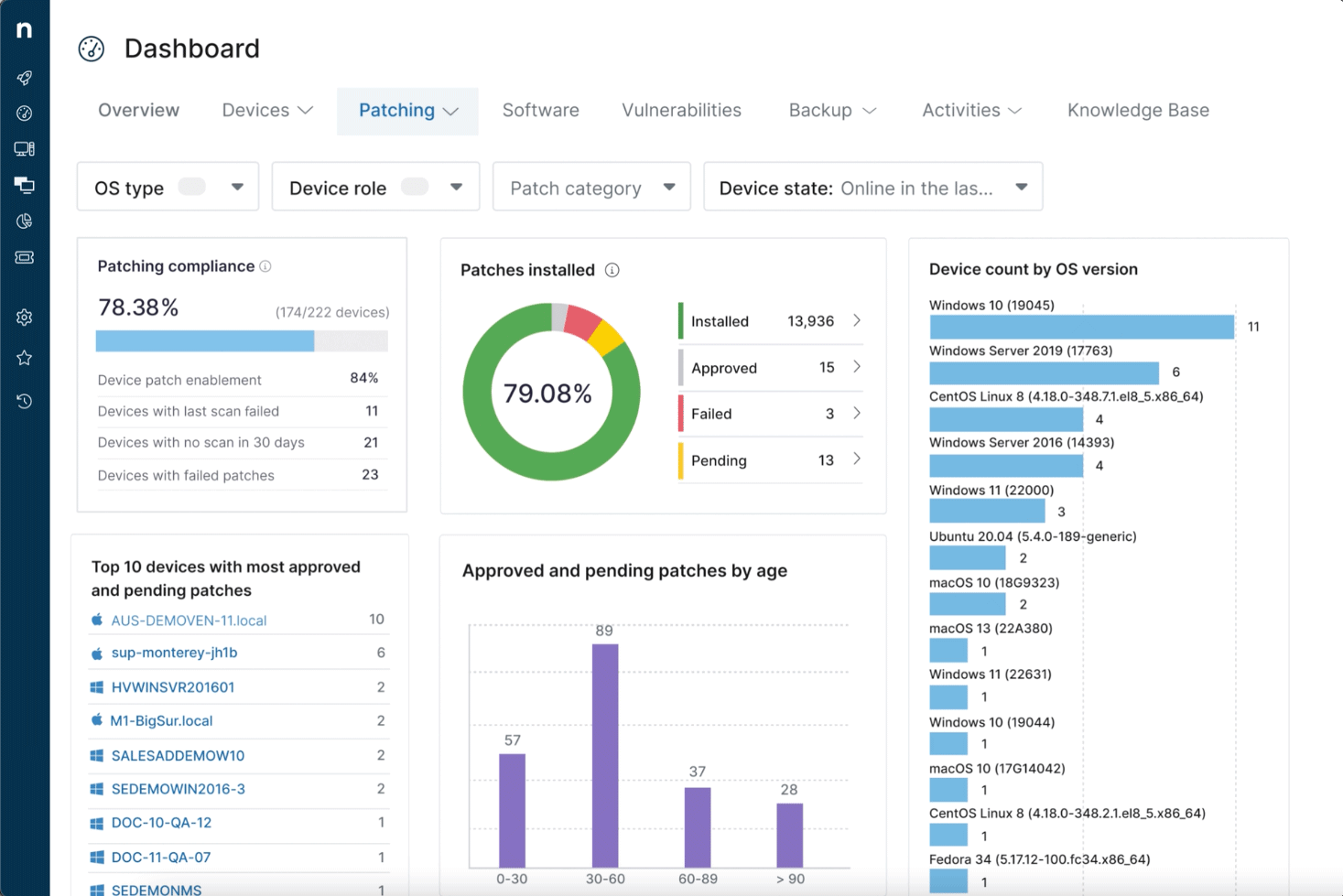
NinjaOne is a unified IT operations platform that simplifies and automates your IT operations. It’s ideal for medium-sized to enterprise businesses, managed service providers, and IT departments because it brings everything together in a single, modern platform — endpoint management, autonomous patching, backup, and remote access. It enables organizations to reduce costs, strengthen resilience, and improve efficiency.
pros
-
Automation features help reduce your team's workload.
-
The interface is intuitive, making it easy for your team to use.
-
You get quick responses from their customer support team.
cons
-
Customization options can feel limited for specific needs.
-
Advanced features may require a learning curve for your team.
-
Some users find the onboarding process could be more comprehensive.
Is NinjaOne Right For Your Needs?
Who Would be a Good Fit for NinjaOne?
NinjaOne is best suited for medium to large IT organizations and MSPs with complex endpoint management needs. Companies operating across multiple offices or with distributed workforces benefit most from NinjaOne’s automated capabilities. The ideal customer values centralized IT operations, cross-platform support (Windows, macOS, Linux, mobile), and robust patch and security management. NinjaOne aligns best with organizations that require scalable, secure, and efficient remote monitoring and management solutions.
-
Mid-Large Size Companies
These companies (typically 250+ employees) would benefit from NinjaOne’s advanced IT automation and endpoint control to handle complex infrastructures.
-
IT Leadership & Technical Teams
CIOs, VPs, IT directors, engineers, and technicians would gain valuable visibility and control across diverse IT environments using NinjaOne.
-
MSP's Servicing Multi-Client Environments
Founders, CTOs, helpdesk managers, and lead technicians managing multiple clients with mixed device ecosystems would benefit from NinjaOne’s multi-tenant management tools.
-
Distributed or Hybrid Workforces
Organizations managing remote teams, mobile endpoints, or devices across various locations would benefit from NinjaOne’s centralized management capabilities.
-
High-Compliance Industries
Healthcare, finance, and government sectors would benefit from NinjaOne’s secure, auditable IT operations and strong endpoint protection.
-
Technology or SaaS Organizations
Teams seeking solutions for RMM, patching, cybersecurity, backup, and endpoint security would benefit from NinjaOne’s specialized toolset.
Who Would be a Bad Fit for NinjaOne?
Very small businesses or individuals without dedicated IT teams may find NinjaOne less suitable due to its focus on centralized and automated endpoint management. Organizations that don’t manage multiple devices or rely solely on consumer-level software typically don’t require the advanced capabilities NinjaOne provides. Similarly, businesses whose IT infrastructure lives entirely in the cloud or have highly customized enterprise setups might not benefit from NinjaOne’s streamlined approach to endpoint management. If your company lacks IT operations or doesn’t engage in service delivery, NinjaOne’s platform might introduce unnecessary complexity.
-
Non-IT Teams or Departments
Groups that don’t engage in IT operations or device management wouldn’t find NinjaOne relevant or valuable.
-
Custom-Built Enterprise Systems
Very large organizations with complex or niche, in-house IT platforms might not benefit, as NinjaOne may be too rigid for their specialized needs.
-
Cloud-Only Operations
Companies relying solely on SaaS tools without physical devices to manage wouldn’t gain value from NinjaOne’s endpoint-focused solutions.
-
Solo Entrepreneurs or Micro-Businesses
These users likely wouldn’t benefit from NinjaOne, as it’s optimized for IT teams or MSPs rather than one-person operations or businesses without centralized IT.
-
Minimal Endpoint Environments
Organizations managing only a few devices without needing centralized oversight wouldn’t fully benefit from NinjaOne’s advanced capabilities.
-
Consumer-Focused Users
Personal or home software users wouldn’t benefit from NinjaOne, as it’s designed for business-level IT environments.
Our Review Methodology
How We Test & Score Tools
We’ve spent years building, refining, and improving our software testing and scoring system. The rubric is designed to capture the nuances of software selection and what makes a tool effective, focusing on critical aspects of the decision-making process.
Below, you can see exactly how our testing and scoring works across seven criteria. It allows us to provide an unbiased evaluation of the software based on core functionality, standout features, ease of use, onboarding, customer support, integrations, customer reviews, and value for money.
Core Functionality (25% of final scoring)
The starting point of our evaluation is always the core functionality of the tool. Does it have the basic features and functions that a user would expect to see? Are any of those core features locked to higher-tiered pricing plans? At its core, we expect a tool to stand up against the baseline capabilities of its competitors.
Standout Features (25% of final scoring)
Next, we evaluate uncommon standout features that go above and beyond the core functionality typically found in tools of its kind. A high score reflects specialized or unique features that make the product faster, more efficient, or offer additional value to the user.
We also evaluate how easy it is to integrate with other tools typically found in the tech stack to expand the functionality and utility of the software. Tools offering plentiful native integrations, 3rd party connections, and API access to build custom integrations score best.
Ease of Use (10% of final scoring)
We consider how quick and easy it is to execute the tasks defined in the core functionality using the tool. High scoring software is well designed, intuitive to use, offers mobile apps, provides templates, and makes relatively complex tasks seem simple.
Onboarding (10% of final scoring)
We know how important rapid team adoption is for a new platform, so we evaluate how easy it is to learn and use a tool with minimal training. We evaluate how quickly a team member can get set up and start using the tool with no experience. High scoring solutions indicate little or no support is required.
Customer Support (10% of final scoring)
We review how quick and easy it is to get unstuck and find help by phone, live chat, or knowledge base. Tools and companies that provide real-time support score best, while chatbots score worst.
Customer Reviews (10% of final scoring)
Beyond our own testing and evaluation, we consider the net promoter score from current and past customers. We review their likelihood, given the option, to choose the tool again for the core functionality. A high scoring software reflects a high net promoter score from current or past customers.
Value for Money (10% of final scoring)
Lastly, in consideration of all the other criteria, we review the average price of entry level plans against the core features and consider the value of the other evaluation criteria. Software that delivers more, for less, will score higher.
Core Features
Remote Monitoring and Management
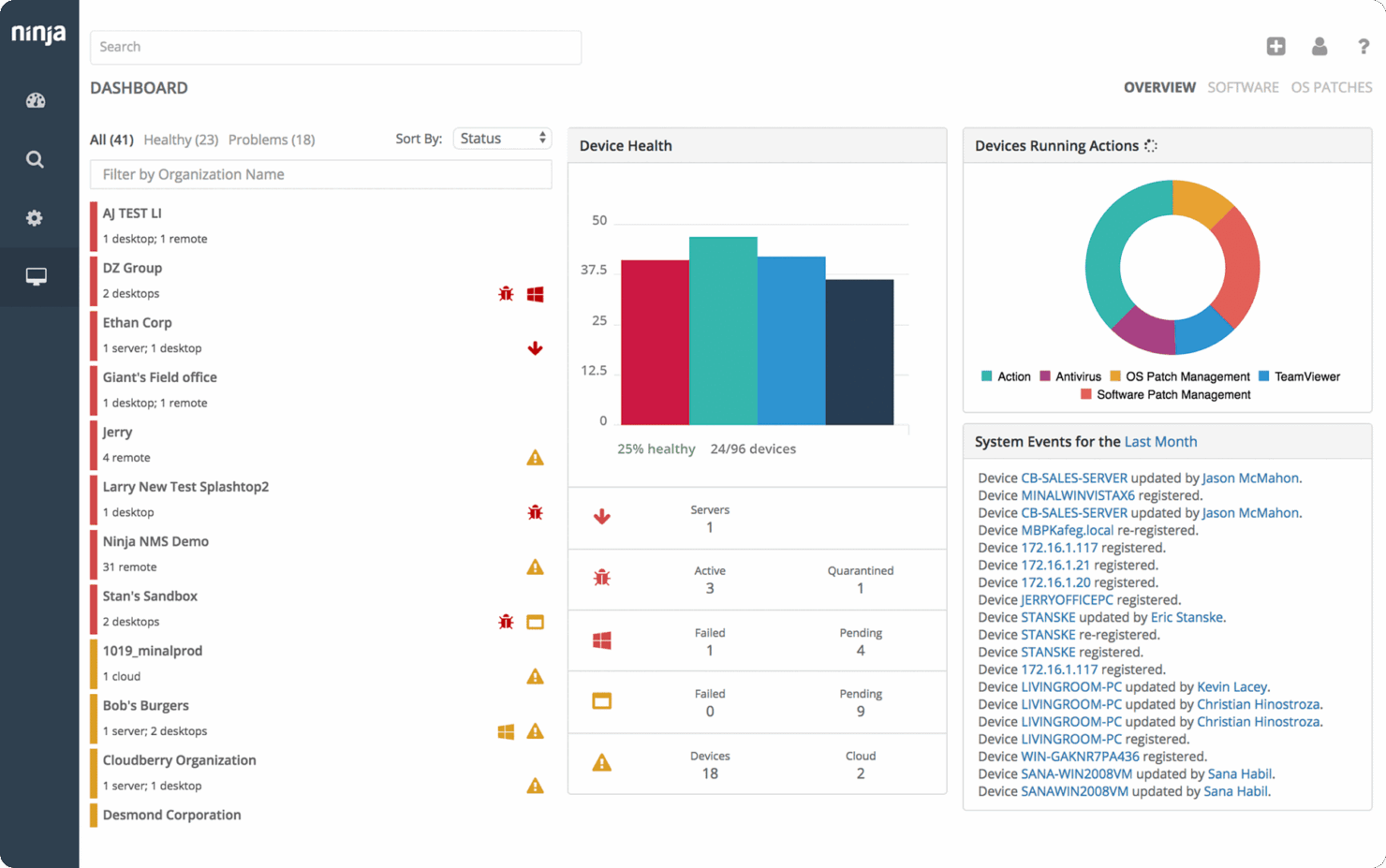
You can monitor and manage your devices from anywhere, ensuring your systems are always operational. This keeps your team proactive and reduces downtime.
Patch Management
Automate patch updates to keep your software secure and up-to-date, reducing vulnerabilities. Your team saves time while maintaining system integrity.
Endpoint Management
Manage all your endpoints easily with centralized control, enhancing your IT security posture. You streamline your device management process.
IT Asset Management
Track and manage your IT assets efficiently, keeping your inventory accurate and organized. This helps you optimize resource use and cut unnecessary costs.
Backup and Recovery
Protect your data with reliable backup solutions, ensuring quick recovery when needed. You minimize data loss and safeguard critical information.
Automation
Automate repetitive tasks, freeing up your team to focus on strategic initiatives. This enhances productivity and reduces manual errors.
Standout Features
Automated Remediation
While many tools alert users to issues, NinjaOne’s ability to autonomously address them sets it apart.
Customizable Dashboards
NinjaOne enables users to easily tailor dashboards exactly to their needs, offering a wide array of dashboard configurations.
Compliance Management
NinjaOne helps IT and Compliance managers ensure teams are up to date on regulatory requirements.

Ease of Use
NinjaOne’s intuitive interface makes it easy for your team to manage IT, remote monitoring, or patch management tasks without a steep learning curve. The straightforward navigation enables you to quickly access core features, such as remote management and automation. Users appreciate the clean design that minimizes confusion, makes navigation approachable, and enhances productivity. Compared to other IT management tools, NinjaOne stands out for its user-friendly approach, making it suitable for teams at all skill levels.
Onboarding
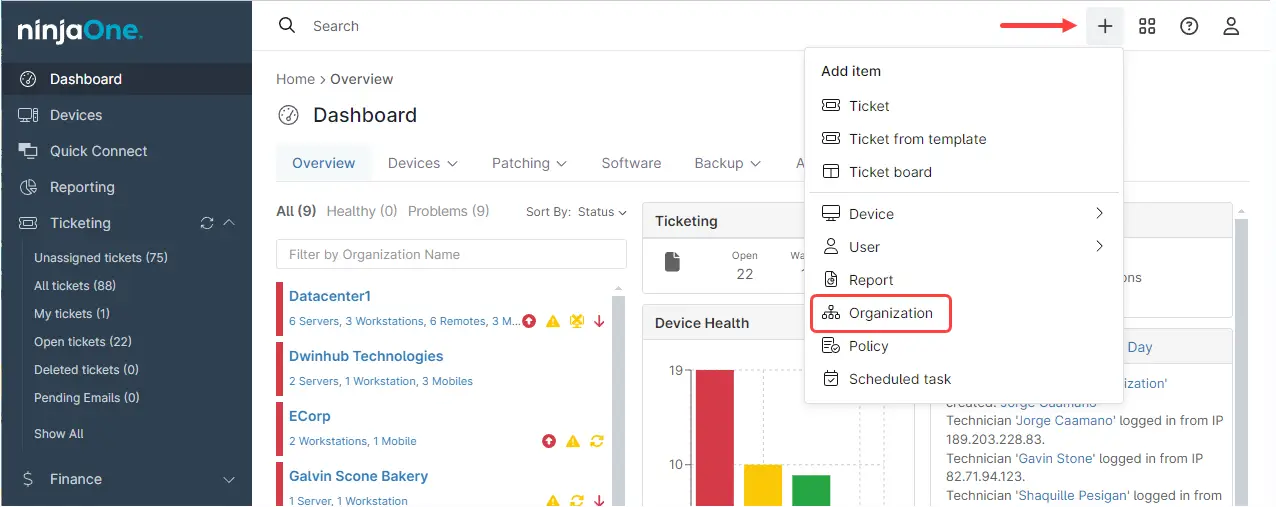
NinjaOne’s onboarding process is straightforward but could be more comprehensive for new users. While the platform provides basic guides and customer support to help your team get started, some users feel that more detailed tutorials and resources would enhance the experience. The time to value is relatively quick, but you might need additional assistance to fully leverage all features. The support team is responsive, aiding in a smoother transition for your team.

Customer Support
NinjaOne provides reliable customer support, ensuring your team gets quick assistance when needed. Users appreciate the speed and efficiency of the support team, which helps resolve issues promptly. The availability of multiple support channels, like live chat and email, enhances accessibility for your team. While the support is generally effective, some users suggest more proactive engagement could further improve the experience, ensuring you make the most of NinjaOne’s capabilities.

Integrations
Integrations include CrowdStrike, Halo PSA, SentinelOne, ConnectWise Manage, Autotask, Duo, Okta, Microsoft Entra, OneLogin, Slack, ServiceNow, and Bitdefender.
Value for Money
NinjaOne uses a custom pricing model tailored to each organization’s unique needs. Instead of offering fixed, public pricing tiers, NinjaOne works directly with potential customers to understand their specific requirements, such as the number of endpoints, desired features, and level of support, and then provides a personalized quote. This approach ensures that businesses only pay for the tools and services they need, whether that’s remote monitoring and management (RMM), patch management, backup, or other IT operations tools. To obtain accurate pricing, interested customers should contact NinjaOne’s sales team for a consultation and a customized quote.
New Product Updates from NinjaOne
NinjaOne Launches Integrated Remote Access
NinjaOne now includes NinjaOne Remote directly within the platform, enabling technicians to connect to Windows, macOS, Linux, Android, and iOS devices from one interface. This native approach improves response times, reduces tool sprawl, and strengthens security with compliance-ready architecture. Here are the details of the update:
- Native Remote Access: Connect to endpoints instantly without external software.
- Cross-Platform Support: Manage Windows, Mac, Linux, Android, and iOS devices at scale.
- Security-First Design: Built to meet standards like SOC 2, ISO 27001, and HIPAA alignment.
- Background Mode & Tools: Fix issues silently with file transfer, CLI access, and shortcuts.
Visit NinjaOne’s official site for more details.
 for more details.
NinjaOne Specs
- 2-Factor Authentication
- Access Management
- Anti-Virus
- API
- Audit Trail
- Bug Tracking
- Calendar Management
- Customer Management
- Dashboard
- Data Export
- Data Import
- Data Visualization
- Email Integration
- External Integrations
- File Sharing
- File Transfer
- Firewall
- Google Apps Integration
- Inventory Tracking
- Malware Protection
- Multi-User
- Network Device Performance Monitoring
- Network Traffic Monitoring
- Network Visualization
- Notifications
- Project Management
- Remote Access
- Risk Assessment
- SAP Integration
- Scheduling
- Software Integration
- Third-Party Plugins/Add-Ons
- Ticket Management
Projecteur sur les partenaires : Témoignages de NinjaOne

Une plateforme unifiée de gestion informatique

Témoignage client : Vector

Témoignage client : Global Tech Solutions
NinjaOne FAQs
Can NinjaOne support remote work environments?
How does NinjaOne handle data security and compliance?
Is there a learning curve with NinjaOne?
How does NinjaOne improve IT efficiency?
What kind of customer support can I expect from NinjaOne?
How customizable is NinjaOne for my specific needs?
How does NinjaOne ensure system uptime and reliability?
What kind of training resources does NinjaOne provide?
NinjaOne Company Overview & History
NinjaOne, founded in 2014 by Sal Sferlazza and Chris Matarese, is headquartered in Austin, TX, with over 1,500 employees. It specializes in automated endpoint management solutions and serves more than 35,000 customers in over 140 countries. The company is known for its strong customer-centric approach, offering 24/7 multilingual support. With a valuation of $5 billion in 2025, NinjaOne continues to enhance IT efficiency for businesses worldwide.
NinjaOne Major Milestones
- 2013: Company co-founded by Sal Sferlazza and Chris Matarese.
- 2015: Launched its core endpoint management platform.
- 2023: Reached over 1,000 employees and managed 5 million endpoints.
- 2024: Secured $231.5 million in Series C funding.
- 2025: Achieved a $5 billion valuation.