
Reseña de InvGate: Ventajas, Desventajas, Características y Precios
InvGate se distingue por su interfaz intuitiva y una sólida automatización, mejorando la eficiencia de la gestión de activos TI para tu equipo.

Revisamos herramientas de forma independiente y las comisiones ayudan a financiar nuestras pruebas. Consulta nuestra política de transparencia, nuestra metodología o sugiere una herramienta.
InvGate is an IT asset management software for IT teams that need to track hardware and software assets, manage license compliance, and monitor device lifecycles across their environment. I'd consider it if your team needs more structure and visibility than spreadsheet-based tracking can offer, but doesn't want the deployment complexity or licensing cost that comes with something like ServiceNow Asset Management.
InvGate Evaluation Summary
4.6/5
- From $17/agent/month (billed annually)
- 30-day free trial available
Por qué confiar en nuestras recomendaciones de software
6,700+
Reviews
20
Industry experts
16+
Evaluation factors
14
Years
Nuestro equipo lleva probando y evaluando software desde 2012. Como líderes tecnológicos, sabemos lo difícil —y lo importante— que es elegir el software adecuado.
Para esta guía, evaluamos las herramientas mediante pruebas prácticas e investigación independiente, puntuando las herramientas según nuestros criterios de selección.
Nuestras reseñas reflejan nuestro criterio editorial humano, no un discurso de ventas.
Revisores expertos:
- Paulo Gardini MiguelDirector técnico
 Tim FisherVP de IA
 Gabriel RosasTech Lead y arquitecto de software
 Christhian GruhnTech Lead y arquitecto de plataforma

InvGate Overview
In my opinion, InvGate is a solid choice for IT asset management, especially for mid-sized to large enterprises. It excels in offering a user-friendly interface and robust automation that streamlines asset tracking. Compared to competitors, InvGate stands out with its efficient customer support and high value for money, making it suitable for teams looking for cost-effective solutions. However, it might not be the best fit for smaller organizations with simpler needs.
Pros
- The intuitive interface makes it easy for your team to navigate.
- Automation features save you time on repetitive tasks.
- Strong customer support helps resolve your issues quickly.
Cons
- Initial setup can be a bit complex for some users.
- Advanced features may require a learning curve.
- Customization options can be more limited compared to others.
Is InvGate Right For Your Needs?
Who Would be a Good Fit for InvGate?
Mid-sized to large enterprises with complex IT environments are a great fit for InvGate. If your team works in industries like finance or healthcare, where compliance and detailed asset tracking are crucial, InvGate's robust automation and strong customer support can greatly benefit you. Its intuitive interface helps your IT department efficiently manage and track assets, saving time and reducing errors.
- Financial ServicesInvGate's detailed reporting and compliance features make it ideal for managing the extensive IT assets in financial services.
- Healthcare OrganizationsIts robust asset tracking capabilities help you maintain compliance with healthcare regulations effortlessly.
- IT DepartmentsThe automation features streamline your work, reducing repetitive tasks and freeing up your team for more critical issues.
- Educational InstitutionsInvGate helps you keep track of numerous devices across campuses, ensuring resources are used efficiently.
- Government AgenciesIts strong security features and detailed tracking are perfect for handling sensitive government assets.
Who Would be a Bad Fit for InvGate?
Small businesses or startups with straightforward IT needs might find InvGate too complex and feature-rich for their requirements. If your team doesn't need advanced automation or detailed asset tracking, InvGate's capabilities could be overwhelming. Its learning curve and setup requirements may not justify the investment for businesses with limited IT infrastructure.
- Small StartupsThe extensive features and setup complexity may not align with your minimal IT needs.
- FreelancersInvGate's robust asset management capabilities are unnecessary for managing a few devices.
- Non-Tech Savvy TeamsIf your team struggles with tech, the learning curve of InvGate could be a barrier.
- Single-Location RetailFor single-location stores, the centralized management features might be more than you need.
- Basic IT OperationsTeams with simple IT needs may find InvGate's advanced features excessive and underutilized
- Artisan ShopsYour small-scale operations likely won't benefit from the detailed asset tracking InvGate offers.
Nuestra metodología de revisión
Cómo probamos y puntuamos las herramientas
Hemos invertido años construyendo, refinando y mejorando nuestro sistema de pruebas y puntuación de software. La rúbrica está diseñada para captar los matices de la selección de software y lo que hace a una herramienta efectiva, enfocándose en aspectos críticos del proceso de toma de decisiones.
A continuación, puedes ver exactamente cómo nuestro sistema de prueba y puntuación funciona a través de siete criterios. Esto nos permite ofrecer una evaluación imparcial del software basada en funcionalidad central, características destacadas, facilidad de uso, incorporación, soporte al cliente, integraciones, reseñas de clientes y relación calidad-precio.
Funcionalidad principal (25% de la puntuación final)
El punto de partida de nuestra evaluación siempre es la funcionalidad central de la herramienta. ¿Tiene las características y funciones básicas que un usuario esperaría encontrar? ¿Alguna de esas funciones principales está limitada a planes de precios superiores? Esperamos que una herramienta esté a la altura de las capacidades básicas de sus competidores.
Características destacadas (25% de la puntuación final)
Luego, evaluamos las características poco comunes y sobresalientes que van más allá de la funcionalidad principal que normalmente se encuentra en herramientas de su tipo. Una puntuación alta refleja características especializadas o únicas que hacen el producto más rápido, eficiente o que ofrecen valor adicional al usuario.
También evaluamos qué tan fácil es integrar con otras herramientas que normalmente forman parte del ecosistema tecnológico para expandir la funcionalidad y utilidad del software. Las herramientas que ofrecen abundantes integraciones nativas, conexiones de terceros y acceso API para crear integraciones personalizadas obtienen la mejor puntuación.
Facilidad de uso (10% de la puntuación final)
Consideramos cuán rápido y sencillo es ejecutar las tareas definidas por la funcionalidad principal usando la herramienta. El software con mejor puntuación está bien diseñado, es intuitivo, ofrece aplicaciones móviles, proporciona plantillas y hace que tareas relativamente complejas parezcan sencillas.
Incorporación (10% de la puntuación final)
Sabemos lo importante que es la adopción rápida por parte del equipo para una nueva plataforma, por lo que evaluamos cuán fácil es aprender y usar una herramienta con entrenamiento mínimo. Evaluamos cuán rápido un miembro del equipo puede configurarla y comenzar a utilizarla sin experiencia previa. Las soluciones con mayor puntuación requieren poco o ningún soporte.
Soporte al cliente (10% de la puntuación final)
Revisamos qué tan rápido y sencillo es resolver dudas y encontrar ayuda por teléfono, chat en vivo o base de conocimientos. Las herramientas y compañías que proporcionan soporte en tiempo real obtienen la mejor puntuación, mientras que los chatbots obtienen la peor.
Reseñas de clientes (10% de la puntuación final)
Además de nuestras pruebas y evaluaciones, consideramos la puntuación neta de promotores por parte de clientes actuales y anteriores. Revisamos la probabilidad de que elijan la herramienta de nuevo para la funcionalidad principal. Una puntuación alta refleja una alta puntuación neta de promotores actuales o pasados.
Relación calidad-precio (10% de la puntuación final)
Por último, considerando todos los demás criterios, revisamos el precio promedio de los planes de nivel básico comparado con las funciones principales y consideramos el valor de los demás criterios de evaluación. El software que ofrezca más, por menos, obtendrá una puntuación mayor.
Core Features
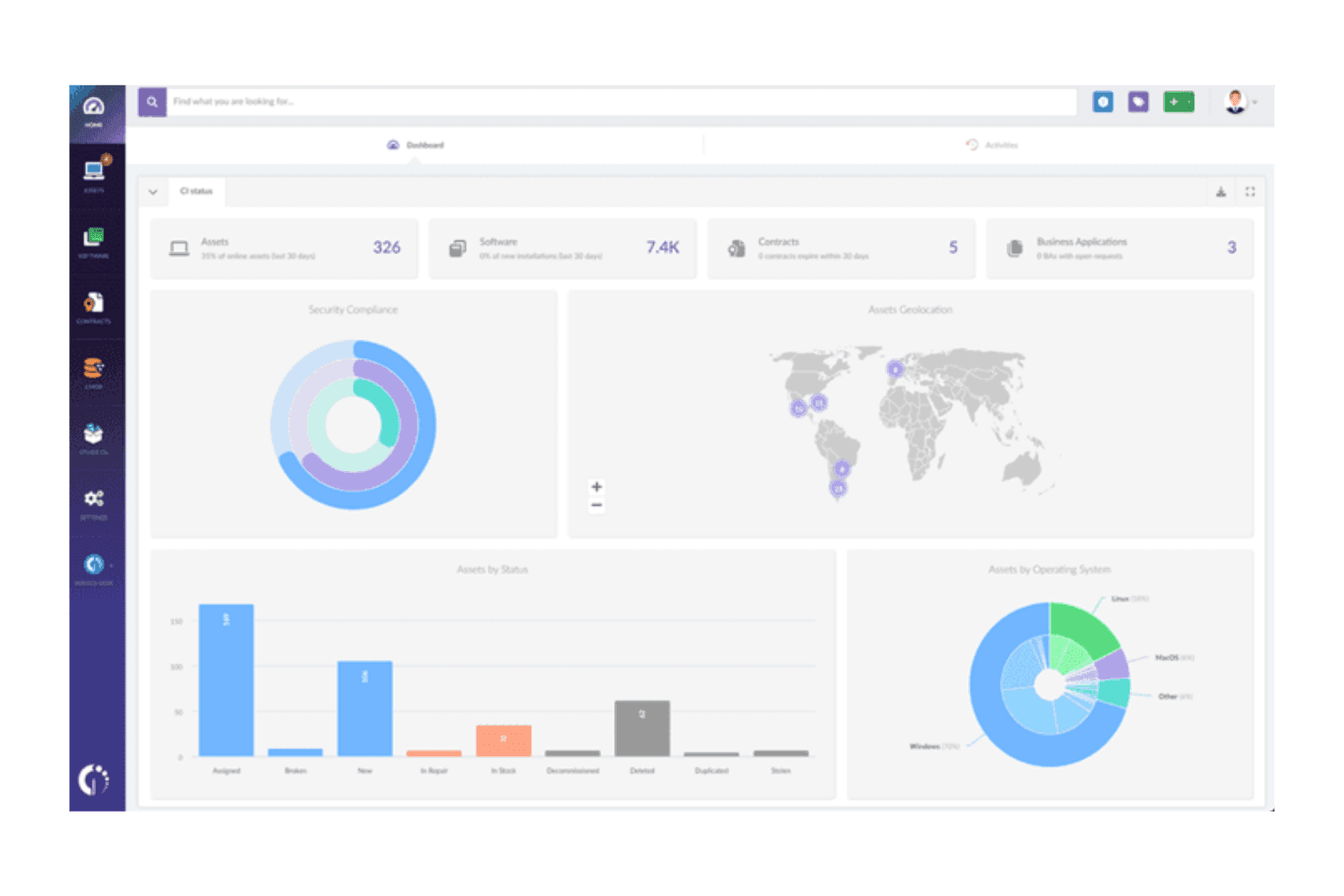
Asset Tracking: InvGate lets you track all your IT assets in real-time, providing a clear overview of your inventory. This helps your team make informed decisions about asset allocation and management.
License Management: Easily manage software licenses, ensuring compliance and avoiding costly penalties. InvGate's system alerts you to renewals and expirations.
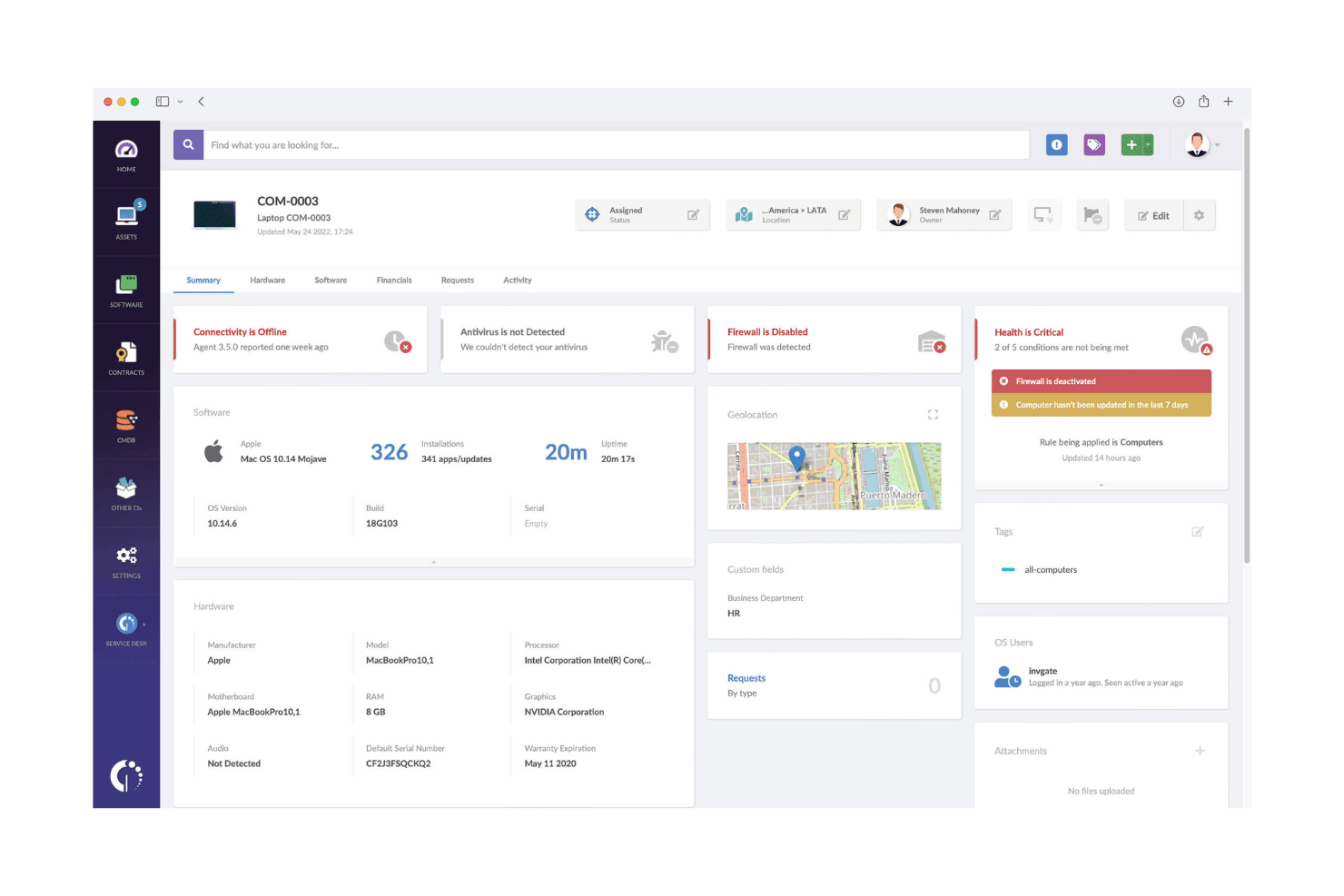
Incident Management: Streamline your IT support with a ticketing system that prioritizes and tracks incidents. Your team can resolve issues faster with automated workflows.
Change Management: Keep track of changes in your IT environment with detailed logs and approval workflows. This reduces errors and maintains system integrity.
Ticket Management (Integrated ITSM Functionality): Tickets tied to assets, AI‑driven categorization, routing, multi‑channel capture, audit trails, SLA tracking, and templates
Unified CMDB with Visual Mapping: Build and visualize relationships between devices to enhance troubleshooting
Ease of Use
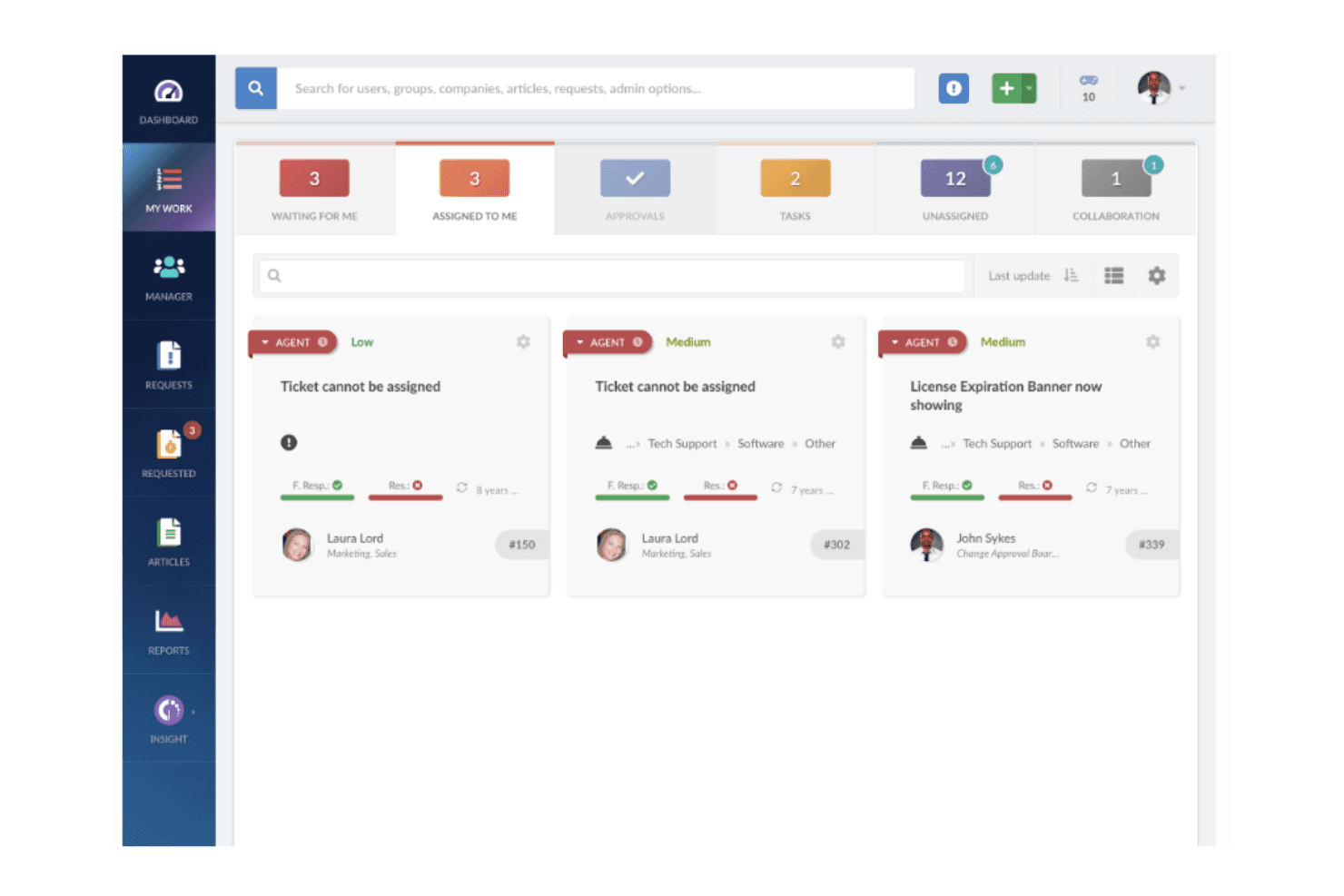
InvGate is user-friendly, thanks to its intuitive interface that helps your team navigate effortlessly. Compared to other IT asset management tools, it requires less training time, making it accessible even for non-tech-savvy users. Automation features simplify complex tasks, letting your team focus on more strategic work.
While there’s a slight learning curve for advanced features, the overall usability makes it a practical choice for managing your IT assets efficiently.
InvGate Specs
- A/B Testing: No
- API: Yes
- Automated Testing: No
- Browser Compatibility Testing: No
- Bug Tracking: No
- Calendar Management: No
- CI/CD Integration: No
- Dashboard: Yes
- Data Export: Yes
- Data Import: Yes
- Data Visualization: Yes
- Developer Tools: No
- External Integrations: No
- History/Version Control: No
- Manual Testing: No
- Multi-User: Yes
- Notifications: No
- Performance Testing: No
- Regression Testing: No
- Scheduling: Yes
- Status Notifications: Yes
- Third-Party Plugins/Add-Ons: Yes
Alternatives to InvGate


InvGate FAQs
¿Qué sigue?
Impulsa el crecimiento de tu SaaS y tus habilidades de liderazgo. Suscríbete a nuestro boletín para recibir las últimas ideas de CTOs y líderes tecnológicos en ascenso. ¡Te ayudaremos a escalar con inteligencia y liderar con fuerza mediante guías, recursos y estrategias de los mejores expertos!