

Reseña de Google Cloud 2026: Ventajas, Desventajas, Funciones y Precios
Google Cloud destaca por sus avanzadas herramientas de IA y su integración perfecta con los servicios de Google, aunque puede no adaptarse a todos los presupuestos o sistemas heredados, lo que lo convierte en ideal para equipos orientados a la innovación.

Revisamos herramientas de forma independiente y las comisiones ayudan a financiar nuestras pruebas. Consulta nuestra política de transparencia, nuestra metodología o sugiere una herramienta.
Google Cloud is a cloud service provider offering compute, storage, networking, and managed services for teams running workloads at scale. It's worth a close look if your infrastructure leans heavily on data analytics or containerized applications—Google Cloud's BigQuery and native Kubernetes tooling give you more out of the box than AWS does without significant third-party configuration.
Google Cloud Evaluation Summary
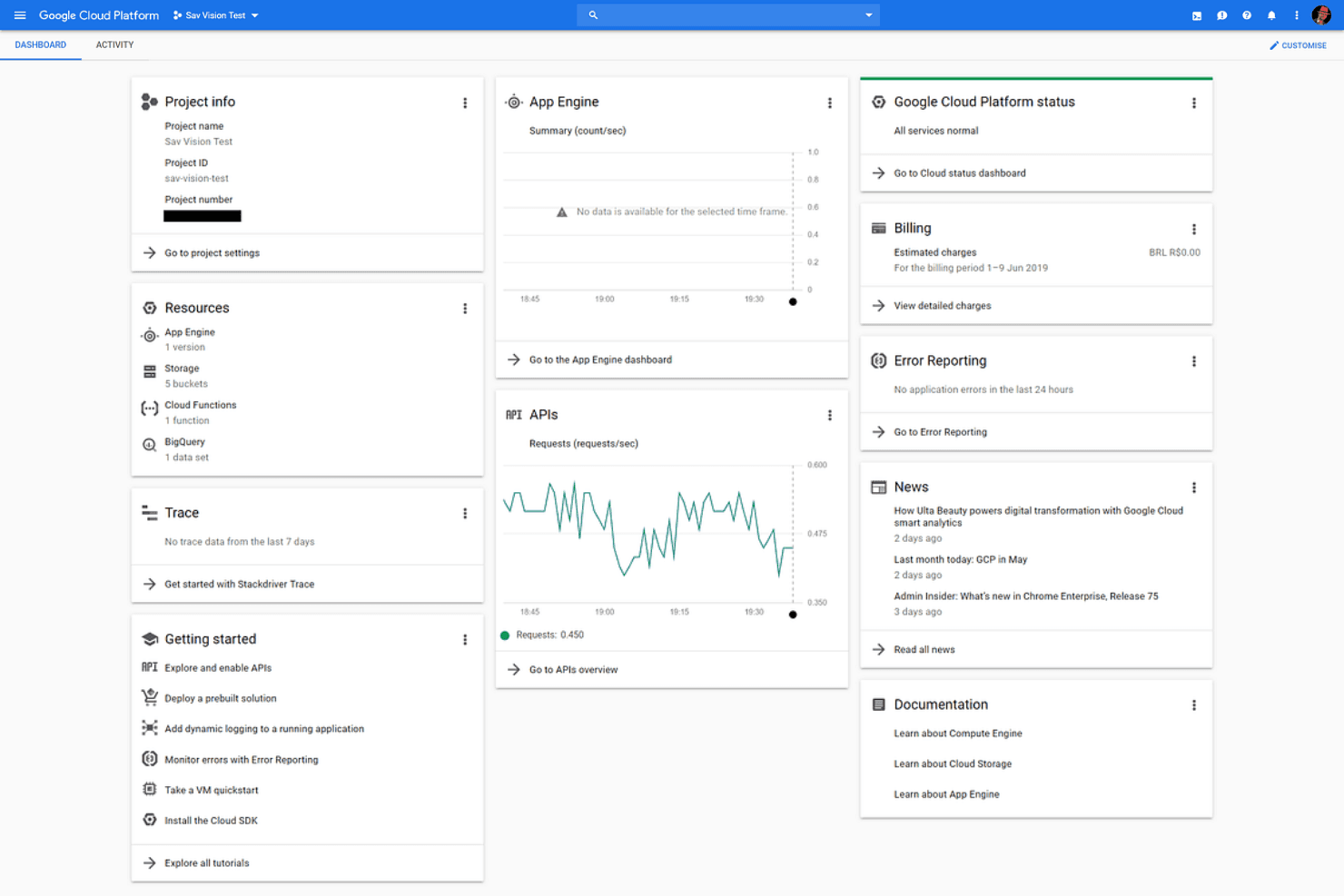
4.3/5
- Pricing upon request
- 90-day free trial
Por qué confiar en nuestras recomendaciones de software
6,700+
Reviews
20
Industry experts
16+
Evaluation factors
14
Years
Nuestro equipo lleva probando y evaluando software desde 2012. Como líderes tecnológicos, sabemos lo difícil —y lo importante— que es elegir el software adecuado.
Para esta guía, evaluamos las herramientas mediante pruebas prácticas e investigación independiente, puntuando las herramientas según nuestros criterios de selección.
Nuestras reseñas reflejan nuestro criterio editorial humano, no un discurso de ventas.
Revisores expertos:
- Paulo Gardini MiguelDirector técnico
 Tim FisherVP de IA
 Gabriel RosasTech Lead y arquitecto de software
 Christhian GruhnTech Lead y arquitecto de plataforma

Google Cloud Overview
When judging Google Cloud, its AI-driven features, global network, and deep integration with Google’s ecosystem set it apart, especially for teams prioritizing data analytics or machine learning. Pricing can be complex, and support response times sometimes lag behind expectations, but the intuitive interface and extensive documentation ease onboarding.
If you’re selecting a platform for rapid innovation, scalable workloads, or hybrid environments, Google Cloud is a strong contender. For example, organizations with heavy Kubernetes use or those seeking seamless collaboration with Google Workspace will find it especially compelling compared to other options.
Pros
- You get powerful data analytics and machine learning tools that enhance your team's strategic insights.
- The platform's global network infrastructure ensures your work is fast and reliable.
- Google Cloud Platform's security features protect your data, giving you peace of mind.
Cons
- You might find the platform's interface a bit complex if you're new to cloud services.
- Some users report that navigating through multiple services can be challenging.
- You may experience occasional delays in customer support response times.
Is Google Cloud Right For Your Needs?
Who Would be a Good Fit for Google Cloud?
If your team works in data-driven sectors like finance, healthcare, or retail, Google Cloud Platform can boost your analytics and machine learning efforts. Its robust infrastructure and global network support extensive data processing needs, making it ideal for IT departments and tech startups aiming for scalability. With advanced security features, your business can rely on safe data management, enhancing your ability to innovate and grow.
- Tech StartupsGoogle Cloud Platform offers scalability and flexibility, essential for growing your startup’s infrastructure as your needs evolve.
- Data AnalyticsWith powerful analytics tools, your team can derive actionable insights, improving decision-making and strategic planning.
- Machine LearningLeverage advanced machine learning capabilities to enhance your projects and drive innovation in your field.
- E-commerceThe global network ensures fast and reliable services, crucial for maintaining customer satisfaction and operational efficiency.
- HealthcareSecure data handling and processing capabilities support your compliance with regulations and improve patient data management.
- FinanceRobust security features protect sensitive financial data, ensuring your operations remain compliant and secure.
Who Would be a Bad Fit for Google Cloud?
Small businesses with limited tech resources might struggle with Google Cloud Platform’s complexity and vast array of services. If your team lacks cloud experience, the learning curve can be steep, making it tough to fully utilize the platform’s capabilities. Industries with minimal data processing needs may find the extensive features unnecessary and overwhelming.
- Small RetailersIf your operations don’t require heavy data processing, the platform’s advanced tools may be more than you need.
- Non-Tech TeamsTeams without tech expertise might find the platform’s complexity daunting, hindering their ability to use it effectively.
- FreelancersFor individual freelancers, the platform’s extensive capabilities can be excessive and hard to manage.
- Local BusinessesLocal businesses with simple IT needs may not benefit from the platform’s global network and advanced features.
- Artistic IndustriesIndustries focused on creativity rather than data may not require the platform’s robust analytics and machine learning tools.
- Educational InstitutionsWithout a strong IT department, educational institutions might struggle to implement and maintain the platform effectively.
Nuestra metodología de revisión
Cómo probamos y puntuamos las herramientas
Hemos invertido años construyendo, refinando y mejorando nuestro sistema de pruebas y puntuación de software. La rúbrica está diseñada para captar los matices de la selección de software y lo que hace a una herramienta efectiva, enfocándose en aspectos críticos del proceso de toma de decisiones.
A continuación, puedes ver exactamente cómo nuestro sistema de prueba y puntuación funciona a través de siete criterios. Esto nos permite ofrecer una evaluación imparcial del software basada en funcionalidad central, características destacadas, facilidad de uso, incorporación, soporte al cliente, integraciones, reseñas de clientes y relación calidad-precio.
Funcionalidad principal (25% de la puntuación final)
El punto de partida de nuestra evaluación siempre es la funcionalidad central de la herramienta. ¿Tiene las características y funciones básicas que un usuario esperaría encontrar? ¿Alguna de esas funciones principales está limitada a planes de precios superiores? Esperamos que una herramienta esté a la altura de las capacidades básicas de sus competidores.
Características destacadas (25% de la puntuación final)
Luego, evaluamos las características poco comunes y sobresalientes que van más allá de la funcionalidad principal que normalmente se encuentra en herramientas de su tipo. Una puntuación alta refleja características especializadas o únicas que hacen el producto más rápido, eficiente o que ofrecen valor adicional al usuario.
También evaluamos qué tan fácil es integrar con otras herramientas que normalmente forman parte del ecosistema tecnológico para expandir la funcionalidad y utilidad del software. Las herramientas que ofrecen abundantes integraciones nativas, conexiones de terceros y acceso API para crear integraciones personalizadas obtienen la mejor puntuación.
Facilidad de uso (10% de la puntuación final)
Consideramos cuán rápido y sencillo es ejecutar las tareas definidas por la funcionalidad principal usando la herramienta. El software con mejor puntuación está bien diseñado, es intuitivo, ofrece aplicaciones móviles, proporciona plantillas y hace que tareas relativamente complejas parezcan sencillas.
Incorporación (10% de la puntuación final)
Sabemos lo importante que es la adopción rápida por parte del equipo para una nueva plataforma, por lo que evaluamos cuán fácil es aprender y usar una herramienta con entrenamiento mínimo. Evaluamos cuán rápido un miembro del equipo puede configurarla y comenzar a utilizarla sin experiencia previa. Las soluciones con mayor puntuación requieren poco o ningún soporte.
Soporte al cliente (10% de la puntuación final)
Revisamos qué tan rápido y sencillo es resolver dudas y encontrar ayuda por teléfono, chat en vivo o base de conocimientos. Las herramientas y compañías que proporcionan soporte en tiempo real obtienen la mejor puntuación, mientras que los chatbots obtienen la peor.
Reseñas de clientes (10% de la puntuación final)
Además de nuestras pruebas y evaluaciones, consideramos la puntuación neta de promotores por parte de clientes actuales y anteriores. Revisamos la probabilidad de que elijan la herramienta de nuevo para la funcionalidad principal. Una puntuación alta refleja una alta puntuación neta de promotores actuales o pasados.
Relación calidad-precio (10% de la puntuación final)
Por último, considerando todos los demás criterios, revisamos el precio promedio de los planes de nivel básico comparado con las funciones principales y consideramos el valor de los demás criterios de evaluación. El software que ofrezca más, por menos, obtendrá una puntuación mayor.
Core Features
Compute Engine
Run virtual machines on demand with customizable CPU, memory, and storage. Supports autoscaling and preemptible instances for cost optimization.
BigQuery
Analyze massive datasets quickly using a fully managed, serverless data warehouse. Real-time analytics and built-in machine learning set it apart.
Cloud Storage
Store and retrieve any amount of data with high durability and availability. Offers multiple storage classes for cost and performance flexibility.
Kubernetes Engine
Deploy, manage, and scale containerized applications using Google’s managed Kubernetes service. Automated upgrades and integrated monitoring simplify operations.
Cloud Functions
Run event-driven serverless code without managing infrastructure. Ideal for automating workflows and building lightweight microservices.
Identity and Access Management (IAM)
Control user and service permissions with granular, policy-based access. Centralized management helps enforce security and compliance across resources.
Ease of Use
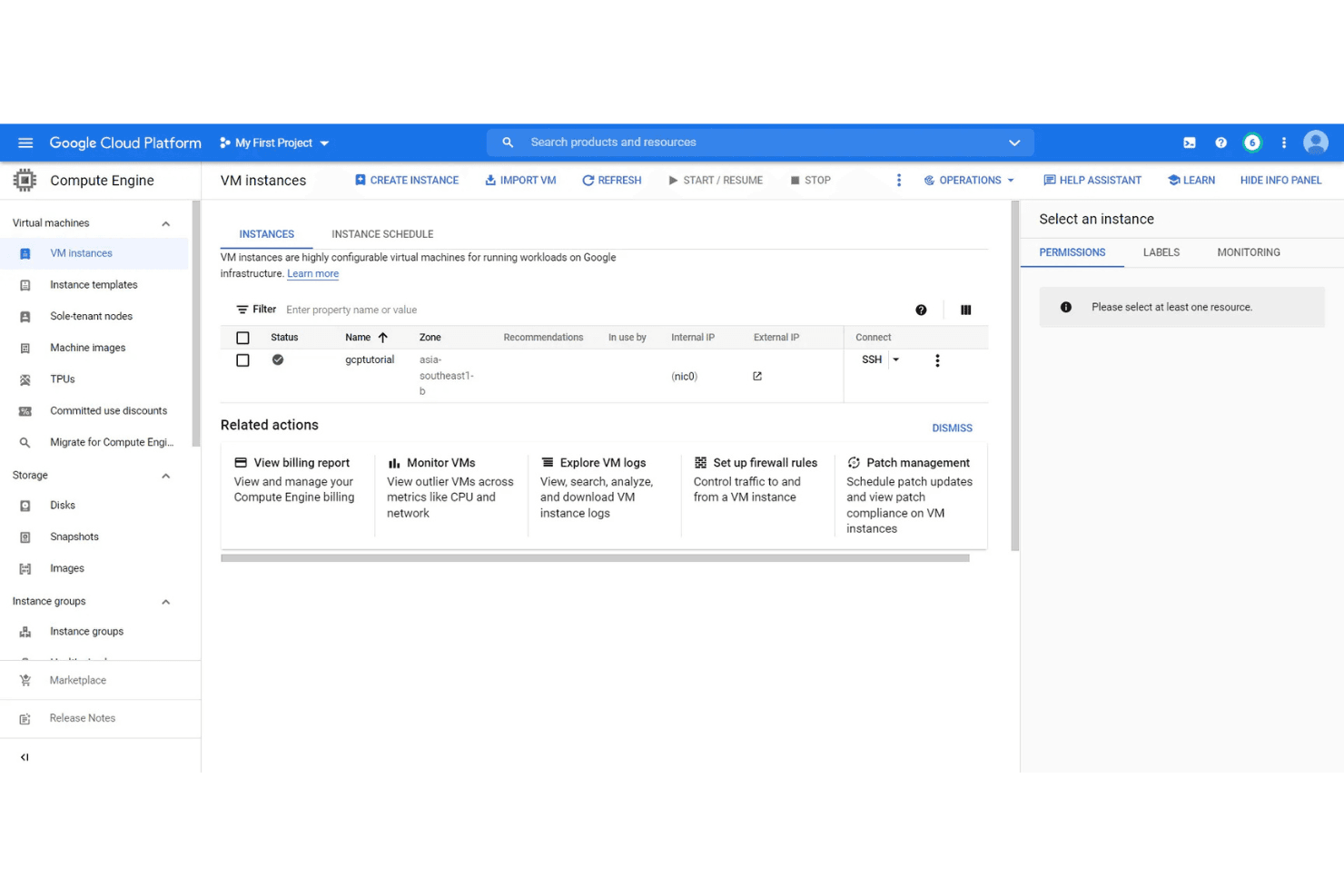
Google Cloud offers a clean, intuitive interface and extensive documentation, making it approachable for both new and experienced users. Many users appreciate the logical organization of services and the guided setup wizards for common tasks. However, some find the platform’s breadth overwhelming at first, especially when navigating billing or advanced configurations. Overall, its user experience is strong, especially for teams already familiar with Google’s ecosystem and cloud concepts.
Integrations
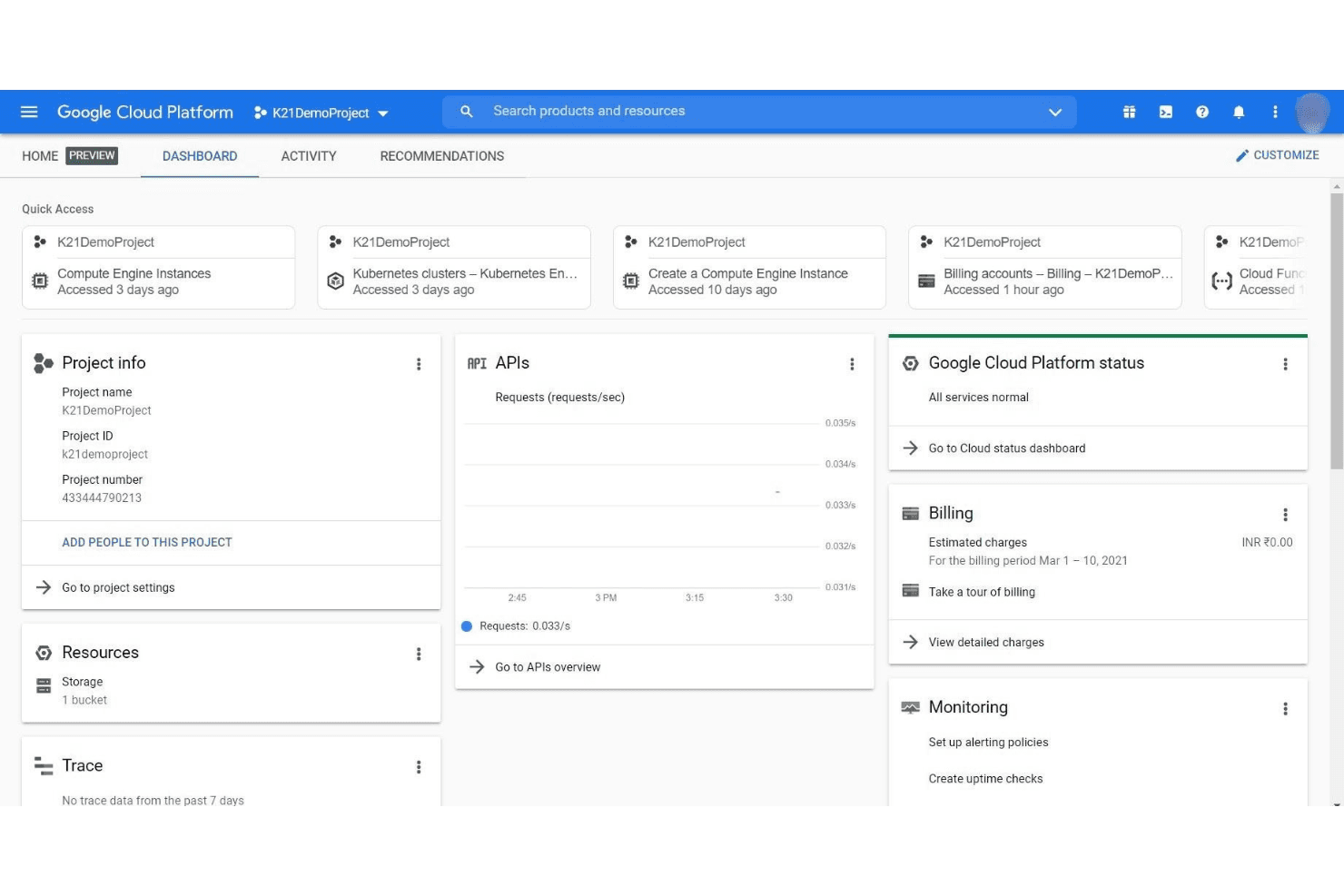
Google Cloud integrates with Google Workspace, Salesforce, SAP, Datadog, Splunk, ServiceNow, GitHub, Jenkins, Slack, and VMware, among others.
Google Cloud also offers a comprehensive API and supports connections with third-party integration tools.
Google Cloud Specs
- API: Yes
- Bug Tracking: No
- CI/CD Integration: Yes
- Cloud Deployment: Yes
- Code Review: No
- Code Transformation: No
- Collaboration Support: Yes
- Data Export: Yes
- Data Import: Yes
- Developer Tools: Yes
- External Integrations: Yes
- Git Integration: Yes
- History/Version Control: Yes
- IDE Plugins: Yes
- Local Deployment: Yes
- Multi-User: Yes
- Notifications: Yes
- Project Management: Yes
- Release Management: Yes
- Static Analysis: Yes
- Task Scheduling/Tracking: Yes
- Testing: Yes
Alternatives to Google Cloud


- Las 10 mejores herramientas alternativas a Google Cloud para la nube en 2026Opens new window
- Reseña de Google Cloud 2026: Ventajas, Desventajas, Funciones y PreciosOpens new window
- Reseña de Google Cloud Platform: Ventajas, Desventajas, Características y PreciosOpens new window
- Reseña de Google Cloud Storage: Pros, Contras, Características y PreciosOpens new window