

En la búsqueda de mejorar la experiencia del cliente, contar con las herramientas adecuadas de atención al cliente es invaluable. Como experto con amplia experiencia explorando innumerables herramientas, he elaborado una lista completa de las 25 mejores alternativas a Front App para tu equipo de soporte. Estas herramientas SaaS, ideales para equipos que interactúan mediante aplicaciones móviles para Android o iOS o por SMS, ofrecen una sólida gestión de los acuerdos de nivel de servicio y notificaciones puntuales. Consolidan las comunicaciones con los clientes en una única bandeja de entrada del equipo, lo que aumenta la eficiencia y la capacidad de respuesta.
Además, varias de estas alternativas ofrecen planes gratuitos, por lo que no es necesario introducir los datos de una tarjeta de crédito por adelantado. Esto te permite evaluar sus funciones premium antes de asumir un compromiso económico. Si buscas una herramienta que eleve la experiencia del cliente y gestione solicitudes diversas en plataformas como WhatsApp o SMS, estas alternativas a Front App podrían ser justo lo que necesitas.
¿Qué es Front?
Front es una herramienta de desarrollo de interfaces que ayuda a los equipos a diseñar y crear interfaces de usuario de forma más eficiente. La utilizan habitualmente desarrolladores de interfaces, diseñadores y equipos de producto que necesitan colaborar en el trabajo de la interfaz de usuario manteniendo el código manejable y organizado. Sus plantillas prediseñadas, componentes de interfaz de usuario y opciones de diseño adaptable ayudan a acelerar el desarrollo, garantizar la coherencia y adaptar los diseños a distintos tamaños de pantalla. En general, Front ayuda a tu equipo a ahorrar tiempo y a centrarse en los aspectos visuales y funcionales de tus proyectos web.
Por qué confiar en nuestras recomendaciones de software
6,700+
Reviews
20
Industry experts
16+
Evaluation factors
14
Years
Nuestro equipo lleva probando y evaluando software desde 2012. Como líderes tecnológicos, sabemos lo difícil —y lo importante— que es elegir el software adecuado.
Para esta guía, evaluamos las herramientas mediante pruebas prácticas e investigación independiente, puntuando las herramientas según nuestros criterios de selección.
Nuestras reseñas reflejan nuestro criterio editorial humano, no un discurso de ventas.
Revisores expertos:
- Paulo Gardini MiguelDirector técnico
 Tim FisherVP de IA
 Gabriel RosasTech Lead y arquitecto de software
 Christhian GruhnTech Lead y arquitecto de plataforma

Tabla comparativa de alternativas a Front
Esta tabla comparativa resume los detalles de precios de mis principales alternativas seleccionadas a Front:
| Tool | Best For | Trial Info | Price | ||
|---|---|---|---|---|---|
| 1 | Ideal para equipos pequeños que amplían el soporte con agentes de IA | No disponible | Precio bajo solicitud | Website | |
| 2 | Ideal para equipos de comercio electrónico que utilizan Shopify para el soporte | Prueba gratuita de 7 días | Desde $10/mes | Website | |
| 3 | La mejor opción para equipos de TI que migran desde Front con herramientas de SLA | Prueba gratuita de 14 días | Los precios de HappyFox comienzan en $29/usuario/mes (facturado anualmente) | Website | |
| 4 | Ideal para una bandeja de entrada omnicanal basada en IA a gran escala | Prueba gratuita de 14 días | Desde $29/usuario/mes (facturado anualmente) | Website | |
| 5 | Ideal para la clasificación mediante IA con escalamiento de SLA integrado | Demostración gratuita disponible | Precio bajo solicitud | Website | |
| 6 | La mejor opción para gestionar un gran volumen de tickets con triaje mediante IA | Prueba gratuita de 14 días | Desde $49/usuario/mes (facturado anualmente) | Website | |
| 7 | Ideal para soporte basado en tickets con detección de colisiones | Prueba gratuita de 14 días | Desde $19/usuario/mes (facturado anualmente) | Website | |
| 8 | La mejor opción para soporte omnicanal con un presupuesto por agente | Prueba gratuita de 30 días | Desde $15/usuario/mes (facturado anualmente) | Website | |
| 9 | La mejor opción para gestionar la atención al cliente directamente desde Gmail | Prueba gratuita de 7 días | Desde $25/usuario/mes (facturado anualmente) | Website | |
| 10 | Ideal para una bandeja de entrada compartida con prevención de respuestas duplicadas | Plan gratuito disponible | Desde $25/usuario/mes | Website |


Análisis de las mejores alternativas a Front
A continuación encontrarás mis resúmenes detallados de las mejores alternativas a Front que llegaron a mi lista. Mis análisis ofrecen una visión detallada de las funciones principales, ventajas y desventajas, integraciones y casos de uso ideales de cada herramienta para ayudarte a encontrar la mejor opción para ti.
 Ideal para equipos pequeños que amplían el soporte con agentes de IA
- No disponible
- Precio bajo solicitud
Visit WebsiteCustomer Rating:4.7/5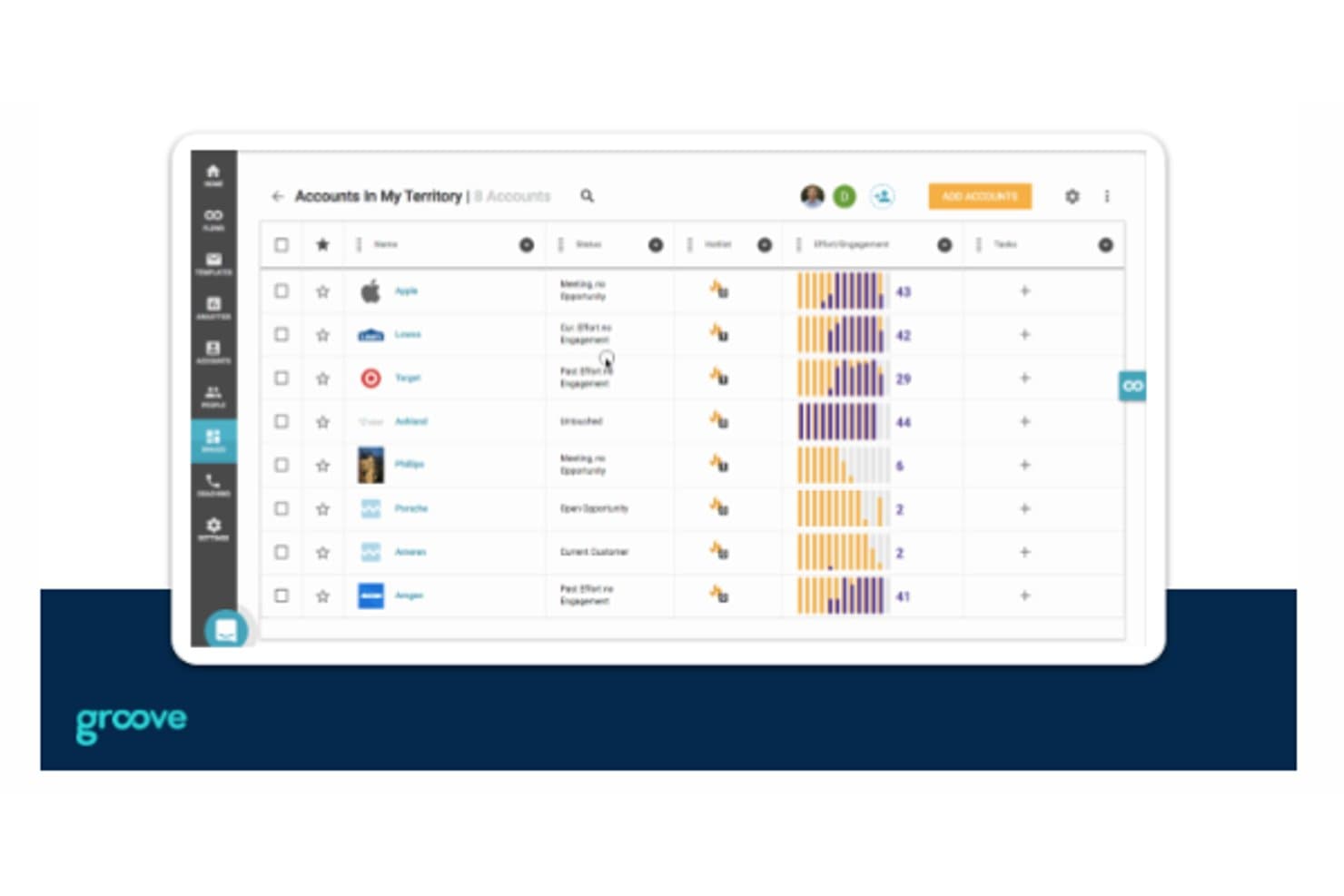
Groove permite a los usuarios realizar un seguimiento de las cuentas, la interacción y las tareas en una sola vista. Groove es una mesa de ayuda de atención al cliente que ayuda a los equipos de empresas emergentes a organizar las solicitudes entrantes, coordinar las respuestas y evitar que las conversaciones con los clientes queden sin atender.
¿Para quién es más adecuado Groove?
Groove es adecuado para empresas emergentes con equipos pequeños de atención al cliente que necesitan una mesa de ayuda sencilla para gestionar las preguntas de los clientes.
Por qué elegí Groove
Elegí Groove para empresas emergentes que buscan una herramienta de atención al cliente sencilla e intuitiva, especialmente al evaluar alternativas a Front. Su bandeja de entrada compartida ayuda a un equipo pequeño a asignar las solicitudes de los clientes, mientras que la detección de colisiones muestra cuándo un compañero ya está respondiendo. También me gusta que su base de conocimientos permite a los clientes encontrar respuestas a preguntas recurrentes sin abrir una solicitud.
Características principales de Groove
- Chat en vivo: Añade un chat en el sitio web o la aplicación mediante un componente personalizable.
- Valoraciones de satisfacción del cliente: Pide a los clientes que valoren las conversaciones cerradas y dejen comentarios.
- Informes de soporte: Revisa el volumen de conversaciones, los tiempos de respuesta, las resoluciones y la actividad del equipo.
- Reglas: Etiqueta o asigna conversaciones automáticamente según criterios establecidos.
Integraciones de Groove
Groove documenta integraciones con Salesforce, Slack, Jira Cloud, GitHub, Linear, Shopify, Trello, HubSpot y Mailchimp; también se conecta con Zapier.
Pros and Cons
Pros:
- La detección de colisiones evita respuestas duplicadas a los clientes
- La base de conocimientos responde a las preguntas recurrentes de los clientes
- Las reglas de asignación y las notas privadas coordinan los traspasos
Cons:
- Los informes ofrecen una profundidad limitada para el análisis de tendencias
- No ofrece asistencia telefónica para escalaciones urgentes
Learn more about Groove: Ideal para equipos de comercio electrónico que utilizan Shopify para el soporte
- Prueba gratuita de 7 días
- Desde $10/mes
Visit WebsiteCustomer Rating:4.6/5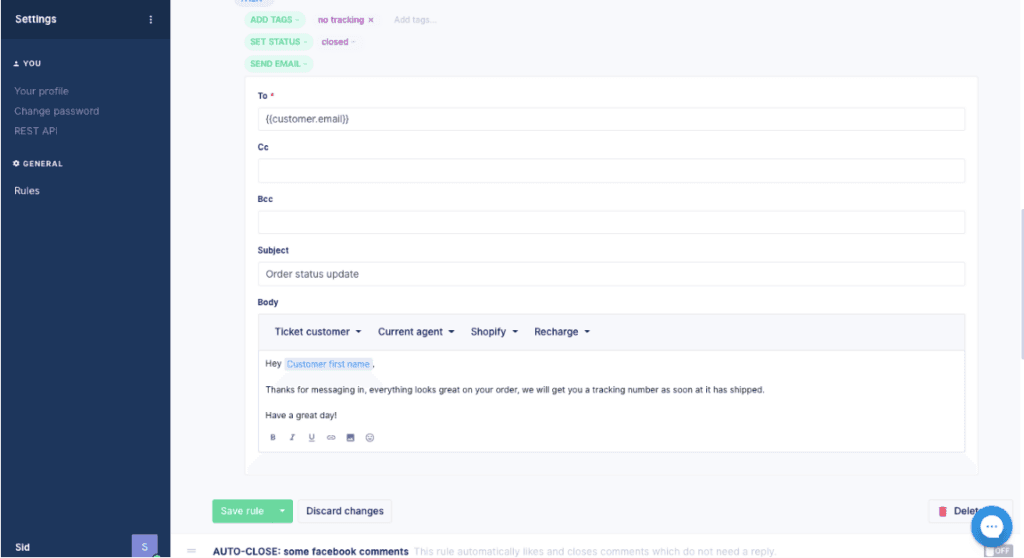
Alternativa a Front: Gorgias Gorgias es un software de atención al cliente para equipos de comercio electrónico que reúne las conversaciones con los clientes y los detalles de los pedidos para resolver problemas y ayudar con las compras, por lo que es ideal para negocios de comercio electrónico que requieren soporte y ventas integrados.
¿Para quién es más adecuado Gorgias?
Gorgias es adecuado para equipos de soporte de comercio electrónico que quieren que los agentes gestionen las conversaciones de servicio y ventas en un mismo espacio de trabajo.
Por qué elegí Gorgias
Elegí Gorgias como alternativa a Front para negocios de comercio electrónico que requieren soporte y ventas integrados. Me gusta que los agentes puedan ver los detalles de los pedidos junto con las conversaciones con los clientes, de modo que puedan resolver un problema con un pedido sin perder el contexto de ventas. También pueden utilizar esas conversaciones para ayudar con una compra.
Características principales de Gorgias
- Agente de IA: Automatiza las respuestas de soporte utilizando tus políticas y conocimientos sobre comercio electrónico.
- Bandeja de entrada omnicanal: Reúne los mensajes de correo electrónico, chat, SMS, WhatsApp, Instagram y Facebook en una sola bandeja de entrada.
- Enrutamiento de tickets: Asigna tickets a los miembros del equipo y facilita la colaboración.
- Integraciones: Se conecta con más de 300 aplicaciones, incluidas Recharge, Klaviyo, Yotpo y Loop.
Integraciones de Gorgias
Gorgias ofrece más de 100 integraciones de aplicaciones a través de su directorio de aplicaciones, incluidas Recharge, Loop Returns, Aircall, Facebook y Postscript. También es compatible con Zapier, integraciones HTTP con API externas y una API para integraciones personalizadas.
Pros and Cons
Pros:
- Los detalles de los pedidos y los reembolsos permanecen dentro de los tickets
- Las macros y reglas agilizan las respuestas repetitivas de comercio electrónico
- La atribución de ingresos conecta el soporte con las ventas
Cons:
- Los informes ofrecen menos profundidad para análisis personalizados
- Las reglas de enrutamiento complejas se vuelven difíciles de solucionar
Learn more about Gorgias: La mejor opción para equipos de TI que migran desde Front con herramientas de SLA
- Prueba gratuita de 14 días
- Los precios de HappyFox comienzan en $29/usuario/mes (facturado anualmente)
Visit WebsiteCustomer Rating:4.5/5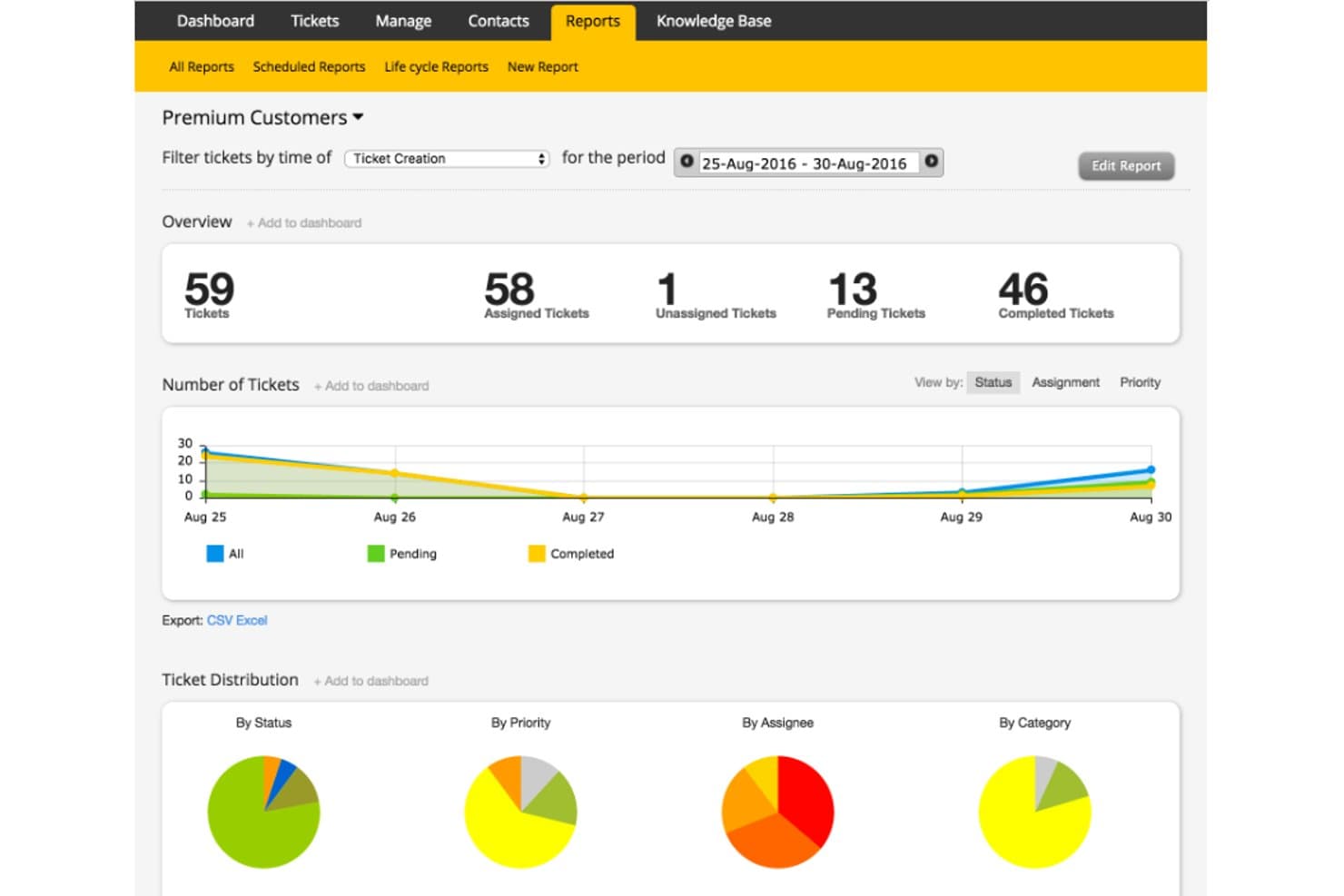
HappyFox realiza un seguimiento de los tickets de clientes premium con informes visuales de estado. HappyFox es una plataforma de mesa de ayuda para equipos de TI y atención al cliente que necesitan organizar solicitudes de servicio, coordinar el trabajo entre departamentos y ofrecer a los usuarios un camino claro hacia la resolución.
¿Para quién es más adecuado HappyFox?
HappyFox es adecuado para equipos de atención al cliente que necesitan gestionar los tickets de manera uniforme y tener una visibilidad clara mientras los agentes administran volúmenes crecientes de consultas.
Por qué elegí HappyFox
Elegí HappyFox como alternativa a Front para «La mejor opción para agilizar el soporte con un sistema de gestión de tickets multicanal». Me gusta cómo su hilo de tickets unificado reúne correos electrónicos, chats, llamadas y mensajes de redes sociales, de modo que los agentes pueden seguir un problema cuando un cliente cambia de canal. Mi equipo puede ver ese historial de interacciones en un solo lugar en vez de reconstruir conversaciones separadas.
Características principales de HappyFox
- Reglas inteligentes: Automatiza la asignación de tickets, las escalaciones y las notificaciones según condiciones definidas.
- Gestión de SLA: Establece plazos de servicio y realiza un seguimiento de los tickets según los objetivos de respuesta y resolución.
- Base de conocimientos: Publica artículos de ayuda con función de búsqueda para los agentes y el autoservicio de los clientes.
- Informes de la mesa de ayuda: Revisa el volumen de tickets, la actividad de los agentes y el rendimiento del soporte.
Integraciones de HappyFox
HappyFox incluye 93 integraciones, entre ellas Microsoft Teams, Slack, Jira, Azure DevOps, PagerDuty, NinjaOne, Microsoft Intune, Jamf Pro, TeamViewer y Zapier. También proporciona una API REST para integraciones personalizadas.
Pros and Cons
Pros:
- Los hilos de canales unificados conservan el contexto del cliente
- Automatiza la asignación de tickets y la escalación de SLA
- Los campos y las colas personalizados permiten adaptar los flujos de trabajo
Cons:
- La búsqueda de tickets puede omitir conversaciones relevantes
- La combinación de tickets puede descartar el contexto de correos electrónicos anteriores
Learn more about HappyFox: Ideal para una bandeja de entrada omnicanal basada en IA a gran escala
- Prueba gratuita de 14 días
- Desde $29/usuario/mes (facturado anualmente)
Visit WebsiteCustomer Rating:4.4/5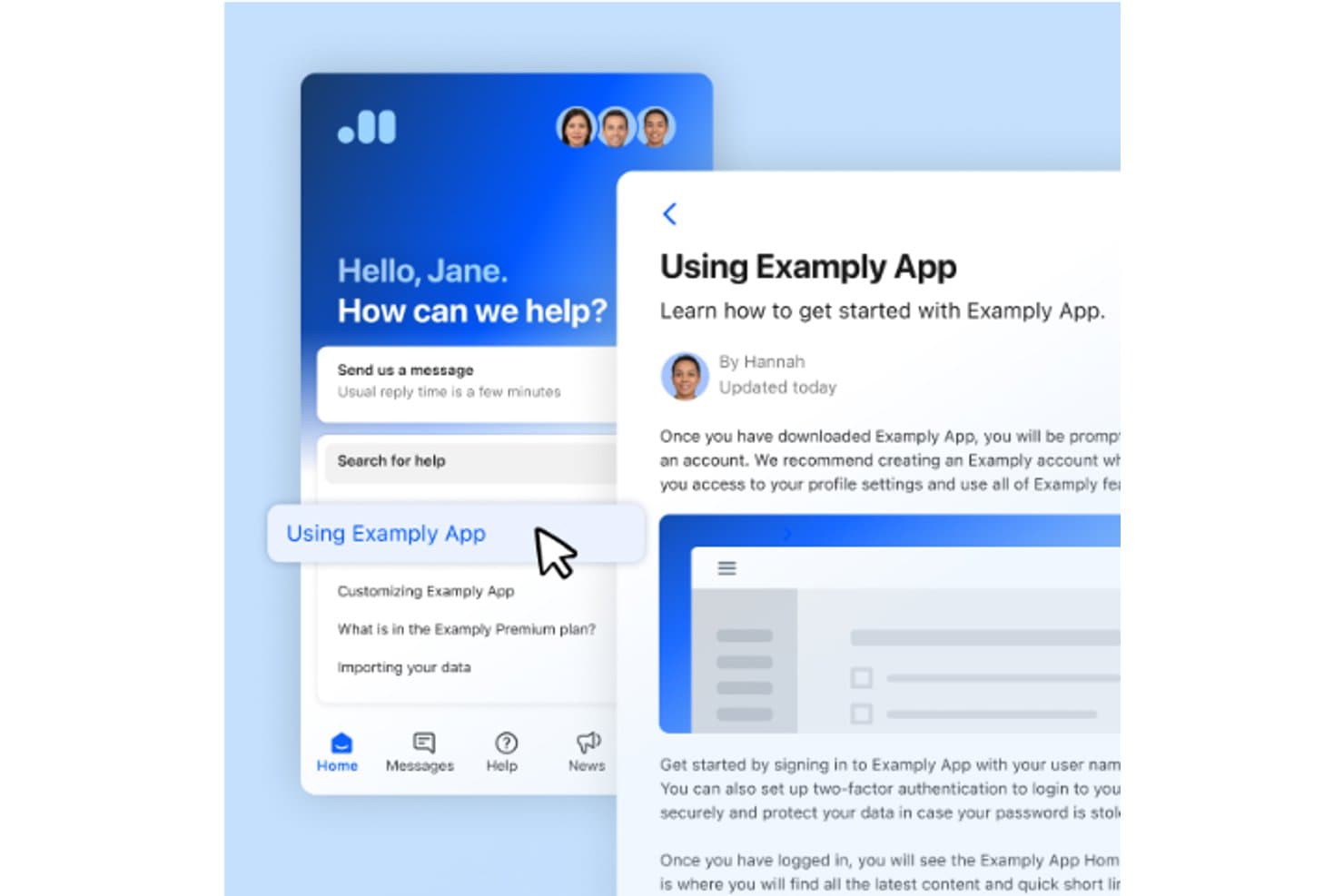
Intercom permite a los usuarios acceder a artículos de ayuda y al chat de soporte en un solo lugar. Intercom es una plataforma de servicio al cliente para empresas digitales que reúne las conversaciones con los clientes, los flujos de trabajo de soporte y los recursos de autoservicio, ayudando a los equipos de soporte a resolver consultas sin perder el contexto.
¿Para quién es más adecuado Intercom?
Intercom es adecuado para equipos de soporte que dependen del chat en vivo para responder las preguntas de los clientes mientras utilizan su sitio web o aplicación.
Por qué elegí Intercom
Elegí Intercom como alternativa a Front por su enfoque en ser la opción «ideal para la interacción con los clientes en tiempo real y las capacidades de chat en vivo». Su Messenger permite a los clientes iniciar conversaciones en un sitio web o una aplicación, mientras los agentes responden desde una bandeja de entrada compartida. Me gusta que Fin pueda responder preguntas en esas conversaciones y que los agentes intervengan cuando un caso requiere atención humana.
Funciones principales de Intercom
- Sistema de tickets: Crea y realiza un seguimiento de los tickets de soporte al cliente.
- Automatización de flujos de trabajo: Establece reglas para categorizar, asignar y derivar tickets.
- Informes: Consulta informes prediseñados sobre el rendimiento del soporte.
- Centro de ayuda público: Publica artículos de soporte para los clientes.
Integraciones de Intercom
El directorio de integraciones de Intercom incluye más de 450 aplicaciones e integraciones, entre ellas Salesforce, HubSpot, Zendesk, Shopify, Stripe, Slack, Jira, GitHub, Linear y Zapier. También ofrece API REST y webhooks para integraciones personalizadas.
Pros and Cons
Pros:
- El chat en vivo mantiene el contexto de las conversaciones con los clientes
- Fin gestiona las preguntas rutinarias antes de transferirlas a un agente
- La bandeja de entrada compartida permite un seguimiento humano rápido
Cons:
- Profundidad de la cola y controles de SLA limitados
- No es una buena opción para los flujos de trabajo de las mesas de servicio internas
 Ideal para la clasificación mediante IA con escalamiento de SLA integrado
- Demostración gratuita disponible
- Precio bajo solicitud
Visit WebsiteCustomer Rating:4/5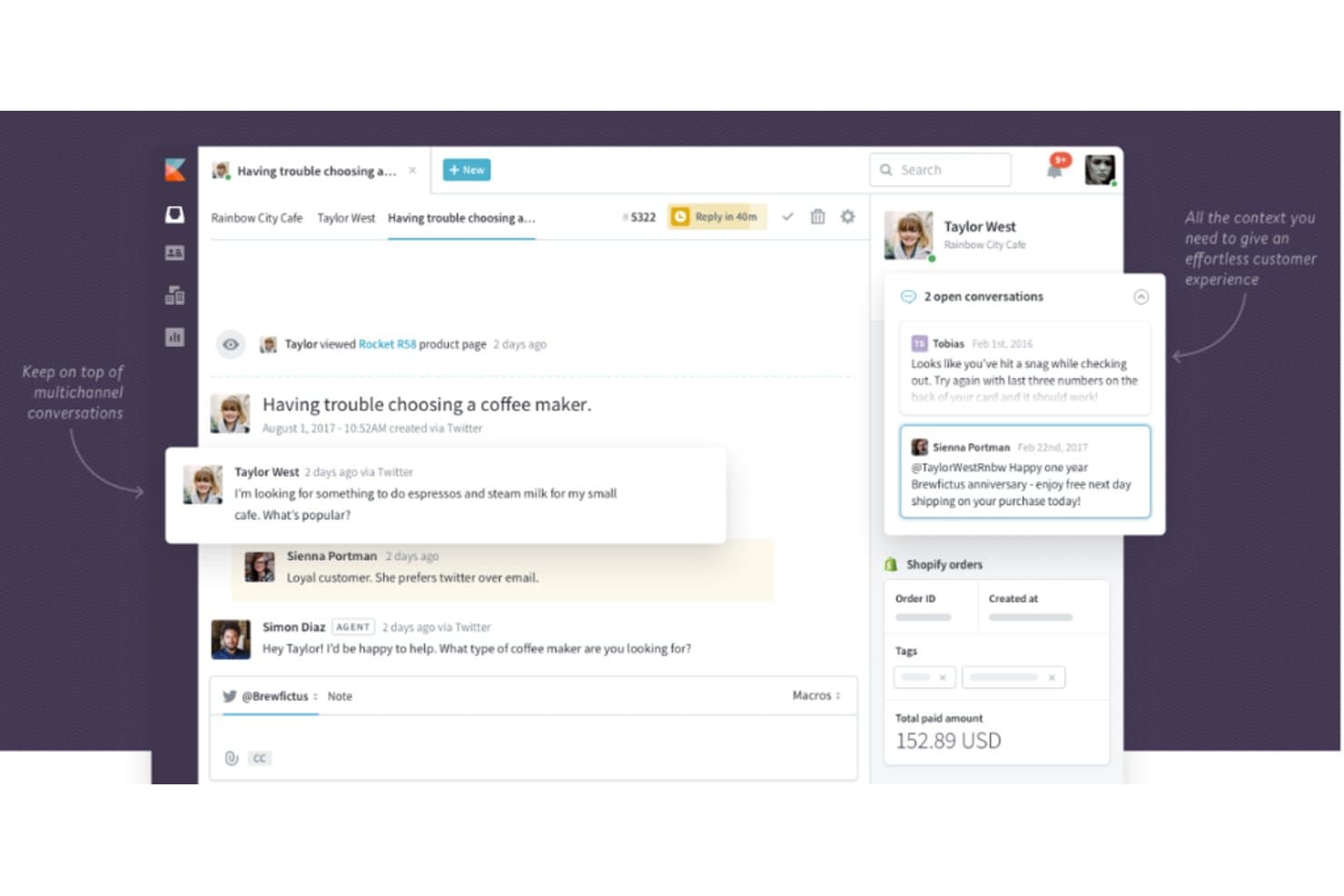
Kayako centraliza las conversaciones con clientes de varios canales en una sola vista. Kayako es un software de atención al cliente para equipos que necesitan gestionar conversaciones con clientes y solicitudes de servicio en un solo espacio de trabajo, ayudando a las empresas en crecimiento a mantener organizado el trabajo de soporte a medida que aumenta la demanda.
¿Para quién es más adecuado Kayako?
Kayako es adecuado para equipos de atención y éxito del cliente que quieren incorporar el chat en vivo a su flujo de trabajo de servicio al cliente.
Por qué elegí Kayako
Elegí Kayako para una guía de alternativas a Front porque su espacio de trabajo compartido reúne las conversaciones con clientes y las solicitudes de servicio. Su utilidad es clara: es ideal para combinar la atención al cliente, el éxito del cliente y el chat en vivo. Me gusta esa configuración cuando los equipos de soporte necesitan gestionar el chat en vivo junto con el trabajo de servicio continuo.
Características principales de Kayako
- Clasificación de tickets mediante IA: Clasifica, prioriza y asigna los tickets entrantes.
- Automatización de flujos de trabajo sin código: Utiliza activadores y condiciones para automatizar los procesos de soporte.
- Base de conocimientos: Publica artículos de ayuda con búsqueda semántica para el autoservicio de los clientes.
- Análisis del soporte: Informa sobre el volumen de tickets, los tiempos de resolución, el CSAT y el rendimiento de los SLA.
Integraciones de Kayako
Kayako documenta conectores prediseñados para Salesforce, Slack, Microsoft Teams, WhatsApp, Shopify, Stripe y Chargebee, y es compatible con Zapier. También proporciona API y webhooks para integraciones personalizadas.
Pros and Cons
Pros:
- Las cronologías de los clientes conservan el contexto del soporte
- La IA gestiona las preguntas repetitivas sobre el restablecimiento de contraseñas
- Las notas privadas aclaran los traspasos entre agentes
Cons:
- Los informes requieren pasos adicionales para navegar
- La carga lenta de los tickets puede retrasar las respuestas
Learn more about Kayako: La mejor opción para gestionar un gran volumen de tickets con triaje mediante IA
- Prueba gratuita de 14 días
- Desde $49/usuario/mes (facturado anualmente)
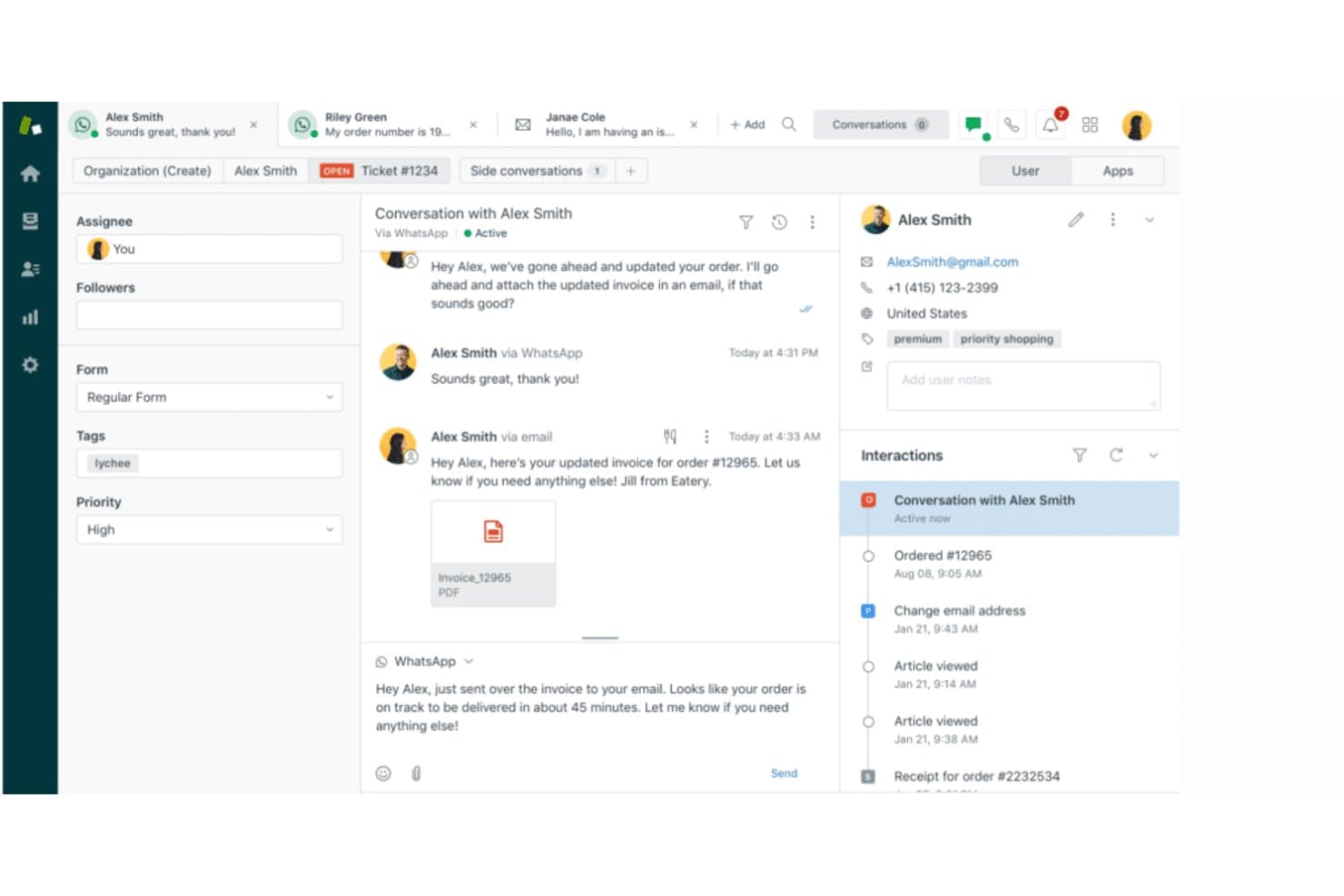
Zendesk unifica las conversaciones con los clientes de correo electrónico y WhatsApp en una sola vista. Zendesk es una plataforma de atención al cliente para equipos de soporte que necesitan organizar solicitudes entre distintos canales, gestionar los flujos de trabajo de los agentes y mantener conectadas las conversaciones con los clientes mientras resuelven problemas.
¿Para quién es más adecuado Zendesk?
Zendesk es adecuado para líderes de atención al cliente que desean herramientas asistidas por IA para ayudar a sus equipos a gestionar y priorizar las solicitudes de los clientes.
Por qué elegí Zendesk
Zendesk es mi elección como “La mejor opción para la eficiencia del servicio de atención al cliente con asistencia de IA de primer nivel” entre las alternativas a Front. Sus agentes de IA gestionan preguntas rutinarias, mientras que el triaje inteligente clasifica las solicitudes para que los tickets de acceso o de interrupciones lleguen a la cola adecuada. Agent Copilot resume el historial de los tickets y sugiere respuestas, proporcionando contexto al personal cuando se hace cargo de incidentes complejos.
Características principales de Zendesk
- Centro de ayuda: Publica una base de conocimientos y preguntas frecuentes de los clientes que se puedan buscar.
- Macros: Aplica respuestas predefinidas y acciones para tickets a las solicitudes de soporte.
- Gestión de SLA: Establece objetivos de respuesta y resolución para los tickets.
- Soporte por voz: Gestiona las llamadas de los clientes y vincúlalas a los tickets de soporte.
Integraciones de Zendesk
Zendesk ofrece integraciones del marketplace con Slack, Salesforce y Jira, además de una API para integraciones personalizadas y una conexión con Zapier.
Pros and Cons
Pros:
- El triaje mediante IA dirige automáticamente los tickets complejos
- El historial compartido del cliente abarca los canales de soporte
- Las macros y los activadores reducen la gestión repetitiva
Cons:
- La configuración avanzada de flujos de trabajo requiere tiempo de administración
- Los informes predeterminados no incluyen métricas de soporte personalizadas
Learn more about Zendesk: Ideal para soporte basado en tickets con detección de colisiones
- Prueba gratuita de 14 días
- Desde $19/usuario/mes (facturado anualmente)
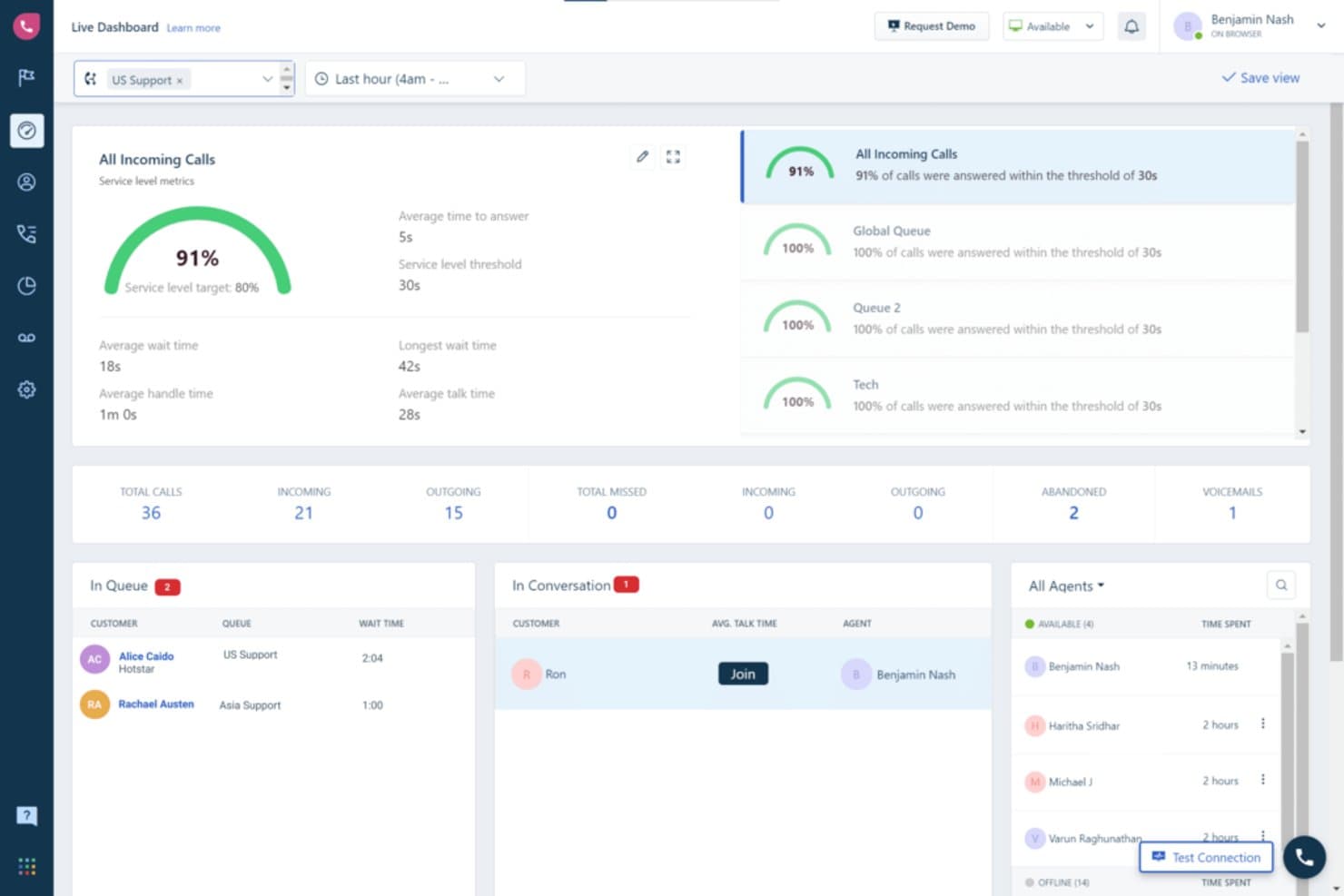
Freshdesk ofrece a los supervisores visibilidad en tiempo real de la cola de llamadas y la actividad de los agentes. Freshdesk es una plataforma de atención al cliente para pequeñas y medianas empresas que necesitan organizar los tickets entrantes, coordinar las respuestas de los agentes y resolver los problemas de los clientes en todos los canales de soporte.
¿Para quién es Freshdesk más adecuado?
Freshdesk es adecuado para pequeñas y medianas empresas que buscan una mesa de ayuda asequible para sus equipos de TI o atención al cliente.
Por qué elegí Freshdesk
Elegí Freshdesk como alternativa a Front porque es “la mejor opción para las pymes que buscan soluciones de mesa de ayuda sólidas y asequibles”. Me gusta cómo organiza los tickets entrantes en todos los canales de soporte y ayuda a los agentes a coordinar las respuestas, de modo que un pequeño equipo de TI puede hacer un seguimiento de los problemas de los clientes y mantener el flujo de respuestas.
Funciones principales de Freshdesk
- Gestión de SLA: Establece objetivos de respuesta y resolución para los tickets.
- Automatizaciones del flujo de trabajo: Activa acciones en función de eventos o condiciones de los tickets.
- Base de conocimientos: Publica artículos de ayuda que los clientes pueden utilizar para resolver sus consultas por sí mismos.
- Campos personalizados de los tickets: Captura detalles específicos de tu proceso de soporte.
Integraciones de Freshdesk
Freshdesk ofrece más de 1.000 integraciones listas para instalar a través de Freshworks Marketplace, incluidas Slack, Microsoft Teams, Jira, Salesforce, Shopify y Playvox. También es compatible con Zapier y proporciona API para integraciones personalizadas.
Pros and Cons
Pros:
- Centraliza los tickets de correo electrónico, chat y teléfono
- Automatiza el enrutamiento, las prioridades y los seguimientos de los SLA
- Las vistas compartidas aclaran la responsabilidad y la carga de trabajo
Cons:
- Los informes avanzados requieren planes de nivel superior
- Las conexiones de correo electrónico pueden crear tickets duplicados
Learn more about Freshdesk: La mejor opción para soporte omnicanal con un presupuesto por agente
- Prueba gratuita de 30 días
- Desde $15/usuario/mes (facturado anualmente)
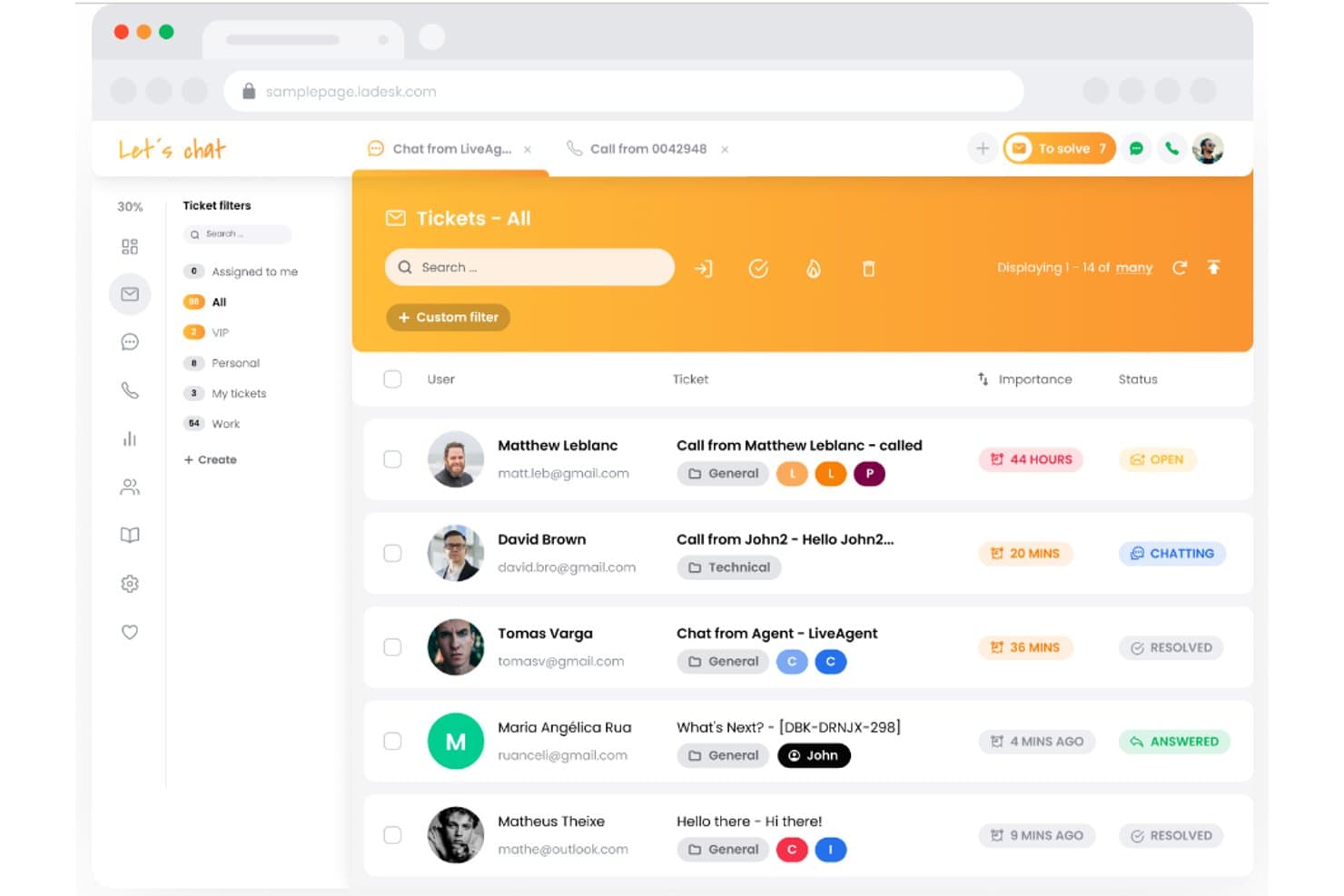
LiveAgent centraliza todos los tickets de soporte en una bandeja de entrada unificada. LiveAgent es un software de mesa de ayuda para equipos de TI y atención al cliente que necesitan organizar solicitudes entrantes y coordinar la resolución de problemas en distintos canales; es la mejor opción para soporte omnicanal, con más de 200+ integraciones.
¿Para quién es mejor LiveAgent?
LiveAgent es adecuado para mesas de servicio de TI y equipos de atención al cliente que necesitan un sistema compartido para asignar, hacer seguimiento y resolver solicitudes entrantes.
Por qué elegí LiveAgent
Elegí LiveAgent como alternativa a Front porque es la mejor opción para soporte omnicanal, con más de 200+ integraciones. Su bandeja de entrada universal reúne correos electrónicos, llamadas, redes sociales y chats en un solo panel, mientras que la gestión de tickets convierte las consultas entrantes en casos rastreables.
Características principales de LiveAgent
- Gestión de SLA: Establece niveles de servicio y reglas para hacer seguimiento de los objetivos de respuesta y resolución.
- Reglas de automatización: Activa acciones según las condiciones de los tickets y las reglas de tiempo.
- Registros de auditoría: Revisa los registros de los cambios realizados en los tickets.
- Informes de rendimiento: Haz seguimiento del cumplimiento de los SLA y evalúa el rendimiento por agente o departamento.
Integraciones de LiveAgent
LiveAgent se conecta con más de 200+ aplicaciones mediante Zapier, incluidas Slack, Trello, Facebook, Messenger, Instagram, Twitter, ChargeDesk, Stripe y Mailchimp; también ofrece una API para integraciones personalizadas.
Pros and Cons
Pros:
- Unifica los tickets de correo electrónico, chat, llamadas y redes sociales
- Distribuye los tickets mediante reglas departamentales y SLA
- Combina el historial de tickets de todos los canales de atención al cliente
Cons:
- La interfaz puede parecer anticuada y estar desordenada
- Los informes y el enrutamiento avanzado presentan algunas limitaciones
Learn more about LiveAgent: La mejor opción para gestionar la atención al cliente directamente desde Gmail
- Prueba gratuita de 7 días
- Desde $25/usuario/mes (facturado anualmente)
Visit WebsiteCustomer Rating:5/5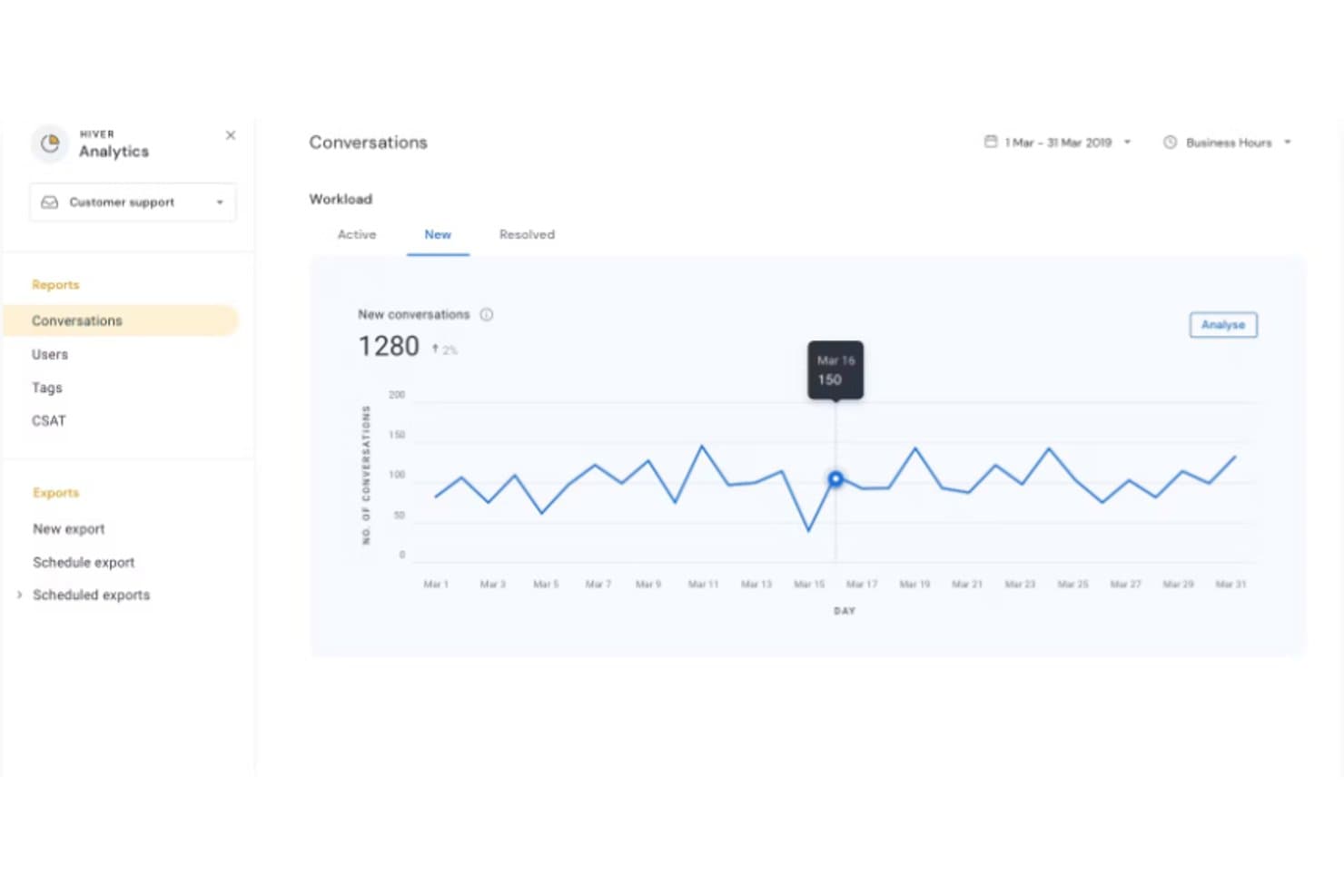
Hiver registra diariamente el volumen de conversaciones nuevas durante marzo de 2019. Hiver ofrece a los equipos de atención al cliente un espacio de trabajo compartido para asignar, hacer seguimiento y resolver solicitudes de clientes, ayudando a las empresas a reducir los traspasos omitidos y mantener organizado el trabajo de servicio.
¿Para quién es más adecuado Hiver?
Hiver es adecuado para equipos de atención al cliente que ya dependen de Gmail y necesitan una forma compartida de gestionar las solicitudes entrantes.
Por qué elegí Hiver
Elegí Hiver como alternativa a Front porque su enfoque es “La mejor opción para gestionar la atención al cliente directamente desde Gmail”. Las bandejas de entrada compartidas permiten a los agentes asignar correos electrónicos de clientes y hacer seguimiento de su estado en Gmail, mientras que las alertas de colisión ayudan a evitar respuestas duplicadas. Me gusta ese flujo de trabajo cuando las solicitudes de soporte llegan a una bandeja de entrada del equipo.
Características principales de Hiver
- Flujos de trabajo sin código: Automatiza acciones de varios pasos en Hiver y las herramientas conectadas.
- Seguimiento de SLA: Establece objetivos de respuesta y resolución, con alertas antes de que se incumplan.
- Análisis del soporte: Consulta paneles con tiempos de respuesta, carga de trabajo y CSAT.
- Soporte omnicanal: Gestiona el correo electrónico, el chat en directo, Slack y las llamadas de voz en una sola cola.
Integraciones de Hiver
Hiver ofrece integraciones nativas con Salesforce, HubSpot, Jira, Slack, Shopify, NetSuite, Asana y QuickBooks; también se conecta con Zapier y proporciona una API abierta para integraciones personalizadas.
Pros and Cons
Pros:
- Mantiene el trabajo de soporte dentro del entorno familiar de Gmail
- Asigna la responsabilidad para evitar respuestas duplicadas
- Realiza un seguimiento de los SLA, la carga de trabajo y los tiempos de respuesta
Cons:
- Las opciones de personalización están por detrás de las de las plataformas de soporte más grandes
- La dependencia de Gmail fragmenta el contexto de los clientes entre canales
Learn more about Hiver: Ideal para una bandeja de entrada compartida con prevención de respuestas duplicadas
- Plan gratuito disponible
- Desde $25/usuario/mes
Visit WebsiteCustomer Rating:4.5/5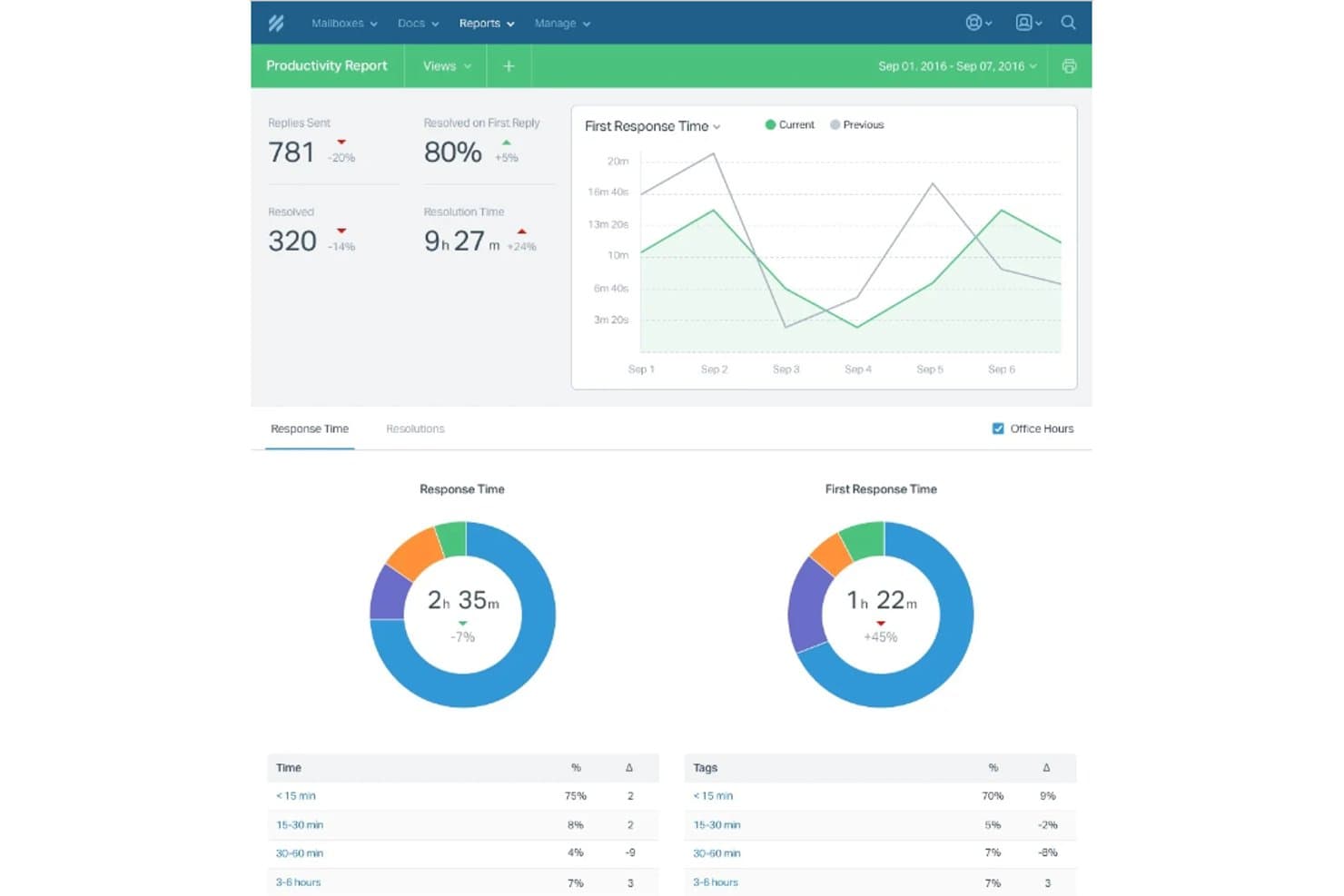
Help Scout registra la productividad del equipo mediante los tiempos de respuesta y las tasas de resolución. Help Scout es una plataforma de atención al cliente centrada en el correo electrónico para empresas en crecimiento, que ofrece a los equipos de soporte un espacio compartido para gestionar las solicitudes de los clientes y evitar que las conversaciones se dispersen entre las bandejas de entrada.
¿Para quién es más adecuado Help Scout?
Help Scout es adecuado para equipos de atención al cliente que desean crear un centro de ayuda de autoservicio con capacidad de búsqueda y mantener sus artículos conectados con el soporte al cliente.
Por qué elegí Help Scout
Elegí Help Scout porque su base de conocimientos Docs permite a los equipos publicar artículos de ayuda con capacidad de búsqueda, mientras que Beacon puede mostrar respuestas junto a las conversaciones de soporte. Esto lo convierte en una opción adecuada para empresas que necesitan funciones completas de base de conocimientos: puedo documentar preguntas recurrentes sobre el producto y ofrecer a los clientes una vía de autoservicio antes de que contacten con el soporte.
Funciones principales de Help Scout
- Bandeja de entrada compartida: Asigna conversaciones, añade notas privadas y responde a los clientes desde una bandeja de entrada del equipo.
- Flujos de trabajo: Aplica reglas a las conversaciones para automatizar acciones como la asignación y el etiquetado.
- Perfiles de clientes: Consulta los datos de los clientes y sus conversaciones anteriores junto a un hilo abierto.
- Informes: Revisa el volumen de conversaciones, los tiempos de respuesta y el rendimiento del equipo.
Integraciones de Help Scout
El directorio de aplicaciones de Help Scout incluye más de 100 integraciones, entre ellas Slack, Jira, Linear, GitHub, HubSpot, Salesforce, Google Sheets, Shopify y Zapier. Help Scout también ofrece una API para integraciones personalizadas.
Pros and Cons
Pros:
- Docs y Beacon conectan el autoservicio con el soporte
- La bandeja de entrada compartida con estilo de correo electrónico mantiene visible el contexto del cliente
- Las notas privadas y las alertas de colisión coordinan las respuestas
Cons:
- Los informes avanzados carecen de profundidad para equipos más grandes
- Los controles de enrutamiento complejos están por detrás de las alternativas centradas en empresas grandes
Learn more about Help Scout:
Otras alternativas a Front
Estas son algunas alternativas adicionales a Front que no llegaron a mi lista, pero que aun así merece la pena conocer:
- 11ZendeskLa mejor opción para la eficiencia en atención al cliente con asistencia de IA de primer nivel
- 12TeamSupportIdeal para empresas B2B que necesitan funciones avanzadas de colaboración
- 13Zoho DeskLa mejor para soporte al cliente integrado dentro del ecosistema Zoho
Análisis de otros programas
Cómo evalúo las alternativas a Front
Divido mi evaluación en dos capas: las capacidades básicas de bandeja de entrada y enrutamiento que una herramienta debe tener, y los diferenciadores—como integraciones con herramientas de desarrollo e IA—que destacan a una sobre las demás.
Funcionalidad básica (requisitos mínimos para esta lista)
Cuando selecciono herramientas para mi lista, califico cada una en una escala de 0 (no ofrece la funcionalidad) a 5 (sobresale en esta área) para cada funcionalidad principal listada a continuación. Después, calculo la puntuación total de la herramienta y la convierto en un porcentaje. Cada herramienta necesita alcanzar una puntuación total mínima del 65% para ser considerada.
- Gestión de bandeja de entrada compartida: Busco bandejas unificadas donde los equipos de TI puedan asignar, rastrear y colaborar en solicitudes entrantes—como la detección de colisiones para que dos ingenieros no respondan a la misma alerta de falla.
- Soporte multicanal: Cada herramienta debe reunir correos electrónicos, chats, SMS y mensajes de redes sociales en una sola vista, para que tu equipo atienda tanto un hilo de Slack con caída de servidor como un correo de proveedor en el mismo lugar.
- Automatización de flujos de trabajo y enrutamiento: Evalúo qué tan bien una herramienta enruta tickets automáticamente por tema, prioridad o equipo—por ejemplo, escalando mensajes relacionados con seguridad a una cola específica con temporizadores de SLA adjuntos.
- Herramientas de colaboración interna: Es importante poder involucrar a compañeros mediante @menciones, borradores compartidos o conversaciones paralelas. Verifico si tu equipo puede resolver problemas internamente sin salir del hilo.
- Integraciones con terceros: Verifico conexiones nativas a herramientas que los equipos de TI y desarrollo ya usan—Jira para seguimiento de bugs, GitHub para PR, Slack para alertas y plataformas de monitoreo como Datadog o PagerDuty.
- Analítica e informes: Los paneles deben cubrir tiempos de respuesta, tasas de resolución y cumplimiento de SLA. Verifico si los gerentes pueden rastrear la carga de trabajo del equipo y detectar cuellos de botella entre colas.
Una vez que tengo una lista de herramientas que cumplen con estos criterios, considero qué destaca a cada plataforma.
Factores diferenciadores (qué distingue a los proveedores)
Así es como comparo y contrasto a los diferentes proveedores:
Características destacadas
Las funciones impulsadas por IA son un gran diferenciador—reviso si una herramienta puede redactar respuestas, resumir hilos largos o categorizar automáticamente tickets entrantes para acelerar el triaje durante incidentes. Una API amigable para desarrolladores también es importante para equipos de TI que necesitan crear integraciones personalizadas con sistemas internos de monitoreo o alertas. Evalúo si una plataforma ofrece una base de conocimientos nativa que muestre artículos relevantes durante la conversación, ayudando a los agentes a resolver problemas comunes como restablecimientos de contraseñas sin empezar de cero.
Más allá de las funcionalidades
La seguridad y el cumplimiento son prioritarios—verifico que cuente con certificación SOC 2 Tipo II, soporte para SSO/SAML y controles de acceso basados en roles, ya que los equipos de TI suelen manejar datos internos sensibles. La transparencia en los precios también es importante. Analizo si los costos por usuario se mantienen previsibles a medida que crece tu equipo y si funciones esenciales como automatizaciones o bandejas de entrada adicionales están restringidas a niveles superiores. También evalúo el soporte para migraciones, especialmente para equipos que dejan Front y necesitan ayuda para importar conversaciones históricas y reconstruir flujos de trabajo existentes.
¿Por qué buscar una alternativa a Front?
Aunque Front es una buena opción como herramienta de desarrollo de interfaces, hay varios motivos por los que algunos usuarios buscan soluciones alternativas. Puede que busques una alternativa a Front porque…
- Las plantillas prediseñadas te limitan.
- Necesitas más flexibilidad con los componentes personalizados.
- Tu equipo prefiere un sistema de diseño diferente.
- Quieres una mejor integración con tu conjunto de herramientas de desarrollo.
- Trabajas en proyectos que necesitan un rendimiento más rápido.
- Necesitas un mayor control sobre la adaptación a dispositivos móviles.
Si alguna de estas situaciones te resulta familiar, has llegado al lugar adecuado. Mi lista incluye varias opciones de herramientas de desarrollo de interfaces más adecuadas para equipos que se enfrentan a estos desafíos con Front y buscan soluciones alternativas.
Funciones principales de Front
Estas son algunas de las características clave de Front, para ayudarte a contrastar y comparar lo que ofrecen las soluciones alternativas:
- Componentes prediseñados: Puedes utilizar elementos de interfaz de usuario ya preparados para acelerar el desarrollo y mantener la coherencia de los diseños.
- Herramientas de diseño adaptable: Tu equipo puede crear diseños que se ajusten fácilmente a distintos dispositivos sin necesidad de escribir código adicional.
- Tematización personalizada: Puedes ajustar las fuentes, los colores y los estilos para adaptarlos a tu marca sin tener que reconstruirlo todo.
- Sistema de cuadrícula: La cuadrícula integrada te ayuda a alinear el contenido y a mantener los diseños limpios y organizados.
- Secciones reutilizables: Tu equipo puede crear y guardar secciones para reutilizarlas en varias páginas, ahorrando tiempo.
- Diseño preparado para integraciones: Es fácil conectar Front con herramientas como sistemas de análisis o gestores de formularios.
- Elementos interactivos: Puedes añadir animaciones, botones y menús desplegables que funcionan sin necesidad de bibliotecas adicionales.
- Compatibilidad entre navegadores: La plataforma garantiza que tus diseños se vean igual en los principales navegadores.