

Workwize-Bewertung: Vor- und Nachteile, Funktionen und Preise
I put Workwize through its paces as an IT asset management platform, weighing its global device lifecycle tools, usability, and pricing against the trade-offs buyers should know.

Wir bewerten Tools unabhängig; Provisionen helfen, unsere Tests zu finanzieren. Siehe unsere Transparenzrichtlinie und unsere Methodik.
Workwize is an IT asset management software that handles the full device lifecycle for distributed teams, including procurement, deployment, retrieval, storage, and disposal across more than 100 countries. I'd consider it if you're an IT or ops leader supporting remote employees in multiple regions and you're tired of juggling local vendors, customs paperwork, and spreadsheets to track who has what hardware. Compared to a tool like Hofy, Workwize gives you more flexibility to bring your own inventory into its global warehouse network rather than locking you into buying devices through the platform, which is a better fit if you already have existing hardware you want to manage centrally.
Workwize Evaluation Summary
4.2/5
- From $8/month/seat (+$540 platform fee)
- Free demo available
Warum Sie unseren Software-Empfehlungen vertrauen können
6,700+
Reviews
20
Industry experts
16+
Evaluation factors
14
Years
Unser Team testet und bewertet Software seit 2012. Als Tech-Führungskräfte wissen wir selbst, wie schwierig – und wichtig – es ist, die richtige Software auszuwählen.
Für diesen Leitfaden haben wir Tools mithilfe von praktischen Tests und unabhängiger Recherche bewertet und dabei unsere Bewertungskriterien angewendet.
Unsere Bewertungen spiegeln unser menschliches redaktionelles Urteilsvermögen wider, keine Verkaufsstrategie.
Expertenprüfer:
- Paulo Gardini MiguelTech-Direktor
 Tim FisherVP für KI
 Gabriel RosasTech Lead & Software-Architekt
 Christhian GruhnTech Lead & Plattform-Architekt

Workwize Overview
Workwize is a strong choice for distributed teams managing hardware across several regions. Its device lifecycle coverage includes procurement, deployment, retrieval, storage, and disposal, while its warehouse network supports existing inventory instead of requiring platform-based purchases. I’d choose it over procurement-led alternatives when flexibility matters more than a tightly bundled buying process. The user-friendly interface and onboarding appeal to IT and operations teams replacing spreadsheets, local vendors, and customs paperwork.
Pros
- Global warehouses support procurement, storage, retrieval, and disposal.
- Users praise centralized equipment records and quick setup.
- Certified wiping and automated retrieval support controlled offboarding.
Cons
- Reviewers report inaccurate portal statuses during deployments.
- Regional shipping delays complicate Middle East equipment delivery.
- Microsoft Intune device-association gaps limit some fleet workflows.
Is Workwize Right For Your Needs?
Who Would be a Good Fit for Workwize?
Workwize suits distributed organizations with at least 150 users and recurring hardware operations across regions. Its asset records, equipment portal, lifecycle workflows, integrations, and seat-based pricing support teams managing procurement, deployment, repairs, retrieval, and offboarding.
- Distributed CompaniesWorkwize centralizes equipment records, shipping, repairs, and retrieval for companies supporting employees across multiple regions.
- 150 Plus TeamsWorkwize’s plans start at 150 users, making its seat-based pricing more suitable for midsize and larger organizations.
- IT OperationsIT teams can manage procurement, deployment, restocking, maintenance, and disposal from one asset management interface.
- People OperationsPeople teams can use automatic offboarding workflows to coordinate equipment retrieval when employees leave the organization.
- Remote WorkforcesRemote-first companies can give employees a self-service portal for hardware requests, repairs, maintenance, and support.
- Integrated EnvironmentsTeams using Slack, Kandji, Jamf, Okta, Microsoft Intune, or HR systems can connect Workwize to existing workflows.
Who Would be a Bad Fit for Workwize?
Workwize is a weaker choice for small organizations, single-location teams, and businesses needing highly accurate real-time deployment data. Its 150-user minimum, quote-only pricing, reported regional shipping delays, and Microsoft Intune device-association gaps require careful evaluation.
- Small BusinessesCompanies below 150 users may not meet Workwize’s Basic plan minimum, making the platform unsuitable for smaller fleets.
- Single Office TeamsA single-office business with simple equipment handoffs may not need Workwize’s regional shipping, retrieval, and lifecycle workflows.
- Intune Dependent TeamsTeams requiring dependable Microsoft Intune device associations should test Workwize first because reviewers report gaps in this integration.
- Real Time TrackingOrganizations needing consistently accurate deployment statuses should pilot Workwize because reviewers report incorrect status information.
- Local PurchasesBusinesses buying and handing out equipment locally may gain little from Workwize’s shipping and multi-region asset operations.
- Price Sensitive BuyersTeams needing transparent comparisons may reject Workwize because pricing is quote-only and plans begin at 150 users.
Unsere Bewertungsmethodik
Wie wir Werkzeuge testen & bewerten
Wir haben Jahre damit verbracht, unser System zur Softwareprüfung und -bewertung aufzubauen, zu verfeinern und zu verbessern. Das Bewertungsraster ist darauf ausgelegt, die Feinheiten der Softwareauswahl und Effektivität eines Tools einzufangen, wobei wir uns auf kritische Aspekte des Entscheidungsprozesses konzentrieren.
Nachfolgend sehen Sie genau, wie unser Test- und Bewertungssystem anhand von sieben Kriterien funktioniert. Es ermöglicht uns eine unparteiische Bewertung der Software basierend auf Grundfunktionalität, besonderen Funktionen, Benutzerfreundlichkeit, Onboarding, Kundensupport, Integrationen, Kundenbewertungen und Preis-Leistungs-Verhältnis.
Grundfunktionalität (25 % der Endbewertung)
Der Ausgangspunkt unserer Bewertung ist immer die Grundfunktionalität des Werkzeugs. Verfügt es über die grundlegenden Funktionen und Merkmale, die ein Benutzer erwarten würde? Sind grundlegende Funktionen auf höherpreisige Tarife beschränkt? Im Kern erwarten wir, dass ein Tool den Basisfähigkeiten seiner Konkurrenten standhält.
Besondere Features (25 % der Endbewertung)
Anschließend bewerten wir ungewöhnliche, herausragende Funktionen, die über die typische Grundfunktionalität von Tools dieser Art hinausgehen. Eine hohe Bewertung zeigt spezialisierte oder einzigartige Eigenschaften, die das Produkt schneller, effizienter oder für den Nutzer wertvoller machen.
Wir bewerten außerdem, wie einfach sich das Tool mit anderen üblichen Werkzeugen im Technologie-Stack integrieren lässt, um die Funktionalität und den Nutzen der Software zu erweitern. Tools mit vielen nativen Integrationen, Drittanbieter-Anbindungen und API-Zugang zur Erstellung kundenspezifischer Integrationen erhalten die besten Bewertungen.
Benutzerfreundlichkeit (10 % der Endbewertung)
Wir betrachten, wie schnell und einfach Aufgaben aus dem Bereich der Grundfunktionalität mit dem Tool erledigt werden können. Gut bewertete Software ist durchdacht gestaltet, intuitiv bedienbar, bietet mobile Apps, Vorlagen und lässt relativ komplexe Aufgaben einfach erscheinen.
Onboarding (10 % der Endbewertung)
Wir wissen, wie wichtig die schnelle Einführung eines neuen Tools für das Team ist, daher bewerten wir, wie leicht sich ein Werkzeug mit minimalem Training erlernen und nutzen lässt. Wir bewerten, wie schnell ein Teammitglied ohne Vorerfahrung anfangen kann. Hoch bewertete Lösungen benötigen wenig bis gar keine Unterstützung.
Kundensupport (10 % der Endbewertung)
Wir prüfen, wie schnell und einfach man bei Problemen Hilfe per Telefon, Live-Chat oder Wissensdatenbank erhält. Tools und Anbieter mit Echtzeit-Support werden besser bewertet, während Chatbots schlechter abschneiden.
Kundenbewertungen (10 % der Endbewertung)
Neben unserer eigenen Prüfung beziehen wir den Net Promoter Score aktueller und ehemaliger Kunden mit ein. Wir bewerten, wie wahrscheinlich es ist, dass sie sich erneut für das Werkzeug entscheiden würden. Hoch bewertete Software weist einen hohen Net Promoter Score auf.
Preis-Leistungs-Verhältnis (10 % der Endbewertung)
Abschließend vergleichen wir unter Berücksichtigung aller Kriterien den durchschnittlichen Preis der Einstiegspakete mit den Grundfunktionen und bewerten den Mehrwert aus den anderen Bewertungsbereichen. Software, die mehr fürs gleiche Geld bietet, schneidet besser ab.
Core Features
Centralized Asset Inventory
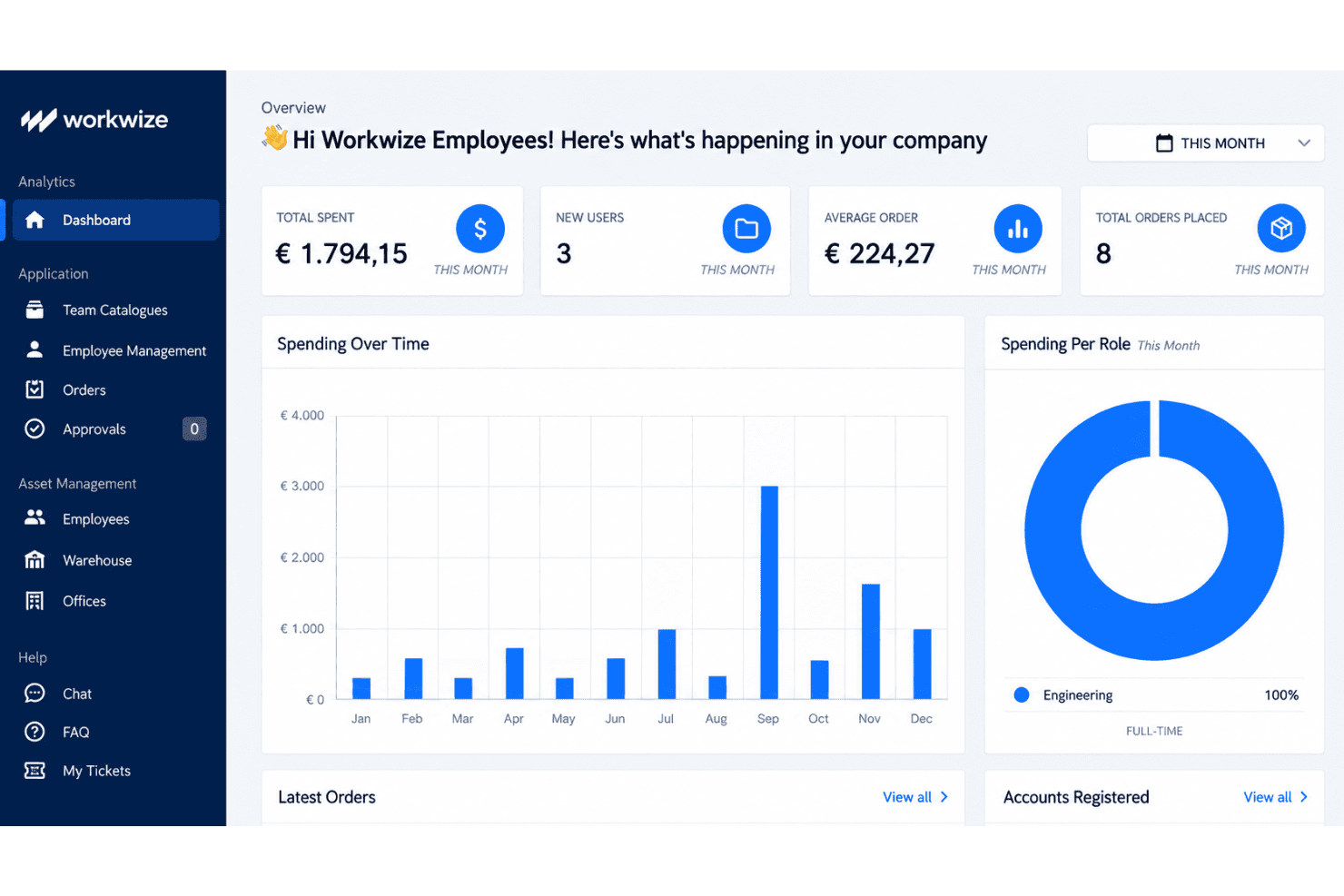
Workwize maintains a centralized record of each device, including its assignee, location, condition, and lifecycle stage. Real-time status tracking gives IT teams one place to verify ownership and identify unassigned equipment.
Global Hardware Procurement
Workwize supports international device purchasing through pre-approved catalogs, spend-based approvals, and regional warehouses. Your team can also place existing inventory into Workwize warehouses, which helps manage mixed fleets across more than 100 countries.
Zero-Touch Deployment
Workwize automates device ordering and prepares equipment with preconfigured images and enrollment workflows. Support for Apple Business Manager and Microsoft Autopilot helps employees receive configured devices without manual setup by IT.
Automated Asset Retrieval
Workwize starts retrieval workflows when employees leave or need replacement equipment. Automated shipping instructions, tracking, and warehouse returns help IT recover laptops without coordinating each handoff manually.
Repairs And Maintenance Tracking
Workwize records repairs, warranties, replacements, and maintenance events against each asset. Automated alerts help your team identify devices nearing warranty expiration or requiring service before replacement decisions become urgent.
Secure Disposal And Data Wiping
Workwize manages end-of-life workflows with certified data wiping, disposal, and recycling records. Your team receives disposal documentation while reducing the risk of retired devices retaining company data.
Ease of Use
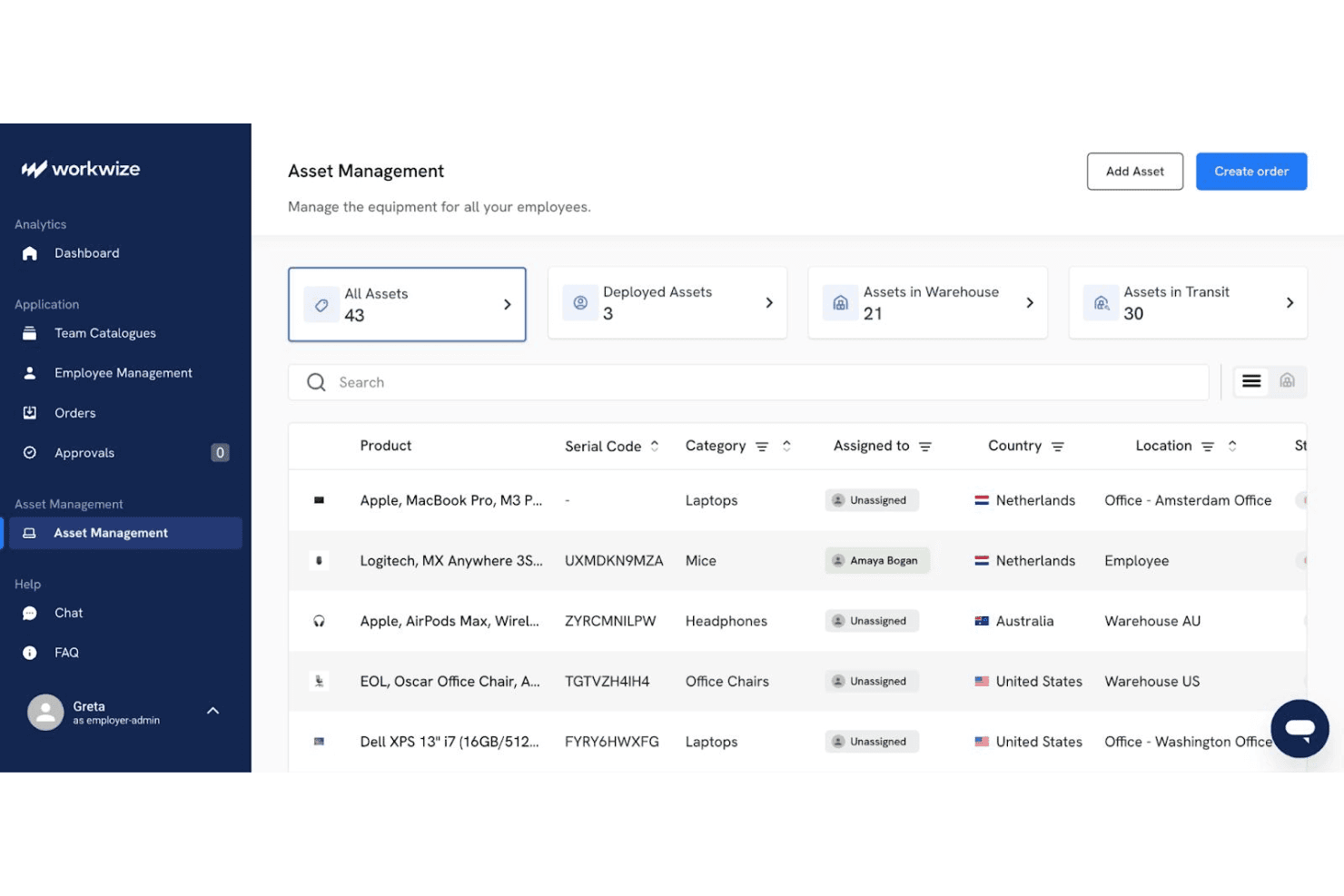
Workwize is more approachable than many IT asset management platforms, with quick setup, centralized equipment records, and a self-service portal for hardware requests, repairs, and support. Its lifecycle workflows also keep procurement, deployment, retrieval, and disposal in one interface. However, user reviews report inaccurate deployment statuses, regional shipping delays, and Microsoft Intune device-association gaps. I’d recommend it for distributed teams prioritizing usability, but verify status accuracy during a pilot.
Integrations
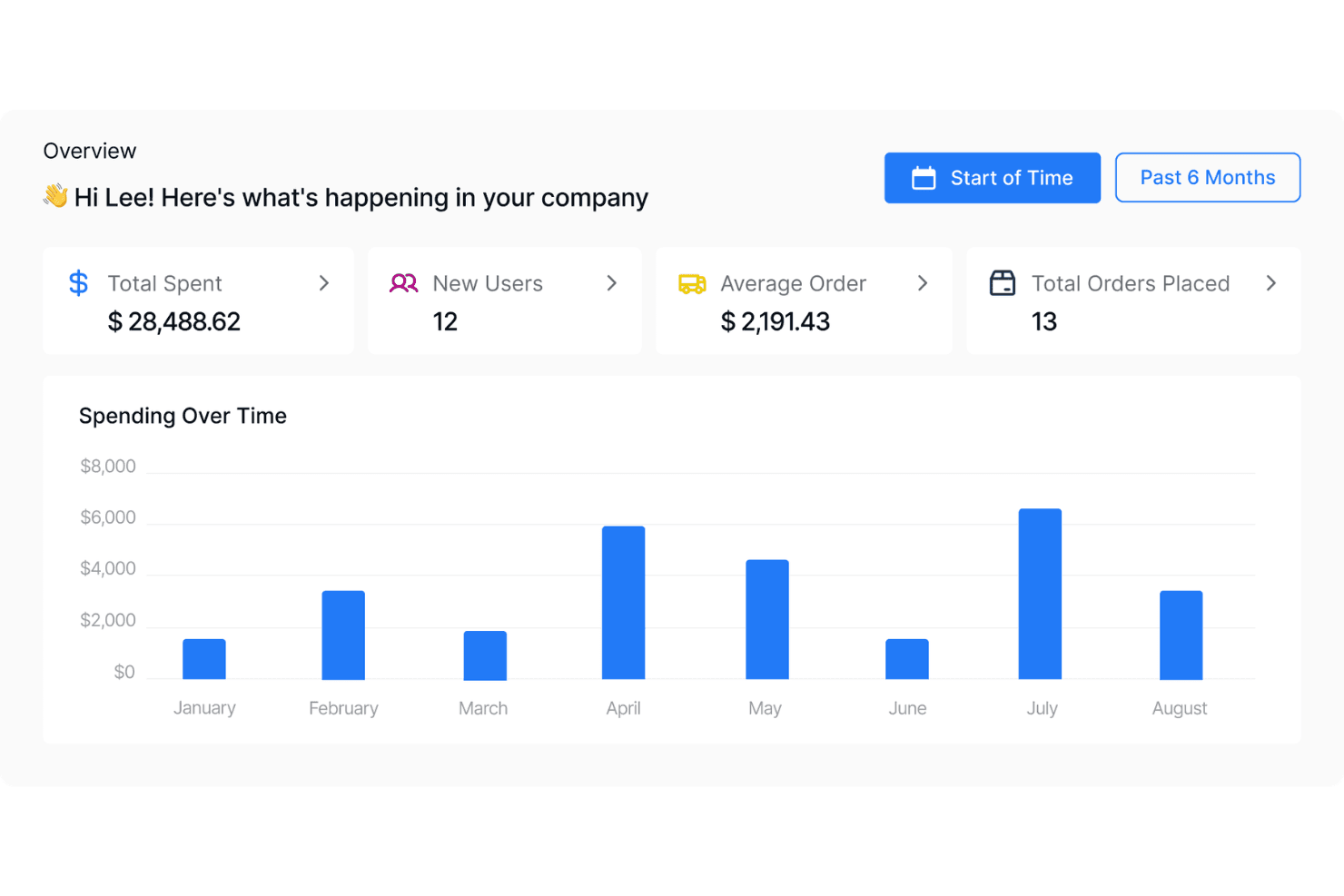
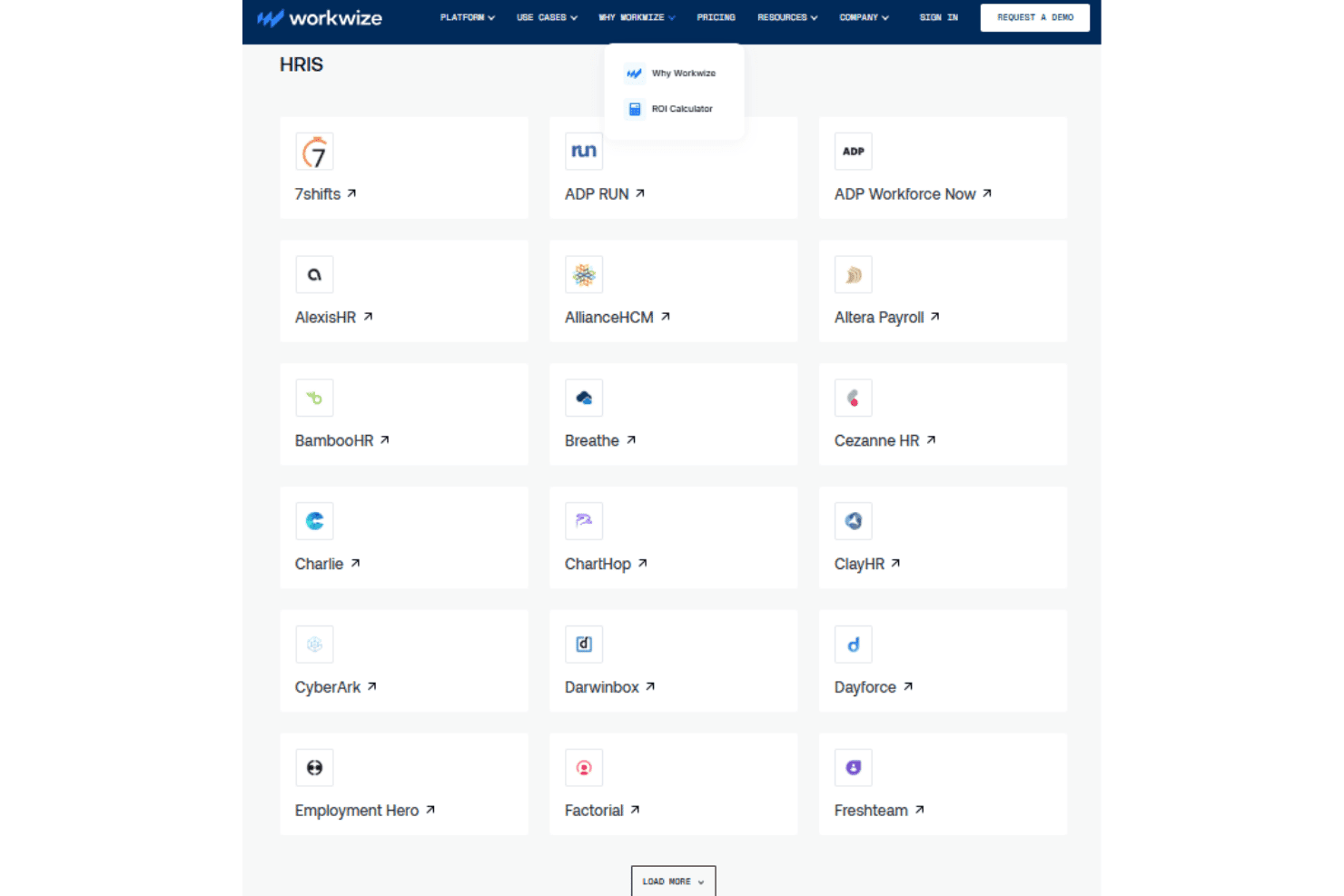
Workwize natively integrates with Slack, Kandji, Microsoft Intune, Jamf, Okta, Microsoft Entra ID, Rippling, BambooHR, Workday, and Google Workspace, among others.
Workwize also offers a public API for custom workflow connections and connects with third-party automation tools such as Zapier and Make.
Workwize Specs
- 2-Factor Authentication: Yes
- API: Yes
- Asset Tagging: Yes
- Dashboard: Yes
- Data Export: Yes
- Data Import: Yes
- Data Visualization: Yes
- Database: Yes
- Document Management: Yes
- External Integrations: Yes
- Hardware Integration: Yes
- Hardware Modernization: Yes
- Inventory Tracking: Yes
- Multi-User: Yes
- Network Device Performance Monitoring: Yes
- Network Traffic Monitoring: Yes
- Network Visualization: Yes
- Notifications: Yes
- Scheduling: Yes
- Status Notifications: Yes
- Third-Party Plugins/Add-Ons: Yes
- Workflow Management: Yes


