

SysAid Bewertung 2026: Vorteile, Nachteile, Funktionen und Preise
SysAid zeichnet sich durch seine anpassbare Automatisierung und ITSM-Funktionen aus und ist damit ideal für mittelgroße Unternehmen, die Flexibilität suchen, auch wenn die Benutzeroberfläche im Vergleich zu neueren Helpdesk-Tools etwas veraltet wirkt.

Wir bewerten Tools unabhängig; Provisionen helfen, unsere Tests zu finanzieren. Siehe unsere Transparenzrichtlinie und unsere Methodik.
If your IT team is struggling with growing ticket volumes, repetitive requests, or disconnected service management tools, SysAid aims to solve those challenges in a single ITSM platform. It combines help desk functionality with IT asset management, workflow automation, self-service, and agentic AI designed to autonomously resolve incidents, fulfill requests, and reduce manual work across IT operations.
In this review, I'll walk you through SysAid's key features, ideal use cases, pros and cons, and pricing considerations to help you decide whether it's the right fit for your organization's IT service management needs.
SysAid Evaluation Summary
4.5/5
- From $89/agent/month
- Free trial available
Warum Sie unseren Software-Empfehlungen vertrauen können
6,700+
Reviews
20
Industry experts
16+
Evaluation factors
14
Years
Unser Team testet und bewertet Software seit 2012. Als Tech-Führungskräfte wissen wir selbst, wie schwierig – und wichtig – es ist, die richtige Software auszuwählen.
Für diesen Leitfaden haben wir Tools mithilfe von praktischen Tests und unabhängiger Recherche bewertet und dabei unsere Bewertungskriterien angewendet.
Unsere Bewertungen spiegeln unser menschliches redaktionelles Urteilsvermögen wider, keine Verkaufsstrategie.
Expertenprüfer:
- Paulo Gardini MiguelTech-Direktor
 Tim FisherVP für KI
 Gabriel RosasTech Lead & Software-Architekt
 Christhian GruhnTech Lead & Plattform-Architekt

SysAid Overview
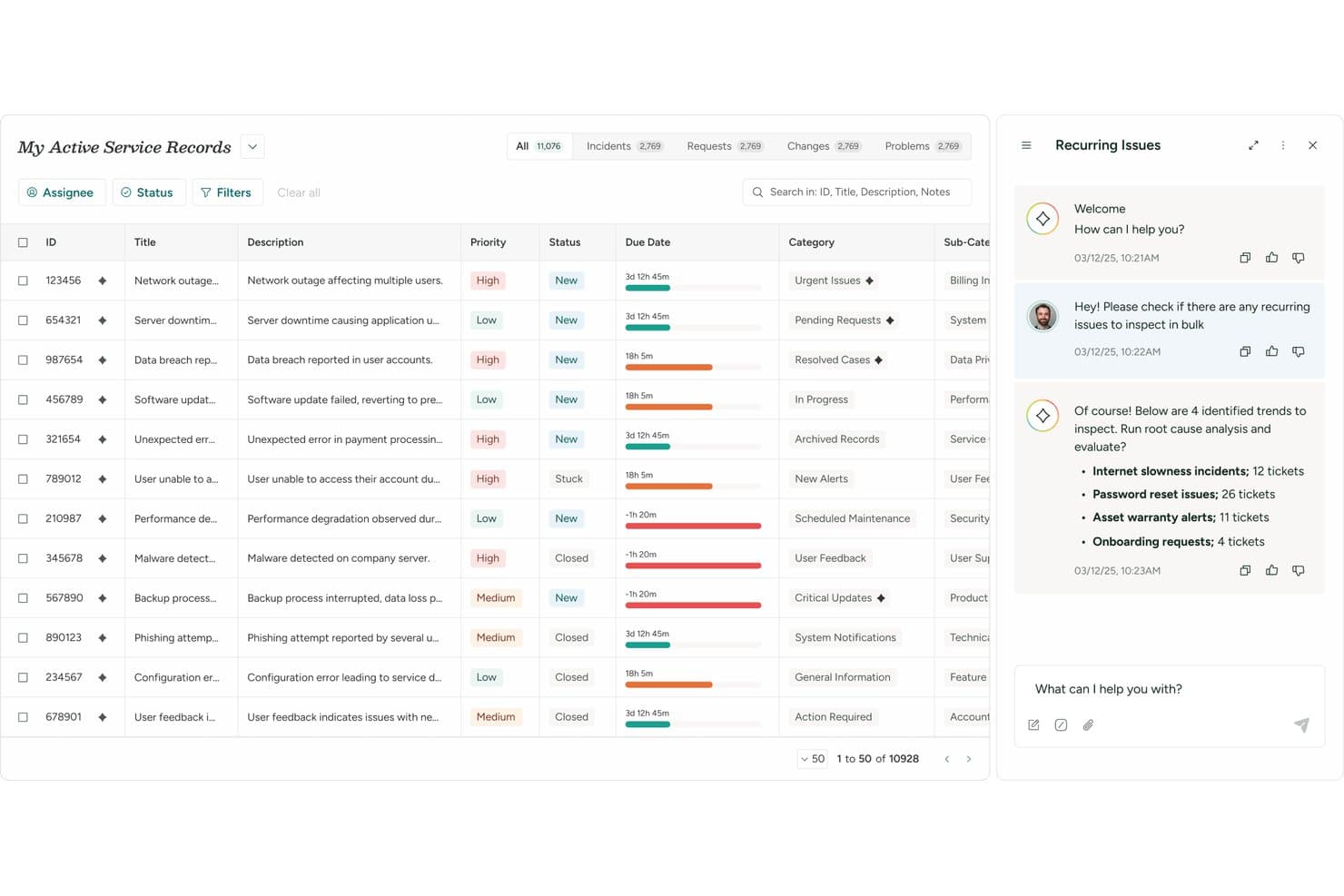
What grabs my attention most about SysAid is that it's one of the few ITSM platforms that makes AI an active participant in service delivery rather than simply a support tool. Beyond core ticket management, you get integrated asset management, license management, reporting, workflow design, and AI capabilities that are built directly into the platform rather than sold as separate add-ons. I like that it offers nearly 100 prebuilt AI agents, an AI Agent Builder, and extensive customization options that allow you to tailor workflows to your organization's processes.
SysAid generally appeals the most to enterprise IT departments looking to centralize service management and reduce ticket volumes through self-service and AI agents capable of handling routine requests autonomously.
Pros
- Agentic AI can autonomously resolve routine incidents and fulfill requests before they reach technicians.
- Highly configurable workflows adapt to your team's unique processes.
- Comprehensive ITSM and asset management in one platform.
Cons
- Better suited for larger IT teams than small businesses.
- Some interface areas are still transitioning to the modern experience.
- Broad configuration options require thoughtful setup and planning.
Is SysAid Right For Your Needs?
Who Would be a Good Fit for SysAid?
SysAid is best suited for enterprise organizations and mature IT teams that need advanced automation, built-in asset management, and highly configurable IT service management workflows. I find it particularly well-suited for organizations with complex support environments, large asset inventories, or a desire to leverage agentic AI to automate incident resolution, request fulfillment, and workflow execution at scale.
Industries such as manufacturing, government, healthcare, finance, and education can benefit from SysAid's combination of ITSM, asset management, compliance-focused capabilities, and AI-powered automation.
- Enterprise IT DepartmentsBuilt for large IT teams managing complex service operations, assets, and support workflows across departments.
- Government OrganizationsSupports structured workflows, service management, operational accountability, and consistent service delivery across agencies.
- Manufacturing CompaniesAsset visibility and automation support distributed operational environments, equipment tracking, and service efficiency.
- Education InstitutionsSelf-service and centralized support simplify campus-wide IT operations, request management, and user support.
- Healthcare ITAsset tracking and service management support regulated environments, compliance initiatives, and operational continuity.
- Organizations Focused on AI AdoptionBuilt-in AI agents can resolve incidents, fulfill requests, and automate repetitive service workflows with minimal human intervention.
Who Would be a Bad Fit for SysAid?
SysAid may not be the best fit for organizations that need a lightweight help desk or have limited IT support requirements. The platform is designed for mature IT teams that can take advantage of its automation, asset management, AI capabilities, and extensive configuration options. Therefore, smaller organizations or teams without dedicated IT resources may find the platform more powerful than their immediate needs require.
- Small IT TeamsAdvanced ITSM capabilities, automation tools, and asset management may exceed the needs of lean support teams.
- Organizations Without Dedicated IT StaffRequires ongoing administration, customization, and configuration, best suited for experienced IT professionals.
- Teams Seeking a Lightweight Help DeskThe feature-rich platform can feel excessive for organizations needing only basic ticket management functionality.
- Organizations With Fewer Than 20 IT AgentsSysAid usually services organizations with IT teams that have 20 or more agents, which is more in line with the platform's depth, breadth, and advanced capabilities.
- Rigid Out-of-the-Box Setup NeedsAdvanced configuration and customization options may require more planning than simple help desk tools, making SysAid less ideal if your organization prefers more rigid out-of-the-box setups.
- Organizations Focused Primarily on Non-IT ServicesWhile adaptable for HR, facilities, and other internal services, SysAid's deepest functionality and AI capabilities are built around IT support operations (internal or external).
Unsere Bewertungsmethodik
Wie wir Werkzeuge testen & bewerten
Wir haben Jahre damit verbracht, unser System zur Softwareprüfung und -bewertung aufzubauen, zu verfeinern und zu verbessern. Das Bewertungsraster ist darauf ausgelegt, die Feinheiten der Softwareauswahl und Effektivität eines Tools einzufangen, wobei wir uns auf kritische Aspekte des Entscheidungsprozesses konzentrieren.
Nachfolgend sehen Sie genau, wie unser Test- und Bewertungssystem anhand von sieben Kriterien funktioniert. Es ermöglicht uns eine unparteiische Bewertung der Software basierend auf Grundfunktionalität, besonderen Funktionen, Benutzerfreundlichkeit, Onboarding, Kundensupport, Integrationen, Kundenbewertungen und Preis-Leistungs-Verhältnis.
Grundfunktionalität (25 % der Endbewertung)
Der Ausgangspunkt unserer Bewertung ist immer die Grundfunktionalität des Werkzeugs. Verfügt es über die grundlegenden Funktionen und Merkmale, die ein Benutzer erwarten würde? Sind grundlegende Funktionen auf höherpreisige Tarife beschränkt? Im Kern erwarten wir, dass ein Tool den Basisfähigkeiten seiner Konkurrenten standhält.
Besondere Features (25 % der Endbewertung)
Anschließend bewerten wir ungewöhnliche, herausragende Funktionen, die über die typische Grundfunktionalität von Tools dieser Art hinausgehen. Eine hohe Bewertung zeigt spezialisierte oder einzigartige Eigenschaften, die das Produkt schneller, effizienter oder für den Nutzer wertvoller machen.
Wir bewerten außerdem, wie einfach sich das Tool mit anderen üblichen Werkzeugen im Technologie-Stack integrieren lässt, um die Funktionalität und den Nutzen der Software zu erweitern. Tools mit vielen nativen Integrationen, Drittanbieter-Anbindungen und API-Zugang zur Erstellung kundenspezifischer Integrationen erhalten die besten Bewertungen.
Benutzerfreundlichkeit (10 % der Endbewertung)
Wir betrachten, wie schnell und einfach Aufgaben aus dem Bereich der Grundfunktionalität mit dem Tool erledigt werden können. Gut bewertete Software ist durchdacht gestaltet, intuitiv bedienbar, bietet mobile Apps, Vorlagen und lässt relativ komplexe Aufgaben einfach erscheinen.
Onboarding (10 % der Endbewertung)
Wir wissen, wie wichtig die schnelle Einführung eines neuen Tools für das Team ist, daher bewerten wir, wie leicht sich ein Werkzeug mit minimalem Training erlernen und nutzen lässt. Wir bewerten, wie schnell ein Teammitglied ohne Vorerfahrung anfangen kann. Hoch bewertete Lösungen benötigen wenig bis gar keine Unterstützung.
Kundensupport (10 % der Endbewertung)
Wir prüfen, wie schnell und einfach man bei Problemen Hilfe per Telefon, Live-Chat oder Wissensdatenbank erhält. Tools und Anbieter mit Echtzeit-Support werden besser bewertet, während Chatbots schlechter abschneiden.
Kundenbewertungen (10 % der Endbewertung)
Neben unserer eigenen Prüfung beziehen wir den Net Promoter Score aktueller und ehemaliger Kunden mit ein. Wir bewerten, wie wahrscheinlich es ist, dass sie sich erneut für das Werkzeug entscheiden würden. Hoch bewertete Software weist einen hohen Net Promoter Score auf.
Preis-Leistungs-Verhältnis (10 % der Endbewertung)
Abschließend vergleichen wir unter Berücksichtigung aller Kriterien den durchschnittlichen Preis der Einstiegspakete mit den Grundfunktionen und bewerten den Mehrwert aus den anderen Bewertungsbereichen. Software, die mehr fürs gleiche Geld bietet, schneidet besser ab.
Core Features
Incident Management
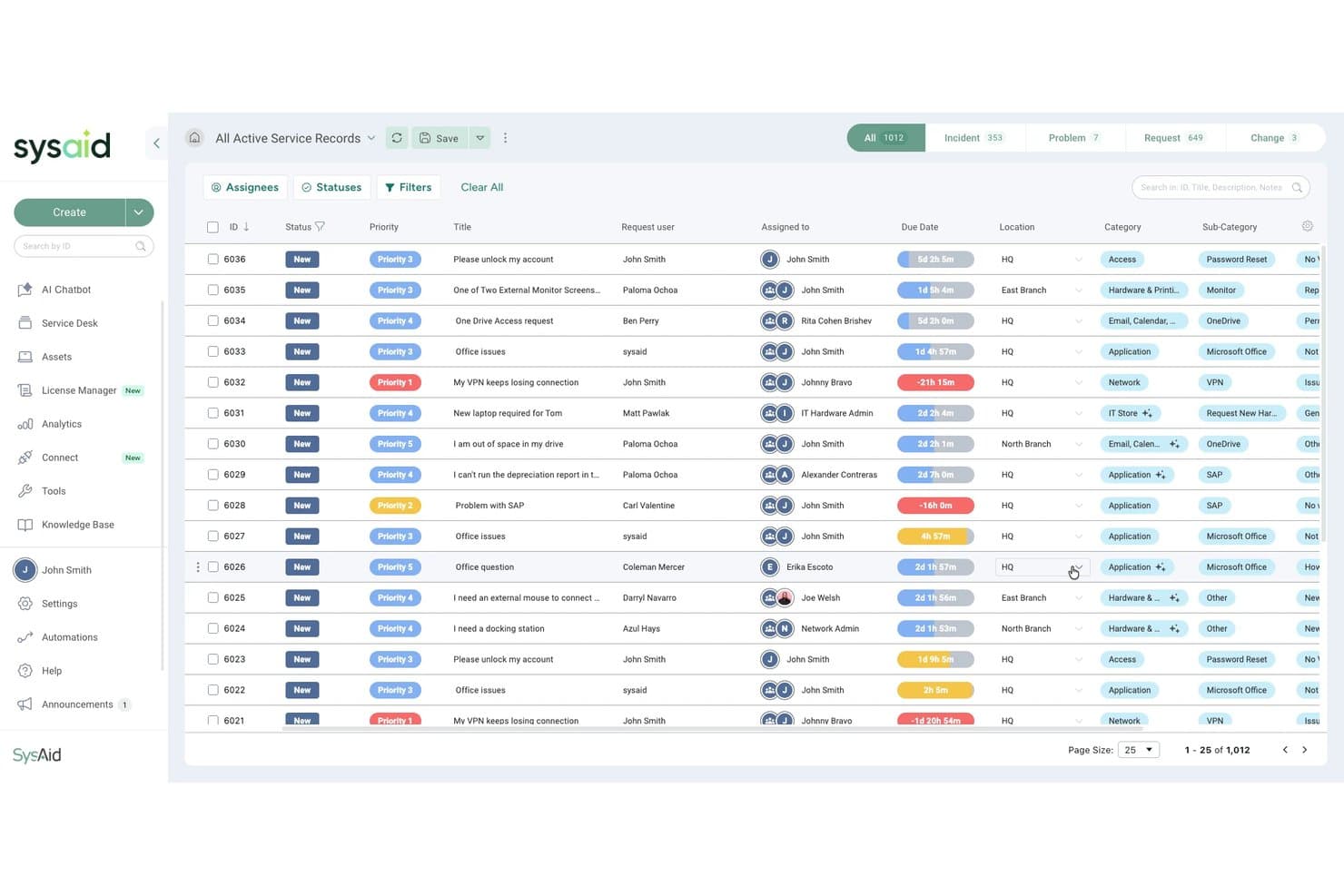
Centralizes ticket creation, assignment, and tracking for IT issues. Automated routing and escalation rules help teams resolve incidents faster.
IT Asset Management
Tracks hardware and software assets across your organization. Links assets to tickets for better context and lifecycle management.
Problem Management
Helps IT teams identify, investigate, and resolve the root causes of recurring incidents. By linking related issues and tracking known errors, it supports long-term service improvements and reduces repeat disruptions.
Workflow Designer
Lets you build custom workflows for ticket approvals, service fulfillment, and process automation. Visual drag-and-drop tools make it easier to automate IT operations without extensive development resources.
Knowledge Management
Provides a searchable portal for FAQs and solutions. Reduces repetitive tickets by empowering users with self-service resources.
Service Catalog Management
Allows users to request IT services from a structured catalog. Standardizes service delivery and improves request visibility.
Reporting & Analytics
Generates real-time dashboards and scheduled reports on ticket trends. Helps IT leaders monitor performance and identify bottlenecks.
Standout Features
SysAid Copilot and AI Agents
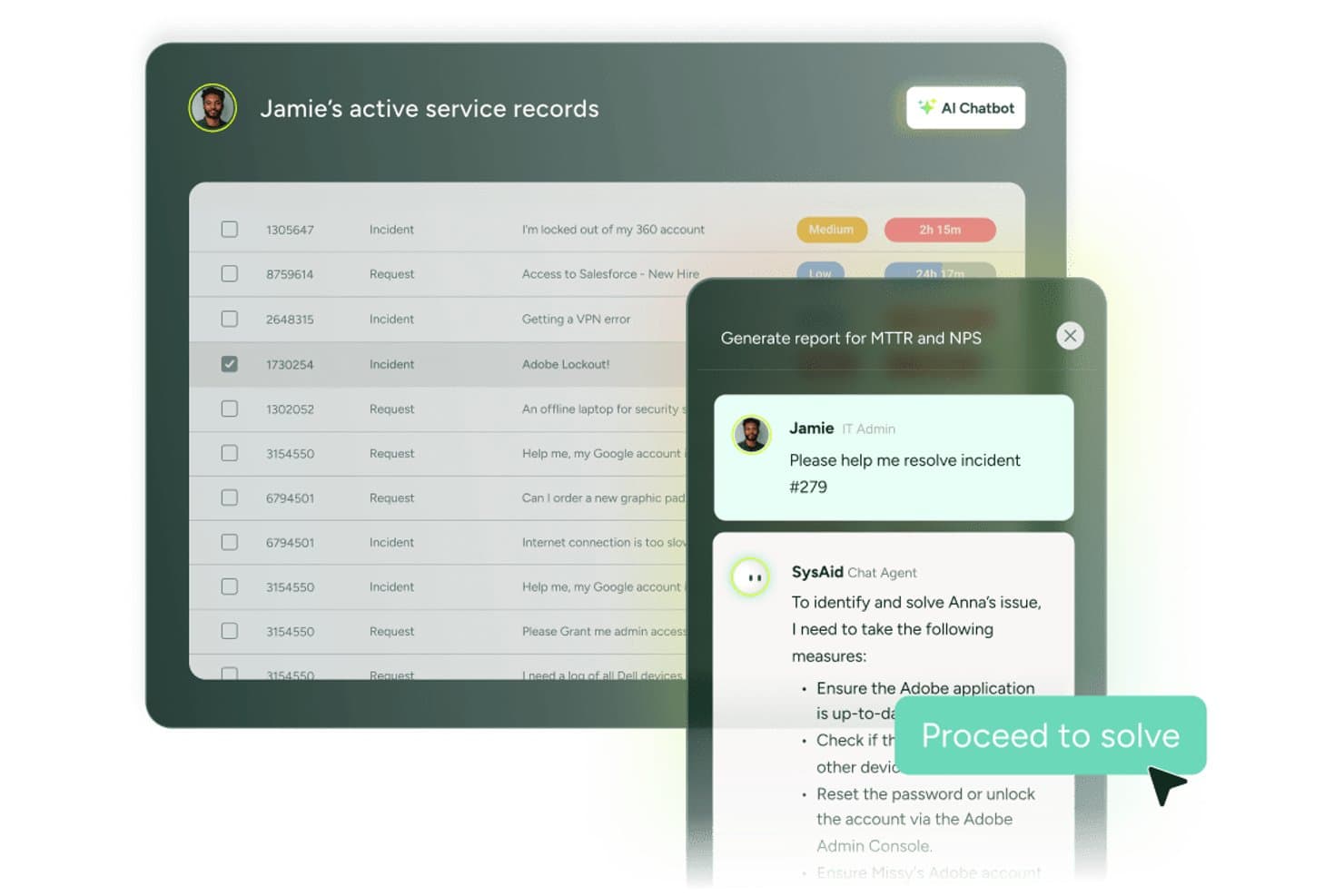
SysAid embeds AI directly into its platform through SysAid Copilot and a library of prebuilt AI agents. These tools are designed to move beyond technician assistance by autonomously resolving incidents, fulfilling requests, triggering workflows, and executing routine service management tasks. Rather than simply surfacing information, SysAid's AI agents are active participants in service delivery, operating within administrator-defined guardrails.
AI Agent Builder
SysAid's AI Agent Builder allows organizations to create and customize AI agents without extensive development resources. IT teams can tailor AI-driven workflows to organization-specific processes, automate routine service tasks, and extend automation beyond SysAid's prebuilt agent library using a no-code approach.
AI Governance and Traceability
SysAid includes governance controls designed to give organizations visibility into AI-driven actions and automated workflows. Administrators can define rules, monitor activity, and maintain traceability over actions performed by AI agents, helping support compliance, accountability, and enterprise AI adoption.
Ease of Use
SysAid balances a broad feature set with tools designed to simplify administration, including visual workflow builders, agentic AI capabilities, and configurable automation. New users may face a learning curve, particularly when setting up workflows, service catalogs, AI agents, and other advanced ITSM processes. However, much of that complexity stems from the platform's flexibility and depth rather than poor usability.
Once configured, SysAid can streamline day-to-day IT operations through automation, asset management, self-service capabilities, and AI agents designed to resolve routine incidents, fulfill requests, and execute workflows with minimal manual intervention. Full governance is built-in, making it easy for administrators to define rules, monitor AI-driven actions, and maintain visibility into automated processes.
Onboarding
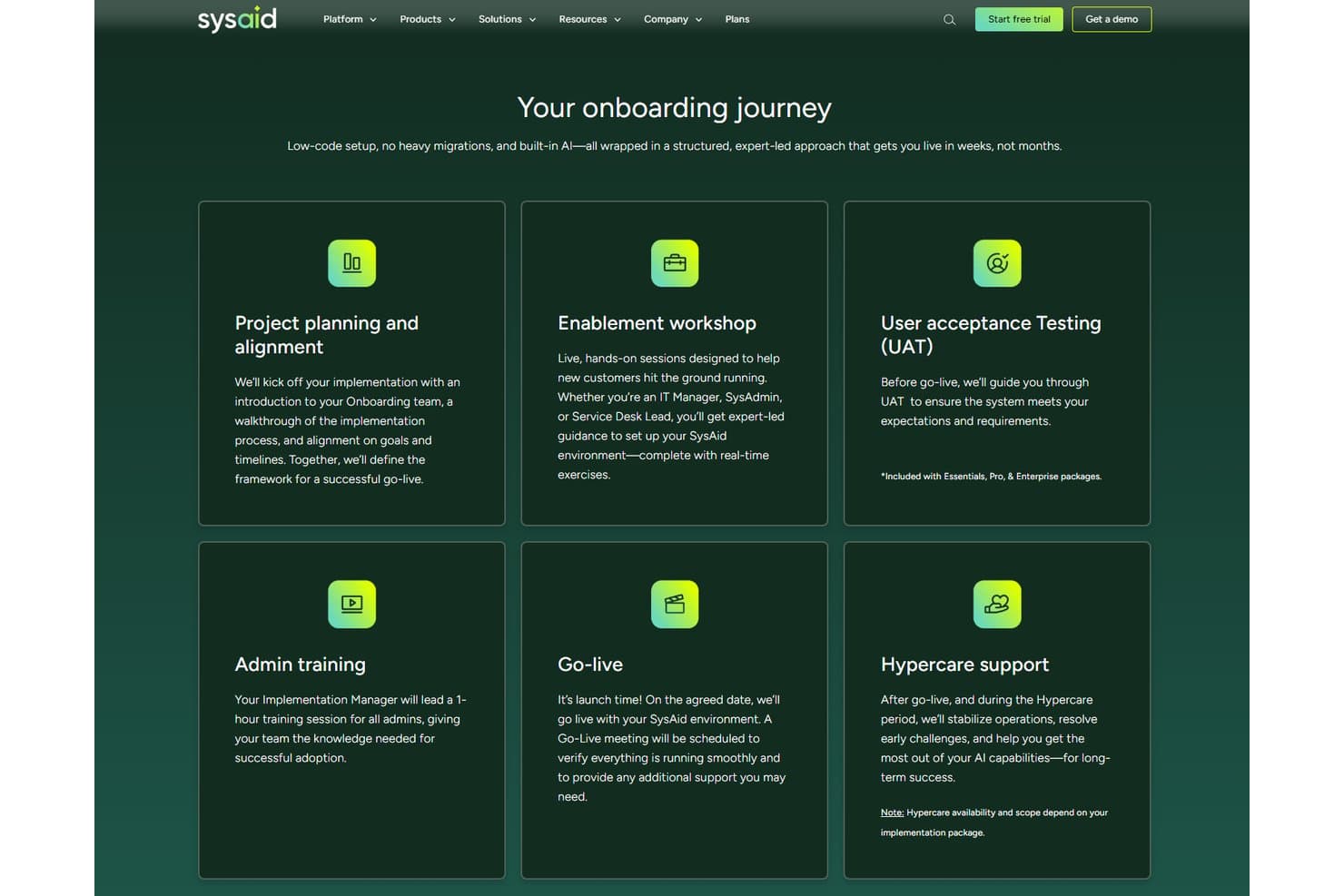
SysAid offers self-guided, guided, and dedicated onboarding options to help organizations get up and running quickly. Depending on your package, SysAid provides implementation support through expert-led workshops, admin training, user acceptance testing (UAT), dedicated project management, and post-launch hypercare services.
While organizations with complex workflows may require additional planning and customization, SysAid's structured onboarding process is designed to accelerate adoption and help teams realize value faster than many traditional ITSM platforms. AI-powered automation and natural language configuration tools can further simplify setup by allowing administrators to customize parts of the platform through conversational prompts.
Customer Support
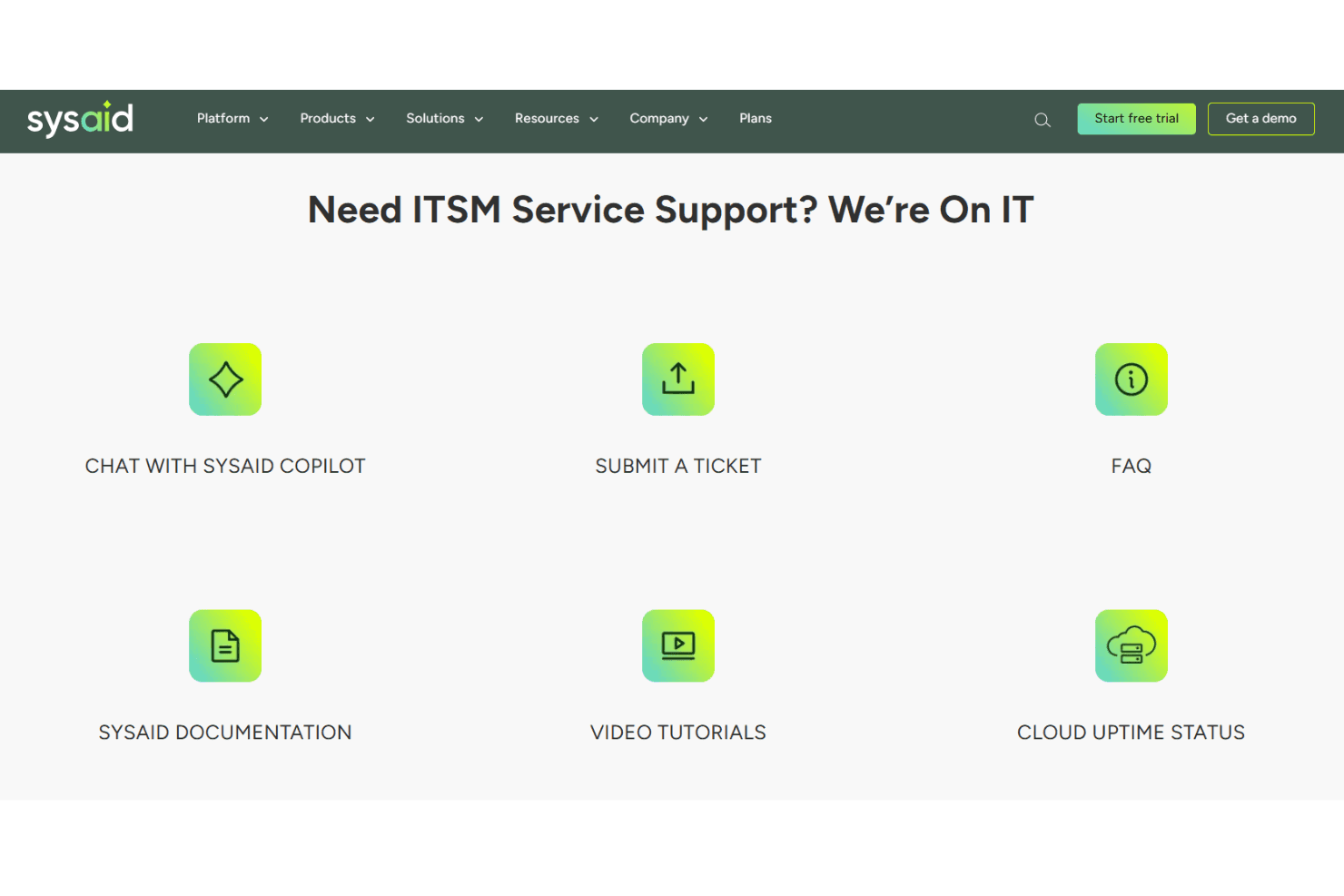
SysAid places a strong emphasis on customer support, offering assistance through multiple channels and backing customers with dedicated onboarding, implementation, and customer success teams. Support options include live chat, email, phone callbacks, WhatsApp support, and 24/7 assistance for priority-one issues. Depending on your plan and eligibility, you may also receive support from dedicated senior engineers and customer success managers.
Integrations
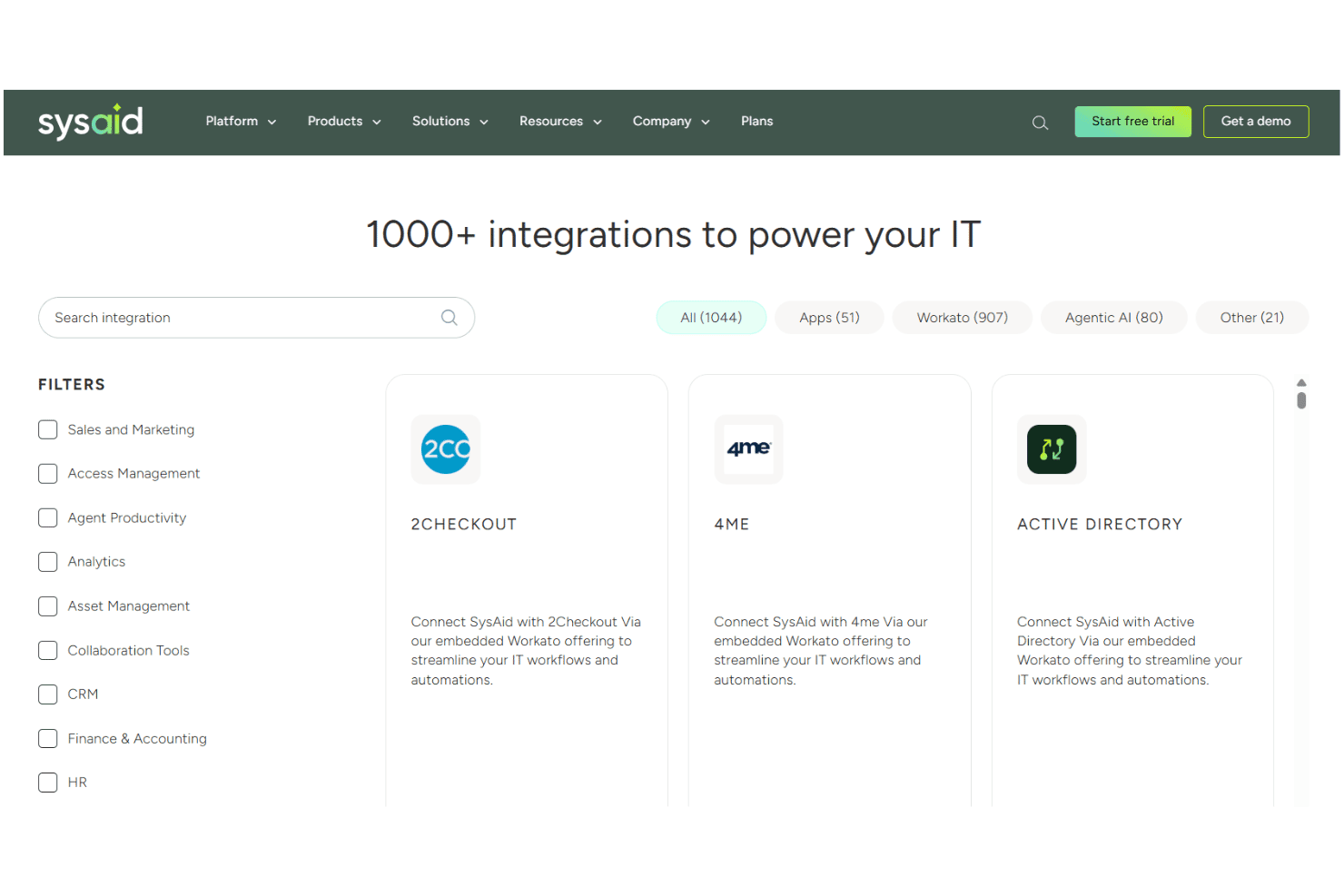
SysAid integrates with Asana, Azure DevOps, Google Workspace, Harvest, HubSpot, Salesforce, Jira, Lansweeper, Microsoft Dynamics, Okta, QuickBooks, Slack, and Trello, among others.
SysAid also offers a modern API and connects with third-party integration tools like Workato and Zapier for custom workflows.
Value for Money
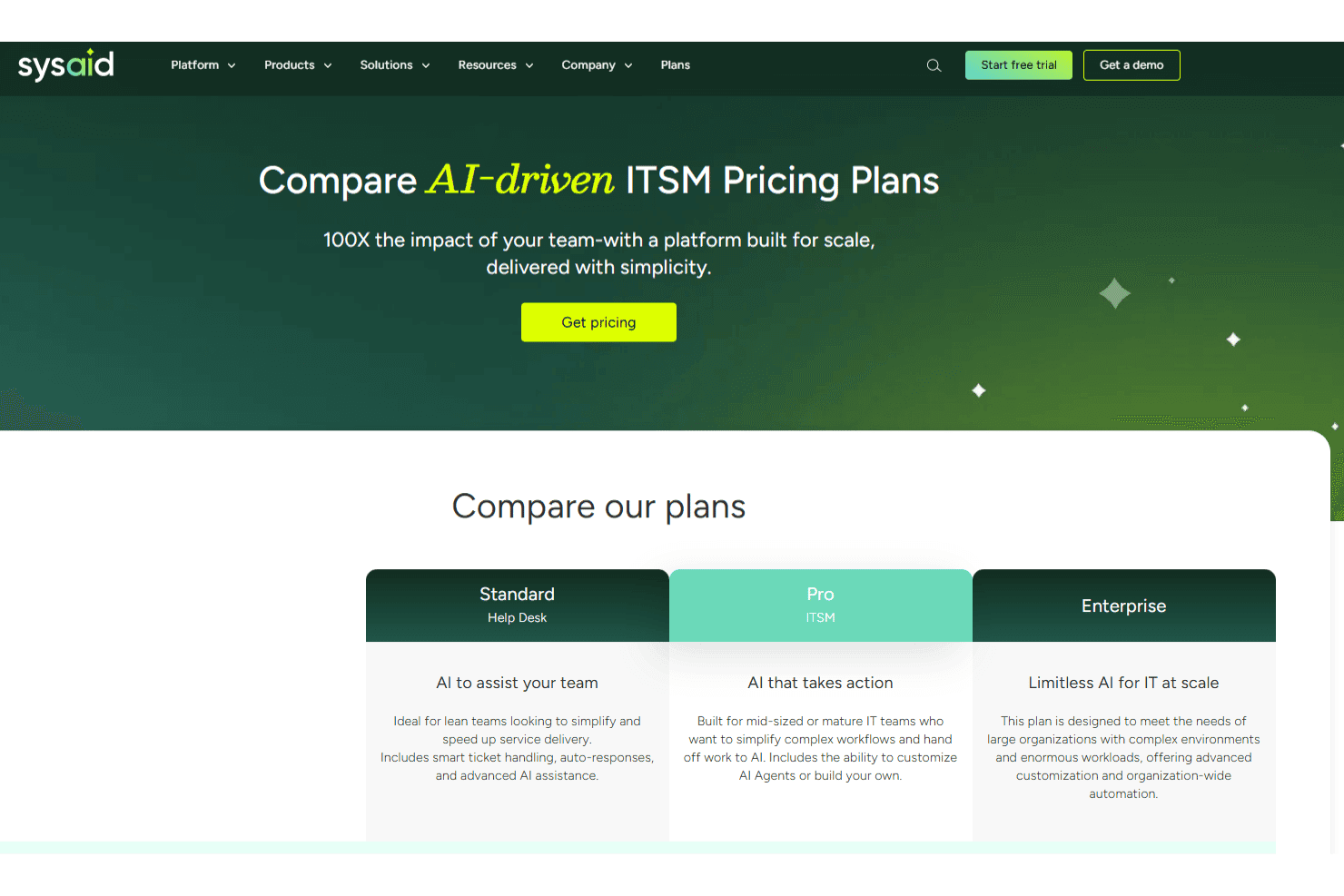
From a value perspective, SysAid bundles capabilities that many competitors charge extra for, including IT asset management, workflow automation, and agentic AI features. Pricing is customized based on factors such as your chosen package, number of users, and the assets you need to manage, helping organizations avoid paying for capabilities they don't require. SysAid also offers both cloud and on-premises deployment options, giving organizations flexibility based on their security and compliance requirements.
- Standard (Help Desk): Help desk-focused plan that includes incident management, asset management, self-service, automation, reporting, and AI-powered chatbot capabilities for end users and agents.
- Pro (ITSM): Full ITSM plan that adds change, problem, and request management, workflow automation, advanced reporting, compliance-focused capabilities, and enhanced support options.
- Enterprise: Advanced AI-driven ITSM plan that includes SysAid Agentic AI, nearly 100 prebuilt AI agents, AI Agent Builder, enterprise-grade support, and additional governance, traceability, and oversight capabilities designed to support enterprise AI adoption.
New Product Updates from SysAid
SysAid Adds Custom Fields for License Manager Contracts
SysAid lets system administrators create custom contract fields that appear across all contract forms in License Manager. The feature supports text, text area, number, date, and list fields for capturing additional contract information. Highlights include:
- Contract Custom Fields: Add organization-specific fields to contracts in License Manager.
- Multiple Field Types: Create Text, Text Area, Number, Date, and List fields.
- Account-Wide Availability: New fields appear on every contract form once created.
- Custom List Values: Define dropdown options for standardized contract data.
- Admin Controls: System administrators can create, rename, update, and delete contract fields.
Visit SysAid’s official site for more details.
 Opens new window
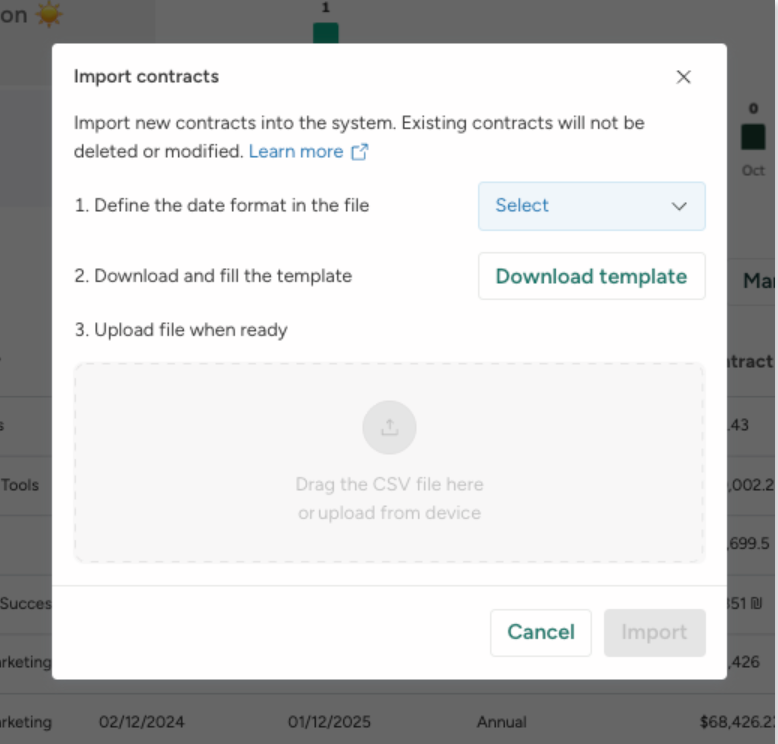
SysAid Adds Bulk Contract Import
SysAid’s License Manager Essentials now supports bulk contract creation, reducing manual entry and helping admins onboard contract data more quickly and consistently. The new CSV-based workflow adds validation to catch issues before contracts are created. Highlights include:
- Bulk CSV Contract Uploads: Admins can import multiple contracts at once using a CSV template.
- Contract Validation: Uploaded contract entries can be validated before creation to reduce setup errors.
- Faster Contract Setup: Teams can activate and manage contracts more efficiently with less manual work.
Visit SysAid's official site for more details.
 Opens new window
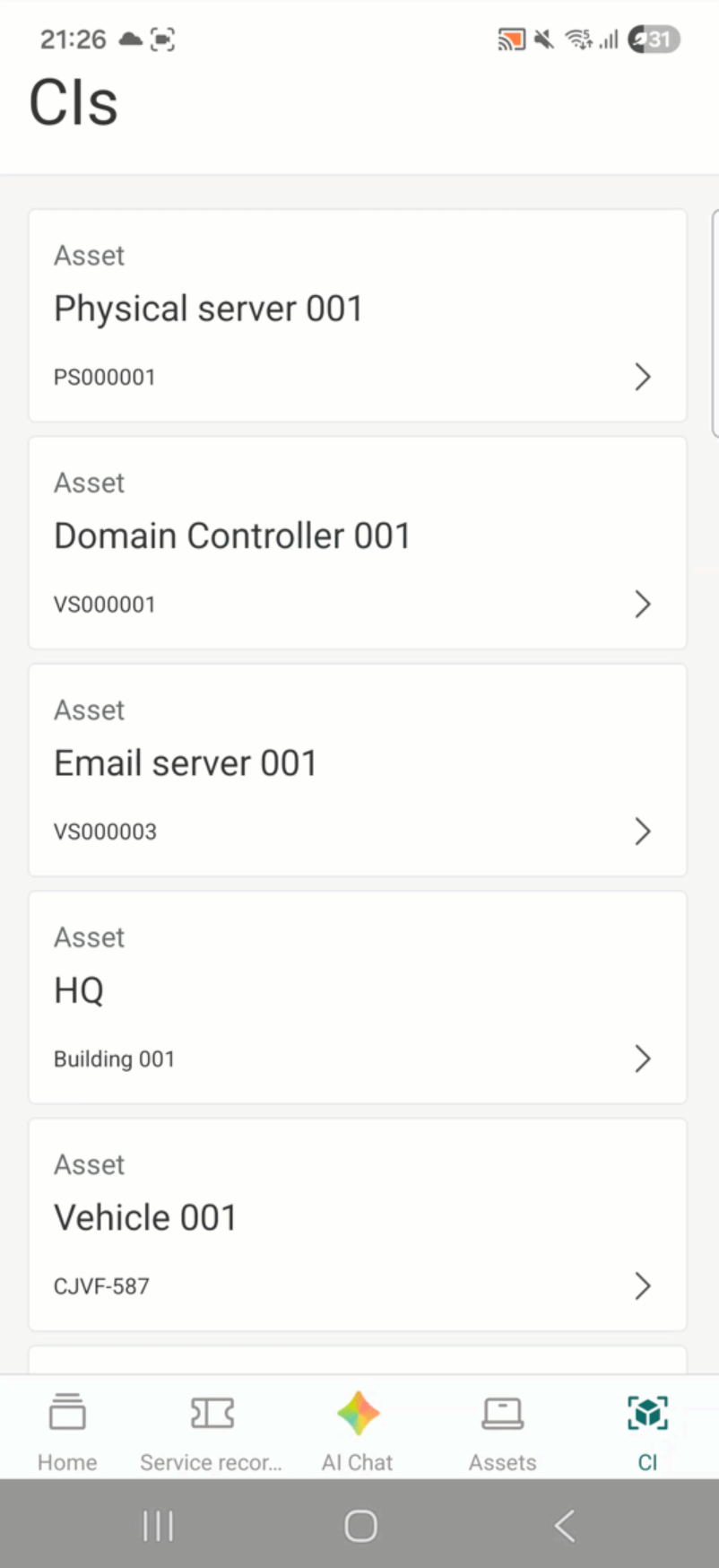
SysAid Mobile App Adds AI Agents and CI Barcode Scanning
SysAid adds AI Agents, CI barcode scanning, and expanded asset management tools to its mobile app. The updates help IT teams handle service and asset management tasks more easily from mobile devices. Highlights include:
- CI Barcode Scanning: Teams can scan configuration items individually or in bulk directly from the mobile app.
- Mobile AI Agents: Users can access the same AI Agents available on SysAid desktop within the mobile app.
- Asset and CI Management: Teams can search, filter, and edit assets and configuration items directly from mobile.
Visit SysAid’s official site for more details.
 Opens new window
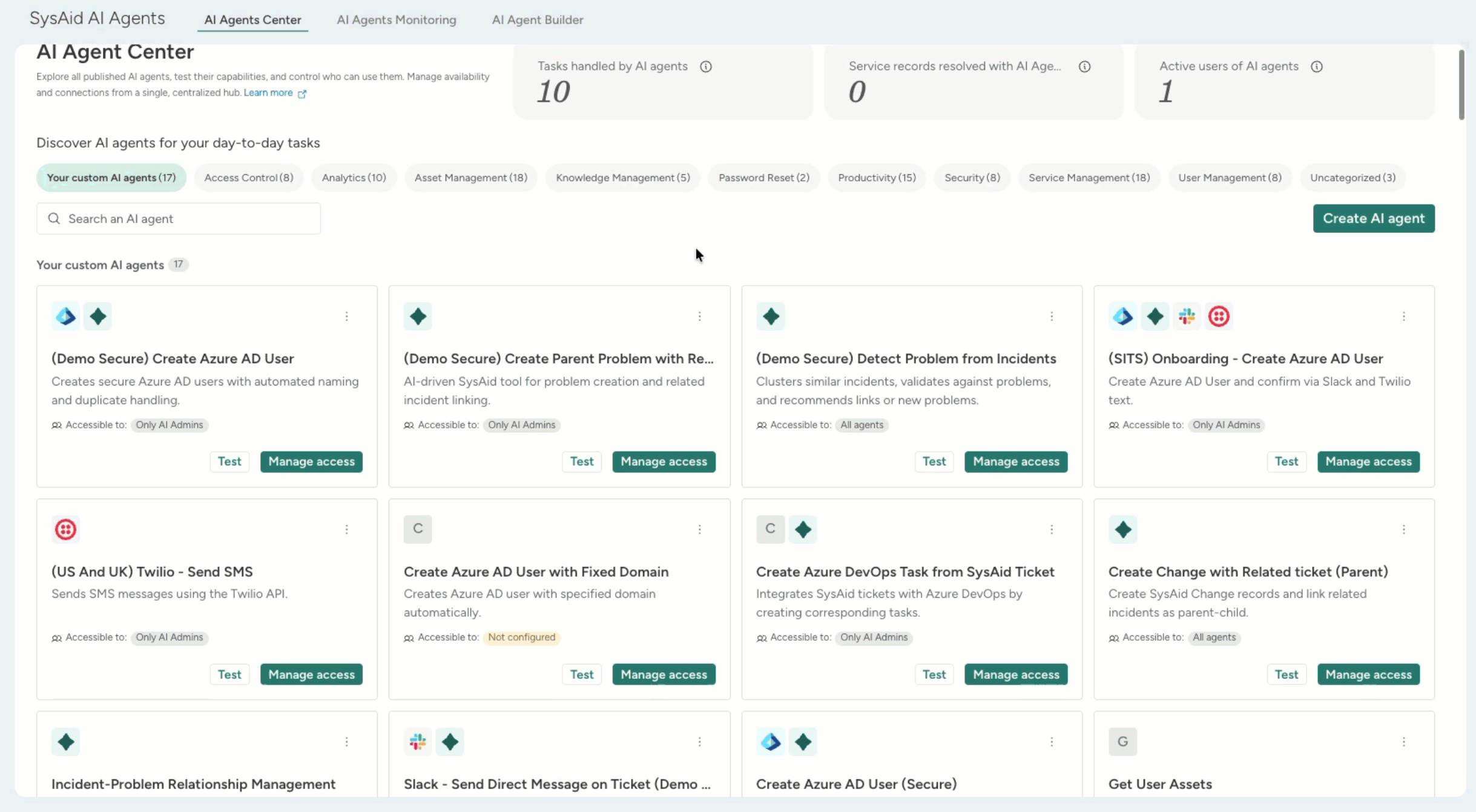
SysAid Adds AI Agent Center and License Manager Chatbot Insights
SysAid adds a centralized AI Agent Center and expands the AI Chatbot with License Manager insights and AI agents. These updates help IT teams manage AI-powered workflows and access software and contract information more efficiently. Highlights include:
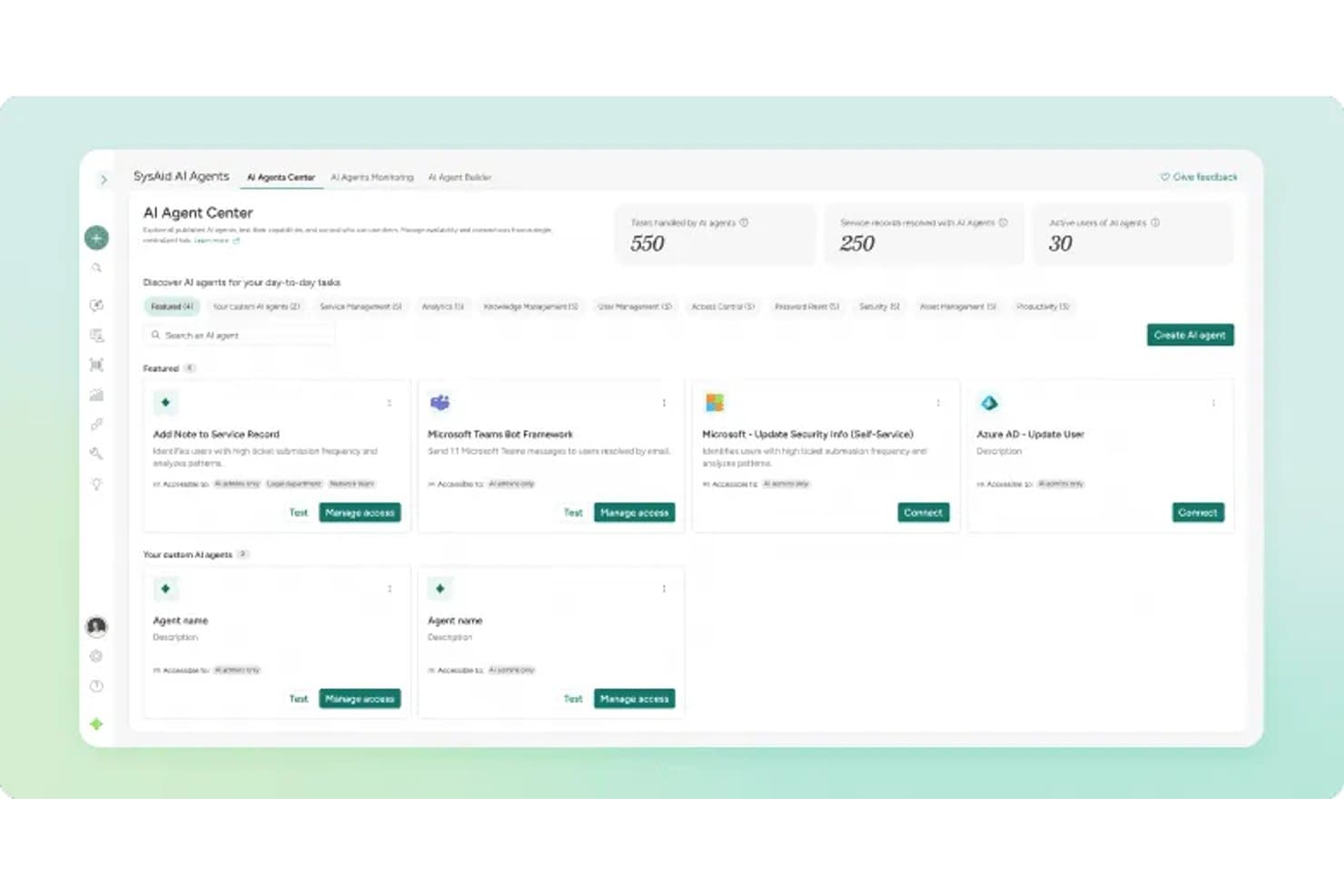
- AI Agent Center: Admins can manage, test, and monitor specialized AI agents across areas like security, asset management, and access control.
- License Manager AI Insights: The AI capabilities now extend into License Manager workflows, enabling teams to surface contract and SaaS intelligence while supporting broader automated asset and license management processes.
- Prebuilt AI Agents: Teams can use AI agents to analyze software usage, activity, and cost insights more quickly.
Visit SysAid’s official site for more details.
SysAid Specs
- 2-Factor Authentication: Yes
- Analytics: Yes
- Anti-Virus: No
- API: Yes
- Batch Permissions & Access: Yes
- Bug Tracking: No
- Call Integration: Yes
- Chat: Yes
- Contact Management: Yes
- CRM Integration: Yes
- Customer Management: Yes
- Data Export: Yes
- Data Import: Yes
- Email Integration: Yes
- Escalation Management: Yes
- External Integrations: Yes
- Incident Management: Yes
- Instant Chat Integration: No
- Knowledge Base: Yes
- Malware Protection: No
- Multi-User: Yes
- Notifications: Yes
- Organization Management: Yes
- Password & Access Management: Yes
- Project Management: Yes
- Real-time Alerts: Yes
- SAP Integration: Yes
- Self-service Portal: Yes
- Social Media Integration: No
- Support Forum: Yes
- Ticket Management: Yes
- Workflow Management: Yes
SysAid FAQs
SysAid Company Overview & History
SysAid Technologies, founded in 2002 by Israel Lifshitz, is headquartered in Tel Aviv, Israel. The company employs around 200-240 people and serves thousands of customers across six continents. SysAid is privately owned and focuses exclusively on IT service management solutions, with no major affiliated products or subsidiaries.
Notable clients include organizations in education, healthcare, manufacturing, and managed services, but specific high-profile names are not publicly listed. In 2024, SysAid reported annual revenue of approximately $20 million.
SysAid Major Milestones
- 2002: Founded by Israel Lifshitz in Tel Aviv, Israel.
- 2002: Initial release of the SysAid ITSM platform.
- 2024: Reached $20 million in annual revenue.
- 2025: Recognized in industry reports for innovation in AI-driven ITSM.
- 2026: Serves customers in over 140 countries with a workforce spanning six continents.