

Jamf Connect Test: Vorteile, Nachteile, Funktionen und Preise
Jamf Connect überzeugt durch die Vereinfachung der Identitäts- und Kontoverwaltung für Apple-Nutzer und ist daher eine Top-Wahl für Organisationen, die auf Apple-Geräte setzen.

Wir bewerten Tools unabhängig; Provisionen helfen, unsere Tests zu finanzieren. Siehe unsere Transparenzrichtlinie und unsere Methodik.
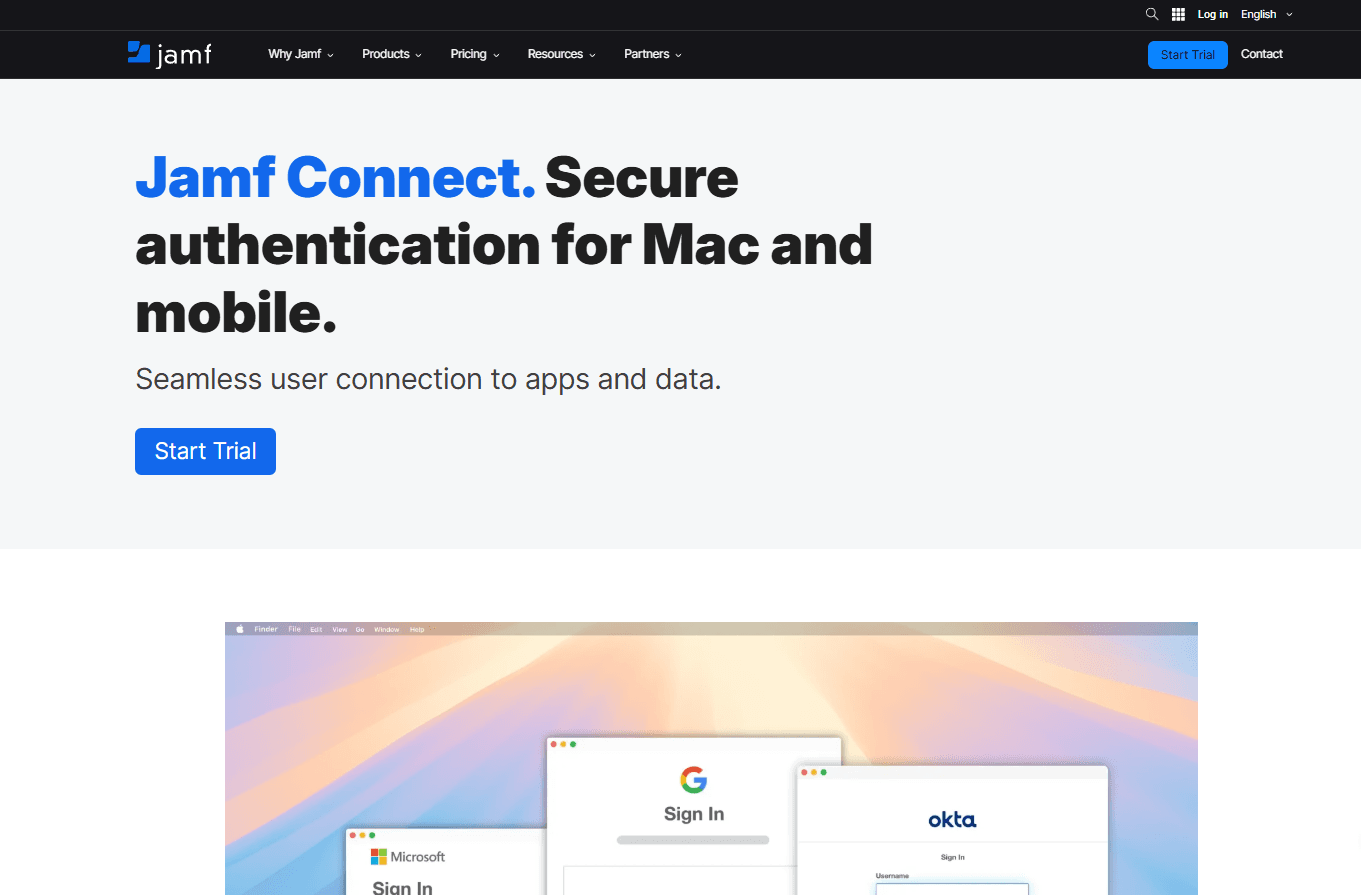
Jamf Connect is a user provisioning software built specifically for Apple device environments, linking macOS account creation and login directly to your cloud identity provider. I'd consider it if your IT team manages a Mac-heavy fleet and needs users provisioned at first login without manual account setup. If you're weighing it against something like JumpCloud, Jamf Connect's Apple-native architecture makes it a stronger fit for organizations where macOS is the primary endpoint—particularly when Okta or Microsoft Entra ID is already your identity source of truth.
Jamf connect Evaluation Summary
4.7/5
- $4/user/month
- 14-day free trial
Warum Sie unseren Software-Empfehlungen vertrauen können
6,700+
Reviews
20
Industry experts
16+
Evaluation factors
14
Years
Unser Team testet und bewertet Software seit 2012. Als Tech-Führungskräfte wissen wir selbst, wie schwierig – und wichtig – es ist, die richtige Software auszuwählen.
Für diesen Leitfaden haben wir Tools mithilfe von praktischen Tests und unabhängiger Recherche bewertet und dabei unsere Bewertungskriterien angewendet.
Unsere Bewertungen spiegeln unser menschliches redaktionelles Urteilsvermögen wider, keine Verkaufsstrategie.
Expertenprüfer:
- Paulo Gardini MiguelTech-Direktor
 Tim FisherVP für KI
 Gabriel RosasTech Lead & Software-Architekt
 Christhian GruhnTech Lead & Plattform-Architekt

Jamf connect Overview
In my opinion, Jamf Connect is a solid choice for organizations using Apple devices. Its single sign-on and identity management features are particularly strong, making it easy for IT teams to manage user access without juggling multiple credentials. While its onboarding and support are decent, there's room for improvement compared to some competitors. It's best suited for educational institutions and businesses heavily invested in Apple ecosystems, offering a good balance of features and value for money. If your team relies on Apple devices, Jamf Connect is worth considering.
Pros
- It simplifies user access with single sign-on for Apple devices.
- It improves security by managing identity and credentials effectively.
- It's tailored for environments heavily invested in Apple products.
Cons
- It may not offer the best support compared to other options.
- It can be less intuitive for teams unfamiliar with Apple ecosystems.
- It might require more time to fully integrate into existing workflows.
Is Jamf connect Right For Your Needs?
Who Would be a Good Fit for Jamf connect?
Jamf Connect is ideal for businesses and IT teams managing a fleet of Apple devices. If your work revolves around Apple products, Jamf Connect streamlines user access and identity management. Educational institutions and enterprises with a strong Apple ecosystem will find its single sign-on feature invaluable. It enhances security and simplifies credential management, making it a great fit for environments where Apple devices dominate.
- Educational InstitutionsJamf Connect simplifies managing large numbers of student and faculty accounts on Apple devices.
- Enterprise IT DepartmentsIt offers efficient user access control for organizations with extensive Apple ecosystems.
- Healthcare FacilitiesJamf Connect ensures secure and easy access to patient data on Apple devices.
- Creative AgenciesIt's perfect for teams using Apple devices for design and media production.
- Retail ChainsJamf Connect helps manage employee access to Apple-based systems in stores.
- Tech StartupsIt supports growth by providing scalable identity management for teams relying on Apple products.
Who Would be a Bad Fit for Jamf connect?
Jamf Connect isn't a good fit for businesses that don't primarily use Apple devices. If your team relies heavily on Windows or Android systems, Jamf Connect's Apple-centric features won't be beneficial. Companies looking for extensive third-party integrations might find Jamf Connect limiting. It's not ideal for small businesses that lack a dedicated IT team, as its setup can be complex for those unfamiliar with Apple environments.
- Windows-Based OfficesJamf Connect's features are tailored for Apple devices, making it unsuitable for Windows environments.
- Android-Only TeamsTeams using Android devices won't benefit from Jamf Connect's Apple-focused features.
- Small Non-Tech BusinessesWithout IT expertise, setting up and managing Jamf Connect can be challenging.
- Manufacturing PlantsIf your operations don't involve Apple devices, Jamf Connect won't add value.
- Financial InstitutionsBanks and similar entities often require broader system compatibility than Jamf Connect offers.
- Non-Apple RetailersRetailers using non-Apple point-of-sale systems won't find Jamf Connect useful.
Unsere Bewertungsmethodik
Wie wir Werkzeuge testen & bewerten
Wir haben Jahre damit verbracht, unser System zur Softwareprüfung und -bewertung aufzubauen, zu verfeinern und zu verbessern. Das Bewertungsraster ist darauf ausgelegt, die Feinheiten der Softwareauswahl und Effektivität eines Tools einzufangen, wobei wir uns auf kritische Aspekte des Entscheidungsprozesses konzentrieren.
Nachfolgend sehen Sie genau, wie unser Test- und Bewertungssystem anhand von sieben Kriterien funktioniert. Es ermöglicht uns eine unparteiische Bewertung der Software basierend auf Grundfunktionalität, besonderen Funktionen, Benutzerfreundlichkeit, Onboarding, Kundensupport, Integrationen, Kundenbewertungen und Preis-Leistungs-Verhältnis.
Grundfunktionalität (25 % der Endbewertung)
Der Ausgangspunkt unserer Bewertung ist immer die Grundfunktionalität des Werkzeugs. Verfügt es über die grundlegenden Funktionen und Merkmale, die ein Benutzer erwarten würde? Sind grundlegende Funktionen auf höherpreisige Tarife beschränkt? Im Kern erwarten wir, dass ein Tool den Basisfähigkeiten seiner Konkurrenten standhält.
Besondere Features (25 % der Endbewertung)
Anschließend bewerten wir ungewöhnliche, herausragende Funktionen, die über die typische Grundfunktionalität von Tools dieser Art hinausgehen. Eine hohe Bewertung zeigt spezialisierte oder einzigartige Eigenschaften, die das Produkt schneller, effizienter oder für den Nutzer wertvoller machen.
Wir bewerten außerdem, wie einfach sich das Tool mit anderen üblichen Werkzeugen im Technologie-Stack integrieren lässt, um die Funktionalität und den Nutzen der Software zu erweitern. Tools mit vielen nativen Integrationen, Drittanbieter-Anbindungen und API-Zugang zur Erstellung kundenspezifischer Integrationen erhalten die besten Bewertungen.
Benutzerfreundlichkeit (10 % der Endbewertung)
Wir betrachten, wie schnell und einfach Aufgaben aus dem Bereich der Grundfunktionalität mit dem Tool erledigt werden können. Gut bewertete Software ist durchdacht gestaltet, intuitiv bedienbar, bietet mobile Apps, Vorlagen und lässt relativ komplexe Aufgaben einfach erscheinen.
Onboarding (10 % der Endbewertung)
Wir wissen, wie wichtig die schnelle Einführung eines neuen Tools für das Team ist, daher bewerten wir, wie leicht sich ein Werkzeug mit minimalem Training erlernen und nutzen lässt. Wir bewerten, wie schnell ein Teammitglied ohne Vorerfahrung anfangen kann. Hoch bewertete Lösungen benötigen wenig bis gar keine Unterstützung.
Kundensupport (10 % der Endbewertung)
Wir prüfen, wie schnell und einfach man bei Problemen Hilfe per Telefon, Live-Chat oder Wissensdatenbank erhält. Tools und Anbieter mit Echtzeit-Support werden besser bewertet, während Chatbots schlechter abschneiden.
Kundenbewertungen (10 % der Endbewertung)
Neben unserer eigenen Prüfung beziehen wir den Net Promoter Score aktueller und ehemaliger Kunden mit ein. Wir bewerten, wie wahrscheinlich es ist, dass sie sich erneut für das Werkzeug entscheiden würden. Hoch bewertete Software weist einen hohen Net Promoter Score auf.
Preis-Leistungs-Verhältnis (10 % der Endbewertung)
Abschließend vergleichen wir unter Berücksichtigung aller Kriterien den durchschnittlichen Preis der Einstiegspakete mit den Grundfunktionen und bewerten den Mehrwert aus den anderen Bewertungsbereichen. Software, die mehr fürs gleiche Geld bietet, schneidet besser ab.
Core Features
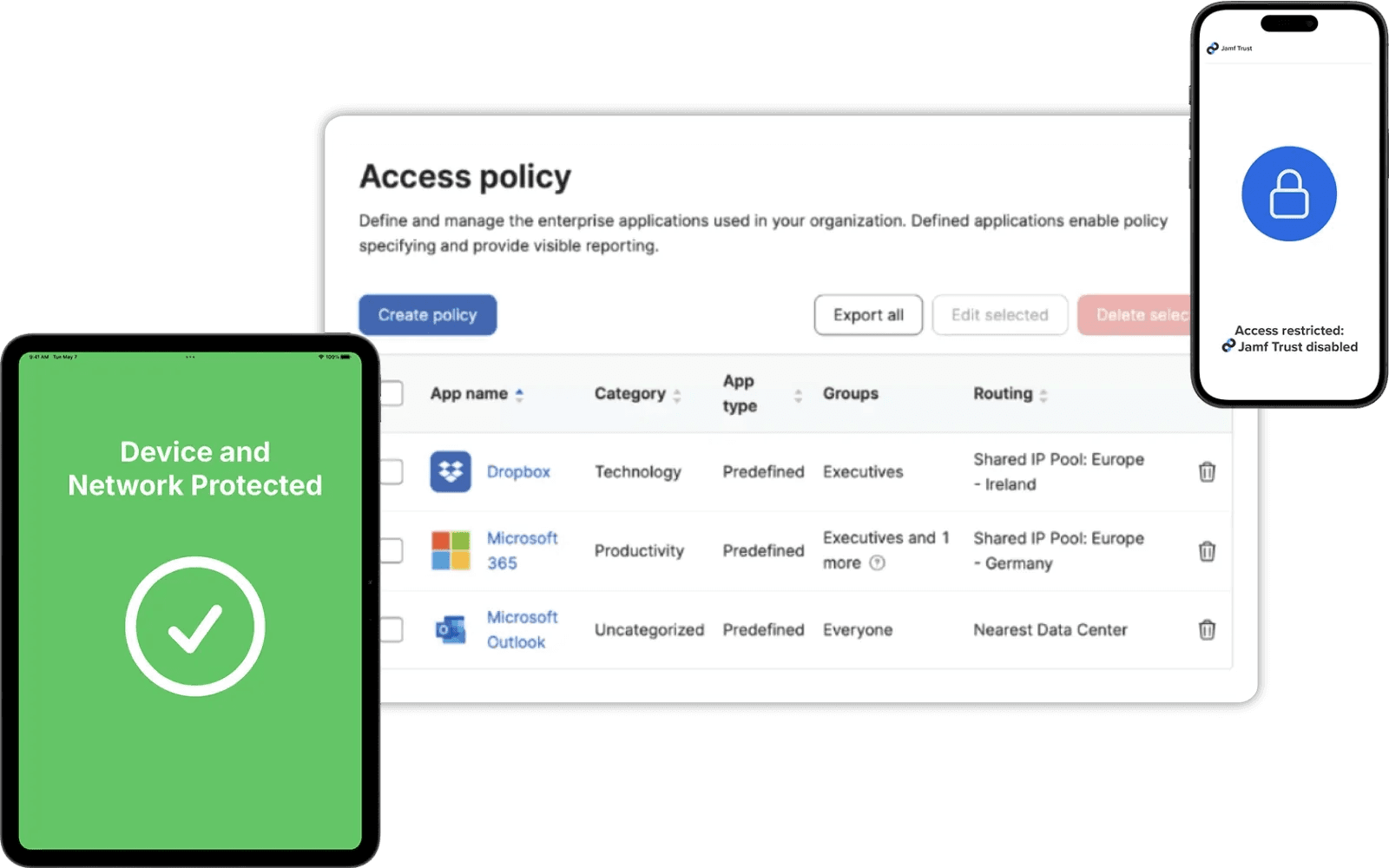
Single Sign-On: Jamf Connect lets your team access all necessary applications with just one set of credentials, enabling real time authentication across Apple Devices. This feature simplifies login processes.
Identity Management: It manages user identities across your Apple devices, ensuring that your team can access what they need without hassle. This feature is crucial for maintaining secure and efficient operations.
Password Sync: Jamf Connect syncs passwords across devices, simplifying password management. It reduces the risk of forgotten passwords and improves productivity.
User Account Creation: Automatically creates user accounts on Apple devices, saving your IT team time and effort. This feature ensures new employees are up and running quickly.
Access Control: Set permissions and access levels for different users through configuration profiles, giving your team the right access without compromising security. This feature is vital for maintaining control over sensitive data.
Cloud Authentication: Authenticate users via cloud identity services with support for multi-factor authentication (MFA), making remote work seamless for your team. It supports flexibility and access from anywhere.
Ease of Use
Jamf Connect is generally user-friendly, especially for teams familiar with Apple products. Its interface is intuitive, making everyday tasks straightforward for end users and your IT team alike. However, if you're not used to Apple environments, the learning curve might be steeper. The setup process is manageable but can be challenging without IT expertise. Compared to other options, Jamf Connect shines in Apple-centric environments, but might require extra effort to maximize its potential fully.
Integrations
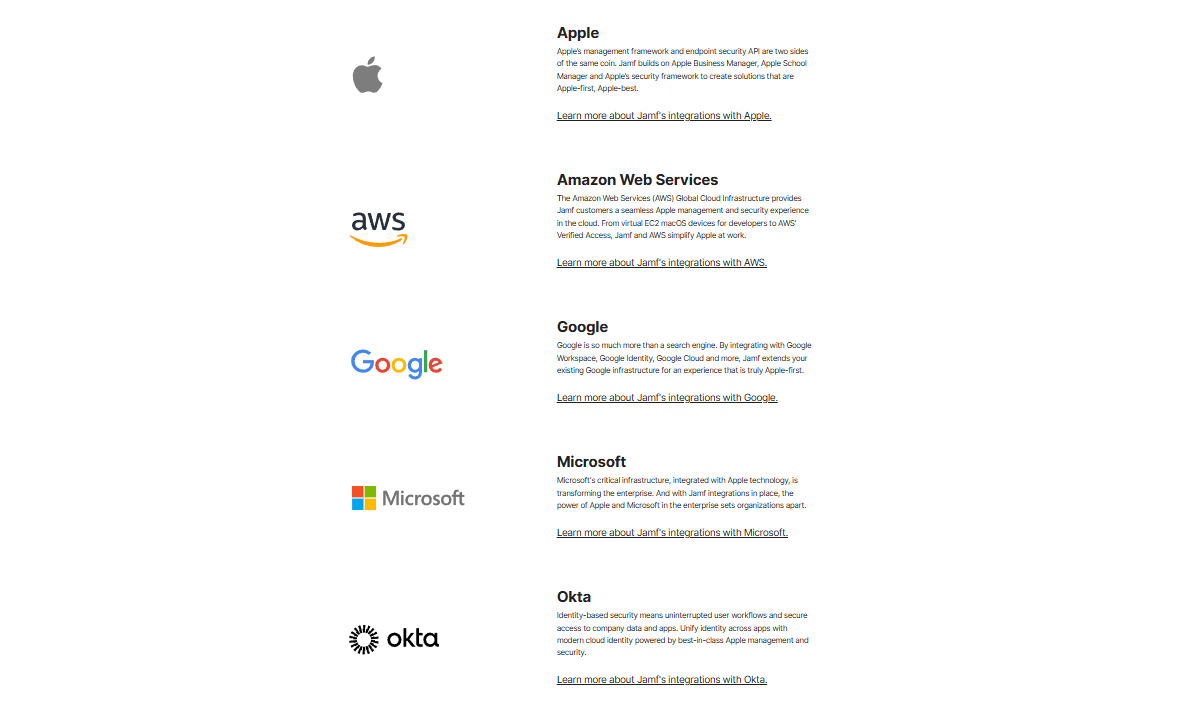
Jamf Connect integrates with Microsoft Entra ID (formerly Azure Active Directory), Okta, and Google Identity and Google Workspace. It also supports custom and third-party integrations through Jamf’s API and integration ecosystem.
Jamf connect Specs
- 2-Factor Authentication: Yes
- Access Management: Yes
- Anti-Virus: No
- API: No
- Audit Trail: No
- Bug Tracking: No
- Calendar Management: No
- Customer Management: No
- Dashboard: No
- Data Export: No
- Data Import: No
- Data Visualization: No
- Email Integration: No
- External Integrations: Yes
- File Sharing: No
- File Transfer: No
- Firewall: No
- Google Apps Integration: Yes
- Inventory Tracking: No
- Malware Protection: No
- Multi-User: Yes
- Network Device Performance Monitoring: No
- Network Traffic Monitoring: No
- Network Visualization: No
- Notifications: No
- Project Management: No
- Remote Access: No
- Risk Assessment: No
- SAP Integration: No
- Scheduling: No
- Software Integration: Yes
- Third-Party Plugins/Add-Ons: No
- Ticket Management: No


