

Bynder Test: Vorteile, Nachteile, Funktionen und Preise
Bynder überzeugt mit intuitiven Kollaborations- und Branding-Tools und ist somit ideal für große Marketingteams, die Wert auf Markenkonsistenz legen.

Wir bewerten Tools unabhängig; Provisionen helfen, unsere Tests zu finanzieren. Siehe unsere Transparenzrichtlinie und unsere Methodik.
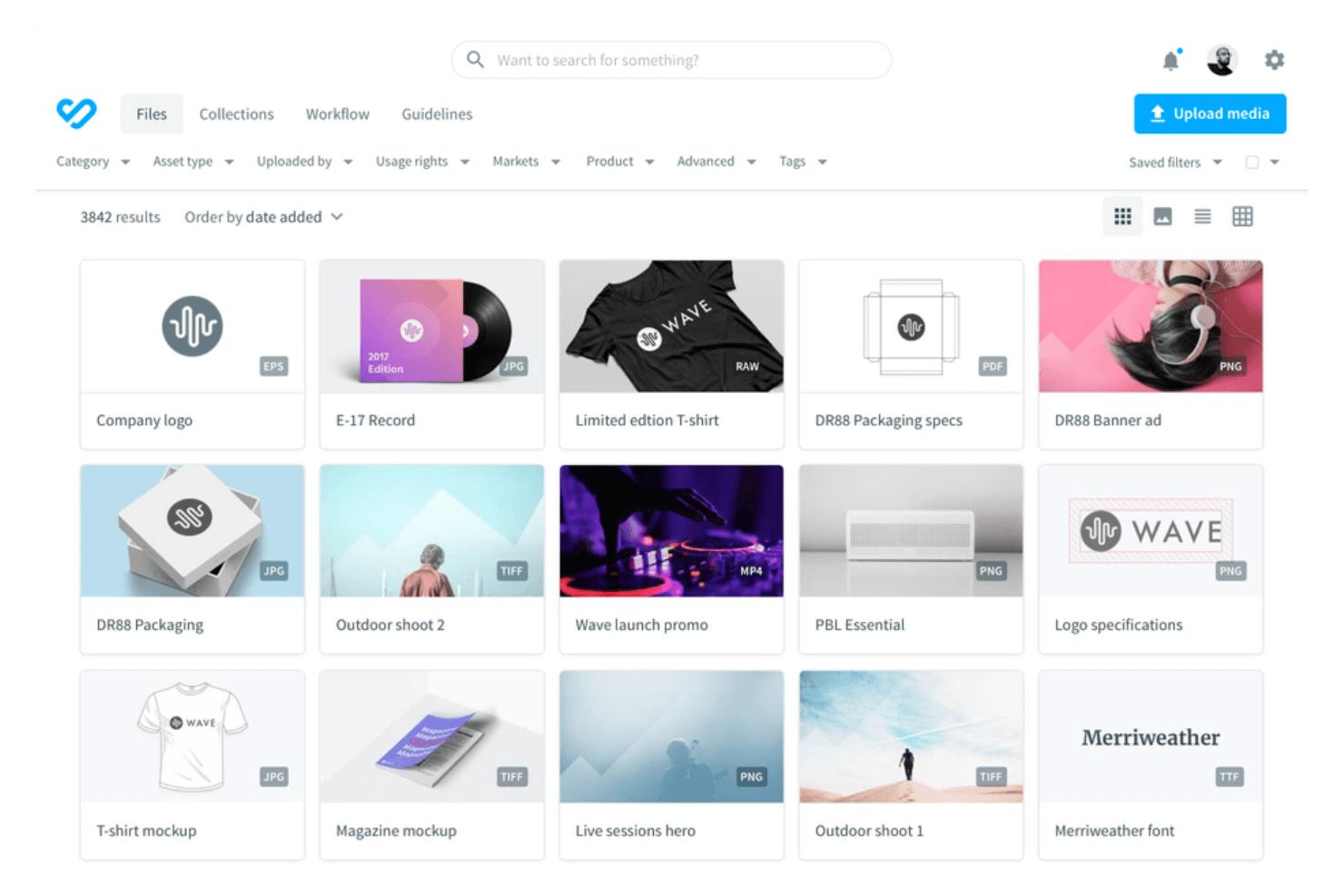
Bynder is an asset management software built for teams that need to organize, store, and distribute brand content at scale—marketing files, product imagery, approved templates, and more. I'd consider it over something like Canto if your team needs deeper brand portal customization and stronger API integrations for connecting your asset library to the rest of your tech stack.
Bynder Evaluation Summary
4.5/5
- Pricing upon request
- Free demo available
Warum Sie unseren Software-Empfehlungen vertrauen können
6,700+
Reviews
20
Industry experts
16+
Evaluation factors
14
Years
Unser Team testet und bewertet Software seit 2012. Als Tech-Führungskräfte wissen wir selbst, wie schwierig – und wichtig – es ist, die richtige Software auszuwählen.
Für diesen Leitfaden haben wir Tools mithilfe von praktischen Tests und unabhängiger Recherche bewertet und dabei unsere Bewertungskriterien angewendet.
Unsere Bewertungen spiegeln unser menschliches redaktionelles Urteilsvermögen wider, keine Verkaufsstrategie.
Expertenprüfer:
- Paulo Gardini MiguelTech-Direktor
 Tim FisherVP für KI
 Gabriel RosasTech Lead & Software-Architekt
 Christhian GruhnTech Lead & Plattform-Architekt

Bynder Overview
In my opinion, Bynder is a solid choice for organizations looking to maintain brand consistency and manage digital brand assets efficiently. Its branding and collaboration tools set it apart, making it ideal for marketing teams and creative agencies. However, the pricing may be a concern for smaller teams, and onboarding could be smoother. Compared to other asset management software, Bynder excels in user interface and customer support, but it could improve in offering more flexible pricing and integrations. It's best suited for large enterprises focused on brand management, but may not be the first choice for cost-conscious teams.
Pros
- It offers intuitive branding tools.
- The user interface is clean and easy to navigate.
- Collaboration features boost productivity and communication.
Cons
- Initial onboarding can be a bit complex.
- Some users find the customization options limited for their needs.
- It may not offer enough flexibility for smaller teams' workflows.
Is Bynder Right For Your Needs?
Who Would be a Good Fit for Bynder?
The Bynder digital asset management tool is a great fit for large marketing teams and creative agencies focused on maintaining brand consistency. The branding and collaboration features make it ideal for industries such as media, retail, and advertising, where visual content is key. If your team needs to manage and share digital assets efficiently, Bynder's user-friendly interface and strong branding capabilities can streamline your processes and enhance your team's productivity.
- Marketing TeamsBynder's branding and collaboration tools help your team maintain brand consistency across all campaigns.
- Creative AgenciesIts intuitive interface and asset management capabilities make it easier to manage your clients' visual content.
- Retail CompaniesBynder supports your brand's visual consistency, which is crucial for engaging your customers across different channels.
- Media IndustryWith Bynder, you can efficiently manage and distribute your digital assets, which is essential for your fast-paced environment.
- Brand ManagersBynder's tools ensure your brand guidelines are adhered to, keeping your visuals consistent.
- Large EnterprisesBynder's scalability and comprehensive asset management features are ideal for complex project management needs.
Who Would be a Bad Fit for Bynder?
Bynder may not be suitable for small businesses or startups with limited budgets, as its pricing can be steep. If you're in a nonvisual industry or have minimal digital asset needs, Bynder's extensive features might be too much. Teams that need substantial customization or specific integrations could find Bynder's limited options lacking.
- Small StartupsThe cost of Bynder can be prohibitive if you're budget-conscious.
- Non-Visual IndustriesIf your work doesn't heavily rely on digital assets, Bynder's features may be unnecessary.
- Highly Customizable NeedsBynder's limited customization options may not meet your specific workflow requirements.
- FreelancersThe extensive features and pricing are more than you'd need for individual projects.
- Tech-Savvy TeamsIf your team requires advanced integrations, Bynder's limitations could hinder your work.
- Budget-Conscious DepartmentsIf cost is a major factor, Bynder's pricing may not align with your financial goals.
Unsere Bewertungsmethodik
Wie wir Werkzeuge testen & bewerten
Wir haben Jahre damit verbracht, unser System zur Softwareprüfung und -bewertung aufzubauen, zu verfeinern und zu verbessern. Das Bewertungsraster ist darauf ausgelegt, die Feinheiten der Softwareauswahl und Effektivität eines Tools einzufangen, wobei wir uns auf kritische Aspekte des Entscheidungsprozesses konzentrieren.
Nachfolgend sehen Sie genau, wie unser Test- und Bewertungssystem anhand von sieben Kriterien funktioniert. Es ermöglicht uns eine unparteiische Bewertung der Software basierend auf Grundfunktionalität, besonderen Funktionen, Benutzerfreundlichkeit, Onboarding, Kundensupport, Integrationen, Kundenbewertungen und Preis-Leistungs-Verhältnis.
Grundfunktionalität (25 % der Endbewertung)
Der Ausgangspunkt unserer Bewertung ist immer die Grundfunktionalität des Werkzeugs. Verfügt es über die grundlegenden Funktionen und Merkmale, die ein Benutzer erwarten würde? Sind grundlegende Funktionen auf höherpreisige Tarife beschränkt? Im Kern erwarten wir, dass ein Tool den Basisfähigkeiten seiner Konkurrenten standhält.
Besondere Features (25 % der Endbewertung)
Anschließend bewerten wir ungewöhnliche, herausragende Funktionen, die über die typische Grundfunktionalität von Tools dieser Art hinausgehen. Eine hohe Bewertung zeigt spezialisierte oder einzigartige Eigenschaften, die das Produkt schneller, effizienter oder für den Nutzer wertvoller machen.
Wir bewerten außerdem, wie einfach sich das Tool mit anderen üblichen Werkzeugen im Technologie-Stack integrieren lässt, um die Funktionalität und den Nutzen der Software zu erweitern. Tools mit vielen nativen Integrationen, Drittanbieter-Anbindungen und API-Zugang zur Erstellung kundenspezifischer Integrationen erhalten die besten Bewertungen.
Benutzerfreundlichkeit (10 % der Endbewertung)
Wir betrachten, wie schnell und einfach Aufgaben aus dem Bereich der Grundfunktionalität mit dem Tool erledigt werden können. Gut bewertete Software ist durchdacht gestaltet, intuitiv bedienbar, bietet mobile Apps, Vorlagen und lässt relativ komplexe Aufgaben einfach erscheinen.
Onboarding (10 % der Endbewertung)
Wir wissen, wie wichtig die schnelle Einführung eines neuen Tools für das Team ist, daher bewerten wir, wie leicht sich ein Werkzeug mit minimalem Training erlernen und nutzen lässt. Wir bewerten, wie schnell ein Teammitglied ohne Vorerfahrung anfangen kann. Hoch bewertete Lösungen benötigen wenig bis gar keine Unterstützung.
Kundensupport (10 % der Endbewertung)
Wir prüfen, wie schnell und einfach man bei Problemen Hilfe per Telefon, Live-Chat oder Wissensdatenbank erhält. Tools und Anbieter mit Echtzeit-Support werden besser bewertet, während Chatbots schlechter abschneiden.
Kundenbewertungen (10 % der Endbewertung)
Neben unserer eigenen Prüfung beziehen wir den Net Promoter Score aktueller und ehemaliger Kunden mit ein. Wir bewerten, wie wahrscheinlich es ist, dass sie sich erneut für das Werkzeug entscheiden würden. Hoch bewertete Software weist einen hohen Net Promoter Score auf.
Preis-Leistungs-Verhältnis (10 % der Endbewertung)
Abschließend vergleichen wir unter Berücksichtigung aller Kriterien den durchschnittlichen Preis der Einstiegspakete mit den Grundfunktionen und bewerten den Mehrwert aus den anderen Bewertungsbereichen. Software, die mehr fürs gleiche Geld bietet, schneidet besser ab.
Core Features
Digital Asset Management: Bynder helps your team store, organize, and retrieve digital assets efficiently. Its accessible interface makes finding and using your assets quick and easy.
Brand Guidelines: You can maintain consistency with Bynder's centralized brand guidelines, ensuring that your team adheres to the same visual and messaging standards.
Version Control: You can use Bynder to track changes and revert to previous versions if needed. Your team can manage asset revisions without losing valuable work.
User Permissions: Control who can access or edit assets within your team. Bynder's permissions keep your digital assets secure.
Workflow Automation: Simplify your asset approval process with Bynder's workflow automation, which saves time and reduces manual tasks.
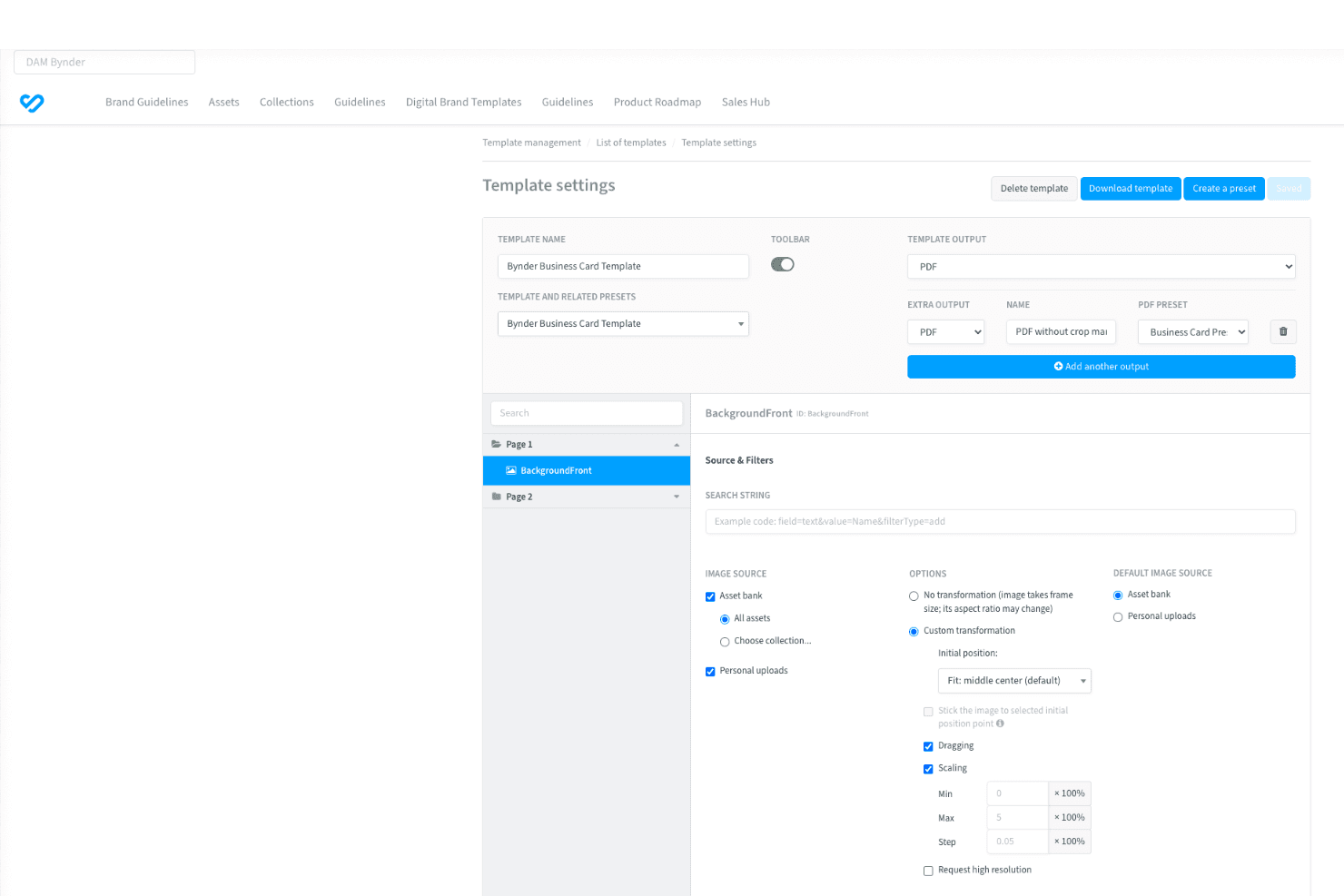
Content Templates: Bynder provides customizable content templates, allowing you to create consistent marketing materials quickly and without hassle.
Ease of Use
Bynder's user-friendly interface makes it easy to navigate and manage digital assets, so even those new to asset management can quickly get up to speed. The drag-and-drop functionality simplifies uploading and organizing files, while clear menus guide your team through tasks without confusion. Compared to other digital asset management platforms, Bynder stands out for its straightforward usability, helping your team focus on creativity rather than technical hurdles.

Integrations
Bynder integrates with Unsplash, Workato, Stensul, Trello, Hootsuite, Templafy, Akamai, Azure Active Directory, Box, and Getty Images.
The software also offers an API and connects with third-party integration tools to extend its functionalities.
Bynder Specs
- Access Management: Yes
- API: Yes
- Asset Tagging: Yes
- Automatic Transcription: Yes
- Batch Permissions & Access: Yes
- Brand Asset Creation: Yes
- Brand Management: Yes
- Dashboards: Yes
- Database Search: Yes
- Document Comparison: Yes
- Document Sharing: Yes
- Downloading: Yes
- External Integrations: Yes
- File Format Conversion: Yes
- File Sharing: Yes
- File Transfer: Yes
- History/Version Control: Yes
- Keyword Tracking: Yes
- Materials Library: Yes
- Metadata Management: Yes
- Multi-User: Yes
- Product Catalog: Yes
- Reports: Yes
- Review Monitoring: Yes
- Template Designer: Yes


