

10 dbt Alternativen ausgewählt für 2026

10 dbt-Alternativen Kurzliste
Here's my pick of the 10 best software from the 21 tools reviewed.


Eine gute dbt-Alternative bietet Ihrem Team eine zuverlässige SQL-basierte Datentransformation, Versionskontrolle und Workflow-Automatisierung – ohne Sie an einen bestimmten Ansatz oder ein Ökosystem zu binden. Wenn Sie nach Alternativen zu dbt Core oder dbt Cloud suchen, wägen Sie wahrscheinlich Flexibilität, Integrationsmöglichkeiten und Ihre Präferenz für einen codebasierten Workflow mit GitHub-basierter Versionskontrolle ab.
Da sich so viele Plattformen weiterentwickeln, ist es schwierig zu erkennen, welche Lösungen Ihre Anforderungen an Datenmodellierung, Testing, Orchestrierung und kollaborative Entwicklung erfüllen können. Diese Liste hilft Ihnen, die besten dbt-Alternativen für 2026 zu vergleichen, damit Sie sicher das passende Tool für Ihre Herausforderungen im Analytics Engineering auswählen können.
Was ist dbt?
dbt ist ein Analytics-Engineering-Tool, mit dem Teams Daten im Data Warehouse mithilfe von SQL transformieren, testen und dokumentieren können. Es wird häufig in ELT-Workflows eingesetzt, bei denen Rohdaten ins Data Warehouse geladen und danach transformiert werden. dbt ermöglicht versionskontrollierte, code-basierte Workflows mit CI/CD-Integration, modulare Datenmodellierung und automatisierte Tests – so lässt sich das Management komplexer Analytics-Pipelines vereinfachen.
dbt selbst ist zwar kein ETL-Tool mit grafischer Oberfläche, wird aber per YAML konfiguriert und arbeitet mit ETL-Tools im modernen Data Stack zusammen. Außerdem lässt sich dbt in Cloudplattformen wie GCP und andere große Data Warehouses integrieren. dbt wird von Data Engineers und Analysten genutzt, die zuverlässige, wartbare Datentransformationen direkt in ihrer Data-Warehouse-Umgebung entwickeln wollen.
dbt-Alternativen Zusammenfassung
Diese Vergleichstabelle fasst Preisinformationen meiner Top-Auswahl an dbt-Alternativen zusammen, damit Sie die beste Lösung für Budget und Geschäftsanforderungen finden können.
| Tool | Best For | Trial Info | Price | ||
|---|---|---|---|---|---|
| 1 | Best for code-free advanced analytics | Free trial + free demo available | From $250/user/month (billed annually) | Website | |
| 2 | Best for broad connector library support | Free demo available | Pricing upon request | Website | |
| 3 | Best for enterprise-grade workload scalability | Free trial + free demo available | Pricing upon request | Website | |
| 4 | Best for serverless ETL automation | Free plan available | From $0.44/DPU-hour | Website | |
| 5 | Best for low-code pipeline building | 14-day free trial + free demo available | From $1,000/month | Website | |
| 6 | Best for collaborative notebook-based analytics | 30-day free trial available | From $0.55 per DBU/hour | Website | |
| 7 | Best for column-level data lineage visualization | Free demo available | Pricing upon request | Website | |
| 8 | Best for unified data integration and governance | Free demo + free trial available | Pricing upon request | Website | |
| 9 | Best for multi-cloud data stack orchestration | Free demo available | Pricing upon request | Website | |
| 10 | Best for in-platform data transformation | 30-day free trial available | From $2/per credit | Website |
Why Trust Our Software Reviews
We’ve been testing and reviewing software since 2023. As tech leaders ourselves, we know how critical and difficult it is to make the right decision when selecting software.
We invest in deep research to help our audience make better software purchasing decisions. We’ve tested more than 2,000 tools for different tech use cases and written over 1,000 comprehensive software reviews. Learn how we stay transparent & our software review methodology.
-

Site24x7
Visit WebsiteThis is an aggregated rating for this tool including ratings from Crozdesk users and ratings from other sites.4.6 -
GitHub Actions
Visit WebsiteThis is an aggregated rating for this tool including ratings from Crozdesk users and ratings from other sites.4.8 -
Docker
Visit WebsiteThis is an aggregated rating for this tool including ratings from Crozdesk users and ratings from other sites.4.6





dbt-Alternativen Bewertungen
Hier finden Sie meine detaillierten Zusammenfassungen der dbt-Alternativen, die es auf meine Kurzliste geschafft haben. Meine Bewertungen bieten einen genauen Überblick zu den Funktionen, besten Anwendungsfällen und Integrationen jeder Plattform, damit Sie die passende Lösung für Ihre Analytics-Engineering-Anforderungen finden.

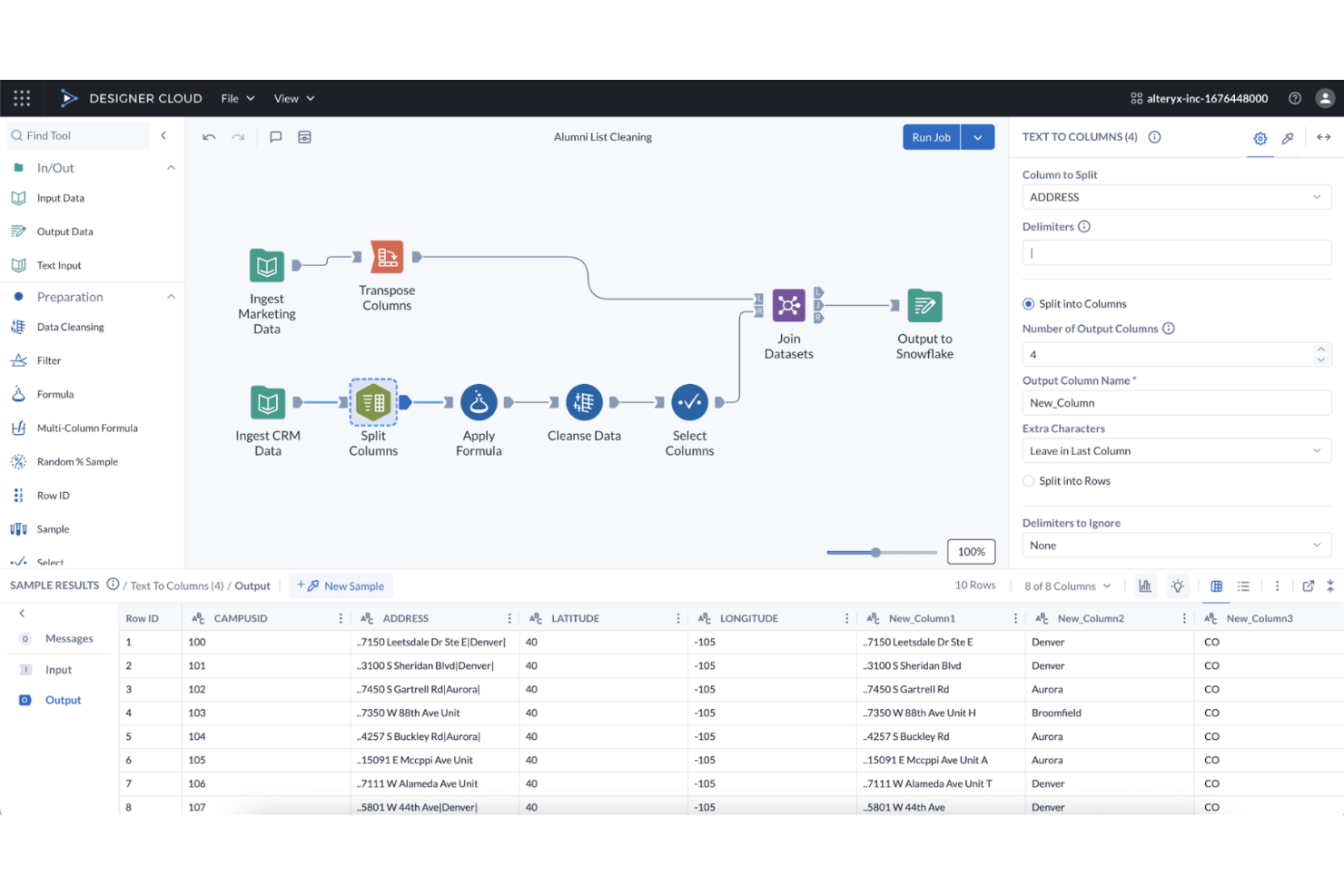
Alteryx stands out for teams that want to build advanced analytics workflows without writing code. It’s especially useful for business analysts and data professionals who need to automate data preparation, blending, and predictive modeling across multiple sources. As a no-code platform with a visual, drag-and-drop interface, it provides a flexible transformation framework for designing complex analytics pipelines without relying on SQL or Python. Unlike SQL-first tools such as dbt or Dataform, Alteryx prioritizes visual workflow design over code-driven data modeling.
Why Alteryx Is a Good dbt Alternative
For teams that want to build advanced analytics workflows without writing code, Alteryx offers a unique approach compared to dbt. I picked Alteryx because its visual workflow designer lets you create, automate, and share complex data transformations and predictive models without needing SQL or Python skills. The platform includes built-in tools for data preparation, blending, and advanced analytics, all accessible through a drag-and-drop interface. This makes Alteryx a strong fit for analytics teams that need to empower non-developers to build and maintain sophisticated analytics pipelines.
Alteryx Key Features
Some other Alteryx features help teams extend and manage their analytics processes:
- Geospatial Analytics Tools: Analyze and visualize spatial data using built-in mapping and location-based functions.
- Data Connectors Library: Access a wide range of data sources, including cloud platforms, databases, and applications.
- Automated Reporting: Generate and schedule reports directly from your analytics workflows.
- Collaboration Workspaces: Share workflows, assets, and results with team members in a centralized environment.
Alteryx Integrations
Integrations include Snowflake, AWS, Databricks, Google Cloud, and more.
Pros and Cons
Pros:
- Workflow sharing enables team collaboration
- Large library supports many connectors
- Built-in tools support advanced analytics
Cons:
- Version control and modularity are limited
- Audit trails and lineage lack granularity

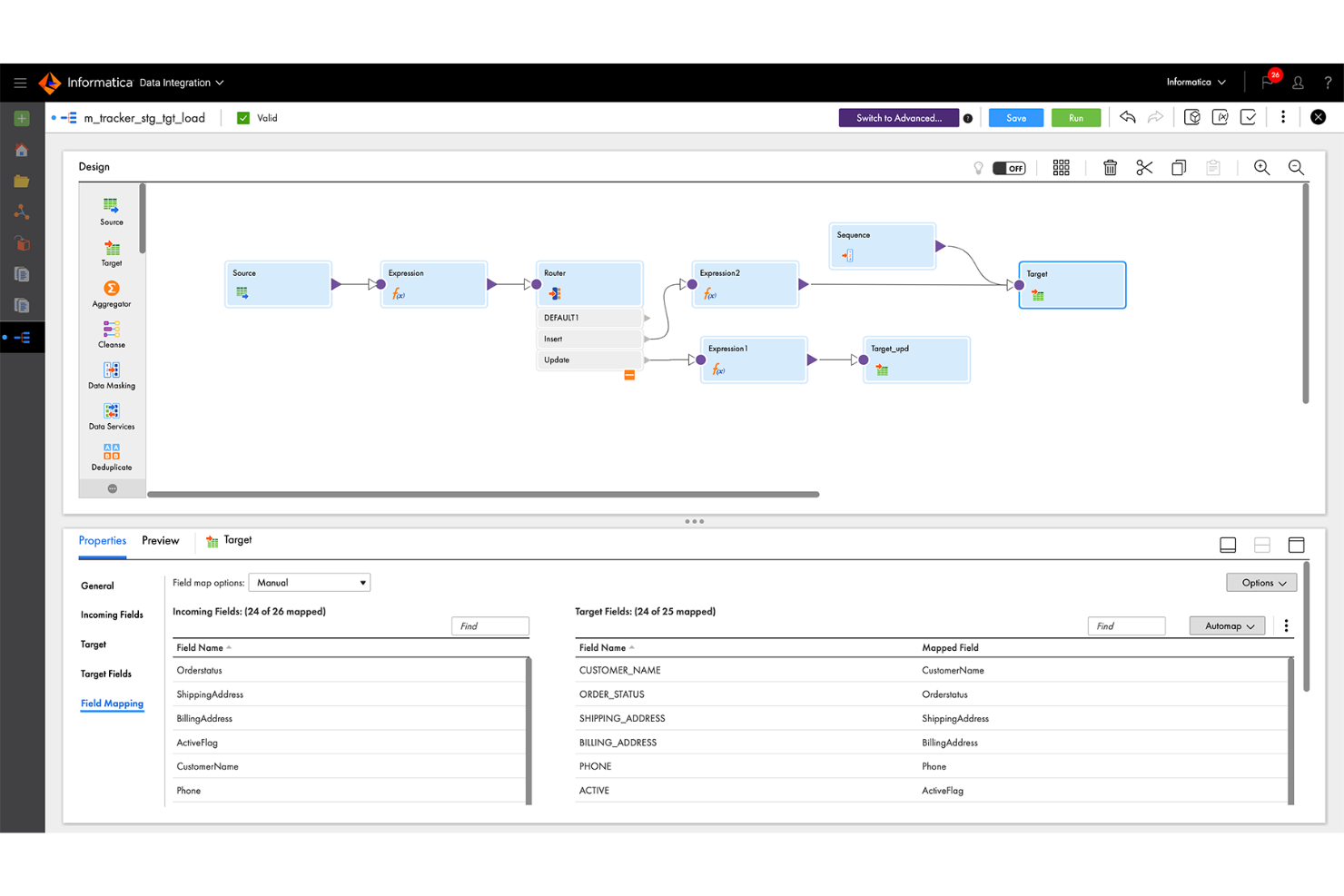
If your team needs to connect to a wide range of data sources, Informatica stands out for its extensive connector library. This platform is a strong fit for enterprises and data engineering teams that manage diverse, distributed data environments. Unlike dbt, Informatica offers native integration with hundreds of databases, applications, and cloud services, making it easier to unify and transform data from almost anywhere.
Why Informatica Is a Good dbt Alternative
For teams that need to connect to a wide variety of data sources, Informatica offers a connector library that’s much broader than what dbt provides. I picked Informatica because it supports native connections to hundreds of databases, SaaS platforms, and on-premises systems. This makes it possible to build analytics pipelines that unify data from legacy, cloud, and hybrid environments without custom development. Informatica’s prebuilt connectors help reduce manual integration work and keep data engineering projects moving forward.
Informatica Key Features
Some other Informatica features help teams manage and optimize their analytics workflows:
- AI-Powered Data Mapping: Automatically map data fields between sources and targets using built-in AI.
- Data Quality Management: Profile, cleanse, and monitor data quality within your pipelines.
- Workflow Orchestration: Design, schedule, and monitor complex data workflows from a central dashboard.
- Role-Based Access Control: Set granular permissions for users and groups to manage data access securely.
Informatica Integrations
Integrations are not publicly listed.
Pros and Cons
Pros:
- Visual design supports complex transformations
- Data quality and profiling included
- Native connectors support diverse sources
Cons:
- Modular code-based workflows are limited
- Large workloads require performance tuning

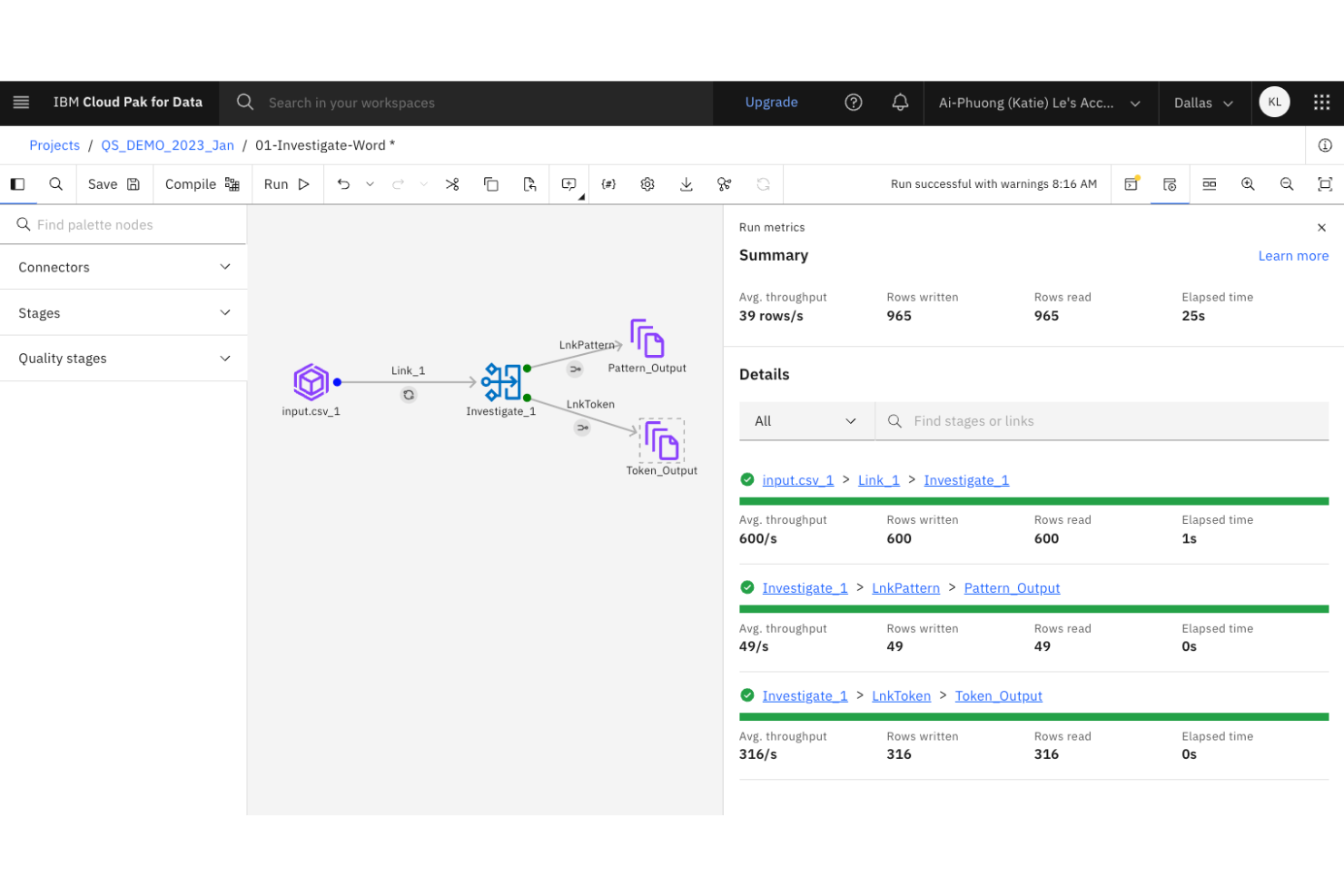
Large organizations with complex data integration needs often turn to IBM DataStage for its enterprise-grade scalability. This platform is designed for IT teams and data engineers who need to orchestrate high-volume, high-complexity data pipelines across hybrid and multi-cloud environments. Unlike dbt, IBM DataStage offers parallel processing and workload balancing features built for demanding enterprise workloads.
Why IBM DataStage Is a Good dbt Alternative
When you need to manage analytics engineering at true enterprise scale, IBM DataStage brings capabilities that go beyond what dbt offers. I picked IBM DataStage because it’s built for orchestrating massive data workloads with parallel processing and workload balancing. The platform also supports hybrid and multi-cloud deployments, which are essential for organizations with distributed data environments. These features make it a strong choice for teams that need to handle high-volume, mission-critical data pipelines.
IBM DataStage Key Features
Some other IBM DataStage features help teams manage complex data engineering projects:
- Graphical Job Design Interface: Build and visualize data pipelines using a drag-and-drop interface.
- Extensive Connectivity: Connect to a wide range of databases, data warehouses, and cloud storage platforms.
- Data Quality Services: Integrate data profiling, cleansing, and validation directly into your workflows.
- Metadata Management: Track, document, and govern data lineage and transformations across your environment.
IBM DataStage Integrations
Integrations are not publicly listed.
Pros and Cons
Pros:
- Built-in tools enable data cleansing
- Hybrid/multi-cloud supports flexible architectures
- Parallel execution handles high-volume data
Cons:
- Modular code-based workflows are limited
- Upgrades require significant downtime

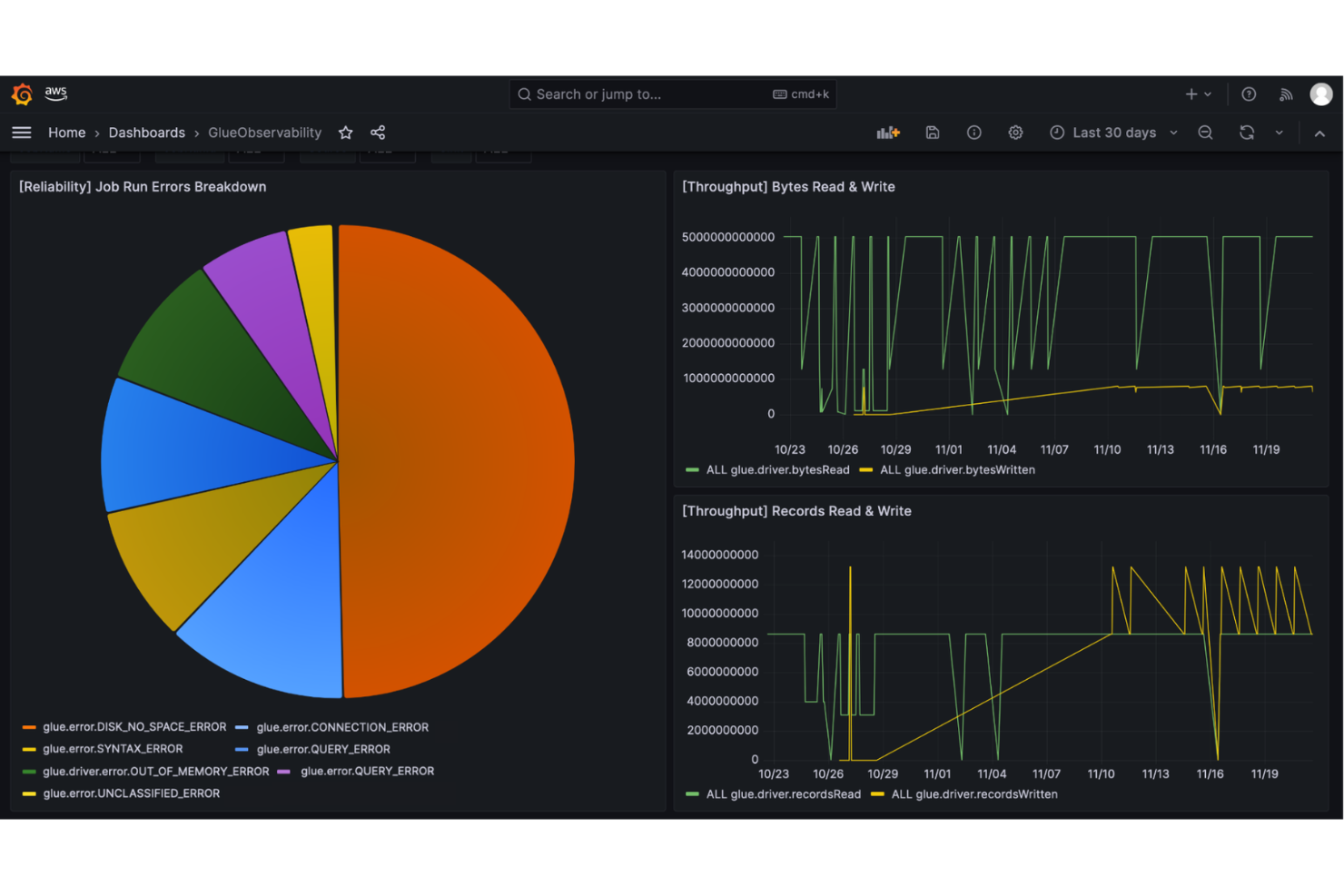
If you’re looking for a fully managed, serverless ETL platform, AWS Glue is designed for automation-focused data teams. It’s a strong fit for organizations already invested in the AWS ecosystem that want to automate data discovery, cataloging, and transformation at scale. Unlike dbt, AWS Glue handles infrastructure management and scaling behind the scenes, letting you focus on building and automating complex ETL workflows.
Why AWS Glue Is a Good dbt Alternative
Unlike dbt, AWS Glue is built for teams that want to automate ETL processes without managing servers or infrastructure. I picked AWS Glue because it automatically provisions resources, scales jobs, and handles job scheduling, which is ideal for high-volume or unpredictable workloads. The tool’s serverless architecture means you can focus on building and orchestrating data pipelines while AWS manages the underlying compute and storage. This makes AWS Glue a strong choice for analytics engineering teams that prioritize automation and scalability in their ETL workflows.
AWS Glue Key Features
Some other AWS Glue features help teams manage and optimize their data engineering workflows:
- Data Catalog: Maintain a central metadata repository for all your data assets.
- Crawlers: Automatically scan and classify data sources to update the data catalog.
- Job Monitoring Dashboard: Track job status, logs, and performance metrics in real time.
- Developer Endpoints: Access interactive development environments for custom ETL script authoring and testing.
AWS Glue Integrations
Integrations include Amazon S3, Amazon Redshift, Amazon RDS, Amazon Aurora, Amazon DynamoDB, Amazon Athena, Amazon EMR, AWS Lambda, Amazon Kinesis, and AWS CloudTrail.
Pros and Cons
Pros:
- Automated cataloging simplifies metadata discovery
- AWS integration simplifies cloud workflows
- Serverless removes infrastructure management
Cons:
- Large workflow troubleshooting is challenging
- Limited non-AWS data source support

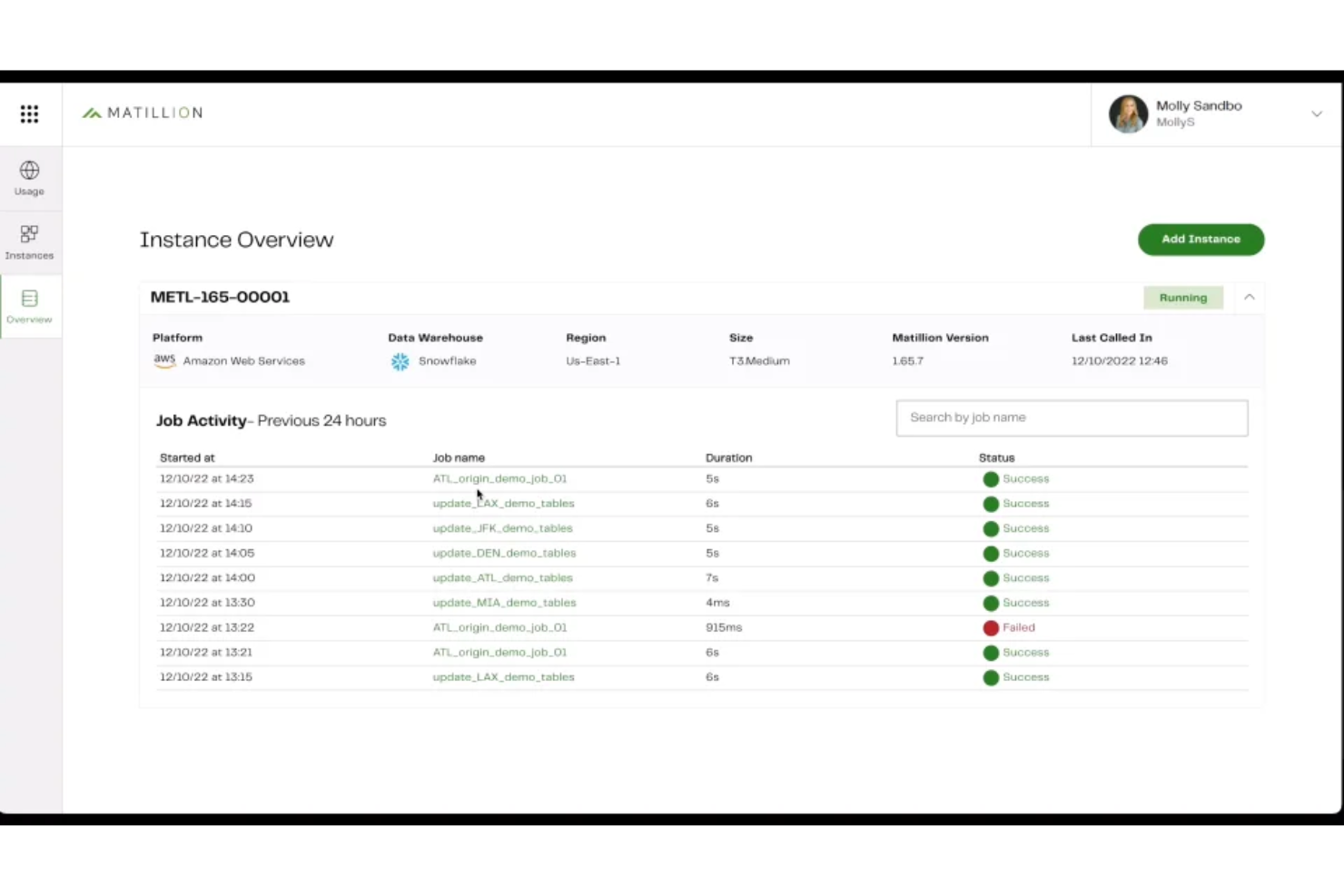
Matillion stands out for teams that want to design and manage data pipelines with minimal coding. Its low-code interface appeals to data engineers and analytics professionals who need to build, orchestrate, and maintain complex workflows without writing extensive SQL or Python. Unlike dbt, Matillion focuses on visual pipeline building and broad connector support, making it easier to integrate and transform data from a wide range of sources.
Why Matillion Is a Good dbt Alternative
For teams that want to build data pipelines without heavy coding, Matillion offers a visual, low-code approach that sets it apart from dbt. I picked Matillion because its drag-and-drop interface lets you design, schedule, and monitor complex workflows without writing extensive SQL or Python. The platform also provides built-in connectors for a wide range of data sources, making it easier to ingest and transform data from cloud and on-premises systems. This makes Matillion a strong choice for analytics engineering teams that prioritize visual workflow design and rapid pipeline development.
Matillion Key Features
Some other features in Matillion help teams manage and optimize their analytics workflows:
- Version Control Integration: Connect your projects to Git repositories for source control and collaboration.
- Job Orchestration: Schedule and automate multi-step data workflows with built-in orchestration tools.
- Environment Management: Create and manage multiple environments for development, testing, and production.
- Data Quality Components: Use built-in components to validate, cleanse, and profile data within your pipelines.
Matillion Integrations
Integrations are not publicly listed.
Pros and Cons
Pros:
- Orchestration tools enable job scheduling
- Built-in connectors support many sources
- Visual builder allows rapid design
Cons:
- Transformation logic lacks transparency
- Advanced version control is limited

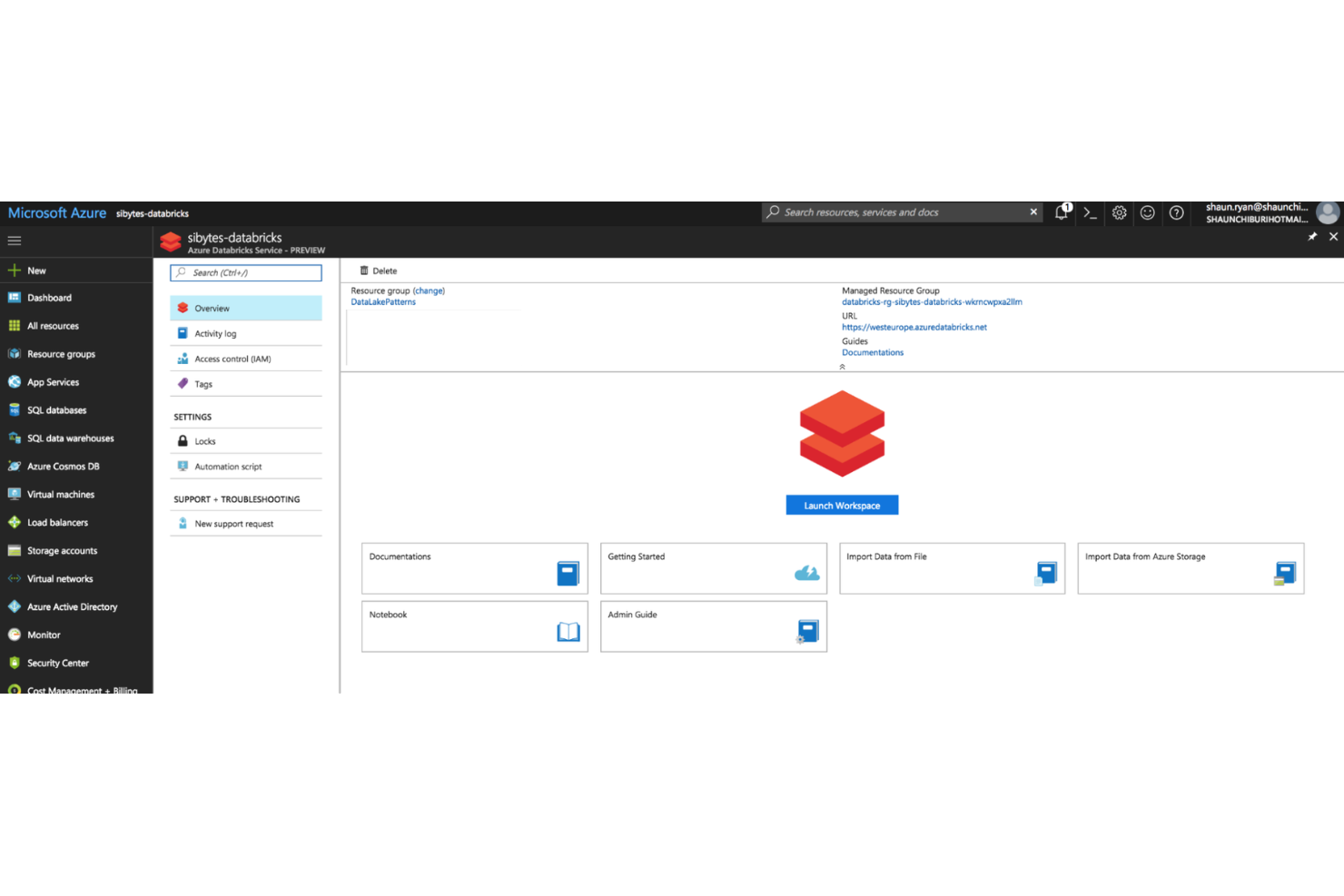
For teams that want to combine analytics engineering with collaborative data science, Azure Databricks offers a unified workspace built around interactive notebooks. It’s especially useful for organizations that need to bring together data engineers, analysts, and data scientists to work on shared projects in real time. Unlike dbt, Azure Databricks supports advanced machine learning workflows and large-scale data processing directly within the same environment, and it integrates smoothly with Azure Data Factory for orchestrating and managing data pipelines across the Azure ecosystem.
Why Azure Databricks Is a Good dbt Alternative
For analytics teams that prioritize real-time collaboration and interactive development, Azure Databricks stands out with its notebook-based approach. I picked Azure Databricks because it lets multiple users work together on shared notebooks, combining SQL, Python, and Scala in a single workflow. The platform also supports version control and inline visualizations, making it easier to iterate on data models and analytics projects. This collaborative environment is especially valuable for organizations that want to bridge the gap between analytics engineering and data science.
Azure Databricks Key Features
Some other Azure Databricks features help teams manage and scale their analytics workflows:
- Delta Lake Integration: Store and manage large-scale data with ACID transaction support.
- Job Scheduling: Automate notebook execution and pipeline orchestration with built-in scheduling tools.
- Cluster Management: Provision, scale, and terminate compute clusters on demand.
- MLflow Integration: Track experiments and manage machine learning models within the same workspace.
Azure Databricks Integrations
Integrations include Amazon S3, Snowflake, Power BI, Tableau, Airflow, and more.
Pros and Cons
Pros:
- MLflow tools simplify experiment tracking
- Supports SQL, Python, and Scala
- Delta Lake enables data versioning
Cons:
- Orchestration features are less mature
- Transformation features are less modular

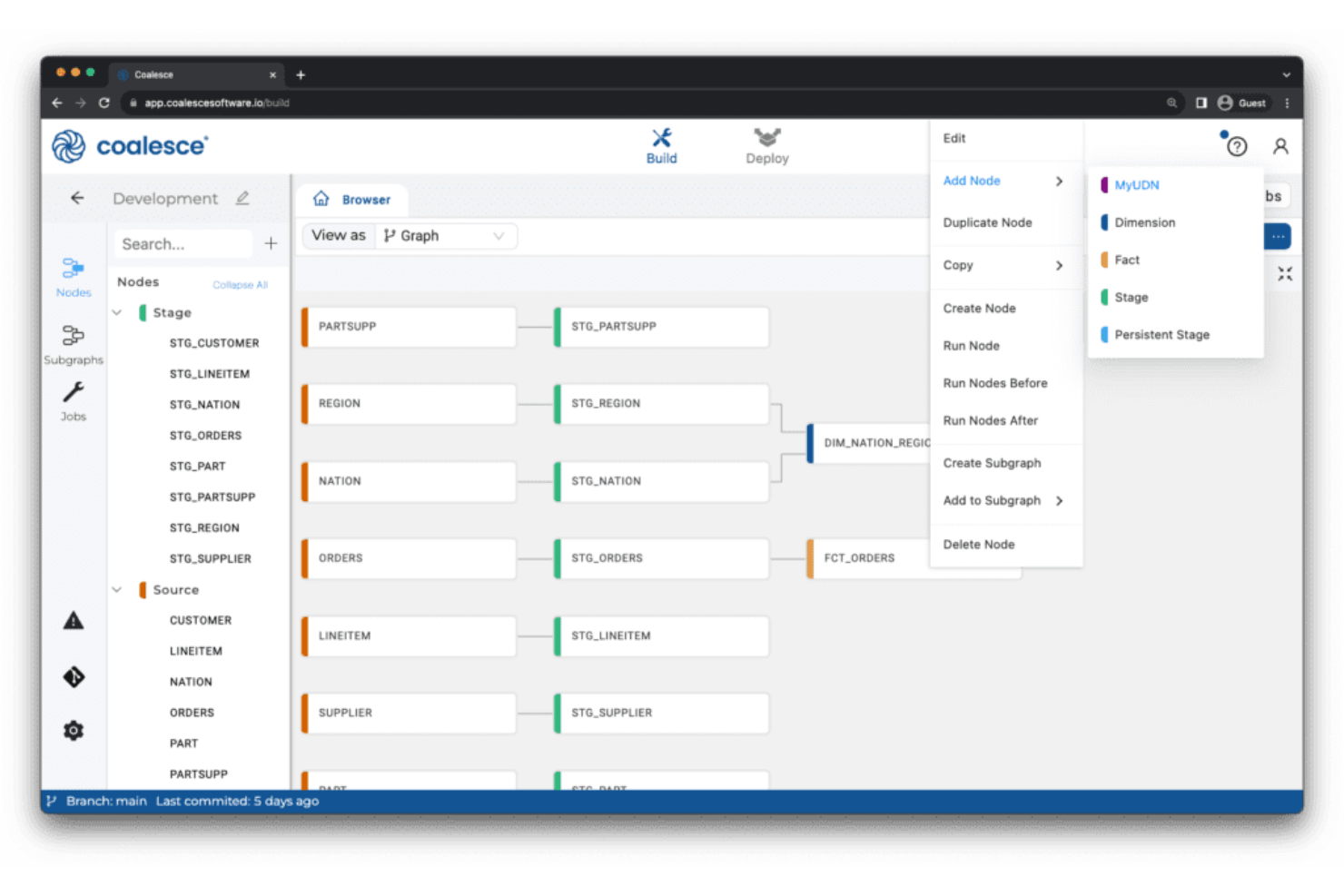
Coalesce offers analytics engineering teams a visual approach to building and managing data transformations. It stands out for its column-level data lineage visualization, making it easier for data engineers and analysts to trace dependencies and understand complex pipelines. If you need granular visibility and control over your data workflows, Coalesce addresses challenges that traditional SQL-based tools like dbt may not.
Why Coalesce Is a Good dbt Alternative
What sets Coalesce apart as a dbt alternative is its focus on column-level data lineage visualization. I picked Coalesce for teams that need to trace data transformations at a granular level, which is often a challenge with dbt’s more code-centric approach. Unlike traditional data build tool (dbt) workflows that can come with a steeper learning curve for non-engineers, Coalesce provides a more visual approach to data orchestration. It offers interactive lineage diagrams and a clear view of your transformation network, letting you see how each column is derived and how changes ripple through your pipeline. This level of transparency helps analytics engineers quickly troubleshoot issues and maintain data quality across complex workflows.
Coalesce Key Features
Some other features in Coalesce support analytics engineering teams looking for more control and flexibility:
- Visual Transformation Builder: Design and edit data transformation workflows using a drag-and-drop interface instead of writing only SQL.
- Automated Documentation: Generate and update technical documentation for your data models as you build and modify them.
- Role-Based Access Controls: Set granular permissions for users and teams to manage who can view or edit specific projects and workflows.
- Template-Driven Development: Use reusable templates to standardize common transformation logic and accelerate project setup.
Coalesce Integrations
Integrations include Snowflake, BigQuery, Databricks, Salesforce, Tableau, and more.
Pros and Cons
Pros:
- Templates ensure project standardization
- RBAC simplifies team permissions
- Column-level lineage diagrams
Cons:
- Limited open-source extensibility
- Fewer community resources than dbt
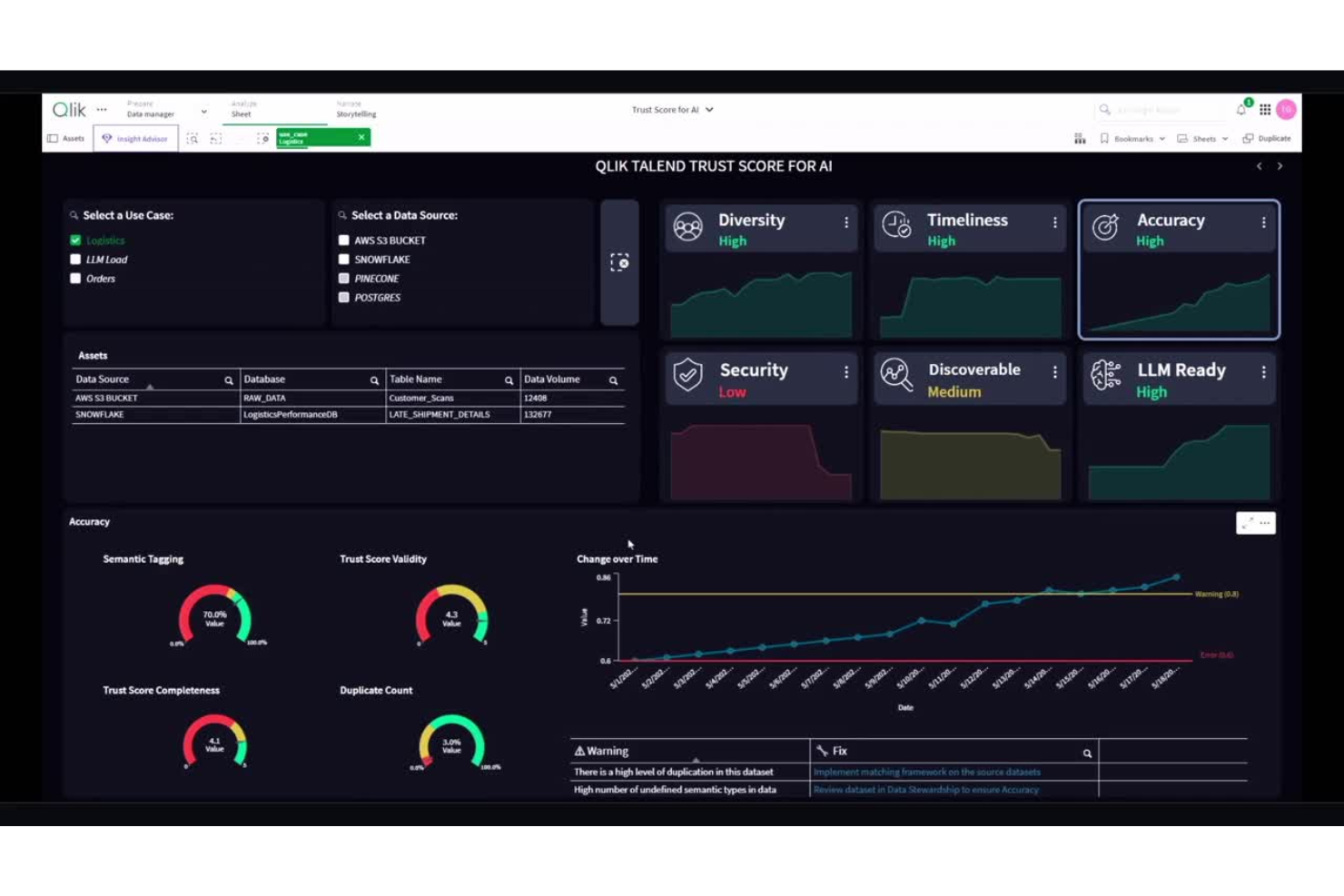
Qlik Talend Cloud brings together data integration and governance in a single platform, making it a strong choice for organizations that need unified control over their analytics pipelines. This solution is especially useful for data teams in regulated industries or enterprises with strict data quality and compliance requirements. Unlike dbt, Qlik Talend Cloud combines data transformation, cataloging, and governance features to help you manage data trust and lineage from end to end.
Why Qlik Talend Cloud Is a Good dbt Alternative
When unified data integration and governance are top priorities, Qlik Talend Cloud offers a more holistic approach than dbt. I picked this tool because it combines data transformation, data quality, and governance in a single platform, which is especially valuable for teams managing sensitive or regulated data. Qlik Talend Cloud includes built-in data cataloging and lineage tracking, so you can trace data movement and ensure compliance across your analytics workflows. Its governance features help maintain data trust and transparency, making it a strong fit for organizations with strict oversight requirements.
Qlik Talend Cloud Key Features
Some other Qlik Talend Cloud features help teams manage and optimize their analytics workflows:
- Visual Pipeline Designer: Build and modify data pipelines using a drag-and-drop interface.
- Prebuilt Data Connectors: Connect to a wide range of cloud and on-premises data sources without custom code.
- Automated Data Profiling: Scan and analyze datasets to detect anomalies and patterns before transformation.
- API Integration Tools: Expose and consume data services through built-in API management features.
Qlik Talend Cloud Integrations
Integrations include Snowflake, AWS, Microsoft Fabric, BigQuery, Databricks and Apache Iceberg.
Pros and Cons
Pros:
- Prebuilt connectors support various sources
- Lineage tracking simplifies compliance audits
- Visual design supports non-coding teams
Cons:
- Large workloads show variable performance
- Advanced logic requires extra configuration

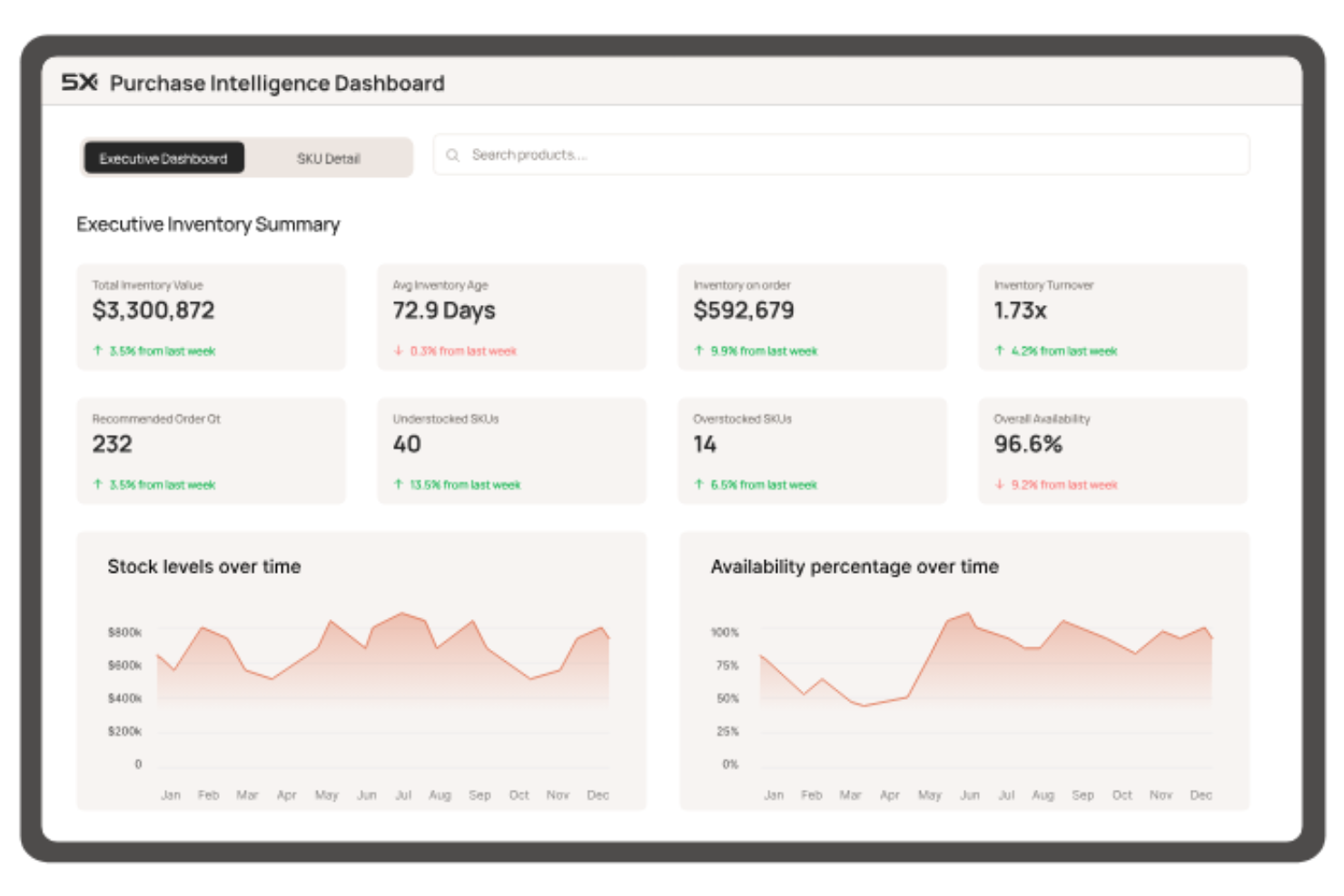
If you’re managing analytics across multiple cloud platforms, 5X offers a unified way to orchestrate your entire data stack. This tool is designed for data teams and businesses that need to coordinate data workflows, governance, and monitoring across different cloud vendors. 5X stands out by letting you centralize control and automate processes in complex, multi-cloud environments—something dbt and other analytics engineering tools don’t natively address.
Why 5X Is a Good dbt Alternative
For teams that need to orchestrate analytics workflows across multiple cloud providers, 5X brings a unique approach that dbt doesn’t cover. I picked 5X because it lets you design, deploy, and monitor your entire data stack from a single platform, regardless of which cloud services you use. The tool offers centralized workflow automation and governance features that help manage data pipelines, security, and compliance across AWS, Google Cloud, Azure, and more. This makes 5X especially valuable for organizations with complex, distributed data environments that need unified control.
5X Key Features
Some other features in 5X help teams manage and optimize their analytics engineering workflows:
- Pre-built Data Stack Templates: Choose from curated templates to quickly deploy common analytics architectures.
- Cost Monitoring Dashboard: Track and visualize cloud spend across all connected data services.
- Data Quality Monitoring: Set up automated checks and alerts for data freshness, completeness, and accuracy.
- User and Role Management: Assign granular permissions and manage access for different team members.
5X Integations
Integrations are not publicly listed.
Pros and Cons
Pros:
- Dashboards track and manage costs
- Templates accelerate new project deployment
- Multi-cloud supports diverse cloud workflows
Cons:
- Platform may be overkill for simple needs
- Fewer open-source components are available

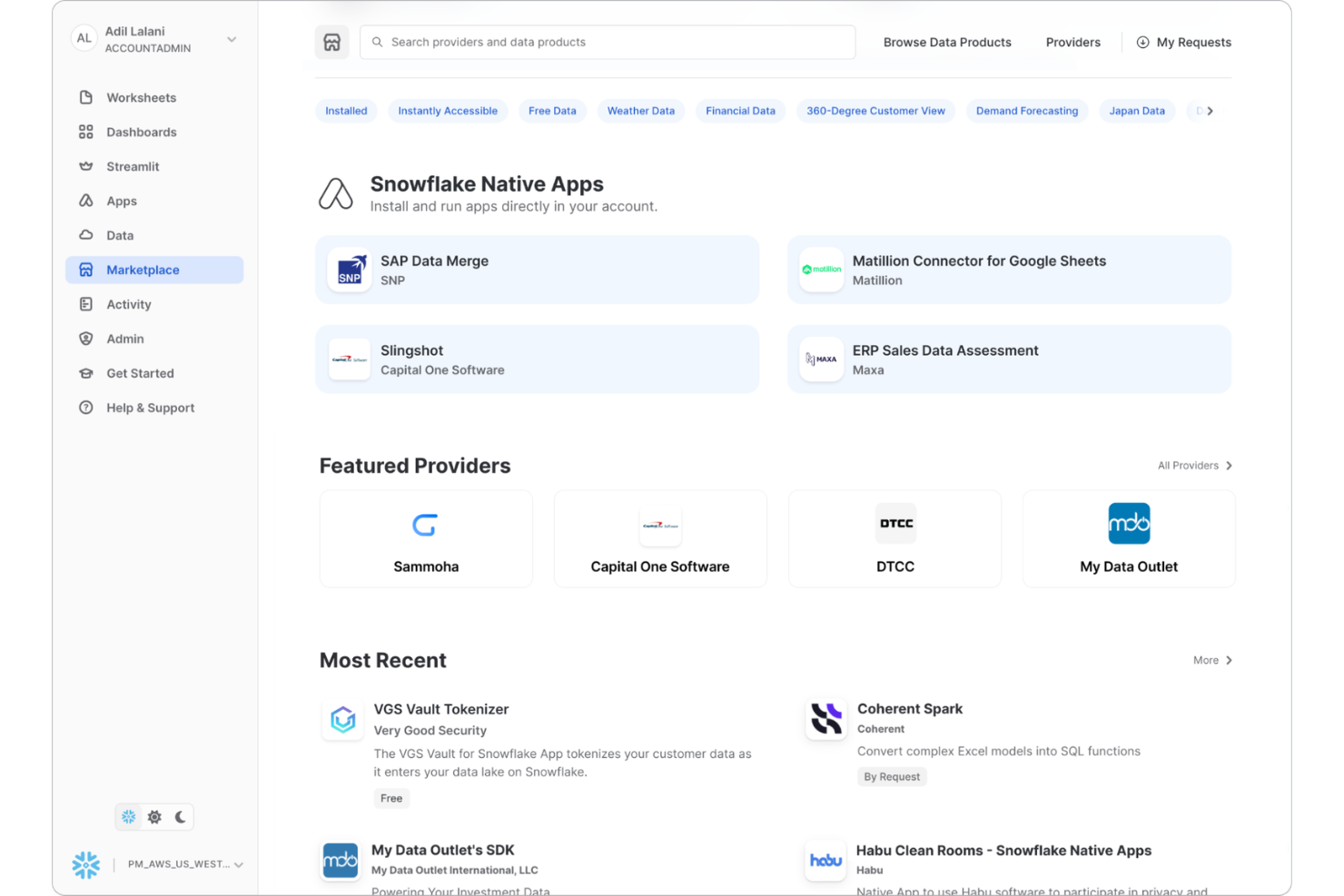
For teams already working within the Snowflake ecosystem, Snowflake Native Apps let you build, deploy, and manage data transformations directly inside your data platform. This approach appeals to data engineers and analytics professionals who want to minimize data movement and keep workflows tightly integrated with their warehouse. Unlike dbt and other external analytics engineering tools, Snowflake Native Apps allow you to leverage Snowflake’s compute, security, and governance features for all your transformation logic.
Why Snowflake Native Apps Is a Good dbt Alternative
If you want to keep all your data transformation logic inside your data warehouse, Snowflake Native Apps offer a direct solution that dbt doesn’t provide. I picked Snowflake Native Apps because they let you build, run, and manage analytics workflows natively within the Snowflake platform, eliminating the need for external orchestration or data movement. You can use Snowflake’s compute resources, security controls, and governance features to handle everything from transformation to deployment. This approach is especially useful for teams that prioritize in-platform processing and want to reduce complexity in their analytics engineering stack.
Snowflake Native Apps Key Features
Some other features in Snowflake Native Apps help teams extend and customize their analytics workflows:
- Native Application Framework: Build and deploy custom applications directly within the Snowflake environment.
- Marketplace Distribution: Publish and share your native apps with other Snowflake users through the Snowflake Marketplace.
- Secure Data Sharing: Share data and application outputs securely with internal or external stakeholders.
- Support for JavaScript and SQL: Develop transformation logic using both SQL and JavaScript for flexible analytics engineering.
Snowflake Native Apps Integrations
Integrations are not publicly listed.
Pros and Cons
Pros:
- Marketplace allows monetizing analytics apps
- Direct Snowflake access ensures scalability
- Native features simplify compliance management
Cons:
- Version control workflows are immature
- Limited to Snowflake data platform
Weitere dbt-Alternativen
Hier sind einige weitere dbt-Alternativen, die es nicht auf meine Kurzliste geschafft haben, aber dennoch einen Blick wert sind:
- Datacoves
For managed development environments
- Hevo
For zero-maintenance data pipelines
- Airbyte
For open-source connector extensibility
- Coupler.io
For direct integration with business apps
- Fivetran
For automated schema migration
- Estuary
For real-time data streaming
- Nexla
For unified data operations management
- Orchestra
For customizable workflow automation
- Datameer
For spreadsheet-style data modeling
- FME
For complex data transformation logic


Kriterien für dbt-Alternativen
Bei der Auswahl der besten dbt-Alternativen für diese Liste habe ich typische Käuferbedürfnisse und Pain Points im Zusammenhang mit Analytics-Engineering-Tools berücksichtigt, etwa die Unterstützung von Nicht-SQL-Anwendern sowie die Automatisierung komplexer Datentransformations-Workflows. Außerdem habe ich das folgende Bewertungsraster genutzt, um meine Auswahl strukturiert und fair zu gestalten:
Kernfunktionen (25% der Gesamtwertung)
Um in diese Liste aufgenommen zu werden, musste jede Lösung diese typischen Anwendungsfälle abdecken:
- Rohdaten in analysebereite Datensätze transformieren
- Automatisierte Orchestrierung von Datenpipelines
- Versionskontrolle für Analytics-Workflows unterstützen
- Datenqualitätsprüfungen und -validierung ermöglichen
- Integration mit großen Data Warehouses
Zusätzliche herausragende Funktionen (25% der Gesamtwertung)
Um die Auswahl weiter einzugrenzen, habe ich auch nach besonderen Features gesucht, beispielsweise:
- Visuelle Oberfläche zur Workflow-Erstellung
- Integrierte Machine-Learning- oder prädiktive Analysewerkzeuge
- Echtzeitfähige Datenverarbeitung
- Erweiterte Datenherkunftsnachverfolgung und Auswirkungenanalyse
- Native Unterstützung für Geodatenanalysen
Benutzerfreundlichkeit (10% der Gesamtbewertung)
Um einen Eindruck von der Benutzerfreundlichkeit jedes Systems zu gewinnen, habe ich Folgendes berücksichtigt:
- Intuitive Navigation und übersichtliche Workflow-Struktur
- Wenig Einrichtung nötig, um mit der Pipeline-Erstellung zu starten
- Anpassbare Dashboards und Arbeitsbereich-Layouts
- Verfügbarkeit von Dokumentation innerhalb der Plattform
- Reaktionsschnelles und optisch klares Oberflächendesign
Onboarding (10% der Gesamtbewertung)
Um die Onboarding-Erfahrung bei jeder Plattform zu bewerten, habe ich Folgendes betrachtet:
- Verfügbarkeit von schrittweisen Produkttouren
- Zugang zu Schulungsvideos und Webinaren
- Vorgefertigte Vorlagen für gängige Analytik-Aufgaben
- Chatbots oder geführte Hilfefunktionen innerhalb der Anwendung
- Klare Migrationswerkzeuge zum Import vorhandener Workflows
Kundensupport (10% der Gesamtbewertung)
Zur Bewertung der Kundenunterstützung jedes Softwareanbieters habe ich Folgendes berücksichtigt:
- Mehrere Support-Kanäle, darunter Chat, E-Mail und Telefon
- Verfügbarkeit einer durchsuchbaren Wissensdatenbank
- Reaktionszeit und Fachwissen des Support-Teams
- Zugang zu Nutzer-Communities oder Foren
- Verfügbarkeit von dedizierten Customer-Success-Managern
Preis-Leistung (10% der Gesamtbewertung)
Um das Preis-Leistungs-Verhältnis jeder Plattform zu bewerten, habe ich Folgendes berücksichtigt:
- Transparente und flexible Preismodelle
- Im Grundpreis enthaltene Funktionen versus Zusatzleistungen
- Skalierbarkeit der Preise für wachsende Teams
- Verfügbarkeit einer kostenlosen Testversion oder Demo
- Verhältnis der Kosten zur Funktionsvielfalt
Kundenbewertungen (10% der Gesamtbewertung)
Um einen Eindruck der allgemeinen Kundenzufriedenheit zu bekommen, habe ich bei der Lektüre von Kundenbewertungen auf Folgendes geachtet:
- Konsistenz positiver Rückmeldungen plattformübergreifend
- Berichtete Zuverlässigkeit und Stabilität des Tools
- Nutzerstimmung zu Support und Onboarding
- Häufigkeit von Updates und Veröffentlichung neuer Funktionen
- Praxiserprobte Beispiele mit Geschäftswirkung
Warum nach einer dbt-Alternative suchen?
Obwohl dbt eine gute Wahl für Analytics Engineering ist, gibt es mehrere Gründe, warum manche Nutzer nach Alternativen suchen. Sie könnten auf der Suche nach einer dbt-Alternative sein, weil…
- Sie eine komplett codefreie oder Low-Code-Analytics-Workflow-Lösung benötigen
- Ihr Team keine fortgeschrittenen SQL- oder Engineering-Kenntnisse hat
- Sie integrierte Machine-Learning- oder prädiktive Analyse-Werkzeuge nutzen möchten
- Sie Echtzeit- oder Streamingdatenverarbeitung benötigen
- Sie feinere Datenherkunftsnachweise und Prüfpfade benötigen
- Ihr Unternehmen eine visuelle Oberfläche zur Pipeline-Erstellung bevorzugt
Wenn Ihnen einer dieser Punkte bekannt vorkommt, sind Sie hier richtig. Meine Liste enthält mehrere Alternativen zu dbt im Bereich Analytics Engineering, die besser für Teams geeignet sind, die mit dbt vor diesen Herausforderungen stehen und nach Lösungen suchen.
dbt-Hauptfunktionen
Hier sind einige Schlüsselfunktionen von dbt, um den Vergleich mit alternativen Lösungen zu erleichtern:
- SQL-basierte Datenumwandlung und -modellierung
- Versionskontrollintegration mit Git
- Automatisierte Tests und Datenqualitätsprüfungen
- Modulare Projektstruktur für wiederverwendbaren Code
- Automatische Dokumentationserstellung für Modelle und Arbeitsabläufe
- Abhängigkeitsmanagement und DAG-Visualisierung
- Unterstützung für die wichtigsten Cloud-Datenbanken
- Inkrementeller Modellaufbau für effiziente Verarbeitung
- Befehlszeilenschnittstelle und API-Zugriff
- Umgebungsmanagement für Entwicklung und Produktion
Wie geht es weiter:
Wenn Sie gerade Alternativen zu dbt recherchieren, nehmen Sie Kontakt mit einem SoftwareSelect-Berater auf, um kostenlose Empfehlungen zu erhalten.
Sie füllen ein Formular aus und führen ein kurzes Gespräch, bei dem Ihre speziellen Anforderungen geklärt werden. Anschließend erhalten Sie eine Liste passender Software zur Auswahl. Die Berater unterstützen Sie zudem während des gesamten Kaufprozesses – einschließlich Preisverhandlungen.