


monday service vs. Zoho Desk: Expert Comparison For 2026

We review tools independently, and commissions help fund our testing. See our transparency policy, our methodology, or suggest a tool.
monday service offers a versatile platform to help you manage your team's work efficiently. Zoho Desk provides a robust solution for handling customer support tasks effectively.
While monday service and Zoho Desk both serve as Work Management Software, they cater to different needs: monday service excels in project management, whereas Zoho Desk is tailored for customer service operations.
In this article, you'll find a detailed comparison of these tools, their features, pros and cons, and pricing to help you choose the best Work Management Software for your team.
monday service
4.6/5
- 14-day free trial
- From $8/user/month (billed annually)
Zoho Desk

4.4/5
- 15-day free trial
- Pricing upon request
Why Trust Our Software Recommendations
6,700+
Reviews
20
Industry experts
16+
Evaluation factors
14
Years
Our team has been testing and reviewing software since 2012. As tech leaders ourselves, we know how difficult—and important—it is to choose the right software.
For this guide, we evaluated tools using hands-on testing and independent research, scoring tools using our selection criteria.
Our reviews reflect our human editorial judgment, not a sales pitch.
Expert reviewers:
- Paulo Gardini MiguelTech Director
 Tim FisherVP of AI
 Gabriel RosasTech Lead & Software Architect
 Christhian GruhnTech Lead & Platform Architect

| monday service | Zoho Desk | |
|---|---|---|
| Free Trial | 14-day free trial | 15-day free trial |
| Pricing | From $8/user/month (billed annually) | Pricing upon request |
monday service vs. Zoho Desk Pricing & Hidden Costs
monday service pricing is based on a tiered subscription model that scales with the number of users and features, but users should be aware of potential add-on costs for advanced functionalities.
Zoho Desk pricing also follows a tiered subscription structure, offering different plans based on feature sets, with additional charges for integrations and extra support options.
As a CTO, evaluate your team's specific needs and growth potential by considering the features you'll use most, the scalability of the plan, and any additional costs that might arise, ensuring the selected tool aligns with your strategic goals.
With monday service’s customizable workflows, you can easily manage cross-departmental projects, making it ideal for a CTO overseeing diverse teams.
Zoho Desk’s robust ticketing system is great for managing customer support inquiries efficiently, which is crucial when your team needs streamlined communication with clients. Both tools offer valuable features tailored to different operational needs, supporting a CTO’s varied responsibilities.
| monday service | Zoho Desk | |
|---|---|---|
| Analytics | Yes | Yes |
| API | Yes | Yes |
| Call Integration | No | Yes |
| Chat | No | Yes |
| Contact Management | Yes | Yes |
| CRM Integration | No | Yes |
| Customer Management | Yes | Yes |
| Dashboard | Yes | Yes |
| Data Export | Yes | Yes |
| Data Import | Yes | Yes |
| Data Visualization | Yes | Yes |
| Email Integration | No | Yes |
| External Integrations | Yes | Yes |
| Instant Chat Integration | No | Yes |
| Knowledge Base | Yes | Yes |
| Lead Management | No | Yes |
| Lead Scoring | No | Yes |
| Multi-User | No | Yes |
| Notifications | Yes | Yes |
| Real-time Alerts | Yes | Yes |
| Scheduling | Yes | Yes |
| Self-service Portal | Yes | Yes |
| Social Media Integration | No | Yes |
| Support Forum | No | Yes |
| Ticket Management | Yes | Yes |
| Workflow Management | Yes | Yes |
| Integration | monday service | Zoho Desk |
|---|---|---|
| IntegrationSlack | monday service✅ | Zoho Desk❌ |
| IntegrationMicrosoft Teams | monday service✅ | Zoho Desk✅ |
| IntegrationGoogle Workspace | monday service✅ | Zoho Desk✅ |
| IntegrationHubSpot | monday service✅ | Zoho Desk❌ |
| IntegrationSalesforce | monday service✅ | Zoho Desk✅ |
| IntegrationZoom | monday service✅ | Zoho Desk❌ |
| IntegrationZendesk | monday service❌ | Zoho Desk✅ |
| IntegrationZoho CRM | monday service❌ | Zoho Desk✅ |
| IntegrationAPI | monday service✅ | Zoho Desk✅ |
| IntegrationZapier | monday service✅ | Zoho Desk❌ |
monday service's integration with Slack lets you streamline team communications and project updates in real-time, which is crucial for keeping everyone aligned on fast-moving projects.
Zoho Desk's integration with Zoho CRM is great for a CTO managing customer interactions, as it provides a seamless flow of information between sales and support teams.
Both tools enhance different aspects of a CTO's daily operations, offering flexibility and connectivity tailored to specific needs.
| Factor | monday service | Zoho Desk |
|---|---|---|
| FactorData Encryption | monday serviceUses AES-256 encryption to protect data both in transit and at rest. | Zoho DeskImplements TLS 1.2 for data in transit and AES-256 for data at rest. |
| FactorRegulatory Compliance | monday serviceComplies with GDPR and HIPAA for data protection and privacy standards. | Zoho DeskOffers compliance with GDPR and CCPA to ensure data privacy. |
| FactorUptime Reliability | monday serviceGuarantees 99.9% uptime with robust infrastructure and redundancy measures. | Zoho DeskProvides a 99.99% uptime SLA with failover systems in place. |
monday service and Zoho Desk both offer strong security and compliance measures, but Zoho Desk edges ahead with slightly higher uptime reliability.
As a CTO, you should evaluate these tools by reviewing their specific security certifications, uptime guarantees, and data protection features to ensure they align with your organization's compliance requirements and risk management strategies.
| Factor | monday service | Zoho Desk |
|---|---|---|
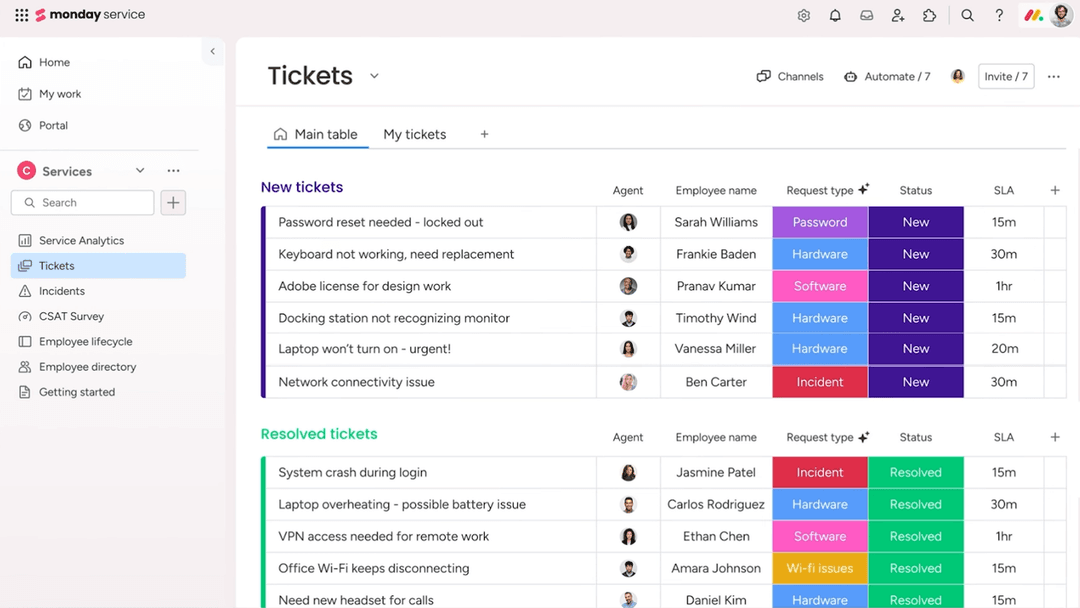
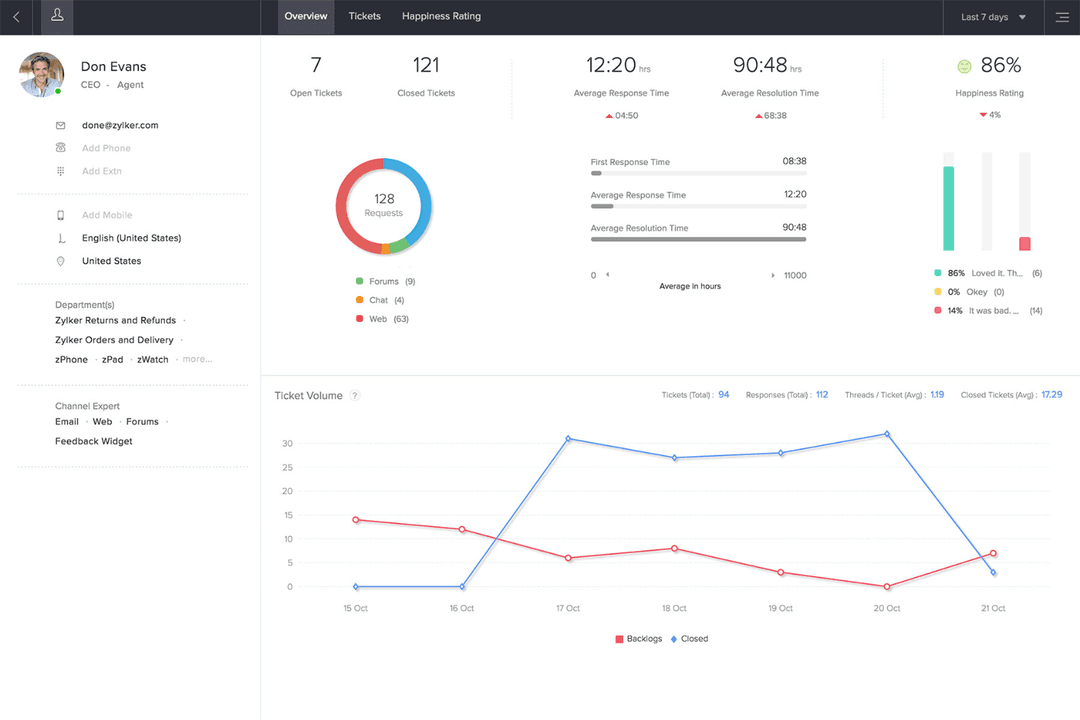
| FactorUser Interface | monday serviceFeatures a visually intuitive interface with drag-and-drop capabilities. | Zoho DeskOffers a clean, organized layout with customizable dashboards. |
| FactorOnboarding Experience | monday serviceProvides interactive tutorials and a comprehensive knowledge base for new users. | Zoho DeskIncludes step-by-step guides and personalized onboarding sessions. |
| FactorSetup Process | monday serviceQuick setup with pre-built templates to kickstart projects. | Zoho DeskStreamlined setup with guided workflows and integration wizards. |
monday service excels with its visually intuitive interface, making it easy to navigate and manage tasks, but the setup can be challenging if you want highly customized workflows.
Zoho Desk is straightforward to set up with its guided workflows, but it may take more time to fully explore and utilize all its features effectively.
monday service
- You can customize workflows to suit your team's specific needs.
- Visual project tracking makes it easy for your team to stay on top of tasks.
- Automation features save your team time on repetitive tasks.
- The initial setup can be overwhelming if your team isn't tech-savvy.
- Advanced features require a learning curve for your team.
- Some users find the mobile app less intuitive than the desktop version.
Zoho Desk
- Automation rules simplify repetitive ticket management tasks
- AI-powered suggestions help agents resolve tickets faster
- Multi-channel support covers email, chat, phone, and social media
- Reporting customization is limited for complex analytics needs
- Some users report slow or inconsistent customer support
- Bulk ticket updates can be slow with large ticket volumes
monday service
- Tech Startupsmonday service's customizable workflows fit perfectly with your agile project management needs.
- Marketing TeamsVisual boards make tracking campaigns easy for your team, enhancing collaboration and oversight.
- Creative AgenciesAutomation features save your team time on repetitive tasks, allowing more focus on creative work.
- Product DevelopmentYou can manage complex product roadmaps with visual tracking and task dependencies.
- Remote TeamsCentralized communication and task management keep your remote team connected and productive.
- HR DepartmentsStreamlined onboarding processes and workflow automation simplify your team's HR tasks.
Zoho Desk
- Healthcare ClinicsHIPAA-compliant workflows and secure ticket handling protect patient data.
- Education InstitutionsSelf-service portals and knowledge base tools support students and staff.
- Internal IT DepartmentsCustomizable SLAs and ticket routing fit internal support needs.
- Ecommerce RetailersMulti-channel support covers email, chat, and social media inquiries.
- Managed IT ServicesCentralized ticketing and workflow automation streamline client support operations.
- SaaS StartupsZoho Desk’s automation and affordable plans help manage rapid ticket growth.
Who Should Use monday service, and Who Should Use Zoho Desk?
I believe monday service is most suitable for teams focusing on project management and collaboration across various industries, especially those valuing visual workflows and flexibility. From my perspective, Zoho Desk is a better fit for customer support teams that need robust ticketing and CRM integration, making it ideal for businesses prioritizing customer service efficiency.
In my opinion, if your team thrives on visual task management and adaptable project setups, monday service is the way to go. But if your focus is on streamlining customer interactions and support processes, Zoho Desk is the better choice.
| monday service | Zoho Desk | |
|---|---|---|
| Automation | monday service Includes automation for repetitive tasks within project workflows. | Zoho Desk Offers automation for managing customer interactions efficiently. |
| Core Functionality | monday service Focuses on project management with customizable workflows for diverse teams. | Zoho Desk Centers around customer support with robust ticketing and CRM tools. |
| Integration Focus | monday service Integrates well with team collaboration tools like Slack and Zoom. | Zoho Desk Strong integration with CRM systems like Zoho CRM and Zendesk. |
| Pricing | monday service Offers tiered plans based on users and features, with potential add-on costs. | Zoho Desk Provides tiered pricing with additional charges for integrations. |
| User Interface | monday service Features a visually intuitive interface with drag-and-drop capabilities. | Zoho Desk Provides a clean, organized layout with customizable dashboards. |
| Automation | Both include automation features, with monday service automating tasks in projects and Zoho Desk automating support workflows. |
|---|---|
| Customization | Each provides customizable options, with monday service focusing on workflow layouts and Zoho Desk on ticketing processes. |
| Data Security | Each ensures data protection with strong encryption and compliance measures, safeguarding your team's information. |
| Pricing | Both offer tiered pricing models, allowing you to choose plans based on your team's size and needs. |
| User Training | Both platforms offer comprehensive training resources and onboarding guides to help your team get started quickly. |