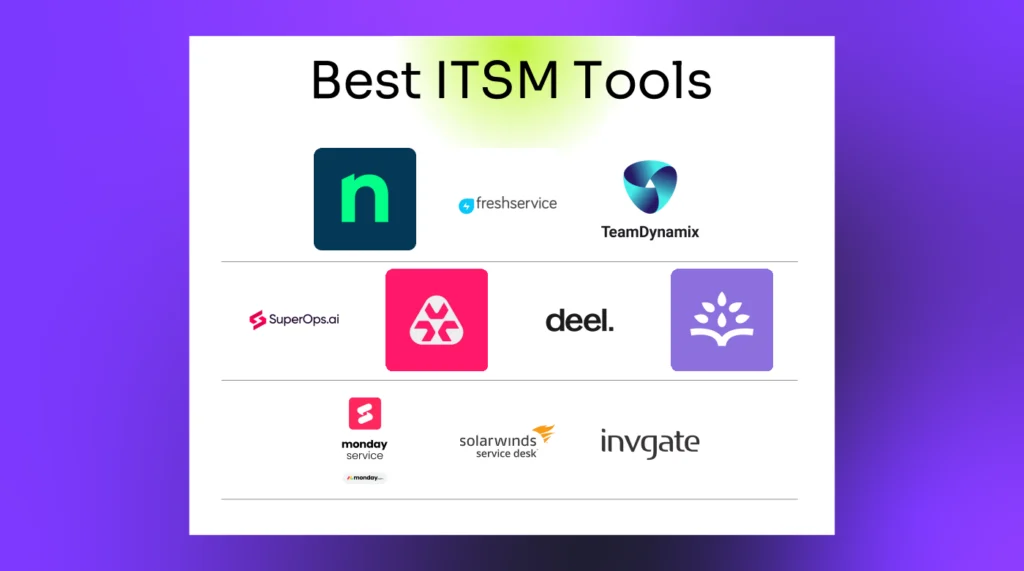
Cele mai bune instrumente ITSM din 2026 vă ajută să gestionați solicitările de servicii, să urmăriți incidentele și să automatizați fluxurile de lucru repetitive, astfel încât echipa să poată rezolva problemele mai rapid și să ofere asistență consecventă. După 15 ani în care am coordonat operațiuni de servicii IT și am testat zeci de instrumente ITSM în medii SaaS și de întreprindere, știu care dintre ele reduc cu adevărat MTTR și îmbunătățesc timpul de funcționare.
Dacă serviciul dumneavoastră de asistență se bazează încă pe actualizări manuale sau pe instrumente neconectate, probabil pierdeți timp din cauza tichetelor redundante și a escaladărilor neclare. Platformele ITSM moderne elimină aceste lacune prin direcționare automată, gestionarea cunoștințelor și tablouri de bord în timp real pentru monitorizarea performanței, ajutând echipa să se concentreze pe calitatea serviciilor, nu pe activități administrative.
Acest ghid evidențiază platformele care se remarcă prin configurare simplă, automatizare practică și raportare care generează îmbunătățiri măsurabile, nu doar volume de tichete. Să începem!
Why Trust Our Software Recommendations
6,700+
Reviews
20
Industry experts
16+
Evaluation factors
14
Years
Our team has been testing and reviewing software since 2012. As tech leaders ourselves, we know how difficult—and important—it is to choose the right software.
For this guide, we evaluated tools using hands-on testing and independent research, scoring tools using our selection criteria.
Our reviews reflect our human editorial judgment, not a sales pitch.
Expert reviewers:
- Paulo Gardini MiguelTech Director
 Tim FisherVP of AI
 Gabriel RosasTech Lead & Software Architect
 Christhian GruhnTech Lead & Platform Architect

Tabel comparativ al instrumentelor ITSM
Acest tabel comparativ sintetizează detaliile de preț pentru selecția mea de top de instrumente ITSM:
Sorted by: Default
| Tool | Starting Price | Website | |
|---|---|---|---|
Best for ITSM with built-in asset management | 4.6 out of 5 | $19/user/month 14-day free trial | Book Demo |
Best for AI-driven ticket prioritization | 4.5 out of 5 | $59/user/month Free trial + free demo available | Book Demo |
Best AI-powered ITSM | 4.4 out of 5 | Pricing upon request Free demo available | Website |
Best for unified RMM and help desk | 4.6 out of 5 | $149/user/month Free trial available | Book Demo |
Best with AI-native service desk | 4.5 out of 5 | Pricing upon request Free demo available | Website |
Best for AI-driven task automation | 4.6 out of 5 | Pricing upon request 14-day free trial | Website |
Best for global asset provisioning | 4.7 out of 5 | $49/user/month Free demo available | Website |
Best for AI-powered incident management | 4.8 out of 5 | $20/user/month Free trial available | Website |
Best for patch management | 5.0 out of 5 | Pricing upon request 30-day free trial available | Website |
Best for customizable workflows | 4.6 out of 5 | $8/user/month 14-day free trial | Website |


Recenzii ale celor mai bune instrumente ITSM
Pentru a vă ajuta să găsiți mai ușor instrumentul care se potrivește cel mai bine nevoilor dumneavoastră, am prezentat instrumentele mele ITSM preferate, împreună cu punctele lor forte, funcțiile unice și integrările disponibile:
 Best for ITSM with built-in asset management
- 14-day free trial
- From $19/user/month (billed annually)
Visit WebsiteCustomer Rating:4.6/5
Incident management with Freshservice. Freshservice is an ITSM solution from Freshworks designed to help IT teams manage service delivery, workflows, and assets from a centralized platform. It combines incident management, automation, and asset tracking in a system that helps organizations standardize service processes while maintaining visibility across their IT environment.
Why I Picked Freshservice: I picked Freshservice because it provides enterprise ITSM capabilities without the heavy setup or operational complexity often associated with traditional ITSM platforms. Its knowledge management tools allow teams to build and maintain a centralized knowledge base that supports faster issue resolution and self-service. The platform also includes automation and workload management tools that help teams manage service requests more efficiently while maintaining visibility into technician capacity and ongoing work.
Freshservice Standout Features and Integrations:
Features include workload management functions that help IT leaders understand team capacity and plan service delivery more effectively as operations scale. The platform also offers contract management tools that allow teams to track vendor agreements and maintain visibility into service commitments.
Integrations are pre-built for TeamViewer, Microsoft Teams, Slack, Jira, PagerDuty, Google Calendar, Google Hangouts, Office 365 Calendar, and Google Analytics.
Pros and Cons
Pros:
- Robust automation features
- User-friendly interface
- Large plugin library
Cons:
- Complex licensing structure
- Limited customization for unique workflows
Learn more about Freshservice: Best for AI-driven ticket prioritization
- Free trial + free demo available
- From $59/user/month (billed annually)
Visit WebsiteCustomer Rating:4.5/5
SysAid displays active service records with AI-assisted ticket summaries, priority levels, and response timelines. SysAid is an IT Service Management (ITSM) provider whose core capabilities include a help desk, service automation, and IT asset management. The platform is designed to help IT teams manage tickets and service requests more efficiently through centralized workflows and automation.
Why I Picked SysAid: I picked SysAid because it offers a wide range of automation options that can significantly reduce manual work for service desk teams. You can automatically route tickets using predefined rules that evaluate ticket properties and assign them to the most appropriate agent or team. These automation capabilities are supported by SysAid’s AI-driven ticket categorization and prioritization, along with built-in reporting tools that give you visibility into service performance and help identify areas for improvement.
SysAid Standout Features and Integrations:
Features that stood out for ticket management include SysAid’s priority matrix, which helps determine ticket urgency and automatically assigns priority based on impact and urgency criteria. To reduce the risk of missed requests, SysAid can also automatically set due dates based on service request details and send notifications and reminders to keep work moving and stakeholders informed.
Integrations include Jira, Slack, Microsoft 365, Google Workspace, Shibboleth, Nagios, OpenAM, Microsoft Teams, SolarWinds, and TeamViewer.
Pros and Cons
Pros:
- Real-time chat feature
- High levels of customizability
- Effective ticket tracking and incident management
Cons:
- Extensive features may be overwhelming for smaller IT operations
- User interface may be complex to navigate


TeamDynamix dashboard showing technician view with tickets and performance metrics. TeamDynamix is an AI-powered IT service management platform that combines ITIL-aligned processes with automation, project management, and asset tracking. It extends beyond IT to enterprise service management (ESM), making it a flexible option for organizations that want to manage requests across multiple departments.
Why I Picked TeamDynamix: I picked TeamDynamix for its conversational AI virtual agent, which helps you deflect tickets by handling common requests instantly. This can significantly reduce the load on your help desk and free up IT staff for more complex issues. I also like how it combines ITSM with project portfolio management, so you can manage IT projects and service requests side by side. This makes it easier to coordinate resources and keep visibility across ongoing work.
TeamDynamix Standout Features and Integrations:
Features I found valuable include its AI-powered virtual agent for instant support, no-code workflow automation for building service processes without coding, and integrated IT asset management for better control over devices and resources. The platform also supports enterprise service management, allowing HR, facilities, and other departments to use the same system. Project portfolio management is built in, so you can oversee IT projects and operational tasks in one place.
Integrations include Workday, Office365, Slack, Salesforce, Microsoft Teams, ServiceNow, Jira, BMC Remedy, Cherwell, TaskCall, Sassafras, and EPIC, and hundreds more.
Pros and Cons
Pros:
- AI-driven virtual agent
- Strong project portfolio management
- No-code workflow automation
Cons:
- Limited native integrations
- Pricing not publicly listed
Learn more about TeamDynamix: Best for unified RMM and help desk
- Free trial available
- From $149/user/month (billed annually)
Visit WebsiteCustomer Rating:4.6/5
Atera shows a unified IT dashboard that tracks tickets, alerts, device status, and technician performance in real time. Atera wraps up many of the tools you need to run IT operations — from managing remote devices and networks to handling support tickets and patching — into a single cloud-based platform built especially for IT teams and managed service providers (MSPs). It’s appealing if you want your IT team (whether small or growing) to manage infrastructure, support and automation from one place without juggling multiple systems.
Why I Picked Atera
I picked Atera because it tightly combines remote-monitoring, help desk, and automation — a trio many IT teams need but often source separately. Its integrated RMM (remote monitoring and management) lets you keep tabs on servers, workstations, and network devices from a unified dashboard. Its built-in help desk and ticketing functionality gives you straightforward support workflows alongside that monitoring. And the newer AI-backed features (for instance, automated scripting and ticket-handling) add automation that helps your team respond to IT needs faster and with less manual overhead.
Atera Key Features
Aside from the core monitoring, desk, and automation capabilities, here are several other useful features you and your team may appreciate:
- Asset management: Atera lets you track and audit all your hardware and software assets through a centralized, customizable inventory system.
- Patch management: You can schedule and deploy updates across your devices from one place — helping keep systems secure and up-to-date.
- Network discovery: The platform can scan and map your network to identify connected devices, giving visibility into infrastructure and potential weak points.
- Real-time alerts and reporting: Atera generates alerts when issues arise and provides dashboards and reports so you can monitor performance, uptime, and technician activity.
Atera Integrations
Integrations include Microsoft Teams, Slack, Google Workspace, AzureAD, Okta, Zapier, Bitdefender, Axcient, Emsisoft, and Ironscales.
Pros and Cons
Pros:
- Device monitoring covers servers, workstations, and network hardware
- AI-assisted scripting reduces manual workload for technicians
- Remote access tools are fast and reliable for daily IT tasks
Cons:
- Patch deployments sometimes lack granular control options
- Alert settings can feel rigid when managing complex environments
 Best with AI-native service desk
- Free demo available
- Pricing upon request
Visit WebsiteCustomer Rating:4.5/5
Serval displays an analytics dashboard with ticket metrics, AI automation rates, and insights for AWS provisioning issues. Serval is an AI-native ITSM platform that combines ticketing, access management, workflow automation, and service analytics through a set of AI agents designed to triage, resolve, and analyze IT support requests.
Who Is Serval Best For?
Serval is a strong fit for IT teams at large enterprises that manage complex IT environments and high volumes of support requests. It’s designed to help organizations improve service efficiency through AI-powered automation.
Why I Picked Serval
I picked Serval as one of the best because its AI architecture is genuinely built from the ground up, not bolted on. The Help Desk Agent automatically triages, diagnoses, and resolves tickets across Slack, Teams, email, and a web portal without human intervention. What I find especially compelling is the Automation Agent: it converts natural language into deterministic TypeScript workflows, which the CLI can pull locally for Git version-control and review. As a result, my team can deploy automations the same way we handle application code.
Serval Key Features
- AI suggestions: Analyzes ticket patterns and proposes new skills, workflows, workflow installs, app connections, and knowledge updates for review.
- Analytics: Tracks resolution rates, time saved, and SLA performance through built-in dashboards.
- Privileged access controls: Lets you set approval flows, provision access, and track changes with full audit trails.
- Bi-directional ticket sync: Supports two-way syncing with ServiceNow, Jira Service Management, Zendesk, Freshservice, and Linear.
Serval Integrations
Serval offers native integrations with ServiceNow, Jira, Zendesk, Okta, Google Workspace, GitHub, Rippling, Slack, Notion, AWS, and more. An API is available for custom integrations.
Pros and Cons
Pros:
- Strong access management with full audit trails
- Natural language workflow creation via Automation Agent
- AI agents resolve tickets without human intervention
Cons:
- Newer platform with a smaller user review base
- Advanced workflows can take time to fine-tune
Learn more about Serval: Best for AI-driven task automation
- 14-day free trial
- Pricing upon request
Visit WebsiteCustomer Rating:4.6/5
SuperOps offers an AI-powered service desk for managing tickets and support requests. SuperOps is a modern PSA-RMM software designed specifically for Managed Service Providers (MSPs) and IT teams. It focuses on enhancing operational efficiency and growth with a suite of features tailored to streamline IT management tasks and support business objectives.
Why I Picked SuperOps: What stood out to me most with SuperOps is its service desk management. This feature allows you to manage, track, and resolve service requests, ensuring that your team can handle tasks quickly and keep operations running smoothly. With its AI-driven Monica AI, SuperOps automates routine tasks, helping your team prioritize more complex issues without getting bogged down in mundane tasks.
Another reason for choosing SuperOps is its detailed asset management capabilities. This feature helps you keep track of all your IT assets, ensuring they are used optimally and maintained regularly. Additionally, the platform's contract management and event scheduling features allow you to manage IT services and their associated contracts and schedules efficiently, making it easier to meet service delivery expectations.
Standout Features and Integrations
Features include endpoint security, which protects your IT environment from potential threats, ensuring data integrity and security. The platform also offers automated patch management, keeping your systems up-to-date and secure without manual intervention. Another feature is real-time network monitoring, allowing you to proactively identify and address network issues before they affect your operations.
Integrations include Acronis, ESET, Sophos, SentinelOne, Emsisoft, ISL Online, TeamViewer, Xero, Quickbooks, Stripe, ConnectWise, and Autotask.
Pros and Cons
Pros:
- User-friendly interface
- Regular updates and new feature rollouts
- Clean and intuitive design facilitates easy navigation
Cons:
- Lack of compatibility with certain third-party tools
- Cost may be prohibitive for startups or small businesses
Learn more about SuperOps: Best for global asset provisioning
- Free demo available
- From $49/user/month
Visit WebsiteCustomer Rating:4.7/5
Deel centralizes asset tracking for all devices across your distributed workforce. Deel IT provides businesses with the tools to manage IT operations and infrastructure across multiple countries. It helps IT teams streamline workforce management, automate compliance, and secure global asset provisioning.
Why I Picked Deel: Deel IT enables businesses to automate IT asset provisioning, making it easy to grant, manage, and revoke software access for global employees. IT teams can configure access to key tools and applications automatically, ensuring compliance with company policies and security requirements. This is especially beneficial for IT service management (ITSM), where secure access and permissions need to be tightly controlled.
Deel Standout Features and Integrations:
Features include IT asset tracking, allowing teams to monitor and manage company-issued devices across multiple locations. Automated offboarding ensures that departing employees and contractors immediately lose access to IT resources, reducing security risks. Additionally, custom IT workflows let businesses create structured processes for device provisioning, access requests, and compliance checks, making IT operations more efficient.
Integrations include QuickBooks, Workday, UKG, SAP, Netsuite, Carta, Xero, Greenhouse, Slack, Microsoft Teams, Okta, and OneLogin.
Pros and Cons
Pros:
- Global support for troubleshooting and repairing devices
- Streamlines global IT compliance and security
- Automates IT asset provisioning and retrieval
Cons:
- Doesn't offer more advanced IT features, like network monitoring
- Limited support for highly specialized ITSM tools
Learn more about Deel IT: Best for AI-powered incident management
- Free trial available
- From $20/user/month
Visit WebsiteCustomer Rating:4.8/5
Rootly’s AI assistant helps teams refine incident updates by suggesting edits, simplifying language, and improving clarity directly within the platform. Rootly is an AI-driven incident management platform designed for IT and SRE teams that need to respond quickly to service disruptions. As an ITSM tool, it streamlines processes such as on-call scheduling, incident handling, and post-incident analysis, helping teams maintain high service availability and performance.
Why I Picked Rootly: I picked Rootly because it brings incident response directly into your existing workflows. Its Slack and Microsoft Teams integrations let you manage incidents, assign roles, and communicate updates in real time without switching tools. I also like how its AI SRE capabilities automatically analyze alerts and historical data to identify potential root causes, helping you reduce mean time to resolution. These automation and collaboration features make Rootly an excellent fit for teams focused on proactive IT service management.
Rootly Standout Features and Integrations:
Integrations include AI-assisted retrospectives that automatically generate incident summaries and timelines, saving time on postmortems. Its on-call management tools make scheduling and escalations easier, ensuring around-the-clock coverage. I also found the built-in status pages useful for communicating service updates to stakeholders in real time.
Integrations include Jira, Slack, Microsoft Teams, Confluent, Docs, Terraform Provider, API, and MCP Server, giving your team flexibility across development and collaboration tools.
Pros and Cons
Pros:
- Automated retrospectives for post-incidents
- IDE-based incident resolution integration
- AI-driven automated incident analysis
Cons:
- Learning curve for advanced automation setup
- Limited to supported integrations list
Learn more about Rootly: Best for patch management
- 30-day free trial available
- Pricing upon request
Visit WebsiteCustomer Rating:5/5
Configuring automated patch management with Atera. Atera is a remote monitoring and management (RMM) and professional service automation (PSA) solution for ITSM.
Why I Picked Atera: Atera allowed me to automate patching at scale so I could secure entire departments with little hassle. When I was setting it up, I could determine patching schedules and spread them out for various groups of devices depending on urgency and availability.
Atera Standout Features and Integrations:
Features of Atera’s patch management that caught my attention include the ability to create reusable software bundles that improved efficiency on recurring processes such as on and offboarding.
Atera also provides detail-rich reports on patching processes that let you know how everything went, including areas where you might need to step in and handle something manually, so you always know the overall status of your systems.
Integrations are pre-built for Axcient, Malwarebytes, QuickBooks, Zomentum, AnyDesk, Acronis, Xero, Keeper, Webroot, and Bitdefender.
Pros and Cons
Pros:
- Strong system monitoring features
- Can create reusable software bundles for recurring tasks
- Robust patch management features
Cons:
- Customer support could be improved
- Limited pre-built integrations
Learn more about Atera: Best for customizable workflows
- 14-day free trial
- From $8/user/month (billed annually)
Visit WebsiteCustomer Rating:4.6/5
Users can manage IT requests efficiently using the IT service desk template in monday Service. Monday Service is an intuitive, fully customizable service platform designed to help service and support teams manage and automate their operations and processes.
Why I Picked monday Service: monday Service is a highly effective IT Service Management (ITSM) tool known for its customizable workflows, which allow IT teams to tailor processes according to specific needs, ensuring that all tasks are managed in a structured and efficient manner.
Additionally, the platform's automation capabilities help save time by automating repetitive tasks, reducing the burden on IT staff, and minimizing the risk of human error. Real-time collaboration tools enhance productivity by enabling communication and coordination among team members, regardless of their physical location.
monday Service Standout Features and Integrations:
Features that stood out to me when using monday Service include a self-service knowledge base for both customers and agents, ticket intake via email and WorkForms, smart ticket routing, unlimited tickets and workflows, HIPAA compliance, automatic ticket classification, and enterprise-grade security and governance.
Integrations include Microsoft Teams, Microsoft Outlook, Slack, DocuSign, Gmail, and Azure DevOps.
Pros and Cons
Pros:
- Customizable project views
- Comprehensive knowledge base
- Real-time updates
Cons:
- Limited mobile app functionality
- 3-person minimum team size
Learn more about monday service:
Alte opțiuni
Mai jos sunt prezentate câteva alte instrumente bune care nu au fost incluse în lista principală, dar care ar putea fi alegerea potrivită pentru alte cazuri de utilizare.
- 11SolarWinds Service DeskBest incident management
- 12InvGate Service ManagementBest for no-code, scalable ITSM
- 13Jira Service ManagementBest workflow manager
- 14BMC Helix ITSMBest change manager
- 154meBest time tracking features
- 16GoTo ResolveBest for remote device access
- 17FreshdeskBest omnichannel management features
- 18Zendesk SuiteBest for scaling companies
- 19SolarWinds Web Help DeskBest for on-premise deployments
- 20ServiceNow ITSMBest for companies in the health industry
- 21NinjaOneBest for context-rich automation
How I Evaluate ITSM Tools
I look at two layers: whether a tool meets baseline ITSM requirements—incident management, change workflows, CMDB—and what sets it apart, like AI capabilities or ITIL depth.
Core Functionality (Table Stakes For This List)
When I'm selecting tools for my list, I rank each one on a scale from 0 (does not offer the functionality) to 5 (excels in this area) for each core functionality listed below. Then, I calculate the tool's total score into a percentage. Each tool needs to achieve a minimum total score of 75% to be considered for inclusion.
- Incident & Request Management: I evaluate multi-channel ticket intake, routing logic, and full lifecycle tracking—from a user submitting a laptop issue via portal to resolution and closure.
- Change & Problem Management: Each tool should support approval workflows, risk assessment, and root cause analysis so teams can manage CAB reviews and post-incident investigations.
- Asset & Configuration Management: I check for ITAM with CMDB relationship mapping—like tracing a server outage back to a specific CI dependency chain across your infrastructure.
- Self-Service Portal & Knowledge Base: A searchable, end-user-facing portal with integrated KB articles matters here. Tools like ServiceNow and Freshservice approach this differently but both deliver it.
- SLA Management & Reporting: I look at how each tool handles multi-tier SLA definitions, escalation rules, and dashboards that surface metrics like mean time to resolution and breach rates.
- Workflow Automation & Integrations: Automation of repetitive tasks—like auto-assigning tickets by category or triggering alerts in Slack—and breadth of native integrations factor into every evaluation.
Once I have a list of tools that meet the criteria, I consider what sets each platform apart.
Differentiating Factors (What Sets Vendors Apart)
Here's how I compare and contrast different vendors:
Standout Features
AI capabilities are a major differentiator right now. I evaluate whether a tool offers virtual agents, predictive ticket classification, or AI-generated summaries that help agents resolve issues faster. Enterprise service management is another area I look at closely—platforms like Jira Service Management and ServiceNow let you extend ITSM workflows to HR or facilities teams. I also consider low-code customization options, since IT teams often need to build custom forms, apps, or workflows without pulling in developers.
Beyond Features
Integration depth matters a lot here. I check whether a tool connects bidirectionally with DevOps toolchains like Jira and GitHub, plus monitoring platforms like Datadog or New Relic. Security and compliance certifications also weigh heavily—SOC 2 Type II and ISO 27001 signal maturity, and I look for role-based access controls, SSO, and audit logging for teams in regulated industries. I also evaluate total cost of ownership, including whether guided onboarding, pre-built templates, and certified partners are available to shorten time-to-value.
Cum să alegeți instrumentele ITSM
Este ușor să vă pierdeți în liste lungi de funcții și structuri complexe de prețuri. Pentru a vă ajuta să rămâneți concentrat pe parcursul procesului unic de selecție a software-ului, iată o listă de verificare cu factorii de care trebuie să țineți cont:
| Factor | Ce trebuie luat în considerare |
|---|---|
| FactorScalabilitate | Ce trebuie luat în considerarePoate instrumentul să crească odată cu echipa dumneavoastră? Verificați dacă poate gestiona un număr tot mai mare de utilizatori și tichete fără să-și piardă eficiența. Luați în considerare creșterea și extinderea viitoare. |
| FactorIntegrări | Ce trebuie luat în considerareFuncționează cu sistemele existente? Căutați integrarea fără probleme cu stiva software actuală, precum CRM, software pentru achiziții IT sau platformele de e-mail, pentru a evita izolarea datelor. |
| FactorPosibilitatea de personalizare | Ce trebuie luat în considerarePuteți adapta instrumentul pentru a se potrivi fluxurilor dumneavoastră de lucru? Asigurați-vă că oferă opțiuni de personalizare pentru ajustarea proceselor, câmpurilor și rapoartelor în funcție de nevoile specifice. |
| FactorUșurința utilizării | Ce trebuie luat în considerareÎl va considera echipa dumneavoastră intuitiv? Evaluați interfața utilizatorului și ușurința navigării. Un instrument complex poate încetini adoptarea și reduce productivitatea. |
| FactorImplementare și integrare inițială | Ce trebuie luat în considerareCât de lină este tranziția? Evaluați resursele și asistența disponibile pentru integrarea inițială, precum tutoriale, sesiuni de instruire și ajutor la configurare. Minimizați întreruperile în timpul implementării. |
| FactorCost | Ce trebuie luat în considerareSe încadrează în bugetul dumneavoastră? Comparați planurile tarifare cu bugetul disponibil. Luați în considerare costurile ascunse, precum suplimentele, taxele de asistență sau costurile mai mari odată cu extinderea. |
| FactorMăsuri de securitate | Ce trebuie luat în considerareVă protejează datele? Verificați conformitatea cu standardele de securitate și măsurile de protecție a datelor, mai ales dacă gestionați informații sensibile sau reglementate. |
Ce sunt instrumentele ITSM?
Instrumentele de gestionare a serviciilor IT (ITSM) centralizează și automatizează fluxurile de lucru pentru asistența IT, de la gestionarea incidentelor și solicitărilor până la controlul schimbărilor și urmărirea activelor, astfel încât echipele să poată oferi servicii consecvente, să impună SLA-uri și să îmbunătățească eficiența operațională la nivelul întregii organizații.
Acestea pot sprijini, de asemenea, strategiile IT pentru planificare, proiectare și execuție. Organizațiile cu resurse interne limitate colaborează adesea cu agenții specializate de externalizare IT pentru a gestiona aceste implementări complexe.
Funcțiile instrumentelor ITSM
Când selectați instrumente ITSM, acordați atenție următoarelor funcții esențiale:
- Gestionarea incidentelor: Gestionează întreruperile serviciilor IT, permițându-ți să înregistrezi, urmărești și rezolvi rapid problemele. Astfel, reduci neplăcerile atât pentru echipa IT, cât și pentru utilizatorii finali, minimizând timpul de nefuncționare și confuzia.
- Onorarea solicitărilor de servicii: Gestionează într-un mod structurat și consecvent solicitările obișnuite ale utilizatorilor, cum ar fi resetarea parolelor sau instalarea software-ului. Acest lucru te ajută să furnizezi servicii eficient, menținându-i pe toți la curent.
- Gestionarea schimbărilor: Efectuează modificări ale sistemelor IT fără probleme și cu riscuri mai mici. Poți planifica, aproba și documenta schimbările, astfel încât să reduci surprizele și să menții serviciile în funcțiune fără probleme.
- Gestionarea problemelor: Identifică și abordează cauzele fundamentale ale problemelor recurente. Acest lucru implică analiza tendințelor și investigarea cauzei principale — astfel încât să nu stingi doar incendii, ci să previi efectiv problemele viitoare.
- Baza de date pentru gestionarea configurației (CMDB): Urmărește toate activele IT și relațiile dintre acestea într-un singur centru centralizat. Astfel, poți vedea cum se conectează toate, ceea ce face depanarea și evaluarea impactului mult mai ușoare.
- Gestionarea cunoștințelor: Stochează soluții, întrebări frecvente și pași de depanare într-o bibliotecă în care se poate efectua căutarea. Acest lucru le permite utilizatorilor și membrilor echipei tale să rezolve problemele mai rapid și cu mai multă încredere.
- Portal de autoservire: Permite utilizatorilor să trimită solicitări, să urmărească progresul și să găsească soluții într-un singur loc. Astfel, reduci numărul întrebărilor repetitive și le permiți tuturor să se ajute singuri, economisind timpul departamentului IT.
- Gestionarea nivelului serviciilor: Stabilește, monitorizează și aplică acordurile privind nivelul serviciilor (SLA), astfel încât să măsori cât de bine îți respecți promisiunile și să identifici domeniile care pot fi îmbunătățite.
- Raportare și analiză: Vizualizează indicatorii de performanță, tendințele și blocajele prin intermediul tablourilor de bord și rapoartelor integrate. Astfel, poți urmări progresul și lua decizii mai bune pe baza unor date reale.
Funcții AI ale instrumentelor ITSM obișnuite
Pe lângă funcțiile standard ale instrumentelor ITSM enumerate mai sus, multe dintre aceste soluții integrează inteligența artificială prin funcții precum:
Analiza sentimentului: Monitorizează și interpretează feedbackul utilizatorilor folosind inteligența artificială pentru a evalua gradul de satisfacție și a semnala automat tendințele negative, în vederea unei acțiuni rapide.
Clasificarea automată a tichetelor: Folosește inteligența artificială pentru a analiza tichetele primite și a le clasifica instantaneu, accelerând atribuirea și reducând sortarea manuală.
Agenți virtuali și chatboturi: Oferă utilizatorilor ajutor 24/7 prin intermediul inteligenței artificiale conversaționale, care răspunde la întrebări, oferă soluții sau direcționează solicitările către persoana potrivită.
Analiză predictivă: Analizează incidentele și tendințele din trecut pentru a anticipa problemele viitoare, astfel încât să poți lua măsuri proactive înainte ca acestea să se agraveze.
Direcționare inteligentă: Direcționează tichetele către tehnicianul cel mai calificat pe baza analizei realizate de inteligența artificială asupra volumului de lucru, expertizei și istoricului tichetelor, asigurând astfel o rezolvare mai rapidă.
Beneficii
Implementarea instrumentelor ITSM oferă mai multe beneficii pentru echipa și compania ta. Iată câteva dintre acestea:
- Eficiență îmbunătățită: Automatizează sarcinile de rutină, cum ar fi gestionarea tichetelor, eliberând timp pentru activități mai strategice.
- Calitate îmbunătățită a serviciilor: Oferă procese consecvente de gestionare a schimbărilor, reducând erorile și îmbunătățind furnizarea serviciilor.
- Alocare mai bună a resurselor: Funcțiile de gestionare a activelor contribuie la optimizarea utilizării resurselor IT și la reducerea costurilor.
- Satisfacție sporită a utilizatorilor: Răspunsul rapid la solicitările de servicii îmbunătățește experiența și satisfacția utilizatorilor.
- Luarea deciziilor pe baza informațiilor: Informațiile oferite de inteligența artificială furnizează analize valoroase, sprijinind decizii IT mai bune.
- Flexibilitate la distanță: Accesul mobil le permite echipelor IT să gestioneze serviciile din mers, menținând agilitatea.
- Protecția datelor: Măsurile de securitate asigură conformitatea cu standardele și protejează informațiile sensibile.
Costuri & prețuri
Selectarea instrumentelor ITSM necesită înțelegerea diferitelor modele și planuri de preț disponibile. De exemplu, NinjaOne vs. ManageEngine oferă capacități distincte care se pot potrivi mediului tău IT. Costurile variază în funcție de funcții, dimensiunea echipei, suplimente și alți factori. Tabelul de mai jos prezintă pe scurt planurile obișnuite, prețurile medii ale acestora și funcțiile incluse de regulă în soluțiile cu instrumente ITSM:
Tabel comparativ al planurilor pentru instrumentele ITSM
| Tipul planului | Preț mediu | Funcții comune |
|---|---|---|
| Tipul planuluiPlan gratuit | Preț mediu$0 | Funcții comuneGestionarea de bază a tichetelor, asistență limitată pentru utilizatori și forumuri ale comunității. |
| Tipul planuluiPlan personal | Preț mediu$5-$25/utilizator/lună | Funcții comuneGestionarea incidentelor, asistență prin e-mail și raportare de bază. |
| Tipul planuluiPlan pentru companii | Preț mediu$30-$60/utilizator/lună | Funcții comuneRaportare avansată, gestionarea schimbărilor, urmărirea activelor și asistență prioritară. |
| Tipul planuluiPlan pentru întreprinderi | Preț mediu$70-$120/utilizator/lună | Funcții comuneIntegrări personalizate, informații bazate pe inteligența artificială, manager de cont dedicat și asistență 24/7. |
Întrebări frecvente despre instrumentele ITSM
Iată câteva răspunsuri la întrebările frecvente despre instrumentele ITSM:
Cum evaluez scalabilitatea instrumentelor ITSM într-o companie cu o creștere rapidă?
Începe prin a verifica dacă instrumentul ITSM poate gestiona un număr în creștere de utilizatori, tichete și servicii fără să încetinească. Caută licențiere flexibilă pentru utilizatori, capabilități de automatizare și implementări bazate pe cloud. Solicită studii de caz de la companii de dimensiuni similare și testează scalabilitatea în perioada de probă.
Ce ar trebui să iau în considerare atunci când integrez instrumentele ITSM cu stiva mea tehnologică existentă?
Asigură-te că instrumentul ITSM oferă API-uri robuste și integrări disponibile imediat cu sistemele tale principale, precum gestionarea identității, instrumentele de monitorizare și platformele de colaborare. Consultă documentația pentru a verifica compatibilitatea, verifică suportul furnizorului pentru integrări și solicită studii de caz privind integrările sau recomandări de la clienți.
Cum pot sprijini instrumentele ITSM cerințele de conformitate și securitate?
Alege soluții ITSM cu controale de acces integrate, înregistrarea jurnalelor de audit și criptarea datelor. Verifică existența unor certificări precum SOC 2 sau ISO 27001. Întreabă furnizorii despre actualizări regulate de securitate, raportarea conformității și modul în care instrumentele lor te ajută să menții standardele industriei în mediul tău.
Ce funcții ITSM ajută la reducerea timpilor de soluționare a tichetelor?
Caută instrumente cu direcționarea tichetelor bazată pe inteligență artificială, fluxuri de lucru automatizate și integrarea unei baze de cunoștințe. Funcții precum colaborarea în timp real, șabloanele rapide pentru răspunsuri și raportarea solidă ajută echipele să răspundă mai rapid. Măsoară timpul de soluționare după implementare pentru a evalua impactul.
Care sunt cele mai bune practici pentru adoptarea instrumentelor ITSM și gestionarea schimbării în cadrul echipei mele IT?
Începe cu o comunicare clară și implică-ți echipa IT din timp în selectarea unei soluții ITSM. Oferă instruire practică adaptată fluxurilor voastre de lucru. Folosește mecanisme de feedback și implementări etapizate pentru a aborda rezistența. Monitorizează utilizarea, recunoaște utilizatorii avansați și ajustează procesele pe baza rezultatelor din lumea reală.