

Cel mai bun software de gestionare a mobilității întreprinderii (EMM) ajută organizațiile să securizeze dispozitivele mobile, să impună politici de acces și să protejeze datele sensibile fără a crea sarcini suplimentare pentru echipele IT. Aceste instrumente oferă companiilor posibilitatea de a gestiona smartphone-uri, tablete și laptopuri la scară largă, asigurând în același timp că angajații pot obține în continuare accesul de care au nevoie pentru a lucra eficient.
Multe echipe încep să caute soluții EMM după ce se confruntă cu provocări precum gestionarea mai multor tipuri de dispozitive cu măsuri de securitate neuniforme, pierderea timpului cu configurarea manuală a permisiunilor aplicațiilor sau pierderea datelor de pe dispozitive pierdute ori negestionate. Fără un sistem fiabil, aceste probleme creează riscuri de conformitate, frustrează angajații și încetinesc operațiunile zilnice.
Am lucrat cu echipe IT și de securitate care au implementat platforme EMM în medii cu dispozitive deținute de companie, precum și în medii în care angajații își folosesc propriile dispozitive, am testat performanța acestor instrumente în implementări de producție reale și am evaluat capacitatea lor de a echilibra securitatea solidă cu ușurința în utilizare. Aceste experiențe mi-au arătat care soluții simplifică gestionarea și care adaugă doar noi niveluri de complexitate.
În acest ghid, vei vedea ce opțiuni de software EMM se remarcă prin capacitatea de a reduce supravegherea manuală, de a proteja datele sensibile și de a menține accesul mobil atât sigur, cât și eficient.
Why Trust Our Software Recommendations
6,700+
Reviews
20
Industry experts
16+
Evaluation factors
14
Years
Our team has been testing and reviewing software since 2012. As tech leaders ourselves, we know how difficult—and important—it is to choose the right software.
For this guide, we evaluated tools using hands-on testing and independent research, scoring tools using our selection criteria.
Our reviews reflect our human editorial judgment, not a sales pitch.
Expert reviewers:
- Paulo Gardini MiguelTech Director
 Tim FisherVP of AI
 Gabriel RosasTech Lead & Software Architect
 Christhian GruhnTech Lead & Platform Architect

Tabel comparativ al software-urilor de gestionare a mobilității întreprinderii
Tabel comparativ al alternativelor la Bonsai
Acest tabel comparativ rezumă detaliile privind prețurile pentru selecțiile mele de top de software de gestionare a mobilității întreprinderii:
Score legend (out of 5)
- Excellent4.5–5
- Good4–4.4
- Average3–3.9
- Below average2–2.9
- Poor1–1.9
Sorted by: Default
| Tool | Starting Price | Website | |||||||
|---|---|---|---|---|---|---|---|---|---|
Best for managing enterprise global teams | Not rated | 2 | 2 | 3 | 3 | 3 | Not rated | $49/user/month Free demo available | Website |
Best for Android-only frontline device fleets | 2.8 out of 5 | 3 | 4 | 3 | 2 | 1 | 4 | $2.40/device/year 30-day free trial | Website |
Best for updates across low-bandwidth sites | 3.7 out of 5 | 4 | 3 | 3 | 4 | 5 | 3 | Pricing upon request Free demo available | Website |
Best for BYOD without device enrollment | 3.5 out of 5 | 3 | 4 | 3 | 4 | 4 | 3 | $60/user/month 90-day free trial | Website |
Best for customer-run on-prem deployments | 3.8 out of 5 | 4 | 4 | 4 | 4 | 4 | 3 | $2.20/device/month 14-day free trial + free demo available | Website |
Best for BYOD privacy and selective wipes | 3.7 out of 5 | 4 | 4 | 3 | 4 | 4 | 3 | $1.28/device/month 30-day free trial | Website |
Best for FedRAMP High environments | 3.7 out of 5 | 4 | 3 | 3 | 4 | 5 | 3 | $3/device/month Free trial available | Website |
Best for AI-guided endpoint risk insights | 3.8 out of 5 | 4 | 3 | 4 | 4 | 4 | 4 | $4/user/month 30-day free trial | Website |
Best for privacy-conscious Apple BYOD | 3.5 out of 5 | 4 | 4 | 3 | 4 | 2 | 4 | $4/device/month 14-day free trial + free demo available | Website |
Best for regional data sovereignty options | 3.7 out of 5 | 4 | 3 | 4 | 4 | 4 | 3 | Pricing upon request Free demo available | Website |
Best for Galaxy enrollment and OS updates | 3.5 out of 5 | 4 | 3 | 3 | 4 | 4 | 3 | Pricing upon request 90-day free trial available | Website |


Recenzii ale celor mai bune software-uri de gestionare a mobilității întreprinderii
Mai jos sunt rezumatele mele detaliate ale celor mai bune software-uri de gestionare a mobilității întreprinderii care au ajuns pe lista mea scurtă. Recenziile mele oferă o analiză detaliată a funcțiilor principale, avantajelor și dezavantajelor, integrărilor și cazurilor de utilizare ideale ale fiecărui instrument, pentru a te ajuta să îl găsești pe cel mai potrivit pentru tine.
 Best for managing enterprise global teams
- Free demo available
- From $49/user/month
Visit WebsiteCustomer Rating:4.7/5
Deel manages global payroll and HR compliance for businesses. Deel is a payroll and HR management platform designed for businesses with a global workforce. It primarily serves companies needing efficient payroll processing and compliance management across multiple countries.
Why I picked Deel: Deel excels in providing global compliance solutions, which is crucial for businesses operating internationally. It offers features like automated payroll processing, local tax compliance, and multi-currency support. Deel's ability to handle complex international regulations sets it apart from other tools. For teams managing employees in different countries, Deel simplifies the compliance process, ensuring everything is handled correctly.
Standout features & integrations:
Features include automated tax calculations, multi-currency payroll processing, and compliance support for over 150 countries. Deel offers a centralized dashboard for managing global payroll operations. The platform also provides customizable reporting tools to track payroll expenses effectively.
Integrations include QuickBooks, Xero, NetSuite, BambooHR, Gusto, Rippling, Zenefits, Expensify, Workday, and ADP.
Pros and Cons
Pros:
- Multi-currency payroll processing
- Automated tax calculations
- Supports over 150 countries
Cons:
- Complex initial setup
- Limited offline capabilities
Learn more about Deel IT: Best for Android-only frontline device fleets
- 30-day free trial
- From $2.40/device/year (billed annually)
Visit WebsiteCustomer Rating:4.7/5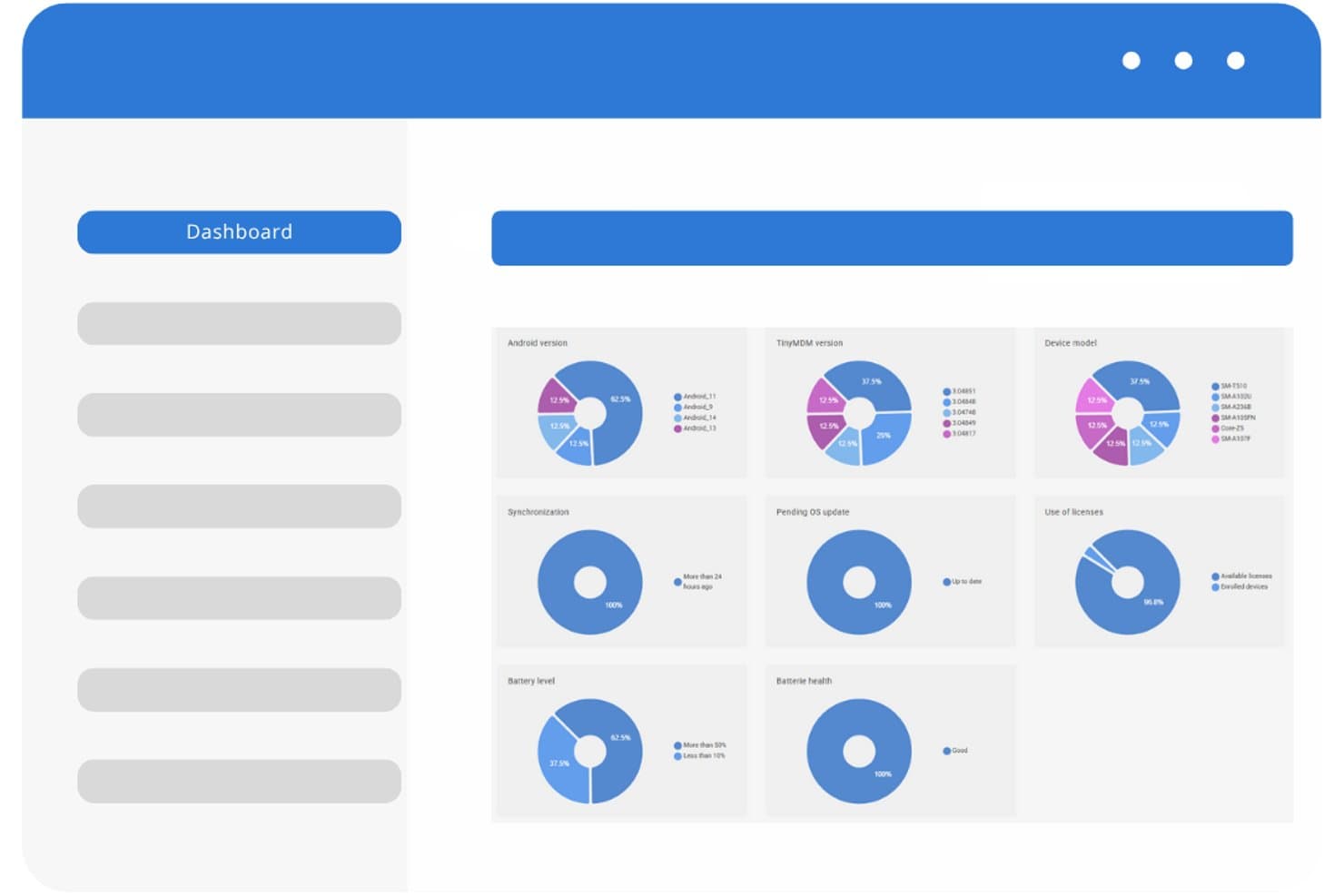
TinyMDM's dashboard gives a visual overview of enrolled devices. TinyMDM is an Android-only mobile device management platform that covers device enrollment, policy enforcement, app distribution, kiosk mode, and remote management for smartphones, tablets, rugged devices, and mPOS terminals.
Who Is TinyMDM Best For?
TinyMDM fits organizations running Android-only frontline fleets—think logistics, retail, or field service teams deploying rugged devices or mPOS terminals at scale.
Why I Picked TinyMDM
TinyMDM earns its spot on my shortlist because it's purpose-built for Android, and that focus shows in every feature it ships. I like that it covers all four Android Enterprise management modes, including Work Profile for BYOD and dedicated-device mode for kiosk deployments, so a logistics team running a fleet of Zebra rugged scanners gets exactly the depth they need. Remote control plugins for major rugged-device brands like Honeywell, Datalogic, and Lenovo mean I can troubleshoot a device on a warehouse floor without touching it.
TinyMDM Key Features
- Work Profile containerization: Creates a separate Android Enterprise container on BYOD and company-owned devices, keeping work apps and data isolated with their own passcode and selective wipe capability.
- TinyMDM Store app catalog: Hosts private APKs and web apps in a custom app catalog with version control, permissions management, and silent installs across multiple policies.
- Kiosk mode: Locks devices into single-app or multi-app configurations with auto-launch, hidden apps, usage session tracking, and an admin-code exit option.
- Internet filtering: Applies patented web filtering with four restriction levels, allow/block lists, and anti-phishing controls directly on managed Android devices.
TinyMDM Integrations
TinyMDM offers native integrations with Microsoft Entra ID, Google Android Enterprise, managed Google Play, Google Zero-Touch, and Samsung Knox Mobile Enrollment. Its REST API supports custom integrations and data exports.
Pros and Cons
Pros:
- Remote control covers major rugged-device brands
- Work Profile separates business and personal data
- Android Enterprise enrollment supports rugged fleets
Cons:
- Compliance lacks risk-based conditional access
- No iOS, Windows, or macOS management
Learn more about TinyMDM: Best for updates across low-bandwidth sites
- Free demo available
- Pricing upon request
Visit WebsiteCustomer Rating:4.8/5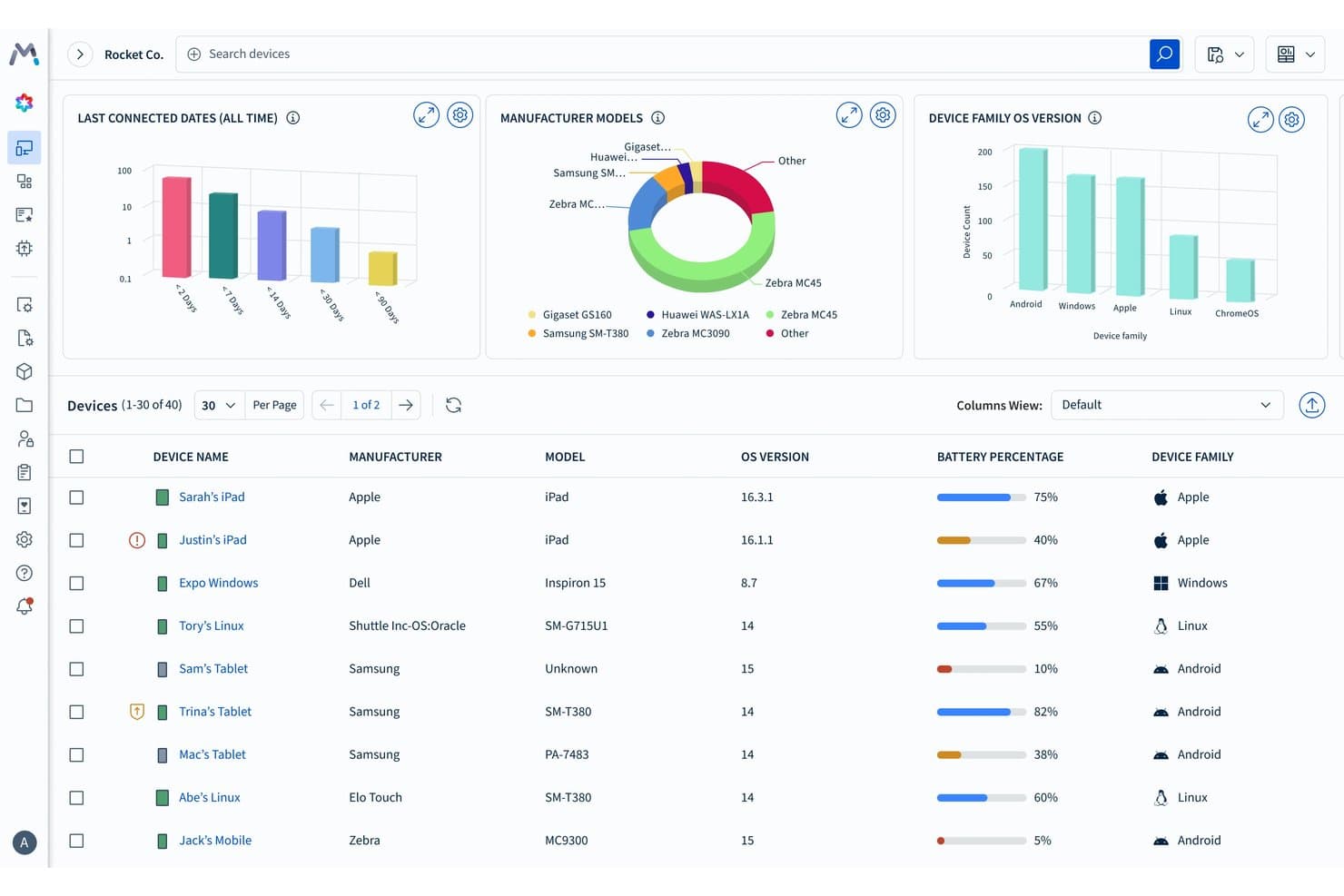
SOTI MobiControl tracks device status, battery, and OS across a fleet. SOTI MobiControl is an enterprise mobility management platform that covers device enrollment, policy enforcement, remote control, app distribution, and security configuration across Android, iOS, macOS, Windows, and Linux endpoints, including rugged devices, kiosks, and IoT hardware.
Who Is SOTI MobiControl Best For?
SOTI MobiControl is a strong fit for IT teams managing large fleets of rugged, frontline, or mixed-OS devices across distributed or low-connectivity sites.
Why I Picked SOTI MobiControl
I picked SOTI MobiControl as one of the best because its SOTI XTreme Technology genuinely solves a problem most EMM platforms ignore: pushing app and content updates to devices on constrained or unreliable connections. SOTI XTreme Hub lets distributed sites receive transfers locally and serve Android updates on-site, which SOTI says cuts large-fleet deployment time by up to 60%. I also like that OS and firmware updates for Zebra device fleets can be pushed directly from the console using Firmware Over-the-Air, without manual intervention at each site.
SOTI MobiControl Key Features
- Cross-platform enrollment: Enroll Android, iOS, macOS, Windows, and Linux devices using zero-touch, DEP, KME, Autopilot, or Zebra StageNow directly from the console.
- Geofencing with policy triggers: Define geofences and automatically apply or revoke apps, content, and device feature access when devices enter or exit a boundary.
- Remote control with session recording: Remotely interact with a device's screen and hardware buttons, draw annotations, and capture video recordings to document support sessions.
- Kiosk Mode: Lock devices to a defined set of business-critical apps and configure rugged-device scanner buttons and hardware controls.
SOTI MobiControl Integrations
SOTI MobiControl offers native integrations with Microsoft Entra ID, Microsoft 365, Apple Business Manager, Google Play, Okta, OneLogin, Duo Security, and Google Authenticator, plus enrollment integrations with Apple DEP, Android Zero-Touch, Samsung KME, Windows Autopilot, and Zebra StageNow. It also provides a REST API for custom integrations.
Pros and Cons
Pros:
- Central app pushes cover rugged fleets
- Remote control avoids device retrieval
- Local update hubs reduce bandwidth strain
Cons:
- Fleet reports offer limited customization
- Remote sessions lag on slower networks
Learn more about SOTI MobiControl: Best for BYOD without device enrollment
- 90-day free trial
- From $60/user/month (billed annually)
Visit WebsiteCustomer Rating:4.7/5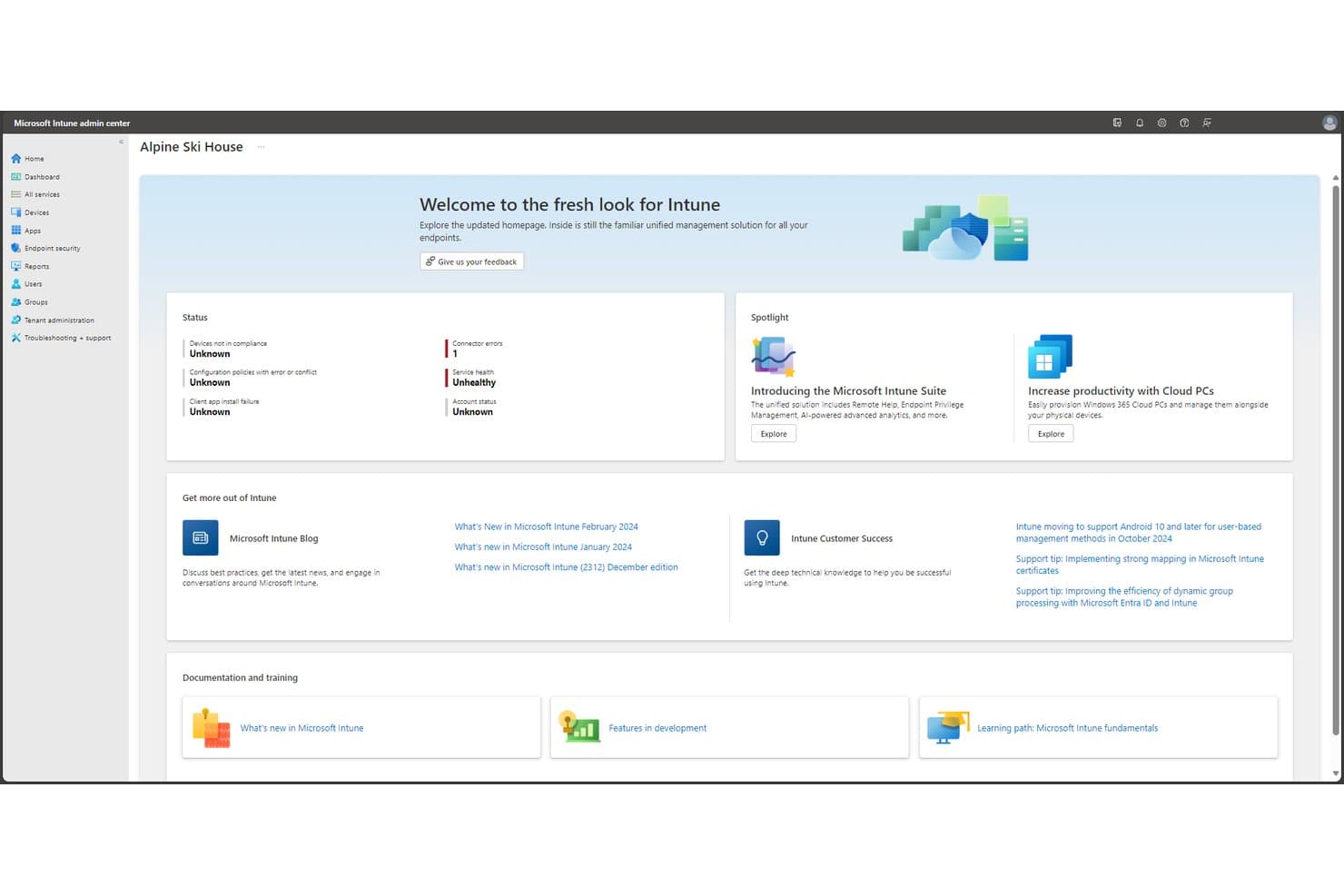
Microsoft Intune provides a unified dashboard for endpoint management. Microsoft Intune is a cloud-based endpoint management solution from Microsoft that covers device enrollment, compliance policy enforcement, app deployment, and mobile application management across Windows, macOS, iOS/iPadOS, Android, and Linux.
Who Is Microsoft Intune Best For?
Microsoft Intune is a strong fit for IT teams in Microsoft-heavy organizations that need to manage mixed device fleets—especially where BYOD and corporate-owned devices coexist.
Why I Picked Microsoft Intune
I've included Microsoft Intune in my top picks because its app protection policies let you protect corporate data on personal devices without enrolling those devices into management at all. That means an employee using their own iPhone can access work email and files while Intune silently enforces copy/paste restrictions and encrypts only the corporate data inside those apps. I also like that selective wipe removes company data from an app without touching personal content, which is exactly what a BYOD program needs.
Microsoft Intune Key Features
- Windows Autopilot zero-touch provisioning: Automatically configures new or reset Windows devices for end users without IT needing to handle the hardware.
- Compliance policy scheduling: Lets admins set timed noncompliance actions—such as email alerts, device locks, or retire-list additions—on a 0-to-365-day schedule.
- Mobile threat defense integration: Connects to Microsoft Defender for Endpoint and third-party MTD vendors to factor threat signals into device compliance and Conditional Access rules.
- Microsoft Graph API access: Provides REST API read and write operations for automating device management tasks and exporting reports programmatically.
Microsoft Intune Integrations
Microsoft Intune offers native integrations with Microsoft Entra ID, Microsoft Configuration Manager, Windows Autopilot, and Microsoft Defender for Endpoint. Microsoft Graph provides REST API access for custom integrations.
Pros and Cons
Pros:
- Protects BYOD work data without enrollment
- Applies compliance policies and tracks endpoint patching
- Centralizes mixed Windows, Apple, and Android fleets
Cons:
- Inventory reports can be confusing and limited
- Enrollment workflows vary and take time
Learn more about Microsoft Intune: Best for customer-run on-prem deployments
- 14-day free trial + free demo available
- From $2.20/device/month (billed annually)
Visit WebsiteCustomer Rating:4.6/5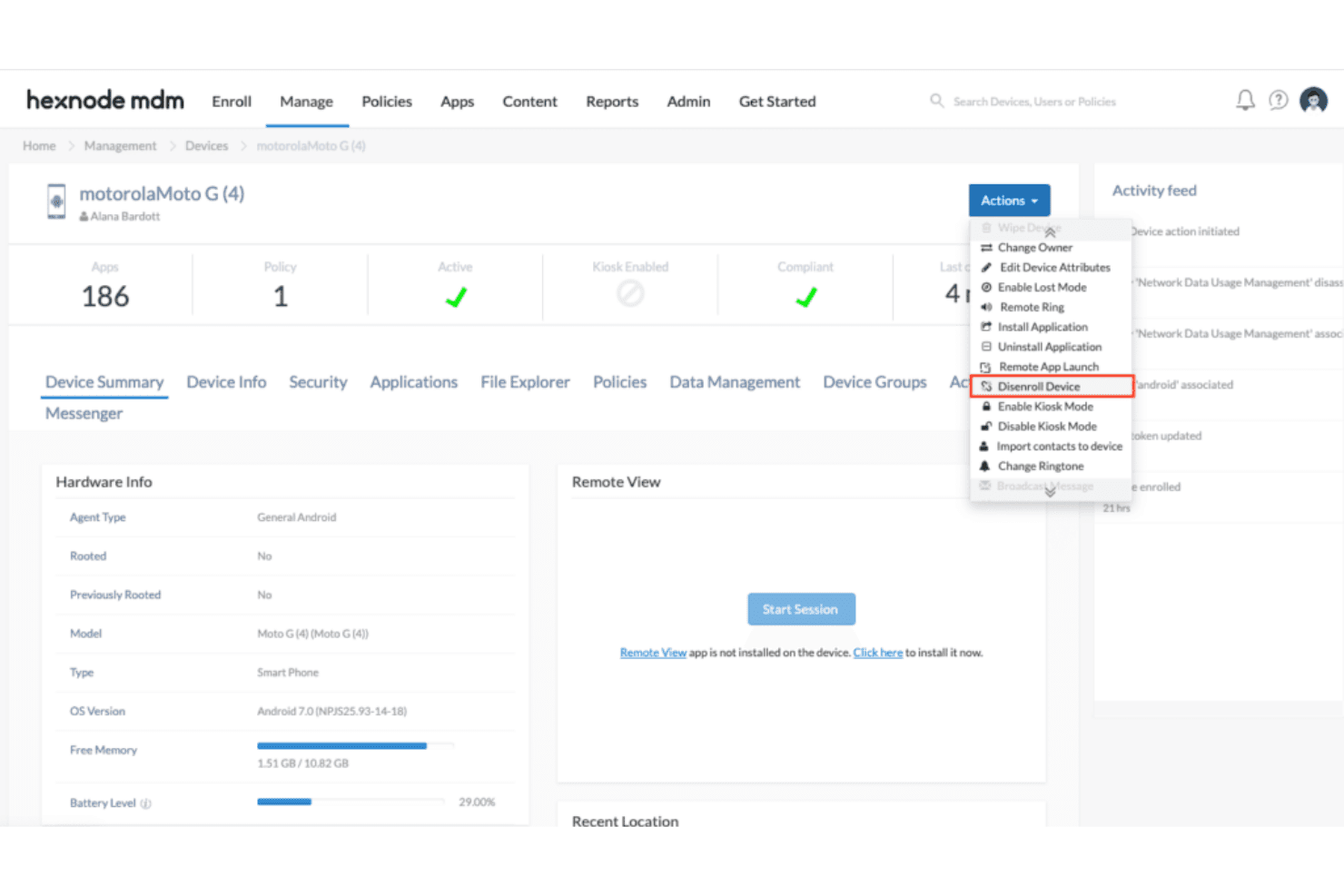
Hexnode UEM manages and secures devices across all platforms. Hexnode UEM is a unified endpoint management platform that centralizes device enrollment, policy enforcement, app distribution, kiosk management, and remote control across iOS, Android, Windows, macOS, ChromeOS, Linux, and more from a single console.
Who Is Hexnode UEM Best For?
Hexnode UEM is a strong fit for IT teams that need to run their own on-premises UEM infrastructure and manage mixed-OS device fleets from a single console.
Why I Picked Hexnode UEM
Hexnode UEM earns its spot on my shortlist because it's one of the few UEM platforms that offers a documented, production-ready on-premises deployment path alongside its cloud option. I find the virtual-appliance setup particularly compelling for organizations that can't route device management traffic through a third-party cloud, with the on-prem guide specifying server configurations that scale up to 40,000 managed devices. The kiosk lockdown capabilities also stand out to me, letting you pin Android, iOS, Windows, and Apple TV devices into single-app or multi-app modes with granular peripheral controls.
Hexnode UEM Key Features
- Compliance remediation automation: Automatically detects non-compliant devices and targets them with policies, apps, or scripts to restore their compliant state.
- Remote session recording: Records live remote troubleshooting sessions for later review, with options to transfer or share sessions between technicians.
- App catalog with self-service install: Lets users browse and install IT-approved apps from a policy-assigned catalog without needing local administrator credentials.
- Patch and update scheduling: Pre-approve OS updates and patches, assign them to specific devices or groups, and schedule installation windows with rollback support.
Hexnode UEM Integrations
Hexnode UEM offers native integrations with Microsoft Entra ID, Google Workspace, Okta, Microsoft Active Directory, Freshservice, Zendesk, ServiceNow, Apple Business Manager, Android Enterprise, and Samsung Knox. It also provides a RESTful JSON API for custom integrations.
Pros and Cons
Pros:
- Kiosk controls suit dedicated-device deployments
- Mixed-OS fleets share one management console
- On-premises appliance supports customer-run deployments
Cons:
- Platform capabilities and remote logs vary
- Compliance updates wait for device sync
Learn more about Hexnode UEM: Best for BYOD privacy and selective wipes
- 30-day free trial
- From $1.28/device/month
Visit WebsiteCustomer Rating:4.2/5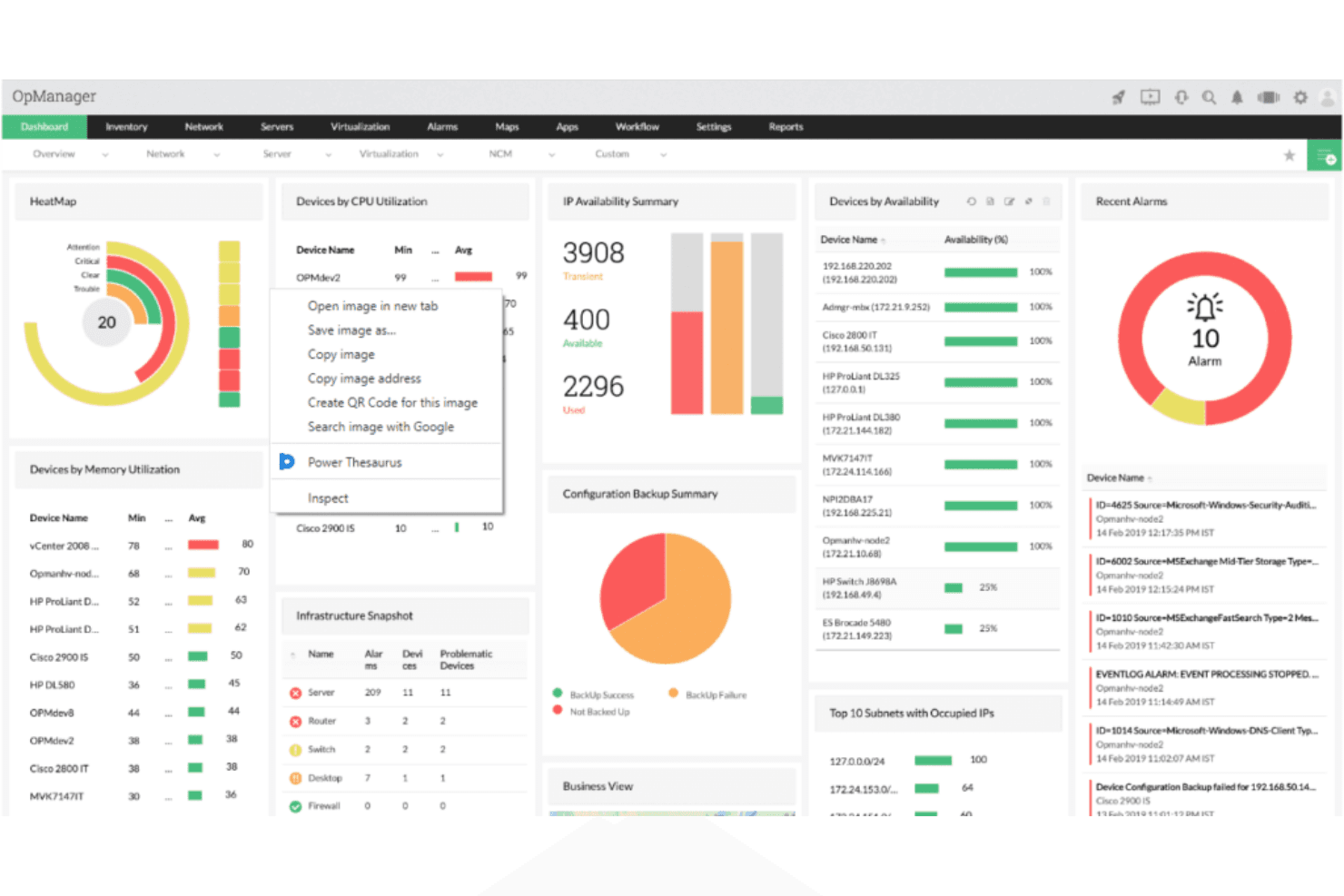
ManageEngine OpManager displays real-time network monitoring dashboards. ManageEngine Mobile Device Manager Plus is an enterprise mobility management platform from Zoho's ManageEngine division that covers device enrollment, policy enforcement, app distribution, remote troubleshooting, and BYOD containerization across Android, iOS, macOS, Windows, and Chrome OS from a single web console.
Who Is ManageEngine Mobile Device Manager Plus Best For?
ManageEngine Mobile Device Manager Plus is a strong fit for IT administrators in mid-to-large organizations that run mixed-device environments and need to enforce strict boundaries between personal and corporate data on employee-owned devices.
Why I Picked ManageEngine Mobile Device Manager Plus
I've included ManageEngine Mobile Device Manager Plus in my top picks because its BYOD privacy controls are genuinely well thought out. On personally owned devices, it doesn't collect call logs, browser history, or app data, and administrators can fine-tune exactly what device information gets gathered, including location. When a device needs wiping, a selective corporate wipe removes only work profiles and MDM-distributed apps, leaving personal data completely untouched.
ManageEngine Mobile Device Manager Plus Key Features
- Kiosk Mode: Lock devices to a single app or a defined set of apps, with customizable home-screen layout, wallpaper, and icons.
- Geofencing: Set geographic boundaries and automatically trigger security commands or compliance alerts when devices cross them.
- Conditional access policies: Control resource access based on device compliance status, certificates, or app-level protection policies across Microsoft Entra, Okta, Exchange, and more.
- Cross-platform app distribution: Deploy store and in-house apps to Android, iOS, macOS, and Windows devices through a centralized app catalog with scheduling and approval controls.
ManageEngine Mobile Device Manager Plus Integrations
ManageEngine Mobile Device Manager Plus offers native integrations with Apple Business Manager, Android Zero-Touch, Knox Enrollment, Windows Autopilot, Microsoft Entra ID, Okta, and Google Workspace. It also integrates with ServiceNow and provides a REST API for custom integrations.
Pros and Cons
Pros:
- Remote app deployment simplifies device support
- Mixed-device enrollment works from one console
- Selective wipes protect personal BYOD data
Cons:
- Menus make advanced settings hard to find
- Dashboard status can lag behind devices
Learn more about ManageEngine Mobile Device Manager Plus: Best for FedRAMP High environments
- Free trial available
- From $3/device/month
Visit WebsiteCustomer Rating:4.3/5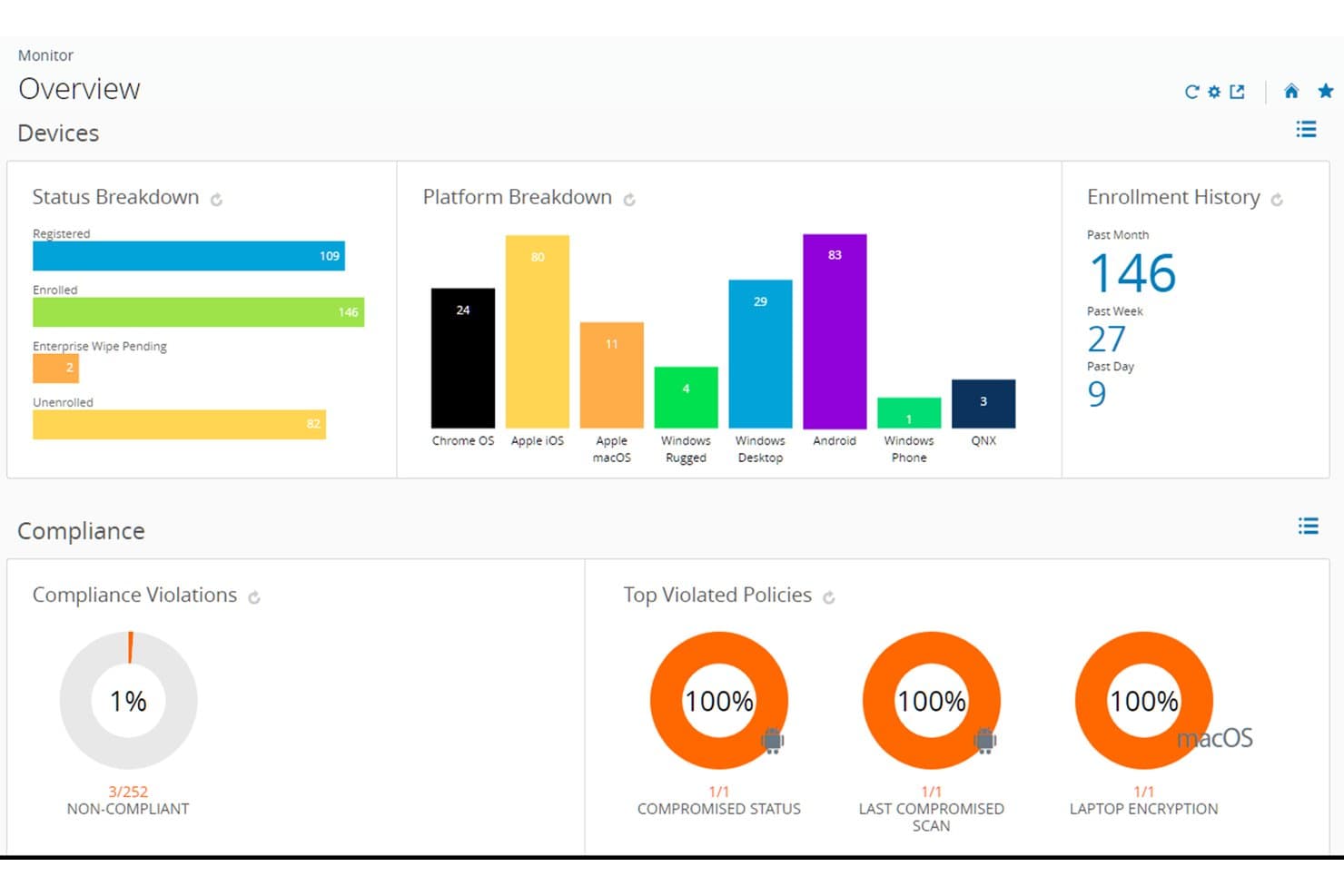
Workspace ONE UEM tracks device status, platform, and compliance in one dashboard. Workspace ONE UEM is an enterprise mobility management platform by Omnissa that manages desktops, mobile, rugged, servers, and specialty devices across iOS, Android, Windows, macOS, Linux, and ChromeOS from a single console.
Who Is Workspace ONE UEM Best For?
Workspace ONE UEM is a strong fit for large enterprises and government agencies that need to manage mixed-OS device fleets under strict compliance requirements, particularly FedRAMP High authorization.
Why I Picked Workspace ONE UEM
I've included Workspace ONE UEM in my top picks because it's the only EMM platform I know of with FedRAMP High authorization covering UEM, access, and intelligence in one suite. That matters enormously if your agency runs classified or sensitive workloads and can't afford compliance gaps across your endpoint stack. I particularly like how its compliance engine pairs with conditional access, so a device that falls out of posture gets automatically blocked from corporate resources without manual intervention.
Workspace ONE UEM Key Features
- Cross-platform enrollment: Enroll iOS, Android, Windows, macOS, Linux, and ChromeOS devices using autodiscovery, web enrollment, single-click links, or administrator-led staging.
- UEM workflow orchestration: Build low-code, drag-and-drop if-this-then-that workflows directly in the UEM console to automate endpoint management tasks.
- Per-app VPN via Workspace ONE Tunnel: Route traffic from approved apps through a per-app VPN to restrict corporate resource access to authorized applications only.
- Self-Service Portal: Give end users a browser-based portal to perform device actions like lock, sync, passcode reset, and enterprise wipe without IT intervention.
Workspace ONE UEM Integrations
Workspace ONE UEM has native integrations with ServiceNow and Slack, plus integrations with Okta, Active Directory, CrowdStrike, Lookout, Zscaler, Samsung Knox, and Zebra. Its REST API and OpenAPI documentation support custom integrations.
Pros and Cons
Pros:
- Reviewers praise remote app and profile delivery
- One console covers mobile, desktop, rugged, servers
- FedRAMP High authorization spans UEM, access, intelligence
Cons:
- App deployments can stall in pending queues
- Reviewers report confusing navigation and console complexity
Learn more about Workspace ONE UEM: Best for AI-guided endpoint risk insights
- 30-day free trial
- From $4/user/month
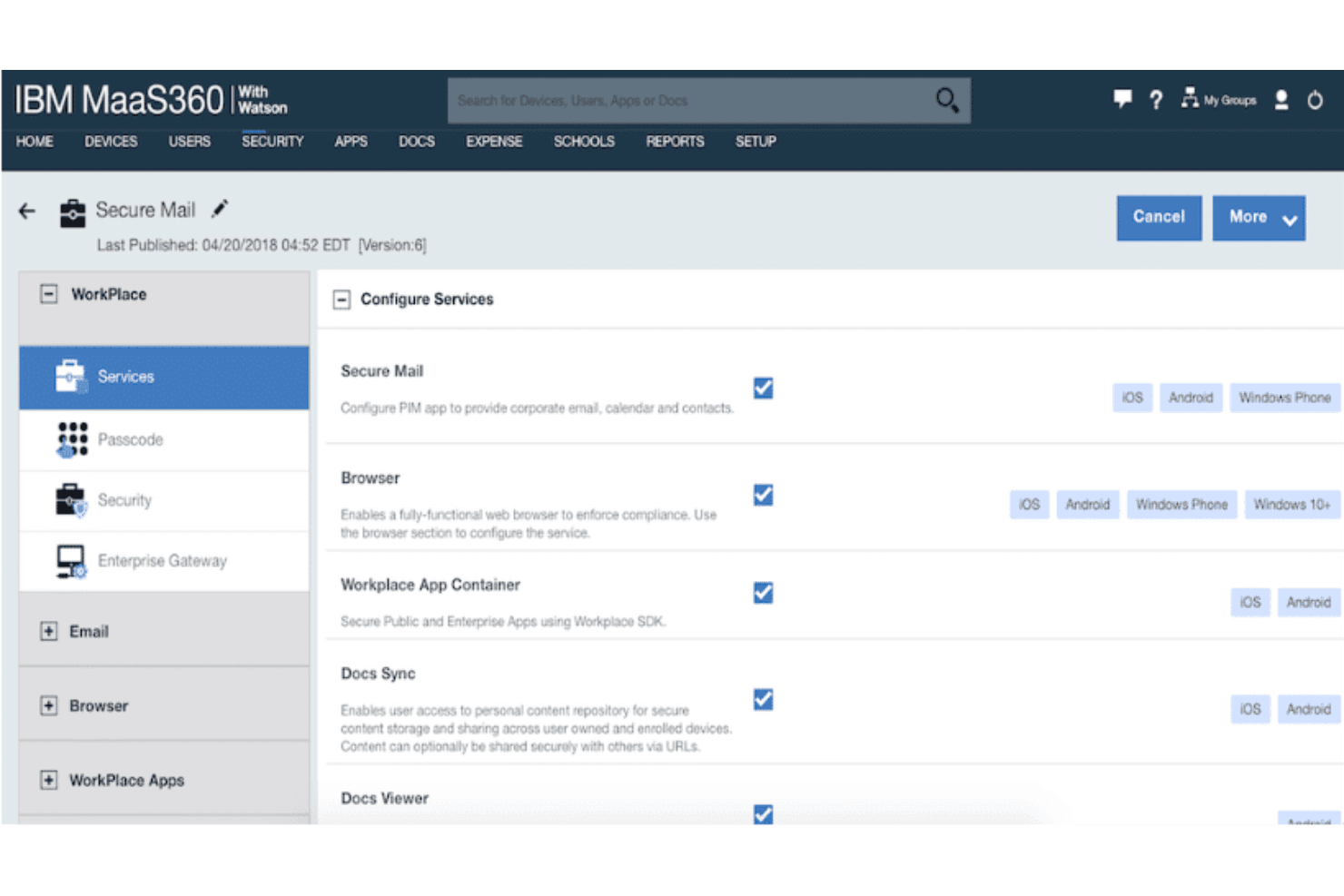
IBM MaaS360 lets users configure workplace services per platform. IBM Security MaaS360 is a unified endpoint management platform from IBM that covers mobile devices, laptops, and rugged or IoT endpoints across iOS, Android, Windows, macOS, and Chrome OS from a single console, with built-in AI analytics, compliance enforcement, and containerization for BYOD environments.
Who Is IBM Security MaaS360 Best For?
IBM Security MaaS360 is a strong fit for enterprise IT and security teams managing mixed-OS device fleets who need AI-driven risk visibility alongside unified endpoint management.
Why I Picked IBM Security MaaS360
IBM Security MaaS360 earns its spot on my list because of how well its built-in AI analytics surface endpoint risk before it becomes a real incident. The MaaS360 Advisor scans your environment and flags vulnerabilities, compliance gaps, and policy improvement opportunities without requiring manual digging. I also like that the Policy Recommendation Engine actively suggests adjustments based on what it detects across your fleet, so your posture improves continuously rather than only when you remember to check.
IBM Security MaaS360 Key Features
- Cross-platform enrollment: The onboarding wizard guides administrators through iOS, Android, Windows, and macOS setup using methods including Apple ADE, Android Zero Touch, Samsung Knox, and QR enrollment.
- WorkPlace app containerization: WorkPlace Persona settings create a sandboxed container on iOS and Android devices that secures enterprise apps and configures MaaS360 Mail, Browser, and Docs services.
- Compliance rule sets with escalating enforcement: Administrators assign ordered enforcement actions—alerts, selective wipe, policy changes, or full wipe—that trigger automatically as devices remain non-compliant over time.
- Exportable device action history: The Actions and Events log captures every remote action with device ID, administrator, IP address, and outcome, and exports to CSV for audit and reporting purposes.
IBM Security MaaS360 Integrations
IBM Security MaaS360 integrates with Microsoft Entra ID, Microsoft Intune, IBM Verify, Zimperium, TeamViewer, IBM QRadar, Zscaler, and Microsoft 365. It also provides RESTful web services for custom integrations.
Pros and Cons
Pros:
- Selective wipe preserves personal data on iOS and Android
- Mixed-OS fleets share one management console
- Risk insights flag compliance gaps early
Cons:
- Portal delays can slow remote actions
- Initial enrollment can be technical and time-consuming
Learn more about IBM Security MaaS360: Best for privacy-conscious Apple BYOD
- 14-day free trial + free demo available
- From $4/device/month
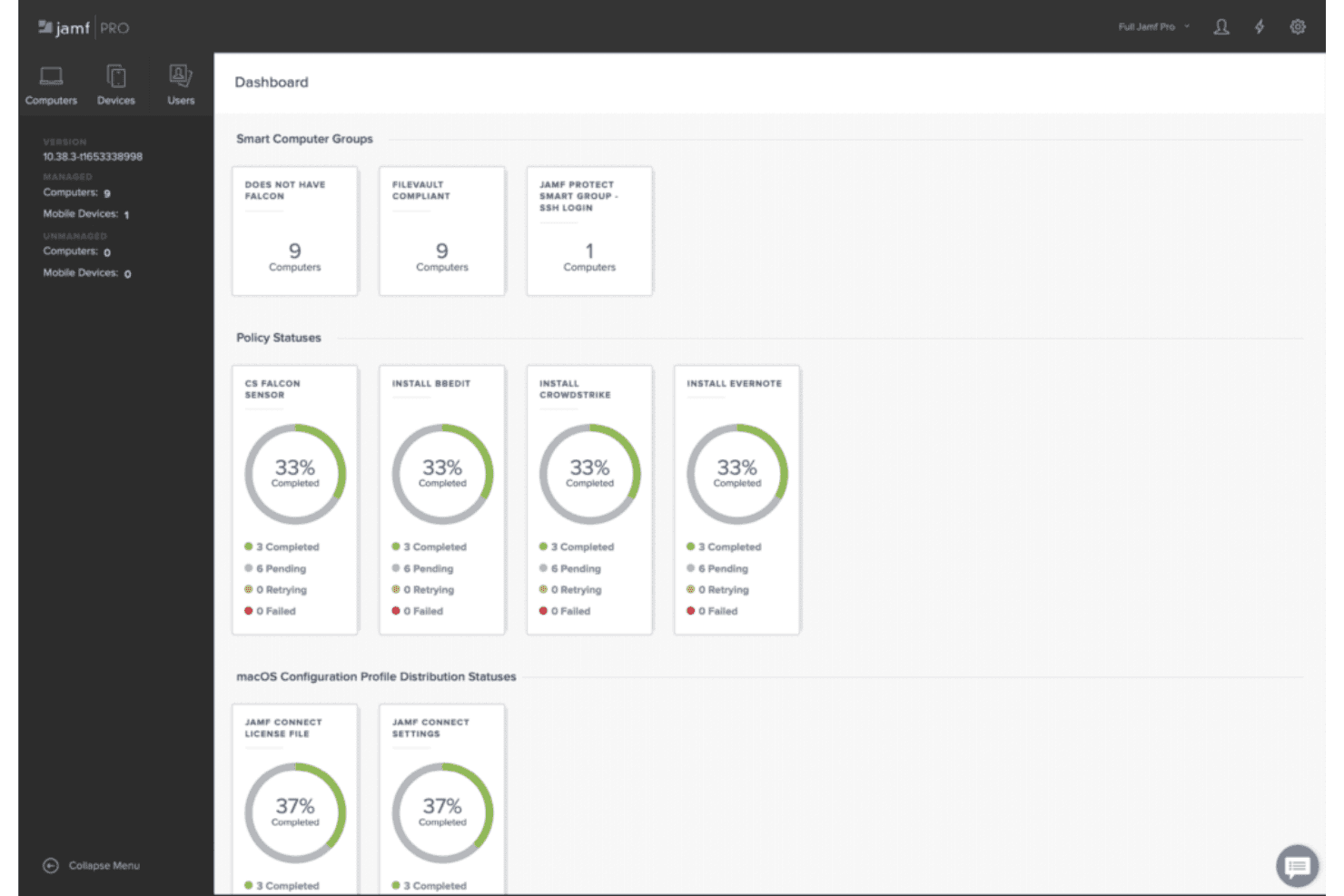
Jamf Pro gives admins a real-time view of device policies and profiles. Jamf Pro is an Apple-exclusive mobile device management platform that handles device enrollment, policy enforcement, app distribution, compliance benchmarking, and BYOD data separation across iPhone, iPad, Mac, and Apple Vision Pro.
Who Is Jamf Pro Best For?
Jamf Pro is a strong fit for IT teams managing all-Apple fleets who need reliable BYOD data separation between personal and work environments.
Why I Picked Jamf Pro
I picked Jamf Pro as one of the best because it's the only tool on my shortlist built exclusively around Apple's own privacy architecture for BYOD. With account-driven User Enrollment, the MDM server can't see personal apps or unique device identifiers, and IT can wipe institutional data without touching a user's photos or personal documents. Compliance Benchmarks add another layer, letting you enforce macOS security rules in monitor or enforce mode with per-rule pass/fail reporting you can export for audits.
Jamf Pro Key Features
- Smart Groups and Extension Attributes: Dynamically group devices based on custom criteria and collected attributes to target policies and configurations precisely.
- Apple Configurator enrollment: Enroll corporate-owned Apple devices in bulk using Apple Configurator without requiring manual setup on each device.
- Self Service app catalog: Give users a curated portal to request and install approved apps without requiring IT intervention for each installation.
- Single App Mode: Lock supervised iPhone, iPad, or Apple TV devices to a single approved app via a configuration profile deployed from the Jamf Pro console.
Jamf Pro Integrations
Jamf Pro connects with Apple Business Manager, Google Workspace, Microsoft, Okta, AWS, and ServiceNow, with hundreds of integrations and configurations across its ecosystem. Its REST API and webhooks support custom integrations and automation.
Pros and Cons
Pros:
- Dynamic groups support precise policy targeting
- Compliance reports expose rule-level results
- Apple BYOD separates work from personal data
Cons:
- Mobile inventory refreshes daily, not live
- No unified Android and Windows management
Learn more about Jamf Pro: Best for regional data sovereignty options
- Free demo available
- Pricing upon request
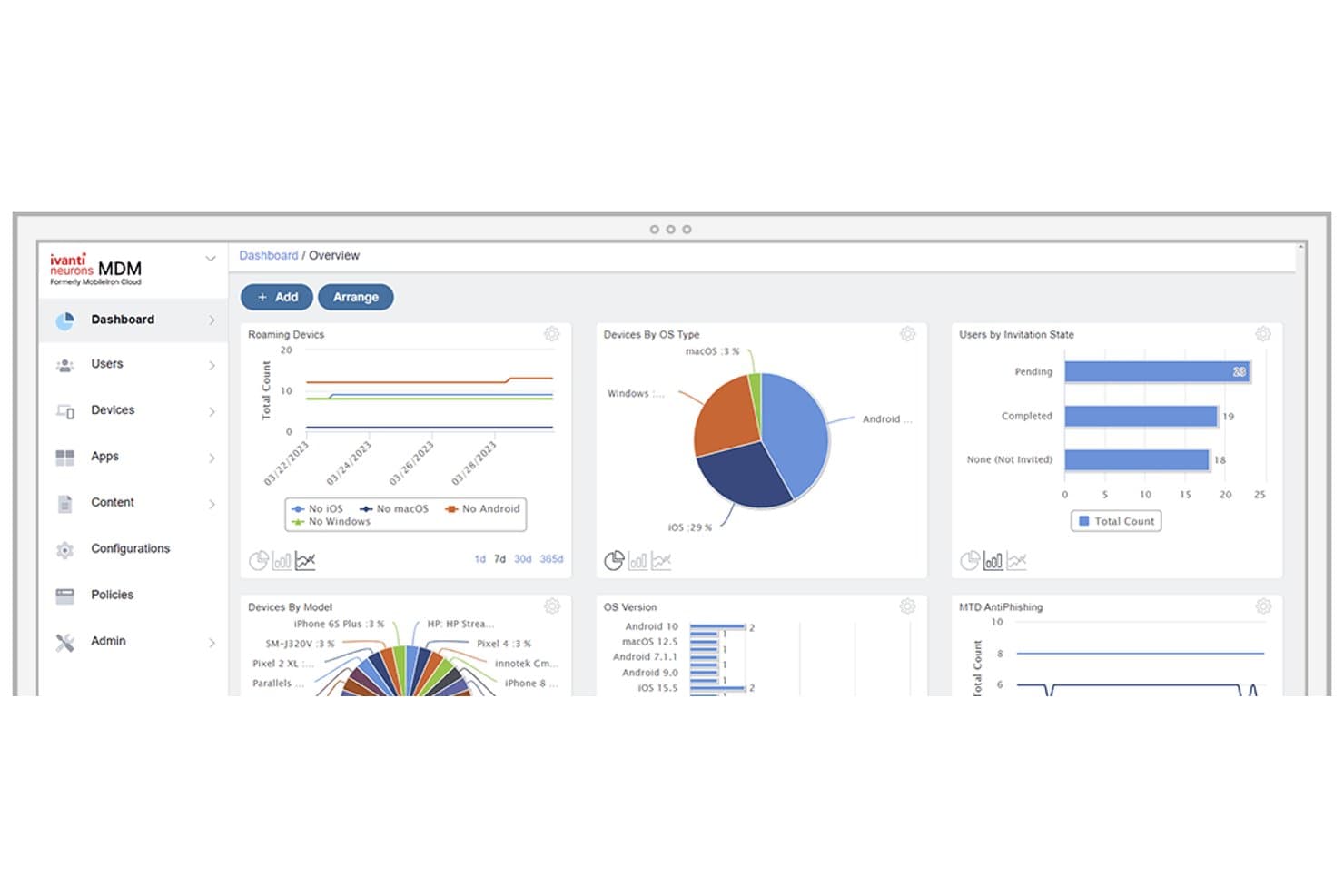
Ivanti Neurons for MDM centralizes device and OS analytics in one dashboard. Ivanti Neurons for MDM is a cloud-based mobile device management platform that covers iOS, Android, macOS, Windows, and ChromeOS endpoints from a single console, with zero-trust access controls, automated enrollment, and built-in Mobile Threat Defense.
Who Is Ivanti Neurons for MDM Best For?
Ivanti Neurons for MDM is a strong fit for organizations that need to meet regional data residency requirements, including those operating in the EU or under government compliance mandates.
Why I Picked Ivanti Neurons for MDM
I picked Ivanti Neurons for MDM because its data residency options are genuinely hard to find at this level of specificity. It offers cloud data centers across multiple regions and a dedicated Sovereign Edition built for EU entities that need independent local sovereignty, not just a checkbox compliance claim. I also like that this pairs directly with FedRAMP certification and GDPR compliance, so organizations under strict regulatory mandates can point to real documentation rather than vendor promises.
Ivanti Neurons for MDM Key Features
- Zero-trust access controls: Verifies users, devices, apps, and network conditions before granting access to enterprise systems or cloud services.
- Mobile Threat Defense: Uses a client app and dedicated MTD console to periodically scan devices for threats and trigger policy-driven response actions.
- Android shared-device kiosk: Filters visible apps by user role and clears session data between users for task-worker deployments.
- User self-service portal: Lets end users lock, unlock, or retire their own devices and reset secure-app passcodes without IT involvement.
Ivanti Neurons for MDM Integrations
Ivanti Neurons for MDM offers marketplace integrations with Netskope and Tenable, plus a REST API for custom integrations. Its Microsoft Entra ID and Microsoft 365 connectivity requires Ivanti Access and Partner Compliance.
Pros and Cons
Pros:
- Users praise its macOS management
- Broad OS coverage from one console
- Regional data residency includes EU Sovereign Edition
Cons:
- BYOD enrollment restricts wipes and app inventory
- Leaving MobileIron can require user-assisted migration
Learn more about Ivanti Neurons for MDM: Best for Galaxy enrollment and OS updates
- 90-day free trial available
- Pricing upon request
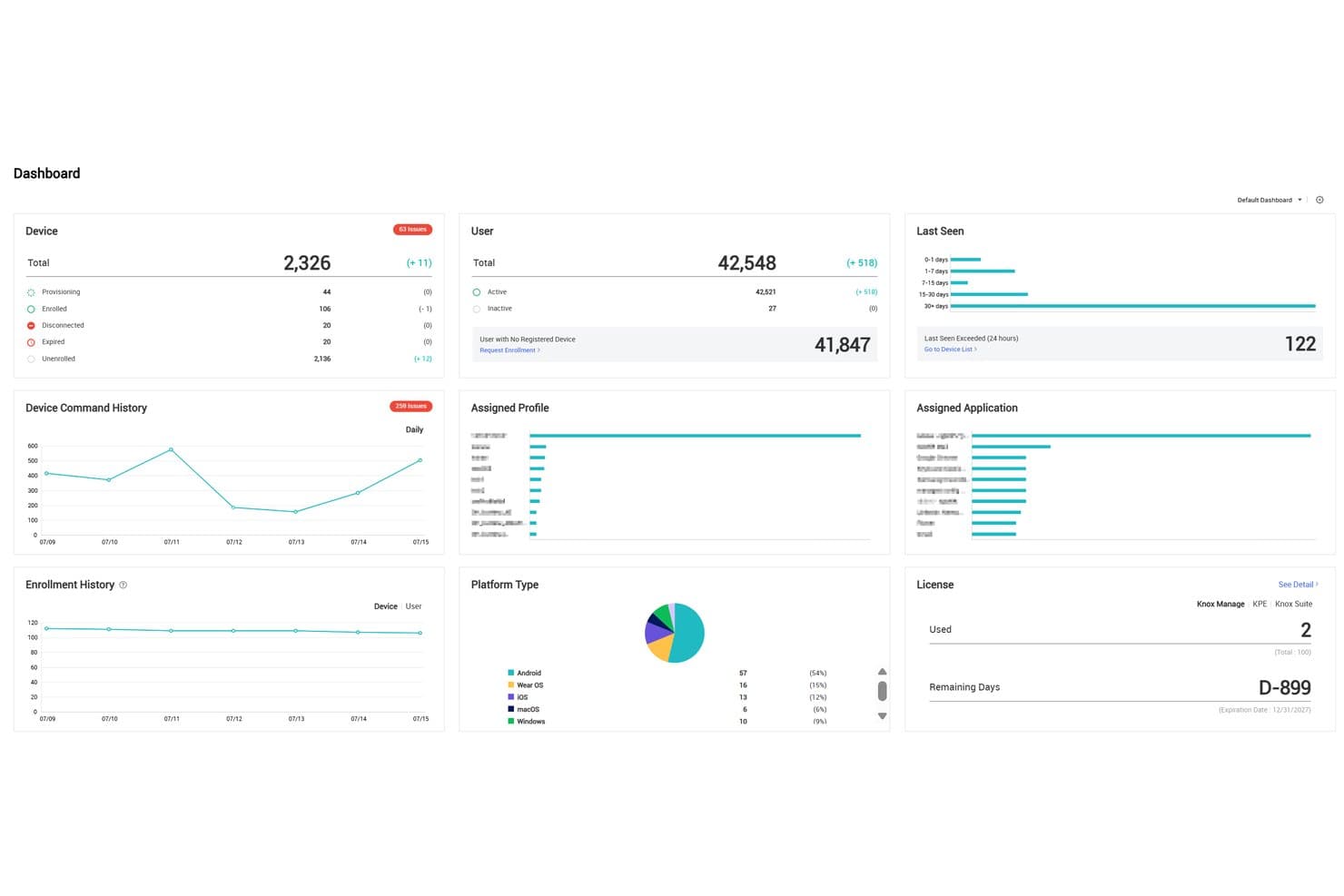
Samsung Knox Manage tracks devices, users, and licenses from one dashboard. Samsung Knox Manage is a cross-platform enterprise mobility management solution from Samsung that covers device enrollment, policy enforcement, remote management, app distribution, and OS update control across Android, iOS, Windows, macOS, Chrome OS, and more.
Who Is Samsung Knox Manage Best For?
Samsung Knox Manage is a strong fit for IT teams managing Android and Galaxy-heavy device fleets who need centralized enrollment, OS update control, and remote management from a single console.
Why I Picked Samsung Knox Manage
Samsung Knox Manage earns its spot on my shortlist because of how deeply it integrates with the Android and Galaxy ecosystem, particularly around enrollment and OS update control. I love that Knox Mobile Enrollment lets me bulk-enroll Galaxy devices with zero manual configuration, and Knox E-FOTA gives me granular control over OS version selection, phased rollouts, and update scheduling. If your fleet is Android-heavy, that combination covers two of the most time-consuming IT tasks from a single console.
Samsung Knox Manage Key Features
- Android work profile enrollment: Supports fully managed, company-owned work profile, and personally owned work profile enrollment modes for Android Enterprise devices.
- Kiosk mode wizard: Lets administrators configure single-app, multi-app, or web-mode kiosks using a drag-and-drop wizard interface.
- Event-based policy enforcement: Applies device policies automatically based on conditions like time, location, network status, roaming, or SIM changes.
- Knox Remote Support: Lets IT administrators remotely view and control a device screen to troubleshoot enrolled devices without physical access.
Samsung Knox Manage Integrations
Samsung Knox Manage offers native integrations with Knox Mobile Enrollment, Knox E-FOTA, Knox Service Plugin, Microsoft Entra ID, Okta, Ping Identity, Google Workspace, and Check Point Harmony Mobile. It also supports REST API custom integrations.
Pros and Cons
Pros:
- Remote screen control aids device troubleshooting
- Phased OS updates give admins version control
- Zero-touch enrollment suits Samsung-heavy fleets
Cons:
- Android policies vary by model and enrollment
- Apple app deployment can be less consistent
Learn more about Samsung Knox Manage:
Alte software-uri de gestionare a mobilității întreprinderii
Iată câteva opțiuni suplimentare de software de gestionare a mobilității întreprinderii care nu au ajuns pe lista mea scurtă, dar merită totuși analizate:
- 12MiradoreBest for privacy-conscious Android BYOD
- 13JumpCloudBest for MSP client rollouts
- 14ScalefusionBest for fleets with Linux, tvOS and ChromeOS
- 15NinjaOneBest for desktop and server patch automation
- 16AddigyBest for MSPs managing Apple clients
- 17SureMDMBest for remote control of offline PCs
- 18MobileIronBest for EU data sovereignty needs
- 19KyndrylBest for outsourced device lifecycle operations
- 20AirDroid Business MDMBest for managing non-GMS Android devices
- 21BlackBerry UEMBest for air-gapped government deployments
- 22Moki Total ControlBest for managing kiosks and digital signage
- 23FileWave Unified Endpoint Management SoftwareBest for recoverable software rollouts
- 24Appaloosa.ioBest for France-hosted app and device data
- 25Citrix Endpoint ManagementBest for mobility with Citrix-hosted apps
- 26Meraki Enterprise Mobility ManagementBest for tying device compliance to Cisco access
- 27WeGuardBest for coordinating frontline workers
How I Evaluate Enterprise Mobility Management Software
I split my evaluation into three parts, weighting core functionality most: enroll iOS, Android, Windows, and macOS devices, enforce policies, and flag noncompliance. Next, I consider standout features such as kiosk mode. Finally, I weigh onboarding, support, and pricing fit.
Core Functionality (Table Stakes For This List)
When I'm selecting tools for my list, I score each one on a scale from 0 (does not offer the functionality) to 5 (excels in this area) for each core functionality listed below. I then convert the total into a percentage to help assess each tool's overall fit, with extra weight on any functionalities I’ve deemed essential.
- Cross-Platform Enrollment (Essential): I look for unified enrollment across iOS, Android, Windows, and macOS, including bulk or self-service setup for distributed teams.
- Policy & Compliance (Essential): I assess whether admins can apply security settings, flag noncompliant devices, and trigger actions such as access restrictions across platforms.
- Remote Management: I check for remote configuration, updates, lock, and wipe, plus troubleshooting workflows when a field device can't reach IT.
- App Distribution: I evaluate centralized deployment, updates, restrictions, and removal, such as pushing approved apps to shared or employee-owned devices.
- Data Separation: For BYOD, I look for controls that isolate work apps and data and support selective removal without erasing personal content.
- Inventory & Monitoring: I consider whether a central view reports device status, configuration, and location when available, helping support teams triage missing or at-risk endpoints.
Once I have a list of tools that meet the criteria, I consider what sets each platform apart.
Differentiating Factors (What Sets Vendors Apart)
Here's how I compare and contrast different vendors:
Standout Features
I look for kiosk and dedicated-device modes that lock a device to one or a few apps—think a warehouse scanner running only an inventory app or a hospital check-in tablet. Integrated mobile threat defense matters too, since catching phishing or malware at the device level before it reaches your network beats bolting on a separate security tool. I also evaluate each vendor's self-service portal, checking whether employees can enroll devices and reset passcodes on their own to reduce help desk volume.
Beyond Features
I check how well each platform fits regulated industries—healthcare teams need HIPAA-ready templates, while multinational deployments often require specific data residency controls. Ecosystem integration matters just as much: native connections to identity providers like Okta or Azure AD and ITSM platforms like ServiceNow cut down on manual policy gaps. I also evaluate licensing models, since per-device pricing penalizes BYOD-heavy orgs while per-user tiers scale better for distributed teams carrying multiple endpoints.
Cum să alegi software-ul de gestionare a mobilității întreprinderii
Este ușor să te pierzi în liste lungi de funcții și structuri complexe de prețuri. Pentru a te ajuta să rămâi concentrat în timp ce parcurgi procesul unic de selecție a software-ului, iată o listă de verificare a factorilor de care trebuie să ții cont:
| Factor | Ce trebuie luat în considerare |
| Scalabilitate | Poate software-ul să se dezvolte odată cu afacerea ta? Verifică dacă acceptă un număr tot mai mare de dispozitive și utilizatori fără să își piardă eficiența sau să devină costisitor. |
| Integrări | Funcționează cu sistemele tale existente? Caută compatibilitate cu instrumentele pe care le folosești deja, precum CRM, sistemele de resurse umane și serviciile cloud, pentru a evita problemele de integrare. |
| Posibilitate de personalizare | Îl poți adapta nevoilor tale? Verifică dacă software-ul permite personalizarea tablourilor de bord, a rapoartelor și a fluxurilor de lucru pentru a corespunde proceselor afacerii tale. |
| Ușurință în utilizare | Este ușor de folosit pentru echipa ta? Evaluează interfața și navigarea. O curbă de învățare abruptă poate împiedica adoptarea și productivitatea. |
| Implementare și integrare inițială | Cât de repede poți începe? Evaluează timpul și resursele necesare pentru implementarea software-ului și instruirea echipei. Caută resurse de asistență disponibile. |
| Cost | Se încadrează în bugetul tău? Compară structurile de prețuri, inclusiv costurile ascunse, și asigură-te că valoarea justifică cheltuiala. Ia în considerare perioadele de testare sau demonstrațiile înainte de achiziție. |
| Măsuri de protecție a securității | Sunt protejate datele și dispozitivele? Asigură-te că software-ul oferă criptare solidă, autentificare și conformitate cu standardele de securitate pentru a-ți păstra datele în siguranță. |
Ce este software-ul de gestionare a mobilității întreprinderii?
Software-ul de gestionare a mobilității întreprinderii este o soluție care ajută organizațiile să gestioneze și să securizeze dispozitivele mobile utilizate de angajați. Profesioniștii IT și managerii folosesc de obicei aceste instrumente pentru a asigura securitatea datelor și conformitatea dispozitivelor.
Gestionarea dispozitivelor, controlul aplicațiilor, aplicarea politicilor de securitate și software-ul de geofencing contribuie la menținerea unui mediu mobil sigur și eficient. În general, aceste instrumente oferă companiilor posibilitatea de a gestiona eficient tehnologia mobilă, menținând în același timp securitatea și productivitatea.
Funcțiile software-ului de gestionare a mobilității întreprinderii
Atunci când alegi un software de gestionare a mobilității întreprinderii, acordă atenție următoarelor funcții principale:
- Controlul aplicațiilor: Permite administratorilor să gestioneze și să restricționeze utilizarea aplicațiilor pe dispozitive, menținând securitatea și productivitatea.
- Aplicarea politicilor de securitate: Ajută la aplicarea protocoalelor de securitate și a cerințelor de conformitate pe toate dispozitivele mobile din organizație.
- Depanare de la distanță: Facilitează diagnosticarea și remedierea de la distanță a problemelor dispozitivelor, reducând timpul de nefuncționare și costurile de asistență.
- Raportarea conformității: Oferă rapoarte detaliate privind conformitatea dispozitivelor cu standardele și politicile de securitate.
- Capacități de delimitare geografică: Stabilește restricții bazate pe locație privind utilizarea dispozitivelor, sporind securitatea și controlul.
- Monitorizare în timp real: Oferă informații despre performanța și utilizarea dispozitivelor, permițând gestionarea proactivă.
- Gestionarea dispozitivelor: Platformele de gestionare a dispozitivelor IoT permit echipelor IT să înregistreze, să configureze și să gestioneze dispozitivele de la distanță, asigurând respectarea standardelor organizaționale.
- Tablouri de bord personalizabile: Permit utilizatorilor să adapteze interfața la propriile nevoi, îmbunătățind ușurința în utilizare și eficiența.
- Alerte automatizate: Notifică administratorii cu privire la încălcările politicilor sau amenințările de securitate, permițând răspunsuri rapide.
- Asistență pentru integrare: Asigură compatibilitatea cu sistemele existente, precum CRM și serviciile cloud, pentru operațiuni fără probleme.
Beneficiile software-ului de gestionare a mobilității în întreprindere
Implementarea software-ului de gestionare a mobilității în întreprindere oferă mai multe beneficii pentru echipa și afacerea dumneavoastră. Iată câteva dintre acestea:
- Securitate sporită: Protejează datele sensibile prin aplicarea politicilor de securitate și gestionarea utilizării aplicațiilor pe dispozitive.
- Eficiență crescută: Permite depanarea de la distanță și monitorizarea în timp real, reducând timpul de nefuncționare și costurile de asistență.
- Asigurarea conformității: Oferă instrumente de raportare pentru a asigura respectarea reglementărilor din industrie și a politicilor companiei de către dispozitive.
- Productivitate îmbunătățită: Permite gestionarea dispozitivelor și a aplicațiilor, astfel încât angajații să poată lucra eficient, fără întreruperi.
- Economii de costuri: Reduce necesitatea intervențiilor IT fizice prin capacitățile de gestionare de la distanță.
- Flexibilitate: Acceptă diverse dispozitive și sisteme de operare, adaptându-se la mediul tehnologic divers al echipei dumneavoastră.
- Personalizarea de către utilizator: Oferă tablouri de bord și interfețe personalizabile, îmbunătățind experiența utilizatorului și eficiența operațională.
Costurile și prețurile software-ului de gestionare a mobilității în întreprindere
Selectarea software-ului de gestionare a mobilității în întreprindere necesită înțelegerea diferitelor modele de prețuri și planuri disponibile. Costurile variază în funcție de funcții, dimensiunea echipei, suplimente și alți factori. Tabelul de mai jos rezumă planurile comune, prețurile medii ale acestora și funcțiile incluse de obicei în soluțiile software de gestionare a mobilității în întreprindere:
Tabel comparativ al planurilor pentru software-ul de gestionare a mobilității în întreprindere
| Tipul planului | Preț mediu | Funcții comune |
| Plan gratuit | $0 | Gestionarea de bază a dispozitivelor, asistență limitată și control simplu al aplicațiilor. |
| Plan personal | $5-$25/utilizator/lună | Funcții de securitate îmbunătățite, depanare de la distanță și raportarea conformității. |
| Plan pentru companii | $25-$50/utilizator/lună | Analize avansate, tablouri de bord personalizabile și capacități de delimitare geografică. |
| Plan pentru întreprinderi | $50-$100/utilizator/lună | Asistență completă pentru integrare, gestionarea dedicată a contului și automatizare avansată. |
Software pentru gestionarea mobilității în întreprinderi: întrebări frecvente
Iată câteva răspunsuri la întrebările frecvente despre software-ul pentru gestionarea mobilității în întreprinderi:
Care sunt cele trei domenii principale ale gestionării mobilității în întreprinderi?
Gestionarea mobilității în întreprinderi acoperă trei domenii principale: gestionarea dispozitivelor mobile (MDM), gestionarea aplicațiilor mobile (MAM) și gestionarea conținutului mobil (MCM). MDM se concentrează pe furnizarea și securitatea dispozitivelor, MAM se ocupă de implementarea și gestionarea aplicațiilor, iar MCM gestionează accesul la conținut și partajarea acestuia.
Care este diferența dintre gestionarea mobilității în întreprinderi și MDM?
Software-ul MDM gestionează în principal dispozitive mobile precum smartphone-urile și tabletele, concentrându-se pe setările și securitatea dispozitivelor. EMM depășește sfera dispozitivelor și include gestionarea aplicațiilor, a conținutului și a identității, oferind o abordare mai cuprinzătoare a gestionării tehnologiei mobile în companii.
Cum funcționează gestionarea mobilității în întreprinderi?
Gestionarea mobilității în întreprinderi îmbunătățește securitatea datelor prin impunerea unor protocoale precum criptarea și autentificarea pe toate dispozitivele. Aceasta asigură protecția datelor în timpul transmiterii sau stocării și utilizează politici de control al accesului pentru a monitoriza cine poate accesa datele, protejând astfel informațiile sensibile.
Care sunt riscurile mobilității în întreprinderi?
Mobilitatea în întreprinderi implică riscuri precum atacurile de tip phishing pe dispozitive mobile, aplicațiile care fură date și rețelele Wi-Fi publice nesecurizate. Dispozitivele pierdute sau furate care conțin date sensibile reprezintă, de asemenea, amenințări semnificative, ceea ce face esențială implementarea unor măsuri de securitate solide.
Cum poate gestionarea mobilității în întreprinderi să îmbunătățească productivitatea?
Prin gestionarea centralizată a dispozitivelor, aplicațiilor și datelor, EMM reduce perioadele de nefuncționare și eficientizează procesele. Aceasta le permite angajaților să acceseze în siguranță instrumentele și informațiile necesare de oriunde, sporindu-le capacitatea de a lucra eficient și de a colabora eficace.
Ce ar trebui să luați în considerare atunci când alegeți o soluție EMM?
Luați în considerare scalabilitatea, capacitățile de integrare și funcțiile de securitate. Asigurați-vă că soluția este potrivită pentru dimensiunea organizației și mediul său tehnic. Evaluați cât de bine răspunde cerințelor de conformitate și dacă oferă flexibilitatea necesară pentru a se adapta viitoarelor schimbări tehnologice.