

Workspace ONE UEM Review 2026: Pros, Cons, Features & Pricing
I look past Workspace ONE UEM’s broad endpoint-management pitch to weigh its strengths, trade-offs, and pricing—and help you decide whether it fits your organization.

We review tools independently, and commissions help fund our testing. See our transparency policy, our methodology, or suggest a tool.
Workspace ONE UEM is cloud-native MDM softwarebecause it explicitly supports for managing desktop, mobile, rugged, server, and specialty devices from one console. If your team needs to manage a mixed fleet that includes shared or specialized devices, I’d choose it over Microsoft Intune because it supports those device types in a single UEM platform.
Workspace ONE UEM Evaluation Summary
4.3/5
- From $3/device/month
- Free trial available
Why Trust Our Software Recommendations
6,700+
Reviews
20
Industry experts
16+
Evaluation factors
14
Years
Our team has been testing and reviewing software since 2012. As tech leaders ourselves, we know how difficult—and important—it is to choose the right software.
For this guide, we evaluated tools using hands-on testing and independent research, scoring tools using our selection criteria.
Our reviews reflect our human editorial judgment, not a sales pitch.
Expert reviewers:
- Paulo Gardini MiguelTech Director
 Tim FisherVP of AI
 Gabriel RosasTech Lead & Software Architect
 Christhian GruhnTech Lead & Platform Architect

Workspace ONE UEM Overview
I’d choose Workspace ONE UEM when your team needs to manage Windows, macOS, iOS, Android, Linux, ChromeOS, rugged, and shared devices. Its remote enrollment, policy automation, patch controls, self-service app catalog, and integrations with ServiceNow and CrowdStrike support diverse device environments. The unified console suits mixed fleets, though its breadth can make administration feel complex. I’d favor it for enterprises needing desktop, mobile, and specialized-device controls rather than basic mobile management.
Pros
- Broad OS coverage includes desktop, mobile, rugged, and specialty devices.
- Remote enrollment and automated provisioning support mixed-fleet rollouts.
- App lifecycle tools cover deployment, self-service catalogs, and policy controls.
Cons
- Reviewers report unintuitive device onboarding and portal navigation.
- Reviews cite delayed Intelligence reports and peak-hour console lag.
- Reviewers flag costly licensing and add-ons against lighter MDM tools.


Our Review Methodology
How We Test & Score Tools
We’ve spent years building, refining, and improving our software testing and scoring system. The rubric is designed to capture the nuances of software selection and what makes a tool effective, focusing on critical aspects of the decision-making process.
Below, you can see exactly how our testing and scoring works across seven criteria. It allows us to provide an unbiased evaluation of the software based on core functionality, standout features, ease of use, onboarding, customer support, integrations, customer reviews, and value for money.
Core Functionality (25% of final scoring)
The starting point of our evaluation is always the core functionality of the tool. Does it have the basic features and functions that a user would expect to see? Are any of those core features locked to higher-tiered pricing plans? At its core, we expect a tool to stand up against the baseline capabilities of its competitors.
Standout Features (25% of final scoring)
Next, we evaluate uncommon standout features that go above and beyond the core functionality typically found in tools of its kind. A high score reflects specialized or unique features that make the product faster, more efficient, or offer additional value to the user.
We also evaluate how easy it is to integrate with other tools typically found in the tech stack to expand the functionality and utility of the software. Tools offering plentiful native integrations, 3rd party connections, and API access to build custom integrations score best.
Ease of Use (10% of final scoring)
We consider how quick and easy it is to execute the tasks defined in the core functionality using the tool. High scoring software is well designed, intuitive to use, offers mobile apps, provides templates, and makes relatively complex tasks seem simple.
Onboarding (10% of final scoring)
We know how important rapid team adoption is for a new platform, so we evaluate how easy it is to learn and use a tool with minimal training. We evaluate how quickly a team member can get set up and start using the tool with no experience. High scoring solutions indicate little or no support is required.
Customer Support (10% of final scoring)
We review how quick and easy it is to get unstuck and find help by phone, live chat, or knowledge base. Tools and companies that provide real-time support score best, while chatbots score worst.
Customer Reviews (10% of final scoring)
Beyond our own testing and evaluation, we consider the net promoter score from current and past customers. We review their likelihood, given the option, to choose the tool again for the core functionality. A high scoring software reflects a high net promoter score from current or past customers.
Value for Money (10% of final scoring)
Lastly, in consideration of all the other criteria, we review the average price of entry level plans against the core features and consider the value of the other evaluation criteria. Software that delivers more, for less, will score higher.
Core Features
Device Enrollment And Provisioning
Workspace ONE UEM enrolls devices through options such as Intelligent Hub, QR codes, bulk enrollment, and automated enrollment programs. You can provision corporate, BYOD, shared, and rugged devices across supported platforms, helping your team apply management from initial setup.
Device Configuration Profiles
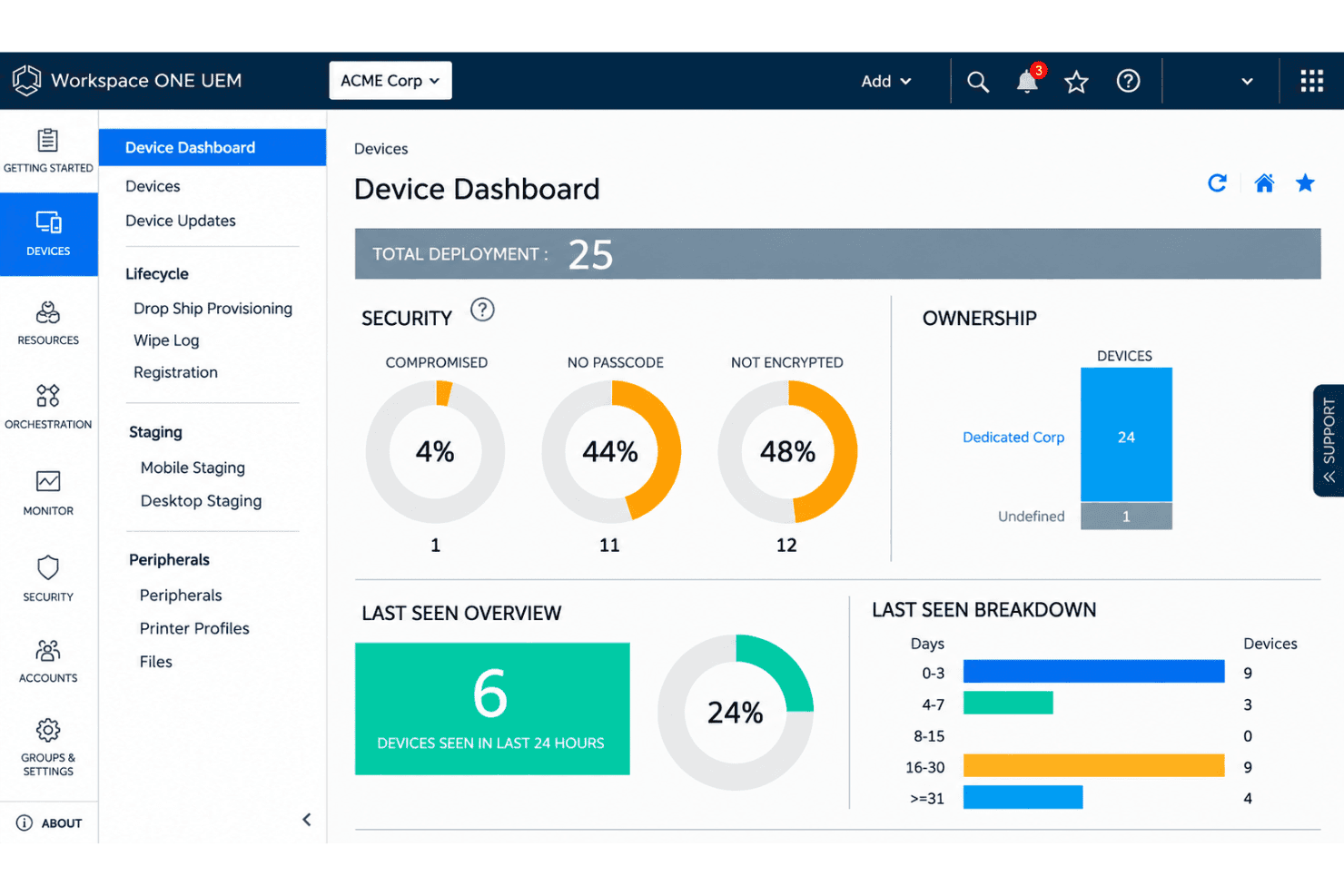
Profiles apply platform-specific settings for items such as passcodes, Wi-Fi, VPN, certificates, and restrictions. Assign them to device groups, then check installation status in the console to spot devices that haven’t received required settings.
Application Lifecycle Management
UEM deploys, configures, updates, monitors, and removes public, purchased, and internal apps. Its Intelligent Hub catalog lets users access apps assigned to them, while managed app delivery gives IT control over which software reaches devices.
Compliance Policies and Remediation
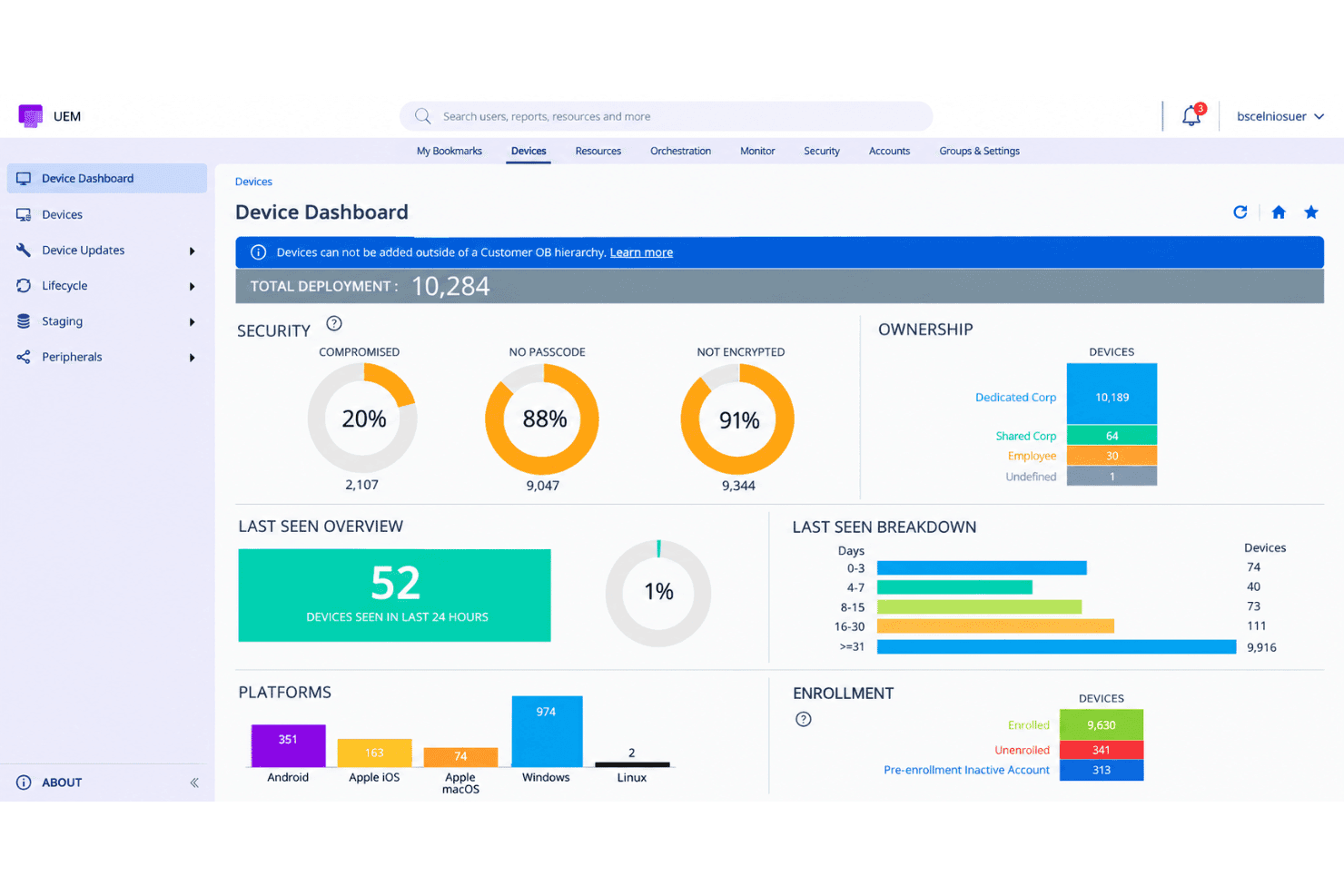
Compliance policies check conditions such as OS version, encryption, passcode status, antivirus, and whether a device is jailbroken or rooted. When a device fails a rule, UEM can notify users or take actions such as blocking managed apps, giving your team a defined response to policy violations.
Operating System and Patch Updates
UEM can assign and monitor OS updates, with update controls available for platforms including Windows, macOS, and mobile devices. For macOS, administrators can schedule updates, set user deferrals, and track installation progress, helping coordinate rollout timing across device groups.
Remote Device Actions
From the console, administrators can query device details and remotely lock, wipe, or enterprise-wipe managed devices. For example, an enterprise wipe removes managed work resources while preserving personal data, whereas a device wipe erases the device.
Ease of Use
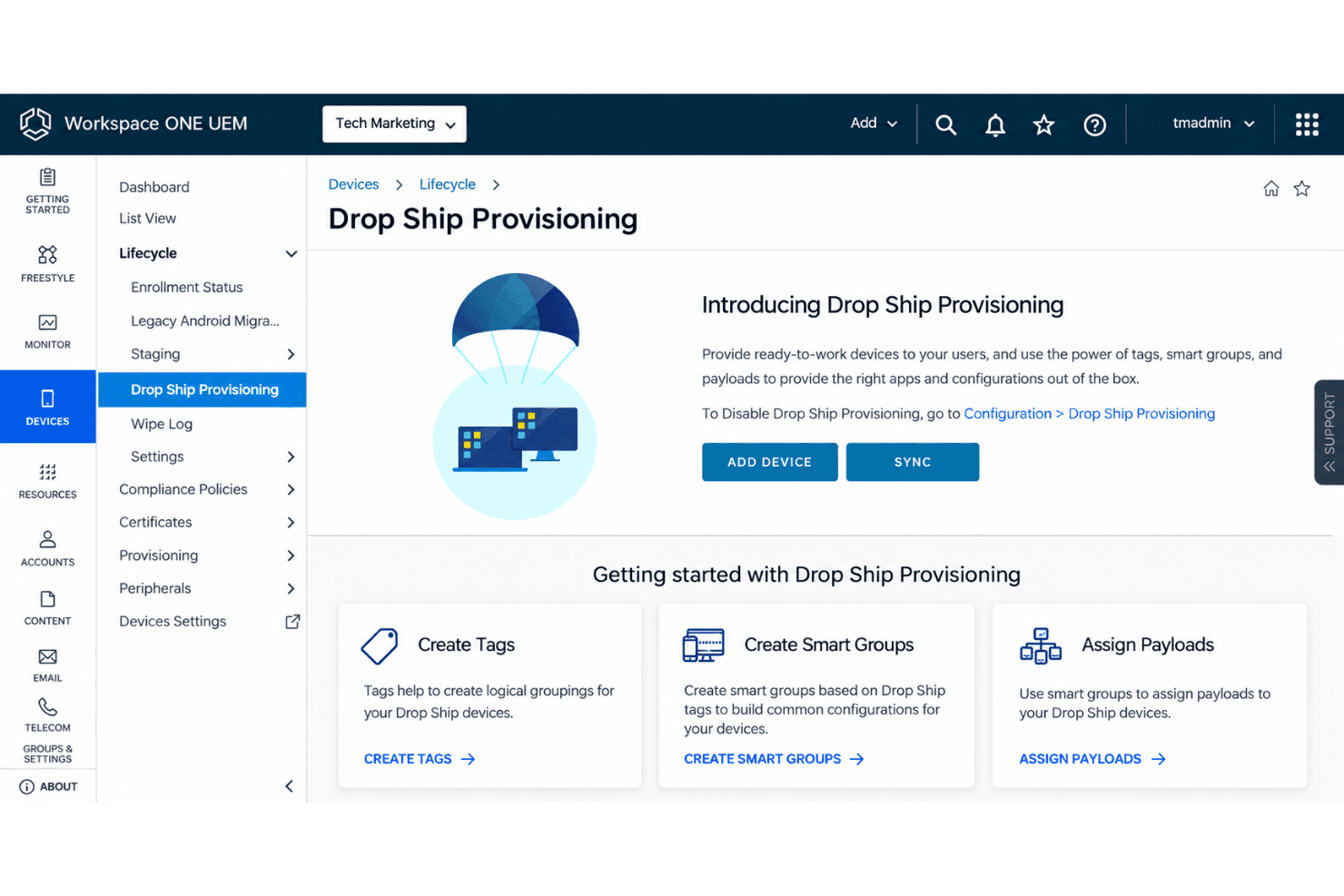
Workspace ONE UEM is capable, but I wouldn’t call it especially easy to use. Its single console handles enrollment, device profiles, app deployment, compliance, and remote actions across varied device types, though that breadth adds administrative complexity. Reviewers report unintuitive onboarding and portal navigation, plus delayed Intelligence reports and console lag during peak hours. I’d expect a learning curve, especially for teams that only need basic mobile-device management.
Integrations
Workspace ONE UEM integrates with Omnissa Access, Apple Business Manager, CrowdStrike Falcon, and Lookout for identity management, device enrollment, and security. Through Omnissa Intelligence, it also connects with ServiceNow, Slack, Microsoft Teams, Dell TechDirect, HP, and Lenovo. REST APIs support custom integrations, although some connections require additional products or have limited availability.
Workspace ONE UEM Specs
- 2-Factor Authentication: Yes
- Access Management: Yes
- API: Yes
- Approval Workflows: No
- Audit Management: Yes
- Balance Sheet: No
- Billing/Invoicing: No
- Budgeting: No
- Calendar Management: No
- Compliance Tracking: Yes
- CRM Integration: No
- Dashboard: Yes
- Data Export: Yes
- Data Import: Yes
- Data Visualization: Yes
- Document Management: Yes
- Employee Training: No
- Expense Tracking: No
- External Integrations: Yes
- Forecasting: No
- History/Version Control: Yes
- Incident Management: No
- Multi-Currency: No
- Multi-User: Yes
- Notifications: Yes
- P&L: No
- Policy Management: Yes
- Real-time Alerts: Yes
- Regulatory Alerts: No
- Risk Assessment: No
- Scheduling: Yes
- Tax Management: No
- Workflow Management: Yes


